
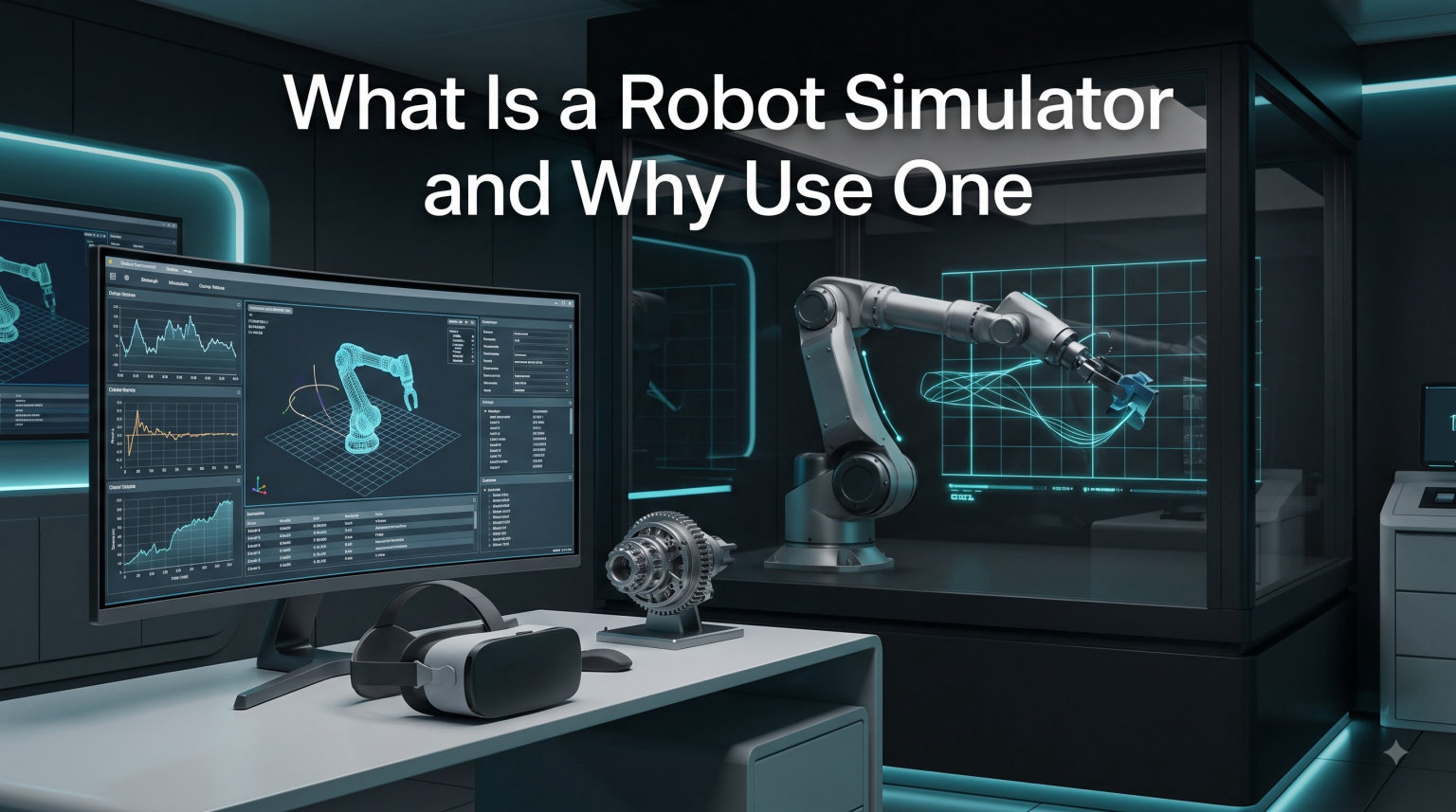
A robot simulator is a software framework that creates physics-based virtual models of robots and their environments so engineers can test, validate, and refine autonomous systems without relying solely on physical hardware. I have spent years building and testing robotic platforms, and I can tell you that the leap from prototype to working system almost always happens faster when simulation is part of the workflow.
In this guide, I will walk you through what a robot simulator actually does, how the underlying physics engines work, the main types of simulation used in research and industry, and why a growing number of teams treat simulation as a non-negotiable part of their pipeline. I will also compare the most popular platforms on the market, explain the hardware you need to get started, and answer the questions I get asked most often by students and working engineers.
Whether you are a hobbyist teaching a quadruped to walk, a graduate student training a manipulation policy, or an automation engineer commissioning a new production line, understanding robot simulation in 2026 will change how you build.
Table of Contents
What Is a Robot Simulator?
A robot simulator is a software environment that models the mechanics, sensors, and surroundings of a robotic system so the robot can be controlled, tested, and observed in software before any hardware is built. Think of it as a flight simulator for ground, air, marine, and humanoid robots. The simulator recreates gravity, friction, contact forces, lighting, and sensor noise so the robot’s control software experiences conditions that closely mirror the real world.
Most modern simulators combine three core capabilities into a single package. First, a physics engine handles the multibody dynamics that govern how rigid and articulated bodies move and collide. Second, a rendering engine produces the visual scene the robot’s cameras would see, sometimes with photorealistic fidelity for training computer vision models. Third, a set of sensor models simulates lidar, depth cameras, IMUs, force-torque sensors, and GPS so the robot can perceive its environment the way it would in reality.
Underneath all of that sits the concept of the digital twin. A digital twin is a high-fidelity virtual replica of a physical robot that stays synchronized with its real-world counterpart. When you adjust a controller parameter in simulation and then push the same parameter to the real robot, the digital twin gives you a way to predict behavior before the wheels or arms actually move. This idea is what makes virtual commissioning possible in industrial settings and what enables companies like Boston Dynamics and Amazon Robotics to validate new behaviors before they reach the warehouse floor.
Robot simulators are not just for high-end research labs anymore. Open-source projects like Gazebo, Webots, and CoppeliaSim are free to download, run on consumer laptops, and ship with tutorials designed for first-time users. Commercial platforms such as NVIDIA Isaac Sim and MATLAB Simulink add cloud rendering, advanced physics, and tight integration with Model-Based Design workflows. The barrier to entry has dropped dramatically in the last five years, and 2026 is a great time to start experimenting if you have not already.
Core Components Every Robot Simulator Shares
While every platform has its quirks, almost every robot simulator in use today exposes the same building blocks. Understanding these pieces helps you compare tools and debug issues when something goes wrong.
- Physics engine: Solves the equations of motion for rigid bodies, soft bodies, and constraints. Examples include ODE, Bullet, PhysX, and DART.
- Renderer: Produces the visual output for cameras and human observers. Ranges from simple shaded geometry to photorealistic ray-traced scenes.
- Sensor models: Simulate lidar, depth and RGB cameras, IMUs, GPS, force-torque sensors, and tactile sensors with configurable noise.
- Robot description format: A standardized way to describe the robot’s links, joints, and inertial properties. URDF and SDF are the most common.
- Controller interface: Lets you plug in your control code, whether written in C++, Python, MATLAB, or run inside ROS or ROS 2.
These pieces plug together through a simulation loop that runs at a fixed time step. At each step, the physics engine advances the world state, sensors read the new state, your controller issues new commands, and the cycle repeats. Running thousands of those loops per second is what gives the illusion of real-time robot behavior on your screen.
How Does Robot Simulation Work?
Robot simulation works by numerically solving the equations of motion for a virtual robot inside a virtual world, then feeding the resulting state back to the controller at a fixed time step. That sentence hides a lot of engineering, so let me unpack it piece by piece so the underlying mechanics make sense.
When you import or build a robot inside a simulator, you are really defining a tree of rigid bodies connected by joints. Each link has a mass, a center of mass, and an inertia tensor. Each joint constrains how two links can move relative to each other, for example, a revolute joint allows rotation around a single axis. The physics engine takes that description plus the forces your controller applies and computes how the system will move forward in time using numerical integration schemes like Euler, Runge-Kutta, or Featherstone’s articulated body algorithm.
Sensor simulation runs in parallel. A simulated camera renders the scene from the robot’s viewpoint and produces synthetic images that include realistic lens distortion and noise. A simulated lidar ray-casts against the world geometry and returns point clouds with configurable noise patterns. An IMU model integrates the linear acceleration and angular velocity reported by the physics engine, then adds bias and Gaussian noise to mimic real hardware. The result is a sensor stream your perception stack can consume without modification.
Control algorithms run on the same time step. Whether you are testing a PID loop, a model predictive controller, or a deep reinforcement learning policy, the controller reads the sensor stream, computes new actuator commands, and writes them back to the simulator. The faster this loop runs, the closer you get to real-time performance, and the easier it becomes to validate that your code will behave the same way on physical hardware.
The Role of Physics Fidelity and Time Step
Physics fidelity refers to how accurately the simulated world matches the real world. Higher fidelity means smaller time steps, more accurate contact models, richer fluid dynamics, and more realistic sensor noise. Lower fidelity lets you run faster and train machine learning models across millions of trials in a reasonable amount of wall-clock time. Choosing the right fidelity is one of the most important decisions you will make as a robotics developer.
A simulation running at 1 kHz with full contact resolution might be too slow to train a reinforcement learning agent that needs 10 million episodes. The same agent might learn an effective policy at 10 kHz with simplified contacts, then transfer to the high-fidelity simulator for final validation. This layered approach is the standard workflow in 2026 for teams shipping learning-based behaviors.
ROS and ROS 2 integration is the glue that makes all of this practical. Most simulators expose a ROS interface that lets you publish sensor data on standard topics and subscribe to velocity or trajectory commands. Your control code does not know or care that it is talking to a simulator instead of a real robot, which is the entire point. You can run the same stack on a simulated quadruped today and on the physical quadruped tomorrow with minimal changes.
Types of Robot Simulation
Robot simulation breaks down into four main categories, and most teams end up using more than one at different stages of development. Understanding the trade-offs between them is what separates a working pipeline from a stalled project.
Multibody Dynamic Simulation
Multibody dynamic simulation solves the full Newton-Euler equations for every link in the robot. This is the most physically accurate type of simulation and the one you reach for when contact forces, motor torques, and inertial coupling matter. Platforms like MuJoCo, PyBullet, and the physics core inside Gazebo all fall into this category.
Dynamic simulation is essential for legged locomotion, manipulation with contact, and any application where the robot pushes against the environment. It is also the slowest and most computationally expensive, so it is usually reserved for final validation rather than bulk training.
Kinematic Motion Simulation
Kinematic motion simulation ignores forces and focuses on geometry. The simulator checks whether the robot’s joints can reach a given pose without colliding with itself or the environment, then plans collision-free paths through the configuration space. This is the bread and butter of industrial robot programming and motion planning libraries like MoveIt.
Kinematic simulation runs much faster than dynamic simulation and is ideal for cycle-time analysis, reachability studies, and offline programming of robot arms. It is less useful when the robot needs to interact with soft materials or push against heavy objects, but for most pick-and-place applications it is more than sufficient.
High-Level Task and Discrete-Event Simulation
High-level task simulation models the robot as an agent that performs discrete actions in a discrete world. Instead of simulating every millisecond, the simulator jumps between states when the robot completes an action like grasping an object, opening a door, or moving to a new cell. This is the approach used in AI planning research and in tools designed for task-level reinforcement learning.
Discrete-event simulation is great for testing long-horizon behaviors quickly. A warehouse simulator might run thousands of shifts in minutes so you can stress-test a fleet management policy. The trade-off is loss of physical fidelity, so you still need a dynamic simulator to validate the policies the high-level simulator produces.
Hardware-in-the-Loop Simulation
Hardware-in-the-loop, or HIL, simulation connects real hardware, usually a controller or sensor, to a virtual robot and environment. The simulator runs the physics, the real controller issues commands, and the loop closes exactly as it would in the real world. This is the gold standard for validating embedded control software without risking expensive hardware.
HIL simulation is widely used in automotive, aerospace, and industrial automation. It lets engineers run millions of test scenarios that would be impossible or unsafe in the real world, including fault injection, sensor dropout, and adversarial edge cases. For robotics startups, HIL often replaces months of physical testing with days of focused virtual validation.
Why Use a Robot Simulator? Key Benefits Explained
I started using robot simulators in graduate school and immediately noticed three things: my code shipped faster, my hardware stopped breaking, and I could test ideas overnight instead of waiting for lab time. Those benefits have only gotten stronger as the tools have matured. Here is a breakdown of the advantages that matter most in 2026.
1. Drastic Cost Reduction
Physical robots are expensive, and breaking them is even more expensive. A single motor replacement on a humanoid research platform can cost thousands of dollars and weeks of lead time. Simulators let you crash a robot ten thousand times without spending a cent on replacement parts, which fundamentally changes the economics of iteration. Teams that adopt simulation-first development report cost reductions of 50 to 80 percent on prototyping.
2. Safety and Risk Mitigation
Testing an early-stage policy on a real robot can damage the robot, the test environment, or worse, the people nearby. Simulation removes that risk entirely. You can run reinforcement learning exploration with random actions, test failure modes, and inject faults without anyone getting hurt. This is especially important in industries like autonomous driving, surgical robotics, and human-robot interaction where real-world testing carries serious consequences.
3. Speed and Parallelism
A physical robot can only run one experiment at a time. A simulator running on a cloud GPU cluster can run thousands of experiments in parallel. NVIDIA Isaac Sim and Isaac Lab, for example, are designed to scale to hundreds of simultaneous environments, which compresses training times from weeks into hours. Even on a single workstation, simulation runs faster than wall-clock time for many scenarios.
4. Reproducibility and Debugging
Real-world experiments are noisy. The lighting changes, the floor texture shifts, the batteries drain at different rates, and the same code can produce different results on different days. Simulation gives you perfect reproducibility. You can save a seed, share a configuration file, and reproduce an exact failure mode months later. When something goes wrong, you can step through the simulation frame by frame instead of guessing from logs.
5. Synthetic Data for Machine Learning
Training a perception model requires labeled data, and labeling real images is slow and expensive. Simulation lets you generate perfectly labeled synthetic data with ground-truth segmentation, depth, and object poses at a fraction of the cost. You can randomize lighting, textures, and object placements to make the trained model robust to conditions it has never seen. Sim-to-real transfer is now standard practice in robot learning, and the gap between synthetic and real performance keeps shrinking.
6. Virtual Commissioning and Faster Deployment
In industrial automation, virtual commissioning means programming and testing a robot cell in software before the cell is built. Engineers import a CAD model of the factory, define robot paths, simulate the entire production sequence, and only build the physical cell once the simulation works. This shaves months off deployment timelines and prevents costly rework. If you are curious about industrial-scale deployments, our warehouse robot fleet safety scaling webinar goes into more detail.
7. Educational Access
Not every student has access to a robotics lab, but almost everyone has a laptop. Robot simulators put a complete robotics curriculum in the hands of any motivated learner, which is reshaping how universities teach the subject. Webots in particular is widely adopted in undergraduate programs because students can build and test complex scenarios without needing physical hardware.
Popular Robot Simulation Software Options
The robot simulation landscape in 2026 is broader than it has ever been. Open-source projects battle commercial platforms, and new entrants appear every year. Below is a practical overview of the most widely used options, organized by what they are best at.
Gazebo and the New Gazebo
Gazebo is the default simulator for ROS and ROS 2. The original Gazebo is reaching end of life, and the Open Source Robotics Foundation has introduced a new Gazebo built on modern rendering and physics. Both versions are free, open-source, and tightly integrated with the ROS ecosystem. Gazebo is the right choice if you are already using ROS or planning to deploy on physical hardware that runs ROS 2.
NVIDIA Isaac Sim and Isaac Lab
Isaac Sim is NVIDIA’s flagship simulator built on the Omniverse platform. It delivers photorealistic rendering, GPU-accelerated physics, and tight integration with the Jetson and Isaac ecosystem. Isaac Lab is the reinforcement learning framework layered on top. If you are training learning-based policies and have access to RTX hardware, Isaac Sim is the most capable option available in 2026.
MuJoCo
MuJoCo started as a research project at the University of Washington and is now owned by Google DeepMind. It is famous for fast and accurate contact dynamics, which is why it is the simulator of choice for many reinforcement learning papers. The community edition is free for research, and the XML-based modeling language is approachable for new users.
Webots
Webots is maintained by Cyberbotics and has been around since the late 1990s. It uses the ODE physics engine, ships with a large library of prebuilt robots and sensors, and has a beginner-friendly interface. Webots is widely used in education and in RoboCup competitions. It also supports ROS and ROS 2 out of the box.
CoppeliaSim
CoppeliaSim, formerly V-REP, is a versatile simulator with a drag-and-drop scene editor, four physics engines to choose from, and scripting in Lua, Python, and C++. It is popular in academic research and is well suited to multi-robot scenarios. The educational edition is free, and the commercial license is reasonably priced compared to industrial alternatives.
Unity Robotics and Unreal Engine
Game engines have become serious robotics platforms. Unity Robotics Hub and the Unity Simulation toolchain give you a full game engine plus ROS integration and synthetic data generation. Unreal Engine with the AirSim plugin has been a go-to choice for autonomous vehicle research for years. Both shine when photorealistic rendering is a priority, especially for vision-based learning.
MATLAB Simulink and Simscape
For engineers already working in the MATLAB ecosystem, Simulink and Simscape Multibody provide Model-Based Design capabilities that integrate directly with code generation tools. This is the standard workflow in automotive, aerospace, and industrial automation where formal verification matters. The trade-off is cost and a steeper learning curve for users coming from open-source backgrounds.
PyBullet and Open-Source Lightweights
PyBullet wraps the Bullet physics engine in a Python interface and is beloved by researchers who want a minimal, scriptable simulator. It is not as full-featured as Isaac Sim, but it installs with a single pip command and runs almost anywhere. For quick experiments, baseline benchmarks, and teaching, PyBullet is hard to beat.
How to Choose the Right Robot Simulator
Choosing a robot simulator is less about finding the best tool and more about matching the tool to your project, your team, and your hardware. After watching dozens of teams make this decision, I have narrowed the criteria down to a handful of questions that get you to the right answer fast.
Step 1: Define Your Primary Use Case
Start with the question that drives everything else: what do you actually need to test? If you are validating a manipulation policy with contact, you need a dynamic simulator with accurate contact resolution, which points to MuJoCo or Isaac Sim. If you are planning collision-free paths for a stationary robot arm, a kinematic simulator built into MoveIt will do the job faster. If you are training a deep reinforcement learning agent, you want a simulator that scales across many parallel environments. Be honest about the use case, because the most popular tool is rarely the best tool for your specific problem.
Step 2: Evaluate Hardware Requirements
Simulator hardware requirements vary wildly. PyBullet and Webots run comfortably on a mid-range laptop. Isaac Sim wants an RTX-class GPU with at least 8 GB of VRAM and ideally 16 GB or more. Before committing, check the recommended specs and compare them to the machines you actually have. Cloud-based simulation, including AWS RoboMaker, Google Cloud, and NVIDIA’s hosted offerings, is a good fallback if your local hardware cannot keep up.
For embedded controllers and edge compute, you might also want to look at single-board computers that pair well with simulators. Our guide on what a BeagleBone is and when to use one covers one popular option, and platforms like the NVIDIA Jetson Orin Nano are worth considering for sim-to-real pipelines.
Step 3: Check ROS and ROS 2 Compatibility
If your project touches the ROS ecosystem, simulator integration matters more than any other feature. Gazebo, Webots, and Isaac Sim all have first-class ROS 2 support, while others rely on community bridges. Test the integration early, ideally with a small proof of concept, before you build a whole pipeline on top of a tool that turns out to be incompatible. For a deeper look at how ROS fits with broader robotics communication, our CAN bus explainer covers one common bus protocol that often appears in the same systems.
Step 4: Consider Community and Documentation
The best simulator in the world is useless if you cannot figure out how to use it. Before committing, check the documentation, browse the community forum, look at recent GitHub activity, and search for tutorials on YouTube. Gazebo, Webots, and Isaac Sim all have strong communities and well-maintained documentation. Smaller projects can be brilliant but leave you stuck when you hit an edge case. The forum discussions I have read confirm that documentation and community support are the deciding factors for most beginners.
Step 5: Plan for Sim-to-Real Transfer
If your simulation work will eventually deploy to a real robot, plan the transfer early. Domain randomization, accurate sensor models, and system identification all matter. Some platforms, like Isaac Sim and MuJoCo, have built-in tools for these workflows. Others require more manual effort. Building the sim-to-real bridge after the fact is painful, so it is worth choosing a simulator that supports it from day one.
Step 6: Budget Honestly
Free and open-source simulators dominate the educational and hobbyist space, and they are more capable than ever. Commercial simulators cost money but often pay for themselves in industrial settings through faster commissioning, reduced downtime, and support contracts. If you are running a startup, the open-source path is almost always the right starting point. If you are running a production line, the calculus shifts. Be honest about the budget and weigh it against the value of vendor support.
Common Challenges and Limitations
Robot simulation is not magic, and there are real challenges to be aware of. The most common one is the sim-to-real gap, the difference between simulated and real-world behavior caused by imperfect physics models and unmodeled dynamics. Reducing this gap requires careful parameter tuning, high-fidelity sensor models, and validation against real hardware. The forum posts I have read confirm that the sim-to-real gap is the single most common source of frustration for newcomers.
Other challenges include steep learning curves for advanced simulators, computational intensity for high-fidelity scenes, compatibility issues between simulator versions, and the difficulty of creating realistic environments that match the deployment conditions. None of these are deal-breakers, but they are real and they will cost you time. Power and brownout issues, which we have covered in our article on why robots brown out and reset, can also be studied safely in simulation before they hit your hardware.
Industry-Specific Applications
Different industries lean on simulation in different ways. In industrial robotics, simulation powers virtual commissioning and cycle-time optimization for automotive and electronics manufacturing. In autonomous vehicles, companies like Waymo, Tesla, and Aurora run billions of simulated miles to train and validate driving policies. In agriculture, drones and ground robots are tested in simulated fields before they are deployed on real crops. In healthcare, surgical robots are rehearsed in patient-specific virtual anatomies to plan complex procedures.
Warehouse and logistics is another fast-growing area. Companies that operate large fleets of autonomous mobile robots use simulation to test new traffic management policies, validate safety protocols, and scale operations without risking downtime. If you are interested in this space, the warehouse safety webinar we mentioned earlier offers a deep dive. Power architecture is also a recurring concern, which is why we have written about why robots use separate power for logic and motors.
Future Trends in Robot Simulation
The field is moving fast. Foundation models for robotics, including the recent wave of vision-language-action models, are trained on massive amounts of synthetic data generated in simulators like Isaac Sim. World models, which learn a generative model of how the environment responds to actions, are starting to replace traditional physics engines for some tasks. Cloud-based simulation is making high-fidelity tools accessible to teams without expensive local hardware. And the sim-to-real gap is closing as researchers develop better contact models, learned simulators, and large-scale domain randomization.
By 2026, I expect foundation-model-driven simulation to be a major focus, with simulators acting as evaluation environments for generalist robot policies the same way GameBench evaluates gaming AI. Reinforcement learning at scale, photorealistic synthetic data, and digital twin synchronization across entire fleets are all areas of active investment. If you are getting into robotics now, you are entering the field at one of the most exciting moments in its history.
Frequently Asked Questions
What is the main purpose of a robot simulator?
The main purpose of a robot simulator is to create a physics-based virtual environment where robotic systems can be designed, tested, and validated before real-world deployment. This reduces costs, accelerates development, and prevents damage to physical hardware during the iterative testing phase.
What is the best robot simulator for beginners?
Webots and CoppeliaSim are widely recommended for beginners because of their graphical interfaces, thorough documentation, and built-in tutorials. For users already familiar with ROS, Gazebo offers a smooth on-ramp. Free and open-source options dominate the beginner space.
What are the main types of robot simulation?
The four main types of robot simulation are: (1) multibody dynamic simulation for realistic physics, (2) kinematic motion simulation for motion planning, (3) high-level task simulation for discrete behavior testing, and (4) hardware-in-the-loop (HIL) simulation that connects real controllers to virtual robots.
Is robot simulation accurate compared to real hardware?
Modern robot simulators achieve high fidelity for many applications, especially in motion planning and control algorithm validation. However, sim-to-real gaps remain in complex contact dynamics, soft materials, and novel sensor behavior. Accuracy depends on physics engine quality, sensor model fidelity, and proper parameter tuning.
What hardware do I need to run a robot simulator?
Basic simulators like Webots or CoppeliaSim run on a modern laptop with a dedicated GPU. High-fidelity platforms such as NVIDIA Isaac Sim require an RTX-class GPU with at least 8 GB of VRAM. Cloud-based simulation is increasingly available for users who need heavy compute without investing in local hardware.
Can I use a robot simulator for reinforcement learning?
Yes. Simulators like MuJoCo, Isaac Sim, and Gazebo are the standard environments for training reinforcement learning policies. They allow agents to experience millions of episodes quickly, then transfer the learned behaviors to physical robots using domain randomization techniques.
Final Thoughts on Robot Simulation
A robot simulator is a software framework that creates physics-based virtual environments where robotic systems can be designed, validated, and trained before they ever touch real hardware. Across this guide I have covered what a robot simulator is, how the physics and sensor models work, the four main types of simulation, the benefits that make it indispensable, and the popular platforms you can pick from today.
If you are new to the field, my recommendation is to start small. Install Webots or Gazebo, run a built-in tutorial, and get a simple robot moving in a virtual world within an hour. Once you are comfortable with the loop, move to a more capable platform like Isaac Sim or MuJoCo and start tackling your own use case. Simulation rewards consistency more than anything else, and the projects you build today will become the foundation of the autonomous systems we all use tomorrow.