
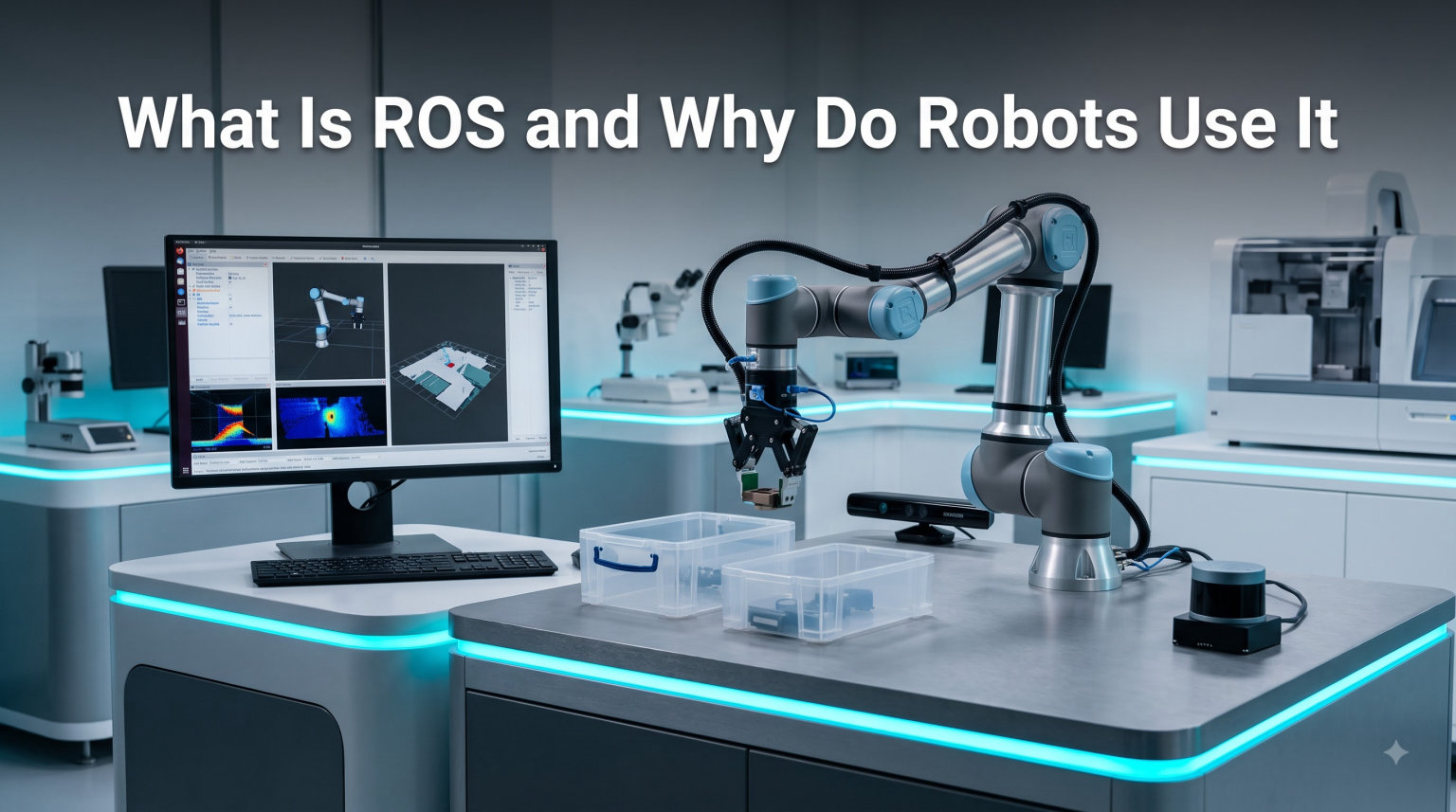
When I first heard the term “Robot Operating System” years ago, I assumed it was a competing alternative to Windows or Linux. It is not. ROS is something far more interesting: an open-source collection of software libraries and tools that lets engineers and hobbyists build robot applications without rewriting the same code from scratch on every new project.
In this guide, I will walk you through what ROS actually is, why robots use it, how its core building blocks (nodes, topics, and messages) fit together, and where you will see it in the real world. If you have ever asked “what is the point of ROS?” or felt lost in forum threads about nodes and topics, this article is for you.
Table of Contents
What Is ROS (Robot Operating System)?
ROS, short for Robot Operating System, is an open-source robotics middleware suite that provides software libraries and tools to help you build robot applications. Despite the name, it is not a true operating system. It runs on top of Linux (and increasingly on Windows and macOS through ROS 2) and acts as the connective layer between your hardware, your sensors, and the algorithms that turn sensor data into action.
The project started in 2007 at Stanford University as part of the Stanford AI Robot project, then grew rapidly under Willow Garage between 2007 and 2013. Today it is maintained by Open Robotics and a global community of contributors. If you want a quick mental model, think of ROS as the plumbing, electrical wiring, and toolbox for a robot, but not the robot’s “brain” or personality.
ROS gives you four big things out of the box:
- Hardware abstraction so the same code can talk to different sensors and motors
- Low-level device drivers for cameras, LiDARs, IMUs, and arm controllers
- Pre-built algorithms for perception, mapping, navigation, and motion planning
- Visualization, simulation, and debugging tools that speed up development
For newcomers, the official site ros.org describes ROS as “a set of software libraries and tools that help you build robot applications,” and that one sentence captures the philosophy better than any textbook definition.
Why Do Robots Use It? The Problems ROS Solves
Before ROS, building even a simple mobile robot meant writing custom drivers for every sensor, hand-rolling your own message-passing between processes, and re-implementing algorithms like SLAM (simultaneous localization and mapping) that other teams had already perfected. ROS exists to eliminate that repetition.
Here is the core reason robots use ROS: it lets developers focus on what makes their robot different, instead of rebuilding the same scaffolding every time. If you have ever wondered why the CAN bus in robots matters, ROS is the layer that talks to that bus consistently across vendors.
Five concrete problems ROS solves:
- Hardware abstraction. Your code talks to a “camera interface” rather than to a specific camera model, so swapping hardware rarely means rewriting your application.
- Code reuse. Thousands of open-source packages cover navigation, computer vision, manipulation, and speech. You install them with one command instead of porting them yourself.
- Faster iteration. Visualization tools like rviz and simulators like Gazebo let you test ideas without touching physical hardware, which is exactly the workflow experienced ROS users recommend on Reddit.
- Standardized communication. Every module publishes and subscribes to messages in a common format, so a navigation package written by one team can plug into a perception package written by another.
- Community and longevity. With ROSCon conferences, regional meetups, and active forums, you are rarely the first person to hit a given problem.
This is also why ROS shows up in both university labs and large companies. The same middleware that helps a PhD student map a hallway helps Amazon Robotics move shelves in a fulfillment center.
How ROS Works: Nodes, Topics, and Messages
If ROS is the plumbing, then nodes, topics, and messages are the pipes, valves, and water. Understanding these three concepts is the breakthrough moment every beginner has. Once they click, the rest of the system starts to make sense.
A node is a single-purpose program that does one job well. Reading from a camera is a node. Controlling a motor is a node. Running a SLAM algorithm is a node. You typically run many nodes at the same time, each handling a small piece of the robot’s behavior.
Nodes talk to each other by sending messages over named channels called topics. A camera node might publish image messages on a topic called /camera/image_raw. A vision node subscribes to that topic, processes the frames, and publishes detected objects on /detections. A navigation node subscribes to /detections and decides where the robot should go. This pattern is called publish-subscribe, and it is the heart of ROS.
Beyond topics, ROS supports a few other communication styles:
- Services for synchronous request/response calls, like “open the gripper” or “save this map.”
- Actions for long-running tasks that report feedback and can be canceled, like “navigate to the kitchen.”
- Parameter server for shared configuration values that nodes can read at startup.
In ROS 1, a central master process keeps track of which nodes exist and helps them find each other. In ROS 2, that role is replaced by a peer-to-peer discovery system based on DDS (Data Distribution Service), which removes the single point of failure and adds real-time support. If you have ever debugged power issues on a robot, you will appreciate why isolating separate power for logic and motors is just as important as isolating your software architecture.
The same separation of concerns that keeps a robot’s electrical system stable is exactly what nodes give you in software: small, replaceable, testable pieces working together.
Key ROS Tools You Will Use
One reason ROS feels approachable once you start is the toolbox that ships with it. You do not need to install anything fancy to get useful work done.
These are the tools you will meet first:
- rviz – a 3D visualizer that lets you see your robot, its sensor data, maps, and planned paths in real time. It is the single best debugging tool for spatial problems.
- rosbag – records and plays back message streams, so you can capture a tricky real-world scenario and replay it forever while you fix your code.
- roslaunch – starts many nodes at once from a single configuration file, which is essential when a real robot might run 30 or 40 nodes simultaneously.
- Gazebo – a physics-based simulator where you can drop a virtual robot into a virtual warehouse and crash it without consequence. Most teams test in simulation for weeks before touching real hardware.
- catkin (ROS 1) and colcon (ROS 2) – build systems that compile your packages and resolve dependencies automatically.
When you pair rviz with the right plugins, you can inspect everything from motor torque curves to the joint-by-joint state of a robot arm. This is also where servo motors in robots become visible, because rviz can plot the commanded versus actual position of every joint in your robot.
Between rviz for visualization, rosbag for data, and Gazebo for simulation, you can build and test most of a robot’s software without owning a single physical component.
ROS 1 vs ROS 2: Which Should You Learn?
This is the most common question on robotics forums in 2026, and the honest answer is: for new projects, learn ROS 2. ROS 1 is still alive and widely used in research labs and legacy systems, but ROS 2 is the actively developed, future-facing version. Most beginner tutorials and new hardware support are landing in ROS 2 first.
Here is a side-by-side look at how they differ:
- Communication backbone. ROS 1 uses a single ROS Master plus XML-RPC. ROS 2 uses DDS for peer-to-peer discovery, which removes the master as a single point of failure.
- Real-time support. ROS 1 was not designed for hard real-time. ROS 2 supports real-time control through DDS implementations and quality-of-service settings.
- Platforms. ROS 1 officially targets Ubuntu Linux. ROS 2 runs on Linux, Windows, macOS, and even some RTOS-style platforms, which matters for industrial users.
- Security. ROS 1 has no built-in security. ROS 2 supports authentication, encryption, and access control through SROS 2.
- Build system. ROS 1 uses catkin. ROS 2 uses colcon and ament, with cleaner package isolation.
If you are starting a brand-new project today, the consensus on discourse.ros.org and Reddit’s r/ROS is to begin with ROS 2 (Humble or Jazzy are good picks in 2026). If you are joining a lab that already has ROS 1 code, you will still benefit from learning the concepts in ROS 1, because the mental model transfers almost completely.
Either way, the nodes-topics-services pattern you learn in one version applies to the other. You are not picking a side; you are learning a paradigm.
Where ROS Is Used: Industry Applications
ROS is not just an academic toy. The same framework that started in a Stanford lab now powers robots in space, on factory floors, and on roads.
Some of the most visible real-world deployments include:
- NASA’s Robonaut 2 on the International Space Station runs on ROS, giving astronauts a humanoid teammate for repetitive tasks inside the station. This is the single most cited trust signal when newcomers ask if ROS is “serious.”
- Amazon Robotics uses ROS-based systems (and the older ROS 1 stack) to coordinate hundreds of mobile shelves in fulfillment centers. AWS RoboMaker, Amazon’s cloud robotics service, is also built around ROS.
- Autonomous vehicles and drones from companies like Autoware, Aptiv, and various research groups use ROS 2 for perception, planning, and control stacks.
- ROS-Industrial is an open-source extension that brings ROS capabilities to manufacturing robotics, including support for big industrial arms from ABB, KUKA, and Fanuc.
- Agricultural robots from companies like Naio Technologies and research projects in field robotics rely on ROS for navigation in unstructured outdoor environments.
One thing I notice when talking to industry engineers: outside of mobile robotics, ROS adoption is still uneven. Many traditional factories use proprietary vendor stacks for their six-axis arms, and switching costs are real. But for any new mobile platform, AMR (autonomous mobile robot), or research prototype, ROS has become the default starting point.
For the hardware-curious, even small hobby boards now ship with ROS drivers. An ESP32 for robotics can act as a low-cost sensor node feeding data into a ROS graph, which is a great way to learn the publish-subscribe pattern on the cheap.
How to Get Started With ROS
If you are convinced ROS is worth learning, the good news is the path in is well-worn. The slightly bad news is that the first afternoon can be frustrating if you skip a few steps, so follow this order.
Step 1: install ROS on Ubuntu. The official installation page lists supported distributions and one-line installers. If you are not on Linux, run Ubuntu in a VirtualBox or WSL2 instance first; most tutorials assume a Linux environment.
Step 2: work through the official beginner tutorials. The “ROS Tutorials” page on ros.org walks you through nodes, topics, services, and a simple publisher-subscriber example. Treat it like a cookbook, not a reference.
Step 3: simulate before you buy hardware. Spawn a TurtleBot in Gazebo, drive it around with a virtual joystick, and watch rviz display its laser scans. You will learn 80% of what you need without spending a dollar on parts.
Step 4: graduate to a real platform. Once you are comfortable, a TurtleBot 4, a Clearpath Husky, or even a hacked-together gear ratio in robotics project can become your testbed. Start small and resist the urge to build a humanoid on day one.
Step 5: join the community. Subscribe to r/ROS, lurk on discourse.ros.org, and if you can, attend a ROSCon talk on YouTube. The community is one of ROS’s biggest advantages, and it is free.
One tip I wish I had known earlier: do not try to learn every concept at once. Get one node publishing and one node subscribing, then expand from there. The fundamentals are small, and the rest is composition.
Frequently Asked Questions
What is the use of ROS in robotics?
ROS gives robotics engineers a common set of tools, libraries, and conventions so they can build robot software faster. It handles hardware abstraction, message passing between processes, sensor drivers, visualization, simulation, and a package ecosystem for algorithms like SLAM and navigation. In practice that means less time reinventing plumbing and more time solving the actual problem the robot is meant to address.
Does ROS still exist?
Yes. ROS is actively maintained by Open Robotics and a large global community. ROS 1 is in long-term maintenance mode, and ROS 2 is the current actively developed line, with regular new releases and growing industry support in 2026.
Does NASA use ROS?
Yes. NASA’s Robonaut 2, a humanoid robot aboard the International Space Station, runs on ROS. NASA also contributes to Space ROS, a hardened variant for space-qualified hardware. The project is a frequently cited example of ROS being trusted in safety-critical deployments.
What is ROS and how does it work?
ROS works as a network of small programs called nodes that exchange messages through named channels called topics. A camera node publishes images, a vision node subscribes and publishes detections, and a navigation node subscribes to those detections. ROS 1 uses a central master for discovery, while ROS 2 uses peer-to-peer DDS, removing the single point of failure and adding real-time support.
What is the point of ROS?
The point of ROS is to stop every robotics team from writing the same low-level code over and over. It standardizes hardware drivers, message formats, build systems, and visualization tools, and ships with thousands of reusable packages. You spend your time on the part of the robot that is actually new, not on plumbing.
Does Nvidia use ROS?
Yes. Nvidia provides ROS 2 support across its Jetson platform, including Isaac ROS packages for hardware-accelerated perception and AI. Many autonomous robotics teams run ROS 2 directly on Jetson modules to take advantage of the GPU for vision and machine learning workloads.
Final Thoughts on ROS
So, what is ROS and why do robots use it? It is the open-source middleware that turns robot software from a one-off nightmare into a composable, reusable system, and robots use it because it lets them ship faster with less reinvention. If you are building anything from a classroom robot to a warehouse AMR, learning ROS is one of the highest-leverage skills you can pick up in robotics today.
My suggestion: install ROS 2 on Ubuntu, work through the beginner tutorials, and spawn a TurtleBot in Gazebo this weekend. You will hit the “aha” moment faster than you expect.