
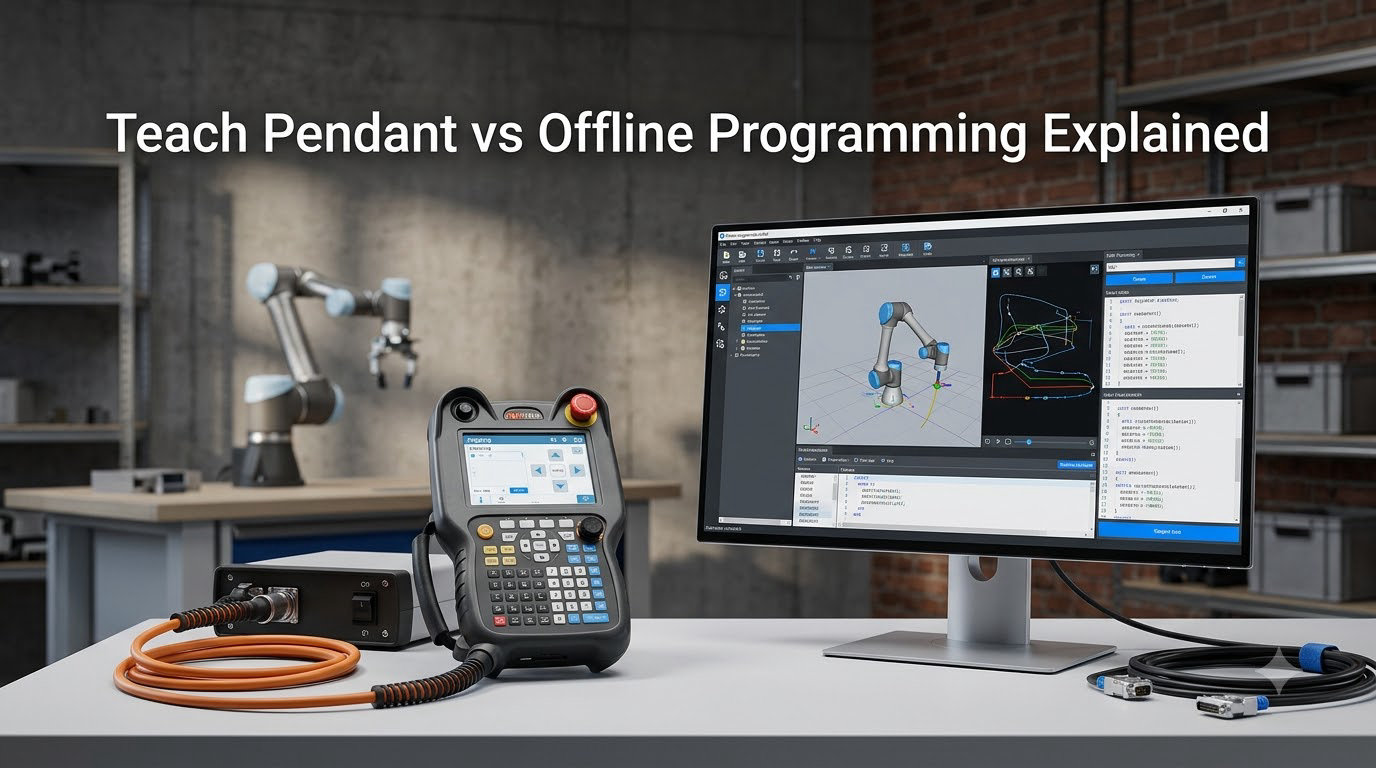
If you have ever stood in front of a six-axis arm wondering whether to grab a teach pendant or fire up RobotStudio, you are asking the exact question our team hears every week. In this guide, I will walk you through the teach pendant vs offline programming decision the way I would explain it to a shop floor lead on a Monday morning.
Both methods get a robot from “empty controller” to “running production.” They get there through very different paths, with very different costs, and very different effects on uptime. I have spent the last decade helping manufacturers pick between them, and what follows is the most complete comparison I can write for 2026.
By the end of this article, you will know how each method works, what it costs, where it shines, where it breaks, and how to decide for your specific application. Let’s get into it.
Table of Contents
What Is Teach Pendant Programming and How Does It Work?
Teach pendant programming is an online robot programming method where an operator uses a handheld controller to manually move an industrial robot through positions, recording each waypoint into the robot’s memory. The pendant is wired (or wirelessly paired) to the robot controller, and the robot physically moves while the program is being built.
The name comes from the pendant-shaped housing that hangs from a cable at most work cells. Operators literally “teach” the robot by walking it through the desired path, step by step. Each point is saved as a coordinate, and the controller stitches those points into a sequence the robot can replay at full speed.
Modern pendants from FANUC, ABB, KUKA, and Yaskawa all follow the same basic pattern: a screen, a joystick or jog wheel, an enable switch (the three-position deadman), and emergency stop. The brand-specific language sits on top of this hardware, which is why FANUC uses TP, ABB uses FlexPendant, and KUKA uses the smartPAD.
Programming happens in three modes that every operator learns first. In joint mode, you move one axis at a time. In world or Cartesian mode, you move the tool tip along X, Y, and Z. In tool mode, you rotate around the tool center point. The way you toggle between these modes is where brand-specific learning curves begin.
What Is Offline Programming (OLP) and How Does It Work?
Offline programming (OLP) is a method where engineers build and simulate robot programs on a PC, using a digital twin of the work cell, then transfer the finished program to the physical robot. The robot stays in production the entire time, which is the single biggest reason shops adopt OLP in the first place.
The core idea is straightforward. You import a 3D CAD model of the part, fixture, and any obstacles into a simulation environment. The software contains a virtual model of your specific robot arm. You then create paths, tool orientations, and logic the same way you would on a pendant, but with a mouse and keyboard instead of a jog wheel.
Major OLP platforms include ABB RobotStudio, FANUC ROBOGUIDE, KUKA.Sim, Yaskawa-MotoSim, and Universal Robots’ URSim. Each one is tightly integrated with the matching robot brand, which makes post-processing near-automatic once the simulation is correct.
OLP relies on accurate kinematic models of the robot. If you have read our forward vs inverse kinematics guide, you already know that inverse kinematics is what lets the software solve joint angles from a desired tool position. That math is the engine under every OLP platform.
Teach Pendant Programming: Key Advantages
Teach pendant programming wins where simplicity and immediacy matter most. Here are the advantages our team sees play out on real shop floors.
- No additional software cost. The pendant ships with the robot. There is nothing to license, install, or renew.
- Real-time feedback. The operator sees the actual robot respond to every input, which makes it easy to react to fixture variations and part tolerance issues.
- Low learning barrier for simple tasks. A motivated operator can teach a basic pick-and-place program in an afternoon.
- Easy field adjustments. When a fixture shifts by 2 mm, you jog the affected point and overwrite it. No simulation rebuild required.
- Universal across every brand. The concept of joint, world, and tool modes is the same on every controller, even when the screen layout differs.
For small shops running a handful of robots on simple trajectories, these advantages are decisive. We have watched shops put a brand new FANUC into production within 48 hours of delivery using nothing but the pendant.
Teach Pendant Programming: Key Disadvantages
The pendant approach also has real downsides, and ignoring them leads to production losses our team has measured on more than one audit.
- Production downtime. The robot cannot run product while it is being taught. For a high-volume line, every hour of programming is an hour of lost output.
- Hand and arm fatigue. Operators on the FANUC subreddit regularly report hand fatigue during sessions longer than two hours. The pendant is heavy, the enable switch requires constant pressure, and the screen is small.
- No collision checking before run. You find out about a singularity or reach limit when the robot faults, not before.
- Difficult for complex paths. A welding seam with 200 points is brutal to teach by hand. A curved surface is worse.
- Brand-specific quirks. The same physical task can take twice as long to program on one brand versus another because of menu structure and language differences.
If your application involves more than a few dozen waypoints, or if your robot cell is part of a high-mix production line, the disadvantages start to outweigh the benefits very quickly.
Offline Programming: Key Advantages
OLP flips the script. The robot keeps running while engineering happens, and that single fact is why the major robot makers have invested so heavily in their simulation suites.
- Eliminates programming downtime. RobotStudio and ROBOGUIDE users routinely report 80% or higher uptime, because the cell is rarely stopped for programming.
- 10x faster program creation for complex paths. A welding seam that takes a full day to teach by hand can be auto-generated from CAD edges in under an hour.
- Collision and reach detection before deployment. The simulation flags reach problems, singularities, and collisions while you still have time to fix them.
- Cycle time optimization. You can test different motion strategies in the simulator and pick the fastest safe one before loading code to the real robot.
- Multi-robot coordination. OLP is the only practical way to choreograph several robots working in a shared cell, which is a gap no competitor currently covers well.
- Documented programs. The simulation file becomes a permanent record of the path, useful for training, audits, and re-deployment on the next cell.
Offline Programming: Key Disadvantages
OLP is not a magic wand, and the people selling you the software will not always tell you this part first. Our team has hit every one of these problems during cell commissioning.
- High upfront software cost. A single seat of RobotStudio or ROBOGUIDE runs into five-figure territory, and you need trained people to use it.
- Calibration gap between simulation and reality. The digital twin is only as accurate as your CAD and your robot calibration. A 1 mm fixture error in CAD becomes a 1 mm path error on the real floor.
- Steep learning curve. OLP software is denser than the pendant UI. Expect a full week of training before an engineer is productive, and longer for complex cells.
- Post-processing varies by brand. Switching between vendors means re-learning the post-processor, even though the underlying concepts are similar.
- Less intuitive for simple changes. A 2 mm fixture offset that takes 30 seconds on the pendant can take 10 minutes in OLP because you have to re-simulate and re-verify.
One underrated disadvantage: legacy controllers. If your cell still runs an older controller, OLP support can be limited or require paid add-on modules. Plan for that during your upgrade roadmap.
Teach Pendant vs Offline Programming: Head-to-Head Comparison
Here is the side-by-side comparison our team uses during client workshops. It distills the points above into a single decision matrix.
| Factor | Teach Pendant | Offline Programming (OLP) |
|---|---|---|
| Production downtime during programming | High (robot must be stopped) | Near zero (robot keeps running) |
| Upfront cost | Included with robot | Five-figure software license |
| Time to program a complex path | Hours to days | 30 minutes to a few hours |
| Learning curve | Moderate (per brand) | Steep (per software platform) |
| Collision detection | After the fact (faults) | Before deployment (simulated) |
| Best for batch size | Small to medium | Medium to large |
| Multi-robot coordination | Difficult and error-prone | Built into modern platforms |
| Real-time field adjustment | Excellent | Requires re-simulation |
| Documentation and version control | Limited (file on pendant) | Excellent (file on server) |
| Hardware required | Pendant (shipped) | Workstation with GPU |
The short version: pendants win on cost and immediacy. OLP wins on uptime, complexity, and scale. Most mature shops we work with end up using both, with OLP handling 80% of the work and the pendant handling quick fixes.
When to Use Teach Pendant vs Offline Programming
This is the question every integrator gets asked, and the honest answer is “it depends on the application profile.” Here is the decision framework I walk clients through.
Reach for the teach pendant when:
- You are running a small batch (under 100 parts) or a one-off job.
- The path has fewer than 20 waypoints.
- The fixture is hand-built and not modeled in CAD.
- You need a quick field fix on an existing program.
- You are teaching a brand new operator and want them to feel the robot’s behavior directly.
Reach for offline programming when:
- The path is complex, curved, or has more than 50 waypoints.
- The cell runs multiple product variants on a single fixture.
- You need to coordinate two or more robots in a shared workspace.
- Cycle time optimization is critical because the line runs at high volume.
- You are integrating with a vision system or external sensor that requires precise timing.
- You are replicating the same cell across multiple plants and need consistent programs.
A practical heuristic: if a programmer can teach the cell in a single shift, use the pendant. If the program takes longer than a shift to teach, you are losing money compared to OLP. The exact crossover point depends on your hourly throughput value, but the math usually settles the argument by itself.
Software, Skills, and Cost Considerations
Behind every successful deployment is a matching investment in software, training, and people. Here is how the two methods compare on the non-engineering side of the decision.
Software stack. Pendant programming needs nothing beyond the controller firmware. OLP needs a Windows workstation with a decent GPU, a software license, and ideally a second monitor. Most vendors now offer academic and trial licenses, which is the cheapest way to test the waters before committing.
Skills required. Pendant operators need mechanical aptitude, basic trigonometry comfort, and brand-specific training (FANUC’s TP course, ABB’s RobotStudio operator course, and so on). OLP engineers need CAD literacy, kinematics understanding, and comfort with simulation tooling. Our team has seen strong CNC programmers transition to OLP faster than people with no manufacturing background. If you want a primer on the computing side, the Arduino vs Raspberry Pi vs ESP32 guide covers similar concept-of-platform thinking in a different domain.
Cost comparison. A pendant is included. An OLP seat runs between $5,000 and $25,000 depending on the platform and add-ons, plus annual maintenance. Training costs add another $2,000 to $5,000 per engineer. For a shop with five robots, OLP pays for itself in under a year once you account for recovered production time.
Safety and compliance. Pendant programming keeps the operator close to the robot, which has its own risks. OLP lets engineers work away from the cell entirely, which is safer. Most modern safety standards actually prefer the OLP workflow for high-risk applications, which is another argument in its favor for regulated industries.
Future trends. Tablet-based pendants and browser-based OLP are closing the gap. The next generation of pendants will likely run a thin OLP client on the same device, letting operators move between pendant and offline workflows without leaving the cell. If you are investing now, choose a vendor whose roadmap includes that convergence.
Frequently Asked Questions
How does a teach pendant work?
A teach pendant is a handheld controller connected to the robot controller. The operator uses a jog wheel or joystick to move the robot in joint, world, or tool mode, saving each waypoint into the controller’s memory. Once all points are recorded, the controller can replay the path at full production speed.
What is a teach pendant in robot programming?
A teach pendant in robot programming is the primary input device for online programming. It combines a screen, motion controls, a three-position enable switch, and an emergency stop button. Operators use it to manually move the robot and record positions that define the program.
Why is it called a teach pendant?
It is called a teach pendant because operators literally teach the robot by guiding it through positions. The word pendant refers to the device’s shape, which hangs from a cable at the work cell, much like a jewelry pendant.
What are the advantages and disadvantages of teach pendant programming?
Teach pendant programming is low-cost, immediate, and easy for small programs, but it requires the robot to be stopped during programming, causes operator fatigue, and is slow for complex paths. OLP solves most of these issues at the cost of higher software investment and a steeper learning curve.
Is offline programming worth it for small shops?
Offline programming is worth it for small shops running complex paths, high-mix production, or multiple robots. For simple pick-and-place on a single robot, the pendant remains the most cost-effective choice. The decision depends on how much downtime the pendant approach costs versus the OLP software and training investment.
Final Verdict: Choosing Between Teach Pendant and Offline Programming
The teach pendant vs offline programming decision is rarely a winner-take-all choice. Most productive shops use the pendant for quick fixes and small jobs, and OLP for new programs, complex paths, and multi-robot cells. Start by mapping your application profile against the decision framework above, then run a pilot cell on each method for one week. The production numbers will tell you which approach fits your operation in 2026.
If you want to go deeper on the math behind how OLP software solves joint angles from tool paths, our forward vs inverse kinematics guide is the natural next read.