
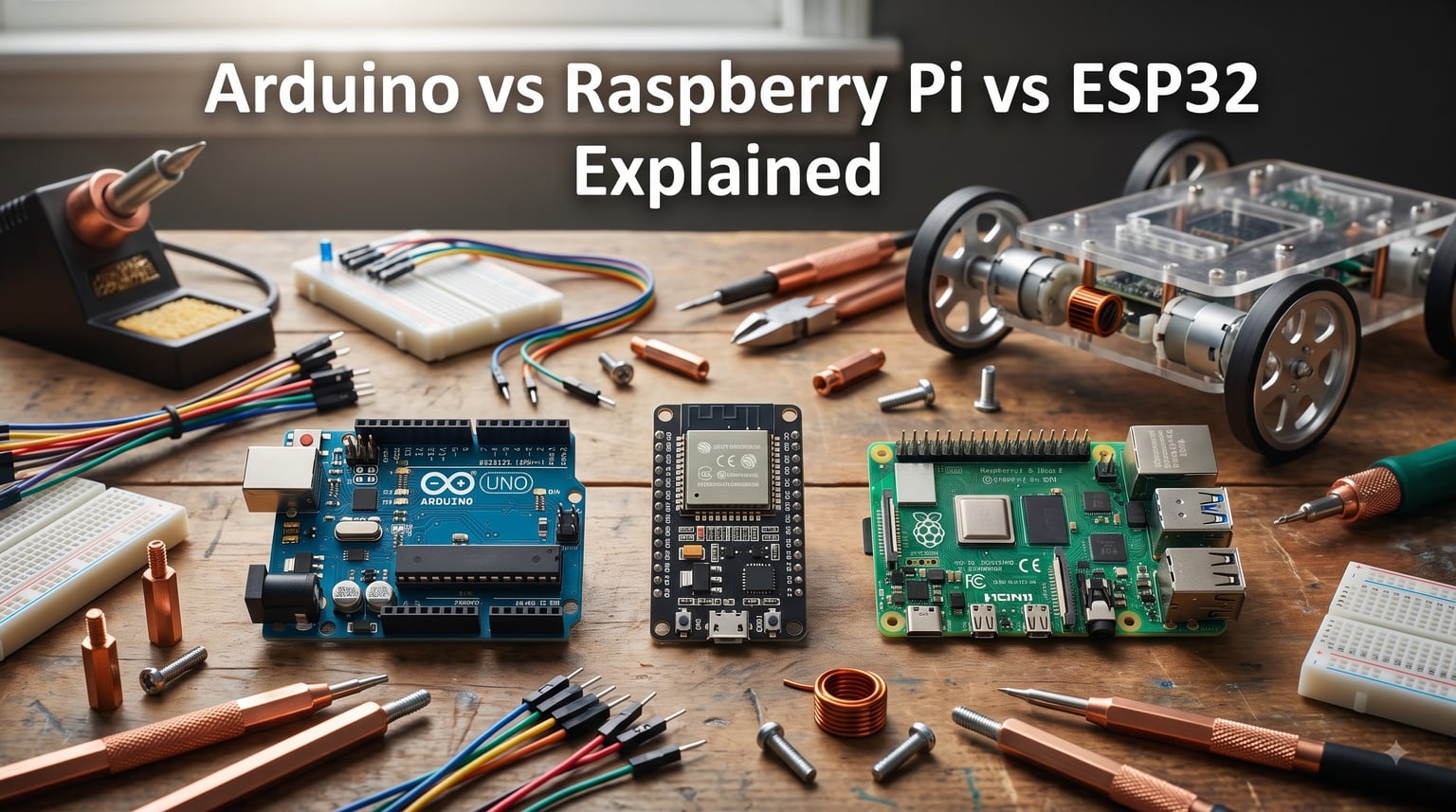
Every robotics builder hits the same fork in the road eventually. You stand in front of three boards — an Arduino, a Raspberry Pi, and an ESP32 — and the question stares back at you: which one do I actually need?
I have been building robots and embedded systems for over a decade, and our team has burned through more boards than I care to count. The Arduino vs Raspberry Pi vs ESP32 debate is not about which is objectively best. It is about which platform solves your specific problem without wasting your time and money.
Here is what I want you to walk away with: a clear understanding of what each platform does well, where each one falls short, and a decision framework you can apply to any project. Whether you are building a line-following robot, a smart home sensor network, or a commercial IoT product, the right answer depends on a few key tradeoffs.
The biggest misconception I see on forums like r/embedded and r/esp32 is treating these three boards as competitors. They are not. Arduino and ESP32 are microcontrollers designed to run single programs with real-time control. Raspberry Pi is a single-board computer that runs a full Linux operating system. Understanding that distinction eliminates about 80 percent of the confusion.
If you are working on a robot, this matters even more. Power management can make or break your build — check out our deep dive on why robots use separate power for logic and motors to see why. And if you have ever watched your robot die mid-run, our guide on why robots brown out and reset connects directly to platform choice.
Table of Contents
Microcontroller vs Single-Board Computer: The Fundamental Difference
The single most important thing to understand in the Arduino vs Raspberry Pi vs ESP32 comparison is the difference between a microcontroller and a single-board computer.
Arduino and ESP32 are microcontrollers. They run one firmware program in a tight loop, talk directly to sensors and pins, and operate with near-zero overhead. There is no operating system, no boot time, and no background processes competing for CPU cycles. This makes them fast, predictable, and extremely power efficient.
Raspberry Pi is a single-board computer. It boots into a Linux operating system, runs multiple programs simultaneously, and behaves like a small desktop PC. You get USB ports, HDMI output, networking stacks, and the ability to install software packages. The tradeoff is higher power consumption, longer boot times, and less predictable timing for real-time tasks.
Think of it this way: a microcontroller is a device that does one thing reliably. A single-board computer is a system that manages many things at once. For robotics, you often need both — a Raspberry Pi for vision processing and high-level decision making, paired with an Arduino or ESP32 for real-time motor control and sensor reading.
Arduino vs Raspberry Pi vs ESP32: Quick Comparison
Before diving into each platform, here is a side-by-side breakdown of the specifications that matter most. I have focused on the boards most builders actually buy: the Arduino UNO R4, ESP32-S3 DevKit, and Raspberry Pi 5.
| Specification | Arduino UNO R4 | ESP32-S3 | Raspberry Pi 5 |
|---|---|---|---|
| Type | Microcontroller | Microcontroller | Single-board computer |
| Processor | Renesas RA4M1 (ARM Cortex-M4) | Xtensa LX7 dual-core | Broadcom ARM Cortex-A76 quad-core |
| Clock Speed | 48 MHz | 240 MHz | Up to 2.4 GHz |
| Flash Memory | 256 KB | 8-16 MB | MicroSD (up to 1 TB) |
| RAM | 32 KB SRAM | 512 KB SRAM | 4-8 GB LPDDR4X |
| GPIO Pins | 14 digital, 6 analog | 45 programmable | 40-pin header |
| WiFi / Bluetooth | WiFi on R4 WiFi model | Built-in WiFi + BLE | Built-in WiFi + Bluetooth |
| Operating System | None (bare metal) | None (bare metal or RTOS) | Linux (Raspberry Pi OS) |
| Power Consumption | ~10-20 mA active | ~10 uA deep sleep | ~3-5 W active |
| Programming | Arduino IDE (C++) | Arduino IDE, ESP-IDF, MicroPython | Python, C++, Node.js, any language |
| Approximate Cost | Budget-friendly | Very affordable | Higher investment |
Notice how the specifications tell different stories depending on your priorities. The Raspberry Pi crushes everything on raw processing power — roughly 100x what an Arduino UNO can deliver. But the ESP32 and Arduino win dramatically on power consumption, which is critical for battery-powered robots.
Arduino Platform Deep Dive
Arduino is the platform most beginners start with, and for good reason. The hardware is simple, the IDE is forgiving, and the community has produced tutorials for nearly every project imaginable.
The current flagship board is the Arduino UNO R4, available in both a standard and WiFi variant. It uses the Renesas RA4M1 microcontroller with an ARM Cortex-M4 core running at 48 MHz. That is a significant step up from the classic UNO R3’s 16 MHz AVR chip, giving you more headroom for complex logic without sacrificing the simplicity Arduino is known for.
What makes Arduino special is the ecosystem. The Arduino IDE handles compilation, uploading, and library management with almost no configuration. You write C++ code, click upload, and your program runs. There is no operating system to learn, no command line required for basic tasks, and no kernel panics to debug.
Arduino Strengths
Arduino excels at real-time control tasks. Reading sensors, driving servos, and generating PWM signals for motor control are all handled with deterministic timing. There is no OS scheduler to interrupt your control loop.
The 5V logic level on classic Arduino boards is another advantage for beginners. Many sensors, displays, and motor drivers are designed for 5V operation, which means fewer level-shifter headaches. Note that the UNO R4 WiFi uses a 3.3V wireless module, so check voltage compatibility before wiring.
For robotics specifically, Arduino is the go-to platform for motor control. Hobby servo motors, stepper drivers, and H-bridge motor controllers all work seamlessly with Arduino PWM outputs and timing functions.
Arduino Limitations
The biggest constraint is memory. With 32 KB of SRAM on the UNO R4, you cannot store large data buffers, run complex algorithms, or handle image processing. If your project needs WiFi, Bluetooth, or significant computational power, Arduino quickly becomes the wrong tool.
Arduino also lacks built-in wireless on most boards. The UNO R4 WiFi adds connectivity, but if wireless is a core requirement, the ESP32 does it better and cheaper.
When to Choose Arduino
Pick Arduino when you are learning electronics for the first time, building a simple sensor-reading project, controlling motors in a small robot, or teaching someone the basics of embedded programming. The low barrier to entry and massive community support make it unbeatable for these use cases.
ESP32 Platform Deep Dive
The ESP32 has disrupted the microcontroller world by packing an enormous amount of capability into a tiny, affordable package. Built by Espressif, it combines a powerful dual-core processor with built-in WiFi and Bluetooth — features that used to require expensive add-on modules.
The ESP32-S3 variant runs two Xtensa LX7 cores at up to 240 MHz, with 512 KB of SRAM and support for up to 16 MB of external flash. That is roughly 5x the clock speed of an Arduino UNO with 16x the RAM. For a microcontroller, those numbers are impressive.
What sets the ESP32 apart is the deep sleep mode. In deep sleep, the chip draws as little as 10 microamps, making it possible to run sensor nodes on a single battery charge for months. The chip can wake up on a timer, read a sensor, transmit data over WiFi, and go back to sleep in under a second.
ESP32 Strengths
Built-in WiFi and Bluetooth LE eliminate the need for external wireless modules. This reduces cost, board space, and wiring complexity. For IoT projects, smart home sensors, and connected robots, the ESP32 is hard to beat.
The 45 programmable GPIO pins give you plenty of I/O options. Multiple hardware PWM channels, I2C buses, SPI interfaces, and ADC channels mean you can connect motors, sensors, and displays simultaneously without running out of pins.
FreeRTOS support is built into the ESP-IDF framework, allowing true multitasking with separate tasks running on each core. This is a step up from the single-threaded Arduino model and opens up more complex robotics applications.
ESP32 Limitations
The learning curve is steeper than Arduino. While the ESP32 works with the Arduino IDE, getting the most out of the platform means learning the ESP-IDF or PlatformIO toolchains. Forum users on r/esp32 frequently mention this as a pain point for beginners.
The 3.3V logic level requires attention when interfacing with 5V components. Voltage level shifters are needed for many common sensors and motor drivers, which adds complexity to your wiring.
WiFi and Bluetooth can interfere with sensitive analog readings. If your project involves precision ADC measurements, you may need to disable wireless temporarily during sampling.
When to Choose ESP32
Choose ESP32 for battery-powered IoT devices, wireless sensor networks, smart home projects, Home Assistant integrations, and any robotics project that needs connectivity without the power overhead of a full computer. Our team has deployed ESP32-based sensor nodes that ran for over six months on a single 18650 battery.
Raspberry Pi Platform Deep Dive
The Raspberry Pi is in a completely different category. It is a full Linux computer the size of a credit card, and the latest Raspberry Pi 5 represents a massive generational leap in capability.
The Pi 5 runs a quad-core Broadcom ARM Cortex-A76 processor at up to 2.4 GHz. That is the same class of processor used in modern smartphones. With up to 8 GB of LPDDR4X RAM and a microSD slot supporting up to 1 TB of storage, the Pi 5 can handle tasks that microcontrollers simply cannot touch.
Raspberry Pi OS (based on Debian Linux) gives you access to the entire Linux software ecosystem. Python scripts, Docker containers, web servers, databases, and machine learning frameworks all run natively. For complex robotics projects that require computer vision, AI inference, or data processing, the Raspberry Pi is often the only realistic choice among these three platforms.
Raspberry Pi Strengths
The processing power advantage is enormous. Running OpenCV for object detection, TensorFlow Lite for machine learning inference, or a ROS (Robot Operating System) stack requires the kind of compute power only a single-board computer can provide.
Full networking capabilities come standard. WiFi, Bluetooth, Ethernet, and USB ports are all built in. You can run a web server, host a dashboard, stream video, and communicate with cloud services — all simultaneously.
The 40-pin GPIO header provides digital I/O, I2C, SPI, and UART interfaces. Libraries like gpiozero and RPI.GPIO make pin control accessible from Python, which is friendlier than C++ for rapid prototyping.
Raspberry Pi Limitations
Power consumption is the biggest drawback. The Pi 5 draws 3 to 5 watts under load, which is roughly 100x more than an ESP32 in active mode. For battery-powered robots, this means you need substantial power delivery. Our guide on how to choose a battery for a robot project covers the capacity calculations you will need.
Boot time is another concern. A Raspberry Pi takes 30 to 60 seconds to boot Linux, while a microcontroller starts running your program in milliseconds. For robots that need instant-on behavior, this delay matters.
Real-time control is problematic on Linux. The OS scheduler introduces unpredictable latency that can interfere with precise motor control. Many robotics projects solve this by pairing a Raspberry Pi with an Arduino or ESP32 — the Pi handles high-level processing while the microcontroller manages real-time tasks.
The Pi 5 also requires USB-C Power Delivery, meaning you cannot just feed it any 5V supply. Insufficient power causes instability and SD card corruption, a frustration many builders discover the hard way.
When to Choose Raspberry Pi
Choose Raspberry Pi when your project needs significant processing power, runs multiple services, requires a display or web interface, or handles computer vision and AI workloads. It is ideal as the brain of an advanced robot that delegates real-time control to a companion microcontroller.
How to Choose: Decision Framework for Your Project
Choosing between Arduino, ESP32, and Raspberry Pi comes down to answering five questions about your project. I use this framework on every build, and it has never steered me wrong.
Step 1: Does your project need an operating system? If you need to run multiple programs, host a web server, process images, or manage databases, you need the Raspberry Pi. If you just need to read sensors and control motors, a microcontroller is the better choice.
Step 2: Does your project need wireless connectivity? If yes and you also need low power consumption, the ESP32 is the answer. If wireless is optional, Arduino works fine for simple projects. The Raspberry Pi has wireless built in but at a much higher power cost.
Step 3: Will your project run on battery? For battery-powered robots and sensors, the ESP32’s deep sleep mode or Arduino’s low power consumption are essential. Raspberry Pi on battery requires large capacity packs and careful power system wiring. Our team has seen Pi-based mobile robots that need 10,000+ mAh battery packs just to run for an hour.
Step 4: Are you a beginner? If this is your first electronics project, start with Arduino. The simpler programming model, 5V tolerance, and enormous tutorial library flatten the learning curve. Move to ESP32 once you are comfortable with the basics and need wireless features.
Step 5: Is this a commercial project? For production devices, the ESP32 is often the strongest choice. It combines the processing power, wireless capability, and low cost needed for scalable products. Several forum contributors from r/embedded note that commercial deployments favor ESP32 over basic Arduino due to its feature-to-cost ratio.
Quick Reference by Project Type
Line-following or obstacle-avoiding robot: Arduino or ESP32. The real-time control and low power consumption are ideal, and the project does not need an operating system.
Smart home sensor node: ESP32. Built-in WiFi, deep sleep mode, and low cost make it perfect for battery-powered sensors reporting to Home Assistant or a similar platform.
Robot with computer vision: Raspberry Pi as the main processor, paired with an Arduino or ESP32 for motor control. The Pi handles camera input and image processing while the microcontroller drives the motors.
IoT data logger: ESP32 for battery operation, or Raspberry Pi if you need local storage, processing, and a web dashboard.
Learning electronics: Arduino UNO R4. Nothing beats the simplicity and community support for getting started.
Industrial monitoring system: Raspberry Pi for complex data processing and networking, or ESP32 for distributed sensor nodes that report back to a central server.
Robotics Considerations: Motor Control, Sensors, and Power
Robotics introduces specific demands that generic electronics tutorials often overlook. The platform you choose affects how you handle motor control, sensor integration, and power management — three areas where the differences between Arduino, ESP32, and Raspberry Pi become critical.
Motor Control and PWM Capabilities
Motor control requires precise PWM signals and predictable timing. Arduino handles this natively with hardware timers that generate clean PWM outputs without CPU intervention. The analogWrite function and servo library work reliably for hobby servos, DC motors with H-bridges, and stepper motors.
The ESP32 has a dedicated LEDC PWM controller with 16 independent channels. This gives you more PWM outputs than Arduino with finer resolution. The ESP32 also supports MCPWM (Motor Control PWM) hardware designed specifically for driving motors with dead-time insertion and fault detection — features that Arduino lacks.
Raspberry Pi GPIO PWM is software-generated, which means it is subject to Linux scheduling jitter. For basic LED dimming it works fine, but for precise motor control the timing inconsistency can cause stuttering. This is why most serious Pi-based robots delegate motor control to an I2C-connected microcontroller or a dedicated motor driver board.
Sensor Integration
All three platforms support I2C, SPI, and UART communication protocols for connecting sensors. Arduino’s 5V logic simplifies interfacing with many common sensors. The ESP32’s 3.3V logic requires level shifters for some 5V components but works natively with modern low-power sensors.
Raspberry Pi has the advantage of being able to run sensor fusion algorithms, Kalman filters, and complex data processing on the same board. For IMU-based navigation, LiDAR data processing, or multi-sensor fusion, the Pi’s processing power makes a real difference.
Power Management for Robots
Power management is where platform choice has the biggest impact on robot design. Microcontrollers and single-board computers have very different power profiles, and mixing them with motors creates additional challenges.
Always separate your logic power from your motor power. Motors generate electrical noise and voltage spikes that can reset or damage your controller. Our guide on why robots use separate power for logic and motors explains the design patterns that prevent these issues.
For battery selection, the platform you choose directly affects your options. ESP32 and Arduino projects can run on small LiPo packs for extended periods. Raspberry Pi robots need larger battery systems — our battery chemistry comparison guide covers the tradeoffs between LiPo, NiMH, and Li-Ion for mobile robots.
If you are designing a custom chassis for your robot build, the physical size and mounting requirements of each platform also matter. The robot chassis guide covers how board dimensions factor into your mechanical design.
FAQ
Which is best, Arduino or Raspberry Pi or ESP32?
There is no single best platform. Arduino is best for beginners and simple real-time control projects. ESP32 is best for battery-powered IoT devices that need WiFi or Bluetooth. Raspberry Pi is best for complex projects that need an operating system, significant processing power, or multiple services running simultaneously.
What can an ESP32 do that a Raspberry Pi cannot?
The ESP32 can enter deep sleep mode drawing just 10 microamps, run for months on a small battery, start executing code in milliseconds with no boot time, and provide deterministic real-time control without operating system interference. The Raspberry Pi cannot match any of these capabilities due to its higher power requirements and Linux overhead.
Why is ESP32 harder than Arduino?
The ESP32 has a steeper learning curve because it requires understanding 3.3V logic levels, wireless configuration, the ESP-IDF or PlatformIO toolchains alongside the Arduino IDE, and dual-core task management. Arduino simplifies all of this with a single IDE, 5V tolerance, and a straightforward single-threaded programming model.
What can Raspberry Pi do that Arduino can’t?
The Raspberry Pi can run a full Linux operating system, execute multiple programs simultaneously, process images and video with OpenCV, run machine learning models, host web servers and databases, and handle complex networking tasks. Arduino lacks the processing power, memory, and operating system needed for any of these capabilities.
Conclusion
The Arduino vs Raspberry Pi vs ESP32 comparison ultimately comes down to matching the right tool to your project. Arduino wins for simplicity, education, and basic real-time control. The ESP32 dominates battery-powered and wireless IoT applications with its built-in connectivity and deep sleep efficiency. Raspberry Pi is unmatched when you need serious processing power, an operating system, or complex software capabilities.
For many robotics builds, the best answer is not one platform but two — a Raspberry Pi for high-level intelligence paired with an Arduino or ESP32 for real-time motor and sensor control. Our team has used this dual-brain architecture on everything from autonomous rovers to robotic arms, and it consistently delivers the best of both worlds.
Start with the platform that matches your current project and skill level. You can always add another board as your ambitions grow. The skills transfer between all three platforms, and understanding when to use each one is what separates a good builder from a great one.