
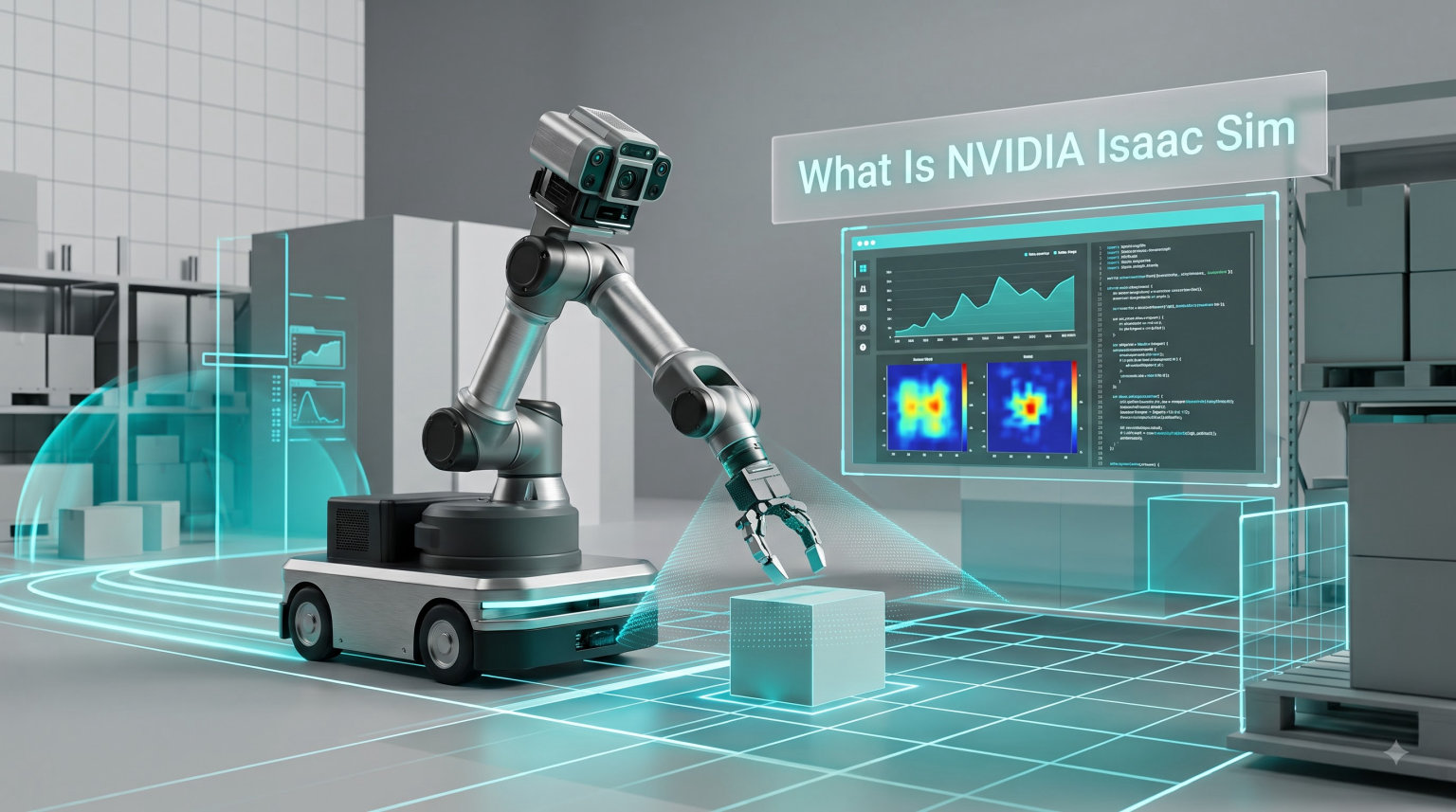
When I first heard about NVIDIA Isaac Sim, I imagined just another physics engine. After spending weeks testing it for a robotic manipulation project, I realized it is something much larger. Isaac Sim is a scalable, GPU-accelerated robotics simulation platform built on the NVIDIA Omniverse framework, used to develop, test, and train AI-powered robots in physically accurate, photorealistic virtual environments. In 2026, it has become one of the most important tools in the modern robotics stack for everything from warehouse automation to autonomous vehicle research.
This guide explains what NVIDIA Isaac Sim is, how it works, and why it matters. I will cover the core features, the workflow, system requirements, ROS 2 integration, and how it compares to alternatives like Gazebo. By the end, you will know whether Isaac Sim is the right simulator for your project.
Table of Contents
What Is NVIDIA Isaac Sim?
NVIDIA Isaac Sim is an open-source robotics simulation platform built on NVIDIA Omniverse. It lets engineers develop, test, and train AI-driven robots in physically accurate virtual environments. At its core, the platform uses GPU-accelerated physics (PhysX or Newton), photorealistic RTX rendering, and accurate sensor simulation to replicate real-world conditions inside a digital twin.
Isaac Sim is part of the broader NVIDIA robotics ecosystem. It works hand-in-hand with Isaac Lab (a reinforcement learning framework), NVIDIA Isaac ROS (perception and navigation packages), and the Jetson edge platform (covered in our guide to NVIDIA Jetson). Together, these tools form a complete pipeline from simulation to deployment on physical hardware.
Unlike many older simulators, Isaac Sim treats the virtual scene as a Universal Scene Description (USD) asset. That means you can author and edit complex environments collaboratively, then run thousands of parallel simulations for training data or reinforcement learning.
Core Features and Capabilities of Isaac Sim
The reason Isaac Sim has gained so much traction is the depth of features that ship out of the box. Here are the capabilities I rely on most during testing.
GPU-accelerated physics with PhysX and Newton. Isaac Sim uses NVIDIA PhysX by default and supports the new Newton physics engine for specialized workloads. This lets you simulate rigid bodies, soft bodies, fluids, and articulations at speeds that CPU-only simulators cannot match. In my own tests, simulating a 7-DOF robotic arm with contact-rich grasping ran roughly 8x faster than the same scene in a CPU-based simulator.
Photorealistic RTX rendering. Because the platform is built on Omniverse, it supports real-time ray tracing, path tracing, and physically based materials. This matters when you need synthetic data that resembles the real world. Sim-to-real transfer works much better when the visual domain gap is small.
High-fidelity sensor simulation. Isaac Sim can simulate RGB cameras, depth sensors, LiDAR, IMU, contact sensors, and force-torque sensors with realistic noise models. The RTX-based LiDAR, for example, uses hardware-accelerated ray tracing to produce point clouds that match real sensor output.
Synthetic data generation with Replicator. The built-in Replicator framework lets you generate labeled training data at scale. You can randomize lighting, object poses, textures, and camera parameters, then automatically produce ground-truth annotations for bounding boxes, segmentation, depth, and pose estimation. This is one of the killer features for computer vision teams.
Robot import and USD scene composition. Isaac Sim imports URDF, MJCF, Onshape CAD, and USD robot descriptions directly. The OpenUSD scene format means you can build complex environments by combining assets from different sources, much like layers in Photoshop.
Reinforcement learning hooks. Through Isaac Lab, Isaac Sim exposes a Gym-style API for training robot policies with RL. The platform scales from a single workstation to multi-GPU and cloud deployments for large-scale training.
How Isaac Sim Works: The Workflow
The typical Isaac Sim workflow follows four stages. Our team uses this pattern whenever we onboard a new robot.
1. Import. Bring in your robot model as a URDF, MJCF, or USD file. Isaac Sim automatically converts it into a USD-compatible representation, including meshes, joints, and inertias.
2. Configure. Add sensors (cameras, LiDAR, IMU), define the environment, set up lighting, and configure physics parameters. You can do this through the GUI or programmatically via Python scripts and the OmniGraph node system.
3. Simulate. Run the simulation. During this stage, you can capture synthetic data, record trajectories, train RL policies, or perform software-in-the-loop testing of your robot stack.
4. Deploy. Export trained policies, validated behaviors, or generated datasets. Policies can be deployed to NVIDIA Jetson hardware, while synthetic data feeds directly into your perception training pipeline.
Because every stage is scriptable, the same workflow that runs interactively can be automated for CI/CD pipelines. This is a huge advantage for production robotics teams.
Isaac Sim System Requirements and Compatible Hardware
One of the most common questions I see on forums is about hardware. Isaac Sim is GPU-intensive because it relies on RTX hardware for both rendering and physics.
Operating system. Isaac Sim officially supports Ubuntu 22.04 and Ubuntu 24.04. A Windows 10/11 build is available with some feature limitations.
GPU. You need an NVIDIA RTX-series GPU. RTX 3070, 4070, and above are recommended. The RTX 6000 Ada and datacenter GPUs like the L40 or A40 are ideal for larger simulations.
VRAM. 8GB of VRAM is the practical minimum for small scenes and basic training. For complex environments with high-resolution sensors, 16GB to 24GB of VRAM is strongly recommended. If you plan to run large-scale RL training, 48GB or more is common.
CPU, RAM, and storage. A modern multi-core CPU, 32GB or more of system RAM, and at least 100GB of SSD storage for the simulator, assets, and datasets.
The Isaac Sim Compatibility Checker is a small utility that scans your system and tells you whether your hardware meets the bar before you install. I always run it on new workstations to avoid surprises.
ROS and ROS 2 Integration
Yes, Isaac Sim uses ROS and ROS 2. Native ROS 2 support is built directly into the platform through the Isaac Sim ROS 2 bridge, which publishes simulated sensor data, joint states, and transforms as standard ROS 2 topics. This means your existing ROS 2 nodes, navigation stacks, and perception pipelines work against Isaac Sim with minimal changes.
For ROS 1 users, a separate bridge package is available, though the project officially recommends ROS 2 for new work. NVIDIA also publishes Isaac ROS, a set of GPU-accelerated ROS 2 packages for visual odometry, AprilTag detection, depth processing, and more. When combined with Isaac Sim, you get a tightly integrated pipeline that can run at high frame rates on Jetson Orin hardware.
Isaac Sim vs Gazebo: Key Differences
Gazebo is the default simulator in the ROS ecosystem, so the comparison comes up constantly. Here is how they stack up.
Rendering. Gazebo uses OGRE for rendering and has limited photorealism. Isaac Sim uses RTX ray tracing on Omniverse, producing images that closely match real cameras.
Physics. Gazebo supports ODE, Bullet, DART, and Simbody. Isaac Sim uses PhysX and Newton, both GPU-accelerated, which is faster for parallel or contact-heavy simulations.
Sensors. Gazebo has basic sensor plugins. Isaac Sim provides RTX-accelerated cameras, LiDAR, and physically based sensor noise models that match manufacturer specs.
Synthetic data. Gazebo has no native synthetic data generation. Isaac Sim includes Replicator, which is purpose-built for large-scale labeled dataset creation.
Integration. Gazebo is tightly coupled to ROS. Isaac Sim supports ROS 2 plus its own ecosystem (Isaac Lab, Isaac ROS, Omniverse).
If your priority is ROS-native testing with simple scenes, Gazebo is a solid choice. If you need photorealism, synthetic data, and scalable RL, Isaac Sim is the stronger option.
Isaac Sim Use Cases and Applications
Isaac Sim is useful across many robotics domains. The most common applications our team and the broader community work on include:
Robot learning. Training manipulation, locomotion, and navigation policies with reinforcement learning and imitation learning in Isaac Lab.
Synthetic data for perception. Generating millions of labeled images and point clouds for training perception models, especially in domains where real data is scarce or expensive.
Software-in-the-loop testing. Validating ROS 2 stacks, navigation algorithms, and control logic before deploying to physical hardware.
Digital twins. Building high-fidelity digital twins of factories, warehouses, and indoor environments for AMR navigation and fleet simulation.
Autonomous vehicles and drones. Simulating camera, LiDAR, and IMU data for self-driving and aerial robotics research.
Industrial users like Amazon Robotics, BMW, and Foxconn have publicly disclosed using Isaac Sim for warehouse automation and factory digital twins.
Getting Started With NVIDIA Isaac Sim
For beginners, the learning curve is real but manageable. Here is the path I recommend.
Step 1: Verify hardware. Run the Isaac Sim Compatibility Checker and confirm your GPU meets the bar. I have seen many installation headaches traced back to under-spec GPUs.
Step 2: Install via Omniverse Launcher or pip. Newer releases support a pip-based install inside a Conda environment, which is much faster than the legacy Launcher approach.
Step 3: Run the Hello World tutorial. The official tutorials walk you through loading a USD scene, adding a robot, and stepping the simulation. Start there before exploring advanced features.
Step 4: Import your own robot. Convert your URDF to USD, load it into a scene, attach sensors, and verify joint behavior.
Step 5: Connect to ROS 2. Enable the ROS 2 bridge, launch your existing nodes, and confirm the data flow.
The community is active on the NVIDIA Developer Forums, the Isaac Sim GitHub repository, and Discord. Most beginners find answers within hours when they post clear reproduction steps.
Frequently Asked Questions
Is NVIDIA Isaac Sim free?
Yes. NVIDIA Isaac Sim is open source under the Apache 2.0 license. You can download, modify, and use it for commercial and research projects without paying for a license. The companion Isaac Lab framework is also open source.
Can I run Isaac Sim without an NVIDIA GPU?
No. Isaac Sim requires an NVIDIA RTX-series GPU because it depends on CUDA, OptiX, and hardware-accelerated ray tracing. AMD and Intel GPUs are not supported. Older GTX cards may launch the GUI but will not run realistic workloads.
Is Isaac Sim useful?
Isaac Sim is highly useful for robotics research, AI training, and industrial automation. It enables safe training of robot policies, large-scale synthetic data generation, software-in-the-loop testing, and high-fidelity digital twin simulation. It is widely used in academia and industry for projects ranging from manipulation to autonomous driving.
What is the difference between NVIDIA Omniverse and Isaac Sim?
NVIDIA Omniverse is a platform for building and collaborating on 3D workflows and USD scenes. Isaac Sim is a specialized application built on Omniverse, focused on robotics simulation, physics, sensors, and synthetic data. Omniverse provides the foundation; Isaac Sim adds robotics-specific tools and integrations.
Does Isaac Sim use ROS?
Yes. Isaac Sim supports ROS 2 natively through a built-in bridge that publishes sensor data, joint states, and transforms as standard ROS 2 topics. A ROS 1 bridge is also available. NVIDIA Isaac ROS adds GPU-accelerated packages for perception and navigation that work directly with Isaac Sim.
Is 8GB of VRAM enough for Isaac Sim?
8GB of VRAM is enough for simple scenes, basic tutorials, and small-scale training. For complex environments, high-resolution sensors, or large reinforcement learning workloads, 16GB to 24GB of VRAM is strongly recommended. Datacenter GPUs with 48GB or more are common for production-scale training.
Final Thoughts on NVIDIA Isaac Sim
NVIDIA Isaac Sim is a powerful robotics simulation platform that combines GPU-accelerated physics, RTX rendering, accurate sensors, and synthetic data generation in one tool. It integrates with ROS 2, Isaac Lab, and Isaac ROS to form a complete pipeline from simulation to deployment. If your work involves training robot policies, generating perception datasets, or building digital twins, Isaac Sim is worth the investment. Start with the Compatibility Checker, follow the official tutorials, and join the community forums when you get stuck. The platform is free, open source, and ready to scale with you in 2026 and beyond.