
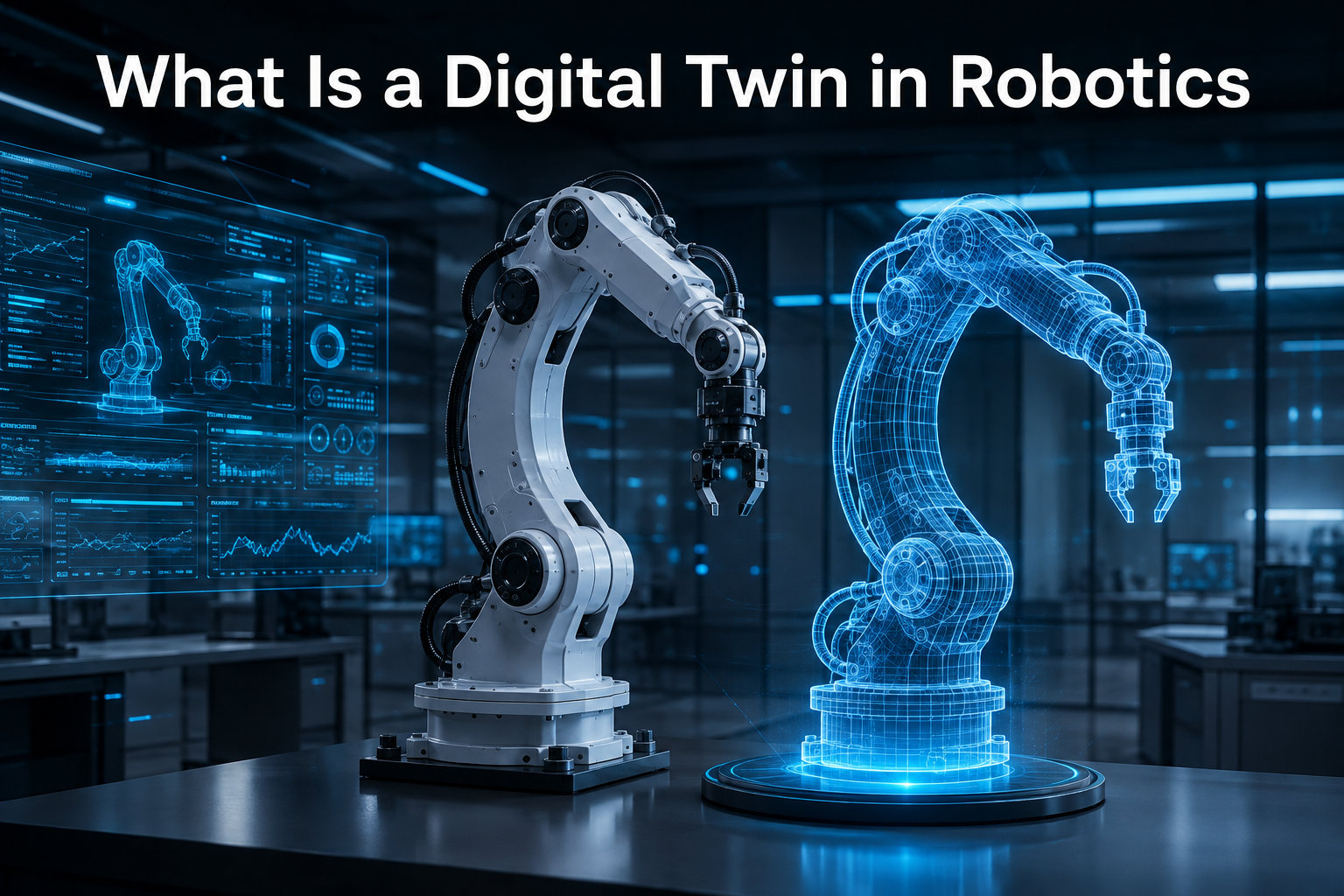
A digital twin in robotics is a real-time virtual replica of a physical robot that stays synchronized with its sensor data, behavior, and environment. Instead of guessing how a robot will perform, engineers can run experiments, train AI models, and catch failures inside a simulator that mirrors the real machine down to the last joint angle.
I’ve spent the last few years watching robotics teams adopt this approach, and the difference is striking. Teams that used to spend weeks tuning a manipulator on the factory floor now test the same logic inside a digital twin overnight. In this guide, I’ll walk through exactly what a digital twin is, how it works, and how you can build one for your own robot in 2026.
Table of Contents
What Is a Digital Twin in Robotics?
A digital twin in robotics is a continuously updated virtual model of a physical robot, connected through real-time data streams so the virtual version behaves like the real one. The digital twin is not a one-time CAD export. It is a living, data-driven counterpart that reflects the current state of the physical robot, including joint positions, motor loads, sensor readings, and environmental conditions.
The concept comes from broader manufacturing, where digital twins track entire production lines. In robotics, the focus narrows to a single robot or fleet, with a level of fidelity that supports control software, perception testing, and reinforcement learning.
Key characteristics of a digital twin in robotics include:
- Real-time synchronization with sensor and actuator data from the physical robot
- Physics-accurate simulation of dynamics, collisions, and contact forces
- Sensor simulation for cameras, LiDAR, IMUs, and force-torque sensors
- Two-way data flow, where insights from the twin can inform actions on the real robot
- Persistent state that evolves alongside the physical system over its lifecycle
That last point matters. A static 3D model in a viewer is not a digital twin. The “twin” part means the virtual copy stays in lockstep with reality.
How Does a Digital Twin in Robotics Work?
A digital twin in robotics works through a continuous loop between the physical robot and its virtual replica. Sensor data from the real robot flows into the simulation, the virtual model updates its state, and analysis results flow back to inform decisions.
The data loop has three core stages.
1. Data Ingestion From the Physical Robot
The physical robot publishes its state through ROS, ROS 2, or a proprietary middleware. Joint encoders, motor currents, IMU readings, and camera streams are timestamped and streamed to the simulation host. In a true digital twin, this data arrives in real time with minimal latency.
2. Virtual Model Update
The simulation engine steps the virtual model forward using the incoming sensor data. A physics solver enforces gravity, friction, and contact constraints. A sensor renderer produces synthetic camera, LiDAR, and depth outputs. The virtual robot’s state is now consistent with the physical robot at the same moment in time.
3. Decision Feedback
Insights from the twin, such as predicted collisions, control policy updates, or anomaly detection results, can be pushed back to the physical robot. This is where the loop closes and the twin earns its name.
In practice, many teams run the twin in two modes. The first is a “shadow” mode where the twin mirrors the robot for monitoring and prediction without affecting it. The second is a “what-if” mode where the twin runs scenarios ahead of the physical robot to test changes before deployment.
Key Components of a Robotics Digital Twin
A working digital twin in robotics is built from four tightly integrated layers. Skipping any one of them usually results in something that looks like a twin but behaves like a static model.
CAD and Geometry Layer
The geometry comes from the robot’s CAD model, usually exported as STEP, STL, or mesh files. For digital twins, the geometry must include every link, joint, and end-effector with correct mass and inertia properties. This is where most beginners trip up because the visual mesh alone is not enough. The physics engine needs mass, center of mass, and inertia tensors.
Physics Simulation Engine
The physics engine handles rigid body dynamics, contact resolution, and actuator forces. Common choices in robotics include PhysX (used in Isaac Sim), Bullet, and ODE. The engine’s accuracy determines whether the twin behaves like the real robot under load.
Sensor Simulation
Sensors are simulated using ray casting for LiDAR, ray tracing for cameras, and noise models for IMUs. NVIDIA Isaac Sim and similar platforms provide GPU-accelerated sensor simulation that can run faster than real time, which is critical for synthetic data generation.
Communication and Orchestration Layer
This layer connects the twin to the physical robot and to your development tools. ROS 2 is the most common bridge. It carries joint states, control commands, and sensor topics between the simulation and the real hardware. Without this layer, the twin is just a pretty model.
Digital Twin vs Traditional Simulation: What’s the Difference?
A traditional simulation and a digital twin in robotics share the same physics engine, but they differ in how they connect to reality. The distinction is important because teams often use the words interchangeably and then run into architectural problems later.
| Aspect | Traditional Simulation | Digital Twin |
|---|---|---|
| Data flow | One-way, offline scenarios | Two-way, real-time sync with physical robot |
| State | Reset to initial conditions per run | Persistent, mirrors physical robot state |
| Purpose | Algorithm development and testing | Monitoring, prediction, and closed-loop control |
| Time alignment | Often offline or faster than real time | Real-time or near real-time with the physical robot |
| Lifecycle | Project-scoped, archived after testing | Lives as long as the physical robot |
Traditional simulation answers “what would happen if I run this policy?” A digital twin answers “what is happening right now, and what will happen if I do this?” Both have a place. Use simulation for early algorithm work and switch to a digital twin once you need lifecycle tracking, fleet management, or predictive maintenance.
Top Platforms for Building a Digital Twin in Robotics
Choosing a platform is one of the most common sticking points, based on the questions I see in robotics forums. Here is the landscape as of 2026, grouped by the kind of team that would use each.
NVIDIA Isaac Sim
Isaac Sim is built on Omniverse and is the go-to choice for teams that need photorealistic sensor simulation and synthetic data generation. It supports ROS 2 natively, includes a large library of robot models, and runs entirely on GPU. If you are training perception models or testing manipulation policies at scale, Isaac Sim is hard to beat.
NVIDIA Omniverse
Omniverse is the collaboration platform underneath Isaac Sim. For digital twin work, it shines when you need to bring in factory floor geometry, OpenUSD assets, and multiple stakeholders into the same scene. Teams building physical AI infrastructure platforms like Omniverse are increasingly using it as the backbone for facility-scale twins.
Gazebo and Open-Source Stacks
Gazebo (now often paired with Ignition or the new Gazebo Sim) is the default for ROS-based teams. It is free, well-documented, and good enough for control and planning work. The trade-off is sensor fidelity. Camera simulation is serviceable, but ray-traced LiDAR and high-fidelity depth are not its strength.
MuJoCo
MuJoCo has become a favorite for reinforcement learning and contact-rich manipulation research. It is fast, accurate on contact dynamics, and now openly available. It is less of a full digital twin platform and more of a physics-first simulator, but it is increasingly integrated into larger twin pipelines.
Webots and CoppeliaSim
Both are mature, approachable simulators that work well for teaching and prototyping. They support a wide range of robots out of the box and have lower hardware requirements than Isaac Sim. For a small team or a classroom, they are a sensible starting point.
Real-World Use Cases for Digital Twins in Robotics
The applications for a digital twin in robotics are growing every year. Here are the use cases I see most often in industry and research.
Industrial Automation and Virtual Commissioning
Before a new robot cell is installed on a factory floor, integrators build a digital twin of the cell and program it virtually. This is called virtual commissioning. It cuts installation time dramatically because the control code is already validated when the hardware arrives.
Robot Programming and Reinforcement Learning
Modern robot learning depends on large amounts of training data, and the physical world is slow and expensive. A digital twin lets you train policies in thousands of parallel environments, then transfer the learned behavior to the real robot. This is how most manipulation and locomotion policies are developed today.
Predictive Maintenance and Health Monitoring
By comparing expected behavior in the twin to actual behavior on the physical robot, teams can detect early signs of wear. A motor drawing more current than the simulation predicts is a sign of mechanical friction. Catching this early prevents unplanned downtime.
Human-Robot Collaboration Safety
Twin scenarios let safety engineers test how a robot will respond to human presence without putting anyone at risk. Edge cases that would be unethical to test on a real worker, like sensor failures or unexpected obstacles, can be exercised in the twin first.
Fleet Management
For companies running hundreds of mobile robots in a warehouse, a digital twin of the entire facility provides a real-time view of traffic, battery usage, and task allocation. Operators can simulate re-routing before pushing changes to the live fleet.
Benefits of Using a Digital Twin in Robotics
When teams ask me whether the investment is worth it, I usually point to a few concrete benefits that show up early.
- Faster development cycles by testing in simulation before physical prototypes
- Safer experimentation with failure modes, edge cases, and risky behaviors
- Lower hardware costs because fewer physical prototypes break during testing
- Predictive maintenance that reduces unplanned downtime
- Synthetic data generation for training perception models without manual labeling
- Better cross-team collaboration through shared visual scenes and replay tools
For a small team, the biggest early win is usually synthetic data. A single GPU running Isaac Sim overnight can produce more labeled training images than a human team could annotate in months.
How to Create a Digital Twin for a Robot: Step-by-Step
If you are new to digital twins in robotics, this six-step process is the one I recommend. It is the same workflow that production teams follow, scaled down.
Step 1: Define the Scope of the Twin
Decide what the twin needs to model. Is it a single arm, a mobile base, or a full work cell? What sensors matter most? A clear scope keeps the project from sprawling. Most beginners try to model everything and end up with a sluggish simulation that nobody trusts.
Step 2: Build or Import the CAD Model
Start with the manufacturer’s CAD if available. Export meshes in a format your simulator supports, often STL, OBJ, or USD. Add mass and inertia properties for every link. The most common forum question I see is how to do this, and the answer is almost always to go back to the original CAD and assign materials there.
Step 3: Add Physics Properties
Configure joint types, limits, and damping. Tune the physics timestep. For most robot arms, a 1 kHz simulation timestep is a good starting point. Verify that the virtual robot settles under gravity the same way the physical robot does.
Step 4: Set Up Sensor Simulation
Add virtual cameras, LiDAR, or IMUs to the model. Calibrate them to match the physical sensor placement. If you skip this step, the perception stack you develop in simulation will not transfer to the real robot.
Step 5: Integrate With ROS 2
Connect the twin to ROS 2 so it can exchange joint states, commands, and sensor topics with your control software. The ROS 2 bridge is what turns a simulation into a true digital twin. Test that the same node running against the twin also runs against the physical robot.
Step 6: Validate and Iterate
Run the same trajectory on the physical robot and the twin, then compare the results. Differences expose modeling errors. Over time, you tune the twin until the two are indistinguishable within your required tolerance.
Common Challenges and How to Solve Them
Digital twins in robotics come with real engineering challenges. Here are the ones I hear about most in robotics communities.
Keeping the Twin Synchronized
Latency, dropped messages, and clock drift all break the link between the physical robot and its twin. The fix is to use synchronized timestamps (PTP or NTP), design the data path for determinism, and detect drift with watchdog logic. A twin that is silently out of sync is worse than no twin at all.
CAD-to-Twin Conversion
Meshes from CAD tools are often too detailed for real-time simulation. Simplify them using decimation tools, then assign physics properties. Keep a high-fidelity version for rendering and a low-fidelity version for physics.
Choosing the Right Platform
My rule of thumb: pick the platform that matches your team’s existing stack. If you are already on ROS 2, start with Gazebo. If you are doing heavy perception work, go straight to Isaac Sim. The biggest waste I see is teams picking a platform first and then forcing their workflow to fit.
Integration With Legacy Systems
Older factory systems often use proprietary protocols. Plan for a translation layer. Tools like ROS 2’s protocol bridges or vendor-specific adapters are usually required, and the effort is easy to underestimate.
Is a Digital Twin Considered AI?
A digital twin in robotics is not AI by itself, but it is one of the most common foundations for AI in robotics. The twin provides the environment. AI provides the policies, perception models, and anomaly detection that run inside it.
Think of it this way. The twin is a high-fidelity simulator that can run any code you give it. That code might be a classical controller, a learned policy, or a vision model. The AI lives in the code, not in the twin itself. When teams conflate the two, they end up buying the wrong tools and expecting the twin to “do AI” on its own.
Cost Considerations for Digital Twins in Robotics
The cost of a digital twin in robotics varies wildly. For a hobbyist or student, the entire stack can be free. For an enterprise deployment, you are looking at significant hardware and licensing investment.
Free and Open-Source Options
Gazebo, Webots, and CoppeliaSim are all free for commercial use under their respective licenses. MuJoCo is now freely available. If your team has the engineering time, you can build a capable digital twin without licensing fees.
Commercial Platforms
NVIDIA Isaac Sim requires a supported GPU and may involve Omniverse Enterprise licensing for production use. Vendor platforms like Siemens or Dassault have their own pricing models. For a small team, the cost is usually dominated by hardware, not software.
Hardware Requirements
Modern photorealistic sensor simulation needs a serious GPU. An RTX 4080 or better is the realistic floor for Isaac Sim work. Lighter simulators like Gazebo and Webots run comfortably on a modern laptop. Plan GPU budget before platform budget.
ROI Factors
The strongest ROI cases I have seen are in industries with expensive physical prototypes, like aerospace and automotive. For smaller teams, ROI usually comes from faster iteration and reduced field failures. A few weeks of saved commissioning time often pays for the platform within a single project.
Future of Digital Twins in Robotics
The trajectory is clear. Digital twins in robotics are moving from specialist tools to default infrastructure, and the pace is accelerating. Three trends are worth watching.
Foundation Models for Robotics
Large pretrained models are beginning to provide general-purpose robot policies. These models need vast amounts of training data, and that data is coming from digital twins. Expect a tighter integration between foundation models and twin platforms in the next year or two.
Standardization Around OpenUSD
OpenUSD is becoming the lingua franca for 3D scene description. As more tools support it, the friction of moving assets between CAD, simulation, and rendering pipelines will drop. This is a quiet but significant shift.
Industrial-Scale Facility Twins
Projects like digital twin research in industrial robotics are pushing the concept from individual robots to entire factories. The next generation of industrial automation will be designed, tested, and operated inside these facility-scale twins.
Frequently Asked Questions
What is a digital twin in simple terms?
A digital twin in robotics is a real-time virtual copy of a physical robot that stays connected through sensor data. The virtual model mirrors the real robot’s state, behavior, and environment so engineers can test, monitor, and optimize the system without always touching the hardware.
What is the purpose of a digital twin in robotics?
A digital twin in robotics is used to test control software, train AI policies, generate synthetic sensor data, predict failures, and commission robot cells before physical deployment. It reduces development time, hardware costs, and the safety risks of experimenting on real robots.
How much does a digital twin cost?
The cost ranges from free (using Gazebo, Webots, or MuJoCo on a personal computer) to enterprise-scale investments that include powerful GPUs, commercial licenses, and integration work. Most small teams can start a digital twin project with open-source tools and a modern laptop, then scale up as needs grow.
Is a digital twin considered AI?
A digital twin is not AI on its own. It is a simulation environment that can host AI components such as learned policies, vision models, or anomaly detectors. The twin provides the data and physics; the AI provides the intelligence that runs inside it.
Final Thoughts on Digital Twins in Robotics
A digital twin in robotics is becoming the default starting point for serious robot development. The technology has matured to the point where small teams can build a working twin on a single GPU, and the gap between simulated and real-world behavior keeps shrinking.
If you are new to the field, my recommendation is to start small. Pick one robot, one task, and one simulator. Get the data loop working between simulation and hardware, and build from there. Within a few weeks, you will have a digital twin that pays for itself in saved time and better outcomes.