
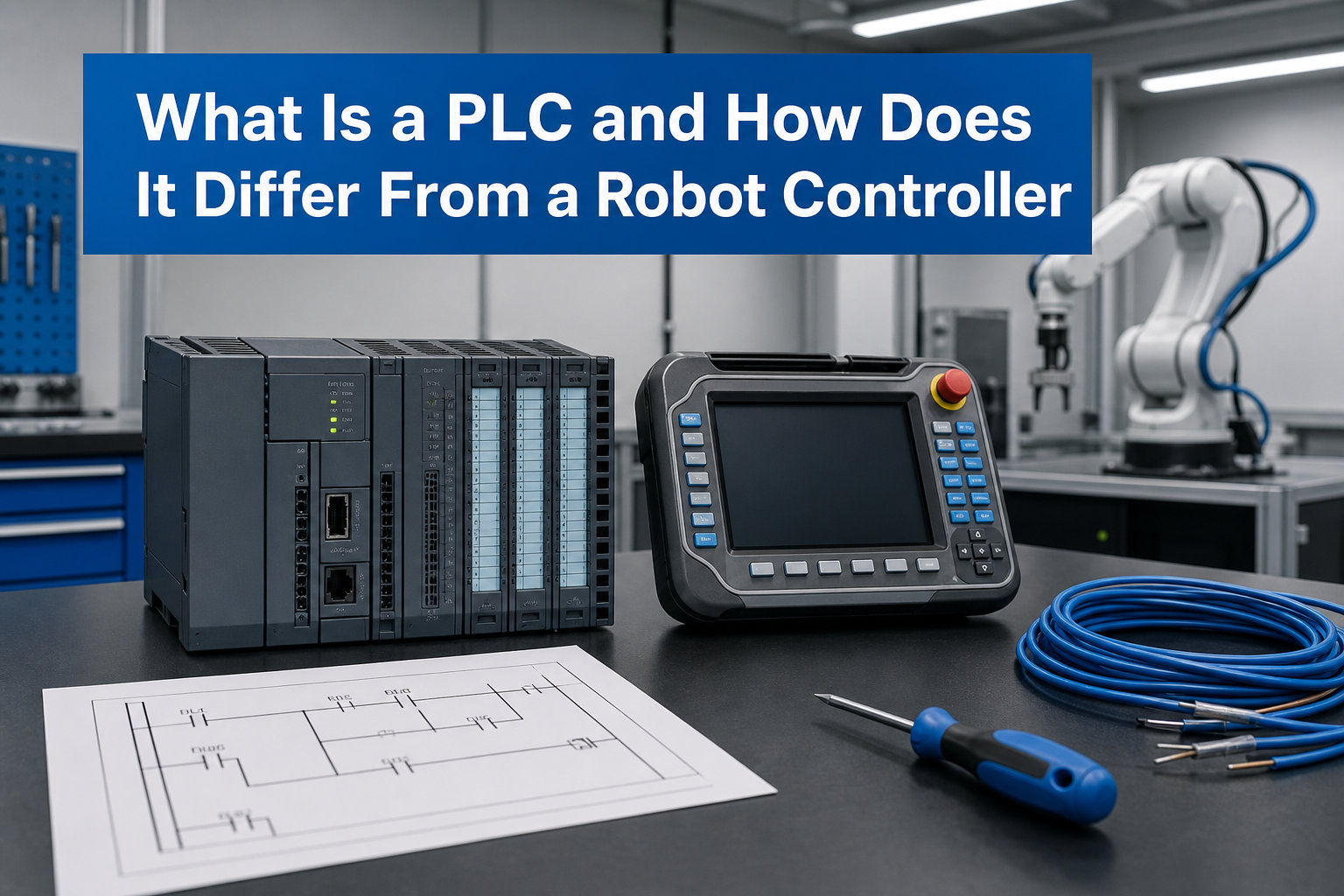
Our team has spent the last decade integrating PLCs and robot controllers on factory floors, and the most common question we still hear from new engineers is the one driving this guide. A programmable logic controller (PLC) is a ruggedized industrial computer designed to control manufacturing processes such as assembly lines, robotic cells, and automated machinery. It reads signals from sensors, executes user-defined logic, and drives outputs in a continuous, deterministic cycle measured in milliseconds.
If you have ever asked yourself how a PLC and a robot controller differ, when to pick one over the other, or how the two devices actually talk to each other on a shop floor, this guide is for you. We will cover the definitions, scan cycle internals, programming languages, real communication protocols, and a decision framework drawn from hundreds of integration projects and conversations on r/PLC and r/robotics.
Table of Contents
What Is a PLC (Definition)
A PLC (programmable logic controller) is an industrial computer built to survive heat, dust, vibration, and electrical noise while running control logic for manufacturing equipment. It replaces the hard-wired relay cabinets that controlled factories before the late 1960s and now sits at the heart of nearly every modern automated line.
Three traits make a PLC different from a normal PC. It is ruggedized for factory environments, deterministic so the same input always produces an output within a known time, and modular so you can add digital inputs, analog inputs, servo axes, and communication cards as the application grows. If you want a deeper look at the overall control hierarchy on a robot, our robot chassis guide shows how motion commands flow from a controller into the mechanical body.
For a simple answer: a PLC is a small, tough computer that runs ladder logic, function blocks, or structured text to read sensors and drive motors, valves, and conveyors in real time. We use them on everything from bottled water lines to automotive paint shops.
PLC Acronyms Worth Knowing
Before we go further, here is a short glossary. These terms appear constantly in PLC documentation and on the job site.
- CPU: Central Processing Unit, the brain of the PLC that runs the scan cycle.
- I/O: Inputs and Outputs, the digital and analog signals the PLC reads and writes.
- HMI: Human-Machine Interface, the touchscreen where operators see status and push buttons.
- SCADA: Supervisory Control and Data Acquisition, the plant-level software that monitors many PLCs.
- RTU: Remote Terminal Unit, a PLC variant used in outdoor or utility sites.
- SIL: Safety Integrity Level, the safety rating assigned to safety-rated PLCs.
What Is a Robot Controller (Definition)
A robot controller is a specialized computer that runs the motion-control software for an industrial robot arm. It calculates joint trajectories, drives the servo amplifiers, monitors encoder feedback, and exposes a teach pendant for programming. In short, it is the brain that turns a list of waypoints into smooth, coordinated motion of six or more axes.
Most modern robot controllers are PC-class machines running a real-time operating system with proprietary motion software on top. Vendors like FANUC, ABB, KUKA, Yaskawa, and Universal Robots all use this architecture. The controller sits between the teach pendant and the servo drives, and it handles the inverse kinematics, path interpolation, and safety monitoring that are unique to articulated motion.
The simplest way to put it: a robot controller is a real-time motion computer purpose-built to make a robot arm move precisely. It is excellent at coordinated multi-axis motion, less so at managing the rest of the factory around the robot.
PLC vs Robot Controller: Key Differences
The core difference is this: a PLC is a general-purpose industrial controller optimized for sequencing, logic, and I/O, while a robot controller is a motion-specialized computer optimized for coordinated multi-axis trajectories. Everything else (programming style, vendor, cost, use case) flows from that split.
Here is a side-by-side breakdown of the key differences drawn from real integration work in 2026.
| Feature | PLC | Robot Controller |
|---|---|---|
| Primary Job | Sequencing and discrete logic | Coordinated multi-axis motion |
| Typical OS | Vendor proprietary RTOS | Real-time OS with motion stack |
| Programming | Ladder logic, FBD, structured text (IEC 61131-3) | Vendor-specific robot language (TP, RAPID, KRL, KAREL) |
| Strength | Deterministic I/O, easy I/O expansion | Smooth path planning, kinematics |
| Weakness | Limited built-in motion control | Limited general I/O handling |
| Best For | Conveyors, safety, cell coordination | Welding, painting, pick-and-place paths |
| Cost (mid-range) | 500 dollars to 5000 dollars | 10,000 dollars to 50,000 dollars |
| Open Architecture | Vendor-restricted but standard protocols | Highly proprietary |
| Safety | Safety PLCs (SIL 2/3) common | Functional safety built into drives |
| Trained Workforce | Large, broad base | Smaller, vendor-specific pool |
The takeaway from this table is that a PLC and a robot controller are not interchangeable. They overlap at the edges, but each is best at what it was designed to do.
How Does a PLC Work (Scan Cycle)
A PLC works by running a continuous scan cycle. The cycle has three steps, and it repeats thousands of times per second.
- Read inputs: The CPU samples the state of every digital and analog input module. Proximity sensors, photo eyes, encoders, and temperature probes are read into memory.
- Execute program: The CPU runs the user program from top to bottom. Ladder logic rungs are evaluated using the input image, and intermediate results are stored.
- Write outputs: The CPU updates every output module based on the program result. Solenoids, motor starters, valves, and indicator lights change state.
The total time for one cycle is called the scan time. For a small program on a modern PLC, it is often under 10 milliseconds. For larger programs with motion, it can be 50 to 100 milliseconds. The deterministic nature of the cycle is what makes a PLC reliable enough to run safety circuits and high-speed interlocks.
One practical point from the field: input changes that occur during the program execution are not seen until the next scan. This is why high-speed counters and interrupts exist, and why deterministic timing matters when a PLC talks to a robot controller over a network.
PLC Programming Languages (IEC 61131-3)
Most PLCs are programmed using the languages defined by the international standard IEC 61131-3. Five languages make up the standard, and most PLC platforms support at least three of them.
- Ladder Logic (LD): The original PLC language, drawn to look like electrical relay schematics. Electricians and maintenance techs learn it first because it visually matches the wiring diagrams they already know.
- Function Block Diagram (FBD): A graphical language where blocks represent functions and lines show signal flow. It is popular for process control and PID loops.
- Structured Text (ST): A high-level, Pascal-like text language. It handles math, strings, and complex conditional logic much more cleanly than ladder.
- Instruction List (IL): A low-level, assembly-like text language. It has been deprecated in the third edition of IEC 61131-3 but is still seen on legacy systems.
- Sequential Function Chart (SFC): A graphical language for breaking a process into steps and transitions. It is excellent for batch processes and machine states.
Robot controllers, by contrast, use vendor-specific languages. FANUC uses Teach Pendant (TP) and Karel, ABB uses RAPID, KUKA uses KRL, and Universal Robots uses URScript. None of these are part of IEC 61131-3, which is one reason PLC programmers and robot programmers are usually two different people on a large project.
Types of PLCs
PLCs come in several physical forms, and choosing the right one is part of the integration work. There are four common types.
- Brick (Compact) PLC: A single unit with fixed I/O. Examples include the Allen-Bradley MicroLogix and Siemens LOGO!. They are cheap and great for small machines.
- Modular (Rack) PLC: A CPU plus snap-in I/O and communication modules. Allen-Bradley ControlLogix and Siemens S7-1500 sit here. They scale from a few dozen to thousands of I/O points.
- Soft PLC (PC-based): Software that turns an industrial PC into a PLC. Beckhoff TwinCAT and Codesys-based systems are common examples. They blur the line between PC and PLC.
- Safety PLC: A specialized PLC with dual processors, certified to SIL 2 or SIL 3. Pilz, Siemens F-CPU, and Allen-Bradley GuardLogix are typical choices for robot cells.
For most robotic cells, a modular or safety PLC handles the surrounding equipment, and a soft PLC sometimes shows up as the cell coordinator. The robot controller itself is always a separate device.
How PLCs and Robot Controllers Work Together
In a modern robot cell, the PLC and the robot controller almost always work as a team. The PLC manages the conveyor, the safety circuit, the light curtain, the gripper solenoid, and the upstream and downstream machines. The robot controller focuses on the arm motion. They communicate through a fieldbus or industrial Ethernet.
Four common communication patterns appear in the field.
- I/O Handshaking: A few digital bits travel over a discrete I/O block. The PLC sets a start cycle bit, the robot reads it, runs the program, and sets a cycle complete bit back. This is the simplest and most reliable pattern for new integrations.
- EtherNet/IP: A widely used industrial Ethernet protocol supported by Allen-Bradley, Omron, and most modern robots. It carries both cyclic I/O and acyclic messages.
- PROFINET: The Siemens-led equivalent of EtherNet/IP. It dominates in European automotive plants.
- Modbus TCP: A lightweight, register-based protocol that nearly every device supports. It is the fallback when nothing else is available.
For deeper information on the wider automation stack, our robot chassis guide walks through how motion commands travel from the controller to the actual motors.
From our integration work, the most common failure is not the protocol itself but the lack of a clear handshake map. We always write a 1-page document showing which bit does what before we run the first cycle. The robot cell, the conveyor, the PLC, and the safety circuit all need to agree on who owns each signal.
When to Use a PLC vs a Robot Controller
This is the practical decision the question really asks, and the answer comes from how each device earns its keep on the floor.
Use a PLC when the job is mostly sequencing, I/O handling, safety, or coordination of multiple pieces of equipment. It excels at conveyor control, machine tending cell orchestration, safety circuits, and process control where motion is simple.
Use a robot controller when the job is coordinated multi-axis motion, especially with complex paths like welding seams, polishing curves, or palletizing patterns. A robot controller is a motion specialist.
Use both when the cell has meaningful auxiliary equipment. This is the most common case in 2026 factories. A car body welding cell has a PLC running the conveyors, clamps, and safety, plus a robot controller on each arm. Neither device could do the whole job alone.
One Reddit user put it well: a robot is very good at motion but terrible for logic. The master PLC handles the auxiliary equipment, the fault handling, and the operator interface much better. We agree with that framing and have watched many projects succeed because of it.
Safety Considerations (Safety PLCs, Robot Cell)
Safety is not an afterthought in any robotic cell. Two standards drive most of the design work: ISO 10218 for industrial robots and ISO 13849 for safety-related control systems.
A safety PLC is a redundant PLC certified to a Safety Integrity Level, usually SIL 2 or SIL 3 under IEC 61508. It runs in parallel with the standard PLC and handles only safety functions: emergency stop, light curtain, safety gate, and speed monitoring. If a safety input trips, the safety PLC can force outputs off within milliseconds, even if the main PLC is hung.
Robot controllers also have built-in functional safety. Modern units monitor joint speed, position, and torque, and they can execute a controlled stop (Category 1) or an immediate energy removal (Category 0). For collaborative robots, the safety controller is what enforces the power and force limiting that lets a human work near the arm.
The most common safety failure we see in new cells is mixing safety and non-safety wiring in the same I/O block. Always run safety signals through a dedicated safety PLC or safety I/O module, never through a standard digital input.
Career Paths: PLC Programming vs Robot Programming
This is one of the most common questions on r/PLC and r/robotics, and it deserves a direct answer. The two careers share a foundation but diverge quickly.
PLC programming leans on ladder logic, function blocks, and structured text. The work is mostly sequencing, I/O mapping, and integration with HMIs and drives. Salary in the United States for a mid-level PLC programmer in 2026 typically ranges from 75,000 dollars to 110,000 dollars, with senior automation engineers reaching 130,000 dollars to 160,000 dollars.
Robot programming leans on vendor languages, motion concepts, and tooling. The work is path teaching, cycle time optimization, and vision integration. Robot programmers with FANUC, ABB, or KUKA experience command a small premium because the talent pool is smaller. Salaries often run 10,000 dollars to 20,000 dollars higher than equivalent PLC roles.
Our advice to newcomers: learn PLC programming first, then add robot programming on top. The PLC teaches you the cell, the safety circuit, and the I/O logic. The robot then becomes one more device in that cell. Trying to learn both at once is the fastest path to confusion.
Is PLC programming outdated? No. Demand for PLC programmers is steady because every new manufacturing line, every warehouse robot, and every battery plant needs one. The work is less visible than software, but it is among the most stable careers in automation.
PLC vs Microcontrollers vs SBCs
It is worth placing the PLC in the wider electronics landscape. Engineers often ask how a PLC compares to an Arduino, a Raspberry Pi, or an industrial PC.
A microcontroller (Arduino, STM32, ESP32) is a single-chip computer with no operating system. It is cheap and flexible, and hobbyists love it. It is not ruggedized, not certified for industrial use, and not designed for the long life cycles of factory equipment.
A single-board computer (Raspberry Pi, NVIDIA Jetson) runs a full operating system. It is great for vision, machine learning, and dashboards, but it lacks deterministic timing and the safety certifications a factory requires.
A PLC is purpose-built for industrial control. It is ruggedized, deterministic, supported for 15 to 20 years, and certified to the relevant safety standards. It costs more than a microcontroller, but it is what the factory buys.
In short, microcontrollers are for prototypes, SBCs are for compute-heavy edge tasks, and PLCs are for control. The three often appear together in a modern cell, with the SBC handling vision, the PLC handling sequencing, and the robot controller handling motion.
Frequently Asked Questions
Can you explain PLC in a simple way?
A PLC is a small, rugged industrial computer that reads signals from sensors, runs user-defined logic such as ladder logic, and drives outputs like motors and valves in a continuous, deterministic cycle. Think of it as a digital replacement for the relay cabinets that used to control factory machines.
What are the four types of PLCs?
The four common types are brick (compact) PLCs with fixed I/O, modular rack PLCs with snap-in I/O and communication cards, soft or PC-based PLCs that run on industrial PCs, and safety PLCs certified to SIL 2 or SIL 3 for safety circuits. Brick PLCs suit small machines, modular PLCs scale to thousands of I/O points, soft PLCs blend PC and PLC worlds, and safety PLCs handle emergency stop and guarding.
What is the difference between a PLC and a controller?
A PLC is a general-purpose industrial controller focused on sequencing, I/O, and safety. A robot controller is a specialized motion computer focused on coordinated multi-axis trajectories. A PLC drives conveyors, valves, and safety circuits, while a robot controller drives servo axes along smooth paths. In a typical cell, both work together, with the PLC managing the surrounding equipment and the robot controller managing the arm.
Is PLC difficult to learn?
PLC programming is moderately easy to learn for anyone with a background in electrical work, but it requires a different mindset from typical software development. Ladder logic and function block languages are visual and accessible, while structured text looks like Pascal. Most beginners can write useful programs within a few weeks, but mastering scan cycles, I/O mapping, and safety takes years.
Is PLC programming used in robotics?
Yes, heavily. Almost every industrial robot cell includes a PLC that runs the conveyors, the safety circuit, the gripper, the light curtain, and the upstream and downstream equipment. The PLC coordinates the cell, while the robot controller focuses on motion. PLC programming is one of the most in-demand skills in robotics integration in 2026.
What is the purpose of a robot controller?
A robot controller calculates joint trajectories, drives the servo amplifiers, monitors encoder feedback, and exposes a teach pendant for programming. It turns a list of waypoints into smooth, coordinated motion of six or more axes. It also enforces functional safety limits on speed, position, and torque, and it handles communication with the cell PLC.
Is a PLC just a computer?
A PLC is a specialized industrial computer, not a general-purpose PC. It runs a real-time operating system, executes a deterministic scan cycle, and is ruggedized for heat, dust, vibration, and electrical noise. It also comes with safety certifications, long-term support, and I/O modules that a normal PC does not have, which is why factories use it instead of a desktop.
Is PLC programming outdated?
PLC programming is not outdated. Demand is steady because every new manufacturing line, every warehouse robot, and every battery plant needs PLC programmers. While the languages look old-fashioned, they are stable, certified, and well supported. Modern PLCs also run structured text and connect to databases and the cloud, so the role is evolving rather than shrinking.
Conclusion
A PLC and a robot controller are two different tools built for two different jobs, and the best robotic cells use both. The PLC is a ruggedized, deterministic industrial computer that handles sequencing, I/O, and safety. The robot controller is a motion-specialized computer that turns waypoints into smooth multi-axis paths. They overlap at the edges, but each is best at what it was designed to do.
If you are sizing a new cell, start with the motion. Decide which robot fits the part and the cycle time, then design the PLC around the conveyors, the safety circuit, and the operator interface. If you are learning automation, start with ladder logic and a small modular PLC, then add robot programming once the cell concept feels natural. The work is stable, the demand is real, and the systems you build will run on factory floors for the next 20 years.
For a deeper look at how the controller talks to the mechanical body of the robot, see our robot chassis guide. It is the natural next step after you have read this PLC and robot controller comparison.