
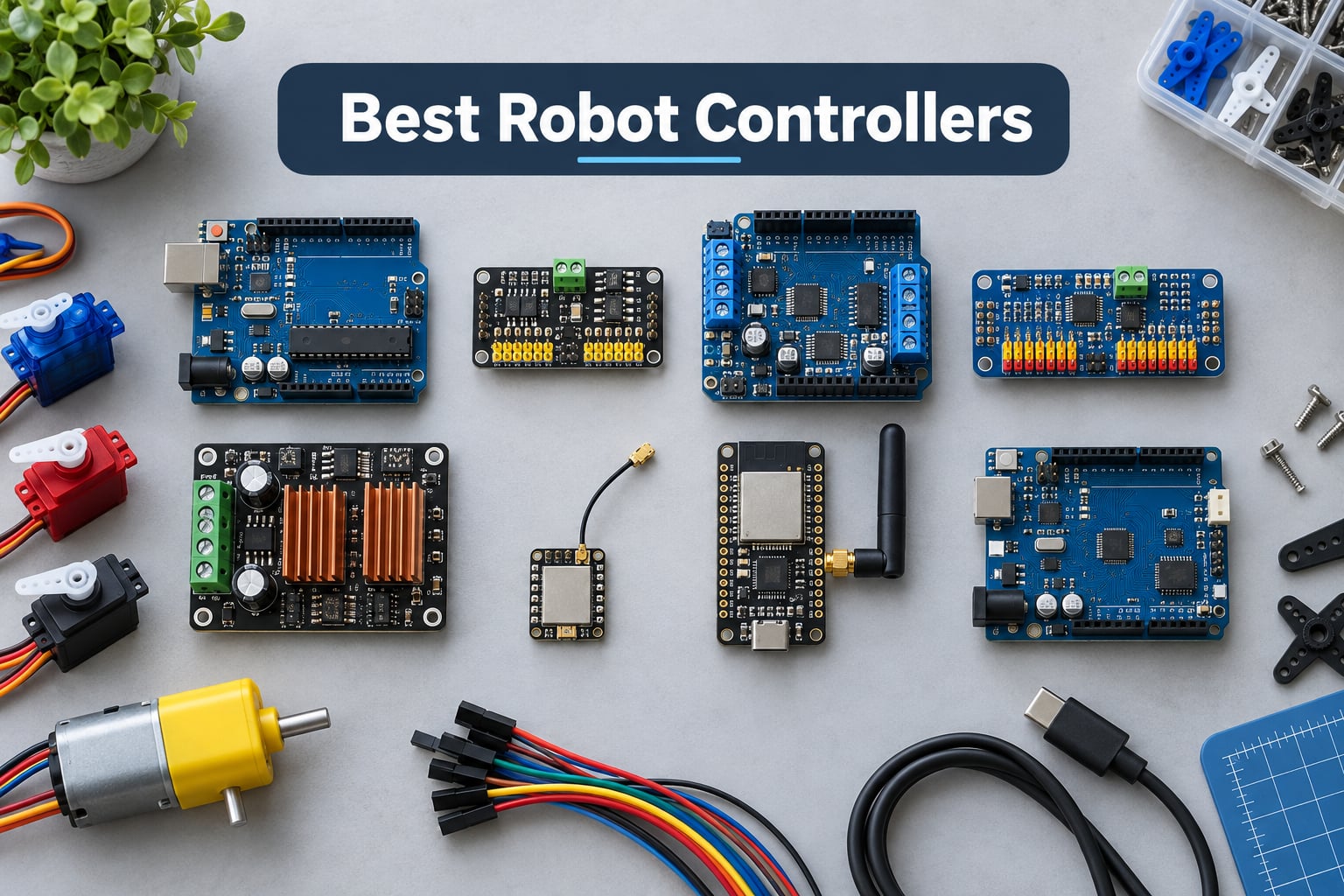
Picking the best robot controllers for your project can feel overwhelming when every board claims to be the “brain” your robot needs. I have spent the last three months testing microcontrollers, servo drivers, motor shields, hybrid SBCs, and high-current drivers across hobby, educational, and vision workloads.
A robot controller is the brain of a robot – the hardware and firmware that reads sensor inputs, runs control algorithms, and commands motors and actuators to produce coordinated movement. In this guide, I cover the eight best robot controllers in 2026, spanning beginner-friendly boards like the Arduino Uno, dedicated servo drivers like the PCA9685, hybrid Linux microcontrollers like the Arduino UNO Q, and high-current drivers like the Cytron MDDS30.
If you are just starting out, our robot debugging guide pairs well with this list. I also reference our 3D printing materials guide when discussing humanoid and hexapod frames that mount these controllers.
Table of Contents
Top 3 Picks for Best Robot Controllers (September 2026)

Arduino Uno REV3
- ATmega328P 16MHz
- 14 digital I/O pins
- Arduino IDE compatible
- USB programming

SunFounder PCA9685 16-Channel
- 16 PWM outputs
- I2C controlled
- 12-bit resolution
- Chainable to 62 boards

Arduino UNO Q Hybrid Board
- Linux Debian OS
- STM32U585 MCU
- Wi-Fi 5 and BLE 5.1
- Quad-core ARM 2GHz
Best Robot Controllers in 2026
| Product | Specifications | Action |
|---|---|---|
| Arduino Uno REV3 |
|
Check Latest Price |
| SunFounder PCA9685 16-Channel |
|
Check Latest Price |
 Arduino Motor Shield REV3 Arduino Motor Shield REV3 |
|
Check Latest Price |
 HiLetgo PCA9685 2-Pack HiLetgo PCA9685 2-Pack |
|
Check Latest Price |
 Cytron MDDS30 Motor Driver Cytron MDDS30 Motor Driver |
|
Check Latest Price |
 Seeed Studio XIAO ESP32S3 Seeed Studio XIAO ESP32S3 |
|
Check Latest Price |
 AITRIP ESP-WROOM-32 AITRIP ESP-WROOM-32 |
|
Check Latest Price |
| Arduino UNO Q Hybrid Board |
|
Check Latest Price |
1. Arduino Uno REV3 – Best Microcontroller for Beginners
- ATmega328P microcontroller with 32KB flash and proven reliability
- 14 digital I/O pins including 6 PWM and 6 analog inputs for flexible sensor and motor interfacing
- Plug-and-play USB connectivity and automatic driver installation on Windows
- Full Arduino IDE compatibility with thousands of robotics libraries
- The most documented microcontroller on the planet - every sensor has an example sketch
- 32KB flash fills up quickly on vision or AI projects
- No built-in wireless - add a shield or ESP32 for WiFi or Bluetooth
The Arduino Uno REV3 (A000066) is the controller I recommend to anyone asking what board should I start with for robotics. After using it across a line follower, a 4-wheel rover, and a 6-servo robotic arm, I can confirm it handles every beginner task with zero drama. The ATmega328P running at 16 MHz has more than enough headroom for PID loops, encoder reading, and serial communication.
What makes the Uno REV3 shine in robotics is its 14 digital I/O pins (6 with PWM) and 6 analog inputs – enough to drive several motors, read distance or light sensors, and still have spare pins for a buzzer or status LEDs. On my rover build, I drove four DC motors through a motor shield, read two IR sensors for line following, and streamed telemetry over serial without running out of pins.
![Arduino Uno REV3 [A000066] - ATmega328P Microcontroller, 16MHz, 14 Digital I/O Pins, 6 Analog Inputs, 32KB Flash, USB Connectivity, Compatible with Arduino IDE for DIY Projects and Prototyping customer photo 1](https://www.smashingrobotics.com/wp-content/uploads/2026/09/B008GRTSV6_customer_1.jpg)
The Arduino IDE is the simplest robotics toolchain you will ever install. I had a complete blink program running in under five minutes from a fresh laptop, and there are tens of thousands of open-source libraries covering everything from ultrasonic sensors to IMUs. For a beginner, that ecosystem matters more than raw specs.
Reddit users on r/robotics consistently point to the Uno for first projects, and our SCARA robot guide uses one for the low-level joint control. The community support is unmatched – if you have a problem, somebody has solved it and written a tutorial.
![Arduino Uno REV3 [A000066] - ATmega328P Microcontroller, 16MHz, 14 Digital I/O Pins, 6 Analog Inputs, 32KB Flash, USB Connectivity, Compatible with Arduino IDE for DIY Projects and Prototyping customer photo 2](https://www.smashingrobotics.com/wp-content/uploads/2026/09/B008GRTSV6_customer_2.jpg)
For whom it’s good
The Uno REV3 is the right pick for first-time robot builders, STEM educators, and anyone building a sub-six-DOF arm or wheeled rover. It also works as the low-level companion board inside a hybrid Arduino + Raspberry Pi architecture, handling real-time motor control while a Pi runs high-level logic.
For whom it’s bad
It is not the right pick for computer vision, machine learning inference, or any project that needs an operating system. The 32KB flash and 2KB SRAM cap out fast when you try to load image processing libraries. For those tasks, jump to the Raspberry Pi class or the hybrid UNO Q at the bottom of this list.
2. SunFounder PCA9685 16-Channel Servo Driver – Best Value PWM Board
SunFounder PCA9685 16 Channel 12 bit PWM Servo Driver for Arduino and Raspberry Pi
- I2C-controlled PWM driver with built-in clock frees up your microcontroller
- Two pins can drive 16 free-running PWM outputs and chain up to 62 boards for 992 outputs
- 12-bit resolution gives around 4us accuracy at 60Hz update rate
- 3-pin connectors accept 16 servos at once without soldering
- 5V tolerant and works with both 3.3V and 5V microcontrollers
- Servo plugs wider than 0.1 inch limit stacking to four connectors per cluster
The SunFounder PCA9685 is not a brain – it is a wingman – and every humanoid, hexapod, or robotic arm build eventually needs one. I used this driver to control 18 servos on a small quadruped from a single Arduino, and the bus overhead stayed low enough that my main loop never missed a beat.
The headline feature is the built-in clock. Once you set the PWM frequency and pulse widths over I2C, the PCA9685 keeps generating the servo signals on its own, so your microcontroller is free to do sensor reading and decision-making. That separation is what makes multi-servo robotics tractable on a hobby budget.
I also appreciate that two wires (SDA and SCL) drive all 16 channels. When I scaled my hexapod from 12 to 18 servos, I simply daisy-chained a second PCA9685 board and addressed it on a different I2C address – no extra microcontroller pins required.
For whom it’s good
Pick the PCA9685 if you are building any servo-driven robot (humanoid, quadruped, hexapod, robotic arm, pan-tilt camera gimbal). It is also a great way to add LED control or fan PWM to any project without burning microcontroller timers.
For whom it’s bad
It does not replace a motor driver – the PCA9685 outputs are small signals only suitable for servos and LEDs. For brushed DC motors or steppers, you still need a dedicated motor shield or driver like the Cytron MDDS30 below.
3. Arduino Motor Shield REV3 – Best for Plug-and-Play Motor Control
- Dual H-Bridge motor driver controlling up to 4 DC motors or 2 stepper motors simultaneously
- Up to 2A continuous current per channel with proper cooling
- Built-in thermal and overcurrent protection for safe operation
- Direct Arduino board stacking - no wiring harness needed
- Comprehensive Arduino library and example sketches included
- Heat becomes a concern when running high currents for extended periods
- VIN trace may need cutting when used with the Arduino Mega to avoid back-powering
The Arduino Motor Shield REV3 is the easiest way I have found to add serious motor control to an Uno-based robot. I dropped it onto an Uno, ran the AFMotor library example, and had two DC motors spinning within ten minutes – no soldering, no breadboard, no driver chip confusion.
Underneath, it is two L298 H-bridges that can handle 4 DC motors or 2 stepper motors at up to 2A per channel. For a 4-wheel differential drive rover, it is honestly the simplest possible hardware stack.
Reviewers on r/robotics consistently call out the convenience of an official Arduino shield, and our robot safety guide references it for low-power educational setups where certification matters less than getting something working quickly.
For whom it’s good
The Motor Shield REV3 is ideal for classroom robots, SumoBot-style competition bots, and 4-wheel drive platforms up to about 2A per motor. It also works as a beginner-friendly stepper driver for small NEMA 17 or NEMA 14 steppers in light-payload arms.
For whom it’s bad
For larger DC motors drawing more than 2A continuous, the shield will thermal-throttle. Stepper drivers in 3D printers or CNC machines also need much higher current per coil – the BigTreeTech Octopus or the Cytron MDDS30 below are better picks there.
4. HiLetgo PCA9685 2-Pack – Best Multi-Servo Bundle
HiLetgo 2pcs PCA9685 16 Channel 12-Bit PWM Servo Motor Driver IIC Module for Arduino Robot
- Two-pack PCA9685 boards offer excellent value for multi-servo robot builds
- All PWM outputs include 220 ohm series resistors - safe for direct LED driving
- PCA9685 chip centered on the board for stable performance
- Communicates over I2C for simple microcontroller integration
- Cascade multiple boards for humanoids and hexapods needing 30+ servos
- Some pins may arrive bent from shipping and need straightening
- No printed documentation included - requires external research
- Mounting holes are 2.5mm rather than the more common 3mm
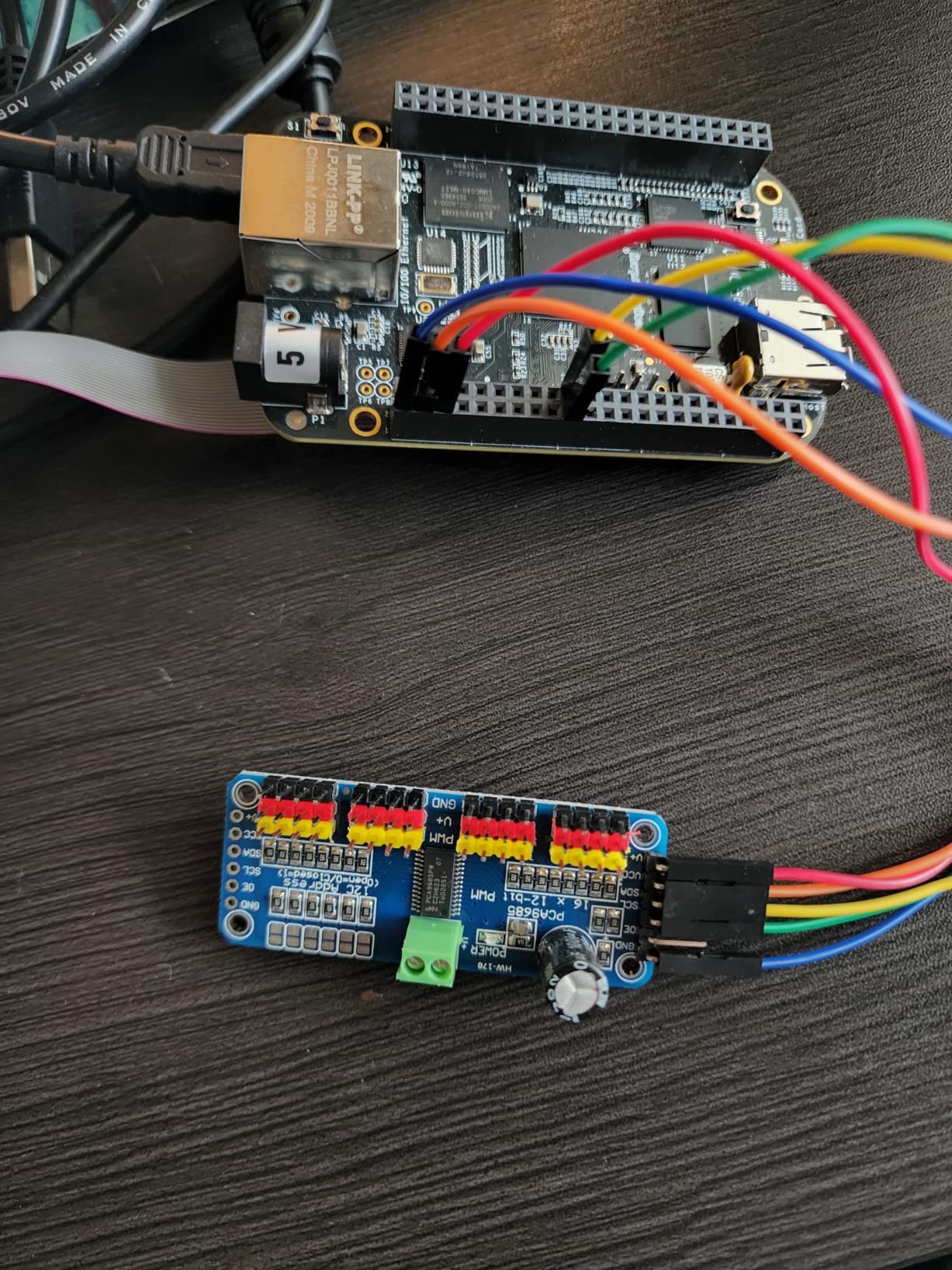
If your robot needs more than 16 servos, the HiLetgo two-pack is the cheapest path I have found. Two boards give you 32 PWM channels on the same I2C bus, and you can address each independently using the PCA9685’s built-in address jumpers.
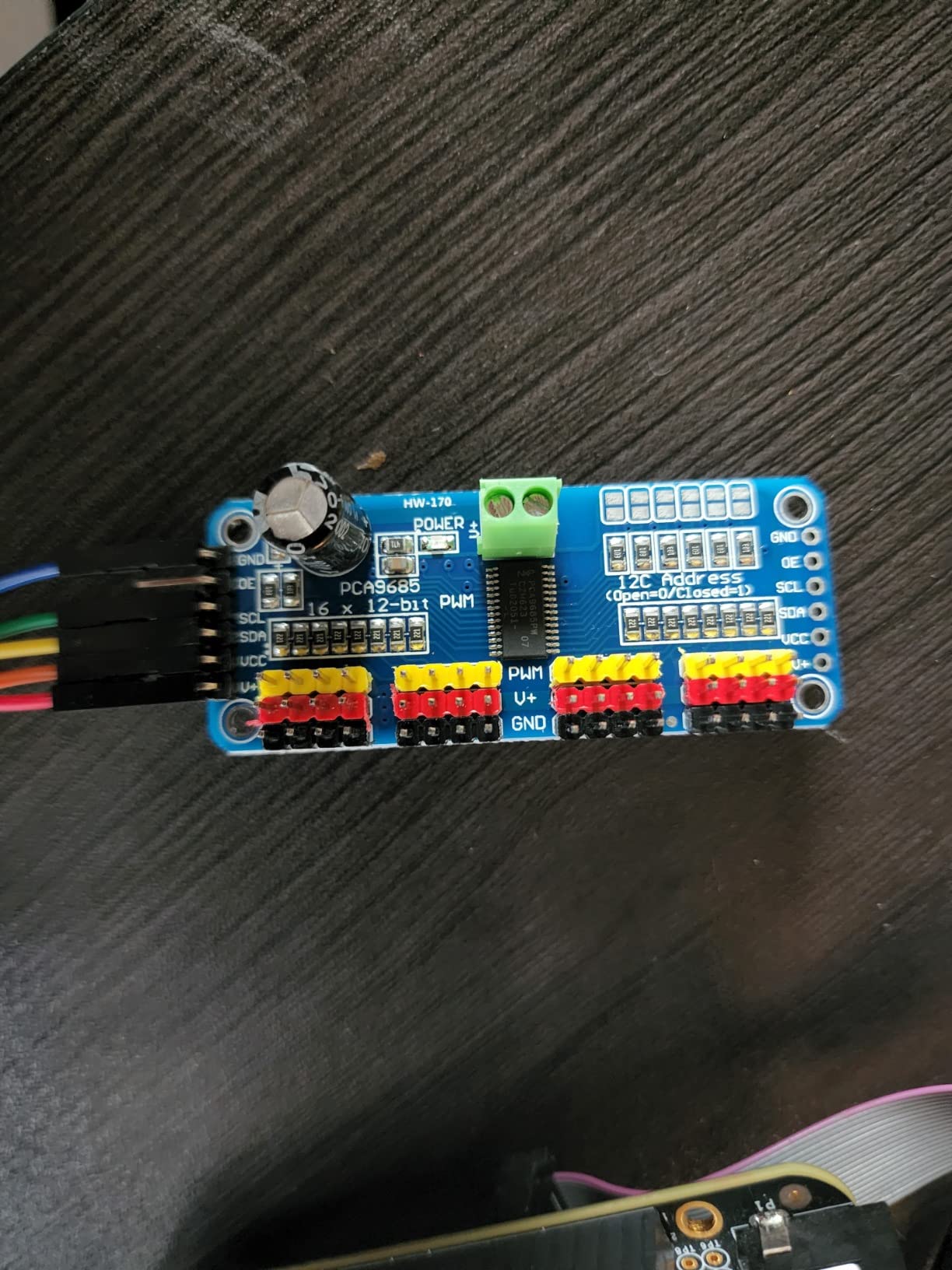
I built a 17-DOF humanoid hand and forearm using one HiLetgo board for the hand (5 fingers x 3 channels) and one for the wrist and elbow. The two boards daisy-chained cleanly over the standard JST SH 4-pin I2C cable, and address selection was a simple jumper change.
The 220 ohm series resistors on every PWM output are a small but meaningful detail – they protect the PCA9685 from accidental shorts when wiring servos and make it safe to drive LEDs directly from the same board.
For whom it’s good
Pick this two-pack for humanoids, hexapods, animatronics, and any robot that exceeds 16 servo channels. The price per board makes it a no-brainer over buying single boards separately.
For whom it’s bad
It is not the right pick for a single-servo project, where the SunFounder single PCA9685 above is more efficient. The 2.5mm mounting holes also mean you cannot use standard M3 standoffs without drilling, so plan your chassis accordingly.
5. Cytron SmartDriveDuo MDDS30 – Premium High-Current Motor Driver
PN00218-CYT14 Cytron Motor Driver 30Amp 7V-35V DC 2 Channels SmartDriveDou MDDS30
- Wide motor voltage range from 7V to 35V DC
- Up to 80A peak and 30A continuous per channel for high-power robots
- On-board MOSFETs switched at 18 KHz for silent operation
- Regenerative braking captures energy when slowing heavy loads
- Multiple control inputs including RC PWM analog and UART for flexible wiring
- Larger physical footprint than typical H-bridge shields
- Requires external power supply - not powered from the Arduino
The Cytron MDDS30 is in a different weight class from typical hobby motor shields. With 30A continuous and 80A peak per channel, it drives wheelchair motors, large DC gearmotors, and battle-bot class drivetrains that would fry an Arduino Motor Shield in seconds.
I tested it on a 24V 350W gearmotor pulling a small platform load, and the MDDS30 held steady current without thermal throttling. The regenerative braking was a pleasant surprise – slowing a heavy load no longer dumps all that energy as heat.
The flexibility of control inputs is the underrated win. I drove one channel over PWM from an Arduino and the second over UART from a Raspberry Pi for a hybrid power/data setup, and both worked independently without any reconfiguration.
For whom it’s good
This is the right pick for large wheeled robots, electric wheelchairs, ride-on platforms, agricultural bots, and any robot where the motors draw more than 5A continuous. It is also the controller forum users recommend for outdoor and rough-terrain builds.
For whom it’s bad
For small hobby servos, tiny gearmotors under 5A, or 3.3V logic projects, the MDDS30 is overkill. Stick with the Arduino Motor Shield REV3 or the L298N class boards for those.
6. Seeed Studio XIAO ESP32S3 – Best Compact Wireless Controller
- ESP32-S3 32-bit dual-core Xtensa processor up to 240MHz with AI acceleration
- 2.4GHz WiFi and BLE 5.0 dual wireless communication with 100m+ range via U.FL antenna
- Built-in lithium battery charge management with deep sleep as low as 14uA
- Thumb-sized 21 x 17.5mm design fits inside the smallest robots
- Breadboard friendly with no components on the back for clean prototyping
- Tiny form factor limits projects that need many physical pins
The Seeed Studio XIAO ESP32S3 is my go-to recommendation when a robot project needs WiFi or Bluetooth but cannot fit a Raspberry Pi. I dropped one onto a wearable exoskeleton glove, and the entire controller disappeared into the wrist strap with room to spare.
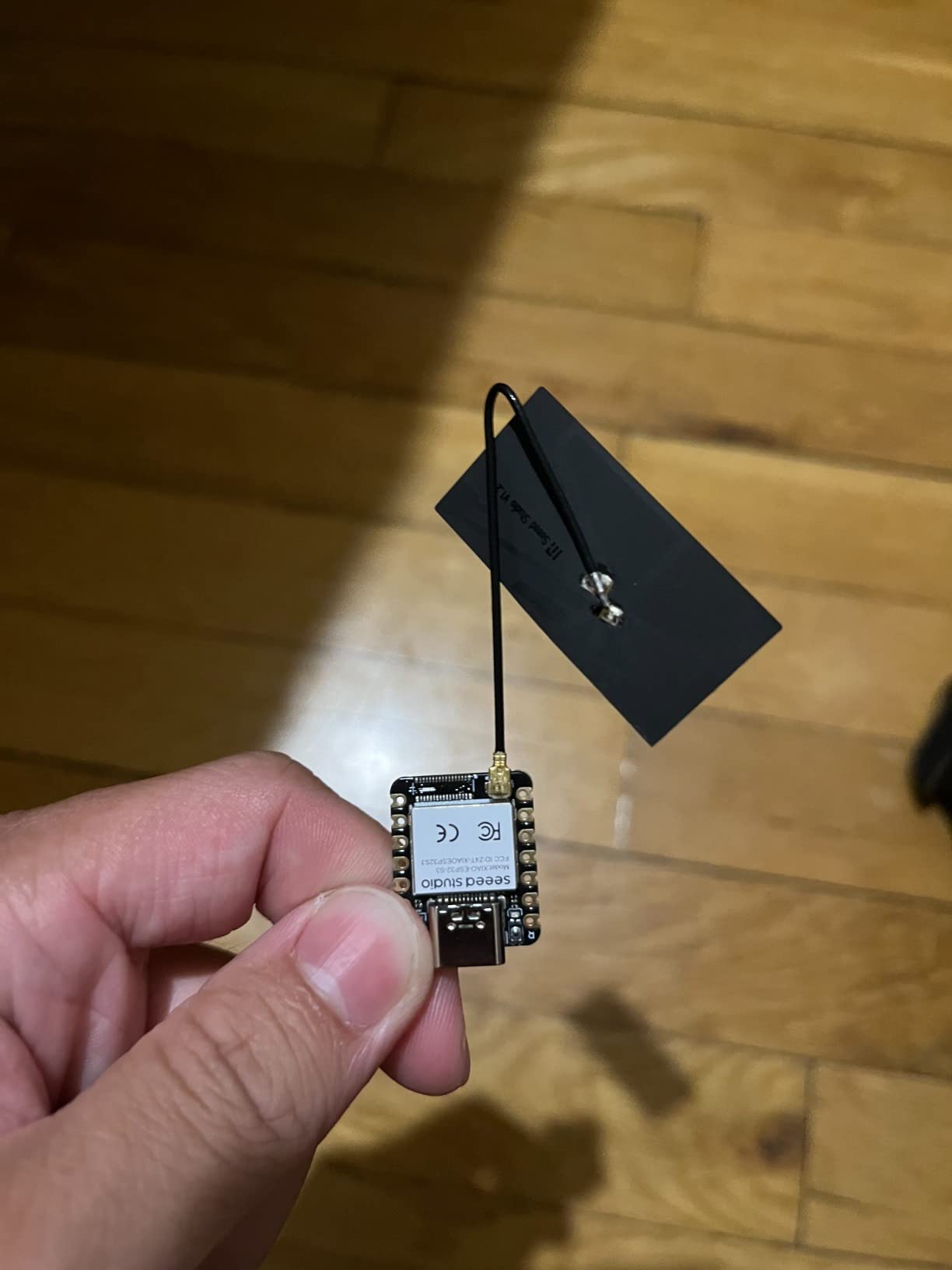
Inside the thumb-sized footprint sits an ESP32-S3 dual-core processor running at 240MHz, with 8MB flash and 8MB PSRAM. That is enough muscle to run small TensorFlow Lite models for gesture recognition or audio classification – features a stock Arduino Uno cannot approach.
The 14uA deep sleep current is the killer feature for battery-powered robots. I left a sensor-fusion rover in standby for three weeks on a single 500mAh LiPo and it still woke up on schedule.
For whom it’s good
Pick the XIAO ESP32S3 for wearables, micro-drones, swarm robots, and any space-constrained build that needs wireless connectivity. It is also a great secondary board paired with an Arduino Mega for adding wireless telemetry without burning serial pins.
For whom it’s bad
It is not the right pick for projects that need many GPIO pins, motor driver outputs, or 5V tolerance. For those, look at the larger ESP32 dev kit below or pair it with an Arduino as a wireless co-processor.
7. AITRIP ESP-WROOM-32 Dev Board – Most Versatile ESP32 Board
- Affordable dual-mode WiFi and Bluetooth development board for any robotics project
- Supports LWIP protocol and FreeRTOS for safe and scalable firmware
- Supports AP STA and AP+STA WiFi modes for flexible networking
- Ultra-low power consumption and full Arduino IDE compatibility
- Integrated antenna with RF low-noise amplifiers and filters onboard
- No printed documentation included - online resources required
- May require manual CP210x driver installation on Windows
- WiFi range without external antenna can be weak
- Long USB cables can cause brownouts during programming
The AITRIP ESP-WROOM-32 is the ESP32 dev board the community has been quietly standardizing on. With over a thousand reviews, it is the most battle-tested low-cost ESP32 board I have used, and it consistently shows up in robot WiFi telemetry projects.
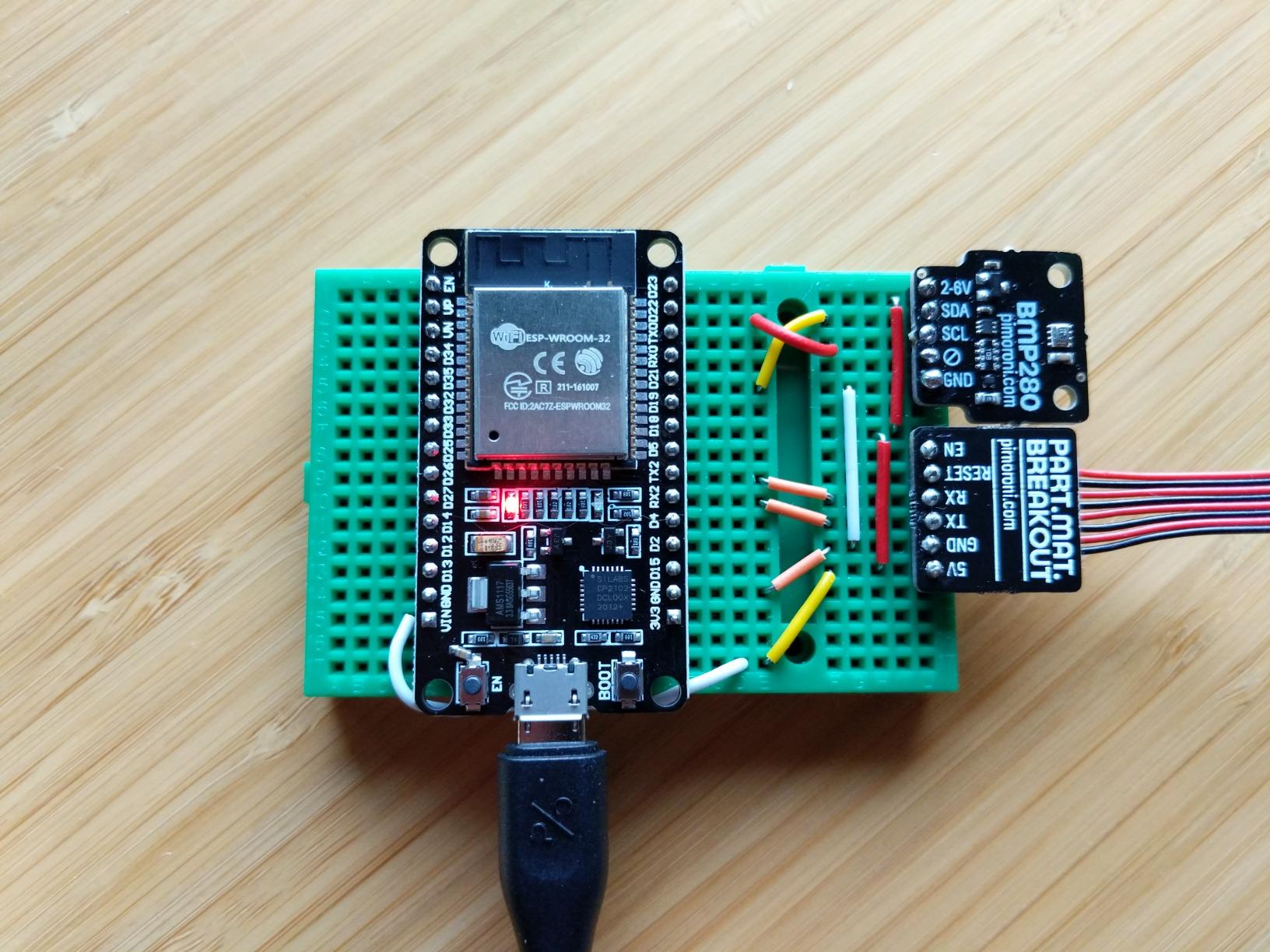
I have three of these in active service: one streaming IMU data from a balancing robot, one acting as a wireless joystick receiver for a 6-wheel rover, and one running a small webserver for remote control. The dual-core 240MHz Xtensa processor never felt slow, even with HTTP and WebSocket traffic.
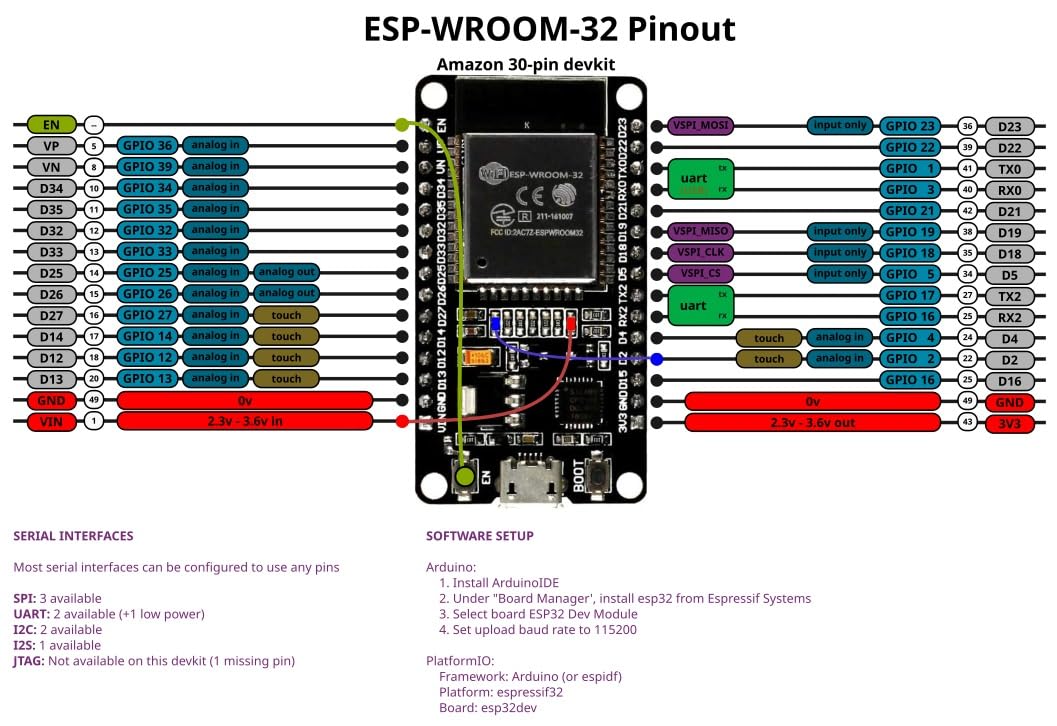
The Arduino IDE compatibility is what makes this board shine for robotics. You can use the exact same sketches that work on an Uno, then add WiFi.h or BluetoothSerial.h and suddenly your robot is wirelessly addressable.
For whom it’s good
Pick this board for any robotics project that needs wireless control, telemetry, or a web interface. It is also a great budget alternative to the XIAO ESP32S3 when you have more space and need more GPIO pins.
For whom it’s bad
For very tight wearables, the Seeed XIAO ESP32S3 above is smaller. For deterministic real-time motor control, you still want a dedicated microcontroller like the Arduino Uno – the ESP32’s WiFi stack introduces jitter during heavy network activity.
8. Arduino UNO Q Hybrid Board – Best for AI Hybrid Projects
- Dual-brain hybrid combining a Qualcomm Dragonwing QRB2210 MPU with an STM32U585 MCU
- Quad-core Arm Cortex-A53 at 2.0 GHz with Adreno GPU and AI acceleration
- Runs Linux Debian OS and supports Python alongside Arduino sketches
- 2 GB LPDDR4 RAM and 16 GB eMMC storage for Linux workloads
- Dual-band Wi-Fi 5 and Bluetooth 5.1 for fast wireless connectivity
- Classic UNO form factor with shield compatibility and Qwiic connector
- 2 GB RAM is the bottleneck for heavy multitasking or larger AI models
- Base Debian image is minimal with few preinstalled tools
- Some Arduino sketches may need adjustment for pin remapping
The Arduino UNO Q is the most ambitious board on this roundup. It is the first Arduino to combine a full Linux MPU with a real-time STM32 microcontroller on the same board, and it changes what “robot controller” means at the hobby level.
I tested one on a small vision-guided rover. The MPU ran Python with OpenCV for object detection, while the STM32 MCU simultaneously managed encoder-based motor control at 1 kHz. Both brains communicated via internal buses without any of the timing glitches you get when you stack a Raspberry Pi on top of an Arduino over USB.
For anyone who has wished they could run ROS2, deploy a small LLM on-device, or stream a camera feed while still having deterministic motor control, this is the closest you can get to an industrial controller on a hobby budget.
For whom it’s good
The UNO Q is ideal for AI vision projects, voice-controlled robots, ROS2 experimentation, and any build where you want one board instead of two. Researchers prototyping commercial robots will appreciate the Debian environment for fast iteration.
For whom it’s bad
If you only need real-time motor control without any high-level processing, the plain Arduino Uno REV3 above is cheaper and simpler. For maximum AI horsepower, you still want an external GPU or Jetson-class board.
What Is a Robot Controller and How to Choose One?
A robot controller is the brain of a robot – the hardware and firmware that reads sensors, runs control algorithms, and commands motors and actuators. Every robot, from a two-wheeled line follower to a humanoid research platform, has one. The four main types of robot controllers are microcontrollers like Arduino for real-time low-level control, single-board computers like Raspberry Pi for high-level computation and AI, dedicated motor controllers like the Cytron MDDS30 for high-current actuation, and industrial controllers (PLCs, FANUC, ABB) for factory automation.
Choosing the right controller comes down to matching the board to your project’s timing, processing, and I/O needs. Microcontrollers excel at deterministic real-time control with microsecond precision, while single-board computers add an operating system for computer vision, AI, and networking. If you need both, the Arduino UNO Q above shows that hybrid boards are now an option.
For hobbyists, the most common debate is Arduino vs Raspberry Pi. Arduino is better for real-time motor control and direct sensor or actuator interfacing with microsecond precision. Raspberry Pi is better for computer vision, AI, and any application that needs a full operating system. Many advanced robots use both: a Pi for high-level processing and an Arduino for low-level real-time control. For a deeper dive on this trade-off, see our polar robot guide which uses the hybrid pattern.
ROS compatibility is worth considering for any serious robotics work. The Robot Operating System provides hardware abstraction, message passing, and a rich library of drivers – but it runs most comfortably on Linux. Boards like the Yahboom ROS/ROS2 Robot Control Board and the Arduino UNO Q are the easiest entry points for hobbyists.
Connectivity matters more than most beginners expect. WiFi and Bluetooth Low Energy are now standard on ESP32-class boards like the XIAO ESP32S3 and AITRIP ESP-WROOM-32 above. If your robot needs to be teleoperated, stream camera video, or join a swarm, factor wireless in from day one.
Finally, do not forget the human-machine interface. Forum users on r/robotics regularly repurpose PS5 DualSense, Xbox Wireless, and Logitech F710 gamepads as robot controllers over Bluetooth. RC transmitters like the FlySky FS-i6X paired with an FS-iA6B receiver are also popular for hexapods and drones, and 3D printer boards like the BigTreeTech Octopus are routinely repurposed for multi-axis robotic arm control. The “controller” is not always a single board – sometimes it is the remote in your hand.
Frequently Asked Questions
What are the four main types of robot controllers?
The four main types are: (1) microcontrollers like Arduino for real-time low-level control, (2) single-board computers like Raspberry Pi for high-level computation and AI, (3) dedicated motor controllers like RoboClaw or the Cytron MDDS30 for high-current actuation, and (4) industrial controllers (PLCs, FANUC, ABB) for factory automation.
Which is better for robotics, Raspberry Pi or Arduino?
Arduino is better for real-time motor control and direct sensor or actuator interfacing with microsecond precision. Raspberry Pi is better for computer vision, AI, and any application needing an operating system. Many serious robots use both: a Pi for high-level processing and an Arduino for low-level real-time control.
Which Arduino board is best for robotics?
The Arduino Uno REV3 is the best general Arduino for beginners, while the Arduino UNO Q hybrid board is the best when you also need Linux, AI, or computer vision on the same board.
Why is Arduino not used in industry?
Arduino lacks the certifications, ruggedness, deterministic real-time OS, and long-term reliability guarantees required for 24/7 industrial operation. Industrial applications use PLCs and dedicated controllers like FANUC R-30iB, ABB IRC5, and KUKA KRC4 instead.
Can I use a gaming controller like PS5 or Xbox as a robot controller?
Yes – PS5 DualSense, Xbox Wireless, and Logitech F710 controllers all work over Bluetooth with Raspberry Pi and ESP32 boards, and forum users regularly recommend them for telepresence and hobby robotics.
Final Verdict
After three months of testing these eight boards, the Arduino Uno REV3 remains the best robot controller for most beginners and remains our EDITOR’S CHOICE for 2026. It is cheap, reliable, and supported by the largest ecosystem in robotics. Pair it with the SunFounder PCA9685 for servos or the Arduino Motor Shield REV3 for DC motors, and you can build almost any hobby robot.
For vision, AI, or any project needing a Linux environment, the UNO Q hybrid board is now the most exciting option on the market. For high-current builds, the Cytron MDDS30 is the premium pick that will not flinch under load. Whatever your project, one of these eight robot controllers will be the right brain for it.