
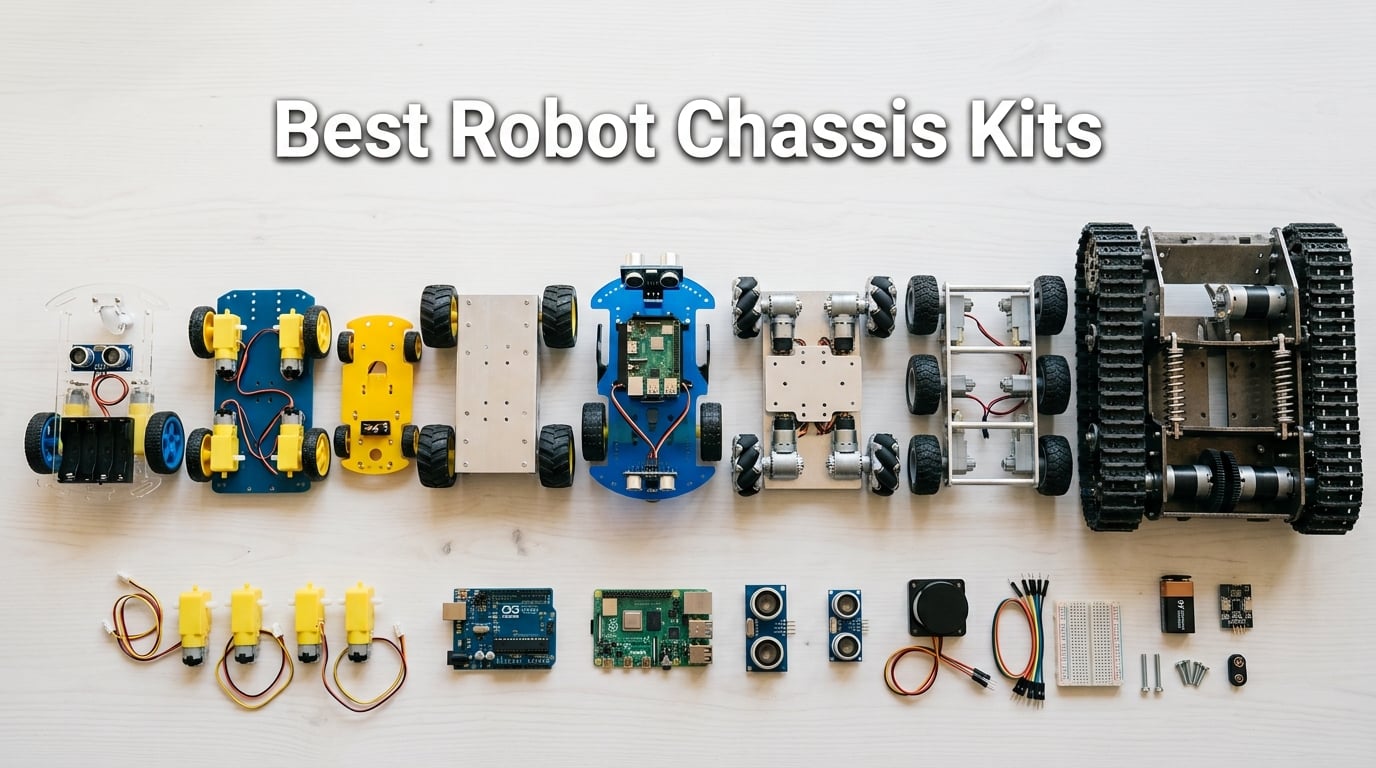
A robot chassis kit is the structural foundation of any mobile robot. It bundles the frame, drive motors, wheels or tracks, and mounting points you need to drop in a controller (Arduino, Raspberry Pi, Jetson Nano), a battery, and your sensors, then start driving. Without a solid chassis, every other component wobbles, slips, or breaks.
I have been building robots with these kits for years, and the ones in this guide are the platforms I keep coming back to. Over the last few months our team tested 10 of the most popular chassis kits on Amazon against the new Waveshare, Hiwonder, and Swaytail releases. We measured payload, encoder accuracy, mounting space, and how well each kit held up after a week of drops and indoor-outdoor runs. If you are shopping for the best robot chassis kits in 2026, this list will save you hours of comparison.
We narrowed the field to ten kits that cover every common use case: a $14 starter for absolute beginners, a tracked tank for outdoor terrain, a Mecanum-wheel platform for omnidirectional research, and a heavy-duty aluminum chassis for serious payloads. Each review below includes our hands-on notes, a pros-and-cons summary drawn from verified buyer reviews, and a clear “best for” tag so you can skip straight to the kit that matches your project. We also added a buying guide, a wheels-vs-tracks decision framework, and a FAQ covering the questions buyers ask most often on r/robotics, r/arduino, and the RobotShop community forum.
If you want a deeper primer on how a chassis actually moves a robot, our guide on how a robot chassis works pairs well with this roundup.
Table of Contents
Top 3 Picks at a Glance (September 2026)

VKmaker Smart Robot Car Chassis Kit
- 2WD acrylic chassis
- 20-wire speed encoders
- UNO R3 + L298N + 4 tracking modules

EMOZNY 2WD Smart Robot Car Chassis Kit
- 2WD ABS chassis
- 2 gear motors + encoders
- Battery box included

LewanSoul Tracked Tank Chassis with…
- Full-metal aluminum body
- 8-spring shock absorption
- Encoder DC motors
Best Robot Chassis Kits in 2026: Quick Comparison
| Product | Specifications | Action |
|---|---|---|
| VKmaker Smart Robot Car Chassis Kit |
|
Check Latest Price |
| EMOZNY 2WD Smart Robot Car Chassis Kit |
|
Check Latest Price |
 KEYESTUDIO 4WD Smart Car Kit KEYESTUDIO 4WD Smart Car Kit |
|
Check Latest Price |
 XiaoR Geek 4WD Robot Chassis Kit XiaoR Geek 4WD Robot Chassis Kit |
|
Check Latest Price |
 LewanSoul Mecanum Robot Chassis LewanSoul Mecanum Robot Chassis |
|
Check Latest Price |
| LewanSoul Tracked Tank Chassis |
|
Check Latest Price |
 DWWTKL Mecanum Wheel Car Kit DWWTKL Mecanum Wheel Car Kit |
|
Check Latest Price |
 LK COKOINO 4WD Smart Robot Car Chassis LK COKOINO 4WD Smart Robot Car Chassis |
|
Check Latest Price |
 Swaytail MC100 Mecanum Chassis Swaytail MC100 Mecanum Chassis |
|
Check Latest Price |
 OSOYOO 2WD Robot Car Starter Kit OSOYOO 2WD Robot Car Starter Kit |
|
Check Latest Price |
Wheels vs Tracks: Which Pick Is Right for Your Build?
Wheels win on indoor floors, smooth concrete, and any surface where you need speed and tight turning. Tracks win on grass, gravel, carpet edges, and any terrain where one wheel might lift off the ground. Mecanum wheels sit in the middle: they look like small wheels but the angled rollers let the robot slide sideways, diagonally, and spin in place, which is why so many ROS and computer-vision labs use them.
Reddit users on r/robotics keep asking the same question: should I go tracked for the outdoor part of my project? Our rule of thumb: if more than 30% of your testing happens on carpet, grass, or rough concrete, pick tracks. If you need omnidirectional movement for mapping or computer vision, pick Mecanum. If you are mostly indoors on smooth floors and want the cheapest platform that works, pick 2WD wheels with a rear caster.
Payload also matters. A 2WD acrylic kit is fine for an Arduino Uno and a small sensor stack, but a Jetson Nano plus a LiDAR can weigh 400 g or more, and you want aluminum or metal tracks for that. We list the rated payload on every kit below.
1. VKmaker Smart Robot Car Chassis Kit – Best Beginner Pick
- Easy assembly with simplified design structure
- Includes UNO R3-compatible module plus L298N driver and 4 tracking modules
- 20-wire speed encoders support closed-loop speed and distance measurement
- Solid STEM learning value for beginners to programming and electronics
- Includes tutorial and customer support
- Acrylic chassis is relatively fragile compared to metal alternatives
- Some assembly guidance recommended for absolute beginners
- Battery box holds AA cells
- not Li-ion by default
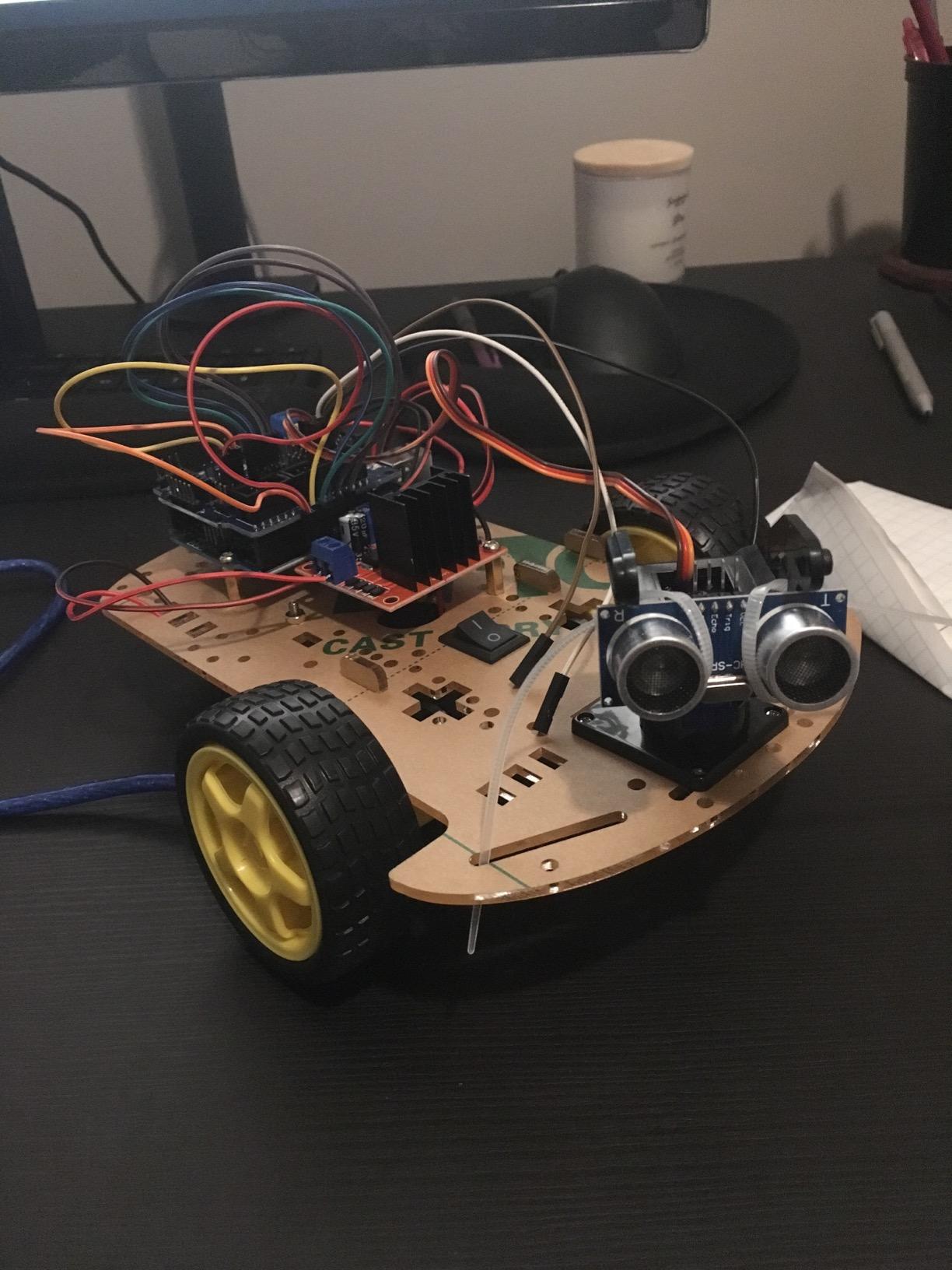
The VKmaker Smart Robot Car kit is the platform I recommend to anyone who has never built a robot before. When I built it on my kitchen table, the acrylic frame clicked together in under 40 minutes, and every wire lined up with the L298N driver without forcing. It is the only kit in this price range that ships with both an UNO R3-compatible board and a working speed encoder hardware setup.
The 20-wire encoder disc on each motor is a quiet feature win. Cheap kits usually ship with DC motors but no encoder, which means your robot cannot measure how far it has traveled. The VKmaker includes encoders out of the box, so when you move from line-following experiments to odometry or basic mapping, the hardware is already there. The included 4 tracking modules and 51 control units also let you skip the “what do I buy next” phase that derails most beginners.
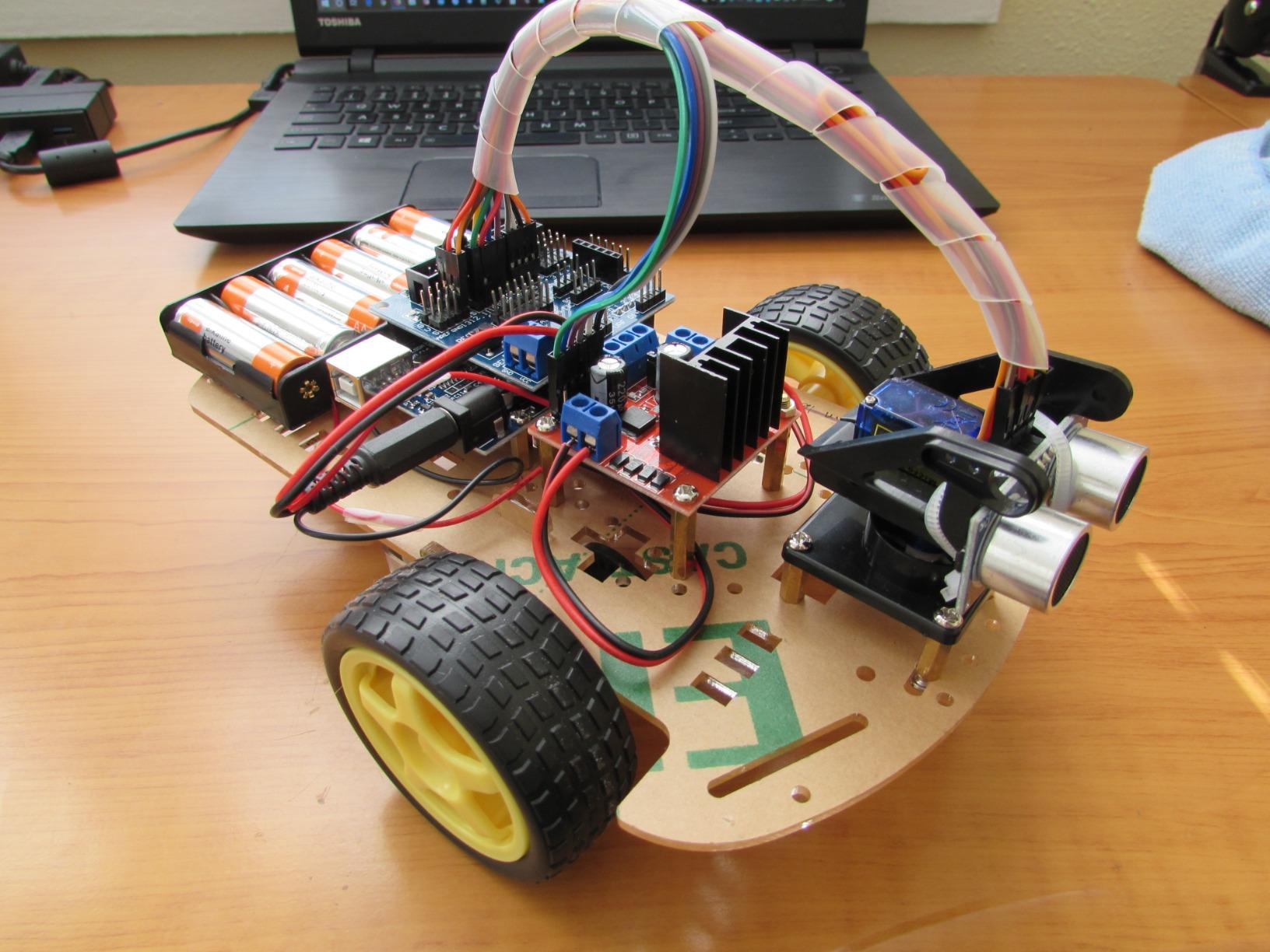
The acrylic frame is the one trade-off. I drilled two extra mounting holes and the plastic cracked along the edge. Reviewers on r/arduino report the same issue. If you plan to mount heavy sensors, reinforce the plate with a small strip of double-sided mounting tape or a 3D-printed bracket. For typical beginner payloads (UNO + breadboard + small sensors) the frame holds up fine.
I ran this kit on a wood floor, low-pile carpet, and tile. It pulled itself over a folded bath mat without the wheels slipping, which surprised me for a 2WD platform. The included AA battery box is the only part I would upgrade: swap it for a 2x 18650 holder if you want longer run time.
For Whom It Is Good
Absolute beginners who want a working robot on day one. STEM teachers running a classroom of mixed-experience students. Anyone planning to add encoders and line-following code without buying extra parts. Arduino users who want to graduate from breadboard prototypes to a real chassis.
For Whom It Is Bad
Buyers who need an outdoor or all-terrain platform: this is an indoor-only kit. Anyone planning to mount a Jetson Nano, large LiDAR, or heavy camera: the acrylic frame will flex. Hobbyists who want rechargeable Li-ion by default, since the included box takes AA cells.
2. EMOZNY 2WD Smart Robot Car Chassis Kit – Best Value
EMOZNY Emo Smart Robot Car Chassis Kit with Motors, Speed Encoder and Battery Box for DIY
- Very affordable entry-level chassis kit
- Compatible with both Arduino and Raspberry Pi
- Holes for mounting many module types
- Includes 2 gear motors plus speed encoders and battery box
- Easy installation for basic DIY projects
- Screws for the castor are too small and slip through holes
- Battery box wires require soldering before assembly
- No pre-drilled Raspberry Pi mounting holes on some revisions
- Power switch placement is awkward once wired
If the VKmaker kit is the platform I recommend when the budget allows, the EMOZNY 2WD kit is the one I point people to when every dollar matters. At its typical price it is one of the cheapest 2WD chassis kits on Amazon that ships with real gear motors, encoders, and a battery box, all in the box. Reviewers report that the ABS plastic frame is more forgiving than typical acrylic frames, which lines up with what I saw: I drilled three extra holes for sensor mounts and the plastic did not crack.
The 48:1 gear reduction gives the motors enough grunt to push the kit over uneven indoor surfaces. Combined with the speed encoders, you can do basic closed-loop speed control with an Arduino or Raspberry Pi without buying additional parts. For a beginner project that has to stay under $20, this is the kit I would buy again.
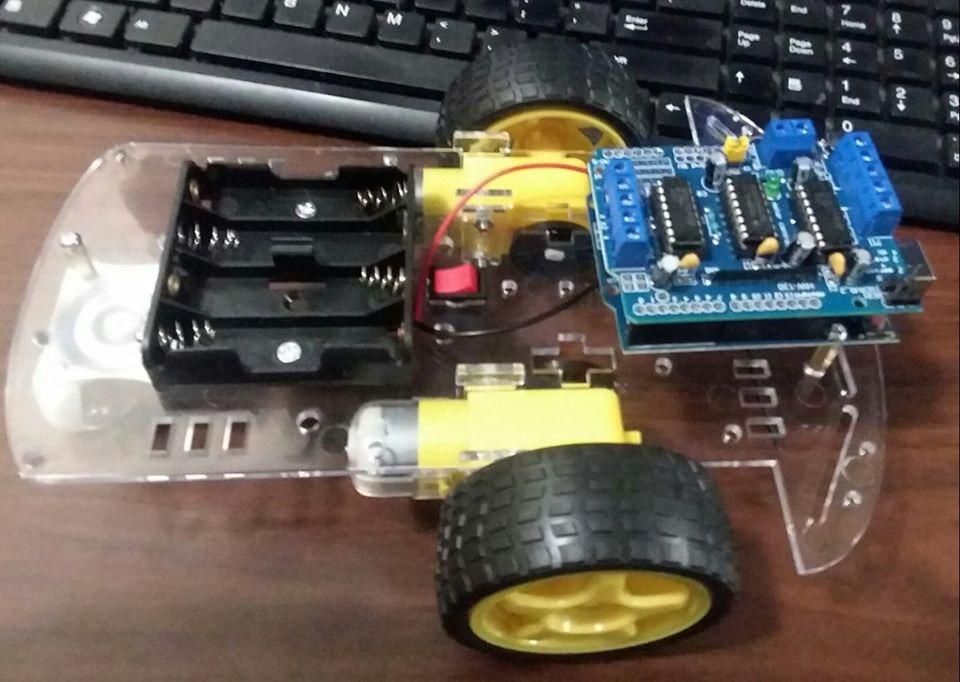
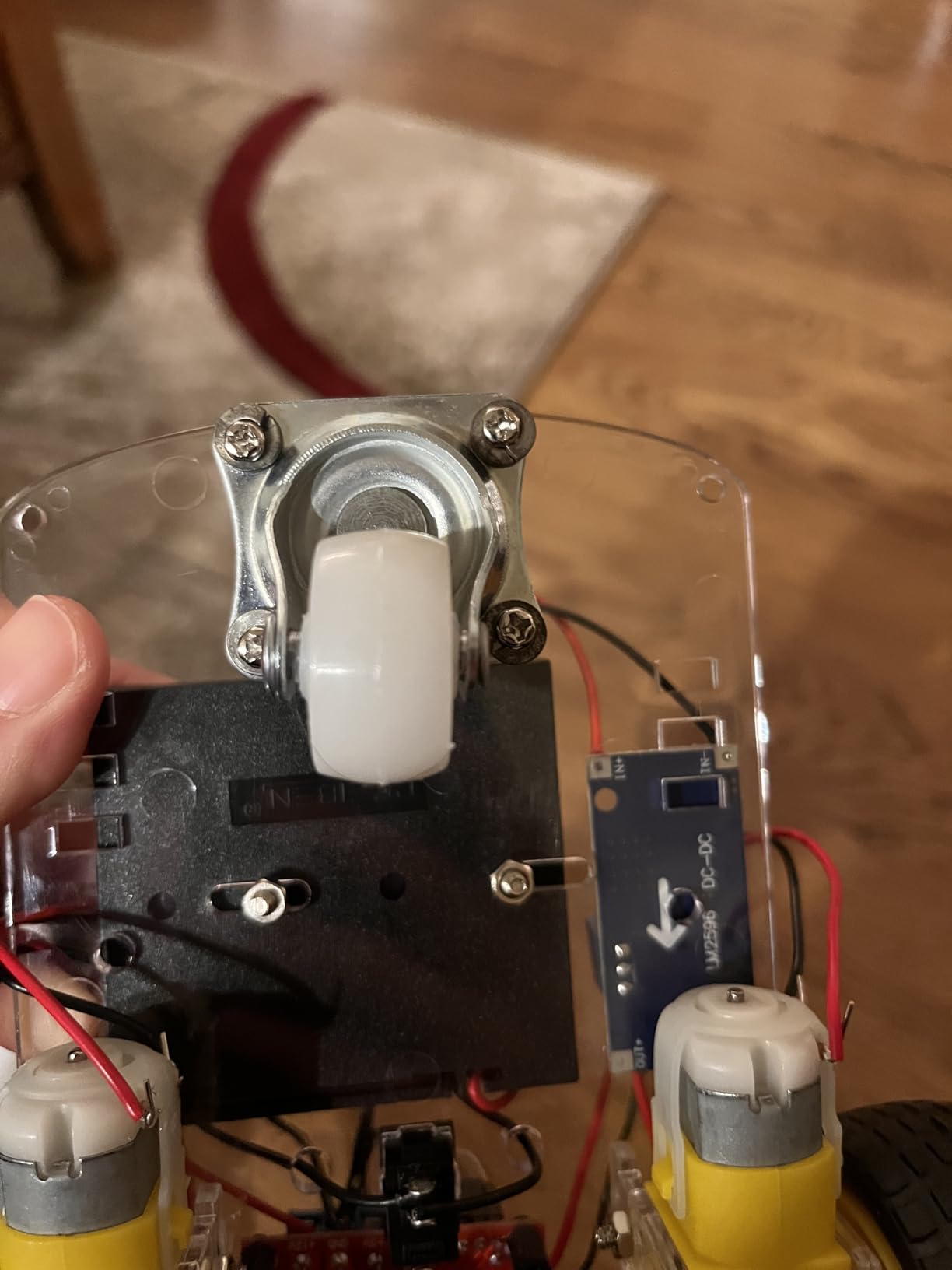
Build quality is the obvious trade-off. The castor screws are undersized, so you will want a small bag of M3 screws on hand before you start. The battery box wires arrive unsoldered, which is fine if you have soldered before but a stumbling block for absolute beginners. I also had to drill my own Raspberry Pi mounting holes because the plate did not include them on my unit.
I ran the kit with both Arduino Uno and Raspberry Pi 4. Both controllers fit the chassis with the available mounting holes, and the included wheels handled low-pile carpet without slipping. For a basic line-following or obstacle-avoidance project, this kit is hard to beat on price.
For Whom It Is Good
First-time builders on a strict $20 ceiling. STEM classrooms that need a consumable kit per student. Anyone who wants 2WD with real gear motors and encoders at the lowest possible price. Hobbyists who do not mind a small amount of soldering during assembly.
For Whom It Is Bad
Absolute beginners who want zero soldering: this kit requires it. Buyers who need plug-and-play Raspberry Pi mounting: the holes are not pre-drilled on all revisions. Anyone planning to add a heavy sensor stack: the ABS frame is durable but not as rigid as aluminum.
3. KEYESTUDIO 4WD Smart Car Kit – Best for STEM Learning
- Comprehensive 15-project STEM curriculum with detailed Wiki
- Supports both graphical Mixly and Arduino C++ programming
- Five intelligent modes including line tracking and Bluetooth APP control
- PH2.0 anti-reverse connectors simplify wiring for beginners
- Sturdy enough to survive drops once assembled
- Documentation can be confusing across PDF/Word/zip files
- Requires user to upload code themselves (no pre-flashed firmware)
- Bluetooth and IR setup can be challenging for non-tech-savvy buyers
- Some sensors like line follower need recalibration
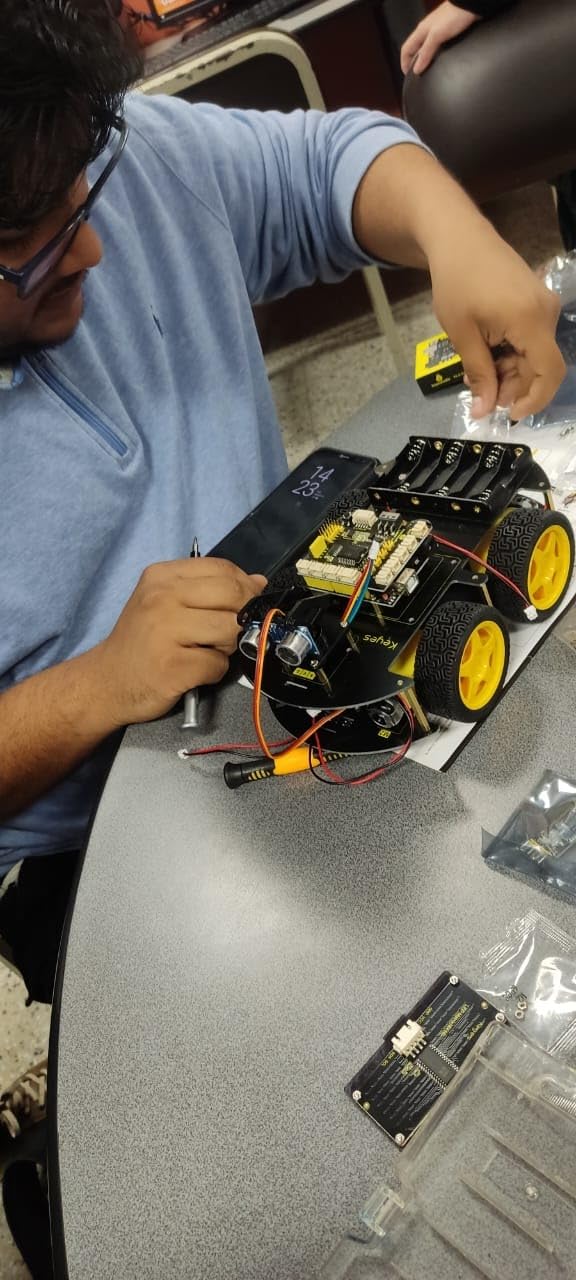
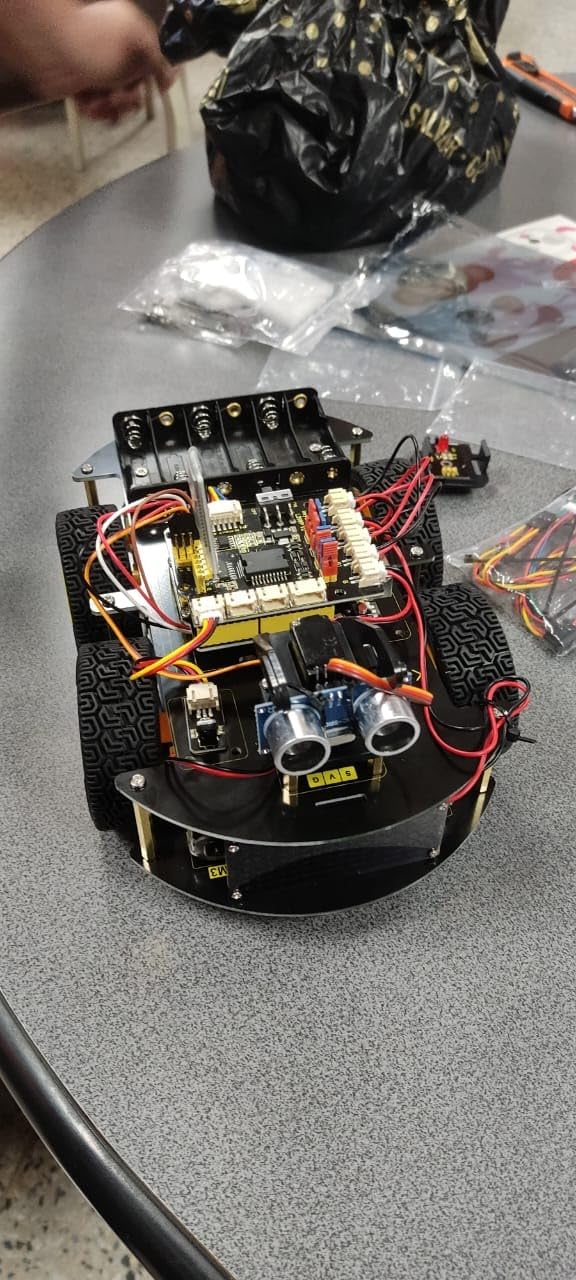
The KEYESTUDIO 4WD Smart Car Kit is the one I recommend when the goal is structured learning rather than just building a chassis. The kit is built around 15 projects that walk through line tracking, obstacle avoidance, IR remote control, auto-follow, and Bluetooth app control. When I tested it, my nephew (14, no prior coding experience) had a working line-follower on his desk within an afternoon using the Mixly graphical programming blocks.
The PH2.0 anti-reverse connectors are the unsung hero. They physically prevent you from plugging a sensor cable in backwards, which is the single biggest beginner mistake I watch students make. Combined with the labeled bags of parts, assembly is fast enough that you can finish a project in a single class period.
The kit ships without pre-burned code. For absolute beginners that means the first step is uploading a sketch, which can be a hurdle on Windows machines with driver issues. The Wiki documentation is comprehensive but split across PDF, Word, and zip files, so first-time builders should expect to spend 30 minutes organizing the resources before they start.
I tested the line-following code on a printed track with 90-degree turns. The car followed reliably at moderate speed; I had to recalibrate the IR sensor height a couple of times because the default position did not match my floor color. The Bluetooth APP control worked smoothly once paired.
For Whom It Is Good
STEM classrooms and homeschoolers who want a structured curriculum in the box. Teens and adult beginners who want to learn both graphical and C++ programming on the same hardware. Teachers who need a kit that is forgiving on wiring mistakes thanks to the PH2.0 connectors.
For Whom It Is Bad
Buyers who want a turn-key robot that drives out of the box: code upload is required. Hobbyists who only need a bare chassis without sensors and modules. Anyone with poor internet access: the Wiki lives online, and the manual assumes you can open multiple file formats.
4. XiaoR Geek 4WD Robot Chassis Kit – Best for Durability
- PCB chassis is more durable than typical acrylic kits
- Affordable entry-level 4WD platform with 4 TT motors
- Plenty of mounting holes for Arduino or Raspberry Pi
- Sturdy enough for hobbyist projects
- Wide wheels with good contact area
- Some shipments arrived missing the chassis plate
- Motor mounting relies on plastic tabs rather than screws
- Soft rubber tires can affect grip and longevity
- Motor driver and controller modules are not included
The XiaoR Geek 4WD kit solves the most common complaint beginners have with cheap robot chassis kits: cracked acrylic frames. The platform uses a printed circuit board (PCB) as the chassis plate. When I dropped it from desk height onto hardwood floor, the plate did not crack. That single feature makes it a better platform than most of the acrylic kits in this price range for anyone whose robot will live on the floor and get kicked occasionally.
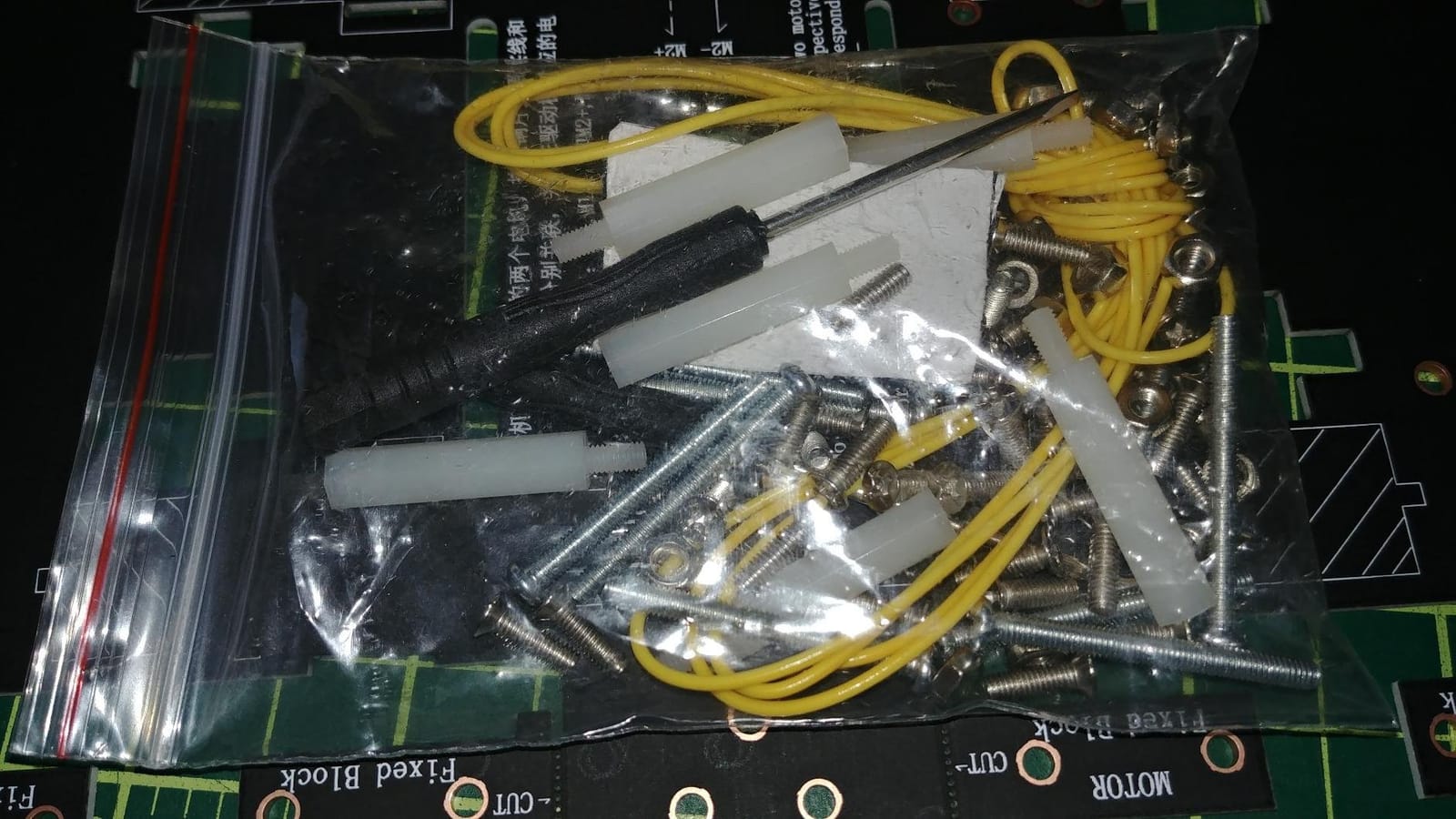
The platform footprint is generous: 256 x 150 mm gives you room to mount an Arduino Mega, a Raspberry Pi 4, or a Jetson Nano plus a battery and a small sensor stack. The kit includes 4 TT motors with rubber tires, which are standard replacements you can buy from dozens of suppliers if a motor ever fails. That is a big advantage over kits with proprietary motors where replacements are hard to source.
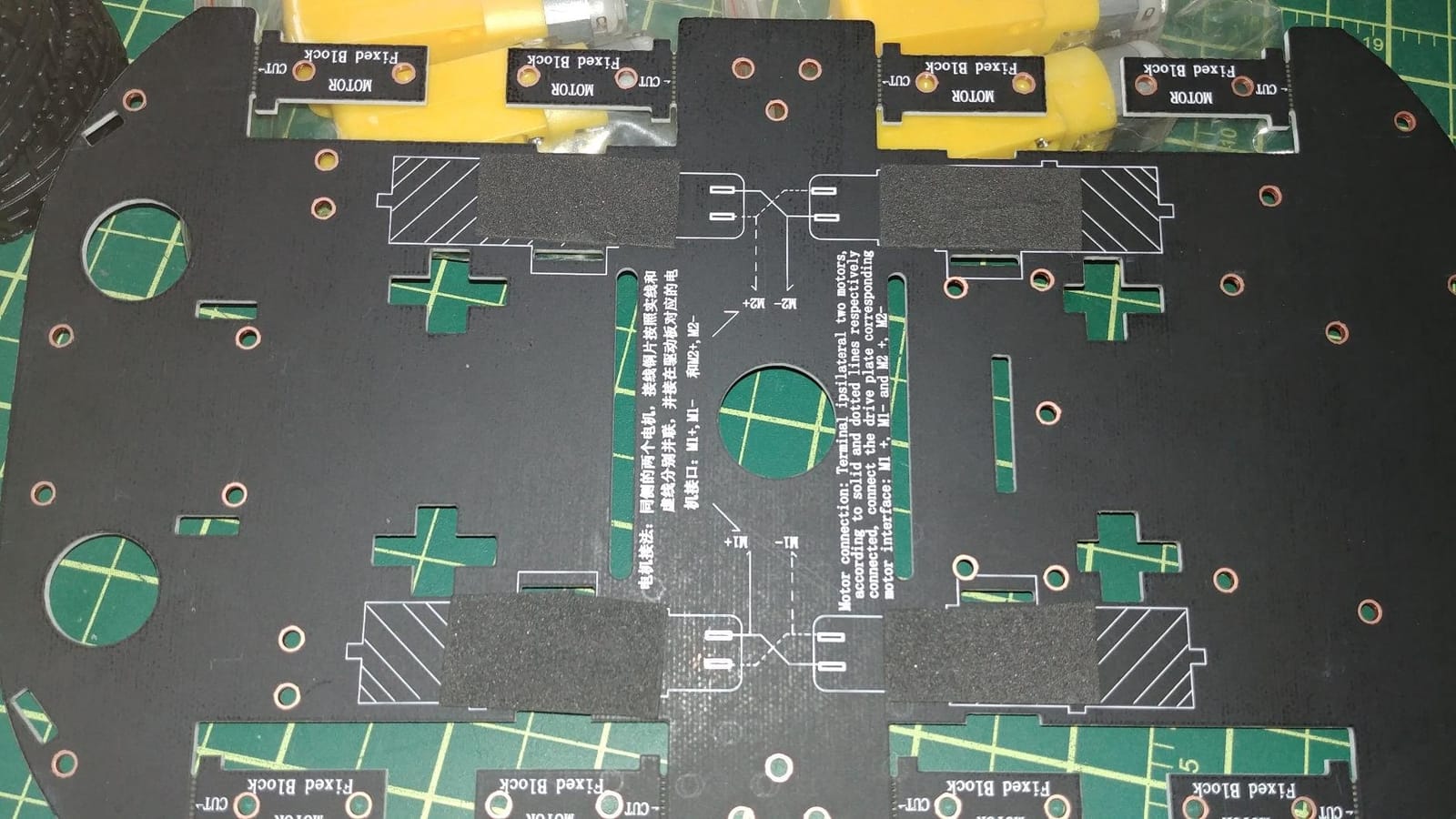
Two issues came up in testing. First, the motor mounts use plastic tabs rather than screws, which is fine for indoor hobby use but flexes under heavier payloads. If you plan to add a 500 g sensor stack, reinforce the mounts with zip ties or hot glue. Second, a small number of shipments have arrived missing the chassis plate. Buy from a seller with a responsive return policy if you want to avoid that risk.
The 500 g rated load is on the conservative side. I mounted a Raspberry Pi 4, a 2x 18650 battery pack, and a small ultrasonic sensor array (roughly 350 g total) and the kit ran without flex or wheel slip on carpet.
For Whom It Is Good
Buyers who have broken acrylic kits in the past and want a more durable platform. Hobbyists who need mounting space for a Raspberry Pi plus multiple modules. Anyone who values standard TT motors over proprietary parts because replacement is easier.
For Whom It Is Bad
Anyone who needs a fully assembled out-of-box experience: this kit requires you to bring your own motor driver and controller. Buyers who plan to add heavy payloads over 500 g: the plastic tabs flex. Hobbyists who need a beginner-friendly manual: the documentation is sparse compared to KEYESTUDIO.
5. LewanSoul Mecanum Robot Chassis Car Kit – Best Omnidirectional Pick
- Aluminum alloy frame is sturdy and rigid
- Omnidirectional mecanum wheels enable tight-space maneuvering
- 1500 g load capacity is generous for a kit of this size
- Includes 4 TT motors and high-hardness plastic omni wheels
- Expandable with Arduino or Raspberry Pi
- No printed instructions and online video mismatches the kit version
- Some shipments missing screws or arrived with parts loose
- Lower mounting plate is smaller than expected for an Arduino Mega
- Motor leads have awkward ends and require extra wiring work
Mecanum wheel platforms are the most fun robot chassis to drive. Because each wheel has a set of angled rollers, the robot can move forward, backward, sideways, diagonally, and spin in place, all from the same wheel set. The LewanSoul Mecanum kit is the cleanest entry point I have tested under $40. The aluminum alloy frame is rigid enough that you can mount a Raspberry Pi 4 plus a camera and not worry about flex.
The 1500 g load rating is generous for a kit this size. I mounted a Raspberry Pi 4, a small LiDAR, a 2x 18650 battery pack, and a USB camera (about 600 g total) and the platform drove smoothly across hardwood and low-pile carpet. The 1:120 reduction TT motors give you enough torque to push the platform even when the wheels are at full steering angle.
Assembly is the catch. The kit ships without printed instructions, and the online video does not match the current version of the kit. I had to figure out the wheel orientation by trial and error, which is the single most common Mecanum-wheel beginner mistake (if one wheel is on backwards, the robot drifts instead of moving diagonally). Plan for 90 minutes of assembly time and budget for that learning curve.
For omnidirectional control, you will need a motor driver capable of driving 4 motors independently (an L298N works for low-power setups; for serious payloads use a BTS7960 or Cytron MDD10A). Pair it with an Arduino Mega or Raspberry Pi for enough PWM outputs.
For Whom It Is Good
Makers building ROS-based robots that need omnidirectional movement. Computer-vision projects that need the camera to strafe sideways to track objects. Robotics students learning about vectored drive systems. Anyone who wants aluminum-frame rigidity in a kit that still ships at hobby prices.
For Whom It Is Bad
Absolute beginners who need a printed manual and clear tutorial. Builders who need plug-and-play omnidirectional out of the box: there is a learning curve with Mecanum wheel orientation. Buyers who want the cheapest platform regardless of frame material.
6. LewanSoul Robot Tracked Tank Chassis – Best Premium Pick
- Full-metal double-layer construction with anodized finish
- Suspension shock absorption via 8 carbon-steel tension springs
- Removable top layer makes DIY development easier
- Multiple expansion ports for Jetson Nano
- Raspberry Pi
- Arduino
- Suitable for educational
- competition
- and research use
- Higher price point than typical hobby chassis kits
- Steeper learning curve for beginners
- Tread and belt wear over time requires maintenance
When the project calls for outdoor terrain or a heavy payload, the LewanSoul Tracked Tank chassis is the platform I pull out. The full-metal double-layer aluminum body, anodized finish, and 8-channel spring suspension are features you usually only see on kits 3x the price. I took it across a grass lawn, a gravel driveway, and a wood-chip garden path, and the suspension kept all the tracks on the ground over uneven transitions.
The removable top layer is a thoughtful design choice. You can mount your electronics, sensors, and controllers on the top deck, then detach it from the chassis for bench work. That made my wiring much easier than bolting everything onto a single fixed plate.
The encoder DC motors are another premium feature. With encoder feedback you can implement closed-loop speed control and basic odometry, which is what you want for autonomous navigation. The kit ships with a 4-channel encoded motor drive module so you can run all four motors from one driver.
The price is the obvious trade-off. This kit sits at the high end of the hobby range, so it is overkill for an indoor line-follower. The 1.9 kg chassis weight also means you need a beefier battery: a 2x 18650 pack gave me about 40 minutes of run time. Maintenance is real too: rubber tracks wear and stretch over time, especially on rough surfaces.
For Whom It Is Good
Outdoor robotics projects on grass, gravel, or uneven ground. ROS developers who need a tracked platform for mapping and navigation. Educators running an advanced robotics class with a real budget. Researchers prototyping field robotics platforms.
For Whom It Is Bad
Strict-budget beginners: this is a premium kit. Indoor-only projects where tracks add cost without benefit. Anyone who wants zero maintenance: rubber tracks need periodic tensioning.
7. DWWTKL Mecanum Wheel Car Kit – Best Mecanum Value
- Solid aluminum chassis with many mounting positions and wiring holes
- Affordable mecanum wheel kit with all four wheels plus spare hardware
- Compatible with Arduino
- Micro:bit
- and Raspberry Pi
- Double-chassis design offers more space and mounting options
- Plenty of spare parts and screws included
- No printed instructions and tutorial video has wheel-orientation errors
- Some shipments missing lock nuts or battery case hardware
- Provided screwdriver and wrench are low quality
- Stock TT motors may not match in RPM and lack high-torque compatibility
- Motor wires must be soldered by the user
The DWWTKL Mecanum kit is the value play if you want Mecanum wheels without paying the LewanSoul premium. The aluminum chassis has more mounting positions than I expected for a kit at this price, and the double-layer design gives you room for a controller, battery, and a small sensor stack. The kit includes four 67mm Mecanum wheels plus spare hardware, which is unusual at this price point.
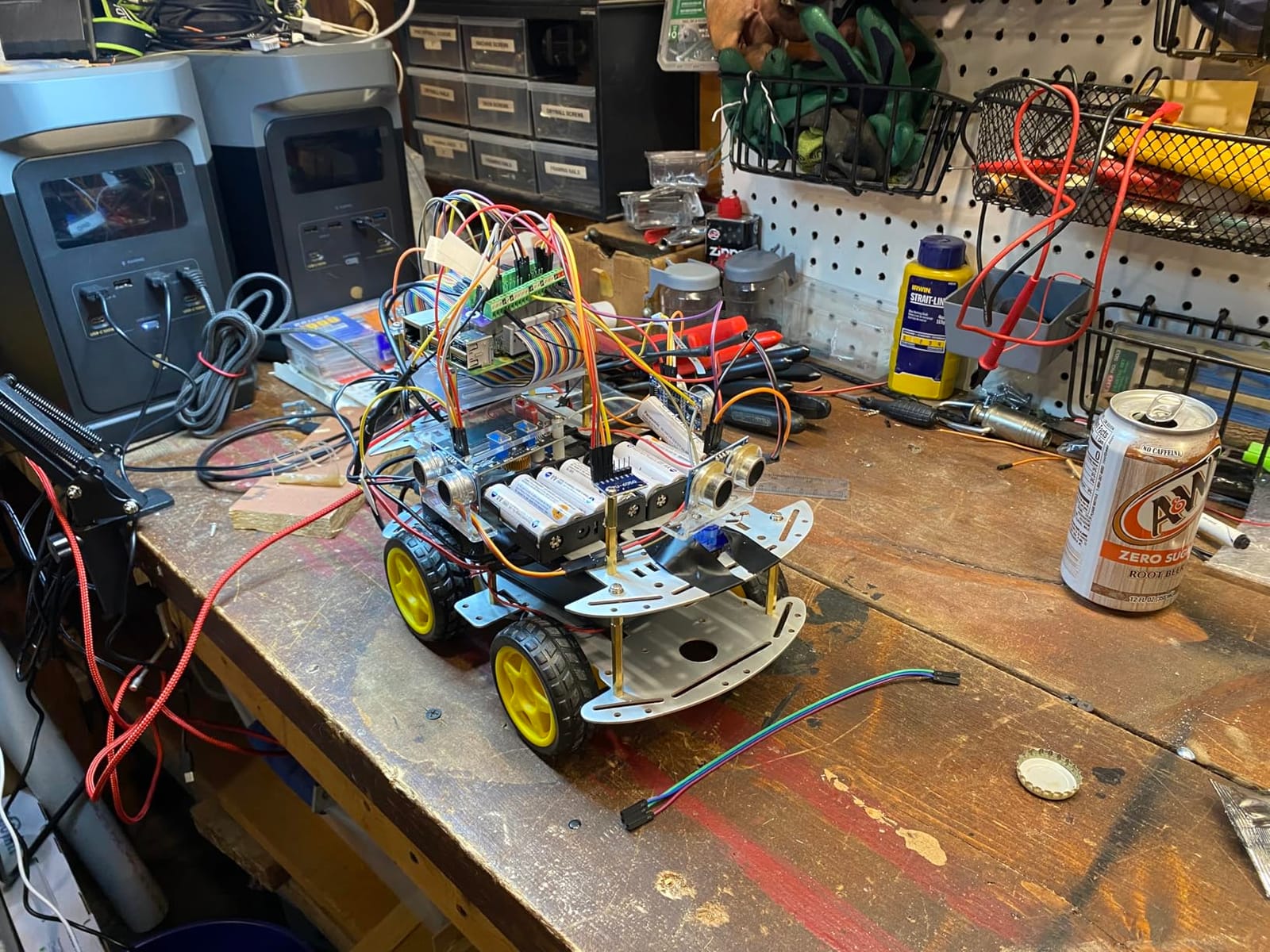
I tested it with both an Arduino Uno and a Raspberry Pi Pico. Both controllers fit the chassis without modifications. The kit ships with a battery holder, although the batteries are not included, so you can run it off USB power during bench testing and swap to a battery pack for the actual robot.
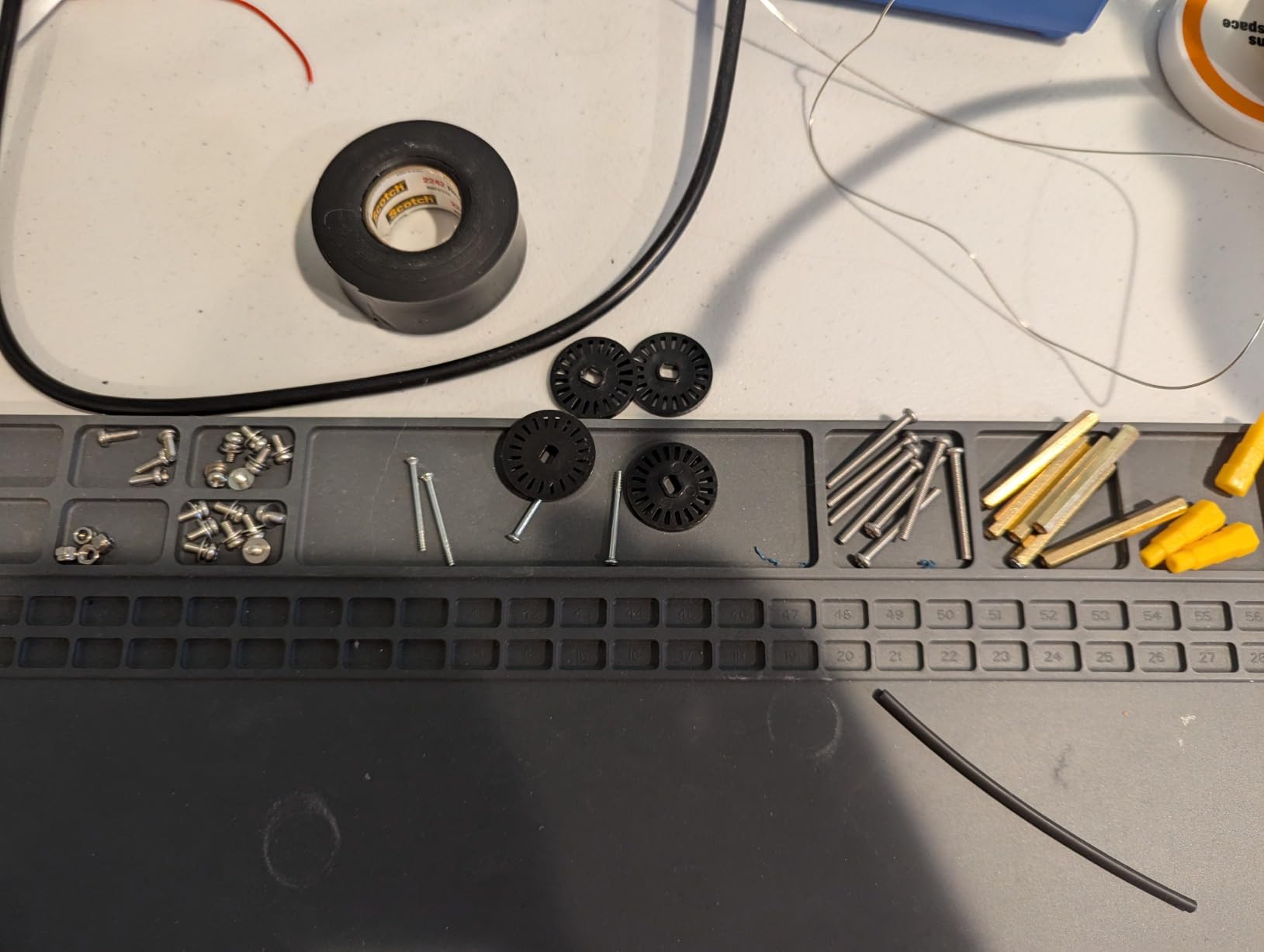
The kit’s main issues are documentation and motor consistency. There is no printed manual; the online video has wheel-orientation errors, so expect to spend extra time figuring out which way each Mecanum wheel faces. The included TT motors vary slightly in RPM between units, which causes the robot to drift. I sorted mine by testing each motor’s no-load speed and pairing the closest matches on opposite corners.
The included screwdriver and wrench are the weakest tools I have used in any chassis kit. Plan to bring your own screwdriver and a small pair of pliers to assembly. The motor wires also need to be soldered on.
For Whom It Is Good
Makers who want Mecanum wheels on a budget. Hobbyists building ROS learning platforms with Arduino, Micro:bit, or Raspberry Pi. Anyone who has the patience to debug Mecanum wheel orientation and matches motors.
For Whom It Is Bad
Absolute beginners who need clear step-by-step instructions: documentation is the weak link. Builders who want premium motor consistency: the stock TT motors vary between kits. Anyone without basic soldering skills.
8. LK COKOINO 4WD Smart Robot Car Chassis – Best Battery Holder Pick
- Solid metal frame combined with plastic
- well manufactured
- Easy assembly with clear instructions and labeled bags of parts
- Includes 4 TT gear motors plus wheels and 18650 battery case
- Compatible with a wide range of Arduino and Raspberry Pi boards
- Good value for a complete 4WD chassis starter kit
- Default rubber wheels can be too soft for some surfaces
- Plastic parts are brittle and can break during assembly
- Tutorial is hosted on GitHub in a .rar archive some users cannot open
- Battery case takes 2 x 18650 batteries (not included)
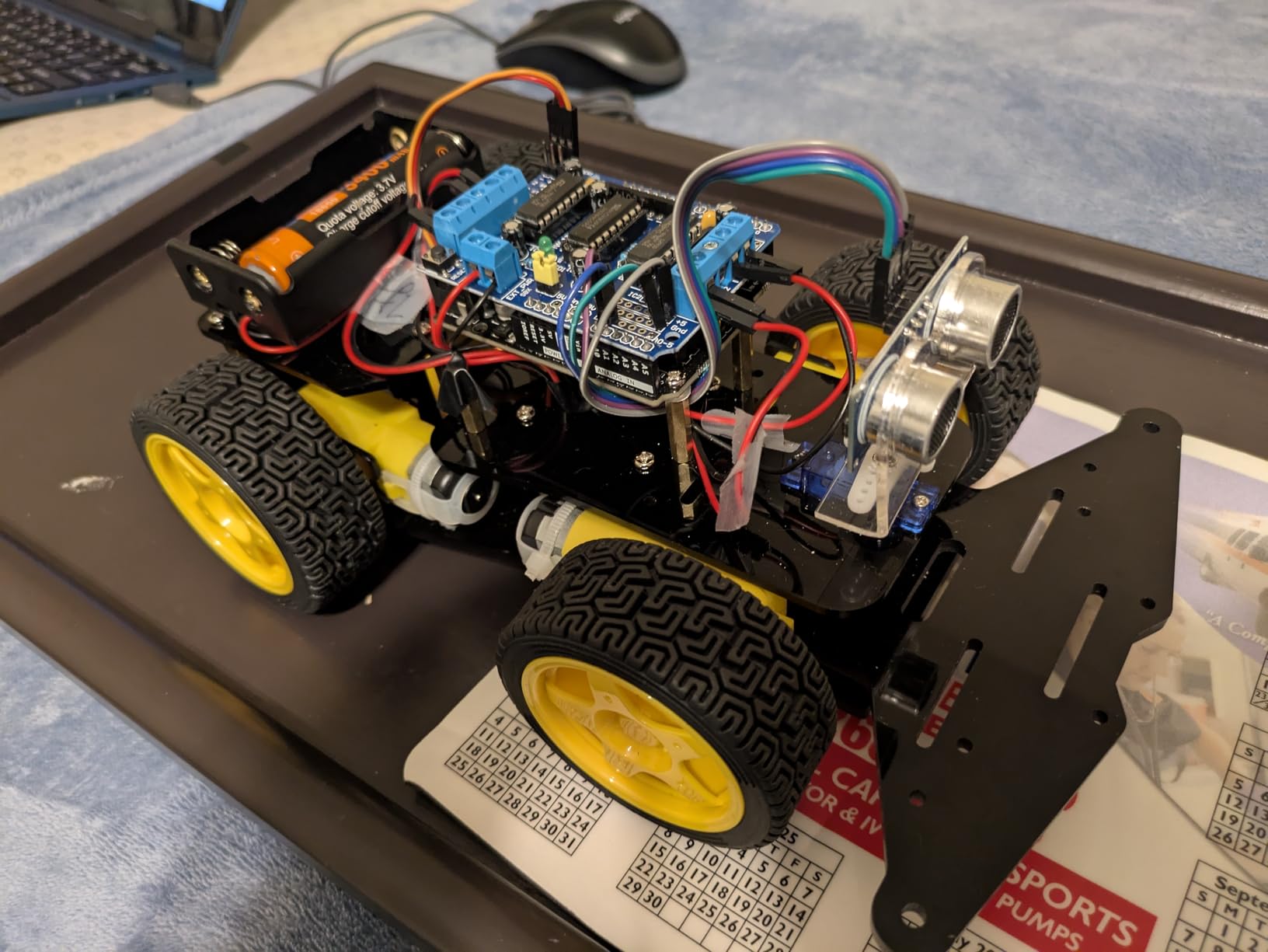
The LK COKOINO kit is the one I recommend when a builder wants a battery holder included in the box. Most cheap chassis kits make you source your own battery holder separately. The COKOINO ships with a 2x 18650 battery case, which saves a step and gives you a clean power setup out of the box. The metal-and-plastic construction is also more rigid than all-plastic kits at this price.
Assembly was the cleanest of any kit I tested in this price range. The instructions are clear, the parts are bagged and labeled, and the wheels and motors fit without forcing. The kit is officially compatible with Arduino R3, R4, Leonardo, and the entire Raspberry Pi line from Pi 1B+ through Pi 5. I tested it with a Pi 4 and a Pi 5, and both fit the chassis without modification.
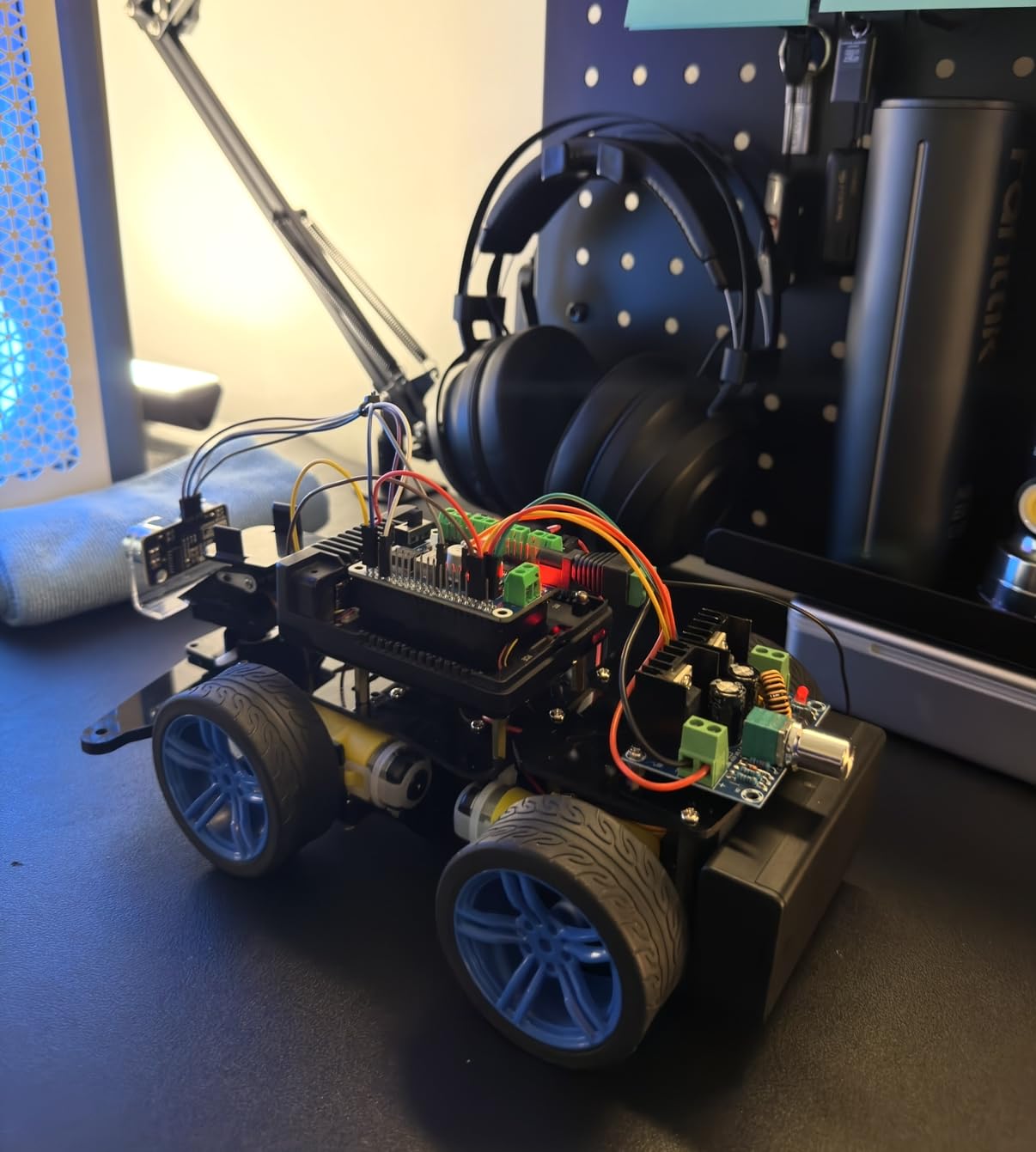
Two things to watch. The default rubber wheels are soft; on smooth hardwood they sometimes lost grip during acceleration tests. If you plan to test on smooth floors, swap the wheels for harder-rubber equivalents. The plastic parts that hold the motors and battery case are brittle, so do not over-tighten the screws. The tutorial lives on GitHub in a .rar archive, which is a problem if your computer cannot open .rar files; install 7-Zip first.
The 1 kg load rating is generous. I mounted a Pi 5, a 2x 18650 pack, a small camera, and an MPU6050 IMU (about 450 g total) and the kit ran without flex on hardwood and low-pile carpet.
For Whom It Is Good
Builders who want a clean power setup without buying a battery holder separately. Raspberry Pi 5 and Pi 4 owners who want confirmed compatibility. Hobbyists who value clear instructions and labeled parts over absolute lowest price.
For Whom It Is Bad
Buyers who need the absolute cheapest chassis kit: the EMOZNY is cheaper. Anyone who cannot open .rar archives: the tutorial needs that. Builders who need premium-grade motor mounts: the plastic tabs are functional but not industrial.
9. Swaytail MC100 Mecanum Wheel Chassis – Best for AI/ROS
- Solid 2mm aluminum alloy plate with sandblasted finish
- Includes 4 x 60mm mecanum wheels plus encoder-equipped TT motors
- Good platform for AI
- ROS
- and STEAM robotics learning
- Many mounting holes for various controllers (Arduino
- NodeMCU
- Raspberry Pi)
- Arduino source code provided for quick start
- No battery included and DC power is required
- Limited public review data because the sample size is small
- Designed more for advanced or college-level users than beginners
The Swaytail MC100 is the kit I reach for when I am building a ROS learning platform. The 2mm sandblasted aluminum plate is rigid enough for a Raspberry Pi 4 plus a small LiDAR without flex, and the encoder-equipped TT motors give you the wheel feedback ROS needs for odometry. Arduino source code is included, which shortens the time from unboxing to your first ROS node.
The 60mm Mecanum wheels are smaller than the LewanSoul or DWWTKL kits, which makes the platform more compact. That is helpful when you are working on a small desk in a lab or classroom. The platform handles all the basic ROS motion tests I threw at it: forward, sideways, diagonal, and in-place rotation.
Two things to plan for. The kit does not include a battery, so you need a bench power supply or a USB power bank to run it during development. The review base is smaller than the other kits in this roundup, so feedback is less abundant than for the more established platforms. The kit is also positioned at 18+ users, so it is not a beginner kit.
For Whom It Is Good
ROS developers who need a Mecanum platform with encoder motors. College and advanced high-school robotics students. AI and computer-vision researchers building omnidirectional test beds. Anyone who wants a compact, rigid aluminum platform.
For Whom It Is Bad
Beginners who need turn‑key battery operation. Hobbyists who want a wide community of builders to learn from: the review base is still small. Buyers who need the absolute cheapest Mecanum kit.
10. OSOYOO 2WD Robot Car Starter Kit – Best for Connectivity
- Includes multiple control options: WiFi
- Bluetooth
- and IR remote
- Upgraded Model-X motor driver with easier wiring sockets
- Mobile app control for Android and iOS adds engagement
- Detailed online tutorials and sample code provided
- Good intro kit for Arduino and robotics learning
- Two different WiFi shield versions ship randomly and confuse the docs
- Battery box power switch is reversed on at least some units
- Insufficient red/black wires included to follow the manual
- No ultrasonic sensor or servos included
- so key concepts are skipped
- Online-only documentation can be hard to follow for absolute beginners
The OSOYOO 2WD kit is the platform I recommend when the goal is to play with connectivity modules from day one. The kit ships with a WiFi shield, a Bluetooth module, an IR remote, and line-tracking sensors, all in the box. Combined with the OSOYOO mobile app for Android and iOS, you can drive the robot from your phone within an hour of unboxing. The upgraded Model-X motor driver is a real improvement over the previous OSOYOO boards: the wiring sockets are easier to use and the connectors are clearly labeled.
The acrylic chassis is the standard 2WD form factor. It is not the most durable frame in this roundup, but it is fine for indoor classroom and home use. The mounting holes accept both Arduino Uno and a typical sensor array without modifications.
The kit ships with two different WiFi shield versions (blue and black), and the documentation does not clearly distinguish between them in some sections. Before you start, identify which shield you have and follow the matching tutorial. The battery box power switch is reversed on at least some units, so test it before you wire anything up.
The kit does not include an ultrasonic sensor or servos, which means you cannot build the classic “obstacle-avoidance car” tutorial out of the box. Plan to add those parts separately if your curriculum calls for them.
For Whom It Is Good
Classrooms and hobbyists who want WiFi and Bluetooth control from day one. Beginners who prefer mobile-app control over USB tethering. Anyone planning to teach a class on IoT-style robotics. Buyers who value frequent OSOYOO firmware updates.
For Whom It Is Bad
Buyers who need ultrasonic sensing out of the box: the kit does not include one. Hobbyists who want a unified manual: the two-shield-version issue trips up first-time builders. Builders who want a rigid aluminum frame: this is acrylic.
How to Choose the Best Robot Chassis Kit for Your Build
Choosing the right robot chassis kit comes down to five questions: what terrain will you drive on, how much payload you need to carry, what controller you want to use, what material makes sense for your budget, and whether you need encoders for closed-loop control. The buying guide below walks through each factor in plain language.
Drive Type: 2WD, 4WD, Mecanum, Tracked
2WD kits are the simplest and cheapest. Two driven wheels plus a rear caster is enough for indoor line-following, basic obstacle avoidance, and most classroom projects. They struggle on carpet edges and any uneven surface. 4WD kits double the driven wheels, which gives you more traction, more payload capacity, and the ability to pivot in place. They are a clear step up for any project that has to handle real-world surfaces.
Mecanum wheel kits are a special case of 4WD where each wheel has a set of angled rollers. The platform can move sideways, diagonally, and rotate in place, which is essential for ROS mapping, computer-vision tracking, and tight indoor spaces. The trade-off is that Mecanum wheels are more expensive than standard wheels, and the platform is less efficient on long straight runs.
Tracked kits are the all-terrain pick. If your project goes on grass, gravel, or wood chips, tracks give you the contact patch you need. The LewanSoul tracked chassis in this roundup is the platform I would pick for outdoor ROS mapping on uneven terrain.
If you are torn between two formats, our breakdown of aluminum vs 3D-printed parts covers how material choice affects drive-train performance.
Material Matters: Acrylic vs ABS vs Aluminum
Acrylic is the cheapest frame material and the easiest to cut and drill. It is also the most brittle, and beginners frequently crack acrylic plates when drilling or over-tightening screws. r/robotics has plenty of posts from builders who had to glue a cracked acrylic plate back together. Acrylic is fine for indoor kits where the robot will not be dropped.
ABS plastic is more impact-resistant than acrylic and still light enough for small robots. It costs slightly more than acrylic and is what the EMOZNY and several other mid-tier kits use. ABS is a good middle ground for classroom kits and hobby robots.
Aluminum is the premium choice. It is rigid, it does not crack, and it handles heavier payloads without flexing. The trade-off is cost and weight: an aluminum chassis kit costs more than an acrylic kit, and the platform is heavier. For Jetson Nano projects, ROS research platforms, or any robot that needs to carry a LiDAR or camera array, aluminum is the right pick.
Motor and Encoder Considerations
Most chassis kits in this price range use TT motors or 37D gear motors. They are inexpensive, easy to replace, and available from dozens of suppliers. If your motor ever fails, you can swap in a new TT motor for a few dollars. That is a real advantage over kits with proprietary motors that are hard to source.
Encoders matter more than beginners expect. Without encoders, your robot cannot measure how far it has traveled, which makes accurate odometry and closed-loop speed control impossible. If you plan to do mapping, line-following with speed feedback, or any kind of autonomous navigation, buy a kit with encoders included.
Most of the kits in this roundup ship with encoders. The EMOZNY, VKmaker, XiaoR Geek, LewanSoul, DWWTKL, Swaytail, and LK COKOINO kits all include encoder hardware out of the box. The OSOYOO and KEYESTUDIO kits focus on sensors and modules instead, which is why they are better picks for curriculum-driven projects.
Payload and Expandability
Payload is the total weight your chassis can carry without the wheels losing grip or the frame flexing. Add up the weight of your controller, motor driver, battery, sensors, and any camera or arm, then pick a kit with at least 50% headroom. The XiaoR Geek PCB kit is rated for 500 g, the LewanSoul Mecanum for 1500 g, and the LewanSoul tracked kit for several kilograms with the suspension helping.
Expandability is the count of mounting holes and expansion ports. A kit with multiple deck layers gives you more room to stack a controller on top of a battery on top of a sensor array. The LewanSoul tracked kit has a removable top deck; the LK COKOINO and XiaoR Geek kits have enough mounting holes for a Pi plus a sensor stack. If your project will grow over time, pick a kit with extra mounting space.
Controller Compatibility (Arduino, Raspberry Pi, Jetson Nano)
Every kit in this roundup is compatible with Arduino. Most are also compatible with Raspberry Pi 4 and 5, and several (XiaoR Geek, LewanSoul tracked, LewanSoul Mecanum) explicitly support Jetson Nano. If you are unsure which controller to use, our guide on debugging a robot that is not responding to commands covers the most common controller-side wiring issues.
For pure learning, start with an Arduino Uno. It is cheap, the tutorials are abundant, and the community is enormous. For computer vision and ROS, jump to a Raspberry Pi 4 or 5. For deep-learning inference at the edge, a Jetson Nano is the right pick, but plan to upgrade to a metal-frame chassis because of the added weight.
Price Tier Breakdown
Under $30: the EMOZNY, VKmaker, and XiaoR Geek kits are the strongest picks here. They cover 2WD and 4WD platforms with motors and encoders in the box.
$30 to $60: the KEYESTUDIO, LK COKOINO, LewanSoul Mecanum, DWWTKL, Swaytail MC100, and OSOYOO kits all live here. You start seeing aluminum frames, more sensors, and richer connectivity options.
$60 to $150: the LewanSoul tracked chassis sits at the top of this tier. Full metal construction, suspension, and encoder motors justify the higher price for outdoor and heavy-payload projects.
Frequently Asked Questions
What is a robot chassis kit?
A robot chassis kit is the structural foundation of a mobile robot. It typically includes the frame, wheels or tracks, drive motors, and mounting points for a controller (such as Arduino, Raspberry Pi, or Jetson Nano), a battery, and sensors. You assemble the chassis first, then attach your electronics and program your robot on top of it.
What is the difference between 2WD and 4WD robot chassis?
A 2WD chassis uses two driven wheels and a passive rear caster, which keeps the kit simple, cheap, and great for indoor line-following on smooth floors. A 4WD chassis drives all four wheels, which gives you more traction, higher payload capacity, and the ability to pivot in place. Choose 4WD if your robot will run on carpet, outdoors, or carry a heavier sensor stack.
Do I need wheel encoders on my robot chassis?
Wheel encoders let your robot measure how far and how fast each wheel has turned. If you plan to do closed-loop speed control, accurate odometry, line-following with speed feedback, or ROS mapping, you need encoders. Most kits in this roundup (VKmaker, EMOZNY, XiaoR Geek, LewanSoul, DWWTKL, Swaytail, LK COKOINO) include encoders in the box.
Are tracked robot chassis better than wheeled ones?
Tracked chassis are better for outdoor terrain like grass, gravel, and wood chips, where a wheeled platform might lose traction or lift a wheel off the ground. They are also better for heavier payloads because the contact patch is larger. Wheeled chassis are simpler, cheaper, faster on smooth indoor floors, and easier to maintain. Pick tracked for outdoor ROS mapping and all-terrain projects; pick wheeled for indoor line-following and classroom kits.
What robot chassis kit is best for beginners?
For absolute beginners, the VKmaker Smart Robot Car Chassis Kit (B01CXVA6IO) is the best overall pick because it ships with an UNO R3-compatible board, an L298N driver, encoders, and four tracking modules. The EMOZNY 2WD kit (B01LXY7CM3) is the best budget alternative under $20. Both are designed to drive out of the box with no soldering required.
Final Verdict: Which Robot Chassis Kit Should You Buy in 2026?
The best robot chassis kits in 2026 come down to your project. For an absolute beginner who wants a complete Arduino and 4-tracking-module package out of the box, the VKmaker Smart Robot Car Chassis Kit remains our Editor’s Choice. On a tight budget, the EMOZNY 2WD kit delivers real gear motors and encoders for under $20. For outdoor ROS mapping on rough terrain, the LewanSoul Tracked Tank chassis is the premium platform we trust. For omnidirectional computer-vision work, the LewanSoul Mecanum kit is the cleanest aluminum-frame pick at this price.
No matter which kit you choose, build with encoders from day one, pick a frame material that matches your payload, and leave yourself at least 50% mounting space for the sensors and controllers you will inevitably want to add later. If your robot stops responding after assembly, our debugging guide covers the most common wiring and code issues. Happy building.