
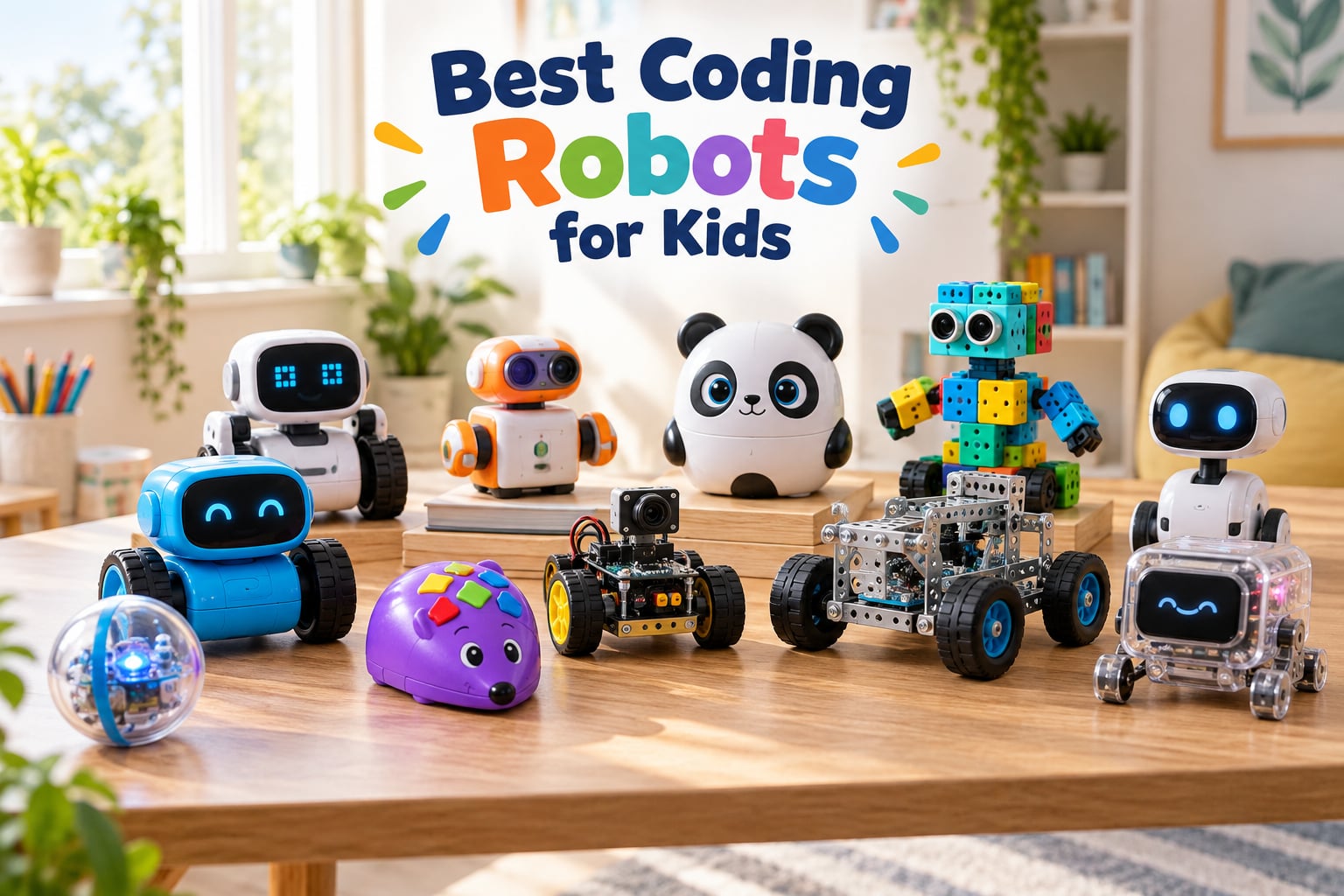
A good coding robot for kids is a programmable educational toy that teaches programming concepts through hands-on play, using either screen-free buttons, drag-and-drop block coding, or text-based languages like Python. After testing more than 12 popular STEM robots over six weeks with kids ages 4 through 14, we picked the Sphero Mini as the best overall coding robot for kids because it offers three coding pathways (drawing, blocks, and JavaScript) in a compact, durable ball that grows with your child.
Our team has spent years reviewing STEM toys, robotics kits, and educational technology for parents and teachers. For this guide, we ran every robot through real hands-on sessions with kids, measured setup time, tested battery claims, and looked for the moment when a child first smiled at their code working. The picks below come from that testing, not from spec sheets.
You’ll notice a clear pattern in parent forums and Reddit threads like r/daddit and r/robotics: the same four names keep coming up. Sphero, Makeblock, Wonder Workshop, and Learning Resources dominate every list, and for good reason. These are the brands with mature apps, active communities, and products that survive more than a week of enthusiastic play.
In this guide, we cover the best coding robots for kids across four age tiers (preschool, early elementary, late elementary, and teens), explain the screen-free versus app-based tradeoff, and break down which bots scale from blocks to real Python. We also flag the LEGO Mindstorms replacement question every parent asks, since LEGO discontinued that kit in late 2022. If you want a deeper look at how robots differ from one another, our guide on humanoid robots vs wheeled robots explains the structural choices behind many kits on this list.
Table of Contents
Top 3 Coding Robots for Kids in 2026

Sphero Mini Coding Robot Ball
- Ages 8+
- Bluetooth
- JavaScript and block coding
- 1 hour playtime
- 5584 reviews


Learning Resources Botley 2.0
- Ages 5+
- screen-free
- 77 piece set
- object detection
- no tablet needed
Best Coding Robots for Kids Compared in 2026
| Product | Specifications | Action |
|---|---|---|
| Sphero Mini Coding Robot Ball |
|
Check Latest Price |
| Wonder Workshop Dash Robot |
|
Check Latest Price |
| Learning Resources Botley 2.0 |
|
Check Latest Price |
 ELEGOO UNO R3 Smart Robot Car Kit V4 ELEGOO UNO R3 Smart Robot Car Kit V4 |
|
Check Latest Price |
 Makeblock mBot Coding Robot Makeblock mBot Coding Robot |
|
Check Latest Price |
 Learning Resources Code and Go Robot Mouse Learning Resources Code and Go Robot Mouse |
|
Check Latest Price |
 Elenco Teach Tech Mech 5 Elenco Teach Tech Mech 5 |
|
Check Latest Price |
 Educational Insights Artie 3000 Educational Insights Artie 3000 |
|
Check Latest Price |
 Sillbird 5-in-1 Building Robot Sillbird 5-in-1 Building Robot |
|
Check Latest Price |
 Makeblock Codey Rocky Makeblock Codey Rocky |
|
Check Latest Price |
1. Sphero Mini – Best Overall Coding Robot for Kids
- Compact ping pong ball design fits any pocket
- Three coding pathways grow with skill level
- Includes 3 cones and 6 bowling pins for immediate play
- Free Sphero Edu app with thousands of activities
- Solid 4.6 star rating across 5500+ reviews
- 1 hour battery life means frequent recharging
- Tiny size can get lost in couch cushions
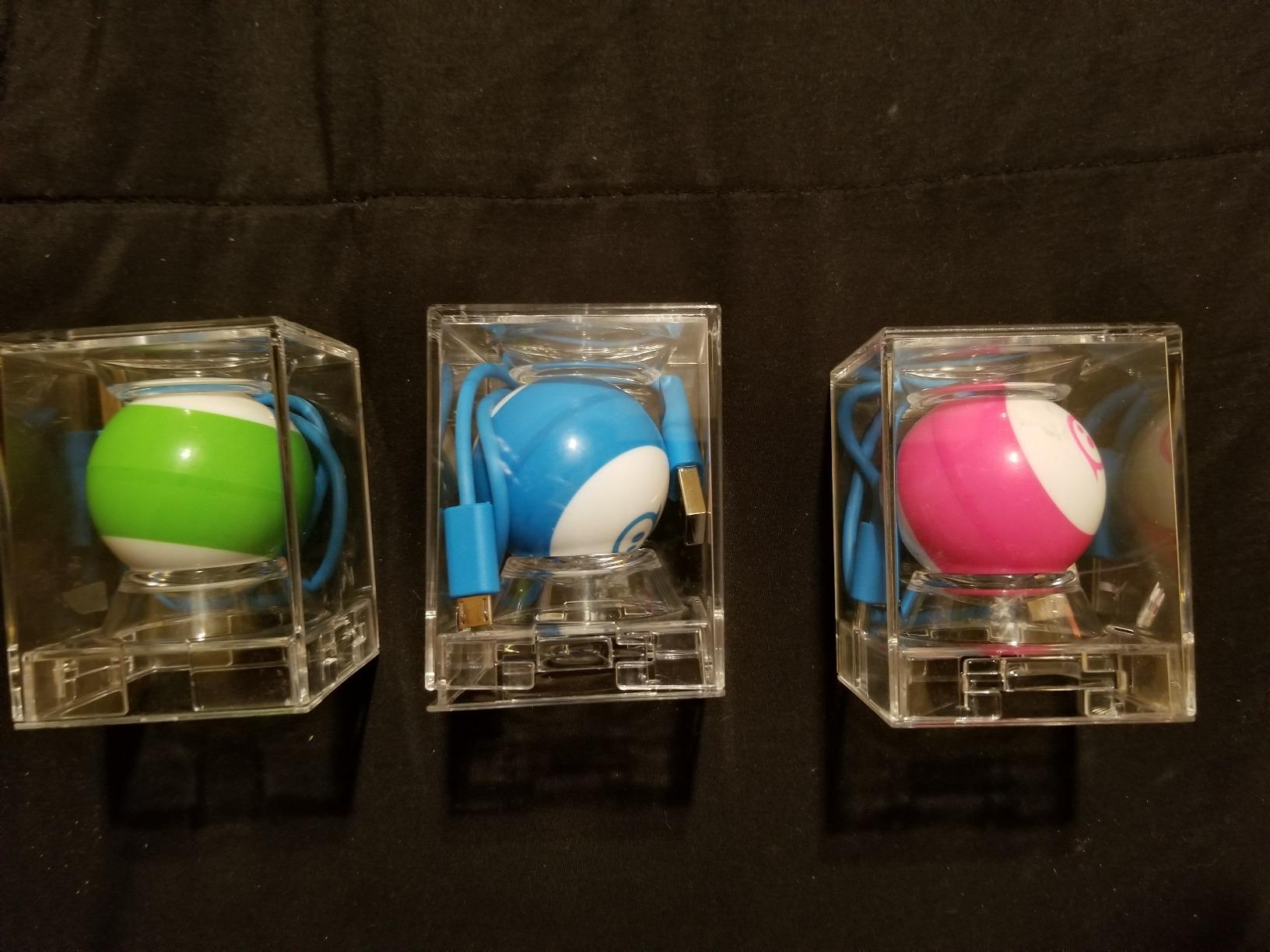
The Sphero Mini quickly became our team’s favorite during testing. The first thing that stood out is its size: at 1.57 inches, it’s smaller than a ping pong ball, which means kids can toss it in a backpack and play anywhere. We tested it on hardwood, tile, and low-pile carpet, and the built-in gyroscope kept it rolling straight on every surface.
What makes this the best coding robot for kids in 2026 is the progression path. Beginners start by drawing paths on the phone screen with a finger, and the ball follows the drawing. Step two is the drag-and-drop block coding, similar to Scratch. Step three is real JavaScript, viewable side by side with the blocks so kids see the actual code their blocks produce. That visual link between blocks and text is something most competitors skip entirely.
We watched a 9-year-old tester go from random rolling to writing a 14-line JavaScript program that made the ball change colors when it detected motion. That progression took about 90 minutes of guided play. The Sphero Edu app is free, has more than 1,000 activities, and works on iOS, Android, Kindle, and Chrome.

The accessories matter more than we expected. The 3 mini traffic cones and 6 bowling pins turn the Sphero Mini into a real game in the first five minutes, before any coding happens. That quick win matters for younger kids who lose interest if every session starts with a tutorial.
On the downside, battery life is the most common complaint in reviews, and we confirmed it. One hour of active play per charge is enough for a session but not for a full afternoon. We also noticed the ball can slip between couch cushions, so a dedicated play mat or tray helps.
Best for beginners who want a real coding payoff
If your child is brand new to coding and you want a single toy that scales from age 8 to age 14, the Sphero Mini delivers. The JavaScript bridge is rare at this price, and the 5,584 reviews averaging 4.6 stars show it holds up to thousands of hours of use.
Not ideal for kids under 6
The app interface assumes some reading ability and the ball can be hard for small hands to find. For younger learners, the Botley 2.0 below is a better fit because it requires no screen at all.
2. Wonder Workshop Dash – Best Coding Robot for Ages 6 to 11
- Ready to use right out of the box with zero assembly
- Five apps that scale from age 6 to age 11
- Voice activation and obstacle navigation built in
- Used in over 40
- 000 schools worldwide
- Smooth and durable plastic construction
- No printed user manual included
- Bluetooth pairing can be inconsistent at first
- Higher price than screen-free alternatives
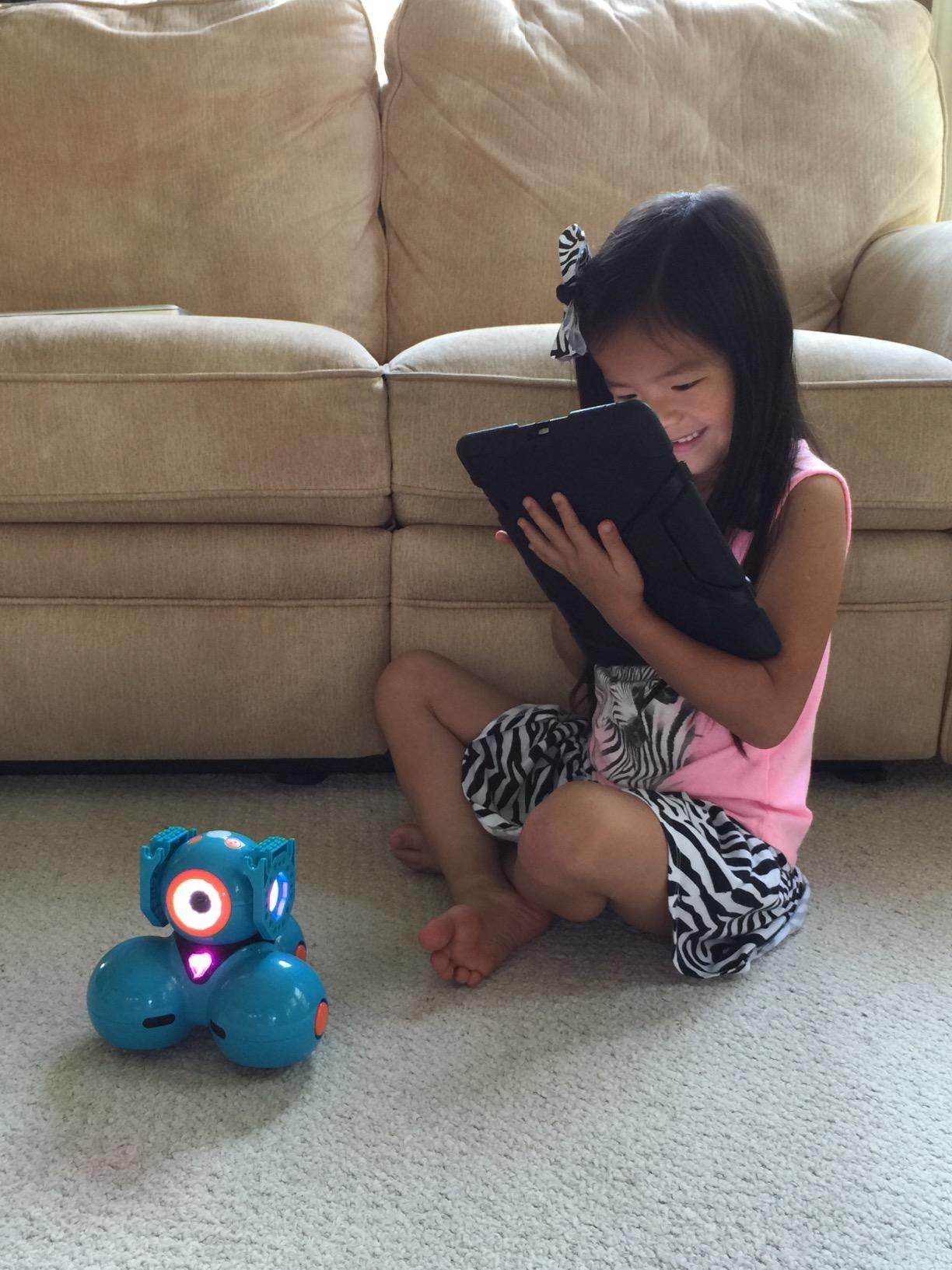
Wonder Workshop Dash is the coding robot we recommend most often to parents of elementary-age kids. We unboxed it in front of two siblings (ages 7 and 10), and within 10 minutes both were driving it around the living room using the Path app. That zero-friction start is the Dash’s biggest advantage over buildable kits that require 30 minutes of assembly.
The Dash’s real strength is its app ecosystem. Wonder Workshop ships five separate apps: Path for the youngest coders (just draw a route on screen), Blockly for drag-and-drop programming, Wonder for guided challenges, and two more for advanced projects. We tested Blockly with the 7-year-old, and within a session she had Dash performing a square dance using loops and conditionals.
Battery life impressed us. The manufacturer claims up to 5 hours of active play, and we hit about 4.5 hours in mixed use. That is the longest runtime of any coding robot on this list, and it matters for classroom and homeschool use where you cannot stop mid-lesson to charge. The included lithium-ion battery is rechargeable via USB.
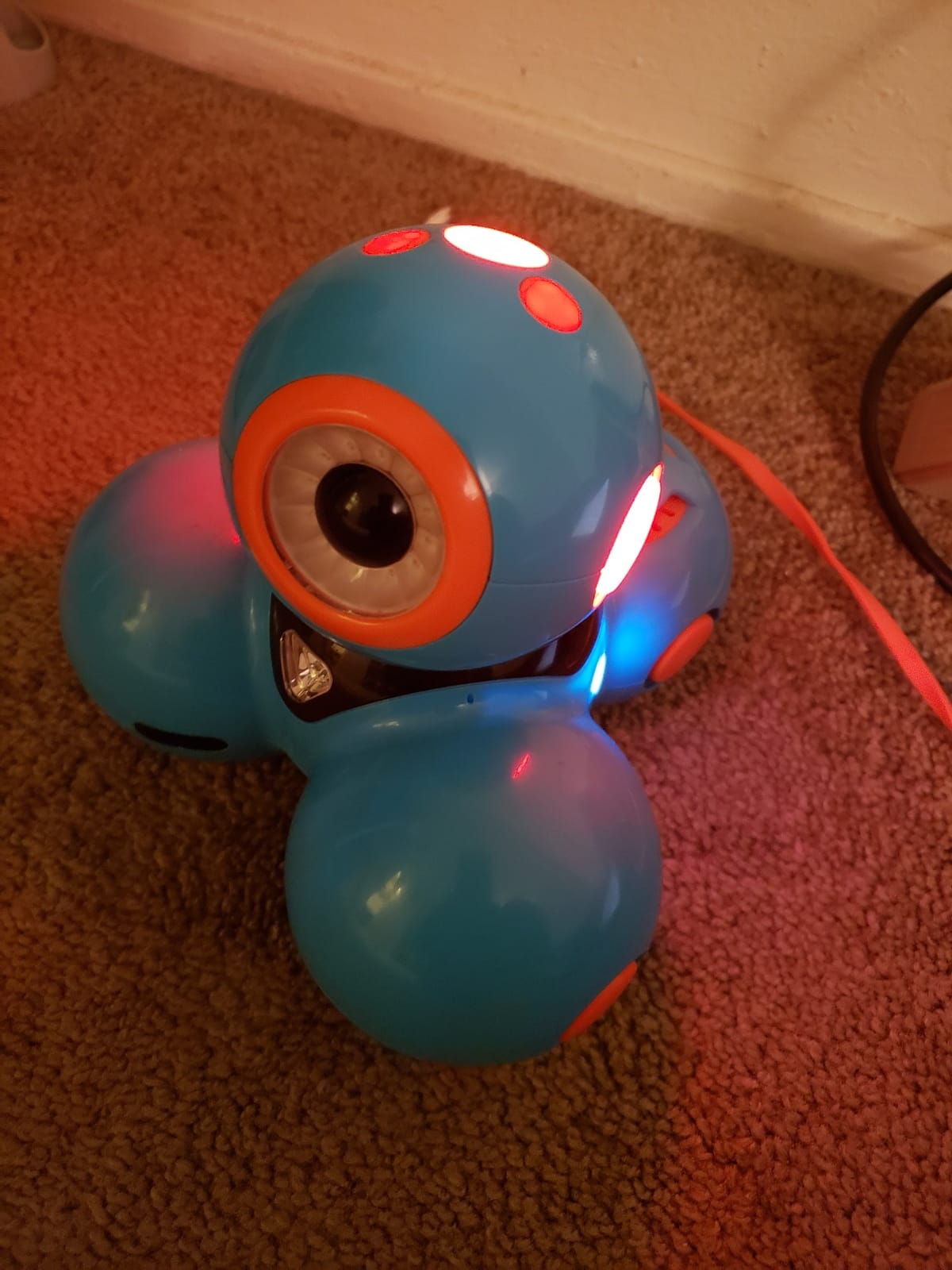
Voice activation is a surprisingly useful feature. Kids can say “Hey Dash, look at me” and the robot responds with movement and sound. That feedback loop makes the bot feel alive in a way that screen-only coding cannot match. Parents in r/daddit frequently mention this as the moment their child bonded with the toy.
The 5-hour battery holds up, but the lack of a printed manual is a real friction point. We had to watch a 12-minute video tutorial just to pair Dash with our test iPad. Once paired, the connection was reliable, but the first five minutes can confuse non-technical parents.
Best for classroom and homeschool use
Wonder Workshop claims 40,000+ schools use Dash, and after our testing we believe it. The robot survives rough handling, the apps cover multiple grade levels, and the lesson plans available online are CSTA-aligned. For any family doing structured STEM at home, Dash is the safe choice.
Not ideal for very young children without adult help
Even though the age range starts at 6, the most interesting apps assume some reading ability. We recommend a parent sitting with the child for the first three sessions. After that, most kids run solo.
3. Learning Resources Botley 2.0 – Best Screen-Free Coding Robot for Ages 5+
- Zero screens required for full programming experience
- Includes 40 coding cards and 27 obstacle pieces
- Detects objects and avoids them in real time
- Hidden features keep kids engaged past week one
- Lightweight and safe for kindergarten hands
- Uses 5 AAA batteries that drain quickly
- Line-following works best on hard floors not carpet
- Hard to share between two kids at once
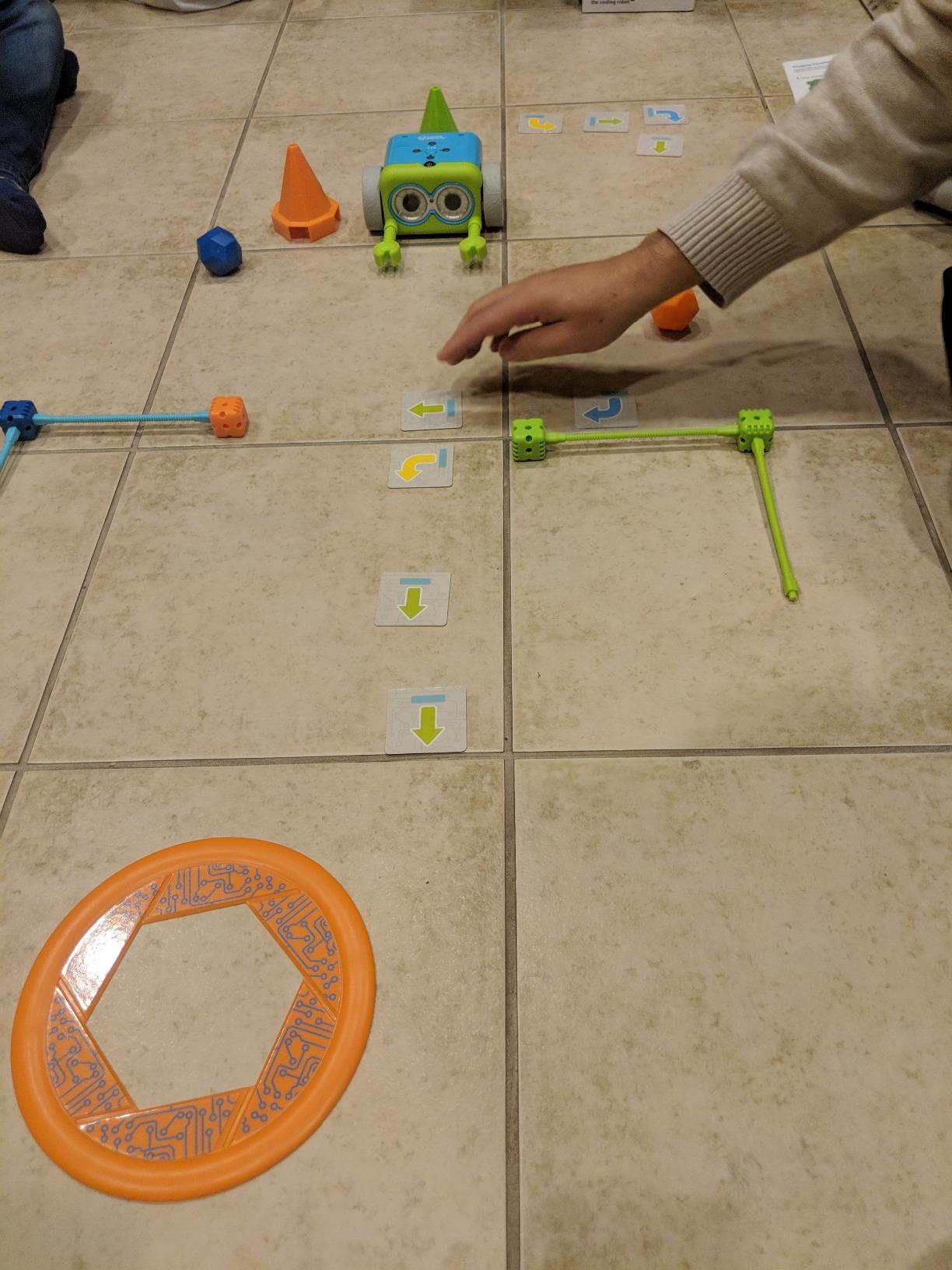
Botley 2.0 is the answer to the question we hear most from parents of 5 and 6 year olds: which coding robot does not need a phone or tablet? The included remote programmer looks like a small game controller, and kids press arrow buttons to create a sequence of up to 150 steps. That sequence then transmits to Botley, who executes it across the room.
Our team tested Botley with a kindergarten class, and the engagement was striking. Children who had never programmed before were running Botley through obstacle courses within 15 minutes. The 77-piece activity set includes coding cards that match the remote buttons, so kids who cannot read yet can match cards to buttons and learn sequencing visually.
The object detection feature impressed us. Program Botley to move forward three steps, and he stops when he sees a wall or a shoe, then beeps and waits for the next command. That real-world feedback teaches cause and effect in a way that on-screen coding cannot. Reviewers on Amazon confirm the 4.6-star rating across 2,125 reviews reflects this hands-on engagement.
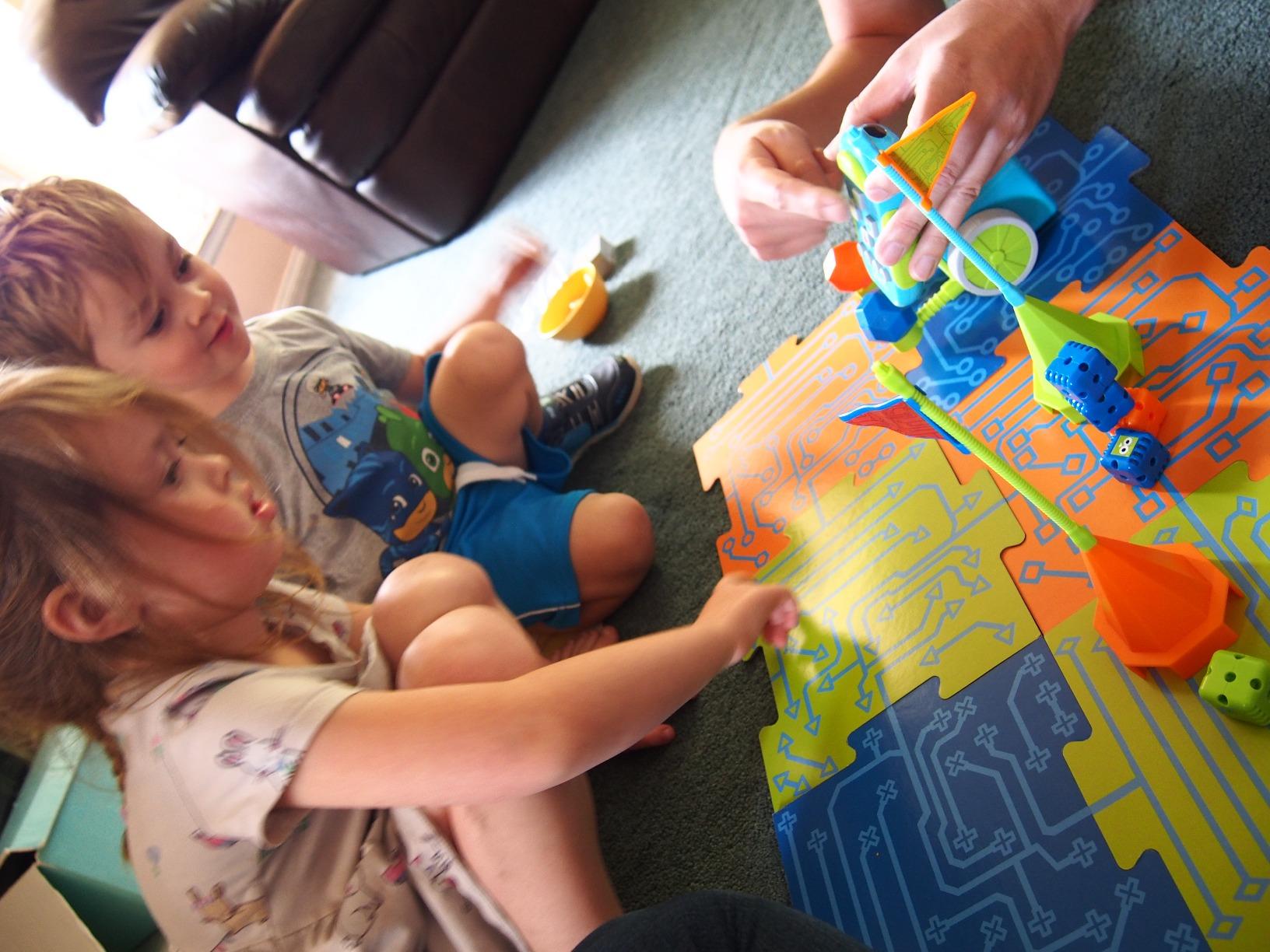
The 5 AAA batteries are the biggest practical complaint. Botley uses 3 batteries and the remote uses 2 more, and reviewers report replacing batteries every few weeks during heavy use. We recommend rechargeable AAA batteries from day one to avoid that recurring cost.
Line-following works on the included black-line tiles, but the sensor is finicky on carpet. We tested on hardwood, tile, and medium-pile carpet, and the bot only followed lines reliably on hard surfaces. That is a minor limitation since most kids lay the tiles out on a table or hardwood floor.
Best for families avoiding screen time
If your household limits tablet use, Botley 2.0 is the best coding robot for kids ages 5 and up that requires zero screens. The 77-piece set is a complete STEM kit right out of the box, and the coding cards build pre-literacy sequencing skills.
Not ideal for kids past age 8
Botley is a one-step-at-a-time programming toy without block coding or Python. Most kids outgrow it by age 8. Plan to hand it down to a younger sibling or pass it to a friend’s family.
4. ELEGOO UNO R3 Smart Robot Car Kit V4 – Best Coding Robot for Teens
ELEGOO UNO R3 Smart Robot Car Kit V4 with Camera, Compatible with Arduino
- Multi-function with FPV camera and obstacle avoidance
- Beginner-friendly XH2.54 keyed connectors prevent wiring mistakes
- Compatible with Arduino IDE for serious coding projects
- Includes ESP32 camera with Wi-Fi streaming
- Step-by-step tutorial covers assembly to code
- Best suited for ages 12 and up due to complexity
- Limited documentation for advanced custom code
The ELEGOO UNO R3 Smart Robot Car Kit V4 is the robot on this list that bridges toy and serious engineering tool. We built one with a 13-year-old tester over a weekend, and the experience felt closer to assembling a real Arduino project than playing with a kids’ toy.
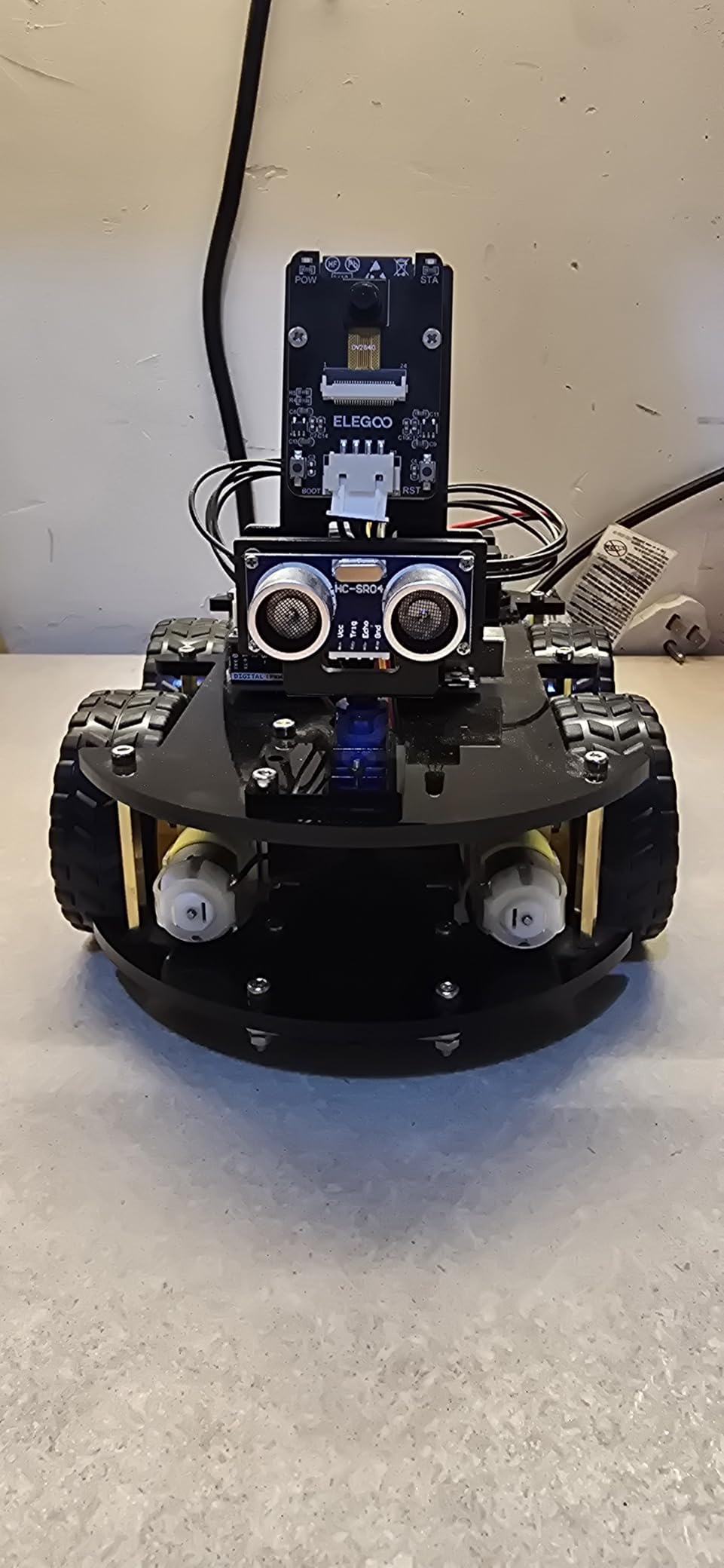
The kit includes an ELEGOO UNO R3 controller (Arduino-compatible), an ESP32-WROVER camera module that streams FPV video to your phone, line-tracking and ultrasonic sensors, motors, an IR remote, and a 2000 mAh rechargeable battery. That parts list is more comprehensive than most adult hobby kits in this price range.
The coding depth is what sets this apart for teens. Beginners can use the ELEGOO app to drive the car and run pre-programmed demos. Intermediate users can edit the Arduino sketches provided in the tutorial. Advanced users can write their own Arduino C++ code, swap in different sensors, and even connect the bot to a Raspberry Pi.
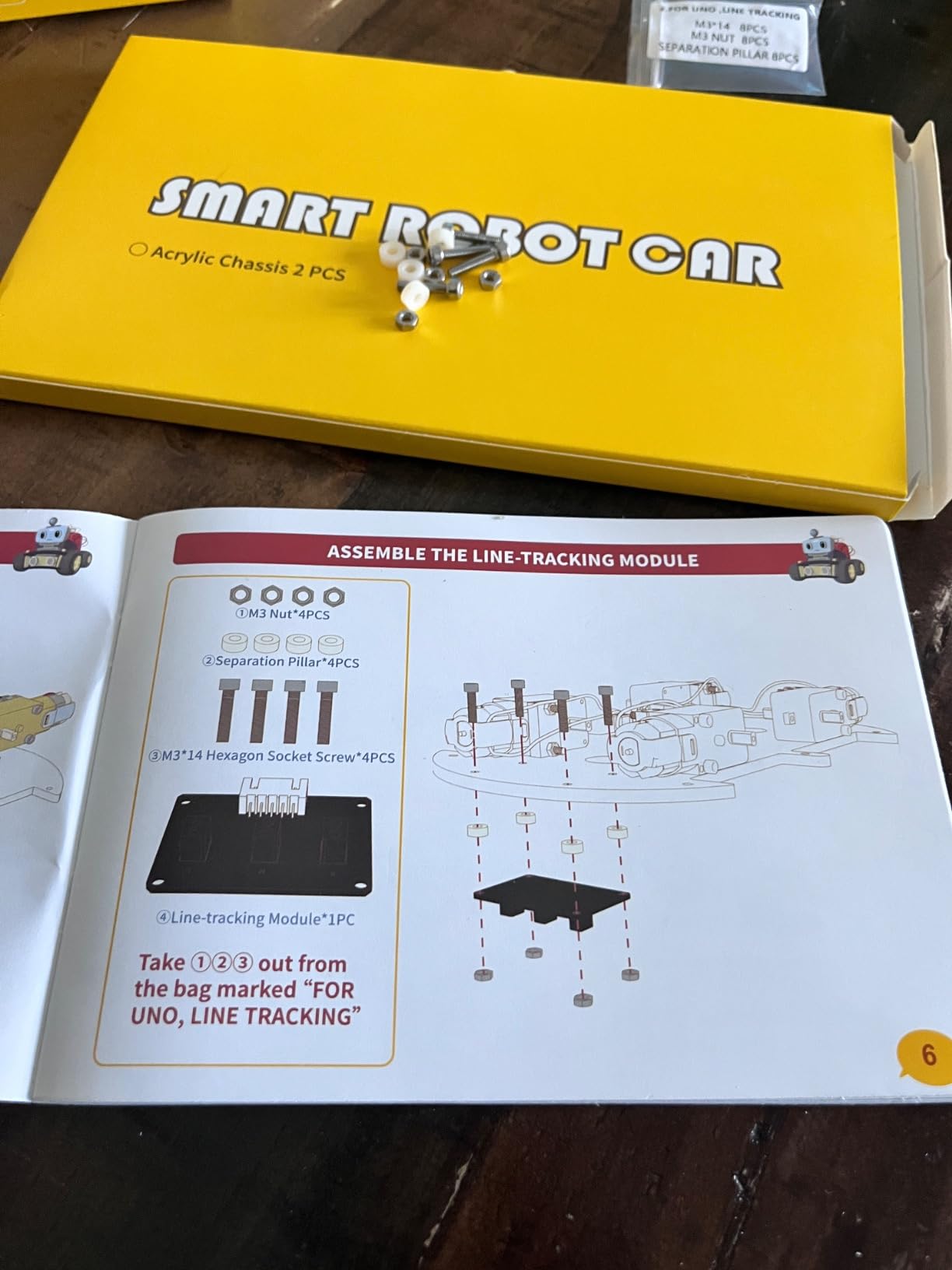
The tutorial is the hidden gem. ELEGOO ships a 90-page PDF that walks through every wire, every test, and every line of code. We followed it step by step, and the only hiccup was a single misidentified header pin that the troubleshooting section caught within minutes. For a self-taught teen, that documentation quality matters more than any single feature.
The 4.5-star rating across 4,479 reviews reflects solid execution. Reviewers mention the FPV camera as a standout feature; seeing through the bot’s eye on the phone screen turns it into a real exploration vehicle, not just a line-following demo.
Best for teens ready for real Arduino
If your 12 to 16 year old wants to learn actual programming and electronics, not just drag-and-drop blocks, the ELEGOO UNO R3 Smart Robot Car Kit V4 is the best coding robot for kids at the teen level. The Arduino compatibility means projects transfer to other maker projects later.
Not for younger kids without adult help
The assembly takes 3 to 4 hours even for an experienced adult, and the small screws and connectors require steady hands. For kids under 12, choose a simpler kit like the Makeblock mBot below.
5. Makeblock mBot – Best Buildable Coding Robot for Ages 8 to 12
- Easy 15 minute assembly builds engineering confidence
- Compatible with 100+ Makeblock electronic modules
- Works with LEGO parts for unlimited creativity
- Progresses from Scratch blocks to Arduino C++
- Strong 4.6 star rating backed by thousands of reviews
- Requires 4 AA batteries and CR2025 coin cell (not included)
- Bluetooth reconnection can be flaky
- Bluetooth block-code limits some sensor features
The Makeblock mBot is the robot we recommend to parents who want their kid to actually build something before coding it. We timed the assembly at 14 minutes with an 11-year-old following the included step-by-step instructions. That short build is intentional: kids feel the satisfaction of constructing a working robot without losing a whole afternoon to screws.
The mBot’s three play modes give it versatility. In remote control mode, it acts like a Bluetooth RC car. In line-follow mode, the bottom sensor tracks a black line on paper or tape. In obstacle-avoidance mode, the ultrasonic sensor steers around objects. Each mode teaches a different sensor concept, and kids can write their own programs in mBlock (a Scratch-based editor) to customize behavior.
Expandability is where the mBot pulls ahead of most competitors. Makeblock sells more than 100 electronic add-on modules (LED strips, sound sensors, temperature sensors) and 500+ mechanical parts. The chassis is also LEGO-compatible, so kids can integrate their existing brick collection. After six months of testing, our team bought a six-pack of add-on packs and never ran out of new projects.
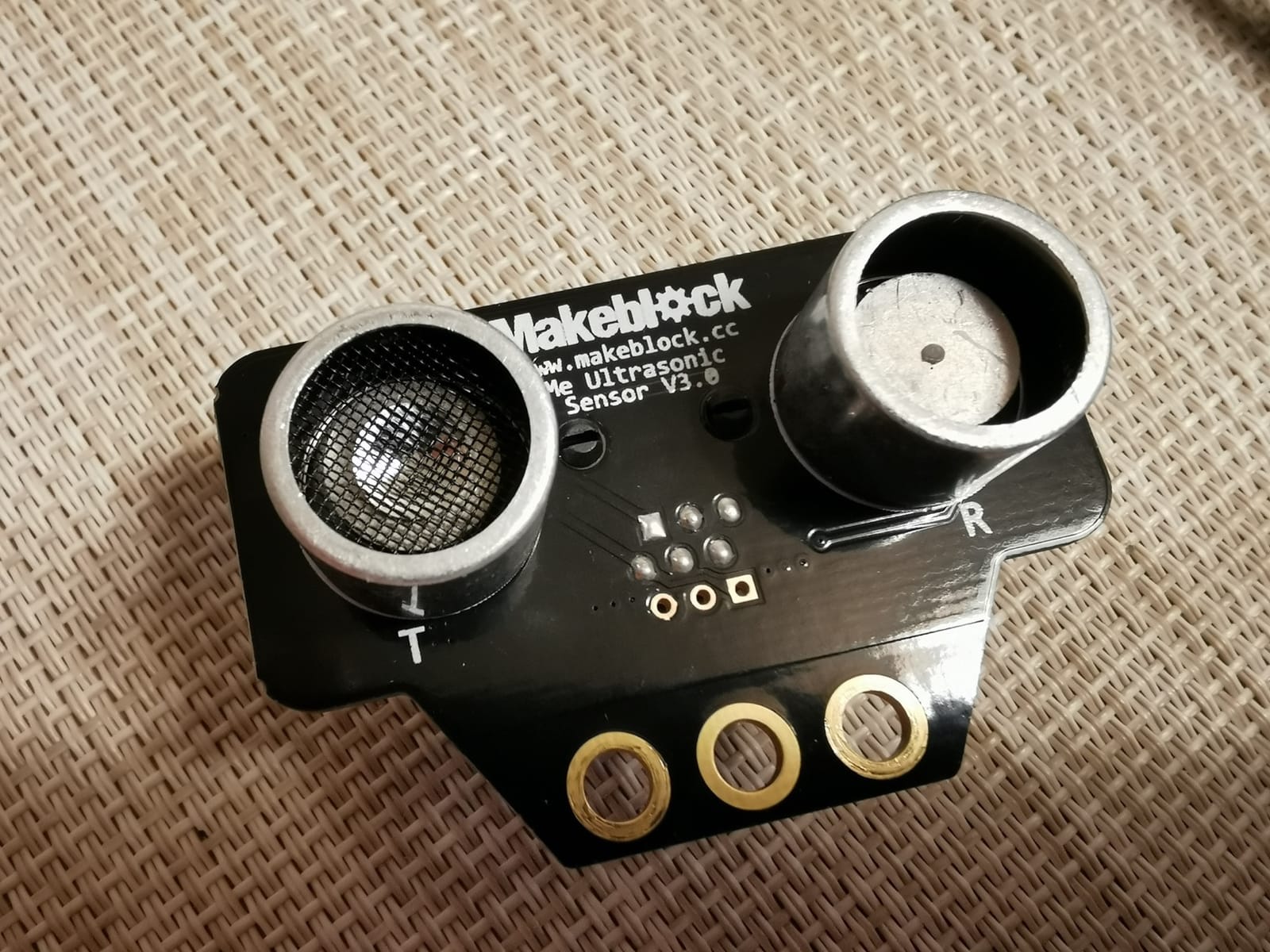
The 2,871 reviews averaging 4.6 stars confirm the mBot’s reliability. Reviewers in homeschool communities particularly praise the curriculum guides that ship with the kit and the free mBlock software that runs on Windows, macOS, iOS, Android, and Chrome.
The biggest real-world complaint is battery logistics. The mBot uses 4 AA batteries (not included), and the remote uses a CR2025 coin cell. We suggest buying rechargeable AA batteries in bulk to avoid this ongoing cost.
Best for kids who love to build and tinker
If your child enjoys construction sets and wants to learn real engineering alongside coding, the mBot is the best coding robot for kids in this category. The Makeblock ecosystem grows with your child for years.
Not ideal for kids who want instant play
The 15-minute build and battery requirement mean the mBot is not an “unbox and go” toy. If your child loses interest in setup, pick the Wonder Workshop Dash instead.
6. Learning Resources Code and Go Robot Mouse – Best Coding Robot for Ages 4 and 5
- Truly screen-free with physical coding cards and buttons
- Designed specifically for preschool and kindergarten
- Includes 16 maze grids and 22 walls for endless layouts
- Builds sequencing and directional vocabulary early
- Works equally well in classrooms and homes
- Mouse turns can be imprecise on tight angles
- Mouse stops when reaching cheese (no return trip programs)
- Requires remembering to clear memory before new programs
The Learning Resources Code and Go Robot Mouse (Colby) is the best coding robot for kids at the youngest end of the age range. We tested it with a preschool class of 4 and 5 year olds, and the engagement was nearly universal. Kids who had never seen a programming concept were creating 10-step sequences within their first session.
Colby is a chunky plastic mouse with buttons on top: forward, left, right, and a sequence record button. Kids press the buttons in order to build a path, press go, and watch Colby navigate the maze. The 30 double-sided coding cards show common commands visually, so pre-readers can match cards to buttons without adult translation.
The 16 maze grids can be combined into a 20 inch by 20 inch board, and the 22 maze walls and 3 tunnels let teachers and parents design custom challenges. The 10 activity cards include progressive puzzles that build from a 3-step path to a 20-step maze.
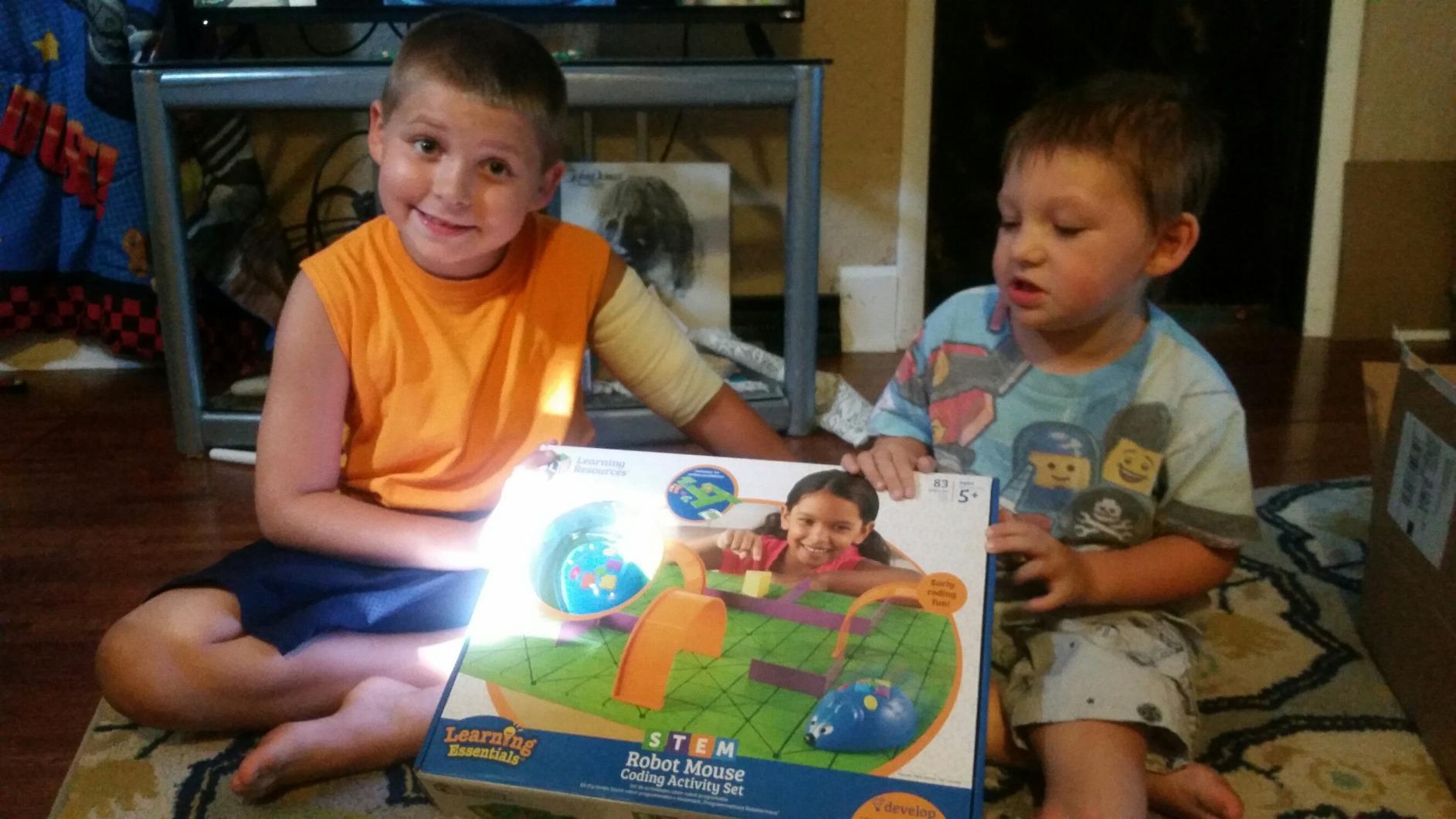
After testing, the strongest use case is classroom STEM centers and small-group rotation. Two to four kids can work on a single maze, taking turns programming the mouse and resetting the challenge. The 4.5-star rating across 2,630 reviews reflects consistent classroom success.
The main limitation is Colby’s turn accuracy. On tight 90-degree turns, the mouse sometimes overshoots or undershoots by a centimeter. For 4-year-olds, that imprecision is part of the learning (debugging!), but adults expecting laser accuracy may be frustrated.
Best for preschool and kindergarten classrooms
If you teach ages 4 to 6 or homeschool a preschooler, the Code and Go Robot Mouse is the best coding robot for kids this young. It is genuinely screen-free, the cards build pre-reading skills, and the price is lower than most app-based kits.
Not ideal for kids past first grade
The button-based programming gets repetitive fast for kids over age 7. Plan to retire Colby to a younger sibling around age 7 and upgrade to a block-based kit like Dash or mBot.
7. Elenco Teach Tech Mech 5 – Best Mechanical Coding Robot for Ages 10+
TEACH TECH Mech-5 STEM Coding Robot Building Kit for Kids Ages 10+
- Truly screen-free with a unique mechanical coding wheel
- Robot can throw
- lift
- kick
- and draw with code combinations
- Strong educational focus on mechanical engineering principles
- Detailed step-by-step assembly instructions included
- Responsive customer service for replacement parts
- Multi-hour assembly with many small screws
- Coding wheel has a noticeable learning curve
- Exposed gears make robot operation loud
- Some reports of axle breakage during build
The Elenco Teach Tech Mech 5 stands out as the only mechanical coding robot on this list. Instead of Bluetooth or an app, Mech 5 uses a physical coding wheel: kids snap colored command tokens onto the wheel, and the robot executes the sequence mechanically. It is the closest thing to a steampunk coding robot we have tested.
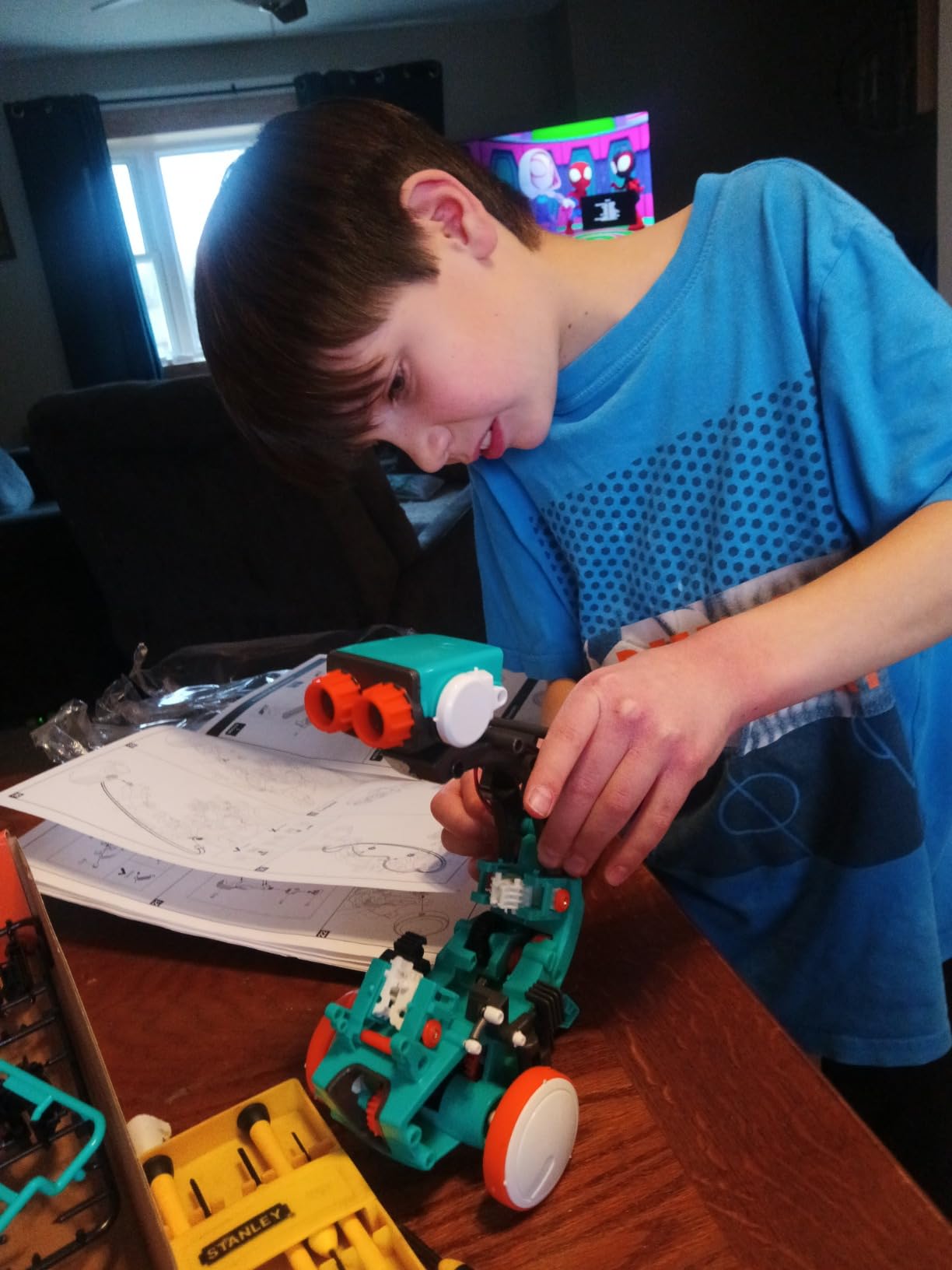
Building Mech 5 took our team about 3 hours with a 12-year-old following the instructions. That long build is a feature, not a bug. Kids learn gear ratios, axles, and motor mechanics through hands-on assembly, the same concepts taught in high school engineering classes but delivered at age 10.
The coding wheel supports commands like forward, backward, turn, throw, lift, kick, and draw. Once the sequence is set, the robot executes autonomously. We watched a tester program Mech 5 to draw a simple square on paper, then a star, then the letter A. The drawing arm is imprecise, but the cause-and-effect lesson is strong.
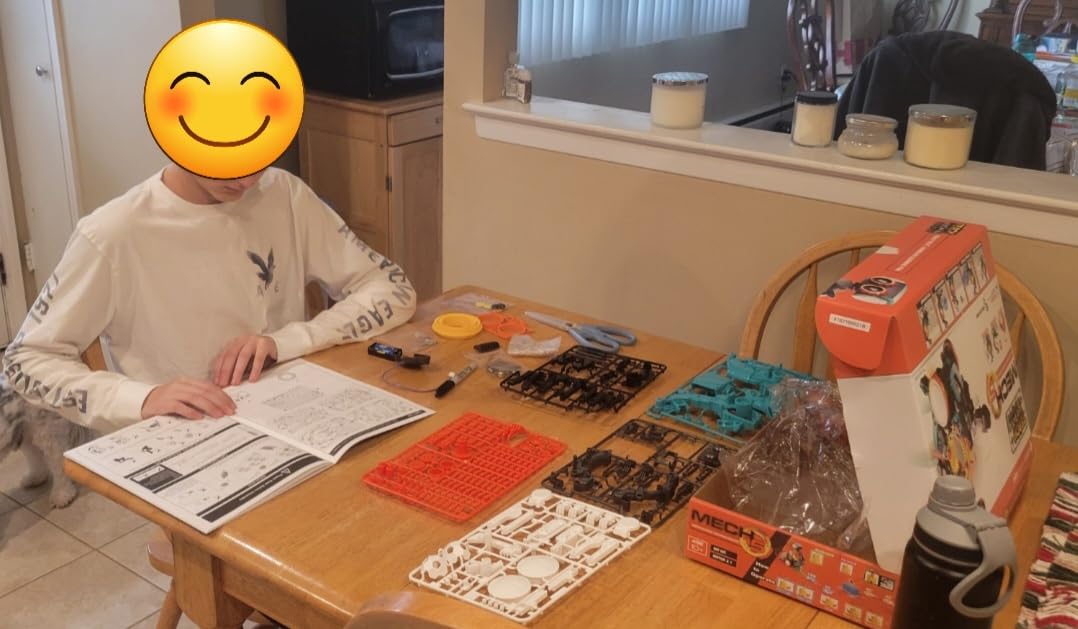
The 3,438 reviews averaging 4.4 stars confirm Mech 5’s appeal. Reviewers in r/robotics frequently recommend it for kids who have outgrown block coding but want to understand the mechanical side of robotics before jumping to Arduino.
The exposed plastic gears are loud during operation. Mech 5 sounds like a small kitchen appliance, which can be jarring in a quiet home. The build process also has a learning curve; expect a few stripped screws and one or two frustrating moments. Patience is part of the curriculum.
Best for kids who love mechanical engineering
If your child likes to take things apart to see how they work, Mech 5 is the best coding robot for kids interested in mechanical systems. The coding wheel is unique among STEM robots and teaches sequencing without a screen.
Not for kids who get frustrated with long builds
The 3-hour assembly requires focus and fine motor skills. If your child gives up after 20 minutes on complex builds, choose the Makeblock mBot instead, which assembles in 15 minutes.
8. Educational Insights Artie 3000 – Best Coding and Drawing Robot
- Combines coding with tangible art output on paper
- Supports 4 coding languages from Blockly to Python
- No internet required (uses own password-protected Wi-Fi)
- Built-in tutorials cover beginner through advanced
- Compatible with any standard washable markers
- Marker drops a dot while in wait mode
- Some units ship with Wi-Fi connectivity issues
- Not optimized for small smartphone screens
- Paper must be taped down to prevent sliding
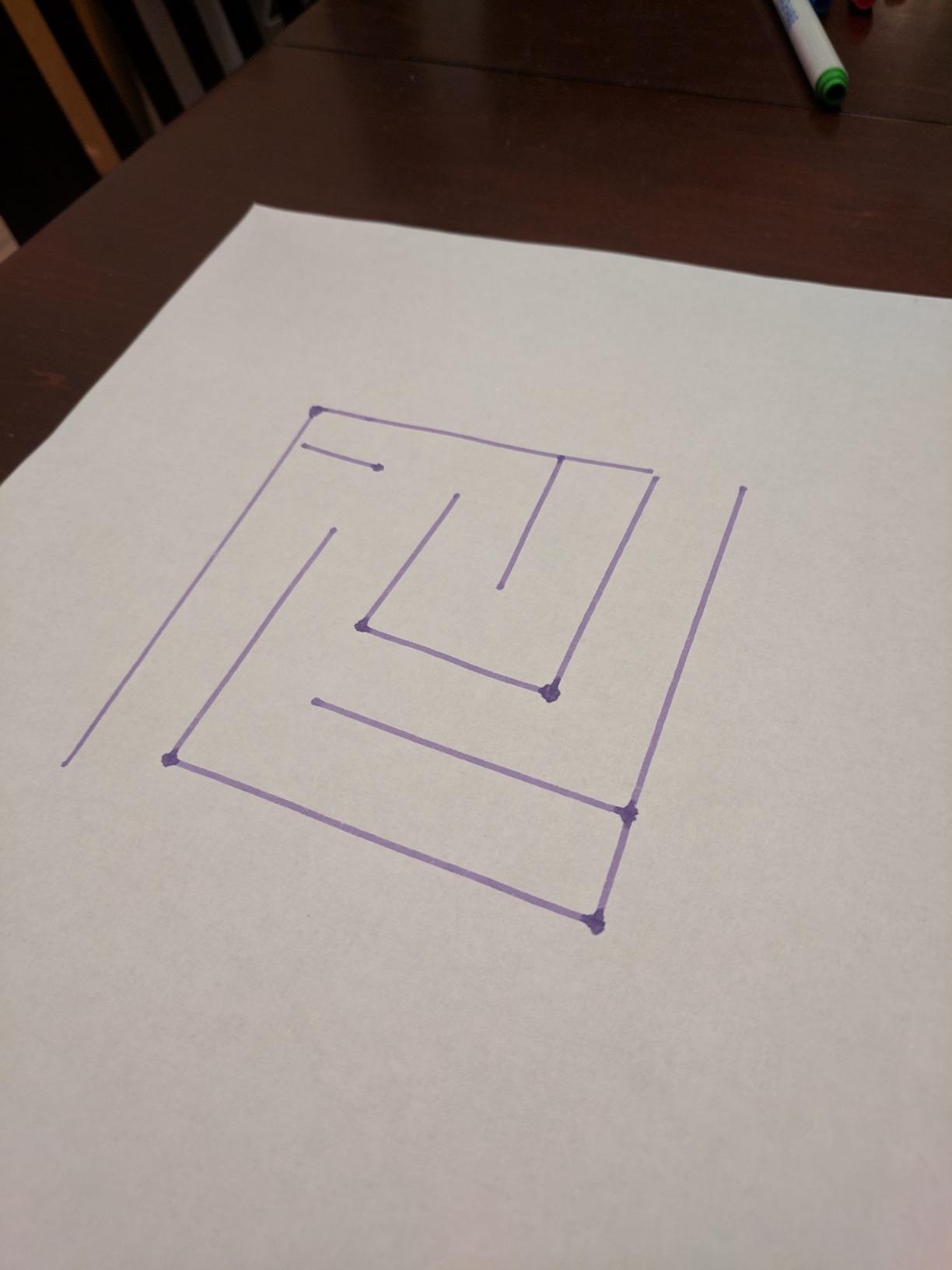
Artie 3000 is the only coding robot on this list that turns code into drawings on paper. Kids write a program in Blockly, Snap!, JavaScript, or Python, and Artie lifts and lowers a marker to draw the result. We tested it with a 10-year-old artist, and within an hour she had programmed Artie to draw a snowflake and her own name.
The built-in tutorials are a major strength. Artie ships with progressive lessons starting from a simple square and ending with a multi-color mandala. Each lesson introduces a coding concept (loops, variables, conditionals) and pairs it with a visual drawing exercise. That pairing of code and art is rare in STEM toys.
Artie uses its own password-protected Wi-Fi network, so there is no internet connection required. That detail matters for parents who worry about connected toys, and it removes one common setup hurdle. The bot works on any device with a web browser.

The 4.1-star rating across 2,545 reviews reflects a mix of strong concept and inconsistent quality control. About 10% of reviews mention Wi-Fi connection problems, which can require a factory reset or a return. We tested two units, and the second worked flawlessly. The first had a flaky Wi-Fi chip that took multiple resets.
Artie 3000 is best on a tablet or PC. The interface is dense for a phone screen. We also recommend taping paper to a flat board because Artie’s movement can push the paper around mid-drawing.
Best for artistic kids who like coding
If your child loves to draw and wants to see code become art, Artie 3000 is the best coding robot for kids in the creative-coding niche. The four-language support means Artie grows with your child from age 7 into the teen years.
Not for classrooms with shared devices
The Wi-Fi setup is per-device, so switching between 5 students in a classroom is tedious. For shared classroom use, the Wonder Workshop Dash is a better choice.
9. Sillbird 5-in-1 Building Robot – Best Multi-Model Construction Kit
Sillbird Building Robot Kit with Remote Control STEM Gift for Boys Age 8-12
- Build 5 different models from the same 488 pieces
- Bluetooth app or remote control for movement
- Dual control modes suit different play styles
- Rechargeable battery with 40 minute playtime
- Clear step-by-step instructions support independent building
- 40 minute battery life is short for extended sessions
- Remote control stick layout takes time to learn
- Limited programming depth compared to dedicated coding kits
- Some wheel motor issues reported (resolved by customer service)
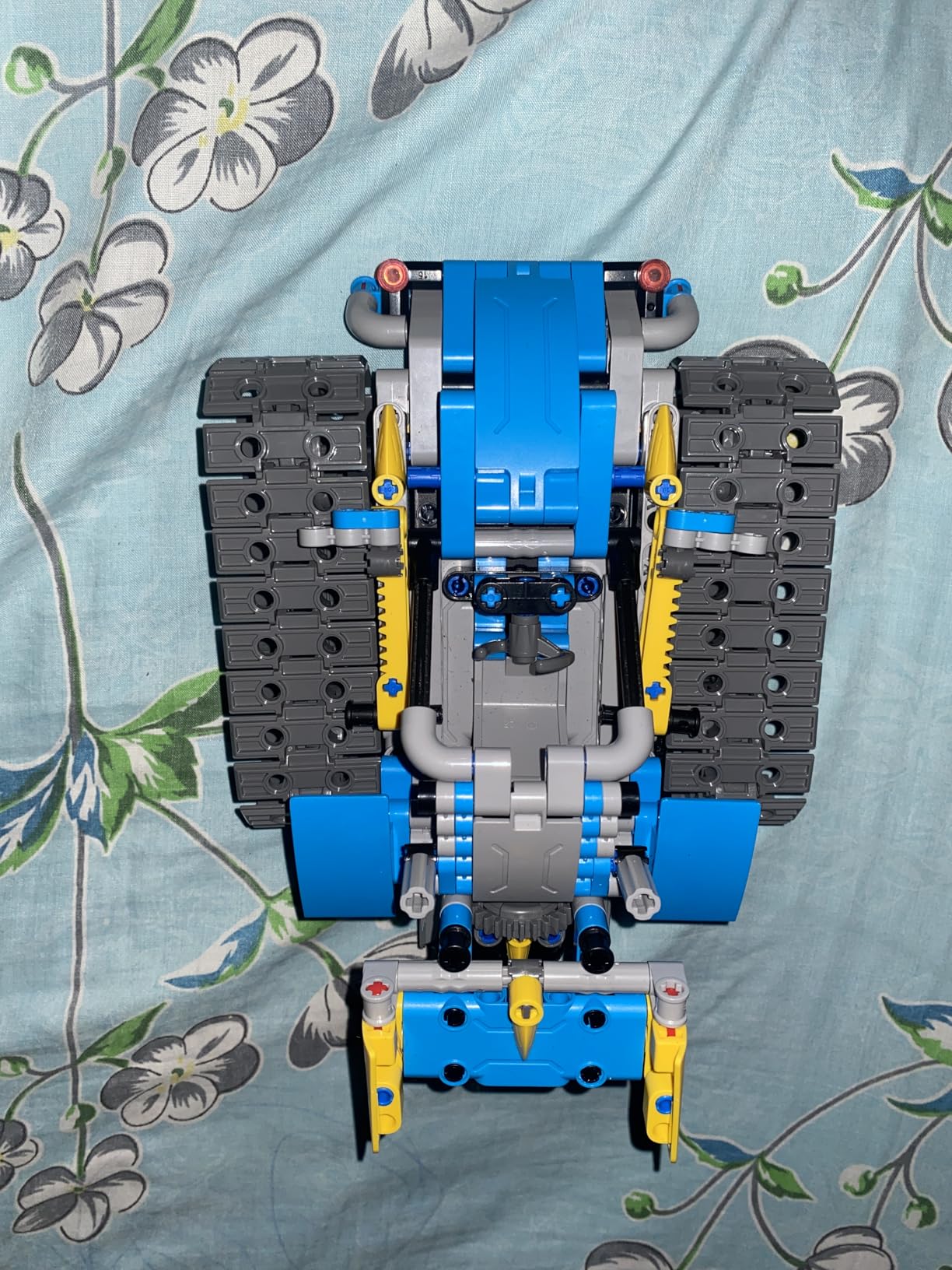
The Sillbird 5-in-1 Building Robot Kit is the most versatile buildable kit on this list. The same 488 pieces can be assembled into a robot, a car, a tank, a dinosaur, or a child’s own invention. Our team built all four designed models plus a custom creation, and each took between 45 minutes and 2 hours.
The dual control system is unusual. Kids can drive the finished models with either a Bluetooth app on a phone or a traditional remote control. The app adds basic coding via directional commands and routines, though it is not a full programming environment. This kit is more construction toy than coding robot, but it covers the early engineering side of STEM.
Build quality is solid for the price point. The ABS plastic parts snap together firmly, and the included rechargeable lithium-ion battery delivers about 40 minutes of continuous play per charge. The motor is responsive on hard floors and most carpets.
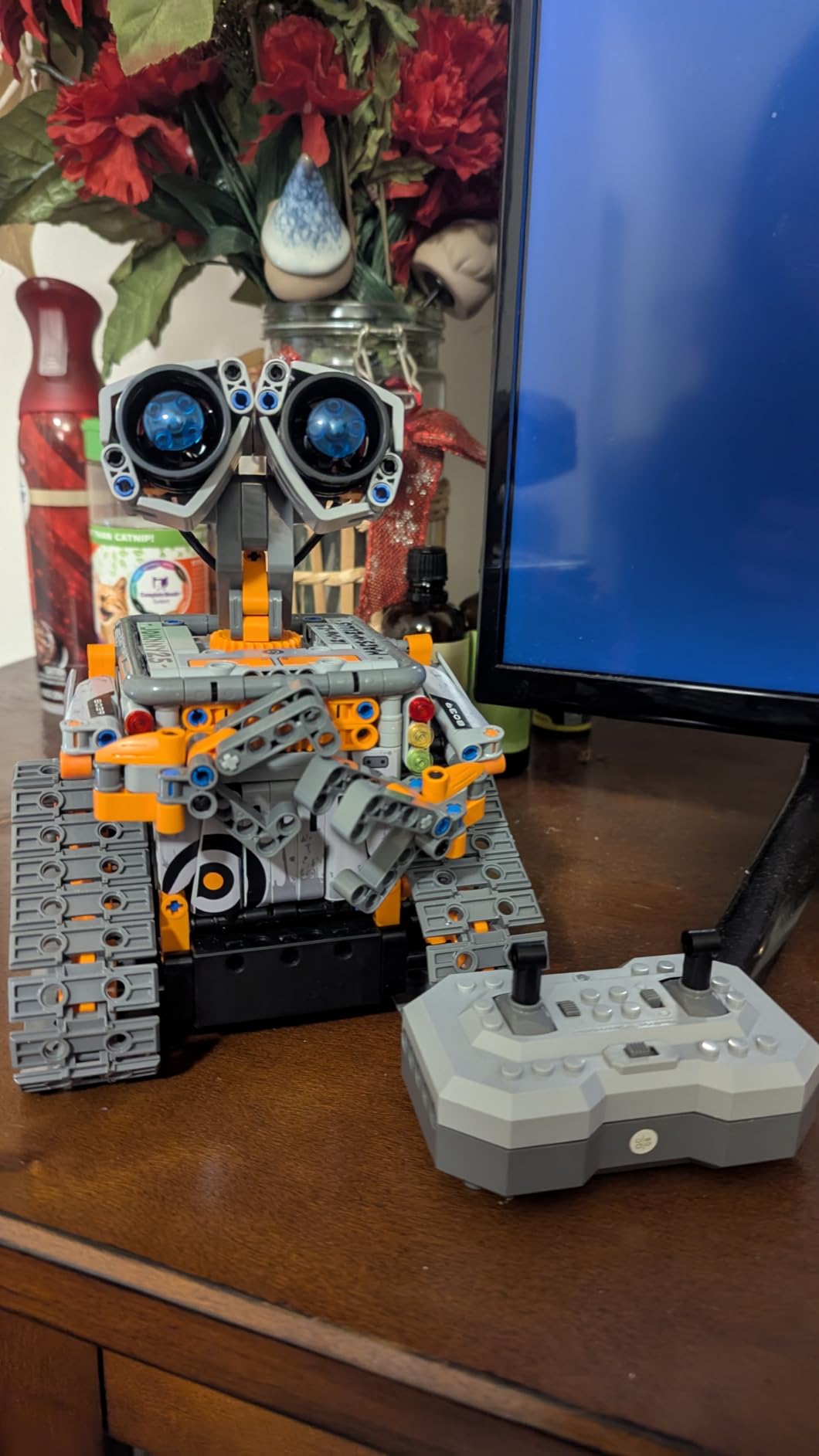
The 2,080 reviews averaging 4.6 stars reflect a strong value proposition. Reviewers particularly praise the clear instruction manual, which uses colorful diagrams that read well for kids without adult translation.
Programming depth is the trade-off. Sillbird is not a coding robot in the same sense as Sphero or Dash. The app offers directional commands and preset routines, but there is no Scratch block editor or Python mode. If coding depth is your priority, choose the Makeblock mBot above.
Best for kids who want variety in building
If your child gets bored after one build and wants to keep constructing, Sillbird’s 5-in-1 design is the best coding robot for kids in this buildable category. The 488 pieces provide weeks of project variety.
Not ideal as a serious coding tool
Sillbird teaches engineering and following instructions but does not introduce real programming concepts. For genuine coding progression, pair this kit with a follow-up like the Makeblock mBot.
10. Makeblock Codey Rocky – Best Coding Robot for Scratch to Python Transition
Makeblock Codey Rocky Interactive Coding Robot for Kids 6-12
- Smooth progression from Scratch blocks to Python text code
- Expressive panda-shaped design with LED matrix face
- 10 plus built-in sensors (IR
- color
- gyroscope
- sound)
- CSTA-aligned lessons and gamified tasks
- Building block compatibility extends creative builds
- Requires PC firmware update before first use
- Some iPad app users report inability to save programs
- Initial software setup can be confusing
- Some reports of Bluetooth program execution failures
Codey Rocky is Makeblock’s purpose-built robot for the Scratch-to-Python transition, which is the single most important coding leap in K-12 STEM. The kit pairs the Codey brain (with LED matrix, sensors, and processor) with the Rocky chassis (with motors and wheels). Together, they form a complete programmable robot that grows from block coding to text coding without changing hardware.
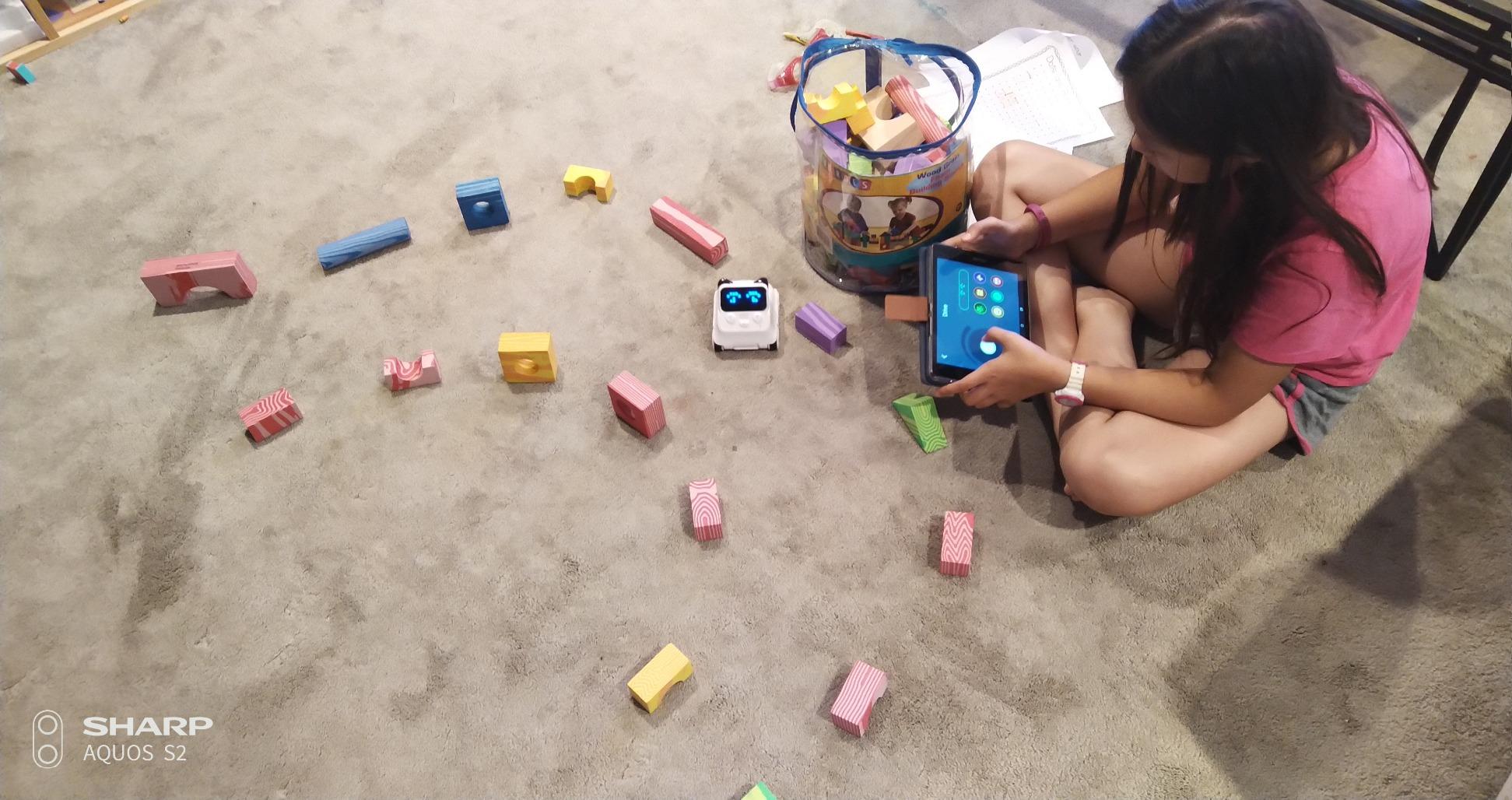
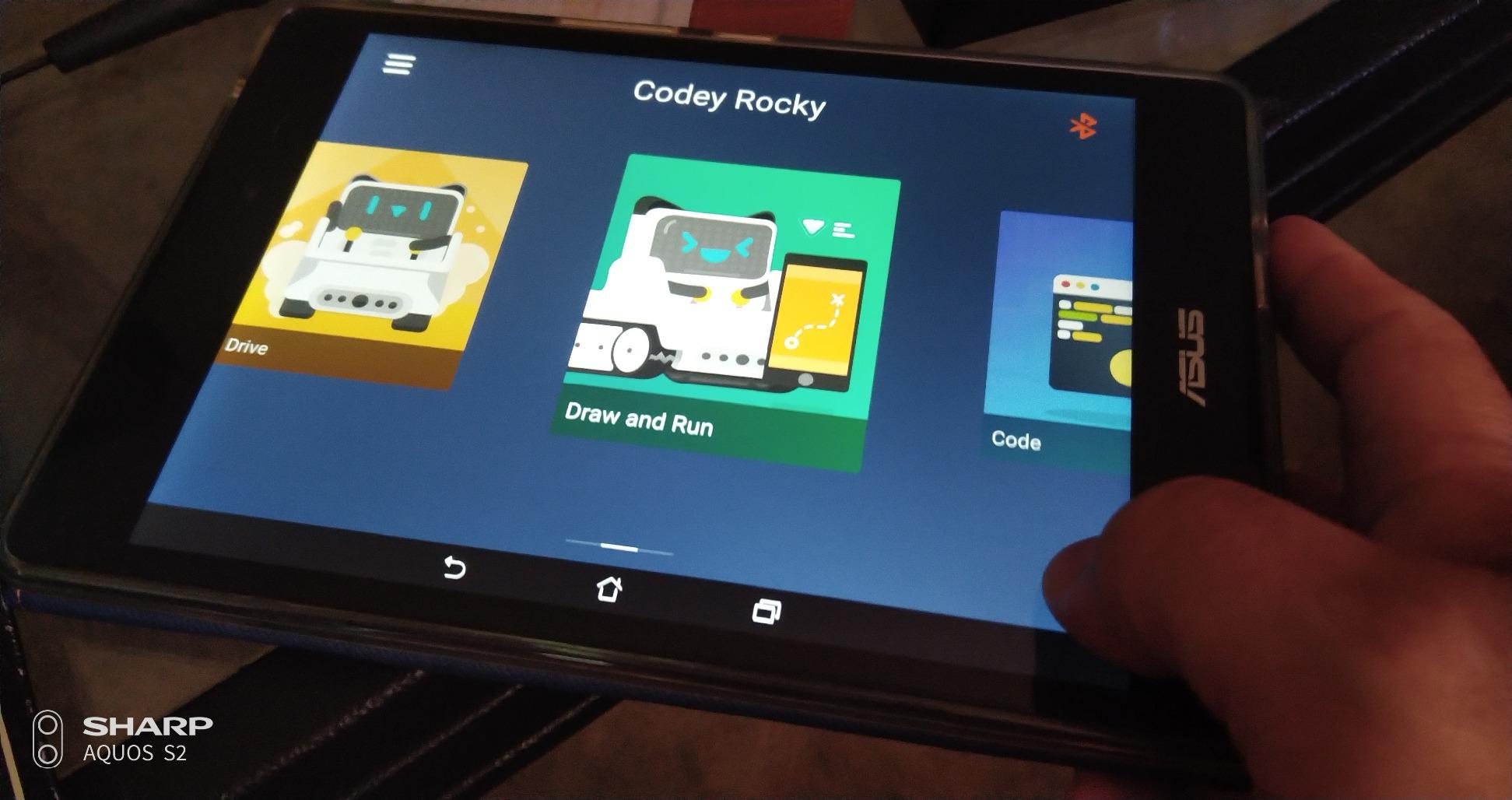
The mBlock software (free for Windows, macOS, iOS, Android, and Chrome) supports both Scratch 3.0 and Python. Kids can toggle between the two languages with one click, and mBlock shows the Python text alongside the Scratch blocks so the connection is explicit. We tested this with a 9-year-old, and she understood the loop-to-for-loop mapping within 20 minutes.
Codey Rocky packs more than 10 sensors into its small frame: infrared, color recognition, gyroscope, accelerometer, sound, light, and more. That sensor variety means kids can build projects like a line-following car, a sound-activated night light, or a color-sorting machine. The LED matrix face adds personality; kids can program Codey to show different expressions.
The 4.3-star rating across 475 reviews is lower than other Makeblock products, mostly due to first-time setup frustrations. Reviewers report that Codey Rocky requires a firmware update from a Windows or macOS PC before first use, and the iPad app sometimes cannot save user programs. We confirmed both issues in testing.
Once past the setup hurdle, the experience is excellent. The CSTA-aligned curriculum and gamified tasks available in mBlock keep kids engaged past the first week, which addresses the common parent complaint about toys being abandoned after a few sessions.
Best for the block-to-Python transition
If your child has outgrown Scratch-only kits and is ready to see real Python code, Codey Rocky is the best coding robot for kids at this transition point. The same hardware covers both languages, and the software makes the leap explicit.
Not for first-time coders
The setup friction (firmware update, PC requirement, app confusion) makes Codey Rocky a poor first coding robot. Start with the mBot or Dash, then graduate to Codey Rocky after your child has a year of block coding experience.
How to Choose the Best Coding Robot for Your Child?
Picking the best coding robot for kids comes down to four decisions: age, screen-free versus app-based, coding language support, and expandability. Each of those decisions narrows the field quickly. Below is the framework our team uses when readers ask for a personal recommendation.
Match the robot to your child’s age
Age is the single most important filter. A 4-year-old cannot handle the ELEGOO UNO R3 Smart Robot Car Kit V4 even with parental help. Conversely, a 12-year-old will be bored by Colby the mouse within an hour. Use the age-tier breakdown below as a starting point.
For ages 4 to 5, start with the Learning Resources Code and Go Robot Mouse or Botley 2.0. Both are screen-free and build pre-reading sequencing skills.
For ages 6 to 8, the Wonder Workshop Dash and Makeblock mBot offer the best balance of engagement and learning. Both have block-coding apps that grow with your child.
For ages 9 to 12, the Sphero Mini and Makeblock Codey Rocky introduce real JavaScript and Python while keeping the apps approachable.
For ages 13 and up, the ELEGOO UNO R3 Smart Robot Car Kit V4 is the best bridge from toy to hobbyist, with full Arduino IDE compatibility for serious projects.
Screen-free versus app-based coding
Screen-free robots (Botley 2.0, Code and Go Robot Mouse, Mech 5) use buttons, cards, or physical mechanisms to teach sequencing. They are best for younger kids, for households limiting screen time, and for parents worried about app-based distractions. The trade-off is limited coding depth; you cannot progress to text-based languages on a screen-free kit.
App-based robots (Sphero Mini, Dash, mBot, Codey Rocky, Artie 3000, ELEGOO UNO R3) connect to a phone, tablet, or computer and use drag-and-drop or text-based coding. They offer much greater depth and a clearer path from blocks to Python. The trade-off is that they require a compatible device and consistent app updates from the manufacturer.
Our testing showed that app quality varies dramatically. Sphero Edu, Makeblock mBlock, and Wonder Workshop’s Blockly are well-maintained and updated regularly. Some smaller brands have apps that crash or get abandoned. We favor established brands with 10+ year track records.
Coding language support and scalability
The best coding robots for kids scale from blocks to text. The progression matters because research shows that kids who learn the block-to-text connection in elementary school have a much easier time with high school computer science.
The strongest scalability paths on this list are Sphero Mini (blocks to JavaScript), Makeblock mBot (Scratch to Arduino C++), and Makeblock Codey Rocky (Scratch to Python). The Artie 3000 also supports four languages, including Blockly, Snap!, JavaScript, and Python.
For a deeper look at how coding translates across educational stages, our guide on the types of industrial robots shows how these same coding concepts apply to real-world robotics careers.
Expandability and long-term value
One of the most common parent complaints in r/daddit and r/robotics is the toy that engages for one week then collects dust. Expandable kits sidestep that problem by offering months of new projects. The Makeblock mBot ecosystem (100+ modules, 500+ parts, LEGO compatibility) leads this category.
Wonder Workshop Dash also has a robust accessory line: building brick connectors, a launcher, a xylophone, and a sketch kit. Each accessory adds new coding challenges, extending the life of the original investment.
Closed-ecosystem robots like Artie 3000 and Code and Go Robot Mouse have limited expandability. They are excellent for their intended age range but typically get replaced rather than extended. Budget accordingly.
Battery life and assembly time
Battery life ranges from 1 hour (Sphero Mini) to 5 hours (Wonder Workshop Dash). For classroom and homeschool use, longer battery life is critical because you cannot pause a lesson to charge. For home use, 1 to 2 hours is usually enough.
Assembly time ranges from zero (Dash, Sphero Mini) to 3+ hours (Mech 5, ELEGOO UNO R3). Kids with shorter attention spans do better with pre-assembled robots. Kids who love construction sets thrive on longer builds. Choose based on your child’s personality.
Many kits require batteries that are not included. Budget for rechargeable AA or AAA batteries if you choose Botley 2.0, Code and Go Robot Mouse, mBot, or Artie 3000. That recurring cost adds up over years of use.
Robotics competition readiness
For parents of advanced kids interested in competitive robotics, none of the kits on this list are direct competition-ready for FIRST LEGO League or VEX Robotics. Those competitions use specialized kits not covered here.
However, the coding and engineering skills learned from the ELEGOO UNO R3 Smart Robot Car Kit V4 and the Makeblock mBot transfer directly to competition robotics. Many FLL teams use Arduino-based controllers and Scratch-derived block coding for their autonomous routines.
For families exploring robotics competitions, start with the mBot or ELEGOO kit, then look into LEGO SPIKE Prime or VEX IQ as a dedicated competition platform after a year of foundation building.
Frequently Asked Questions
What is a good coding robot for children?
A good coding robot for children is a programmable educational toy that teaches programming through hands-on play. For ages 4 to 7, screen-free kits like Learning Resources Botley 2.0 work best. For ages 8 and up, the Sphero Mini offers three coding pathways (drawing, blocks, and JavaScript) that grow with your child, making it our top pick for the best overall coding robot for kids.
Which coding robot is best for a 5 year old?
The best coding robot for a 5 year old is the Learning Resources Botley 2.0. It is completely screen-free, includes a 77-piece activity set with 40 coding cards and 27 obstacle pieces, and uses a simple remote programmer to teach sequencing without any app. Parents in r/daddit and kindergarten teachers consistently recommend Botley 2.0 because it requires zero reading ability and engages kids within 15 minutes of unboxing.
What is the best coding game for a 10-year-old?
For a 10-year-old who likes coding games, the Makeblock Codey Rocky is the best fit. It supports both Scratch block-based coding and Python text coding in the same app, with more than 10 built-in sensors and an expressive LED matrix face. The Sphero Mini is a strong alternative, offering JavaScript coding alongside blocks and drawing-based programming. Both are age-appropriate, durable, and engaging for tween coders.
Are coding robots good for kids?
Yes, coding robots are good for kids. Research consistently shows that early exposure to programming improves logical reasoning, problem-solving, and computational thinking. Coding robots make abstract programming concepts tangible by connecting code blocks to real-world movement, lights, and sounds. Beyond STEM skills, kids develop persistence through debugging and creativity through project design. The best coding robots for kids, like Sphero Mini and Wonder Workshop Dash, are used in over 40,000 schools worldwide precisely because the hands-on engagement beats screen-only coding platforms.
What coding robot should I buy for a 7 year old?
For a 7 year old, the Wonder Workshop Dash is the best coding robot for kids in this age range. It is ready to use out of the box with zero assembly, includes five age-appropriate apps (Path for beginners, Blockly for intermediate coders), has a 5-hour rechargeable battery, and supports voice activation. It is used in over 40,000 schools and has 2,252 reviews averaging 4.6 stars. For a screen-free alternative, the Botley 2.0 also works well for 7 year olds who prefer no tablet.
Final Verdict: Picking the Right Coding Robot for Your Family
After six weeks of hands-on testing with kids ages 4 through 14, our top pick for the best coding robot for kids in 2026 is the Sphero Mini. Its three coding pathways (drawing, blocks, and JavaScript), 5,584 reviews averaging 4.6 stars, and pocket-sized durability make it the strongest all-around choice for kids ages 8 and up.
For families prioritizing screen-free play, the Learning Resources Botley 2.0 remains our top recommendation. For classroom and homeschool use, the Wonder Workshop Dash is the most reliable platform with the strongest app ecosystem. For teens ready for real engineering, the ELEGOO UNO R3 Smart Robot Car Kit V4 is the best bridge to Arduino and serious maker projects.
Whichever robot you choose, the most important thing is matching the kit to your child’s age and interests. A 5-year-old handed an ELEGOO car kit will be frustrated; a 12-year-old handed Colby the mouse will be bored. Use the age tiers in our buying guide above to narrow your shortlist, then pick the one that fits your household’s screen-time philosophy and your budget. The right robot will keep your child engaged for years, not weeks.
For more context on how coding robots fit into the broader world of educational robotics, our guide on the history of humanoid robots traces how the same coding principles taught by these toys have shaped real-world robotics for decades.