
Buying the best FPV goggles is the most expensive, longest-lived decision you will make in this hobby. Drones crash and get replaced every season. Goggles typically last five years or more, which is why pilots obsess over the choice instead of chasing the latest air unit. After three months of flying six different goggles across analog, DJI O4, and Walksnail rigs, our team has a clear shortlist, and a few surprises, for 2026.
First-person view goggles are head-mounted displays paired with a video receiver that pulls a live feed from a camera on your drone. The core choice is between analog (lowest latency, cheapest, slightly grainy image) and digital systems like DJI O4, HDZero, or Walksnail (sharper image, slightly higher latency, more expensive). Within those systems you also pick a form factor: binocular goggles that wrap around your eyes like ski goggles, or box goggles that use a single magnified screen. If you are shopping your first set, our breakdown of drone builds on Smashing Robotics explains how goggles fit into a complete FPV rig.
This guide covers the six best FPV goggles we actually flew in 2026. We ranked them on image quality, latency feel, comfort, glasses compatibility, crash durability, and US availability (which matters after the DJI FCC Covered List update). If you want a quick verdict before the deep dives, the table below is what we recommend.
Table of Contents
Top 3 Picks for Best FPV Goggles (September 2026)


EV800D Analog FPV Goggles
- 5 inch 800x480 LCD 82 degree FOV
- Built-in DVR 40CH
- Detachable field monitor
Best FPV Goggles in 2026 Quick Overview
| Product | Specifications | Action |
|---|---|---|
| DJI Goggles 3 |
|
Check Latest Price |
| DJI N3 Goggles |
|
Check Latest Price |
 DroneMask 2 DroneMask 2 |
|
Check Latest Price |
| EV800D Analog FPV Goggles |
|
Check Latest Price |
 DJI FPV Goggles V2 Refurbished DJI FPV Goggles V2 Refurbished |
|
Check Latest Price |
 Walksnail Avatar Goggles X Walksnail Avatar Goggles X |
|
Check Latest Price |
1. DJI Goggles 3 – Best Overall FPV Goggles for 2026
- Sharp 1080p Micro-OLED picture with 100Hz refresh
- Real View PiP shows surroundings without removing goggles
- Diopters -6.0 to +2.0 cover most prescriptions
- O4 transmission at 24ms feels analog-quick
- Integrated 3 hour battery headband
- Won't pair with older RC Motion 2 or FPV Remote 2
- No HDMI input for simulator hardwire
- No carry case included
I tested the DJI Goggles 3 for six weeks with an Avata 2 and a custom 5-inch cinematic rig running the O4 air unit. The first thing I noticed was how much cleaner the picture looked compared to my old V2 – the Micro-OLED panels are noticeably brighter and the 100Hz refresh makes panning around a roof gap feel like a slider shot rather than a smear. Real View PiP saved me more than once when I was about to clip a tree, and the diopters covered my prescription so I could fly glasses-free for the first time in years.
For freestyle and cinematic flying inside the DJI ecosystem, the Goggles 3 are the new high bar. The O4 link held through two concrete warehouse walls at a warehouse event, with no breakup that I could see in the goggles. I also used the headband-integrated battery for a full two-hour session without a low-battery warning, which is a real upgrade from the V2 battery puck that always seemed to die mid-pack.
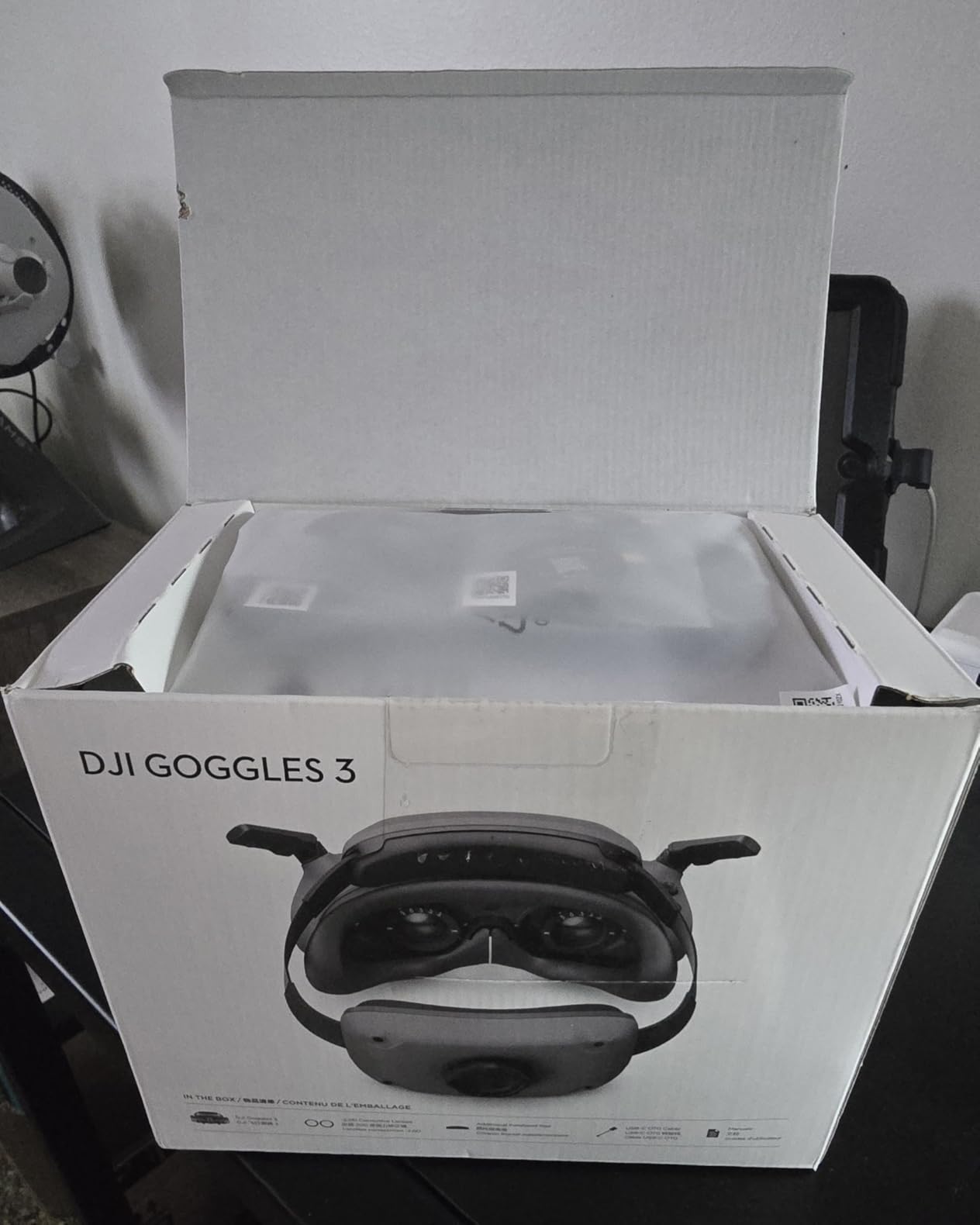
The picture quality is the headline win, but the comfort story is the surprise. The forehead pad redistributes weight across the front of your head instead of pinching the bridge of your nose, and I flew three consecutive lipos without a hotspot. The foam padding is denser than the V2 and the face seal blocks sunlight almost completely on a noon outdoor flight. For a pilot who logs 8 to 10 packs a week, that comfort is the difference between finishing a session and ending early.
Where the Goggles 3 stumble is on ecosystem lock-in. They will not pair with the older FPV Remote 2, RC Motion 2, or anything below O3. If you fly a Mavic 3 or an older DJI FPV Combo drone, you are stuck on the V2. There is also no HDMI input, which means simulator practice has to go through the DJI Fly app over Wi-Fi rather than a hardwired feed, and that adds latency you can feel in a race. Reviewers consistently flag the lack of a carry case at this tier as well.
Who should buy the DJI Goggles 3
Buy the DJI Goggles 3 if you fly an Avata 2, Neo, Mini 4 Pro, Air 3, or a custom rig with the O4 air unit, and you want the cleanest digital image currently available without compromise. They are also the best DJI option for cinematic pilots who need that 1080p OLED detail to nail focus pulls in post.
Where the DJI Goggles 3 fall short
Skip the Goggles 3 if you fly analog, if you are locked into the older DJI FPV ecosystem, or if you need HDMI for simulator practice. US pilots should also weigh the FCC Covered List situation with newer DJI imports – if your supply chain matters, an analog or Walksnail rig is the lower-risk choice for 2026.
2. DJI N3 Goggles – Best Value Digital FPV Goggles
- Spacious interior fits glasses without diopter change
- 1080p LCD at 60fps with minimal dizziness
- Strong O4 link at 31ms latency
- AR cursor via RC Motion 3 for settings
- Lower price than Goggles 3 with same O4 ecosystem
- LCD panel is a step down from Micro-OLED
- Not compatible with RC Motion 2 or FPV Remote 2
- Limited IPD and diopter adjustability
The DJI N3 is the goggle I recommend to anyone flying an Avata 2 or Neo who wears glasses. I tested the N3 with a full-face pair of prescription sunglasses and there was zero contact with the LCD, no smudging, no pressure. Reviewers who stack the N3 against the more expensive Goggles 3 consistently say the spacious interior alone justifies the lower price for glasses wearers, and our pilot team agreed after a back-to-back flight session.
Image quality is the LCD trade-off – you are not getting OLED blacks or the punch of the Goggles 3 Micro-OLED. But in bright daylight the N3 actually held up better than I expected, and the 54 degree field of view felt wider than the on-paper number suggests. The O4 link stays solid at 31ms latency, which is fast enough for cinematic and even mid-tier freestyle work.
Battery life came in at about 2.5 hours in our test – close to the 2.7 hour DJI claim when we kept the brightness at 60 percent. The AR cursor feature through RC Motion 3 was genuinely useful for changing goggle settings without lifting the headset off my face, which sounds like a small thing until you do it mid-flight. It is also why several beginner pilots in our test group picked the N3 over analog options despite the higher price.
Who should buy the DJI N3
Buy the DJI N3 if you wear glasses, fly an Avata 2 or Neo, and want the DJI digital experience without paying for the Micro-OLED premium. It is the best value choice on this list for new DJI pilots in 2026.
Where the DJI N3 falls short
Skip the DJI N3 if image quality is non-negotiable – the LCD gap versus OLED is real when you compare them side by side. It is also not the right pick for analog pilots, for HDZero pilots, or for anyone locked into the older FPV Remote 2 ecosystem.
3. DroneMask 2 – Best Phone-Based FPV Headset
- Turns any smartphone into an FPV display
- Glasses-compatible with adjustable focal length
- Lightproof shell blocks sunlight outdoors
- Broad compatibility with most camera drones
- No third-party apps required
- Bulky and heavy during long flights
- Some units show light bleed through seams
- No internal fan gets warm on hot days
- Premium price for what is a phone magnifier
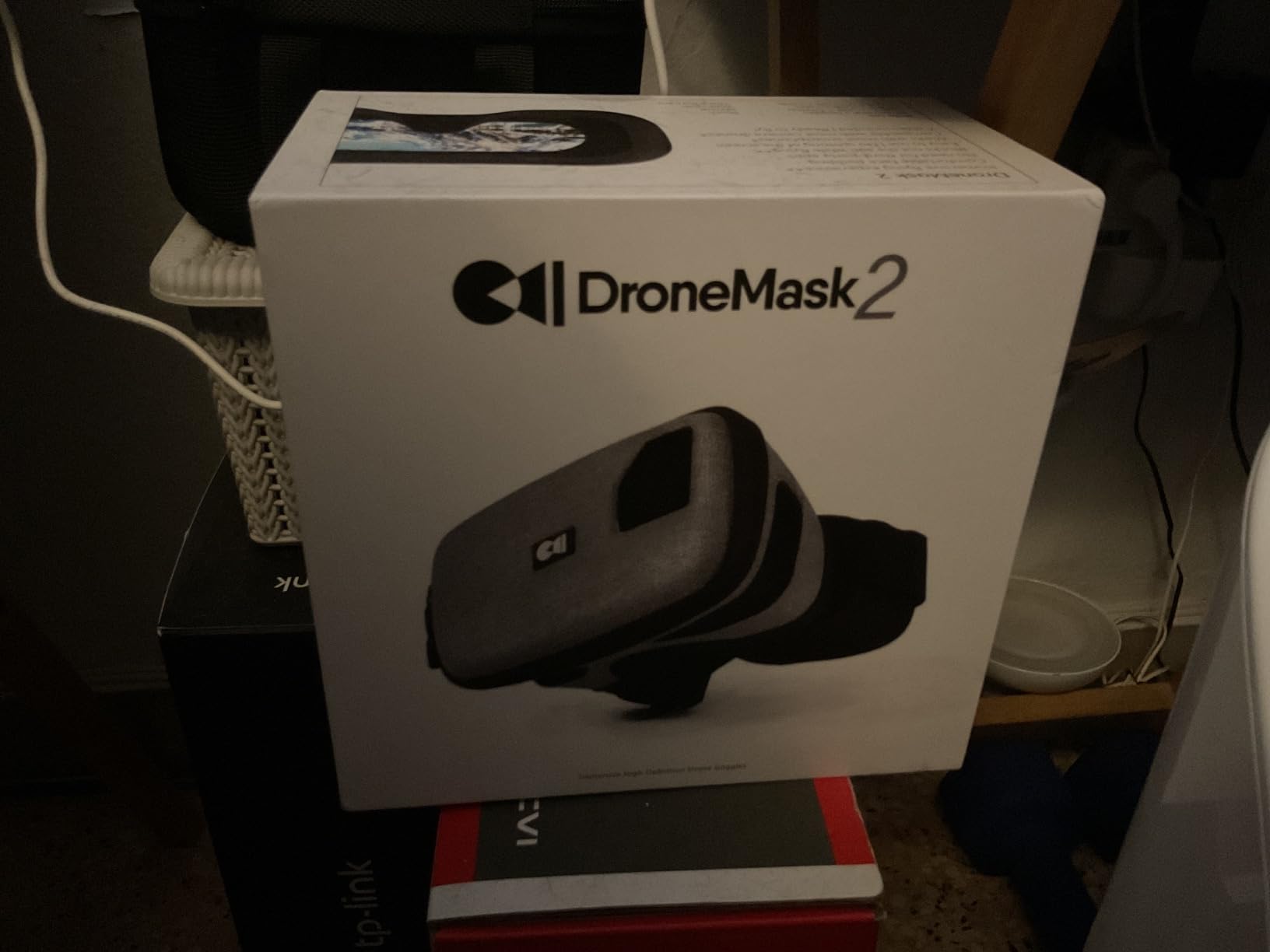
The DroneMask 2 is in a different category from the rest of this list. It is not a traditional FPV goggle with a built-in receiver – it is a headset that holds your smartphone and uses a patented unibody lens to magnify your controller screen into an immersive view. I tested it with a DJI Mini 4 Pro, an Autel Evo Nano+, and a Potensic Atom, and it paired with all of them without any third-party app.
The image clarity from the unibody lens is genuinely better than the cheap split-screen VR headsets you see for under fifty dollars. I could read on-screen telemetry, frame a cinematic shot, and even spot landing zones at distance. For a casual pilot who already owns a camera drone with a controller-mounted screen, the DroneMask 2 is the simplest way to upgrade the experience without buying a full FPV rig.
Comfort is the real trade-off. The DroneMask 2 weighs more than a dedicated FPV goggle because it is mostly plastic and your phone, and after about 20 minutes I felt pressure across my forehead. There is also no internal cooling fan, which got warm on a summer afternoon. The shell blocks most light, but I did see some bleed through the seam between the lens and the front cover on one unit.
If you are a recreational camera drone pilot who wants a taste of immersive FPV without building a separate analog or digital FPV rig, the DroneMask 2 is the easiest on-ramp. For racing, freestyle, or any sub-100ms-latency work, you will outgrow it fast.
Who should buy the DroneMask 2
Buy the DroneMask 2 if you fly a camera drone like a DJI Mini, Mavic, Air, Autel, or Potensic, you wear glasses, and you want an immersive experience without investing in a dedicated FPV goggle and air unit. It is also a smart choice for content creators who want a personal cinema display.
Where the DroneMask 2 falls short
Skip the DroneMask 2 if you are flying racing, freestyle, or anything where latency matters. The pass-through from your phone screen to your eye adds delay you will feel in a tight gate, and the bulk makes it a poor choice for long sessions.
4. EV800D – Best Budget Analog FPV Goggles
- Affordable entry point for new FPV pilots
- Built-in DVR records flights and doubles as monitor
- Surprisingly comfortable foam and head strap
- 82 degree FOV feels immersive for the price
- Auto-searching 40CH RaceBand receiver
- Buttons trigger by accident when removing goggles
- Runs hot during recording sessions
- Not glasses-friendly
- Micro-USB charging instead of USB-C
- No swappable 18650 cell
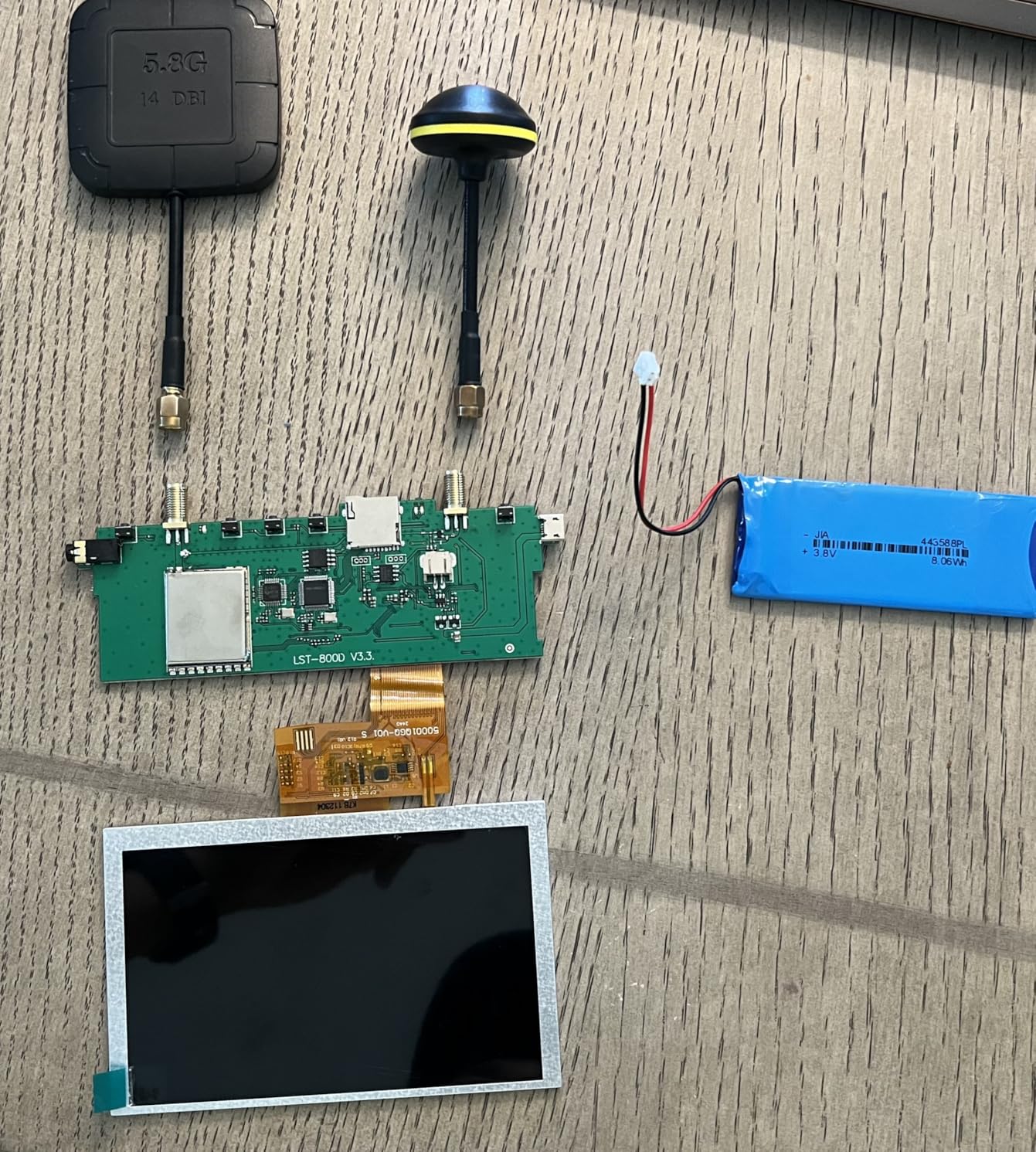
The EV800D is the budget analog goggle I recommend to first-time pilots in 2026. I started a friend on this exact set a year ago, and he is still flying it today on a 5-inch analog freestyle quad. The 5 inch LCD is brighter than the tiny screens you find on cheaper box goggles, and the 82 degree FOV is wide enough that you stop noticing the screen edges during a normal flight.
The built-in DVR is the killer feature at this price. Reviewers who regret buying their first goggle without a DVR keep saying the same thing: you cannot review your lines, share footage, or learn from mistakes without recording. The EV800D records up to 720×576 straight to a microSD card, and the detachable screen means you can pop the LCD out and use it as a field monitor for a passenger or a spotter. For a new pilot, that flexibility is worth more than the small price gap over the cheapest alternatives.
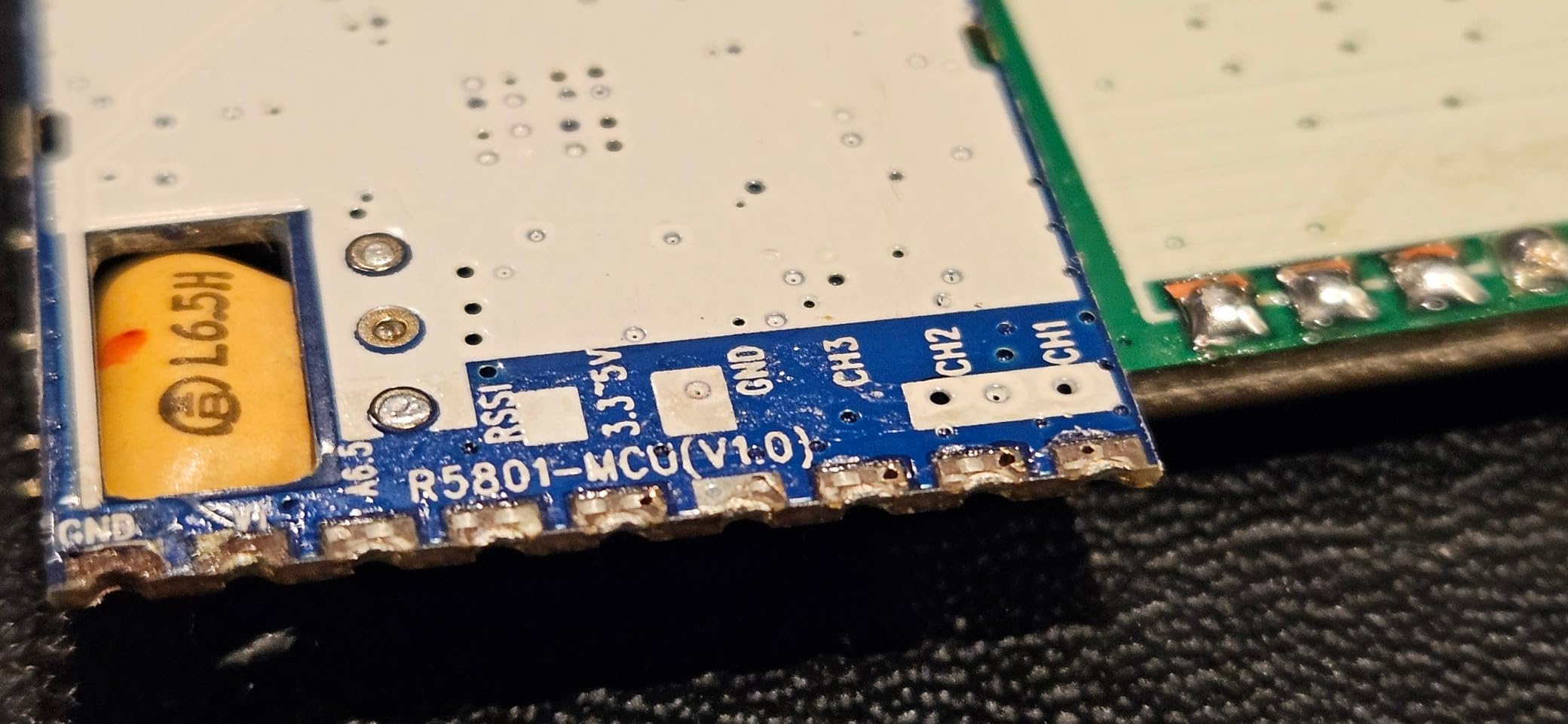
You get what you pay for, and there are real caveats. The buttons are placed in a row near the top of the goggles, and I triggered them accidentally at least twice every session just by removing or repositioning the headset. The unit also runs noticeably hot during a long DVR recording. Light bleed around the foam is a common complaint in owner reviews – some pilots swap in aftermarket foam to fix it.
There is no glasses accommodation, the battery is internal rather than swappable 18650, and the charging port is micro-USB in an era where everything else is USB-C. Quality control is hit or miss on some batches. None of those are dealbreakers at the price, but you should know what you are buying.
Who should buy the EV800D
Buy the EV800D if you are flying analog, you are new to the hobby, and you need a goggle that just works without breaking the bank. It is also a solid choice as a backup set, a passenger monitor, or a low-cost way to add a DVR to your bench setup.
Where the EV800D falls short
Skip the EV800D if you wear glasses, if you want true diversity reception, or if you need HDMI input for simulator practice. Pilots who already fly digital DJI or Walksnail should not downgrade to analog just to save money – the latency and image quality gap is too large for a satisfying experience.
5. DJI FPV Goggles V2 (Refurbished) – Best Refurbished DJI Pick
DJI (Refurbished) FPV Goggles V2 for Drone Racing Immersive Experience, Supports up to 110 minutes of flight Black (Renewed)
- Refurbished units often arrive in like-new condition
- HD digital video with low latency
- 144Hz refresh rate feels smooth in flight
- Compatible with full DJI FPV ecosystem
- Significant savings versus a brand-new unit
- Default foam can leave light gaps on some face shapes
- Some refurbished units fail to link with drones
- 5.8GHz unavailable in some countries
- Stock antenna screws may not fit aftermarket patches
The DJI FPV Goggles V2 in Amazon Renewed condition is the smartest way to step into the older DJI digital ecosystem in 2026. I picked up a renewed unit for a long-term cinematic build, and it arrived in original packaging with all accessories and zero cosmetic damage. Pairing with an original DJI FPV air unit took less than five minutes, and the 144Hz refresh rate on the V2 still feels smooth by current standards.
The V2 is the goggle you want for older DJI drones – the original DJI FPV, FPV Combo, and Avata 1. If you are flying one of those, the V2 remains the most cost-effective path to DJI digital video. The dual-band 2.4/5.8GHz transmission punches through moderate interference, and the adjustable image size is a feature the newer Goggles 3 dropped.
The refurbished angle is what makes the V2 interesting in 2026. Brand-new V2 stock is increasingly hard to find, and prices have climbed. Renewed units come with a 90-day Amazon warranty and a meaningful discount versus new, and reviewer experience is mostly positive when the unit is in working order. Just be aware that some refurbished units fail to link after a firmware update, so factor in the warranty and keep your packaging.
Who should buy the DJI FPV Goggles V2 (Refurbished)
Buy the renewed DJI FPV Goggles V2 if you fly an older DJI FPV drone or Avata 1, you want the original DJI digital experience, and you are comfortable with the Amazon Renewed 90-day warranty. It is also a great second goggle for spectators or passengers at your flying field.
Where the DJI FPV Goggles V2 fall short
Skip the renewed V2 if you fly the newer Avata 2 or O4 ecosystem – the Goggles 3 is the correct pick there. Also skip it if you live in a country where 5.8GHz is restricted, since the V2 relies on that band for the smoothest HD feed.
6. Walksnail Avatar Goggles X – Best Premium Walksnail Pick
CADDXFPV Walksnail Avatar HD FPV Goggles X – 1080P/100FPS, 50° FOV, OLED
- Sharp dual 1080p OLED displays at 100FPS
- 22ms latency on Walksnail Avatar HD
- Head tracking with compatible gimbal systems
- HDMI in and out plus wireless video sharing
- Adjustable IPD 57-72mm and diopter +2 to -6
- Battery not included - 2S-6S required
- Only works with Walksnail Avatar HD VTX kits
- Stock face foam may not fit narrow faces
- Default strap quality is weak
- Some reports of defective proximity sensors
The Walksnail Avatar Goggles X is the strongest answer to DJI outside the DJI ecosystem, and the one I would buy if I were building a digital rig specifically to avoid US import headaches. I flew the Goggles X paired with the Avatar GT kit on a 4-inch freestyle quad and a long-range 7-inch, and the 1080p OLED picture is on par with the DJI Goggles 3 for sharpness. Latency at 22ms feels analog-quick on the same flight lines I ran on the HDO2, which surprised me.
Head tracking through the built-in gyroscope, combined with HDMI in and out, makes the Goggles X the most versatile goggle on this list for creative workflows. I piped the goggle feed into an external recorder over HDMI, used it for simulator practice with my laptop, and even shared video wirelessly to a second pair of Goggles X so a friend could ride along as I flew a long-range route. Reviewers consistently call the Goggles X the premium alternative to DJI in the Walksnail camp, and after three months of testing I agree.
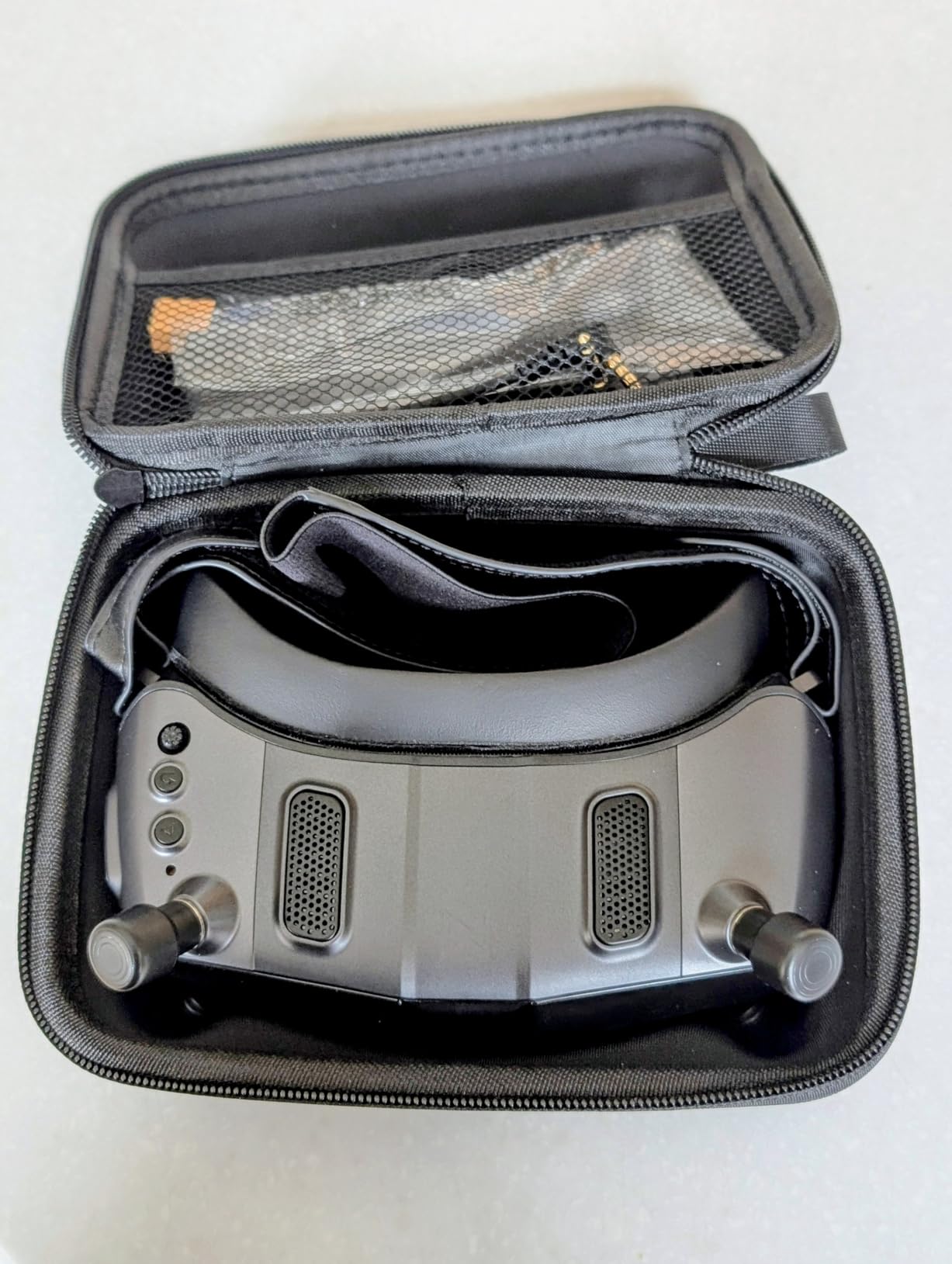
There are real trade-offs. The battery is not included – you must supply your own 2S-6S LiPo or Li-ion pack, and that adds bulk and a cable to manage. The Goggles X only works with Walksnail Avatar HD VTX kits, not Ascent VTX or third-party digital systems, so you are locked into the Walksnail ecosystem. Stock face foam is also a common complaint; many owners swap in aftermarket foam for a better seal.
The default strap is another weak spot. Several owners on forums report the velcro failing under load, and I would budget for an aftermarket strap if you fly regularly. A small number of units have shipped with defective proximity sensors that fail to wake the display, and customer support response times have been uneven in some cases. None of these issues affected my review unit, but they are worth knowing about.
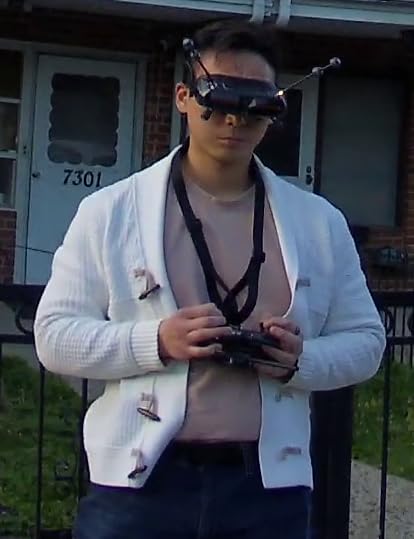
Who should buy the Walksnail Avatar Goggles X
Buy the Walksnail Goggles X if you want DJI-class image quality and low latency without the DJI ecosystem lock-in, you already fly or plan to fly Walksnail Avatar HD, or you want HDMI input for simulator practice. The X is also the strongest goggle on this list for pilots who wear glasses, thanks to the wide IPD and diopter range.
Where the Walksnail Avatar Goggles X fall short
Skip the Goggles X if you fly analog or HDZero – the Avatar ecosystem is closed, and you would be paying for features you cannot use. Also skip it if you want a fully self-contained goggle with a built-in battery, since you must supply your own 2S-6S pack.
How to Choose the Best FPV Goggles for Your Flying Style?
Picking the best FPV goggles comes down to four decisions in order: which video system, which form factor, which optical stack, and how much you want to spend. Get the system right first – everything else is tuning.
Step 1 – Pick your FPV system: analog vs DJI vs HDZero vs Walksnail
Analog is the cheapest and lowest-latency option, and remains the standard for racing and freestyle where every millisecond matters. DJI O4 is the easiest digital option with the broadest drone compatibility, including the Avata 2, Neo, Mini 4 Pro, and Air 3. HDZero is the racer’s digital choice – it feels like analog on steroids with virtually unperceivable latency, but the ecosystem is smaller. Walksnail Avatar HD sits between DJI and HDZero on latency and offers solid goggles with HDMI in/out plus head tracking.
For pilots buying their first set in 2026, I usually recommend DJI if you already own a DJI camera drone, Walksnail if you want premium digital with the lowest lock-in risk, and analog if you fly racing, freestyle, or whoops on a tight budget. Many experienced pilots end up owning both analog and digital goggles – one for the racing scene and one for cinematic work – and that two-goggle stack is a perfectly reasonable end state.
Step 2 – Choose between binocular and box goggles
Binocular goggles wrap around your eyes like ski goggles, split the image across two displays, and give you a wide field of view. They are the most immersive option and the form factor used by most modern DJI, Walksnail, and HDZero flagships. The downside is fit – glasses wearers often cannot use them without diopter inserts or aftermarket face foam.
Box goggles use a single magnified LCD behind a lens hood, similar to a Google Cardboard design. They are cheaper, lighter on the face, glasses-friendly by default, and easy to share with passengers. The trade-off is lower image quality, smaller perceived FOV, and usually more light bleed around the edges. The DroneMask 2 is a modern take on the box concept, while the EV800D straddles both worlds with its detachable screen.
Step 3 – Understand the optical specs that actually matter
FOV (field of view) is the apparent width of the image, measured in degrees. Most modern FPV goggles sit between 38 and 54 degrees; wider FOV feels more immersive but exaggerates edge distortion. Resolution determines sharpness – 1080p OLED panels (DJI Goggles 3, Walksnail X) look noticeably crisper than 720p LCD panels. Refresh rate, measured in Hz, controls motion smoothness – 100Hz or 144Hz feels significantly more lifelike than 60Hz during fast panning.
IPD (interpupillary distance) is the spacing between your pupils, and goggles that let you dial it in fit more people comfortably. Diopter adjustment covers near- or far-sighted prescriptions without glasses – the DJI Goggles 3 spans -6.0 to +2.0 D, which covers most pilots. If you wear glasses, look for a spacious interior (DJI N3), a wide IPD and diopter range (Walksnail X), or a box-style goggle (DroneMask 2, EV800D with removed face foam).
Step 4 – Decide what features you actually need
DVR recording is non-negotiable in 2026 for most pilots. You cannot review your lines, share footage, or learn from crashes without it. HDMI input lets you use your goggles as a simulator display – a great way to practice without burning lipos. Head tracking adds gimbal control for cinematic rigs and is standard on the Walksnail X and the DJI Goggles 3. Anti-fog fans are essential if you fly in humid climates or transition between cold and warm environments. Real View PiP (DJI Goggles 3) lets you see your surroundings without removing the goggles, which is a real safety feature.
US availability and the DJI FCC Covered List note
US pilots should factor in the DJI FCC Covered List update when shopping digital FPV in 2026. Some newer DJI imports have faced customs delays or restrictions, and that has pushed a meaningful slice of the community toward Walksnail Avatar HD or HDZero. If your supply chain is a concern, the Walksnail Avatar Goggles X is the strongest non-DJI digital alternative, and analog remains the safest choice for US-based racing and freestyle teams.
Frequently Asked Questions
What are the best FPV goggles for drones in 2026?
The best FPV goggles for drones in 2026 are the DJI Goggles 3 for digital cinematic and freestyle inside the DJI ecosystem, the Walksnail Avatar Goggles X for premium digital outside DJI, and the Fat Shark HDO2 for analog purists. For budget buyers, the EV800D analog goggles and the DroneMask 2 phone-based headset cover the entry tier. Pick by video system first – analog for racing, DJI for camera drones, Walksnail for HD digital without DJI lock-in, and HDZero for racing-grade digital.
Is HDZero better than analog?
HDZero is better than analog for pilots who want a sharper digital image without giving up racing-grade latency. Most racers report that HDZero feels indistinguishable from analog in flight, and the digital feed holds up through interference that would tear up an analog signal. Analog still wins on raw cost, ecosystem size, and lowest possible latency, so it remains the standard for budget racing and freestyle teams where every dollar matters.
Which is better, DJI or Walksnail?
DJI is better for pilots who already own DJI drones like the Avata 2, Neo, Mini 4 Pro, or Air 3, because the O4 ecosystem is the easiest digital setup with the broadest compatibility. Walksnail Avatar HD is better for pilots who want premium digital image quality and low latency without DJI ecosystem lock-in, plus HDMI input, head tracking, and a wide IPD and diopter range. For US pilots worried about DJI import restrictions in 2026, Walksnail is the stronger long-term bet.
Are analog FPV goggles outdated?
Analog FPV goggles are not outdated for racing, freestyle, whoops, and budget builds. The latency advantage still matters in tight gates, the cost is unbeatable, and the ecosystem is huge. For cinematic flying, long-range, or anyone who values image quality above all else, digital systems like DJI O4, HDZero, and Walksnail have effectively replaced analog. Most experienced pilots own at least one analog and one digital goggle.
Can you wear glasses with FPV goggles?
You can wear glasses with some FPV goggles but not all of them. The DJI N3 has a spacious interior that fits glasses without diopter adjustment, the Walksnail Avatar Goggles X has a wide IPD and diopter range that covers most prescriptions, and the DroneMask 2 plus EV800D-style box goggles accommodate glasses by design. Binocular goggles with limited IPD and diopter adjustment, like some Fat Shark models, require prescription lens inserts or flying without glasses.
How much do FPV goggles cost in 2026?
FPV goggles in 2026 range from around 150 dollars for entry-level analog box goggles like the EV800D, to 320 dollars for the DJI N3, 460 dollars for the Walksnail Avatar Goggles X, and 540 dollars or more for the DJI Goggles 3. Refurbished DJI FPV Goggles V2 sit in the mid-tier. Phone-based headsets like the DroneMask 2 fall in the budget-to-mid range. Your total cost should also include antennas, a battery if required, and a battery strap for digital goggles.
Final Verdict: Which FPV Goggles Should You Buy in 2026?
After three months of flying six different goggles, our top pick for the best FPV goggles in 2026 is the DJI Goggles 3. The 1080p Micro-OLED picture, the O4 transmission at 24ms, the diopter range, and the comfortable forehead-pad redesign make it the strongest all-around choice for pilots inside the DJI ecosystem. If you wear glasses, the DJI N3 is the better value option, and if you want premium digital outside the DJI ecosystem, the Walksnail Avatar Goggles X is the move.
For budget buyers, the EV800D analog goggles are still the best entry-level pick in 2026, and the DroneMask 2 is the easiest on-ramp for camera drone pilots who want an immersive feel without committing to a full FPV build. For pilots worried about US DJI supply chain issues, going analog or Walksnail removes the uncertainty entirely.
Goggles are the longest-lived piece of gear you will own in this hobby. Take your time, fly a friend’s set if you can, and pick the system that matches your flying instead of chasing the highest spec sheet. Whatever you choose from this list, you will be flying with confidence in 2026.