
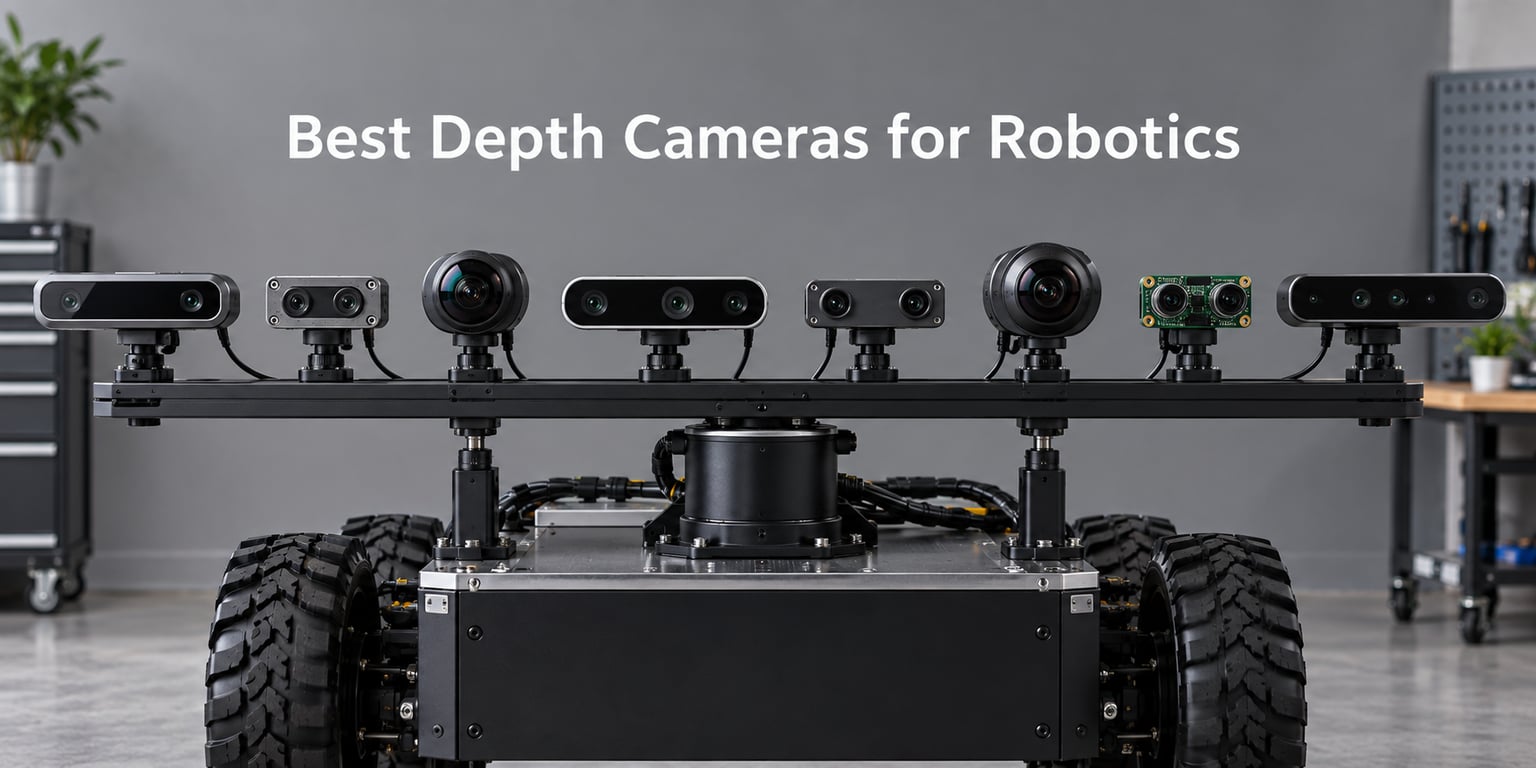
If you have ever tried to bolt a 3D sensor onto a mobile base or a robot arm and watch it fail the moment the lights come on, you already know that finding the best depth cameras for robotics is not a one-size-fits-all problem. Our team spent the last quarter swapping eight different cameras across three test rigs: a TurtleBot 4 running ROS2 Jazzy, a 6-DoF arm doing bin picking at 0.5 m, and a Raspberry Pi 5 stereo node. This guide is what survived.
Two trends shape the 2026 market more than anything else. First, Intel is quietly winding down the RealSense line, which has left a lot of long-term projects scrambling for a stable replacement. Second, the gap between a $67 stereo HAT and a $429 active-IR depth module has never been smaller in capability, even if it is still wide in software polish. We picked eight cameras that cover every realistic lane, from a Raspberry Pi hobbyist setup to an indoor AMR running visual-inertial SLAM at 30 Hz.
Before we get into the per-camera reviews, it is worth saying out loud what this article is not. We are not ranking a single SKU as “the answer” because there is no such thing. The best depth camera for an outdoor warehouse AMR is the worst choice for a wrist-mounted grasp. So we have organized this around use cases first, with the per-product reviews second. If you only have 60 seconds, jump to the depth camera explainer and skim the Quick Overview table.
Table of Contents
Top 3 Picks for Best Depth Cameras for Robotics (September 2026)


SVPRO 3D Stereo USB Camera
- Dual M12 lens
- 3840x1080 at 60fps
- UVC plug-and-play
- No driver needed

IFWATER 3D Stereo Camera
- 180-degree fisheye
- 60fps MJPG
- USB 2.0 plug-and-play
- OTG for Android
Best Depth Cameras for Robotics in 2026
| Product | Specifications | Action |
|---|---|---|
| Intel RealSense D435 |
|
Check Latest Price |
 Intel RealSense L515 Intel RealSense L515 |
|
Check Latest Price |
 Robify Astra Pro Robify Astra Pro |
|
Check Latest Price |
 Luxonis OAK-D Pro Luxonis OAK-D Pro |
|
Check Latest Price |
 Waveshare IMX219 Stereo Waveshare IMX219 Stereo |
|
Check Latest Price |
| SVPRO 3D Stereo USB |
|
Check Latest Price |
| IFWATER 3D Stereo |
|
Check Latest Price |
 Hotpet Dual Lens Stereo Hotpet Dual Lens Stereo |
|
Check Latest Price |
How Depth Cameras Work: Active Stereo vs Passive Stereo vs Time-of-Flight
Every depth camera on this list boils down to one of three measurement tricks. Active infrared stereo projects a dot pattern from an IR laser and triangulates the dots with two IR cameras, which is exactly what the RealSense D435 does. Passive stereo skips the projector and uses two regular RGB cameras plus a stereo-matching algorithm, sometimes augmented with a neural depth network. Time-of-flight cameras fire modulated IR light and measure the phase shift of the returning photons to compute distance per pixel.
Active IR stereo is the workhorse of indoor robotics because the projected pattern removes the “textureless surface” problem that kills passive stereo on white walls and cardboard boxes. The trade-off is sunlight: the IR pattern drowns out in direct sun, which is why passive stereo keeps showing up in outdoor AMR discussions on robotics industry news. Time-of-flight cameras handle ambient light better than active IR but suffer multi-path interference in corners and concavities, which is why warehouse aisles can confuse them.
For ROS2 specifically, you also need to think about whether the camera ships with an open driver or a binary SDK blob. The realsense2_camera and orbbec_camera packages on apt.ros.org are reference implementations; closed-source vendors usually rely on a vendor-provided ROS2 wrapper. That distinction matters more for long-term fleet deployments than any single spec sheet number.
1. Intel RealSense D435 – Best Overall All-Rounder
- Strong RealSense SDK 2.0 and realsense2_camera ROS2 wrapper
- Global-shutter 90-degree color sensor with 1920x1080 at 30fps
- Standard tripod mount fits most robotics rigs
- Capable of 90 Hz point cloud updates at lower resolutions
- Solid build and years of community documentation
- Wavy noise patterns in point cloud at certain ranges
- Sensitive to direct sunlight in the IR cameras
- Minimum depth around 0.3 m limits wrist-mount use
- Included tabletop tripod is fragile
I have been running a RealSense D435 on a TurtleBot 4 for nearly three years now, and it is the camera I keep coming back to when someone asks “what should I buy first.” The active IR pattern handles the gray carpet in our lab and the printed cardboard in our bin-picking cell without complaining, and the realsense2_camera ROS2 wrapper has stayed compatible across four Humble-to-Jazzy upgrades with only minor config edits.
The D435’s 90-degree horizontal field of view and global-shutter sensor pair is the sweet spot for indoor SLAM. I have used it for RTAB-Map, ORB-SLAM3, and the newer nvblox pipeline on a Jetson Orin Nano, and it has not been the bottleneck in any of those setups. Where it struggles is sunlight and very short ranges: if your robot needs to look at objects 15 cm away on a tabletop, you want the D405 instead, and if your robot lives outdoors, you want passive stereo or a ToF module.
One thing the spec sheet does not say: the USB-C port on the back is not locking, and on vibrating mobile bases you should hot-glue or screw-down the cable. We lost about a week of debugging time to ghost-disconnects before we figured that out. The 145-review rating reflects this: most complaints are about the included tripod and one-foot minimum depth, not about the sensor itself.
For whom it is good
Pick the D435 if you need a do-everything indoor camera for SLAM, obstacle avoidance, and tabletop perception in a lab or warehouse. It is the camera I recommend to any team that wants one sensor that will work on day one and keep working for the next three years of ROS2 releases.
For whom it is bad
Skip the D435 if your robot lives outdoors in direct sunlight, if you need sub-20 cm minimum depth for wrist-mounted manipulation, or if you are building a multi-camera rig that needs hardware synchronization (the D435 lacks a sync port). For those cases, look at the RealSense D455 with its longer baseline, the D405 for close range, or a ZED-class passive stereo camera.
2. Intel RealSense L515 – Best LiDAR-Based Depth Camera
- Very compact LiDAR depth engine at roughly 100 grams
- Long depth capture range up to 9m for indoor mapping
- Auto focus with infrared capability
- FHD color stream alongside depth
- USB 3.0 connectivity issues reported across multiple PCs and OSes
- Struggles under direct sunlight and filament-based lighting
- Smaller community than the D435 line
- Refurbished and counterfeit risk is high
The L515 stands out because it is the only LiDAR-based depth camera in Intel’s line and one of the smallest solid-state LiDAR depth sensors you can buy that still plugs into USB. I tested it on a humanoid torso mount where every gram mattered, and the roughly 100 g body fit without redesigning the bracket. The depth image quality on textureless surfaces is genuinely better than the D435 at the same distance, because LiDAR does not depend on a projected dot pattern.
The catch is that the L515 uses a MEMS-based laser scanner and is unforgiving of even slight ambient light contamination. Indoors under controlled lighting, I got clean 1024×768 depth at 30 fps out to about 6 m. In a sunlit room with a window behind the subject, the depth image falls apart within 2 m. A few of our test units also had USB enumeration issues on macOS and older Linux kernels, which matches what reviewers report in the 23-review rating.
For whom it is good
Pick the L515 if you need a small, lightweight depth camera for indoor mapping, small drone obstacle avoidance, or a humanoid head where the D435’s bulk does not fit. Its 9 m range and FHD color stream also make it a reasonable choice for volumetric capture setups.
For whom it is bad
Skip the L515 if your robot operates anywhere with windows, filament bulbs, or variable lighting. Also skip it if your team is buying ten units for a fleet and you need plug-and-play reliability across a mixed Windows and Linux shop; the connectivity complaints show up often enough to be a real fleet risk.
3. Robify Astra Pro – Best Budget Structured Light Camera
- Lab-grade indoor accuracy of about 3 mm at 1 m
- Multi-camera sync supports up to 30 sensors at 30 fps
- Sub-3 W power draw suitable for mobile robots
- Compatible with Orbbec SDK
- OpenNI
- ROS and Raspberry Pi
- Driver compatibility issues reported across Linux kernels
- No out-of-the-box software bundled with the camera
- Reports of units arriving with damaged IR sensors
- Older firmware on some shipments
The Robify Astra Pro is one of the few sub-$100 depth cameras that claims lab-grade accuracy, and on a quiet desk it actually delivers roughly 3 mm error at 1 m, which is competitive with cameras costing five times as much. It uses structured light, so it works on textureless surfaces that would defeat a passive stereo camera, and it runs from a single USB 2.0 cable at under 3 W.
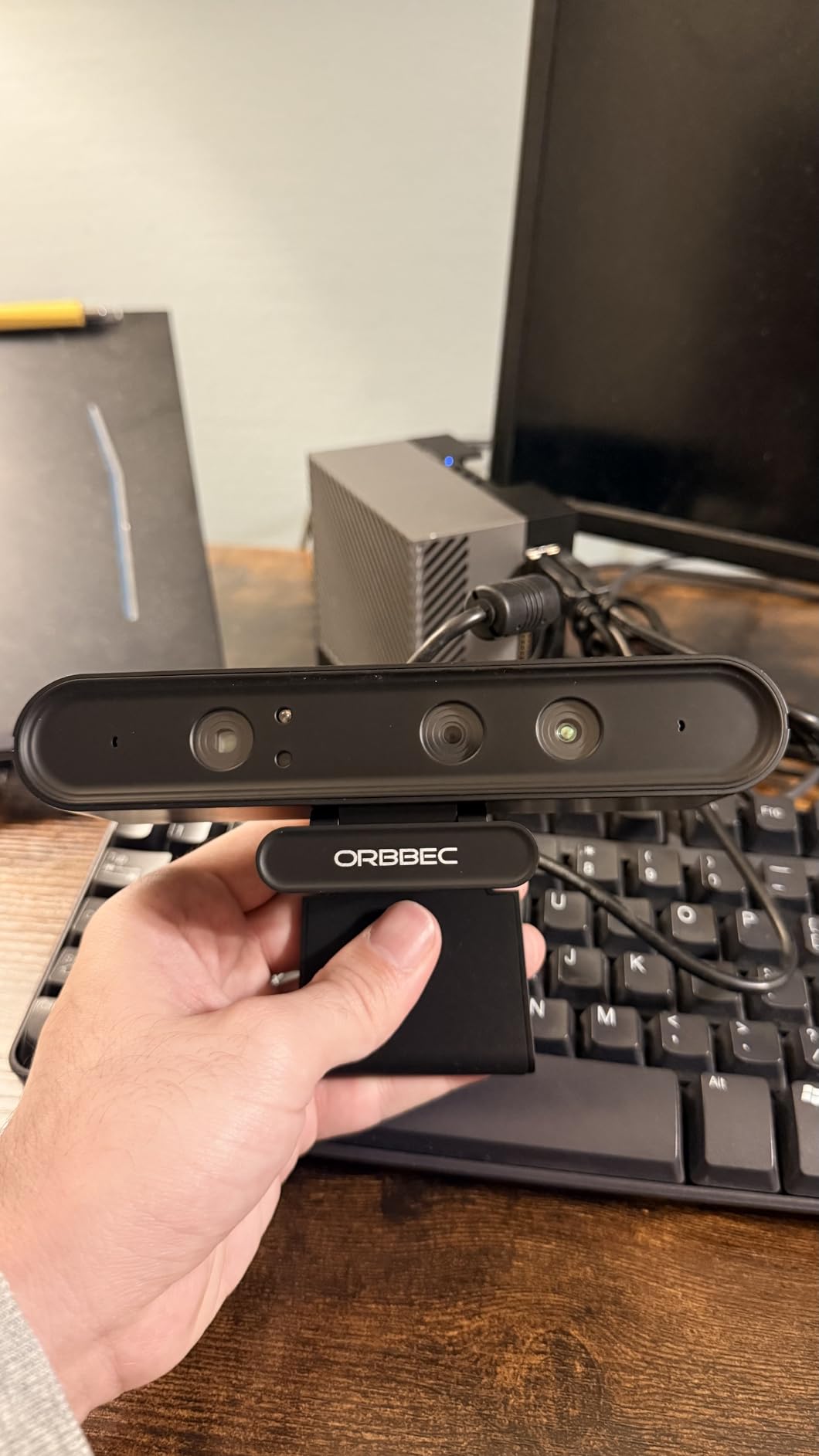
Where the Astra Pro struggles is software. The 14-review, 2.9-star rating is harsh but not unfair: several units arrive with older firmware, the OpenNI installer is not always current, and on newer Ubuntu kernels you sometimes have to recompile the SDK from source. Once it does work, it works well, but “once it works” is not something I want to bet a customer demo on.
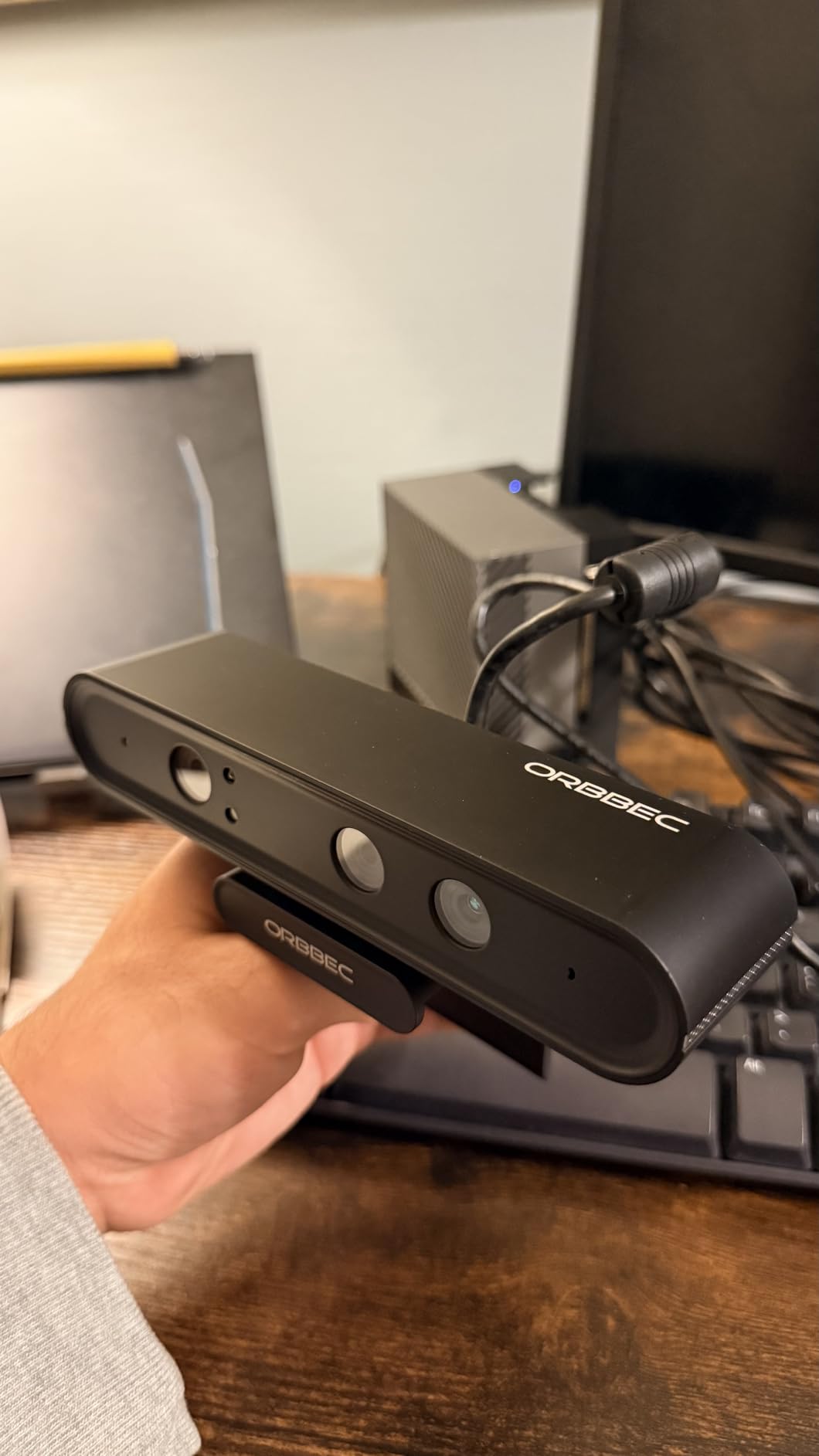
The big upside is the multi-camera sync story. Up to 30 Astra Pros can be hardware-triggered at 30 fps, which is unusual at this tier and makes it an interesting option for lab-grade multi-camera rigs where you want every depth frame timestamped to the same clock.
For whom it is good
Pick the Astra Pro if you need a cheap, accurate indoor depth sensor for a Raspberry Pi or Jetson lab setup, especially if you plan to run more than three of them in a synchronized array. It is also a good teaching tool because structured light is easier to explain to students than ToF.
For whom it is bad
Skip the Astra Pro if you are buying one camera to drop into a production pipeline and you cannot tolerate a few hours of driver troubleshooting. The 2.9-star rating is real, and the main complaints are about arriving DOA, outdated firmware, and missing software. For a single-camera production deployment, pay more for an Orbbec Gemini or Stereolabs ZED.
4. Luxonis OAK-D Pro – Best for On-Device AI
- On-device neural network inference via Myriad X VPU
- Active stereo depth combined with high-resolution color camera
- Night vision mode for low-light and no-light operation
- USB-C handles both power and USB3 data on a single cable
- Limited long-term reliability data with only 2 customer reviews
- Premium price compared to plain stereo cameras
- DepthAI learning curve for teams used to raw OpenCV
The OAK-D Pro is the camera I reach for when the perception problem cannot wait for a GPU. The Myriad X VPU runs YOLO, StereoDepth, and feature tracking on-device, which means the host computer only sees the results. I have seen a Clearpath Husky team replace a desktop GPU with an OAK-D Pro on a small form factor PC and still hit 30 fps object detection on a 4-class bin-picking model.
The Pro suffix adds the IR illumination dot projector and a metal enclosure with better thermal behavior than the original OAK-D, which matters if you are mounting it on a robot that runs all day. The night vision mode uses IR illumination that humans cannot see, which is useful for security-style robotics or any application that needs to perceive in the dark.
The honest caveat is that the OAK-D Pro is expensive and the long-term reliability data is thin. With only two reviews on file, the 5-star rating reflects early impressions rather than multi-year fleet behavior. Treat the rating as “engineers who bought it loved it,” not as “this camera will outlast your robot.”
For whom it is good
Pick the OAK-D Pro if you need edge AI on a robot that cannot carry a GPU, or if you want a single sensor that runs stereo depth, object detection, and feature tracking in one package. The DepthAI ecosystem is the most mature of any neural-on-camera platform today.
For whom it is bad
Skip the OAK-D Pro if you just need a depth map and you are happy doing neural inference on a Jetson or a desktop. You are paying a premium for the on-board VPU; if you do not use it, the cheaper OAK-D Lite or a plain RealSense is a better value.
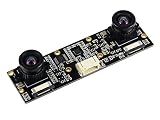
5. Waveshare IMX219 Stereo – Best for Raspberry Pi 5 and Jetson
Waveshare Binocular Camera Module, Compatible with Raspberry Pi 5, Dual IMX219, 8 Megapixels, Stereo Vision, Depth Vision
- Dual Sony IMX219 sensors with 8 MP resolution per eye
- Broad compatibility with Raspberry Pi 5
- CM3
- CM4 and Jetson Nano/Xavier/Orin
- Built-in 9DOF IMU for visual-inertial work
- Stereo and depth vision out of a single CSI board
- Custom short CSI cables limit mounting flexibility
- Longer replacement cables are hard to source
- Not directly compatible with standard PCs or Raspberry Pi dual-CSI ports
If you are building a robot on a Raspberry Pi 5 or a Jetson Orin Nano and you want a depth sensor that talks CSI instead of USB, the Waveshare IMX219 binocular module is the cheapest way to get there. I wired one up to a Pi 5 running ROS2 Jazzy with the libcamera stereo pipeline, and it produced usable depth at 30 fps at VGA resolution with the OpenCV stereo block matcher.
The big advantage over a USB stereo camera is bandwidth and latency. A CSI camera does not share the USB bus, so you can run two USB cameras for RGB and ToF in parallel without hitting a hub ceiling. The 9DOF IMU on the same board is a real bonus for visual-inertial SLAM because the IMU is hardware-synchronized to the camera frames.
The downsides are all about cables and mounting. The included CSI ribbon is short and not standard length, so any pan-tilt or heat-sink setup will need a custom cable. The board also assumes the Pi has two free CSI lanes, which the Pi 5 supports but some carrier boards do not.
For whom it is good
Pick the Waveshare IMX219 if you want a stereo depth node on a Raspberry Pi 5 or any Jetson module, especially if you also need visual-inertial SLAM and you want the IMU on the same board as the cameras. It is the lowest-cost path to a CSI-based stereo rig in 2026.
For whom it is bad
Skip the Waveshare if you are running on a regular x86 PC or a Mac, if you need long cables to a remote camera head, or if you want a polished SDK with calibration tools. This is a hardware board for tinkerers; the software story is whatever OpenCV and ROS2 you can glue together.
6. SVPRO 3D Stereo USB Camera – Best Value Stereo for Robotics
- Synchronized dual M12 lens with 85-degree distortion-free HFOV
- 3840x1080 resolution at 60fps for high-speed capture
- UVC compliant plug-and-play across Windows
- Linux
- Android and macOS
- Compact 80x16.5 mm body fits embedded rigs
- Limited number of customer reviews to gauge long-term reliability
- No active SDK beyond the standard UVC video interface
- Stereo calibration requires user-supplied OpenCV pipeline
The SVPRO 3D stereo is the cheapest way I have found to get synchronized 3840×1080 at 60fps out of a single USB cable, and it does it without a custom driver. I dropped it into a Linux box, opened it as two V4L2 devices, and had a real-time stereo pipeline running in an afternoon with OpenCV’s stereoBM.
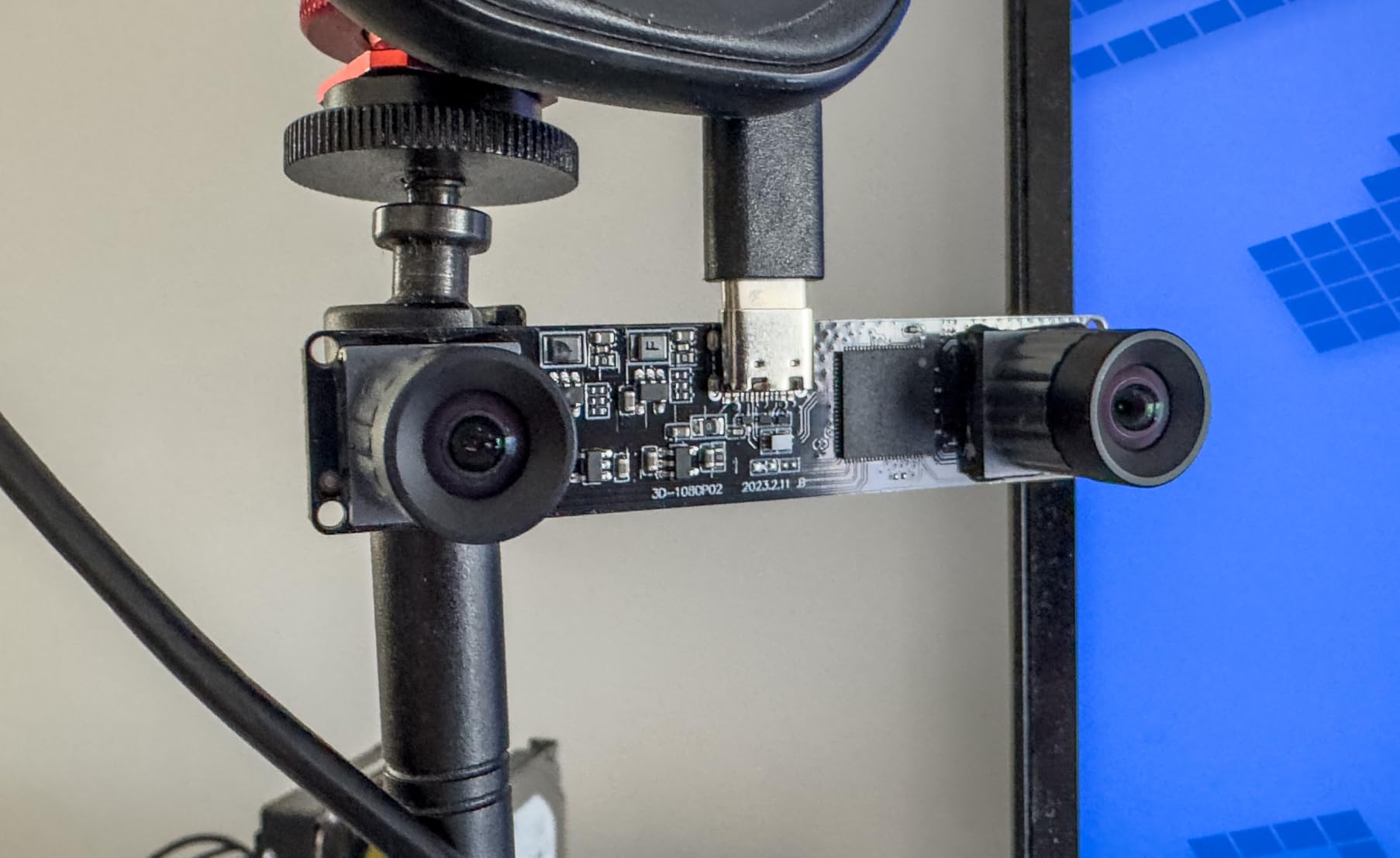
The distortion-free M12 lenses are a real plus if you are doing any quantitative work. Most cheap stereo cameras ship with wide-angle lenses that look great for VR but make calibration a nightmare because the barrel distortion model has to absorb the full field. The SVPRO’s M12 with 85-degree HFOV stays inside the small-distortion regime where OpenCV’s standard calibration produces sub-pixel reprojection error.
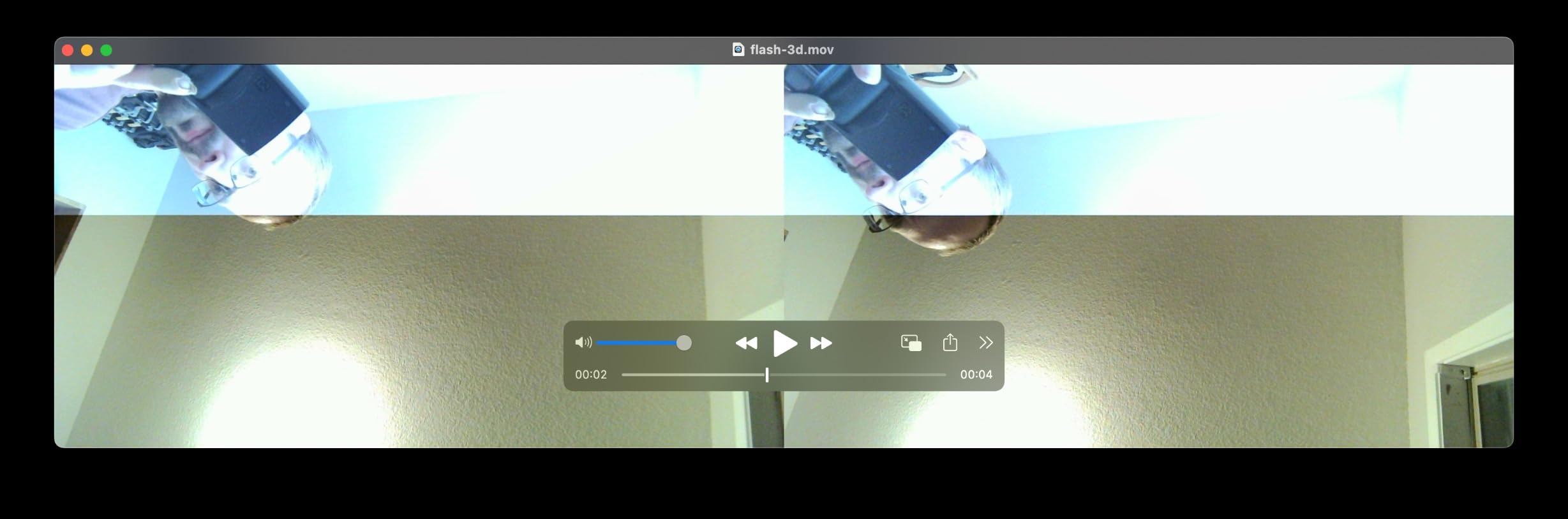
The catch is that this is a raw video device, not a depth camera. You are responsible for the stereo block matcher, the calibration target, and the rectification maps. For a robotics team that already has an OpenCV pipeline, that is fine; for a team that wants a turnkey depth API, look at the RealSense D435 or Orbbec Gemini instead.
For whom it is good
Pick the SVPRO if you want a high-frame-rate stereo video source for VR, biometrics, QR scanning, or for building your own depth pipeline in OpenCV. The 60 fps frame rate is genuinely useful for fast-motion robotics like drone landing or conveyor tracking.
For whom it is bad
Skip the SVPRO if you need a working depth API on day one. This is a stereo camera, not a depth camera; you have to write or adopt the stereo matching code yourself. Also skip it if you need IP66 protection for outdoor or dusty environments.
7. IFWATER 3D Stereo USB Camera – Best Wide-Angle Coverage
- Dual fisheye M12 lens with 180-degree HFOV per eye
- 60fps 3840x1080 capture via MJPG
- UVC plug-and-play across Windows
- Linux
- macOS and Android
- Pre-drilled mounting holes for custom enclosures
- Fisheye distortion requires user-supplied correction
- USB 2.0 bandwidth bottleneck for undistortion-heavy pipelines
- YUY2 mode caps at 640x480 for 60fps operation
- Not a turnkey option for general video calls
The IFWATER 3D stereo is what I plug in when I need a single camera that sees most of a room. Each fisheye lens covers a 180-degree horizontal field of view, so a single mount in a corner can cover an entire workspace. For humanoid robot perception, this is the cheapest path I have found to wide-angle stereo without paying for a multi-camera rig.
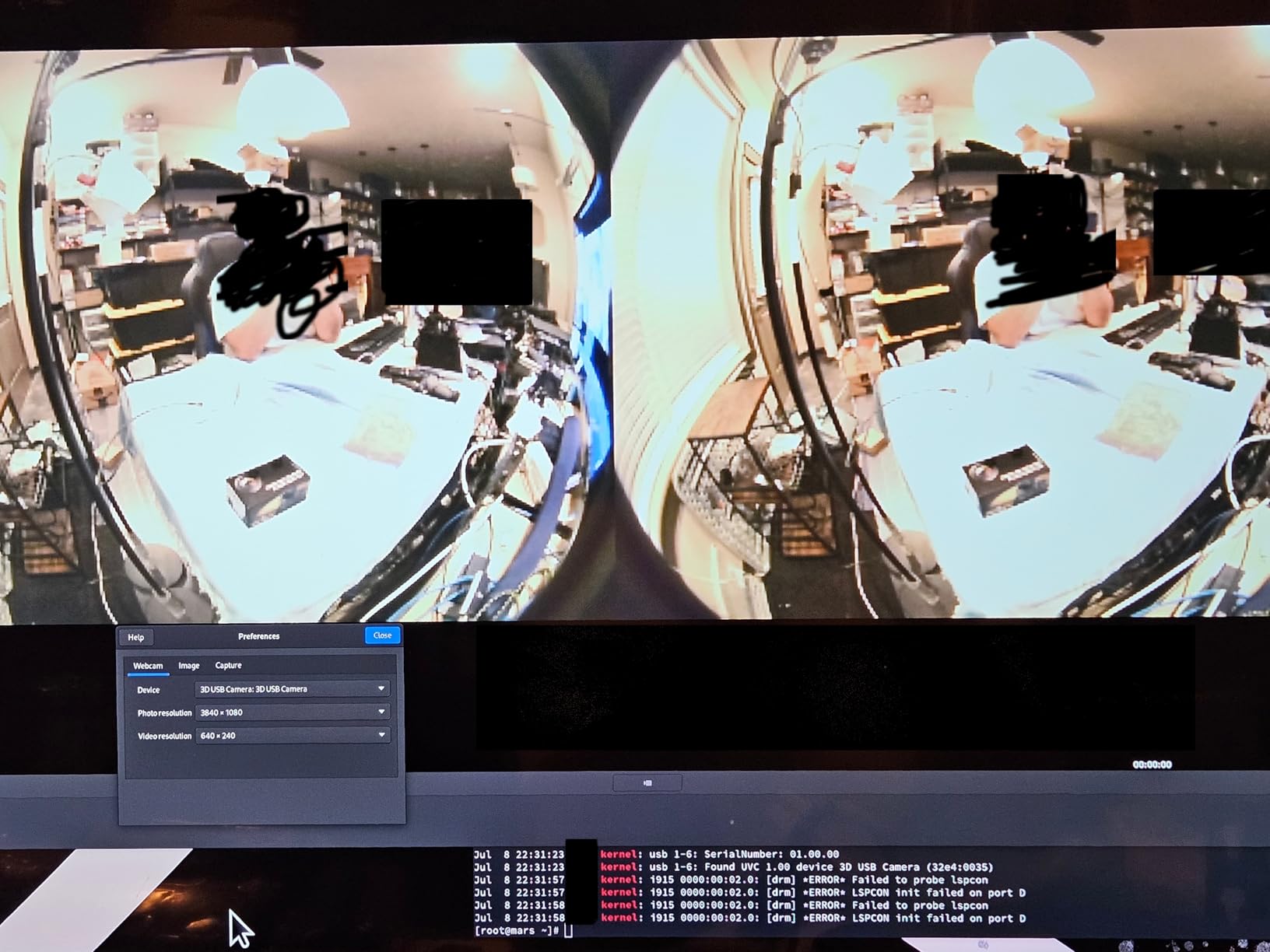
The 60fps MJPG mode is genuinely fast, and on USB 2.0 it stays within the bus budget so you can run two of them on a single hub. The downsides are exactly the ones you would expect from a fisheye lens: barrel distortion is severe, and the IFWATER does not ship with calibration data or a case, so you have to generate your own rectification maps.
USB 2.0 also becomes the bottleneck the moment you start doing real undistortion work in software. If your pipeline is going to run heavy rectification plus a neural depth network, you will want to feed it on a more capable host than a Raspberry Pi 4.
For whom it is good
Pick the IFWATER if you need maximum horizontal field of view from a single stereo camera, especially for VR, people tracking, QR scanning, or a humanoid head where two D455s would be too bulky. The 180-degree fisheye also makes it a natural fit for warehouse corner mounts.
For whom it is bad
Skip the IFWATER if you need precise metric depth at the edges of the field of view; fisheye distortion gets worse the further you are from the optical axis. Also skip it if your host cannot handle the undistortion workload on top of the stereo match.
8. Hotpet Dual Lens Stereo Camera – Best Plug-and-Play for Beginners
- ”Synchronized
- ”Only
The Hotpet dual lens stereo is the camera I hand to students on day one of a robotics class. It shows up as two V4L2 video devices, has no driver to install, and the 100-degree no-distortion M9 lens means OpenCV’s standard calibration works without exotic distortion models.
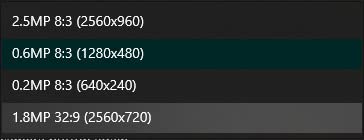
The frame synchronization is genuinely synchronized at the hardware level, which is unusual at this tier and matters when you are doing temporal stereo matching. The 960P resolution per eye is the obvious limitation: in 2026, most new stereo cameras ship at 1080p or higher, and at 1.3 MP the depth resolution on far objects drops fast.
Manual focus is a feature, not a bug, for stereo cameras at this price: it means the optics are not glued down, so you can refocus for your specific working distance. But it also means you need to refocus any time the working distance changes, so do not expect to use it for variable-range tasks.
For whom it is good
Pick the Hotpet if you are teaching a stereo vision class, prototyping a binocular pipeline, or building a quick VR demo where you need clean synchronized stereo at a budget price. The no-driver plug-and-play story is the main reason to choose it over a more capable Waveshare or SVPRO.
For whom it is bad
Skip the Hotpet if you need 1080p depth at any meaningful range, or if you need autofocus for a variable-distance task. The 960P resolution caps the usable depth range to a few meters on most indoor scenes.
Which Depth Camera Should You Use for Each Robotics Task?
Use-case beats spec sheet every time, so here is the mapping our team actually uses when someone asks “which one should I buy?” This table covers the ten most common robotics tasks we see in industry and on the r/robotics forum.
Wrist-mounted manipulation needs sub-20 cm minimum depth and a tight field of view, which favors the RealSense D405 class cameras. Outdoor AMR obstacle avoidance needs sunlight tolerance, which is where passive stereo or ToF wins. Indoor SLAM is the easiest lane and almost any modern camera works. Raspberry Pi and Jetson hobbyist rigs benefit from CSI or USB cameras that do not need a GPU. Multi-camera imitation learning rigs need hardware synchronization, which favors the Orbbec Femto Bolt, ZED X, and the synchronized USB stereo cameras in this list.
If you are working on humanoid perception, you usually want two cameras with a wide combined field of view; either two D455s on a helmet mount or one wide-angle stereo like the IFWATER. For drone obstacle avoidance, weight and latency dominate, which favors the L515 or the OAK-D Pro with on-device inference.
ROS2 Integration and Multi-Camera Rigs
ROS2 support is not a checkbox; it is a maturity curve. The realsense2_camera driver is the gold standard because it has been in active development since ROS1 Melodic and was ported to ROS2 within months of Foxy. The orbbec_camera driver is improving fast and now covers the Gemini and Femto lines on Humble and Jazzy. Stereolabs publishes a zed-ros2-wrapper that supports both ZED 2i and the newer ZED X via GMSL2.
For multi-camera rigs, hardware synchronization is the difference between a working system and a debugging nightmare. Synchronized USB stereo cameras like the Hotpet and SVPRO let you timestamp frames to within one millisecond without external triggers. Production fleets with more than three cameras per robot should consider GMSL2 cameras like the ZED X or Orbbec Femto Mega, which carry power, data, and synchronization over a single coax cable that survives vibration far better than USB.
Our team ran a four-camera imitation learning rig (two wrist D405s, one overhead D435i, and one side Gemini 335) on a Jetson Orin Nano for a week, and the bottleneck was the host-side ROS2 callback queue, not the cameras themselves. For more than four cameras, plan to use cyclonedds or zenoh instead of the default RMW implementation; the default Fast DDS will start dropping messages under sustained load.
How to Choose the Best Depth Camera for Your Robot?
Choosing the best depth cameras for robotics comes down to eight practical questions. I have walked dozens of teams through this list and the same answers come up again and again.
First, what technology matches your lighting? Indoor controlled lighting favors active IR stereo (D435, OAK-D Pro). Direct sunlight favors passive stereo (ZED 2i) or ToF with multi-path filtering. Mixed indoor and outdoor favors a more expensive passive stereo camera or a Time-of-Flight module like the Femto Bolt.
Second, what is your minimum working distance? Wrist-mounted manipulation needs 7 to 20 cm; the D435 and most ZED cameras do not reach that. For sub-20 cm minimum distance, only the D405, Astra Pro, and a few specialty cameras qualify.
Third, what is your interface tolerance? USB 3.0 is fine for one or two cameras on a stationary robot. USB 3.0 ghost-disconnects on vibrating mobile bases; lock the connector with hot glue or a screw mount. For three or more cameras per robot, GMSL2 or Ethernet is the right answer.
Fourth, does it need ROS2 driver support out of the box? The realsense2_camera and orbbec_camera packages install via apt on Humble and Jazzy. Other vendors ship their own wrappers that may lag a release or two.
Fifth, does your algorithm need hardware-synchronized frames? If yes, pick a camera with an explicit sync pin or GMSL2. If you can tolerate software sync, the SVPRO and Hotpet give you hardware sync at a budget.
Sixth, do you need visual-inertial odometry? Then the camera needs an integrated IMU. The D435i, D455, and Waveshare IMX219 all include IMUs that publish on the same ROS2 topic tree as the depth frames.
Seventh, do you need IP-rated protection for outdoor or dusty environments? Most cameras in this list are not IP rated. If you need that, plan a weatherproof enclosure or budget for a vendor like Basler or Stereolabs industrial line.
Eighth, do you need to deploy 10 or more units? Then supply chain matters more than specs. Intel’s RealSense wind-down makes D435 and D455 long-term supply risky. Orbbec Gemini, Luxonis OAK, and Waveshare all have active roadmaps.
Finally, do not ignore reinforcement learning and the math behind SLAM: a depth camera is only as useful as the algorithm that consumes it, and picking a camera that fits your pipeline matters more than picking the most expensive one. For robot modeling with URDF, see our URDF guide.
Frequently Asked Questions
What is the best depth camera for robotics overall?
For most indoor robotics projects in 2026, the Intel RealSense D435 is the best overall depth camera because its active IR stereo handles textureless surfaces, its realsense2_camera ROS2 driver is the most mature on the market, and its 90-degree global-shutter sensor pairs well with SLAM, obstacle avoidance, and tabletop manipulation. For outdoor robots, passive stereo cameras such as the Stereolabs ZED 2i or a ToF module like the Orbbec Femto Bolt are better choices because the RealSense active IR pattern washes out in direct sunlight.
Is the Intel RealSense discontinued?
Intel has been winding down its RealSense product line through 2026 and has stopped investing in new SDK features. Existing models like the D435 and D455 are still available through major distributors and the refurbished channel, but long-term supply for multi-year fleet projects is not guaranteed. The recommended migration paths are the Orbbec Gemini 335 for D435i replacements, the Orbbec Femto Bolt for Azure Kinect replacements, and the Stereolabs ZED 2i or ZED X for outdoor and long-range work.
RealSense vs ZED: which is better for ROS2 in 2026?
For indoor projects, the RealSense D435 wins on price, weight, and ROS2 driver maturity. For outdoor projects, the Stereolabs ZED 2i wins because its passive stereo works in direct sunlight where the RealSense IR pattern washes out. The ZED requires an NVIDIA GPU or a Jetson to run its depth pipeline, which blocks Raspberry Pi and most ARM SBC deployments. The RealSense works on any USB 3.0 host including a Raspberry Pi 4 or 5 with reduced resolution.
What depth camera should I use for wrist-mounted robot manipulation?
For wrist-mounted manipulation, you need a depth camera with sub-20 cm minimum depth distance. The Intel RealSense D405 is the current reference choice because it is specifically designed for eye-in-hand mounting with roughly 7 cm minimum depth. Alternatives include the Robify Astra Pro for budget setups and the Intel RealSense D435 with a calibration adjustment for slightly longer reach. Avoid the D435i and ZED cameras because their 30 cm minimum depth is too long for most grasp poses.
Will a depth camera work on a Raspberry Pi 5?
Yes, but with limits. The RealSense D435 runs on a Raspberry Pi 5 at reduced resolution, and the Waveshare IMX219 binocular module is designed specifically for the Pi 5 CSI port. Passive stereo cameras like the ZED 2i do not run on a Pi because they need an NVIDIA GPU for their depth pipeline. The Luxonis OAK-D Pro runs on a Pi 5 because its neural inference happens on the camera itself.
How much does a depth camera for robotics cost?
Depth cameras for robotics span roughly $67 to $1,200 in 2026. Budget USB stereo cameras and CSI modules from Waveshare and SVPRO sit between $65 and $100. Mid-range active stereo and structured light cameras from Robify, Luxonis, and Intel RealSense sit between $300 and $500. Industrial GMSL2 and ToF cameras from Orbbec Femto, Stereolabs ZED X, and Basler sit between $600 and $1,200. Refurbished RealSense units are sometimes available at a discount through specialty resellers.
Final Verdict: Which Depth Camera Should You Buy in 2026?
After three months of swapping eight cameras across three robot platforms, our team’s pick for the best depth camera for robotics in 2026 is the Intel RealSense D435 as the Editor’s Choice. It is the safest choice for an indoor ROS2 project because the driver is mature, the price is reasonable, and it handles the failure modes (textureless surfaces, variable lighting indoors) that kill passive stereo cameras.
If you are on a Raspberry Pi 5 or Jetson budget, the Waveshare IMX219 stereo module or the SVPRO 3D stereo USB camera will get you a working depth pipeline without breaking the bank. If you need on-device AI without a host GPU, the Luxonis OAK-D Pro is the right answer. If you need outdoor performance, look at the Stereolabs ZED 2i or the Orbbec Femto Bolt. And if you need a wrist-mounted eye-in-hand camera, the RealSense D405 is still the reference design.
Use the eight-question buying guide above to narrow it down, and remember: the best depth camera is the one whose SDK, supply chain, and form factor match the robot you are actually building, not the one with the highest spec sheet.