
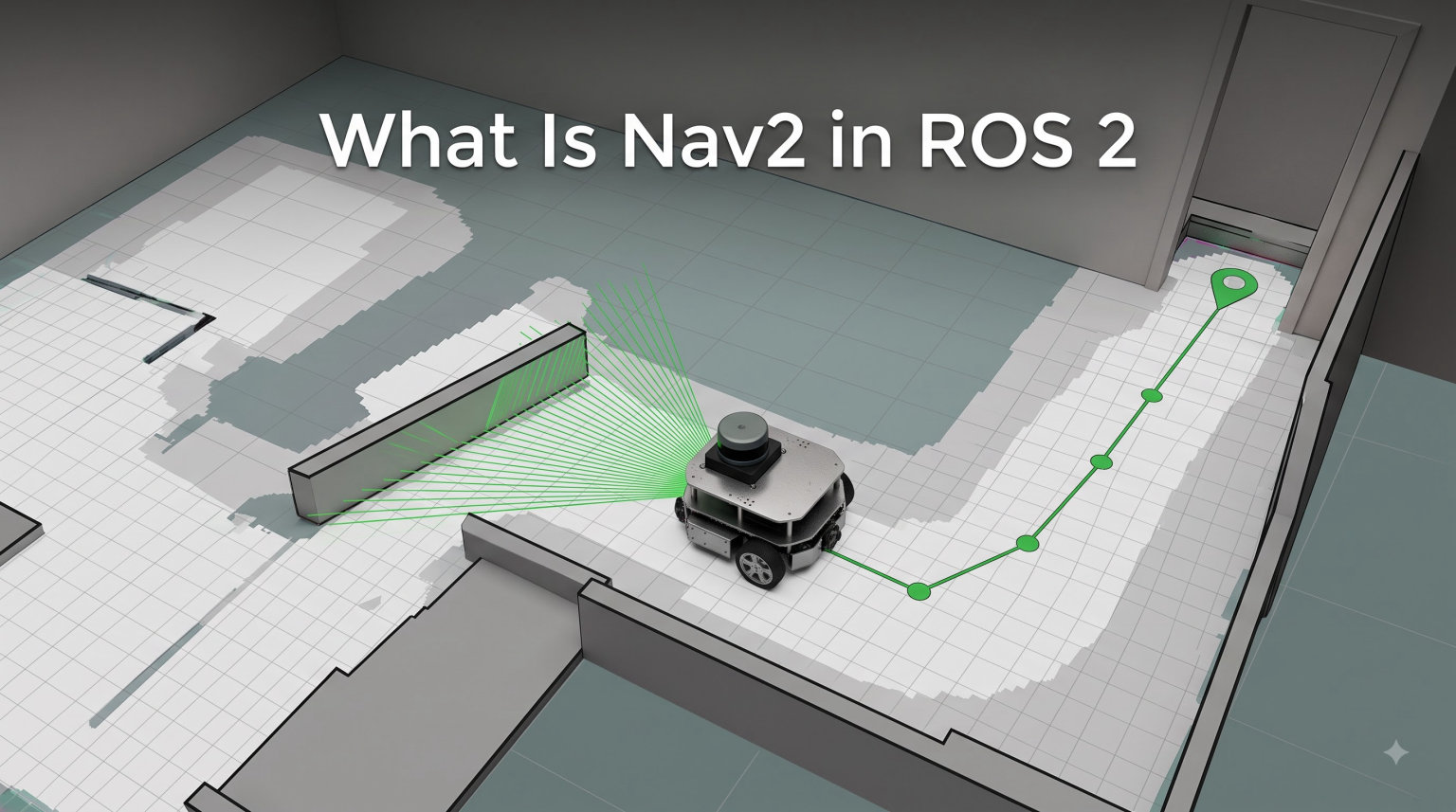
Nav2 is the professionally-supported successor to the ROS Navigation Stack, providing autonomous navigation for mobile robots built on ROS 2. If you have ever wondered how a robot decides where to go, plans a path around obstacles, and actually drives itself to a goal, Nav2 is the answer most production robotics teams reach for in 2026.
I have spent the last few years working with mobile robots, from warehouse AMRs to research platforms in academic labs, and Nav2 keeps coming up as the default navigation framework. In this guide I will walk you through what Nav2 is, how its components fit together, and how to get your first robot navigating with it.
Table of Contents
What Is Nav2 in ROS 2?
Nav2 is the go-to industry-standard mobile robot navigation system for ROS 2. It is the spiritual and technical successor to the original ROS Navigation Stack, rebuilt from the ground up to take advantage of ROS 2’s DDS-based communication, lifecycle management, and improved security model.
At its core, Nav2 takes a map, a robot’s current pose, and a goal location, then produces velocity commands that move the robot safely to that goal. It handles global path planning, local obstacle avoidance, recovery behaviors, and dynamic replanning when the world changes around the robot.
The project is maintained by Open Navigation LLC and supported by a broad community of contributors. This professional backing is one reason major robotics companies have adopted Nav2 for production fleets rather than rolling their own navigation stack.
If you are familiar with the original ROS 1 navigation stack, Nav2 will feel familiar in concept but very different in implementation. The biggest shifts are the use of behavior trees for task orchestration, a lifecycle manager for predictable node startup, and a plug-in architecture that makes swapping planners and controllers almost trivial.
Why Nav2 Matters for Mobile Robotics
Navigation is the hardest “boring” problem in mobile robotics. Everyone wants their robot to drive from point A to point B without hitting anything, but achieving that reliably across different environments, robot shapes, and sensor configurations is genuinely difficult.
Nav2 packages the same kinds of technology powering autonomous vehicles, brought down and optimized for mobile robots. That includes global planning over known maps, local trajectory rollouts for avoiding new obstacles, and recovery behaviors when things go wrong. By using Nav2, you inherit years of work that would otherwise take a small team years to rebuild.
From warehouse robots hauling bins to research platforms exploring indoor environments, Nav2 has become the de facto choice. I have personally seen teams cut their navigation development time by more than half by adopting Nav2 instead of building custom planners.
Nav2 Architecture and Core Components
Nav2 is composed of several server nodes, each responsible for a specific job, coordinated by a central task orchestrator. Understanding this architecture is the difference between fighting Nav2 and working with it.
The Lifecycle Manager
The lifecycle manager is the conductor of the Nav2 orchestra. ROS 2 introduced managed nodes with explicit lifecycle states (unconfigured, inactive, active, finalized), and Nav2 uses this to ensure all required servers come up in the right order.
Without the lifecycle manager, you would have race conditions where one server starts before another is ready, leading to mysterious startup failures. With it, you can deterministically start, stop, reconfigure, and reset the entire navigation system, which is critical for production deployments where you may need to reload parameters without rebooting the robot.
Planner Server
The planner server is responsible for global path planning. Given a start pose, a goal pose, and a static costmap of the environment, it computes a path from start to goal that avoids known obstacles.
Nav2 ships with several plug-in planners. The default in recent distributions is NavFn, but more capable options like nav2_smac_planner (Smac Planner) support hybrid-A* and state lattices for non-circular robots. You can swap planners via a parameter change, with no code changes required.
Controller Server
The controller server takes the global path and produces real-time velocity commands to follow it while avoiding newly detected obstacles. The default DWB (Dynamic Window Approach) controller samples many possible trajectories, scores each one against the local costmap, and picks the best.
Other controllers like teb_controller and mppi_controller offer different trade-offs between computation cost, smoothness, and dynamic obstacle handling. The plug-in architecture means you can run multiple controllers and switch between them based on context.
BT Navigator (Behavior Tree Navigator)
The BT navigator is the brain that decides what Nav2 should do at any moment. Should it plan a new path? Follow the current one? Recover from a stuck condition? The behavior tree encodes this decision logic.
Behavior trees are a way of structuring autonomous behavior as a tree of tasks and conditions. They are easier to read, debug, and modify than the old state machine approach used in ROS 1. You can author behavior trees in XML using the Groot visual editor, which dramatically lowers the barrier for non-programmers to customize navigation behavior.
Costmap 2D
Costmaps are 2D grids representing the environment around the robot, with each cell annotated with a cost representing how undesirable it is to traverse. Nav2 maintains two costmaps: a global costmap for long-range planning and a local costmap for real-time obstacle avoidance.
The global costmap is built from the static map plus any sensor observations that mark newly discovered obstacles. The local costmap is a rolling window around the robot, updated at sensor rate, used by the controller server to avoid things that appear in front of the moving robot.
Obstacles in the costmap are inflated by a configurable radius, creating a personal space buffer around each obstacle that the planner and controller respect when finding paths.
Smoother and Recovery Servers
Two smaller but important servers round out the architecture. The smoother server takes a planner’s raw path and applies optimization to make it smoother, more efficient, and more drivable. The recovery server runs behaviors like rotate-to-clear, wait, and back-up when the robot gets stuck.
Key Features of Nav2
Nav2 packs in features that would each be significant projects on their own. Here are the highlights I find most useful.
Behavior Tree Customization
Behavior trees make it easy to define complex navigation logic without writing C++. The default tree handles the common case: compute path, follow path, recover if needed. But you can extend it to add custom conditions, custom recovery behaviors, or entirely new navigation flows like multi-floor navigation or convoy following.
Dynamic Obstacle Following
Unlike ROS 1’s navigation stack, Nav2 was designed from the start to handle dynamic environments. The local costmap updates in real time, and controllers like DWB can react to moving obstacles, people walking through a hallway, or another robot crossing the path. This makes Nav2 suitable for warehouses and public spaces where the world never sits still.
Waypoint Following
The nav2_waypoint_follower package lets you send a list of goals and have the robot visit them in sequence. This is useful for delivery routes, patrol patterns, and multi-stop inspection tasks. You can also trigger custom actions at each waypoint, such as taking a photo or scanning a barcode.
Pluggable Architecture
Every major component in Nav2 is a plug-in. Want to use a custom planner you wrote? Register it as a plug-in and reference it in the parameter file. Same for controllers, behavior tree nodes, costmap layers, and recovery behaviors. This plug-in system is what makes Nav2 adaptable to so many different robot types.
Multi-Robot Support
Nav2 supports multiple robots navigating in the same environment, with each instance having its own namespace and TF tree. Coordination between robots is typically handled by a higher-level fleet manager, but Nav2’s namespacing makes it straightforward to run several instances on one host.
SLAM Integration
Nav2 plays well with SLAM (Simultaneous Localization and Mapping) tools like slam_toolbox. While the robot is building a map, you can still navigate in the partially-completed map. Once the map is good, switch to AMCL localization for production use.
Nav2 vs ROS 1 Navigation Stack
Anyone coming from ROS 1 will notice the differences immediately. Here is a quick comparison.
Communication: ROS 1 navigation used a custom TCP-based protocol over a single master. Nav2 uses DDS, giving you better real-time behavior, quality-of-service controls, and the ability to run across networks without bespoke configuration.
Task orchestration: The ROS 1 move_base used a complex state machine written in C++. Nav2 replaces this with behavior trees authored in XML, which are dramatically easier to modify and debug.
Node lifecycle: ROS 1 nodes were always-on. Nav2 uses managed nodes with explicit lifecycle states, so you can start, stop, and reconfigure the navigation system in a controlled way.
Pluggability: Both stacks support plug-ins, but Nav2’s plug-in system is more uniform and consistent. Swapping planners in ROS 1 often required code edits; in Nav2 it is a parameter change.
Community and support: Nav2 has active professional maintenance through Open Navigation LLC. ROS 1’s navigation stack has been in maintenance-only mode for years.
Getting Started with Nav2
The fastest way to start is with the official Nav2 documentation, the ROS 2 distribution packages, and a simulated robot. Here is the path I recommend for a beginner.
Step 1: Install ROS 2 and Nav2
Nav2 is distributed as Debian packages for supported ROS 2 distributions. For 2026, that includes ROS 2 Humble (LTS) and ROS 2 Jazzy. Install ROS 2 first, then install Nav2 with a single command.
On Ubuntu, after installing ROS 2, run:
sudo apt install ros-<distro>-navigation2 ros-<distro>-nav2-bringup ros-<distro>-turtlebot3*
Replace distro with your actual ROS 2 distribution (for example, humble). This installs Nav2, the bringup launch files, and a TurtleBot3 simulation that works out of the box.
Step 2: Launch a Simulation
The Nav2 bringup launches a configured navigation system for supported robots. For your first run, Gazebo simulation is the easiest way to see Nav2 working without real hardware.
Launch the TurtleBot3 world in Gazebo, then in a second terminal launch the Nav2 bringup. RViz will open with the robot, the map, and the Nav2 tools ready to use. You can click 2D Goal Pose in RViz to send the robot to any point on the map.
Step 3: Provide a Map
Nav2 needs a map of the environment, either pre-built or produced in real time by SLAM. For a first test, the sample maps included with the bringup packages are perfect. For your own environment, use slam_toolbox to build a map while driving the robot around with a joystick or teleop.
Once you have a saved map, launch Nav2 with the map file as a parameter, and you can start setting goals immediately.
Step 4: Set Your First Goal
Open RViz, use the 2D Pose Estimate tool to set the robot’s initial position, then click 2D Goal Pose to send it to a destination. Watch the global plan appear in green, the local plan in red, and the costmaps as colored grids. This single view tells you almost everything about how Nav2 is operating.
You should see the robot plan a path, start moving, adjust around obstacles, and arrive at the goal. If something does not work, RViz’s visualizations make it easy to see whether the issue is in planning, control, or recovery.
Use Cases and Real-World Applications
Nav2 is not a research toy. It powers serious production systems across many industries.
Warehouse and Logistics Robots
Many autonomous mobile robots in warehouses use Nav2 as their navigation core. The dynamic obstacle handling is critical when human workers are moving through the same space, and the plug-in architecture lets integrators tune the stack for their specific vehicle geometry.
Service and Hospitality Robots
Hotels, hospitals, and restaurants use Nav2 to drive robots that deliver items, guide guests, or assist with cleaning. The waypoint follower is particularly valuable here, since these robots often run scheduled routes through a building.
Mobile Manipulation
Mobile manipulators (a robot arm on a wheeled base) use Nav2 for the navigation part while higher-level planners coordinate the arm. The behavior tree in Nav2 makes it easy to add custom conditions that pause navigation when the arm is operating, then resume when it is safe to move.
Autonomous Vehicles and Research
While Nav2 targets mobile robots (smaller, slower, indoor-focused), the underlying planning and control algorithms share heritage with autonomous vehicle research. Some AV researchers use Nav2 as a baseline for benchmarking new planners.
NASA and Space Robotics
NASA’s VIPER lunar rover and the Mars helicopter Ingenuity both leverage ROS 2-based systems. While these specific missions do not use Nav2 directly, ROS 2 has become a strong choice for space robotics, and Nav2’s design informs much of that work. The agency also funds research into navigation systems that build on the open-source ROS 2 ecosystem.
Agriculture and Field Robotics
Outdoor robots operating in orchards, fields, and vineyards use Nav2 with custom costmap layers that mark rows of crops as preferred paths. The plug-in architecture makes this kind of specialization practical.
Common Pitfalls and Tips from the Community
From forum threads and direct conversations, here are the issues I see most often when teams first adopt Nav2.
Costmap configuration is where things go wrong. Beginners often copy a sample configuration without understanding the inflation radius, observation sources, or update frequency. Spend time on this section of the docs before anything else.
Real hardware is harder than simulation. A common pain point is moving from Gazebo to a real robot. Sensor noise, network latency, and wheel odometry drift all need attention. The community has good guides, but plan for extra time.
Behavior trees are a learning curve. The XML structure of behavior trees looks strange at first, but the Groot visual editor helps a lot. Most custom navigation logic can be added without writing C++.
DDS configuration can be confusing. Nav2 relies on DDS for inter-process communication, and the default settings are not always optimal for every network setup. Learn the basics of ROS_DOMAIN_ID and the DDS configuration if you run into communication issues.
Frequently Asked Questions
How do I install Nav2?
Install your ROS 2 distribution first (Humble, Jazzy, or Kilted). Then run: sudo apt install rosu002du002dnavigation2 rosu002du002dnav2-bringup. Replace with your actual ROS 2 distribution name. This installs the core Nav2 packages, the bringup launch files, and example configurations.
Does NASA use ROS 2?
Yes. NASA has adopted ROS 2 for several space robotics projects, including the VIPER lunar rover. While not all NASA missions use Nav2 directly, ROS 2 has become a strong choice for space robotics, and Nav2’s design informs much of that work. The agency funds research that builds on the open-source ROS 2 ecosystem.
What is the difference between the global and local costmaps in navigation 2?
The global costmap covers the entire known map and is used by the planner server to compute a long-range path from start to goal. The local costmap is a smaller, rolling window around the robot that updates at sensor rate and is used by the controller server to avoid newly detected obstacles in real time. Both use the same underlying costmap_2d infrastructure but serve different purposes.
Are ROS and ROS 2 the same?
No. ROS and ROS 2 are different generations of the Robot Operating System. ROS 1 used a single-master TCP-based architecture and is now in maintenance-only mode. ROS 2 uses DDS for decentralized real-time communication, adds node lifecycle management, and has a different API. Nav2 is built for ROS 2 and is the recommended navigation stack for any new project.
How does Nav2 work?
Nav2 uses a lifecycle manager to coordinate multiple server nodes including the planner server (computes global paths), the controller server (produces velocity commands), and the BT navigator (orchestrates behavior using behavior trees). Sensors feed into costmaps, which the planner and controller query to produce motion that avoids obstacles.
Conclusion
Nav2 in ROS 2 is the modern, industry-standard way to give a mobile robot autonomous navigation. It bundles decades of robotics research into a clean, plug-in-based architecture that scales from a small research platform to a warehouse fleet.
If you are starting a new robotics project in 2026, build on Nav2 rather than reinventing navigation. Install the packages, run the TurtleBot3 simulation, and experiment with the sample behavior trees. Once you are comfortable in simulation, move to real hardware with a focus on costmap configuration and sensor tuning.
For deeper learning, the official Nav2 documentation at nav2.readthedocs.io is comprehensive, the GitHub repository at github.com/ros-navigation/navigation2 is the source of truth, and the ROS Discourse forum has a dedicated Nav2 category where developers share solutions to common problems.