
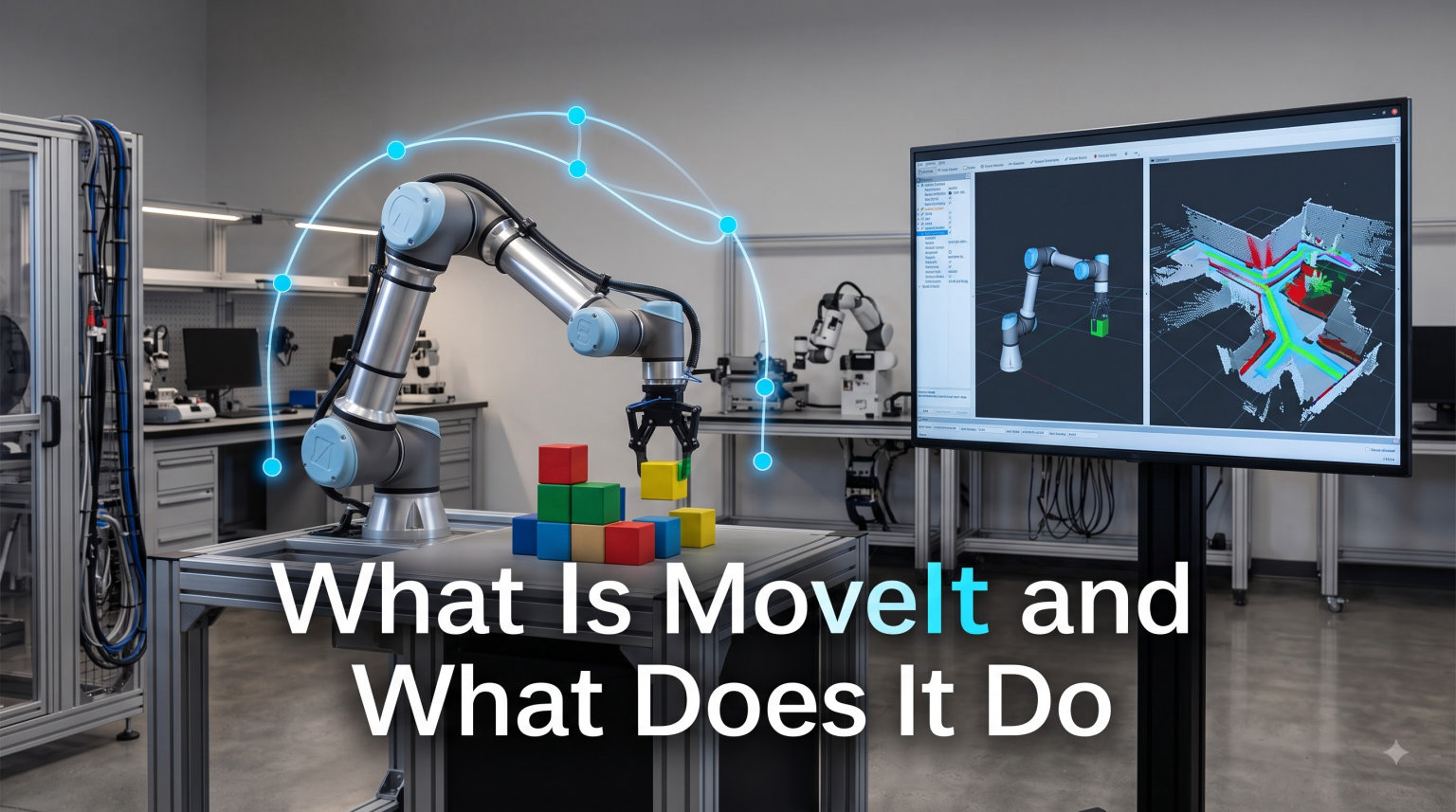
MoveIt is an open-source motion planning, manipulation, and kinematics framework for ROS (Robot Operating System) that enables robots to plan and execute collision-free trajectories in complex environments. Built originally in 2012 and now maintained by PickNik Robotics, MoveIt has been deployed on more than 150 robots worldwide, ranging from research arms to industrial manipulators. If you have ever wondered what powers the pick-and-place demos you see on YouTube or how researchers make a robotic arm reach into a cluttered bin without crashing, the answer is almost always MoveIt.
I have spent the last several years working with ROS-based robots, and MoveIt is the first tool I install on any new manipulation project. In this guide, I will walk you through what MoveIt is, how it actually works under the hood, and why it has become the de facto standard for robot motion planning in 2026. I will also share a beginner-friendly learning roadmap because, as several Reddit users have pointed out, the documentation can feel overwhelming on day one. If you are new to robotics software guides, this article will give you a solid foundation.
Table of Contents
Key Features of the MoveIt Framework
MoveIt bundles a collection of tools and libraries that solve the hardest problems in robotic manipulation. Instead of writing custom code for every new robot, you get a tested, modular pipeline that handles motion planning, kinematics, perception, and control. Below are the six core capabilities that define what MoveIt does.
Motion Planning
At its heart, MoveIt is a motion planning framework. It takes a start pose, a goal pose, and a description of the environment, then computes a collision-free path between them. MoveIt does not invent its own planners from scratch. Instead, it exposes a plugin interface that lets you plug in any compatible planner. Out of the box, MoveIt supports OMPL (Open Motion Planning Library), CHOMP, STOMP, and TrajOpt, each with its own strengths. OMPL is the default and works well for most arms, while CHOMP and STOMP use optimization to produce smoother trajectories in dynamic environments.
Inverse Kinematics
Inverse kinematics (IK) is the math that converts a desired end-effector position into joint angles. Without an IK solver, you would have to manually compute joint values for every movement, which is painful for robots with six or more degrees of freedom. MoveIt ships with multiple IK solver plugins, including KDL, TRAC-IK, and IKFast, and you can swap them depending on speed and accuracy needs. For a 6-DOF arm reaching for a cup on a table, IK solves the problem in milliseconds.
3D Perception
MoveIt can consume point clouds and depth images to build a 3D representation of the world around the robot. It uses Octomap to convert that data into a volumetric occupancy grid, which the motion planner then treats as obstacles. This is what makes pick-and-place from a pile of unknown objects possible. The robot senses the scene, MoveIt updates the planning scene, and the planner finds a path that avoids every other object on the table.
Collision Checking
Every candidate trajectory is checked against a collision world that includes the robot’s own links, attached objects, and the environment. MoveIt uses the FCL (Flexible Collision Library) and its own efficient collision-checking pipeline to evaluate thousands of states per second. If a path would cause the gripper to clip a shelf, the planner rejects it and tries again.
Manipulation
MoveIt goes beyond planning single motions. The Task Constructor framework lets you chain together multiple stages, like approach, grasp, lift, transport, and place, into a single reusable skill. The Grasp Generation pipeline uses your perception data to suggest viable grasps on detected objects. Together, these tools turn raw motion planning into a complete manipulation stack.
Control
Once a plan is generated, MoveIt hands the resulting joint trajectory to a controller through ROS Control. MoveIt does not drive motors directly. It produces time-parameterized trajectories that follow-on controllers execute. This separation of planning and control is one of the reasons MoveIt works with so many different hardware platforms.
How the MoveIt Motion Planning Pipeline Works
When you ask MoveIt to move a robot, a sequence of stages runs in order. Understanding this pipeline is the key to debugging problems later, so let me walk through it step by step.
First, MoveIt receives a MotionPlanRequest that describes the start state, the goal state, the planner to use, and any constraints like keeping the gripper level. That request enters the planning pipeline, which is a configurable chain of stages. The typical stages are:
- Solver: generates a feasible path using the chosen planner plugin (OMPL, CHOMP, STOMP, or TrajOpt).
- Constraint Samplers: nudge the path to satisfy any joint or pose constraints you specified.
- Planning Request Adapters: post-process the plan, for example to add shortcuts, smooth velocity profiles, or fix start-state mismatches.
- Collision Checking: validates every state on the trajectory against the world.
The output is a RobotTrajectory, a list of waypoints with timestamps and velocities, ready to be executed. If you have ever wondered why a plan sometimes “wiggles” or seems jerky, the cause is almost always a misconfigured adapter or a missing velocity limit. Tweaking those adapters is where most of the day-to-day MoveIt tuning happens.
A practical tip from my own setup: enable the AddTimeOptimalTrajectoryProfile adapter if you want smoother execution speeds. The default OMPL output is a geometric path, not a timed one, and that adapter handles the time parameterization for you.
MoveIt and ROS/ROS 2 Integration
MoveIt was originally built for ROS 1 and is the reason the ROS manipulation ecosystem exists today. With the rise of ROS 2, the project released MoveIt 2, a parallel version rewritten for the DDS-based ROS 2 middleware. Both versions are actively maintained, and the choice between them usually comes down to which ROS distribution your hardware and team already use.
Here is a quick comparison of the two main versions:
- MoveIt 1: targets ROS Noetic and older. Mature, very stable, huge community archive of tutorials and answered questions.
- MoveIt 2: targets ROS 2 Foxy, Humble, Jazzy, and newer. Built for real-time systems, multi-robot setups, and commercial deployments.
If you are starting a new project in 2026, I recommend going straight to MoveIt 2 on ROS 2 Humble or Jazzy. The performance gains from DDS and the long-term support window make it the better investment. That said, MoveIt 1 still receives critical bug fixes and is a perfectly valid choice for academic work or legacy systems. Our team’s recent look at physical AI infrastructure platforms confirmed that ROS 2 is now the default foundation for new commercial robotics stacks.
The MoveIt Setup Assistant and Getting Started
The fastest way to get MoveIt working with a new robot is the MoveIt Setup Assistant. It is a graphical wizard that takes a URDF (Unified Robot Description Format) file and generates a complete MoveIt configuration package, including the planning scene launchers, kinematics config, and RViz plugins.
The setup assistant walks you through five steps:
- Load your URDF and add virtual joints for any mobile bases.
- Define planning groups, which are logical collections of joints that MoveIt will plan for as a unit, such as “left_arm” or “gripper”.
- Assign a kinematics solver (KDL, TRAC-IK, or MoveIt IKFast) to each group.
- Optionally add predefined poses like “home” or “ready” for quick testing.
- Generate the configuration package and build it with colcon or catkin.
Once generated, you can launch the demo in RViz, drag an interactive marker to a goal pose, and watch MoveIt plan a path in real time. For a 6-DOF arm, you will typically see a plan in under 100 ms on a modern laptop. This is the moment most people fall in love with MoveIt, because the same workflow works for any robot, from a 3-DOF desktop arm to a 7-DOF industrial manipulator.
MoveIt ships with configuration packages for more than 150 supported robots, including the UR series, Franka Panda, Kinova Gen3, and many research platforms. If your robot is on the supported list, you can skip the Setup Assistant entirely and jump straight into launching the demo. This is a huge time-saver for teams that are not building a custom arm from scratch.
Advanced MoveIt Capabilities for Complex Tasks
Once you are comfortable with the basics, MoveIt has several advanced features that unlock more complex behaviors. These are the tools that turn MoveIt from a motion planner into a full manipulation framework.
The Task Constructor is a hierarchical planning framework that lets you describe a multi-stage task like “pick a cup, pour, and place it back” as a tree of stages. Each stage can succeed, fail, or be retried, and the framework handles the recovery logic. This is how research groups chain together dozens of subtasks without writing custom state machines.
The Grasp Generation pipeline uses a detected object’s mesh or point cloud to propose a ranked list of grasp candidates. It supports antipodal, suction, and deep-learning-based grasp generators, and it integrates with MoveIt’s planning scene to verify that each candidate grasp is reachable and collision-free before you commit to it.
MoveIt also includes a Python and C++ API for users who want to drive planning from their own code. The Python interface, MoveGroupPy, is the easiest way to prototype, while the C++ interface is what production code uses for performance-critical applications. If you are building a behavior tree on top of MoveIt, the C++ MoveGroupInterface is what you will eventually call.
MoveIt 2 vs MoveIt Pro: Choosing the Right Version
MoveIt 2 is the free, open-source core framework, and it is what most people should start with. It is licensed under BSD, which means you can use it in commercial products without paying royalties. PickNik Robotics, the company that maintains MoveIt, also offers MoveIt Pro, a commercial distribution with additional features, support contracts, and pre-built manipulation skills.
Here is when each option makes sense:
- Choose MoveIt 2 if you are a student, researcher, hobbyist, or building a product where the engineering team can maintain the stack themselves. The community forum, GitHub issues, and Discord are very active.
- Choose MoveIt Pro if you are a company shipping a commercial product that needs guaranteed response times, advanced manipulation skills out of the box, or hands-on support from the MoveIt maintainers.
MoveIt Pro pricing is not publicly listed, and quotes depend on the deployment scale and required support level. For most individual developers and academic labs, MoveIt 2 is more than enough. The forum users I have spoken with who switched to MoveIt Pro did so because they needed hard SLAs and certified industrial skills, not because the open-source version was missing core features.
Beginner Learning Roadmap for MoveIt
One of the most common complaints I see on Reddit is that MoveIt has a steep learning curve. The truth is, you do not need to learn everything at once. Here is the path I recommend for someone starting from zero ROS knowledge.
- Get comfortable with ROS 2 basics: nodes, topics, services, launch files, and RViz. MoveIt assumes you know these.
- Run the official MoveIt 2 tutorials end to end on a simulated robot like the Panda or the UR5.
- Install the MoveIt Setup Assistant and generate a config for a simple 6-DOF arm. Even a fake URDF from the tutorials counts.
- Drive the arm with the Python MoveGroup interface. Plan to a pose, then plan a Cartesian path. This is where things click.
- Add a perception pipeline using a simulated depth camera in Gazebo and feed the point cloud into Octomap.
- Tackle the Task Constructor only when you need multi-stage behaviors.
Each of these steps takes a few hours to a few days, and you can stop at any point and still have a working system. The mistake most beginners make is trying to learn the entire framework before running anything. With MoveIt, the opposite is true: launch the demo first, then read the docs to understand what you just saw.
Frequently Asked Questions
What does MoveIt do?
MoveIt is a motion planning, manipulation, and kinematics framework for ROS. It plans collision-free trajectories for robot arms, solves inverse kinematics, integrates 3D perception, and supports advanced behaviors like pick-and-place and grasp generation. In short, MoveIt does the math and bookkeeping needed to make a robot arm move safely through a real environment.
What is the MoveIt motion planning framework?
The MoveIt motion planning framework is an open-source software layer on top of ROS that combines motion planning algorithms, inverse kinematics solvers, collision checking, and 3D perception. It exposes a plugin interface so developers can swap in different planners like OMPL, CHOMP, STOMP, or TrajOpt. It is the de facto standard for ROS-based robotic manipulation and is used on more than 150 robots.
How much does MoveIt Pro cost?
MoveIt Pro is a commercial product from PickNik Robotics and pricing is not publicly listed. Quotes depend on deployment scale, support level, and which pre-built manipulation skills you need. For individual developers, students, and academic labs, the open-source MoveIt 2 is free under the BSD license and is the recommended starting point.
How does MoveIt help with robot manipulation?
MoveIt helps with robot manipulation by providing ready-made building blocks for every stage of a pick-and-place task. It plans collision-free paths to a grasp pose, generates grasp candidates from 3D perception data, executes the grasp, plans the transport motion, and places the object, all through a unified Python or C++ API. This saves teams from writing custom motion planning code for every new robot.
Is MoveIt free?
Yes, MoveIt 2 is free and open-source under the BSD license. You can use it in commercial products, modify it, and ship it without paying royalties. PickNik Robotics also offers a paid commercial distribution called MoveIt Pro that adds enterprise support, advanced manipulation skills, and service-level agreements.
What robots support MoveIt?
MoveIt supports more than 150 robots, including the Universal Robots UR series, the Franka Panda, the Kinova Gen3, the KUKA LBR iiwa, the Rethink Sawyer, and most research arms. Configuration packages for many of these robots are available in the MoveIt resources repository and can be launched without writing any extra code.
Final Thoughts on MoveIt and What It Does for Robotics
MoveIt is the motion planning, manipulation, and kinematics framework that quietly powers most of the ROS robot arms you see in research labs, startups, and industrial deployments today. It does the hard work of turning a desired end-effector pose into a smooth, collision-free trajectory, and it does so through a plugin-based architecture that works with dozens of robots and planners. If you are building a manipulation project on ROS or ROS 2 in 2026, MoveIt is the fastest way to get from a URDF to a working pick-and-place demo.
The best way to learn MoveIt is to launch a demo, drag a marker in RViz, and watch the planner work. From there, work through the official tutorials, generate your own configuration with the Setup Assistant, and only then dive into the advanced features like the Task Constructor and Grasp Generation. If you maintain robots in production, the related topic of robotics software updates is worth reading next, because deploying MoveIt changes is its own adventure.
For more background on how robot arms connect to the rest of the stack, our guide to Wi-Fi control for robots explains the communication side. MoveIt handles what the arm does. Networking handles how it gets told. Together, they are the foundation of any modern ROS manipulation system.