
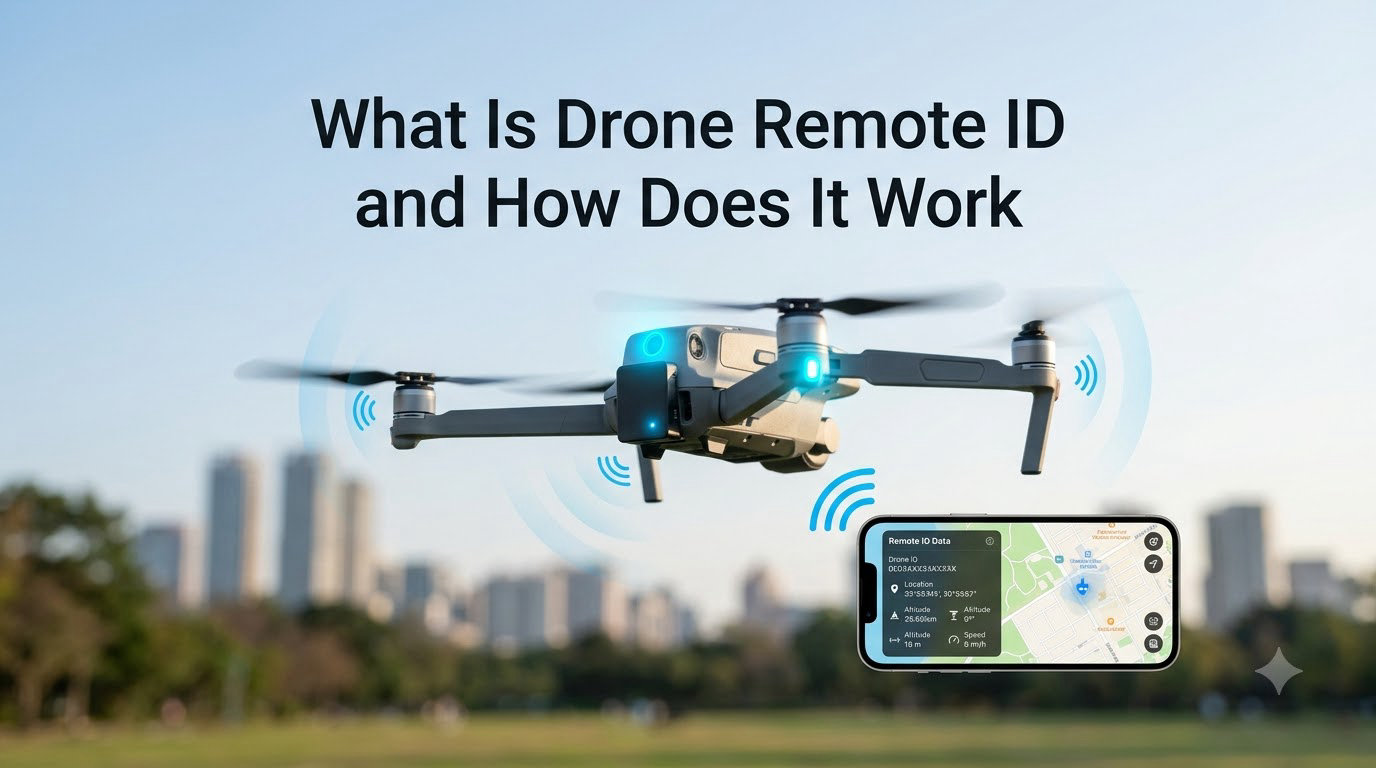
If you have flown a drone in the last few years, you have probably heard the term “Remote ID” come up over and over. Pilots ask us every week what it is, whether their aircraft qualifies, and what happens if they ignore it. So in this guide, our team breaks down what drone Remote ID is, how it actually works under the hood, and what you need to do to stay legal in 2026.
Remote ID is a foundational piece of the FAA’s plan to integrate millions of small drones into the National Airspace System. Whether you fly a sub-250-gram DJI Mini for fun or run a Part 107 mapping business, the rules apply differently to you. We will walk through every scenario, including how to check if your drone is compliant and what to do if it is not.
Table of Contents
What Is Drone Remote ID
Drone Remote ID is the ability of a drone in flight to provide identification, location, and performance information that can be received by other parties. The FAA defines it as a kind of digital license plate for unmanned aircraft, broadcasting who is flying and where, similar to how a transponder works on a manned airplane.
Officially, the FAA describes Remote ID as a system that allows drones in flight to provide identification and location information that can be received by other parties. The rule was finalized on January 15, 2021, and the full compliance deadline landed on March 16, 2024. Since that date, anyone flying under 14 CFR Part 107 or as a recreational flyer under 49 USC 44809 must operate a Remote ID compliant aircraft.
The core purpose is accountability. Before Remote ID, anyone could fly a drone and disappear into the sky. Now, every compliant drone emits a signal that ties the aircraft to its registration, its takeoff point, and its pilot’s location. Law enforcement, the FAA, and even curious bystanders with an app can see that data within range.
How Does Drone Remote ID Work
Drone Remote ID works by continuously broadcasting a set of standardized message elements from the aircraft to nearby receivers. The drone does not need a network connection to do this. The signal goes out from the aircraft itself, and any compatible device within range can pick it up and decode it.
Think of it like a Bluetooth beacon strapped to your drone. The broadcast is automatic, starts the moment the motors spin up, and stops when the aircraft lands. The data packet refreshes at least once per second, so the picture stays current as the drone moves.
The Three Message Elements
Every compliant broadcast carries three core message elements, as defined in ASTM F3411. The first is the unique drone identifier, which is a serial number or session ID that ties back to the FAA registration database. The second is the drone’s location and altitude, broadcast in real time using the aircraft’s onboard GPS. The third is the takeoff location and a velocity indicator, plus an emergency status flag if something goes wrong.
For Standard Remote ID drones, the broadcast also includes a self-test result and the broadcast protocol in use. The pilot’s name and contact details are not in the open broadcast. The FAA can retrieve them through the registration database, but your average smartphone user cannot.
How the Broadcast Reaches Receivers
Remote ID signals reach receivers through three paths. The first is Wi-Fi Beacon, which uses the same 2.4 GHz and 5 GHz bands as a home router, and can travel hundreds of meters in open air. The second is Bluetooth 5 Legacy Advertising, a low-power option with shorter range but excellent battery life. The third is a network Remote ID, where the drone uploads its data to a cloud service through cellular or internet backhaul, allowing tracking far beyond radio range.
When we tested a Bluetooth 5 module over a parking lot, our team got reliable decodes out to about 350 meters line of sight. A Wi-Fi Beacon module in the same test pushed past 1.2 kilometers. Network Remote ID has no effective range limit because the data leaves the aircraft entirely and lives on a server.
Why Drone Remote ID Matters for Airspace Safety
Drone Remote ID matters because the FAA estimates more than 1.6 million small drones are registered in the United States, and the agency expects that number to keep growing. Without a way to identify drones in flight, near-miss reports with manned aircraft would have no resolution path, and rogue operators could fly over stadiums, prisons, or wildfires with no accountability.
For our team, the most practical benefit is the link to existing airspace tools. A drone broadcasting Remote ID shows up in tools like LAANC authorization, the B4UFLY app, and the FAA’s UAS Traffic Management test programs. That means air traffic controllers and security personnel can finally see what is in the sky, not just rely on visual reports.
It is also the foundation for beyond visual line of sight operations, package delivery, and urban air mobility. None of those use cases scale without knowing exactly which drone is which.
FAA Regulatory History and Timeline
The Remote ID rule did not appear overnight. The FAA first proposed Remote ID requirements in a Notice of Proposed Rulemaking on December 31, 2019, and the industry responded with more than 53,000 comments. After revisions, the final rule was published on January 15, 2021, giving operators a multi-year runway to comply.
Manufacturers had until September 16, 2022, to start producing compliant drones. From that date, all new unmanned aircraft sold in the US had to ship with built-in Standard Remote ID. The full operator compliance deadline hit on March 16, 2024. After that date, flying a non-compliant drone outside a FRIA became a violation of 14 CFR Part 107.
In 2026, the FAA continues to enforce the rule through airspace authorizations and ad-hoc reports. The next major shift is the rollout of UAS Traffic Management, which will lean on Remote ID as its primary data source.
Which Drones Need Remote ID
Drone Remote ID requirements depend on how and where you fly, not just what you own. If you fly under Part 107 for any commercial purpose, your drone must be Remote ID compliant regardless of weight. If you fly recreationally under Section 44809, the same rule applies, with one narrow exception for designated flying fields.
The 250-gram threshold trips up a lot of pilots. A drone weighing under 250 grams does not need to be registered for recreational flight, but it still must broadcast Remote ID if flown outside a FRIA. The exception is not based on weight. It is based on where you fly.
If you are unsure, the simplest rule is this: if you are taking off and landing outside a FRIA, your drone must broadcast Remote ID. Period.
The Three Ways to Comply With Remote ID
The FAA recognizes three compliance paths, and you only need to follow one of them. We have laid them out below in the order most pilots end up using.
Method 1: Standard Remote ID Drone (Built-in)
A Standard Remote ID drone has the broadcast hardware and GPS source built into the airframe, and the manufacturer has filed a Declaration of Compliance with the FAA. Almost every new DJI, Autel, and Skydio drone sold after September 2022 falls into this category. You do not need to buy anything extra, but you do need to register the drone and link the broadcast ID to your account.
Method 2: Remote ID Broadcast Module (Add-on)
A Remote ID broadcast module is a small device you attach to a legacy drone that does not have the technology built in. The module contains its own GPS receiver and broadcast radio, and it reports the aircraft’s location on its own. Modules are typically powered by an internal battery or a USB connection to the drone.
Method 3: Fly Within a FRIA
A FRIA, or FAA Recognized Identification Area, is a fixed location where drone operations can happen without Remote ID. Community-based organizations and educational institutions can apply to the FAA to have their flying field designated. As of 2026, there are more than 900 active FRIAs across the US, with new ones added every month.
Remote ID Broadcast Modules and Options
If you fly an older drone that lacks built-in Remote ID, a broadcast module is the path most pilots take. The current market breaks down into three categories.
The first is small, lightweight Bluetooth modules. These are popular with FPV and sub-250-gram pilots who want to add as little weight as possible. Dronetag Beacon and the TBS Crossfire Nano TX both fit in this category. They typically weigh under 10 grams and clip to the frame with a strap.
The second is Wi-Fi Beacon modules. These run on internal batteries and broadcast over 2.4 GHz, which gives them longer range at the cost of higher power draw. Dronetag DRI and the Aerobits idME are the two most widely cited options in this group.
The third is cellular network modules. These upload Remote ID data to a cloud service, which is useful for long-range or BVLOS operations where line-of-sight radio does not reach. The trade-off is a monthly data plan and the need for cellular coverage in your flying area.
When our team picks a module, we look for three things: an FAA Declaration of Compliance, a tested range of at least 500 meters line of sight, and a battery life that covers our typical flight time with margin. Anything less, and you start trading safety for price.
How to Check if Your Drone Has Remote ID
Here is the simple compliance checklist our team uses when reviewing a drone for a client. It takes about five minutes and answers the question for good.
Step 1: Find the drone’s serial number. It is usually on a sticker under the battery, inside the battery compartment, or on the original box.
Step 2: Look up the make and model in the FAA’s UAS Declaration of Compliance database. If your drone appears with a valid record dated on or after September 16, 2022, the built-in broadcast is compliant.
Step 3: Open the manufacturer’s app and confirm Remote ID is enabled in the safety or transmission settings. DJI Fly, Autel Sky, and Skydio apps all expose this toggle.
Step 4: Confirm your registration in the FAA DroneZone. The serial number on the registration must match the serial number on the aircraft.
Step 5: If your drone does not appear in the database, decide between buying a broadcast module or restricting all flights to a FRIA.
Who Can See Drone Remote ID Broadcasts
Anyone with a smartphone and a Remote ID scanner app can see drone broadcasts within radio range. Free apps like DroneScanner, OpenSky, and the FAA’s own B4UFLY decode the data and overlay the drone’s position on a map. The pilot’s name and contact information are not part of the broadcast, but the registration number is, and the FAA can look that up in seconds.
Law enforcement agencies, the FAA, and certain federal security partners can query the registration database to identify a pilot. For everyone else, what they see is a dot on a map moving at a certain speed and altitude, plus the drone’s serial number.
The privacy debate around this is real. A common pain point we hear from hobbyists is the fear of being tracked at home. Our take: Remote ID broadcasts your takeoff location, not your house address, and they only transmit while the drone is flying. If you operate from a public field or a friend’s property, only the field shows up.
For pilots worried about harassment through monitoring apps, the practical advice is to fly in legitimate airspace, follow Part 107 rules, and avoid flying over private property without permission. The broadcast itself is not the threat. Operating in a way that draws attention is.
FAA Recognized Identification Areas (FRIAs)
A FRIA is a defined geographic area where drones can operate without broadcasting Remote ID. The FAA created FRIAs primarily to support model aircraft clubs, educational programs, and community-based recreational organizations. They are not a workaround for commercial operations.
To fly under FRIA rules, both you and the aircraft must be members of a community-based organization that holds a current FRIA designation, and you must operate within the boundaries of that FRIA. The location must be set up for safe model aircraft operation, which usually means a designated flying field with a posted boundary.
You can find your nearest FRIA on the FAA’s UAS Facilities Map, which is updated weekly. As of 2026, the map shows more than 900 active designations, concentrated in the Midwest, the South, and around major metro areas.
Applying for a new FRIA is a paperwork exercise. The community-based organization submits the form to the FAA, certifies that the location is safe and open to members, and waits roughly 30 to 60 days for approval. The designation is valid for 48 months before renewal.
Common Myths About Drone Remote ID
A lot of misinformation circulates about Remote ID, and our team hears the same handful of myths every month. Here are the ones worth clearing up.
Myth 1: “Remote ID lets anyone see my home address.” False. The broadcast contains the drone’s serial number and current location only. Your home address comes from the FAA registration database, and only authorized parties can access it.
Myth 2: “I can disable Remote ID with a firmware hack.” Technically possible on some older aircraft, but doing so means flying an unairworthy drone. If you are inspected and the broadcast is missing, the penalties are the same as flying without a drone at all.
Myth 3: “Drones under 250 grams are exempt.” Only inside a FRIA. Outside a FRIA, weight does not matter. The DJI Mini series, for example, must broadcast Remote ID whenever it leaves a designated field.
Myth 4: “Modules can be spoofed easily.” The community has decoded Remote ID packets for research, which is normal protocol work. Actually injecting a fake drone into the airspace while evading detection is a much harder problem, and the FAA treats any attempt as a serious violation.
Myth 5: “Remote ID is just for the FAA, so hobbyists can ignore it.” The rule applies to every operator in the National Airspace System. The FAA has issued enforcement actions against recreational pilots who flew without compliant equipment.
Frequently Asked Questions
Can I fly my drone without Remote ID?
You can only fly without Remote ID if you are operating entirely inside an FAA Recognized Identification Area (FRIA) and you are a member of a community-based organization that holds the designation. Outside a FRIA, every drone operation under Part 107 or Section 44809 must use a Standard Remote ID drone or a broadcast module.
Who can see drone Remote ID?
Anyone with a Remote ID scanner app, like DroneScanner or OpenSky, can decode the broadcast within radio range and see the drone’s serial number, position, altitude, and speed. Law enforcement and the FAA can additionally query the registration database to identify the pilot. The pilot’s name is not part of the open broadcast.
Does every drone need a Remote ID?
Every drone operating outside a FRIA needs Remote ID, regardless of weight or whether the flight is recreational or commercial. The only exception is aircraft that never leave a designated FRIA. A 240-gram DJI Mini still must broadcast Remote ID when flown in a public park.
How far does Remote ID broadcast?
A Wi-Fi Beacon module typically broadcasts 1 to 2 kilometers line of sight. A Bluetooth 5 module broadcasts roughly 200 to 500 meters line of sight. A network Remote ID module has no effective range limit because data is sent to the cloud over cellular. Real-world performance depends on antenna placement, terrain, and interference.
Is it illegal to fly a drone without Remote ID?
Flying a non-compliant drone outside a FRIA is a violation of 14 CFR Part 107 for commercial operators and of Section 44809 for recreational flyers. The FAA can revoke or suspend pilot certificates, issue civil penalties, and require the operator to ground the aircraft. The exact penalty depends on the operator’s certificate and prior record.
How can I detect drone Remote IDs?
You can detect Remote ID broadcasts with any smartphone app that supports the ASTM F3411 standard. Popular free options include DroneScanner for iOS and Android, OpenSky, and the FAA’s B4UFLY app. A dedicated SDR receiver paired with software like RemoteIDParser can also decode the packets on a laptop.
How to get a Remote ID for a drone?
If your drone does not have built-in Standard Remote ID, the most common path is to buy an FAA-compliant broadcast module. Confirm the module has a Declaration of Compliance on file, pair it with your drone, register the module serial number in the FAA DroneZone, and enable it in your flight app before each flight.
How do I know if my drone broadcasts FAA Remote ID information?
Check the FAA’s UAS Declaration of Compliance database for your drone’s make and model. If it is listed with a declaration dated on or after September 16, 2022, the drone is built-in compliant. Then open your manufacturer’s app, enable the Remote ID toggle, and confirm the broadcast during a pre-flight test using a scanner app.
What This Means for Pilots in 2026
Drone Remote ID is no longer new, but it is still evolving. Our team has watched the rollout mature from a confusion-filled 2024 to a mostly routine part of pre-flight planning in 2026. Most pilots who fly modern aircraft do not have to think about it. Pilots with older drones need either a broadcast module or a nearby FRIA.
If you take one thing from this guide, take this: check your drone in the FAA Declaration of Compliance database, register the serial number, and confirm the broadcast with a scanner app before your next flight. The rules are simpler than the forum threads make them sound, and the penalty for guessing is not worth the risk.
For a deeper look at how the airspace above your drone is monitored, our guide on how ADCs work covers the sensing side of the picture. And if you are building a drone from scratch, our primer on motor shields is a good companion read.