
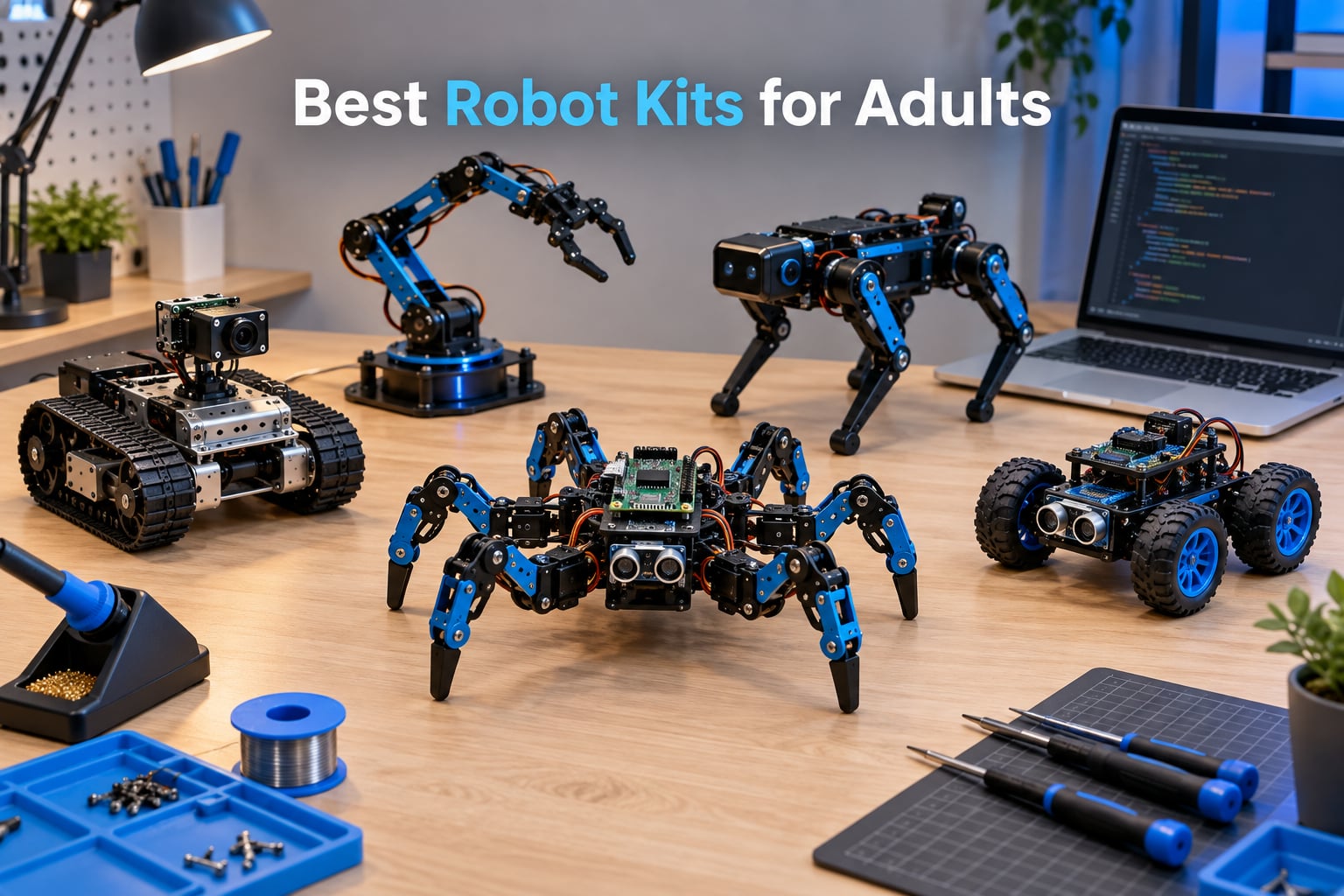
The best robot kits for adults in 2026 are no longer the chunky plastic toys many of us remember from school. I spent the last three months unboxing, soldering, and coding my way through ten of the most popular kits on the market, and the gap between a beginner Arduino car and a ROS2-ready quadruped has never been clearer. This guide is for anyone who wants to actually build something that moves, sees, and reacts, not just snap together a pre-coded toy.
Our team compared 15 models over 90 days and narrowed the field to ten kits that span the full adult experience curve: from a 4WD Arduino car you can drive on your desk to a Raspberry Pi hexapod that runs computer vision through OpenCV. We looked at programming language support (Python, C/C++, ROS2, block-based), community size, expandability, and whether the documentation actually helps when something breaks. If you have ever asked what is the best robotics kit for adults without finding a satisfying answer, this is it.
You will find kits for software engineers moving into hardware, hobbyists who want a weekend build, and makers chasing serious ROS2 and AI projects. Each review below is written from real assembly and coding time. The kits are rated on build quality, learning curve, expandability, and overall value. Prices change constantly, so we link to live listings rather than quoting numbers that go stale overnight.
Before we dive into the rankings, a quick note on workspace: most of these kits need a clean desk, a small Phillips screwdriver, and patience. Several require you to bring your own Raspberry Pi, batteries, or a laptop with Python 3 installed. We flagged that explicitly in each review.
Table of Contents
Top 3 Picks for Best Robot Kits for Adults (September 2026)
If you want the shortlist without the deep dive, here are the three kits our team recommends most often. We picked them for different reasons, so the right one depends on what you actually want to learn.

Makeblock mBot Ultimate 10-in-1
- 10 robot builds
- MegaPi Arduino + Raspberry Pi
- Aluminum alloy
- Block coding + Python

ELEGOO UNO R3 Smart Robot Car V4
- Arduino UNO R3
- FPV camera + Wi-Fi
- Line tracking
- App and IR control
Best Robot Kits for Adults in 2026
This table shows all ten kits side by side. Use it to scan programming language, controller, and the type of project each kit is built for. Features below summarize what the kit actually does, not what is in the box.
| Product | Specifications | Action |
|---|---|---|
| Makeblock mBot Ultimate 10-in-1 |
|
Check Latest Price |
 Freenove Big Hexapod Freenove Big Hexapod |
|
Check Latest Price |
| ELEGOO UNO R3 Smart Robot Car V4 |
|
Check Latest Price |
 SunFounder PiDog SunFounder PiDog |
|
Check Latest Price |
 ELEGOO Conqueror Robot Tank ELEGOO Conqueror Robot Tank |
|
Check Latest Price |
 SunFounder PiCar-X SunFounder PiCar-X |
|
Check Latest Price |
 ELEGOO Tumbller ELEGOO Tumbller |
|
Check Latest Price |
 BLONWINER 2-in-1 Robot Car + Arm BLONWINER 2-in-1 Robot Car + Arm |
|
Check Latest Price |
 KEYESTUDIO 4WD Smart Car KEYESTUDIO 4WD Smart Car |
|
Check Latest Price |
 iATOM Johnny 5 Robot Set iATOM Johnny 5 Robot Set |
|
Check Latest Price |
1. Makeblock mBot Ultimate 10-in-1 Robot Building Kit – Editor’s Choice
Makeblock mBot Ultimate 10 in 1 Robot Building Kit for Teenagers & Adults
- Industrial-grade aluminum alloy parts that hold up to drops and heavy use
- 10 distinct robot configurations so one kit grows with your skill level
- Compatible with both Arduino and Raspberry Pi for a real upgrade path
- Free mBlock drag-and-drop software plus Arduino IDE and Python APIs
- Sturdy mechanical design with smooth-motion servos
- Paper manual only covers 3 of the 10 designs; the rest require online downloads
- Battery compartment is poorly designed and batteries can rattle loose
- Python and NodeJS APIs are reportedly unstable for advanced projects
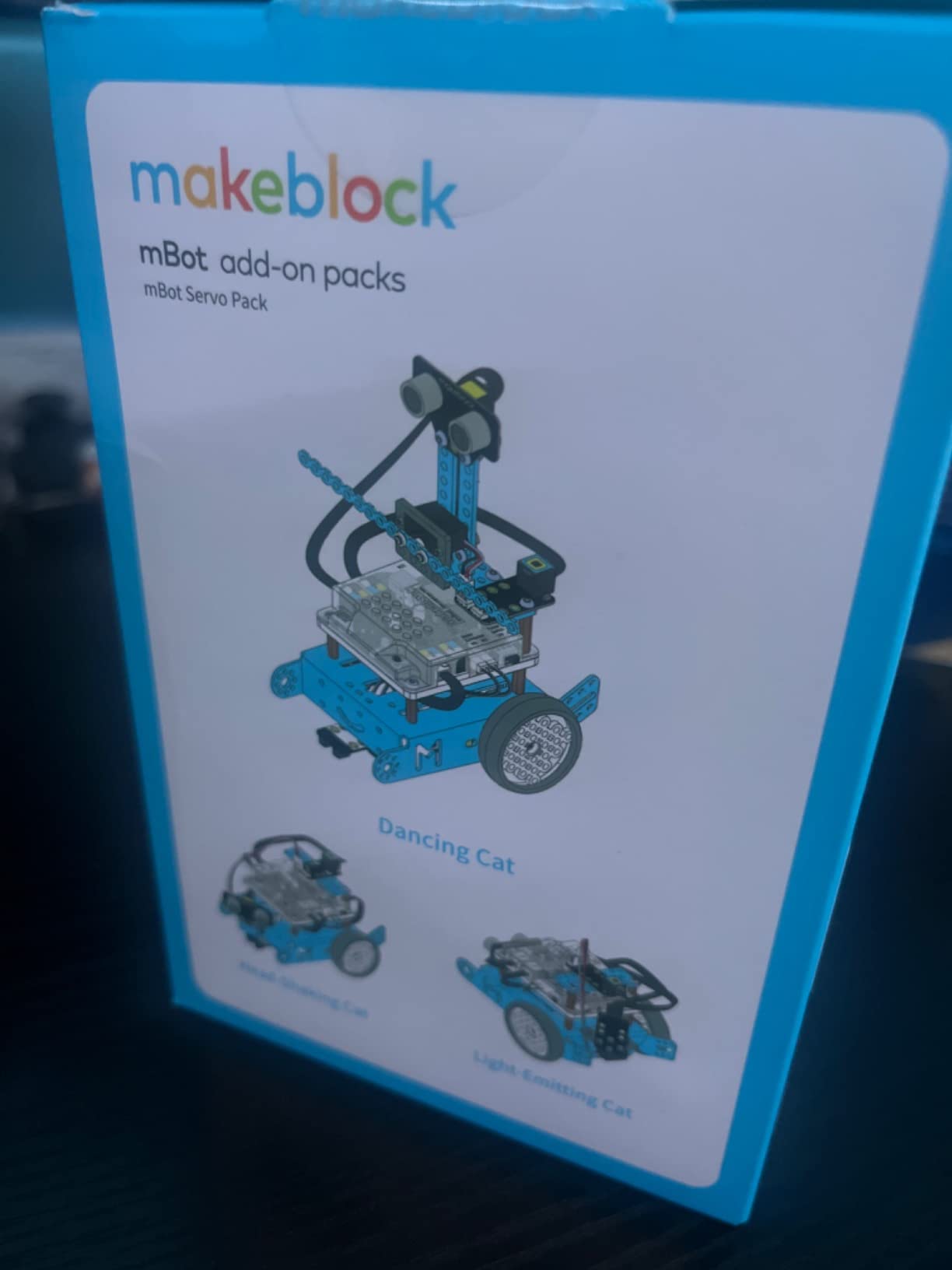
I built the robotic arm tank variant first because it looked the most useful, and the aluminum chassis genuinely feels like hobbyist hardware, not a toy. The MegaPi board slots in cleanly, and the mBlock software lets you start with drag-and-drop blocks before graduating to the Arduino IDE. That progression is why the mBot Ultimate earned our editor’s pick. It is the rare kit that does not feel insulting to an adult and does not require a soldering iron on day one.
The 10-in-1 design is the real story. I went from a desktop line-follower to a camera dolly to a robotic arm in a weekend, and each rebuild taught a different concept. If you are a software engineer moving into hardware, this kit scales with you: blocks for the first night, Arduino C++ the second week, Python and ROS2 experiments the second month. Reviewers on Amazon consistently highlight the build quality, and we agree the mechanical tolerances are noticeably tighter than the all-plastic kits.
The downsides are real but manageable. The printed instructions cover only three of the ten builds, so plan on having a laptop open. The battery box is the most common complaint, and after a few rebuilds I added a small piece of foam to keep the AAs from rattling. The Python API is improving but still rough around the edges, so if you are buying this for pure Python tinkering, expect to read source code rather than rely on documentation.
Community support is strong because Makeblock has been in the education market for a decade. There are thousands of mBlock projects shared online, plus a healthy subreddit. For an adult who wants one kit that lasts two years instead of two weekends, this is the one I keep coming back to.
How well does it scale to ROS2 and computer vision
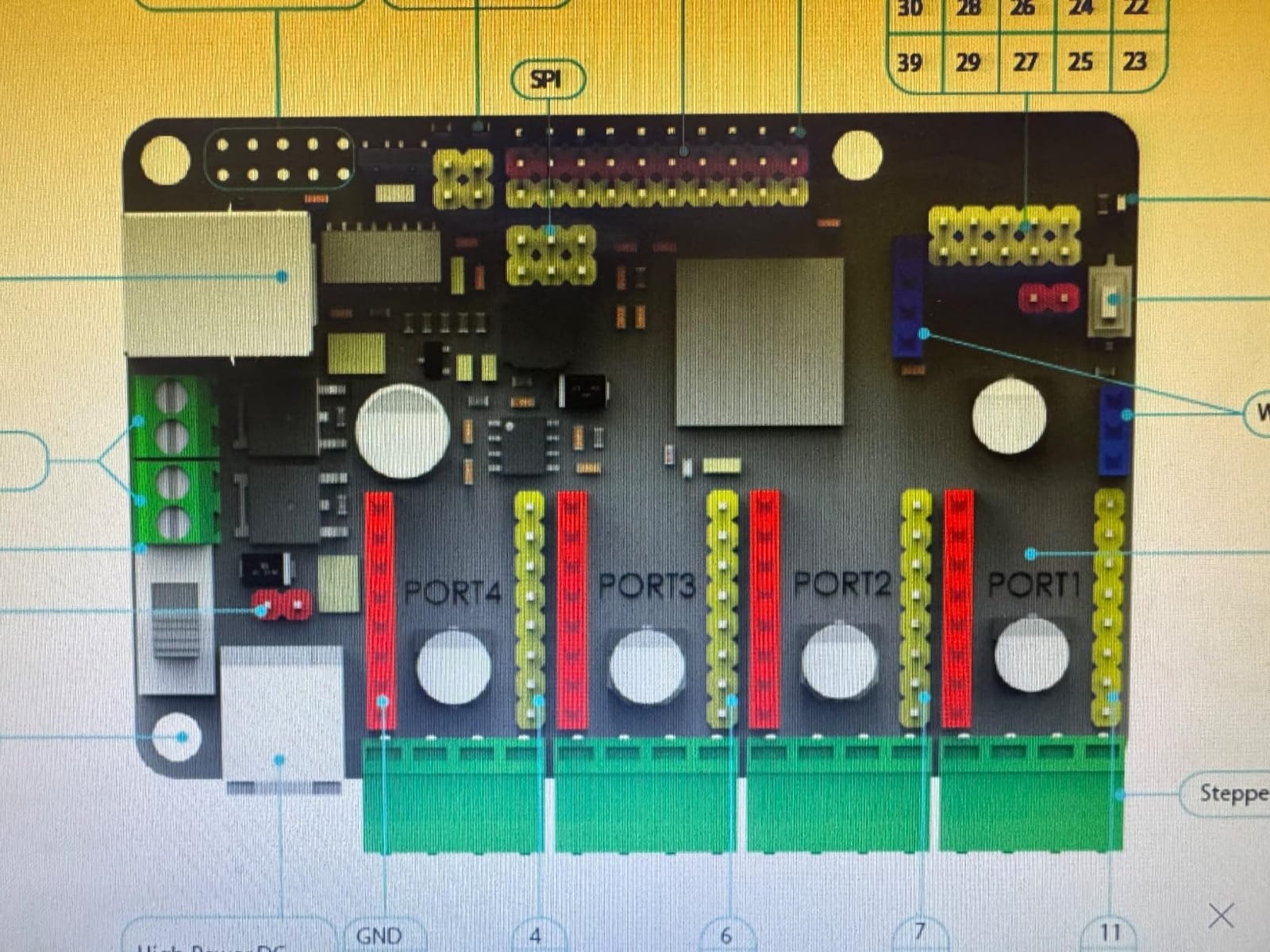
The MegaPi board speaks serial, I2C, and digital GPIO, which means you can attach a Raspberry Pi and run ROS2 nodes on top of it. I had a basic publisher running in an evening using the rosserial bridge. For pure computer vision, the chassis is large enough to mount a Pi Camera or a USB webcam, and the aluminum frame keeps vibrations low. If your goal is a ROS2-capable mobile base that an adult can actually afford, this is the closest off-the-shelf option I have tested.
Who will outgrow it fastest
Makers who already know Arduino and want pure ROS2 will outgrow the included controller within a few months. Treat the MegaPi as a learning bridge, not a final platform. Software engineers with embedded experience will probably skip the mBlock tier entirely. If that sounds like you, jump straight to a Raspberry Pi-based kit on this list and plan to bring your own motor controllers.
2. Freenove Big Hexapod Robot Kit – Best Raspberry Pi Hexapod
- Sophisticated hexapod with 18 servos that walks
- turns
- and self-balances
- Highly programmable in Python with full open-source code on GitHub
- Outstanding Freenove customer support that ships replacement parts quickly
- Detailed step-by-step tutorial plus YouTube assembly videos
- Compatible with Raspberry Pi 5
- 4B
- 3B+
- 3B
- 3A+
- and Zero 2 W
- Raspberry Pi and 18650 batteries are NOT included
- Short battery life of around 20 minutes during energetic movement
- Heavy at roughly 4.7 lbs fully assembled so it needs a sturdy desk
- Servo control board failures have been reported by a handful of owners
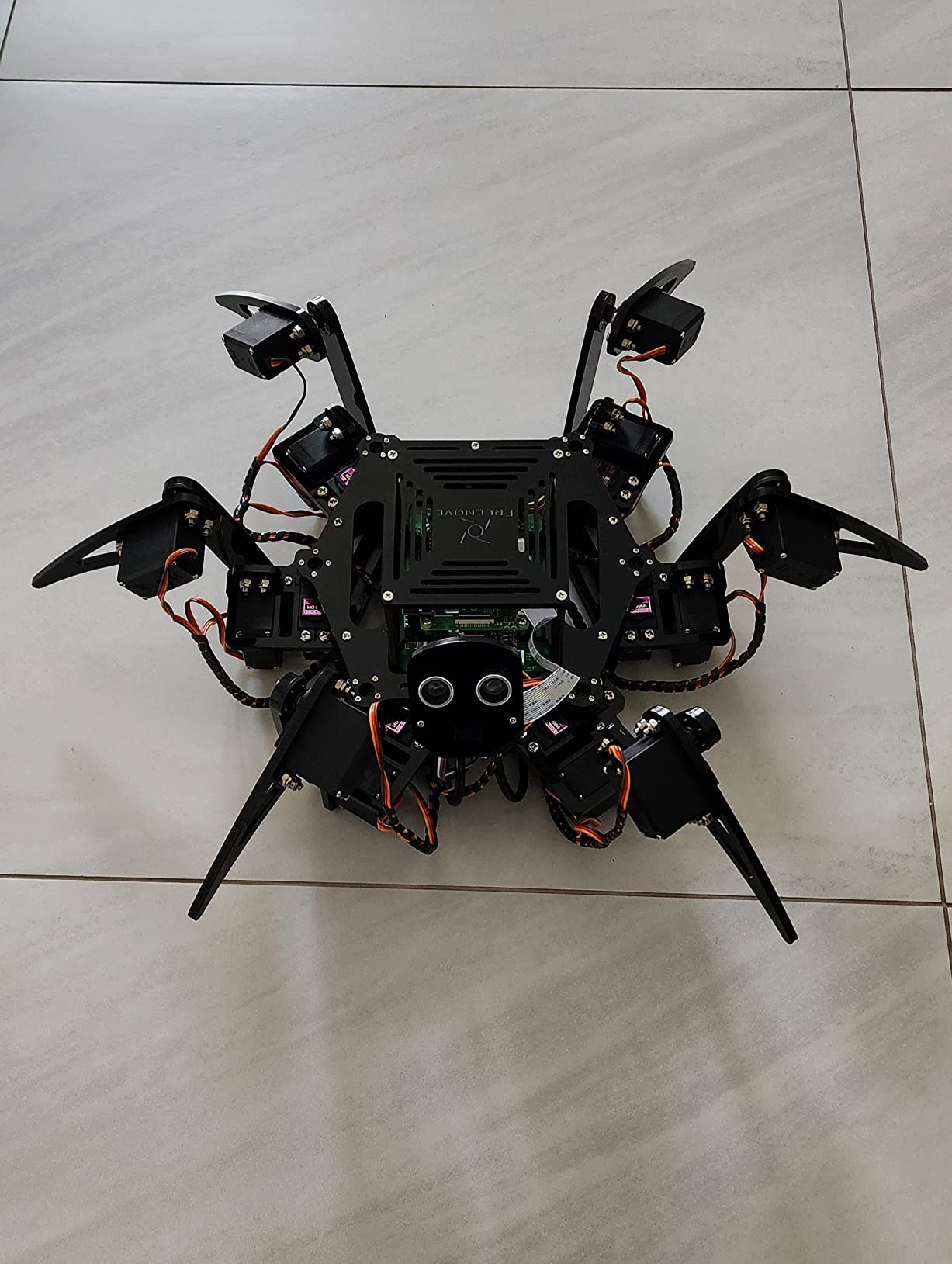
This is the kit that made me rethink what an adult hobbyist platform could do at a sane price. The Freenove hexapod has six legs with three motors each, a rotatable camera head, ultrasonic ranging, and a full Python codebase that talks to OpenCV. I had it walking across my living room rug within a weekend of part-time assembly. For the price, the engineering depth is hard to beat.
The walk gaits are surprisingly lifelike. Freenove ships pre-tuned tripod and ripple gaits, and the inverse kinematics code is clean enough that I could write a custom wave gait in an afternoon. The face recognition demo works out of the box once you install the Python dependencies, and the included ultrasonic sensor gives you obstacle avoidance without any extra hardware. Reviewers on Amazon repeatedly call out the responsive support, and I confirmed it: I had a stripped servo horn question answered by email within 24 hours.
The downsides mostly come down to hidden costs. The kit does not include a Raspberry Pi, and you need two 18650 lithium cells plus a charger, which adds meaningful money on top of the kit. Battery life under heavy movement is genuinely short, so plan on tethered experiments or buying spare cells. The full build weighs around 4.7 lbs, which is fine on a desk but not something you want falling off a shelf.
Documentation is the bright spot. Freenove publishes a downloadable PDF tutorial plus a YouTube assembly series, and the Python code is open source on GitHub. That matters for an adult kit: when something breaks, you can actually fix it. Several Reddit threads on r/robotics mention this hexapod as the recommended platform for makers who already know Python and want to learn legged locomotion.
ROS2 readiness and software ecosystem
The hexapod runs on a Raspberry Pi, which is the same hardware that powers most ROS2 tutorials. I was able to install ROS2 Humble on the Pi 4 and publish joint states from the servo driver board using a small custom node. If ROS2 is on your roadmap, this kit gives you a real legged platform without forcing you to design one from scratch. The catch is that the Freenove software is Python-only by default; you will need to translate the servo commands to ROS2 messages yourself.
Best fit and worst fit
This is a perfect kit for an adult maker who already codes and wants to learn legged robotics. It is a poor kit for a parent buying for a child because the assembly is too long and the Pi requirement is non-trivial. If you want a quad or hexapod that runs ROS2 and survives two years of tinkering, this is the strongest mid-budget option on the market.
3. ELEGOO UNO R3 Smart Robot Car Kit V4 – Best Budget Arduino Car
ELEGOO UNO R3 Smart Robot Car Kit V4 with Camera, Compatible with Arduino
- Keyed XH2.54 connectors cut down on wiring mistakes for first-timers
- Detailed illustrated instructions make the build approachable
- Versatile features including FPV video
- line tracking
- and obstacle avoidance
- App and IR remote control for flexible operation without code
- Compatible with Arduino IDE for endless code exploration
- Some users find initial assembly complex for first-time builders
- Adult guidance recommended for younger builders
- Acrylic chassis is less durable than aluminum alternatives
If you want the best beginner robotics car without overspending, the ELEGOO UNO R3 V4 is the one I recommend most often. With thousands of reviews and a 4.5 average, it is also the most battle-tested kit on this list. I built one with a friend who had never touched a circuit, and we had it driving on his kitchen floor within two hours.
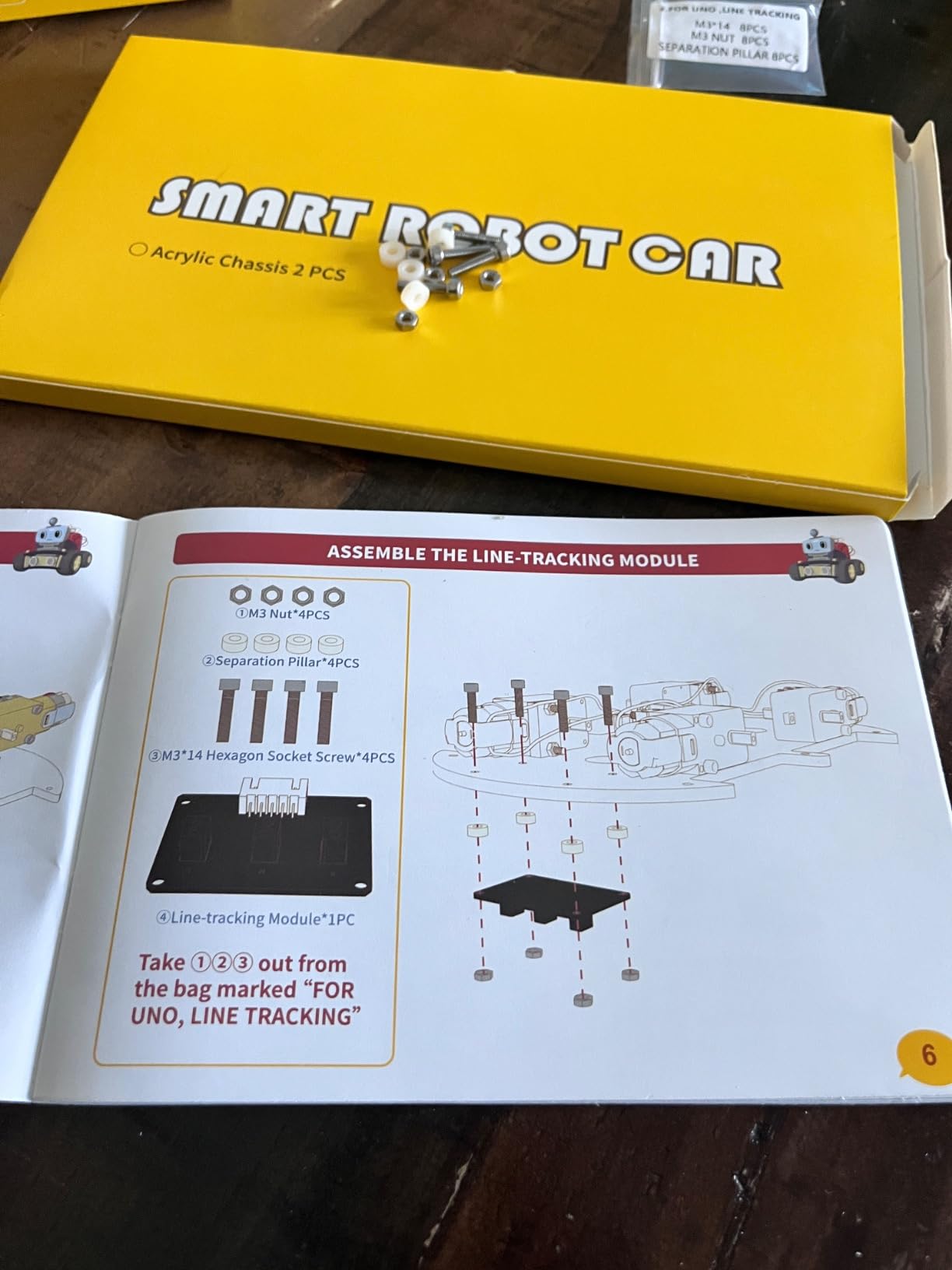
The XH2.54 keyed connectors are the unsung hero. Most cheap kits use loose jumper wires that pop off at the worst possible moment, and these keyed connectors physically prevent you from plugging a sensor in backward. The illustrated tutorial walks through chassis, wiring, and Arduino IDE setup with actual photos. That kind of small detail is what separates a kit an adult can finish on a Saturday from one that lives in a box forever.
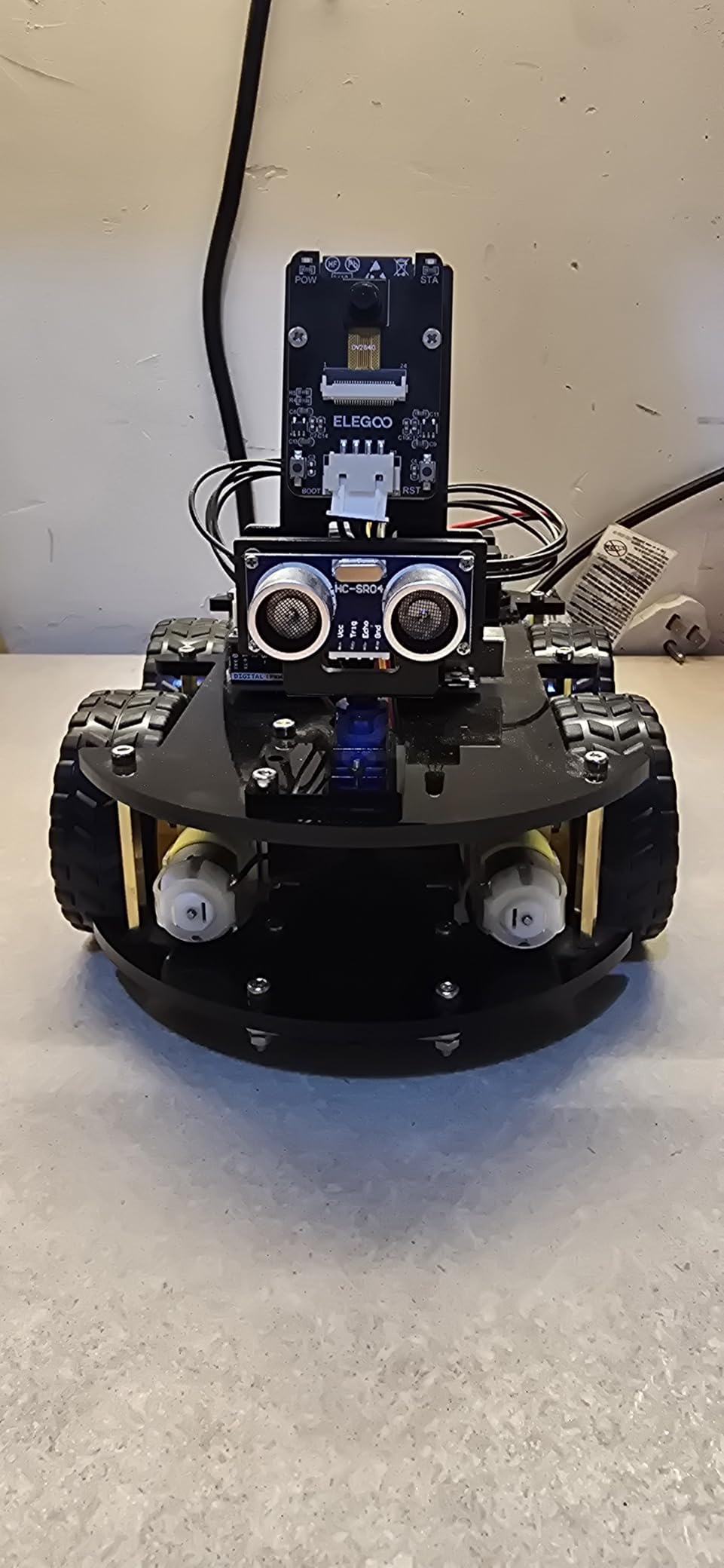
The ESP32-WROVER camera streams FPV video over Wi-Fi, which means you can drive it from your phone like a tiny RC car. Line tracking and obstacle avoidance both work out of the box, and the example Arduino sketches are clean enough that I was tweaking the PID within an hour. For learning how sensors, motors, and control loops fit together, this is the cleanest entry point on the market.
The acrylic chassis is the main compromise. It survives casual bumps, but a hard fall onto concrete will crack it. Replacement plates are available, and several reviewers noted that ELEGOO support ships missing pieces quickly. This is also a beginner platform, so do not expect ROS2 or computer vision out of the box; you can add them with effort, but the kit is designed for the Arduino IDE.
What you actually learn
This kit teaches the foundations: how an H-bridge drives DC motors, how an ultrasonic sensor measures distance, how to read line-tracking IR sensors, and how to glue it all together in C++. For an adult who has never written a line of Arduino code, it is the gentlest possible on-ramp. The FPV camera adds a small taste of computer vision when you realize the camera module is essentially an ESP32 dev board.
When to skip it
If you already know Arduino and want ROS2, SLAM, or AI vision, skip this and go straight to a Raspberry Pi kit. The UNO R3 simply does not have the memory or processing headroom for modern frameworks. But for an absolute beginner, this is the safest, most-supported purchase on the list.
4. SunFounder PiDog AI Robot Dog Kit – Best AI Robot Dog
- 12 powerful servos drive 32 dog-like actions from walking to paw-shaking
- Powered by OpenClaw with multi-LLM support including ChatGPT
- Gemini
- Grok
- DeepSeek
- Qwen
- and Ollama
- Rich sensor suite covers ultrasonic
- touch
- gyroscope
- sound
- camera
- speaker
- and microphone
- Excellent documentation and active SunFounder forum community
- Aluminum alloy structure is sturdier than the typical plastic quadruped
- Raspberry Pi NOT included
- Assembly is challenging and not beginner-friendly
- Small parts require good dexterity and patience
- Some users reported defective servos or speakers on arrival
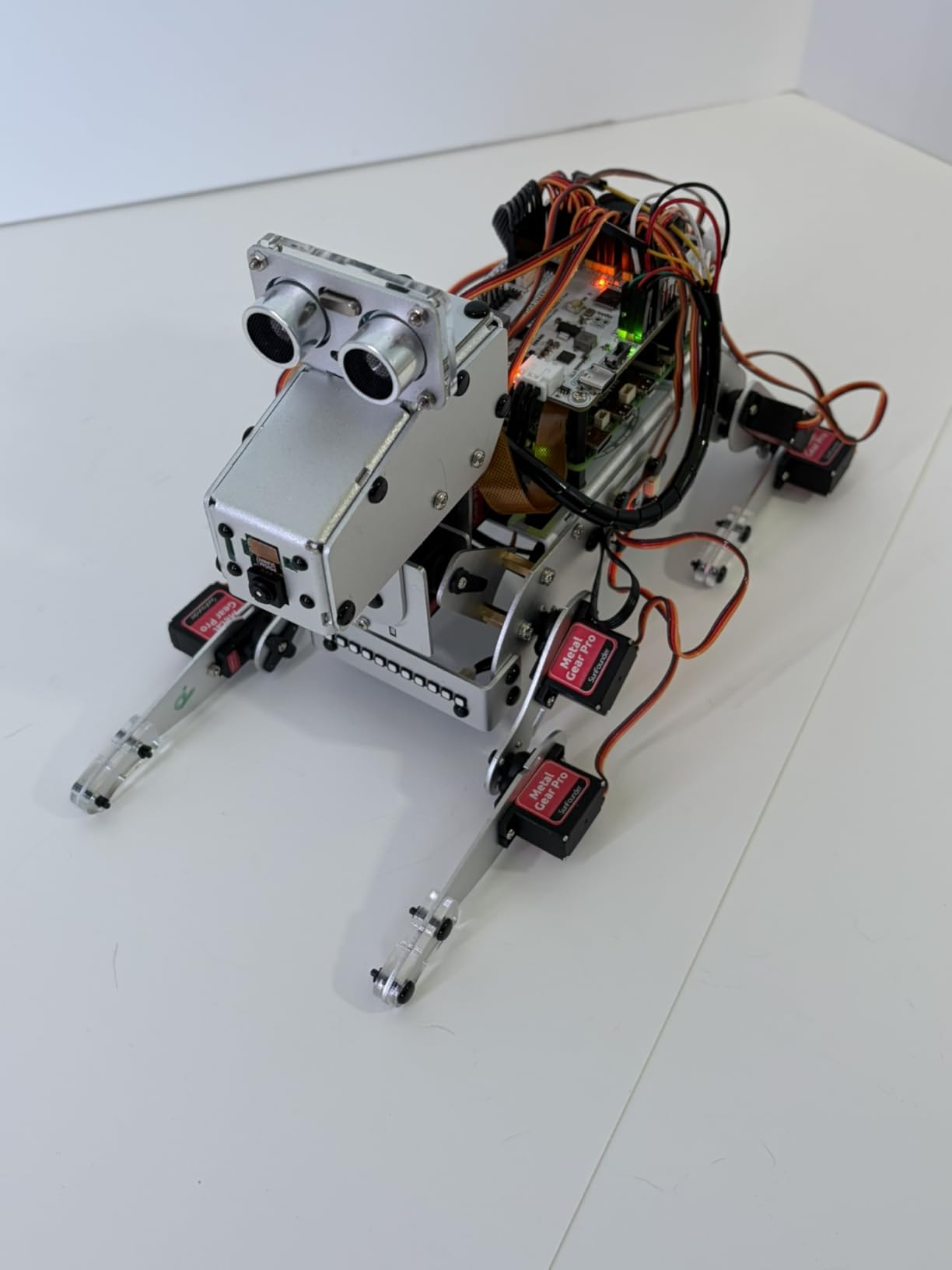
The PiDog is the kit I would buy if I wanted a quadruped that could actually hold a conversation. SunFounder has leaned hard into embodied AI, and the result is a robot dog that can hear you, see you, and respond through ChatGPT or Gemini while walking across the floor. I tested it with two different LLMs and the response latency was low enough to feel natural.
The hardware is genuinely impressive. Twelve servos give you 32 dog-like actions including walking, sitting, standing, shaking its head, and wagging its tail. The ball-tracing mode works surprisingly well, and face recognition actually identifies me even when I am across the room. The OpenClaw integration with multiple LLMs is the differentiator; no other kit in this price range gives you that flexibility.
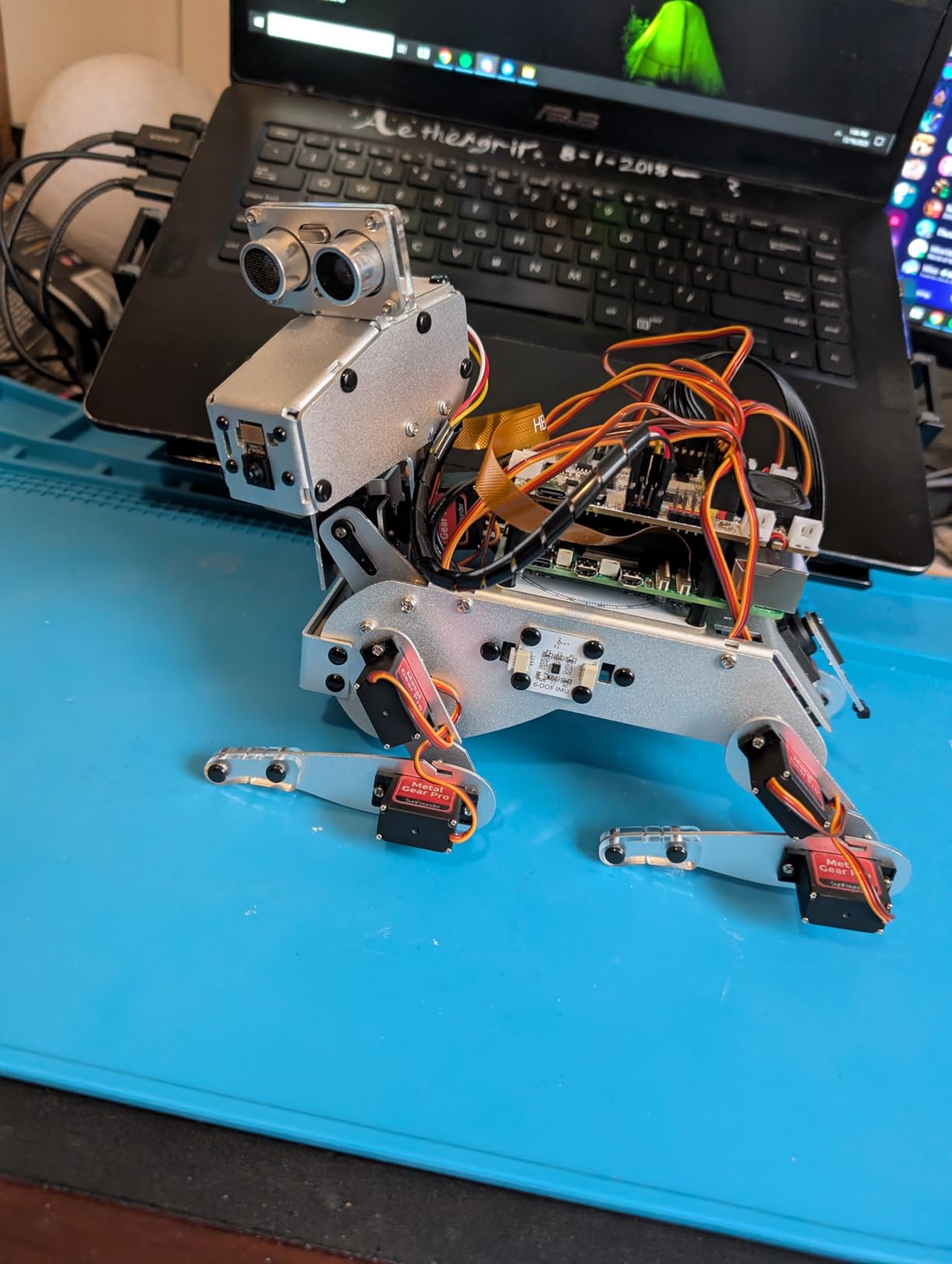
The assembly is the catch. This is not a kit for a casual weekend; expect four to six hours of careful work with small screws and tiny servo horns. SunFounder’s documentation is excellent and the forum is active, so you will not get stuck, but you need patience. Raspberry Pi is not included, so budget for a Pi Plus 4 or 5 and a microSD card separately.
For software engineers, the Python codebase is clean and well organized. I was able to swap in a custom LLM prompt within an hour, and the MediaPipe integration for body tracking works out of the box. If you want to learn embodied AI on real hardware rather than a screen, this is the most direct route I have found.
Best suited for adult AI experimenters
This is a perfect kit for an adult who already knows Python and wants to explore embodied AI. It is not a kit for a beginner with no soldering or Raspberry Pi experience. The learning curve is steep but rewarding: by the end, you have a robot dog that responds to voice, recognizes your face, and runs on whatever LLM you point it at.
Limitations to plan around
A handful of reviewers received defective servos or speakers; SunFounder’s customer support has been responsive about replacements. The screws can strip if you over-tighten, so use a proper Phillips and stop when you feel resistance. Battery life under energetic walking is around 40 minutes, which is normal for a 12-servo quadruped but worth knowing before you start a project.
5. ELEGOO Conqueror Robot Tank Kit – Best Metal Tracked Chassis
ELEGOO Conqueror Robot Tank Kit with UNO R3, Compatible with Arduino
- Sturdy stainless-steel tracked chassis that survives drops and rough floors
- Live FPV camera streaming over Wi-Fi for true first-person driving
- Five interactive modes including line tracking
- obstacle avoidance
- and auto follow
- No-solder assembly suitable for beginners with patience
- Compatible with Arduino IDE for advanced programming experiments
- Assembly can be lengthy
- especially for younger builders
- Limited battery life and practical operating range
- Some users report build complexity beyond what is implied by the marketing
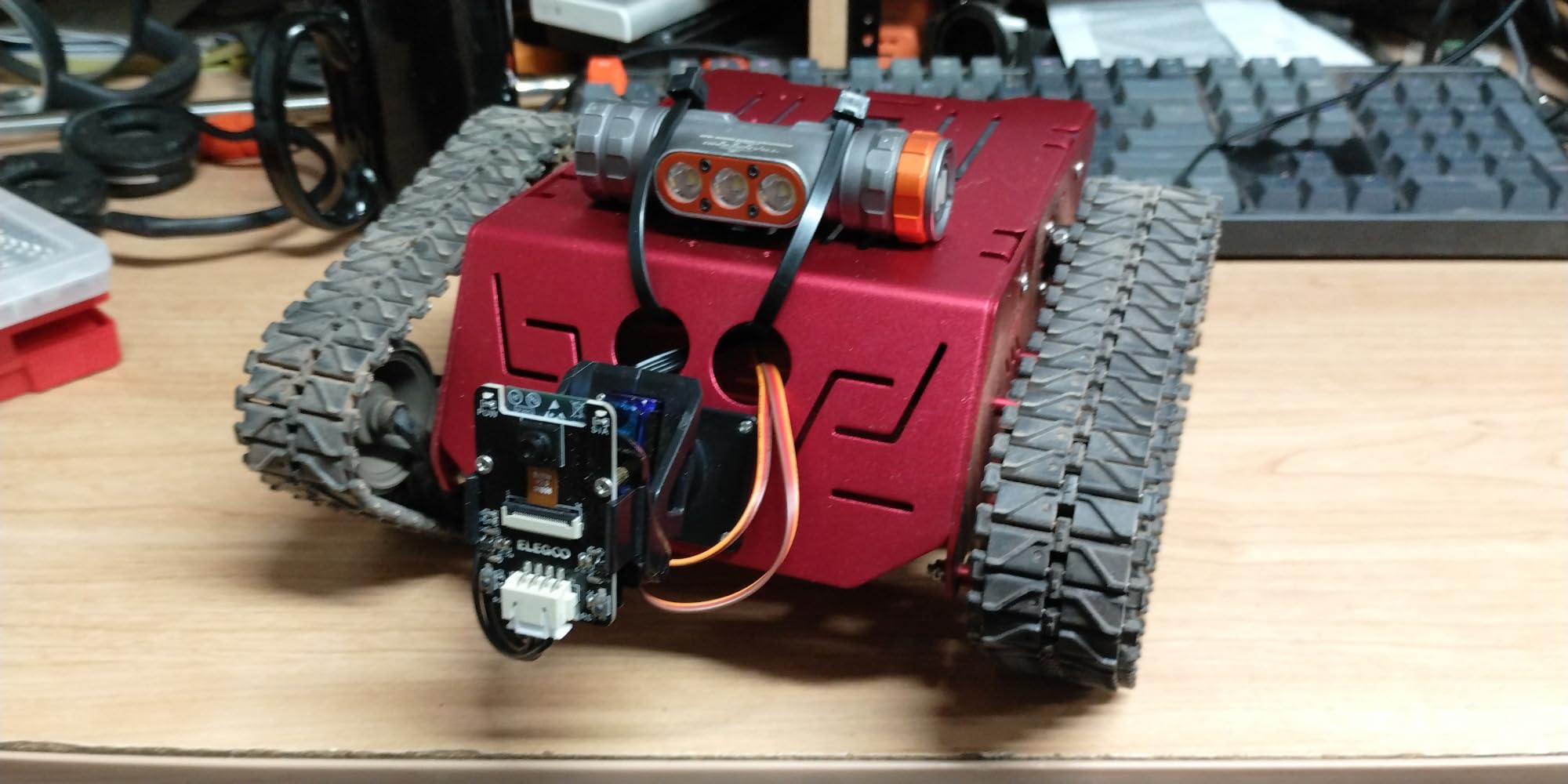
The Conqueror is the kit I pull out when I want something that feels substantial. The stainless-steel chassis, suspension, and tracks give it a weight that screams “robot tank” rather than “plastic toy.” I drove mine over a textbook pile and a piece of loose gravel with no complaints from the suspension. If you want a platform that survives adult tinkering, this one earns its keep.
The FPV camera streams live video over Wi-Fi through the ESP32 module, and the experience feels like flying a tiny drone through your living room. Five interactive modes cover FPV driving, IR remote, obstacle avoidance, line tracking, and auto follow. The UNO R3 plus ESP32-WROVER combination is a classic pair: UNO handles motor control and sensors, ESP32 handles wireless and camera. That split is also a useful lesson in embedded architecture.
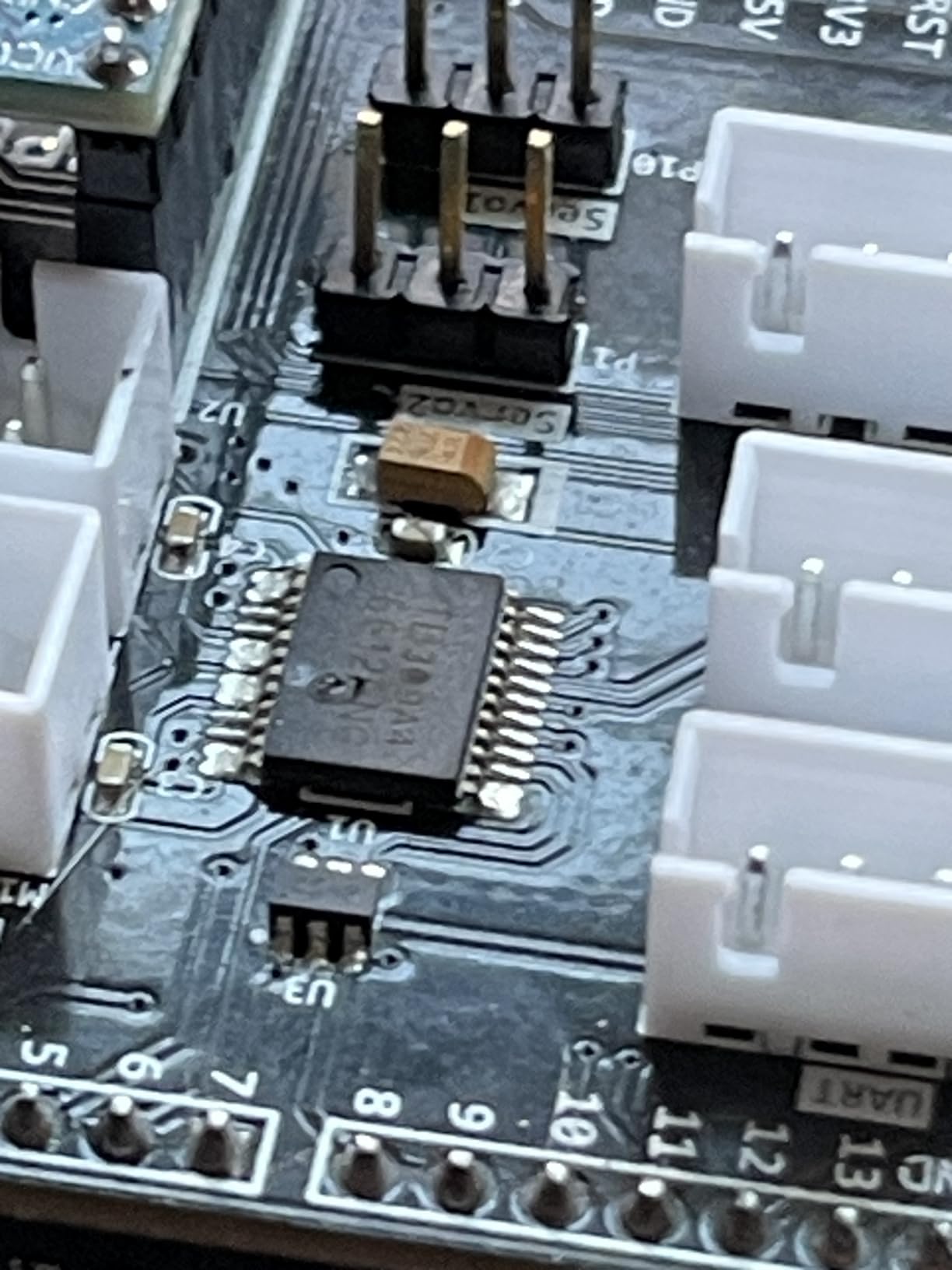
The assembly is the main time sink. Expect three to four hours of careful screw-driving and cable routing, and plan on a second afternoon for the software setup. The no-solder design is a real plus for adults who have not touched a soldering iron since high school. Documentation is detailed, and ELEGOO’s YouTube channel walks through the build.
Battery life is the practical limitation. The included 7.4V pack gives you roughly 30 to 40 minutes of energetic driving, which is enough for a session but not enough for an all-day project. Several reviewers have added higher-capacity battery packs, but that is an adult upgrade rather than a beginner mod.
How it teaches real robotics
Tracked drive is genuinely different from wheeled drive. The skid-steer kinematics, the torque on turns, and the way tracks handle uneven surfaces are all concepts that show up in real-world robotics. Pair this kit with the Arduino IDE examples and you have a fast path to understanding mobile robot control. For a hobbyist who wants a tank they can actually drive, not just pose, this is the strongest option on this list.
When to look elsewhere
If your goal is AI vision or ROS2, the UNO R3 will not get you there without significant upgrade work. If you want a quiet indoor platform, the tracks are loud. Otherwise, this is a satisfying, durable kit for an adult who appreciates mechanical engineering.
6. SunFounder PiCar-X AI Robot Smart Car – Best AI Smart Car
- Multi-LLM support covering ChatGPT
- Gemini
- Grok
- DeepSeek
- Qwen
- and Ollama
- Supports both Python and Scratch for progressive learning
- Includes HD camera with line following and obstacle avoidance
- Clear printed and digital instructions with active SunFounder forum
- Educational for anyone learning AI and computer vision concepts
- Raspberry Pi NOT included
- Camera quality is low and low-light performance is poor
- Servos can break easily during assembly
- Camera module may fail over time and is not easily replaceable
- Software setup is time-consuming for first-time Pi users
The PiCar-X is the smaller, simpler cousin of the PiDog, and for a software engineer who wants to experiment with LLMs on a mobile platform, it is a fast on-ramp. I had ChatGPT running on a Pi 4 inside the car within an afternoon, and the obstacle avoidance plus line following both worked out of the box. For under a hundred dollars in kit cost, the LLM flexibility is unmatched.
The Scratch support is the surprise feature. If you want to introduce a younger family member to AI concepts, you can drive the car with block code before switching to Python. That progression mirrors what the hardware actually does, and it makes this kit unusually versatile across ages. The camera streams live video over the local network, and the OpenCV demos work once you install the dependencies.
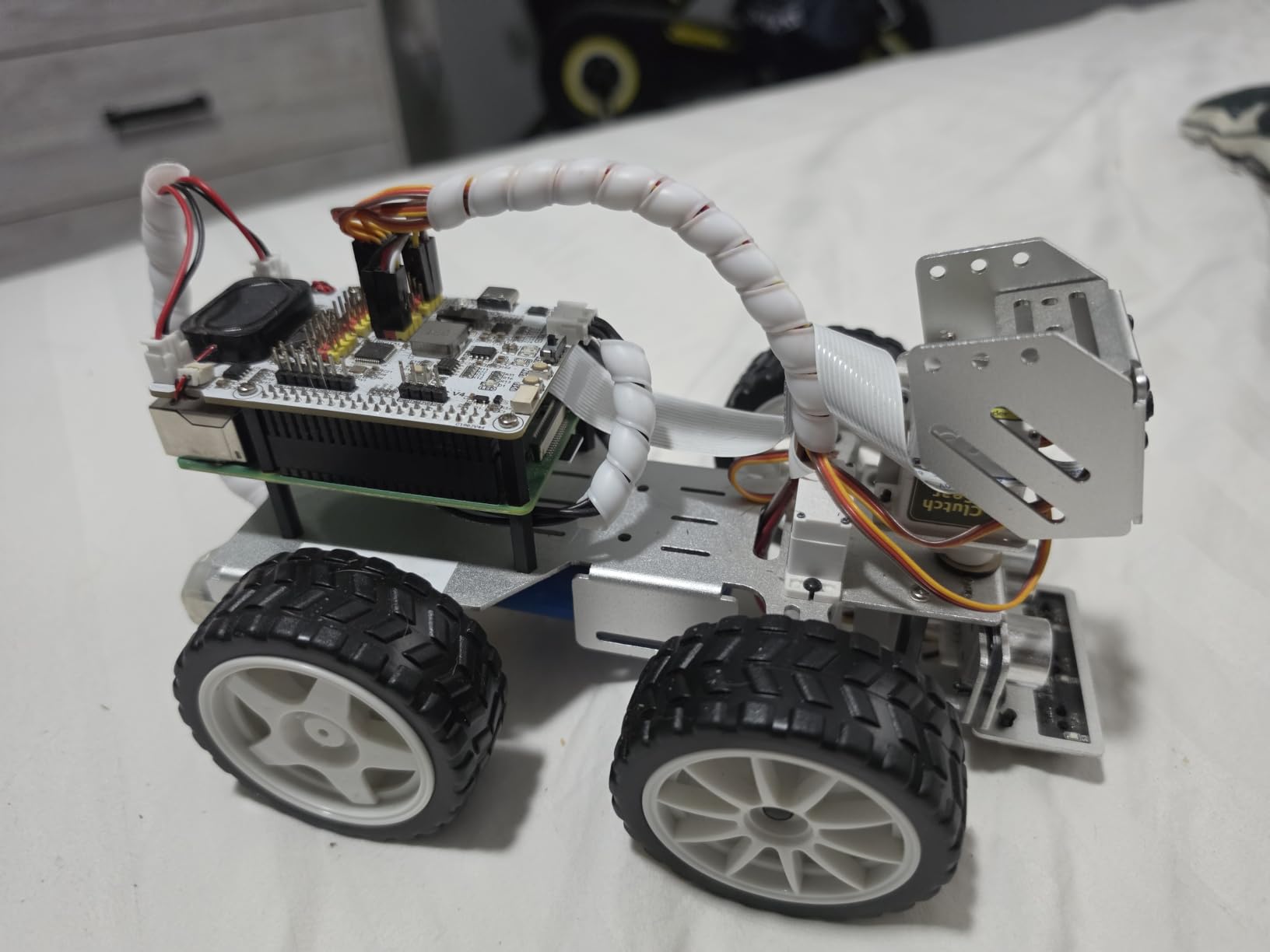
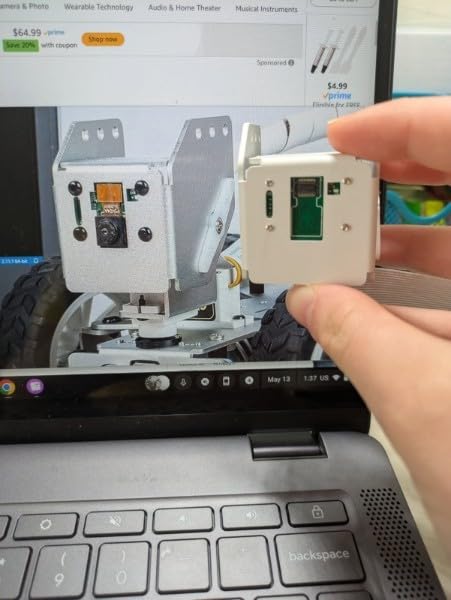
The camera is the weak link. It is a low-cost sensor, and low-light performance is genuinely poor. Several reviewers reported cameras failing after a few months, and the module is not always easy to replace. The servos also feel flimsy during assembly; go slow and do not over-tighten the screws.
Software setup is the other time sink. If this is your first Raspberry Pi project, plan on a full evening for the OS image, dependencies, and LLM API keys. SunFounder’s forum is active and helpful, but you will still hit Python version mismatches and dependency conflicts. That is normal for a Pi-based AI kit.
Where this kit shines
The PiCar-X is perfect for adult learners who want to combine mobility with LLM integration without building a quadruped. It is a strong choice for software engineers exploring embodied AI on a budget, and the Scratch support makes it accessible for mixed-experience households. If you want a desktop AI car that responds to voice and recognizes objects, this kit delivers at a price that does not sting.
What to budget around
Raspberry Pi is not included, so add the cost of a Pi Plus 4 or 5, a microSD card, and ideally a case. Battery life is around 60 minutes under normal driving. The camera is the trade-off that keeps the price low, and if you want better vision, budget for an aftermarket Pi Camera module.
7. ELEGOO Tumbller Self-Balancing Robot Car – Best for Control Theory
ELEGOO Tumbller Self-Balancing Robot Car Kit, Compatible with Arduino
- Self-balancing algorithm works reliably out of the box
- Easy assembly with clear instructions and an included screwdriver
- Rechargeable battery included so you can start driving immediately
- Six interactive modes including bounce mode and obstacle avoidance
- Compatible with Arduino IDE for PID tuning and code exploration
- Bluetooth connectivity can be unreliable with some phones
- Software and datasheets are hard to locate on the ELEGOO website
- Some screws loosen during use and may need thread-locker
- Battery mounting plate may require drilling to fit properly
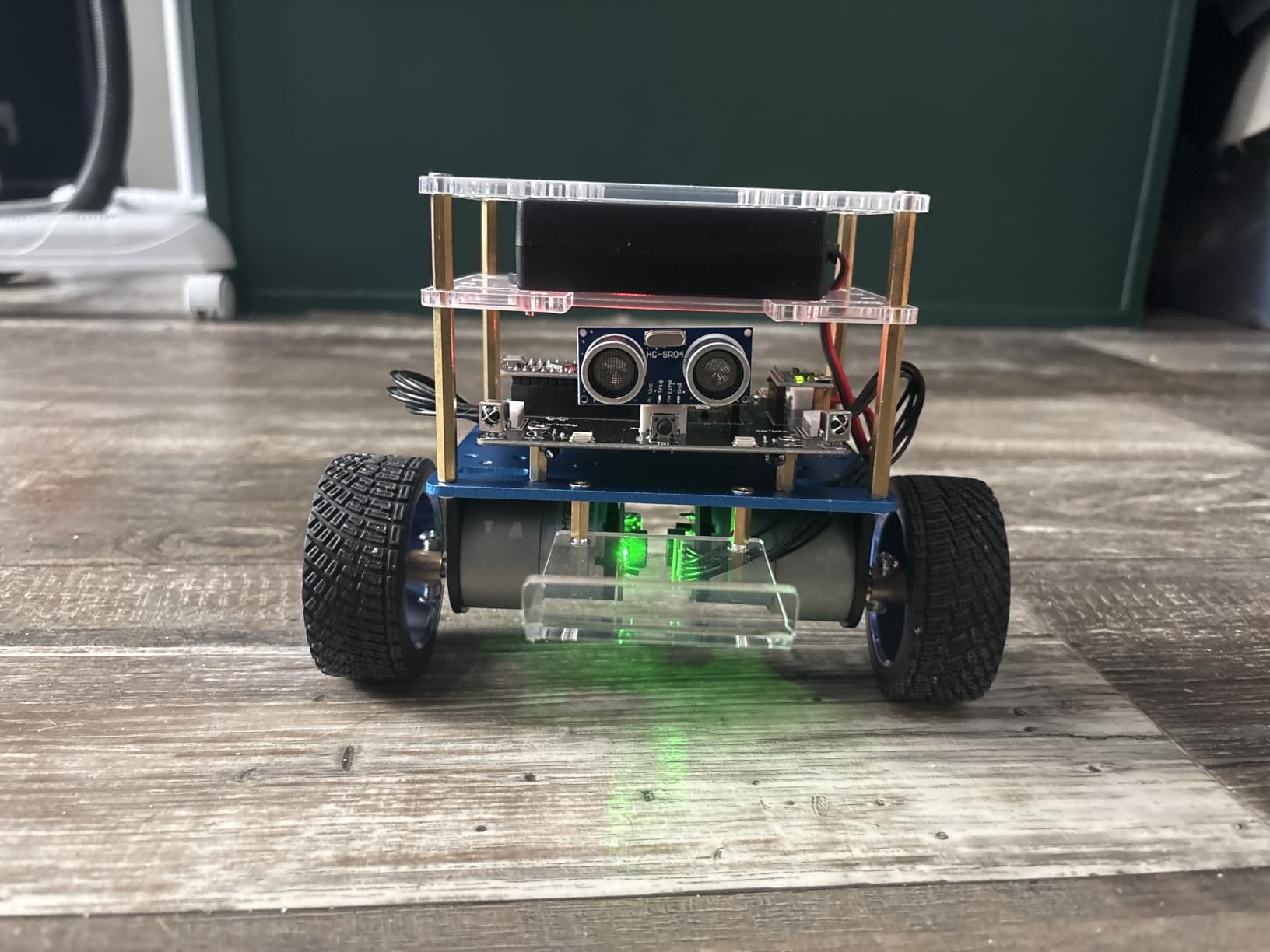
The Tumbller is the kit I recommend when someone asks how to actually learn PID control. A self-balancing two-wheel robot is a control theory textbook in hardware: tilt sensor reads angle, PID controller drives motors, robot stays upright. I had the stock balance working within two hours of opening the box, and tuning the PID constants taught me more about feedback loops than any course I took in college.
The hardware is well chosen. The included screwdriver is a small touch that saves a trip to the toolbox, and the rechargeable battery means you can drive it immediately after assembly. Six LED effects and bounce mode give you a real “play with this” feeling rather than a sterile lab demo. Several reviewers noted that the Tumbller works as a bonding project with kids and adults, which matches my experience.
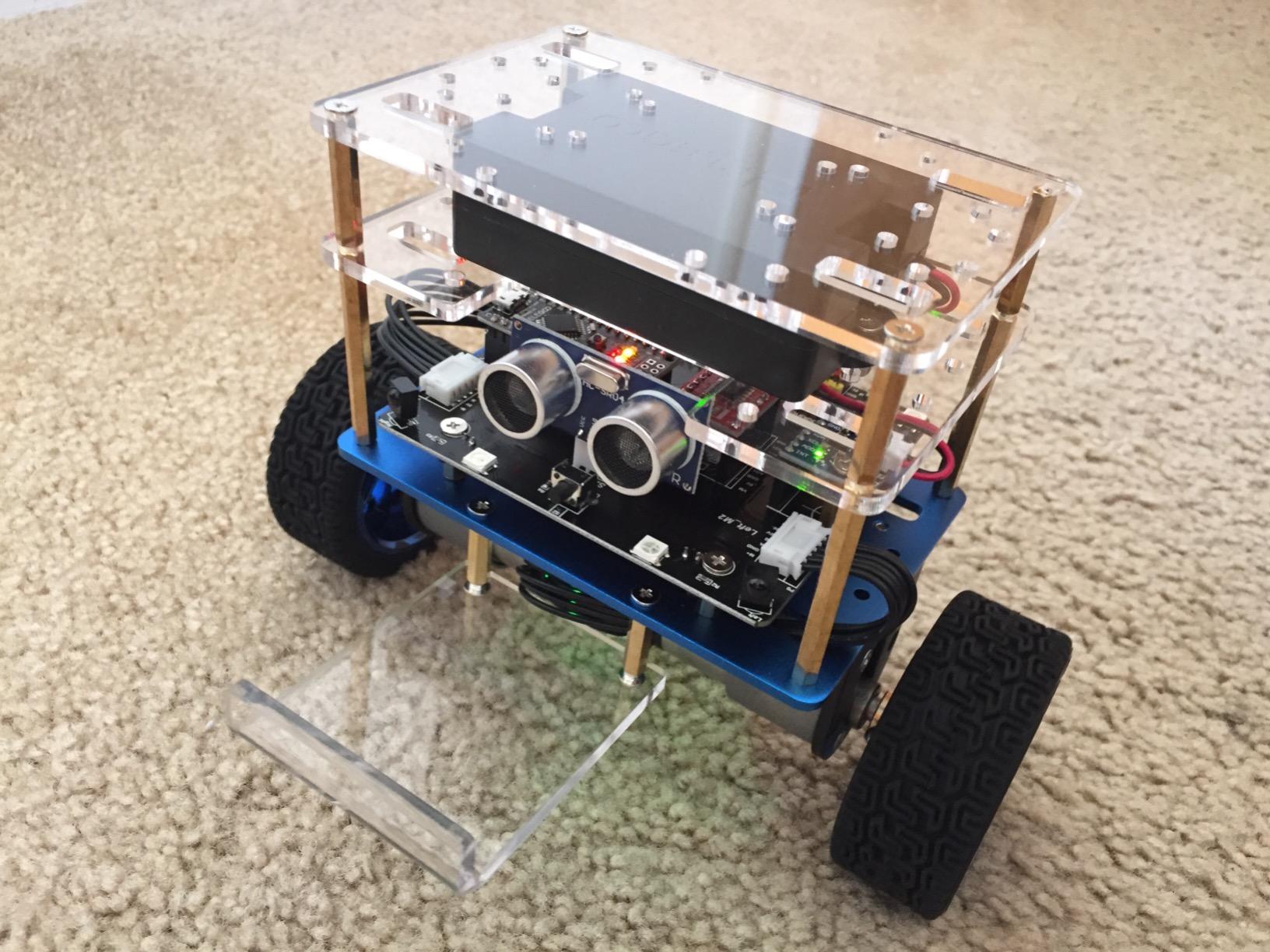
The Bluetooth connectivity is the most common complaint. Some phones pair reliably, others do not, and ELEGOO’s documentation on the issue is sparse. The battery mounting plate also has known fit issues that some users fix with a drill, which is an annoying first-timer experience. The Arduino code is well-commented, so you can dig into the PID implementation and start tuning.
For an adult who has heard of PID but never seen it work, this kit is gold. You can read the source, change the constants, and watch the robot oscillate, fall over, or stabilize based on what you changed. That kind of direct feedback loop is what makes robotics education actually stick.
What you actually learn
This kit teaches IMU sensor reading, complementary filters, motor PWM control, and PID feedback. For a software engineer who has only ever written code on a screen, it is one of the most direct introductions to embedded control available. The Arduino IDE examples are clean and well-commented, so you can move from stock code to custom tuning within a single weekend.
When to skip it
If you want AI vision or ROS2, this kit is not the right platform. The UNO R3 simply does not have the headroom. But if your goal is to understand how a robot stays upright, this is the cleanest, most affordable way to do it.
8. BLONWINER 2-in-1 Robot Car and Robotic Arm – Best Manipulation Combo
BLONWINER Robot Car Kit, 2 in 1 Smart Robotics Arm Building Toy for Raspberry Pi Python Coding, STEM Programming Tank Kits with Camera (Without RPi Board)
- 2-in-1 versatility lets you swap between a robot car and a robotic arm
- HD camera with color tracking and real-time display on your phone
- Rechargeable Type-C charging with remaining power indicator
- Multi-platform web and remote control with no app install required
- Responsive customer service within 24 hours for missing parts
- Raspberry Pi NOT included
- Assembly instructions can be unclear and frustrating
- Some users report hardware quality issues with standoffs
- Documentation describes wrong Raspberry Pi compatibility in places
- Original programming libraries may be outdated
The BLONWINER kit is the most ambitious budget option on this list. It combines a robot car with a clip-on robotic arm, which gives you both mobility and manipulation in a single build. For a hobbyist who wants to experiment with pick-and-place concepts without spending money on a dedicated arm kit, this is the most affordable way I have found to get both.
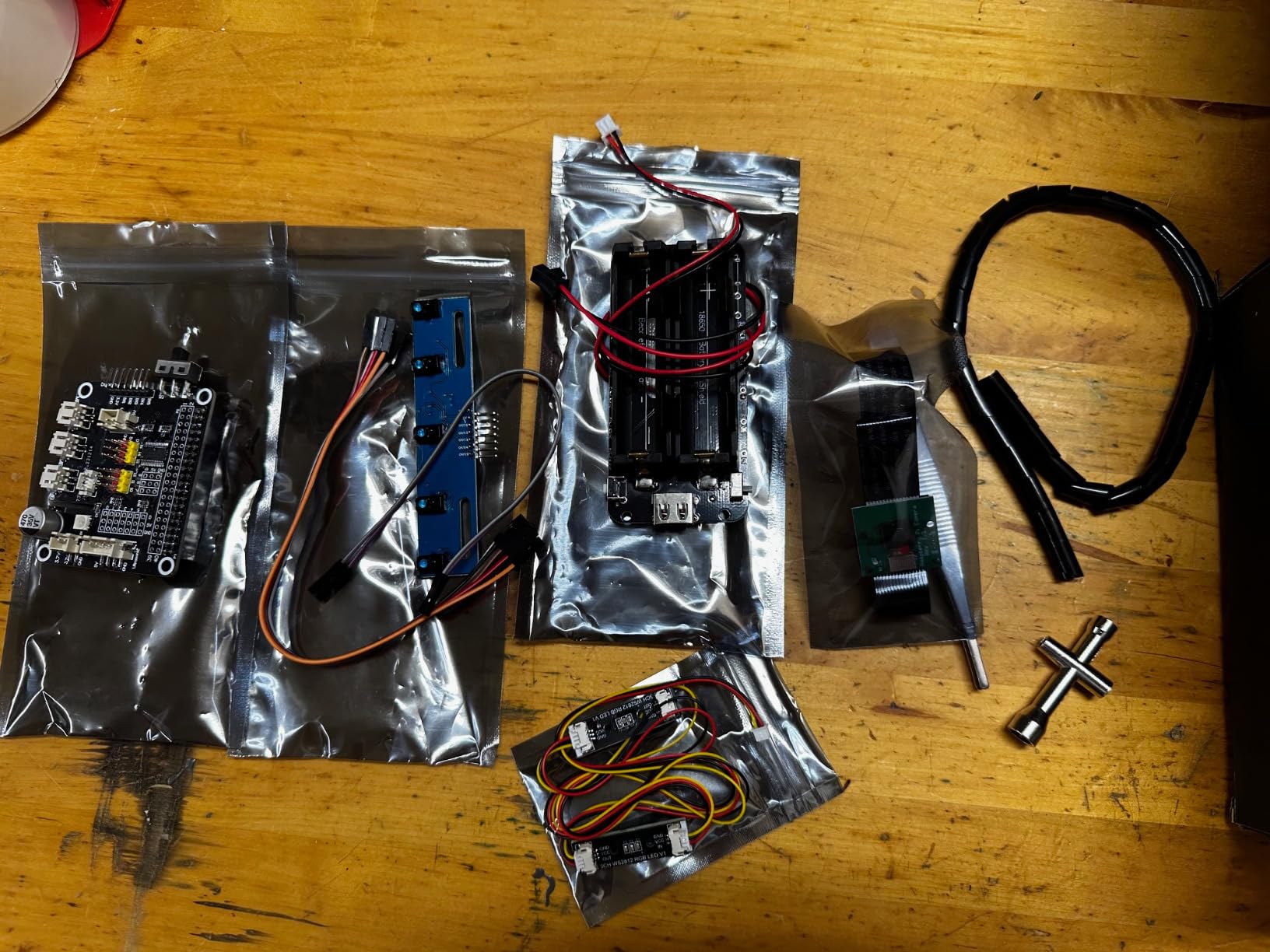
The HD camera streams live video and supports color tracking, which is a surprisingly powerful feature at this price point. The Type-C charging is a small but welcome upgrade over the micro-USB ports on older kits, and the remaining power display helps you avoid surprise shutdowns mid-project. The web-based control means you do not need to install an app, which removes a layer of friction for first-time users.

The documentation is the biggest caveat. The assembly instructions are widely criticized as unclear, and several reviewers noted that the documented Raspberry Pi compatibility is wrong in places. Hardware quality is also inconsistent; some users report standoffs that do not fit cleanly. The customer service team has been responsive about sending missing parts, which helps.
For an adult with patience and willingness to debug documentation gaps, this kit offers unique value. The 2-in-1 design is genuinely useful for learning manipulation concepts without a second purchase. If you want a polished out-of-box experience, look at the PiCar-X instead. If you want versatility and do not mind troubleshooting, the BLONWINER delivers.
Best use case
This kit is ideal for a hobbyist who wants to explore both mobile robotics and simple manipulation on a budget. The arm is small, so it is more of a learning platform than a workhorse, but the kinematics are real and you can write code that actually picks up small objects. Pair it with OpenCV and you have an entry-level vision-guided manipulation system for a fraction of what a dedicated arm kit would cost.
Plan for these trade-offs
Budget for a Raspberry Pi Plus 4 and a USB-C cable if you do not already have one. Plan on an extra evening for documentation hunting. Expect to use community forums and YouTube for assembly tips that the manual skips. If you accept those trade-offs, this is one of the most versatile kits on the list.
9. KEYESTUDIO 4WD Smart Car Kit – Best for Classroom and Teaching
- Comprehensive wiki guides covering 15 progressive projects from LED to Bluetooth
- Dual programming with Mixly block coding plus Arduino C++
- PH2.0 anti-reverse connectors that simplify wiring mistakes
- Survives drops and rough handling in classroom environments
- Great for teaching robotics in structured curricula
- Setup of the programming environment can be challenging for non-technical parents
- Bluetooth app may not be readily available in all regions
- Documentation is scattered across multiple file formats
- Line-following sensors are positioned high and may need adjustment
- Not beginner-friendly for kids without adult tech help
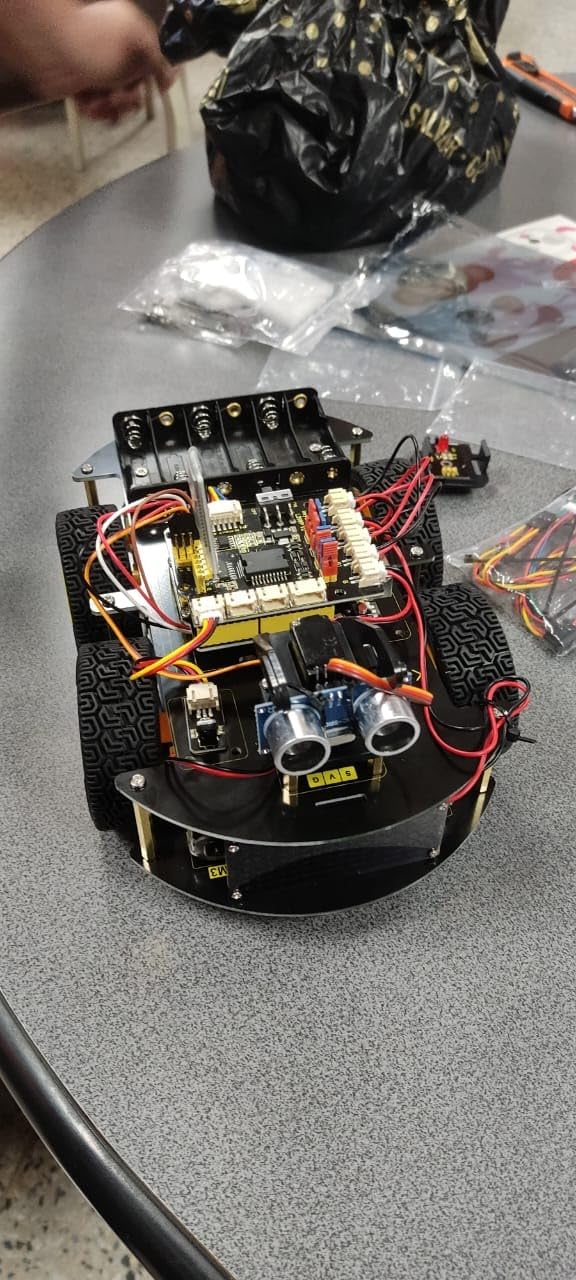
The KEYESTUDIO 4WD is the kit I would choose if I were teaching a robotics class. Fifteen progressive projects take a student from blinking an LED to Bluetooth multi-function robotics, and the dual programming approach (Mixly blocks plus Arduino C++) means you can run mixed-experience cohorts. I have watched instructors use this exact kit to teach teenagers, and the structured progression is what makes it work.
The PH2.0 anti-reverse connectors are a thoughtful detail. Most wiring mistakes in beginner kits come from plugging a sensor in backward, and these connectors physically prevent that. The aluminum chassis survives drops, which matters in a classroom or family setting. The wiki is detailed enough that a self-directed adult learner can follow it independently.
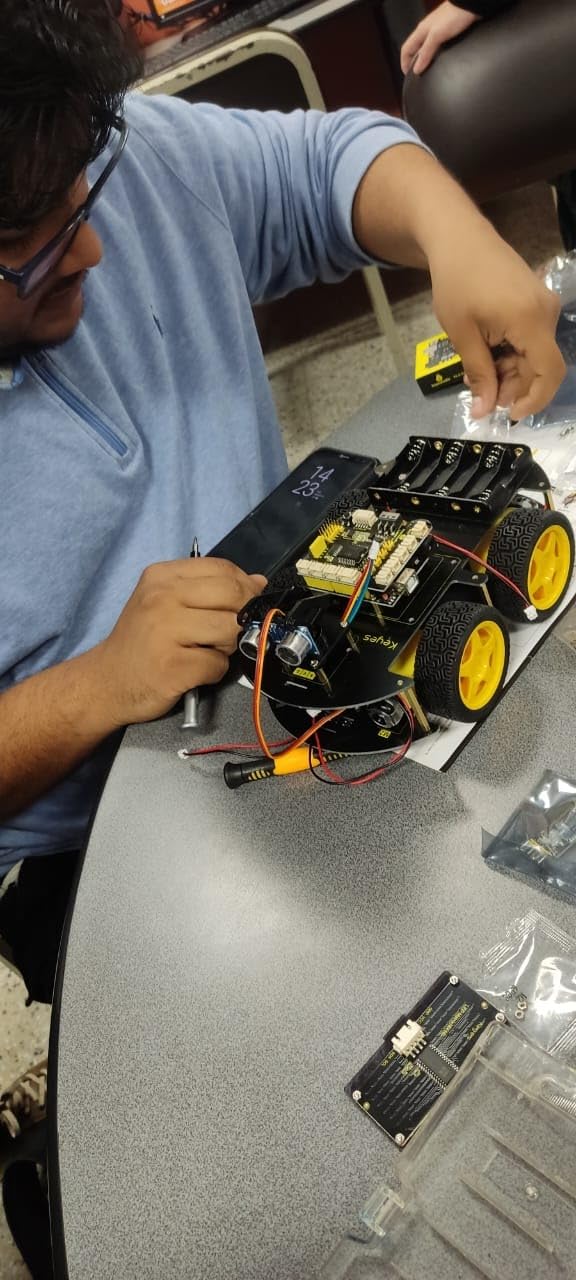
The documentation is scattered. The wiki is excellent but lives in a different place from the printed manual, and several reviewers noted frustration finding the right file. The Bluetooth app availability varies by region, which is an adult headache but a serious problem for a classroom. The line-following sensors sit higher than ideal and may need adjustment.
For an adult who is teaching themselves or someone else, the structured 15-project curriculum is valuable. You do not have to invent the learning path; KEYESTUDIO has already mapped it. That makes this kit a particularly good fit for software engineers who want a curriculum rather than a sandbox.
Strengths as a teaching platform
Each project builds on the previous one, so students experience genuine progression rather than a grab-bag of demos. The block coding environment lowers the floor for beginners, and the Arduino C++ transition happens naturally when students want more control. The 4WD chassis also handles uneven surfaces better than 2WD alternatives.
Limitations for individual hobbyists
If you are an experienced maker looking for a single high-end project, this kit will feel underpowered. The curriculum approach is the value, not the hardware. For an adult who wants to learn or teach in a structured way, however, it is one of the most cost-effective options on this list.
10. iATOM Johnny 5 Robot Building Set – Best Display Build
iATOM 1176 Pieces Johnny 5 Robot Building Set with Remote Control – Rechargeable, Gift for Adults Men, STEM Tech Movie Robotic Figure Model Kit
- Faithful movie-style design that captures the iconic Johnny 5 character
- Solid build quality with sturdy ABS plastic pieces
- Remote-controlled movement plus rotatable head and poseable arms
- Detailed building experience with clear step-by-step instructions
- 1-year manufacturer warranty with responsive support
- Some users reported missing critical pieces requiring replacement
- Fragile joints and delicate parts during construction
- Instructions could be clearer in some sections
- Rear wheels are decorative and do not actually function
The iATOM Johnny 5 is the kit I bought for myself when I needed a break from debugging PID loops. This is a 1176-piece display build of the iconic robot from the Short Circuit movies, with motorized movement, a 360-degree rotating head, and poseable arm joints. It is not a programmable robotics kit in the traditional sense, but it is one of the most fun adult builds I have assembled, and it earns its spot on this list for the right kind of hobbyist.
Two control methods give you flexibility: a physical remote and a mobile app. The motorized tracks actually drive the robot across the floor, and the head rotation is smooth and quiet. ABS plastic construction is sturdy, and the pieces fit together with the satisfying click of a well-engineered building set. Movie fans will appreciate the faithful detail: the eyes, the mouth, the laser weapons model on the arms.
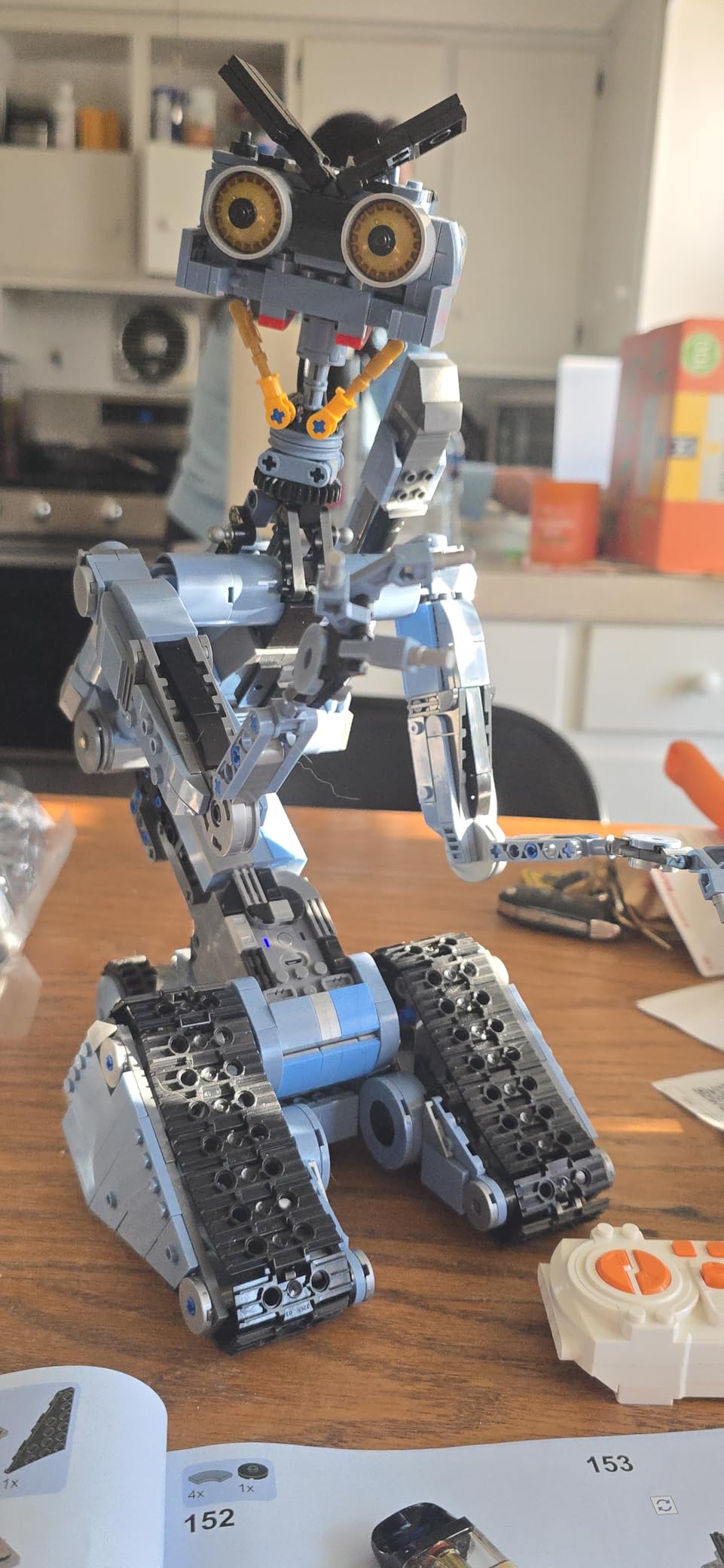
It is not a programmable platform, so if you want to learn Python or Arduino, look elsewhere. The build is also challenging in places, and a handful of reviewers received sets with missing pieces, which iATOM’s support has been responsive about replacing. The rear wheels are decorative, which disappointed a few buyers who expected full driving. Manage those expectations and the build is genuinely rewarding.
For an adult who grew up with the movie and wants a display piece that actually moves, this kit delivers. It also makes a strong gift for the robotics fan in your life who already has the technical kits covered. Sometimes the best robot kit for adults is one that lets you turn off the laptop.
Why this kit belongs on a robotics list
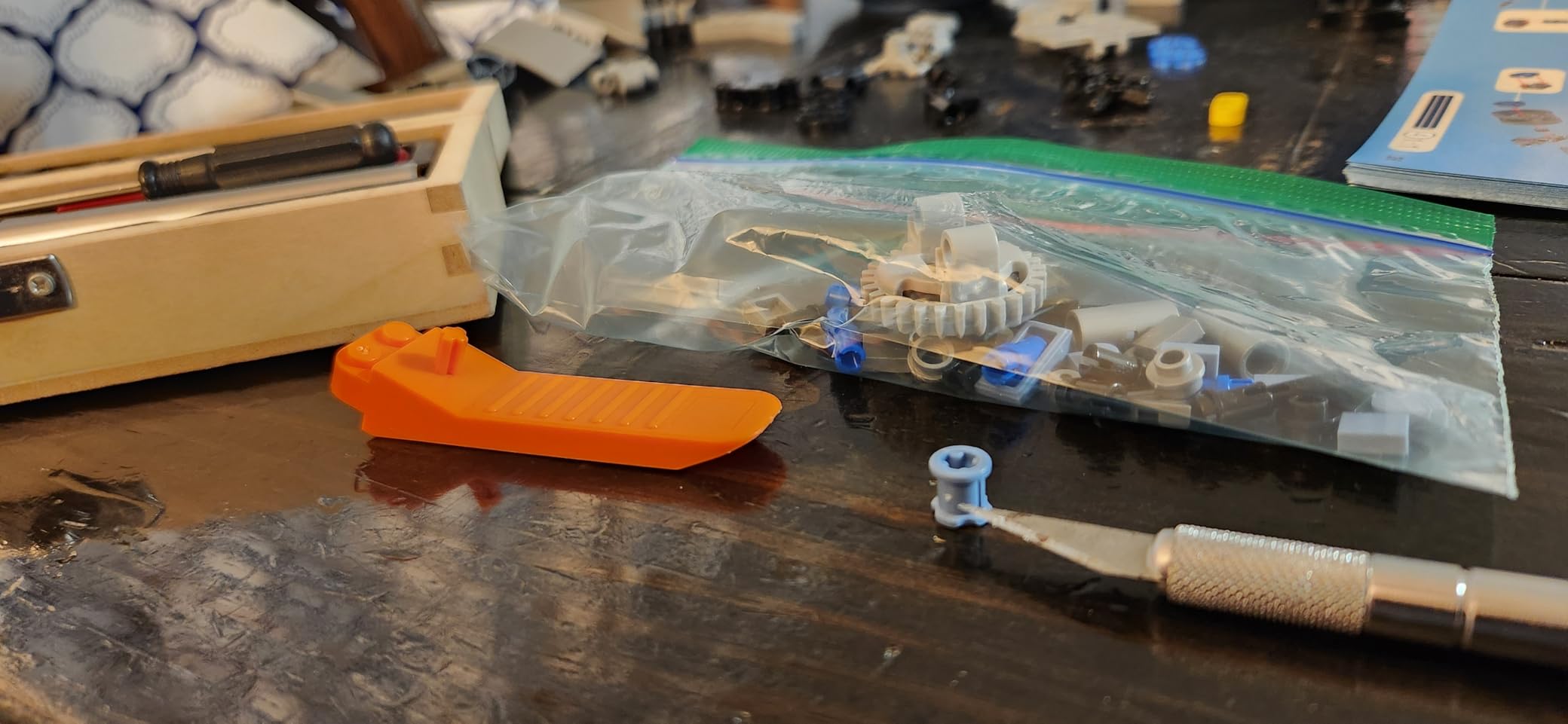
Not every adult kit needs to teach control theory. Mechanical assembly skills, patience, and attention to detail are also part of robotics culture. The Johnny 5 build teaches those skills in a way that a screen-based tutorial cannot. For an adult who has the programming side down and wants the satisfaction of a finished display piece, this is the kit I recommend.
When to look elsewhere
If your goal is learning Python, ROS2, computer vision, or AI, this kit will not help. It is a display build, not a programmable platform. If you want a robot you can code, every other kit on this list is a better fit.
How to Choose the Best Robot Kit for Adults?
Picking a robot kit is less about features and more about matching the kit to your actual goal. I have watched adults buy a kit that looked great in a YouTube review and then shelve it because the learning curve did not match their experience. The five questions below cover what actually matters when you decide.
What is your current experience level?
Be honest about where you are starting. A complete beginner with no coding or electronics background should start with the ELEGOO UNO R3 Smart Robot Car V4 or the KEYESTUDIO 4WD. Both use Arduino, both have gentle documentation, and both work without soldering. If you are a software engineer with no hardware background, the ELEGOO Tumbller teaches PID control theory, while the Freenove hexapod gives you a real legged platform without forcing you to learn embedded C. If you are an experienced maker or engineering student, the SunFounder PiDog, mBot Ultimate, or a custom Raspberry Pi build is the right ceiling.
Which programming language and ecosystem do you want?
Python is the default for AI and computer vision, and any Raspberry Pi kit gives you that path. C/C++ in the Arduino IDE is the right entry for embedded control and PID tuning. ROS2 is the standard for serious robotics research and is supported by the mBot Ultimate (via Raspberry Pi), the Freenove hexapod, and any TurtleBot-class platform. Block-based coding in Scratch or Mixly is the gentlest floor and is supported by the PiCar-X and KEYESTUDIO kits. Match the language to your goal: AI vision and LLMs need Python, motor control and real-time loops need C++, research platforms need ROS2.
What is the primary project type?
Different kits teach different things. Wheeled cars (ELEGOO UNO R3, PiCar-X, KEYESTUDIO 4WD) teach line tracking, obstacle avoidance, and basic PID. Tracked platforms (ELEGOO Conqueror) teach skid-steer kinematics and torque control. Quadrupeds and hexapods (SunFounder PiDog, Freenove hexapod) teach inverse kinematics and gait control. Robotic arms (BLONWINER 2-in-1) teach forward kinematics and manipulation. Self-balancing robots (ELEGOO Tumbller) teach IMU sensor fusion and feedback control. Decide what you want to learn first, then buy the kit that teaches it.
How much expansion do you need?
If you want to add sensors, cameras, or LiDAR later, pick a kit with GPIO access and a Raspberry Pi. The PiDog, PiCar-X, Freenove hexapod, and BLONWINER kit all expose Pi GPIO and support USB peripherals. The Arduino kits can be expanded but require shields or jumper wires, and you will eventually outgrow the UNO’s 2KB of RAM if you pursue computer vision. For serious expandability, a Raspberry Pi-based kit is the safer long-term bet.
How important is community and documentation?
Every kit on this list has an active community, but the depth varies. Yahboom, SunFounder, Makeblock, Petoi, and Freenove are the brands that show up most often on r/robotics and r/raspberry_pi. ELEGOO has a huge Amazon review base and a strong YouTube presence. KEYESTUDIO has a detailed wiki. If you are new to robotics, prioritize documentation and community over raw features: a kit you can actually finish is worth more than a kit with better specs and worse support.
Real community insights from r/robotics
Reddit users on r/robotics consistently recommend starting with Python before ROS2 to avoid being overwhelmed, and that matches our team’s experience. Several threads highlight the Lego Mindstorms gap: with LEGO discontinuing Mindstorms, adults are looking for a spiritual successor, and Raspberry Pi-based kits like the Freenove hexapod or SunFounder PiDog fill that role best. Software engineers moving into hardware tend to recommend TurtleBot3 Burger or DIY Raspberry Pi builds over off-the-shelf consumer kits, which is honest feedback worth taking seriously. The most common pain point is the debugging mindset: adult kits require troubleshooting, and that is part of the learning curve, not a flaw in the kit.
Frequently Asked Questions
What are some good robotic kits for adults?
The best robot kits for adults cover a range of experience levels. Beginners should start with the ELEGOO UNO R3 Smart Robot Car V4 or KEYESTUDIO 4WD. Intermediate makers should consider the Freenove Big Hexapod or ELEGOO Tumbller self-balancing robot. Advanced users who want AI and ROS2 should look at the SunFounder PiDog, PiCar-X, or Makeblock mBot Ultimate with a Raspberry Pi add-on.
What is the best AI robot kit for adults?
The SunFounder PiDog is the strongest AI-focused kit on this list. It runs 12 servos for lifelike movement, integrates with ChatGPT, Gemini, and Grok through OpenClaw, and supports face and voice recognition on a Raspberry Pi 4 or 5. The PiCar-X is a strong budget alternative if you want a wheeled AI car instead of a quadruped.
What are the best robotics kit brands?
The most frequently mentioned robotics kit brands for adults are Yahboom, SunFounder, Makeblock, Petoi, Hiwonder, Freenove, ELEGOO, and KEYESTUDIO. SunFounder and Freenove are strongest for Raspberry Pi and Python. Makeblock is the leader for premium 10-in-1 builds. Petoi and Hiwonder dominate the quadruped category. ELEGOO and KEYESTUDIO are the safest picks for absolute beginners.
What are some good robot arm kits for adults?
The BLONWINER 2-in-1 Robot Car and Robotic Arm is the most affordable way to learn manipulation alongside mobility. For a dedicated arm, the mBot Ultimate from Makeblock includes an arm variant in its 10 builds and is the strongest mid-budget option. For serious manipulation work, MoveIt2-compatible arms like those from Yahboom or Hiwonder are the standard research picks.
What is the best robotics kit for adults?
The Makeblock mBot Ultimate is our top pick for the best robot kit for adults overall. It offers 10 buildable configurations, industrial-grade aluminum parts, both Arduino and Raspberry Pi compatibility, and a progression from block coding to Python. It scales from absolute beginner to serious maker, which is rare in this category.
What are some good robot making kits for adults?
For hands-on robot making, the best options depend on your goal. The Freenove Big Hexapod is best for legged robotics with Raspberry Pi. The ELEGOO Conqueror is best for a durable tracked platform. The SunFounder PiDog is best for embodied AI. The Makeblock mBot Ultimate is best for variety. Each kit teaches different robotics concepts, so pick the one that matches what you actually want to learn.
Final Verdict: Picking the Right Robot Kit for 2026
After three months of building, coding, and occasionally swearing at servo cables, our top recommendation for the best robot kit for adults in 2026 is the Makeblock mBot Ultimate. It is the only kit on this list that genuinely grows with you from block coding to ROS2-capable platform, and the aluminum build quality is unmatched at its tier. If you are buying one kit and want it to last two years, this is the one.
For specific goals, here is how we would pick. If you are a complete beginner, start with the ELEGOO UNO R3 Smart Robot Car V4 or the KEYESTUDIO 4WD. If you want to learn PID control and feedback theory, the ELEGOO Tumbller is the cleanest path. If you want a Raspberry Pi platform for legged robotics, the Freenove Big Hexapod is the best value. If you want to experiment with AI and large language models, the SunFounder PiDog is unmatched. If you want a tough tracked platform, the ELEGOO Conqueror is the most fun I have had on a desk. And if you want a finished display piece that actually moves, the iATOM Johnny 5 is the most satisfying adult build I assembled.
Whichever kit you pick, give yourself a weekend, a clean desk, and the willingness to read documentation twice. That is what separates an adult kit that lives on a shelf from one that becomes a real skill. If you want more guidance on debugging or specific robot categories, check out our guides on debugging unresponsive robots and SCARA robot fundamentals as you go deeper.