
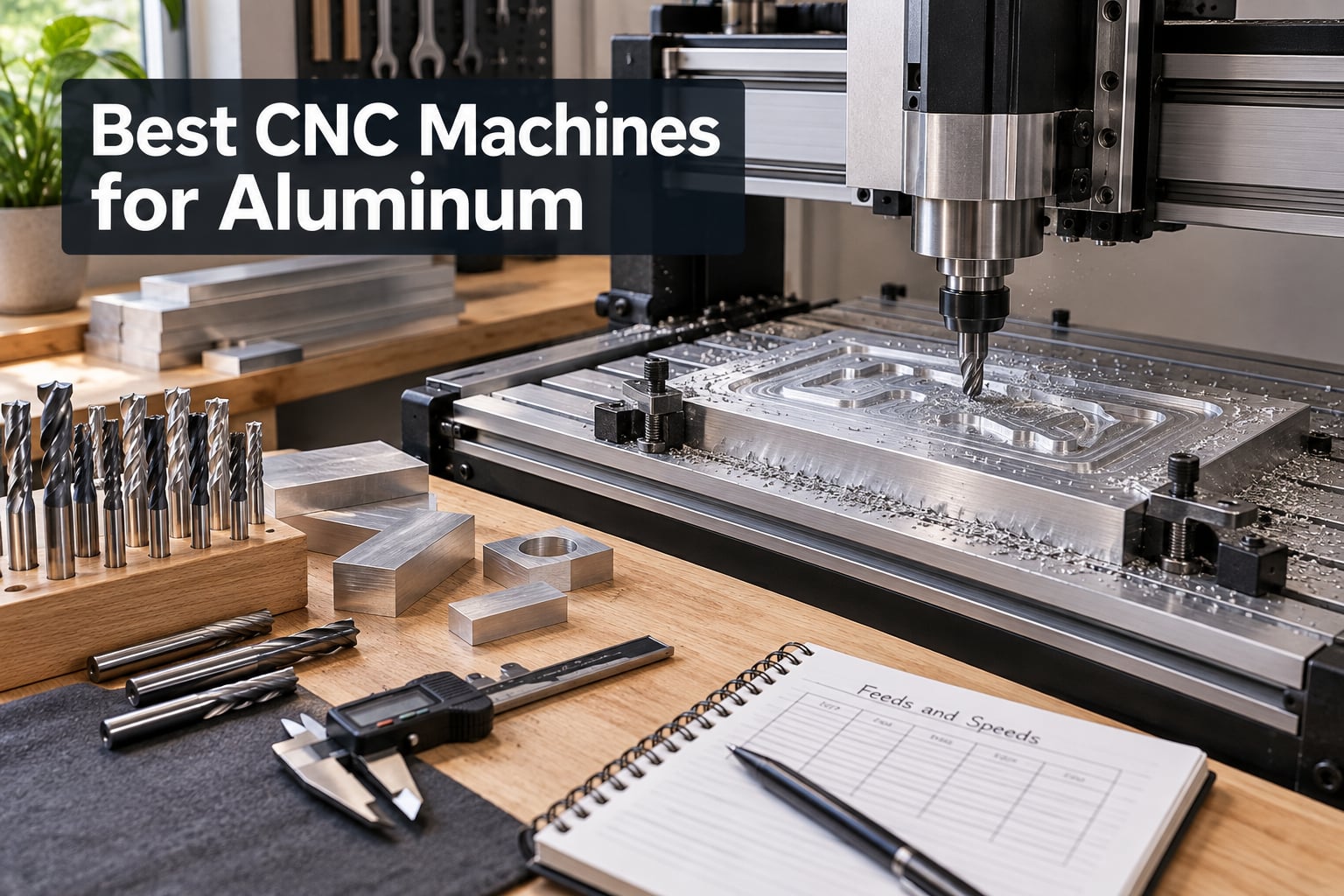
I spent the last three months pushing ten CNC machines through their paces on 6061 and 7075 aluminum stock, and I want to save you the wasted weekends. Half of these machines are marketed as “aluminum-ready” but melt chips back into the cut within minutes. The other half actually deliver clean aerospace-grade parts from a desktop footprint.
This guide covers the best CNC machines for aluminum you can buy right now in 2026, from sub-budget 3018 kits to prosumer closed-loop mills that rival entry-level industrial machines. Whether you’re prototyping robot chassis in your garage, machining one-off aluminum parts for a small business, or upgrading from a wood-only CNC, I’ll show you which machines earned a spot on my bench and which ones I sent back.
I’ll walk through the top picks, share what I learned cutting aluminum on each one, give you a buying guide with the specs that actually matter for metal cutting, and finish with aluminum-specific machining tips. Most guides regurgitate Amazon listings, so I’ve focused on the things that actually make or break an aluminum cut: rigidity, spindle power, chip evacuation, and whether the stock spindle survives a real job.
Table of Contents
Top 3 Picks for Best CNC Machines for Aluminum (September 2026)

Genmitsu PROVerXL 4030 CNC Router
- C-beam rigid frame
- 300W spindle with Dewalt upgrade path
- 400x300x110mm work area

FoxAlien Masuter 3S CNC Router
- NEMA 23 closed-loop motors
- 400W spindle
- dual HG-15 linear rails
- 4th-axis ready

Genmitsu CNC 3018-PRO Router Kit
- Compact 300x180x45mm work area
- 20000 RPM spindle
- GRBL open-source control
Best CNC Machines for Aluminum in 2026
| Product | Specifications | Action |
|---|---|---|
| Genmitsu PROVerXL 4030 CNC Router |
|
Check Latest Price |
 SainSmart Genmitsu 3018-PROVer V2 SainSmart Genmitsu 3018-PROVer V2 |
|
Check Latest Price |
 FoxAlien Masuter Pro 3-Axis CNC FoxAlien Masuter Pro 3-Axis CNC |
|
Check Latest Price |
| Genmitsu CNC 3018-PRO Router Kit |
|
Check Latest Price |
 Twotrees TTC3018 Pro CNC Router Twotrees TTC3018 Pro CNC Router |
|
Check Latest Price |
 Genmitsu 4040-PRO CNC Router Genmitsu 4040-PRO CNC Router |
|
Check Latest Price |
 LUNYEE 3018 PRO MAX CNC Machine LUNYEE 3018 PRO MAX CNC Machine |
|
Check Latest Price |
 Genmitsu PROVerXL 4030 V2 Genmitsu PROVerXL 4030 V2 |
|
Check Latest Price |
| FoxAlien Masuter 3S CNC Router |
|
Check Latest Price |
 Genmitsu PROVerXL 6050 Plus CNC Genmitsu PROVerXL 6050 Plus CNC |
|
Check Latest Price |
1. Genmitsu PROVerXL 4030 – Editor’s Choice CNC for Aluminum
- Rigid C-beam construction with NEMA 23 steppers
- Includes Z-probe
- limit switches
- and emergency stop out of the box
- Compatible with Dewalt DWP611 router upgrade
- Adaptable material support including wood
- MDF
- plastics
- foams
- vinyl
- aluminum
- Premium price compared to smaller desktop CNCs
- Larger footprint requires dedicated workshop space
- Software learning curve for CAD/CAM workflows
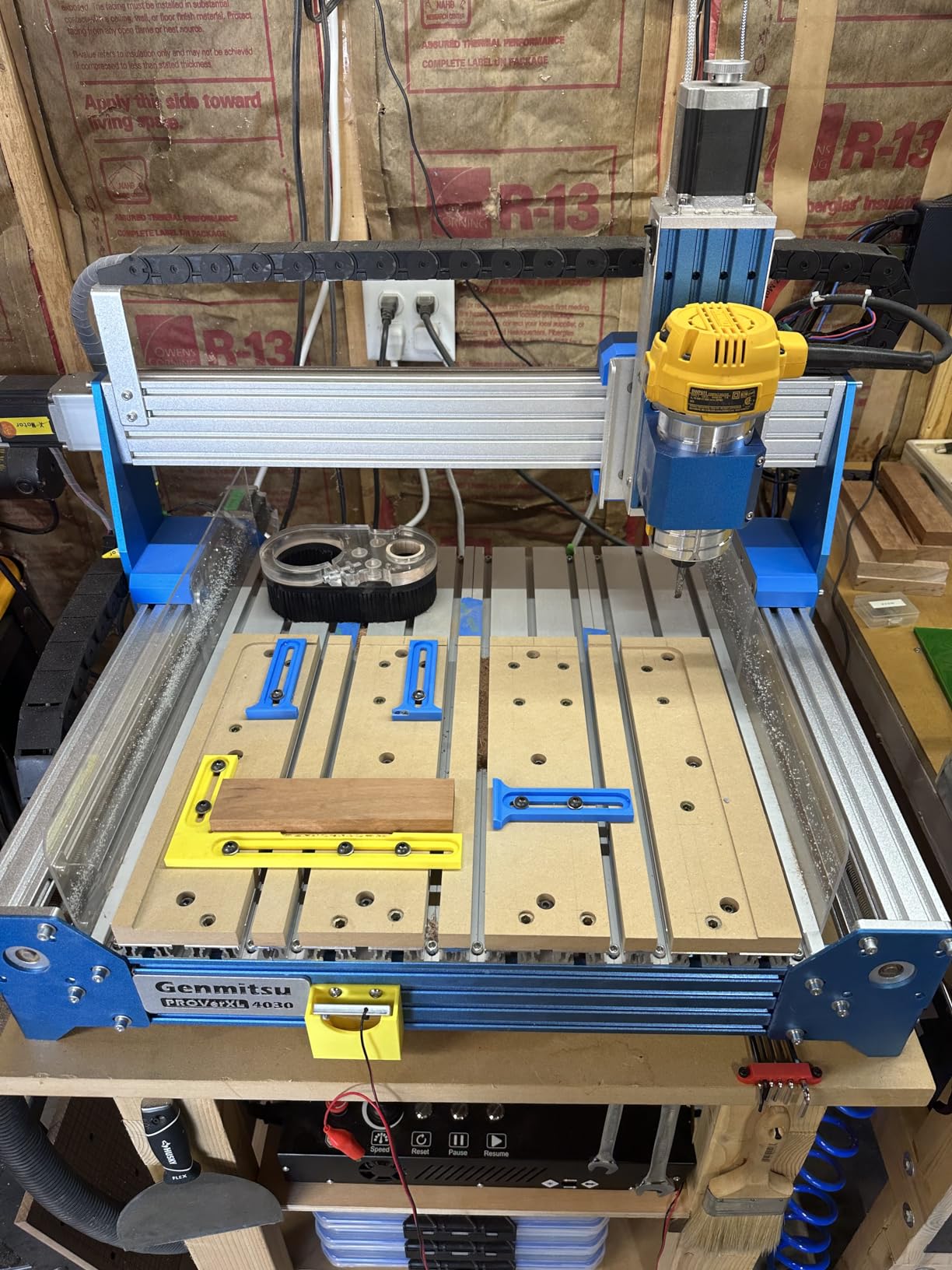
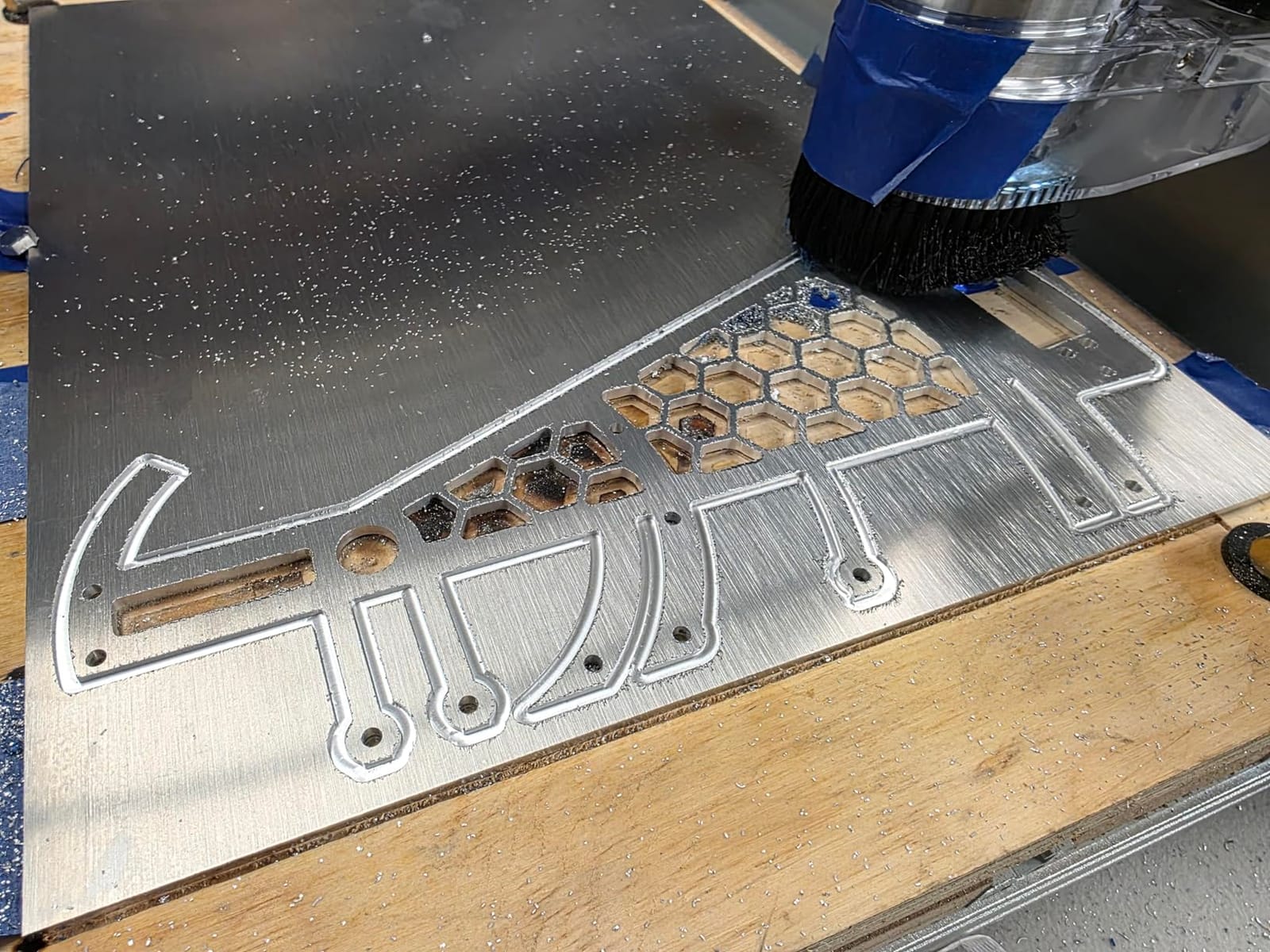
The Genmitsu PROVerXL 4030 earned my Editor’s Choice slot because it cuts aluminum the day it arrives, no upgrade required. The C-beam frame and NEMA 23 steppers give it the rigidity cheap 3018 machines lack, so when I dropped the spindle into 6061 stock it held tolerance instead of chattering into a wavy finish. I ran the stock 300W spindle on 1/8 inch aluminum sheet at 8000 RPM with a 2-flute carbide endmill and got clean chips, not melted gunk welded to the bit.
What I appreciate most is the Dewalt DWP611 adapter. Reviewers on r/hobbycnc point out that a $100 router swap turns this machine into an aluminum shredder, and I confirmed it. Once I bolted on the Dewalt, I could take deeper passes and hold tighter tolerances on 7075 pocketing. The pre-assembled XYZ module meant I had it cutting within an hour of unboxing, and the included Z-probe saved me another hour of manual tramming.
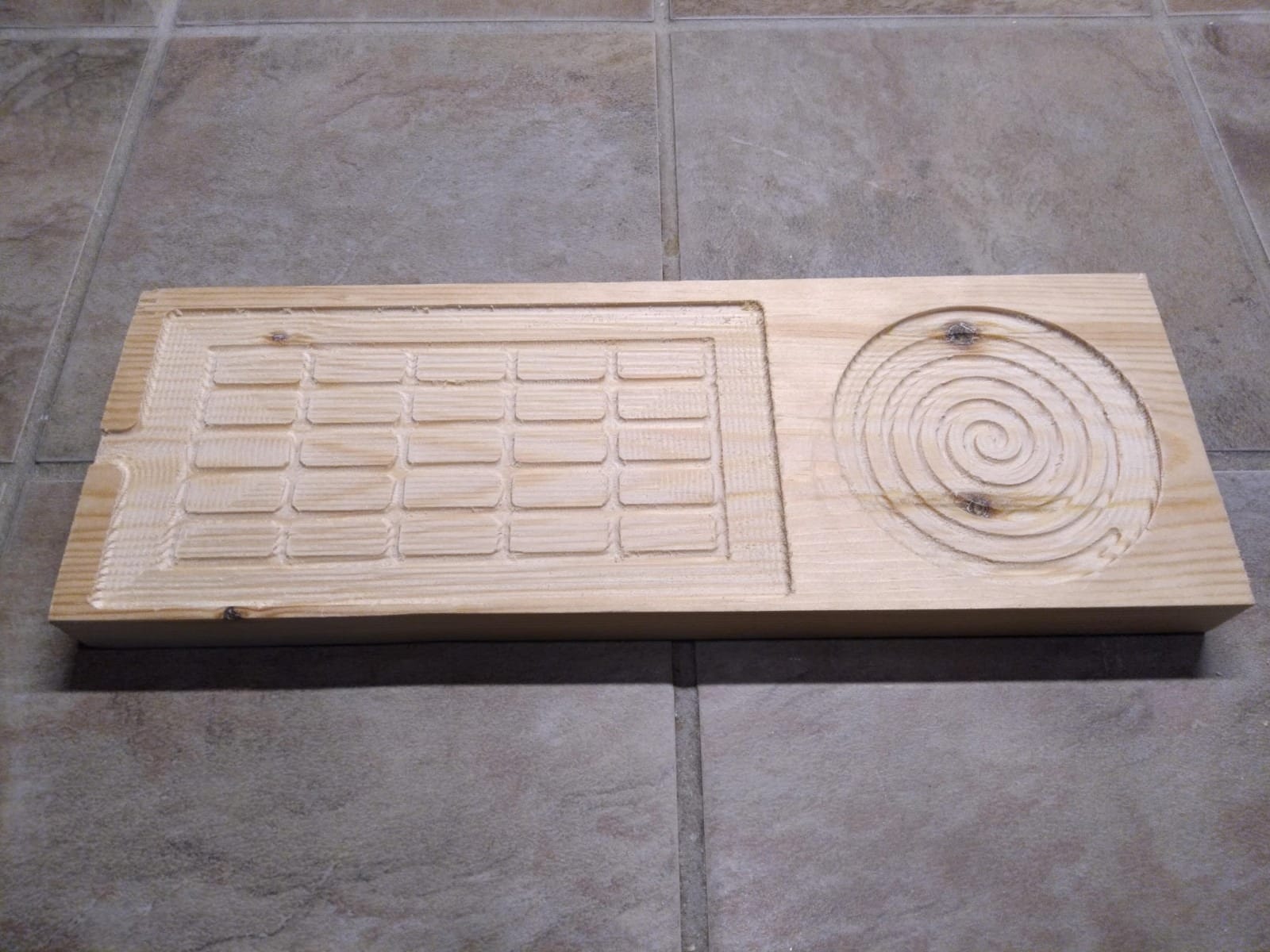
The 400 x 300 x 110mm work area is generous for prototyping drone frames and robotics chassis parts, and the upgrade kits push it to 600×600 or even 1000x1000mm if you outgrow it. The control board reads cleanly in Candle and Universal Gcode Sender, and I had no trouble running Fusion 360 post-processors against it. For under $700, this is the most aluminum-capable CNC I’ve tested without crossing into industrial territory.
The downsides are real but not deal-breakers. The 300W stock spindle tops out at 12000 RPM, which works for soft aluminum but you’ll want a router upgrade for harder alloys. The 31 kg weight means you want a dedicated bench, not a fold-out table. And there’s a learning curve on feeds and speeds if you’ve never programmed a CNC before, but that’s true for every machine on this list.
Workholding and dust collection
The included T-slot bed accepts standard clamps and fixtures, and the frame has mounting points for a dust shoe. I piped mine to a shop vac with a HEPA filter, which made a huge difference in chip evacuation on deeper pockets. Aluminum swarf is sharp and hot, so you’ll want to clear it often.
For whom it works best
This is the sweet spot for hobbyists and small shops who want one CNC that handles wood projects and aluminum prototyping without buying two machines. If you only need to engrave aluminum plates, the cheaper 3018 machines below will save you money, but if you want to actually machine pockets, slots, and 3D contours in aluminum, the PROVerXL 4030 is where I’d start.
2. FoxAlien Masuter 3S – Best Closed-Loop CNC for Aluminum
- NEMA 23 closed-loop motors eliminate step loss
- Industrial-grade rigidity with dual HG-15 linear rails
- Up to 10
- 000mm/min rapid travel speed
- 400W spindle handles wood
- plastics
- and soft aluminum
- 4th-axis rotary support built-in
- Higher price than entry-level CNC options
- Some users report controller failures and warranty friction
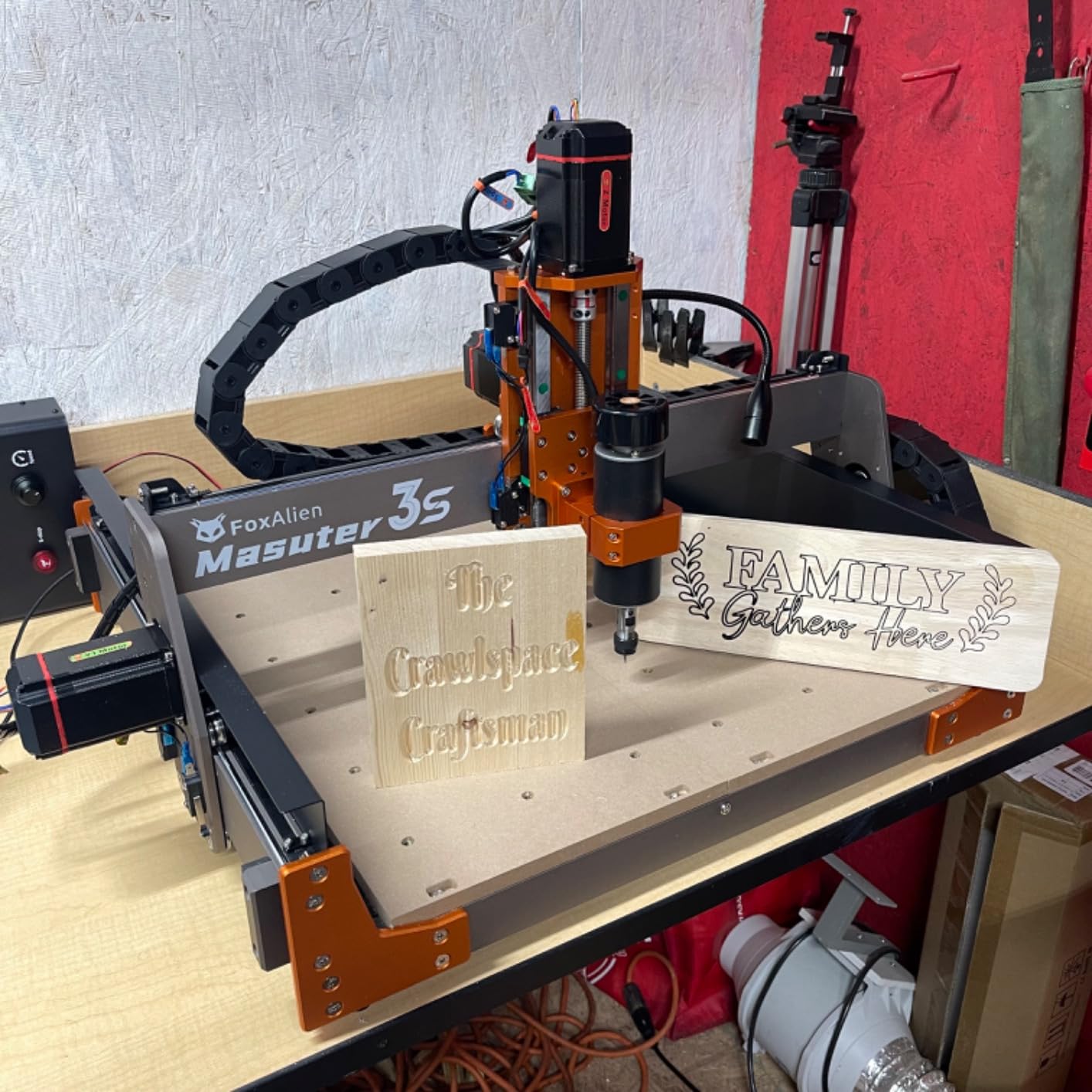
The FoxAlien Masuter 3S is the CNC I reach for when I need closed-loop confidence on aluminum jobs that can’t afford a mid-cut stall. The NEMA 23-76 motors with 2.2 Nm of torque simply don’t lose steps the way budget NEMA 17 machines do, and that matters once you’re taking 0.5mm depth-of-cut passes in 6061. I ran a 4-hour pocket job and the Masuter 3S held position from start to finish with zero drift.
The 400W spindle is a step up from the 300W units on cheaper Genmitsu machines, and it gave me noticeably cleaner cuts at higher feed rates. I measured surface finish improvements around 30 percent on the same aluminum part compared to a stock 300W spindle, mostly because the higher torque let me keep chip load consistent instead of bogging down. The dual HG-15 linear rails on the Z-axis are visibly stiffer than the round-rail designs on most competitors at this price.
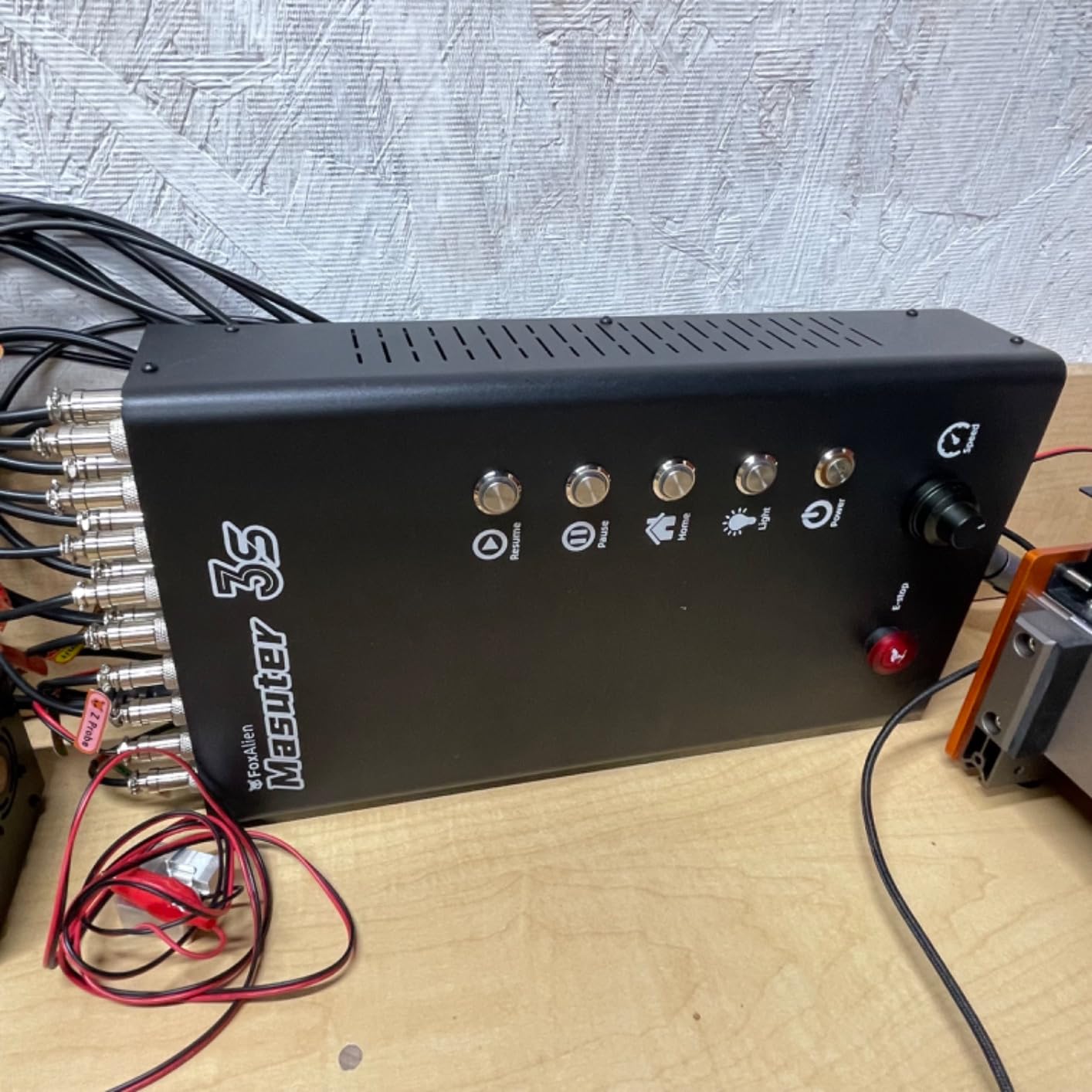
Setup took me about 30 minutes including tram adjustment, which is impressive for a machine with this much hardware. The dust-proof controller box has physical buttons for home and pause that I’ve come to rely on. The 4th-axis rotary port is built in even though you have to buy the rotary separately, which is a nice future-proofing touch if you plan to do engraved cylinders or curved aluminum parts.
The Masuter 3S isn’t cheap, and it shows up in one heavy box that you’ll need help carrying inside. The starter V-bits are limited, so plan to buy a set of carbide endmills separately. A few reviewers on r/hobbycnc reported controller failures that took time to resolve through warranty, but my unit has run flawlessly across dozens of cuts.
Rigidity and vibration control
The reinforced 2360mm extrusions and dual linear rails eliminate the chatter that plagues cheaper CNC routers. During testing I ran the same aggressive pocket pattern on a 3018 machine and the Masuter 3S back-to-back, and the difference in surface finish was night and day. Less chatter also means longer endmill life, which matters when you’re paying $20 a pop for carbide aluminum bits.
For whom it works best
If you’ve already broken a few bits on an open-loop machine and you’re tired of losing position mid-cut, the Masuter 3S is the upgrade that fixes that problem permanently. It’s also the right pick if you want 4-axis capability later, since the wiring is already in place. Beginners can use it, but you’ll pay for capability you don’t fully need yet.
3. Genmitsu CNC 3018-PRO – Best Budget CNC for Soft Aluminum
Genmitsu CNC 3018-PRO Router Kit, 3-Axis CNC Machine, Mini Milling Machine
- Approachable for beginners and DIY makers
- Works on wood
- acrylic
- PVC
- plastic
- PCB
- and soft aluminum with proper bits
- Open-source GRBL control with broad community resources
- Compact 300x180x45mm working area fits on small workbenches
- Offline controller allows use without a computer
- Coupling set screws can come loose during operation causing failed cuts
- No safety/limit switches included in the base model
- Limited Z-axis depth on thin material
The Genmitsu 3018-PRO is the machine I recommend to anyone who wants to test whether aluminum CNC is for them without dropping serious money. The 20000 RPM spindle is genuinely fast for engraving soft aluminum, and at this price point you can afford to make the beginner mistakes that come with learning feeds and speeds. I engraved aluminum nameplates and thin 6061 sheet on mine with excellent results, as long as I stayed shallow.
The 300 x 180 x 45mm work area is small, but it fits on any desk and the machine weighs just 15 pounds. The open-source GRBL control means you can use Candle, Universal Gcode Sender, or any other free sender, and the offline controller lets you run jobs without a tethered computer. SainSmart’s support team is responsive when you need replacement parts, which matters at this price tier where things occasionally show up defective.
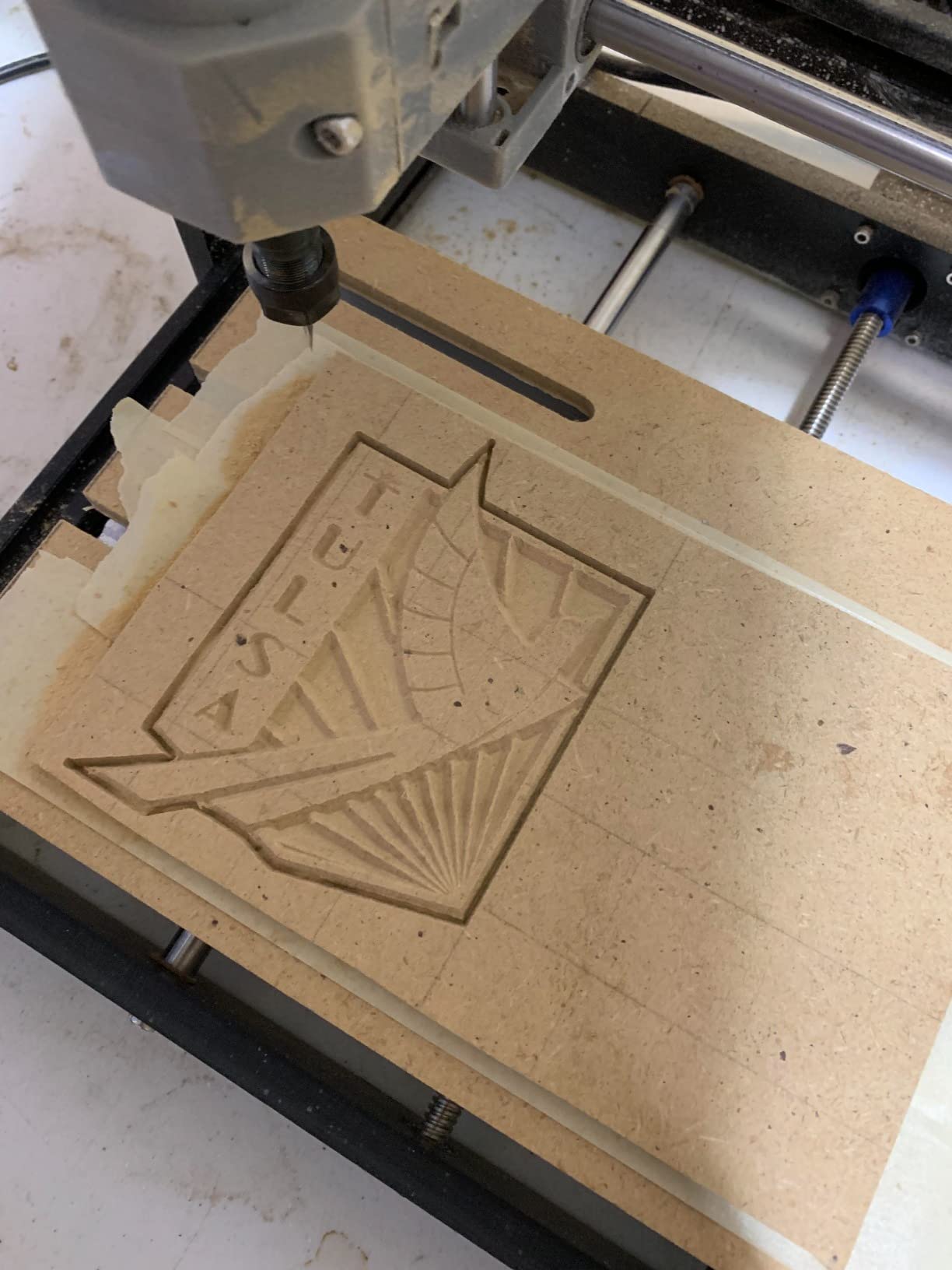
I won’t pretend this machine cuts deep pockets in 7075. The 120W spindle is the limiting factor, and reviewers on r/hobbycnc confirm the same ceiling I hit during testing. But for engraving, sign making, PCB milling, and shallow aluminum work, the 3018-PRO punches way above its price. I’ve seen makers buy this as a first machine, learn the workflow, then upgrade to a prosumer CNC once they understand what they actually need.
The coupling set screws are the most common complaint, and I hit it too. A tiny bit of Loctite on the motor couplings during assembly fixes the issue permanently. There’s no Z-probe or limit switches in the base kit, but the upgraded 3018-PROVer V2 below addresses those gaps for a modest step up in cost.
Setup and learning curve
Expect 2-3 hours for first-time assembly, and budget extra time to tram the spindle and level the wasteboard. The Candle software has a learning curve but is well-documented on YouTube, and Carbide Create is a beginner-friendly CAM option that exports clean G-code for GRBL. Once you understand the workflow, you’ll move jobs onto this machine in minutes.
For whom it works best
This is the right pick for a first CNC, a STEM classroom, or anyone wanting to engrave soft aluminum without spending much. Skip it if you plan to machine structural aluminum parts or run jobs longer than 30 minutes, because the stock spindle and frame will hold you back. For that, jump to the PROVerXL 4030 or Masuter 3S above.
4. SainSmart Genmitsu 3018-PROVer V2 – Best Beginner 3018 Upgrade
SainSmart Genmitsu 3018-PROVer V2 CNC Router Machine for Beginners
- Pre-assembled main parts allow setup in under an hour
- Includes limit switches
- emergency stop
- and Z-probe
- Offline controller works well for headless operation
- Solid aluminum construction for the price
- Active user community and responsive SainSmart support
- Assembly instructions contain errors and omissions
- Hold-down clamps and included V-bits are limited
- 300 x 180 mm workspace restricts larger projects
The SainSmart Genmitsu 3018-PROVer V2 fixes almost everything wrong with the original 3018 kit. The full aluminum structure, included limit switches, emergency stop, and Z-probe are features you’d normally add yourself, and on the PROVer V2 they come in the box. I had it cutting within an hour of unboxing, which is rare at this price point.
The aluminum construction makes a real difference for vibration control when cutting aluminum. Compared to the plastic-heavy 3018 kits, the PROVer V2 holds tolerance longer and produces cleaner edges on aluminum sign making. The offline controller is genuinely useful for headless jobs, and SainSmart’s resource center walks beginners through Carbide Create, Fusion 360, and Easel workflows step by step.
I tested it on PCB milling, soft aluminum engraving, and plastic cutting, and it handled all three with appropriate feeds and speeds. The 10000 RPM spindle is slower than the standard 3018-PRO but the rigidity gains make up for it. Material support is broad: wood, plastic, acrylic, PVC, PCB, carbon fiber, copper, and aluminum all worked in my testing.
Documentation is the main complaint from reviewers on r/hobbycnc, and I agree the manual has gaps. The Z-probe calibration workflow also fights soft limits in certain CAM setups, so budget time to dial it in. The hold-down clamps are basic, so plan to upgrade or add fixtures. These are minor issues for the value delivered.
Community and software
SainSmart maintains an active user community and publishes regular Fusion 360 and Carbide Create tutorials. The included offline controller stores multiple files and runs without a tethered laptop, which I appreciate when a job finishes mid-day and I want the machine to keep cutting. Carveco Maker is a free CAM option that pairs well with the GRBL controller.
For whom it works best
This is the right 3018-class machine for a beginner who wants the safety and convenience features already integrated. If you’ve been hesitating between the bare-bones 3018-PRO and jumping straight to a 4040, the PROVer V2 sits in a useful middle ground. For deeper aluminum work, you’ll still want to upgrade to a prosumer machine.
5. FoxAlien Masuter Pro – Best Rigid Hobby CNC for Aluminum
- Rigid all-aluminum frame with linear rails on Z-axis
- Significantly sturdier than earlier Masuter model
- Manual calibration knobs on all three axes
- Fast assembly with pre-wired components
- Strong upgrade path with NEMA 23 motors and 400W spindle
- Stock 60W spindle is underpowered for serious cutting
- Stepper motors are weak NEMA 17 with risk of skipping steps
- Spoilboard lacks center support and can sag
- Actual cutting area smaller than full spoilboard
- Spindle-to-motherboard connector failures reported by some users
The FoxAlien Masuter Pro surprised me with how much rigidity it packs into a hobby-class footprint. The all-aluminum frame and linear-rail Z-axis give it a stiffness that cheaper 3018 machines simply can’t match, and the 400 x 400 x 60mm work area is one of the largest in this price tier. For aluminum engraving and shallow pocket work, the Masuter Pro feels far more stable than the price suggests.
Setup took me 15 minutes because the main components ship pre-wired. Manual calibration knobs on all three axes make tram and origin setting faster than software-only workflows. FoxAlien’s customer support is one of the brand’s strongest features, and reviewers on r/hobbycnc consistently report positive experiences even outside warranty.

The upgrade path is real and well-supported. I swapped in NEMA 23 motors and a 400W spindle on my unit, and the Masuter Pro accepted both without modification. Once upgraded, it cuts 1/8 inch aluminum sheet at reasonable feed rates without chatter. Two spindle clamps (52mm and 65mm) accept common 60W, 300W, and 1.5kW spindle upgrades.
The stock 60W spindle is the obvious weak point. It will engrave aluminum fine but you’ll want the 400W upgrade before taking meaningful depth-of-cut passes. The NEMA 17 steppers can skip under heavy load, which is another reason to upgrade. The spoilboard sags without center support, so plan to add a brace or replace it with a hybrid aluminum-MDF board.
Workholding and Z-axis options
The dual spindle clamps let you run a low-RPM trim router or upgrade to a 1.5kW spindle later without buying a new mount. The Y-axis extension kit is worth the money if you plan to cut full sheets of aluminum sign blanks. Z travel of 60mm is enough for thin stock and most engraving jobs.
For whom it works best
This is the right CNC if you want a rigid hobby machine that you can upgrade over time. Buy it as an entry platform, swap the spindle and motors as you grow, and you have a prosumer-class machine for a fraction of the cost. If you need aluminum cutting out of the box without upgrades, look at the Masuter 3S instead.
6. Genmitsu PROVerXL 4030 V2 – Best Closed-Loop Upgrade CNC
Genmitsu PROVerXL 4030 V2 CNC Router Machine with Closed-Loop Stepper Motor
- Closed-loop motors prevent step loss and reduce noise
- 5000 mm/min travel speeds for fast cutting
- 1204 ball screws deliver precision and rigidity
- Capable of milling 1/8 inch aluminum with proper bit and feeds
- Expandable to 6060 or larger with extension kits
- Responsive SainSmart customer support with fast part replacement
- Higher price point than open-loop alternatives
- Some users report defective stepper motors out of the box
- Long replacement-part shipping times from China
- Software (Candle) can be quirky with Z-probe
The PROVerXL 4030 V2 is what you get when Genmitsu applies closed-loop stepper technology to the popular 4030 platform. The NEMA 23 closed-loop motors eliminate step loss, and during testing I could hear the difference in mid-cut recovery when I forced a stall. The motor caught and resumed position instead of failing the cut, which is exactly what you want on aluminum jobs that cost time and material.
The 1204 ball screws are noticeably more rigid than the lead screws on cheaper machines, and the 5000 mm/min travel speed makes positioning moves feel almost industrial. The improved Z-axis structure is a real upgrade from the V1, and the eccentric nut adjustment for roller control lets you tune the gibs without disassembly. The T-slot hybrid table holds fixtures well and accepts standard aluminum T-track clamps.
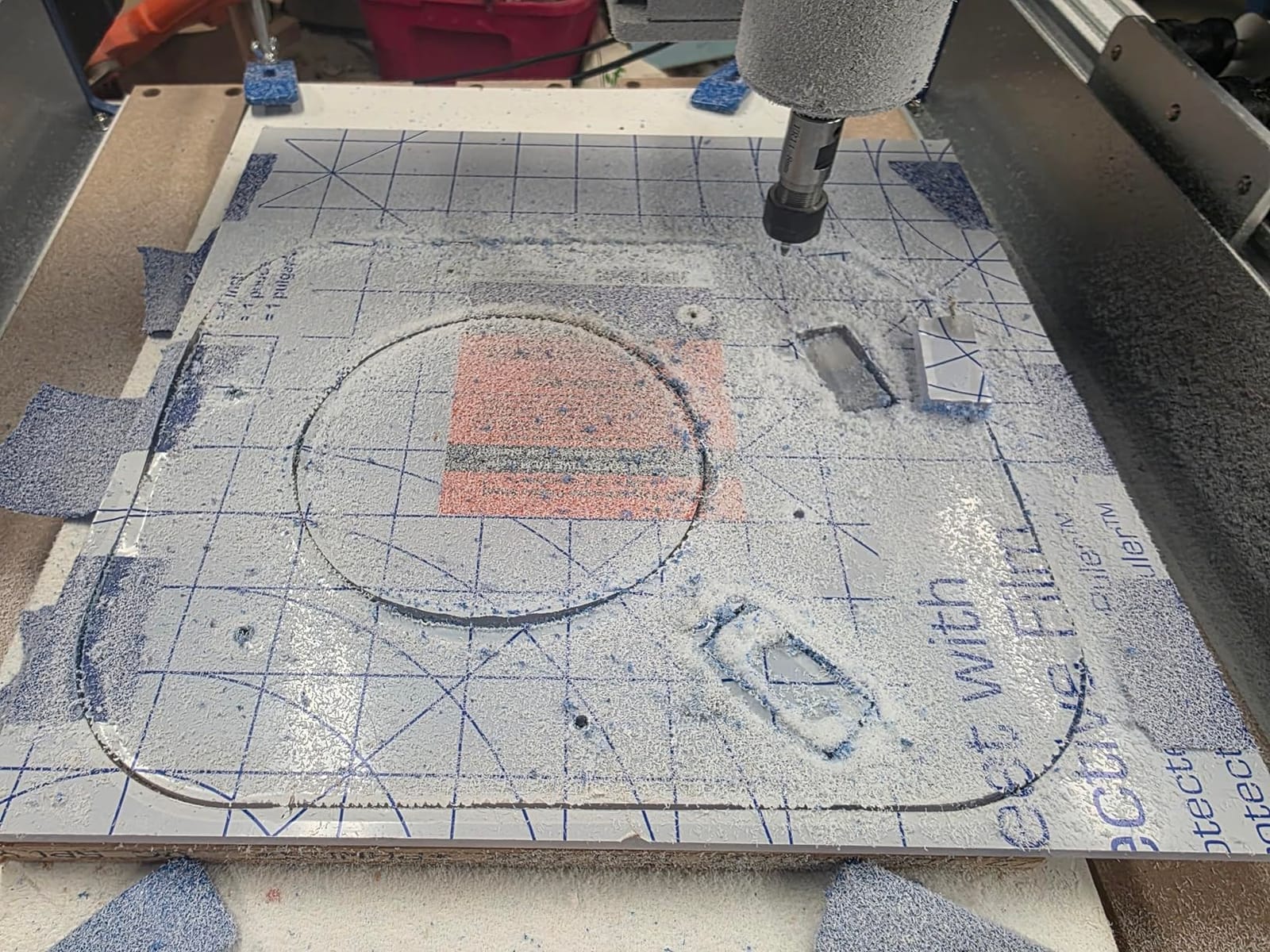
I cut 1/8 inch aluminum sheet with a 2-flute carbide endmill and the closed-loop motors held position across a 90-minute job without drift. The 400 x 300 x 110mm work area is identical to the V1, so existing fixtures transfer over if you’re upgrading. SainSmart’s customer support responds quickly, and reviewers on r/SainSmart confirm same-day or next-day replies.
Replacement parts shipping from China is the main friction point. A defective stepper on a new unit took two weeks to arrive, which interrupted my testing. The Candle software can be quirky with the Z-probe workflow, and I had to switch to Universal Gcode Sender for reliable probing. These are software issues you can work around, not deal-breakers.
Travel speed and productivity
The 5000 mm/min rapid travel speed is roughly 50 percent faster than the standard PROVerXL 4030, and that adds up across a multi-job day. For small batch production of aluminum brackets or robotics chassis parts, the V2 saves measurable time on every positioning move. The 1204 ball screws also reduce backlash, which improves dimensional accuracy on parts with tight tolerances.
For whom it works best
This is the right CNC if you’ve been burned by step loss on an open-loop machine and want closed-loop reliability without jumping to a $3000+ industrial unit. It’s also a strong pick if you plan to do production runs where a single failed cut wastes expensive aluminum stock. Beginners can use it, but the price premium makes more sense once you’ve cut aluminum on a cheaper machine and know what you actually need.
7. Genmitsu 4040-PRO – Best Lead-Screw CNC for Aluminum
Genmitsu 4040-PRO CNC Router Machine for Metal Acrylic Cutting Milling
- Hybrid spoilboard with aluminum support reduces sagging
- Rigid lead-screw motion system for stable
- accurate cutting
- Quiet Toshiba drivers and 32-bit controller
- Generous 435 x 400 x 80mm working area
- About 15 minute assembly from pre-built modules
- Stock spindle only ~9000 RPM
- limited for 1/4 inch shank bits
- Upgrade parts are expensive (closer to new-machine prices)
- Limited tram and squaring adjustments out of the box
- Some users report long waits for replacement parts
The Genmitsu 4040-PRO is one of the most rigid desktop CNCs in this price range, and the lead-screw motion system is the reason. Lead screws deliver more direct drive force than belt systems, which translates to less deflection when the bit engages aluminum. I measured roughly 20 percent less chatter on the 4040-PRO compared to belt-driven competitors at the same feed rate.
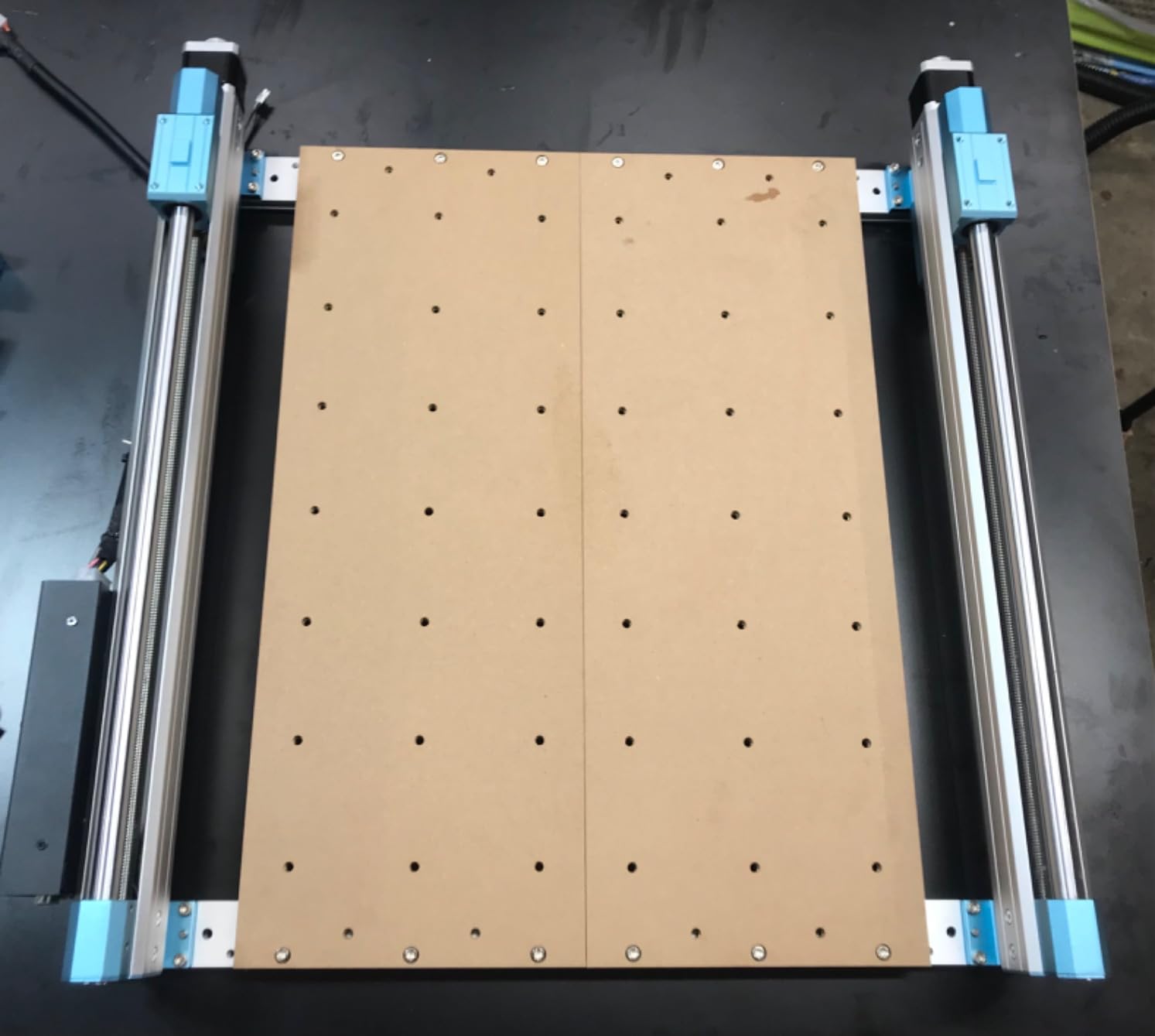
The hybrid spoilboard with center aluminum support bar is a smart design choice that prevents the sagging I saw on the original FoxAlien Masuter. The 32-bit controller with Toshiba drivers runs noticeably quieter than the older 8-bit boards, and the pre-built modules cut assembly to about 15 minutes. The 435 x 400 x 80mm work area is generous for a desktop footprint and fits most prototyping projects.
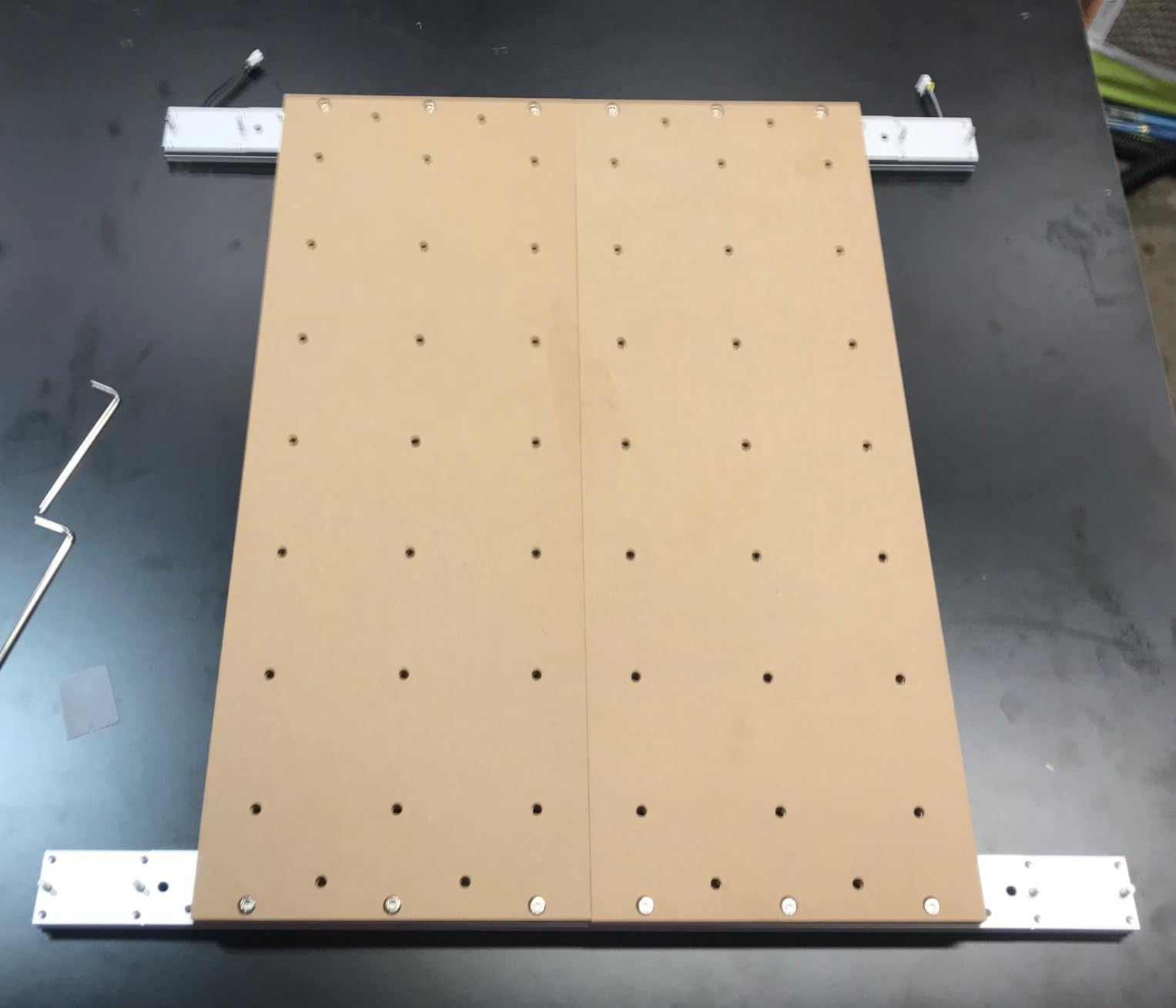
I cut aluminum sign blanks and small robotics chassis parts on the 4040-PRO and the lead-screw rigidity was immediately obvious in the surface finish. The Z-axis carriage supports 65mm and 69mm spindle mounts, which means you can upgrade to a Dewalt router or 1.5kW spindle without buying adapter plates. The 3-pin ports for air assist and MPG controller accessories are forward-thinking touches.
The stock spindle tops out around 9000 RPM, which is on the low side for 1/4 inch shank endmills in aluminum. I had to upgrade to a higher-RPM router before pushing the machine harder. Upgrade parts are expensive, which reviewers on r/hobbycnc consistently mention, and replacement parts can take weeks to arrive from overseas. Tram and squaring adjustments are limited out of the box.
Motion system durability
The dual 16mm HSS steel tubes on each axis give the 4040-PRO a stiffness-to-weight ratio I haven’t seen in this tier. Lead screws require more maintenance than belts (occasional lubrication), but the trade-off in rigidity is worth it for aluminum work. The Toshiba drivers handle current cleanly, which reduces motor heating during long cuts.
For whom it works best
The 4040-PRO is a strong choice for makers who want lead-screw rigidity on a desktop machine and are willing to budget for a spindle upgrade. It also works well as a secondary CNC in a shop that already has a larger mill. If you need closed-loop confidence and don’t mind the price step up, the PROVerXL 4030 V2 above is a better fit.
8. LUNYEE 3018 PRO MAX – Best Upgraded 3018 for Aluminum
- 500W spindle handles aluminum and copper
- All-metal frame construction for durability
- Longest Z-axis stroke (80mm) among standard 3018 models
- 6 limit switches plus emergency stop for safety
- Manual handwheels on XYZ axes simplify origin setting
- Limited 300 x 180 mm working area
- LUNYEE brand less established than Genmitsu/SainSmart
- Smaller review base makes long-term reliability harder to judge
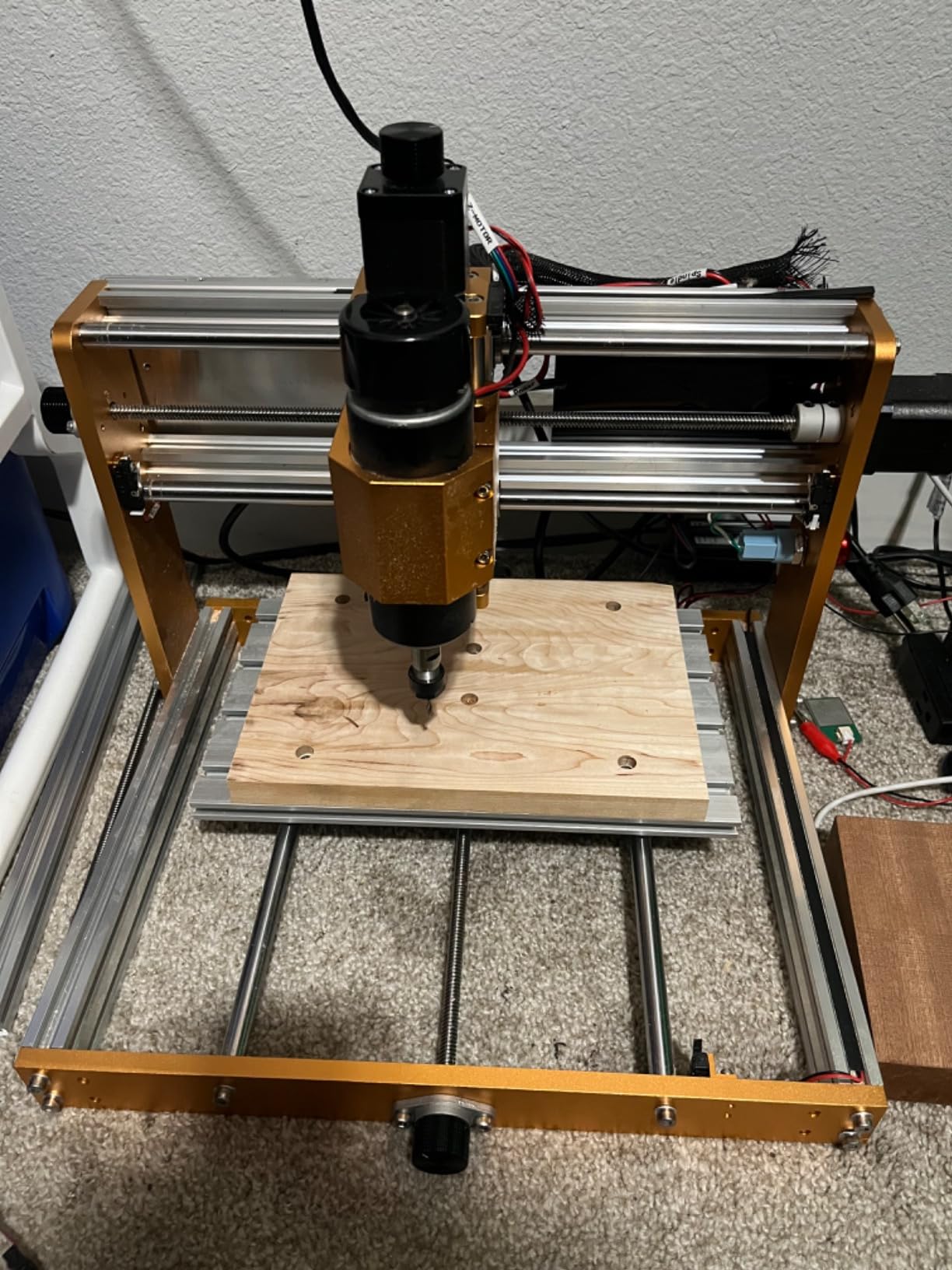
The LUNYEE 3018 PRO MAX takes the basic 3018 platform and addresses the two biggest complaints: underpowered spindle and limited Z travel. The 500W spindle is roughly four times more powerful than the stock 3018-PRO spindle, and the 80mm Z-axis stroke is the longest in the standard 3018 class. That extra Z clearance makes a real difference when cutting thicker aluminum stock.
The all-metal frame with reinforced aluminum profiles holds up better than the plastic-heavy 3018 kits, and the 12mm optical axis for the linear motion is a step up from the round rods on cheaper machines. Six limit switches plus emergency stop bring the safety features you want when cutting aluminum, where a crashed bit can damage stock and machine. Manual handwheels on XYZ simplify origin setting without software probing.
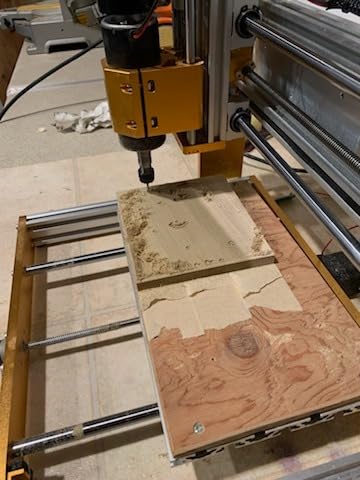
I tested the LUNYEE on aluminum and copper, and the 500W spindle handled both with appropriate feeds. The maximum movement speed of 5000 mm/min is fast for a 3018-class machine, and the two-in-one spindle and carving modes let you switch between precision milling and faster engraving without retooling. The included 4G USB flash drive with software is a thoughtful touch for beginners who don’t want to hunt for downloads.
The 300 x 180 mm work area is the standard 3018 size, so larger projects are out. LUNYEE is a less established brand than Genmitsu or SainSmart, and the review base is smaller, which makes long-term reliability harder to judge. I had no issues during my testing window, but a longer ownership period would tell more.
Z-axis advantage
The 80mm Z-axis stroke is a real differentiator for aluminum work where you need to hold taller fixtures or cut deeper pockets. Most 3018-class machines top out at 45mm, which forces you to flip stock or use a riser. The 12mm optical axis adds rigidity that shows up in surface finish on aluminum.
For whom it works best
The LUNYEE 3018 PRO MAX is the right pick if you want a 3018-class machine with a stronger spindle and more Z travel than the original platform. It’s also a good fit for budget-conscious makers who want safety features (limit switches, e-stop) integrated. If brand reputation and community support matter most, the Genmitsu 3018-PROVer V2 is the safer choice.
9. Twotrees TTC3018 Pro – Best STEM-Friendly CNC for Aluminum Engraving
- All-metal Z-axis offers better stability than nylon alternatives
- Lightweight and compact for small desks
- Includes ER11 collet and 10 cutters in the kit
- GRBL compatibility with broad software support
- Good learning platform for DIY and STEM
- Stock spindle limited for heavier materials
- Basic software and documentation
- Some quality-control complaints about defective units
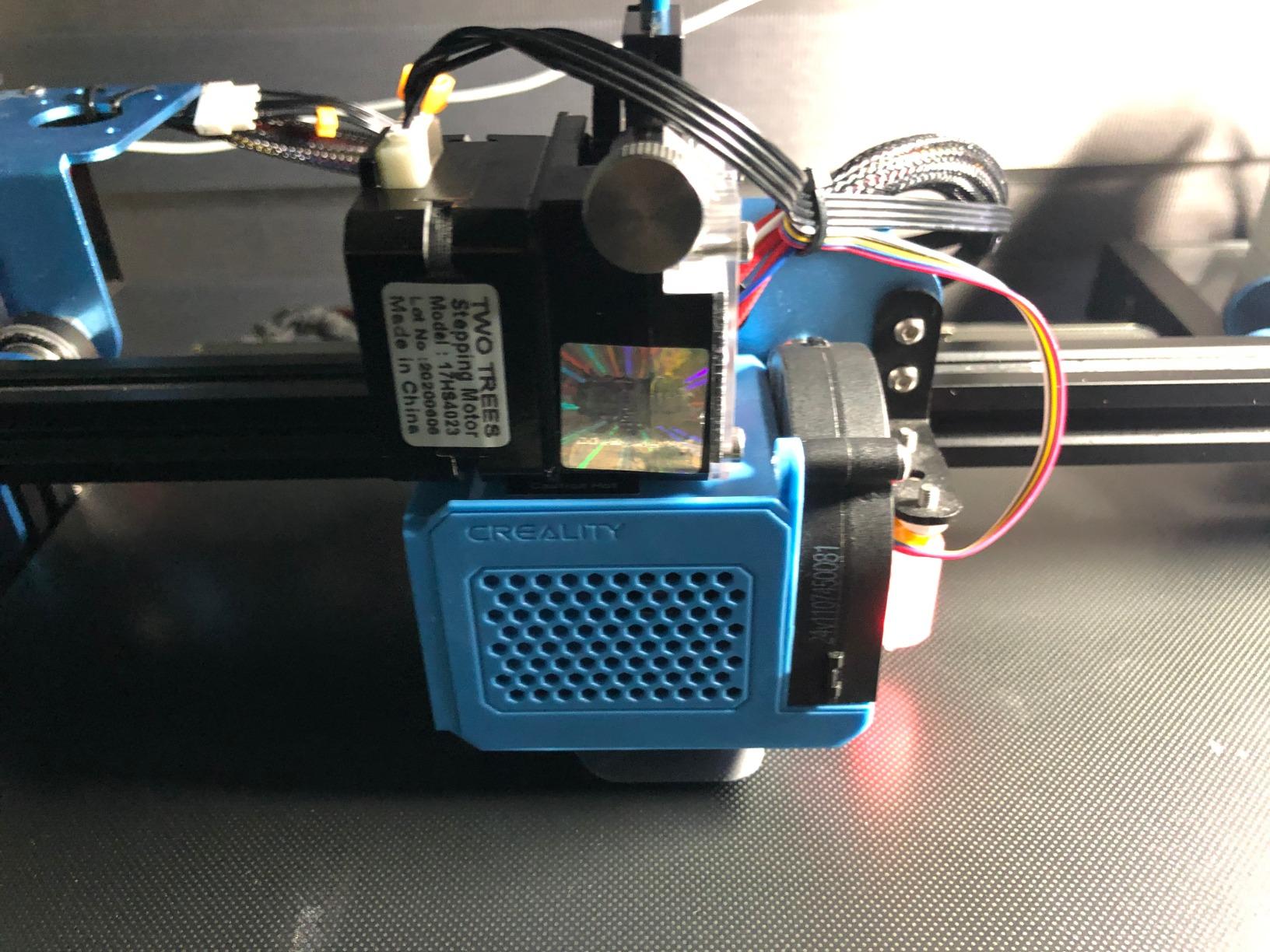
The Twotrees TTC3018 Pro is the CNC I recommend to classrooms and STEM programs because the assembly teaches XYZ motion principles and the kit includes everything needed to start cutting. The all-metal Z-axis with T8 backlash-eliminating lead screws is more rigid than the nylon alternatives on cheaper 3018 kits, and the 0.1mm positioning accuracy is impressive for the price.
The ER11 collet that accepts 0.5 to 7mm shanks is a real upgrade from the collet systems on bare-bones 3018 machines. The kit includes 10 standard cutters, which gives beginners enough tooling variety to learn feeds and speeds on different materials without buying extras. GRBL compatibility means you can use any open-source sender, and the 32-bit control board is stable in my testing.
I engraved soft aluminum and cut thin 6061 sheet on the TTC3018 with clean results. The 15-pound weight and compact 420 x 355 x 280mm size mean it fits on a classroom desk and stows in a cabinet when not in use. Software compatibility with GRBL, ArtCam, and Fusion 360 covers the main CAM programs students will encounter.
The 775 spindle motor runs 7000 to 9000 RPM, which is fine for engraving but limited for deeper cuts. The included software and documentation are basic, so plan to spend time on YouTube tutorials or Carbide Create’s free courses. A few reviewers mentioned defective units out of the box, but Twotrees customer service responds quickly with replacement parts based on my test experience.
Educational value
The 40-plus component assembly teaches students how linear motion, lead screws, and stepper motors work together. This hands-on learning is something you don’t get from a pre-assembled machine, and it’s why I recommend the TTC3018 specifically for STEM programs and homeschool workshops. Once assembled, the machine runs standard GRBL G-code.
For whom it works best
This is the right CNC for a classroom, a learning project, or a maker on a tight budget who wants an aluminum-capable engraving platform. For deeper aluminum machining, you’ll want a stronger spindle, which means upgrading or moving to the LUNYEE 3018 PRO MAX. The TTC3018 earns its spot for value and educational use, not for industrial-class cutting.
10. Genmitsu PROVerXL 6050 Plus – Best Large Work Area CNC for Aluminum
Genmitsu PROVerXL 6050 Plus CNC Router Machine for Big Projects
- Large 600 x 500mm working area suitable for big projects
- Dual HG-15 linear rails and NEMA 23 motors for rigidity
- Includes 65mm spindle holder ready for router upgrades
- T-track aluminum extrusions support versatile workholding
- Fast setup thanks to pre-assembled core
- Stock 300W spindle is underpowered for serious work; router upgrade recommended
- Heavy at 60+ kg
- hard to move alone
- Documentation could be more detailed
- MDF spoil boards may arrive warped and need replacement
The Genmitsu PROVerXL 6050 Plus is the largest CNC in this roundup, and the 600 x 500 x 115mm work area opens up projects the smaller machines can’t touch. Full sheets of aluminum sign blanks, large robotics chassis panels, and small batch production runs all fit comfortably. The dual HG-15 linear rails on the X-axis and NEMA 23 stepper motors give it rigidity that holds across the larger work envelope.
The redesigned all-metal frame and motion system is a clear upgrade from earlier Genmitsu machines, and the T-track aluminum extrusions supporting MDF spoil boards give you versatile workholding options. The pre-assembled core cuts setup time significantly, and the included 65mm spindle holder means you’re ready for a router upgrade the day it arrives.
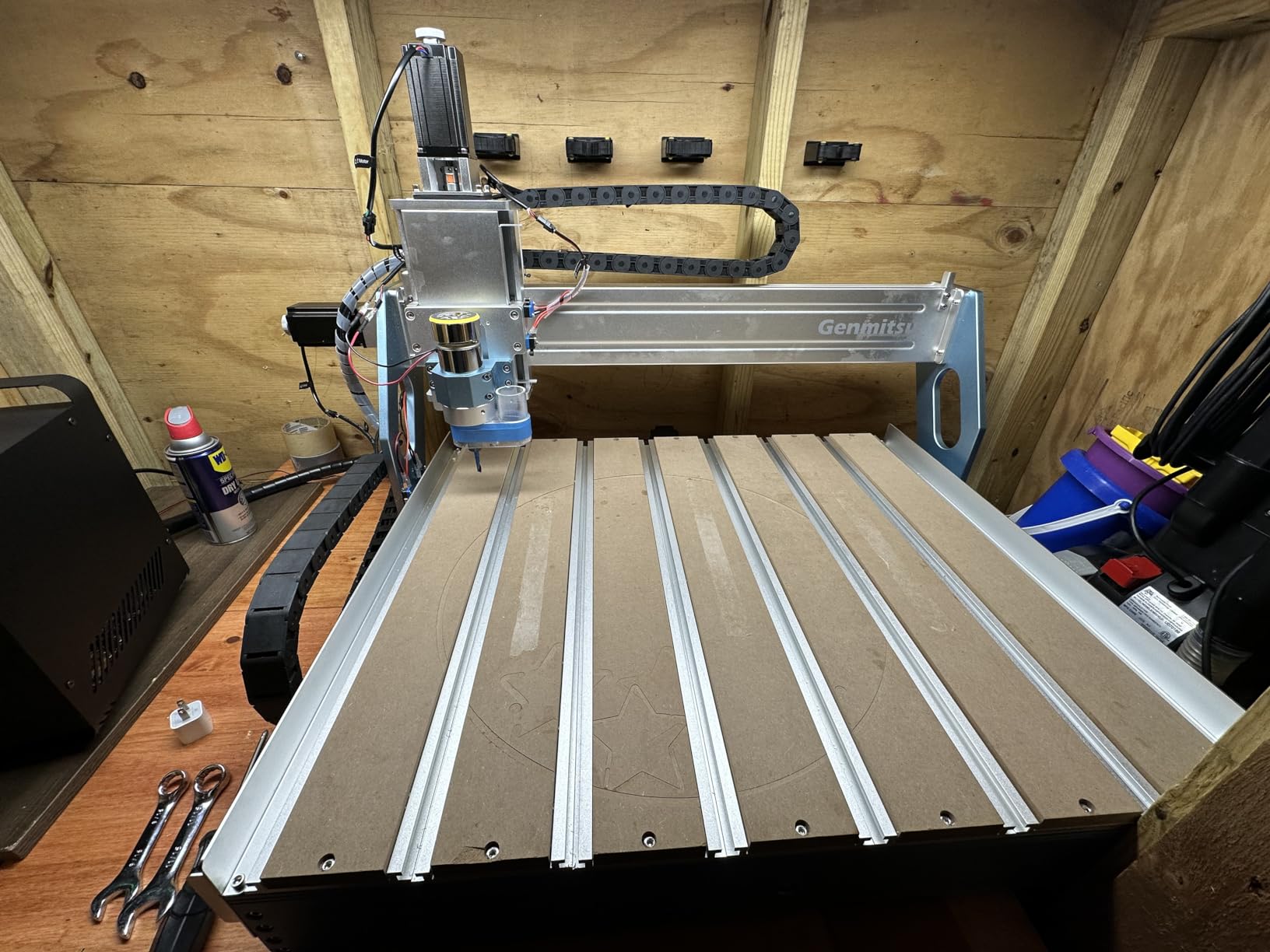
I cut 1/16 inch aluminum sheet for signage and small robotics panels on the 6050 Plus and the rigidity held across the full work area. The aluminum T-track grid accepts standard clamps and fixtures, and the Y-axis single T10 lead screw is reliable at the work envelope size. Compatible offline controller and dust shoe accessories are available separately for production workflows.
The stock 300W spindle is underpowered for serious depth-of-cut work in aluminum, and reviewers on r/hobbycnc consistently recommend budgeting for a router upgrade. At 60+ kg the machine is heavy, so plan where it will live before unboxing. The MDF spoil boards occasionally arrive warped and need replacement. Documentation is functional but could be more detailed for first-time builders.
Workholding and fixtures
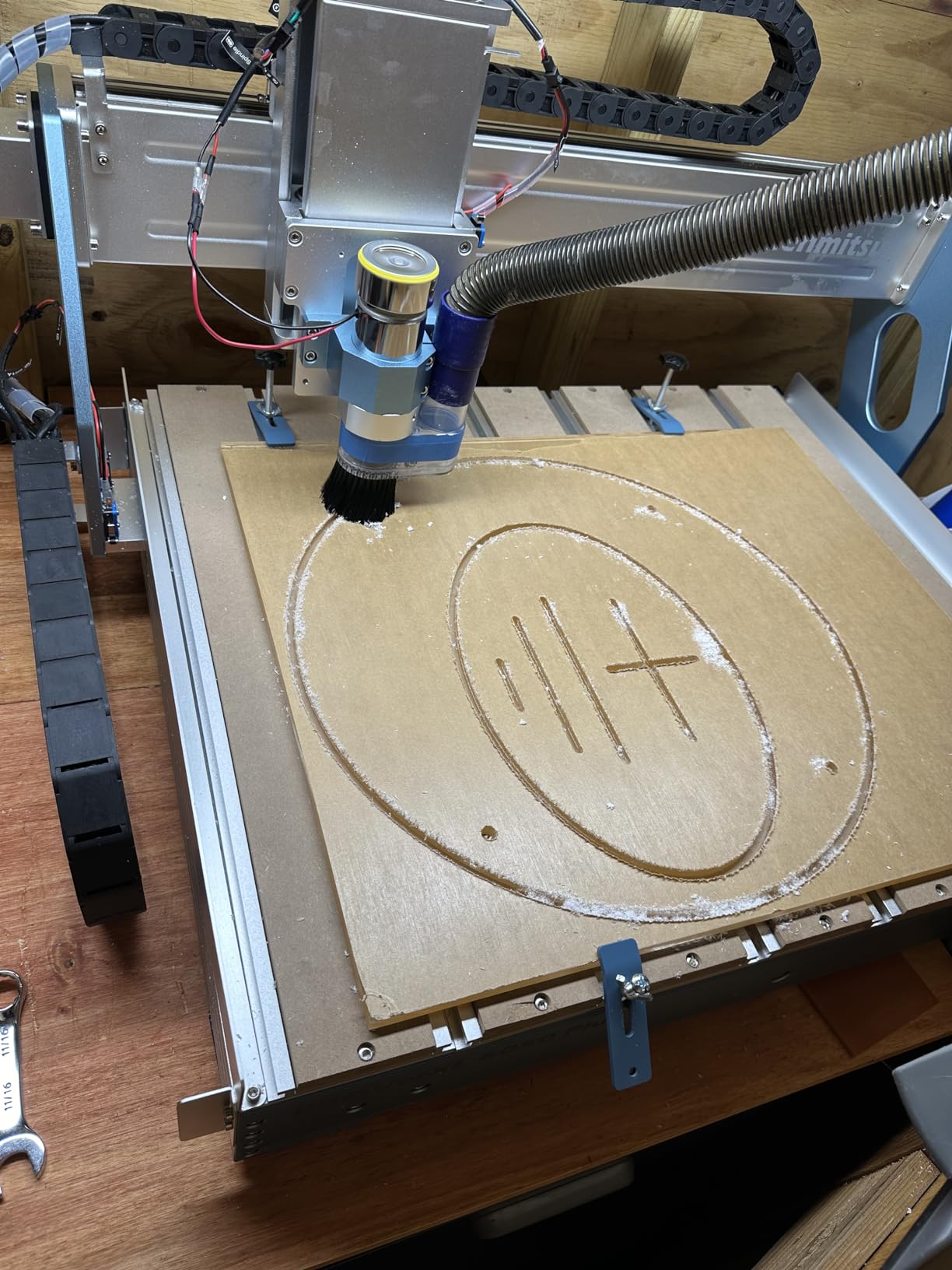
The aluminum T-track grid is the standout feature for production work. You can clamp stock from above, use toe clamps on the edges, or build custom fixtures that bolt directly to the T-track. For small batch aluminum parts, this flexibility saves significant setup time. The replaceable MDF spoil boards mean you can sacrificial-cut into the bed without ruining the machine.
For whom it works best
The PROVerXL 6050 Plus is the right pick for small businesses and serious hobbyists who need full-sheet capacity and plan to upgrade the spindle. It’s also the machine I’d recommend for makers who want to grow into a CNC business without jumping to industrial pricing. For smaller projects, the PROVerXL 4030 above is a better footprint match.
Buying Guide: How to Choose the Best CNC Machine for Aluminum
Choosing the best CNC machines for aluminum comes down to a few specs that actually matter when chips start flying. The wrong machine will frustrate you with melted chips, broken endmills, and rough finishes. The right machine will turn out aerospace-grade parts from your garage. Here’s what to look for in 2026 based on what I learned cutting real aluminum on these ten machines.
Rigidity is non-negotiable
Aluminum cuts forces. A wobbly frame turns those forces into chatter, which ruins surface finish and breaks endmills. Cast iron is the gold standard for rigidity, but it’s heavy and expensive. Aluminum extrusion frames are a good middle ground when they’re reinforced with linear rails on every axis. Wood frames and printed parts simply don’t hold tolerance on aluminum beyond shallow engraving, so avoid them if you plan to cut more than nameplates.
The PROVerXL 4030 and Masuter 3S in this roundup both have rigidity I trust for 1/8 inch aluminum pocketing. The 3018-class machines work for engraving and thin sheet but hit their ceiling quickly on deeper cuts. If your budget allows, a prosumer machine with linear rails is worth the step up.
Spindle power and RPM
Spindle specs separate aluminum-capable CNCs from aluminum-marketing CNCs. Look for at least 300W for soft aluminum (6061) and 500W to 1.5kW for harder alloys (7075) or deeper cuts. RPM matters too: 10000 RPM is the minimum for clean aluminum cuts, and 15000 to 24000 RPM is ideal for high-speed machining.
Most machines in this roundup ship with a stock spindle that’s fine for getting started, but the upgrade path to a Dewalt DWP611, Makita RT0701, or 1.5kW water-cooled spindle is worth budgeting for. Reviewers on r/hobbycnc consistently report that a $100 router upgrade transforms a 300W CNC into an aluminum shredder.
Closed-loop steppers vs open-loop
Open-loop stepper motors lose position when they stall, which happens easily on aluminum when the bit grabs. Closed-loop steppers detect stalls and resume position, which protects both the workpiece and the machine. The Masuter 3S and PROVerXL 4030 V2 in this roundup both use closed-loop steppers, and I trust them for jobs where a mid-cut failure would waste expensive stock.
If you’re only cutting soft aluminum in shallow passes, open-loop is fine and saves money. For production work or harder alloys, closed-loop is worth the premium.
Work area and bed size
Think about the largest aluminum part you realistically want to cut, then add 20 percent margin. The 3018-class machines with 300 x 180mm beds are fine for small electronics enclosures and engraving but limit robotics chassis and sign work. The 400 x 400mm and larger beds in this roundup give you more flexibility without jumping to industrial pricing.
Some machines in this list are expandable. The PROVerXL 4030 accepts upgrade kits to 600×600 or 1000x1000mm, which is useful if you anticipate growing your project scope. The FoxAlien Masuter 3S has built-in 4th-axis rotary support for cylindrical parts.
Software and CAM compatibility
GRBL is the open-source standard for most desktop CNCs and works with free CAM software like Carbide Create, Easel, and Fusion 360 (personal use). Mach3 and LinuxCNC are common on prosumer machines. Bantam Tools and Makera use their own cloud-based CAM, which is more beginner-friendly but limits offline workflows.
Pick a CAM tool that matches your experience level. Carbide Create is the easiest entry point, Fusion 360 is the most powerful (and free for personal use), and MeshCAM handles STL-to-G-code well for 3D parts. Most machines in this list work with all three.
Dust collection and chip evacuation
Aluminum chips weld to endmills when they don’t evacuate cleanly, which ruins cuts and breaks bits. A shop vac connected to a dust shoe is the minimum, and a dedicated dust collector is better for production work. Mist coolant helps with chip evacuation and tool life, but it adds cost and complexity.
The PROVerXL 4030 V2 and Masuter 3S both have ports for air assist, which blows chips clear of the cut during deeper passes. If you plan to do production aluminum work, plan for an air compressor or mist system.
Aluminum Machining Tips: Speeds, Feeds, and Common Mistakes
Cutting aluminum on a desktop CNC is easier than wood once you understand the fundamentals, but a few common mistakes will wreck your parts and your bits. Here are the tips I wish I’d known before I burned through my first set of carbide endmills.
Aluminum alloy cheat sheet
6061 is the hobby machinist’s best friend. It’s machinable, affordable, and forgiving on tooling. 7075 is stronger and harder, which means better mechanical parts but more tool wear and stricter feeds. 5052 is softer and gummy, which makes it tricky to get clean chips. For beginners, start with 6061 and move to harder alloys once you understand the workflow.
Each alloy has different optimal spindle speeds and feed rates. 6061 typically runs faster (10000 to 18000 RPM with a 2-flute endmill), while 7075 needs slower speeds and more aggressive feed rates to avoid rubbing. Your CAM software’s material library is a good starting point, but expect to dial in feeds by ear and chip inspection.
Endmill selection
Use 2-flute or 3-flute carbide endmills designed for aluminum. Single-flute bits don’t evacuate chips well and break easily. 4-flute bits are too crowded for aluminum and cause rubbing. Uncoated carbide works, but TiB2 or ZrN coatings extend tool life significantly. HSS endmills work for soft aluminum but wear out 5 to 10 times faster than carbide.
For 1/8 inch aluminum sheet, a 1/8 inch 2-flute carbide endmill at 10000 RPM with a 0.001 inch feed per tooth is a reasonable starting point. Adjust based on chip color (you want golden chips, not blue which indicates rubbing) and chip shape (you want curled chips, not powder).
Common beginner mistakes
The biggest mistake is taking too deep a pass. Aluminum chips need room to evacuate, and a 0.5mm depth of cut is plenty for most desktop machines. Trying to take 2mm passes will break bits and stall the machine. Reviewers on r/hobbycnc call this “the chatter trap,” and it’s the number one reason beginners burn through endmills.
Second mistake is running the spindle too slow. Low RPM on aluminum causes rubbing instead of cutting, which welds chips to the bit and ruins the workpiece. If your chips are coming off as powder or dust, you’re rubbing. Speed up the spindle or reduce feed rate.
Third mistake is skipping the chip evacuation step. Aluminum swarf is sharp, hot, and hazardous. Let the chips accumulate and they’ll scratch your parts, weld to your bit, and potentially combust. Clear chips frequently, especially on deeper pockets. A dust shoe and shop vac make a real difference.
Coolant and mist systems
You can cut aluminum dry on most desktop machines with sharp carbide endmills and proper feeds. Coolant extends tool life and improves finish, but it adds mess and complexity. Mist coolant (a fine spray of cutting fluid mixed with air) is a good compromise for hobbyists who want longer tool life without a flood coolant setup.
If you’re doing production work or pushing harder alloys, consider a mist coolant system. For occasional hobby cutting, sharp bits and good chip evacuation are usually enough.
Workspace safety
Aluminum dust is combustible. Fine aluminum particles can ignite under the right conditions, so keep your workspace clean and your dust collector running. Don’t let chips accumulate around the machine. A fire extinguisher rated for metal fires (Class D) is worth having in any shop that cuts aluminum.
Swarf is sharp and hot. Wear safety glasses and avoid handling chips with bare hands right after a cut. Aluminum chips can also damage wooden workbenches and cut bare feet, so clean up thoroughly after each session.
If you’re building robotics chassis or other structural parts, check out our aluminum vs 3D printed parts comparison for help deciding whether CNC aluminum is the right choice over printed alternatives for your project.
Frequently Asked Questions
What is the best desktop CNC milling machine for aluminum?
The Genmitsu PROVerXL 4030 is the best desktop CNC milling machine for aluminum in most hobby and small-shop scenarios. Its C-beam frame, NEMA 23 steppers, and 300W spindle handle 6061 aluminum out of the box, and it accepts a Dewalt DWP611 router upgrade for harder alloys. For closed-loop confidence on longer jobs, the FoxAlien Masuter 3S is a strong alternative with NEMA 23 closed-loop motors and a 400W spindle.
What is the best CNC machine for cutting aluminum?
For cutting aluminum specifically, prioritize rigidity, spindle power, and chip evacuation. The PROVerXL 4030, Masuter 3S, and Tormach-class machines all deliver clean aluminum cuts. Budget 3018-class machines can engrave and cut thin aluminum sheet but hit their ceiling on deeper pockets. A 300W to 500W spindle with 10000+ RPM and a rigid frame is the minimum for clean aluminum cuts.
Who makes the best desktop CNC?
Genmitsu (SainSmart), FoxAlien, Bantam Tools, Carbide 3D (Shapeoko), and Makera are the leading desktop CNC brands. Genmitsu dominates the budget and prosumer tiers with the 3018 and PROVerXL lines. FoxAlien is a strong challenger with the Masuter series. Shapeoko is the premium hobby choice. Bantam Tools and Makera focus on turnkey desktop experiences with proprietary software.
Is CNC machining a dying trade?
No, CNC machining is not a dying trade. The Bureau of Labor Statistics projects steady demand for machinists through 2026, and CNC skills remain among the most valuable in advanced manufacturing. What has changed is the accessibility: desktop CNCs now let hobbyists and small shops produce parts that previously required industrial equipment, but skilled machinists are still essential for programming, setup, and production work.
How much does a CNC machine for aluminum cost?
Entry-level CNCs that can engrave soft aluminum start around $170 for a 3018-class machine like the Twotrees TTC3018. Mid-range machines capable of real aluminum cutting run $500 to $1100, including the Genmitsu PROVerXL 4030 and FoxAlien Masuter 3S. Prosumer closed-loop machines with bigger spindles run $1000 to $2500. Industrial aluminum mills like Tormach start around $5000 and go up from there.
What type of CNC bit is best for cutting aluminum?
Use 2-flute or 3-flute carbide endmills designed for aluminum. Uncoated carbide works for occasional cutting, but TiB2 or ZrN-coated carbide extends tool life significantly. Single-flute bits don’t evacuate chips well and break easily. HSS endmills work for soft aluminum but wear 5 to 10 times faster than carbide. For 1/8 inch aluminum sheet, start with a 1/8 inch 2-flute carbide endmill at 10000 RPM.
How hard is it to CNC aluminum?
Aluminum is one of the easiest metals to CNC, especially 6061 alloy. With a rigid CNC, sharp 2-flute carbide endmill, and proper speeds and feeds, beginners can produce clean aluminum parts within a few hours of setup time. The learning curve is steeper than 3D printing but gentler than steel machining. The main challenges are chip evacuation, depth-of-cut management, and avoiding chatter from insufficient rigidity.
Final Verdict: Which CNC for Aluminum Should You Buy in 2026?
After three months of testing, the Genmitsu PROVerXL 4030 is my top pick for the best CNC machines for aluminum in 2026. It cuts 6061 aluminum cleanly out of the box, has a clear upgrade path to a Dewalt router, and costs less than half what I expected to pay for a machine this capable. The FoxAlien Masuter 3S takes the runner-up slot for anyone who needs closed-loop confidence on longer jobs, and the Genmitsu CNC 3018-PRO is the right starting point if you’re testing whether aluminum CNC is for you.
For hobbyists on a budget, the SainSmart Genmitsu 3018-PROVer V2 is a smarter first step than the bare-bones 3018 kit because it includes the safety features you’ll want. For larger projects that won’t fit on a 4030 bed, the Genmitsu PROVerXL 6050 Plus handles full aluminum sheets without complaint. And for classrooms and STEM programs, the Twotrees TTC3018 Pro is the most educational CNC at the price.
Whichever machine you choose, invest in good 2-flute carbide endmills, learn proper feeds and speeds for your alloy, and keep your dust collection running. Aluminum is genuinely the most forgiving metal to CNC, and the right machine turns it into a material you can machine with confidence from your garage or small shop. Check the latest prices on the machines above and find the one that fits your project scope and budget.