
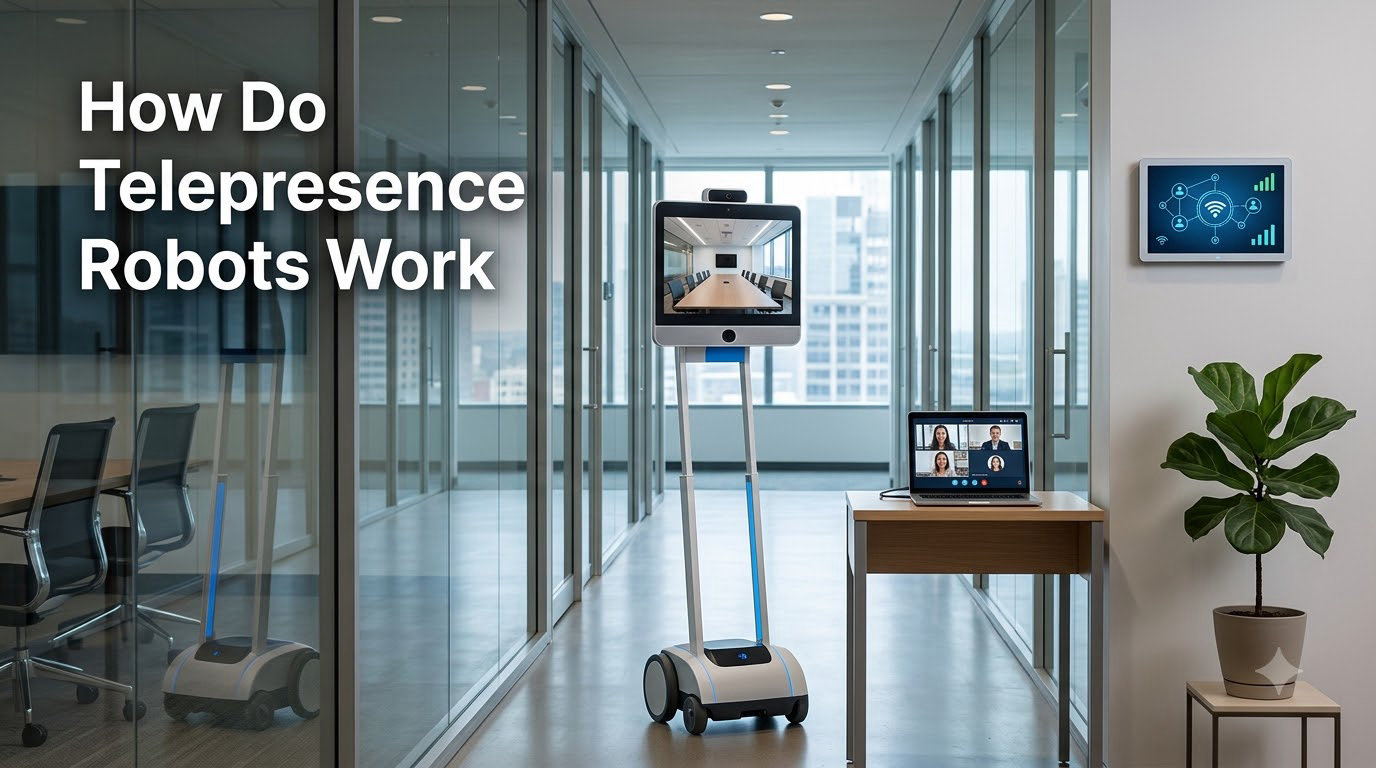
A telepresence robot is a mobile robotic device that lets a person project a real-time, two-way virtual presence into a remote location. The user controls the robot from a laptop or phone, sees through its on-board camera, hears through its microphone, talks through its speaker, and drives it from room to room. The result feels less like a video call and more like actually being there.
If you have ever wondered how these machines work, you are in the right place. In this guide I will walk you through the core technology, the components, the connectivity layer, the main use cases, and the limitations you should know before investing in or building one. I have spent the last several weeks reading IEEE papers, product teardowns, and forum threads on Robot-Forum.net to put this together for 2026.
Table of Contents
What Is a Telepresence Robot
A telepresence robot is a remote-controlled mobile device equipped with a video screen, camera, microphone, speaker, and a wheeled base. The user drives the robot from a remote interface and communicates with the people around it as if they were standing in the room.
The word “telepresence” means “presence at a distance.” It is the feeling of being somewhere without physically being there. A telepresence robot adds mobility to that feeling, so the user can walk down a hallway, peek into a lab, or roll up to a colleague’s desk.
Most modern units are built around a tablet computer mounted on a wheeled pedestal. The tablet handles the video call, and the pedestal handles the driving. The split between “screen” and “base” has become the standard architecture since the early 2010s when products like the Double and Beam hit the market.
Telepresence robots differ from regular video conferencing in three ways. They move, they give the remote user a physical body, and they allow other people in the room to see the remote user at roughly eye level rather than on a laptop screen. That physicality is the whole point.
How Do Telepresence Robots Work
Telepresence robots work by combining a tablet computer for video communication, motors for mobility, sensors for navigation, and internet connectivity to transmit audio-visual data and receive control commands in real-time. The remote user opens a web app or client, the app talks to the robot over the internet, and the robot streams back live video and audio while obeying driving commands.
Here is the step-by-step flow I have observed in almost every commercial unit I have researched.
Step 1: Sign in and connect. The user opens a browser or app on a laptop, tablet, or phone and signs into the robot’s control service. The service authenticates the session and opens a persistent WebRTC or UDP socket to the robot.
Step 2: Live video stream. The robot’s on-board camera captures the environment and pushes the video feed to the control client. Most robots use H.264 or VP8 video encoding to keep latency below 300 milliseconds on a good network.
Step 3: Two-way audio. The remote user’s microphone captures their voice and the robot’s speaker plays it in the local room. The robot’s microphone captures the local room and the remote user’s speaker plays it back. This round trip is handled by the same WebRTC channel as the video.
Step 4: Drive commands. When the user presses the forward arrow on the keyboard or drags a joystick on the screen, the client sends a small data packet with velocity and heading to the robot. The robot’s motor controller interprets the packet and drives the wheels.
Step 5: Sensor feedback. Bump sensors, wheel encoders, IMUs, and sometimes LiDAR or depth cameras feed back to the control app. The app displays this as collision warnings, a map, or a status icon.
Step 6: Disconnect on shutdown. When the user logs out, the robot parks itself, lowers its screen, or simply stops responding to drive commands until the next session begins.
The whole loop runs continuously, often at 30 frames per second for video and 50 to 100 Hz for control. That tight feedback loop is what makes a telepresence robot feel like a real body in the room rather than a passive webcam.
Key Components of a Telepresence Robot
A telepresence robot is built from five functional blocks: a display and audio system, a vision system, a mobility system, a sensing system, and a computing and connectivity core. Understanding how these blocks fit together is the key to understanding how the whole robot works.
Display and Audio System
The display is usually a tablet, a smartphone, or a dedicated LCD panel mounted at roughly 1.2 to 1.5 meters off the ground. That height places the remote user’s face near eye level with the people in the room.
The audio block includes one or more microphones and one or more speakers. Many commercial robots use beamforming microphone arrays so the robot can suppress background noise and focus on whoever is speaking. Speakers are typically 2 to 5 watts and mounted below or behind the screen.
Vision System
The on-board camera is the eyes of the remote user. Most robots carry a single wide-angle camera, but newer models include a second camera for a wider field of view or a pan-tilt head so the user can look up and down without driving forward.
Camera resolution ranges from 720p on entry-level units to 1080p or 4K on premium units like the Double 3. Frame rate is just as important as resolution. A 1080p30 stream feels smoother and more responsive than a 4K15 stream, so most manufacturers optimize for frame rate first.
Mobility System
The mobility block is the wheeled base. It usually contains two drive wheels with independent motors, a caster or two for balance, and a motor controller board. The drive wheels are typically 6 to 10 inches in diameter, which gives the robot enough ground clearance to roll over carpet edges, cable covers, and small thresholds.
Top speed is usually limited to about 1 to 1.5 meters per second. That limit is intentional. Faster movement makes the video feed blurry and disorients the remote user.
Sensing System
Every modern telepresence robot has at least bump sensors on the front and rear. Mid-range models add wheel encoders, gyroscopes, and accelerometers. High-end models add depth cameras, structured light sensors, or 2D LiDAR for mapping and obstacle avoidance.
These sensors feed into a basic safety layer on the robot. If the bumper hits something, the motors stop. If the IMU detects a tip, the wheels lock. If the LiDAR sees an obstacle, the robot slows or stops automatically.
Computing and Connectivity Core
The brain is usually the tablet computer itself, augmented by a small microcontroller board for motor control. The tablet runs Android, iOS, or Linux, and handles video calling, network connectivity, and the user interface.
Motor commands are offloaded to the microcontroller so the tablet can focus on video and audio. Splitting the workload keeps the system responsive even when the network is congested.
How Telepresence Robots Connect and Communicate
Connectivity is the lifeline of a telepresence robot. Without a stable internet link, the video freezes, the audio cuts out, and the controls lag. Most robots support two or more of the following connection paths.
WiFi. The most common option. Robots connect to a 2.4 GHz or 5 GHz WiFi network the same way a laptop does. 5 GHz gives more bandwidth and less interference, which is why most modern robots prefer it.
4G LTE and 5G. Some robots carry a cellular modem so they can roam outside a fixed network. This is common in construction sites, large warehouses, hospitals, and outdoor events.
Ethernet. A few enterprise units accept a wired Ethernet connection for maximum reliability. Hospitals and factories sometimes prefer this for security and predictable latency.
On top of the physical link, robots use one or more of these protocols.
- WebRTC. A peer-to-peer protocol designed for low-latency audio and video in browsers. Most modern telepresence robots use WebRTC because it works without plugins and routes around firewalls.
- UDP socket. A direct user datagram protocol connection for control commands. UDP is faster than TCP because it does not wait for packet acknowledgments, which is critical for real-time driving.
- RTSP and RTMP. Older streaming protocols still used in some commercial units. They work but add latency compared to WebRTC.
- HTTPS and MQTT. Used for control signaling, telemetry, and management. MQTT is popular because it is lightweight and survives flaky networks.
Latency is the metric that matters most. A round-trip delay under 150 milliseconds feels natural. Anything over 400 milliseconds starts to feel sluggish, and over 800 milliseconds users on Robot-Forum.net report disorientation and a sense of motion sickness.
Types of Telepresence Robots
Telepresence robots fall into two main operating categories and three form factors. The combination determines how the robot behaves and where it works best.
Teleoperated vs Autonomous
Teleoperated robots are fully driven by a human. The robot has no decision-making authority beyond basic safety reflexes like stopping on a bumper hit. Every turn, every stop, every speed change comes from the remote user.
Autonomous telepresence robots add a navigation layer. The user picks a destination on a map and the robot plans its own path, avoids obstacles, and arrives at the goal without constant driving input. Some models mix both modes, allowing teleoperation in tight spaces and autonomy in open hallways.
Mobile, Stationary, and Hybrid Form Factors
Mobile units are the classic “robot on a stick” form, with a screen mounted on a wheeled base. They roam freely and are the most common type.
Stationary units are essentially smart displays with cameras and speakers. They sit on a desk or shelf and do not move. They are the cheapest option and the most limited in terms of presence.
Hybrid units, sometimes called “dock and drive” robots, switch between a wall-mounted dock and a wheeled base. The screen detaches for casual conversations and attaches to the base when the user wants to roam.
Common Use Cases and Applications
Telepresence robots are no longer a novelty. They are in daily use across healthcare, business, education, and home care. Here is where I have seen them make the biggest difference.
Healthcare and Telemedicine
Hospitals use telepresence robots to let specialists consult on patients across multiple buildings without walking between wings. In elder care, robots let family members check in on relatives and even join meals remotely. Privacy is a serious concern in this setting, which is why healthcare deployments often require encrypted connections and on-premise servers.
Business and Remote Work
Distributed teams use telepresence robots to give remote employees a physical presence in the office. A remote engineer can roll up to a whiteboard, peek into a meeting room, or join a lunch conversation. The Double 3 and Ohmni Robot are popular choices in this segment.
Education and Research
Universities use telepresence robots to let students who cannot attend class in person still walk the campus and attend lectures. Researchers use them to collaborate with labs in other countries without flying.
Home and Personal Use
Some families buy a telepresence robot so a deployed military member, a traveling parent, or a long-distance grandparent can be present at home. The cost is still high for this use case, but it has grown steadily since 2020.
Benefits and Advantages of Telepresence Robots
The core benefit is presence. A telepresence robot gives a remote user a body in the room, not just a face on a screen. That changes the social dynamics of a conversation in ways that flat video calls cannot match.
Other advantages include reduced travel, faster decision-making in distributed teams, better access to specialists in healthcare, and inclusion for people who cannot physically travel because of disability, illness, or caregiving responsibilities.
From a business perspective, the math is simple. One telepresence robot costs less than a few months of executive travel and can be used hundreds of times per year. Many companies report a return on investment within the first year of deployment.
Limitations and Challenges
Telepresence robots are not perfect, and honest coverage of their limitations is one of the gaps I found in competing articles. Here are the issues real users talk about on forums and in case studies.
Network latency. Even on a good network, a telepresence session feels slower than being in the room. Users on Robot-Forum.net report noticeable lag of even a few hundred milliseconds, which causes a sense of disorientation over long sessions.
Connectivity requirements. A robot on a weak WiFi network is nearly unusable. Hospitals and offices sometimes need to upgrade their wireless infrastructure before a telepresence deployment works reliably.
Weight and balance. A taller robot with a heavy screen can tip if it rolls over a cable or bumps a threshold. Manufacturers limit height and weight, but the trade-off is a smaller screen and lower presence.
Privacy. A camera and microphone rolling through a hospital or office raises real privacy questions. Healthcare deployments in particular require strict access control, encrypted streams, and clear signage.
Cost. Commercial units range from around 2,000 dollars for a basic desktop unit to 15,000 dollars or more for a fully featured enterprise robot. Add cellular data, management software, and support, and the total cost climbs quickly.
Stairs and rough terrain. Almost every telepresence robot today is wheeled and works on flat surfaces only. Stairs, gravel, and rough outdoor terrain are still out of reach without a custom build.
DIY Telepresence Robots for Makers
If you are a maker, building a basic telepresence robot is a weekend project. The simplest build is a tablet mounted on a remote-controlled toy car base, controlled over WiFi with a free app like Zoom or Skype on one end and a Bluetooth gamepad on the other.
More ambitious builds swap the toy base for a Raspberry Pi or Arduino-controlled robot chassis, add a pan-tilt camera mount, and use ROS or a custom WebRTC client for low-latency control. Popular open-source platforms include the Sparkfun JetBot, the Waveshare Rover, and the Husarion ROSbot.
For software, the AnyTelepresence and telepresence-ros packages on GitHub provide a starting point. They handle video streaming, control mapping, and basic safety reflexes. From there you can add LiDAR, mapping, and autonomous navigation as your skills grow.
The Future of Telepresence Technology
Three trends will shape telepresence robots over the next few years. The first is 5G, which cuts latency and frees robots from WiFi dependence. The second is on-device AI, which lets robots understand scenes, recognize people, and navigate autonomously without cloud round-trips. The third is mixed reality, where the remote user’s face is rendered in 3D on the robot’s screen rather than as a flat video call.
Add improvements in battery life, lower-cost depth sensors, and the rise of open-source ROS 2 packages, and the next generation of telepresence robots will feel less like a webcam on a stick and more like a true remote body. If you are evaluating a purchase or planning a build, 2026 is a good year to get started.
Frequently Asked Questions
How does telepresence work?
Telepresence works by streaming live audio and video between a remote user and a device at a distant location, while the remote user sends control commands back to the device in real time. The combination of low-latency video, two-way audio, and responsive control is what creates the feeling of being there in person.
What are the limitations of telepresence robots?
Common limitations include network latency, dependence on a stable WiFi or 5G connection, weight and balance issues on uneven surfaces, privacy concerns around always-on cameras and microphones, high upfront cost, and an inability to climb stairs or operate on rough terrain.
How much does a telepresence robot cost?
Consumer and prosumer telepresence robots typically range from about 2,000 to 5,000 dollars, while enterprise units with advanced navigation, longer battery life, and 4G or 5G connectivity can run 10,000 to 15,000 dollars or more. Subscription fees for software and cellular data add to the total cost of ownership.
How do the components of a robot work together?
The components work together through a control loop. Sensors like cameras, bump sensors, and encoders gather information about the environment and pass it to the computing core. The computing core combines that information with the remote user’s commands, then sends instructions to the actuators such as motors, speakers, and the display so the robot moves, talks, and shows the remote user’s face.
What are the five main components of a robot?
The five main components of any robot are sensors to perceive the environment, actuators such as motors to produce movement, a controller or computing unit to make decisions, a power source such as a battery, and a mechanical structure or chassis to hold everything together. Telepresence robots add a video display and audio system to that core set.
Conclusion
So, how do telepresence robots work? They pair a tablet computer for video and audio with a wheeled base for mobility, link the two over WiFi or cellular using low-latency protocols like WebRTC, and let a remote user drive a real body through a real space from anywhere in the world. The combination of live video, two-way audio, sensors, and responsive motors is what turns a flat video call into genuine remote presence.
If you are shopping for one, focus on camera quality, frame rate, and battery life before fancy features. If you are building one, start with a tablet, a robot chassis, and a WebRTC control app, then add sensors as you go. Either way, the technology has matured enough in 2026 to be a practical tool, not a science project.