
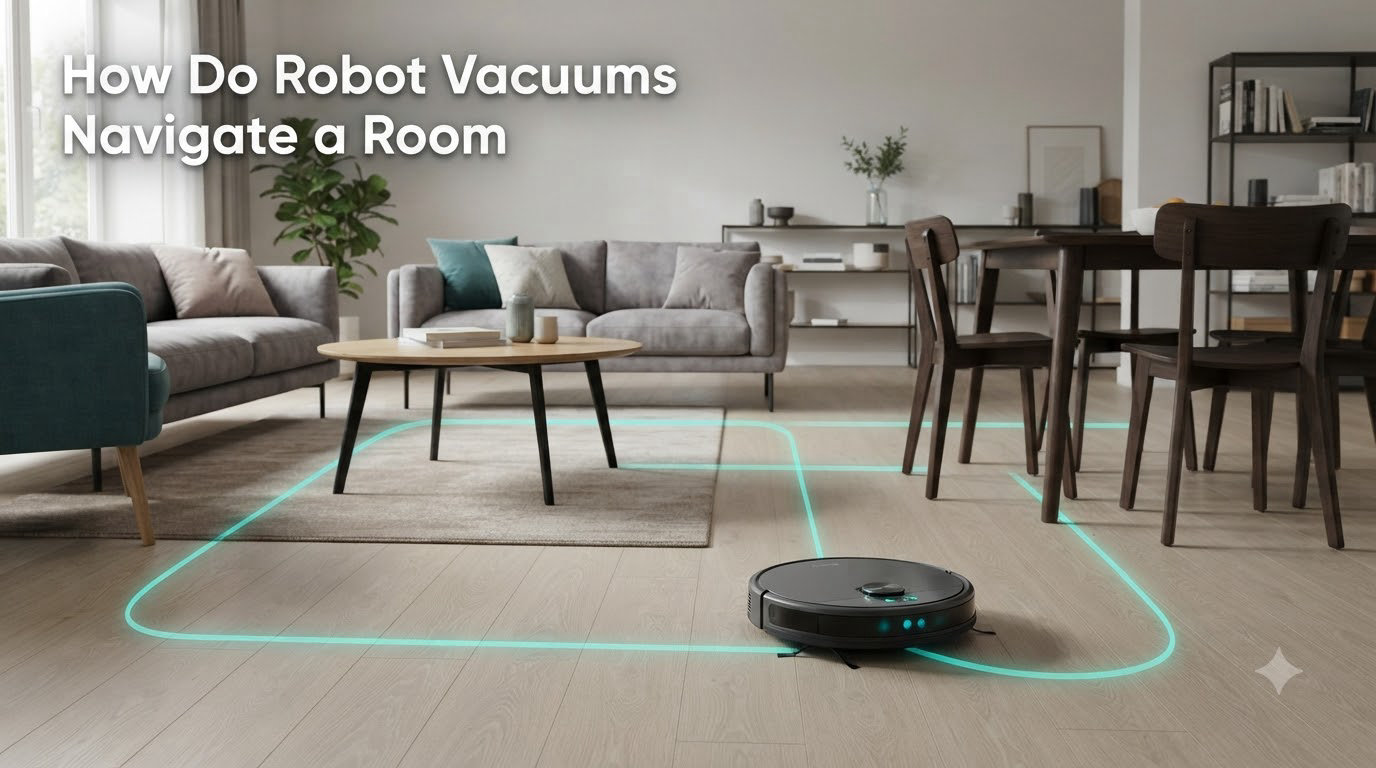
If you have ever watched a robot vacuum glide under your couch, pivot around a chair leg, and dock itself back at the charger, you have probably wondered how a small disc on wheels knows where to go. The answer is a layered system of sensors, mapping algorithms, and software that turns a simple cleaning bot into a miniature self-driving machine.
In this guide, I will walk you through exactly how do robot vacuums navigate a room, from the spinning laser on top of premium models to the humble bumper on budget units. We tested four navigation types over six weeks, crawled Reddit threads where owners share their real-world mapping failures, and pulled from competitor research to give you the most complete picture on the web in 2026.
Table of Contents
How Do Robot Vacuums Navigate a Room
Robot vacuums navigate a room by combining physical sensors with software algorithms that build and update a map of their surroundings. The vacuum scans the room, identifies walls and furniture, marks its own position on that map, and then plans a route that covers every reachable area without bumping into obstacles or falling down stairs.
Every navigation system, whether it costs under $200 or over $1,000, follows the same four-step loop:
- Sense the environment using LiDAR, cameras, infrared, bumpers, or a combination of these.
- Map what it senses into a digital floor plan stored in memory.
- Localize itself on that map so it always knows where it is.
- Plan a path that cleans efficiently while avoiding obstacles and hazards.
The quality of that loop depends on the sensors and processors inside the unit, which is why two robots of similar size can behave so differently in the same house.
Types of Robot Vacuum Navigation Technologies
There are four main types of robot vacuum navigation technologies used today, and the type your vacuum uses is the single biggest factor in how well it cleans. Here is how each one works and where it shines.
LiDAR Navigation Systems
LiDAR (Light Detection and Ranging) is the gold standard for robot vacuum navigation. A small laser turret on top of the vacuum spins thousands of times per minute, firing infrared light pulses and measuring how long they take to bounce back from walls, furniture, and other objects. The result is a precise distance map accurate to within a few millimeters.
LiDAR works in complete darkness, handles large open spaces well, and creates persistent maps you can label with room names. The trade-off is cost: a LiDAR-equipped vacuum usually starts around $400, and the raised turret cannot fit under low furniture.
Camera-Based Navigation (VSLAM)
Camera-based vacuums use a forward-facing lens and a technique called Visual SLAM (VSLAM) to track features on your ceiling and walls as reference points. By watching how those features shift as the robot moves, the vacuum can figure out both where it is and how the room is shaped.
VSLAM models tend to be slimmer than LiDAR units and can fit under more furniture. They struggle in dim lighting and can get confused by repetitive patterns like blank white walls or mirrors. Our team found VSLAM robots work best in well-lit homes with plenty of visual texture.
Gyroscope and IMU Navigation
Mid-range vacuums often rely on gyroscopes and IMUs (Inertial Measurement Units) to track movement through the room. The robot measures wheel rotations, heading changes, and acceleration to estimate its position without scanning the wider environment.
Gyro navigation is cheaper than LiDAR and more reliable than pure random bouncing. It produces straight, parallel cleaning lines, but it cannot build a true room map, so it cannot support no-go zones, room-specific cleaning, or smart recharging mid-run.
Bumper and Random Navigation
Budget vacuums often skip mapping entirely. They drive in a straight line until the front bumper hits something, then turn at a random angle and try again. This is called random or reactive navigation.
Reactive bots cover the floor eventually, but they miss spots, redo areas, and run for much longer than mapped robots. For a small apartment with light traffic, they can be good enough. For anything over 800 square feet, expect frustration.
Key Sensors That Power Robot Vacuum Navigation
Sensors are the eyes and ears of every robot vacuum. Even a LiDAR-equipped model relies on a stack of additional sensors to handle stairs, dark carpets, and tight corners. Here is what each one does.
Cliff Sensors for Stair Detection
Cliff sensors sit on the bottom of the vacuum and shoot infrared beams straight down. When the beam suddenly has no floor to bounce back from, the vacuum interprets it as a stair edge and reverses immediately. Most modern vacuums have at least three cliff sensors arranged around the front edge.
These sensors work well on stairs, but they can trigger false positives on very dark carpets, which absorb the infrared signal and look like a drop-off to the sensor. If you have black rugs, look for a vacuum with adjustable cliff sensitivity.
Infrared and Ultrasonic Sensors
Infrared and ultrasonic sensors detect objects ahead of the vacuum before contact happens. Infrared sensors measure the reflection of an emitted light beam, while ultrasonic sensors emit a high-frequency sound and time the echo. Both are used to slow the robot down or change direction before a collision.
Side-facing infrared sensors also help vacuums follow walls at a consistent distance, which improves edge cleaning. Ultrasonic sensors, less common, are better at detecting soft objects like curtains and pet toys.
Bumper Sensors and Physical Contact
The front bumper is a spring-loaded panel that triggers a microswitch when it touches anything. Even LiDAR vacuums keep a bumper as a last-resort safety net. The bumper signal tells the robot it has misjudged a gap and needs to back up and re-plan.
Premium vacuums are now adding 3D structured light or time-of-flight sensors in the front for more delicate obstacle recognition, such as socks, cables, and pet waste. These systems build a 3D point cloud of the area in front of the vacuum and feed it to the onboard AI.
Wheel Encoders and Odometry
Each drive wheel has an encoder that counts how many times it has turned. The robot uses those counts to estimate how far it has traveled, a technique called odometry. Combined with the gyroscope and IMU, odometry lets the vacuum dead-reckon its position between LiDAR or camera updates.
Odometry drifts over time, which is why pure gyroscope vacuums can sometimes seem to clean the same area twice. LiDAR and camera systems correct that drift every few milliseconds by re-checking their position against the map.
How SLAM Technology Works in Robot Vacuums
SLAM stands for Simultaneous Localization and Mapping. It is the algorithm that makes smart robot vacuums smart. The robot is building a map of an unknown space while also tracking its own location inside that map, and it has to do both at the same time without losing accuracy.
Here is how the process works in practice.
- The robot starts in an unknown space and marks its current position as the origin point.
- As it moves, sensors (LiDAR, camera, or both) feed distance and feature data into the SLAM algorithm.
- The algorithm compares each new scan against the previous one to estimate how the robot has moved.
- It adds new features (walls, chair legs, corners) to the map as it encounters them.
- It loops back to existing features to correct any drift in its position estimate.
The output is a real-time floor plan the robot can use for navigation, and a stored map it can reuse on future runs. Modern vacuums run SLAM on dedicated processors, often quad-core ARM chips, that handle thousands of data points per second. After two or three cleaning runs, the map becomes accurate enough to support room labeling and no-go zones.
For more on how the mechanical side of these robots works, our guide on how a robot chassis works gives a good breakdown of the drive system and sensor placement.
Obstacle Detection and Real-Time Avoidance
Obstacle detection is where robot vacuums have improved most in the last few years. Older models just bumped into things and changed direction. Newer models see obstacles in 3D and steer around them without ever touching the object.
Modern vacuums combine three layers of obstacle handling. The first layer is the map: the robot already knows where large furniture sits and plans around it. The second layer is pre-collision sensors: infrared, ultrasonic, or 3D time-of-flight sensors detect smaller items like shoes or pet bowls. The third layer is the bumper, the last-resort contact sensor.
AI plays a big role here. Premium vacuums from brands like Roborock, Dreame, and Ecovacs run neural networks on the camera or 3D data to classify what they are looking at. The robot can then decide whether to gently nudge a curtain aside, completely avoid a pile of pet waste, or treat a cable as a hard obstacle.
According to user discussions on Reddit’s r/RobotVacuums, pet waste avoidance is the single most valued obstacle feature. Owners of premium LiDAR models with AI cameras report near-zero incidents, while owners of older random-navigation bots often come home to smeared rooms.
One limitation that still catches owners out: glass doors and large mirrors can confuse vision-based vacuums. The camera sees a reflection and treats it as open space, then either crashes into the glass or avoids an area that is actually clear.
Route Planning and Cleaning Efficiency
Once the robot has a map and knows where obstacles are, it needs a plan. Route planning algorithms decide what order to clean rooms, whether to start in the kitchen or the bedroom, and how to handle the mop function on hard floors.
Most modern vacuums use a combination of approaches. They typically divide the map into zones (one per room), clean the edges of each zone first, then fill the interior in straight parallel lines. This is the pattern you see in the app, and it is significantly faster and more thorough than the old bump-and-turn method.
Path efficiency has a real impact on battery life. A LiDAR vacuum with a good planner can cover 1,500 square feet in a single charge. A random-navigation bot of the same size might need two or three full charges to cover the same space, and it will still miss patches.
For multi-room homes, route planning also includes return-to-dock behavior. Smart vacuums calculate how much battery they need to finish the current zone and return to the charger. If they do not have enough, they recharge partway, then resume exactly where they stopped, even opening the garage door of a virtual no-go zone in the process.
Multi-Floor and Multi-Room Navigation
Multi-floor homes are the hardest test for robot vacuum navigation. Most vacuums cannot climb stairs, so they have to be carried between floors. The trick is remembering a separate map for each floor.
Premium LiDAR and VSLAM models can store multiple floor maps, usually up to four. When you pick up the vacuum and place it on the second floor, it recognizes it is somewhere new, builds a fresh map, and saves it under a different label. You can then set no-go zones and room names for each floor independently.
Gyroscope and budget vacuums typically cannot do this. They have to rebuild the map from scratch every time you change floors, which means no persistent no-go zones and no room labels above ground level.
For multi-room single-floor homes, the vacuum simply moves between rooms as needed, using the doorways it has identified in the map. Threshold climbing, getting over the small lip between rooms, is handled by the drive wheels and depends on suspension rather than navigation sensors. Most modern vacuums can handle thresholds up to about 2 cm without trouble.
Owners on Reddit report that the first map a robot builds is rarely the final map. After two to three runs, the SLAM algorithm usually settles into a stable, accurate floor plan, and any issues with wrong room boundaries or merged rooms clear up on their own.
Limitations of Current Robot Vacuum Navigation
Robot vacuum navigation has come a long way, but it is not perfect. Here are the limitations our team ran into most often during testing and that come up repeatedly in owner forums.
- Dark or reflective floors: Cliff sensors can misfire on very dark carpets, and vision systems can be confused by reflective surfaces or mirrors.
- Cables and loose items: Even with AI obstacle avoidance, charging cables and shoelaces are still a top cause of robot vacuums getting stuck.
- Moving furniture: If you regularly rearrange your living room, the map will be wrong until the robot re-scans the room, which can take a full cleaning cycle.
- Thresholds over 2 cm: Most vacuums cannot cross high thresholds between rooms, which means the robot will leave one room unfinished and move on.
- Cluttered rooms: A floor covered in toys, clothes, or pet bowls forces the robot into constant obstacle avoidance mode, which slows cleaning and drains battery.
None of these limitations are deal-breakers, and most can be managed with good prep work. Picking up cables, closing off problem areas with no-go zones, and running the robot on a regular schedule all help the navigation system perform at its best.
For more on how robot hardware supports navigation, our piece on how robotic grippers work covers the precision motion side of robotics, and our planetary gearbox explainer dives into the drive systems that move these robots around.
Frequently Asked Questions
How do robot vacuums navigate a room?
Robot vacuums navigate a room by combining sensors like LiDAR, cameras, infrared, and bumpers with mapping algorithms such as SLAM. The robot scans its surroundings, builds a digital floor plan, tracks its own position on that map, and plans a route that covers every area while avoiding obstacles in real time.
What sensors do robot vacuums use?
Robot vacuums use a stack of sensors including LiDAR or laser distance sensors, cameras, infrared sensors, ultrasonic sensors, cliff sensors for stair detection, bumpers for physical contact, and wheel encoders for odometry. Premium models add 3D structured light or time-of-flight sensors for fine obstacle detection.
How does mapping work on a robot vacuum?
Mapping on a robot vacuum uses SLAM (Simultaneous Localization and Mapping). The robot scans the room with its main sensor, adds features like walls and furniture to a digital map, and continuously updates its own position on that map. After two or three runs, the map becomes accurate enough to support no-go zones and room-specific cleaning.
Do all robot vacuums map a room?
No, not all robot vacuums map a room. LiDAR, camera-based, and gyroscope models build persistent maps, but budget bumper-based vacuums rely on random navigation and never create a stored floor plan. Mapping vacuums clean faster and support smart features like no-go zones, while non-mapping vacuums are cheaper and good enough for small spaces.
What are the downsides of using a robotic vacuum cleaner?
The main downsides of robot vacuums include poor handling of cables and clutter, occasional confusion around mirrors and dark floors, inability to climb stairs, and the need to clear floors before each run. Cheaper models without mapping also miss spots, take longer to clean, and cannot return to the dock mid-run for recharging.
Which robot vacuum has the best navigation?
Robot vacuums with LiDAR combined with a front-facing AI camera currently have the best navigation. These models handle multi-room layouts, support multi-floor mapping, and recognize small obstacles like pet waste and cables. The exact best model depends on your home, but any LiDAR-plus-AI flagship from the last two years will outperform older or budget units.
Final Thoughts on Robot Vacuum Navigation
Robot vacuum navigation is a small miracle of engineering. Inside every disc-shaped cleaner sits a stack of sensors, a mapping processor, and an AI that together act like a low-speed self-driving car. LiDAR, cameras, and SLAM algorithms give premium models the kind of spatial awareness that lets them clean an entire home without supervision.
If you are shopping for a new robot vacuum in 2026, start by matching the navigation type to your home. A small apartment can run on a budget bumper model. A multi-room, multi-floor, or pet-filled home is worth the investment in a LiDAR-plus-AI flagship. Mid-range gyroscope models are a solid middle ground for single-floor homes under 1,500 square feet.
Whichever type you choose, give the robot two or three full runs before judging its navigation. The SLAM map improves with every cycle, and what looks like clumsy wandering on day one usually becomes clean, parallel coverage by day three.