
Five years ago a first 3D printer meant a weekend of belt tensioning, a room full of ABS fumes and a lot of patience. That has changed. The best 3D printers for home use under 500 dollars now arrive assembled, level their own beds, self-calibrate the nozzle and print a clean first layer within fifteen minutes of unboxing. We put eight of them through their paces to work out which one deserves a permanent spot on your desk.
What separates a good budget machine from a frustrating one is rarely the advertised top speed. It is how well the printer holds calibration between prints, whether the first layer sticks without a fight, and how much tinkering the machine demands in month two rather than month one. That is what this guide measures.
We also split the list by process, because the single most common first-time buying mistake is comparing filament printers to resin printers on the same scoreboard. FDM machines melt plastic pellets layer by layer and handle organizers, brackets and cosplay props. Resin machines cure liquid plastic with light and produce detail no filament printer at this price can reach. Both are here, judged on their own terms.
Every printer below sits comfortably inside the sub-500 bracket, ships with the auto-leveling hardware most competitors at this tier skip, and has enough review history from real owners to judge fairly. If you want a broader look at the format, our guide to the best 3D printers under 2000 dollars covers the step up in build volume and material handling.
Table of Contents
Top 3 Picks for 3D Printers Under $500 (October 2026)
The Bambu Lab A1 is the easiest machine here to live with, the Creality Ender 3 V3 SE is the cheapest way into the hobby, and the ELEGOO Centauri Carbon 2 Combo is the one that prints four colors out of the box inside a sealed chamber. Those three cover the majority of home use cases.

Bambu Lab A1
- 10000 mm/s2 acceleration
- Full-auto Z-offset and bed leveling
- Multi-color via optional AMS lite
- 1-Clip quick swap nozzle

Creality Ender 3 V3 SE
- 250 mm/s print speed
- CR Touch auto leveling
- Sprite direct drive extruder
- About 20 minute assembly

ELEGOO Centauri Carbon 2
- CANVAS 4-color system
- Fully enclosed build chamber
- 500 mm/s with 20000 mm/s2 acceleration
- 256 mm cube build volume
All 8 Printers Compared Side by Side in 2026
Speed figures below are the manufacturers’ stated maximums. Real-world throughput on a tall part is usually a fraction of that, so treat the number as a ceiling rather than a promise. Build volume matters more than speed for most home projects, because a part that does not fit is a part you cannot print at all.
| Product | Specifications | Action |
|---|---|---|
| Bambu Lab A1 |
|
Check Latest Price |
| ELEGOO Centauri Carbon 2 Combo |
|
Check Latest Price |
 Flashforge Adventurer 5M Pro Flashforge Adventurer 5M Pro |
|
Check Latest Price |
| Creality Ender 3 V3 SE |
|
Check Latest Price |
 Bambu Lab P1S Bambu Lab P1S |
|
Check Latest Price |
 ELEGOO Mars 5 Ultra Resin ELEGOO Mars 5 Ultra Resin |
|
Check Latest Price |
 TINA2S Mini Starter Kit TINA2S Mini Starter Kit |
|
Check Latest Price |
 Anycubic Photon Mono 4 Anycubic Photon Mono 4 |
|
Check Latest Price |
1. Bambu Lab A1 Review: The Least Fussy First Printer Under 500
Bambu Lab A1 3D Printer, Ready-to-Use FDM 3D Printer for Beginners and Kids
- Near-zero manual calibration
- Quiet and fast for daily use
- Active flow rate compensation
- Strong print quality for the class
- Good app and phone control
- Closed-source software ecosystem
- AMS lite multi-color unit sold separately
- AMS lite takes extra desk space
Our Bambu Lab A1 went from box to first layer without a single adjustment. The full-auto calibration handles Z-offset and bed leveling together, so there is no paper-flash and no mesh adjustment routine to learn. Owners describe the same experience on r/3dprinter, repeatedly, as the reason the A1 keeps drawing first-time buyers away from cheaper kits.
The A1 weighs 22 pounds and measures 21.76 by 20.83 by 12.87 inches, which is small enough for a desk in a flat without a dedicated workshop. It runs 10000 mm/s2 acceleration with active flow rate compensation, meaning the extruder monitors filament delivery and corrects for it in real time rather than letting inconsistent flow become visible layer lines.
The 1-Clip quick swap nozzle is a small thing that saves real frustration. You unsnap one clip, pull the nozzle and drop in a fresh one. No hex keys, no thread sealant, no risk of cross-threading a hotend while your hands are still learning which way things go.
Owners also flag the active motor noise canceling as more than marketing. It is one of the few printers in this group quiet enough to run in a room where people are trying to concentrate, which matters when the machine lives in a bedroom or a shared study rather than a garage.
The 4.7 rating across 671 reviews comes with a notably clean distribution: 87 percent five-star, and only 4 percent one-star. In a category where first impressions dominate and a single bad unboxing ruins a purchase, that spread is the most persuasive part of the spec sheet.
Who the Bambu Lab A1 suits
It suits anyone whose goal is objects, not firmware. Families, teachers and hobbyists who want to download a model and print it that afternoon will find almost nothing to learn. A student prototyping a bracket will not have to re-level the bed between prints because the machine recalibrates at the start of every job.
It also suits multi-color shoppers who can plan ahead. The A1 is multi-color capable through the optional AMS lite unit, and owners generally advise deciding on that before buying the printer rather than adding it later.
Who should skip the Bambu Lab A1
Skip it if your models are large. The A1 is the compact member of the range, and its build volume is smaller than the 256 mm cube offered by the ELEGOO Centauri Carbon 2. It is also the wrong machine for anyone who wants an enclosed chamber, since the frame is open and materials that need a sealed box will curl.
Tinkerers who plan to run Klipper, custom macros and open-source firmware should look elsewhere. The software ecosystem is closed, and that is a deliberate design choice rather than a limitation, but it does remove an option some buyers value highly.
2. ELEGOO Centauri Carbon 2 Combo Review: Four Colors Inside a Sealed Cube
- Four-color printing in a sealed chamber
- Strong bed adhesion
- Quick largely painless setup
- Fast for its size
- Good material range
- Weak low-resolution camera
- App and firmware connectivity errors reported
- Lid can foul the filament tube
- Top speed costs print quality
The Centauri Carbon 2 Combo is the heaviest machine in this guide at 42.6 pounds and 18.9 by 19.7 by 29.3 inches, and it also asks more of its owner. With a 256 by 256 by 256 mm build volume, a fully enclosed chamber and a CANVAS system that switches between four spools automatically, it handles jobs the other seven machines cannot take at all.
That size is a fair warning for anyone with a small table, and a fair reassurance for anyone who has fought warping on an open-frame machine and would rather not do it again.
Owners consistently single out bed adhesion as the standout. Parts release from the plate without forcing, and the machine holds a 500 mm/s ceiling with 20000 mm/s2 acceleration on a rigid aluminum CoreXY frame with active vibration compensation. In practice you will print slower than that on anything with overhangs, because reviewers report that top speed costs surface quality.
The 1-star share sits at 17 percent, and the reason is not print quality. It is connectivity: firmware and app errors, machine-busy messages, and a lid that can interfere with the filament tube unless you print a riser. Owners who clear those three hurdles report strong results.
With 2572 reviews, this is the most examined printer here. That volume matters when you are choosing between a well-documented machine with a few known quirks and an unknown one.
Who the Centauri Carbon 2 Combo suits
It suits makers who print in color without wanting to babysit a swap. Four automatic color changes in a sealed chamber is a genuinely different experience from manual filament swaps, and for cosplay armor, keyed storage bins or layered signage the payoff is immediate.
It also suits anyone printing engineering-grade filaments in an apartment. The enclosure plus a heated bed means ABS and ASA behave far more predictably than they would on an open frame.
Who should skip the Centauri Carbon 2 Combo
Skip it if you want a machine that runs hands-off. A fair number of owners needed troubleshooting in the first weeks, and the built-in camera is low resolution enough that time-lapse video is rarely worth watching. If the camera mattered to you, this is not the printer.
Skip it if the footprint is a problem. Nearly 30 inches tall is a commitment, and at 42.6 pounds it is the heaviest machine in the roundup. Both are the price of that sealed chamber and the 256 mm cube.
3. Flashforge Adventurer 5M Pro Review: The Quiet Enclosed Workhorse
FLASHFORGE Adventurer 5M Pro 3D Printer with 1 Click Auto Printing System
- Fast with excellent auto-leveling
- Quiet enclosed chamber for home use
- Handles engineering filaments
- Easy setup and monitoring
- Dual filtration reduces fumes
- Bundled software installers can be outdated
- Some machines arrive with defects
- 220 mm cube is smaller than rivals
- ABS still needs tuning
The Adventurer 5M Pro is the printer to buy if noise is a factor in your home. The enclosed chamber is rated under 50 dB, which is a measured figure rather than a marketing adjective, and at 22 pounds and 16 by 14 by 18 inches it is compact enough for a shelf in a spare room that doubles as a workshop.
The all-metal CoreXY frame reaches 600 mm/s with 20000 mm/s2 acceleration, the fastest stated figure in this roundup. More useful for most people is the 280C hotend paired with a 110C heated bed, which is the combination you need for ABS, ASA, PETG-CF and PLA without re-tuning everything from scratch.
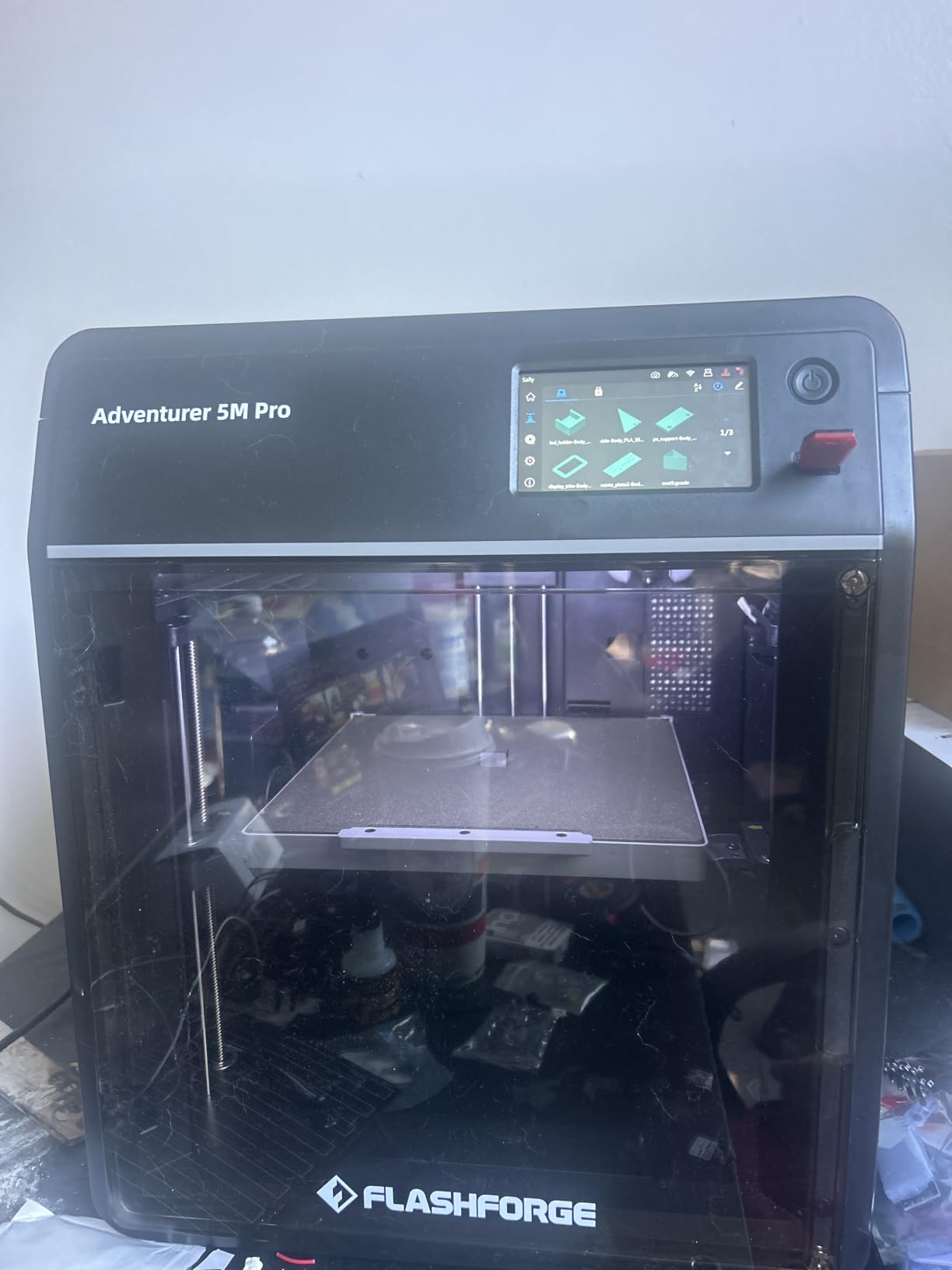
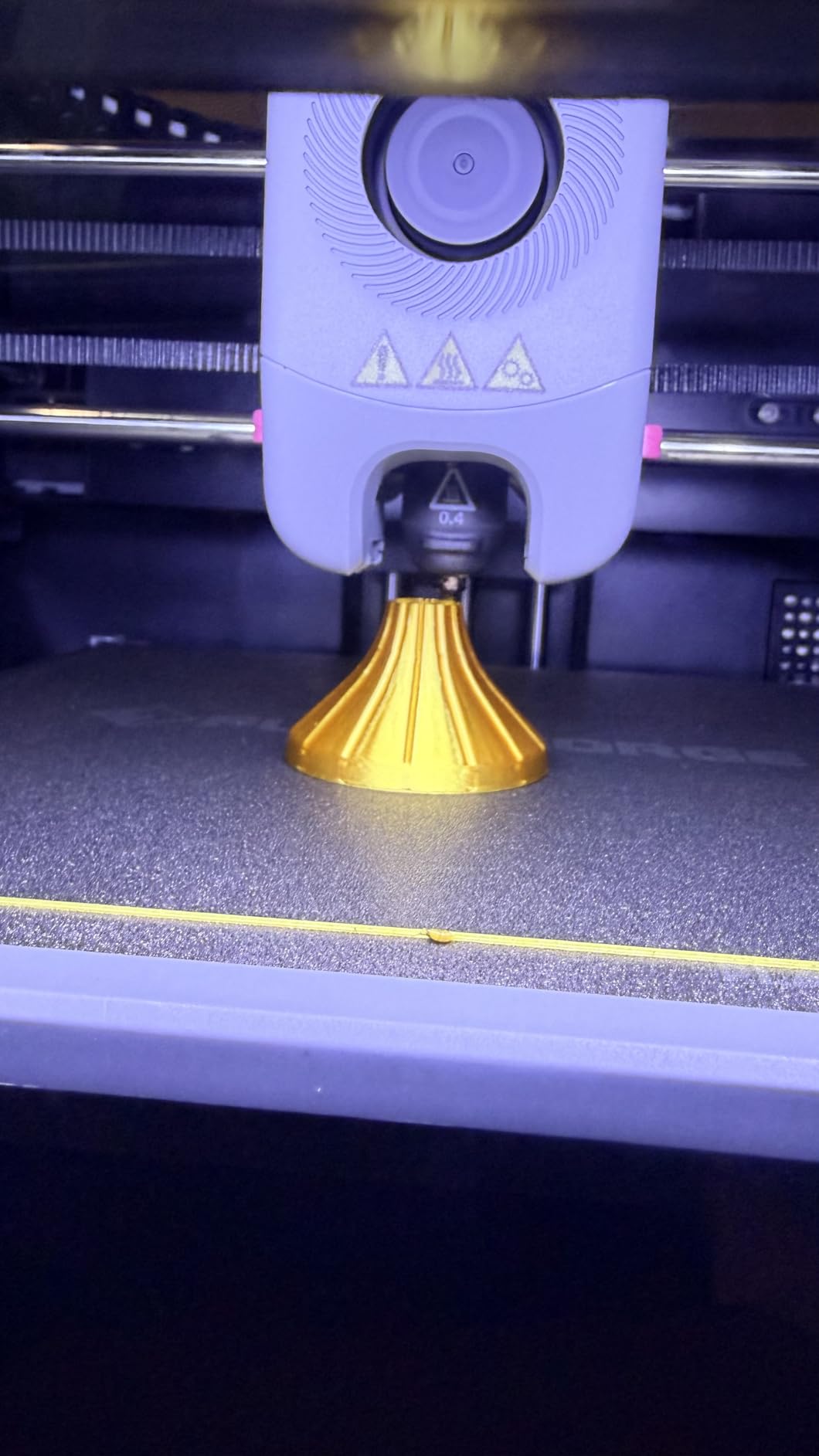
Two details separate it from the enclosed competition. The tool-free quick-swap nozzle changes between 0.25, 0.4, 0.6 and 0.8 mm tips in about three seconds, and the dual filtration system plus built-in camera mean fumes and progress are both handled without a separate purchase.
Power-loss recovery and filament detection are standard, which on a long print is the difference between coming back to a finished part and coming back to a puddle. For a first machine, those two features do more for the experience than another 100 mm/s of headline speed.
The 18 percent one-star share here comes from two sources: bundled software installers on the included drive that fail on current Windows and macOS builds, and a minority of machines arriving with defects or crash-damaged nozzles. Both are solvable, and the second one is a packaging problem rather than a design problem.
Who the Adventurer 5M Pro suits
It suits households where the printer cannot be the loudest thing in the room. Owners consistently describe it as classroom and office appropriate, and the enclosed frame with filtration handles the engineering materials that smell in a way open frames cannot.
It also suits anyone who cares about support. Flashforge’s responsiveness comes up repeatedly and favorably in owner reviews, and that matters when something goes wrong at hour nine of an overnight print.
Who should skip the Adventurer 5M Pro
Skip it if you need the largest parts. The 220 mm cube is respectable but smaller than the Centauri Carbon 2, and a shoe or a helmet will not fit on either machine at this price. Anyone scaling up should read our best large 3D printers for helmets guide instead.
Skip it if you want zero assembly of any kind but also zero ambiguity. The one-click auto-leveling is genuine, yet ABS still needs tuning, and the software on the bundled drive should not be trusted on a fresh computer.
4. Creality Ender 3 V3 SE Review: The Cheapest Way Into 3D Printing
- Very fast simple setup for a first-time owner
- Simple reliable maintenance
- Large community and clear guides
- Handles PLA TPU and wood-style filament
- CR Touch takes the manual work out of leveling
- Open frame limits engineering materials
- Fan bearing noise and Y-axis drag reported
- Build volume shorter than enclosed models
- Bundled USB drive can be unreliable
The Ender 3 V3 SE is the printer that shows up most often in a first-time buyer’s shortlist, and the reasons are mostly practical. It is the least expensive machine here, the Creality community behind it is enormous, and nearly every common problem has a video walkthrough already published somewhere.
Assembly takes roughly 20 minutes. CR Touch auto leveling and automatic Z-offset calibration handle the step that trips up the most first-time owners, and the 32-bit silent mainboard keeps the machine from sounding like a workshop fan with a printer inside it.
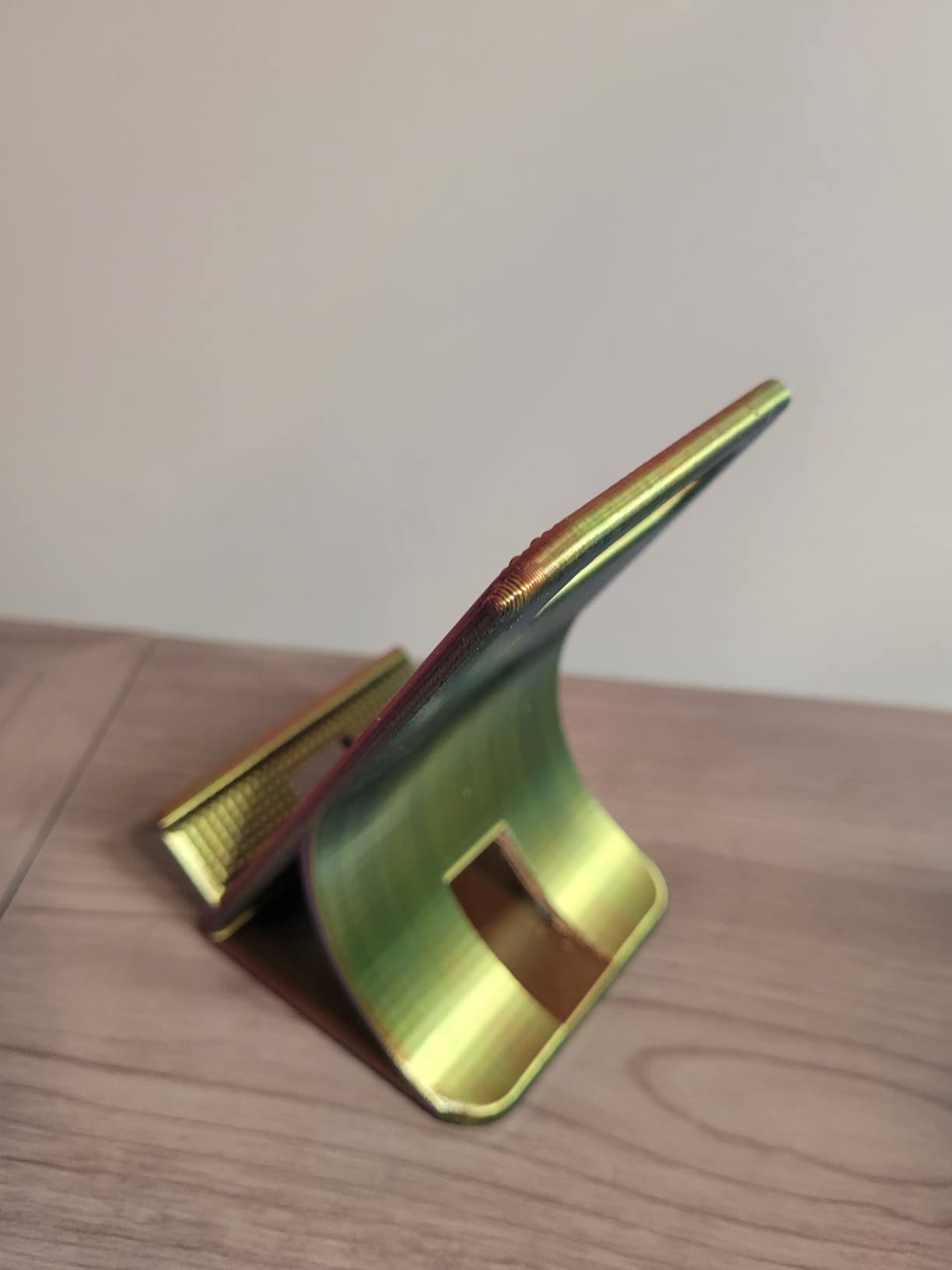
The Sprite direct drive extruder is a meaningful step up from older budget extruders. Direct drive handles TPU without the retract frustration of a Bowden setup, and 250 mm/s with 2500 mm/s2 acceleration is plenty for organizers, brackets and phone stands. Dual synchronized Z-axis lead screws and precision Y-axis linear shafts keep the bed steady.
What the 4.1 rating across 791 reviews reflects is a machine that handles the fundamentals well and demands very little in return. A minority of owners report fan bearing noise or Y-axis dragging within weeks, so check those two things in the first fortnight while the return window is still open.
Owners also note the flexible PC spring steel build plate handles adhesion well once the machine is set up. The included USB drive is the one accessory not to trust; use a direct USB-C connection or print over the network.
Who the Ender 3 V3 SE suits
It suits anyone who wants to spend the least and still end up with a dependable machine. The build volume is shorter than enclosed rivals, but for household parts it is rarely the constraint people assume it will be.
It also suits buyers who like having a community. When something goes wrong at 2am, a search for the symptom will usually return a fix, a forum thread or a settings profile. That is a real advantage when you are new to the process.
Who should skip the Ender 3 V3 SE
Skip it if you plan to print ABS or ASA. The open frame is the reason the machine is this light and this affordable, and it is also why those materials will warp unless you build an enclosure yourself.
Skip it if you are not prepared for any assembly at all. Twenty minutes is not a burden for most people, but it is a step the fully assembled machines in this list simply do not have.
5. Bambu Lab P1S Review: The Best All-Rounder With a Glass Chamber
- Excellent print quality and speed
- Enclosed chamber takes engineering filament
- Setup in about 15 minutes
- Bambu Studio slicer plus MakerWorld library
- Remote monitoring from app or PC
- AMS sold separately
- Camera frame rate low for time-lapse
- No touchscreen on the machine
- Silk and translucent filament prone to clogging
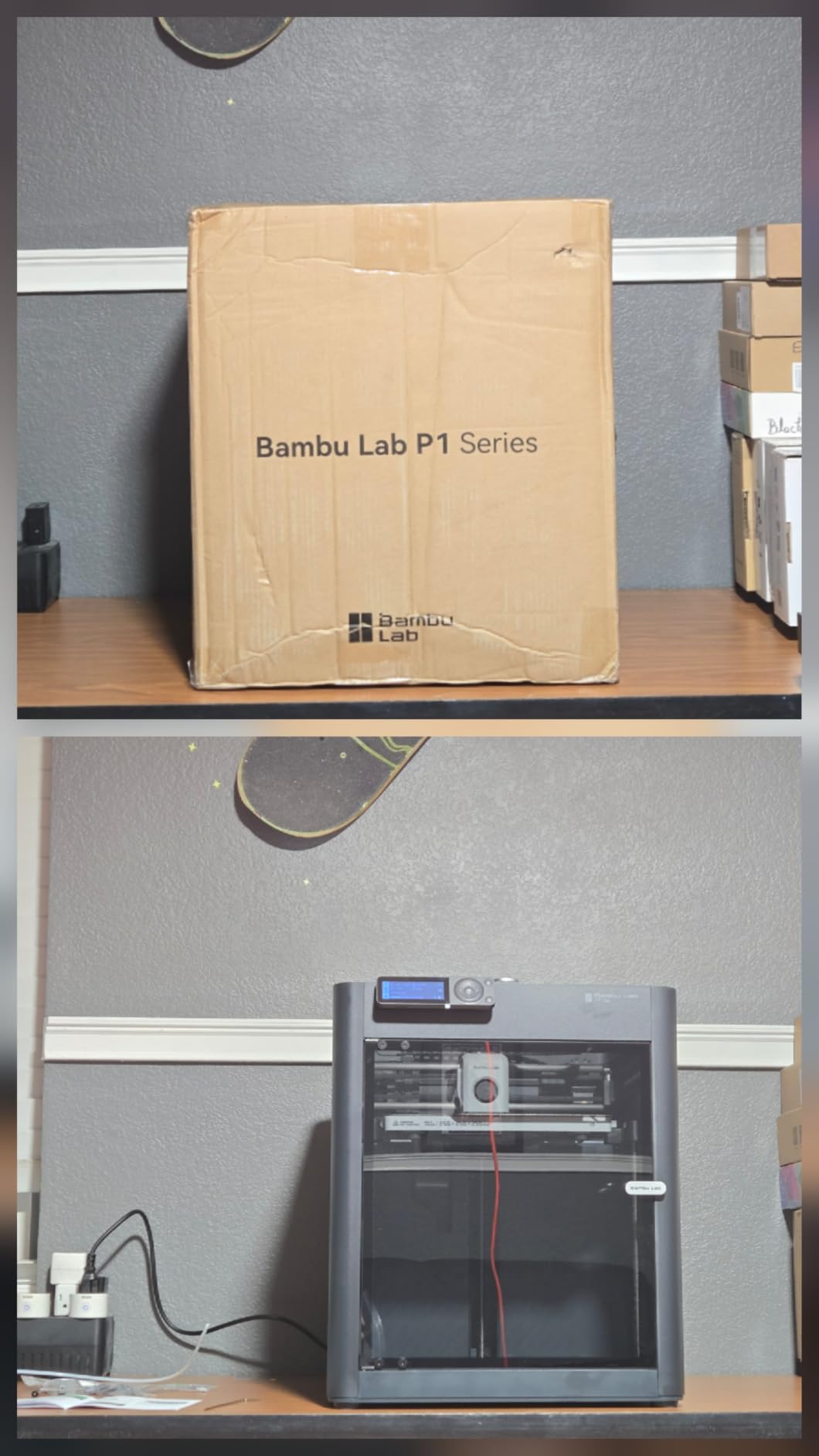
The P1S is the step up from the A1 rather than a sideways move. Where the A1 is an open, compact, low-effort machine, the P1S adds a fully enclosed chamber with glass side and top panels, 38.9 pounds of build quality and support for materials from PLA through ASA, with PA and PC capability.
It prints up to 500 mm/s with 20000 mm/s2 acceleration, has automatic bed leveling, and reaches 16 colors when paired with the Bambu Lab AMS. Set-up takes about 15 minutes by the manufacturer’s count, and owners including long-time hobbyists describe it as an unusually refined daily driver.
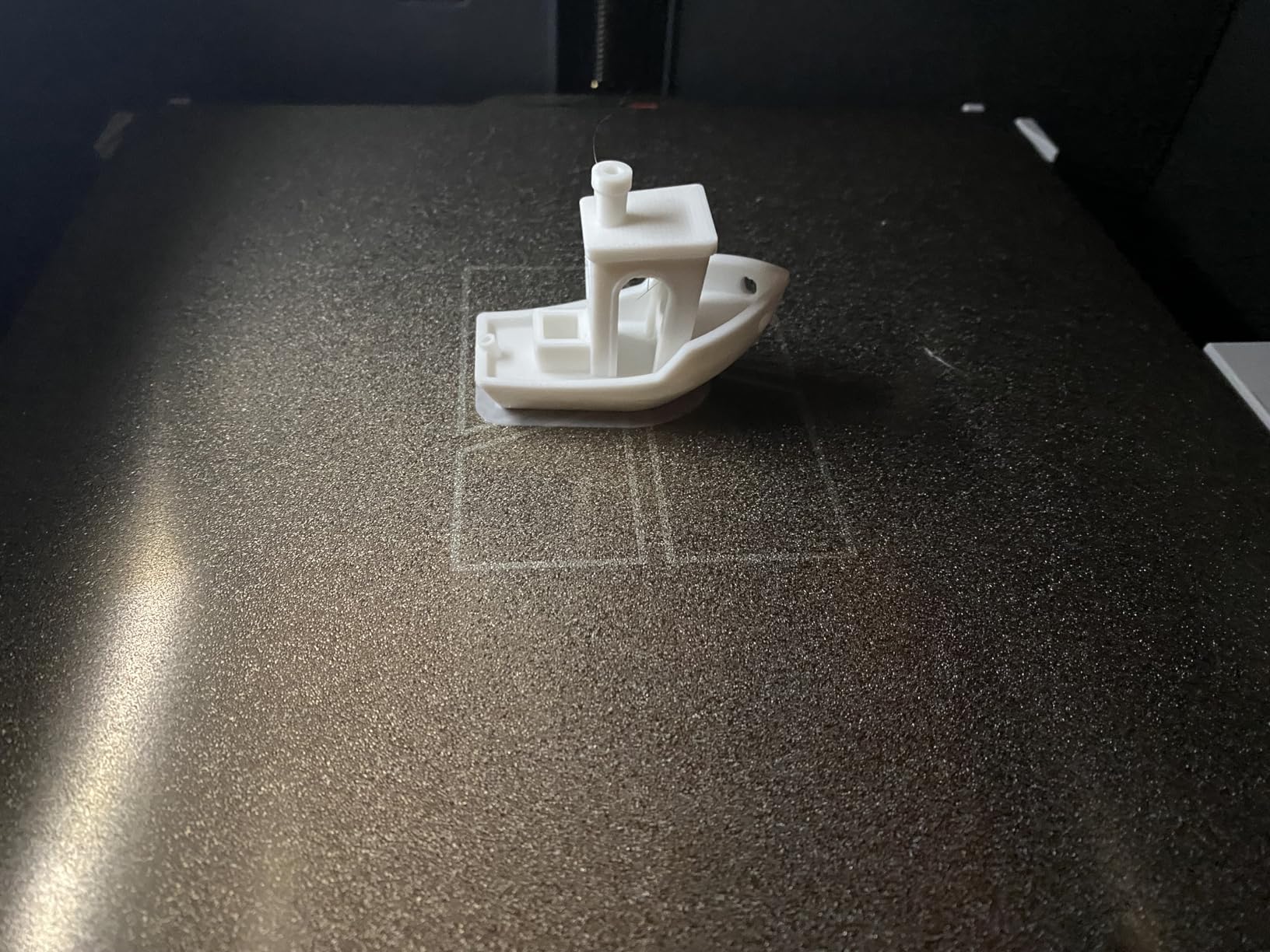
The combination that makes this a favorite is enclosure plus software. An enclosed machine makes ABS and ASA predictable, and Bambu Studio plus the MakerWorld model library means a beginner can find a tuned profile for most materials without learning what input shaping does.
There are real caveats. The AMS is a separate purchase, which is the single most common complaint because buyers assume it is included. There is no touchscreen on the machine itself, so control happens through the app or a computer. And owners of this model specifically report that silk, translucent and fine filaments clog more often here than on other Bambu machines.
The built-in camera captures video but at a low frame rate that makes time-lapse output poor. It is a monitoring camera, not a content camera.
Who the Bambu Lab P1S suits
It suits buyers who want one machine for everything, including engineering materials. A sealed chamber paired with a 500 mm/s ceiling and a mature slicer covers miniatures, functional parts and multi-color projects without a second purchase.
It also suits people upgrading from an earlier hobby printer. Owners moving up from machines costing several times more describe the P1S as the more refined daily driver, largely because the software does the tuning work for them.
Who should skip the Bambu Lab P1S
Skip it if you want controls on the machine. Without a touchscreen, every adjustment happens on a phone or laptop, which is a poor trade in a shared makerspace where several people use the same machine.
Skip it if you print silk or translucent filament often. That is a repeated and specific complaint about this model, and it is worth checking against a machine with a different extruder path before you commit.
6. ELEGOO Mars 5 Ultra Review: The Resin Machine With the Fewest Surprises
- Excellent detail and surface finish from the 9K mono LCD
- Very fast thanks to tilt release
- Self-zeroing auto-leveling build plate
- Sensors and camera cut failed prints
- Easy exposure adjustment
- Resin workflow needs washing and curing
- Lid has no hinges
- Rounded spout makes pouring messy
- Small build plate limits model size
- Camera is low resolution
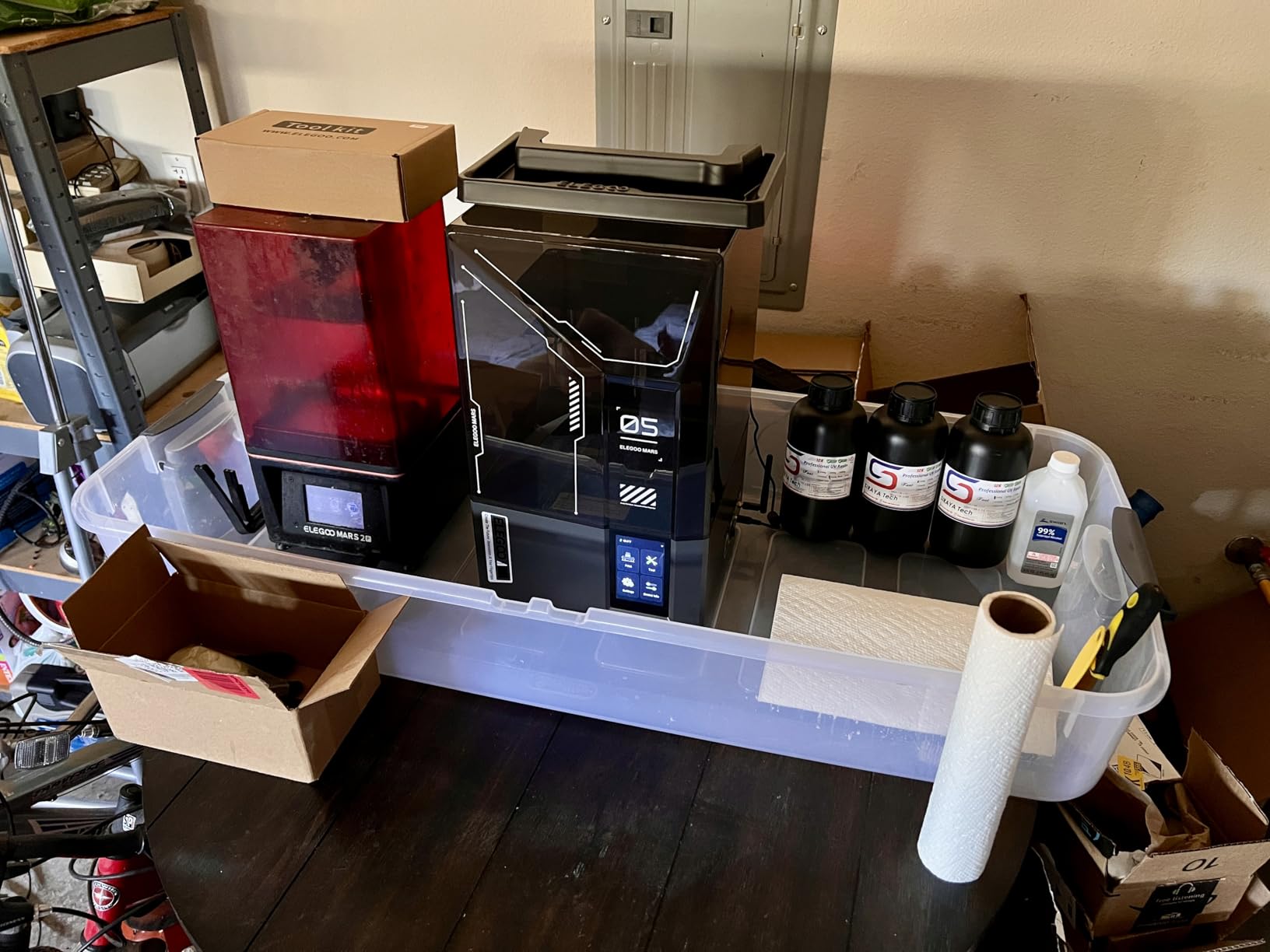
The Mars 5 Ultra is where resin printing earns its place in a home setup. The 7-inch 9K mono LCD with 18 micron XY resolution produces detail on faces, hair and panel lines that no filament printer in this roundup can approach, and for tabletop minis, jewelry and display models that difference is the entire point.
The tilt-release technology is the quiet revolution here. Instead of peeling the whole plate off at speed, the machine releases each layer with a controlled tilt, which is how it reaches 150 mm/h without wrecking fine features. An AI camera watches the build and flags errors in real time, and the smart sensor adds residue detection plus resin shortage and leveling alarms.
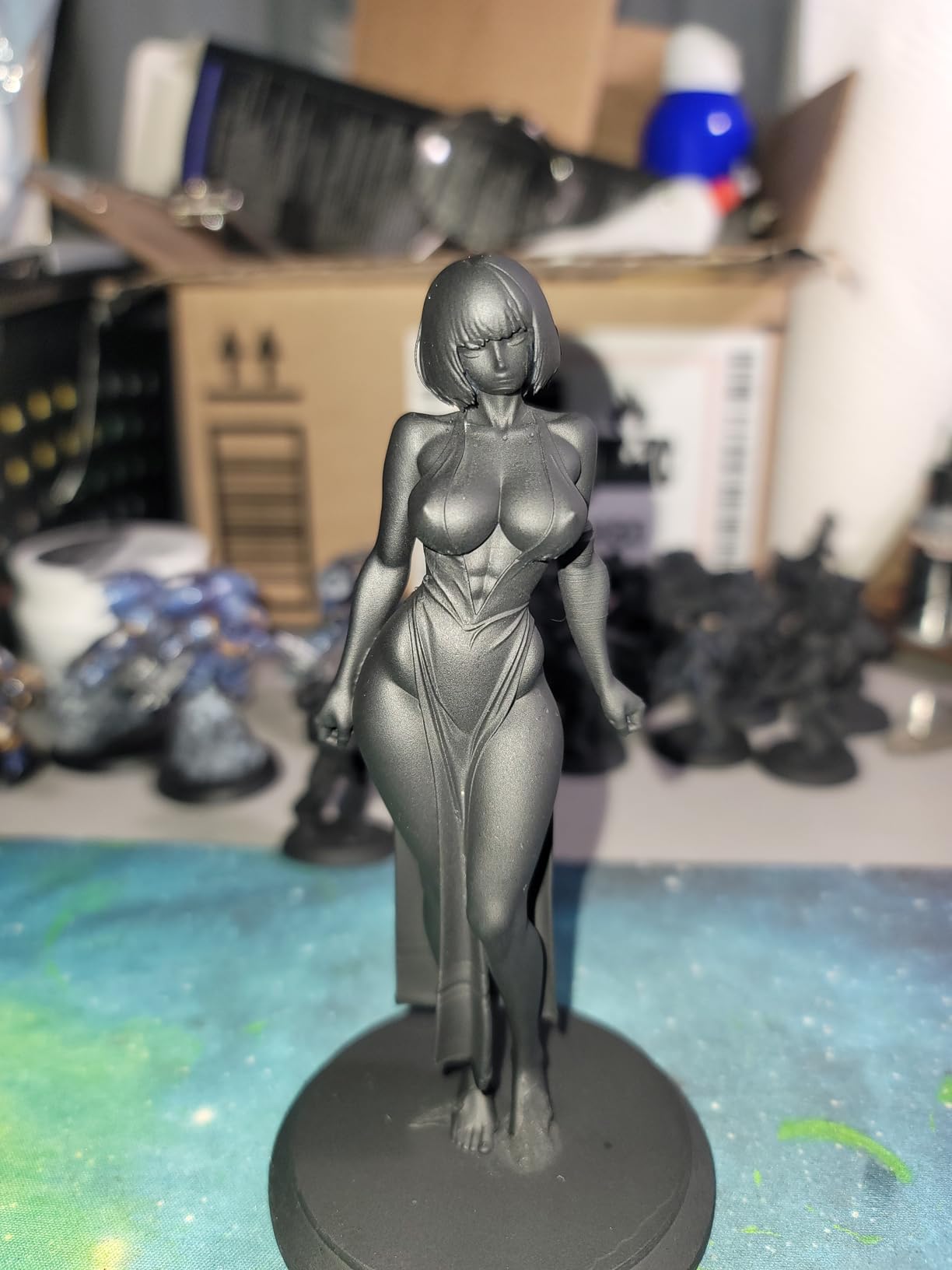
Setup is genuinely beginner-friendly for a resin machine. The build plate self-zeroes and auto-levels, fast and slow print modes are selectable, and the package includes a three-month Chitubox Pro subscription with the slicing software that handles it.
Wi-Fi cluster printing means multiple Mars 5 Ultra machines can run unattended together, which sounds like overkill until you are running a small army of figures for a game group.
The complaints are ergonomic, not electrical. The lid has no hinges so it must be fully removed to access the vat, the rounded resin spout makes pouring messy, and the small build plate limits how large a single model can be. None of that affects print quality; all of it affects your Saturday afternoon.
Who the Mars 5 Ultra suits
It suits anyone printing miniatures, jewelry, dental models or display pieces. If your goal is surface finish and small detail, resin is the correct process and this is the machine that makes it approachable.
It also suits existing filament printers who want a second tool rather than a replacement. The two processes solve different problems and pairing them covers more than either one alone.
Who should skip the Mars 5 Ultra
Skip it if you are sensitive to uncured resin or live in a poorly ventilated space. The resin workflow involves washing and curing, gloves and a dedicated wash station, and that is a real step up in handling from filament.
Skip it if you want functional, large parts. The build plate is small and the material is brittle compared with PLA or PETG, which is why our guide to the best resin 3D printers for miniatures focuses on this category properly.
7. TINA2S Review: The Smallest Printer That Arrives Ready to Print
TINA2S Fully Assembled Mini 3D Printer for Kids and Beginners, Starter Kit
- Arrives fully assembled with filament and models
- Very easy for kids to operate
- Tiny and lightweight footprint
- One-touch filament load and retract
- Good consistency for the size
- Small build volume limits model size
- Uses non-standard consumables
- Proximity sensor needs the metal plate
- No enclosure for engineering materials
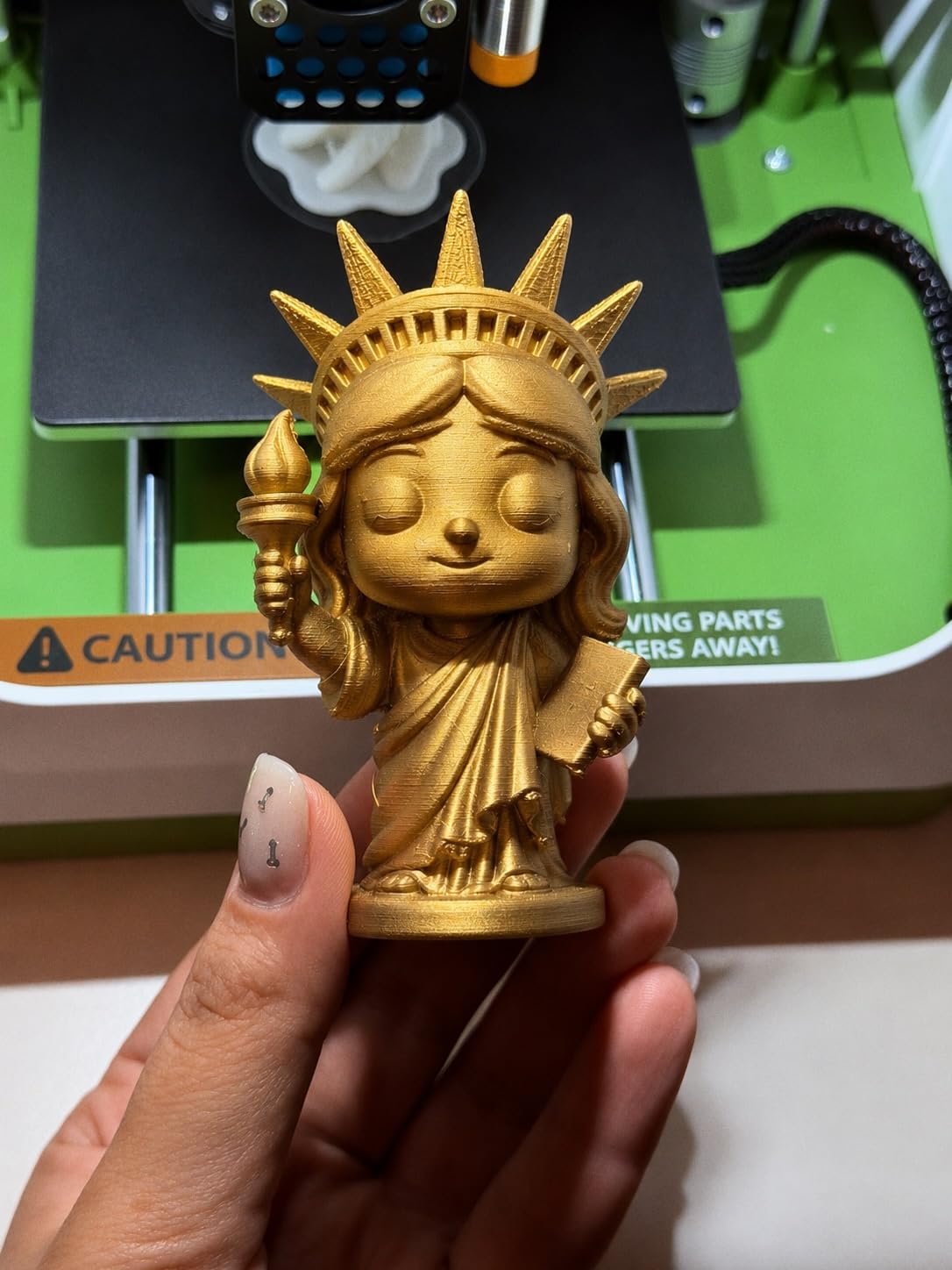
The TINA2S is the gift-shaped answer to a first printer. At 8.3 by 8.3 by 11.4 inches and 6.4 pounds, it occupies a fraction of the footprint of anything else in this roundup, and it arrives fully assembled with 10 meters of PLA filament and a pre-loaded microSD card of models already on it.
That combination changes the first impression completely. A child can pick a model from the card, press the 2.4-inch LCD screen and watch something appear. The 4.6 rating across 393 reviews, with 84 percent five-star, is the second-highest five-star share in this guide.
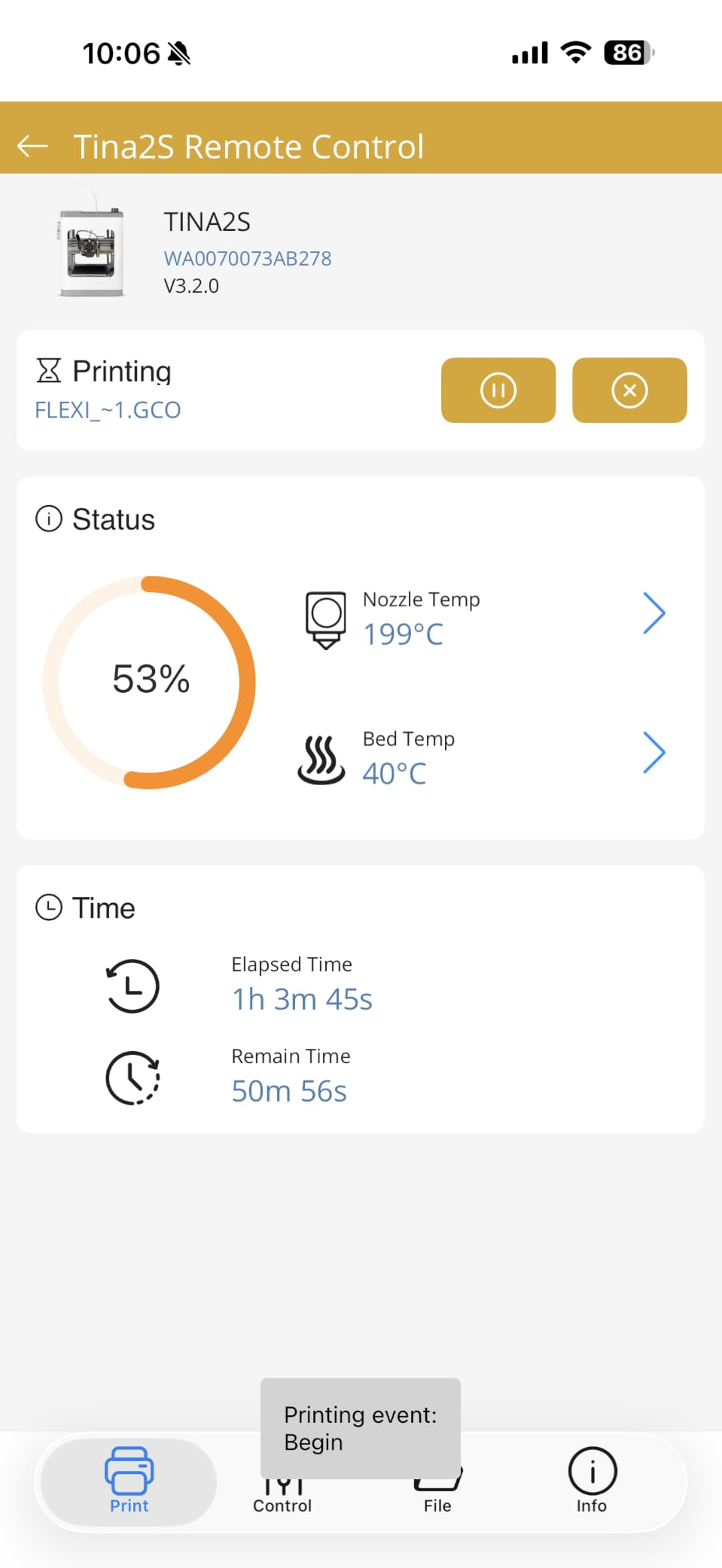
Auto leveling runs on dual Z-axis rails, the build plate is a flexible magnetic type, and one-touch filament loading and retracting removes the step that makes beginners quit. Active pause and resume print functions let you swap filament or add a model mid-print without losing the job.
It handles 1.75 mm PLA, PLA Pro and TPU, works with Mac, Windows and Linux, and is Wi-Fi capable with the major slicers supported. There is one dependency worth knowing: the proximity sensor only functions with the included metal magnetic build plate, so do not swap that plate for a glass one and wonder why the machine will not home.
The limitation is the build volume. Anything large simply will not fit, and there is no enclosure, so engineering materials are out of the question.
Who the TINA2S suits
It suits children, grandparents and anyone handing a 3D printer to someone who has never used one. Nothing needs assembling, nothing needs buying to get started, and the bundled model card means a successful print inside ten minutes of opening the box.
It also suits small apartments. A 6.4 pound machine on a shelf is a fundamentally different commitment than a 42.6 pound enclosed cube on a desk.
Who should skip the TINA2S
Skip it if you plan to grow into the hobby. The small build volume and non-standard consumables mean you will outgrow it, and the ecosystem is not shared with the larger machines you would likely move up to.
Skip it if you want engineering materials. No enclosure means no ABS, and the sensor dependency on the supplied plate is a constraint to accept rather than work around.
8. Anycubic Photon Mono 4 Review: The Quiet Resin Detail Machine
ANYCUBIC Photon Mono 4, Resin 3D Printer with 7” 10K Mono LCD Screen
- Razor-sharp detail well beyond filament printers
- Quiet and compact
- Printing within about 30 minutes
- Strong plate adhesion
- 4-point leveling stays set
- Smaller print volume than larger resin machines
- Default profiles need exposure tuning
- Vat and LCD durability varies
- Support inconsistent on hardware failures
- No Anycubic app support
The Photon Mono 4 is the resin machine for someone who wants the detail without a large footprint. At 7.7 pounds and 10 by 10 by 15 inches it is quiet, compact and easy to place on a desk next to a monitor, which is where most people actually do resin printing.
The 7-inch 10K mono LCD at 9024 by 5120 gives 17 by 17 micron pixels, a 105 percent precision increase over the Mono 2. The LighTurbo matrix light source spreads exposure evenly across the screen, which is what keeps layer lines from showing as bright stripes on a vertical surface.
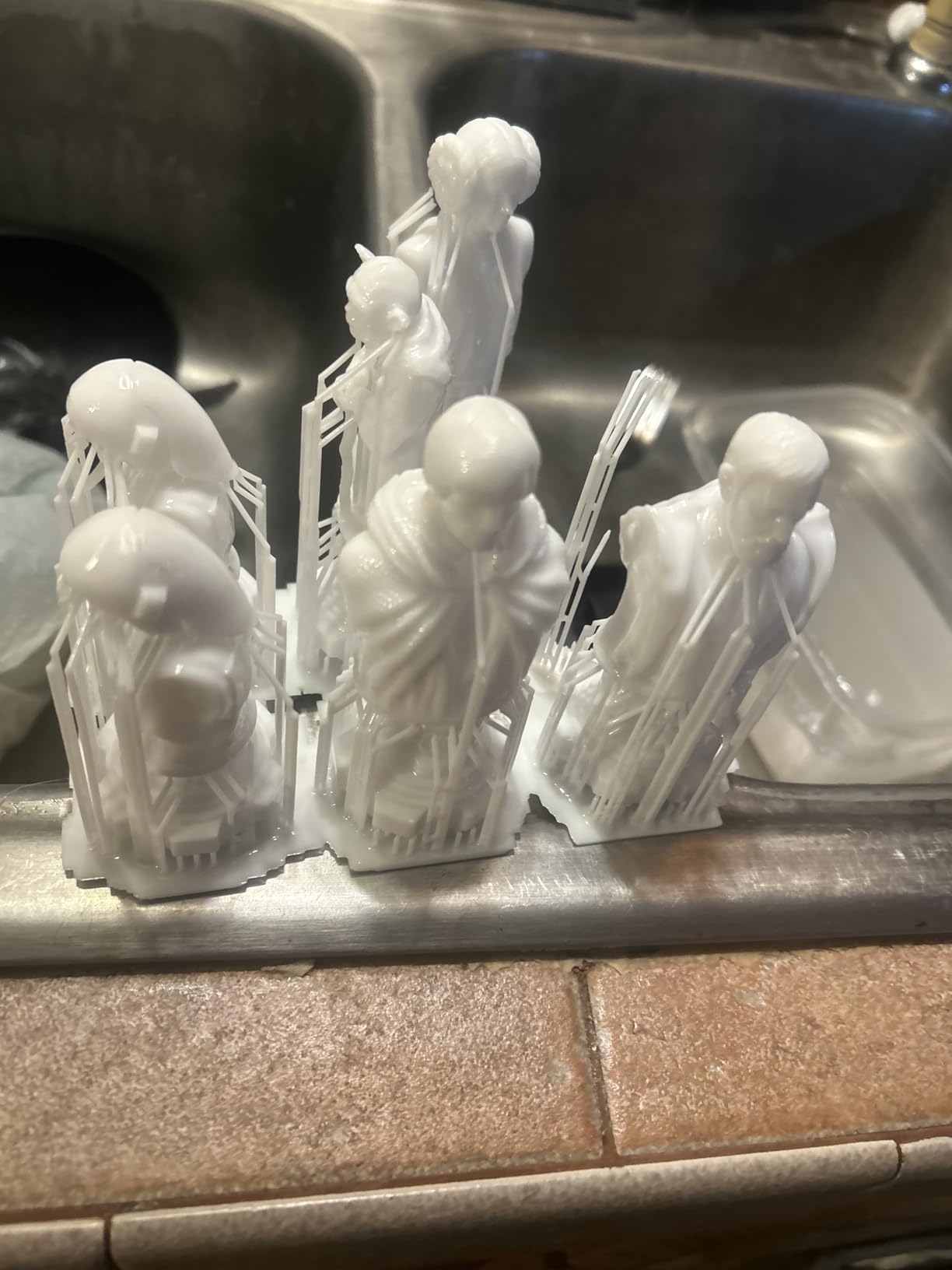
Setup is about 30 minutes. Four-point leveling on a laser-engraved build platform 2.0 holds its position after the first adjustment, so you are not re-leveling every job, and power-resume printing picks up where it stopped after an outage.
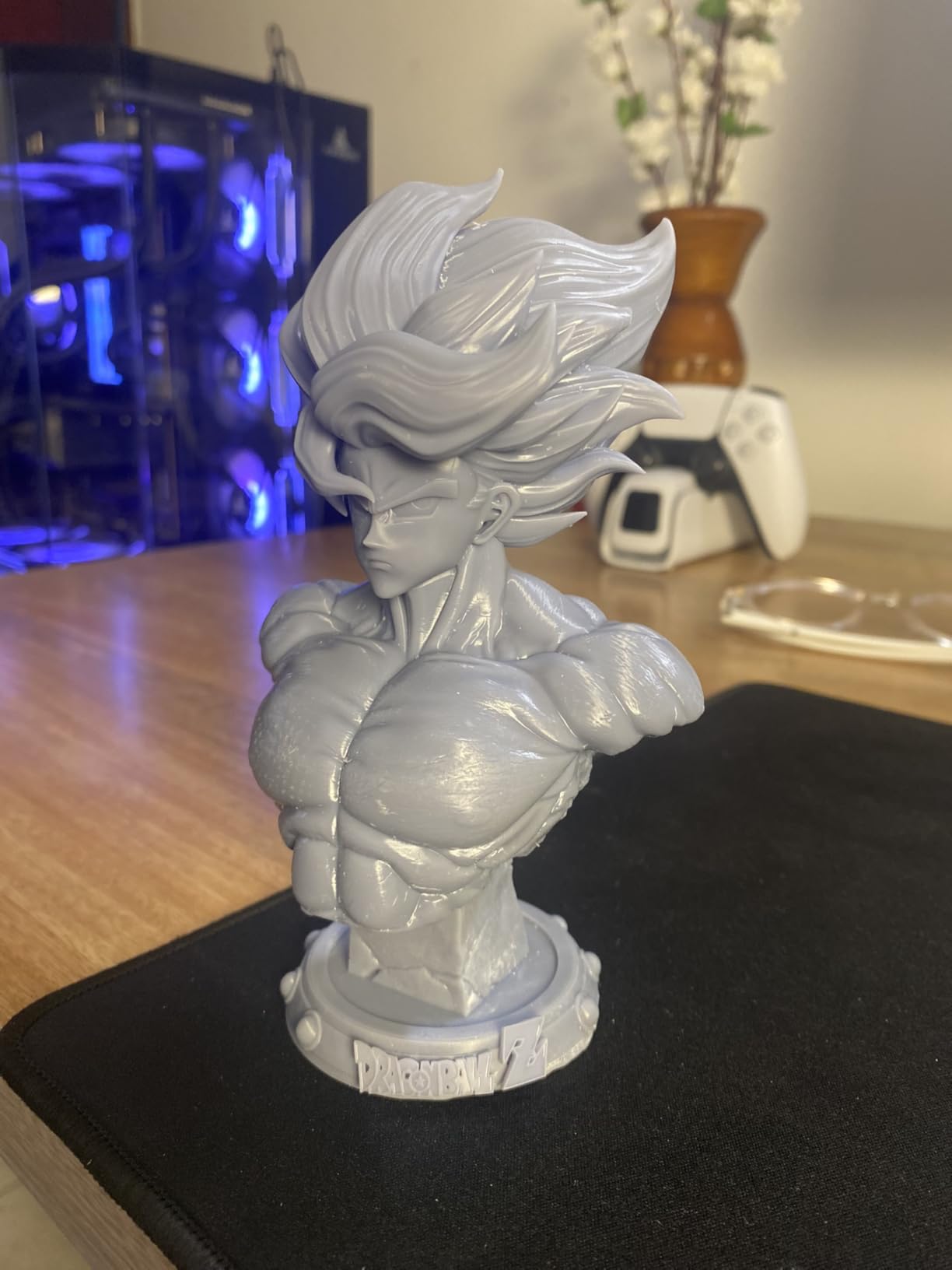
Two limitations are worth stating plainly. The build volume is 153.4 by 87 by 165 mm, so tall is fine and wide is not, which suits figures and jewelry rather than cosplay pieces. And this model needs a computer running Photon Workshop; the Anycubic app service is not supported for it, so remote monitoring is off the table.
Across 667 reviews the praise lands on detail quality, and the recurring criticisms aim at vat and LCD durability over time plus support responsiveness when hardware fails.
Who the Photon Mono 4 suits
It suits tabletop gamers, jewelry makers and anyone printing 32 mm miniatures or smaller. On that scale the pixel size advantage of a 10K panel translates directly into visible detail on faces and fine accessories.
It also suits people who want resin without a dedicated hobby room. The machine is quiet, it is light, and it prints faster than most FDM machines once you account for the lack of support material to remove.
Who should skip the Photon Mono 4
Skip it if you need wide parts. The 153.4 mm width is the constraint, and no software update changes that. Anyone building larger cosplay pieces should stay with the filament machines in this guide.
Skip it if you need remote printing without a computer nearby. No app support means a PC has to be connected for every job, which is fine for evening batches and annoying for overnight automation.
How to Choose a 3D Printer for Home Use Under $500?
Bed leveling decides your first week
Auto bed leveling is the single feature that separates a modern budget printer from the kits of five years ago. Every machine in this roundup ships with some form of it: CR Touch on the Creality Ender 3 V3 SE, the full-auto calibration on the Bambu Lab A1, one-click auto leveling on the Flashforge Adventurer 5M Pro, and self-zeroing plates on both resin machines.
What auto leveling does not do is set the Z-offset for you in every case, and that is where first-week frustration concentrates. A probe measures the distance between nozzle and bed; a paper-flash test sets the final gap. Budget two evenings for this and the rest of the experience is smooth.
Open-frame machines drift as they heat up. If you print mostly PLA and PETG, that is a non-issue. If you print ABS, it is the reason to spend more on an enclosure.
Build volume dictates what you can make
Build volume is the spec buyers underestimate and then regret. The TINA2S is small enough for desk organizers and keychains. The Ender 3 V3 SE is a step up. The Flashforge Adventurer 5M Pro and Bambu Lab P1S give you a 220 mm cube, and the ELEGOO Centauri Carbon 2 reaches 256 mm.
Think about the largest object you actually want to print, not the largest object you might someday print. Add 10 mm of clearance on each side or the part will clip against the frame on the final layers.
If your projects regularly exceed 250 mm, this price bracket is the wrong place to shop. Our guide to the best 3D printers under 2000 dollars covers the machines that handle that class of work.
Open frame or enclosed chamber
An open frame is lighter, cheaper, quieter in idle and completely adequate for PLA. A PETG part on an open frame usually needs an enclosure or a tent, because the temperature swing across the bed is what causes the corners to lift.
An enclosed chamber costs weight, footprint and money, and buys you three things: ABS and ASA without constant adjustment, better ABS-like warping behavior, and reduced fumes. The dual filtration on the Adventurer 5M Pro is a further step in that direction.
If you live in an apartment and plan to print styrene-based materials, the enclosure question is really a ventilation question. Print in a room you can ventilate, and treat a bedroom as a poor location for any printer that runs fans for twelve hours.
FDM or resin
FDM machines melt filament. They are safe, forgiving, and the right default for functional parts, organizers, cosplay props and anything mechanical. Six of the eight printers here are FDM.
Resin machines cure liquid plastic with a masked UV light source. They produce detail FDM cannot approach and require washing, curing, gloves and ventilation. If your interest is miniatures, jewelry or display models, resin is not a nice-to-have upgrade; it is the correct process. If your interest is brackets, resin is the wrong answer entirely.
Several buyers end up owning both eventually, because they solve different problems. Start with the one that matches your actual first project rather than the one with the better spec sheet.
Noise, ventilation and where the machine lives
Noise is the practical constraint most reviews skip. Measured figures are rare, but the pattern is consistent: fast CoreXY machines with all-metal frames are loud at high speed, open-frame Cartesian machines with a direct drive extruder are moderate, and the Bambu Lab A1’s active motor noise canceling puts it at the quiet end for a capable machine.
Everyone’s motor is loud during operation. The variable is the length of the print. A five-hour job is a commitment, so decide where it runs before you buy: a garage, a spare room or a home office where it will not run overnight.
Resin adds a different sound profile entirely. The Photon Mono 4 is quiet because the only moving parts are a tilting plate and a slow Z lift, which is a genuine advantage for someone printing in an office.
Speed versus quality
Every 500 mm/s and 600 mm/s figure in this roundup is a maximum. Real throughput on a part with overhangs, small features or heavy infill lands far below it, and reviewers on several of these machines report that top speed reduces surface quality and requires slowing down for overhangs and ironing.
Judge speed by how well a machine holds quality at the speed you will actually run, which is usually somewhere between 150 and 250 mm/s. All eight printers here do that well. The differences that matter day to day are reliability between prints and how little you have to touch the machine.
First-Week Problems and Fixes That Decide Your Experience
Most returns in this category happen in the first fourteen days, and most of those returns are avoidable. These are the four issues that come up again and again in owner reports, with the fix for each.
First layer will not stick. Almost always one of three things: the Z-offset is too high, the bed surface is dirty, or the filament diameter is off. Wash the plate with dish soap and water, dry it, re-run the auto-leveling routine, then do a paper-flash test before touching the offset in the slicer. Clean the plate again between every print, because skin oils from handling are enough to cause a lift on an otherwise perfect bed.
The Z-offset seems to change on its own. On enclosed machines this is usually the bed and hotend expanding as they reach temperature, so re-check the offset on a warm machine rather than a cold one. On open frames it is more often a loose Z lead screw or a belt that has stretched in transit. Tighten the couplers by hand until the axis has no free play, then re-run calibration.
Filament tangles or the print stops mid-layer. Confirm a filament runout sensor is enabled in the firmware, and check that the spool can rotate freely without touching the frame. A partially obstructed spool is the most common cause of an unexplained pause.
Wi-Fi or app will not connect. Reviewers of the ELEGOO Centauri Carbon 2 report firmware and app connectivity errors more often than any other machine here. Put both the printer and your phone on the 2.4 GHz band, update the firmware from a wired connection first, and avoid pairing during setup if the network is crowded.
For the resin machines, the equivalent list is shorter. Check the exposure matrix before blaming the machine, confirm the build plate is seated flat, and expect the default profiles to need tuning for your specific resin brand and light source before results look consistent.
Frequently Asked Questions
What is the best 3D printer for home use?
The Bambu Lab A1 is the best 3D printer for home use for most people. It calibrates its own Z-offset and bed, runs quietly, and prints reliably with almost no manual intervention. Choose the Creality Ender 3 V3 SE for the lowest entry cost, or the Flashforge Adventurer 5M Pro if you need an enclosed chamber for engineering filaments.
What is the best 3D printer for a beginner with no technical experience?
The Bambu Lab A1 suits a total beginner best because setup takes about fifteen minutes and full-auto calibration removes the manual leveling step that frustrates most first-time owners. The TINA2S is even simpler, arriving fully assembled with filament and models included, but its small build volume limits what you can print later.
Which 3D printer should I buy first?
Most first-time buyers should start with the Bambu Lab A1 if their projects fit its compact build volume, because it produces good prints with the least intervention. Start with the Creality Ender 3 V3 SE if you want to spend as little as possible and enjoy learning, or the TINA2S if the printer is for a child or someone who will never adjust a setting.
What is the best enclosed 3D printer for home use?
The Flashforge Adventurer 5M Pro is the best enclosed 3D printer for most home users. Its sealed chamber runs under 50 dB, its 280C hotend and 110C bed handle ABS and ASA, and dual filtration reduces fumes. The ELEGOO Centauri Carbon 2 offers a larger 256 mm cube and four-color printing if size matters more than noise.
Do I need an enclosure to print ABS at home?
An enclosure makes a large difference for ABS and ASA because it holds chamber temperature steady and reduces warping. If you lack one, you can build a simple tent around an open-frame printer and add a door, but an enclosed machine such as the Flashforge Adventurer 5M Pro or Bambu Lab P1S will do the job properly. Always print styrene-based materials in a ventilated room with gloves.
Is FDM or resin better for a home 3D printer?
FDM is better for functional parts, organizers, cosplay props and anything mechanical, and it is safer and easier to handle. Resin is better for tabletop miniatures, jewelry and display models because it produces detail no filament machine at this price can match, but it requires washing, curing and ventilation. Choose based on the first project you want to print, not on overall specification.
The Best 3D Printers for Home Use Under 500 in 2026: The Verdict
The Bambu Lab A1 takes the overall spot because it removes every step that makes people give up. Full-auto calibration, active flow rate compensation, a 1-Clip nozzle and genuine low noise add up to a machine you can start using the day it arrives, which is exactly what the best 3D printers for home use under 500 should do.
Pick the ELEGOO Centauri Carbon 2 Combo if four-color automatic switching and a 256 mm build volume matter more than a hands-off experience. Pick the Flashforge Adventurer 5M Pro if you print engineering filaments in a shared home space and want the enclosure rated under 50 dB. Pick the Creality Ender 3 V3 SE if the lowest entry cost and the biggest support community matter most.
For resin, the ELEGOO Mars 5 Ultra handles larger models and faster cycles while the Anycubic Photon Mono 4 pushes finer detail in a smaller footprint. Both need a wash station, gloves and a ventilated space, and both render miniatures with a sharpness the filament machines here cannot match.
Whichever route you take in 2026, buy once, level it properly on day one, and print a calibration cube before anything else. Every one of the eight machines here rewards that first hour of setup with months of prints that just work. If you want to see where hobby printing goes next, our picks for the best professional 3D printers are the natural follow-up.