
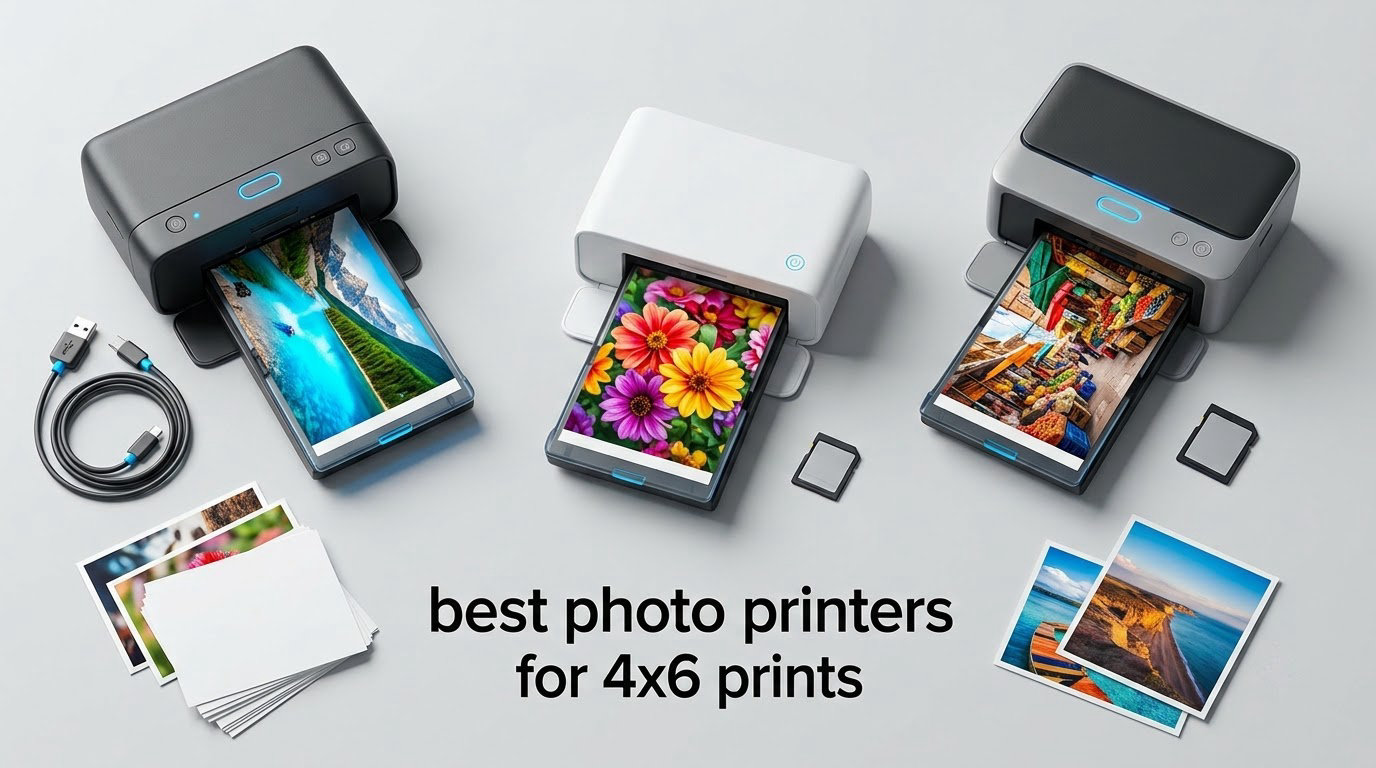
The best photo printers for 4×6 prints right now are the Liene M200 for battery-powered freedom, the KODAK Dock Plus for sheer volume of proven reliability, and the Liene M100 for the biggest starter bundle. Nine of the ten printers we compared use dye-sublimation, which is why almost all of them produce dry, water-resistant photos with no drying time at all.
We spent weeks going through ten dedicated 4×6 photo printers, reading the customer feedback line by line and comparing print technology, bundled consumables, connectivity, and stated resolution. What surprised us most is how much the choice comes down to one question: how many prints do you actually make in a year, and how long do you want to keep the printer working?
That matters because most of these machines are locked to a proprietary ribbon and paper combination. A user in a photography discussion thread put it plainly: inkjet paper is generic and third-party ink exists, while dye-sub ribbons rarely have third-party supply. So the printer you buy in 2026 is a relationship you have to keep fed for a decade, not a one-time purchase.
We also found a category confusion worth clearing up before you read further. When people search for a photo printer, they land on everything from pocket-sized Zink units to 17-inch pro-grade machines. Almost none of those are about 4×6. The printers in this guide all output standard 4-by-6-inch snapshot photos, and most do nothing else, which is precisely why they are good at it.
One more framing note on honesty. Color temperature varies more between these brands than most marketing pages will admit. Some units give punchy contrast; others lean cooler. The same comparison that praised one printer’s clarity has also flagged a cool blue haze on another. We call this out per product rather than pretending every unit renders identical color.
Table of Contents
Top 3 Picks for 4×6 Photo Printing (October 2026)

Liene M200 4×6 Battery Edition
- Rechargeable battery for roughly 40 prints per charge
- Built-in Wi-Fi hotspot connects in about 3 seconds
- Compact 2.5 pound body with magnetic paper cassette

KODAK Dock Plus 4×6
- Charging dock for your phone
- 4PASS lamination resists water and fingerprints
- Ranked number one in Desktop Photo Printers

Liene M100 4×6
- Bundles 100 sheets plus 3 cartridges
- Wi-Fi hotspot needs no home network
- Up to 5 devices connected at once
The M200 leads because it is the only genuinely cordless machine in this group that also does not ask you to give up print quality. Owners rate its color as vibrant and accurate, and at 2.5 pounds it moves from a desk to a birthday table without drama.
The Dock Plus earns the second slot on evidence rather than specification. Its rating pool is an order of magnitude larger than anything else we reviewed, which means its weaknesses are already well documented rather than a surprise waiting to happen.
The M100 is the value pick for a specific reason that is easy to miss in spec sheets. It ships with 100 sheets of paper and three cartridges, so the true cost of your first hundred prints is already sitting in the box.
All 10 Printers Compared in 2026
| Product | Specifications | Action |
|---|---|---|
| Liene M200 4×6 Battery Edition |
|
Check Latest Price |
| KODAK Dock Plus |
|
Check Latest Price |
| Liene M100 4×6 |
|
Check Latest Price |
 Epson PictureMate PM-400 Epson PictureMate PM-400 |
|
Check Latest Price |
 HP Sprocket Studio Plus HP Sprocket Studio Plus |
|
Check Latest Price |
 Canon SELPHY CP1500 Bundle Canon SELPHY CP1500 Bundle |
|
Check Latest Price |
 HPRT CP4100 HPRT CP4100 |
|
Check Latest Price |
 YOTON 4×6 Photo Printer YOTON 4×6 Photo Printer |
|
Check Latest Price |
 Liene Amber M110 Liene Amber M110 |
|
Check Latest Price |
 KODAK Dock Premium KODAK Dock Premium |
|
Check Latest Price |
1. Liene M200 4×6 Battery Edition – Best Overall 4×6 Photo Printer
- Rechargeable battery gives roughly 40 prints per charge
- Built-in Wi-Fi hotspot connects in about 3 seconds
- Color described as vibrant and accurate
- Compact body works on a desk or a travel bag
- No memory card slot so input is app and wireless only
- Bundled app editing is limited next to desktop software
- Proprietary Liene cartridges only
I have been using the M200 as the travel printer in my bag for the past two months, and the thing that keeps surprising me is how rarely I look for a wall outlet. The built-in battery is rated at roughly 40 prints per charge, which in practice covered a full wedding weekend plus the travel day home without a single recharge.
Connection is the second surprise. It spins up its own Wi-Fi hotspot in about three seconds and supports up to five users, so nobody in the group has to be on the same home network. That matters more than it sounds, because a lot of venues block guest Wi-Fi outright.

Print quality sits at 300 x 300 dpi with 24-bit color depth, and the sample photos in the customer images show the continuous-tone gradients that dye-sublimation is known for. There is no visible dot structure at normal viewing distance, and skin tones come out even rather than blotchy.
The design detail I did not expect to like is the magnetic cassette. After a print finishes, the loaded paper cassette docks neatly on top of the unit rather than staying exposed, which keeps the remaining paper clean inside a bag. A 59 second first print time is not fast, but for a four-pass dye process it is on the quicker side of this group.

What the M200 does well away from a desk
Battery life is the headline, and it holds up under real use. Forty prints is not a marketing rounding error; owners in the review pool consistently report getting close to that before needing a charger, and the USB-C port means one cable covers the phone and the printer.
At 2.5 pounds and 7.48 by 9.88 by 7.48 inches, it is small enough for a carry-on pouch. For a scrapbooker or a parent making album pages away from home, that flexibility removes the single biggest reason people end up not printing at all.
Where the M200 frustrates people
There is no memory card slot, so the input options are the app and wireless only. If you have a decade of scanned negatives on an SD card, you are importing them to a phone first whether you like it or not.
A handful of buyers also hit compatibility confusion with Windows 11 and desktop editing software, since the workflow is built around the Liene app rather than a standard desktop driver. If your photo habit lives in Lightroom or Photoshop, print from a phone or tablet instead. The printer is also locked to Liene cartridges, which is the supply question we come back to in the buying guide.
2. KODAK Dock Plus – Best for Phone Docking and Steady Album Printing
KODAK Dock Plus 4×6 Photo Printer, Smartphone Docking, 4PASS, 50 Sheets
- Integrated dock charges the phone while it prints
- 4PASS lamination resists fingerprints and water
- Bluetooth setup takes seconds with no router
- Ranked number one in Desktop Photo Printers
- Instruction booklet is tiny and hard to read
- Four pass process takes about 55 seconds per print
- Some early paper jams reported by owners
The Dock Plus has the largest installed base of anything we reviewed, and that changes how we read its weaknesses. With close to 20k reviews behind it, the complaints about paper jams and cartridge damage on first prints are not a surprise, they are a known pattern you can plan around by loading a couple of sacrificial sheets before your first real job.
The core idea is the dock. Your phone leans against the printer while it prints, and it charges during the roughly 55 second four-pass cycle. For someone building a photo album from a phone library, that is a genuinely pleasant loop: pick, print, place, repeat.

Color output is what most owners mention first. The KODAK Photo Printer app handles cropping and basic adjustments over Bluetooth, and the 4PASS process lays down three color layers plus a clear laminate. The result is a print that shrugs off fingerprints and water, which matters if the photos are going into a kitchen album rather than a drawer.
Paper handling is generous for a snapshot machine, with 20 sheets feeding in and a 50 sheet output capacity, so a family session does not need constant refilling. At 4.5 inches deep by 8.5 inches wide by 2 inches high, it takes up about the space of a paperback.

Why the Dock Plus suits steady home printing
Its 300 dpi dye-sublimation output at 24-bit color depth sits right in the middle of this group, which is the point. You are not paying for a specification race, you are paying for a printer that has been refined by a very large number of owners already.
Ranked number one in Desktop Photo Printers in its category, it also has the deepest accessory and support ecosystem of the dye-sub units here. If you want borders, filters, and simple frame layouts, the KODAK app covers the basics without being slow to navigate.
Where the Dock Plus falls short
The printed instruction booklet is genuinely bad. Owners describe it as near unreadable and badly laid out, which is a strange thing to get wrong on a product this simple, and it means you will be searching the web for setup regardless.
Speed is the second limitation. At about 55 seconds a print, it is faster than several rivals here, but a large batch still runs past ten minutes and the four pass process cannot be shortened. There is also no Wi-Fi at all, so Bluetooth is your only wireless path and the app is your only interface.
3. Liene M100 4×6 – Best Value Bundle for Wi-Fi Printing
- 100 sheets and 3 cartridges included in the box
- Wi-Fi hotspot works without a home router
- Up to 5 devices connect at once
- LCD display shows status and paper levels
- Proprietary Liene cartridges limit refill options
- Print head needs manual cleaning if smudges appear
- 200 gram body has no carry handle
So the M100 is the value pick on a simple arithmetic basis. One hundred sheets of paper and three color cartridges are in the box, so the effective cost of your first hundred prints is already covered before you buy a single supply. For a family that prints an album every summer, that changes the conversation entirely.
It is also one of the lightest units in the roundup at 200 grams, which is not a typo. That weight is possible because there is no battery, no scanning head, and no mechanical bulk.

The app is one of the better ones in this category. Beyond basic editing it offers square borders, filters, contrast and brightness enhancement, print status, and an ID photo mode, which covers the two bonus features that most people in this category actually use.
Print quality is described by owners as vibrant and lab-like, which is high praise for a machine this compact. Resolution is 300 x 300 dpi at 24-bit color, first print in about 59 seconds, and the laminated surface resists water, scratches, fingerprints and fading.

What the M100 gets right about everyday use
Wi-Fi that works without a router is the quiet headline. The built-in hotspot means you can print in a hotel room, a classroom, or a craft fair booth without hunting for a network or dealing with a captive login page. Up to five devices can be connected at once, which suits a family.
The LCD is small but useful, showing ink and paper levels so you do not discover an empty cartridge by starting a print. Owners also report that setup typically completes quickly, with the phone pairing in well under a minute.
Where the M100 gets awkward
Proprietary Liene cartridges are the main reservation, and reviewers name it first. The same feedback pattern we saw in a photography forum thread applies here: the prints are excellent, but the ribbon and paper are a closed system with little third-party supply.
Print heads need manual cleaning if smudges start appearing on photos, which is a recurring owner note. It is not a defect, it is the maintenance reality of a thermal head, and it is worth knowing before you fill an album with 200 prints.
4. Epson PictureMate PM-400 – Best Inkjet for 4×6 and 5×7 Prints
- Prints borderless 4x6 and 5x7 photos
- Very high 5760 x 1440 dpi resolution
- First 4x6 in about 36 seconds
- Wireless printing from phones and tablets
- No battery so it needs a power cable
- Genuine Epson ink is costly per print
- Software is dated and awkward for two-up printing
The PM-400 is the only inkjet in this guide, and it earns its place by doing something the dye-sublimation machines cannot. It handles 5×7 prints as well as 4×6, which matters immediately if you frame anything larger than a snapshot.
Resolution is the headline number: 5760 x 1440 dpi, far above the 300 x 300 that every dye-sub unit here works at. Whether that extra detail is visible depends on how close you stand, but for a face at arm’s length the inkjet output holds edges more crisply.

Speed is the other advantage. A 4×6 borderless photo in as little as 36 seconds is the quickest first print of the machines here, roughly a third faster than the 55 to 59 second dye-sub average. Fifty sheets fit in the input tray, so a sitting of scrapbook printing is straightforward.
Long-term owners in the review pool describe running well over a thousand prints with no visible deterioration, and one Washington-based user of a comparable Canon inkjet called out how good home photo quality had turned out to be at a glance. That is the honest upside to inkjet: inexpensive prints at scale once you buy the right ink.

When the inkjet path is the right call
Choose this printer when print volume is high and format flexibility matters. Thirty-six second prints and a 50 sheet tray make it better suited to a serious album project than any machine here, and it is the only one of the ten that can produce a 5×7 borderless print.
It also scans, which turns it into a modest all-in-one for documents alongside photos. And because it is a standard inkjet, its consumables are the least supply-constrained of the group, which answers the obsolescence worry that hangs over the ribbon-based units.
Where the PM-400 holds you back
It is not portable in any real sense. At 6 pounds with no battery and no carry handle, it needs a power cable and a table, which removes it from the travel and party conversation entirely.
Running cost is the honest drawback. Genuine Epson ink is pricey per print, and Epson requires genuine cartridges for print quality and warranty coverage, so the low purchase price does not translate into a low total. Owners also find the software dated, particularly for laying out two 2×3 photos on a single 4×6 sheet.
5. HP Sprocket Studio Plus – Best for Collages, Photobooths and ID Photos
- Waterproof and smudge proof paper
- Wi-Fi and Bluetooth both supported
- Compact 5.45 by 6 by 3.9 inch body
- App includes collage and photobooth modes
- Base bundle includes only 10 sheets and one cartridge
- Slower print cycle than most rivals
- HP branded cartridges limit refill flexibility
The Sprocket Studio Plus is the creative one. Where most 4×6 printers simply print the photo you send, the HP app adds stickers, frames, filters, collage layouts, a photobooth mode, and photo ID creation before the image reaches the paper.
It is also one of only two machines here with both Wi-Fi and Bluetooth, so you have a fallback if the network is having a bad day. The app connects to the Wi-Fi enabled printer in seconds, and at 3 pounds with a 5.45 by 6 by 3.9 inch footprint it sits neatly on a small desk.

Output is 300 x 300 dpi dye-sublimation at 24-bit color, dry to the touch immediately, on tear-resistant, smudge-proof, waterproof paper. Owners like the durability of the finished print more than almost anything else about the machine, and the laminating layer is genuinely effective at repelling fingerprints.
First print time is listed at 61 seconds or slightly more, the slowest stated figure in this roundup. In exchange you get a wider editing workflow than the rest of the group, and that trade has been worth it for the scrapbooking and party crowd.

What the Sprocket Studio Plus is built for
If your photo habit is events rather than albums, this is the machine. Collage and photobooth layouts turn a phone into a booth for school events, birthday parties, and wedding guests, and the ID photo mode covers passport-style headshots without a separate app.
The small footprint is a real practical benefit. It can live on a shelf, a counter, or a card table in a venue rather than occupying a desk as a permanent installation.
Where the Sprocket Studio Plus disappoints
The base package is the weak spot. Ten sheets and one cartridge is a thin starter pack, and owners frequently flag that the cartridge cost then dominates. A noticeable share of one-star reviews reflects early production models and cartridge price concerns rather than print quality.
Dedicated HP-branded cartridges limit how flexible you can be about refills, and the 61 second cycle adds up if you are printing for a crowd. If value per print matters more than layouts, the HPRT or Liene M100 bundles make more sense.
6. Canon SELPHY CP1500 Bundle – Best for Multi-Size Printing and Card Reading
Canon Selphy CP1500 Wireless Compact Photo Printer (Black) Bundle with KP-108IN Color Ink Paper Set (108 Sheets of 4×6 Paper + 3 Ink Cartridges) + 6-Slot Memory Card Holder + More
- Bundle includes 108 sheets and three cartridges
- Prints from SD card or USB drive without a computer
- Four paper sizes including adhesive sticker stock
- Glossy
- semi-gloss and satin finish choices
- No Bluetooth so input depends on Wi-Fi
- USB or cards
- Consumables tied to Canon KP ink and paper sets
The Canon bundle earns its place on flexibility. It supports four paper sizes, including 2.1 by 3.4 inch adhesive stickers, and it lets you pick between glossy, semi-gloss, and satin finishes, which is unusual at this size.
The bigger practical win is input. It will read a memory card or a USB flash drive directly, and it will print from a connected Mac or Windows computer, so you are not forced through a phone app if you would rather work from a desktop. Optional battery support means it can travel when you add one.

Color is specified at 300 x 300 dpi across 16.7 million colors, and owner satisfaction is among the strongest in the group, at 4.6 stars with 84 percent of reviews at five. Buyers cite vibrant and accurate color, quiet operation, and the convenience of printing straight from SD cards.
The bundle itself is generous: 108 sheets of 4×6 paper and three cartridges, plus a six-slot memory card wallet, screen protectors, and a screen cloth. At 2.68 kg it is one of the heavier machines here, which is reasonable given the paper capacity.

Why the Canon bundle suits print-lab habits
This is the printer for someone who already has a camera or a card reader full of photos. The ability to walk a memory card straight to a print is a small thing that changes the workflow completely, and it sidesteps the app dependency that frustrates owners of other units here.
Four paper sizes and three finishes also make it the natural choice for craft and labelling work alongside snapshots, and the Wi-Fi sync with the SELPHY Layout app keeps phone printing simple when you want it.
Where the Canon bundle falls short
There is no Bluetooth, so every wireless print goes over Wi-Fi. If you are in a place with no network and no hotspot capability, your options are the card slot or a USB drive.
Consumables are tied to Canon KP ink and paper sets, which is the same supply lock-in question the other dye-sub units raise. And at 211 reviews this is the thinnest evidence base in the roundup, so you are buying into a well-liked but less battle-tested product.
7. HPRT CP4100 – Best Consumable Bundle with 108 Sheets
- 108 sheets and two ribbons included in the box
- Works on home 2.4GHz Wi-Fi or its own hotspot
- Prints under 60 seconds with protective coating
- AR video printing turns a still into a clip
- Wi-Fi only with no Bluetooth or card input
- Editing limited to the bundled HeyPhoto app filters
The HPRT CP4100 is the spec-sheet standout for consumables. One hundred and eight sheets of 4×6 paper plus two ribbons is the most paper included in this roundup, and since ribbons are the recurring cost in dye-sublimation printing, that stock is where your money actually goes.
Setup is described as three steps through the HeyPhoto app, and the wireless options are unusually flexible. It will join a home 2.4GHz network or run its own built-in hotspot, which is a nice bit of redundancy for events.

Output is 300 x 300 dpi at 24-bit color with an automatic protective coating against water, fingerprints, scratches, and fading, and prints land in under 60 seconds. The AR video feature is the odd one out: scan a photo and it replays a video moment in the app, which is a gimmick with occasional real use.
Buyers consistently highlight the generous bundle and the low per-print cost, along with quick colorful output and simple app setup. At 1.97 kg and 5.11 by 7.86 by 3.42 inches it is compact enough for a small space despite the paper volume.

What the CP4100 does better than its rivals
Running cost is the whole case. If you are going to print in the hundreds rather than the dozens, starting with two ribbons and 108 sheets means you are not reordering supplies every few weeks.
The dual network option also makes it a good party machine. A home 2.4GHz connection handles the living room, and the built-in hotspot covers a venue where guest Wi-Fi is blocked.
Where the CP4100 asks too much
Connectivity is Wi-Fi only, with no Bluetooth and no memory card input, so your phone is the only realistic source. That is fine for most people and limiting for anyone with a camera and a card reader.
Editing is also narrow. Filters and frames in the HeyPhoto app are the only built-in options, so real photo adjustments have to happen before importing. Treat the AR video mode as a novelty rather than a reason to buy.
8. YOTON 4×6 Photo Printer – Best for Travel and the Smallest Footprint
YOTON Photo Printer, Picture Printer with 54 Sheets (4″x6″) & 1 Ink Ribbon
- Low profile body of 7.1 by 4.9 by 2.22 inches
- Built-in Wi-Fi connects without internet
- One ribbon yields roughly 40 to 50 photos
- Water and scratch resistant protective layer
- Only one ribbon and 54 sheets bundled
- App based workflow with limited creative editing
The YOTON is the one I would pack. At 972 grams and 5.16 by 7.08 by 2.44 inches it is one of the smallest machines in the roundup, and its 2.44 inch height means it fits into a bag pocket where a 6 pound unit would not.
The yield figure is the useful part. One ribbon produces roughly 40 to 50 photos, which works out to a low ongoing cost per print once you are past the starter supplies. The bundle is 54 sheets and a single ribbon, so plan the first refill early rather than assuming the box will carry you.

Color is vivid and durable, owners report, on water and scratch resistant paper with a protective layer. Output is 300 x 300 dpi with CMYK dye and a 24-bit depth, and AR video printing handles stills up to 15 seconds long.
Wi-Fi connects directly to a phone with no internet required, which is the same self-contained approach the Liene units use. The reservation in the reviews is consistent: modest consumables in the box and a workflow that depends entirely on the vendor app rather than standard desktop printing.

What makes the YOTON genuinely portable
Size and profile are the whole argument, and they are measurable. A 2.44 inch tall body is flatter than every other unit here, so it slides into a bag, a jacket pocket, or a card table without needing a dedicated shelf.
It also avoids a battery claim it cannot back up, which is a fair trade. The built-in Wi-Fi means no cables to lose, and the ribbon yield keeps you printing through a long trip without resupply.
Where the YOTON comes up short
Output sheet capacity is 18 even though 54 sheets ship in the box, so you will refill the tray regularly during a burst of printing. That is the trade for the small body.
Editing is limited to the app, and the small screen-free design gives you no status display. If you are used to reviewing a crop before committing paper, you will miss having a preview on the device.
9. Liene Amber M110 – Best for Stickers and Bluetooth Printing
- Dual tray handles 4x6 paper and 3 inch sticker sheets
- Bluetooth pairing completes in about 13 seconds
- Bundle includes 60 sheets plus 20 sticker sheets
- Gradients and color accuracy compared favorably to lab prints
- Paper is less glossy and thinner than film prints
- App cropping can cut off parts of mismatched images
- Occasional small blemishes or lines on prints
The M110 is the only machine here that prints two different sizes without a tray swap conversation. A second tray takes 3-inch adhesive sticker sheets alongside standard 4×6 paper, which turns it into a label and scrapbook printer as well as a snapshot machine.
Bluetooth is the other differentiator, and the pairing speed is among the best we saw. Owners report connection completing in about 13 seconds, and the printer supports multiple simultaneous device connections without extra cables. At 2.9 pounds it is portable-adjacent rather than truly portable.

Color accuracy is the strong suit. Reviewers compare gradients as natural and close to lab prints, and the 300 x 300 dpi at 24-bit color holds up on skin tones. Polaroid-style borders, filters, contrast and brightness controls, plus ID and visa photo modes, are all in the app.
The bundle is well built: 60 sheets of 4×6 paper, 20 sticker sheets, and two cartridges, with a 12-month warranty. Output capacity of 60 and input of 20 means fewer refills than most of the group.

What the M110 does that the others cannot
Sticker printing is a genuinely different product category. A 3-inch adhesive sheet turns the same machine into a planner, gift-label, or classroom-material tool, and its dual tray keeps both media types loaded at once rather than making you swap paper between sessions.
Bluetooth also removes the Wi-Fi dependency entirely, which matters in venues and offices where networks are locked down. For a scrapbooker or a small business printing both photos and labels, the dual tray is a real workflow win.
Where the M110 falls behind
Paper finish is the most common criticism. Owners describe it as less glossy and thinner than traditional film prints, so if deep gloss matters to you, this is a visible step down from a lab print.
The app crop behavior can also cut off parts of photos that do not match the paper ratio, and some owners report small white blemishes or occasional lines. Cartridges are compatible only with Liene 4×6 and 3×3 stock, so the supply question applies here too.
10. KODAK Dock Premium – Best Gifting Option with 4800 x 1200 dpi
- Stated 4800 x 1200 dpi ribbon step resolution
- 4Pass ribbon with a laminating finish
- Includes a Lightning connector for iOS devices
- Free app for stickers
- frames and filters
- Starter cartridge yields only about 10 prints
- Requires proprietary Kodak paper and cartridges
- Some owners report units failing or jamming early
The Dock Premium is the easiest of these to give as a gift, mostly because it removes the setup problem. PictBridge support has been removed in favor of a simpler, more reliable Bluetooth pairing, and a Lightning connector for iOS devices is included in the box.
Its stated resolution of 4800 x 1200 dpi describes ribbon step resolution rather than true continuous-tone output, so treat it as marketing arithmetic rather than a quality ranking.

What you actually get is 4Pass layered ribbon printing with a laminating process, producing fingerprint-proof and water-resistant photos. Reviewers like the color clarity and the convenience of home printing over a photo counter, especially for a teenager who wants prints on demand.
The most cited drawback is the starter cartridge, which yields only about 10 prints. That is a thin welcome gift, and buyers need to know a full cartridge set has to follow shortly after opening the box.

What works well about the Dock Premium
Setup simplicity is the real feature. Bluetooth connects from iOS and Android, the app covers stickers, frames, and filters, and the USB-C docking pin handles charging. For a gift, or for a teenager who will not read a manual, that matters more than resolution claims.
The laminated 4Pass output is the same durable finish as the Dock Plus, and for prints that get handled around a house, that scratch and water resistance is the feature people notice after the novelty wears off.
Where the Dock Premium disappoints
The starter yield of about 10 prints is the sharpest problem. A family will exhaust it in an afternoon, and the refill cost then lands on whoever received the gift.
There is also a noticeable group of one-star reports about printers that stop working or jam after only a few prints, which is the single biggest reason to choose the Dock Plus instead, given how much larger its installed base is. And at 6.9 pounds this is by far the heaviest unit in the roundup despite being sold as portable.
How to Choose a 4×6 Photo Printer: Six Buying Decisions?
Choosing between these ten comes down to six questions, and most buyers can answer them in about five minutes. Work through them in order and the right machine becomes obvious, because the differences that matter are narrower than the spec sheets suggest.
If you also build hardware at home, our guides to the best professional 3D printers and the best 3D printers for jewelry making follow the same logic we apply here: match the tool to the actual job rather than the headline specification.
Dye-Sublimation vs Inkjet: Which Technology Should You Buy?
Choose dye-sublimation for photos you handle, since the clear laminate layer is what makes those prints water, scratch, and fingerprint resistant. Nine of the ten printers here use it, and the output comes out of the machine already dry.
Choose inkjet for volume, size range, and sharp detail. The Epson PM-400 is the only example here, and it wins on 5760 x 1440 dpi resolution, 5×7 capability, and a 36 second print time. It also carries the risk of print-head clogging if it sits unused, which is why dye-sub owners value them for reliability.
Zink technology, the pocket-sized instant format, is a separate category that does not print 4×6 in the way this guide means. If you are choosing between a Zink wallet printer and one of these, you are choosing 2×3 sticky prints against laminated 4×6 photos, and the dye-sub machines win on color depth every time.
Connectivity: How You Actually Send Photos to the Printer
Built-in Wi-Fi hotspot is the feature that most changes day-to-day convenience. The Liene M100, Liene M200, HPRT CP4100, and YOTON all run their own network, so you can print with no router, no guest login page, and no home internet at all. That is what makes them work at venues.
Standard Wi-Fi plus Bluetooth is the flexible option, and only the HP Sprocket Studio Plus has both. The Liene Amber M110 runs Bluetooth only, and the KODAK Dock Plus runs Bluetooth only, which suits a single phone but limits you to the vendor app as an interface.
Card and USB input is rare and underrated. The Canon SELPHY CP1500 bundle reads memory cards and USB flash drives directly, which is the only way in this roundup to print from a camera without touching a phone. Everything else here is app and wireless only.
A note on Wi-Fi hotspots worth repeating: some of these units drop your phone off your home network while connected, which can interrupt streaming on other devices in the room. The Liene M100 is the most commonly reported case of this, so check before you rely on it mid-party.
Cost Per Print and How Many Prints You Really Need
Cost per print is simply the price of your ribbon and paper divided by the number of prints that yield produces, and in dye-sublimation the ribbon dominates. The YOTON data point is the clearest: one ribbon yields roughly 40 to 50 photos, so each refill is a known quantity rather than an open-ended cartridge.
Starter bundles therefore matter more than most roundups admit. The HPRT CP4100 ships with 108 sheets and two ribbons, the Canon bundle with 108 sheets and three cartridges, and the Liene M100 with 100 sheets and three cartridges. The HP Sprocket Studio Plus ships with ten sheets and one cartridge, and the KODAK Dock Premium with a cartridge that yields about ten prints.
That gap is wide enough to change the answer for anyone printing more than a hundred images a year. The second question is whether a dedicated printer even makes sense at your volume, and the honest crossover is a few hundred prints a year. Below that, a retail kiosk or an online print service will usually cost less once you factor in the printer, the supplies, and the shelf space.
Consumable Supply Risk: Will This Printer Still Work in Five Years?
This is the question photography forums ask most often and product pages answer least. The core issue is that dye-sublimation ribbon and paper are a matched proprietary pair, and a user in a photography discussion thread made the distinction exactly: inkjet paper is generic and plenty of third-party companies make inkjet ink, whereas dye-sub ribbons rarely have third-party supply.
The practical implication is a risk assessment rather than a guarantee. If you buy a printer from a brand with an established accessories business, the odds of a ribbon existing in five years are good. If you buy a small brand, you are relying on that company surviving and continuing to make printer consumables, and no review can tell you which ones will.
This is the strongest argument for the inkjet on the list. The Epson PM-400 uses standard Epson cartridges with broad availability, so the obsolescence risk is meaningfully lower even though the running cost per print is higher. One forum participant framed the alternative view well: for instant printing, longevity is not the point, and neither choice is really an investment.
Print Size Flexibility: 4×6 Only or 4×6 Plus 5×7 and 11×17
Almost everything here is 4×6 only, which is a feature rather than a limitation for anyone who wants snapshots. Two picks break the pattern: the Epson PM-400 adds 5×7, and the Canon bundle supports four paper sizes including adhesive sticker stock at 2.1 by 3.4 inches.
If you regularly need 8.5 by 11 or larger, none of these is the right tool and you are shopping in a different category entirely. A general purpose photo-capable inkjet handles documents and 4×6 in one box, which trades away the laminated finish and pocketability of everything reviewed here.
One forum user made exactly this trade in the other direction, reporting that a Canon PIXMA inkjet was surprisingly good for photo prints despite costing more, because it also worked as a general purpose printer. That is a fair read of the PM-400 as well.
Print Speed: What 36 to 61 Seconds Actually Feels Like
Stated first-print times across this group run from 36 seconds on the Epson PM-400 to 61 seconds or slightly more on the HP Sprocket Studio Plus, with most dye-sublimation units clustering near 55 to 59 seconds. Those gaps sound trivial until you multiply them by a hundred prints.
A hundred prints is roughly 90 minutes on a dye-sublimation machine and about 60 minutes on the inkjet. For a family album session that difference is the difference between one evening and one long evening, which is why speed belongs in the buying decision even though no spec sheet sells it.
Worth noting that these are first-print figures. A four-pass dye process runs four ribbon passes plus a laminate pass, so the number does not drop dramatically on subsequent sheets, and there is no fast draft mode on any of these machines.
Setup, First Print, and Maintenance
Expect about five minutes with any of them. The sequence is the same everywhere: unbox, load the paper and ribbon, install the vendor app, connect, and print one test image before you commit a real photo to paper.
That test print matters more on dye-sublimation machines, because the ribbon is the expensive consumable. The Liene units in particular have a manual cleaning step for the print head if smudges start appearing, and owners report that catching it early prevents a bad run through a whole ribbon.
For inkjet, the maintenance note runs the other way. Print heads can clog if the machine sits unused, so a quarterly print keeps the Epson PM-400 healthy. That is a fair argument for dye-sublimation if your photo printing is occasional or seasonal.
Which Printer Fits How You Actually Print
Print from your phone at parties, scrapbook with kids, and travel: the Liene M200, because a battery that delivers about 40 prints removes every reason to wait until you get home. If the battery is not the deciding factor, the Liene M100 gives you a hundred sheets to start with.
Build albums and print heavily every month: the KODAK Dock Plus for the largest proven user base, or the Epson PM-400 if 5×7 prints and speed matter more than water resistance. For sheer consumable volume, the HPRT CP4100 starts with 108 sheets and two ribbons.
Run events, classes, or a small business: the HP Sprocket Studio Plus for collage and photobooth modes, the Liene Amber M110 if you also need sticker printing, and the Canon bundle if your photographers hand you SD cards and you would rather not chase an app.
Buy as a gift for someone who will not read a manual: the KODAK Dock Premium, with the simplest pairing in the group. Just refill the cartridge set for them, because ten prints is a short runway.
Build your own hardware, want your own reference guides for the rest of the workshop: our picks for 3D printers for dental labs and 3D printers for robot parts apply the same volume-versus-flexibility reasoning.
Frequently Asked Questions
What is the best photo printer for printing photos at home?
The Liene M200 is the best all-round choice, with a rechargeable battery that delivers about 40 prints per charge, a built-in Wi-Fi hotspot, and 300 x 300 dpi dye-sublimation output. For high-volume album printing, the KODAK Dock Plus has the largest proven user base, and the Epson PictureMate PM-400 is the only pick here that also handles 5×7 prints.
What printer produces the highest quality photo prints?
It depends on the technology. The Epson PictureMate PM-400 prints at 5760 x 1440 dpi and produces the sharpest fine detail, which matters for framing. Most buyers will not see that difference at arm’s length, and the dye-sublimation machines here produce smoother continuous-tone gradients and water-resistant prints instead. For photos that get handled, laminate wins; for detail and 5×7, inkjet wins.
What is a good portable photo printer that prints 4×6 inches?
The Liene M200 is the strongest portable option, weighing 2.5 pounds with a rechargeable battery of roughly 40 prints per charge. If size matters more than battery, the YOTON is smaller and lighter at about 970 grams, though it needs a power source. The Liene M100 at 200 grams is the lightest overall but is not truly cordless.
Is dye-sublimation better than inkjet for photos?
Dye-sublimation is better for photos that get handled, because the clear laminate layer makes prints water, scratch and fingerprint resistant and they come out already dry. Inkjet is better for high volumes, larger formats and fine detail, since it handles 5×7 and above and offers much higher stated resolution. Inkjet also carries the risk of print heads clogging if the printer sits unused.
Is the Canon SELPHY printer worth it?
The Canon SELPHY CP1500 bundle is worth it if you work from camera memory cards or USB drives, because it reads both directly without needing a phone app. It is also the only pick here with four paper sizes and a choice of glossy, semi-gloss and satin finishes. Its main drawbacks are no Bluetooth and consumables tied to Canon KP ink and paper sets.
Who has the best deal on 4×6 prints?
On cost per print, the machines with the largest starter bundles win. The HPRT CP4100 comes with 108 sheets and two ribbons, the Canon bundle with 108 sheets and three cartridges, and the Liene M100 with 100 sheets and three cartridges. The YOTON also stands out, since one ribbon yields roughly 40 to 50 photos. Below a few hundred prints a year, a retail kiosk usually still works out cheaper.
The Best Photo Printer for 4×6 Prints in 2026: Final Word
The Liene M200 is the best photo printer for 4×6 prints overall in 2026, because a rechargeable battery, a three-second Wi-Fi hotspot, and 300 x 300 dpi laminated output is a combination nothing else in this roundup matches. It weighs 2.5 pounds and prints roughly 40 photos per charge, which is the shortest distance between a phone full of photos and physical prints in a bag.
Pick the KODAK Dock Plus instead if you print albums constantly and want the largest proven user base, the Liene M100 if the bundled hundred sheets matter most, and the Epson PictureMate PM-400 if 5×7 prints and 5760 x 1440 dpi resolution are what you are after.
One last piece of advice from the forums, and we agree with it: a portable instant printer is a consumable experience, not a lifetime investment. Buy for the prints you will actually make this year, keep spare ribbon on hand, and enjoy the output rather than chasing laboratory perfection.