
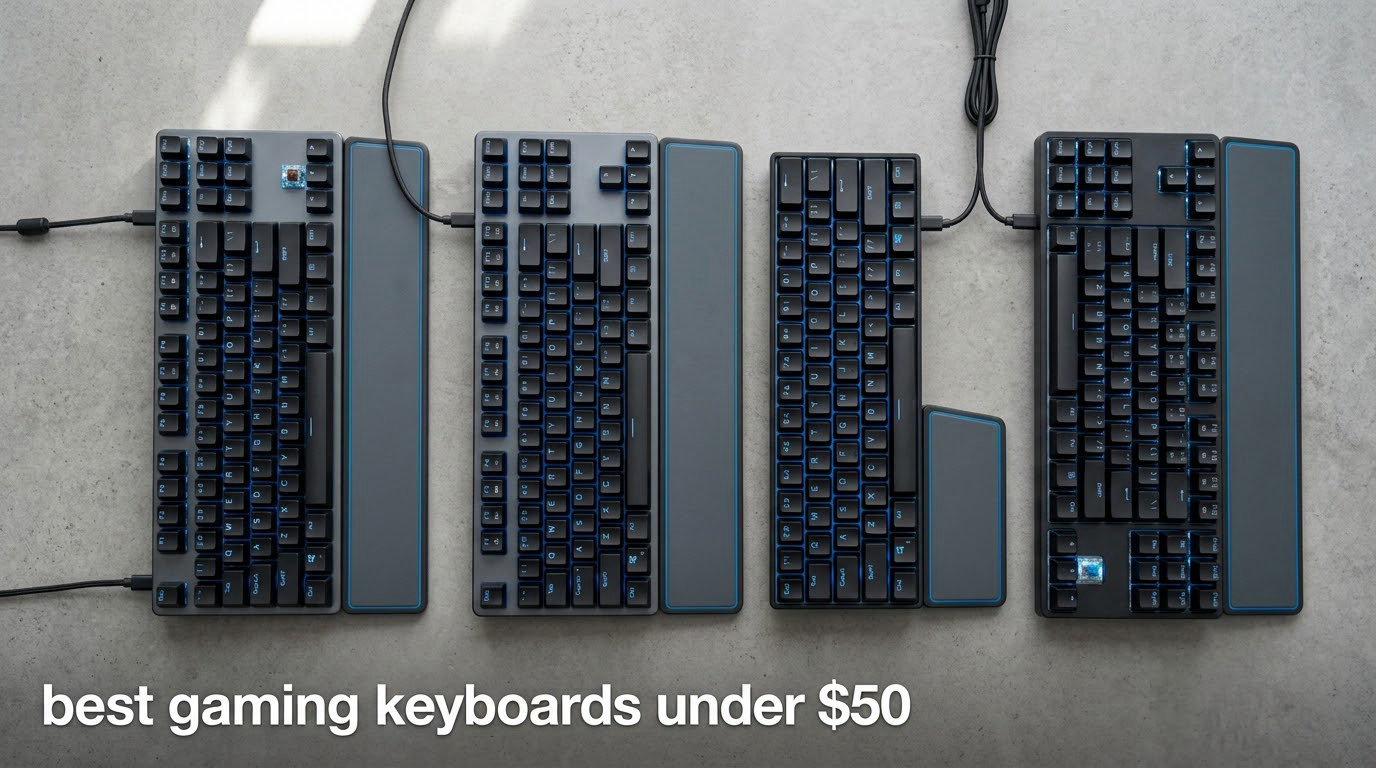
The best gaming keyboard under fifty dollars for most players is the Redragon Kumara K552, an 87-key TKL board with hot-swappable mechanical switches, a metal frame and a 4.7 rating across more than 12,000 reviews. If your desk is small or you play shooters, the RK ROYAL KLUDGE RK61 is the compact wireless pick, and if you share a room, the HyperX Alloy Core RGB is the quiet one.
That is the short answer. Below it, ten boards that all clear the fifty dollar line, ranked on the three things that actually change the result at this budget: switch type, form factor, and whether the cable stays in the USB port.
We went through the spec sheets, the buyer reviews and the recurring complaints for each of these, and updated the whole list for 2026. Budget keyboards are the peripheral most likely to break a build’s budget, so we treat the fifty dollar ceiling as a hard line rather than a suggestion.
If you also care about the other half of a first gaming setup, our gaming TV roundup covers the display side on a similar first-build budget.
Table of Contents
Top 3 Picks for the Best Gaming Keyboards Under 50 Dollars (October 2026)

Redragon Kumara K552 TKL
- Hot-swappable mechanical switches
- 87-key TKL layout
- 18 RGB backlight modes

All 10 Picks at a Glance in 2026
Every board below sits under the fifty dollar ceiling. Switch type is the single biggest difference between them, and it is the first thing to read in this table.
| Product | Specifications | Action |
|---|---|---|
| Redragon Kumara K552 TKL |
|
Check Latest Price |
 Redragon K521 Redragon K521 |
|
Check Latest Price |
 RK ROYAL KLUDGE RK61 RK ROYAL KLUDGE RK61 |
|
Check Latest Price |
 Logitech G213 Prodigy Logitech G213 Prodigy |
|
Check Latest Price |
| HyperX Alloy Core RGB |
|
Check Latest Price |
 TECKNET TK-KB002 TECKNET TK-KB002 |
|
Check Latest Price |
 GEODMAER GM68 GEODMAER GM68 |
|
Check Latest Price |
 Pauroty PC335 Pauroty PC335 |
|
Check Latest Price |
 CORBOBO Aula WIN60 HE CORBOBO Aula WIN60 HE |
|
Check Latest Price |
 CACKBIRD 60% Blue Switch CACKBIRD 60% Blue Switch |
|
Check Latest Price |
1. Redragon Kumara K552 Is the Best Overall Pick Under 50 Dollars
- Hot-swappable switch sockets
- Metal frame with double-shot PBT keycaps
- N-key rollover and 4-speed polling toggle
- Compact TKL frees mouse room
- Clicky blue switches are very loud
- Factory keycaps block much of the backlight
- RGB software is not polished
This is the board forum threads keep pointing at, and after reading the reviews it is easy to see why. The Kumara K552 gives you a real mechanical switch under the fifty dollar line, and hot-swappable sockets so you can change the feel later without a soldering iron.
The TKL layout is the quiet genius of it. You keep the arrow cluster and the function row but lose the numpad, which is exactly the trade FPS players want since it hands you several extra inches of mouse pad.

Roughly four out of every five buyers give it five stars, and the build is the reason. At 900 g with an aluminium enclosure and double-shot PBT keycaps, it does not flex or creak the way plastic boards in this range do.
Owners also report modding as a real draw. Swapping in quieter switches or a new set of keycaps turns the same board into a quieter one, which is the cheapest fix for the loud-clicky problem.

What you should know before you buy it
The blue switches are genuinely loud, and reviewers say so repeatedly. If anyone nearby shares your room, plan on swapping in silent or tactile switches, or pick the HyperX below instead.
The lighting is bright, but the factory keycaps sit high enough to block much of the glow, and the Redragon software for custom colours is a weak point.
Where it falls short
The cable is fixed, so a frayed lead means a new board. There is also no listed warranty on this model, which matters more on a part this cheap than most buyers expect.
A small number of reviews report individual keys failing to register. That is a minority report, but keep the return window in mind and test the whole board before the period closes.
2. Redragon K521 Is the Best Full-Size Board When the Budget Is Tight
Redragon K521 Upgrade Rainbow LED Gaming Keyboard, 104 Keys Wired Mechanical Feeling Keyboard with Multimedia Keys, One-Touch Backlit, Anti-Ghosting, Compatible with PC, Mac, PS4/5, Xbox
- Full 104-key layout at a very low price
- One-touch lighting button and 4-level brightness
- Works across PC Mac PS4 PS5 and Xbox
- No driver needed
- Membrane keys rather than true mechanical
- Clickier and louder than some buyers want
- Some boards reported with USB connection faults
This is the pick for anyone who types numbers, uses a spreadsheet between matches, and needs the numpad. You get all 104 keys with anti-ghosting across 19 combinations and it undercuts most of the boards in the roundup.
The listing calls it a mechanical-feel keyboard, and the honest framing is that it is a membrane board with a firmer dome than an office keyboard. Once you know that, it is an easy buy at that price.

Backlighting is the reason this one scores well for the money. The one-touch lighting button and four brightness positions mean you are not digging through layers to turn the rainbow glow off at midnight.
It also works straight out of the box on PC, Mac, PS4, PS5 and Xbox with no driver, which makes it a safe first peripheral for a shared family PC.

What you should know before you buy it
If your priority is key feel, this is the wrong board and no amount of saving fixes it. The dome action is soft, and players who came from a mechanical board notice the difference immediately.
Reviews also describe it as louder and clickier than expected, with the click sitting in the membrane rather than in a mechanical switch.
Where it falls short
There is a cluster of reviews about boards that stopped being recognised over USB after a few weeks. Test every key and both connection modes early, and keep your receipt.
Listings sometimes disagree with the colour of switches that arrive, so read the current reviews for the exact variant before you order.
3. RK ROYAL KLUDGE RK61 Is the Best Wireless Pick Under 50 Dollars
RK ROYAL KLUDGE RK61 Wireless 60% Mechanical Keyboard, Mini Portable Size
- Three-mode wireless with up to 3 devices paired
- Deep damped sound from the dual foam layers
- Hot-swap sockets for 3-pin and 5-pin switches
- Battery rated up to 200 hours with lights off
- Single-color blue backlight instead of RGB
- Lightweight ABS plastic body
- Pro driver needed for remapping
Wireless is the thing forum readers ask for most at this price and the thing almost nobody delivers well. The RK61 does, with Bluetooth 5.0, a 2.4GHz receiver and USB-C wired in the same board, pairing up to three devices.
That makes it genuinely useful rather than a novelty. It moves between a gaming PC, a laptop and a tablet without replugging anything, which is the argument most wireless keyboards make at several times this price.

What surprised us most in the reviews is the sound. Dual-layer silencing foam plus spacebar foam takes this from the usual hollow plastic clatter to something closer to a deep thock, and 74% of buyers give five stars.
The hot-swap PCB accepts both 3-pin and 5-pin switches, so a single board covers most switch preferences and the changeover takes minutes.

What you should know before you buy it
The backlight is single-colour blue. If per-key RGB is on your list, the Pauroty below is the wireless board that does it at this price.
Remapping and lighting customisation need the Pro software driver, so the out-of-box experience is plain until you install it.
Where it falls short
The body is lightweight ABS with recycled material and metal components, which means it slides more than heavier boards. A non-slip mat helps.
Warranty coverage is listed as one year manufacturer, shorter than the two years the Logitech and HyperX boards carry.
4. Logitech G213 Prodigy Is the Best Board for RGB Zones and Media Keys
Logitech G213 Prodigy Wired RGB Gaming Keyboard – Black
- Five independently controllable lighting zones
- 16.8M colors through G Hub
- Integrated palm rest and adjustable feet
- Two year limited hardware warranty
- Not a mechanical keyboard
- Proprietary keycap profile that will not fit standard sets
- Some reports of double-registering or dead keys
The G213 is the pick if lighting is the feature you care most about. Five independently controllable zones with 16.8 million colours give finer control than the other boards here, and G Hub handles per-zone setup well.
It is also one of the few boards here with an integrated palm rest and adjustable feet, which makes it a comfortable choice through an eight-hour session.

Under the keycaps it uses Logitech’s tactile Mech-Dome switches. They are not mechanical, but the press is firmer and more responsive than a pure membrane board, which surprises people who assume all dome switches feel the same.
Dedicated media, playback and volume keys sit above the number pad, plus a game mode button that disables the Windows key mid-match.

What you should know before you buy it
This board sits right at the edge of the fifty dollar ceiling, so check the current price before committing. When it dips under the line it is a strong value, above it the alternatives here are cheaper.
The feel is shallower than a real mechanical switch. Players who care about key travel will feel the difference after an hour.
Where it falls short
Keycaps use a proprietary bottom profile and will not fit standard sets, so any keycap upgrade is off the table here.
The 4.2 rating is the lowest in the roundup for a reason. Reviews report individual keys double-registering or failing on one board after another, and the backlight can stay dark during BIOS boot until you unplug it.
5. HyperX Alloy Core RGB Is the Best Keyboard for Quiet Rooms
- Quiet low-profile keys suited to shared spaces
- Metal frame construction
- Six preset RGB effects plus signature light bar
- Two year warranty
- Membrane switches lack mechanical character
- Windows-only compatibility
- Lighting is preset rather than per-key programmable
If the budget is going to a shared room, a late-night apartment or an office desk that doubles as a gaming setup, this is the board to buy. The membrane keys are quiet enough to type on without anyone commenting.
Reviewers rate it well, with 79% giving five stars and 92% rating it four stars or better. That consistency is unusual in this price band.

The build is heavier than it looks at 1121 g, with a metal frame that stops the board sliding or flexing when you lean into a fight. Spill resistance is rated for everyday accidents.
Quick access buttons for brightness, lighting mode and game mode sit above the number row, which saves you from layer switching mid-round.

What you should know before you buy it
The TKL layout drops the numpad, so if you need number entry regularly you will want the full-size Redragon K521 above instead.
The RGB effects are six presets on a signature light bar. You cannot program individual keys, so do not buy this one for lighting control.
Where it falls short
Membrane keys are soft. If you have tried a mechanical board before, going the other direction is a real downgrade in feel even though the noise drops.
Compatibility is listed for Windows 10, 8.1, 8 and 7 only, with no Mac or console support named. It works as a basic keyboard elsewhere, just without the extras.
6. TECKNET TK-KB002 Is the Best Board for Wrist Comfort and Spill Safety
TECKNET Wired Gaming Keyboard, RGB Backlit Keyboard with Metal Panel Design
- Integrated wrist rest at a 7-degree angle
- Metal plate base under ABS keycaps
- IP32 spill resistance with drainage holes and removable key cover
- Whisper-quiet volcano membrane keys
- Membrane switches
- not mechanical
- 12 media keys do not work on Mac
- Backlight sleeps after 30 minutes of inactivity
The TECKNET treats the wrist properly out of the box. A seven-degree tilt plus an integrated rest means you are not adding a separate palm rest to your desk budget.
Spill handling is its strongest feature. IP32 water resistance, four drainage holes in the wrist rest and a removable key cover mean a knocked drink is a wipe-down rather than a dead keyboard.

Lighting is 15-zone RGB with seven modes and four brightness levels. That is more control than the HyperX, though still preset-based rather than per-key.
Volcano membrane switches are rated for 50 million keystrokes and reviewers describe them as very quiet, which pairs well with the wrist rest over long sessions.

What you should know before you buy it
Anti-ghosting covers 25 keys. That is fine for gameplay combinations, but it is not the same as full N-key rollover, so check whether your game relies on unusual simultaneous presses.
The 104-key layout fills a lot of desk. If your mouse space is tight, a compact board will serve your aim better.
Where it falls short
The 12 multimedia keys do not work on Mac, which matters if you switch between systems.
The backlight sleeps after 30 minutes of inactivity and needs a keypress to wake, which can look like a fault at first glance.
7. GEODMAER GM68 Is the Best Compact Budget Board for Small Desks
GEODMAER 65% Gaming Keyboard, Wired Backlit Mini Keyboard, Ultra-Compact Anti-Ghosting No-Conflict 68 Keys Membrane Gaming Wired Keyboard for PC Laptop Windows Gamer
- 65% layout keeps arrow and delete keys
- Quiet creamy membrane typing
- Detachable Type-C cable
- Three year manufacturer warranty
- Spacebar is loud and springy compared to the rest of the board
- Plastic build with rubbery keycaps
- Non-letter keys are louder than letter keys
The GM68 solves a specific problem well: a 65% board is smaller than a 60% but keeps dedicated arrow and delete keys, so you get desk space back without learning a second key layer.
That makes it a good fit for a small desk where a full-size board would leave no room for the mouse, and a low price means it works as a first gaming keyboard rather than a compromise.

The backlight is adjustable in brightness and breathing speed via the FN layer, and the two-colour injection-molded keycaps have translucent characters that let the light through evenly.
Windows keys lock with FN, which is the one setting every competitive player should change on day one.

What you should know before you buy it
The detachable Type-C cable is a genuine upgrade over the fixed leads on some boards here. It means a damaged cable is a cheap fix instead of a whole new keyboard.
Anti-ghosting covers 26 keys and there are 11 media buttons, so the essentials are covered.
Where it falls short
The spacebar is the standout complaint, described in reviews as sounding like a metal fork on a plate. It is much louder and springier than the rest of the board.
The build is plastic with rubbery-feeling keycaps, and some boards arrive with defective keys. The three year warranty helps here.
8. Pauroty PC335 Is the Best Portable RGB Board Under 50 Dollars
60% Wireless Mechanical Gaming Keyboard, Clicky Blue Switch RGB Backlit
- Genuine clicky blue mechanical switches
- Triple-mode wireless across 2.4GHz and two Bluetooth profiles
- Per-key RGB with 16 modes and 6 brightness levels
- 10+ hours of continuous use per charge
- Lightweight all-plastic chassis
- Clicky blue switches are loud
- Non-standard brand with limited long-term support
The PC335 is unusual at this price because it pairs real clicky blue mechanical switches with per-key RGB and three wireless modes. Most boards offer two of those three, not all of them.
It is also easy to travel with, at 12.2 inches long with a foldable stand, so it moves between a home PC and a laptop without becoming a second desk.

Battery life is the spec that makes the wireless modes practical. The 1600mAh cell gives over 10 hours of continuous use and up to 360 hours on standby, which covers several long sessions per charge.
It charges and plays at the same time over the included Type-C cable, so a low battery never means a stop in play.

What you should know before you buy it
Per-key RGB with 16 modes, 8 colours and 6 brightness levels is real lighting control rather than zone cycling, and it is the reason this board stands out at that price.
For a wireless mechanical board, this is a rare combination. Most are either wired RGB or wireless with single-colour lighting.
Where it falls short
The chassis is entirely plastic and light, so it moves around on the desk more than a weighted board. A mat fixes that.
Blue switches are loud, and as a lesser-known brand the long-term parts and support picture is thinner than the established names above.
9. CORBOBO Aula WIN60 HE Is the Best Pick for Competitive FPS Players
- Adjustable actuation and true rapid trigger
- 8000Hz polling rate for very low latency
- Web-based driver needs no installation
- Deep sound that rivals pricier boards
- Web-based driver is functional but rough
- Included keycaps described as cheap and sound-dampening
- 8K polling can upset other USB devices on AMD systems
This is the most competitive-spec board in the roundup, and the one I would put in front of a competitive shooter player. Hall effect magnetic switches let you set the actuation point per key and enable rapid trigger, which is the feature that separates cheap mechanicals from a real esports board.
Rapid trigger lets a key re-register on the way up rather than waiting for a full reset. At a 0.02mm step distance, that shortens the gap between your finger leaving WASD and the game seeing the next press.
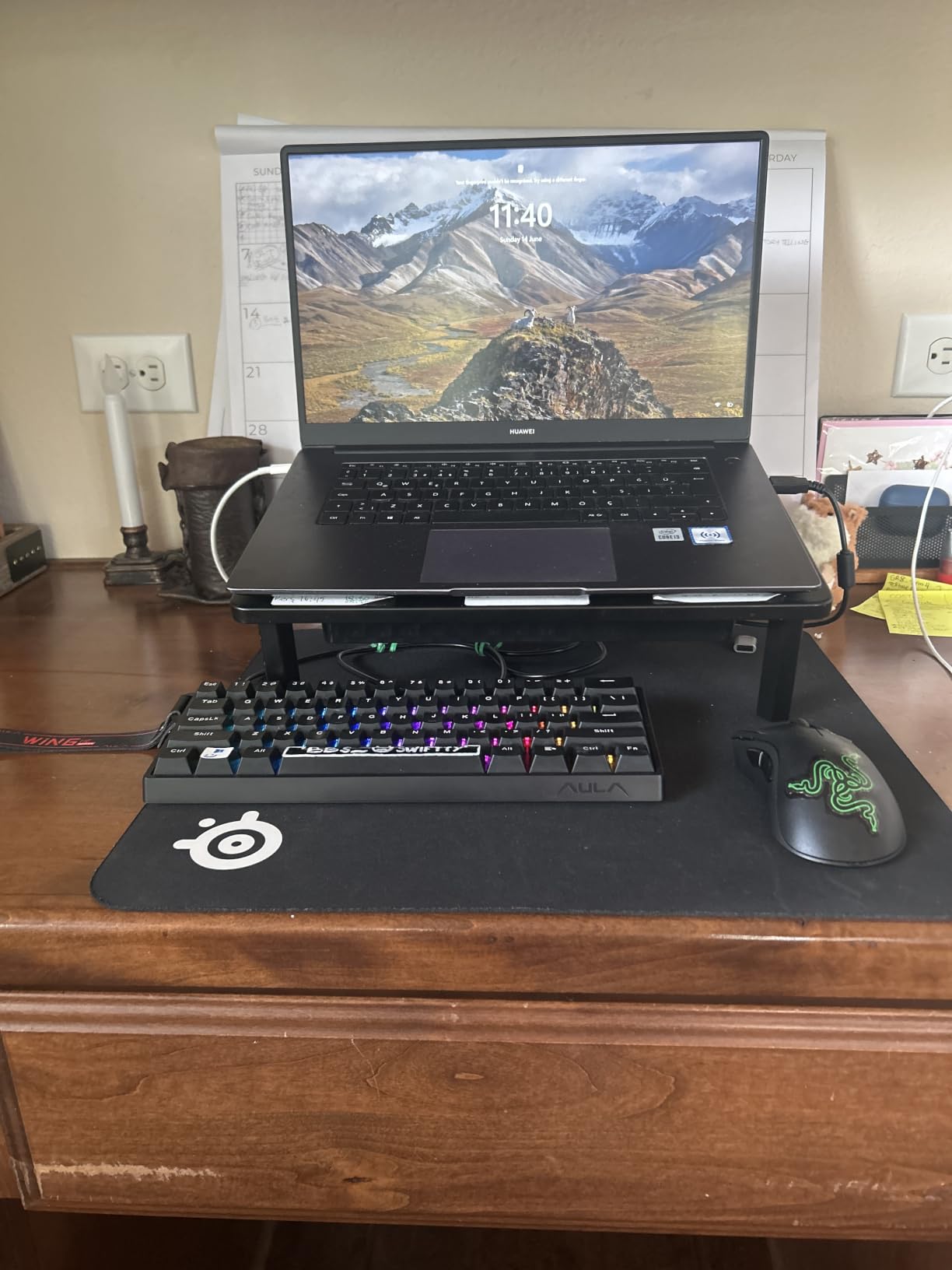
Polling is 8000Hz, verified by owners rather than just claimed, and the contactless magnetic design means there is no physical contact to wear out. Reviewers comparing it to a Wooting at a fraction of the cost find little to argue about on latency.
The sound is the surprise. Users describe a deep thock that they would not expect at this price, and 76% give five stars.
What you should know before you buy it
Rapid trigger and adjustable actuation work in the competitive shooters that support them, mainly Valorant and Counter-Strike. Outside those titles, the board is simply a very good linear mechanical.
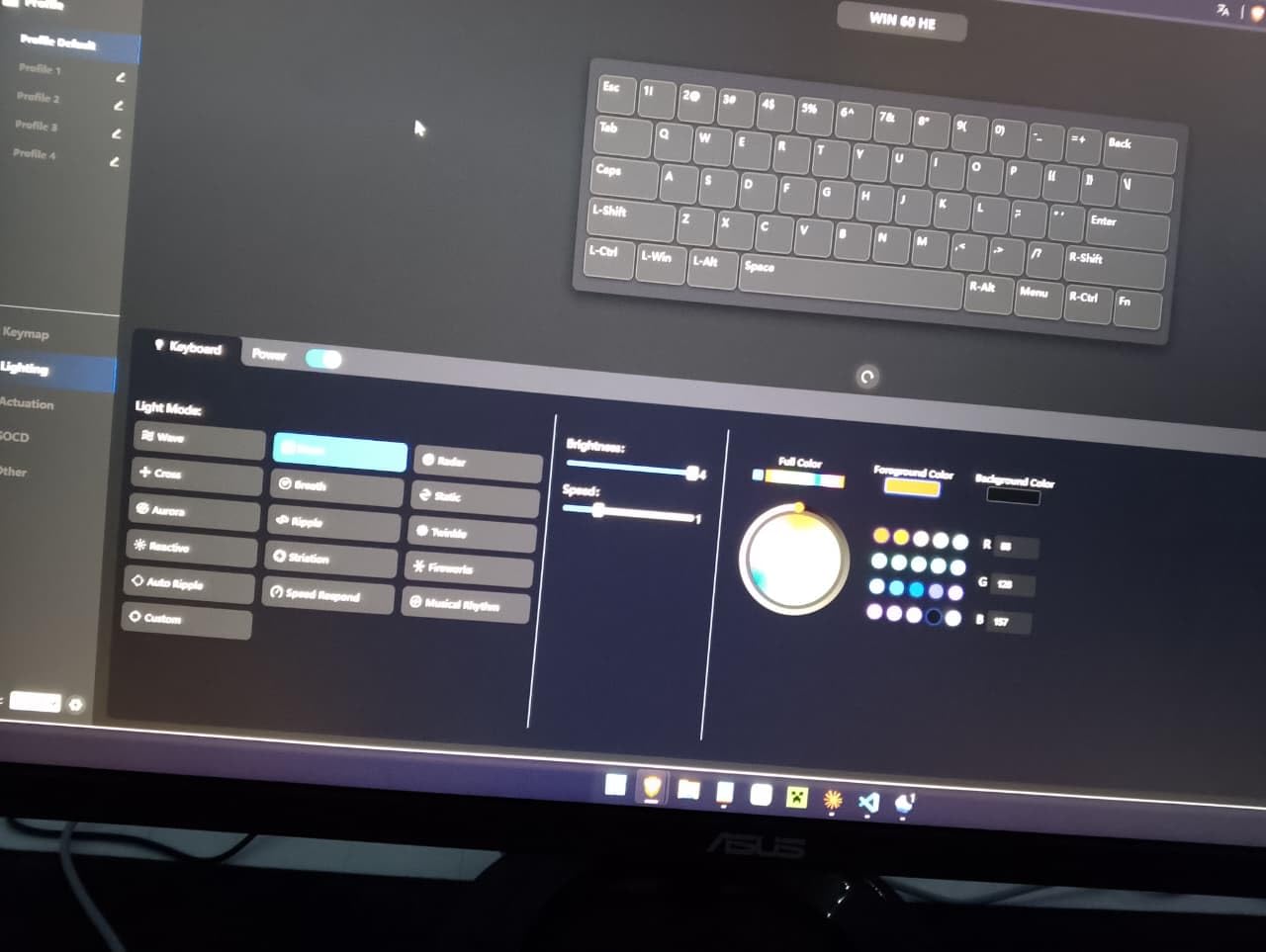
The driver runs in a browser, so there is nothing to install and no compatibility mess. It also means the settings live in your browser profile rather than a native app.
Where it falls short
Warranty cover is listed at 6 months, so test the board thoroughly when it arrives.
The included keycaps are called out as cheap and uncomfortable, and several reviews note that 8K polling disrupted other USB devices on AMD systems.
10. CACKBIRD 60% Is the Best No-Fuss Mechanical 60% Board
60% Wired Mechanical Gaming Keyboard with Blue Switches, LED Backlit
- Genuine clicky blue mechanical switches
- Full-keys anti-ghosting with no driver needed
- Well-arranged arrow keys with Fn+Space layer
- Steel plate and foldable kickstands
- Very loud clicky-clacky typing sound
- Switches are soldered rather than hot-swappable
- 60% layout removes the function row and numpad
The keyboard is a plain, honest 60% mechanical. Clicky blue switches, a steel plate, full-keys anti-ghosting and a detachable Type-C cable, with nothing to configure.
That simplicity is the appeal. There is no software, no driver and no account, so it works the moment it is plugged in on Windows or Mac.

The arrow key arrangement gets specific praise. With Fn+Space toggling the arrow layer and the up arrow sitting directly above down, it is easier to get used to than most 60% boards, and 75% of buyers give five stars.
Backlighting runs 18 rainbow LED effects with five brightness levels and speed control across double-injection ABS keycaps for even light.

What you should know before you buy it
Detachable Type-C at this price is worth knowing about, because many budget boards wire the cable in permanently and a bad cable ends the board.
For a first gaming keyboard, the no-driver plug-and-play path removes one more thing that can go wrong on a fresh build.
Where it falls short
The clicky-clacky sound is a real consideration. In a shared room it will draw comments, and there are no hot-swap sockets to change it.
Some listings claim hot-swappable sockets and the switches are actually soldered, so treat that claim with suspicion. A few long-term owners also report keys needing the board unplugged to reset.
What 50 Dollars Actually Buys You?
Below the fifty dollar line you are choosing between three things: a switch type, a layout size, and a connection method. Everything else on the spec sheet is secondary, and paying more does not change the trade-offs much until you clear roughly twice this figure.
Membrane vs mechanical: put the money on the switches
Membrane boards sit at the bottom of this list and reviewers describe the same thing every time: a soft, mushy press that feels like an office keyboard. The Redragon K521 and GEODMAER GM68 are clear about it, and neither tries to hide it.
Mechanical switches are where the money is best spent. The Kumara K552 and the CACKBIRD both land under fifty dollars with real mechanical switches, and once you have used one the membrane boards stop feeling like an upgrade.
Within mechanicals, blue is clicky and loud, red is linear and fast with no bump, and brown is tactile in between. Forum consensus at this budget tends toward blue if you want the audible confirmation of a keypress and quieter switches if you share a room.
Rollover is the other spec worth reading. N-key rollover on the Kumara registers every simultaneous press, while the 19-key and 25-key anti-ghosting figures on the K521 and TECKNET cover gameplay combinations without going that far.
Pick your size by mouse room, not by trend
Full-size 104-key boards give you a numpad and take the most desk. They suit spreadsheet work and MMO keybinds more than they suit competitive shooters.
TKL at 87 keys is the balance most FPS players land on. You keep the function row and arrow cluster, and the Kumara K552 and HyperX Alloy Core RGB are the two strong choices here.
60% and 65% at 61 to 68 keys free the most mouse space, which is the point for aim-heavy play. The trade is layer switching, since the function row and numpad are gone. Our mechanical keyboard guide covers layout trade-offs in more depth if you are still weighing it.
Wired vs wireless under 50 dollars
Wireless now exists properly in this tier. The RK61 and the Pauroty PC335 both pair Bluetooth, 2.4GHz and wired modes, and neither forces a choice between portability and lighting.
For competitive play, stay wired. The magnetic-switch board in this list reports an 8000Hz polling rate, and no wireless board in the roundup quotes a polling figure near it, so latency still points one way.
How to tell a real deal from a bad listing
Check that the product photos show the same brand name as the listing title. Mismatched branding in the photos is the clearest sign of a listing that will not match what arrives.
Look for a switch type stated in the listing rather than implied by the word mechanical. Membrane boards in this roundup are described as mechanical-feel, and only true mechanical switches have hot-swap sockets.
Finally, check the warranty line. The Kumara K552 lists no warranty, the WIN60 HE lists six months, and the Logitech and HyperX boards carry two years, which is real information about support if something fails. If you would rather build your own board from parts, our rotary encoder guide covers the knobs and switches route, which sits well above this price band.
Frequently Asked Questions
What is the best gaming keyboard for under 50 dollars?
The Redragon Kumara K552 is our top pick for most players. It is a genuine mechanical board with hot-swappable switches, an 87-key TKL layout, a metal frame and a 4.7 rating across more than 12,000 reviews, all under the fifty dollar ceiling.
Is the Redragon K552 Kumara good?
Yes, it is the most recommended budget mechanical keyboard in our research. Owners rate the solid build, hot-swappable sockets and modding potential highly. The two common complaints are the loud clicky blue switches and RGB software that is not well polished, both of which are fixable by changing switches.
What is the best gaming keyboard under 30 dollars?
The GEODMAER GM68 and the Redragon K521 are the strongest options below thirty dollars. The GM68 gives you a compact 65% layout with a detachable Type-C cable, while the K521 gives you all 104 keys with rainbow lighting. Both use membrane switches, so key feel is the trade-off.
Is membrane or mechanical better for gaming?
Mechanical is better for gaming. Membrane boards feel soft and mushy, which is the most repeated complaint in buyer reviews at this price. Mechanical switches give a firmer, more consistent press and true N-key rollover, and several boards with real mechanical switches still sit under fifty dollars.
Should I get a 60 percent or TKL gaming keyboard?
Get a 60% board if you play shooters and want maximum mouse space. Get a TKL if you want the function row and arrow keys without a numpad. The Kumara K552 covers the TKL case, and the RK61 covers the compact case with hot-swappable switches and wireless.
Can you use a budget gaming keyboard for normal typing?
Yes. A mechanical board is a better typing keyboard than the membrane board you probably started with. Note that clicky blue switches are loud, so the Logitech G213 Prodigy and HyperX Alloy Core RGB are the picks for typing in a shared space.
Our Verdict on the Best Gaming Keyboards Under 50 Dollars
The best gaming keyboards under fifty dollars are better than the category used to be, mostly because hot-swappable sockets and real mechanical switches have moved down into this price band. The Redragon Kumara K552 is the single best pick: mechanical feel, a metal frame, a layout that suits shooters, and more reviews than anything else on this list.
Buy the RK61 if you want wireless and the smallest footprint. Buy the HyperX Alloy Core RGB if noise is the deciding factor, and the Aula WIN60 HE if you play Valorant or CS2 seriously enough to want rapid trigger.
Skip this whole tier if you type all day and want PBT keycaps, a gasket mount or native software. Those features start well above this price band, and spending twice as much on the first keyboard leaves less for the rest of the build.