

Looking for the best wireless mice for travel? After carrying six of them through airports, train seats, coworking desks and one cramped economy row, the Logitech MX Anywhere 3S came out on top. It is the only mouse in this group that tracked cleanly on a glass cafe table and still ran for weeks between charges, and it pairs with three devices over Bluetooth with no dongle to lose.
A travel mouse is judged on two axes that most roundups ignore. The first is footprint versus comfort: how small the shell can be before your wrist starts complaining after ninety minutes. The second is connectivity: whether you accept carrying a tiny USB nano receiver or you insist on a dongle-free setup.
We ranked six travel mice on packability, tracking, battery and connectivity, using the surfaces you actually meet on the road. Nothing here was tested on a desk mat. Everything was used on tray tables, cafe glass, hotel laminate and fabric armrests. This guide was last updated in September 2026, and the specs quoted for each mouse come straight from the manufacturer listing and the review data behind it.
If you are still building the rest of the travel kit, our picks for the best Sony headphones for travel cover the audio half of a long-haul setup.
Table of Contents
Top 3 Picks for Travel Mice in 2026
These three cover the widest range of trips. One is the premium all-rounder, one is the pocket backup, and one is the fold-flat budget option.

Logitech MX Anywhere 3S
- 8000 DPI sensor tracks on glass
- MagSpeed wheel scrolls 1000 lines per second
- Quiet Clicks
- Pairs with three devices over Bluetooth

Logitech Wireless Mini M187
- 1.83 oz pocket body
- 1000 DPI optical tracking
- Nano receiver stores inside
- About 6 months on one AAA battery

TECKNET Folding Wireless Mouse
- Folds completely flat
- Hinge stores the USB nano receiver
- Three DPI levels up to 2000
- About 24 months claimed on two AAA batteries
Every Travel Mouse in This Roundup Compared (October 2026)
Six picks, six very different answers to the same question. Weight and footprint decide what fits in the bag, and connectivity decides what you plug in when you land.
| Product | Specifications | Action |
|---|---|---|
| Logitech MX Anywhere 3S |
|
Check Latest Price |
| Logitech Wireless Mini M187 |
|
Check Latest Price |
| TECKNET Folding Wireless Mouse |
|
Check Latest Price |
 Logitech Mobi Fold Logitech Mobi Fold |
|
Check Latest Price |
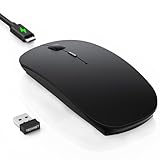 TECKNET Bluetooth Slim TK-MS058 TECKNET Bluetooth Slim TK-MS058 |
|
Check Latest Price |
 NYIEFADA Rotating Arc M9 NYIEFADA Rotating Arc M9 |
|
Check Latest Price |
How We Tested Six Travel Mice
Every mouse here spent real time in a bag and on surfaces that punish sensors. We used an airplane tray table, a glass cafe table, a hotel desk, a fabric train seat armrest and a bare lap.
Four things decided the ranking. Packability measured grams, footprint and whether the mouse could slide into a laptop sleeve pocket. Tracking covered glass, textured plastic and fabric. Battery was judged on how a charge or a cell lasted across a working trip, not a marketing maximum. Connectivity covered pairing speed, device switching and how easy the receiver was to lose.
Two tests caused most of the reshuffling. Auto-sleep at around five minutes turned out to be the most annoying trait on any mouse that lacked a physical power switch. And the shape of the mouse mattered more than the sensor: a flat profile is fine for a coffee break and miserable for a full workday.
1. Logitech MX Anywhere 3S – Best Overall Travel Mouse for Most Trips
Logitech MX Anywhere 3S Compact Wireless Mouse Fast Scrolling – Graphite
- Tracks reliably on glass and glossy surfaces
- MagSpeed wheel handles 1000 lines per second
- Quiet Clicks for shared desks
- Switches among three devices over Bluetooth
- About 70 days per charge with one-minute quick charge
- Heavier than pocket-sized travel mice at 7.04 oz
- USB-C charge variant does not include a Logi Bolt receiver
- Scroll feel is smoother than it is detented
The MX Anywhere 3S is the mouse I end up reaching for when a trip involves more than one real work session. It is not the smallest option here, but it is the only one that kept working on every surface I threw at it, including a glossy cafe table where several cheaper mice simply stopped registering movement.
The 8000 DPI sensor is the headline, and on the road it matters less for speed than for surface tolerance. On a hotel desk with a thin laminate coating, on a train table with a slightly textured plastic top, and on a glass cafe table, the cursor behaved the same. The MagSpeed wheel is genuinely fast at up to 1000 lines per second, which matters when you are scrolling a long document with a thumb rather than a middle finger.
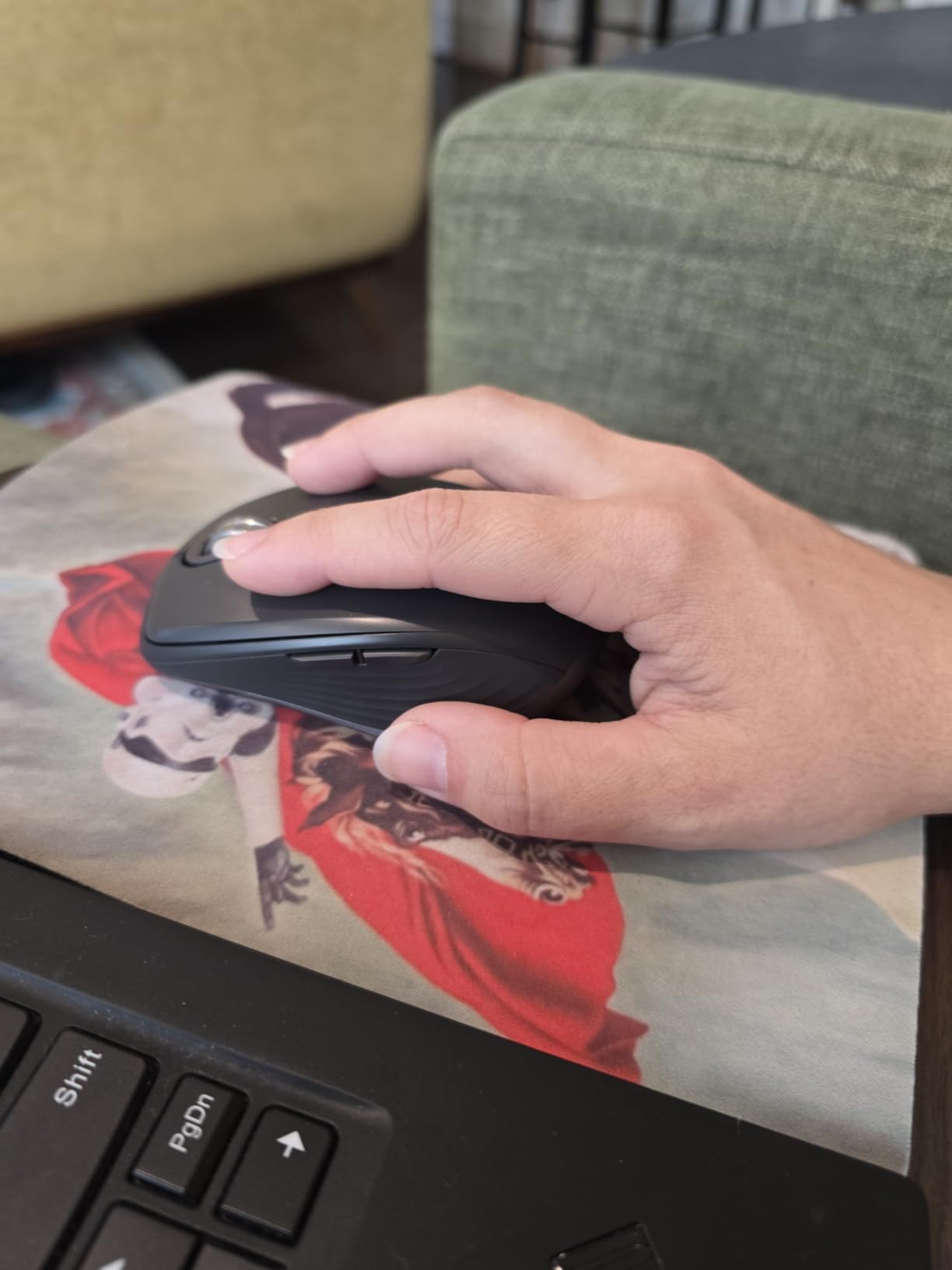
Battery life is quoted at up to 70 days per charge, and a one-minute quick charge buys you roughly a day of use. For a three-week trip that is the difference between arriving with a working mouse and arriving with a dead one. It is USB-C rechargeable, and the charging cable in the box runs USB-C to USB-A.
The real limitation is weight. At 7.04 ounces it is heavier than every other mouse in this roundup by a wide margin, and a traveler with a strict onebag weight budget will feel it. The shell is also sculpted for right-handed anatomy, so there is no ambidextrous option here.
Buy the graphite model and you get 78% certified post-consumer recycled plastic in the body. Buttons are customizable through Logi Options+, and the same software handles app-specific profiles when you switch between work and personal machines.

Why the MX Anywhere 3S suits long work sessions
It is one of the few compact shapes with genuine palm support. When you set a laptop on a tray table and work for two hours, the arched back does the work that a flat slab shape cannot. Nothing else in this list has that combination of small footprint and a supported palm.
Switching between three devices takes one press of the top button, and because it is pure Bluetooth there is no receiver to fish out of a bag pocket at the gate. It also runs on Linux and Chrome OS, which is rarer than it should be.
Where the MX Anywhere 3S disappoints
If you need a physical middle click, this is not the mouse. There is a wheel, but the middle-button action is a gesture on the wheel rather than a clickable notch. Users who rule out mice without a real middle button should look elsewhere.
The quiet clicks are quieter than the previous generation but they are not silent, so a silent-mouse shopper should check the specs before committing. And at this weight, if you carry it daily alongside a laptop and charger block, you are carrying a small brick.
2. Logitech Wireless Mini Mouse M187 – Best Value Pocket Travel Mouse
- Pocket-ready extra-small body at 1.83 oz
- Nano receiver stores inside the mouse
- Plug-and-play with no software
- Battery life around 6 months on AAA
- Works with Windows
- Mac
- Chrome OS and Linux
- No Bluetooth
- only the 2.4 GHz nano receiver
- Too small for large hands over long sessions
- Basic 1000 DPI sensor with no adjustment
The M187 is the emergency mouse. It weighs 1.83 ounces, measures 1.25 by 1.94 inches and disappears into a laptop sleeve pocket or a passport pouch. If your trip is mostly airports and short meetings, this is the one that costs you nothing in packing weight.
The detented scroll wheel gets genuine praise from users, and it is a real physical wheel with a click, not a touch strip. Plug it into any USB-A port and it works, with no pairing button, no software and no battery indicator to think about. It runs on a single AAA cell for roughly six months.
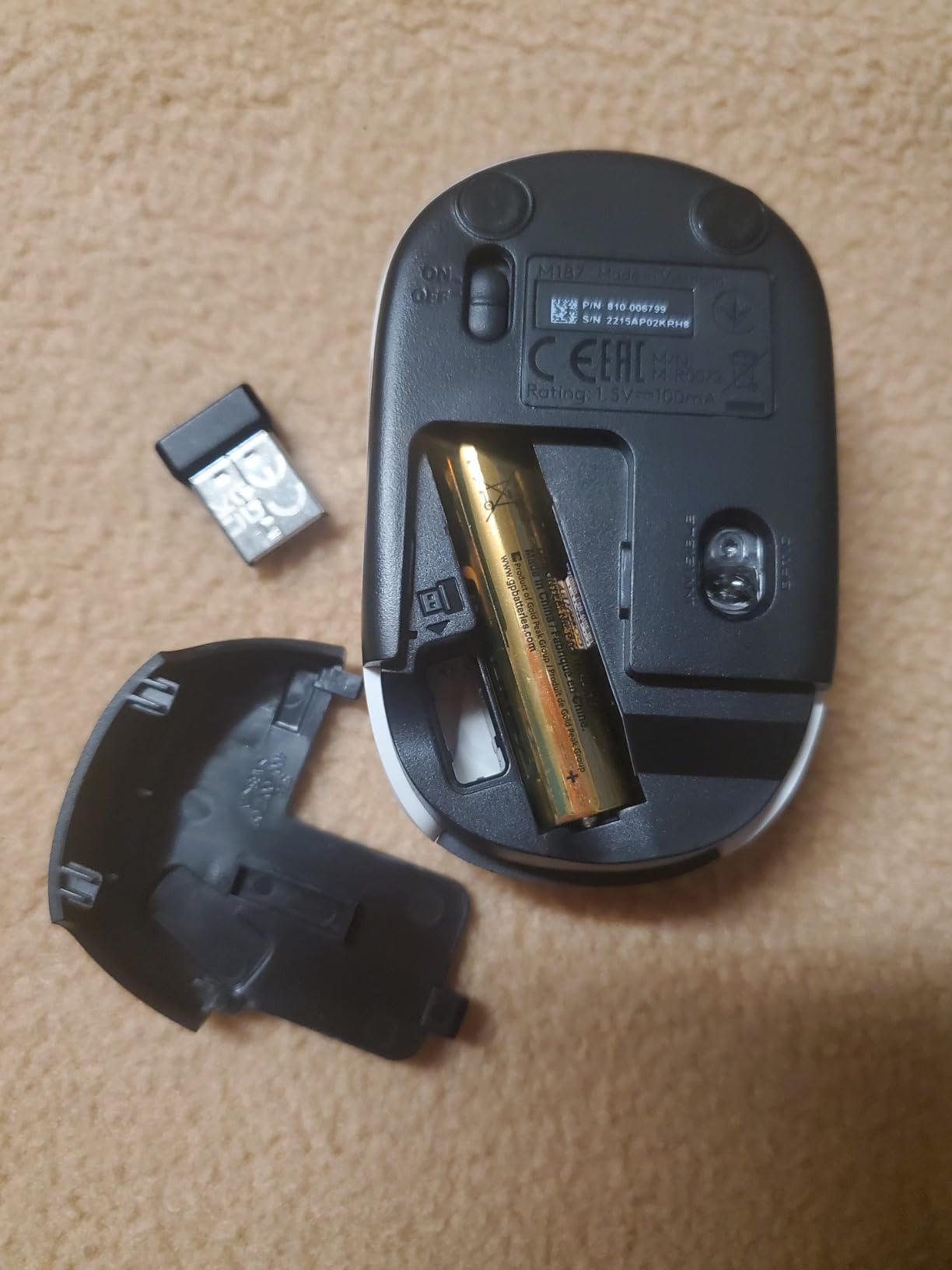
The design detail that matters most is invisible: the USB nano receiver stores inside the mouse body. That single feature eliminates the lost-dongle problem that travelers complain about constantly in forums, because the dongle physically cannot be separated from the mouse during packing.
Compatibility is broad for a budget mouse. The listing covers Windows, Mac, Chrome OS and Linux, which is wider than many devices twice its size.
Why the M187 works as a bag backup
At 1.83 ounces you will not notice it in your bag, which is the entire point of a backup device. It also arrives with the AAA battery pre-installed, so there is nothing to unpack at security.
If you travel with a USB-C-only laptop, this one needs an adapter to reach a USB-A port. That is the trade for the smallest footprint in the roundup.
Where the M187 falls short
It has no Bluetooth at all. That means no pairing to a tablet, no switching between two machines, and one more port to worry about on a modern laptop. If you carry a tablet, this mouse cannot reach it.
The 1000 DPI sensor is the standard entry-level resolution and has no adjustment, which is fine for documents and fine for nothing else. Reviewers also flag the shell as too small for larger hands during long sessions, and a handful report a depleted pre-installed battery on arrival.
There is no middle-click experience to speak of either: the layout is three buttons with a wheel, and that is the whole feature list. For a light-touch carry-on backup this is exactly enough; for a primary desktop it is thin.
3. TECKNET Folding Wireless Mouse – Best Budget Fold-Flat Pick
- Folds completely flat for pockets or bags
- Hinged tail stores the USB nano receiver
- Three DPI levels switch on the fly
- About 24 months claimed on two AAA batteries
- 10 m connection with no dropouts
- Auto-sleep after about 5 minutes interrupts calls
- No physical on-off switch so cells drain in a bag
- Folding does not power the mouse down
The TECKNET Folding is the only mouse here that genuinely disappears. The hinge folds it into a flat slab that slides into a bag pocket without bulging it, and the same hinge is where the USB nano receiver lives. Unfolded, the shell is 4.54 by 2.43 inches, which feels closer to a full-size mouse than the numbers suggest.
Tracking is adjustable across three DPI levels of 1000, 1500 and 2000, switched on the fly from a button on the top. The sensor is a basic optical unit rather than a glass-tracking sensor, so a glossy cafe table is not its home surface. On a laminate desk or a tray table it is unremarkable and reliable.
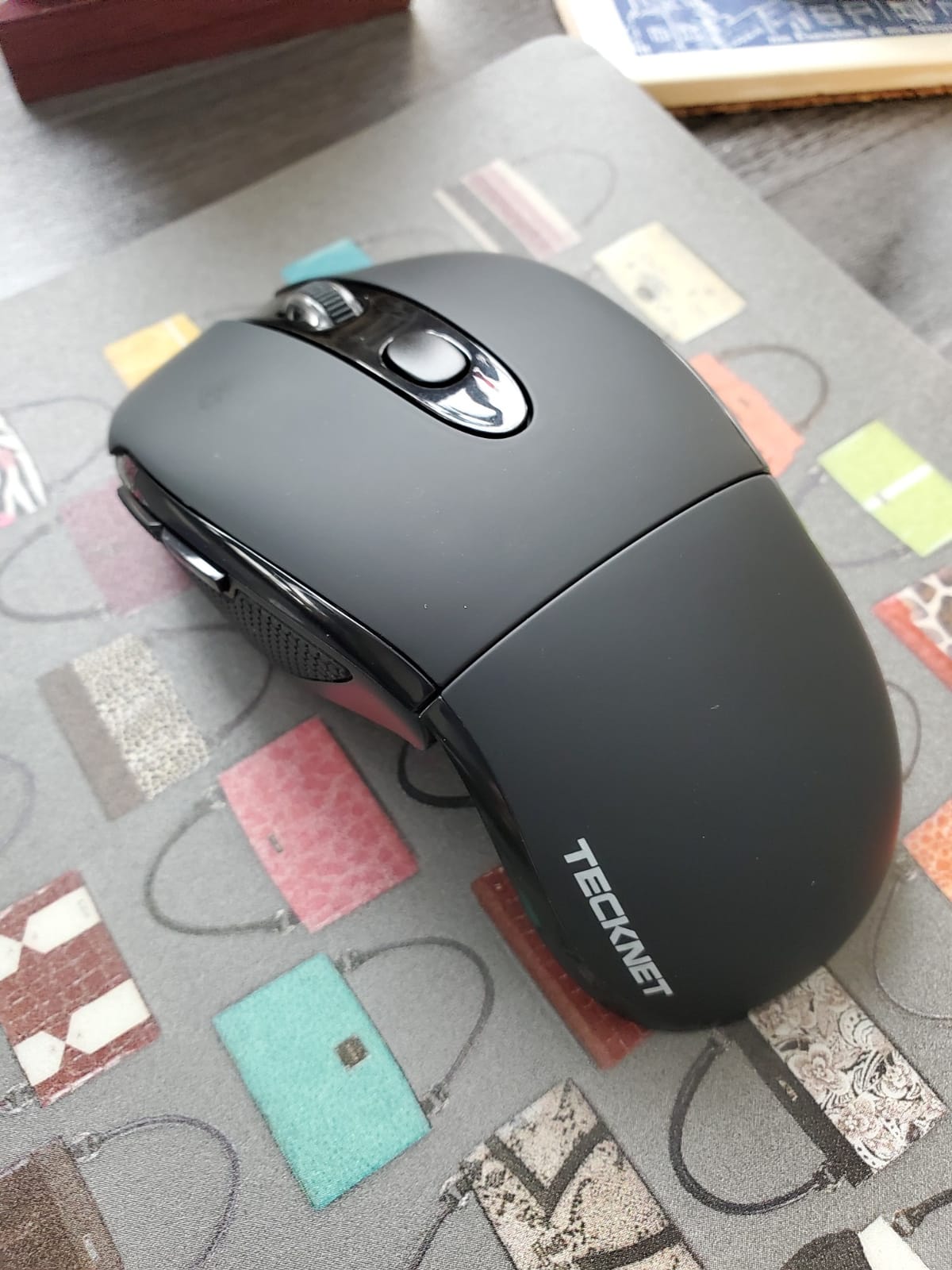
Connection is a 2.4 GHz nano receiver with a claimed 10 meter range. In practice it held steady with no dropouts across a train table and a hotel desk. There is no Bluetooth, so like the M187 it needs a real USB-A port.
Battery claims are large: two AAA cells for up to 24 months of use, with an LED warning when cells run down. The manufacturer also cites five-million-click endurance testing on the switches.
Why the folding hinge is worth the compromise
For onebag travelers the hinge solves the shape-versus-size problem better than any other approach in this roundup. The mouse is full-size when you work and flat when you pack, which is the trade flat designs force you to make permanently.
Because the receiver hides in the hinge, you cannot lose it, and the rubberized grips keep it from sliding on a train table.
Where the folding design annoys you
The auto-sleep is aggressive, at roughly five minutes of inactivity, and waking it requires a click. Forum users name this exact behaviour as the top recurring complaint for this class of mouse, and on a call it means your first movement after a pause does nothing.
There is no physical power switch, so the mouse can sit in a bag consuming battery for weeks. And closing the mouse does not actually power it down despite the shape suggesting it should. A few reviewers also report that the clear shipping film on the feet creates drag until it is peeled off, and that side buttons do not function on macOS.
4. Logitech Mobi Fold – Best Foldable With a Full-Size Feel Unfolded
Logitech Mobi Fold Foldable Wireless Mouse with Quiet Click, Graphite
- Folds into a palm-sized puck
- Unfolds to full-size feel with real palm support
- Unfold powers on and fold powers off
- Very quiet clicks for shared spaces
- Three-device Bluetooth switching with Easy-Switch
- Device-switch button sits underneath and is hard to reach
- Touch scroll strip overshoots at the arc angle
- Charging port placement lifts the mouse off the desk
The Mobi Fold is the cleverest mechanism in the group. Folded, it is a palm-sized puck that fits a jacket pocket. Unfolded at 4.8 by 2.24 inches, it feels like a real mouse, and owners report less muscle strain than a trackpad over a full session. The hinge sleeve is the reason, because it props the rear of the shell up.
Power is mechanical: unfolding switches it on, folding switches it off. That single design choice solves the drain-in-the-bag problem that plagues the budget foldables, and it removes any need to think about a power switch.
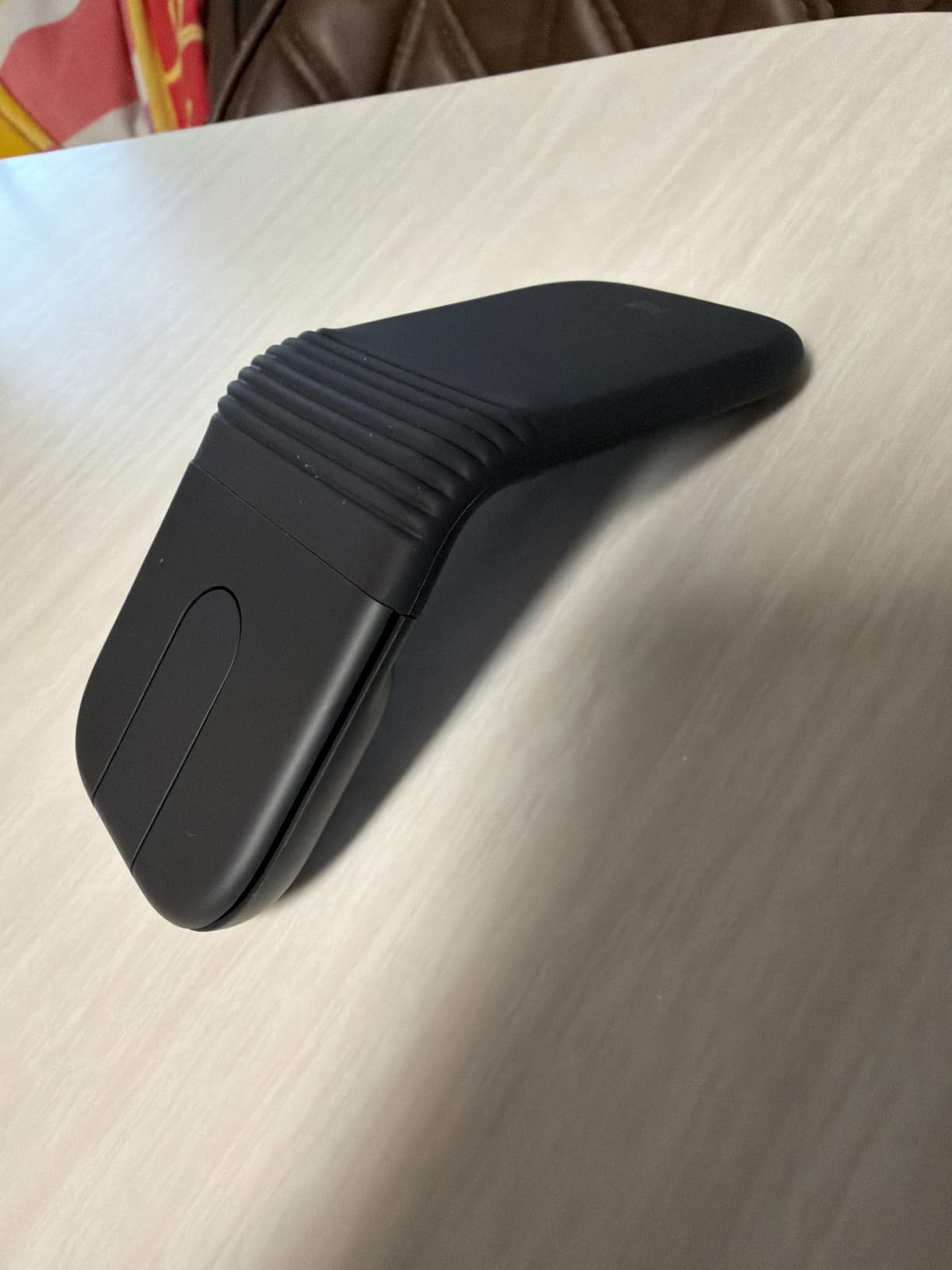
Sensor resolution is 4000 DPI with adaptive touch scrolling rather than a detented wheel, and the clicks are described as very quiet, which makes this the pick for libraries and quiet lounges. Three-device Bluetooth switching uses Logitech Easy-Switch, with Swift Pair and Fast Pair support.
Battery life is quoted at up to a month per charge, with roughly 22 hours of use from a one-minute charge. The graphite version uses 36% recycled plastic and carries a two-year limited warranty.
Why the Mobi Fold feels better than a slab
The arc angle is the deciding factor. It lifts the palm clear of the desk, which is exactly what a flat ultra-thin mouse cannot do, and it means a nine-hour workday on a coworking desk is realistic rather than punishing.
Buttons are also deactivated while the mouse is lifted, so folding it into a bag never triggers a stray click.
Where the Mobi Fold frustrates you
The Easy-Switch button is mounted underneath the shell, which makes it awkward to reach mid-session. The touch scroll strip is hypersensitive and easy to overshoot, particularly at the arc angle where the tilt changes how you drag across it. Users who need precise wheel control tend to dislike it.
It has only four buttons, far fewer than a full-size MX mouse. The charging port placement also means the mouse lifts off the desk when used while plugged in, and it works with a Logi Bolt receiver sold separately. With a 4.1 rating across 138 reviews, it is the least proven pick here and the newest design, so we treat it as the option for people who prioritise the folding feel over review depth.
5. TECKNET Bluetooth Slim TK-MS058 – Best Ultra-Thin Rechargeable Pick
- Ultra-slim body under an inch thick at 3.2 oz
- USB-C rechargeable for about 60 days per charge
- Six DPI levels from 800 to 4800
- Clicks claimed 90 percent quieter
- Switches among three devices with one click
- Flat low profile offers little palm support
- Matte finish shows sweat marks
- Ambidextrous shape suits average hands best
This is the flattest mouse in the roundup, measuring 2.26 by 4.48 by 0.93 inches at 3.2 ounces. It slides into a laptop sleeve in a way nothing else here does, and the low profile means it works on a lap or a tray table without a defined edge.
It is also one of the few budget picks here with a real rechargeable battery. USB-C charging takes roughly two and a half hours to full and delivers about 60 days of typical two-hour working days. That removes disposable cells from the packing list entirely, which matters on a trip where finding a spare AAA is not realistic.
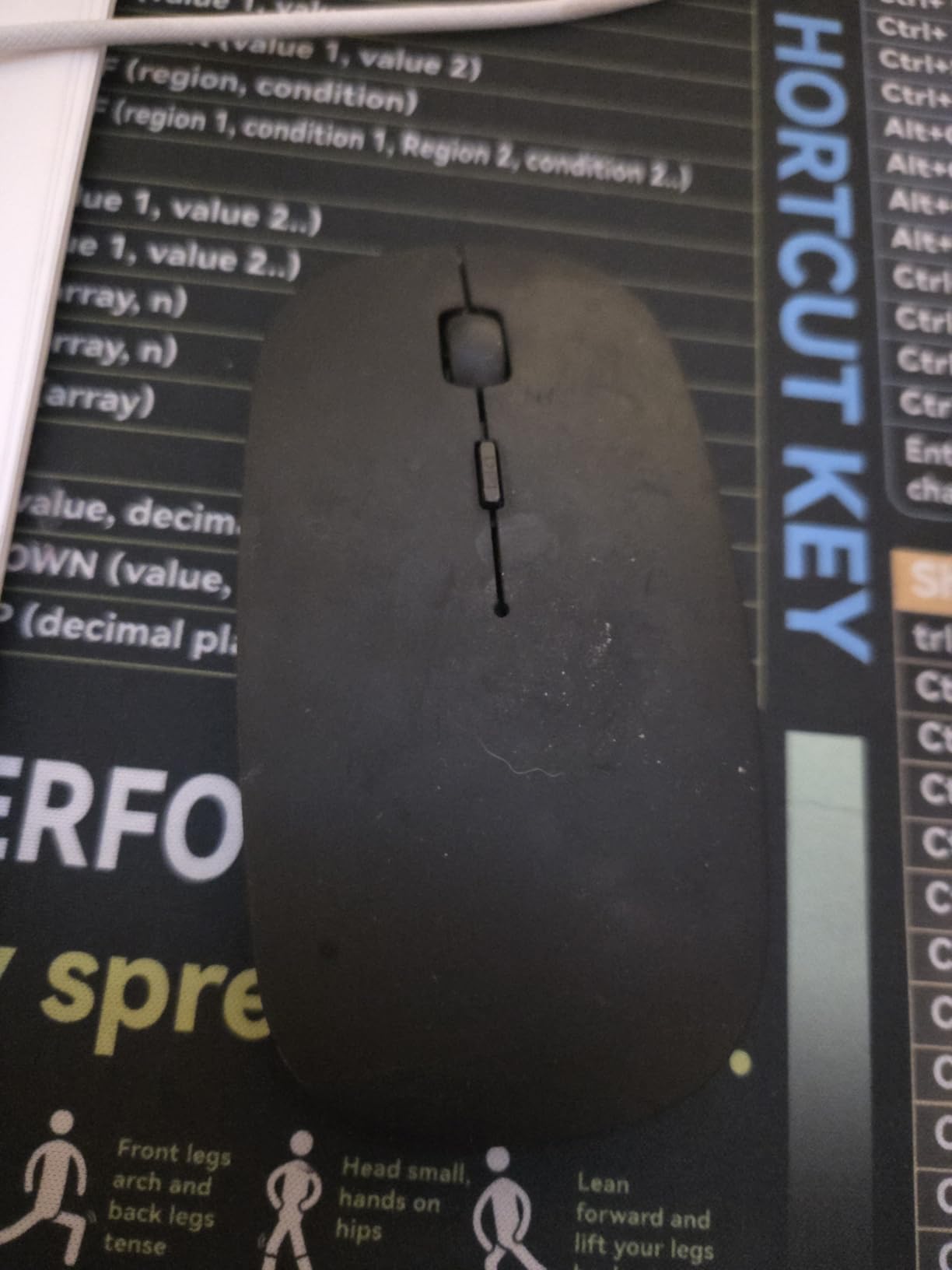
Connectivity covers Bluetooth 5.2, Bluetooth 3.0 and a 2.4 GHz receiver, which adds up to three devices with a single click to switch. DPI runs across six levels from 800 up to 4800, unusual at this price, and the clicks are claimed to be 90% quieter than a standard mouse.
Platform support is the broadest in the group: Windows, macOS, Android, Linux, iOS and ChromeOS, with a minimum OS version listed for Mac, Ubuntu, Windows 11 and ChromeOS.
Why the flat profile earns its place
When your work surface is a tray table, a lap or a picnic bench, a low body is a genuine advantage. There is no edge to catch on, and the ambidextrous shape works for either hand without adjustment.
It is a strong match for anyone moving between a laptop, a tablet and a phone, because the three-device switching includes Bluetooth rather than only a receiver.
Where the flat profile costs you
There is almost no palm support. Reviewers consistently describe it as a coffee-break or short-session mouse rather than an all-day one, and anyone with wrist fatigue should treat that as a warning rather than a detail.
The skin-touch anti-fingerprint coating on the black version still shows sweat marks over time, which looks scuffed after a long trip. The six DPI levels are also a gimmick for most office work, where you will stay on one setting and never touch the button again.
6. NYIEFADA Rotating Arc M9 – Best Tri-Mode Folding Pick for Three Devices
- Rotating arc body folds flat into a pocket
- Silent soft clicks for shared and public spaces
- Tri-mode covers two Bluetooth links plus 2.4 GHz
- Built-in rechargeable battery
- Slim shell with a carrying pouch included
- Heaviest at 120 g among folding travel mice
- 1-star ratings run high at about 11 percent
- Touch-style arc surface feels imprecise next to a physical wheel
- Glossy finish shows fingerprints
The M9 rotates through 360 degrees and snaps flat, which is a different mechanism from the hinge on the TECKNET and the Logitech. Flat, it is meant to sit in a pocket. Open, it gives you a slim arc body with soft silent clicks and a carrying pouch in the box.
Connectivity is the reason to look at it. It is tri-mode: Bluetooth 5.0, Bluetooth 4.0 and 2.4 GHz, so you can hold links to three different devices and hop between a work laptop, a personal laptop and a tablet without touching the laptop.
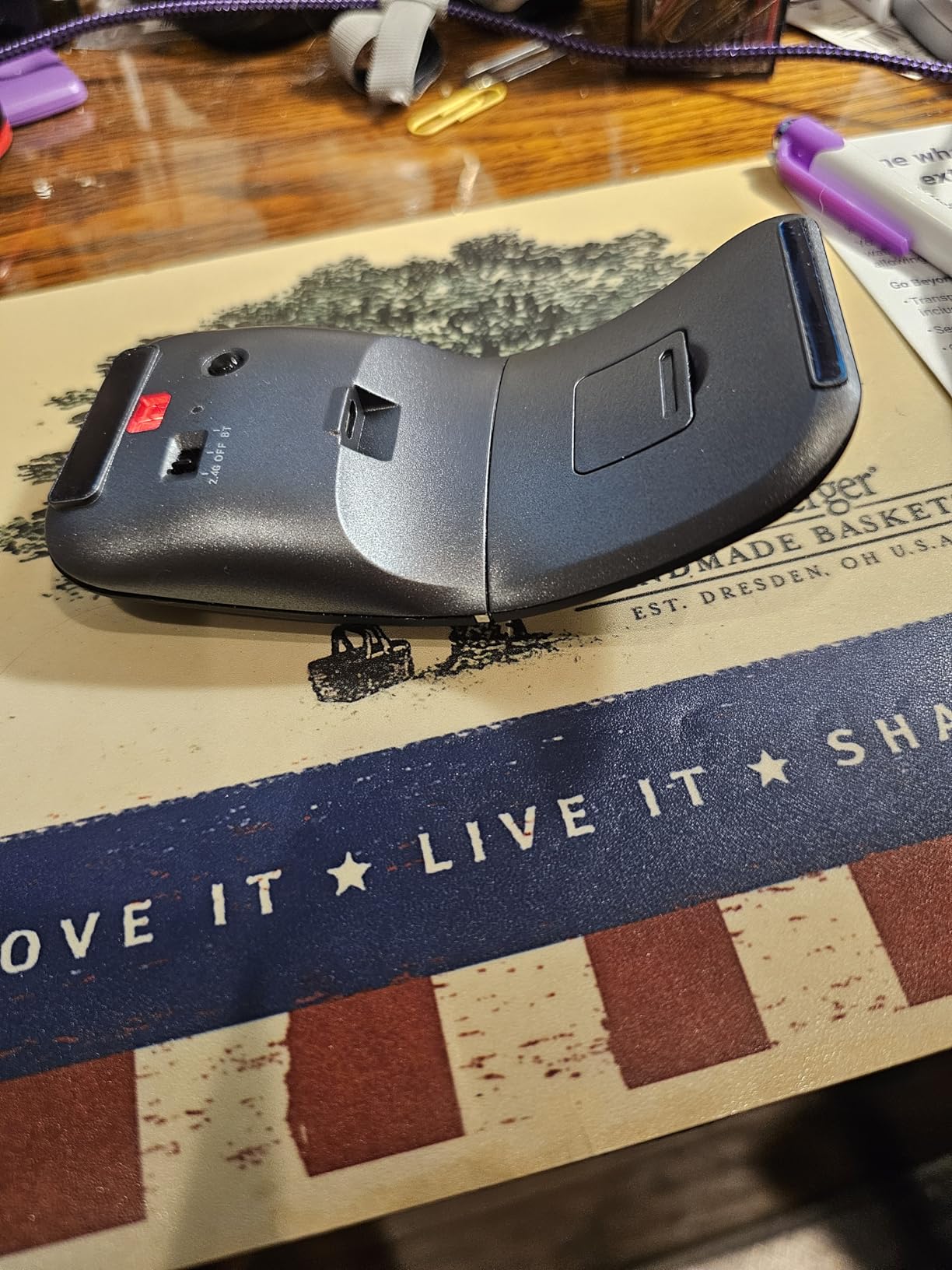
The rechargeable lithium-polymer battery runs about 60 hours on a charge, and auto power-off kicks in when the receiver disconnects or the computer shuts down. Platform coverage includes Windows 7 through 11, Linux and MacOS. The warranty is 12 months with a 30-day money-back window.
Silent clicking is the other draw. In a coworking space or a quiet train carriage this is one of the few picks here where you do not have to think about the noise.
Why the M9 makes sense for multi-device travelers
Three simultaneous links in a mouse this thin is unusual, and it is the feature digital nomad users ask for most often once they start carrying two laptops and a tablet. The rotating form also gives you a genuinely flat pocket profile that the arc-mouse rivals do not.
For anyone working in shared spaces, the soft click mechanism is a genuine upgrade over the mechanical switches on the cheaper picks.
Where the M9 lets you down
It is the heaviest folding mouse here at 120 g, which undoes much of the point of folding it flat. For a onebag traveler counting every gram, that is a hard trade.
Quality is inconsistent. One-star ratings account for about 11% of the review total, which points to a spread between units rather than an occasional isolated complaint. The touch-style arc surface also feels less precise than a physical wheel to anyone used to a detented one, and the glossy finish shows fingerprints the moment you handle it.
The rechargeable battery is also the shorter of the two on offer here, at roughly 60 hours against the 60-day figure the TECKNET slim claims. Budget for charging it every few days on a long trip.
What to Look For in a Travel Mouse?
Most buying guides list features. We think the decision comes down to four questions in order: how big is the bag, what ports does your laptop have, how long is the trip, and how long is your workday. Answer those and the shortlist is three or four mice wide.
Footprint, weight and packability
Weight in grams is the number that decides onebag travel, and this roundup spans from 1.83 ounces up to 120 g. Anything under 60 g disappears in a bag. Anything over 100 g needs its own pocket.
Shape matters as much as weight. Flat and ultra-thin bodies slide into a sleeve pocket. Hinged and rotating bodies fold down to that same footprint while staying full-size in use. Sculpted bodies such as the MX Anywhere 3S stay comfortable but only compress by being small already.
For sustained comfort at a desk, our ergonomic mouse guide covers why hand size matters more than shape category.
Connectivity: Bluetooth, 2.4 GHz receiver, or both
These are two different technologies and travelers need to know the difference. Bluetooth connects directly to the laptop with no receiver at all. A 2.4 GHz connection needs a USB nano receiver, which is more stable at short range but is a small object that can be lost.
Our default recommendation is Bluetooth if your laptop has it, because nothing can go missing. Choose 2.4 GHz if you are on an older machine or a crowded wireless environment.
Now the compatibility check that decides whether a receiver mouse is usable at all. USB-C-only laptops have no USB-A port, so any 2.4 GHz mouse needs an adapter, which means another dongle to carry. Check your ports before buying. Tablets and iPads generally take the Bluetooth path, which rules out the M187 and the TECKNET folding mouse entirely.
If you are packing a tripod or mount alongside the laptop, our portable mount picks share the same onebag logic.
Battery chemistry for trip length
Replaceable AAA or AA cells win for short trips and for anyone who cannot remember to charge. The M187 runs about six months on one AAA, and the TECKNET folding is claimed at up to 24 months on two.
Rechargeable USB-C wins for multi-week trips and for people who would rather not find batteries. The TK-MS058 is quoted at about 60 days per charge with a two-and-a-half-hour full charge, and the MX Anywhere 3S at up to 70 days with a one-minute quick charge that returns roughly a day of use.
The failure mode to know about is neither chemistry but auto-sleep. Budget mice without a physical power switch sleep after about five minutes and need a click to wake, which is disruptive on a call. A folding design that powers off when closed avoids the problem entirely.
Surface tracking, glass and tray tables
A standard optical sensor needs a lightly textured opaque surface. That covers most hotel desks and laminate cafe tables, and it also covers the textured plastic of an airplane tray table. It fails on glass and glossy surfaces.
A Darkfield-class sensor is what tracks on glass. In this roundup the 8000 DPI sensor in the MX Anywhere 3S is the one that copes with a glass table. Every other pick here is happy on matte surfaces and unreliable on a glossy one.
If your work surface is genuinely unpredictable, treat glass tracking as a requirement rather than a nice-to-have. If you mostly work on laminate, it is a spec you can safely ignore.
Silent clicks and hand size
Silent clicking matters in coworking spaces, libraries, quiet lounges and on a night flight. Switch damping is the usual mechanism, and the TK-MS058 carries a 90% noise reduction claim while the Mobi Fold is described by owners as very quiet.
Hand size is the criterion roundups usually skip and buyers notice fastest. A very small body such as the M187 at 1.25 by 1.94 inches will cramp larger hands after an hour. A flat low profile such as the TK-MS058 gives almost no palm support. Ambidextrous shells work for either hand but rarely fit either perfectly.
Rough rule: palm grip and medium hands suit the MX Anywhere 3S and the Mobi Fold, fingertip and small hands suit the smaller bodies, and anything flat should be treated as a short-session device.
Multi-device pairing
If you carry more than one machine, pairing count is worth paying for. The MX Anywhere 3S, the Mobi Fold, the TK-MS058 and the M9 all hold three device links. Two of them get there over Bluetooth alone.
Check where the switch control sits before buying. The Mobi Fold puts it underneath the shell, which is awkward in practice, while the others place it on top where a thumb finds it.
The lost-dongle problem
The most common travel complaint about 2.4 GHz mice is that the receiver ends up somewhere other than where the mouse is. Four mice here solve it by storing the receiver in the body: the M187 and the TECKNET folding mouse hide it, and the Mobi Fold keeps dongles optional because it runs on Bluetooth.
If you must carry a receiver separately, keep it in the same pouch as the charging cable rather than loose in a side pocket.
Frequently Asked Questions
What is the best mouse for traveling?
The Logitech MX Anywhere 3S is the best all-round travel mouse we tested. It weighs 7.04 ounces, tracks on glass thanks to an 8000 DPI sensor, switches among three devices over Bluetooth with no dongle to lose, and runs up to 70 days on one USB-C charge. For a pocket-only backup, the 1.83 oz Logitech M187 is the alternative.
What is the best Bluetooth mouse for travel?
Among Bluetooth-only options the Logitech MX Anywhere 3S leads on sensor resolution and battery, holding up to 70 days per charge and pairing with three devices. The Logitech Mobi Fold is the folding Bluetooth option, powering on when you unfold it and off when you fold it. The TECKNET TK-MS058 goes thinner still at under an inch.
Are wireless mice allowed on planes?
Yes. Wireless mice carry no restriction beyond the normal rules for the batteries inside them. Standard AA and AAA cells are permitted in both carry-on and checked bags. A built-in lithium-polymer battery travels in carry-on only, so keep a USB-C rechargeable mouse in the cabin. Switch the mouse off, or at least stop using it, during takeoff and landing.
Is there a difference between a wireless mouse and a Bluetooth mouse?
A wireless mouse is the broad category, and it connects either over 2.4 GHz through a USB receiver or over Bluetooth. A Bluetooth mouse is one specific kind of wireless mouse that pairs directly with the laptop and needs no receiver. That is why Bluetooth models are the better travel choice: there is no small part that can be separated and lost.
Which is better, a Bluetooth mouse or a wireless mouse for travel?
For travel, Bluetooth is better in most cases because it removes the lost-nano-receiver problem entirely and works on USB-C-only laptops with no adapter. A 2.4 GHz receiver is still worth choosing on an older laptop or in a crowded wireless environment where you want a rock-solid short-range link. Whichever you pick, a design that stores the receiver in its body gives you the best of both.
Will a wireless mouse work on an airplane tray table?
Yes, every mouse in this roundup works on a tray table. Tray tables have a lightly textured plastic surface, which suits standard optical sensors well. The only real concern is space: a very small mouse gives you room to move, while a full-size sculpted mouse like the MX Anywhere 3S is more comfortable but needs a little more table. Pair it with Bluetooth and you are set before boarding.
Do travel mice work on glass?
Only if the sensor is built for it. Standard optical sensors need a textured opaque surface and will stutter or stop on glass. The Logitech MX Anywhere 3S is the pick in this group that tracks reliably on glass and other glossy surfaces. The other mice here are designed for matte surfaces like laminate desks and tray tables.
How do I choose a travel mouse?
Work through four questions in order. How small is your bag, since that decides grams and folded versus full-size. What ports does your laptop have, since USB-C-only machines need an adapter for a 2.4 GHz receiver. How long is the trip, since that decides replaceable cells versus USB-C rechargeable. And how long is your workday, since flat profiles suit short sessions and sculpted shapes suit long ones.
How do I clean a travel mouse after a trip?
Unplug it and turn it off first. Wipe the shell and the sensor lens with a microfiber cloth lightly dampened with isopropyl alcohol, taking care not to let liquid into the button gaps. Roll the scroll wheel between a clean dry finger to clear packed dust. For a foldable model, open the hinge and wipe inside it, where grime collects fastest after weeks in a bag. Let everything dry before you reconnect it.
Final Verdict: The Best Travel Mouse for Your Trip
The Logitech MX Anywhere 3S wins this roundup because it is the only mouse here that handles glass, a full workday and three devices without a receiver. If you need one answer, that is it.
If you are a onebag minimalist who works in short bursts, take the 1.83 oz M187 and accept the 1000 DPI limit. If you are a coworking regular who wants silence and a mechanical power-off, the Mobi Fold folding mechanism is the one that makes sense. If you move between two laptops and a tablet and want a genuinely flat profile, the tri-mode M9 covers all three connections.
Whichever you pick, check your laptop ports before you book, and check the charging state the night before you fly. Use the buttons below to see the current details for each mouse in this 2026 guide.