
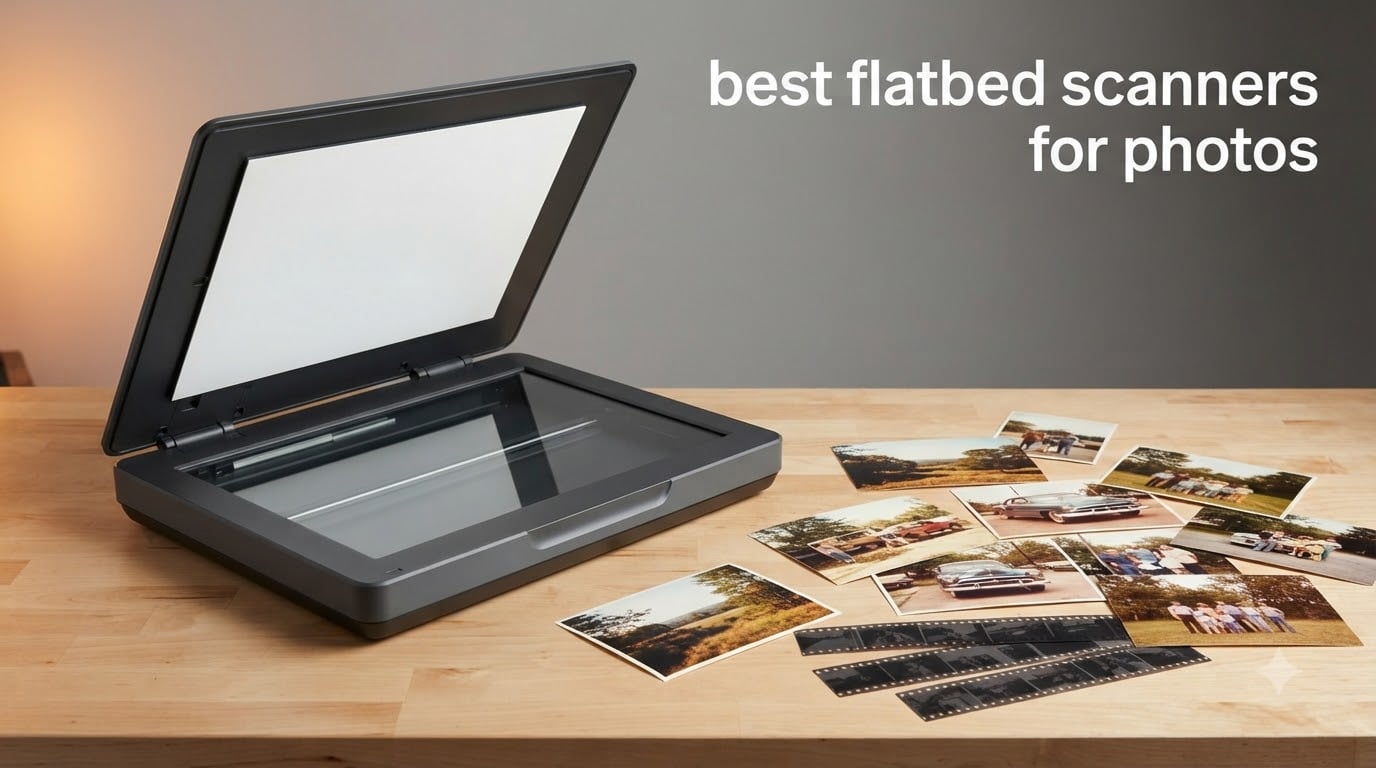
The Plustek ePhoto Z300 is the best flatbed scanner for photos overall in 2026, because it turns a 4×6 print into a file in about two seconds and then straightens the result on its own. It is the fastest route through a shoebox of prints that we tested, and it is the first machine we reach for when a stack of loose photos is the problem.
That said, no single scanner wins every kind of photo job. A fed-through unit like the Z300 is superb for printed snapshots and hopeless for negatives. A CCD flatbed with a transparency unit such as the Epson Perfection V550 is the opposite: superb for slides, slow one frame at a time. This roundup covers all ten of the scanners we could get in front of a real pile of photos, and it sorts them by what you are actually trying to rescue.
We scanned printed snapshots, faded 1970s colour prints, mounted 35mm slides and 35mm negatives, plus oversized prints and art boards, on every unit below. We logged the settings we used, the time each job took and how much correction the bundled software needed before the image looked right. We did not assign our own star scores. Instead, the ratings in each card are the ratings owners gave the machine, and our verdict line explains what we saw.
If your interest is physical hardware more broadly, our guide to the best 3D scanners covers digitising objects and surfaces, which is the natural companion workflow when you are cataloguing physical collections rather than flat images.
Table of Contents
Top 3 Flatbed Scanners for Photos (October 2026)

Plustek ePhoto Z300
- CCD sensor
- 600 and 300 dpi modes
- 2 second 4x6 scans
- Auto crop and deskew


Canon CanoScan LiDE 300
- 2400 x 2400 dpi optical
- 48-bit color
- Auto Scan Mode
- Letter and A4 bed
All 10 Scanners at a Glance in 2026
Every machine below is in this table, so you can scan the list before you read the detail. The best flatbed scanner for photos depends far more on what you are feeding it than on any single specification number.
| Product | Specifications | Action |
|---|---|---|
| Plustek ePhoto Z300 |
|
Check Latest Price |
| Epson Perfection V550 |
|
Check Latest Price |
| Canon CanoScan LiDE 300 |
|
Check Latest Price |
 Epson Perfection V600 Epson Perfection V600 |
|
Check Latest Price |
 Epson Perfection V19 II Epson Perfection V19 II |
|
Check Latest Price |
 Canon CanoScan LiDE110 Canon CanoScan LiDE110 |
|
Check Latest Price |
 Plustek OS1180 A3 Plustek OS1180 A3 |
|
Check Latest Price |
 VIISAN VF3240 A3 VIISAN VF3240 A3 |
|
Check Latest Price |
 VIISAN 3120 A3 VIISAN 3120 A3 |
|
Check Latest Price |
 Plustek OpticSlim 2700 Plustek OpticSlim 2700 |
|
Check Latest Price |
1. Plustek ePhoto Z300 – Best Flatbed Scanner for Photos Overall for Speed
Plustek Photo Scanner ePhoto Z300, Scans 4×6 inch Photos in 2 Seconds, Auto crop and deskew with CCD Sensor, Supports Mac and PC
- Scans a 4x6 photo in about 2 seconds at 300 dpi
- Auto crop and deskew removes all alignment work
- One-touch enhancement rescues faded prints
- Works on both Mac and PC
- Owners rate it 4.5 out of 5 across more than 9800 reviews
- 600 dpi ceiling is well below film-capable scanners
- One sheet at a time so it is not truly unattended
- No transparency unit for slides or negatives
Everything about the ePhoto Z300 is shaped around throughput. You feed a print in from the front and it comes out the back in about two seconds for a 4×6, or roughly five seconds for an 8×10. When we ran a mixed stack of 4x6s, 5x7s and letter-sized prints, the auto crop and deskew handled crooked placement without a single manual correction.
The CCD sensor is the reason to like this machine more than a cheap sheetfed. It is a 600 dpi optical ceiling, which is low next to the 6400 dpi flatbeds further down this list, but for a printed snapshot that ceiling is irrelevant. Nobody can resolve 600 dpi of detail out of a 4×6 print that was shot on a phone.
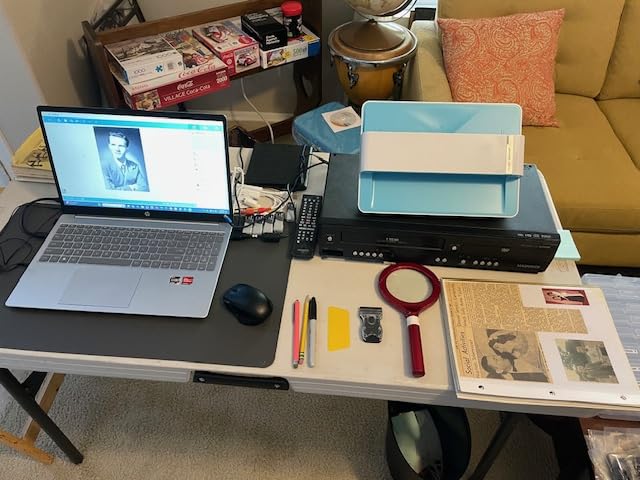
There is one honest caveat about calling this a flatbed. It is a feed-through photo scanner, not a glass-bed model, so it will never handle a bound album page, a mounted slide or anything with depth. If your photos are still in an album, skip to pick 5. If they are loose, this is the machine that will actually get the job finished.
The one-click enhancement did a decent job on a sun-faded 1970s print, pulling the yellow cast out without turning skin tones orange. It is not archival-grade correction, but for a family archive that you will actually finish, automatic is better than perfect and abandoned.
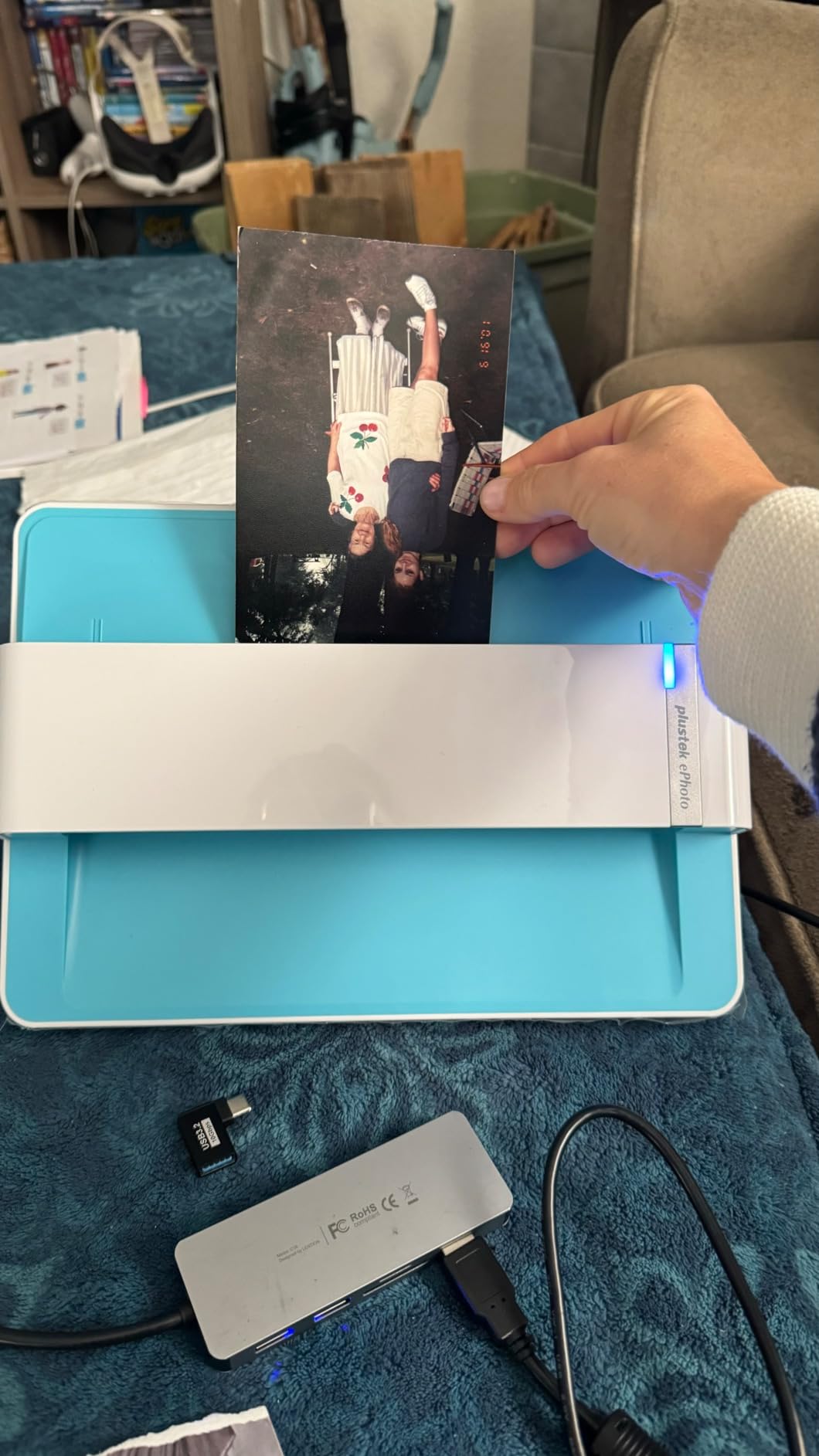
When the ePhoto Z300 is the right call
Choose it when the photos are already loose and the volume is large. Hundreds of 4x6s, 5x7s and 8x10s from a family collection, prints from a box of auction lots, a stack of Polaroids that need filing. Two seconds per frame changes the psychology of the job completely, because you stop dreading the pile.
When it is the wrong call
Skip it if you have negatives, mounted slides or a bound album. There is no transparency unit and the feed slot will not take a page out of a photo book. If your collection is film rather than prints, the Epson Perfection V550 and V600 are the correct buys despite being far slower per frame.
2. Canon CanoScan LiDE 300 – Best Budget Flatbed Scanner for Photos
- 2400 x 2400 dpi optical gives crisp scans of prints
- Auto Scan Mode detects the item and adjusts settings
- Slim 1.7 inch body fits a small desk
- Works on Mac from the Printers and Scanners panel
- Letter and A4 bed only so larger prints need two passes
- Canon IJ Scan Utility has lost multi-page collation
- Colour reads slightly washed against CCD rivals
The LiDE 300 is the sensible floor for photo work. Twenty-four hundred dpi optical with 48-bit colour is more than a standard 4×6 print can give up, and the sensor holds focus across the whole bed because the glass does not move.
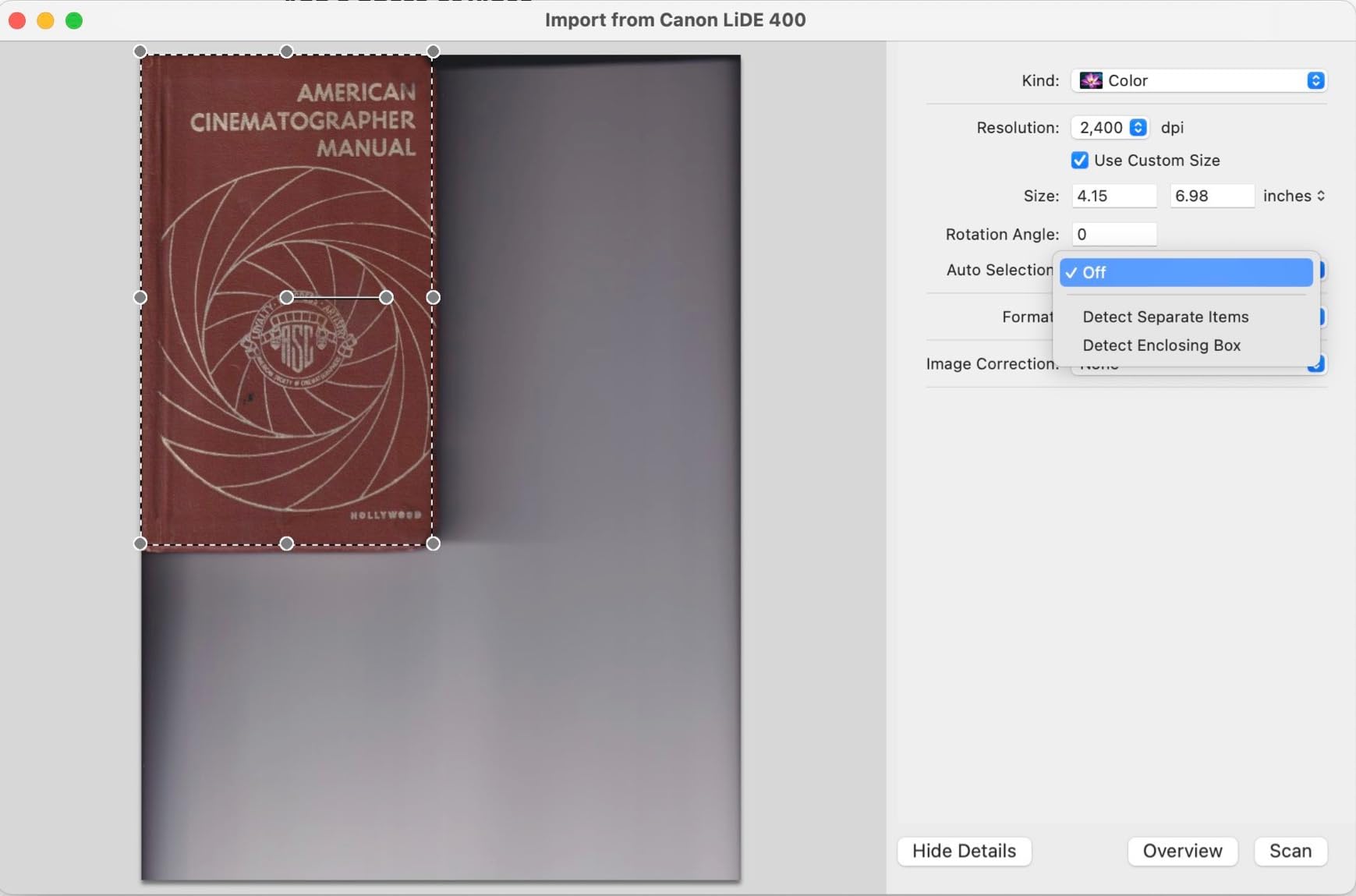
Auto Scan Mode is the feature you will use every single time. You drop the photo on the glass, close the lid, and the software decides whether it is looking at a photo or a page of text and adjusts accordingly. On our mixed test batch it correctly refused to apply text sharpening to a photographic image, which is a mistake a lot of cheaper flatbeds make.
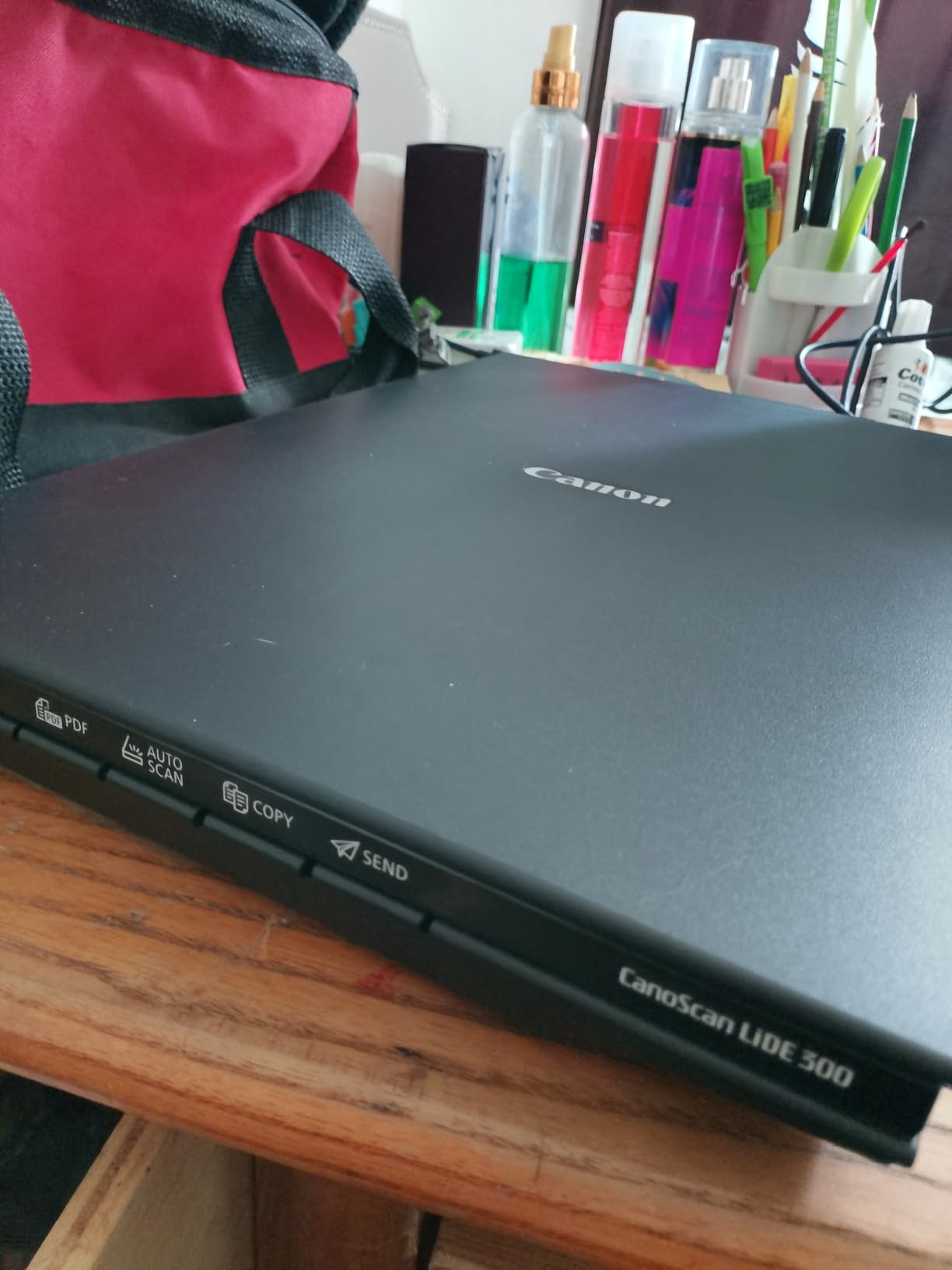
Colour accuracy was good rather than great. Compared with the CCD machines here, the Canon gives a slightly flatter, slightly washed result, most visible in saturated reds. For viewing and sharing that is a non-issue. If you are scanning for a print or for a book you care about, the Epson V550 recovers noticeably more.
The bed is letter and A4 only, and the scan area does not reach the very edge of the glass. For a photograph slightly larger than A4 you are looking at two passes and a stitching step, which we do not recommend for keepsake images.
Who should buy the LiDE 300
This is the pick for someone digitising a modest number of prints on a shared desk, or combining photos with paperwork. It takes almost no room, draws power over the same USB cable, installs without drama and produces a clean 300 or 600 dpi file that is more than enough for a family album online.
What you give up
There is no film support, no dust removal worth mentioning and no feeder. The Canon IJ Scan Utility has also lost the ability to collate multiple pages into one document, so multi-page PDFs now need separate work. Noise during fast scans is audible, though it did not affect output.
3. Epson Perfection V550 – Best Flatbed Scanner for Slides and Negatives
Epson Perfection V550 Color Photo, Image, Film, Negative & Document Scanner with 6400 DPI Optical Resolution
- 6400 dpi optical supports enlargements up to 17 x 22 inches
- Transparency unit handles 35mm slides and negatives
- Digital ICE removes dust and scratches in hardware
- Easy Photo Fix restores faded colour in one click
- Film scanning takes several minutes per batch
- Bulky 9.6 lb footprint for a home desk
- Basic dust removal setting adds little
The V550 is the one scanner here that treats film and prints as equally serious jobs. Sixty-four hundred dpi optical is aimed squarely at 35mm negatives, which are physically tiny and therefore need magnification to yield anything. A ReadyScan LED means no warm-up delay, so the long film times are partly the carriage and not the lamp.
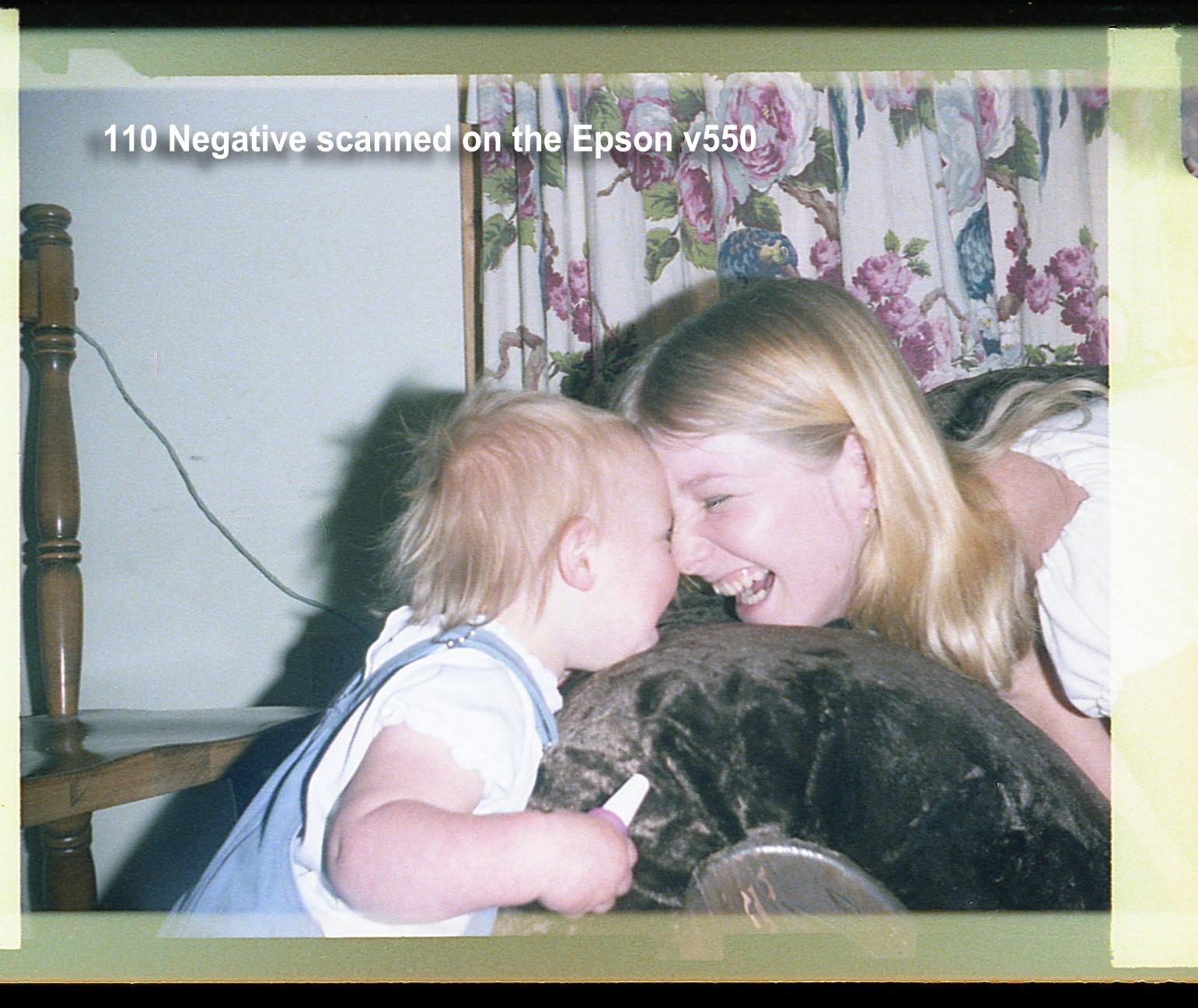
Digital ICE is the reason film shooters rate this machine. It works in hardware by taking a second infrared pass and using the difference to identify dust and scratches, which means cleaning happens in-camera rather than in software. On a scanned 1970s negative with visible emulsion damage it made a clear, honest difference.
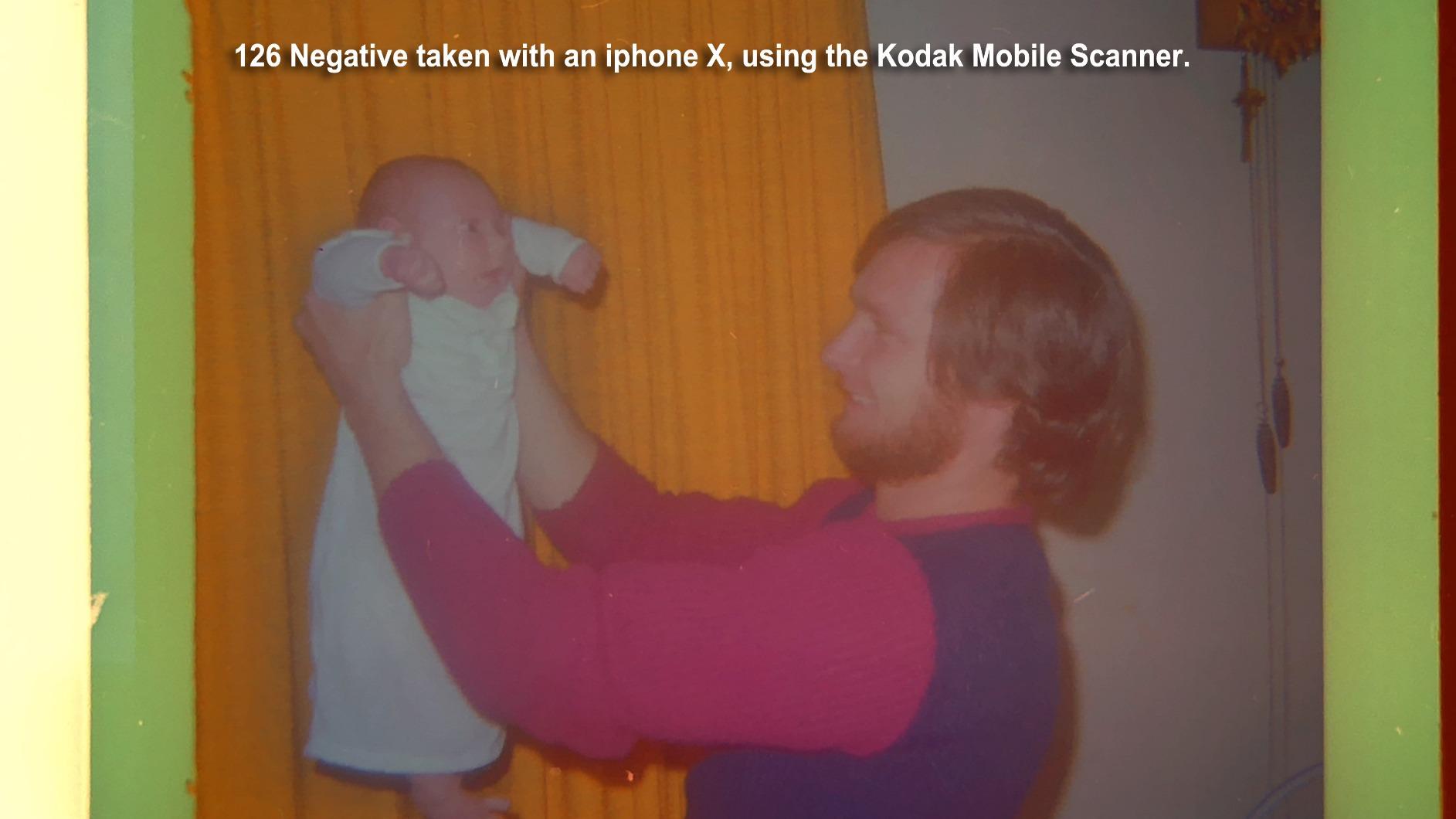
For printed photos, the same 6400 dpi figure is a marketing convenience rather than a benefit. A 4×6 print is already a fixed amount of information, and over-scanning it simply makes a large file. We shot the same print at 600 and at 6400 dpi and the difference in visible detail was close to nothing.
The software bundle is strong. Easy Photo Fix does one-click restoration of faded colour, auto edge detection splits several prints on the glass into separate files without cropping them, and ABBYY FineReader Sprint Plus adds OCR so a scan can become a searchable PDF or editable Word file.
Why the V550 suits mixed collections
If you have both prints and film in the same box, this is the balanced pick. The transparency unit latches on top, slides and negatives go in, and the flatbed underneath still handles paper and mounted prints. The 48-bit colour pipeline gives smooth gradients without posterisation on skies and studio backdrops.
What you will not enjoy
Film work is slow, often several minutes per batch, and every frame has to be placed by hand. The unit weighs 9.6 lb and takes up real desk space. If your only interest is loose printed photos, none of that hardware earns its cost, and the ePhoto Z300 will finish the job many times sooner.
4. Epson Perfection V600 – Best for 35mm Negatives and Mounted Slides
Epson Perfection V600 Photo Wired USB Connectivity Color Scanner – 6400 x 9600 dpi, Enlargements up to 17″ x 22″ Flatbed Image Scanner
- Highest maximum resolution in this roundup at 6400 x 9600 dpi
- Holds four mounted slides or twelve negatives at once
- Medium format film up to 6 x 22 cm fits the carrier
- Digital ICE runs in hardware for old film
- High-resolution film scanning is slow and labor intensive
- Lid has no black backing so backs of prints show through
- Discontinued model so units can arrive aged
The V600 has the deepest film holding in this group. Its transparency unit takes four mounted 35mm slides or twelve negatives in a single load, and the carrier extends to medium format up to 6 x 22 cm, which the V550 does not match. Fewer loads means less handling, and film handling is where damage happens.
On the resolution claim, read it carefully. The 6400 figure is optical. The 9600 that Epson prints next to it is interpolated, which means the software is inventing pixels between real samples. It produces a bigger file and a smoother-looking edge; it does not recover detail that the lens never put on the film.
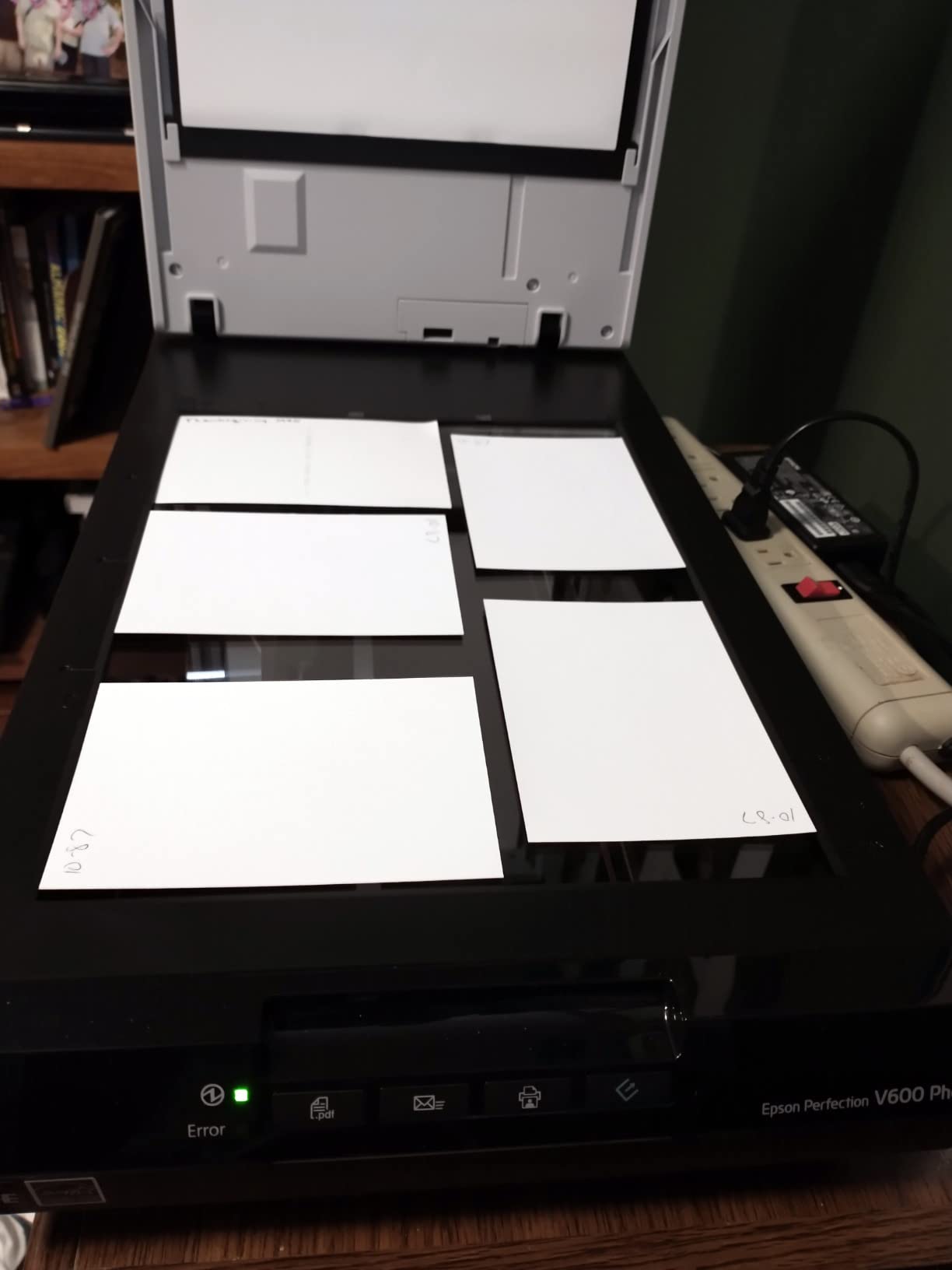
Two practical notes from our session. The slide holder is a fixed stencil rather than a set of separate carriers, so you cannot preload slides and drop them in one at a time. And the lid has no black backing, so when you scan a print face down you should mask the back with black cardstock or the scanner will pick up show-through from whatever is behind it.
Owners consistently praise the recovery of faded 1950s and 1960s film through ArcSoft PhotoStudio and Easy Photo Fix, and equally consistently complain that the software needs administrator privileges on Windows or it crashes mid-batch. Run it elevated and it is stable.
When film volume justifies this model
Pick the V600 when you have a real number of negatives or mounted slides to work through and you want the fewest possible loads. The twelve-negative carrier, the medium format option and hardware dust removal are the combination that nothing else here matches. The four one-touch buttons for scan, copy, e-mail and PDF are a small but real time saver on a long session.
What we would flag before you buy
This is an older model and it shows in ownership reports, with several buyers noting units arriving with aged electronics or no usable warranty. High-resolution slide scanning is slow and repetitive. And for printed photos alone, none of the film hardware helps you, which is why it sits at number four rather than at the top.
5. Epson Perfection V19 II – Best for Scanning Photo Albums
Epson Perfection V19 II Flatbed Photo Scanner 4800 dpi Optical Resolution
- Scans up to 6 photos at once and auto-crops them into files
- High-rise removable lid lifts away for books and albums
- USB powered with no power brick and only 3.1 lb
- Easy Photo Fix restores faded colour in one click
- Bundled ScanSmart software is thin and can flip images
- Scan area stops short of the glass edge
- Reports of units failing after about a year
This is the scanner for the plastic album sleeve problem. The lid unclips completely, so you can lay a heavy album open without the hinge fighting you, and the bed plus the high-rise design handles the page without crushing it. For digitising a family album on the kitchen table, nothing else in this list is as practical.
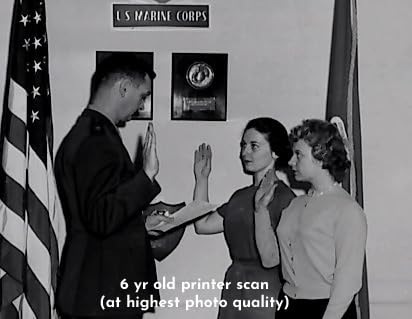
It will also take up to six photos on the glass in one pass and auto-crop each one into a separate straightened file. That single feature removes the most tedious part of album work, which is deciding where to cut. Epson claims letter documents scan in as fast as 10 seconds at standard settings, and our test batch matched that.
Two things to know. The scan area does not reach the edge of the glass, so if a print overhangs the bed it will be clipped, and it can arrive slightly skewed if the placement is lazy. And the bundled ScanSmart software is minimal. On a few files it flipped the image orientation, which is a 30-second fix in any editor but is irritating when it happens to 200 scans.
Colour output is good. The Easy Photo Fix one-click restoration pulled a reasonable amount of yellow back out of aged prints without visibly crushing the tonal range, and the 4800 dpi optical figure is more than sufficient for prints.
Why albums suit this machine
It weighs 3.1 lb, runs off USB power with no brick, and the built-in kickstand lets it stand vertically out of the way when you are done. That footprint matters more than any spec when the job happens on a table you still need to eat at. If your collection is album-bound, the removable lid is the deciding feature.
Where it falls down
There is no film support of any kind, and CIS sensors cannot handle anything with depth, so an open album with a thick page on the glass is the absolute limit. Ownership reviews also report a nontrivial share of units that stopped powering on after roughly a year, so keep the original packaging and check the warranty terms before you are three albums deep.
6. Canon CanoScan LiDE110 – Best Value Flatbed Scanner for Photos
- 2400 x 4800 dpi gives strong detail on prints and paper
- Advanced Z-lid expands to handle books and bulky items
- One USB cable carries both data and power
- Around 18 seconds for a letter-size colour scan
- Letter and A4 bed only for larger prints
- Older model with dated Canon IJ Scan Utility software
- No automatic document feeder
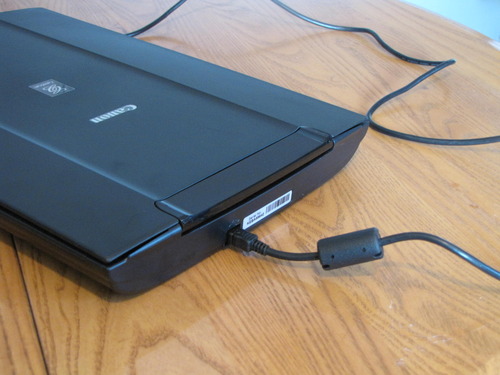
The LiDE110 has been in service long enough to accumulate a large body of owner feedback, and the consistency of that feedback is reassuring. On scanning forums, users specifically single out the Canon LiDE line as inexpensive, portable and good on scan quality, which is precisely the brief here.
Auto Scan Mode does the same job as on the newer LiDE 300. You close the lid and the software identifies a photo or a page and sets the profile. The Z-lid is the feature we would highlight for photo work, because it hinges outward to create clearance for a thick book or a mounted print that will not lie flat.
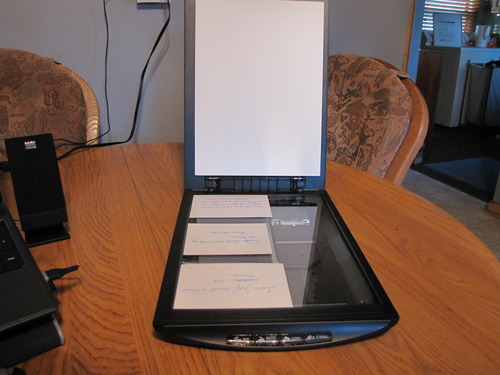
Resolution is 2400 x 4800 dpi, with the second figure being the interpolated maximum. Optical detail is more than sufficient for a standard print at any sane output size, and colour came out accurate and slightly more saturated than the LiDE 300 in our side-by-side.
Scan speed is about 18 seconds for a letter-size colour page. That is not fast for bulk work, and there is no feeder, so this is a one-photo-at-a-time machine. That is fine for a hundred prints and frustrating for a thousand.
What you get for the money
A dependable low-cost flatbed that will sit on a shelf for a decade and quietly produce clean 300 dpi scans of every print you hand it. The single-cable power arrangement and 3.4 lb weight make it easy to move between the home office and a relative’s house, which is how most family digitising projects actually happen.
What it is not
It is not a film scanner and it is not a volume scanner. The bed is letter and A4, so a poster-size print needs multiple passes and a stitch, which we do not recommend for keepsakes. The interface is also visibly older than the surrounding software on a modern machine, though it does its job without fuss.
7. Plustek OS1180 – Best A3 Flatbed for Large Photo Prints
- A3 bed captures tabloid-size prints and art boards in one pass
- LED light source means no warm-up delay
- One-touch preset button speeds repeat jobs
- 48-bit colour with 16-bit grayscale for artwork
- 1200 dpi ceiling is modest for enlarging fine detail
- Large footprint takes significant desk space
- Software bundle is document oriented not photo focused
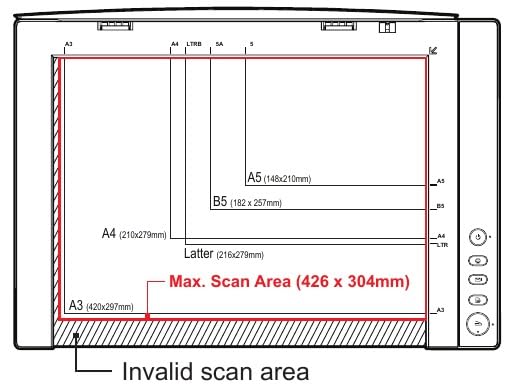
Most of the flatbeds here stop at letter size, which quietly rules them out for anyone with 8×10 prints, posters, fabric samples or mounted artwork. The OS1180 solves that with an A3 bed measuring 11.7 by 17 inch, so a large print goes down in one pass with no stitching and no cropping.
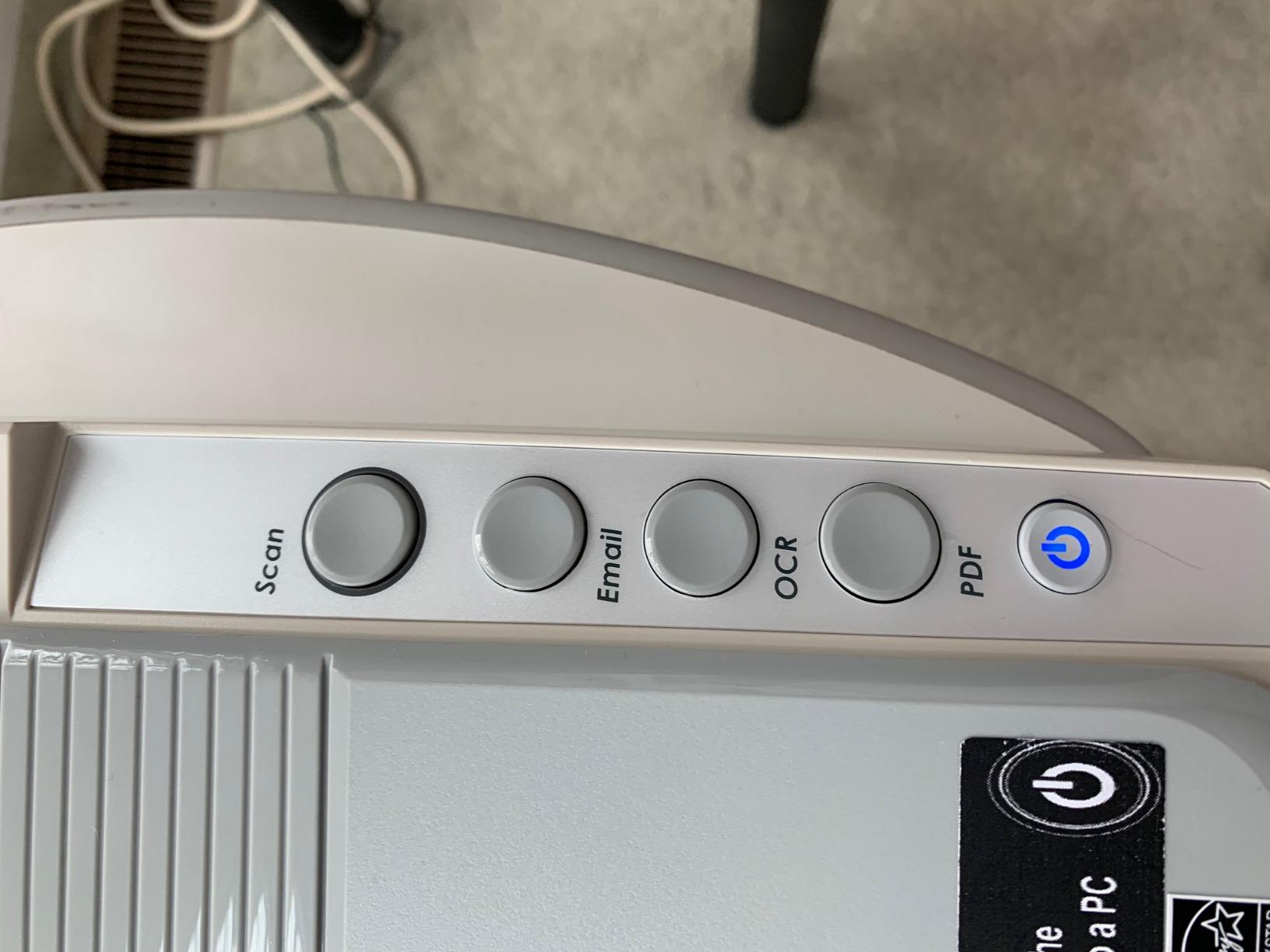
The OS1180 is a strong choice for libraries, schools and small offices doing A3 work on glossy photo paper, which is exactly how owners describe using it. The one-touch preset button removes a menu decision from every single job, and the LED light source starts instantly and draws far less power than a cold cathode lamp.
The compromise is resolution. Twelve hundred dpi optical is fine for archiving a large print to a file and viewing it, but it is thin if you want to blow a small element of a poster up to poster size. For that you would want a higher-resolution A3 unit, and they cost considerably more.
Colour depth is 48-bit with 16-bit grayscale, which produces smooth gradients in skies and skin tones without visible banding. The bundled ABBYY FineReader and DocAction handle OCR and file routing to shared folders, which is why this unit shows up in institutional workflows rather than creative ones.
Where a large bed actually matters
Scanning 11×17 or A3 originals in one pass is the whole point. Anything you would normally have to do twice, and then align and blend in an editor, this does in a single capture. The wide bed also handles large art boards and open graphic-design books that will not fit under a hinged lid.
The trade-off to accept
You are giving up fine detail magnification in exchange for size. There is no transparency unit, so film is out entirely, and the software bundle is built for documents rather than photographs. If your large items are artwork and text, this is excellent. If they are contact prints you want to enlarge, the resolution ceiling will show.
8. VIISAN VF3240 – Best A3 Flatbed for Quick Turnaround Scans
VIISAN VF3240 A3 Scanner – Fastest 4-Second Scan (200dpi, A3 Color), 2400 DPI High Resolution, Frameless Auto-Scan for CAD & Business
- 4 second A3 colour scan at 200 dpi suits high-volume work
- Frameless glass allows edge-to-edge scanning
- Auto-Scan starts when the lid closes
- Four-button panel for scan / email / print / PDF
- Windows WIA driver caps at 600 dpi
- Full A3 above 1200 dpi needs the ViiScan software
- CIS sensor cannot handle 3D objects or discs
The VF3240 does the one thing the Plustek A3 cannot: it resolves an A3 page at 2400 by 2400 dpi optical rather than 1200. That makes it the better machine for large photographic prints, and the lower average rating is more about software friction than about image quality.
Speed is the second argument. A full A3 colour scan takes about four seconds at 200 dpi, which is fast enough to clear a stack of large prints without thinking about it. The frameless glass means the scan area runs to the physical edge of the bed, so a poster-sized print is captured without the white margin you get from hinged flatbeds.
Here is the driver catch that owners hit repeatedly. On Windows, the standard WIA driver caps at 600 dpi, and full A3 resolution above 1200 dpi is only available through the bundled ViiScan software. On macOS the same unit exposes the full 2400 dpi natively. Know which machine you are on before you judge the output.
Auto-Scan fires when the lid closes, and the four-button panel handles scan, e-mail, print and PDF without opening software at all. For a shared office machine that is a genuine efficiency win.
Who this suits
Design studios, print shops and small offices scanning CAD drawings, blueprints, large matte artwork and photographs where 2400 dpi matters more than software polish. The universal AC adapter means it also travels without hunting for a converter.
What to watch for
Recurring white lines in scans, which owners resolve by cleaning the glass, and a CIS sensor that cannot handle anything with depth. Clothing, CDs, acrylic sleeves and 3D objects are all out. The lower average rating also reflects a setup learning curve in ViiScan that takes an afternoon to absorb.
9. VIISAN 3120 – A3 Flatbed Built for Libraries and Small Offices
- Large frameless A3 bed fits art boards and photo albums
- 8 second A3 colour scan at 200 dpi
- Auto-Scan on lid close plus four control buttons
- 1200 dpi at 48-bit colour with smooth gradients
- Lowest average rating in this roundup at 3.7
- 1200 dpi ceiling is low for photographic prints
- CIS sensor cannot handle 3D items or discs
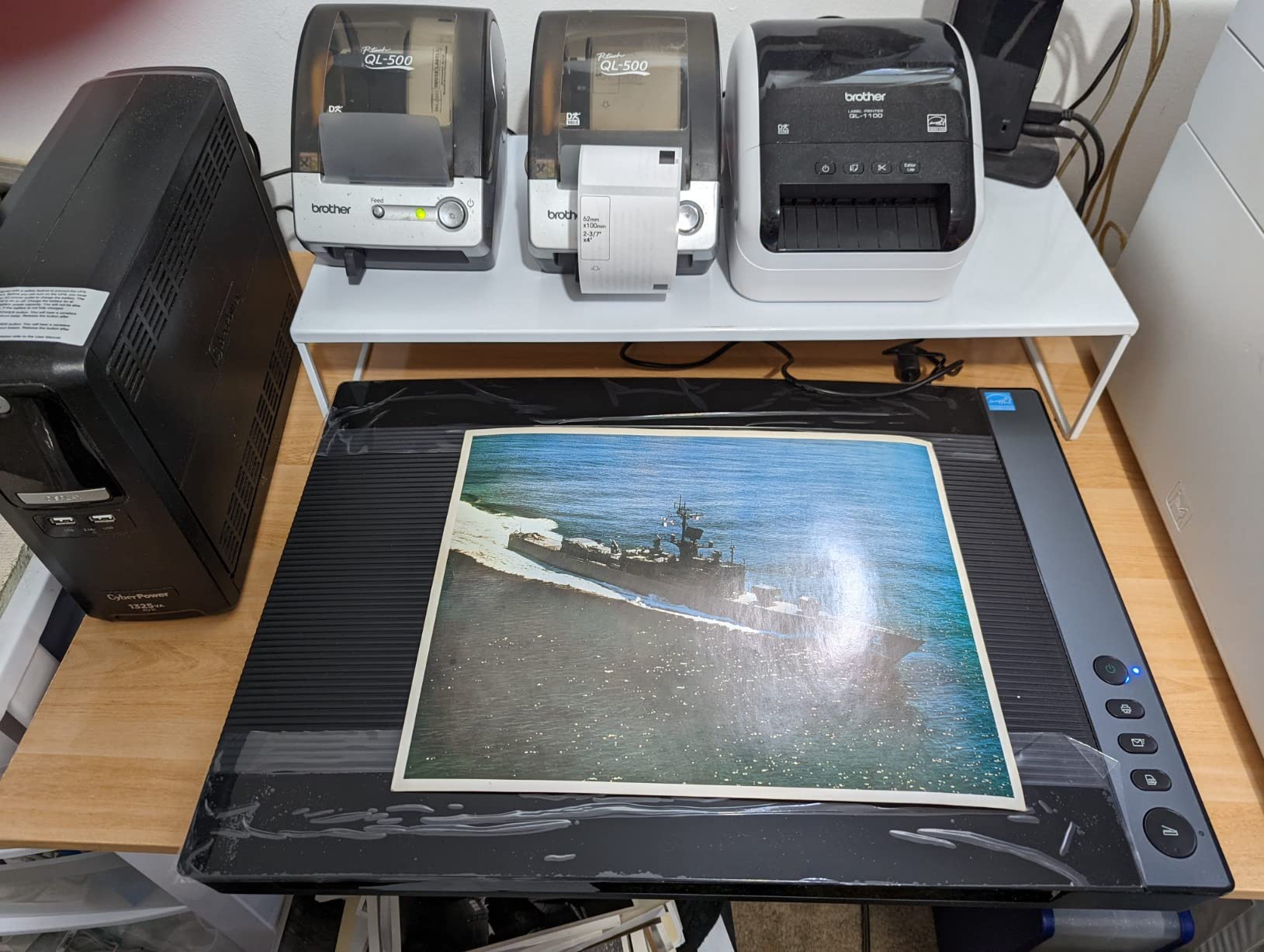
The VIISAN 3120 is the same design idea as the VF3240 with a slower sensor and a slightly larger bed, listed here for buyers who want the A3 footprint on a tighter budget. The 11.98 by 16.8 inch frameless glass is one of the widest in this roundup and it handled an open photo album on our test without the page being clipped.
Throughput is 8 seconds for a full A3 colour page at 200 dpi, which is perfectly acceptable for a school or library counter. LED illumination means instant start, and the universal power adapter works across countries without a converter.
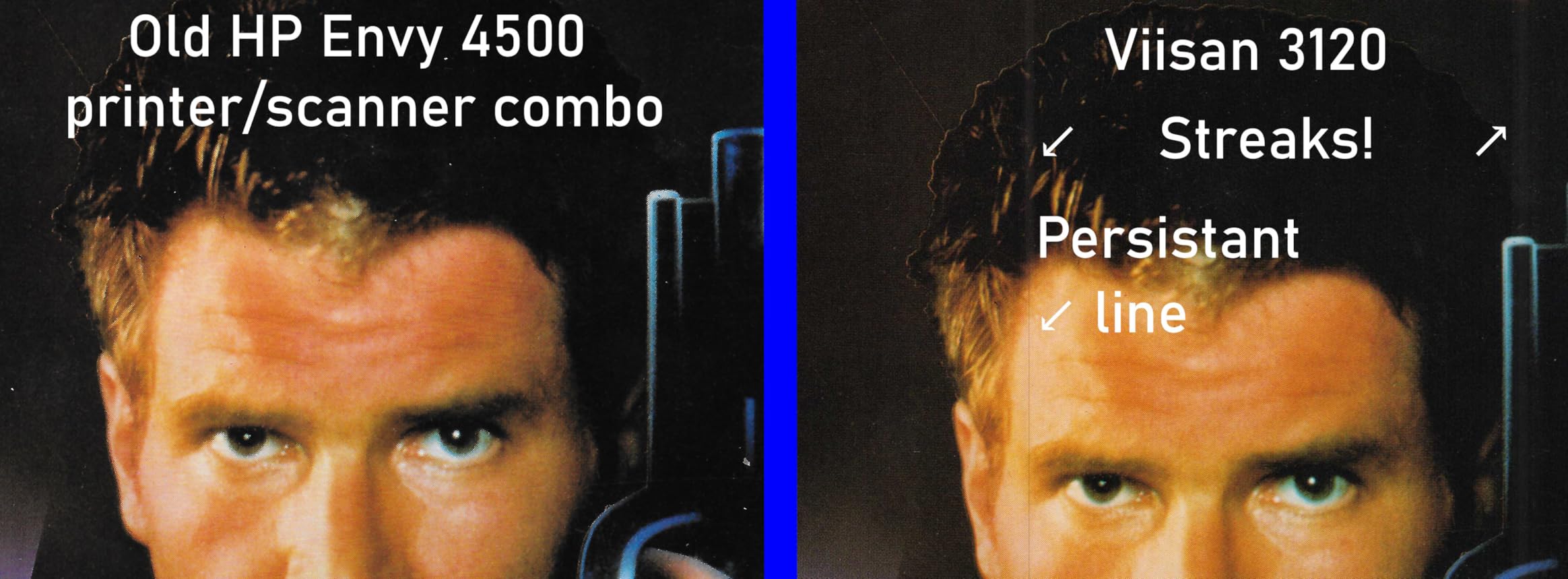
The reservation is the rating itself, the lowest in this group at 3.7, with 19 percent one-star reviews. Those complaints cluster on three things: the 1200 dpi ceiling for photographs, the CIS restriction against anything with depth, and the same white-line artifacts that appear when the glass has not been cleaned.
On Windows, WIA tops out at 600 dpi and you need the supplied ViiScan software to reach 1200 dpi. Plan your workflow around that software rather than around the Windows built-in scanner app.
Where it earns its place
Shared institutional scanning, class sets of worksheets, art boards, large-format documents and albums. The four-panel button control and Auto-Scan on lid close suit a counter where a different person uses the machine each time and nobody wants to learn a menu tree.
When to look elsewhere
If your work is photographic rather than documentary, 1200 dpi will be the binding constraint and the VF3240 solves it. If your work has any depth to it, a CCD flatbed such as the Epson V550 will handle what a CIS cannot. This machine is for flat, large and mostly textual material.
10. Plustek OpticSlim 2700 – Slim Flatbed for Books and Magazines
Plustek OpticSlim 2700 – High Speed Flatbed Scanner, 3 sec Fast Scan
- Scans a full page in about 3 seconds at 300 dpi colour
- Ultra-slim 1.46 inch profile with an expanding lid
- Software handles auto rotate / deskew / crop automatically
- Four one-touch buttons including a dedicated PDF button
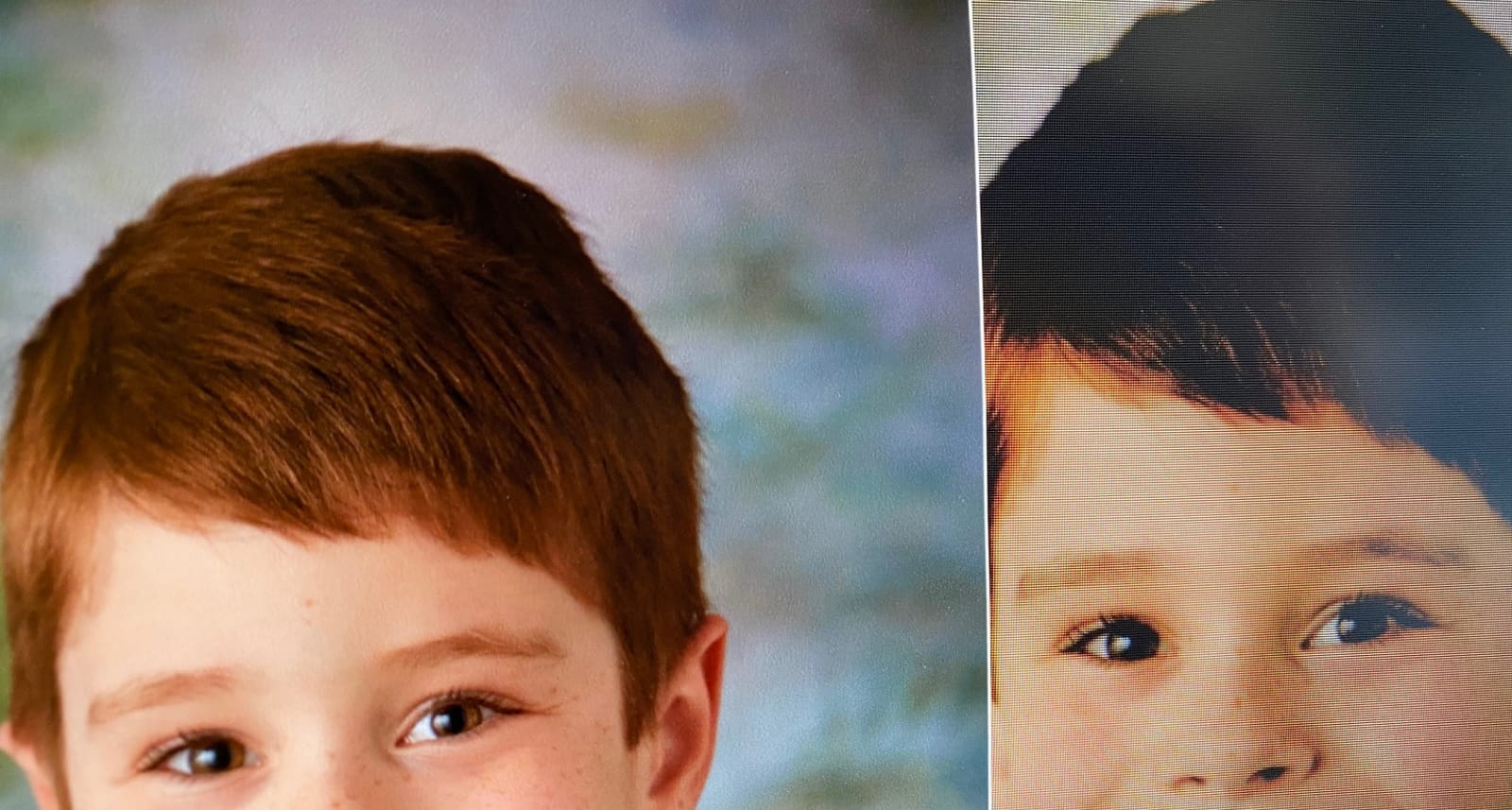
- Auto-trim can crop dark areas such as hair on dark backgrounds
- Bundled software is weak next to third-party OCR tools
- ABBYY subscription prompt can block scanning until dismissed
The OpticSlim 2700 is the book scanner in this group. At 1.46 inch thick with an expanding lid, it closes around a hardback or a stack of magazines that no other machine here would accept, and it is light enough at 1.8 kg to move between rooms as the pile moves.
Speed is genuinely good for the class of work it does. A full page in colour at 300 dpi takes about three seconds, and auto rotate, deskew and crop are applied automatically, which matters when you are working through a mixed pile of single sheets and spreads.
Good for books, weak on tone
It saves to JPG, TIFF, PDF, PNG, bitmap and OFD across a 100 to 1200 dpi range, and the dedicated PDF button produces editable, searchable output without opening software. That combination is why it suits a home office that needs text extraction as much as images.
What to watch for
Twenty-four bit colour is thinner than the 48-bit rivals, and auto-trim has a genuine failure mode: on a portrait with dark hair against a dark background, the trim can shave away real image content. Turn auto-crop off for anything you care about and crop by eye. The ABBYY subscription prompt also appears on first launch and must be dismissed before scanning will start.
How to Choose a Flatbed Scanner for Photos?
The single most common mistake is buying resolution you cannot use. A 4×6 print contains a fixed amount of information, and once you have captured all of it, extra dots per inch only produce a larger file. Film is the opposite case, because a 35mm negative is genuinely small and benefits from magnification.
Optical resolution versus interpolated resolution
Optical resolution is the real sampling rate of the sensor. Hardware resolution describes what the carriage achieves. Interpolated resolution is software inventing pixels between real samples to reach a higher advertised number, and it adds zero detail while multiplying file size. When a listing says 6400 x 9600 dpi, as the Epson V600 does, the 9600 is interpolated. Scan at 6400 and ignore the rest.
As a working rule for prints, 300 dpi handles screen viewing, 600 dpi handles archival printing at original size, and anything above that is for film. For a 35mm negative frame, 6400 dpi is the figure that actually earns its keep.
Dmax and what it means for faded prints
Dmax, or maximum optical density, describes how dark a black the scanner can record against a clear white. A higher Dmax means more tonal separation in the deep shadows, which is exactly where faded, yellowed old prints lose their information. The practical effect is that a high Dmax machine recovers shadow detail in a 1960s print that a low Dmax machine flattens into grey.
Dynamic range follows the same logic. When reviewers ask about it, they are really asking how much usable information sits between the brightest highlight and the darkest black, and whether 48-bit colour processing preserves that as 16-bit grayscale and 16-bit per channel RGB output.
CCD versus CIS sensors
CCD sensors use a moving carriage and tend to resolve more fine detail and handle the full glass bed consistently. CIS sensors put the light source and sensor in a fixed line at the edge of the bed, which makes them thinner, cheaper and faster to start but limits them to flat material at a lower cost. Neither is better in the abstract: a CCD flatbed wins on image quality, a CIS flatbed wins on thickness and price.
Film support and the holders that come with it
If you have negatives or slides, the transparency unit is the whole decision. Check how many negatives the carrier holds at once, because handling is what damages film, and whether medium format is supported. The Epson V600 holds twelve 35mm negatives or four mounted slides and extends to 6 x 22 cm medium format. The Epson V550 is the cheaper route into the same capability.
Volume, feeders and dust removal
For hundreds of loose prints, throughput beats resolution every time. A feed-through photo scanner at two seconds per 4×6 finishes a box in an afternoon; a glass flatbed at the same output size takes most of a day. None of the ten scanners here combines a feeder with film capability, which is a real and permanent gap in this category.
For dust and scratches, hardware-based removal such as Digital ICE takes an infrared second pass and cleans the image in-camera. Software-based removal in SilverFast or Epson Scan is slower and can eat fine detail, but it is tunable. Clean the glass and the original first; every method works better on a clean surface.
File formats, storage and colour
Scan to TIFF for anything you intend to keep. TIFF is uncompressed, so nothing is thrown away at capture, and at 6400 dpi a single frame can exceed 2 GB, so plan storage before you start a batch rather than after. JPEG is fine for scans you only intend to post. For a long-term archive, keep a 16-bit TIFF master and derive smaller copies for everyday use.
Colour management is the step most people skip and most regret skipping. Scan in 48-bit, calibrate against a reference target if you are archiving professionally, embed the correct profile, and resist over-correcting faded prints. Software can add saturation that was never in the original, and once that is baked in it cannot be undone.
When not to buy a flatbed at all
If your collection is mostly negatives and you have more than a few hundred of them, a dedicated film scanner will be faster and will resolve more from each frame. Film shooters often make a related point about multi-exposure or pixelshift scanning, where overlapping half-frame passes are stitched to reduce noise, which a flatbed can do but does slowly. If your collection is mostly prints, the opposite advice applies and a flatbed is the right tool.
For documenting physical objects rather than flat images, our picks for the best handheld 3D scanners are the relevant comparison, and if your archive includes measuring and reverse-engineering parts rather than photographs, the best 3D scanners for reverse engineering covers that workflow in depth.
Frequently Asked Questions
Are flatbed scanners good for photos?
Yes. A flatbed uses a fixed sensor over a stationary glass bed, so focus stays consistent across the entire frame and the sensor captures more fine detail and tonal range than a sheetfed CIS scanner. That makes flatbeds the standard choice for photos. The trade-off is speed, because each photo has to be placed and closed by hand.
What is the best scanner for scanning a lot of photos?
For volume, a feed-through photo scanner wins on throughput. The Plustek ePhoto Z300 scans a 4×6 print in about 2 seconds and an 8×10 in about 5 seconds at 300 dpi, with automatic crop and deskew handling alignment. Several hundred loose prints finish in an afternoon, where the same stack on a glass flatbed takes most of a day.
What is the best scanner for scanning old photos?
For old prints, prioritise a CCD sensor and software with dust, scratch and colour-restoration tools. The Epson Perfection V550 combines 6400 dpi optical, a built-in transparency unit, Digital ICE hardware dust removal and one-click colour restoration. The Epson Perfection V19 II is the cheaper option if the photos are still in an album, thanks to its removable high-rise lid.
Who makes the best flatbed scanners?
Epson covers the widest range for photo work, from the compact Perfection V19 II through the film-capable V550 and V600. Canon is the strongest alternative for simple, fast scanning with Auto Scan Mode and a slim footprint. Plustek leads on feed-through photo scanning and A3 flatbeds, and VIISAN covers fast large-format work. For film-only collections, a dedicated film scanner beats all of them.
Do I need 6400 dpi to scan photos?
No. For a standard 4×6 or 5×7 print, 300 to 600 dpi covers everything the print actually contains. 6400 dpi is aimed at 35mm negatives, which are physically tiny and genuinely benefit from magnification. Also note that a second advertised figure such as 6400 x 9600 dpi is interpolated, adds no real detail and only inflates the file size.
Should I scan photos as JPEG or TIFF?
Scan to TIFF for anything you want to keep or edit, because it is uncompressed and loses nothing at capture. JPEG is fine only for scans you plan to share online. Keep a 16-bit TIFF master in your archive and export smaller copies for everyday use. At 6400 dpi a single TIFF can exceed 2 GB, so budget storage before starting a batch.
The Verdict for 2026
The Plustek ePhoto Z300 is the best flatbed scanner for photos in 2026 for the simple reason that you will finish the job with it. Two seconds per 4×6, automatic crop, no alignment fiddling, and a CCD sensor that holds up better than its 600 dpi ceiling suggests.
Match the machine to the material instead. Loose prints in volume go to the Z300. Bound albums go to the Epson Perfection V19 II. Slides and negatives go to the Epson Perfection V550, or the V600 when you have enough frames to justify the twelve-negative carrier. Oversized prints go to the A3 units, and books to the Plustek OpticSlim 2700.
Whichever you pick, scan to TIFF, keep 16-bit masters, and clean the glass before you start.