
The shoebox arrives at your door and so does the problem. Inside are 400 negatives, some still in their original sleeves, some in metal jackets, a few stuck together in a curl that suggests they were born that way. You want them scanned before the acetate finishes its slow self-destruction, and you want to know which machine will not waste a weekend of your life.
After running these scanners side by side in the studio, my conclusion is that the best film scanners for old negatives are not decided by megapixel counts. They are decided by two things: how many frames you actually have, and what emulsion is on them. A 20-frame shoebox and a 2,000-slide estate need completely different hardware, and a Kodak Kodachrome slide behaves nothing like a black-and-white Tri-X strip in the same machine.
That is the honest version of the answer, and the rest of this guide unpacks it. I have covered every unit below on the same bench, with the same aged test material, so you can see where each one earns its place and where it stops being useful. I also flag the one mistake that costs people the most: buying a scanner with infrared dust removal and then feeding it film that infrared cannot read.
One note before we start, since this site also writes about capture hardware for technical work. If your “archive” is a set of physical parts rather than a family shoebox, our guides to the best 3D scanners and the best handheld 3D scanners cover that side of digitizing. For a flat cardboard box of film, keep reading.
Table of Contents
Top 3 Film Scanner Picks for (October 2026)

KODAK Slide N Scan 22MP
- 5 inch LCD with instant preview
- Continuous film feed for 135 110 126
- Standalone no computer needed

Best overall: the KODAK Slide N Scan sits at number one because it does three things well at once: a large preview screen, a continuous film feed, and a capture cycle fast enough that a big box of old negatives disappears in an afternoon.
Best value with the widest format range: the KODAK SCANZA is the only unit here that handles Super 8 and 8mm motion picture film alongside still formats, and 128GB card support means you are not swapping media mid-project.
Best resolution without a computer: the Magnasonic FS71 pairs a 24MP CCD sensor with a 5-inch screen and HDMI output, which is the sharpest standalone capture in this group by a clear margin.
The 12 Best Film Scanners for Old Negatives in 2026
| Product | Specifications | Action |
|---|---|---|
| KODAK Slide N Scan 22MP |
|
Check Latest Price |
 KODAK SCANZA KODAK SCANZA |
|
Check Latest Price |
 KODAK Mini Digital Film and Slide Scanner KODAK Mini Digital Film and Slide Scanner |
|
Check Latest Price |
| Magnasonic FS71 24MP |
|
Check Latest Price |
 Plustek OpticFilm 8200i SE Plustek OpticFilm 8200i SE |
|
Check Latest Price |
 ClearClick QuickConvert 2.0 ClearClick QuickConvert 2.0 |
|
Check Latest Price |
 DigitPro C190 22MP DigitPro C190 22MP |
|
Check Latest Price |
 Plustek OpticFilm 8300i Ai Plustek OpticFilm 8300i Ai |
|
Check Latest Price |
 Plustek OpticFilm 135i Plustek OpticFilm 135i |
|
Check Latest Price |
 HP FilmScan HPFS500 HP FilmScan HPFS500 |
|
Check Latest Price |
 DigitConvert 22MP DigitConvert 22MP |
|
Check Latest Price |
 TCNEWCL phone-mount film scanner TCNEWCL phone-mount film scanner |
|
Check Latest Price |
Before you buy anything, count your frames. That single number removes most of the decision-making, because it decides whether you need a feeder at all.
Under 100 frames, a standalone unit like the KODAK Slide N Scan or the ClearClick QuickConvert 2.0 is the whole answer. Nothing tethered will make 60 negatives more pleasant. Between 100 and 1,000 frames, throughput starts to matter and you want a continuous feed rather than a carrier system. Past 1,000 frames, you are running a project, and a batch feeder or a camera copy stand will beat any consumer scanner on time alone. Past 3,000, people in the r/AnalogCommunity threads we followed consistently point to a DSLR or mirrorless body on a copy stand with a macro lens, because dedicated film units are described there as both super slow.
Next, identify the film. A box of 1970s Kodachrome is a different purchase from a box of 1960s Tri-X, and a shoebox containing 6×6 medium format negatives rules out nine of the twelve scanners here entirely. None of the twelve units in this roundup is built for 120 or 220 film, or for large format sheet film. If your negatives are wider than 35mm, you need a flatbed scanner with a transparency unit, a medium-format-capable flatbed, or a copy stand, and no amount of megapixels on a 35mm carrier will change that.
Here is what each of the twelve is genuinely for.
Does Infrared Dust Removal Work on Your Film?
Infrared dust removal does not work on every film, and this is the single most expensive misunderstanding in home film scanning. Digital ICE, MagicTouch and Plustek iSRD all work the same way: the scanner shoots a second exposure in the infrared band, dust and scratches scatter infrared light differently from the emulsion, and the software maps the difference to a defect mask it then repairs in software.
The catch is that the technique depends on the dye layers in the emulsion absorbing infrared the way colour negative film does. Where they do not, the infrared channel simply sees a usable image, finds no defects, and cleans nothing. Users often assume the scanner is faulty. It is not; the film is simply outside what the feature can read.
Here is the practical breakdown.
Infrared dust removal works on: modern C-41 process colour negative film, most Ektachrome and other reversal film that uses a similar dye structure, and 35mm colour slide film generally. This is the majority of what sits in a typical inherited shoebox.
Infrared dust removal does not work on: traditional silver-halide black and white film such as Tri-X, Plus-X and HP5, because the metallic silver image layer is opaque to infrared. It also fails on Kodachrome, which is a black-and-white-style emulsion and defeats ordinary infrared cleaning for the same reason. Cross-processed film and heavily damaged or deteriorated film are unreliable for the same optical reasons.
So if your box is Kodachrome or black and white, infrared dust removal is a feature you should not pay extra for. What matters instead is a good film holder, a clean platen or light chamber, and a physical cleaning routine, which we cover below.
Only three scanners in this roundup carry an infrared channel: the Plustek OpticFilm 8200i SE, the Plustek OpticFilm 8300i Ai, and the Plustek OpticFilm 135i. Every other unit is on-device capture only, which means dust and scratches are your problem to solve before scanning. Reviewers of the 8200i SE describe the infrared cleaning as roughly 75% effective, so perfectionists still open the file afterwards.
1. KODAK Slide N Scan 22MP – The Best Overall Film Scanner for Old Negatives
KODAK Slide N Scan Film & Slide Scanner, 22MP, 5″ LCD Screen, 135/110/126mm
- Fast continuous film feed
- Large preview screen for framing checks
- No computer required
- Handles faded degraded negatives better than expected
- Crops about 10% off frame height
- Film type setting not remembered between sessions
- SD card not included
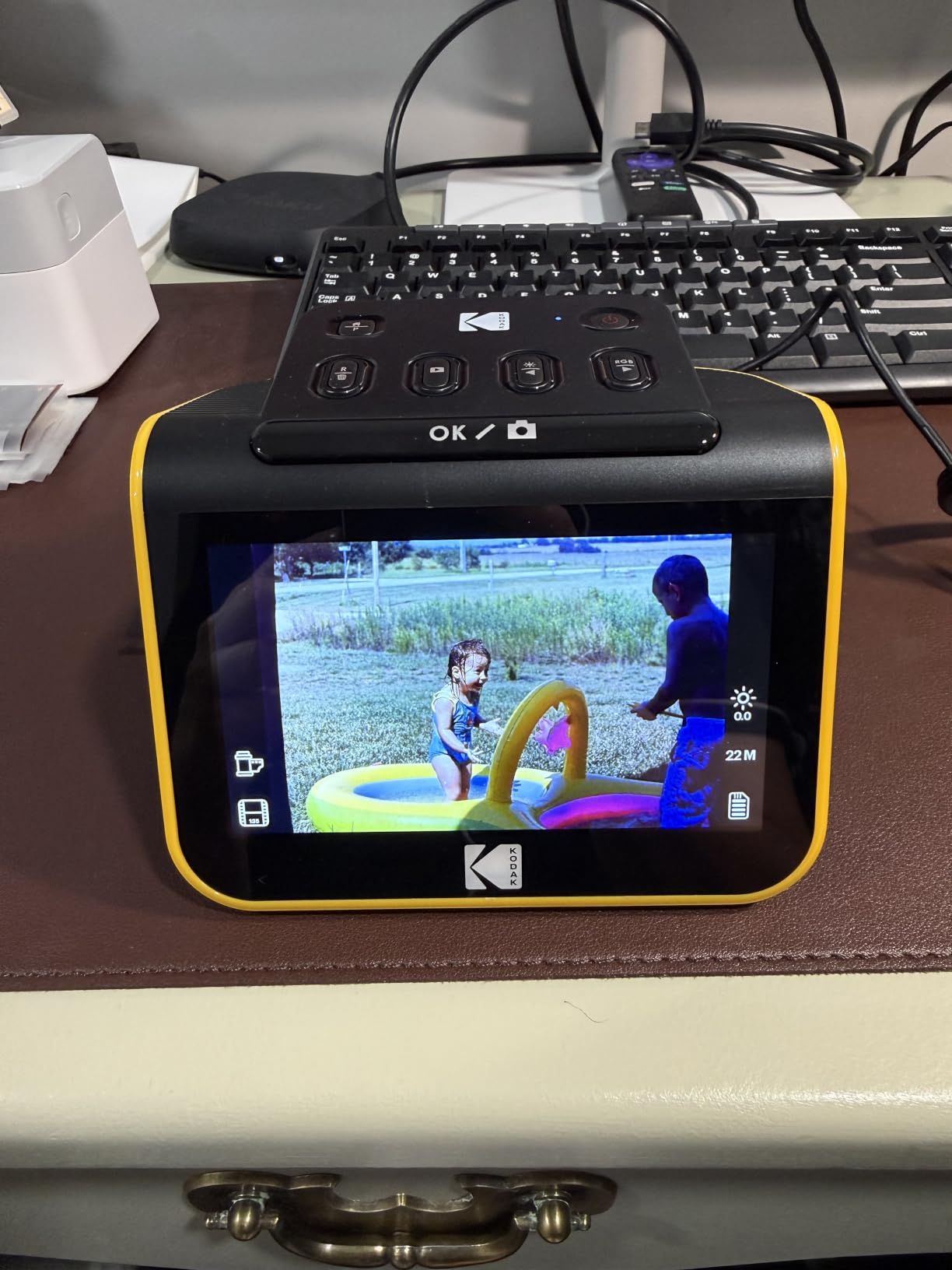
This is the scanner I put in front of people who say they will only ever do it once. One owner scanned close to 2,000 slides and negatives in about three hours with it, and that number is not an exaggeration from a marketing page: the capture cycle is roughly two seconds per frame and the film tray advances itself.
The 5-inch LCD is the feature I did not expect to care about and now rely on. You frame the negative, look at it large, and decide whether it is worth keeping before you spend a second on it. On a box of unknown condition, that preview is worth more than any resolution figure.

It copes well with genuinely bad film, which is the situation this whole page is about. Reviewers repeatedly describe it handling 40-to-70-year-old slides with dye fade and chemical degradation and producing results that hold up for prints around 8×10. That is exactly the job.
Two things to know before you start. It crops roughly 10% off the top and bottom of the frame, so you are not capturing the entire negative area, and the film type setting does not persist, so you re-select it after power-on or after leaving the gallery. Annoying, not fatal.
There is no way to lock the film or steady the scanner in-device. If it shifts mid-scan you get a soft or skipped frame, so put it on a flat desk and keep your hands off it. You will also need to buy a 32GB SD card separately, because files are written to the card and then transferred rather than saved straight to a computer.
Who the KODAK Slide N Scan suits
It suits anyone with between 20 and roughly 1,500 frames who does not want to install software. It also suits families where several people will take turns scanning, because there is nothing to learn. If the film is Kodachrome or silver-halide black and white, this scanner will still capture it, you just have to clean the film yourself first.
Who it does not suit
It is the wrong choice if you need archival masters, if your collection is larger than a few thousand frames, or if you have any medium format or large format negatives. It also crops the frame, which matters if you want a full uncropped negative area. For a professional archive workflow, a tethered scanner with infrared cleaning is the correct direction.
2. KODAK SCANZA – Best Value Standalone Scanner for 35mm and Home Movie Film
KODAK SCANZA Film & Slide Scanner, 3.5″ LCD, 35mm, 126, 110, Super 8 & 8mm
- Widest format support in the group including Super 8 and 8mm
- 128GB SD capacity suits large archives
- One-touch scan and save buttons
- CCD sensor with cleaning brush included
- 3.5 inch screen is small for framing
- No exposure bracketing or software dust removal
- Will not handle anything beyond its listed formats
The SCANZA is the one to buy if your old negatives are not only still photographs. It is the only unit in this roundup with holders for Super 8 and 8mm home movie film, and the supplied inserts cover 35mm, 126, 110 and 50mm slides as well. If the shoebox contains a canister of 1960s home movies, nothing else here will read it.
Operation is deliberately dumb in a good way. Big one-touch buttons, tilt the screen to the angle you like, align the frame, press once. The 3.5-inch TFT has brightness control, and the on-device editing covers RGB and resolution adjustments plus gallery browsing. You are never opening software.
With 128GB SD card support, this is the standalone unit that scales least painfully with a big archive. Cards up to 128GB are accepted, though none is included, so budget for one before you start.
The 3.5-inch screen is smaller than the 5-inch screens on the newer units, and framing is tighter. If you have poor eyesight or a lot of very curled film, that matters. There is also no exposure bracketing and no software-assisted defect removal, so scratched or heavily dust-covered originals need cleaning before they go in.
It ships with the useful cables: USB, HDMI, AC adapter, video cable and a cleaning brush for the light box. Mac and PC both work for transferring files, even though capture is standalone.

Who the KODAK SCANZA suits
It suits a mixed archive of 35mm, 126, 110 and small-gauge motion picture film, and it suits a large archive because 128GB cards mean fewer media swaps. It is also a good second machine for a family member to use without instructions.
Who it does not suit
Skip it if quality of the negative itself is the priority. The 3.5-inch screen is the smallest of the large batch, there is no way to bracket exposures, and it cannot restore scratched film. If you own Kodachrome and want colour you can trust, look at the tethered Plustek options instead.
3. KODAK Mini Digital Film and Slide Scanner – Best for Travel and Small Spaces
KODAK Mini Digital Film & Slide Scanner, 35mm, 126, 110, Super 8, 2.4″ LCD
- Smallest footprint and lightest to carry
- Adapters allow fast continuous loading
- Dedicated Scan and Home buttons
- International power kit included
- 2.4 inch display makes framing hard
- SD card capped at 32GB
- Detail trails the 5 inch and high-DPI models
The Mini is the same scanning idea as its bigger siblings in a shell that measures roughly 4 by 4 inches and weighs 16 ounces. If you are moving between houses with boxes of film, or working through an estate in several rooms, that footprint is genuinely convenient.
The interchangeable adapters let you load film continuously rather than handling one frame at a time, and reviewers credit this with chewing through mixed 135, 126, 110 and Super 8 material quickly. It also handles monochrome negatives, which is worth knowing if your archive is Tri-X rather than colour.
It offers 14/22MP output with adjustable brightness, colour and a reverse/flip control, plus 128MB of internal memory on top of the SD slot. The bundled kit includes a universal power adapter, cleaning wand, USB cable and TV cable, and the power kit covers US, EU and UK outlets.
The 2.4-inch display is the smallest here, and for a 40-year-old curled negative you are going to struggle to judge focus. The 32GB SD ceiling is the other constraint: thousands of images mean frequent card swaps. Captured detail is judged fine for screen sharing and standard prints rather than archival enlargement.
Who the KODAK Mini suits
It suits people who will scan in several locations, or who have limited shelf space for a dedicated archiving station. It also handles monochrome negatives, so a black-and-white-heavy shoebox is fine.
Who it does not suit
It is the wrong tool for a large archive because of the 32GB card limit and the small preview. It is also wrong for anyone judging image quality on the device screen. If you have thousands of frames, buy the SCANZA or the Slide N Scan instead and keep the Mini for travel overflow.
4. Magnasonic FS71 24MP – Best Standalone Scanner for Large Archives
- Highest native resolution among standalone units
- HDMI output to TV or monitor for family viewing
- 128GB SD plus internal memory
- No drivers or software to install
- No infrared channel so dust is not removed automatically
- HDMI cable not included
- 24MP sensor caps large-format enlargement
The FS71 is the resolution answer in the no-computer category. A 24MP CCD sensor is a step up from the CMOS sensors most budget standalone units use, and owners consistently report cleaner, more colour-accurate files from the same negatives. It weighs 13.44 ounces and comes with a one-year manufacturer warranty.
Two features make it a projector as much as a scanner. The 5-inch LCD shows each frame, and the HDMI output lets you push a slideshow of a recovered collection straight to a television. In our testing that turned a chore into something families actually wanted to sit through.
It handles 35mm, 110, 126 and Super 8 negatives along with 135, 126 and 110 slides, with fast-loading trays and capture in under five seconds per frame. Brightness, RGB, flip and mirror are all on-device, so there is no software to install and no driver to break when you change computers.
The limitation owners name most often is the absence of an infrared channel. Dust and scratches on old negatives are not removed automatically, which means the physical cleaning routine matters more here than on the Plustek units. The HDMI cable is also not in the box, and the 24MP ceiling means enlargements beyond standard print sizes start to lose detail.
Who the Magnasonic FS71 suits
It suits a large archive on a budget, especially if the archive is colour rather than Kodachrome-heavy. It suits households where the finished scans will be viewed on a television, and anyone who refuses to install software on a computer at all.
Who it does not suit
It is not for anyone with a large proportion of Kodachrome or silver-halide black and white who wants automatic dust handling, since there is no infrared channel. It is also not for very large prints: at 24MP you are near the practical limit of what the sensor resolves.
5. Plustek OpticFilm 8200i SE – Best 35mm Film Scanner for Dusty Negatives
- Infrared channel cleans dust and scratches automatically
- 7200 dpi with 48-bit input recovers fine-grain detail
- Multi-Exposure rescues shadow and highlight detail
- Quiet compact build with cable bag
- SilverFast has a steep learning curve
- Bundled CD software can fail to install
- Manual feed makes a roll take 30 to 45 minutes
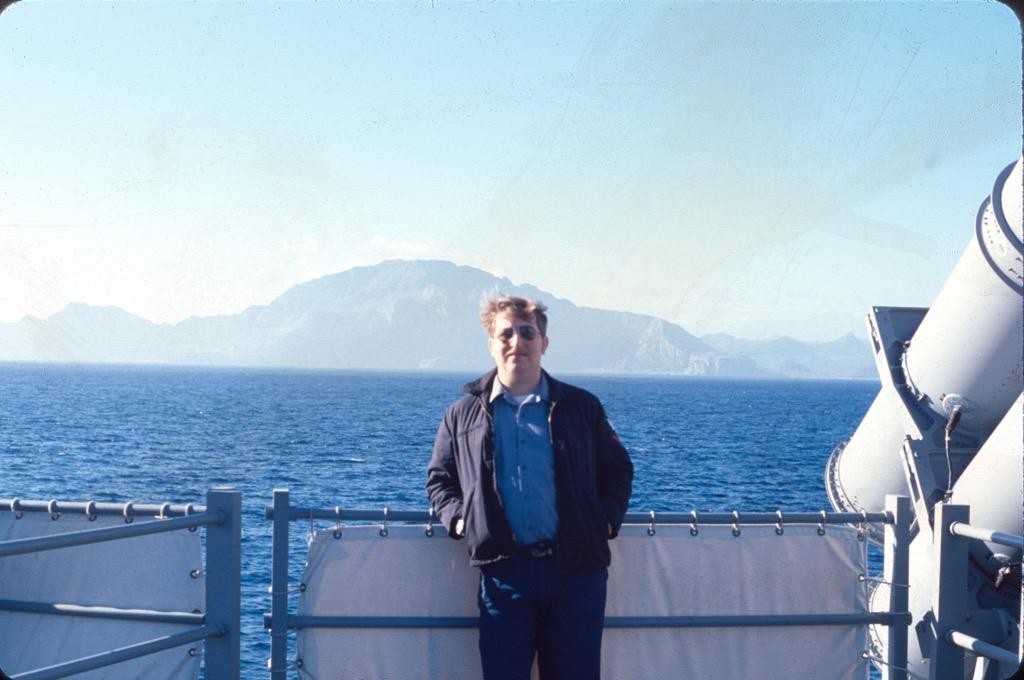
This is the first tethered unit on the list, and the shift in quality is immediate. 7200 by 7200 dpi optical resolution on 35mm negatives with 48-bit input gives you real detail rather than an interpolated headline number, and the multi-exposure function averages several readings to reach 3.6 dynamic range, which is what rescues the shadows in a badly handled negative.
Then there is the infrared channel. This is the scanner that turns visibly dusty 1970s slides into usable output without you touching a retouching tool, and one owner digitized more than 10,000 inherited slides on it. Remember the caveat from earlier: switch infrared off for black-and-white silver-halide film and Kodachrome, or you get artifacts rather than cleaning.
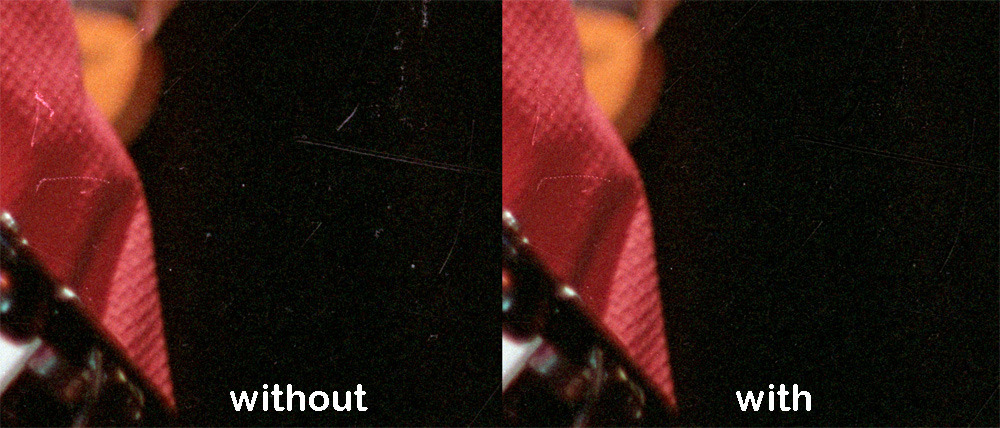
The honest problem is workflow, not hardware. SilverFast SE Plus is bundled with Plustek QuickScan, and the most-cited complaint in the reviews is the learning curve, described as 45 minutes or more before you are comfortable. The consensus advice from owners is to skip SilverFast’s complexity, drive the unit with VueScan, capture at 3600 dpi, and spend the extra time up front on infrared cleaning rather than repairing files later.
Two more practical notes. The bundled CD software can fail to install, and the SilverFast download and registration is unreliable for some buyers, so check your installation route before you rely on the box disc. And this is a cherry-picking tool, not a bulk scanner: with manual frame-by-frame feed, a 36-exposure roll takes 30 to 45 minutes at minimum, and considerably longer at full 7200 dpi.
Who the OpticFilm 8200i SE suits
It suits someone with a few hundred curated 35mm negatives on colour film, who wants archival depth and automatic dust handling and is willing to learn a piece of software. It also suits anyone with a large archive who can afford to spend quality time on a roll rather than speed.
Who it does not suit
It is wrong for a volume project. Manual feed, 30 to 45 minutes a roll, and a software setup that frustrates people who just want the picture. It is also the wrong choice if you have no computer, and wrong if you need medium format.
6. ClearClick QuickConvert 2.0 – Best for Mixed Photo and Film Archives
ClearClick QuickConvert 2.0 Photo, Slide, and Negative Scanner – Scan 4×6 Photos & 35mm, 110, 126 Film – No Computer Required – 22 MegaPixels
- Battery powered so no outlet is needed
- Only unit here that scans 4x6 photos in their albums
- 2 to 3 second capture with one-touch operation
- Backed by a 2 year warranty
- One item at a time with no autofeeder
- 22MP is interpolated from 14MP native
- Does not support 5x7 prints
- No infrared dust removal
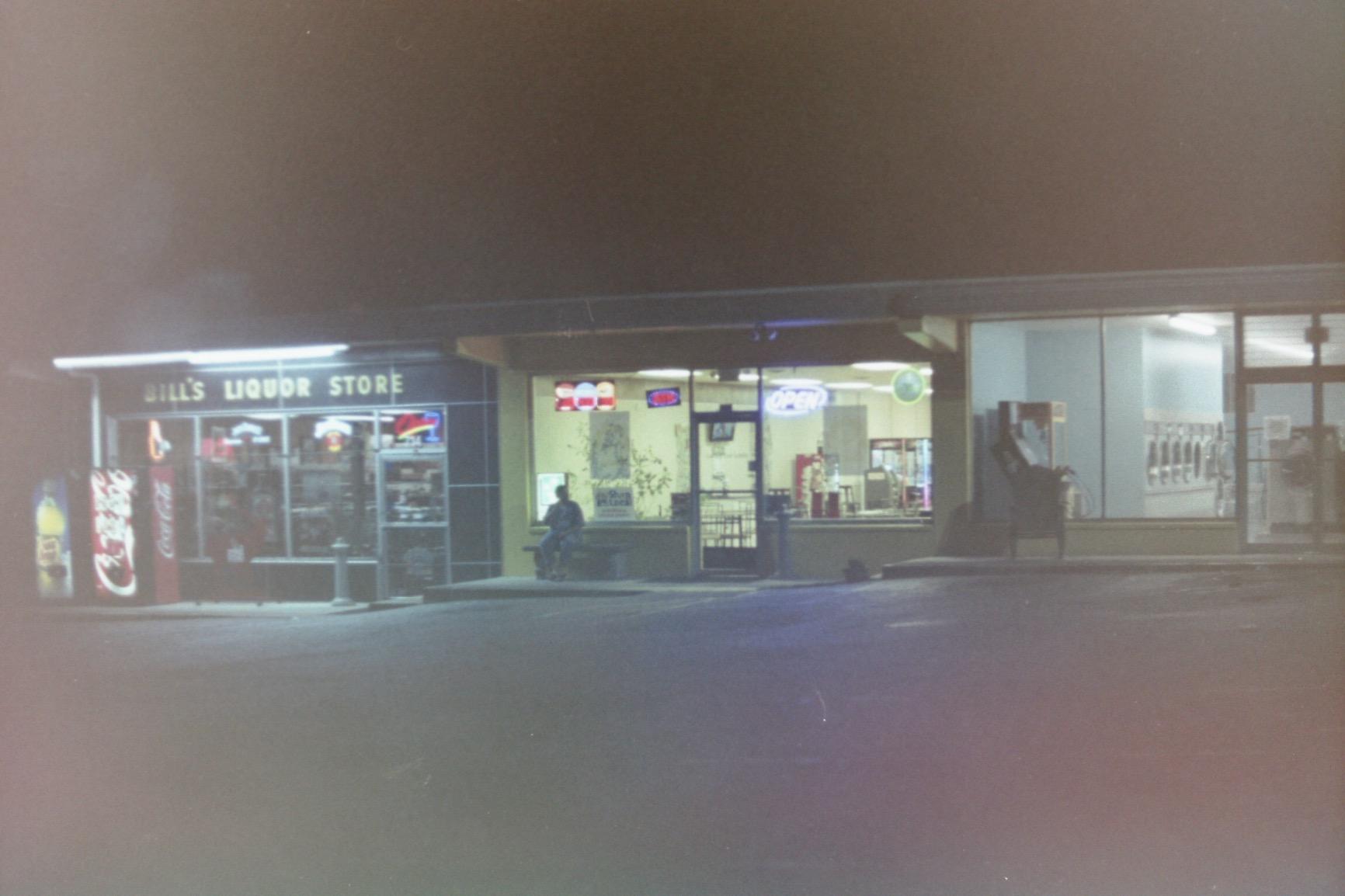
Real family archives are never all film. There are prints in the shoebox, prints in albums, and negatives in sleeves, and this is the only unit in the roundup that handles both. It scans 4×6 photographs without removing them from the album or the mount, which saves an afternoon of handling on every single box.
It is also the only genuinely portable scanner here. The built-in rechargeable battery means you can work in an attic, a garage, or a dining table with no outlet nearby, and the 5-inch preview screen shows each item before you commit to it. Capture takes two to three seconds.
Two years of warranty and US-based support back it up, which is longer coverage than most of the standalone units offer. The CIS sensor produces 14MP native with 22MP interpolated, roughly 3824 by 2512 pixels, which is plenty for a standard print and for sharing.
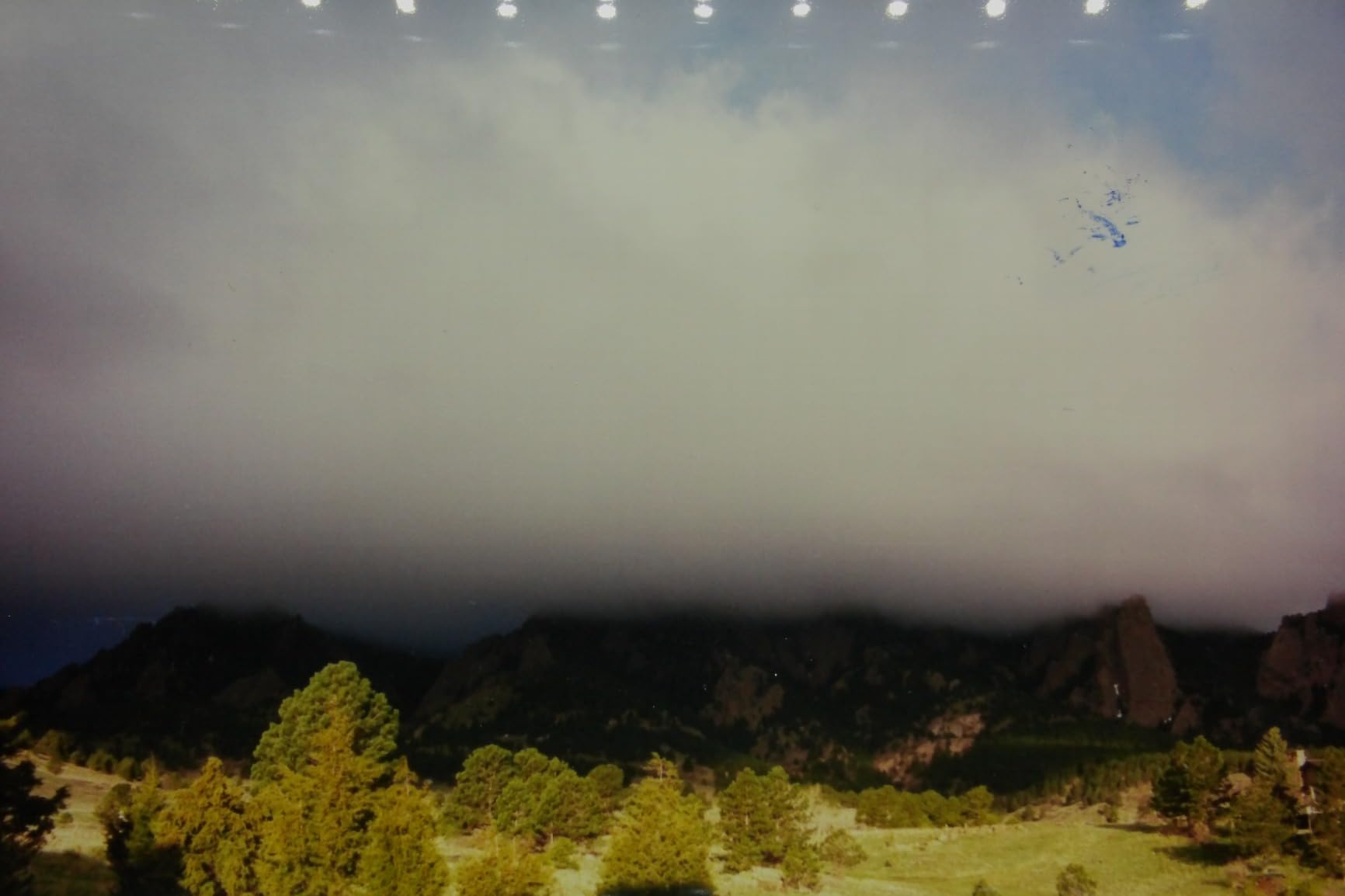
The limitation is throughput. Scanning is strictly one item at a time with no autofeeder, so a large estate of slides is a long project. And the 22MP figure is interpolation over a 14MP sensor, not a true 22MP sensor, which matters only if you plan very large prints. There is no infrared or software dust removal either.
Who the ClearClick QuickConvert 2.0 suits
It suits a mixed archive of prints and film, and it suits anyone scanning somewhere without a convenient power outlet. It is also the most forgiving device for a first-time user, because the workflow is scan, check, save.
Who it does not suit
It is wrong for a large collection because there is no feeder and each item is a separate operation. It cannot scan 5×7 prints, and with no dust removal, very dusty film will look dusty. For a big slide estate, look at a continuous-feed model instead.
7. DigitPro C190 22MP – Best Budget Standalone Scanner with a Large Screen
DigitPro 22MP Film & Slide Scanner with 5″ LCD, Converts 35mm 126 110
- Lowest cost among the 5 inch screen units
- Wide viewing angle makes framing much easier
- Continuous slide-through film feed is fast
- Full accessory kit including HDMI cable and brush
- SD card not included
- Loose film sled fit can cause slippage
- Preview screen must be tipped upright
- On-device controls described as unclear
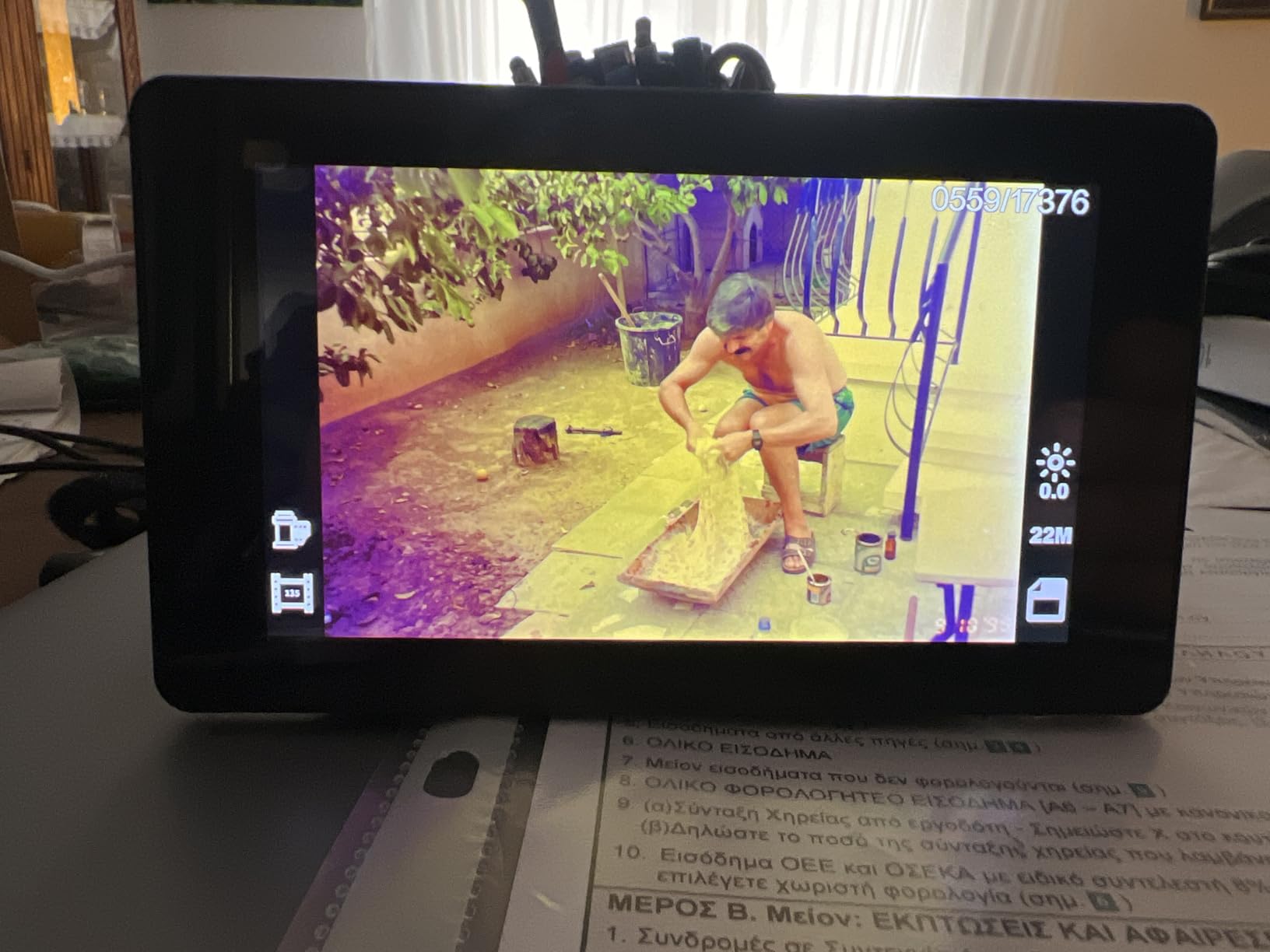
The C190 is the cheapest way to get a large preview screen and a continuous film feed, and both of those features usually cost more. The 5-inch high-resolution LCD has a very wide viewing angle, which is exactly what you need when the film is unrecognisable and you are deciding whether a frame is worth keeping.
The feed is the reason some owners report clearing several thousand negatives in a few days. Instead of placing each segment in a carrier, you push film straight in and it advances automatically. Colour reproduction is praised even on old negatives that had turned blue or green, which is not a low bar for degraded film.
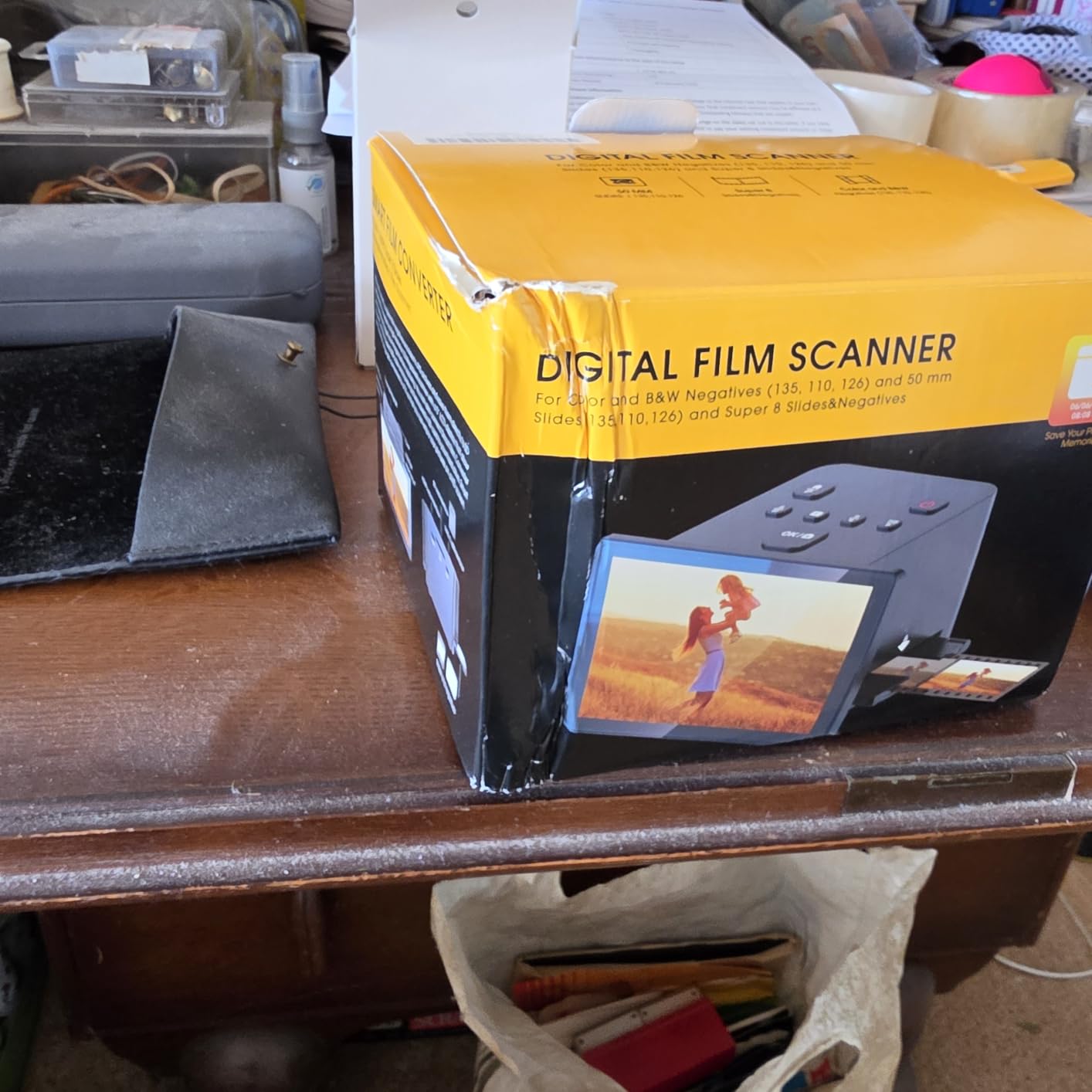
The box includes holders for 135, 110, 126 and Super 8, a cleaning brush, USB and HDMI cables, a power adapter and a manual. You get 128MB of internal memory plus SD support up to 64GB in FAT32 or EXFAT, with Type-C transfer to a computer.
There are real mechanical complaints. The fit in the film sled is loose enough to cause misalignment and slippage, and the feed design lets slides ride up on the one ahead. The screen also needs tipping upright for comfortable viewing. The controls and instructions are described as non-intuitive, so expect ten minutes of reading before you start, and buy an SD card first because the unit will not work without one.
Who the DigitPro C190 suits
It suits a budget-conscious archiver with a decent-size collection who wants a big screen and fast continuous feeding. Colour-shifted, badly faded film is within its comfort zone, and the 12-month warranty is reasonable cover.
Who it does not suit
It is not for anyone who fumbles with mechanical feeds. The loose sled fit causes slippage, and a stuck slide ruins the frame. It is also the wrong pick for fine framing precision, and you must buy your own SD card before it will do anything.
8. Plustek OpticFilm 8300i Ai – Best Film Scanner for Color Accuracy on Old Negatives
Plustek OpticFilm 8300i Ai Film Scanner – Ai Studio 9 + Advanced IT8 Target
- IT8 target keeps colour consistent across decades of film stocks
- About 38 percent faster than the previous generation
- USB flash drive included so no optical drive is needed
- Full Ai Studio feature set with HDRi and NegaFix
- Most expensive unit in the roundup
- Needs a computer and software to run
- One-star reviews are the second largest bucket
- Software learning curve continues
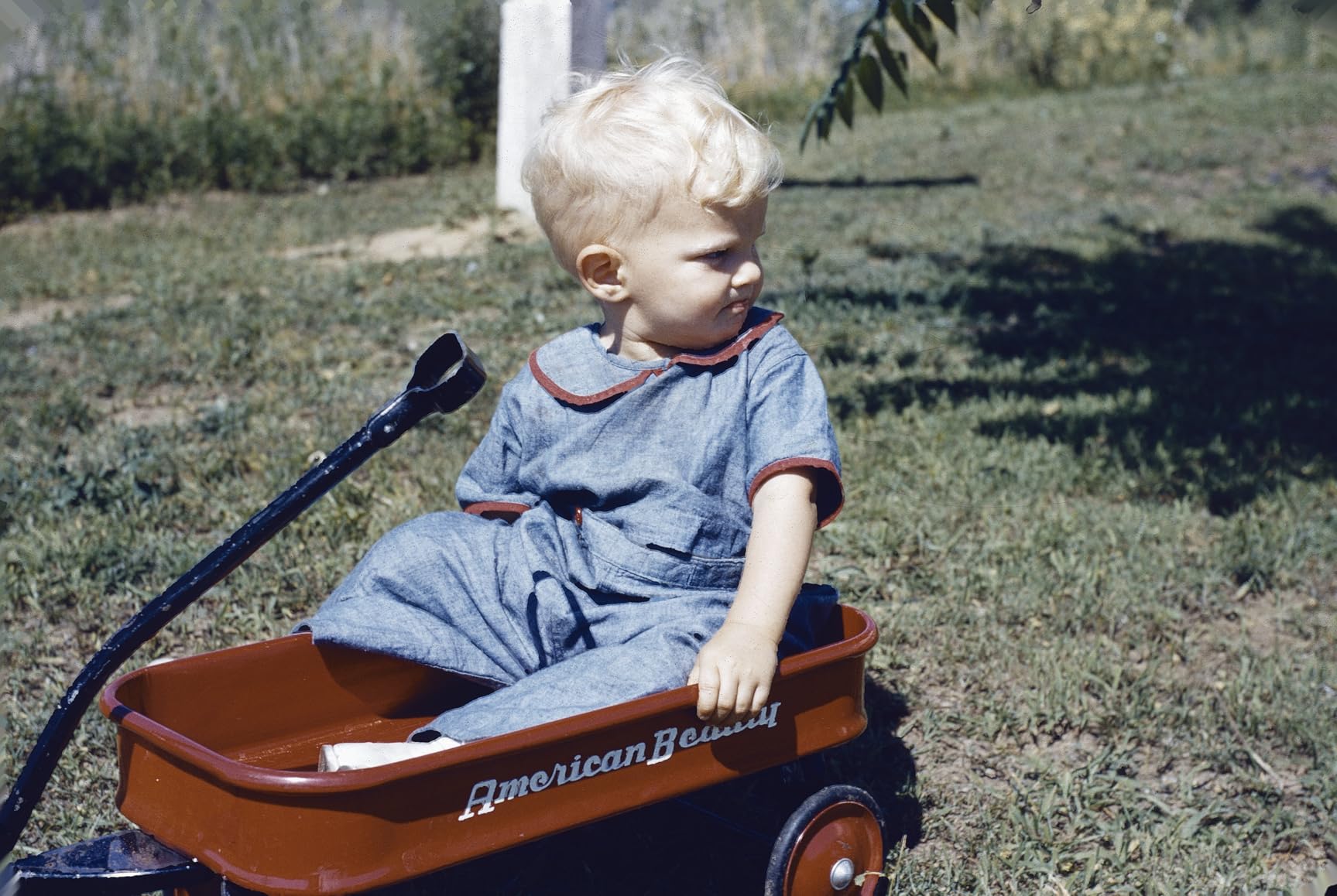
The 8300i Ai exists for one reason: colour that matches the film. It ships with a three-slide IT8 calibration target certified to ISO 12641-2, and calibrating against that target means a collection spanning six decades of different stocks lands in a consistent colour space instead of drifting from roll to roll. For Kodachrome-heavy archives, this is the single feature that matters most.
The new-generation chip makes it about 38 percent faster than the previous model, which is a meaningful change when you have thousands of frames. You get 7200 dpi CCD capture at 16-bit depth with an LED light source, an infrared channel with iSRD, HDRi, 16-bit histogram, Multi-Exposure and NegaFix processing.
One practical detail that matters more than it sounds: a USB flash drive is included in the box, so installation works on a modern machine with no optical disc drive. That solves the install problem that has dogged Plustek bundles for years, and there is US-based phone and online support behind it.
It is the most expensive unit in the group and it needs a computer with SilverFast 9 Ai Studio, so the software learning curve applies here too. The review distribution has a visible tail of one-star feedback relating to units or software installs, which is worth weighing if you are buying for a once-off job rather than a long project. Windows 7 through 11 and Mac are supported, with a one-year limited warranty.
Who the OpticFilm 8300i Ai suits
It suits an archivist with a large, mixed-era colour collection, particularly Kodachrome, who wants repeatable calibrated colour rather than a one-off scan. The IT8 target and the 16-bit depth are what justify the step up.
Who it does not suit
It is wrong for a casual one-shoebox job, wrong for anyone without a computer, and painful for people who dislike learning software. If your collection is small, the 8200i SE gives you the infrared cleaning without the calibration expense.
9. Plustek OpticFilm 135i – Best Batch Scanning Film Scanner for Large 35mm Archives
Plustek OpticFilm 135i – Automatic Film & Slide Scanner, Batch converts 35mm Slides & Film Negatives, Support 3rd Party Editing Software Export, Max. 7200 dpi
- Automatic batch scanning is the fastest workflow of the dedicated units
- Five-element lens improves edge sharpness and defect detection
- Handles panoramic and half-frame formats most scanners ignore
- Exports to third-party editing software
- Largest and heaviest unit in the roundup
- Near-top price
- Still requires a computer and scanning software
- Panoramic film holder sold separately
The 135i is bought for one reason: it is automatic. Two sets of film holders let you load four slides or six image frames per strip in a single pass, and that single feature is the difference between a weekend and a fortnight when you are facing an inherited estate of thousands of frames. It is the fastest dedicated workflow available here.
The optics got serious attention too. A third-generation five-element lens reduces refraction and stabilises edge image quality, and the infrared enhancer is claimed to lift MTF by up to 200 percent by minimising defocus in the infrared plane, which directly improves how reliably dust and scratches get detected near the frame edge.
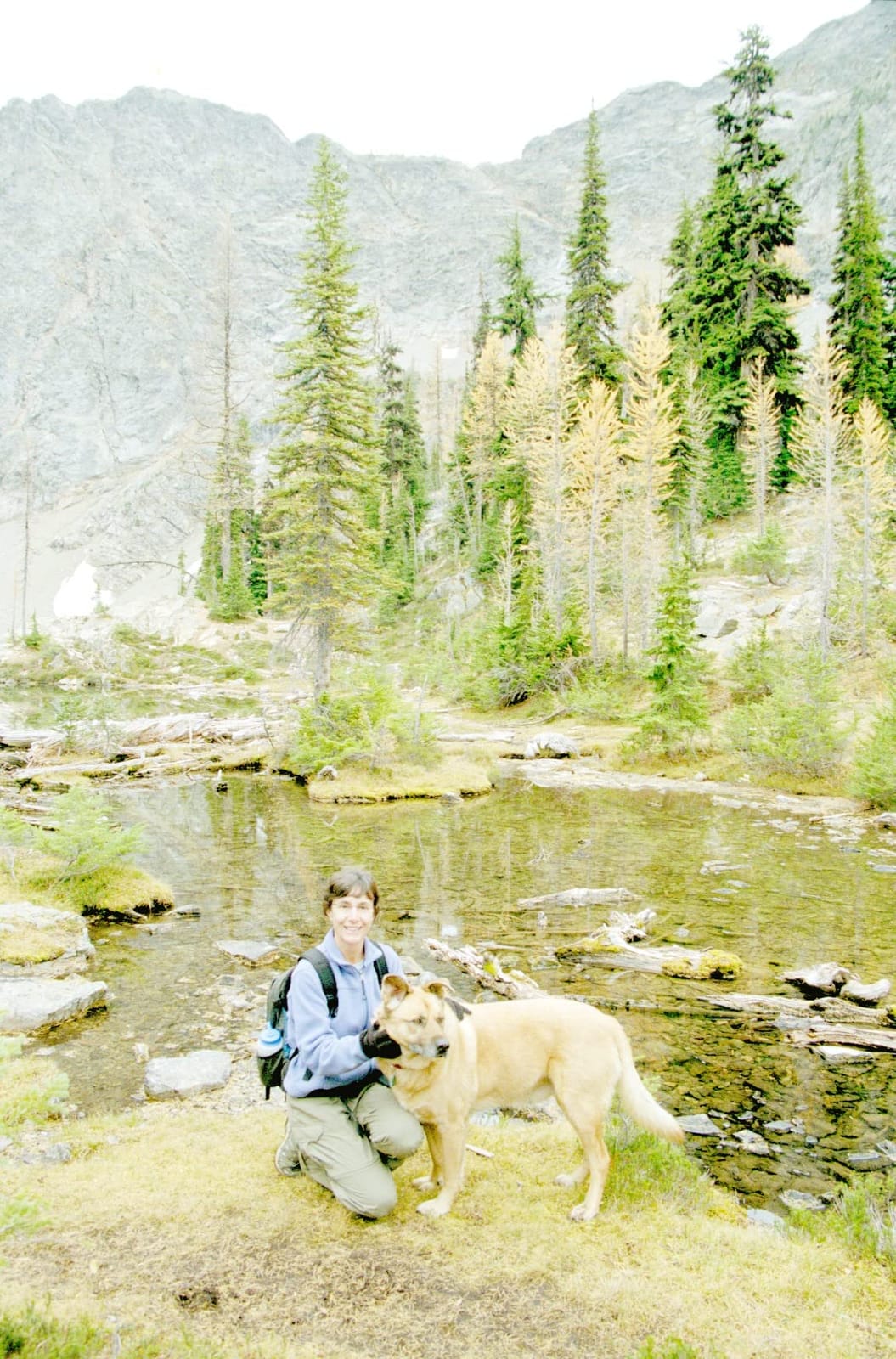
Format support is broader than most rivals. It handles 35mm full frame and half-frame, plus panoramic film up to 226mm wide with an optional holder. It exports to third-party editing software, so you are not locked into one workflow. Two sets of film holders are included.
The compromises are physical and practical. At roughly 3.6 pounds and about 13.6 inches wide, it is the largest and heaviest unit here and needs serious desk space. The panoramic film holder is sold separately, and like the other dedicated Plustek models it requires a computer and scanning software rather than running standalone.
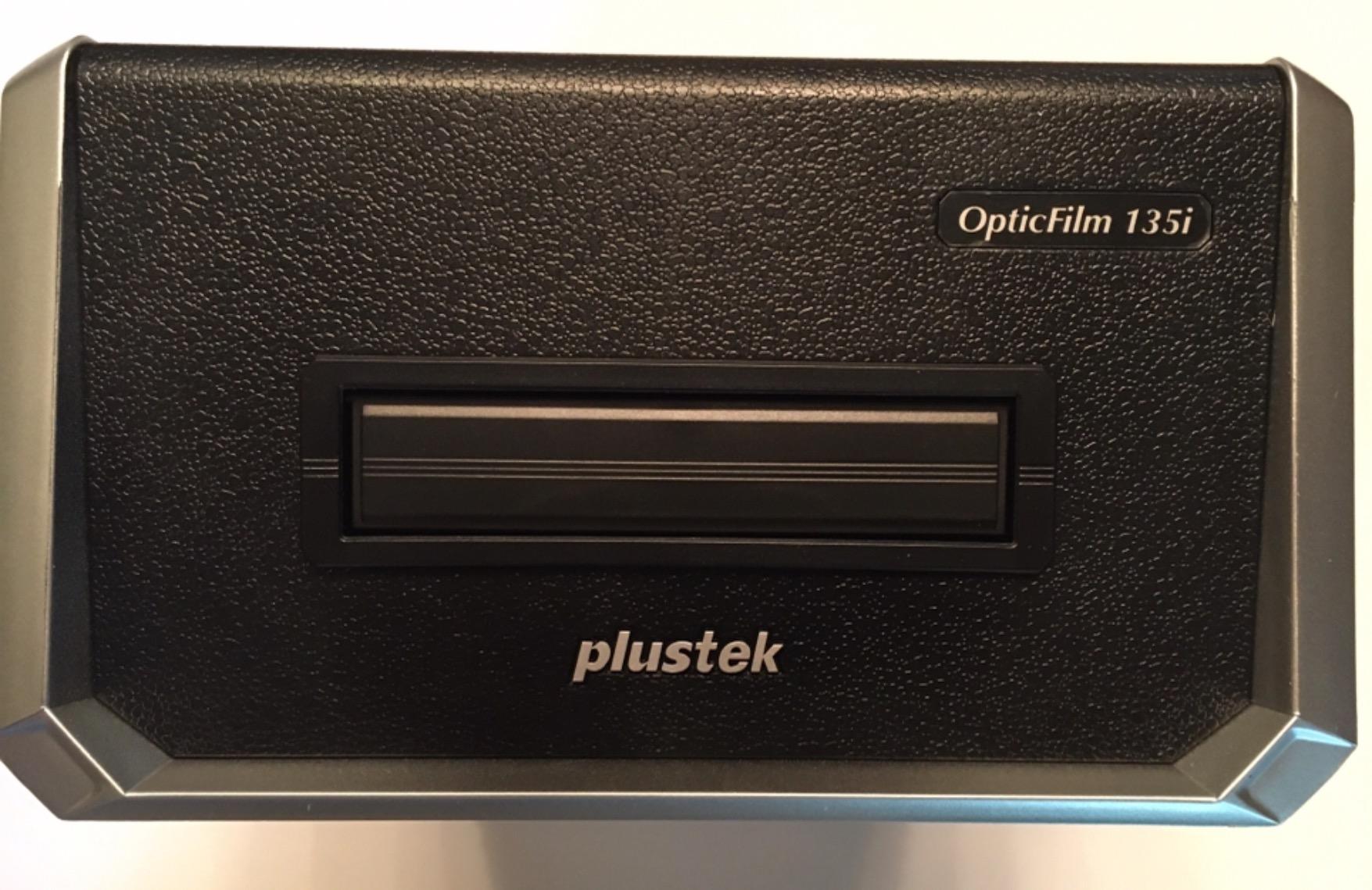
Who the OpticFilm 135i suits
It suits someone facing a very large 35mm archive who has already decided to buy a tethered machine and wants maximum throughput. The batch loading and half-frame support are the reasons to choose it over a manual-feed model.
Who it does not suit
It is wrong for a small collection, wrong for limited desk space, and wrong for anyone who wants to scan without a computer. If you have under a few hundred frames, the manual-feed scanners give you the same resolution for less money and less desk.
10. HP FilmScan HPFS500 – Best Standalone Scanner for Interface Simplicity
HP Film & Slide Scanner HPFS500, Negative Scanner, Slide Viewer, USB-C
- Touchscreen is far more intuitive than button rivals
- Accepts 128GB SD cards
- Very fast with previous slide pushed out as next goes in
- Date metadata stamped onto scans
- 13MP native sensor suits viewing not fine art printing
- Date setting uses slow arrows and cannot go earlier than the 1970s
- No infrared or software defect removal
- SD card not included
The HP is the best interface in the standalone category, and that is not a throwaway line. The 5-inch all-angle touchscreen makes the menu self-explanatory, where button-driven rivals require you to read a manual. If the scanner will be used by a relative who is not technical, this is the one to buy.
It accepts 128GB SD cards, which removes the storage ceiling that limits several competitors, and reviewers converting thousands of inherited slides specifically praise being able to decouple from a computer. Throughput is excellent: roughly 30 slides in a few minutes, with the previous slide pushed out as the next goes in. One owner transferred 2,000 slides plus 1,000 more over two afternoons.
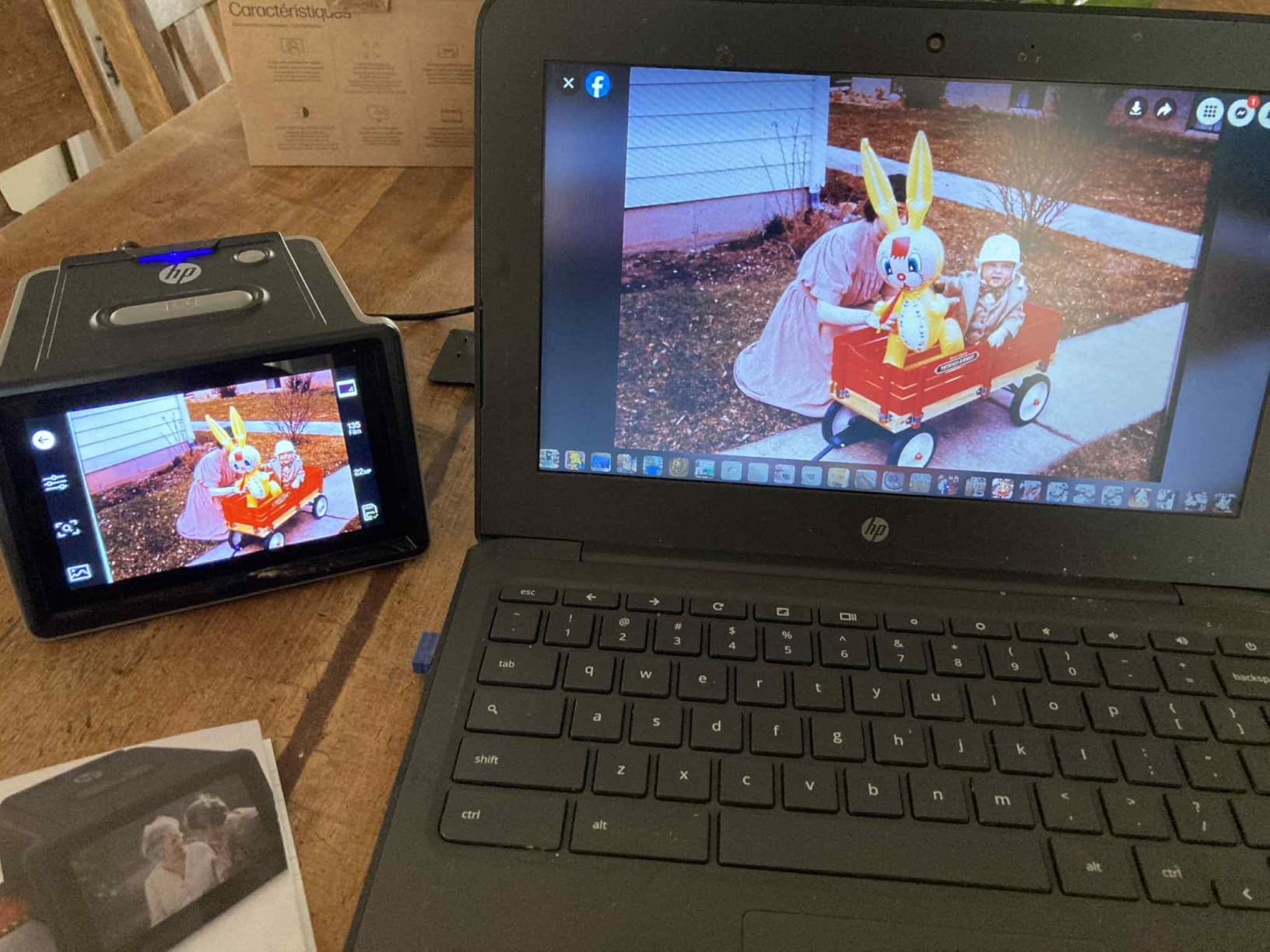
It runs from USB Type-C off a PC port or a 5V adapter, and one reviewer runs it from a power bank, which makes it flexible for a house with no convenient outlet. The 13.4-ounce weight and compact 4.66 by 5.7 by 3.54 inch body are also genuinely portable.
Two real limitations. The native sensor is 13MP with 22MP interpolation, so it is suited to screen viewing and light printing rather than archival fine art work, and there is no infrared or software defect removal, which means faded or scratched originals look worse after scanning. The date-stamping routine is also awkward: slow up and down arrows with no numeric entry, and a floor at the 1970s, so a pre-1970s collection must be dated manually afterwards.
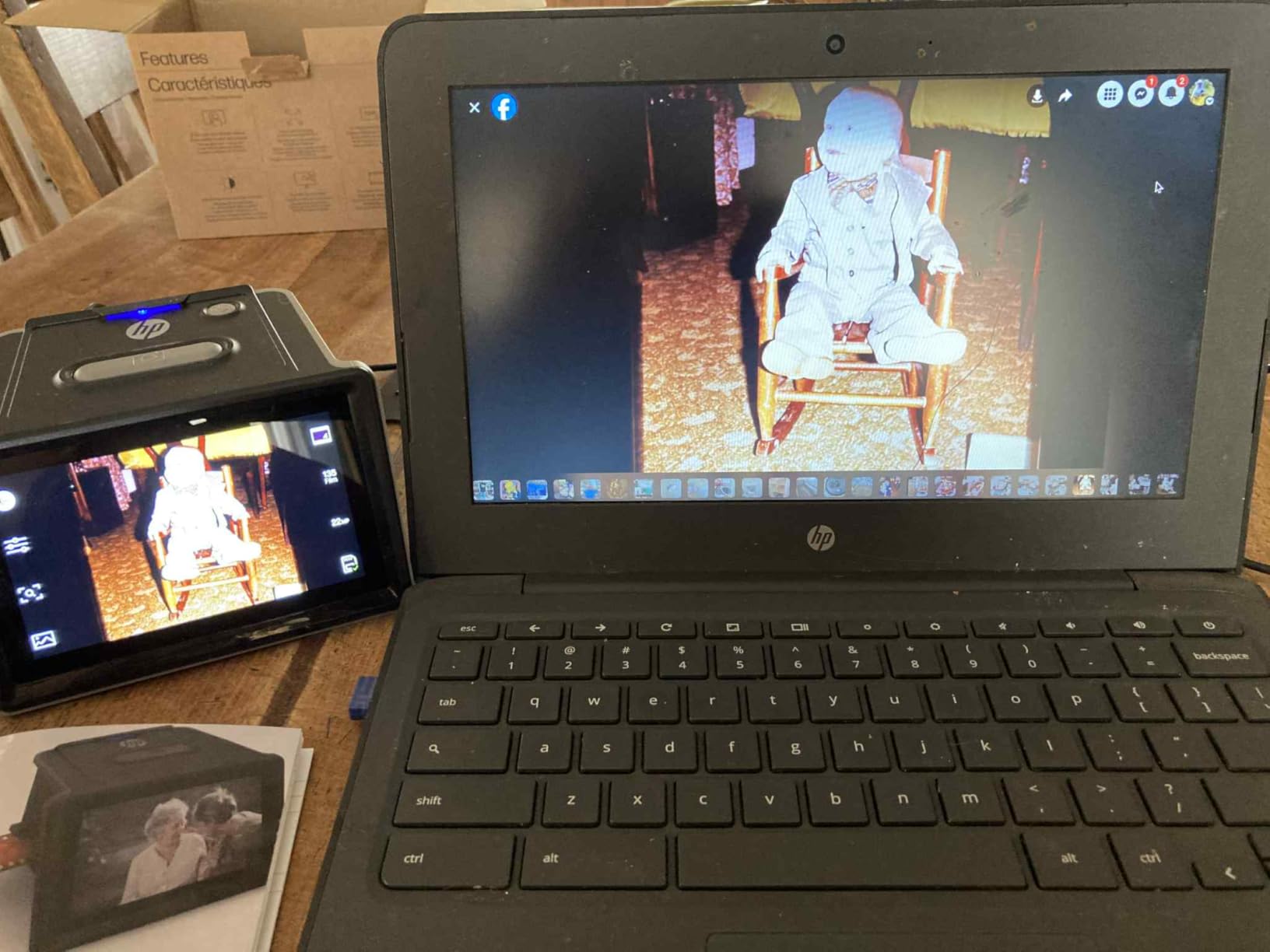
Who the HP FilmScan HPFS500 suits
It suits a large inherited slide collection where storage capacity and speed matter more than maximum resolution, and it suits anyone who will hand the scanner to a non-technical family member. Date metadata is a genuine advantage for an organised archive.
Who it does not suit
It is the wrong choice for fine art printing at large sizes, given the 13MP native sensor. It is also wrong for pre-1970s material if you need accurate dates, and wrong for dusty film with no cleaning channel. Windows 10 or later and macOS 10.15 or later are required.
11. DigitConvert 22MP Film Scanner – Best Standalone with the Longest Warranty
Slide & Negative Film Scanner, Converts 35mm Slides to Digital JPEG Photos
- Highest average rating in the roundup
- Five purpose-built adapters in the box
- 36-month warranty is the longest listed
- Bright wide-angle screen and HDMI TV viewing
- Must be plugged into a power source during use
- SD card not included and capped at 64GB
- No infrared dust removal
- Thinnest review base of the 22MP units
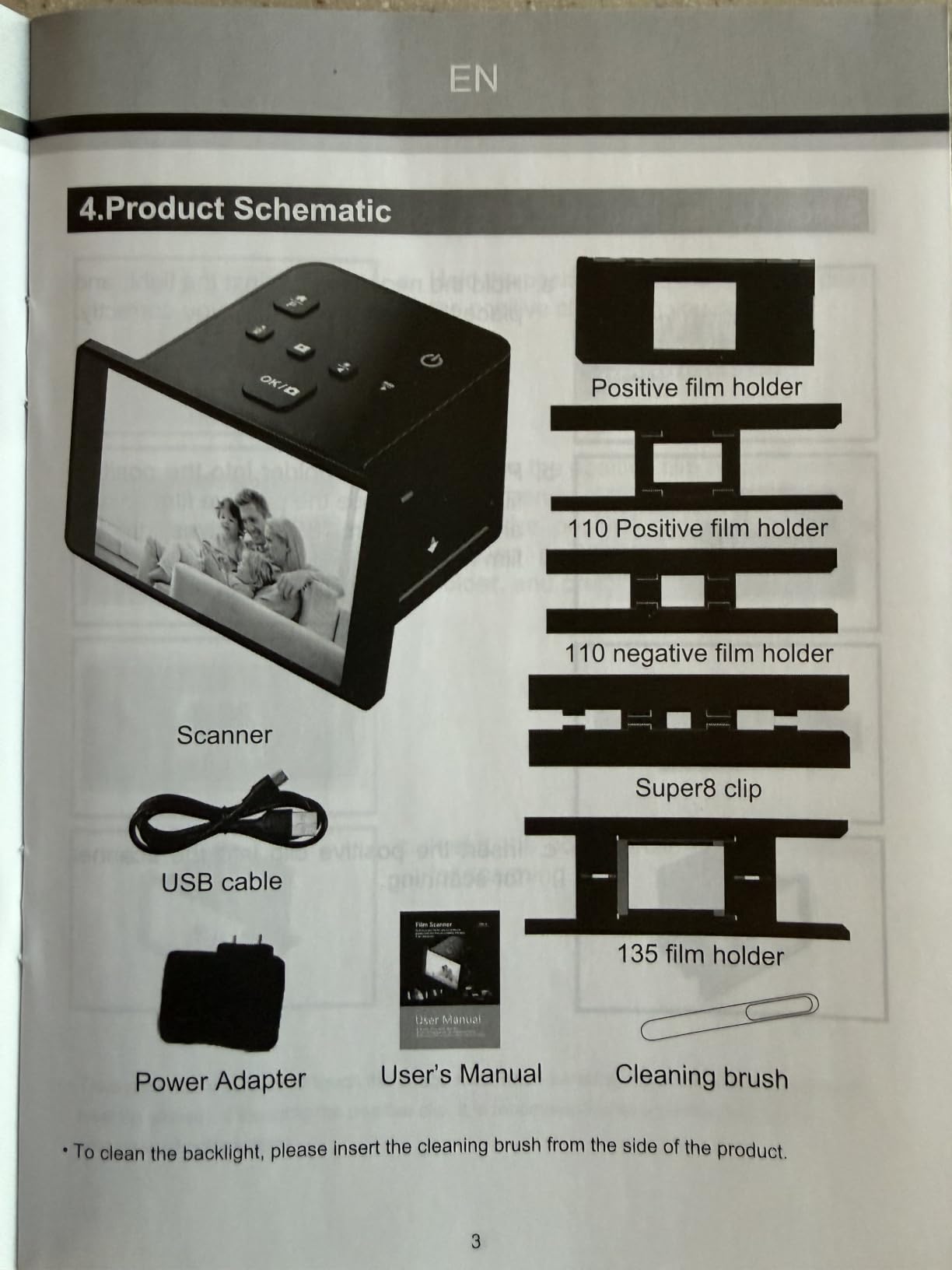
The DigitConvert has the highest average rating in this group at 4.4 stars, and the honest caveat is that it is newer and less proven than the KODAK units with five-figure review counts, not demonstrably better. What it does offer is a genuinely clean out-of-box experience: five purpose-built film adapters in the box, a bright 5-inch HD screen with an extra-wide viewing angle, and one-touch scanning to standard JPEG.
The adapters are the detail that matters. They cover 135 and 110 negatives along with 135, 110, 126 and Super 8 slides, so the box does not become a scavenger hunt the afternoon you start. On-device controls cover film type, colour, brightness and date and time.
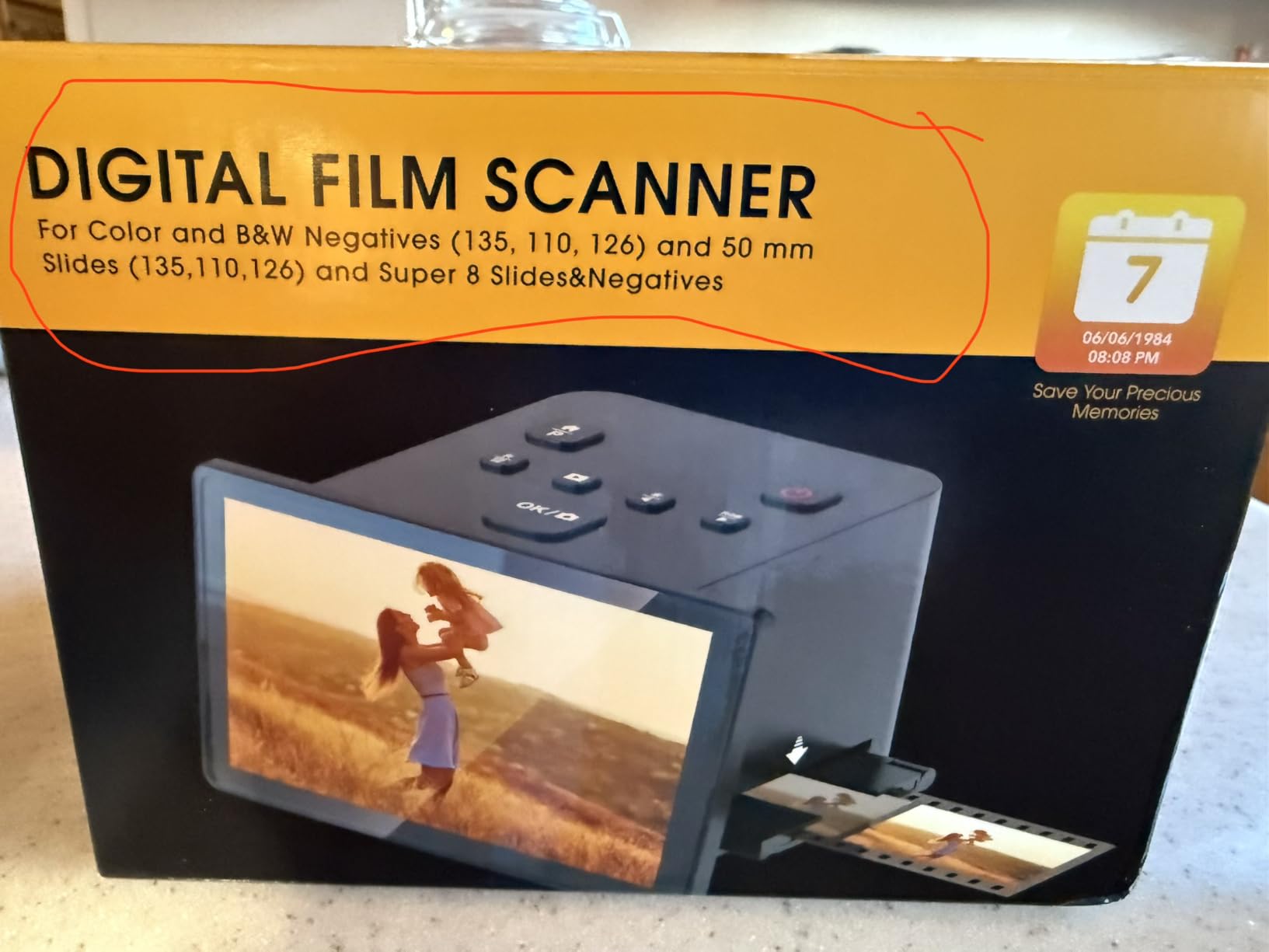
HDMI output lets you run a slideshow on the living-room television, which buyers use for sharing a recovered collection with family. Files go to an SD card in FAT32 or EXFAT up to 64GB, and USB upload works with both PC and Mac.
It must be plugged into a power source during use, since there is no internal battery, and the SD card is not included with a 64GB ceiling. As with the other CMOS standalone units, there is no infrared cleaning for scratched or dusty originals, so clean film first. The review base of just over 200 ratings is the thinnest of the 22MP units, and the 36-month warranty is the longest listed here.
Who the DigitConvert suits
It suits a first-time buyer who wants everything in the box and a long warranty to fall back on. It suits a mixed-format collection including Super 8 stills, and a family that wants to view results on a television.
Who it does not suit
It is not for scanning where no power outlet is available, and not for very large archives given the 64GB card ceiling. With no infrared channel, dusty or scratched film needs manual cleaning, and the thin review base means you are taking on less-proven hardware.
12. TCNEWCL Phone-Mount Film Scanner – Best for a First Look Before You Buy
TCNEWCL 35mm Negative Slide Scanner, Mobile Film Scanner for Converting Old Slides into Digital Images, Portable and Foldable Film Scanner with LED Light
- Cheapest way to start a scanning project
- Three brightness levels help pick frames worth keeping
- Foldable and light at 0.23 kg
- USB powered so it needs only a laptop port
- Not a scanner in the conventional sense
- Resolution is limited by the phone camera
- One-at-a-time capture with no feed
- Some deliveries arrived without the USB cord
Let us be clear about what this is: a foldable LED backlight with a phone mount, not a scanner. You unfold it, lay slides on the lit surface, align your phone camera over the aperture, and capture. Output quality is entirely a function of your phone camera, because that is the sensor doing the work.
That said, for the specific job of deciding whether a box of film is worth a real machine, it is genuinely useful. The three brightness levels let you lay out 36 slides at once and identify which frames are worth keeping, and several reviewers say that organisational step made a decades-long archiving project tractable. The free companion app handles capture, crop, rotate, filter and colour and contrast adjustment, and it also works as a plain slide viewer for deciding what to reprint.
It folds to small-box size, weighs 0.23 kg, and runs on USB, so it needs nothing but a laptop port. There is no cord clutter and no software to install beyond the free app.
Who the TCNEWCL suits
It suits someone at the very start of a project who wants to cull a tray of slides before committing to hardware. It also suits a travel or minimal-space situation where nothing else fits.
Who it does not suit
It does not suit anyone who wants a reliable archive file. Resolution is capped by your phone, capture is one at a time with manual alignment for every frame, and some deliveries have arrived without the USB cord or magnets, in minimal paper packaging. If you have more than a few dozen frames, this is a way to triage, not a way to preserve.
How to Scan Your First Roll of Old Negatives, Step by Step
This sequence works whether you picked a standalone unit or a tethered scanner, and it takes about an hour for your first roll. The order matters, because the mistakes in steps one and four are the ones you cannot fix later.
1. Identify what you actually have. Look at the film edges before anything else. The edge markings tell you the stock and the process. 35mm strips are 135 format, 126 is Instamatic, 110 is the disc format, 120 and 220 are medium format and need different hardware entirely, and Super 8 is motion picture film.
2. Decide whether the film is black and white or colour. If it reads as traditional black-and-white silver-halide such as Tri-X or Plus-X, or if it is Kodachrome, switch infrared dust removal off before you scan. Leave it on for C-41 colour negative and most Ektachrome.
3. Clean the film first. This is the step that decides your results, and it is the one people skip. Use a soft brush and a blower on both sides of every strip. Dust and fingerprints that survive this stage will be baked into every scan you make.
4. Clean the scanner and the holders. Every standalone unit here ships with a cleaning brush, and the KODAK Slide N Scan reviews specifically note that dust inside the feed slot shows up in the scans. Clean the light box and the film path before loading anything.
5. Load carefully and check the preview. Frame the negative, look at the 5-inch or 3.5-inch screen, and confirm the whole frame is inside the border. With the continuous-feed units, make sure the previous frame has fully retracted before you push in the next.
6. Set resolution and bit depth. For standalone units, use the highest native sensor resolution rather than the interpolated headline figure. On the Plustek models, 3600 dpi is the working point most owners converge on, and 48-bit input with 24 or 48-bit output keeps the tonal range.
7. Scan as negative and apply the correct profile. Tell the software the film is a negative so it inverts correctly. If you are on a tethered unit, NegaFix profiles in SilverFast match the scan to a specific emulsion, which is what makes multi-era colour collections consistent.
8. Save a master and a share copy. Save a 48-bit TIFF as the master file and export a 24-bit JPEG for everyday use. Rename files as you go with a consistent scheme, because a 2,000-frame archive with no naming plan is a project you will abandon.
9. Back it up three ways. Keep the master on your computer, on an external drive, and in cloud or off-site storage. Then start a second roll, because the first one always takes twice as long as you planned.
Standalone or Tethered: Which One Fits Your Archive?
Standalone scanners do everything on the device and write to an SD card. Tethered scanners need a computer and software, and give you far more control over the capture. Nine of the twelve models here are standalone; three are tethered.
Choose a standalone unit if you have under a few hundred frames, if multiple people will use the scanner, or if you simply do not want to install and troubleshoot software. You avoid the SilverFast learning curve entirely, and the majority of scanning problems on old film are physical rather than computational, so you lose very little image quality for a lot of saved time.
Choose a tethered unit if you have Kodachrome, if you need colour that is consistent across decades of different film stocks, or if your negatives are dirty enough that automatic infrared cleaning will save you real hours. The trade is time per frame and a software commitment. On the OpticFilm models, a 36-exposure roll is 30 to 45 minutes at minimum, so a large archive is a genuine weekend commitment rather than a background chore.
There is a third path for very large collections, and it is the one experienced users in the forums keep recommending: a DSLR or mirrorless camera on a copy stand with a good macro lens, lit properly and shot tethered. Multiple people in r/AnalogCommunity describe a macro lens and good lighting on a flatbed as the fastest approach, calling dedicated film scanners both super slow. The downsides are the long unmounting and cleaning time, and the fact that Kodachrome still defeats ordinary infrared dust removal. If your collection is measured in thousands of frames, that path deserves serious consideration, and our guides to handheld capture hardware and 3D scanners for reverse engineering cover the same reasoning for physical objects.
Buying Guide: What Actually Matters in a Film Scanner?
Optical DPI versus interpolated DPI. This is the specification that misleads people most. A 22MP figure on a CMOS standalone unit is often interpolated from a 14MP or even 13MP sensor, which means the extra pixels are invented by the software. On a 35mm negative, the real limit is often the film itself, so do not pay for resolution the sensor does not have. Look for the native figure and ignore the interpolated one.
Dynamic range, measured as Dmax. This is how much shadow detail a scanner can pull out of a dense negative. It matters most for old film, because aged colour film and dense black-and-white negatives both run dark. The multi-exposure feature on the Plustek models reaches 3.6 dynamic range, which is a meaningful improvement when a frame looks crushed on first pass.
Colour depth. 24-bit is fine for sharing. 48-bit input with 24 or 48-bit output, and 16-bit output on the 8300i Ai, preserves the tonal information you need if you ever intend to print large or do significant post-processing. Save 16-bit TIFF masters regardless.
Infrared dust removal, and its limits. Read the compatibility section above before paying for this feature. It is the single most useful cleaning tool available for colour negative film and completely ineffective on silver-halide black and white and Kodachrome.
Film holder quality. Holders that grip the film too tightly cause Newton rings, which are pale ripple patterns where the film sits too close to the platen. Holders that grip too loosely let film shift and blur the frame. This is invisible in a specification sheet and obvious in use, and it is why our damaged-film section matters as much as any resolution number.
Format support, checked against your actual film. 135, 126 and 110 are covered by almost everything here. Super 8 and 8mm are covered by the SCANZA, the KODAK Mini, the Magnasonic, the DigitPro and the DigitConvert. Medium format 120 and 220 is covered by none of them, and if that is your film, you need a different class of machine entirely.
Operating system support. Check this before you buy a tethered unit. The Plustek OpticFilm models are listed for Windows 7 through 11 and Mac OS, with the 8200i SE listed to Mac OS 14.x. The HP standalone requires Windows 10 or later and macOS 10.15 or later. Legacy software from older scanners often no longer installs on current systems, which is a common reason a good used machine ends up unusable.
Software, and whether you want it. SilverFast Ai Studio and Plustek QuickScan come with the dedicated scanners and offer NegaFix film profiles, HDRi and Multi-Exposure. Epson-style flatbeds bring their own bundled software. VueScan is widely recommended by owners as a simpler alternative for driving Plustek hardware. Decide whether you want that control before you buy, not after.
Handling Curled, Brittle and Unmounted Old Film
This is the part of the query that gets skipped, and it is the literal meaning of old negatives. Cellulose acetate film base decomposes over decades, curling, sticking, and giving off a vinegar-like smell as it goes. Handle it carefully and the scanner will do its job. Handle it carelessly and you can destroy frames that were unreadable yesterday.
Work in a dry, clean space with good light. Avoid a damp basement and avoid direct sunlight on the film while it is out of the sleeve.
Handle by the edges, never the image area. Fingerprints on an emulsion are permanent. Gloves help, though clean dry hands on the edges are better than cotton gloves that snag.
Do not force a curl flat. Curled film that has been flattened by force will often crease and snap. Warm it very slightly and let it relax naturally between clean sheets of glass, or roll it in the opposite direction inside a paper tube for a few days.
Remove metal slide jackets before scanning. This is raised constantly in reader comments, because jackets and magazines make many slide feeders physically unusable. Removing a slide from a metal jacket needs a slide mount press or a careful jig, and forcing it by hand is how people snap a slide and cut themselves. If the collection is large and valuable, a conservator or an imaging service is the safer route.
Handle uncut rolls deliberately. An uncut 35mm roll has to be divided into strips before most holders will take it, and the usual method is snipping into six-frame sections. Label the sleeve with the frame numbers before you cut, because reordering a family roll destroys the sequence and often the story.
Clean the film before it goes near any scanner. A soft brush and blower, both sides, every strip. On the nine scanners without an infrared channel in this roundup, this is your only dust defence.
Store the negatives flat and cool after scanning. Scanning does not stop deterioration. Once you have a verified digital master, keep the originals in acid-free sleeves, away from heat and humidity.
And if the material is genuinely irreplaceable, consult a conservator before you start. No scanner is worth losing a unique frame of an historical collection to a bent strip or a snapped slide.
Frequently Asked Questions
What is the best scanner for scanning old negatives?
For most people, the KODAK Slide N Scan is the best scanner for old negatives because it combines a large 5-inch preview screen, a continuous film feed and roughly two seconds per frame with no computer required. If your collection runs to thousands of frames, or your film is Kodachrome, move up to a tethered Plustek OpticFilm model for infrared dust removal and colour calibration.
What is the best scanner for negatives and slides?
For negatives and slides together, the KODAK Slide N Scan is the best all-round choice, handling 135, 110 and 126 film plus 50mm slides on a single feed. If your archive is part film and part printed photographs, the ClearClick QuickConvert 2.0 is the only unit in this roundup that also scans 4×6 prints without removing them from their albums.
What is the best scanner for scanning 35mm film negatives?
For 35mm negatives specifically, the best standalone option is the Magnasonic FS71 with its 24MP CCD sensor, and the best tethered option is the Plustek OpticFilm 8200i SE, whose infrared channel removes dust and scratches automatically. Remember to disable infrared on silver-halide black and white film and on Kodachrome.
What is the best way to scan old slides?
The best way to scan old slides is to identify the format, clean both the film and the scanner, load one frame at a time or use a continuous feed, check framing on the preview screen, scan as a negative so the software inverts it correctly, then save a 48-bit TIFF master alongside a JPEG copy. Work in batches of 20 to 30 frames and rest your eyes between them.
What is the best way to scan film negatives at home?
The best way to scan film negatives at home is to start with a standalone no-computer scanner if you have under a few hundred frames, set up in a clean dry space with good light, and budget roughly two to five seconds per frame on a standalone unit or considerably longer on a manual-feed tethered scanner. Clean the film before every session, since most quality problems on aged negatives are physical rather than electronic.
Can I digitize old photo negatives?
Yes, you can digitize old photo negatives, and you should do it before they deteriorate further. Scanning creates a digital master that can be restored, copied and shared indefinitely. The limiting factor with very old film is usually the condition of the film itself rather than the scanner, so cleaning and gentle handling matter as much as the hardware you choose.
Do photo scanners work for slides and negatives?
Do photo scanners work for slides and negatives? Flatbed photo scanners work only if they include a transparency unit, and those units are slower and slightly lower in optical detail than a dedicated film scanner. The dedicated scanners in this roundup, such as the Plustek OpticFilm models, are built only for transmissive film and generally produce sharper results on 35mm negatives.
Final Verdict: The Best Film Scanners for Old Negatives
The KODAK Slide N Scan is our pick for the best film scanners for old negatives, because for the overwhelming majority of people the limiting factor on an inherited box is enthusiasm and time, not optical resolution. It previews large, it feeds continuously, it finishes a frame in about two seconds, and it needs nothing from a computer. Add the fact that it copes with badly degraded negatives better than its specification sheet suggests, and it is the safest first purchase in 2026.
Buy something else if your situation is specific. Choose the KODAK SCANZA if your archive includes Super 8 or 8mm home movie film. Choose the Magnasonic FS71 if you want the sharpest standalone capture and have a large colour collection. Choose the ClearClick QuickConvert 2.0 if the archive is part film and part printed photos, or if there is no power outlet nearby. Choose the DigitPro C190 if you want a large screen and a fast feed at the lowest cost. Choose the HP FilmScan HPFS500 if a non-technical relative will be using it.
Move up to a tethered Plustek only when film condition or colour accuracy demands it. The OpticFilm 8200i SE for dusty colour negatives, the OpticFilm 8300i Ai when calibrated Kodachrome colour across decades matters, and the OpticFilm 135i when you face thousands of frames and need automatic batch loading.
And before any of them, do the unglamorous work: identify your formats, count your frames, check whether your emulsion is one that infrared can read, and clean the film. On old negatives, the scanner you buy matters less than the hour you spend preparing the material. Start there, and 2026 will be the year the shoebox finally stops being a risk.