
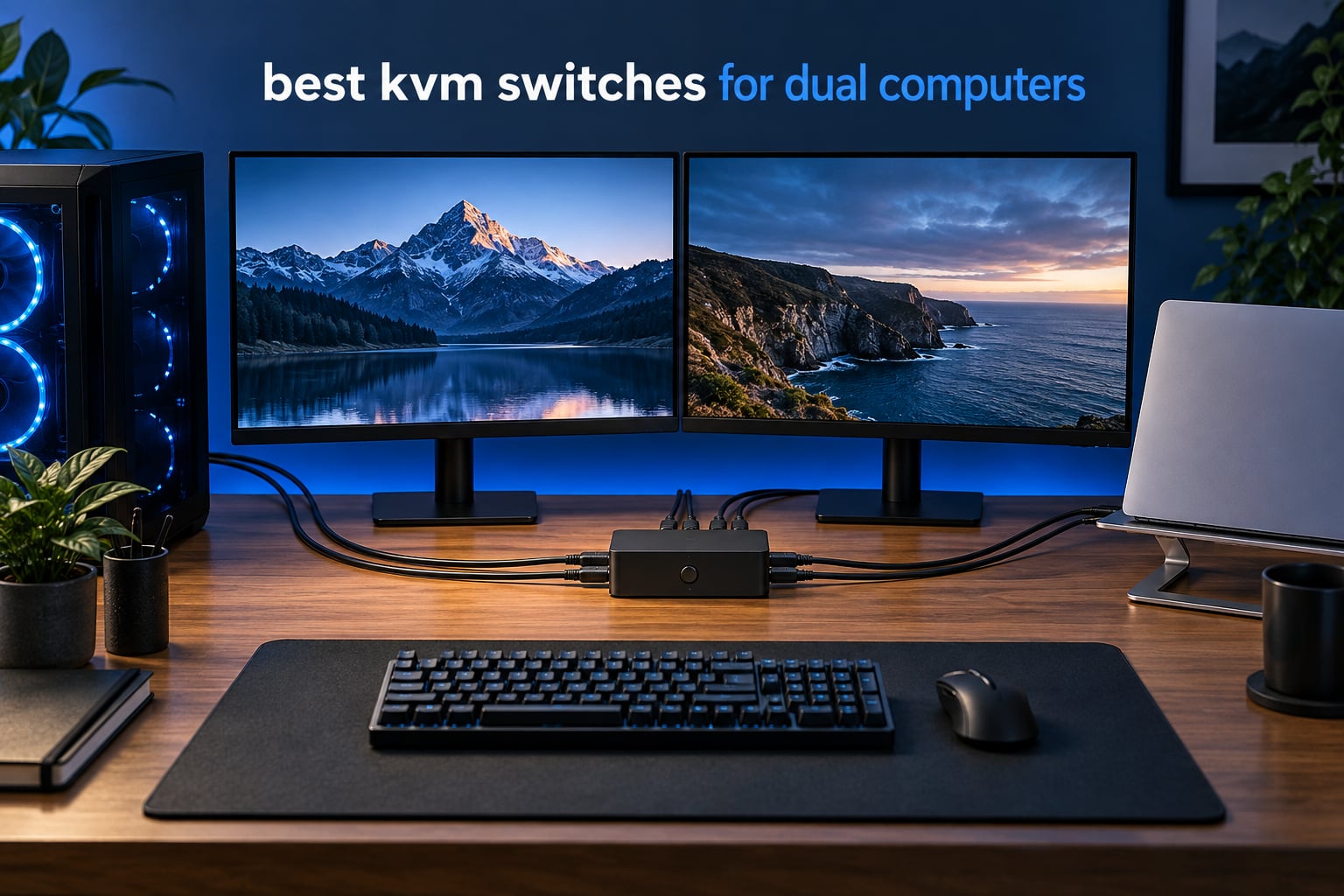
The most common dual-computer desk is not exotic. It is a gaming desktop on one side of the house and a work laptop on the other, both feeding the same keyboard, the same mouse and usually the same pair of monitors. If that is your setup, the right hardware is the difference between a two-second switch and a thirty-second ritual of replugging cables.
That is exactly what we set out to solve with this guide to the best KVM switches for dual computers. We went through twelve switches in the category, checked the port layouts against real dual-machine scenarios, and paid close attention to the two things that decide whether a switch is pleasant or maddening: how it behaves when the second monitor is attached, and whether it preserves your window layout across a switch.
Here is the short version before the detail. If you run a desktop and a laptop and you are happy sharing a single screen, the CMSTEDCD two-port HDMI switch is the one we would put on the desk. If you want two extended monitors on both machines, the VPFET and TJCXELE dual-monitor switches are the ones that deliver. And if both machines are laptops, the Cable Matters 20Gbps USB-C switch is the one that charges and docks properly.
Before you buy, it also helps to know that a KVM switch is a different product from the USB switch and from your monitor’s input menu. We break that distinction down later, because buying the wrong one of the three is the single most common category mistake we see. If you are still building the desk, our monitor arm roundup is worth a read first, since arm clearance decides where the switch can physically sit.
Table of Contents
Top 3 KVM Switches for Dual Computers (October 2026)

CMSTEDCD 2-Port HDMI KVM
- 4K@60Hz HDMI 2.0
- Panel button plus wired controller
- Bus-powered metal body

VPFET 8K Dual-Monitor KVM
- 8K@60Hz and 4K@120Hz
- Extended or copy mode
- 4 USB 3.0 with 12V adapter

The CMSTEDCD takes the top slot because it needs nothing at all to run, no adapter and no host-side software, and it carries the second-largest review base of any switch in this guide. It is a single-monitor switch, and we say so plainly in its own section.
The VPFET is the one to buy if you genuinely want two extended monitors on each machine and can get two video outputs out of both computers. The BENFEI earns the value slot on sheer evidence: with 3941 reviews it is the most-examined switch in this list, and it still holds 4K and 8K60 signal at the entry level of this category.
What Is a KVM Switch?
A KVM switch lets you control two computers with one keyboard, mouse and monitor set. You plug each computer’s video output into the switch, plug the monitors and your peripherals into the switch, then press a front-panel button, a hotkey or a remote to move every signal to the other machine at once.
The name is the whole idea: Keyboard, Video, Mouse. A unit with only USB ports in the name is a USB switch, which routes peripherals but leaves you switching video inputs by hand on each monitor. That difference catches out a lot of first-time buyers, and it is worth being certain which of the two you actually need.
Every KVM Switch in This Guide at a Glance (October 2026)
Eight of these twelve drive a single screen and four drive two. Check the monitor count before anything else, because a single-monitor switch cannot be made dual-monitor later.
| Product | Specifications | Action |
|---|---|---|
| CMSTEDCD 2-Port HDMI KVM Switch |
|
Check Latest Price |
 UGREEN HDMI KVM Switch 15707 UGREEN HDMI KVM Switch 15707 |
|
Check Latest Price |
 Hearvo USB 3.0 HDMI KVM S7232H Hearvo USB 3.0 HDMI KVM S7232H |
|
Check Latest Price |
 GREATHTEK S7232H-A KVM Switch GREATHTEK S7232H-A KVM Switch |
|
Check Latest Price |
| VPFET 8K Dual-Monitor KVM Switch |
|
Check Latest Price |
 TJCXELE 4K 120Hz Dual-Monitor KVM TJCXELE 4K 120Hz Dual-Monitor KVM |
|
Check Latest Price |
 TJCXELE 4K 60Hz Dual-Monitor KVM TJCXELE 4K 60Hz Dual-Monitor KVM |
|
Check Latest Price |
 SUIDEK HDMI KVM Switch V1309A SUIDEK HDMI KVM Switch V1309A |
|
Check Latest Price |
 IOGEAR GCS32HU KVM Switch IOGEAR GCS32HU KVM Switch |
|
Check Latest Price |
| BENFEI USB 3.0 HDMI KVM 8K |
|
Check Latest Price |
 Cable Matters 20Gbps USB-C KVM Cable Matters 20Gbps USB-C KVM |
|
Check Latest Price |
 DXchip USB-C Dock KVM 2 Monitors DXchip USB-C Dock KVM 2 Monitors |
|
Check Latest Price |
1. CMSTEDCD 2-Port HDMI KVM Switch – The One That Works Out of the Box
- Bus-powered
- no adapter needed
- Quick plug-and-play setup with no drivers
- Wired controller lets the unit sit under the desk
- LED indicators show the active computer
- Compact metal housing
- Single monitor only
- No hotkey switching
- 4K needs an HDMI 2.0 cable no longer than 3.3 feet
- Caps at 60Hz
- Will not wake a sleeping PC
Our whole team came back to this one. It is a 2-port HDMI switch for one monitor, sized at 3.86 by 2.36 inches and weighing 0.06 kg, so it disappears next to a monitor base. There is no external power supply, no driver and no host-side software, which makes the install about ninety seconds.
Video is HDMI 2.0 at up to 4K@60Hz with backward compatibility to 4K@30Hz and 1080p60. Peripherals get two USB 2.0 ports at 480Mbps, which is enough for a keyboard and a mouse and slow for anything else.
Switching happens through the panel button on the unit or the included wired desktop controller, so you can push the box out of sight. There is no hotkey support, which is the most common complaint in the reviews, and buyers also note occasional cases of needing to re-plug a device or press the button twice.
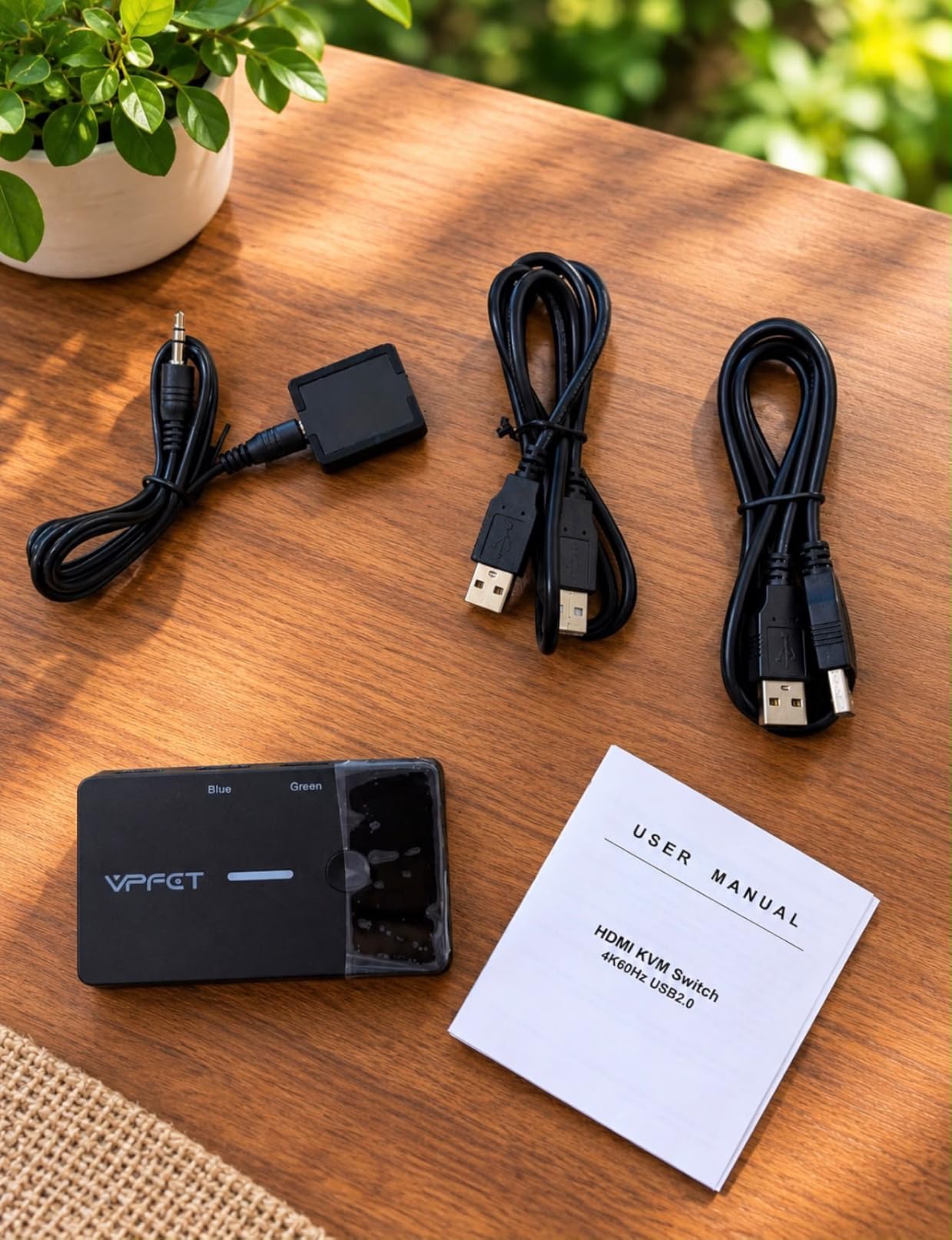
One other thing worth knowing before you commit: the 3.3-foot cable ceiling for 4K. The manufacturer calls for an HDMI 2.0 cable no longer than 3.3 feet to hold 4K@60Hz, so plan your cable run with a short lead in mind. There is also a note against using it with Mac devices, which matters if your second machine is a Mac.
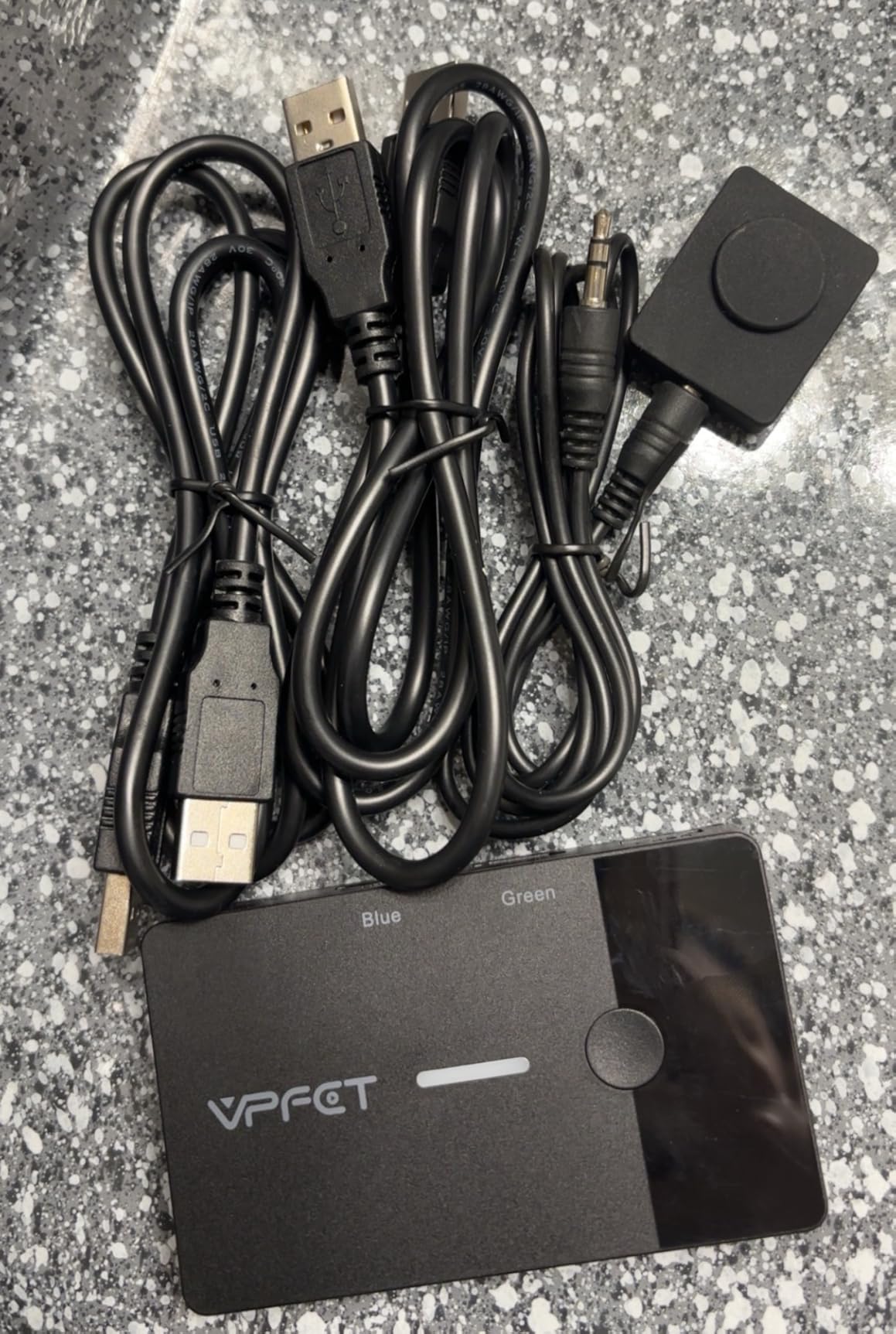
Why this one works for a desk shared by two machines
The failure modes that annoy people in this category mostly come from complexity, and this unit has almost none: bus power means one fewer thing to plug in, no EDID handling means no emulation to misbehave, and button-plus-controller switching means you never think about a hotkey scheme colliding with something on either computer.
Where it will disappoint you
The moment you want a second monitor, this switch is finished. It cannot be extended, and there is no upgrade path. On a gaming desk it also caps at 60Hz, so a high-refresh display will run at its lowest setting, and it cannot wake a sleeping PC, so the first switch of the morning means a wake-up click.
2. UGREEN HDMI KVM Switch 15707 – Fast USB Ports in an Aluminium Shell
UGREEN HDMI KVM Switch 1 Monitor 2 Computers, Aluminum, 4K@60Hz, 4 USB 3.0
- Four USB 3.0 ports including a USB-C port
- Aluminium and plastic build
- HDMI 2.0 with HDR and HDCP 2.2
- HDMI and USB cables plus controller in the box
- Works with consoles and every major OS
- No EDID emulation
- which can disrupt Linux and dock setups
- Single monitor only
- HDMI only with no DisplayPort
- No hotkey switching
- Power adapter not included
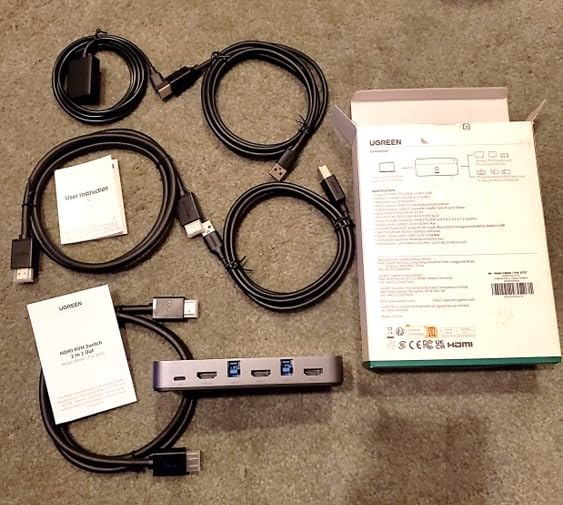
This is the UGREEN model 15707, and the reason it earns a place here is the USB hub rather than the video. It carries three USB-A ports and one USB-C port, all at up to 5Gbps, which means an external drive or a capture card behaves like it would plugged straight into a desktop.
Video is a single HDMI 2.0 output at up to 4K@60Hz, with backward compatibility to 4K@30Hz, 2560×1440@120Hz and 1920×1080@240Hz. It supports HDR, HDCP 2.2 and 1.4, 3D and CEC, which is a longer feature list than most switches at this level manage.
Buyers consistently like the aluminium construction and the clean one-button switching. The box includes two HDMI cables, two USB A-to-B cables and a controller, so nothing extra is needed to get running. Both USB A-to-B cables have to be connected for the USB side to work properly.
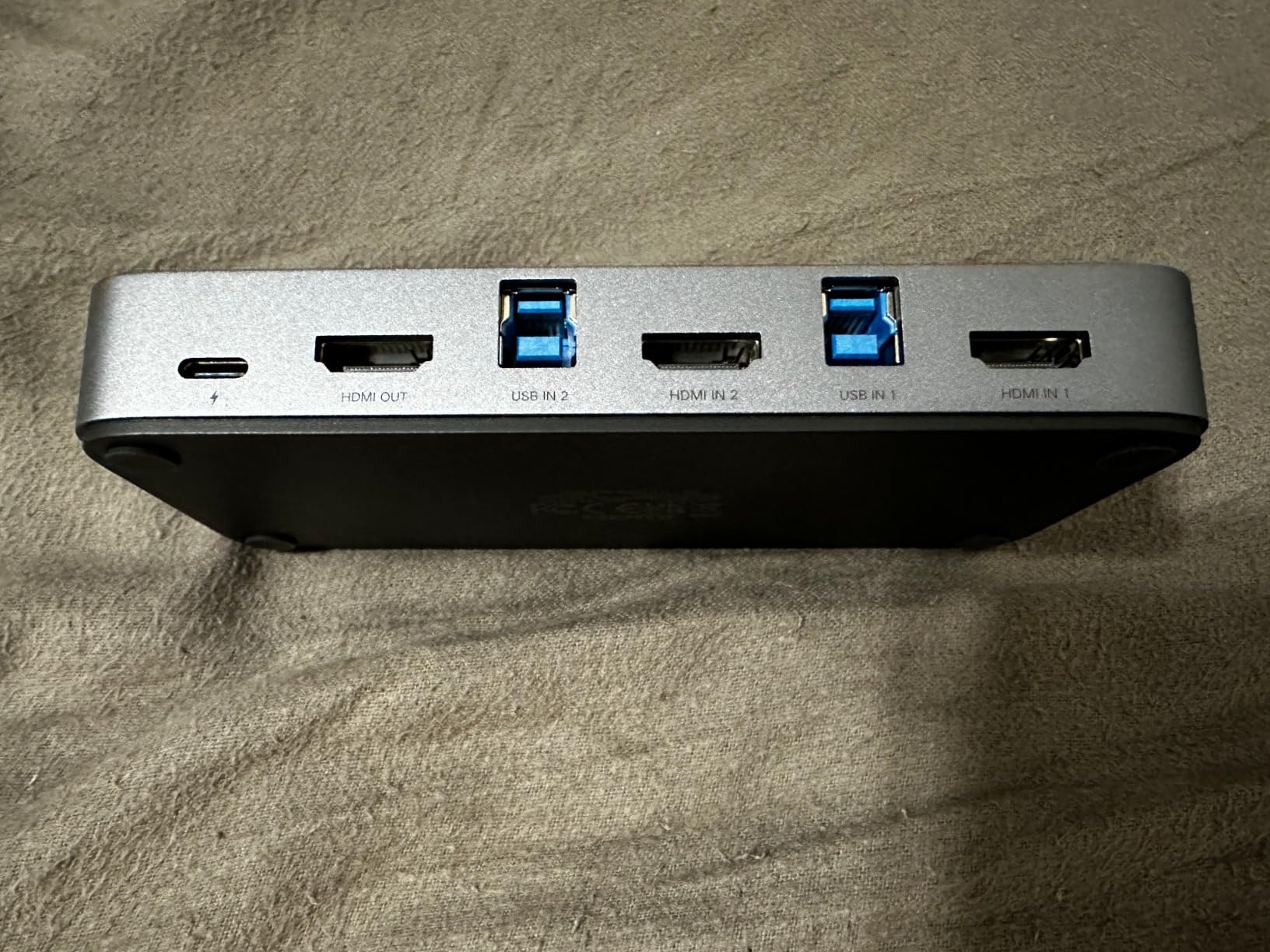
Two limits are worth reading twice. There is no EDID emulation, and reviewers report that this can disrupt some Linux and dock setups where the host renegotiates the display every time you switch, and there is also no hotkey switching and only one monitor.
What this switch is genuinely good at
Moving fast peripherals between two machines. If your keyboard, mouse, headset and an external SSD all live behind this box, the 5Gbps hub keeps things honest, and the in-box cables remove the usual first-afternoon friction. It is also one of the few units here with a mainstream brand name and broad console support.
What to check before you order
Confirm you are happy with one monitor and no EDID emulation. If your laptop runs Linux, or if you dock it at the same time as switching, the missing EDID handling is a real source of window-layout churn. There is also no DisplayPort anywhere on this unit.
3. Hearvo USB 3.0 HDMI KVM Switch S7232H – Adaptive EDID at a Mid-Low Price
Hearvo USB 3.0 HDMI KVM Switch for 2 Computers 1 Monitor, 4K@60Hz, S7232H
- Adaptive EDID helps keep the picture stable through switches
- Four USB 3.0 ports including a USB-C port
- No external power supply or driver needed
- Aluminium housing with rubber feet
- Works with Windows macOS Linux and consoles
- Single monitor only
- No hotkey switching
- Bus power limits sustained high-draw USB devices
- Some users re-press the switch to complete a change
The Hearvo S7232H is one of only a few single-monitor switches in this guide that explicitly handles EDID, and that is the feature that keeps the image steady rather than renegotiating it. For a desk that alternates between a desktop and a laptop every day, that stability is worth more than the extra ports some rivals offer.
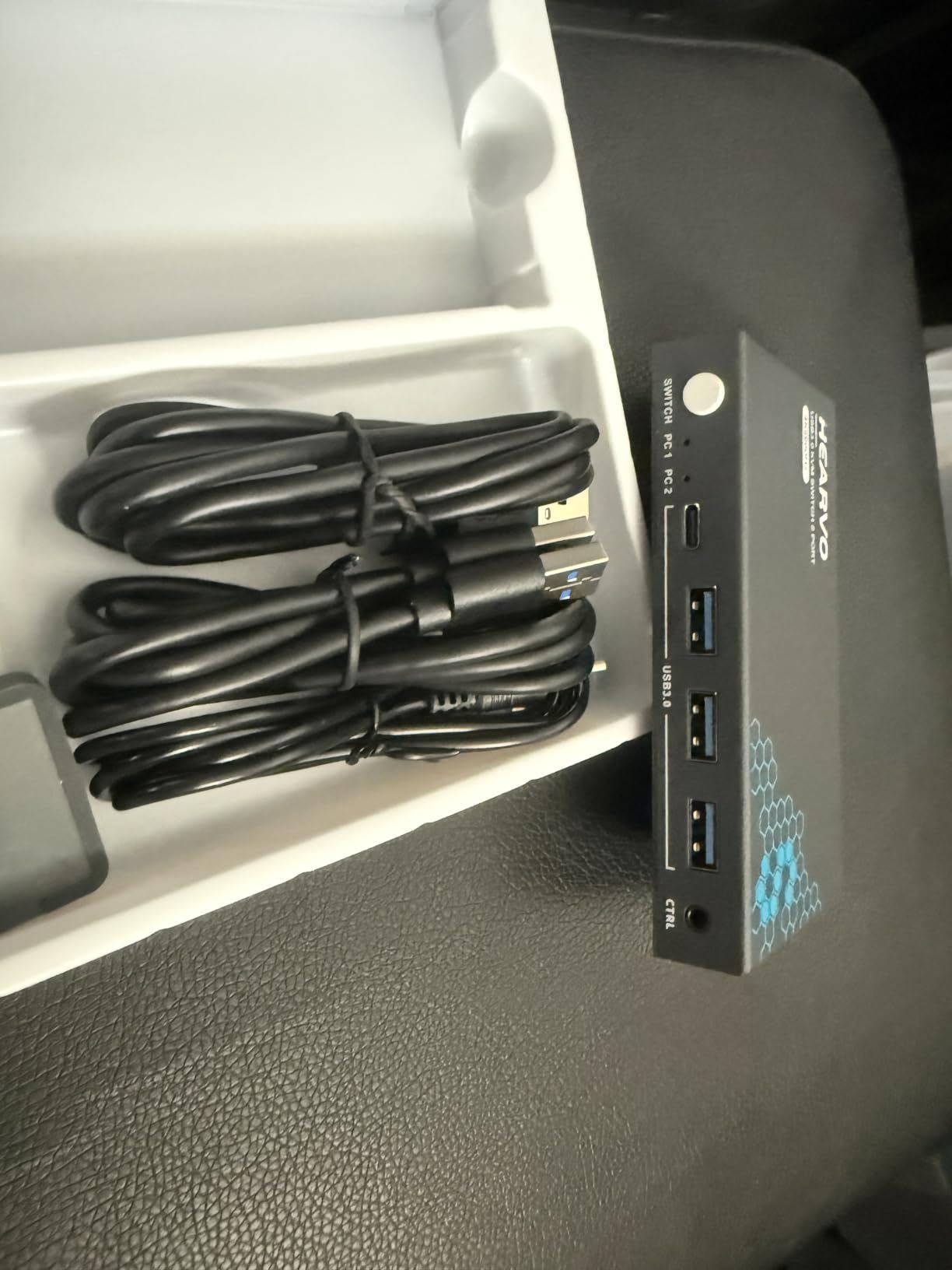
Video is HDMI 2.0 at 4K@60Hz with HDCP 2.2, 3D support and 4K@30Hz fallback. The USB side is four USB 3.0 ports, three USB-A and one USB-C, running at up to 5Gbps. The chassis is aluminium, measuring 5 by 2.4 by 0.8 inches and weighing 0.5 lb.
Switching is via the on-unit push button or the included wired remote switch. No external power supply and no driver software is required, so it runs off USB bus power. The box holds the switch, a USB 3.0 cable, the controller and a manual.
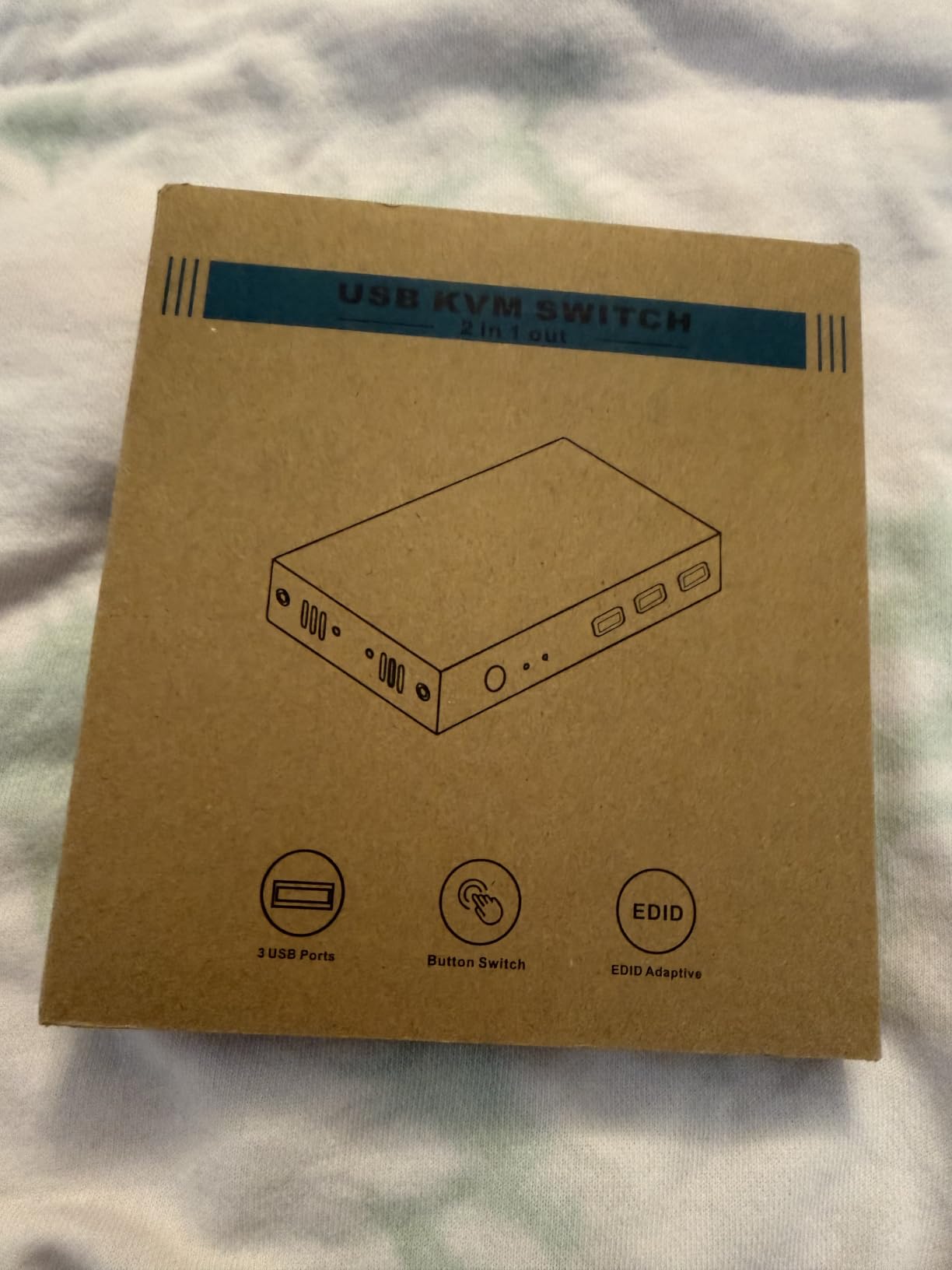
Reviewers like the combination of adaptive EDID, four USB 3.0 ports and a bus-powered plug-and-play setup. The recurring complaints are structural rather than behavioural: it drives a single monitor, there is no hotkey option, and very high-draw USB devices are not its strong suit on bus power.
Why adaptive EDID matters on a two-machine desk
Without EDID handling, the monitor and the host renegotiate the display every time you switch, which is where the flickering, the blank screen and the scrambled window layout come from. Adaptive EDID reduces that handshake, so the picture settles faster and your window positions tend to survive. A thread on r/buildapc covering this exact desktop-plus-laptop scenario named EDID as a hard requirement.
Where it stops short
It stops at one monitor. If your plan is two screens, this is the wrong shape of device and no firmware or accessory changes that. Bus power also means a spinning external drive or a high-power USB hub may brown out when the switch changes hosts.
4. GREATHTEK S7232H-A KVM Switch – The One With a Lifetime Warranty
HDMI KVM Switch 1 Monitor 2 Computers 4K@60HZ 2 Port KVM Switcher
- Lifetime warranty with responsive seller support
- Adaptive EDID for stable handshakes
- Three USB 3.0 ports for keyboards mice scanners and printers
- No external power or driver needed
- Compact 5.2 by 2.24 inch body
- HDMI cables sold separately
- Single monitor only
- No hotkey switching
- Refresh capped at 60Hz for 4K
GREATHTEK is the name that comes up repeatedly when people describe one-button switching between a PC and a laptop, and the S7232H-A is the current two-port HDMI unit. It does the same core job as the Hearvo, with one meaningful difference in the box and one meaningful difference in the paperwork.
Video is HDMI 2.0 with HDCP 2.2 up to 3840×2160 at 60Hz, with adaptive EDID for steadier transmission. Three USB 3.0 ports handle shared peripherals at up to 5Gbps, which suits a keyboard, mouse, scanner or printer. The body is copper, measuring 5.2 by 2.24 by 0.71 inches at 0.44 lb.
The paperwork is the selling point: a lifetime warranty and responsive seller support, which is unusual in a category where buyers routinely report units failing after a year or two. Switching is by wired remote or the unit’s push button, and no power supply or driver is needed.
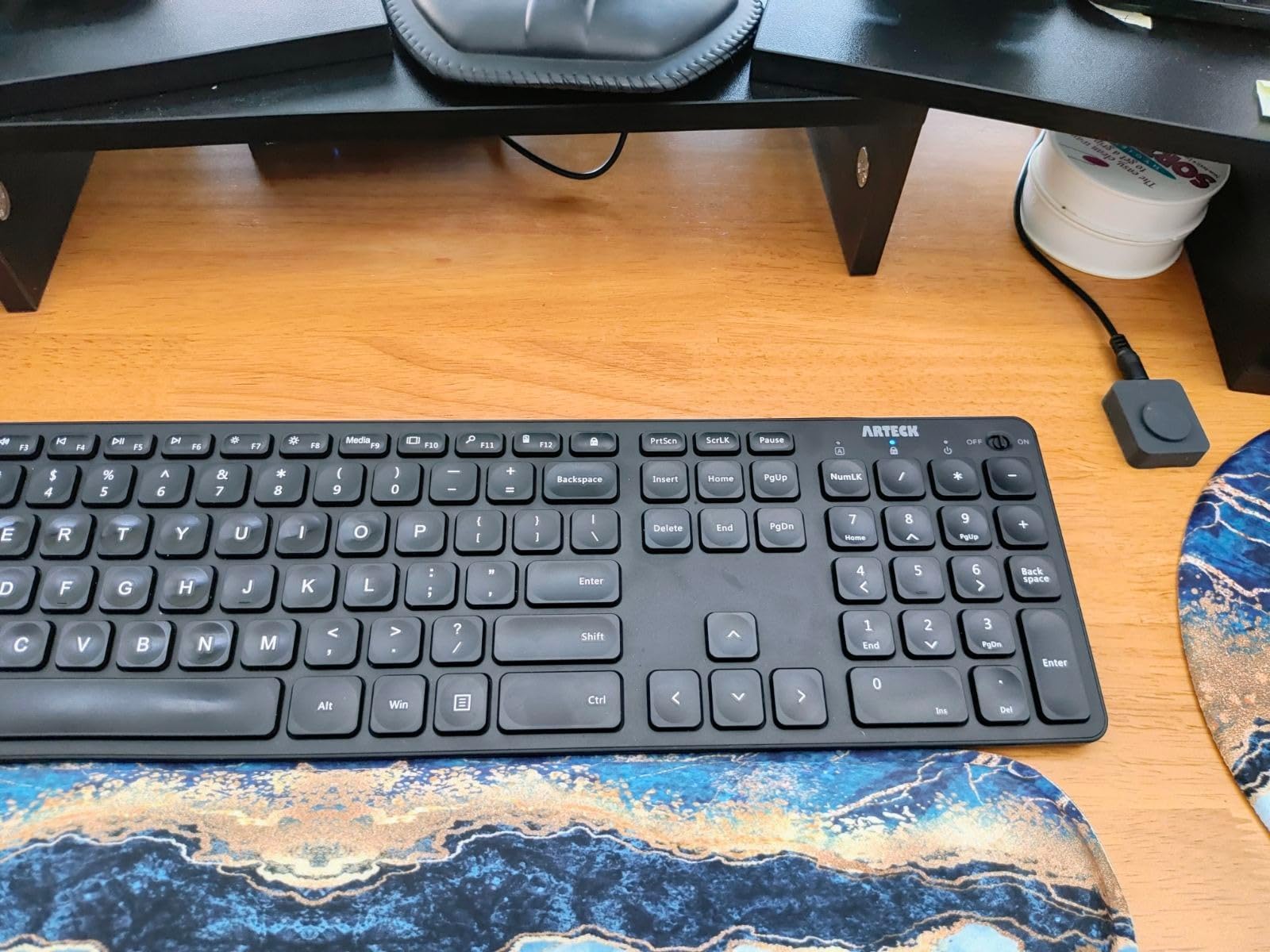
Owners generally find it dependable for sharing a keyboard, mouse and monitor between two PCs, with EDID adaptation reducing handshake problems. The recurring drawbacks are the absence of hotkey switching, single-monitor-only operation and the fact that HDMI cables are not included. Budget for three cables, two host-side and one to the display.
Where the lifetime warranty changes the decision
Reliability is the quiet worry in this category. Buyers ask whether the thing will still work in two years, and the honest answer for most budget switches is that you are gambling. A lifetime warranty shifts that risk onto the seller, which is worth real weight if you are putting this behind a monitor arm where swapping it is annoying.
What it will not do for you
It will not drive a second monitor, and it will not save you money on cables. Both are hard limits rather than settings. If you need a dual-monitor KVM, skip this section and read picks five through seven instead.
5. VPFET 8K Dual-Monitor KVM Switch – Two Extended Screens on Both Machines
8K HDMI KVM Switch 2 Monitors 2 Computers, USB 3.0 Dual Monitor KVM Switch
- 8K@60Hz and 4K@120Hz suits high-end displays and gaming
- Genuine two-monitor control of two computers
- Four USB 3.0 ports with a 12V adapter for stable device power
- Works with Windows Mac Linux Unix and gaming PCs
- Metal housing with clear PC1 and PC2 indicators
- Each computer needs two HDMI outputs for dual-monitor mode
- Passive adapters and standard conversion cables will not pass video
- No keyboard hotkey switching
- Active adapters may be needed alongside the unit
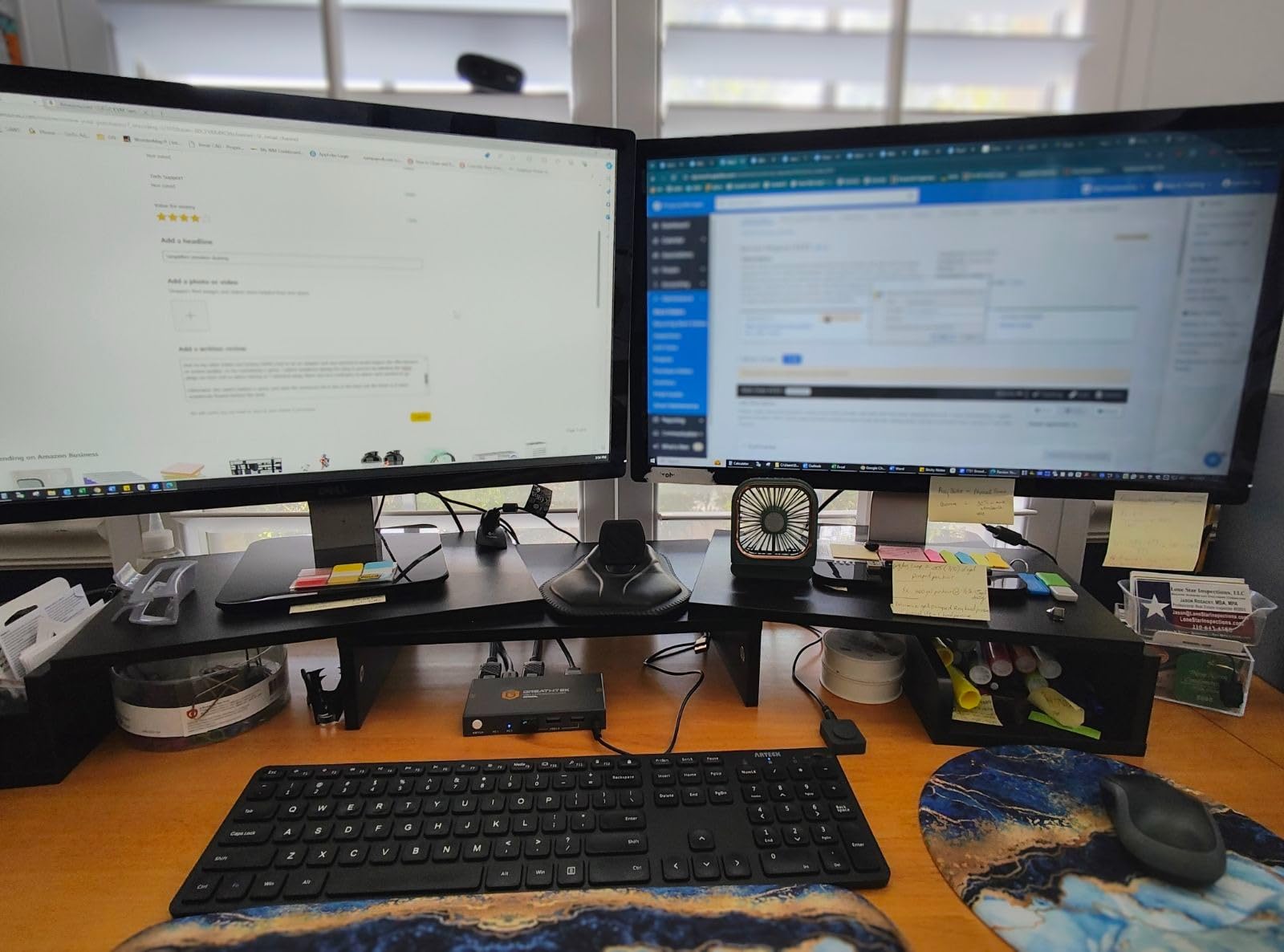
This is the first unit in the list that does the thing a dual-computer desk actually needs: two monitors, two computers, both machines extended. The VPFET SW221 routes two HDMI outputs from each host out to two monitors, in either extended or copy mode, from one keyboard and mouse.
Video tops out at 8K@60Hz and 4K@120Hz. The USB side is four USB 3.0 ports at up to 5Gbps, backward compatible with USB 2.0, and a 12V external power adapter is included specifically to keep USB devices stable when they draw real current. The metal chassis measures 5.91 by 2.56 by 1.42 inches and weighs 1.1 lb.
Reviewers like the 8K and 4K120 capability and the stability the external 12V supply brings to the USB ports. It is listed as compatible with Windows, Mac, Linux, Unix, laptops and gaming PCs, and carries clear PC1 and PC2 indicators on the panel.
There is a hardware condition attached, and you should check it before anything else. Each computer needs two HDMI outputs to run dual-monitor mode, so a laptop with a single HDMI port plus one USB-C port will need an adapter, and passive adapters and standard conversion cables will not pass video. Active adapters may be needed alongside the unit, and switching is by panel button and a wired controller with no keyboard hotkey support.
Why it suits a two-monitor desk
It pairs a high video ceiling with external USB power, and it runs both machines in extended mode rather than mirroring. That combination is exactly what a desktop-plus-laptop desk needs, and it is why this is the second card in our top three.
What to verify before you buy it
Count the video outputs on both machines. Two HDMI ports each, or one HDMI plus a USB-C port you can drive with an active adapter, and you are fine. If either machine can only produce one video signal, this is a single-monitor device wearing a dual-monitor label, and you should be looking at picks one through four instead.
6. TJCXELE 4K 120Hz Dual-Monitor KVM Switch – The High-Refresh Gaming Option
- Highest average rating in this guide with 85 percent five-star reviews
- 4K@120Hz output that is rare at this level
- Extended and copy modes for dual-monitor flexibility
- External 12V adapter keeps USB devices stable
- Both panel button and extension controller included
- Each computer needs two HDMI ports and multi-monitor support
- No keyboard hotkey switching
- Costs more than single-monitor budget models
- Larger footprint at 7 by 6 inches
The TJCXELE Kvm-8k120hz-2×2 is the pick for anyone whose monitors run fast. It carries 4K at 120Hz with HDMI 2.1 and 8K-class capability, which is the number that matters on a gaming desk where input lag and frame dropping are the two things players actually notice.
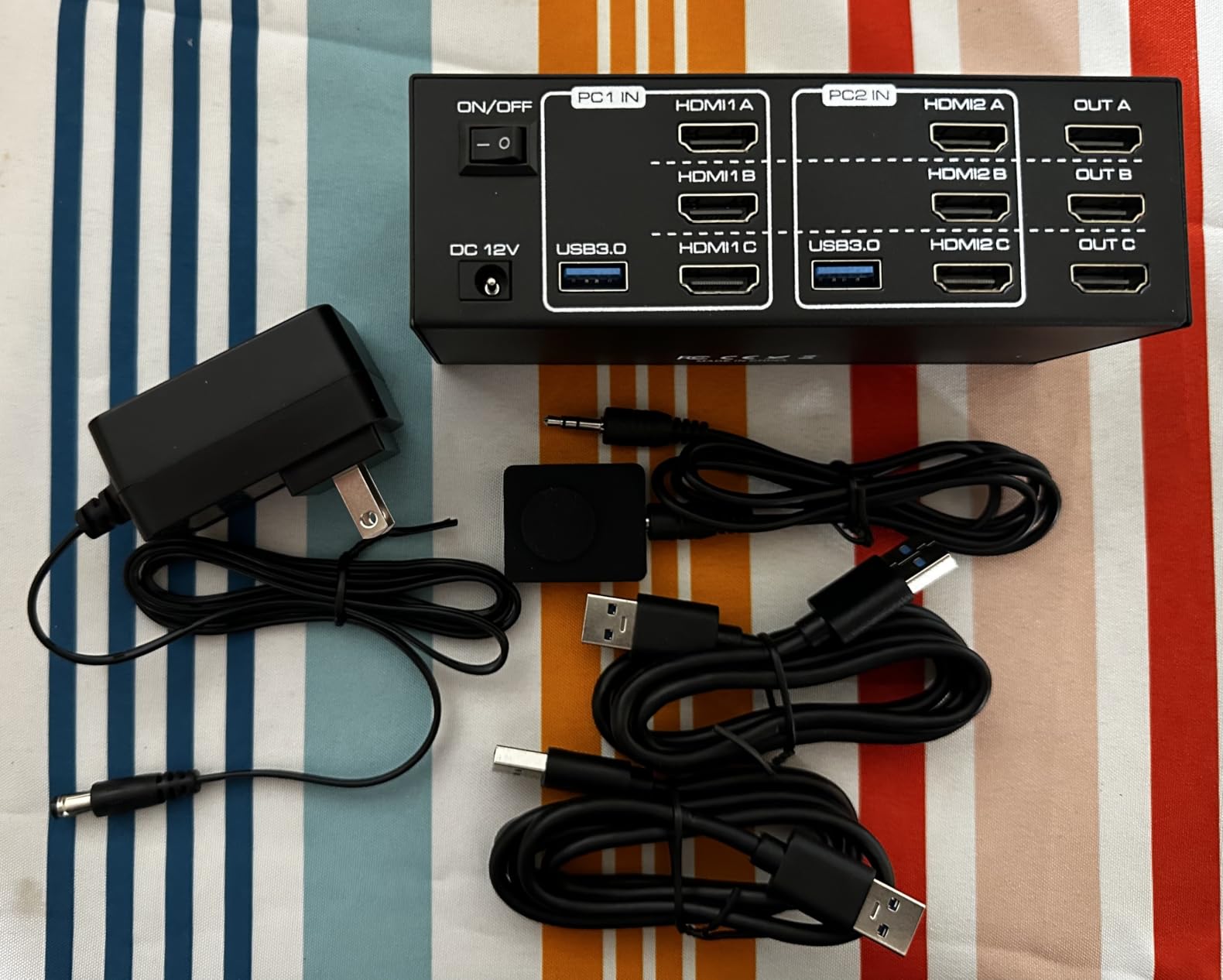
It drives two monitors from two computers in extended or copy mode, with four USB 3.0 ports at up to 5Gbps. A 12V/1A DC power adapter is included to stabilise USB power, and switching works from the panel button or an external wired controller. The aluminium body is 7 by 6 by 1.5 inches at 1.4 lb, so plan desk space accordingly.
At a 4.7 average it is the highest-rated unit we looked at, with 85 percent of reviews at five stars. Owners are overwhelmingly positive about the 4K 120Hz dual-monitor performance, the extended-mode flexibility and the stable powered USB.
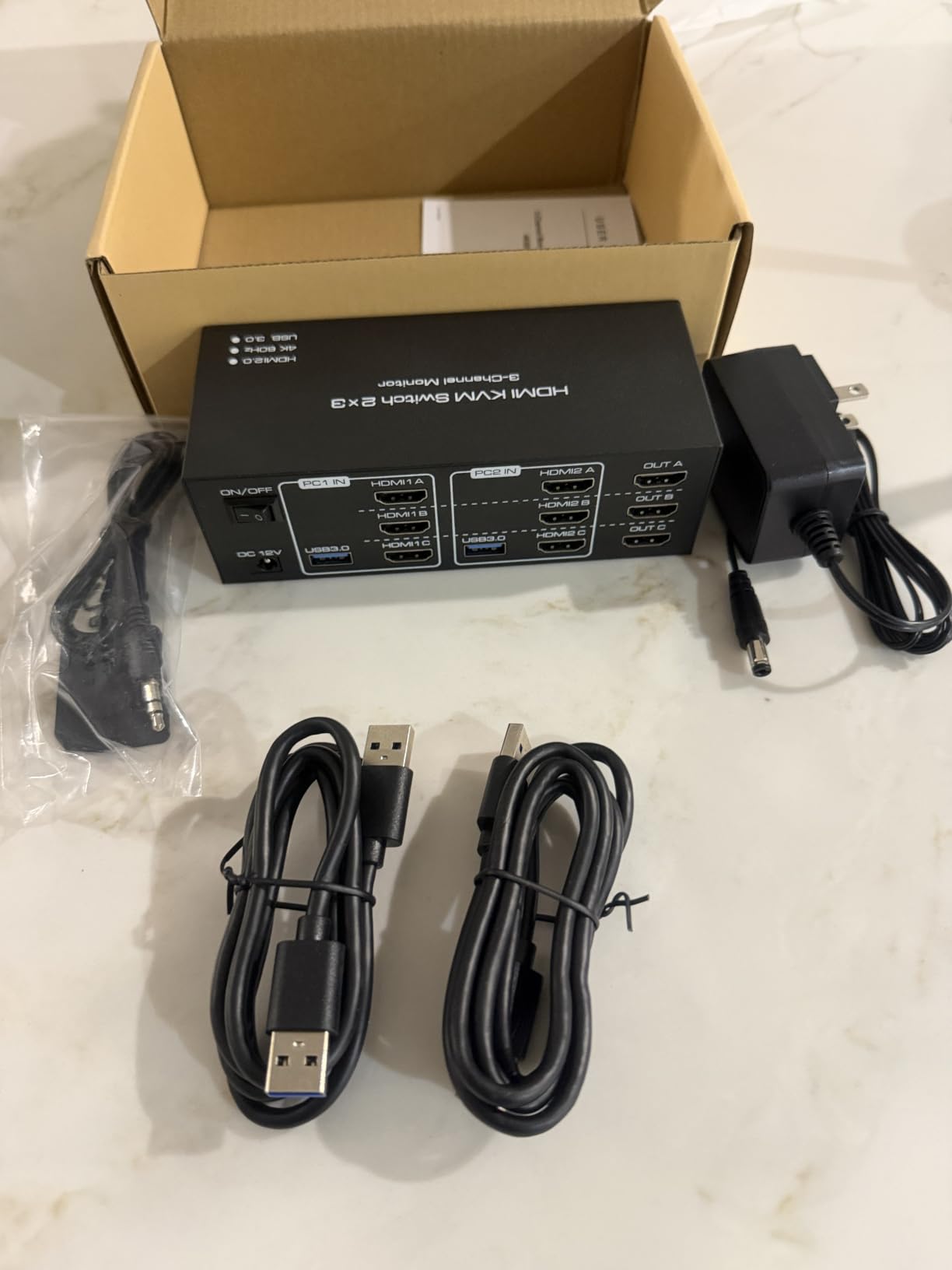
The consistent caveat is the same one as the VPFET: both computers need two HDMI outputs and multi-monitor support, and there is no hotkey option. It also costs more than the single-monitor budget models and takes up noticeably more desk than they do, which is the trade for the refresh rate headroom.
How to decide between this and the VPFET
Both are dual-monitor, two-computer switches with a 12V adapter and four USB 3.0 ports, and the TJCXELE is the higher-refresh of the two at 4K 120Hz over HDMI 2.1. It also carries the highest average rating in this guide, while the VPFET reaches 8K at 60Hz and 4K at 120Hz in a smaller footprint. If your panels are high-refresh gaming displays, take the TJCXELE; if you are driving high-resolution productivity panels, either works.
What it will not fix
It does not fix a host that can only output one video signal, and it does not add EDID emulation. Gaming forums still worry that a switch adds lag, but a KVM routes the signal path rather than processing the video, so what feels slow is the 60Hz ceiling driving a 165Hz panel rather than the switching itself.
7. TJCXELE 4K 60Hz Dual-Monitor KVM Switch – The Quieter Dual-Monitor Workhorse
HDMI KVM Switch 2 Monitors 2 Computers Support 4K@60Hz USB 3.0 KVM Switches Share Dual Monitors and 4 USB 3.0 Ports Support Extended/Copy Mode with DC 12V Adapter&Wired Controller
- Shares two monitors and four USB devices between two computers
- 4K@60Hz at 4096x2160 with extended and copy modes
- 12V adapter improves USB stability versus bus power
- Wired controller lets the unit tuck out of sight
- Aluminium build that suits a clean desk
- Some users report the second display failing to reinitialise when switching back
- Occasional USB disconnects and sensitivity to jostled cables
- No hotkey switching
- Limited documented support for troubleshooting
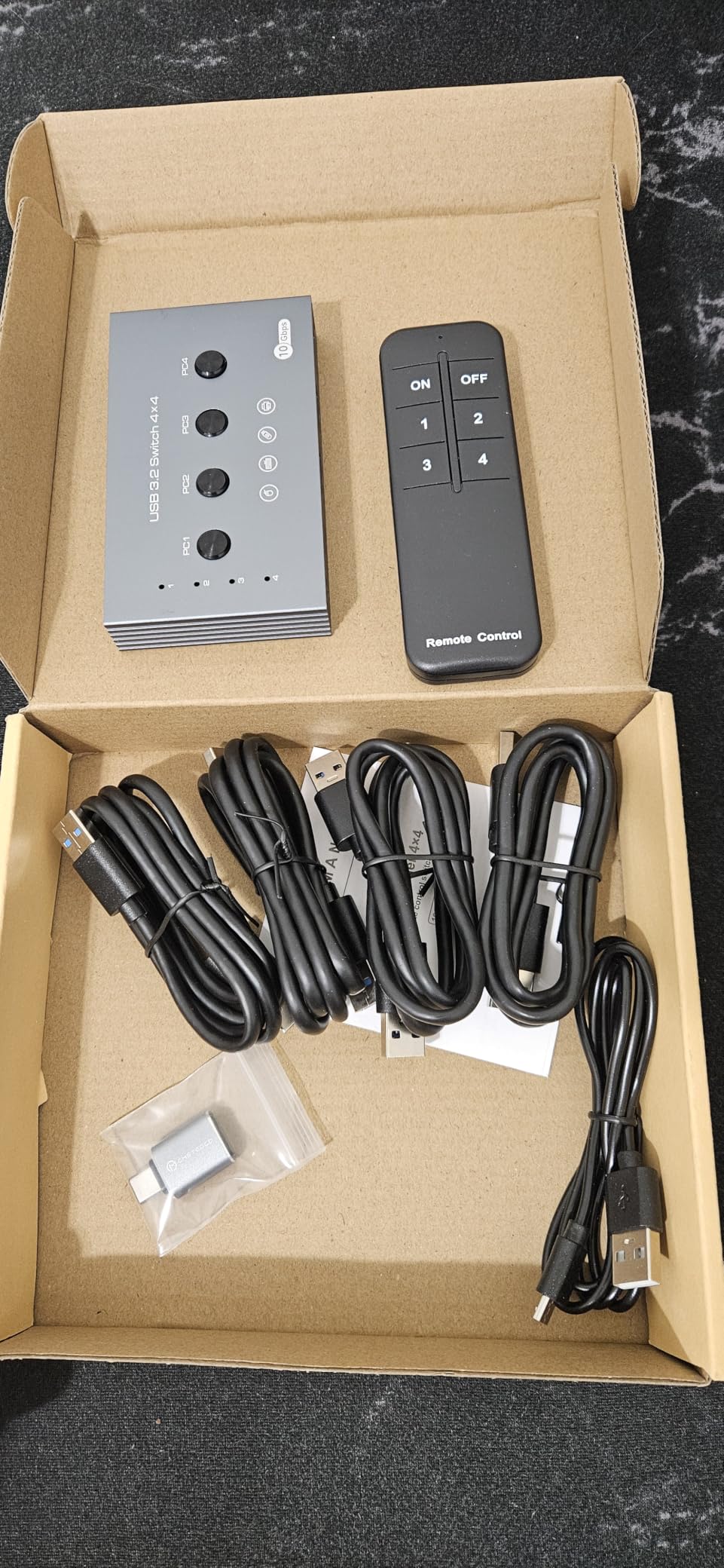
This is the plainest dual-monitor answer in the guide. Two HDMI monitors, two HDMI computers, 4K at 60Hz in either copy or extended mode, and four USB 3.0 ports at up to 5Gbps. If your dual-computer setup is a work desk rather than a gaming rig, this is the most straightforward thing to install.
A 12V/1A external power supply is included to drive high-draw USB devices under 10W, which is the practical difference from a bus-powered switch. The aluminium body measures 5.91 by 2.56 by 1.38 inches at 0.8 lb, and the wired controller lets you hide it out of sight.
Many owners find it an effective way to share a dual-monitor setup and peripherals, with switching that is quick and tidy. A smaller group report HDMI handshake and EDID reinitialisation problems, particularly when returning to a computer with a dock attached, and some report occasional USB disconnects or sensitivity to jostled cables.
Two further notes from the reviews. The second display can fail to reinitialise when switching back, which is the dropout symptom described in the techsupport threads. And documented support is thin, so if something misbehaves you are largely on your own. There is no hotkey switching, so you are pressing a button or a wired controller every time.
When this is the right pick
When both machines can output two HDMI signals, both monitors are 4K at 60Hz, and you mostly want a tidy desk with a hidden box. The included 12V supply keeps a keyboard, mouse and webcam from browning out during a switch, which is the most common real-world reason USB drops out on bus-powered hardware.
When to look elsewhere
If your monitors run above 60Hz, go to the TJCXELE 4K 120Hz unit. If you are switching to a laptop that lives in a dock and you have already been burned by a reinitialisation failure, look for a switch with explicit EDID handling, such as the Hearvo or GREATHTEK single-monitor units, or a USB-C dock KVM.
8. SUIDEK HDMI KVM Switch V1309A – Four USB 3.0 Ports on a Single-Monitor Switch
SUIDEK HDMI KVM Switch 1 Monitors 2 Computers-4K@60Hz with 4 USB 3.0 Ports
- Four USB 3.0 ports at 5Gbps on a mid-priced single-monitor switch
- 4K@60Hz with clean one-button switching
- Desktop controller for hidden placement
- Works across Windows Mac and Linux
- DC 5V adapter and USB cables included
- HDMI cables sold separately
- No EDID support which can cause monitor re-detection issues
- Will not switch while a computer is asleep
- HDMI only with no DisplayPort
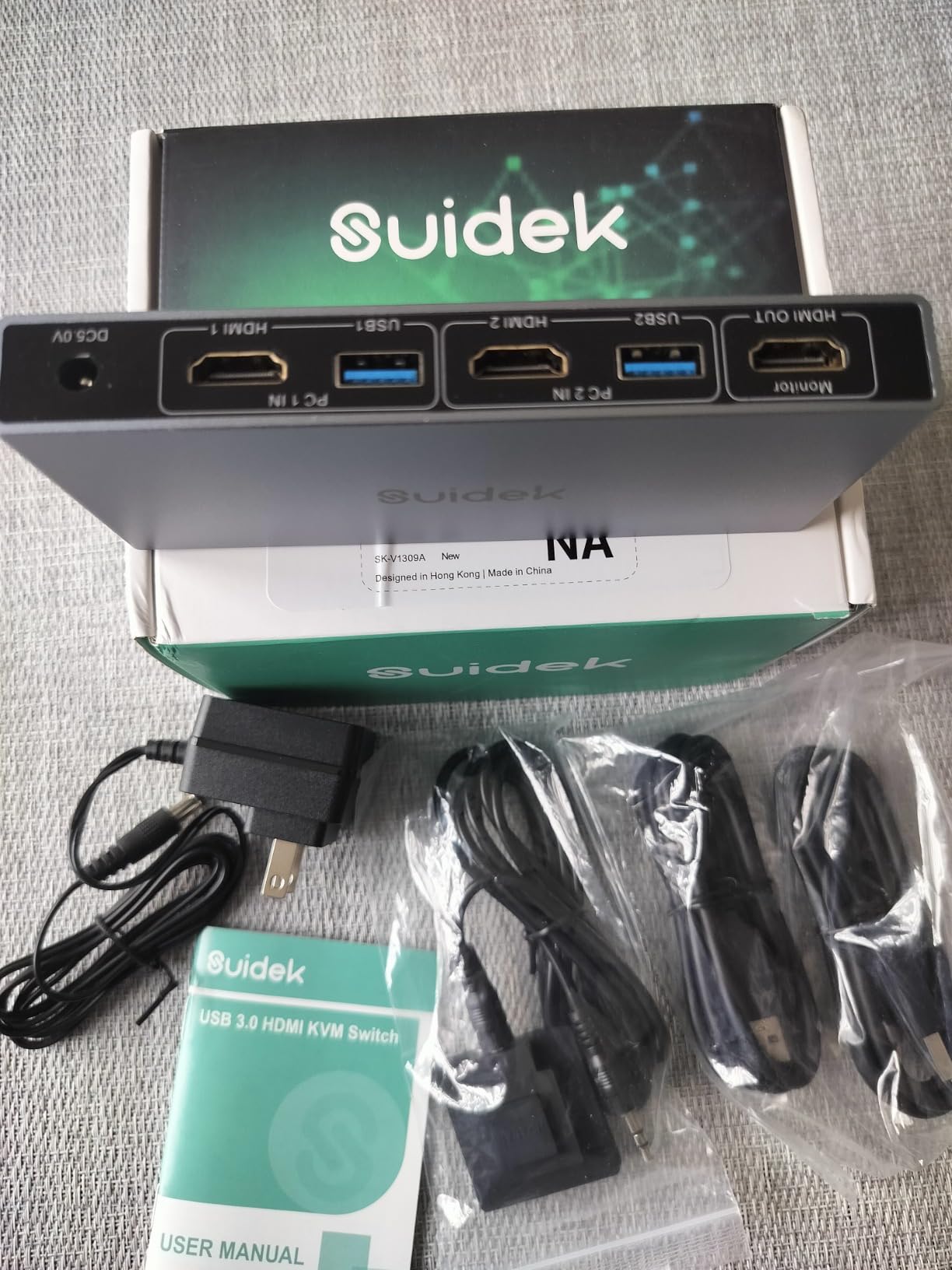
The SUIDEK V1309A takes a straightforward approach: one monitor, two computers, 4K at 60Hz, and four USB 3.0 ports at up to 5Gbps. At a 4.4 average across 195 reviews, it is one of the better-rated single-monitor switches here despite being one of the smaller review bases.
The box is unusually generous for the category. You get the switch, two USB A-to-A cables, a desktop controller, a power adapter and a manual, plus a two-year manufacturer warranty. HDMI cables are not included, so that is the one purchase still to make.
Switching is via the panel button or the extended desktop controller. Reviewers rate the clean, quick one-monitor switch and the number of fast USB ports on offer, and the aluminium housing suits a tidy desk.
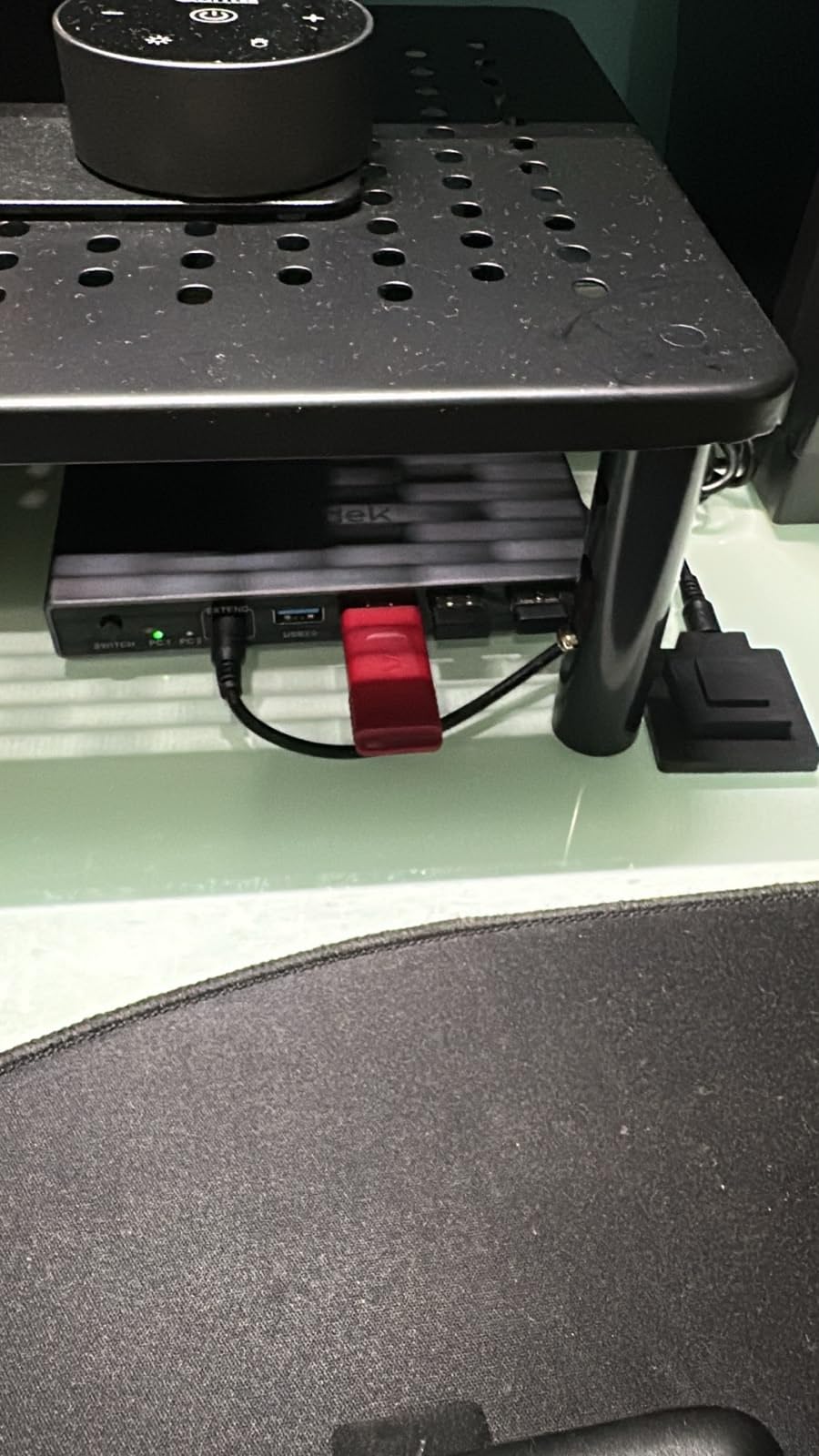
The limitations are stated clearly by owners. No EDID support, which can cause the monitor to re-detect itself and scramble your layout on each switch. It will not switch while a computer is asleep, so the first move of the day is waking the machine. And it is HDMI only, with no DisplayPort or VGA.
Where this earns its spot
Mixed operating systems. It is listed as working across Windows, Mac and Linux, and with the desktop controller and included power adapter, it is a clean fit for a desk where one machine is a work laptop and the other is a desktop running something else entirely. The 4K@60Hz ceiling suits a 27-inch 4K panel at normal use.
What the missing EDID support costs you
Every time you switch, the monitor re-detects rather than reading a cached identity. In practice that means a slightly longer blank period and, on some systems, windows collapsing onto one screen. Buyers who switch many times a day should weight the EDID-handling units more heavily.
9. IOGEAR GCS32HU KVM Switch – The Cable-In, 1080p-Ready Office Unit
- Established IT brand with a long-standing well-documented product
- All cables moulded in so setup needs no extra purchases
- Remote push-button selector included for under-desk placement
- Compact build suits IT pros on the move
- Expandable with an external USB hub
- Maximum 1920x1200 at 60Hz so not suitable for 4K displays
- USB 2.0 only with slower peripheral transfer
- Single monitor support only
- No hotkey switching option
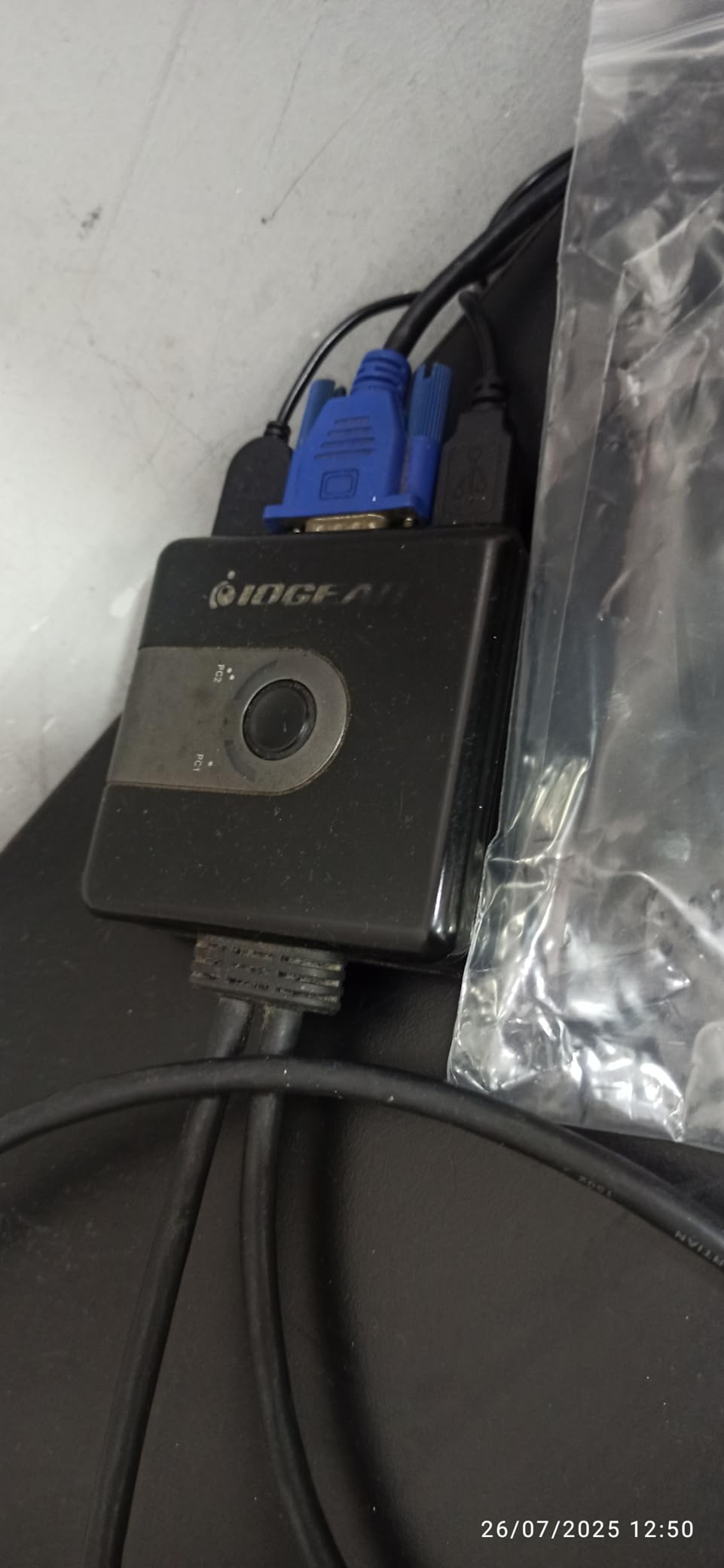
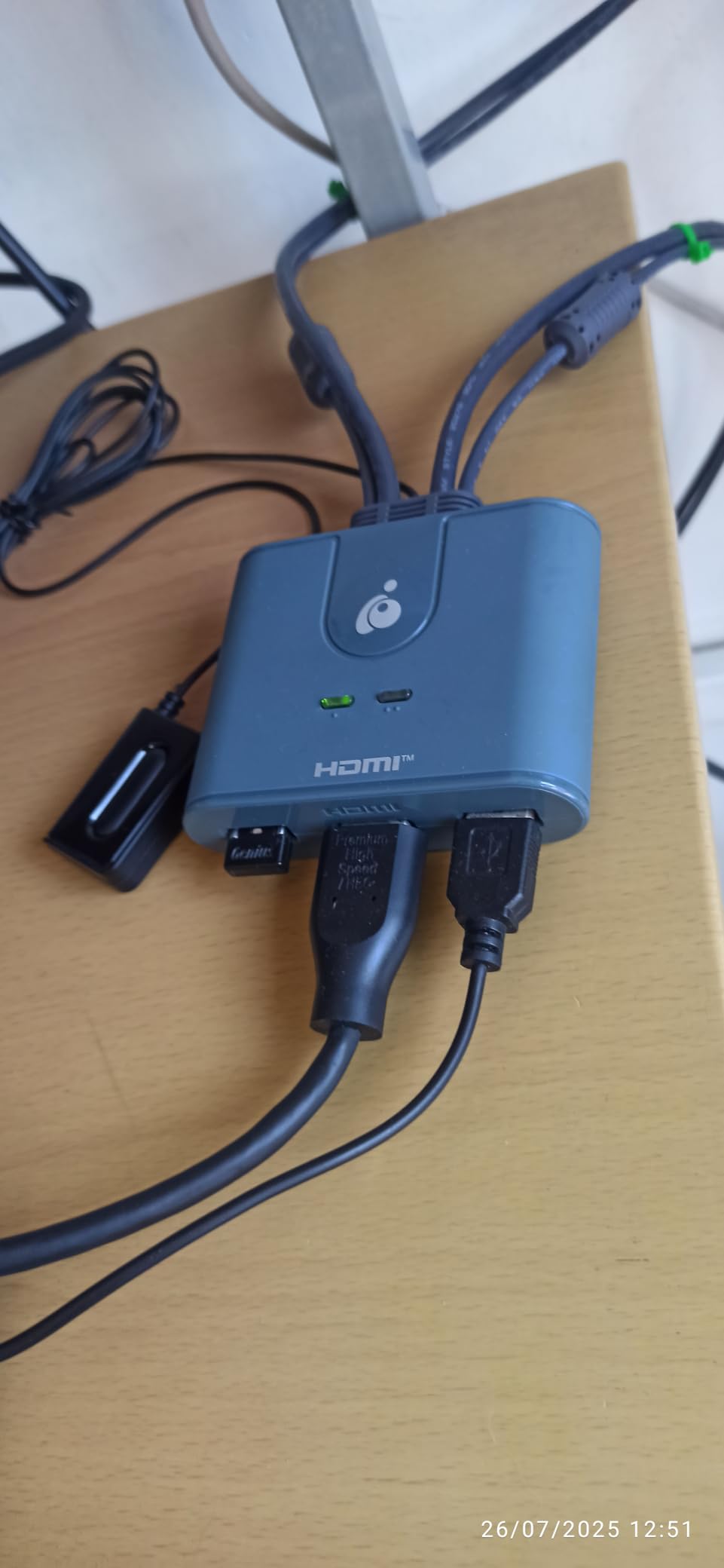
There is a different kind of value in the IOGEAR GCS32HU, and it is the value of a known quantity. This is a 2-port HDMI KVM with a built-in USB 2.0 hub, and every cable you need is moulded into the unit: two 4-foot USB 2.0 Type-A cables and two HDMI cables, plus a 6-foot remote push-button switch.
The ceiling is 1920×1200 at 60Hz, which is the honest limitation and worth stating up front. It is a 1080p-class device with USB 2.0, so external drives and card readers are slow, and it supports a single monitor only with no hotkey switching offered.
What it does offer is an established brand, a documented product, and a build that travels well. Buyers highlight the plug-and-play cable-included design, the remote selector and solid reliability for office and IT work. It can be expanded with an external USB hub if you need more peripheral ports.
If your desk is a service bench, a loaner station, a training room or an office IT spares cupboard, this is a genuinely good answer. Nothing to buy, nothing to configure, nothing to explain to the person using it. That is worth more than 4K is in those settings.
Why it still earns a slot in a 4K-era roundup
Because a lot of dual-computer desks are not 4K desks. Meeting-room tables, hot-desking stations and shared office PCs are all running 1080p panels, and at that resolution this unit is simple, self-contained and easy to explain to anyone who sits down at it.
When to skip it
Skip it if either of your monitors is 4K, if you move large files through a USB port, or if you want both machines on two screens. The resolution ceiling and the USB 2.0 hub are hardware decisions, not settings, and there is no firmware route around either one.
10. BENFEI USB 3.0 HDMI KVM Switch – The Most-Examined Switch in the Category
BENFEI USB 3.0 HDMI KVM Switch(8K@60Hz) with 4 USB 3.0 Ports for 2 Computers Sharging Monitor Keyboard Mouse
- Most-reviewed KVM switch in the category with the largest review base
- 8K@60Hz capability at the entry level of this category
- Clamp mount saves desk space and protects the monitor finish
- Four USB 3.0 ports at 5Gbps
- HDMI 2.1 with HDR CEC and 3D support
- Single monitor only despite the 8K headline
- No hotkey switching or EDID emulation
- Requires your own HDMI and USB A-to-B cables
- Some buyers report needing to re-seat devices or repeat a switch
With 3941 reviews, the BENFEI BNF-KVM-0355G is by a wide margin the most-examined switch in this guide, and it is ranked in the top slot of its Amazon category. That volume of user reports is itself useful information, because the failure patterns show up clearly and consistently.
Video is the headline: up to 8K at 60Hz, backward compatible with 4K@240Hz, 1440p@120Hz and 1080p@240Hz, over HDMI 2.1 with HDCP 2.2 and 1.4, plus 3D, CEC and HDR. The USB side is four USB-A 3.0 ports at up to 5Gbps. The warranty is 18 months.
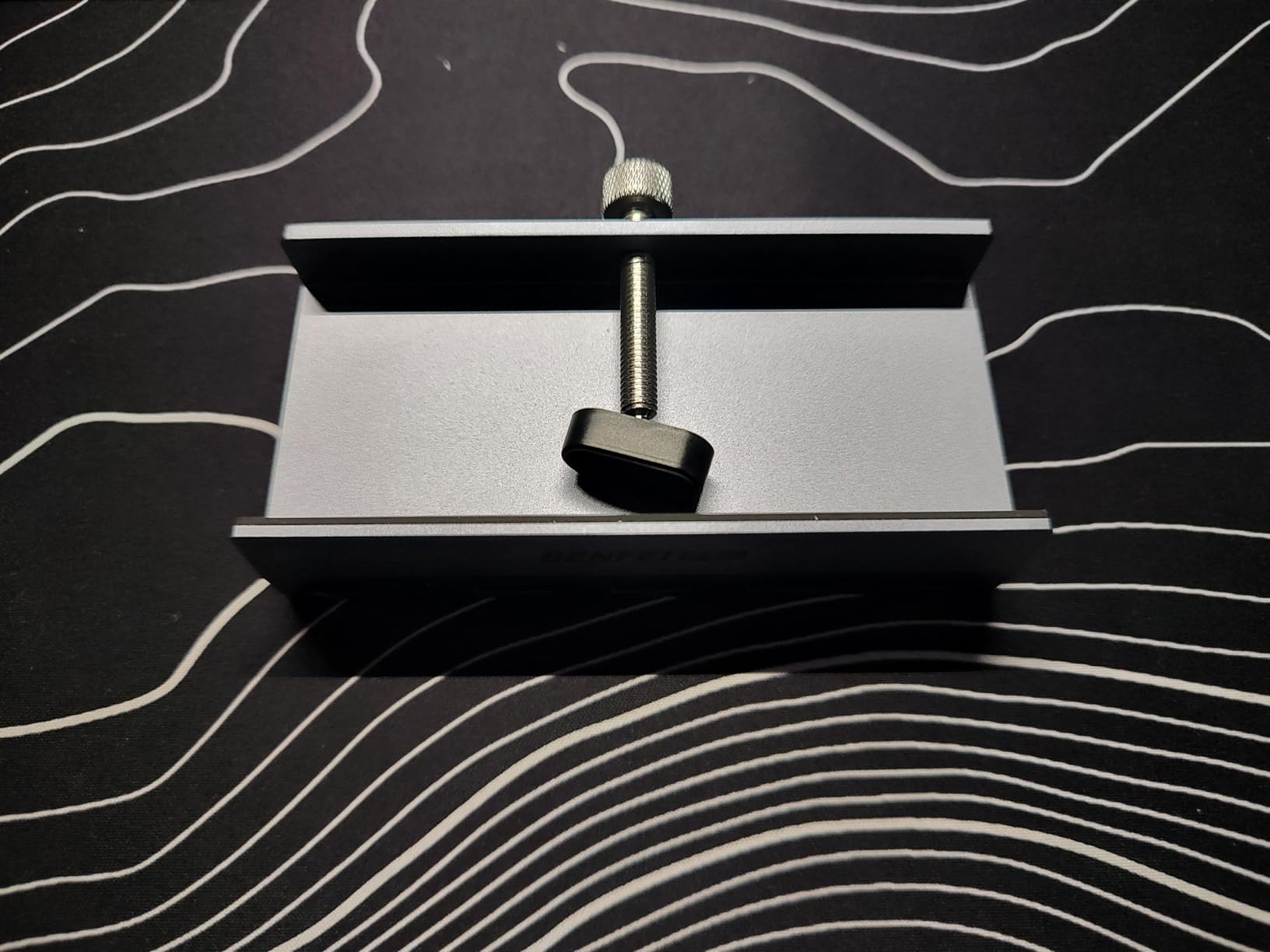
The mounting is the detail nobody expects. It uses an adjustable screw clamp that fits surfaces from 0.19 to 1.41 inches, so 5 to 36mm, and clamps to a monitor bezel or the desk edge. That keeps the box off the desk entirely and avoids scratching the monitor finish.
The catch is the one the 8K headline obscures: it is a single-monitor switch. It also has no hotkey switching and no EDID emulation, and it requires you to supply your own HDMI and USB A-to-B cables. Recurring gripes in the reviews are exactly those: one screen only, missing cables, and occasional connections that need a re-plug or a repeated press.
Why the review count matters for this pick
With thousands of reviews, the pattern is dependable rather than anecdotal. The video path holds up, the clamp mount works as described, and the capability per pound spent is hard to argue with. The complaints are consistent too, so if you only need one screen and can live without EDID handling, none of them are disqualifying.
What to add to your basket
Two HDMI cables and two USB A-to-B cables, because none are included. That is the single most common source of first-day frustration with this unit. Beyond that, plan a short, fixed cable run to the monitor, since the clamp mount puts the switch right at the display.
11. Cable Matters 20Gbps USB-C KVM Switch – The Two-Laptop Answer
Cable Matters 20Gbps USB C KVM Switch for 2 Computers, 140W PD Charging
- 20Gbps USB4 bandwidth with 140W pass-through laptop charging
- Switches a USB-C or Thunderbolt 4 monitor or dock between two machines
- Handles 8K at 30Hz and 4K at 144Hz on Windows
- Reported to wake laptops properly on switch
- Sticky pad lets it hide behind the monitor
- Only the active computer charges so the idle laptop may sleep
- Fixed attached cable instead of a USB-C port limits dock compatibility
- Requires the supplied USB4 cables as Thunderbolt cables are incompatible
- 20Gbps bandwidth can limit display count or resolution versus a full dock
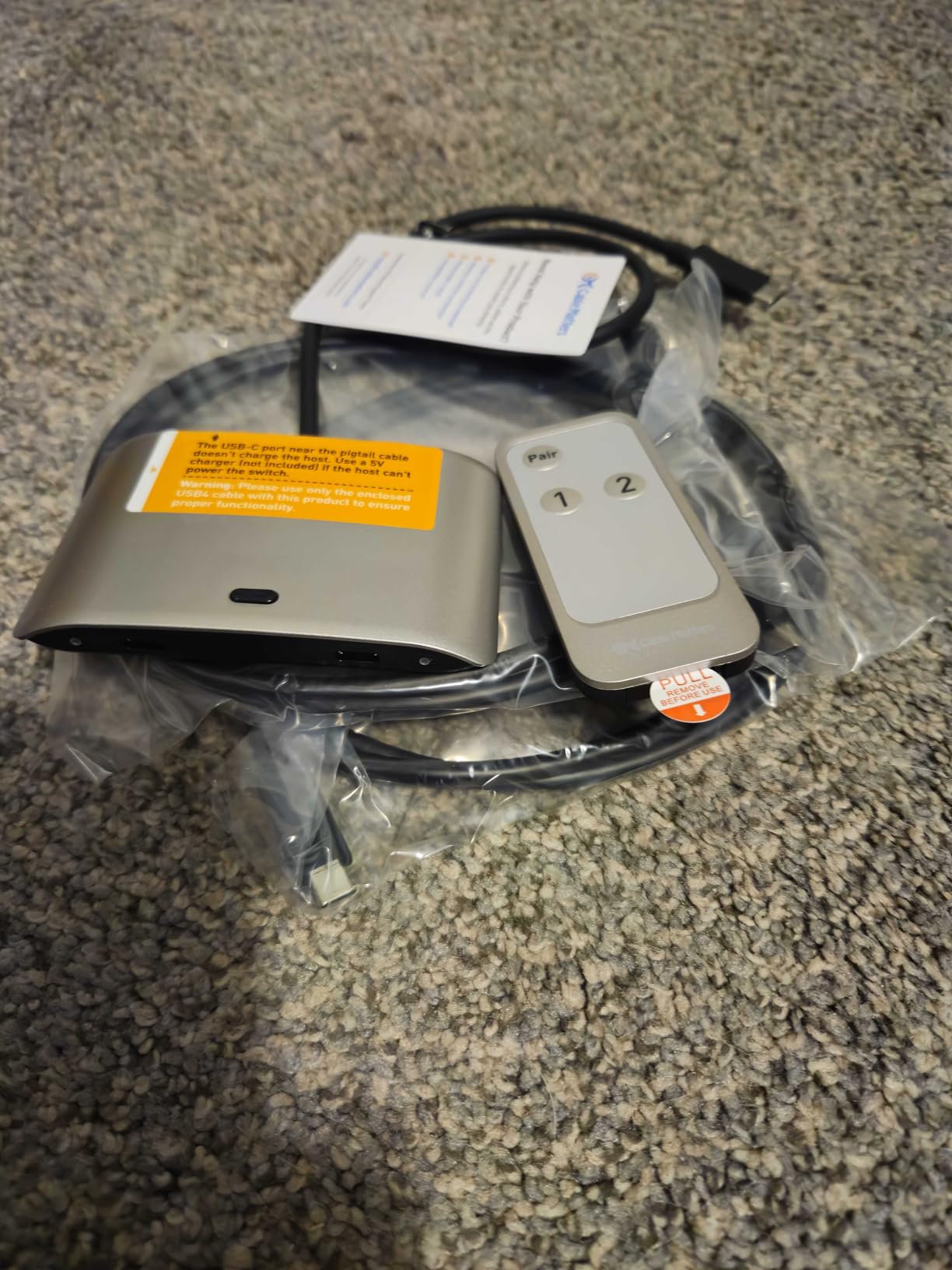
If both machines on your desk are laptops, this is the pick that matches how you actually work. The Cable Matters 201352-B is a 20Gbps USB4 and USB-C switcher that shares a single USB-C or Thunderbolt 4 monitor, or a dock, between two computers, with 140W Power Delivery pass-through charging to whichever machine is active.
Bandwidth is 20 gigabits per second, and the stated output is up to 8K at 30Hz or 4K at 144Hz on Windows, dropping to 4K at 60Hz on macOS. The body is small, 3.4 by 2.4 by 0.7 inches at 0.3 kg, and the sticky pad lets it hide behind the monitor. It lists Windows and macOS as the operating systems.
Users share a USB-C or Thunderbolt dock or monitor between a Mac and a Windows machine successfully, praising reliable switching and the 140W charging. It is also reported to wake laptops properly on switching, which several competing switches cannot do.
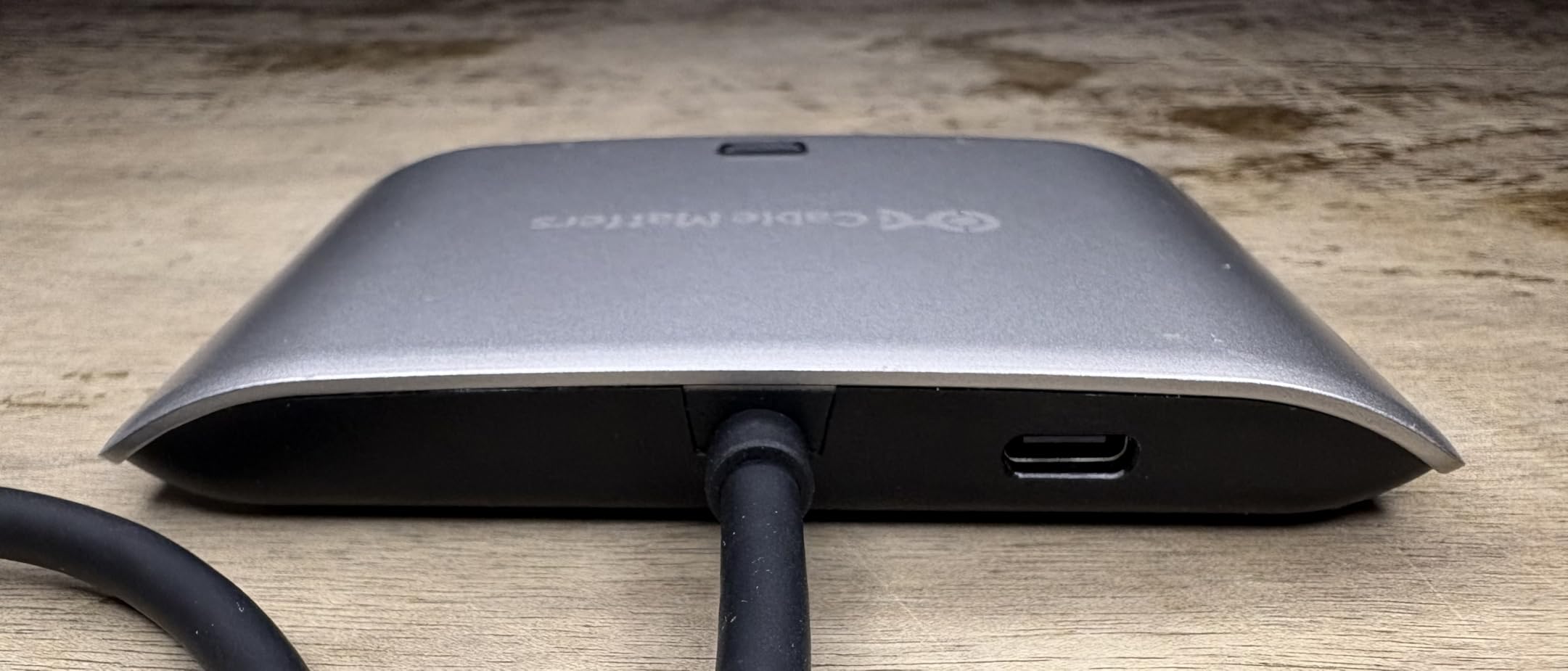
Three constraints are worth planning around. It uses a fixed attached cable rather than a USB-C port, which narrows the docks you can pair with it, and it must be used with the included USB4 20Gbps cables since Thunderbolt 3, 4 and 5 cables are not supported. And 20Gbps of bandwidth can limit display count or resolution compared with a full dock.
Who this suits and who it does not
It suits a two-laptop desk, a Mac and Windows pairing, and anyone moving a single laptop between a work setup and a home setup. Facebook homelab users describe exactly this pattern, a well-worn two-laptop desk with a stand and a manual keyboard switch, and this product does the video half of it properly. It does not suit a desktop plus laptop desk, because a desktop has no USB-C dock to share.
The charging question everyone asks
Power Delivery passes to whichever computer is selected. The other machine is not being charged while it is inactive, and in practice that machine may sleep. If you routinely leave a laptop docked and closed for the working day, keep it on its own charger as well rather than expecting this switch to hold it up.
12. DXchip USB-C Dock KVM Switch – Dock and KVM in One Box
USB C & Dual HDMI KVM Switch 2 Monitors Laptop & Desktop Docking Station
- KVM and port replicator in one box cutting cable clutter
- Dual 4K at 60Hz with 4:4:4 for true-colour text
- 100W Power Delivery keeps a laptop charged while docked
- Handles mixed HDMI DisplayPort and USB-C hosts in some variants
- LED source indicators on the wired controller
- One reviewer reported erratic switching and dropped video from the laptop input
- Not all ports convert between HDMI and DisplayPort so DP in requires DP out
- Mac M1 and M2 systems are limited to mirrored or single extended display
- The wired remote is a corded button rather than RF
- 12V/2A adapter needed for high-power USB peripherals
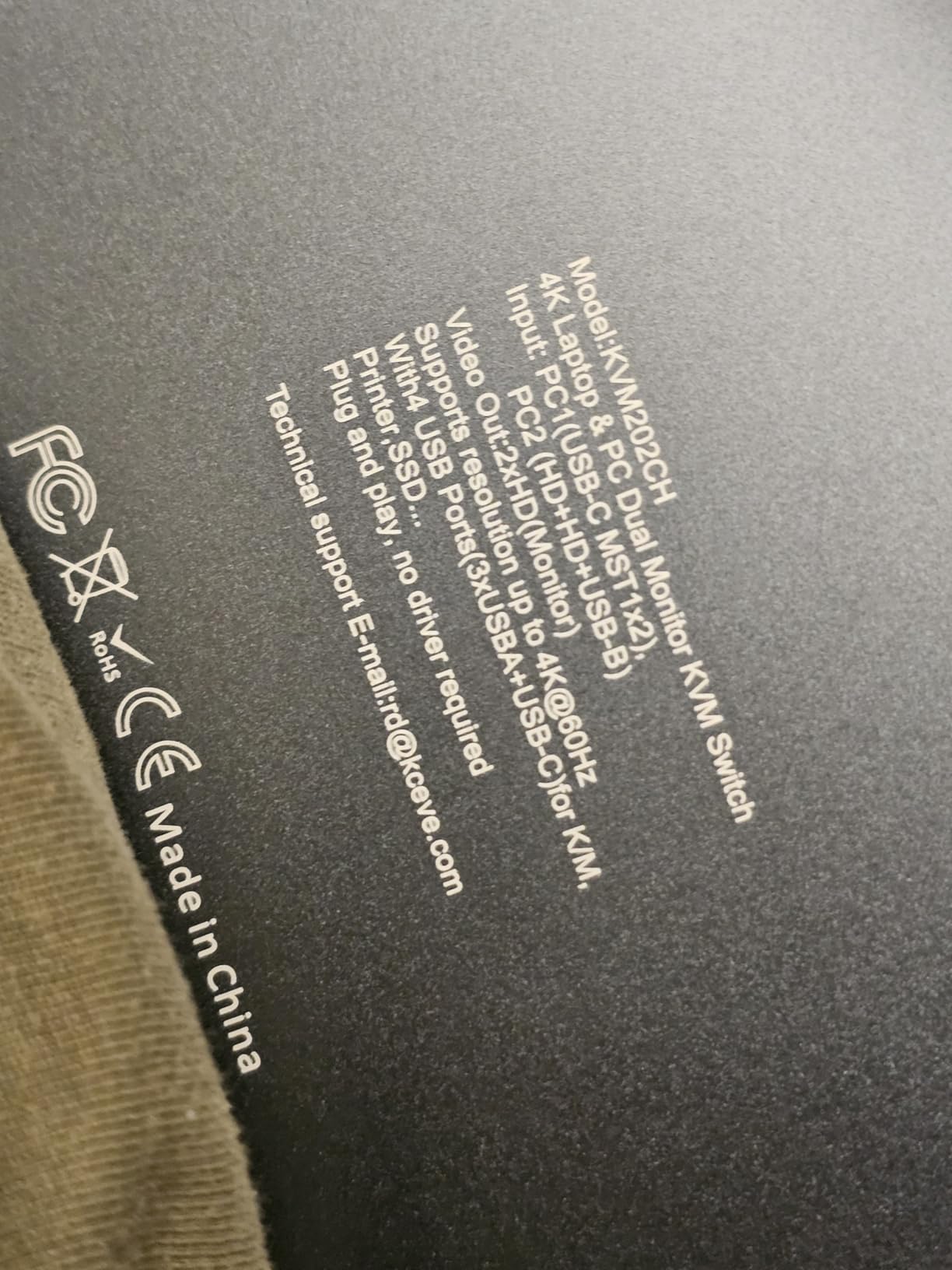
The DXchip KVM202CH is the most fully integrated unit in the guide, combining a USB-C docking station with a two-computer, two-monitor KVM switch in one box. The silver body measures 5.9 by 2.8 by 1.1 inches at 1.1 lb, and it runs from a 12V DC input.
Video is dual 4K at 60Hz with 4:4:4 chroma, which is the specification that matters for text rendering in an office context, and it also does 2K at 120Hz, 1440p at 120Hz and 1080p at 144Hz. There are four USB 3.0 ports at 5Gbps and 100W Power Delivery, with 73 to 80W actually delivered to the laptop. A 12V/2A adapter is recommended for high-draw peripherals.
Most owners find the dock-plus-KVM combination excellent for a laptop and a desktop sharing two monitors, with clean panel-button switching and good 4K output. Some variants also carry EDID simulation, which helps Linux hosts detect the monitor.
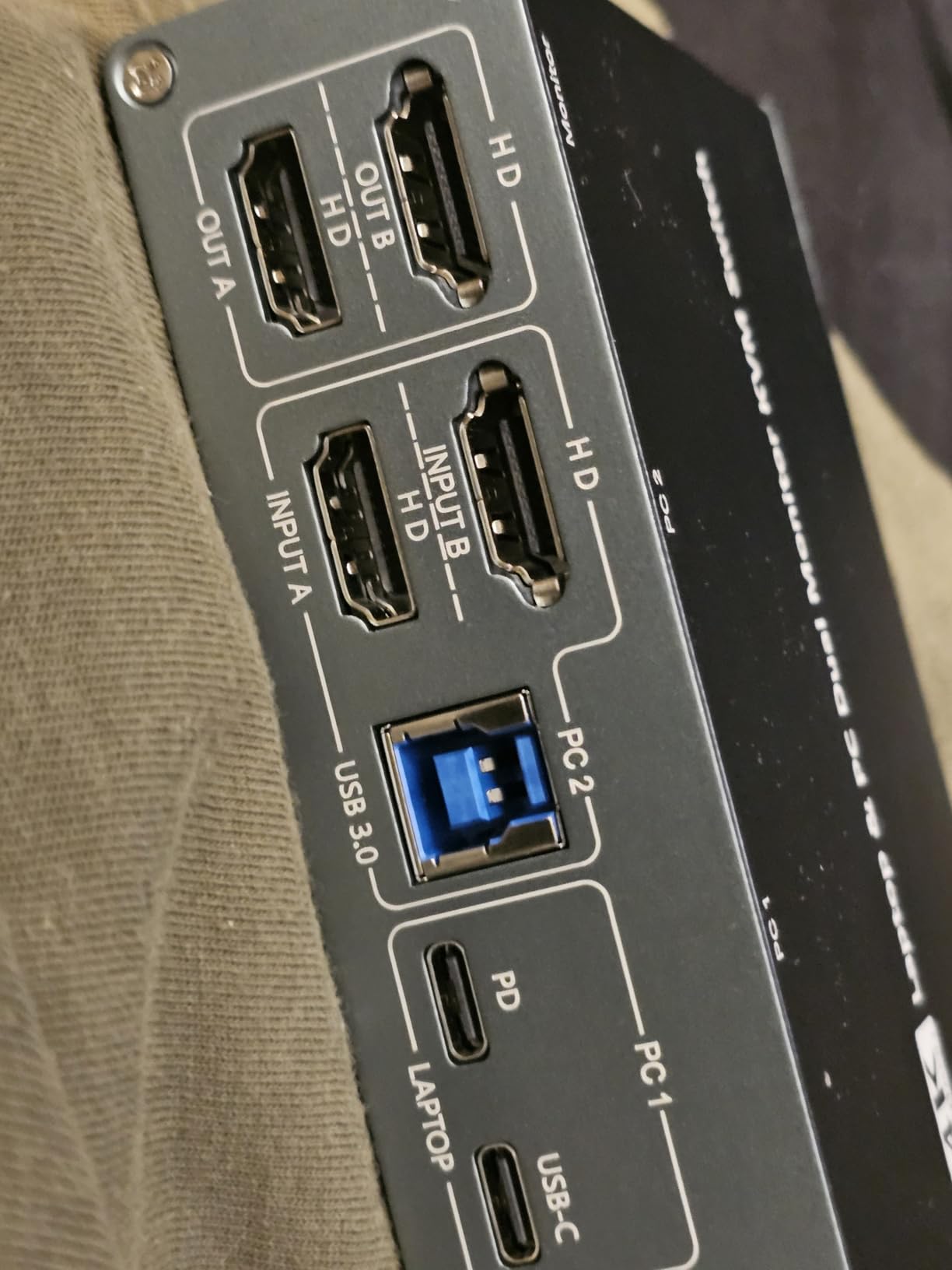
The cautions are specific. One reviewer reported erratic switching and dropped video from the laptop input, and ports do not all convert between HDMI and DisplayPort, so DisplayPort in requires DisplayPort out. Mac M1 and M2 systems are limited to mirrored or single extended display, which is a platform limit rather than a switch failure, and the supplied wired remote is a corded button rather than an RF remote.
When consolidating a dock and a switch is the right call
This is the right call when one of your two machines is a laptop that already needs a dock. You are otherwise buying a dock for the desk and a KVM for the second machine, and this does both in one enclosure with a 100W charging path. For a desk with a laptop on a stand and a desktop underneath, the switch sits in one place instead of two.
What to check on both machines first
Check your ports on both sides, not just the switch. DisplayPort in means DisplayPort out, so if your desktop only offers DP and the laptop only offers USB-C, the mixed-host handling depends on which variant you get. If your second machine is an Apple Silicon Mac, plan for mirrored or single extended output rather than two extended displays.
Extended vs Mirrored: The Decision Most Buyers Get Wrong
In copy mode, each computer sends the same picture to both monitors, so a laptop with one extended screen can still feed both panels. In extended mode, each monitor is an independent desktop, so the same pair of panels becomes a wide two-screen workspace on whichever machine is active.
For a desktop plus a laptop desk, the useful question is what you want the laptop to look like. If your work laptop has a docking setup that outputs one extended screen, the second monitor showing the same content is acceptable. If you want the laptop to drive two independent panels at 4K, the switch must support extended output and both machines need two video outputs each.
Then there is symmetry. A symmetric KVM gives both computers full control of both monitors, while an asymmetric one gives each computer one dedicated screen and a shared second screen. Four of the twelve here are symmetric dual-monitor switches; the rest are single-monitor devices where the second display is not an option.
How to Choose a KVM Switch for Dual Computers?
Work down this list in order and the decision makes itself. Most wrong purchases in this category come from buying on price and discovering the port limits afterwards.
Count monitors, not computers. A switch listing one monitor output cannot be made dual-monitor later. Dual-monitor units here are the VPFET, both TJCXELE models and the DXchip.
Count video outputs on each host. A dual-monitor KVM needs two video outputs from each machine, either two HDMI ports or HDMI plus a USB-C port driven by an active adapter.
Match the refresh rate ceiling. The dual-monitor units here top out between 4K at 60Hz and 4K at 120Hz. A switch capped at 60Hz driving a 165Hz panel will feel sluggish, and no amount of switching cleverness fixes that.
Check EDID handling. The Hearvo and GREATHTEK switches use adaptive EDID; the SUIDEK has none. Without it, monitors re-detect on every switch, which is where flickering, blank screens and scrambled window layouts come from.
Look for external power if you have heavy USB loads. The VPFET, both TJCXELE models and the DXchip include a 12V adapter. Bus-powered hardware is fine for a keyboard and mouse and marginal for external drives.
Decide how you will switch. Every switch here offers a panel button and most also include a wired controller. None of these twelve supports keyboard hotkey switching, so plan on a button.
Count the cables you will need to buy. The BENFEI, GREATHTEK and SUIDEK ship without HDMI cables. Everything else is closer to self-contained, and the IOGEAR has its cables moulded in.
Check laptop charging separately. The Cable Matters passes 140W and the DXchip passes 100W, but only to the active machine. The other laptop stops charging and may sleep.
Check the other machine is supported. The CMSTEDCD carries a note against Mac devices, and the DXchip is limited to mirrored or single extended output on Mac M1 and M2 systems.
Weight reliability over headline specs. The GREATHTEK carries a lifetime warranty, the CMSTEDCD a two-year warranty and the BENFEI 18 months. In a category where buyers report units failing after a year, that is worth real weight.
KVM Switch vs USB Switch vs Monitor Input Switching
A USB switch routes only USB peripherals. It has no video ports at all, so your monitors still have to be switched by hand through each display’s input menu. People buy these expecting video switching and then discover they are still pressing buttons on the monitor bezel.
A video KVM switch, which is what every product in this guide is, moves video and USB together. One press routes the displays, the keyboard, the mouse and any attached peripherals to the other computer. If both your machines drive your monitors, this is what you need and nothing less will do.
Monitor input switching means using the display’s own menu or a button on the panel. It is free and instant, and it is the right answer when you have a single computer. It does not share your keyboard, mouse or webcam, which is the whole point of the other two options.
There is one more category worth naming as not what you want. Homelab and MSP users asking about switching rack servers are looking at IP KVM hardware, where you control machines over the network rather than moving video signals. An ATEN KN2132V for a 42U rack supporting up to 32 servers is the example that comes up repeatedly in those threads. If you want the wiring side of that same topic covered, our guide to how switches and sensors work in robotics explains the mechanical logic in plain terms. Either way, it solves a completely different problem from the one on this desk.
Troubleshooting Flicker and a Dropped Second Monitor
Flicker and single-monitor dropout are the most reported real-world symptoms in this category, and in the recurring techsupport case the same hardware works perfectly on one computer and fails on the other. Users have already swapped six DisplayPort cables, changed ports and updated GPU drivers before asking for help. Here is the order we would work through it.
Confirm both machines work directly. Bypass the switch entirely. If a host fails direct-to-monitor, the switch is not the cause and no amount of swapping will help.
Test each host separately through the switch. If one host works and the other does not, the asymmetry is host-side, most often a video output count or a refresh-rate ceiling the host is trying to push past the switch.
Check the refresh rate the host is requesting. A host set to a mode the switch cannot pass will flicker or drop. Set both machines to a resolution and refresh rate within the switch’s stated ceiling before changing hardware.
Re-seat every cable at both ends. Especially the host-side video leads. Handshake failures are common and a re-seated cable fixes a surprising share of them.
Power-cycle the switch and both machines. Unplug the 12V adapter, wait, then reboot both hosts. A unit that will not switch while a computer is asleep needs the machine awake.
Turn off EDID-related driver behaviour. On Windows, display driver settings that re-scan on wake will fight a switch without EDID handling. Update the graphics driver as well.
Take heavy peripherals off bus power. Bus-powered hardware browns out under load, so if your peripherals drop, test with the 12V adapter or with fewer devices attached.
Move cables and box out of the way of wireless mice. Wireless peripherals through a KVM are a recurring complaint, and a Level1Techs user described a wireless mouse as part of a setup that needed a switch. The fix is usually physical: get the receiver away from the switch’s USB hub.
If your second machine is a single-board computer rather than a PC, the constraint is different. Raspberry Pi owners report that only DDM-class KVM switches are fully compatible without extra adapters, and the Pi’s own community forums make that point repeatedly. Our single-board computer roundup covers the boards themselves, and our AI-focused board picks go deeper on the ones used for machine-learning rigs. A DDM-class switch is the part that makes them switchable in the first place.
Frequently Asked Questions
What is the best brand for KVM switches?
There is no single dominant brand in this category, so judge on the specific model rather than the logo. For single-monitor use, UGREEN and GREATHTEK are well regarded, with the GREATHTEK carrying a lifetime warranty. For dual-monitor switching, the reliable names in this guide are VPFET and TJCXELE. For USB-C dock sharing, Cable Matters is the established option. What matters far more than the badge is whether the switch matches your monitor count, your hosts’ video outputs and your refresh-rate ceiling.
What is the best buy KVM switch?
For most two-computer, one-monitor desks the CMSTEDCD 2-port HDMI switch is the best buy: it is bus-powered, needs no drivers, includes a wired controller and carries more than 1100 reviews. If you need two extended monitors on both machines, the VPFET 8K dual-monitor switch is the value answer and the TJCXELE 4K 120Hz model is the high-refresh answer. If both machines are laptops, use the Cable Matters 20Gbps USB-C switch instead.
What is the best KVM switch for multiple monitors?
Only switches with two monitor outputs are candidates, and a host must have two video outputs to drive both. The VPFET reaches 8K at 60Hz and 4K at 120Hz with extended and copy modes and a 12V adapter for USB stability. The TJCXELE 4K 120Hz model is the choice for high-refresh gaming panels. The TJCXELE 4K 60Hz model is the plainest dual-monitor work option. The DXchip combines a USB-C dock with dual-monitor KVM switching in one box.
What is the best KVM switch for connecting two computers to two monitors?
You need a dual-monitor, two-computer switch, and both computers need two video outputs each. The VPFET and both TJCXELE models fit that description, each with four USB 3.0 ports, extended and copy modes and an included 12V power adapter for stable peripherals. If your machines are laptops rather than desktops, the DXchip USB-C dock KVM is the integrated option, though Mac M1 and M2 systems are limited to mirrored or single extended output there.
Do KVM switches add lag?
A KVM switch adds no meaningful input lag and drops no frames, because it switches the signal path rather than processing the video. What feels slow is usually the resolution or refresh rate ceiling: a switch rated to 4K at 60Hz driving a 165Hz panel caps the display at 60Hz, and the result feels sluggish in games even though the switch is working correctly. Choose a unit rated at or above your monitors’ native refresh rate, and note that some dual-monitor switches require active adapters to pass high-bandwidth video at all.
How do I know which KVM switch to buy?
Count your monitors first, because a single-monitor switch cannot be upgraded later. Then count the video outputs on each computer, since a dual-monitor KVM needs two from each host. Next check the refresh-rate ceiling against your panels, look for adaptive EDID if you switch frequently, and confirm whether your peripherals need external power. Finally, check whether you need laptop charging, since power delivery passes only to the active machine.
The Best KVM Switch for Dual Computers
For the dominant dual-computer setup, a gaming desktop and a work laptop on one desk, the CMSTEDCD 2-port HDMI KVM switch is our pick. It needs no power adapter and no drivers, it carries the second-largest review base of any switch in this guide, and it comes with a wired controller so the box itself can disappear under the desk. It drives one monitor at up to 4K@60Hz, and it is honest about that.
If you need two extended monitors on both machines, the VPFET 8K dual-monitor switch is the strongest all-round option and the TJCXELE 4K 120Hz model is the one to buy for high-refresh gaming panels. If both machines are laptops, the Cable Matters 20Gbps USB-C switch handles the dock and charges the active one at 140W. And if you want a dock and a switch in a single box with dual 4K at 4:4:4, the DXchip does both jobs.
Whichever you choose, count your monitors first, count your video outputs second, and check the refresh-rate ceiling third. Get those three right and the best KVM switches for dual computers stop being a gamble and become a two-second press of a button. 2026