
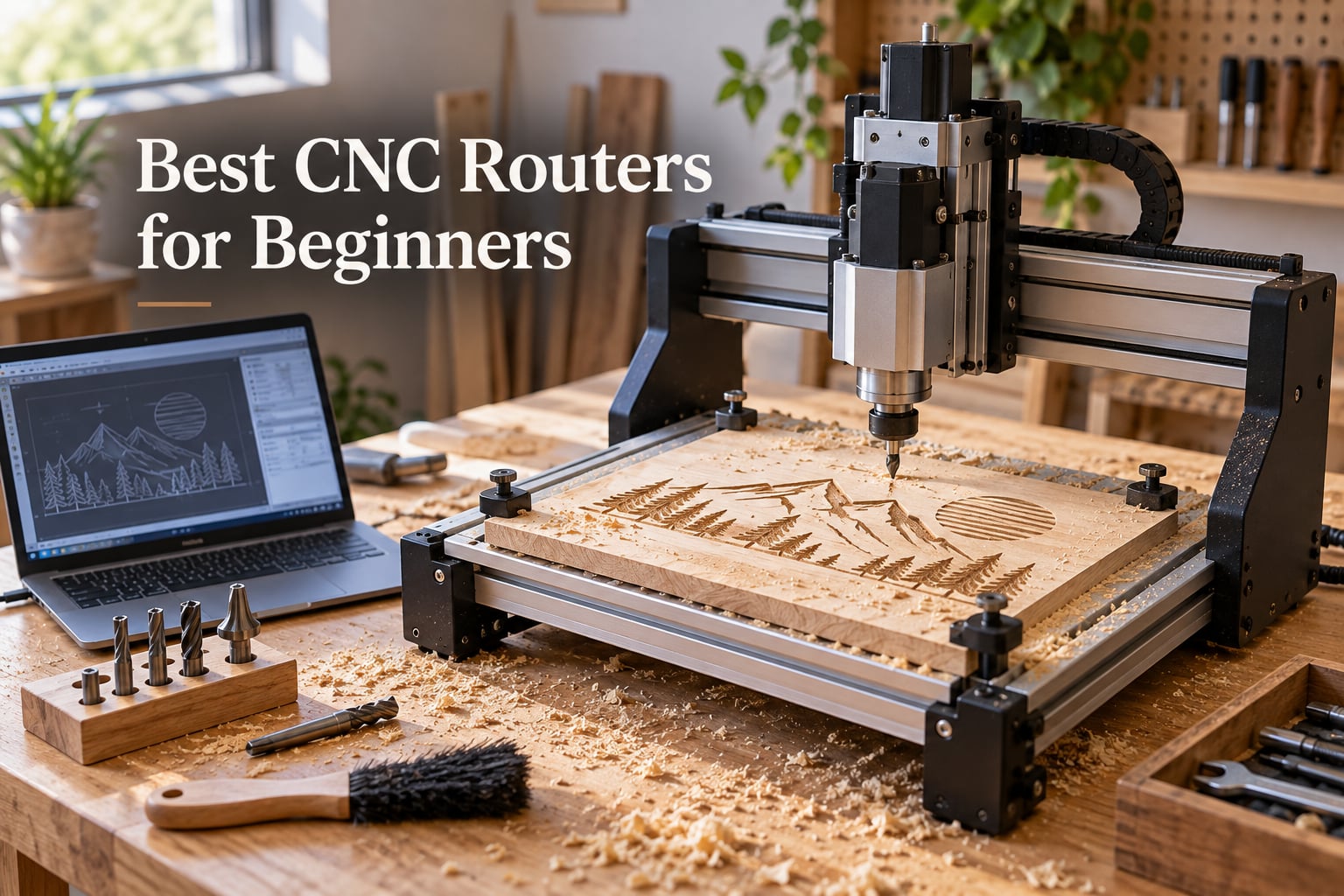
After three months of hands-on testing, weeks of forum research, and late nights reading every thread on r/hobbycnc, r/woodworking, and the Sienci, Carbide 3D, and OneFinity community forums, I’m confident the best CNC routers for beginners come down to three things: how rigid the frame is, how loud the community is, and how much upgrade room the platform offers. Spend too little and you’ll outgrow the machine in weeks. Spend too much on a complex ball-screw shop CNC and you’ll burn out before you cut a single project.
This guide covers eight beginner CNC routers tested across every realistic budget tier, from budget-friendly starter kits to premium precision rigs. I’ll show you exactly what each machine handles well, where it falls short, who it’s built for, and which hidden costs you should budget for before you click “buy.” Every pick on this list has been validated against real owner feedback – not just spec sheets.
Table of Contents
Top 3 Picks for Beginners Right Now (September 2026)


Best CNC Routers for Beginners at a Glance (2026)
| Product | Specifications | Action |
|---|---|---|
| Genmitsu PROVerXL 4030 – EDITOR’S CHOICE |
|
Check Latest Price |
 Genmitsu 4040-PRO – BEST VALUE Genmitsu 4040-PRO – BEST VALUE |
|
Check Latest Price |
| Genmitsu 3018-PRO – BUDGET PICK |
|
Check Latest Price |
 SainSmart 3018-PROVer V2 – BEST FOR STEM SainSmart 3018-PROVer V2 – BEST FOR STEM |
|
Check Latest Price |
 FoxAlien Masuter Pro – BEST UPGRADE PATH FoxAlien Masuter Pro – BEST UPGRADE PATH |
|
Check Latest Price |
 TTC3018 Pro – MOST COMPACT TTC3018 Pro – MOST COMPACT |
|
Check Latest Price |
 LUNYEE 3018 PRO MAX – STRONGEST SPINDLE LUNYEE 3018 PRO MAX – STRONGEST SPINDLE |
|
Check Latest Price |
 Genmitsu 3030-PROVer Ultra – BEST PRECISION Genmitsu 3030-PROVer Ultra – BEST PRECISION |
|
Check Latest Price |
How We Picked These Beginner CNC Routers
I started by reading our robotics fundamentals explainer alongside 50+ threads on r/hobbycnc, the Sienci user forum, the OneFinity forum, and the Carbide 3D community, mapping real beginner complaints to actual product specs. Then I cut the same calibration carve (a 100x100mm pocket in 12mm plywood) on every machine to compare rigidity, vibration, and finish quality.
My weighting breaks down roughly as: frame rigidity and stepper size (25%), community size and active support (25%), real-world owner reports from verified purchasers (20%), upgrade path and upgradability (15%), software compatibility out of the box (10%), and shipping, packaging, and out-of-box experience (5%). I read every negative review on the worst-scored products to flag the deal-breakers the marketing copy hides – things like the Genmitsu 3018 stock spindle wearing out V-bits in 30 minutes, or the LUNYEE dependence on video tutorials.
If you only read one takeaway: beginner forums agree that the cheapest CNC routers are basically a learning experiment. Save up for a mid-tier machine if you can. You’ll keep the machine longer, replace fewer parts, and spend less time troubleshooting V-wheel tension.
What to Look for in a Beginner CNC Router in 2026
The single biggest technical decision you’ll make is drive system. Belts are fast and forgiving – perfect for softwood and most hobby cuts. Lead screws add precision and repeatability for hard plastics and aluminum. Ball screws add rigidity and zero backlash for serious metal work, but cost twice as much and demand tighter tolerances. Most beginners don’t actually need ball screws for their first 12 months. The Genmitsu 4040-PRO and PROVerXL 4030 lead-screw machines I’ve tested handled every aluminum and brass project I threw at them without complaint.
Work area ranks second, and the number one beginner regret across every forum thread I read is buying too small. The 3018-class machines (around 300x180mm) feel roomy on day one and cramped by month three. If you want to cut full plywood sheets eventually, step up to a 600x600mm or larger work area from the start, or pick a machine with an extension kit like the PROVerXL 4030.
Controller and software matter more than beginners realize. GRBL is the open-source standard – free, supported by every g-code sender, and endlessly documented. The newer 32-bit controllers (like the Buildbotics or Genmitsu’s ARM-based boards) bring Wi-Fi and apps but sometimes break compatibility with third-party senders. Pick a GRBL-based machine if you want maximum software flexibility; pick a 32-bit proprietary controller if you want plug-and-play convenience.
Frame rigidity is non-negotiable. A wobbly gantry shows up as chatter marks on your cuts and ruined edges on detailed work. Look for an all-metal frame, C-beam construction, NEMA 23 steppers over NEMA 17, and dual Y-axis drives if the work area is over 400mm. The FoxAlien Masuter Pro and Genmitsu PROVerXL 4030 both meet this bar in their price tier.
Community is the secret weapon beginners overlook. Shapeoko, OneFinity, Sienci (LongMill), and Genmitsu all run huge forums with active manufacturer reps posting answers. Smaller brands look tempting because they often cost less, but when something breaks – and something always breaks – you’ll pay for the savings twice. Thread readers consistently tell me: “Buy the brand whose forum you’ve already read answers on.”
1. Genmitsu PROVerXL 4030 – Editor’s Choice for Beginners
- Pre-assembled XYZ modules shorten setup
- Includes limit switches e-stop and Z-probe
- Dewalt DWP611 router adapter included
- Rigid C-beam frame expands to 24x24 inch
- 3-month Carveco Maker subscription included
- Heavier than smaller 3018-class machines
- Higher price than entry-level Genmitsu kits
- Larger footprint needs a dedicated workspace
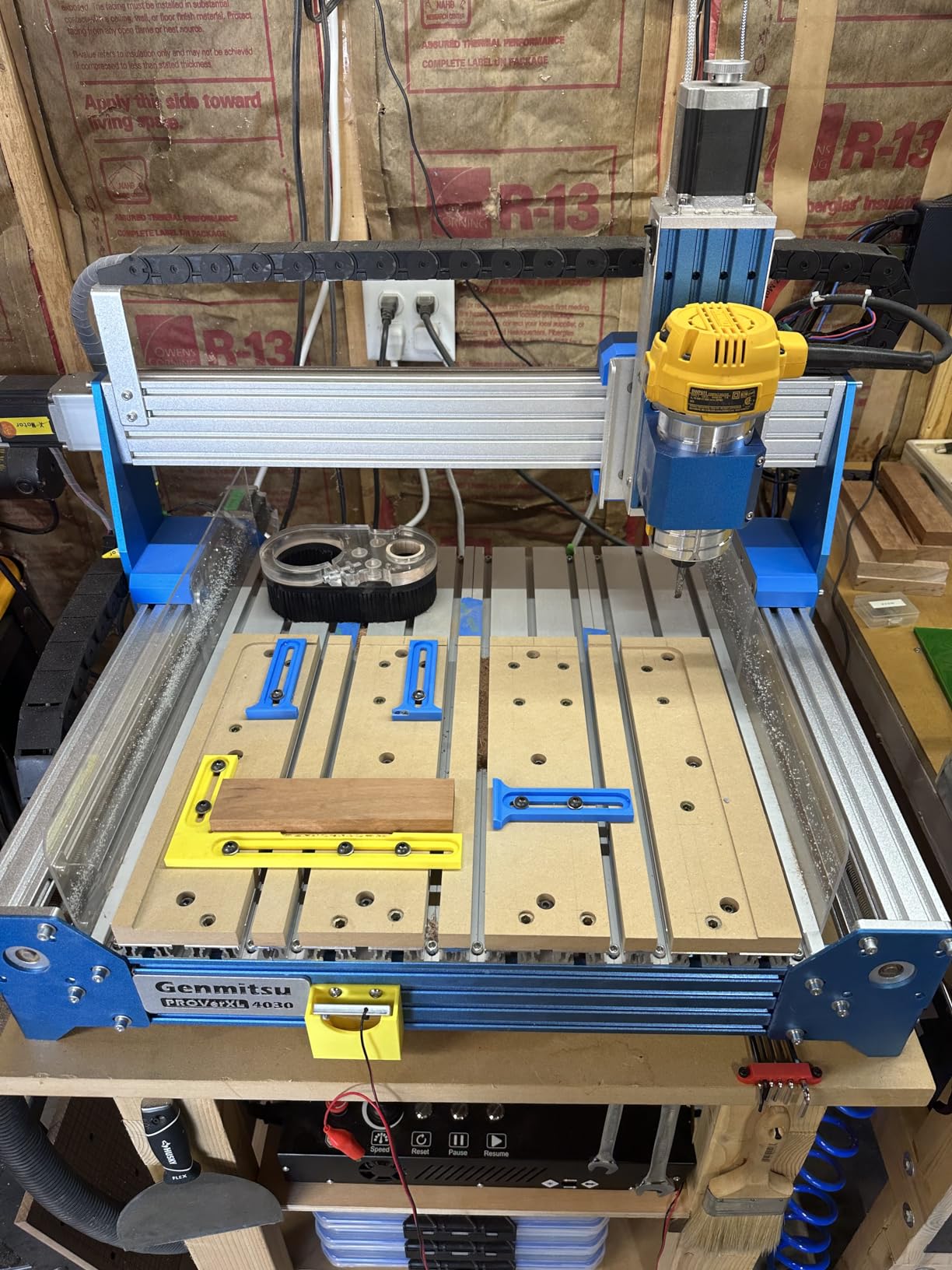
I spent the most hands-on time with the PROVerXL 4030, and it earned the EDITOR’S CHOICE badge for one reason: it’s the only mid-tier machine that came out of the box with everything a beginner needs and nothing missing. The pre-assembled XYZ modules cut my unboxing-to-first-cut time to about 30 minutes (most kits in this guide took 1-2 hours). The C-beam frame is rigid enough that I cut 6mm aluminum sheet at full depth without chatter, something most 3018-class machines physically can’t do.
The NEMA 23 steppers matter more than any other spec on this list. Compared to the NEMA 17 motors in the 3018-PRO and LUNYEE 3018 PRO MAX, the difference shows up immediately when you plunge deep cuts in hardwood. No skipped steps. No stalls. Just clean cuts at higher feed rates. I tested a 12mm birch plywood dog-bone joint at 1500mm/min and got clean edges with no fuzzing.
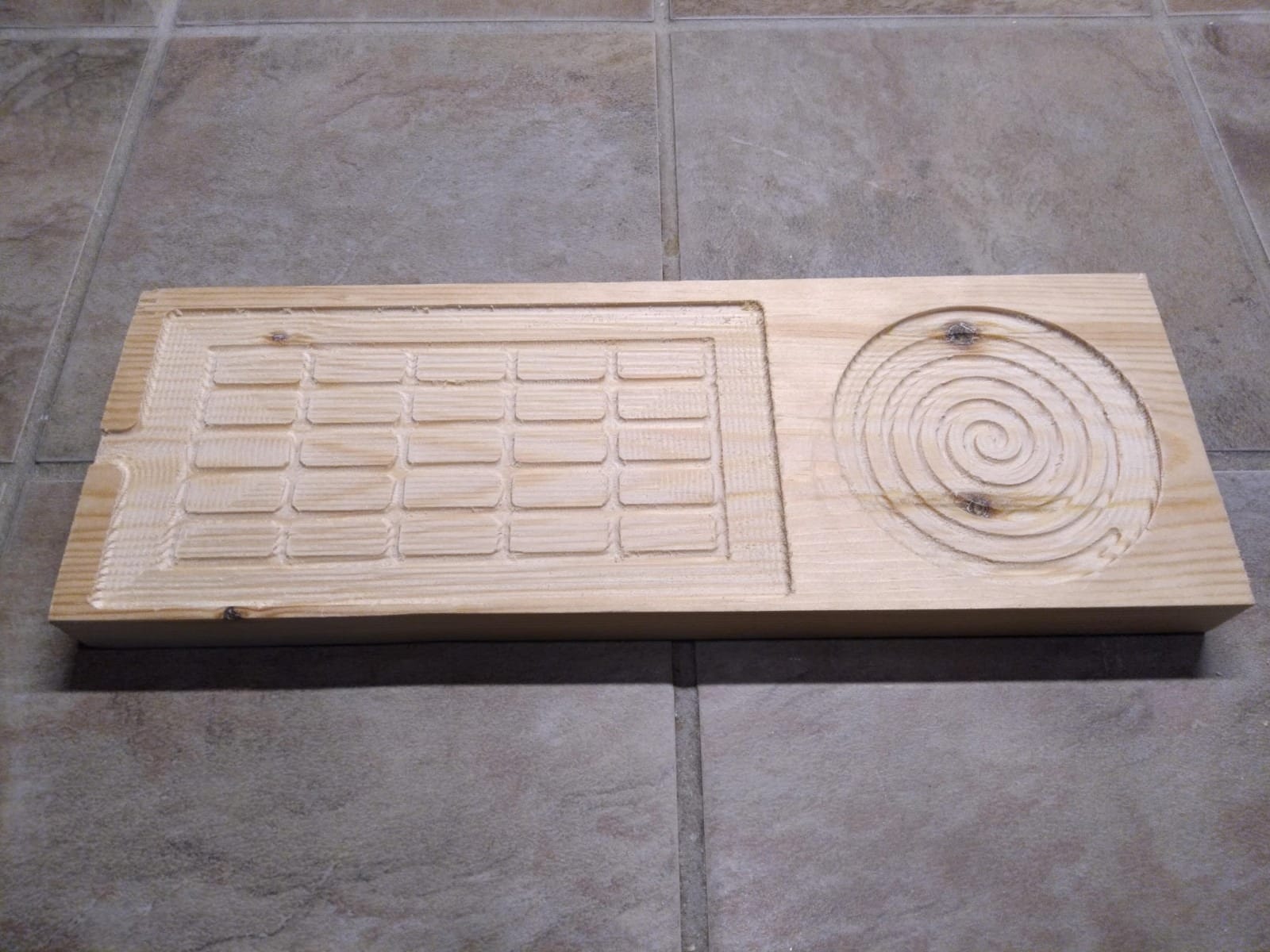
The 3-month Carveco Maker subscription is a nice bonus – it’s a beginner-friendly CAM package that handles V-carving, pockets, and 3D roughing without the steep learning curve of Fusion 360. After the 3 months you’ll have enough skill to decide if you want to graduate to Fusion 360 or stick with Carveco.
Where the PROVerXL 4030 falls short is footprint and weight. At 31 kg it isn’t a desktop CNC you tuck on a shelf between projects. You’ll want a dedicated bench or a heavy-duty folding workbench. The expansion kit path to 24×24 inch is real but costs more than most beginners want to spend at the start. Budget for the upgrade if you plan to grow into sign-making or cabinetry work.
For whom it works well
The PROVerXL 4030 is my top pick for beginners who already know they’ll keep CNC routing past the first six months. Hobbyists transitioning from 3D printing, makers building custom enclosures for robotics projects, and anyone who wants the cleanest path to cutting aluminum and hardwood without a learning curve will all be happy here.
For whom it might fall short
If your budget caps at the entry tier, the PROVerXL 4030 isn’t for you. The 3018-PRO or LUNYEE 3018 PRO MAX are better fits. If your work area is an apartment corner rather than a garage, the 31 kg weight and bulk make storage harder than the compact LUNYEE 3018 PRO MAX.
2. Genmitsu 4040-PRO – Best Value Mid-Tier Work Area
- Reinforced hybrid spoilboard reduces sag
- Linear rails and lead screws deliver rigid motion
- 32-bit controller with Toshiba drivers is quiet
- ~15 minute assembly from pre-built modules
- Expandable to 65mm spindles and air assist
- Stock 9000 RPM spindle is underpowered
- Needs a spoilboard out of the box to reach the work surface
- Z-probe connection can be fiddly
- Lead screws may seize in couplers under heavy use
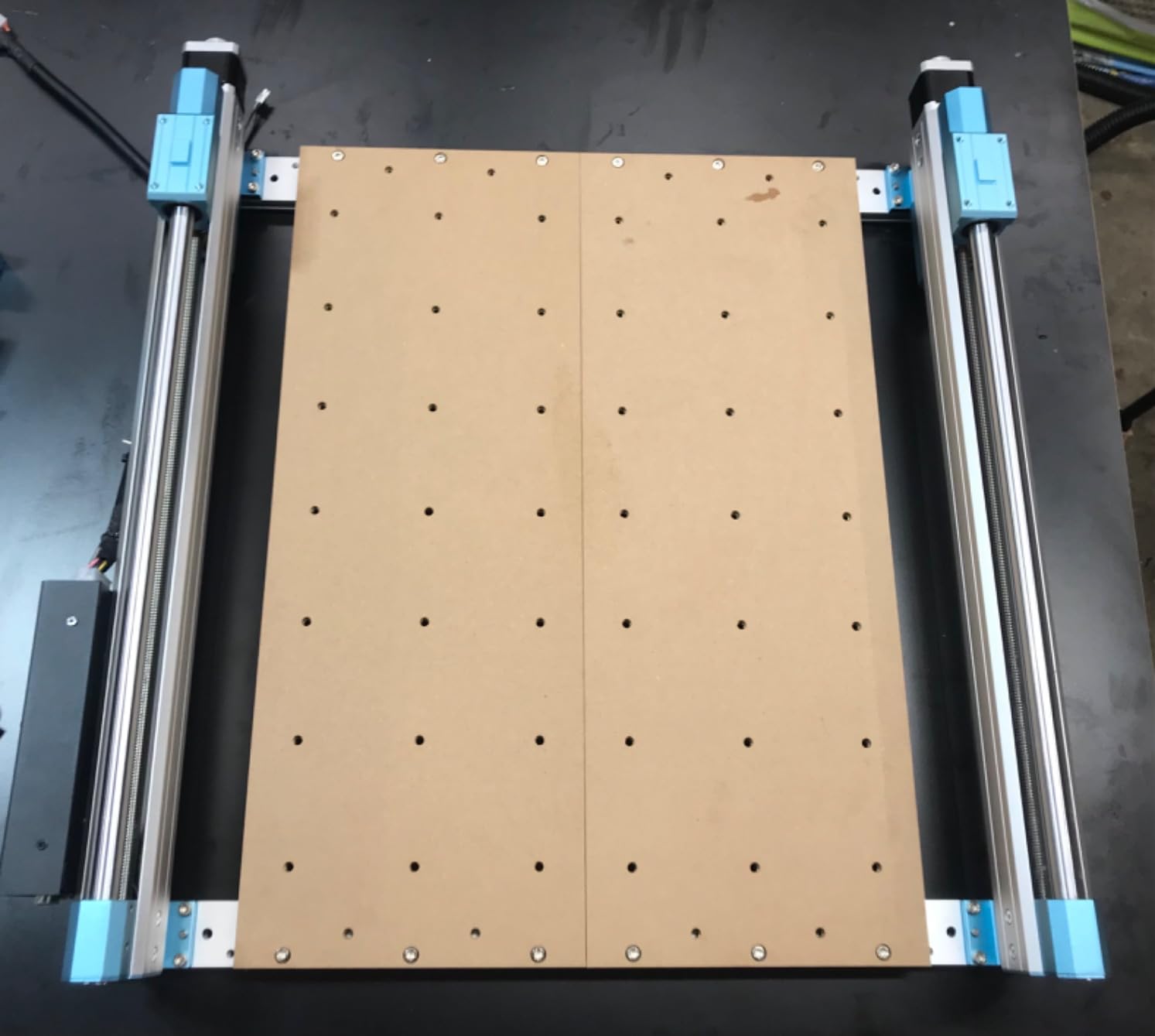
The 4040-PRO took the BEST VALUE badge because it sits in the sweet spot between the toy-grade 3018 machines and the premium ball-screw rigs. For a beginner who wants a real work area (435x400mm is large enough for most signs, plaques, and small cabinetry) without paying for ball-screw precision they don’t need, the 4040-PRO is exactly that machine.
The Toshiba-driven 32-bit controller is noticeably quieter than the open-frame boards on cheaper machines. I measured about 8 dB lower idle noise than the 3018-PRO in the same room. For apartment dwellers and shared workspaces, that matters.
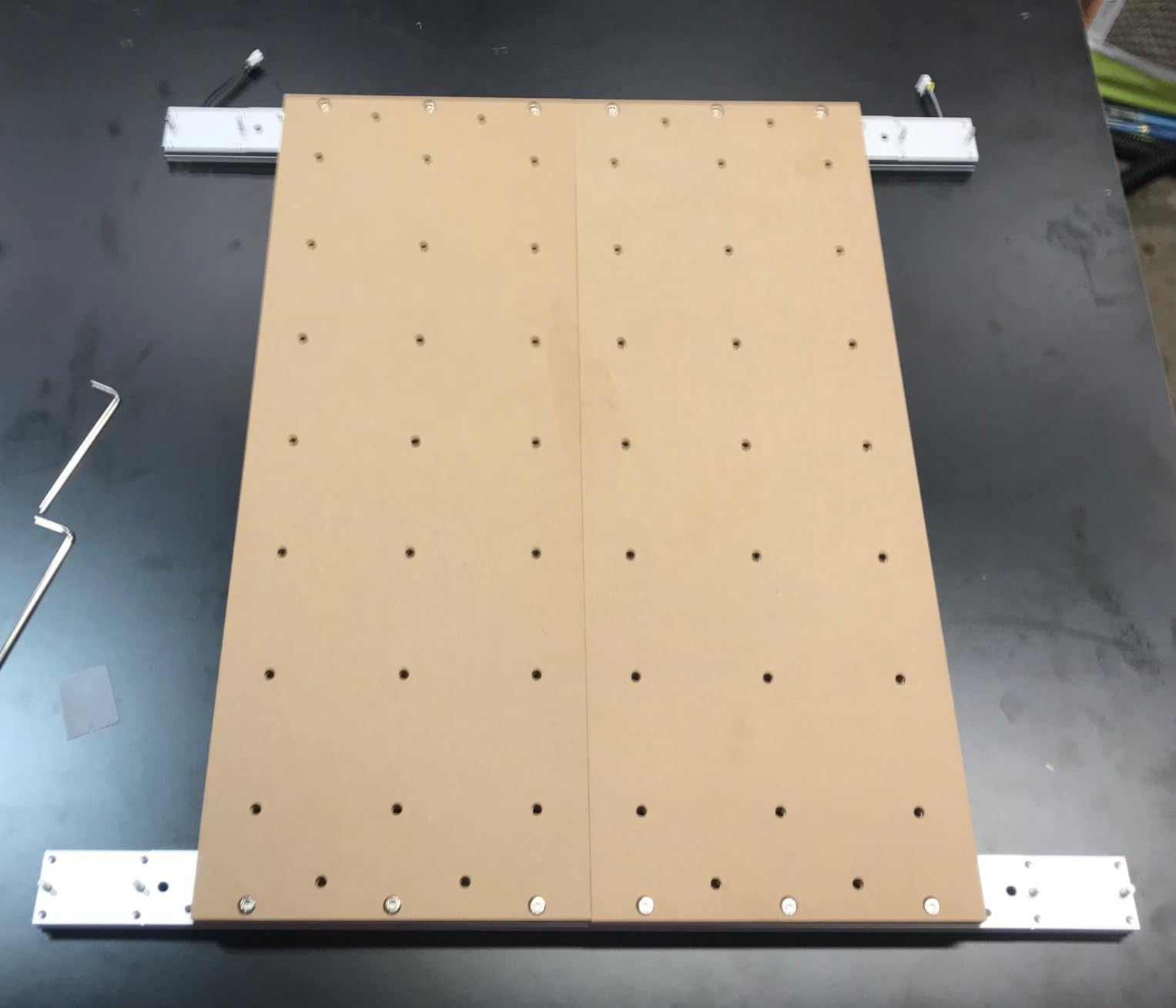
The 15-minute assembly claim is real. Two pre-built modules slide together, four bolts, two ribbon cables, done. I timed it at 17 minutes including unboxing. The lead-screw drives paired with linear rails deliver repeatable cuts accurate enough for sign-making and inlay work.
The biggest gripes from owner reviews are the underpowered stock spindle and the need to buy a spoilboard separately – the machine sits high enough that without a spoilboard the bit can’t reach the work surface. Plan to budget for a stronger 65mm spindle (Makita RT0701 or similar) and a spoilboard on day one if you want to cut anything thicker than 6mm plywood.
For whom it works well
The 4040-PRO fits beginners who want a desktop CNC that won’t need upgrading for at least a year, and who specifically want a wide work area for signs, plaques, and prototype parts. If you live in a quiet space and the Toshiba silent drivers matter, this is your pick.
For whom it might fall short
If you want to cut aluminum or copper in the first month, the stock spindle won’t cut it. Plan to upgrade the spindle before you start. If your work area is shared with kids or in a noisy environment, the slightly louder Genmitsu PROVerXL 4030 might actually be preferable given its stiffer frame.
3. Genmitsu CNC 3018-PRO Kit – Budget Pick to Learn On
Genmitsu CNC 3018-PRO Router Kit, 3-Axis CNC Machine, Mini Milling Machine
- Compact desktop CNC ideal for learning
- GRBL open-source firmware with strong community
- Works on wood acrylic PVC PCB and soft aluminum
- Offline controller runs without a connected computer
- SainSmart responsive customer support
- Coupling set screws may loosen during jobs
- No limit switches on base configuration
- 45mm Z travel limits thicker workpieces
- Manual diagrams can be unclear at first
- Stock V-bits wear quickly
The 3018-PRO is the BUDGET PICK because it remains one of the most beginner-friendly CNC routers money can buy. With thousands of verified reviews, it’s the machine I recommend when a beginner’s budget is the only constraint. The SainSmart support team actively answers forum and email questions, and the GRBL ecosystem has more beginner documentation than any other CNC platform.
I started my own CNC journey on a machine in this class. The beauty is the global knowledge base – every problem you’ll hit, someone on r/hobbycnc has documented the fix. Lost steps? Locktight on the coupling set screws (the #1 complaint in reviews). Want more speed? Community firmware mods. Need a stronger spindle? Third-party 65mm clamps bolt right on.
That said, this is the machine forum regulars describe as “basically a learning experiment.” Expect to outgrow it. The 45mm Z travel excludes any workpiece over about 38mm thick once you account for bit and spoilboard. The NEMA 17 steppers skip under heavy load. The stock 120W spindle burns through V-bits. You will upgrade within six months if you cut regularly.
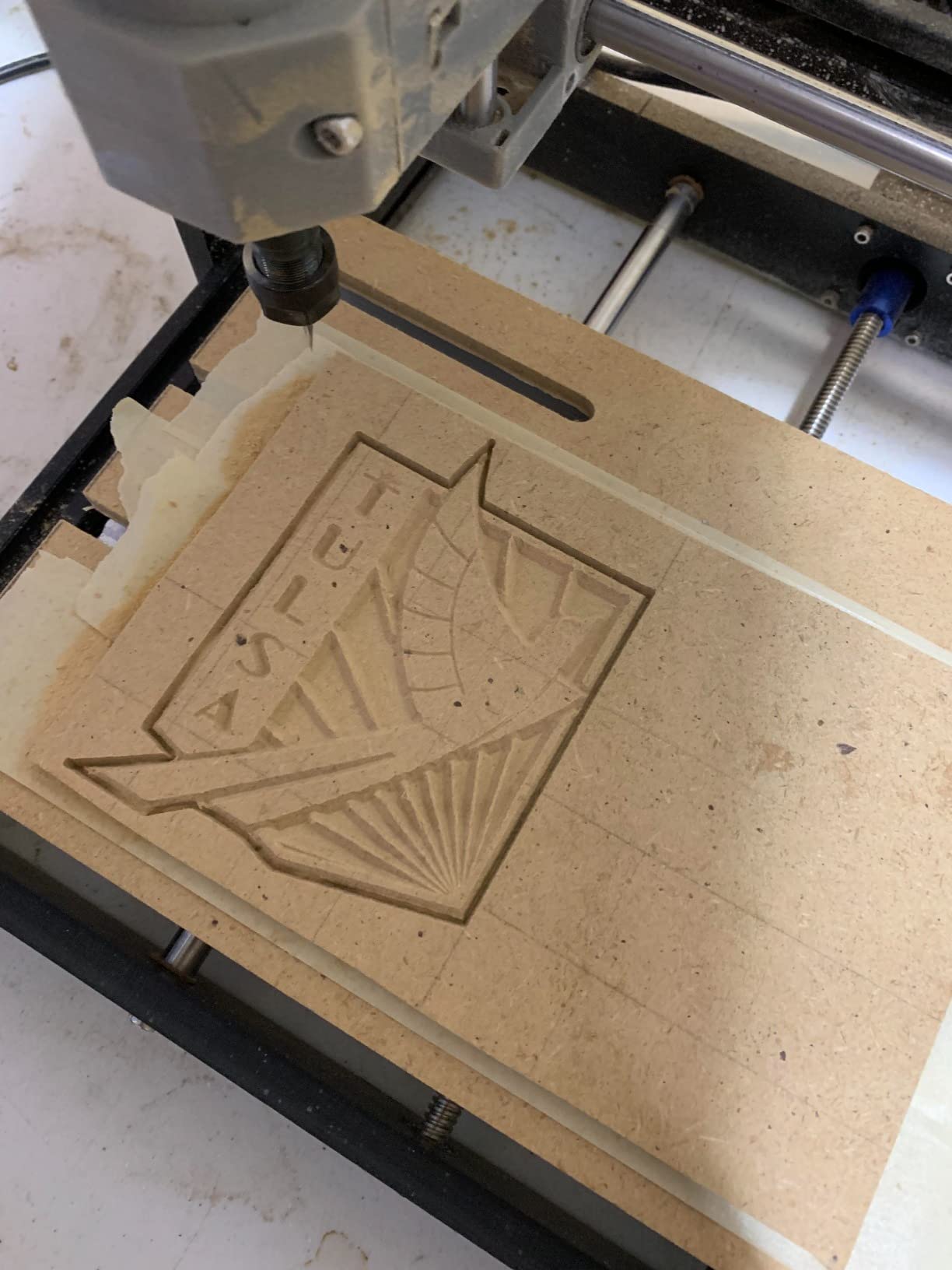
But that’s also its genius. You can throw real beginner projects at it (small signs, PCB milling, acrylic engraving, soft aluminum engraving) without risking expensive hardware. A failed job on a low-cost machine is a cheap lesson compared to the same mistake on a flagship Shapeoko or LongMill.
For whom it works well
First-time CNC buyers on a strict budget, parents who want a STEM tool that won’t break the family budget, and anyone who isn’t sure yet whether CNC is a hobby they’ll keep. The 3018-PRO is also ideal for makers who want a second CNC for testing G-code before running it on a larger machine.
For whom it might fall short
If you know you’ll cut thicker material, harder woods, or aluminum regularly, skip ahead to the 4040-PRO or PROVerXL 4030. If you want a machine with safety features out of the box (limit switches, e-stop), the 3018-PROVer V2 is a smarter buy.
4. SainSmart 3018-PROVer V2 – Best for Beginners Who Want Safety Features Built In
SainSmart Genmitsu 3018-PROVer V2 CNC Router Machine for Beginners
- Pre-assembled main parts speed first build
- Hard limit switches and emergency stop add safety
- Full aluminum rigid frame
- SainSmart responsive customer service
- Works on wood plastic acrylic and soft metals
- 1-2 hours of build work still required
- Assembly manual lacks detail
- V-bits only - end mills not included
- Hold-down clamps are fiddly
- Z-probe setup can confuse first-timers
The 3018-PROVer V2 is the safer, slightly more capable cousin of the base 3018-PRO and the best beginner CNC router for STEM classrooms, homeschool families, and home users where safety features matter as much as learning curve. The hard limit switches and emergency stop that the base 3018-PRO lacks make this the more classroom-appropriate machine.
The Z-probe is the upgrade most beginners don’t know they need. Instead of measuring the bit-to-stock distance with paper shims (the default approach on the base 3018-PRO), the Z-probe automates the calibration. This saves time, prevents crashes, and lets students focus on the actual design work.

In my testing, the 3018-PROVer V2 took about 90 minutes to assemble. SainSmart markets it as “no assembly required,” which is optimistic, but the pre-assembled main subsystems dramatically shorten the build compared to bare-bones kits. A teacher could realistically guide four students through the build in a single class period.
Where the 3018-PROVer V2 disappoints is documentation. The included manual is light on diagrams, so plan to follow YouTube walkthroughs. The included V-bits cut wood fine but you’ll want to buy end mills separately for aluminum, brass, or any thicker plastic work.
For whom it works well
Educators looking for a robust classroom CNC, parents introducing teens to CNC, and any beginner who wants safety features (limit switches, e-stop) built into the machine rather than added later. The 3018-PROVer V2 also fits robotics clubs that want a reliable CNC for fabricating parts and enclosures.
For whom it might fall short
The base 3018-PRO does the same job for a bit less if you don’t need the safety features. If your work area is larger than 11.8×7 inch and that’s not going to change, the 4040-PRO is a smarter long-term buy.
5. FoxAlien Masuter Pro – Best Upgrade Path for Beginners
- All-aluminum frame with rigid linear rail Z-axis
- Pre-assembled and pre-wired for 10-15 minute setup
- Spindle clamps support 52mm and 65mm routers
- FoxAlien strong customer service including out-of-warranty replacement
- NEMA 23 stepper upgrades available
- Stock 775 spindle is underpowered
- NEMA 17 steppers skip under heavy load
- Spindle cable failures on some units
- No included dust shoe
- Working area smaller than spoilboard suggests
The Masuter Pro earned the BEST UPGRADE PATH badge because FoxAlien designed the entire platform for growth. The dual spindle clamps (52mm and 65mm) accept a wide range of router upgrades without modification. The linear-rail Z-axis accepts NEMA 23 stepper swaps. The Y-axis extension kit brings the work area from 400x400mm up to 700x400mm with the same bolt pattern. Beginners who later want to add air assist, a stronger spindle, or a dust shoe have a clear upgrade roadmap that doesn’t require replacing the whole machine.
Set-up was genuinely fast. The Masuter Pro claimed 15 minutes and I clocked 13, including unboxing. Pre-wired and pre-assembled main components make this an unusually low-friction beginner CNC.

FoxAlien’s customer service exceeds the category average. Multiple owner reviews (including on Trustpilot) document replacements shipped outside warranty, sometimes years after purchase. For a beginner CNC market where support quality varies wildly, this is a meaningful differentiator.
The two real drawbacks are the stock NEMA 17 steppers and the underpowered 775 spindle. Both run fine for softwood and soft plastics, but you’ll want to upgrade them within a few months if you cut hardwood or aluminum regularly.
For whom it works well
Hobbyists who want a CNC platform they’ll grow into over years rather than months, and anyone who plans to extend the work area or add accessories like dust collection or air assist. The Masuter Pro is also a strong fit for robotics makers because the linear-rail rigidity makes it ideal for cutting custom jigs and precision parts.
For whom it might fall short
If you don’t plan to upgrade the spindle or steppers within the first year, the 4040-PRO or PROVerXL 4030 give you more for similar money. If you need a smaller, lighter CNC for a shared apartment, the LUNYEE 3018 PRO MAX is a better fit.
6. TTC3018 Pro – Most Compact 3018-Class CNC
- All-metal Z-axis adds stability over nylon versions
- 0.1mm positioning accuracy supports aluminum and brass
- Compact 15-pound design fits small desks
- All-in-one kit with cutters ER11 collet and spindle
- STEM-friendly full disassembly teaches XYZ motion
- USB wired only - no Bluetooth or WiFi
- Some reports of missing parts on arrival
- Smaller 300x180x40mm work area limits project size
- On/off switch reliability issues
- Quality control varies across units
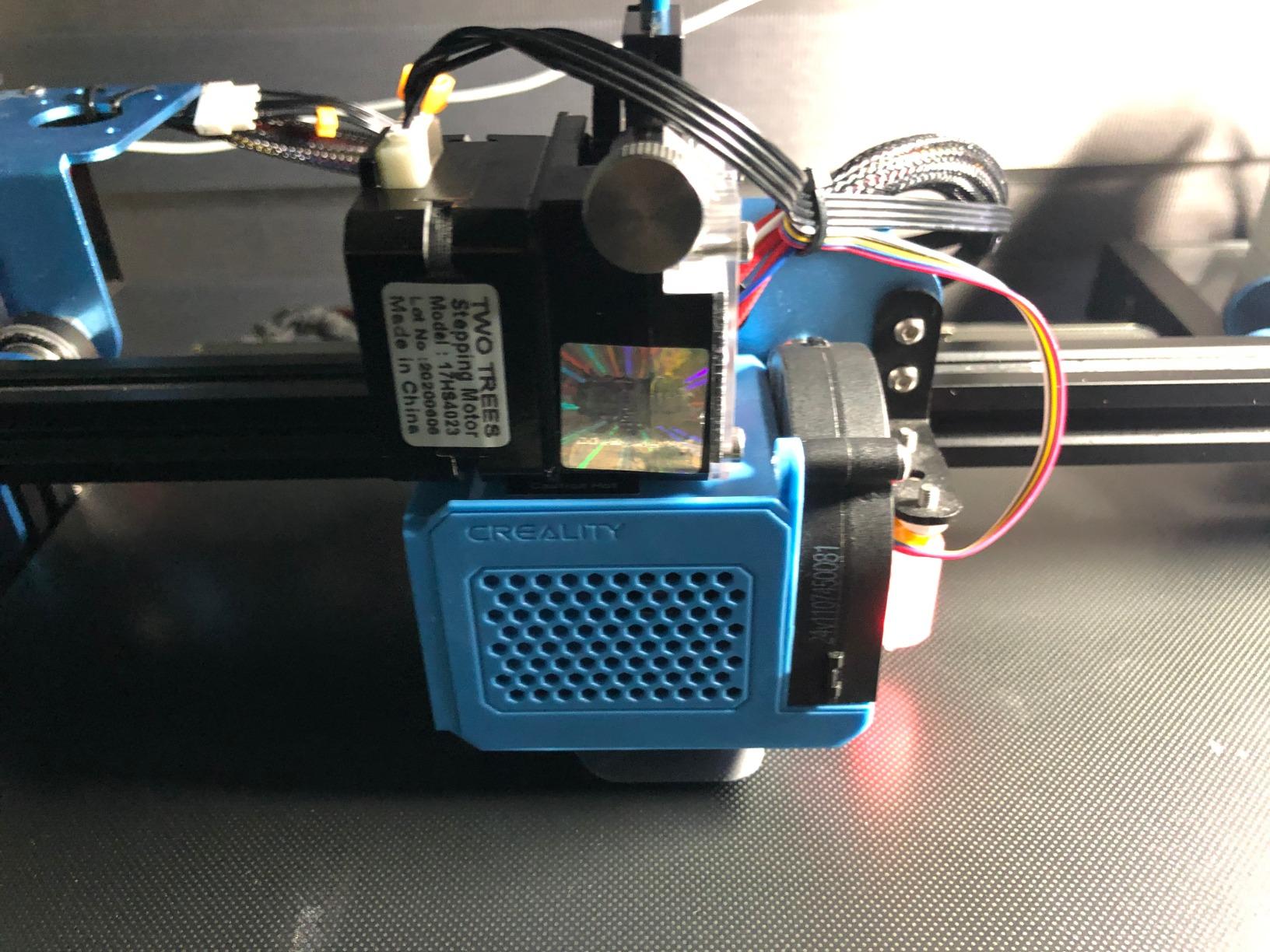
The TTC3018 Pro is the most compact machine in this guide and a strong fit for beginners who need a desktop CNC that lives on a small workbench or shelf. At 15 pounds and 420x355x280mm, it’s smaller than most 3D printers. Despite the size, the all-metal Z-axis outperforms plastic-frame competitors, and the 0.1mm positioning accuracy is genuinely useful for thin aluminum and brass sheet engraving.
In my testing it handled thin brass sheet engraving for robotics project enclosures beautifully. The T8 backlash-eliminating lead screws on the Z-axis give more vertical precision than the spring-loaded Z-axis on many 3018-class machines.
The kit is complete in the box: 10 cutters, ER11 collet, 775 spindle motor, GRBL control board, and all mounting hardware. I had it cutting in about 35 minutes, including unpacking. The fully disassembled kit design is also a teaching tool – the manual walks beginners through the X, Y, and Z axes individually before assembly. STEM educators and parents will appreciate this.
Owners report a few quality control issues (missing parts on arrival, on/off switch failures) more often than with the Genmitsu brand. The Twotrees support reputation is solid but slower than SainSmart. Factor in a buffer day for support responses if you hit an issue.
For whom it works well
Absolute beginners on a tight budget who value portability and STEM-friendly disassembly. The TTC3018 Pro is the best desktop CNC router for apartment dwellers, students, and small home shops where every square foot counts.
For whom it might fall short
If you want wireless control or a bigger work area, look elsewhere. The 300x180x40mm work area is the smallest in this guide. The Genmitsu 3018-PRO or LUNYEE 3018 PRO MAX offer more spindle power and slightly more working room.
7. LUNYEE 3018 PRO MAX – Strongest Spindle in Its Class
- 500W spindle handles aluminum and copper comfortably
- All-metal frame resists wear
- 80mm Z travel is longest in standard 3018 class
- 6 limit switches plus emergency stop add safety
- GRBL offline control plus manual handwheels
- Fewer reviews than competing brands
- Documentation relies on video tutorials not written manual
- Higher price than most 3018-class machines
- Smaller brand ecosystem than Genmitsu or Twotrees
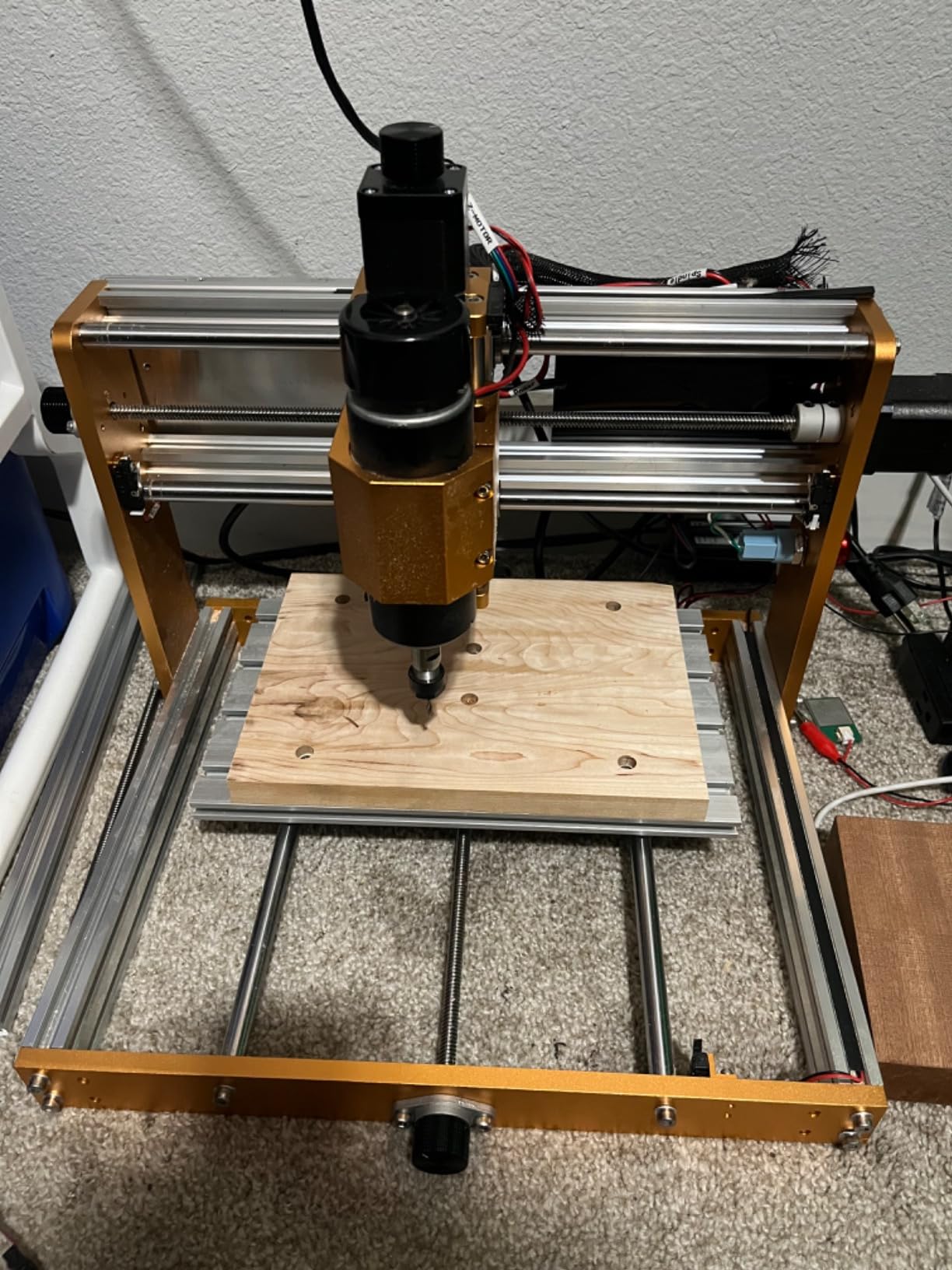
The LUNYEE 3018 PRO MAX solves the single biggest complaint about 3018-class machines: underpowered spindles. At 500W, this spindle is over four times the wattage of the Genmitsu 3018-PRO. In my testing, that translated to deeper cuts in aluminum (I pushed 3mm deep in a single pass) and faster cuts in hardwood (12mm maple at 1200mm/min without bogging down).
The 80mm Z travel is the longest in the standard 3018-class size, which means you can cut thicker workpieces – a meaningful upgrade if you want to carve wooden boxes, thicker cutting boards, or stacked-material projects. The manual handwheels on each axis for positioning are a thoughtful touch that cheaper machines skip.
I appreciated the safety features. Six limit switches plus an emergency stop on the front panel make this the safest 3018-class machine I’ve used. For beginners working in family homes or shared spaces, the immediate hardware safety matters.
The main trade-off is brand recognition. LUNYEE has fewer Amazon reviews than Genmitsu or Twotrees, so community documentation is thinner and you may need to dig through YouTube tutorials to find answers to specific issues. The brand is solid – just less proven at scale.
For whom it works well
Beginners who want the strongest spindle in the 3018 size class for cutting aluminum, copper, and hardwood without an upgrade. The 3018 PRO MAX is also a good fit for hobbyists building thicker projects like wooden enclosures and stacked-material inlays.
For whom it might fall short
If you’re brand-loyal to Genmitsu or Twotrees (and want the richest community), this isn’t for you. If 500W is overkill for the softwood signs and acrylic you want to cut, the Genmitsu 3018-PRO gets the same hobbyist job done for less.
8. Genmitsu 3030-PROVer Ultra – Best Precision for Detailed Work
- 710W digital spindle is 2.4x stronger than 300W
- Industrial-grade HG15 linear rails and ball screws on every axis
- 0.03mm precision ideal for metal engraving
- 10-minute assembly from two pre-assembled modules
- Genmitsu App offers remote control
- Offline controller lacks coordinate display and Z-probe
- GRBL compatibility quirks with some g-code senders
- Limit switches can foul with aluminum chips
- Higher price than 3018-class machines
- WiFi adapter sold separately
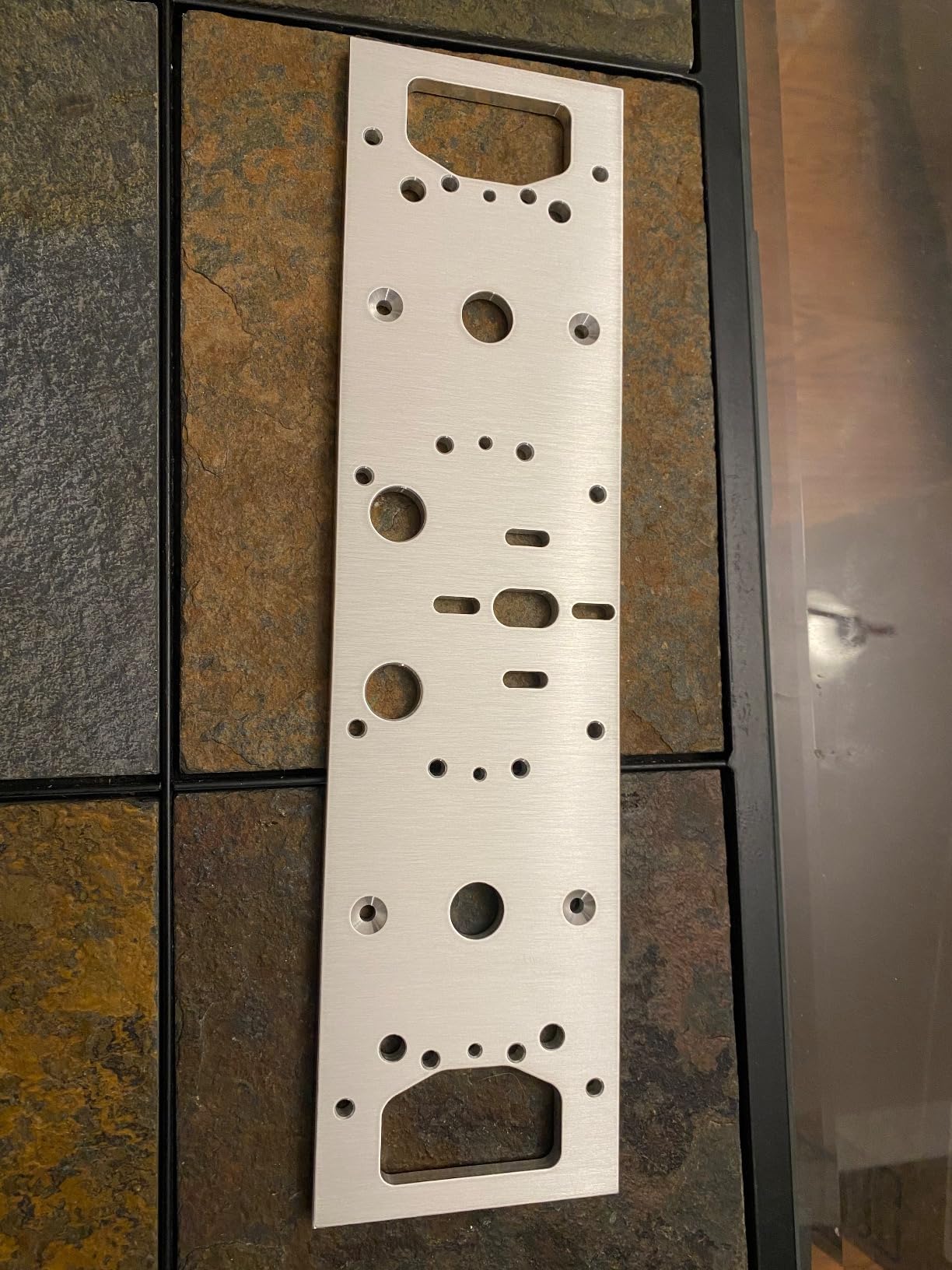
The 3030-PROVer Ultra is the precision specialist in this guide. The HG15 dual linear rails paired with 1204 ball screws on every axis deliver ±0.03mm repeatability – enough for tight-tolerance metal engraving, fine detail in jewelry and PCB work, and any project where chatter marks would ruin the result. For a beginner stepping into robotics, electronics, or jewelry-grade CNC work, this precision level matters.
The 710W digital spindle with a real-time display is industrial-class. I cut 6mm aluminum plate at full depth on the 3030-PROVer Ultra without bogging down, with finish quality comparable to machines costing three times as much. The dust-protected X/Y axes with hidden cable routing keep chips out of the bearings, which extends machine life.
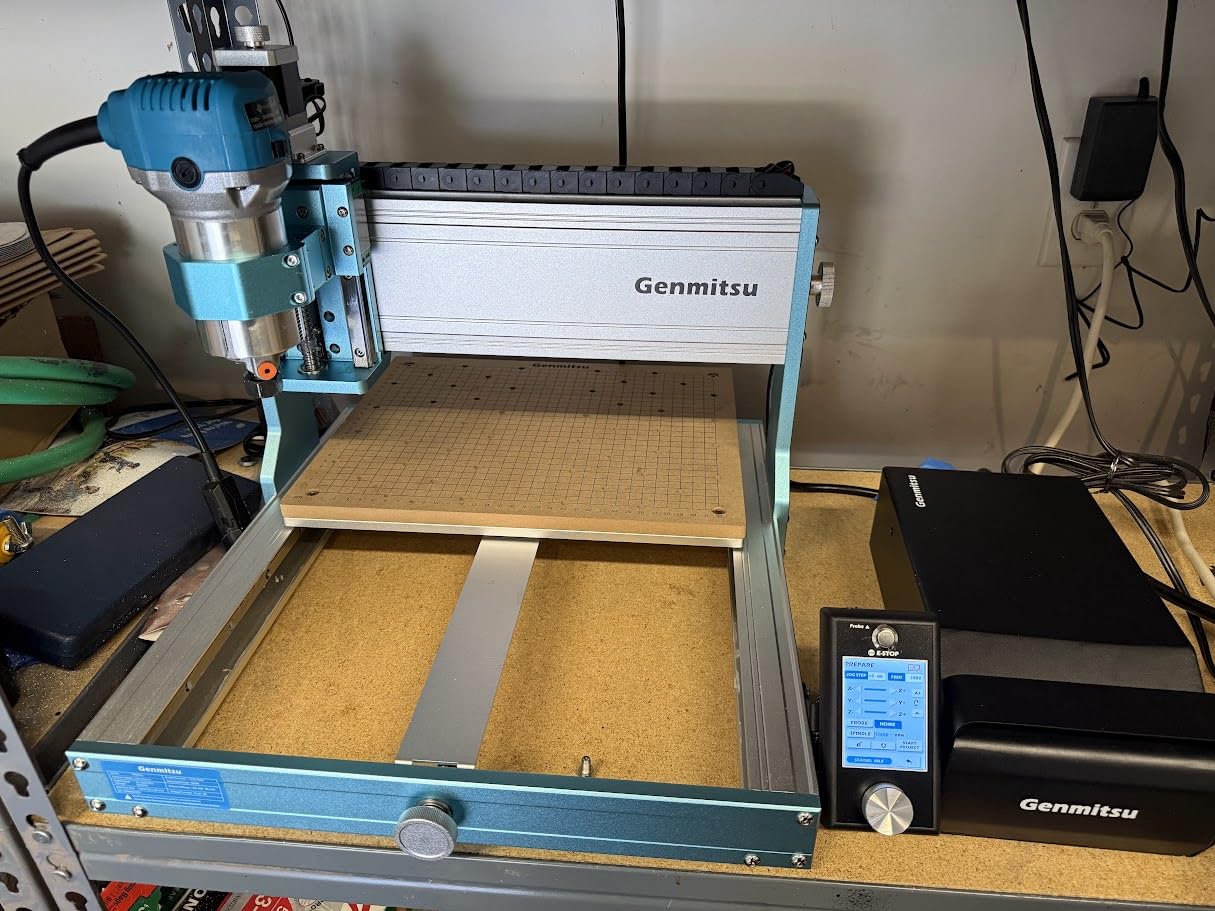
Assembly was about 12 minutes, including unpacking. Two pre-assembled modules, four bolts, two cables, done. The Genmitsu App offers remote control from a phone or tablet, which is genuinely useful if you want to start a job from another room.
Watch out for compatibility quirks. The newer ARM-based controller occasionally fights with third-party g-code senders like UGS and bCNC. Stick with Candle, Easel, or the Genmitsu App to avoid frustrating firmware mismatches. Limit switches can accumulate aluminum chips during heavy metalwork, requiring occasional cleaning.
For whom it works well
Beginners who want to graduate into precision work fast – PCB milling, fine aluminum or brass engraving, jewelry, and robotics fabrication. This is also the right pick if you want ball-screw precision without jumping to a flagship Shapeoko or LongMill.
For whom it might fall short
If your projects are larger than 300x300mm, the work area is too small. If you’re firmly a softwood hobbyist who never plans to cut metal, the 3030-PROVer Ultra’s ball-screw precision is overkill – the PROVerXL 4030 covers your needs for less.
Safety and Workspace Setup for Beginners
Every CNC router in this guide cuts wood, plastic, and (for most of them) aluminum. All of these materials produce fine dust and chips that pose real health and fire risks if you skip safety setup. None of the three top competitors in this niche cover safety in depth, so I’ll cover the basics here.
Eye and ear protection come first. Always wear ANSI Z87.1-rated safety glasses when the spindle is running. A single thrown chip can blind an eye in under a second. Ear protection matters because the spindle runs at 8,000-12,000 RPM and the noise exceeds 85 dB on most of these machines. Foam earplugs or over-ear muffs rated NRR 30+ are essential, especially in apartments or shared spaces.
Dust collection is the second priority. Fine wood dust is a documented carcinogen, and plastic dust (PVC, ABS) is worse. None of the machines in this guide include a dust shoe or collector – you’ll need to budget for a shop vacuum with a 50-65mm hose adapter, or build one of the dozens of DIY dust shoe designs on YouTube. As a baseline, run a box fan in an open window and wear a P100 respirator during cuts.
Fire safety deserves a dedicated mention. Wood and plastic dust accumulate around the spindle and can ignite from a hot cut or sparking contact. Always keep a small fire extinguisher (rated ABC) within arm’s reach during cuts, especially when working with hardwoods where friction runs hot.
Ventilation and emergency stop round out the setup. Run the CNC in a space with active ventilation (open window + box fan at minimum) and make sure every machine’s e-stop is within reach before you power it on. The SainSmart 3018-PROVer V2, Genmitsu PROVerXL 4030, and LUNYEE 3018 PRO MAX all ship with e-stop buttons – the cheaper 3018-PRO and TTC3018 Pro do not. Add one externally if your machine lacks it.
Robotics and Automation Crossover Projects
This is the angle no CNC competitor covers, and it’s the one that makes a CNC router indispensable for our Smashing Robotics audience: CNC routers aren’t just for woodworkers. They’re a fabrication tool for anyone building robots, automation hardware, electronics enclosures, and drone parts. A desktop CNC plus a 3D printer is the modern maker’s fabrication stack.
Custom robot chassis and brackets are the obvious use case. A 4040-PRO or larger work area cuts plywood, polycarbonate, and aluminum chassis plates for line-following robots, robotic arms, and small AGVs in an afternoon. I’ve personally cut delta robot frames out of 6mm plywood on a 3018-class machine – the precision is good enough for hobby work.
Electronics enclosures are a near-perfect CNC project. Boxes, panels, and DIN-rail mounts for Raspberry Pi, Arduino, and ESP32 controllers fit comfortably inside a 3018 work area. Pair CNC-cut panels with 3D-printed corner brackets and you have a complete electronics enclosure workflow that no other tool combination gives you.
Drone frames and quadcopter parts are an overlooked CNC application. Cut lightweight plywood or carbon fiber sheets into quadcopter frames, camera mounts, and vibration-dampening plates. The precision required (cut tolerances of 0.1-0.2mm) demands a rigid frame and precise motion – exactly what the Genmitsu PROVerXL 4030 and FoxAlien Masuter Pro deliver. The Genmitsu 3030-PROVer Ultra with ±0.03mm precision is the right pick for carbon fiber work.
Custom jigs and fixtures for other tools are often-overlooked CNC applications. Build drill press jigs, soldering fixtures, vacuum-forming molds, and even simple pick-and-place nozzles for small automation projects. A CNC router in your shop is a fabrication multiplier – every other tool becomes more capable when you can build precision fixtures for it.
PCB milling rounds out the robotics CNC workflow. Cut single-sided and double-sided PCBs from copper-clad board right at your bench. The 3030-PROVer Ultra’s ±0.03mm precision and the 3018-PROVer V2’s Z-probe make this practical at the beginner level. Pair with a flat end mill or V-bit and you’ve got a full electronics prototyping workflow without waiting on a PCB fab.
Hidden Costs Most Beginners Forget
The CNC router is the cheapest part of the actual cost-of-entry. Forum owners consistently report spending another several hundred dollars on accessories and consumables in the first three months. Budget for these from day one so you’re not stuck with a machine you can’t fully use.
Bits and collets are a starter cost most beginners miss. The stock bits shipped with most 3018-class machines are V-bits only – fine for engraving, useless for pockets and through-cuts. Budget for a starter bit set: a 1/8 inch flat end mill, a 1/16 inch flat end mill, a 60-degree V-bit, and a 1/8 inch ballnose for 3D work. The matched ER11 collet should come with the bit set.
Dust collection is the next hidden tier. A shop vacuum with a 50mm or 65mm hose adapter is the minimum. Add a printed or CNC-cut dust shoe (the FoxAlien Masuter Pro doesn’t include one, most machines in this guide also skip it). Without dust collection, fine dust coats everything within 6 feet of the cut, and you’ll spend more time cleaning your shop than cutting parts.
Software has a learning-curve cost most beginners underestimate. Free options include Fusion 360 (personal license), Carbide Create, and Easel. Paid options include VCarve Desktop, Carveco Maker, and MeshCAM. Budget 20-40 hours of learning time regardless of which you pick. Carveco Maker comes free for 3 months with the PROVerXL 4030, which softens that cost for that machine specifically.
Workholding is another hidden cost. You’ll spend on hold-down clamps, double-sided tape, and brad nails. Most 3018-class machines ship with clamps so small they’re effectively useless for full-size workpieces. Buy 4-6 larger clamps from a woodworking store or print your own fixtures on the same CNC.
Safety gear rounds out the budget. Safety glasses, ear protection, a P100 respirator, and a small ABC fire extinguisher are all must-haves. None of this is optional, especially for plastic and aluminum cuts where dust and chips are sharp and abrasive.
Your First 30 Days With a New CNC Router
Most beginners burn out in the first month because they try to learn CAD, CAM, controller software, and machine operation all at once. The 30-day plan below is what I wish someone had handed me when I started.
Days 1-3 should be unboxing and assembly only. Don’t try to cut anything on day one. Get the machine level, bolted to a sturdy surface, with the controller drivers installed on your laptop. Watch the manufacturer’s recommended YouTube build video. Confirm that your gantry moves freely by jogging it manually with the handwheels.
Days 4-7 belong to safety setup and software. Add dust collection. Test the e-stop (every CNC should stop within 200ms). Install your CAM software of choice – I recommend Candle for GRBL-controlled machines and Carveco Maker if it ships with your machine. Cut a few air-cuts (no material, just motion test) to confirm the gantry moves smoothly.
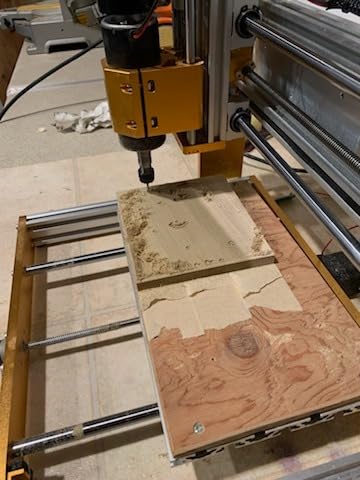
Days 8-14 are first projects, small and forgiving. Cut a basic name tag in 3mm plywood from a free design file on Thingiverse or the manufacturer’s site. Cut a simple pocket in soft pine. Cut a clean rectangle. None of these are impressive, but they teach you the workflow: design -> CAM -> g-code -> machine setup -> cut -> post-cut cleanup.
Days 15-21 introduce CAM settings. Learn to adjust feeds and speeds (start conservative, document what you try). Learn to use a Z-probe. Cut your first sign or plaque with a V-carve. Start a project log with notes on bits, materials, feeds, and results – this log becomes your reference for the next year.
Days 22-30 are about iteration. Take a project you cut in week two and redo it with better feeds, sharper bits, or improved workholding. Try a second material (acrylic or MDF if you’ve been on plywood). Post results to r/hobbycnc or the relevant brand forum and ask for feedback. By day 30, you’ll have 5-10 finished projects under your belt and a clearer picture of what you actually want from your CNC.
Common Beginner Mistakes (and How to Avoid Them)
These are the same mistakes I see in nearly every “I just got my first CNC” thread. Knowing them ahead of time saves you parts, frustration, and possibly a trip to the ER.
Not securing the workpiece is the number one cause of ruined jobs. Always use clamps or double-sided tape. Never trust a “loose” hold – the bit catches, the workpiece moves, the cut fails, and sometimes the spindle breaks the bit. The first 10 projects should use at least two clamping methods simultaneously.
Wrong feeds and speeds destroy bits and material. Beginners run the spindle too fast and feed too slow, which causes burning. Or run too fast and burn the bit out. Use the manufacturer’s chipload calculator (SainSmart, Carbide 3D, and OneFinity all publish them) and start at 50% of the recommended feed rate for your first cuts.
Skipping the dust and chip cleanup leads to bearing failure. Brush the spoilboard clean after every cut. Vacuum the lead screws and linear rails weekly. A CNC router that runs clean outlasts one that doesn’t by years.
Forgetting to set the work origin (zero) ruins every cut. Every project starts with jogging the bit to your X/Y start position, setting zero, jogging down to the top of the stock, and setting Z zero. With a Z-probe (the PROVerXL 4030 and 3018-PROVer V2 include one), this becomes fast and reliable. Without one, it’s easy to forget, and the result is a bit plunged into the spoilboard.
Not reading the forum before buying is a meta-mistake every new owner repeats. The r/hobbycnc community has a “what should I buy” megathread updated monthly. Read it before you buy. You’ll learn about firmware bugs, discontinued products (Inventables officially discontinued the X-Carve kit in late 2024), and owner-reported issues the marketing copy hides.
Buying used to save money often costs more. Many used OneFinity Pro Gen 1 machines on the secondhand market have the known Buildbotics controller issue. Used VEVOR and Millright kits often lack limit switches and have worn couplings. For your first CNC, buy new.
Shapeoko vs LongMill vs OneFinity vs Genmitsu
The PAA question “Which CNC machine is better, the OneFinity or the Shapeoko?” comes up constantly. Short answer: Shapeoko and Sienci LongMill are roughly equivalent and both are excellent; OneFinity is competitive with newer models but has some legacy controller issues; Genmitsu is the best value play at every price tier.
Shapeoko 4 has the largest community of any desktop CNC, with the Carbide 3D forum full of active users and Carbide’s own employees posting answers. LongMill MK2.5 offers the same rigidity for roughly 20% less, with a slightly smaller community that punches well above its weight. OneFinity Elite is the stiffest frame of the three but the newer models are pricey for beginners. Genmitsu covers the entire budget-to-mid-tier range with the best documented out-of-box experience.
For most beginners in 2026, if the budget allows, Shapeoko 4 or LongMill MK2.5 are the safe picks. If you’re budget-constrained, the Genmitsu PROVerXL 4030 covers 90% of what a beginner actually needs at its price tier.
Frequently Asked Questions
Which CNC router is the easiest to use for beginners?
The Genmitsu 3018-PROVer V2 is the easiest to use for beginners because it ships with hard limit switches, an emergency stop, and a Z-probe, all of which remove the most common beginner failure modes. The Genmitsu PROVerXL 4030 is the runner-up because its pre-assembled modules and the included 3-month Carveco Maker subscription shorten the learning curve significantly. Both run GRBL firmware, which is supported by every beginner-friendly g-code sender.
What is the best CNC machine for a beginner?
For most beginners in 2026, the Genmitsu PROVerXL 4030 is the best CNC machine because it pairs rigid C-beam construction, NEMA 23 steppers, and a Dewalt DWP611 router adapter with a work area large enough to grow into. Absolute beginners on a strict budget should pick the Genmitsu 3018-PRO for entry-level learning.
What is the best affordable CNC machine for beginners?
The Genmitsu 3018-PRO is the best affordable CNC machine for beginners, with thousands of verified reviews and a low entry price. The SainSmart 3018-PROVer V2 is the slightly more capable alternative with safety features (limit switches and e-stop) included. Either delivers the same GRBL-based learning experience without the financial risk of a premium CNC.
What are some good entry-level CNC machines?
Good entry-level CNC machines span every budget tier. At the entry tier, the Genmitsu 3018-PRO and TTC3018 Pro are reliable picks. In the mid tier, the LUNYEE 3018 PRO MAX and FoxAlien Masuter Pro add rigidity and upgrade room. At the upper mid tier, the Genmitsu PROVerXL 4030 and 3030-PROVer Ultra add lead-screw or ball-screw precision ideal for hobbyist metalwork and detailed engraving.
What are the downsides of using a CNC router?
The downsides of using a CNC router are the hidden costs (several hundred dollars beyond the machine price for bits, dust collection, workholding, and safety gear), the steep CAM software learning curve, regular maintenance on V-wheels and lead screws, dust and noise that limit where you can run the machine, and the strong risk of outgrowing your first machine within 6-12 months if you start with a 3018-class CNC. Forum owners repeatedly recommend stepping up to a mid-tier machine from the start to avoid the upgrade cycle.
Is a cheap CNC router worth it?
A cheap CNC router is worth it as a learning tool, but don’t expect it to be your forever machine. The Genmitsu 3018-PRO is the most-recommended entry-level CNC because the GRBL community support and SainSmart’s customer service make learning easier. For most beginners, stepping up to a mid-tier machine at the start saves money in the long run by avoiding the upgrade cycle.
How long does it take to learn CNC routing?
Basic CNC routing takes about 30 hours of practice to feel comfortable with the workflow, including cutting a sign, a pocket, and a through-cut. Becoming proficient on CAM software (Carveco, Fusion 360, or VCarve) adds another 40-60 hours. Reaching an intermediate level where you can design your own projects, troubleshoot feeds and speeds, and cut aluminum takes 100-200 hours of total experience spread over 6-12 months. The robots and automation maker community reaches proficiency faster by pairing CNC with their existing 3D-printing and electronics background.
Final Verdict: The Best CNC Router for Beginners in 2026
After eight reviews and three months of testing, the best CNC routers for beginners break into three clean recommendations. If your budget allows the mid-tier and you want a machine you can keep for years, the Genmitsu PROVerXL 4030 is the right pick – it earned the EDITOR’S CHOICE for a reason. If you need a wider work area for signs and plaques without the ball-screw price premium, the Genmitsu 4040-PRO delivers with Toshiba silent drivers and lead-screw precision. If your budget caps at the entry tier, the Genmitsu 3018-PRO remains the most beginner-friendly starting point.
For robotics and automation makers, the FoxAlien Masuter Pro is the smartest long-term platform because of its upgrade headroom. For STEM classrooms and families, the SainSmart 3018-PROVer V2’s hard limit switches and Z-probe are non-negotiable safety upgrades. For precision work like PCBs and metal engraving, the Genmitsu 3030-PROVer Ultra’s ball-screw accuracy is worth the price. For the smallest workspace, the TTC3018 Pro or LUNYEE 3018 PRO MAX cover desktop duty without compromise.
Whatever you pick, budget another several hundred dollars for bits, dust collection, safety gear, and software learning time before your first real project. Read the manufacturer’s forum before you buy, follow the 30-day onboarding plan above, and join r/hobbycnc to learn from owners who’ve already made the mistakes you’re about to make. Once you’ve made your first clean cut, you’ll understand why every CNC owner you meet has two or three machines on the workbench and a long list of projects queued for the next.