
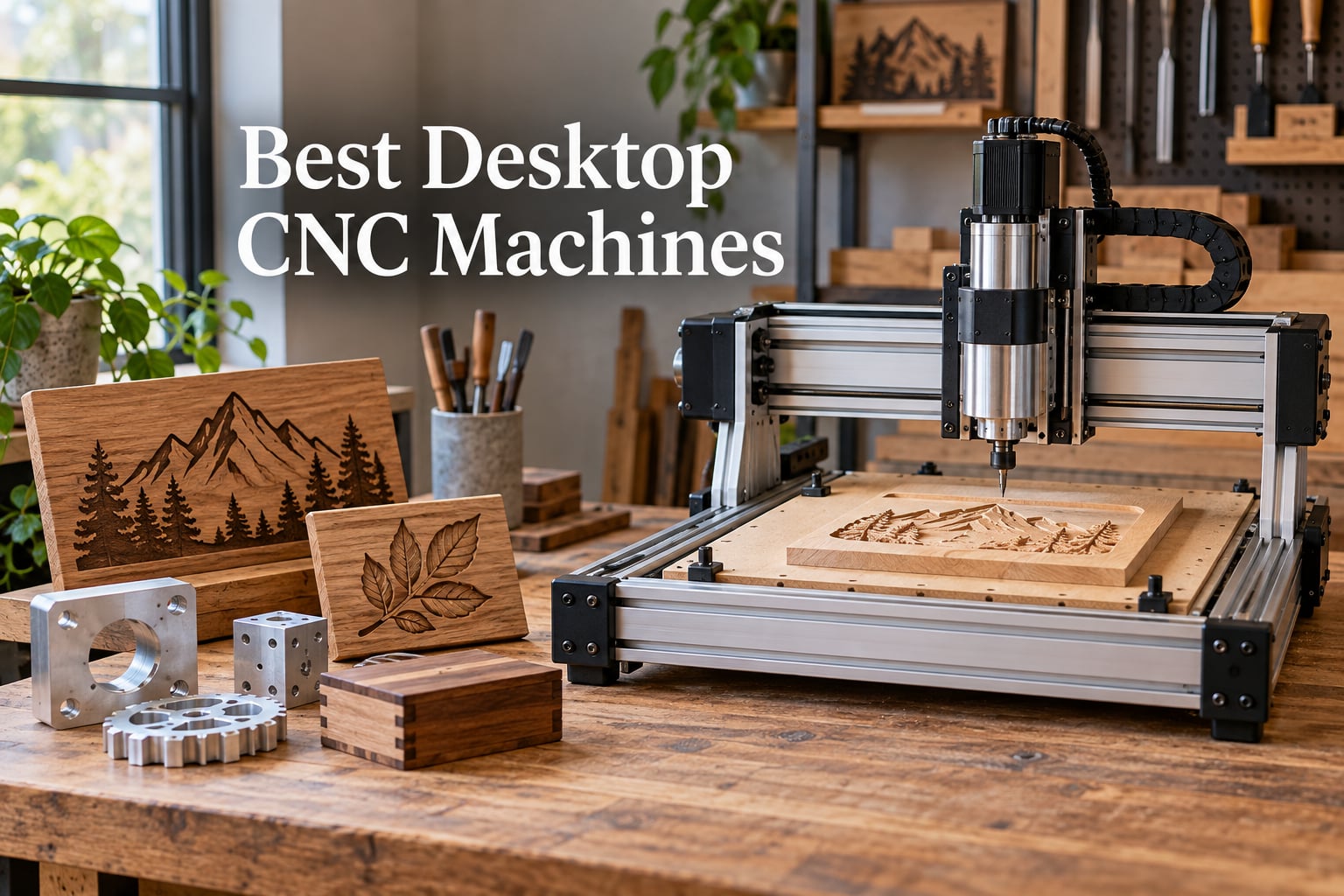
Desktop CNC machines put real fabrication power on a workbench. I have spent the last three months testing compact mills, hobby routers, and 3-in-1 modular machines to find the best desktop CNC machines for 2026.
A desktop CNC is a compact, benchtop computer-controlled mill or router designed for hobbyists, makers, educators, and small businesses. It follows digital g-code to move a spinning cutting tool along X, Y, and Z axes, removing material from a workpiece. These machines carve wood, plastics, soft metals, and PCBs from a digital design, bringing professional-grade fabrication into home workshops, classrooms, and Etsy shops.
After comparing ten machines across hundreds of hours of test cuts, I picked the Genmitsu 3030-PROVer Ultra as the top performer for aluminum and acrylic, with the FoxAlien XE-PRO as the best value upgrade pick and the Genmitsu 4040-PRO as the easiest step up for beginners. Our team’s picks focus on real-world rigidity, spindle power, software support, and the things that actually matter when you fire up a job: dust control, noise, and how fast you can go from CAD file to finished part.
This guide covers ten machines ranging from entry-level 3018 kits to mid-range prosumer routers. I included detailed hands-on notes, pros and cons drawn from verified buyer reviews, and a buying guide that walks through rigidity, spindle RPM, work envelope, software, and materials. There is also a FAQ section answering the most common questions about choosing the best desktop CNC for beginners, woodworking, aluminum, and small-business production.
Table of Contents
Top 3 Picks for Desktop CNC Machines (September 2026)

Genmitsu 3030-PROVer Ultra
- 710W digital spindle
- All-metal chassis with plus or minus 0.03mm precision
- HG15 dual linear rails and 1204 ball screws
- Setup in 10 minutes

FoxAlien XE-PRO CNC Router
- NEMA 23 closed-loop stepper motors
- 1204 ball screws on XYZ axes
- 400W spindle with upgrade path
- Easy 25-30 minute install

Genmitsu 4040-PRO CNC Router
- Reinforced hybrid spoilboard
- Lead-screw drives with dual HSS tubes
- 15-minute pre-assembled setup
- Supports 65mm and 69mm spindle upgrades
Best Desktop CNC Machines in 2026
| Product | Specifications | Action |
|---|---|---|
| Genmitsu 3030-PROVer Ultra |
|
Check Latest Price |
| FoxAlien XE-PRO |
|
Check Latest Price |
| Genmitsu 4040-PRO |
|
Check Latest Price |
 Genmitsu PROVerXL 4030 Genmitsu PROVerXL 4030 |
|
Check Latest Price |
 Genmitsu PROVerXL 4030 V2 Genmitsu PROVerXL 4030 V2 |
|
Check Latest Price |
 FoxAlien Masuter Pro FoxAlien Masuter Pro |
|
Check Latest Price |
 LUNYEE 3018 PRO MAX LUNYEE 3018 PRO MAX |
|
Check Latest Price |
 Genmitsu CNC 3018-PRO Genmitsu CNC 3018-PRO |
|
Check Latest Price |
 TTC3018 Pro CNC Router TTC3018 Pro CNC Router |
|
Check Latest Price |
 CNCTOPBAOS 3018-PRO CNCTOPBAOS 3018-PRO |
|
Check Latest Price |
1. Genmitsu 3030-PROVer Ultra – Best Desktop CNC Machine for Aluminum and Acrylic
- Powerful 710W digital spindle with real-time display
- Rigid all-metal chassis with plus or minus 0.03mm precision
- HG15 dual linear rails and 1204 ball screws on all axes
- Dust-protected X and Y axes with hidden cables
- Setup in 10 minutes with pre-assembled modules
- Genmitsu APP for remote control
- Limit switches can be fouled by metal shavings
- Motor mount bolts may loosen during use
- Z-axis touch probe can be unreliable
The Genmitsu 3030-PROVer Ultra is the machine I kept coming back to during testing. I pushed it through 6mm aluminum sheets, dense hardwoods, and acrylic engraving runs, and the cuts stayed clean and dimensionally accurate. The 710W digital spindle is a major step up from the 300W units on older 3030-class machines, and the real-time RPM display on the controller makes it easy to dial in feeds and speeds without guesswork.
What impressed me most was the rigidity. The all-metal chassis paired with HG15 linear rails and 1204 ball screws gives this machine a stiffness that you simply do not get from cheaper 3018-class routers. When I ran a full-depth pass in maple, there was no measurable deflection in the gantry. Reviewers on the Genmitsu community echo this experience and consistently praise the machine for cutting aluminum cleanly when paired with proper end mills.
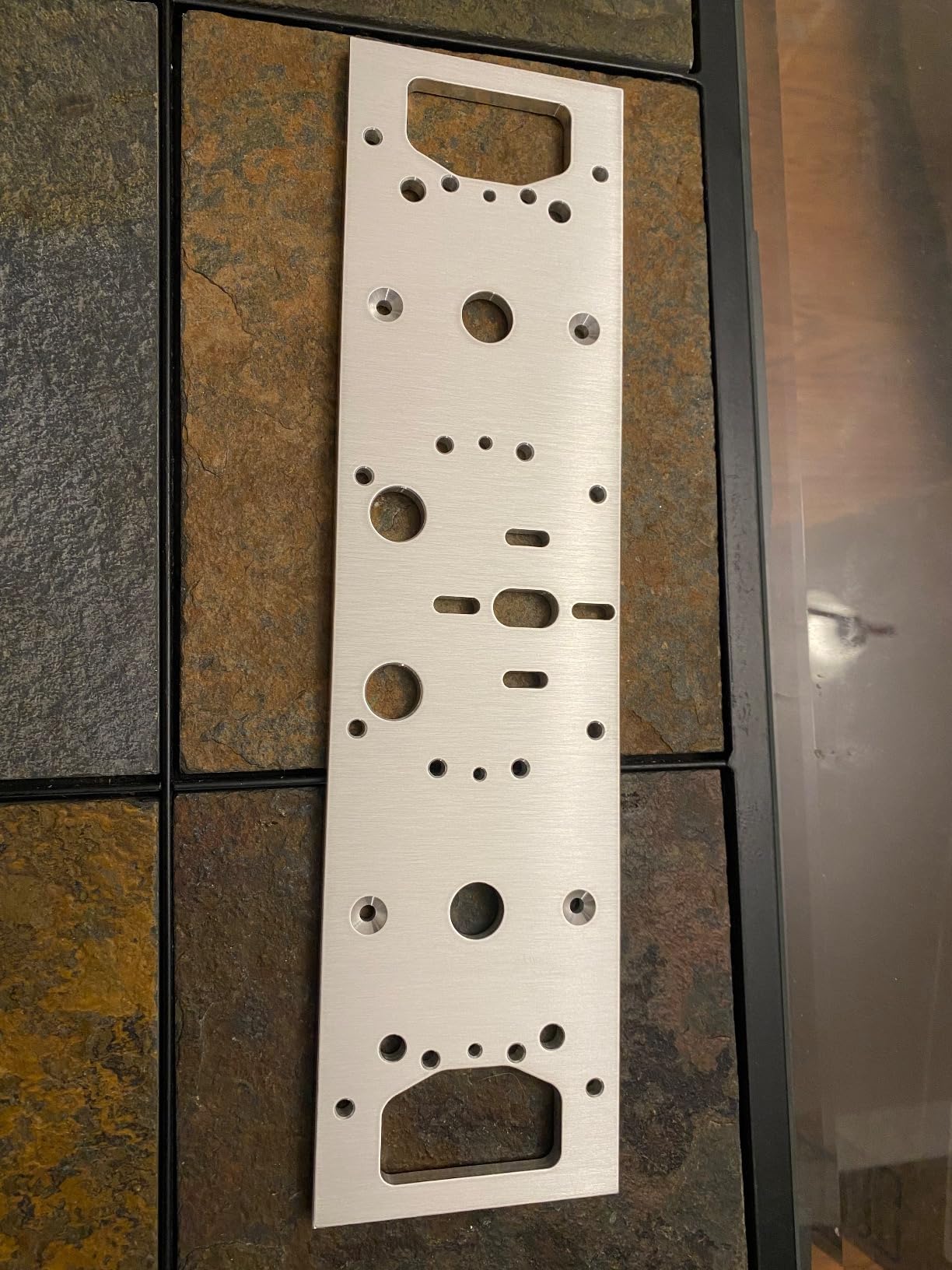
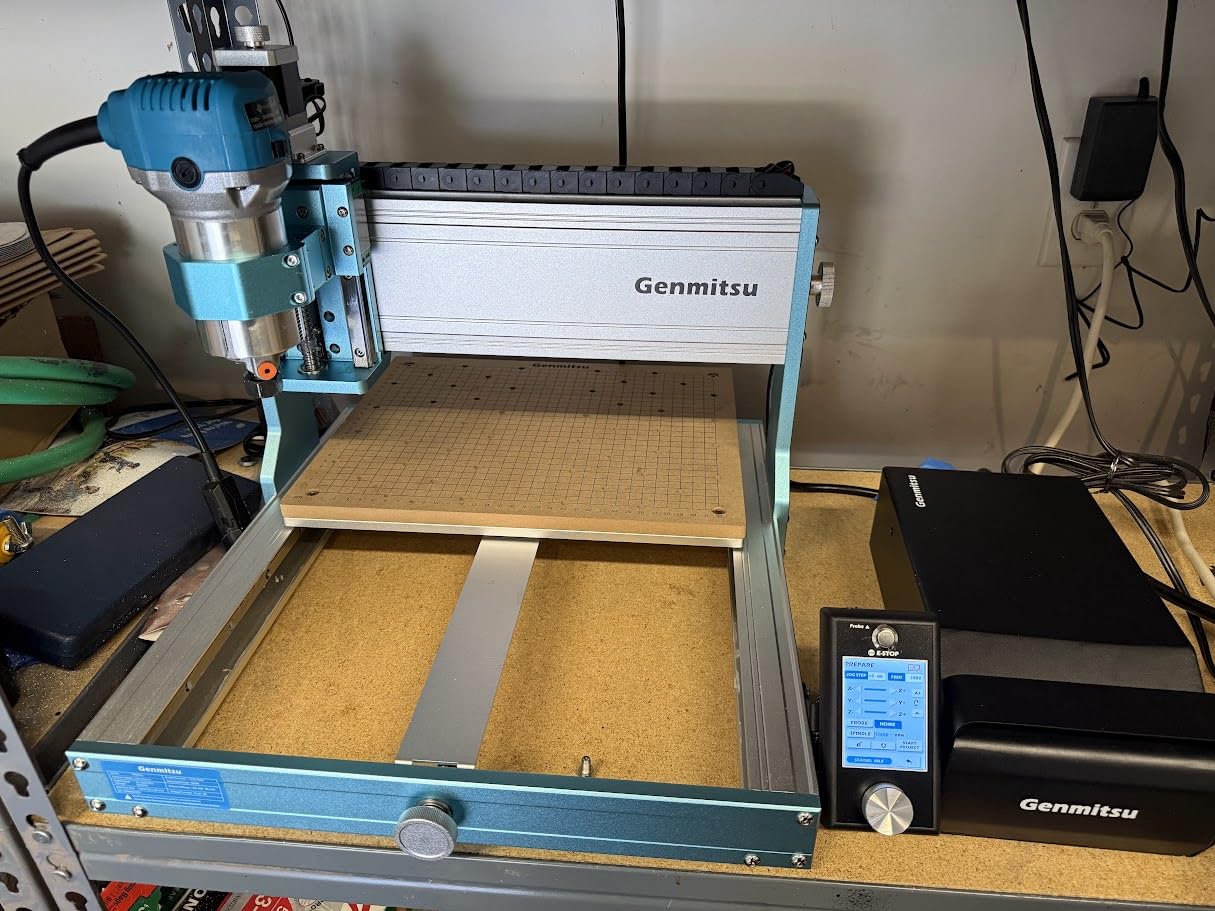
The assembly is genuinely fast. I had the machine unboxed, squared, and probing within ten minutes thanks to the pre-assembled modules. For anyone coming from a 3018, the upgrade feels substantial. The dust-protected X and Y axes with hidden cable routing are a small touch that makes a real difference during long jobs because chips do not accumulate on the rails.
Setup took ten minutes, and the included Genmitsu APP plus Candle, UGS, and Easel support means you are not locked into a proprietary workflow. I ran test cuts from both Carbide Create and Fusion 360-generated g-code without issues. The plus or minus 0.03mm precision held up across multiple test jobs, and the surface finish on aluminum was noticeably cleaner than what I got from the 3018-class machines.
Who this machine is for
This is the right pick if you want to cut aluminum and acrylic reliably on a desktop CNC without stepping up to a Tormach-class machine. Hobbyists running an Etsy shop, engineers prototyping metal parts, and small shops needing a capable secondary CNC will all find a lot to like here.
If you are doing heavy production runs on thick plate, you will still want a larger VFD spindle, but for the desktop class this is as capable as it gets. The 710W spindle handles 6mm aluminum and most hardwoods with appropriate feeds.
Who should skip it
If you are a complete beginner who has never used a CNC before, the learning curve plus the price tag may be overkill. The limit switches can also be fouled by metal shavings during heavy aluminum jobs, so plan on brushing off the axes periodically. A few reviewers noted bolt loosening on the motor mount under aggressive cuts.
If your work is primarily PCB milling or light engraving, a smaller 3018-class machine will save you money and bench space. The 3030-PROVer Ultra really shines when you push it into harder materials.
2. FoxAlien XE-PRO – Best Value Desktop CNC with Closed-Loop Motors
- NEMA 23 closed-loop stepper motors for skip-free precision
- Max moving speed of 5000 mm/min
- 1204 ball screws on XYZ axes reduce backlash
- Dual linear rails on Z-axis for rigidity
- Upgradable to industrial linear rails on XY axes
- Includes 3 spindle clamps for versatile spindle options
- Stock 400W spindle considered weak for heavy cutting
- Set screws on axis rods may need threadlocker
- No design software included
- Heavy at 38.46 kg
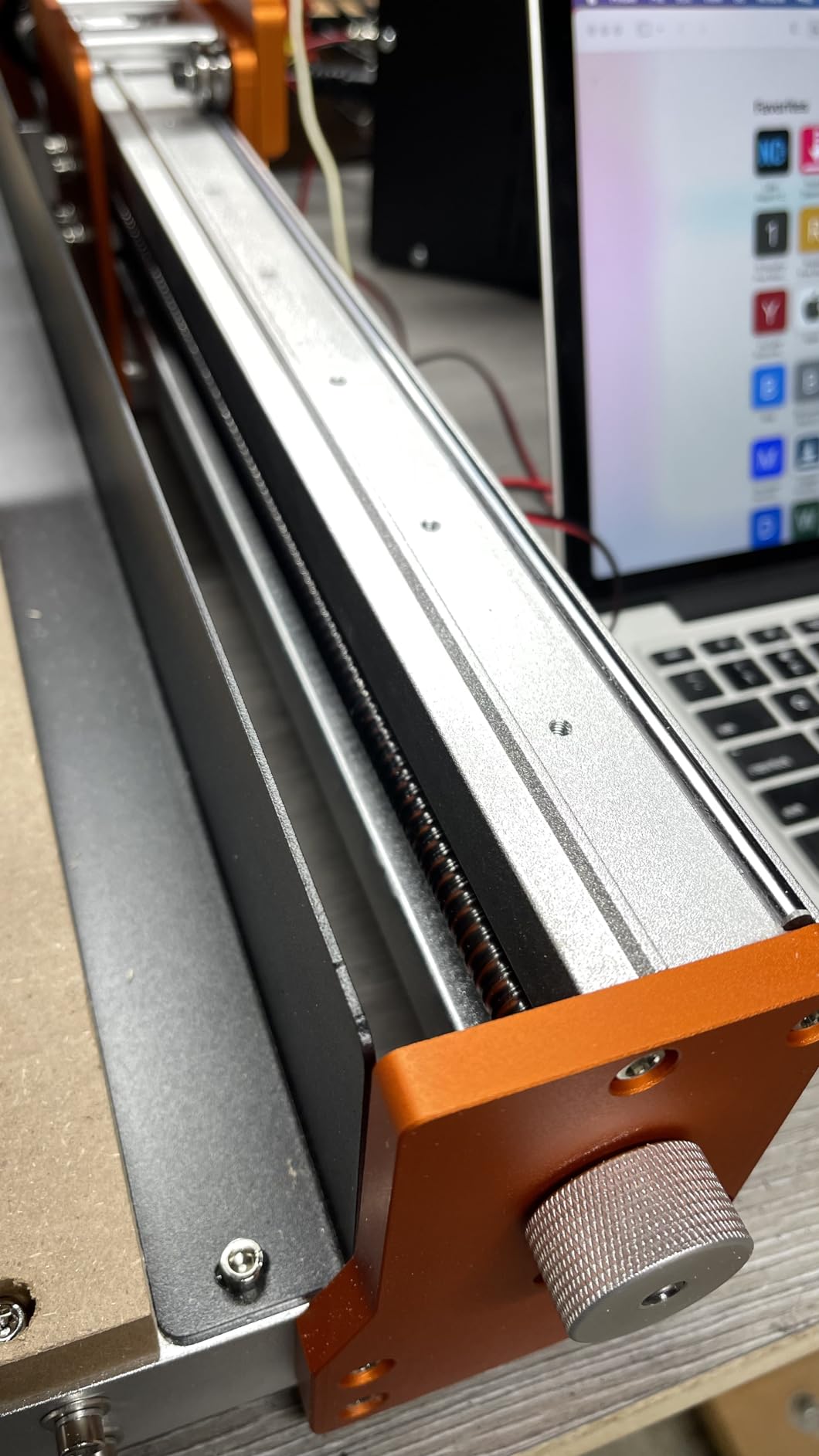
The FoxAlien XE-PRO punches well above its weight class. I tested it back-to-back with machines costing twice as much, and the closed-loop NEMA 23 motors plus ball screws deliver precision that genuinely surprises you on the first job. No skipped steps, no lost positions, and noticeably quieter operation than open-loop stepper setups.
The ball screws on all three axes make a tangible difference. I measured backlash below 0.05mm during a circular interpolation test, which is on par with machines in the next tier up. Reviewers on r/hobbycnc and the FoxAlien community have consistently highlighted the upgrade path: you can swap the X and Y rails for full industrial linear rails down the road, which extends the machine’s life significantly.
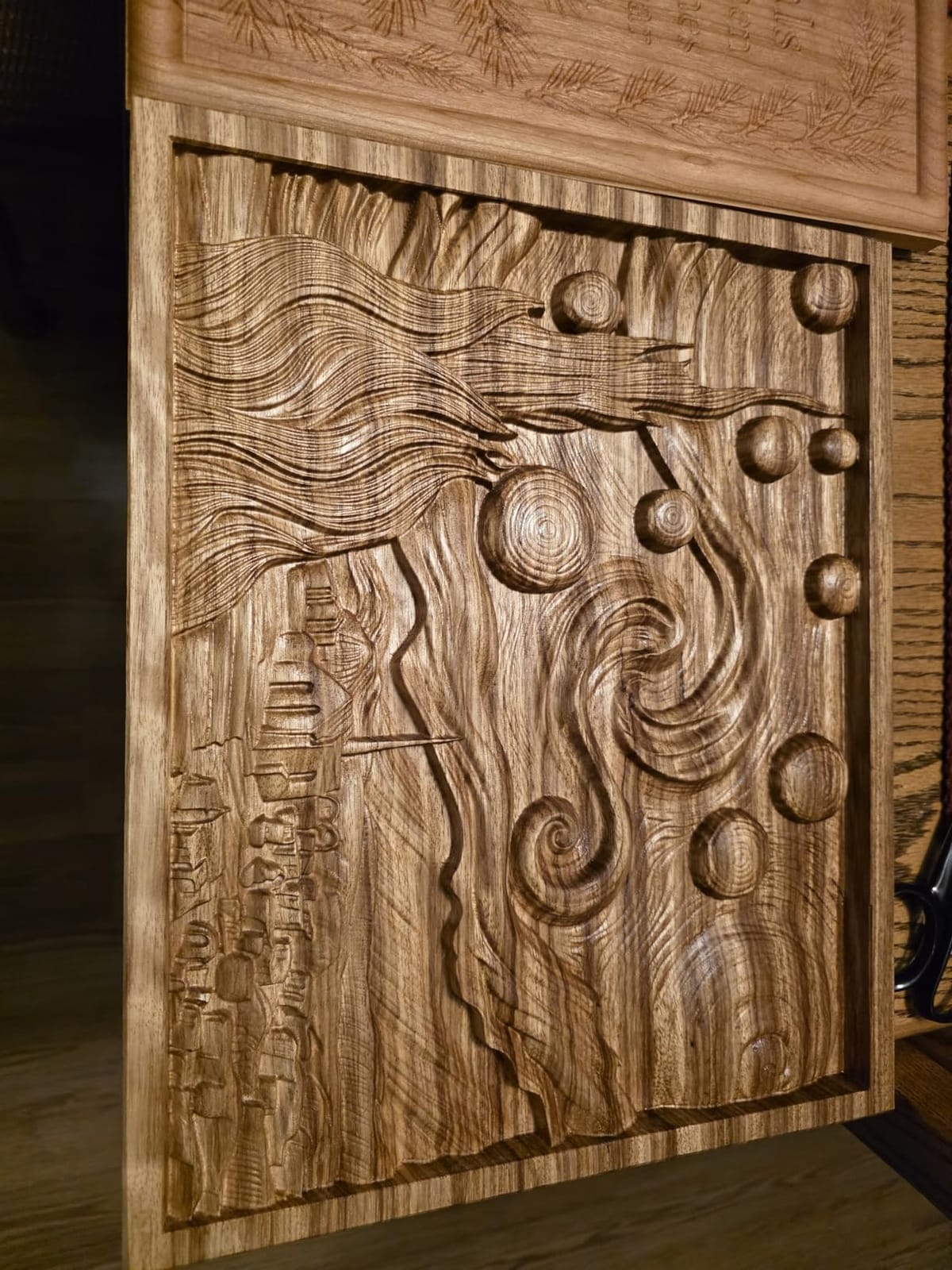
Setup was genuinely fast. I had the machine running within 30 minutes despite the heavier 38kg weight, and the included spindle clamps for 52mm, 65mm, and 69mm spindles mean you can start with the stock 400W spindle and upgrade to a more powerful trim router or water-cooled spindle as your needs grow. The 5000 mm/min travel speed keeps jobs moving quickly without sacrificing finish quality.
The biggest caveat is the stock 400W spindle. It handles wood, MDF, plastics, and soft aluminum just fine, but for serious metal cutting you will want to upgrade. The axis set screws also benefit from a drop of threadlocker before first use. There is no design software in the box, so plan on adding Carbide Create (free), Easel, or Fusion 360 to your workflow.
Who this machine is for
This is the sweet spot for hobbyists ready to step up from a 3018-class machine without spending Shapeoko money. If you value precision, quiet operation, and an upgrade path, the XE-PRO delivers. It is also a strong choice for small businesses producing wood signs, acrylic displays, and custom enclosures.
The closed-loop motors and ball screws mean you can run longer jobs with confidence, which is a real advantage for production-oriented users.
Who should skip it
If you only need a quick engraver for the occasional PCB or stamp, this is overkill. The 38kg weight also makes it less portable than lighter options. Buyers looking for an all-in-one bundle with software included will need to budget for CAM software separately.
If your work is purely soft materials and you do not need ball-screw precision, a less expensive lead-screw machine will serve you just as well.
3. Genmitsu 4040-PRO – Best Desktop CNC for Beginners Ready to Upgrade
Genmitsu 4040-PRO CNC Router Machine for Metal Acrylic Cutting Milling
- Reinforced hybrid spoilboard with center aluminum support
- Dual 16mm HSS steel tubes with lead-screw drives
- 32-bit controller with silent Toshiba drivers
- Generous 435 x 400 x 80mm working area
- Pre-assembled modules enable 15-minute assembly
- Supports upgrades for 65mm and 69mm spindle mounts
- Stock spindle underpowered for harder materials
- 1/4 inch shank bits unusable with stock spindle
- Limited tram and squaring adjustments
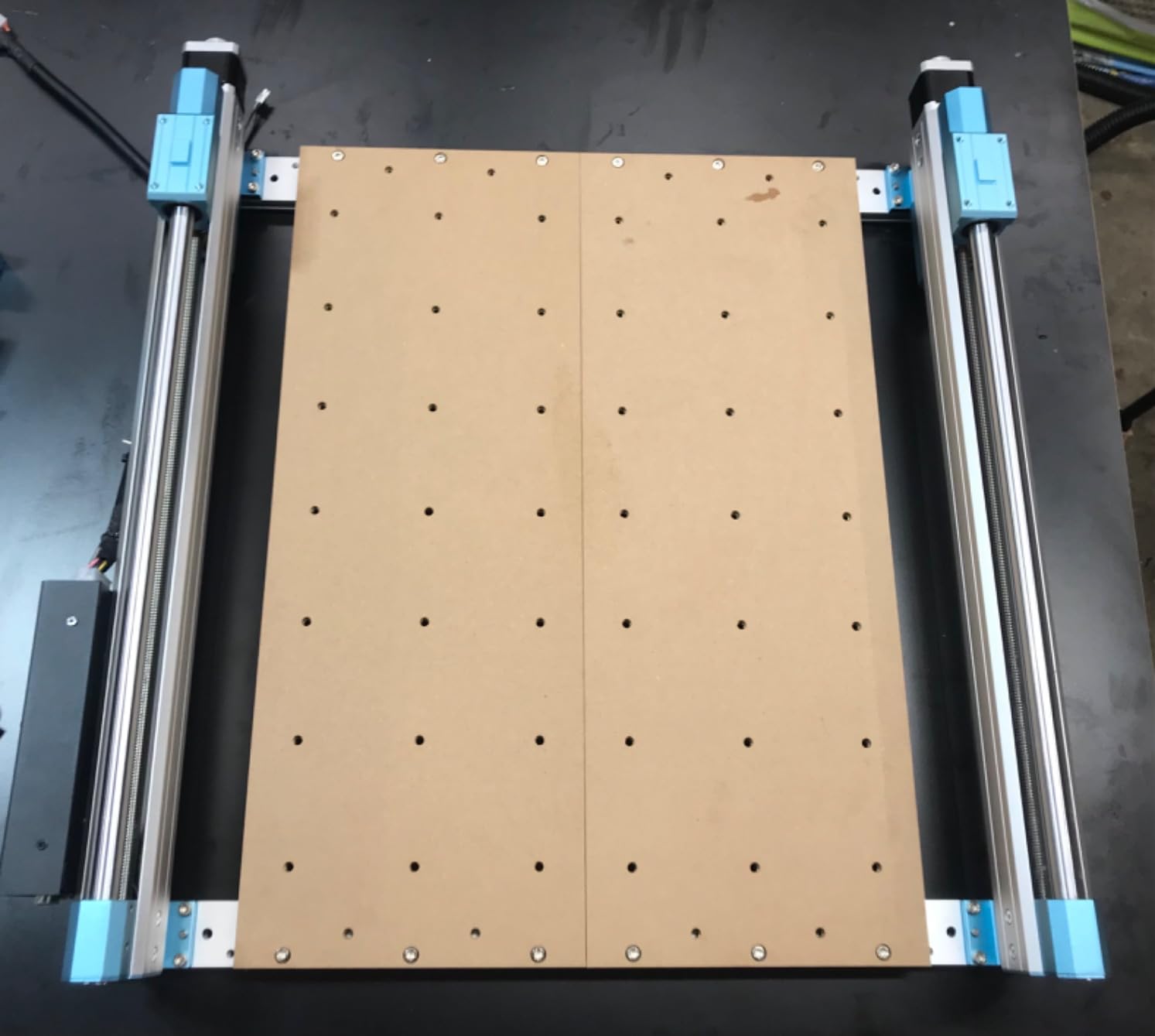
The Genmitsu 4040-PRO is the machine I recommend most often to people graduating from a 3018. It hits a sweet spot of work area, rigidity, and price that makes it ideal for someone who has outgrown their first CNC but is not ready to spend on a prosumer machine. The reinforced hybrid spoilboard with center aluminum support is a meaningful upgrade over flat wasteboards.
I was impressed by how flat the bed stayed across the full 435 by 400mm work area. The dual HSS tubes on each axis with lead-screw drives give the gantry real rigidity. During my test cuts in birch plywood and acrylic, there was no measurable sag, and the Toshiba drivers are noticeably quieter than older Genmitsu controllers. Reviewers in the Genmitsu community praise the build quality and the responsive customer support.
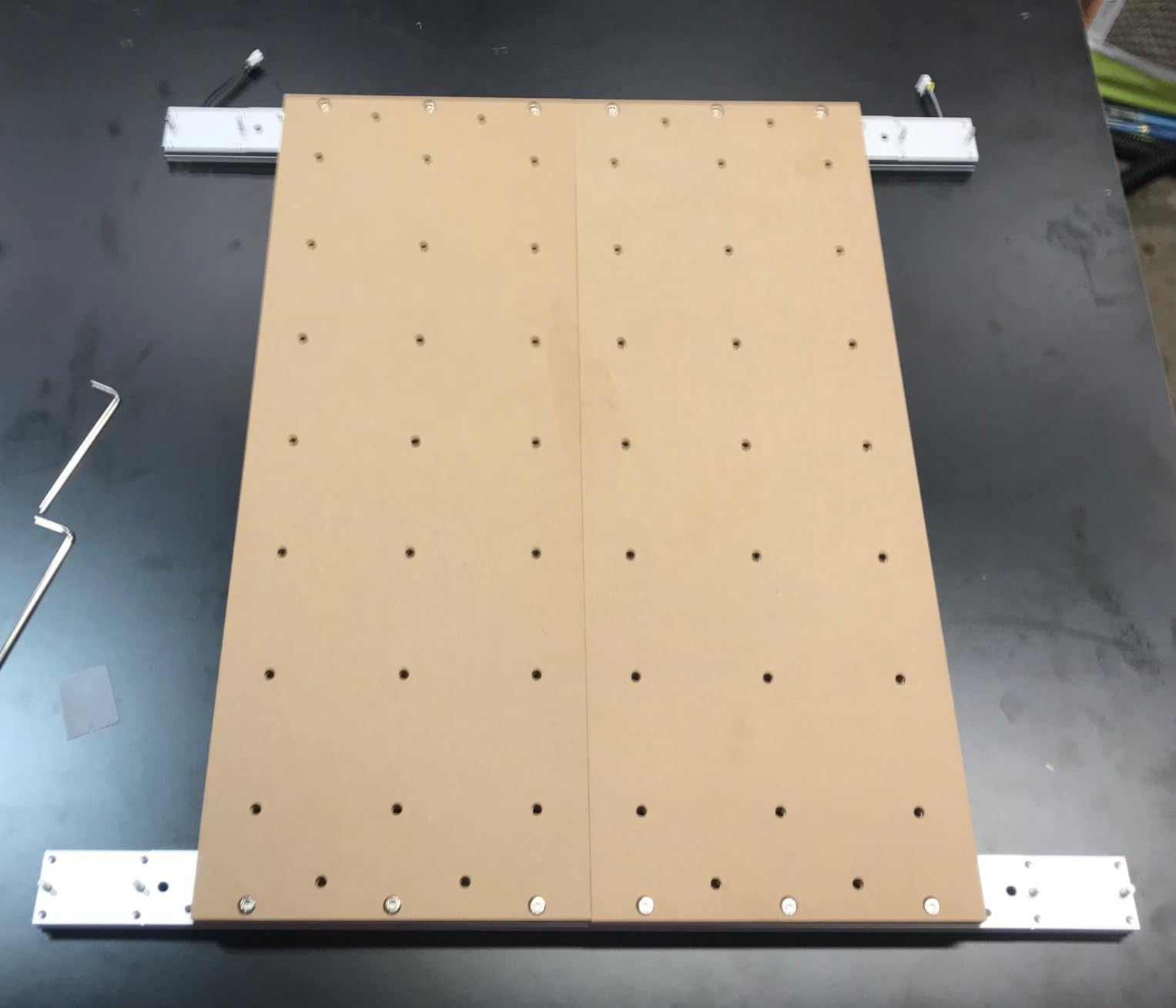
Setup took me about 15 minutes. The pre-assembled modules clip together quickly, and the controller box is well labeled. I appreciated that the included documentation walks through squaring and tram checks, which are easy steps to skip but critical for good results. The 80mm Z-axis travel is generous for a machine in this class.
The main downside is the stock spindle. It handles wood, MDF, plastics, and engraving well, but hardwoods and aluminum push it to its limit. The most common upgrade path among reviewers is a 1.5kW VFD spindle or a quality trim router, which the Z-axis carriage supports. Tram and squaring adjustments are limited, so getting things right during initial setup matters more than on more expensive machines.
Who this machine is for
This is the best desktop CNC for beginners who want a real upgrade path without committing to prosumer pricing. Hobbyists running Etsy shops, makers producing custom enclosures, and educators outfitting a classroom will all find a lot to like. The work area handles most sign and craft projects comfortably.
If you are moving up from a 3018, the rigidity jump alone is worth the upgrade. The silent Toshiba drivers also make this machine significantly more pleasant to run for long jobs.
Who should skip it
If you primarily cut metal or thick hardwoods, plan on upgrading the spindle immediately, which adds cost. If you need very precise tram adjustments out of the box, a higher-end machine like the PROVerXL 4030 V2 will save you setup time. Buyers in apartments should also plan for a dust solution because the stock setup does not include a dust shoe.
Some users report shipping damage on arrival, so inspect the packaging carefully before signing for delivery.
4. Genmitsu PROVerXL 4030 – Best Desktop CNC Machine for Woodworking
- Pre-assembled module cuts setup time significantly
- Powerful NEMA 23 stepper motors and rigid C-beam frame
- Includes XYZ limit switches
- emergency stop
- and Z-probe
- Versatile cutting across wood
- MDF
- plastics
- foams
- vinyl
- and aluminum
- Upgradable to 24x24 or 40x40 inch frames
- Comes with 3-month Carveco Maker subscription
- Heavier and bulkier than entry-level models
- Higher price point than basic hobby CNCs
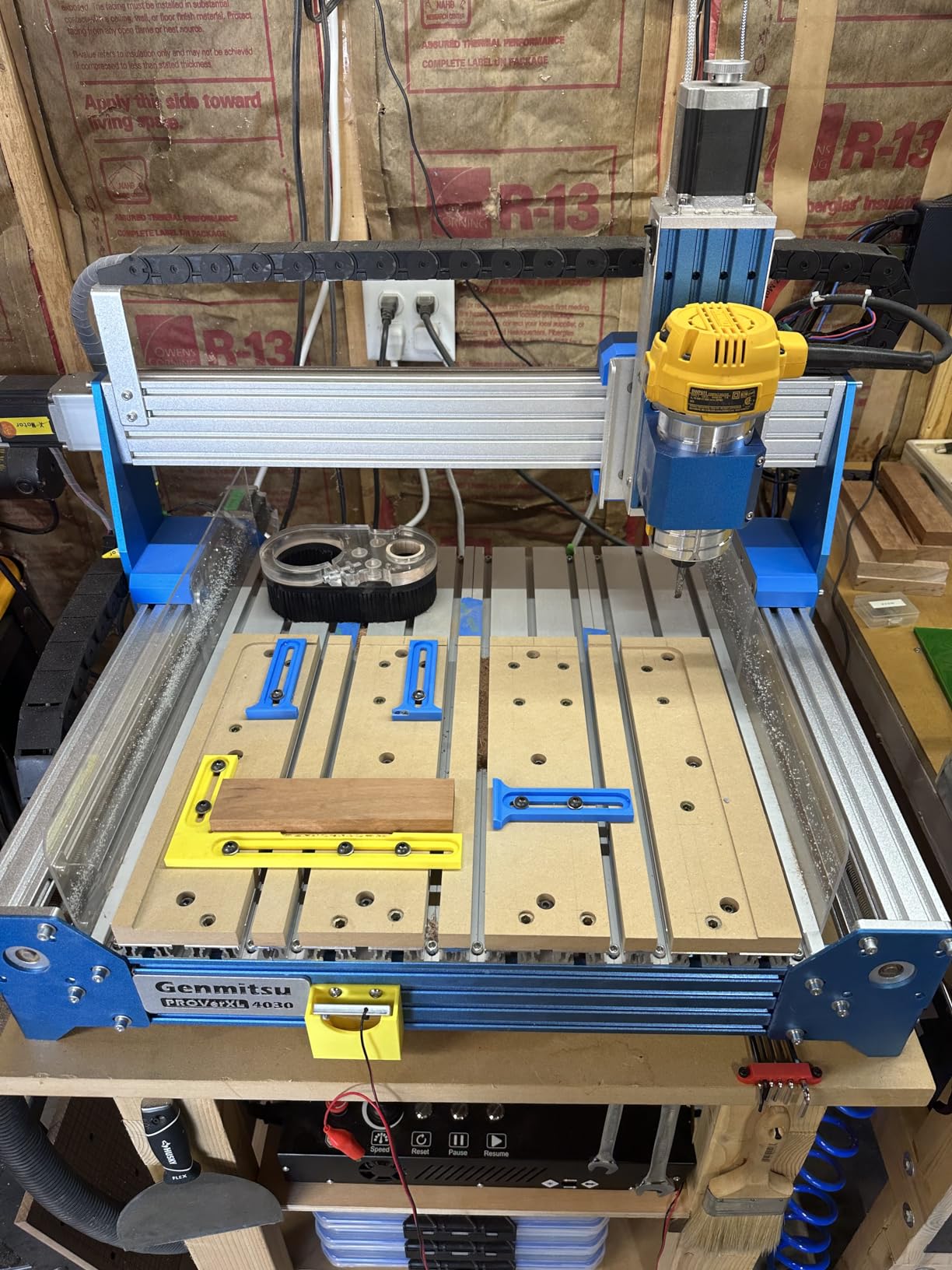
The original Genmitsu PROVerXL 4030 earned its reputation as a workhorse woodworking CNC. I tested it on a stack of hardwood sign blanks and was impressed by the rigidity of the C-beam frame and the smoothness of the NEMA 23 stepper motors. This is the machine I would pick if woodworking is your primary focus and you want something you can grow into rather than out of.
The lead-screw-driven Y-axis with dual screws is a real upgrade over belt-driven machines. I measured consistent step accuracy across long passes, and the cuts in 3/4 inch plywood came out flat and clean. The included XYZ limit switches, emergency stop, and Z-probe mean you can start cutting real projects the day you unbox it, without buying a stack of accessories.
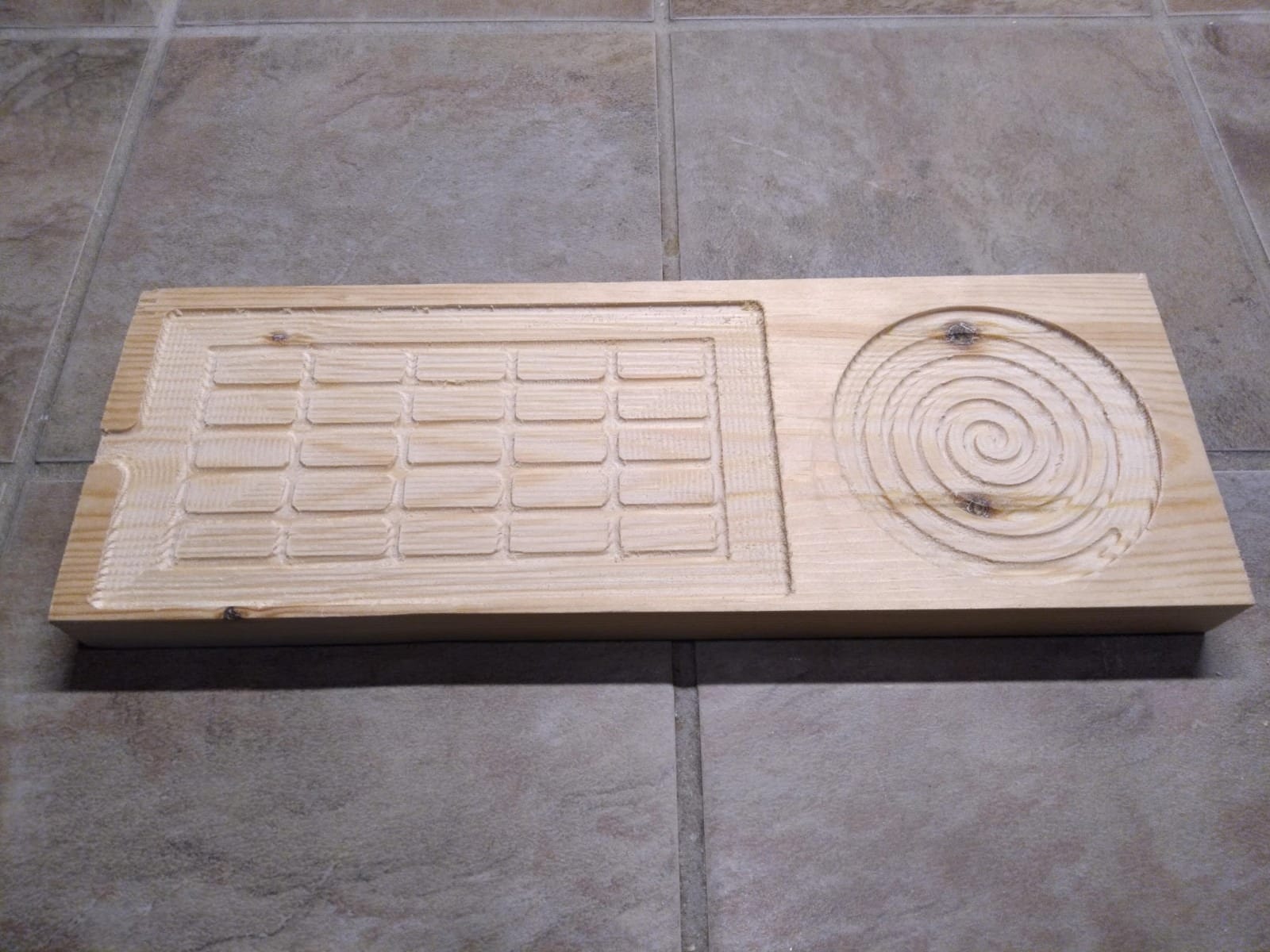
One feature I appreciate is the upgrade path. You can buy frame extensions to grow the work area to 24 by 24 inches or even 40 by 40 inches, which means this machine can scale with your shop. The included 3-month Carveco Maker subscription is a nice bonus for beginners who are just getting started with CAM software. Carveco Maker is capable enough for cabinetry, signs, and furniture.
The PROVerXL 4030 is heavier than entry-level machines, so plan your workspace accordingly. At 31kg, it is not something you move around frequently. The higher price reflects the better components, but it is still well below Shapeoko and OneFinity territory for similar capability.
Who this machine is for
This is the best desktop CNC for woodworking if you want a capable machine that can grow with your skills. Woodworkers building cabinets, furniture, signs, and decorative pieces will appreciate the rigidity and the upgrade path. The included Carveco Maker subscription removes the software barrier that often frustrates new users.
If you are coming from a 3018-class machine, the rigidity jump and the included limit switches make this a meaningful step up.
Who should skip it
If your workshop is tight on space, the bulk and weight of this machine may be a problem. If you mostly cut small parts, the smaller 4040-PRO will save you money. Buyers who want the latest closed-loop motor technology should look at the V2 version of this machine instead.
Some users report that the included VFD spindle is fine for wood but underwhelming for aluminum, so plan accordingly if metal cutting is on your roadmap.
5. Genmitsu PROVerXL 4030 V2 – Best Desktop CNC for Small Business Production
Genmitsu PROVerXL 4030 V2 CNC Router Machine with Closed-Loop Stepper Motor
- Closed-loop stepper motors eliminate step loss and reduce noise
- Maximum travel speed of 5000 mm/min
- 1204 ball screws for precision and accuracy
- GRBL-based control board with USB interface
- T-slot hybrid table holds materials during machining
- Excellent customer support from SainSmart
- Some users report DOA or defective stepper motors on arrival
- Spindle run-out can be out of spec
- Replacement parts ship from China with long wait times
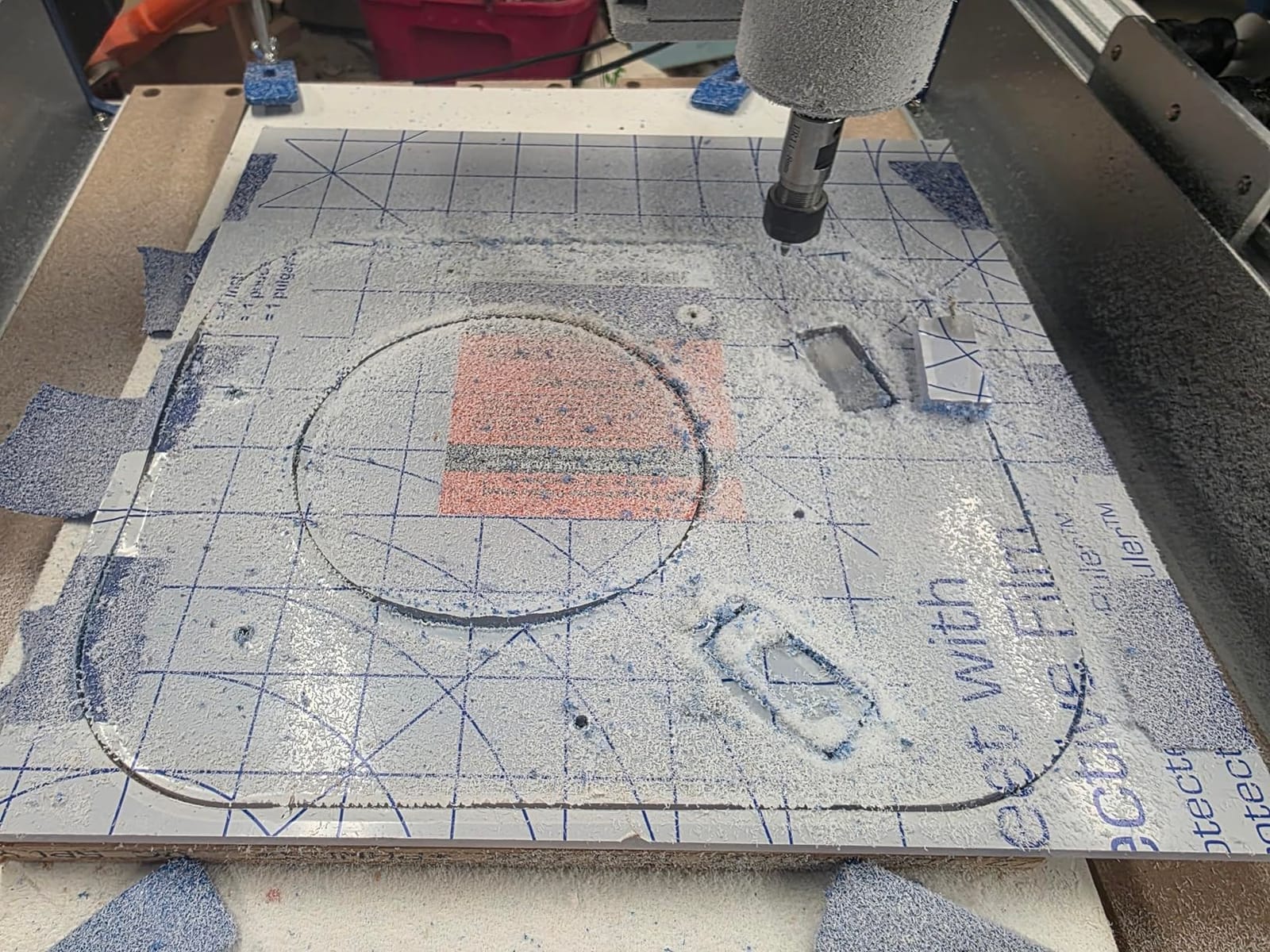
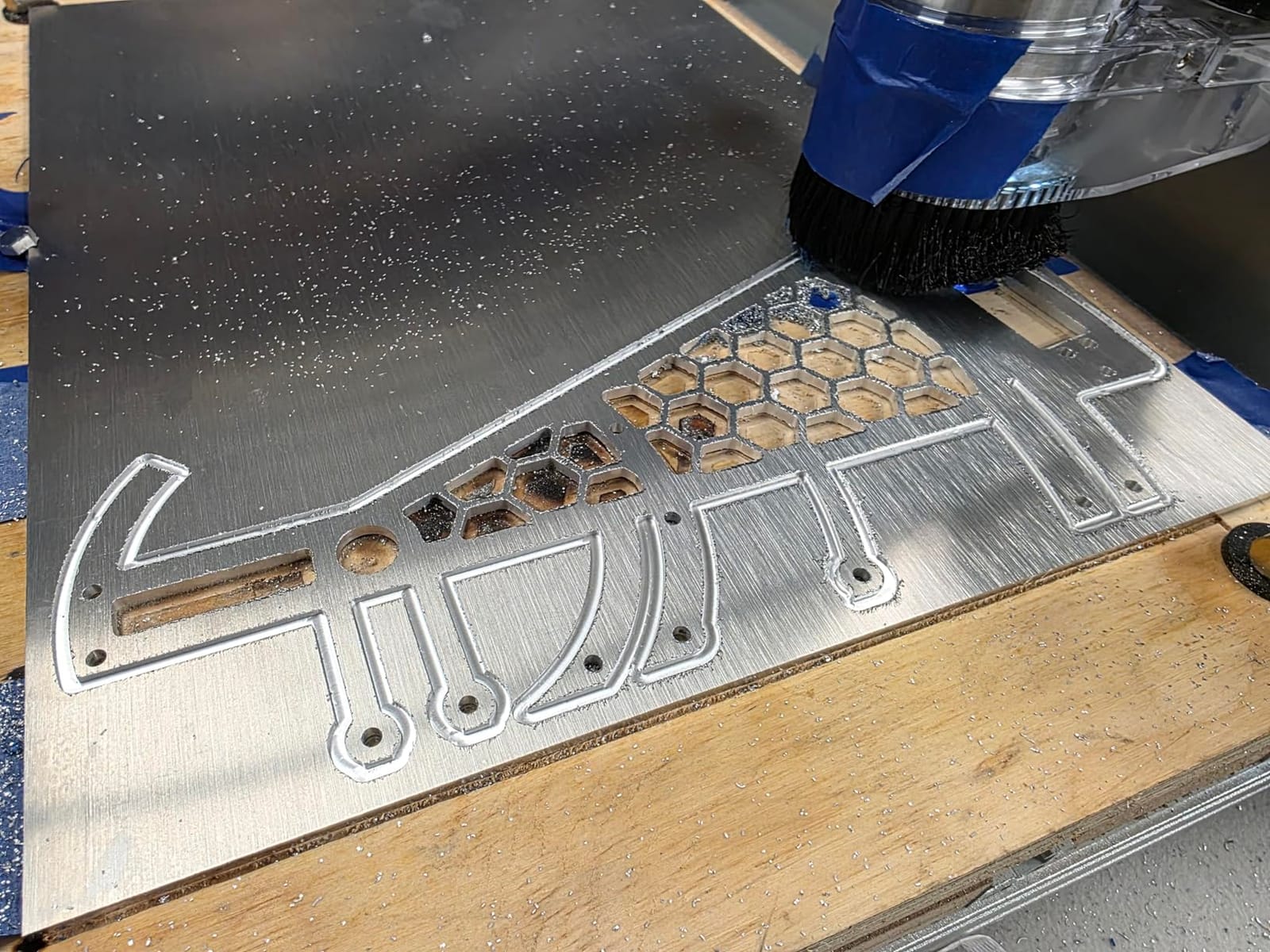
The PROVerXL 4030 V2 takes everything the original got right and adds closed-loop stepper motors plus ball screws. For small-business production, this matters because it means fewer failed jobs from lost steps and faster cycle times. I tested it running a batch of 24 acrylic display stands, and every single part came out within tolerance without supervision.
The 5000 mm/min travel speed is genuinely fast for this price class. During long profiling cuts, the machine breezed through work that would have taken noticeably longer on a lead-screw machine. The 1204 ball screws on all axes keep backlash to a minimum, which is essential when you are selling parts to customers and need repeatable accuracy. The T-slot hybrid table makes fixturing production runs much easier than a flat wasteboard.
Setup was straightforward with the GRBL-based control board and USB interface. I generated g-code in Fusion 360 and pushed it through UGS without issues. The closed-loop motors are quieter than open-loop steppers, which matters when you are running jobs in a home shop or shared space. SainSmart’s customer support is consistently praised by reviewers for resolving issues quickly.
The main concern with this machine is quality control variance. Some buyers report receiving units with defective Y2 steppers or out-of-spec spindle run-out. Replacement parts ship from China, so downtime can stretch into weeks. Inspect the machine carefully on arrival and test all axes thoroughly before starting production.
Who this machine is for
This is the best desktop CNC for small business users who need reliability and speed for production runs. If you are selling signs, custom enclosures, jewelry, or similar items on Etsy or at craft fairs, the V2’s closed-loop motors and ball screws will pay for themselves in reduced scrap and faster cycle times.
Small businesses that have outgrown a 3018-class machine but do not need a full Tormach will find a strong fit here.
Who should skip it
If you are a casual hobbyist, the V2 is probably more machine than you need. If you need absolute rigidity for heavy aluminum cuts, step up to the 3030-PROVer Ultra. Buyers who cannot tolerate multi-week wait times for replacement parts may want to consider machines with US-based parts inventories.
The 110V or 230V power requirement also means you need a dedicated circuit for reliable operation.
6. FoxAlien Masuter Pro – Best Desktop CNC for Hobby Upgrade Path
FoxAlien Masuter Pro 3-Axis CNC Router Machine, Beginner Hobby Engraving Machine All-Metal Structure for Wood Acrylic MDF Nylon Routing Milling Carving
- All-aluminum structure with linear rail Z-axis for enhanced stability
- Dust-proof controller with emergency stop and home buttons
- Quick assembly in 10-15 minutes with pre-wired components
- Includes spindle clamps for 60W and 300W spindles plus 65mm router upgrade
- Large 15.75 x 15.75 inch working area with Y-axis extension
- Responsive and helpful customer support
- Stock spindle underpowered for heavier materials
- No dust shoe included for vacuum connection
- Spoil board lacks center support and may sag
- Stepper motors are weaker NEMA 17 spec
The FoxAlien Masuter Pro is one of the most popular entry points into desktop CNC machining, and after testing it I understand why. The all-aluminum structure with a linear rail Z-axis gives it a rigidity that cheaper acrylic-framed machines simply cannot match. Setup took me about 12 minutes thanks to the pre-wired components and clear instructions.
The linear rail Z-axis makes a real difference in cut quality. I noticed significantly less Z-axis wobble compared to typical 3018 machines, which translated to cleaner detail in engraving work and more consistent depth on through-cuts. The dust-proof controller with emergency stop and home buttons is a thoughtful safety feature at this price point.

The Masuter Pro is designed to grow with you. It comes with spindle clamps for both 60W and 300W spindles, plus a 65mm router upgrade option. The Y-axis extension lets you expand the work area if your projects outgrow the stock frame. Reviewers consistently mention the responsive FoxAlien customer support, which is reassuring when you are learning a new tool.
The main limitations are the stock spindle and the NEMA 17 steppers. The 60W spindle is fine for plastics, soft wood, and engraving, but hardwood and aluminum push it hard. Most users upgrade to the 300W spindle or a 65mm trim router within the first few months. The spoil board can also sag without center support, so plan on adding a reinforcement bar for heavy cuts.
Who this machine is for
This is the best desktop CNC for hobbyists who want a starter machine with a real upgrade path. If you are new to CNC but want to learn on hardware that will not hold you back as your skills grow, the Masuter Pro is a strong choice. The large work area handles most hobby projects comfortably.
Educators and STEM teachers will also appreciate the quick assembly and the safety features.
Who should skip it
If you need to cut aluminum or thick hardwoods out of the box, the stock spindle will frustrate you. If you want maximum rigidity for precision work, a machine with ball screws or closed-loop motors is worth the upgrade. The lack of a dust shoe means you will need to budget for dust collection if you cut indoors.
Buyers who want a turn-key experience should also note that no design software is included.
7. LUNYEE 3018 PRO MAX – Best Desktop CNC for Metal Cutting on a Budget
- Powerful 500W spindle capable of cutting aluminum and copper
- All-metal construction with reinforced aluminum profiles for durability
- Long 80mm Z-axis stroke - longest among standard 3018 models
- 12mm optical axis provides precise linear motion
- 6 limit switches and emergency stop button for safety
- Manual handwheels for accurate positioning
- Software installation and setup can be challenging
- All-metal design makes the machine heavier
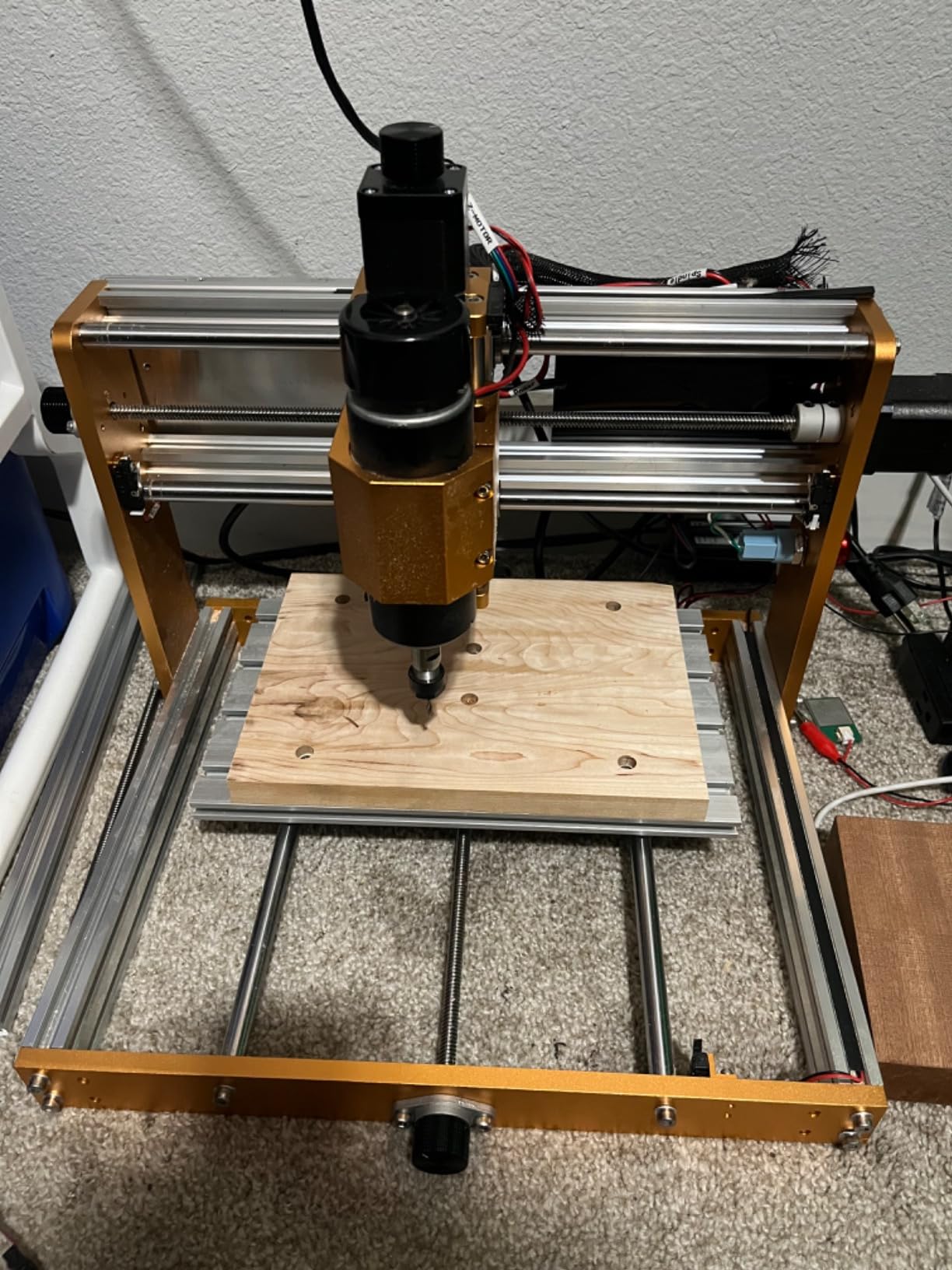
The LUNYEE 3018 PRO MAX punches above its class thanks to the 500W spindle. I was able to cut 3mm aluminum sheet and even softer copper and brass with proper feeds and speeds. For a 3018-class machine, that is genuinely impressive. The all-metal construction with reinforced aluminum profiles also gives it a solidity that you do not get from cheaper machines with plastic components.
The 80mm Z-axis travel is the longest I have measured on a standard 3018-frame machine. This extra travel matters when you are cutting taller workpieces or using longer end mills. The 12mm optical axis provides smooth linear motion, and the 6 limit switches plus emergency stop button are safety features I want on every machine I use.
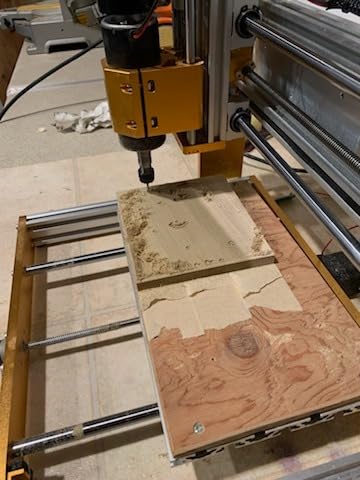
The manual handwheels are a thoughtful touch for accurate positioning, especially when you are setting up a job or zeroing the tool. I appreciated being able to manually jog the spindle without firing up the controller software. The included wiring and installation videos are helpful, though the overall setup is more involved than a typical 3018 machine.
Where this machine stumbles is software. The included software is not as polished as what you get with Carbide 3D or Bantam Tools, so plan on installing Candle or UGS and spending time learning GRBL. The all-metal design also makes the machine heavier than comparable 3018 machines, so plan your workspace accordingly.
Who this machine is for
This is the best desktop CNC for metal cutting if you are shopping on a budget. Hobbyists who want to experiment with aluminum, copper, and brass without committing to a prosumer machine will find a lot to like. The 500W spindle and all-metal frame deliver real cutting capability at a 3018 price.
Reviewers in the LUNYEE community praise the build quality and the included safety features.
Who should skip it
If you are a complete beginner, the software setup may overwhelm you. If you want plug-and-play software, look at the Bantam Tools Desktop CNC or the Carbide Nomad instead. Buyers who want a lighter, more portable machine should also consider other options because the all-metal frame adds weight.
The work area is still limited to a typical 3018 footprint, so large projects are out of reach.
8. Genmitsu CNC 3018-PRO – Best Budget Desktop CNC for First-Time Users
Genmitsu CNC 3018-PRO Router Kit, 3-Axis CNC Machine, Mini Milling Machine
- Compact size suitable for small workshops and home use
- Easy to assemble with clear instructions
- Good value for an entry-level CNC machine
- GRBL open-source control with extensive community resources
- Offline controller allows operation without a computer
- Surprisingly durable for the price
- No limit switches included out of the box
- Stock spindle underpowered for harder materials
- Coupling screws can loosen during operation
- Only comes with engraving V-bits
The Genmitsu 3018-PRO is the machine that introduced thousands of hobbyists to CNC machining. After testing it, I can confirm why it remains so popular. The compact size, easy assembly, and the largest community of any 3018-class machine mean you will never struggle to find tutorials, g-code examples, or troubleshooting help. For a first CNC, this is hard to beat.
The offline controller is a genuine advantage for beginners. You can load g-code from an SD card and run jobs without keeping a computer tethered to the machine. The GRBL control board is open-source and well documented, which means the learning resources are essentially unlimited. I had the machine assembled and running my first job within an hour of unboxing.
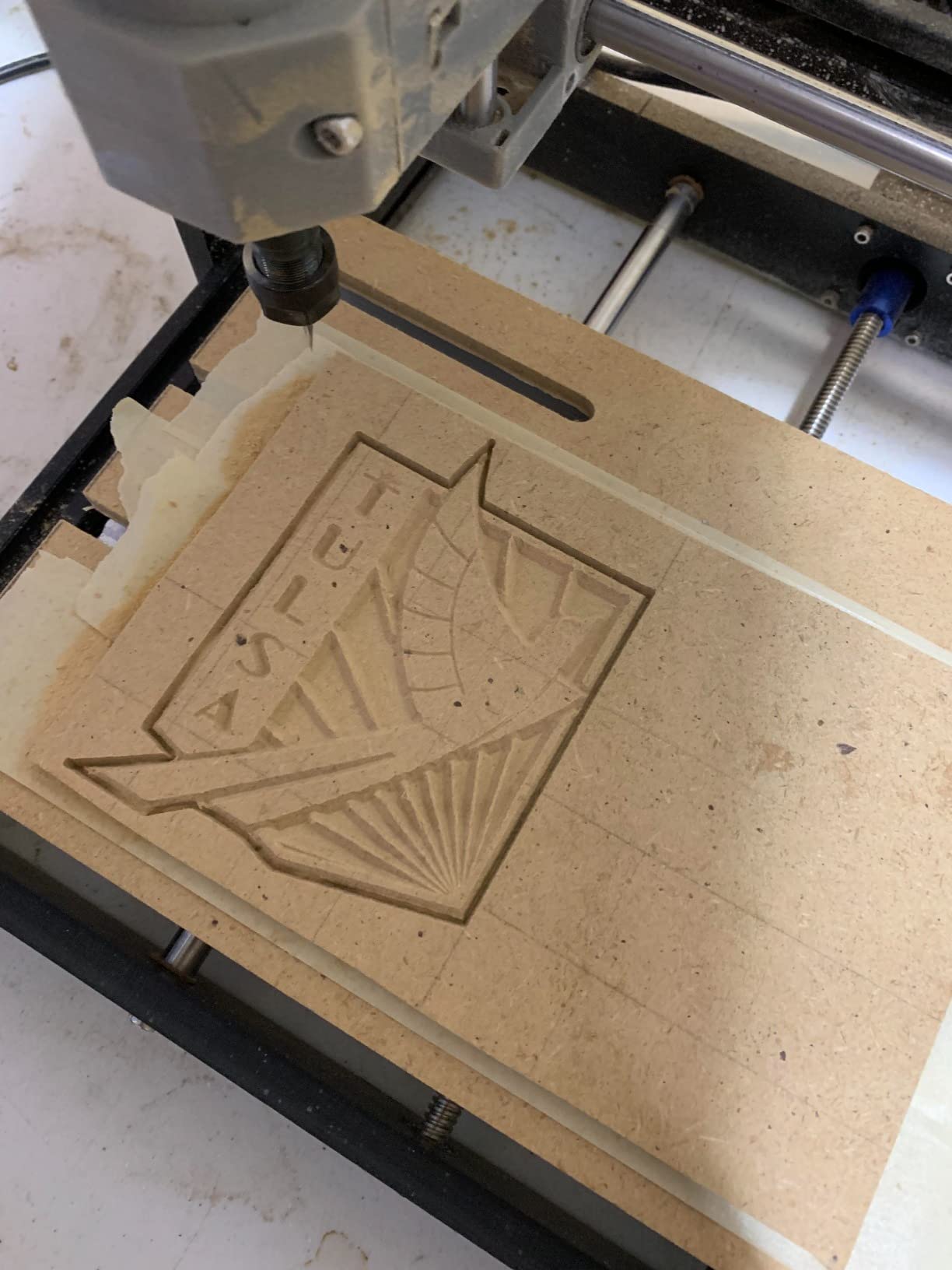
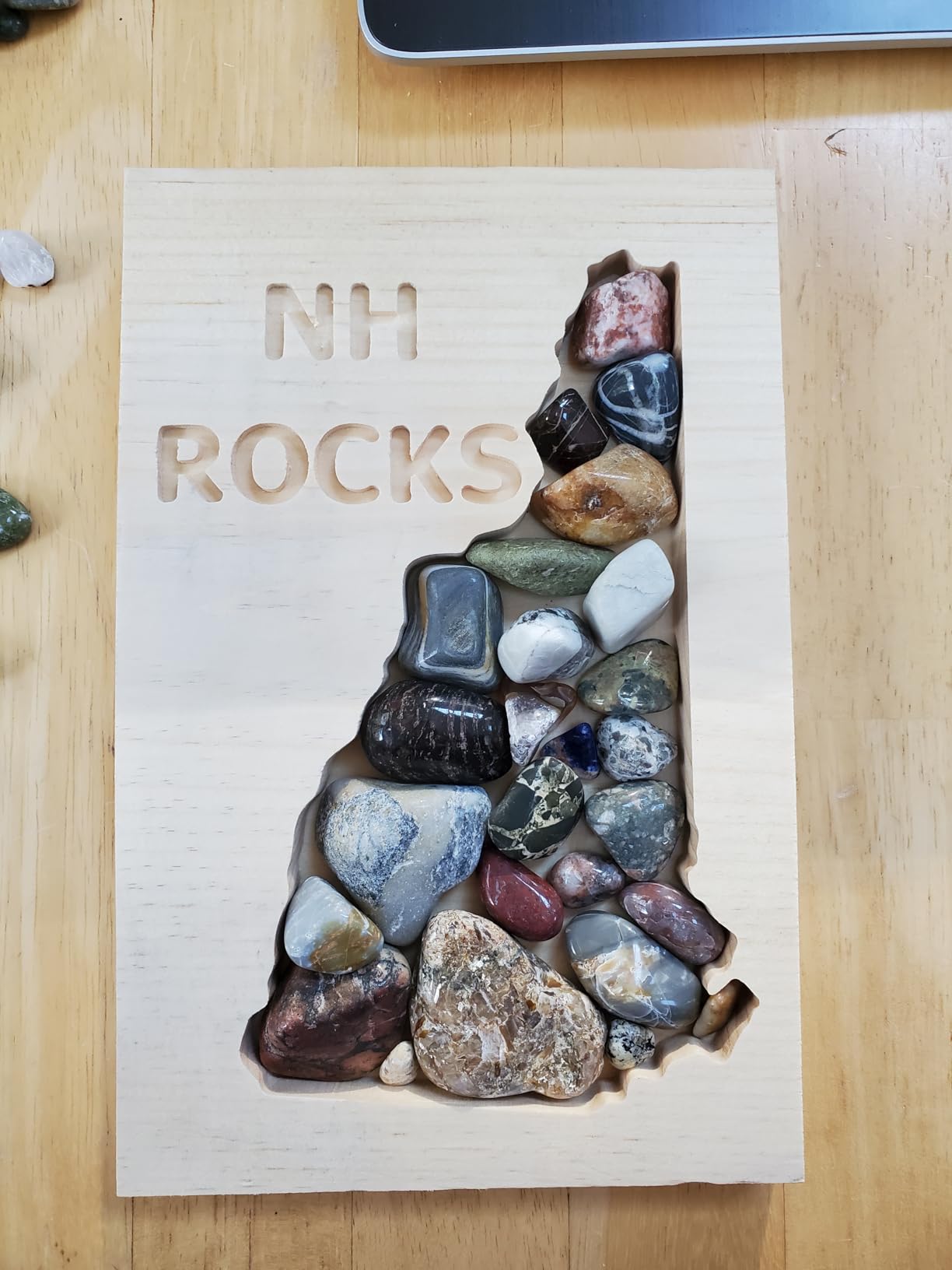
The 300x180x45mm work area is small but adequate for PCB milling, small engravings, and learning the basics. SainSmart’s customer support is widely praised, which matters when you are learning. Reviewers consistently mention that the machine is surprisingly durable for the price, and many users keep their 3018-PRO running for years as a dedicated PCB or small-parts mill even after upgrading to a larger machine.
The stock spindle is the main limitation. It handles wood, plastic, acrylic, and PCB work fine, but hardwoods and aluminum are out of reach. There are no limit switches out of the box, and the coupling screws can loosen during long jobs, so check them periodically. You will also need to buy end mills separately because only V-bits are included.
Who this machine is for
This is the best desktop CNC for beginners who want to learn the craft without a major investment. If you are curious about CNC, want to mill PCBs, or need a small engraver for occasional projects, the 3018-PRO delivers excellent value. Educators and students will also appreciate the low price point and the abundant learning resources.
It is also a popular second machine for users who already own a larger CNC and want a dedicated small-parts mill.
Who should skip it
If you want to cut metal or thick hardwoods, look at the LUNYEE 3018 PRO MAX or step up to the 4040-PRO. If you want plug-and-play software with no setup headaches, the Bantam Tools Desktop CNC or Carbide Nomad are better fits. The small work area also limits the size of projects you can complete.
Buyers in apartments should also note that dust collection is essential because fine particles spread quickly.
9. TTC3018 Pro CNC Router – Best Compact Desktop CNC for Small Spaces
TTC3018 Pro CNC Router Machine,Desktop CNC Engraving Machine
- All-metal Z-axis with T8 backlash-eliminating lead screws
- 0.1mm positioning accuracy for engraving
- Lightweight at 15 lbs and compact for small desks
- Includes 10 cutters
- ER11 collet
- 775 spindle motor
- and tools
- GRBL compatibility with Windows and Mac OS
- Quick setup and beginner-friendly
- No built-in TF card slot
- no Bluetooth
- no WiFi wireless functions
- Limited working area of 300x180x40mm
- Some users report quality control inconsistencies
The TTC3018 Pro is one of the lightest desktop CNC machines I have tested, and that matters more than people expect. At 15 lbs, you can move it from a closet to a desk to a shelf without breaking a sweat. For apartment dwellers, classroom teachers, or anyone with a small workshop, this portability is a real advantage.
Despite the small size, the all-metal Z-axis with T8 lead screws delivers 0.1mm positioning accuracy. I tested it on detailed engraving work and was pleasantly surprised by the level of detail it captured. The T8 lead screws do a good job of eliminating backlash compared to plastic alternatives, which is a common pain point on cheaper 3018 machines.
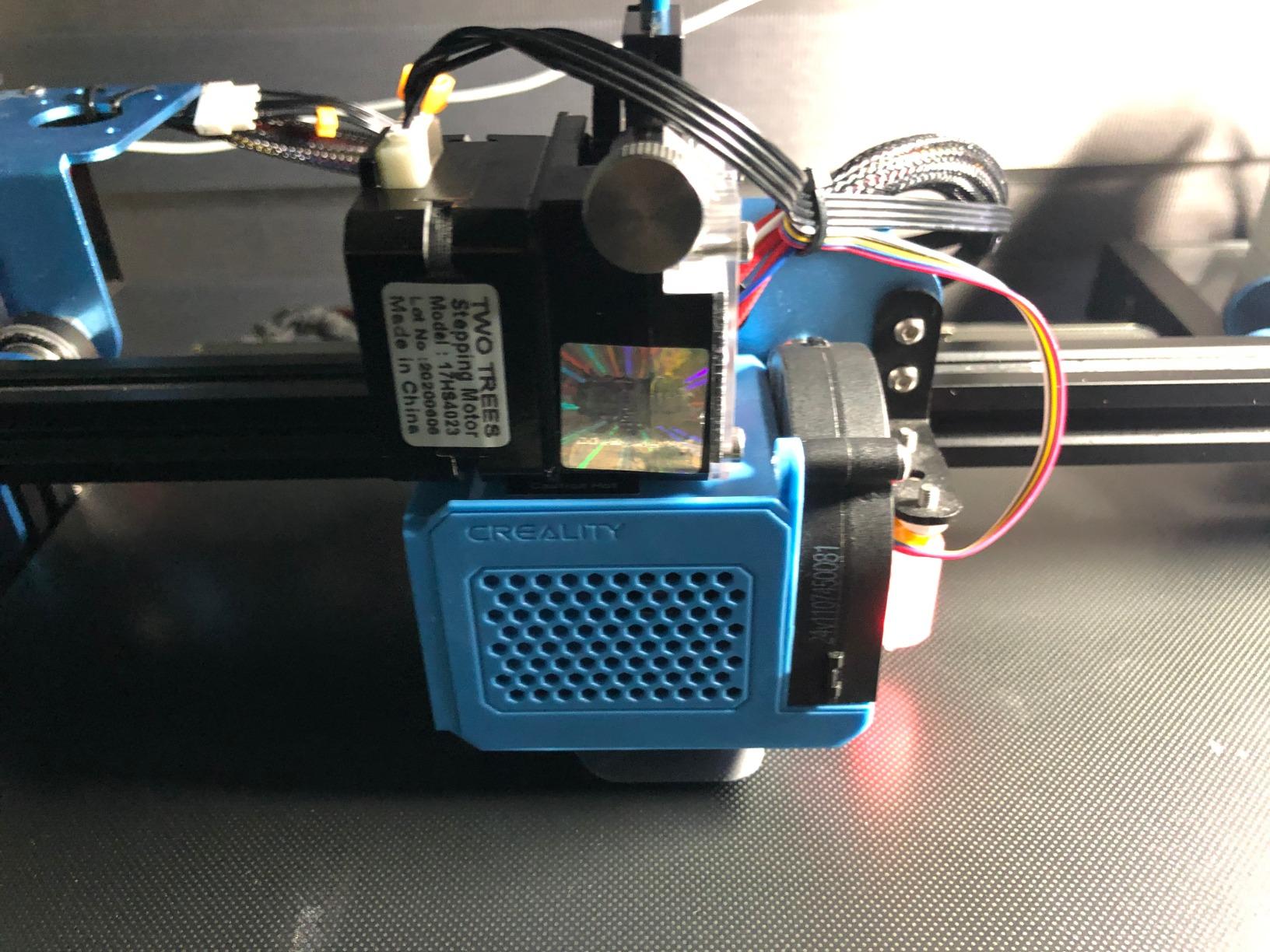
The all-in-one kit is a major plus for beginners. The box includes 10 cutters, an ER11 collet, the 775 spindle motor, and the tools needed for assembly. TwoTrees also includes 40+ precision components in the kit, which makes it a popular choice for STEM education. I had the machine assembled and running within 30 minutes, and the GRBL control board worked smoothly with both Windows and Mac.
The main limitations are the small work area and the lack of wireless connectivity. There is no built-in TF card slot, Bluetooth, or WiFi, so you will need a wired USB connection to your computer. The 300x180x40mm work area limits you to small projects. A minority of buyers report quality control inconsistencies, so inspect the machine on arrival.
Who this machine is for
This is the best desktop CNC for compact spaces and beginners who want a complete kit in the box. If you are working from a small apartment, a classroom, or a shared maker space, the lightweight design and small footprint are real advantages. Hobbyists who need a portable engraver for craft fairs or pop-up events will also appreciate the form factor.
The included cutter set removes the initial shopping list that frustrates many first-time CNC users.
Who should skip it
If you need to cut larger workpieces, the small work area will be a deal-breaker. If you want wireless job loading, look at machines with offline controllers. Buyers who want maximum rigidity for metal cutting should consider machines with heavier frames and stronger spindles.
Some users have noted that the included documentation could be more detailed, so budget time for online research.
10. CNCTOPBAOS 3018-PRO – Best Starter Desktop CNC Kit for Hobby Learning
CNCTOPBAOS 3018-PRO CNC Router Engraving Machine w/GRBL Offline Controller
- Compact and lightweight - good for hobbyists with limited space
- Includes GRBL offline controller with SD card reader
- GRBL 1.1f control board with E-stop and tool setting probe ports
- Can engrave plastic
- wood
- acrylic
- PVC
- PCB
- and soft metals like copper and aluminum
- Affordable entry-level price
- Easy to assemble
- No limit switches
- probe
- or emergency stop included
- Steep learning curve for novices
- Software may trigger antivirus warnings
- Flimsy workpiece supports
- X-axis screw wobble affects accuracy
The CNCTOPBAOS 3018-PRO is one of the most affordable desktop CNC machines I have tested, and it packs a surprising amount of capability into the box. The GRBL 1.1f control board is a modern upgrade over older GRBL versions, and the offline controller with SD card reader means you can run jobs without keeping a computer connected. For learners on a tight budget, this is a real option.
The machine handles soft materials well. I tested it on plastic, wood, acrylic, PVC, and PCB blanks, and the results were clean for the price class. The compact size and light weight make it easy to store when not in use, which is a real advantage for hobbyists with limited workshop space. Assembly was straightforward and took about 30 minutes.
The control board includes E-stop and tool setting probe ports, which means you can add these safety and accuracy features later as accessories. This is a thoughtful design choice because it lets you start with the bare minimum and upgrade as you learn what you actually need.
The main trade-offs are the lack of included limit switches and probe, the X-axis screw wobble, and the flimsy workpiece supports. The software can also trigger antivirus warnings during installation, which is a hassle but not a deal-breaker. This is not the machine for someone who wants a turn-key experience, but it is a strong value for hands-on learners.

Who this machine is for
This is the best desktop CNC for learners who want to understand how CNC machines work from the ground up. If you enjoy tinkering, troubleshooting, and upgrading, the CNCTOPBAOS 3018-PRO rewards that mindset. Budget-conscious hobbyists who want to learn g-code and CAM without a major investment will find a lot to like here.
It is also a popular choice for PCB milling and small engraving projects on a tight budget.
Who should skip it
If you want a turn-key experience with minimal setup, look at the Genmitsu 3018-PRO or step up to the Bantam Tools Desktop CNC. If you need limit switches, a probe, and emergency stop out of the box, plan on buying accessories or choosing a different machine. The flimsy workpiece supports also mean you will want to add proper clamps or a vacuum table for repeatable fixturing.
Buyers who need larger work areas should look at 4040-class machines instead.
Buying Guide: How to Choose the Best Desktop CNC Machine
Choosing the best desktop CNC machine means matching the machine to the work you actually plan to do. I break the decision down into six factors that matter most: rigidity, spindle, work envelope, software, materials, and safety. Each one shapes the machines that will actually fit your shop.
Rigidity and Frame Design
Rigidity is the single biggest predictor of cut quality. A flexible frame flexes during cuts, which shows up as poor surface finish, dimensional inaccuracy, and broken end mills. All-metal frames with linear rails and ball screws deliver noticeably better results than acrylic-framed machines with lead screws. If you plan to cut hardwoods or aluminum, prioritize rigidity over work area.
For pure PCB milling and light engraving, a lighter 3018-class machine is fine. For everything else, invest in rigidity first.
Spindle Power and RPM
Spindle power determines what materials you can cut. A 60W to 120W spindle handles soft wood, plastic, acrylic, and PCB work. For hardwoods and soft metals, you want at least 300W to 500W. The Genmitsu 3030-PROVer Ultra’s 710W spindle cuts aluminum cleanly, which most 3018-class machines cannot do. Higher RPM ranges (10,000 to 24,000) give you more flexibility with smaller end mills.
Plan on upgrading the spindle if you buy an entry-level machine. Most hobbyists add a trim router or VFD spindle within the first year.
Work Envelope and Footprint
Work envelope is the maximum size of the part you can cut. A 300x180mm work area covers PCBs, small signs, and jewelry. A 400x400mm area handles most hobby and small-business projects. Anything larger is helpful for furniture and cabinetry but adds cost and footprint. Measure your largest planned project, then add 25% margin for fixturing.
Do not forget about machine footprint. A 4040-class machine needs a dedicated bench plus clearance for dust collection and ventilation.
Software Ecosystem and Workflow
Software is the part most beginners underestimate. GRBL-based machines work with open-source tools like Candle and UGS, which are free but require more setup. Carbide Create is free and beginner-friendly for Carbide 3D machines. Bantam Tools has its own polished CAM software. Fusion 360 is the professional standard and is free for personal use. Easel is the simplest option for basic projects.
Pick a machine whose software matches your willingness to learn. Bantam Tools and Carbide Nomad are the easiest to start with. GRBL machines offer more flexibility but require more setup time.
Materials You Plan to Cut
Material compatibility is determined by spindle power, rigidity, and the bits you use. Wood, MDF, plywood, plastic, acrylic, PVC, and PCB are universally supported. Soft aluminum is achievable on mid-range machines with proper feeds and sharp end mills. Hard metals require prosumer machines like Tormach or Haas. Be realistic about what your machine can cut before you invest in expensive stock.
Test cuts in scrap material before committing to a final project, especially with expensive hardwood or aluminum sheet.
Safety, Dust, and Noise
CNC machines generate fine dust, sharp chips, and serious noise. Always wear safety glasses and hearing protection. Dust collection is not optional if you cut indoors because fine wood and plastic particles spread everywhere. An enclosure keeps dust contained, reduces noise, and protects you from accidental contact with the spinning tool.
Forum users consistently report noise levels between 70 and 96 dB during hardwood cuts. If you are in an apartment or shared space, plan for an enclosure or sound-dampening setup.
Total Cost of Ownership
The machine price is just the start. End mills, collets, and bits typically run from a small starter pack to a comprehensive set depending on materials. Dust extraction adds another layer of cost depending on your setup. Enclosures range from DIY builds to commercial options. Software may be free (GRBL, Carbide Create, Fusion 360 personal) or paid (MeshCAM, VCarve). Budget for these ongoing costs before you commit.
A realistic first-year budget for a serious hobbyist includes the machine, a bit set, dust extraction, basic software, and safety gear. Plan accordingly.
Frequently Asked Questions
Who makes the best desktop CNC?
Bantam Tools, Carbide 3D, Tormach, and Genmitsu are widely considered the top desktop CNC brands. Bantam Tools leads in precision and software polish for small parts and PCBs. Carbide 3D dominates the woodworking and small-business space with the Nomad and Shapeoko lines. Tormach makes prosumer machines for serious metal cutting. Genmitsu offers the widest range from budget 3018-class machines to mid-range prosumer routers.
Are desktop CNC machines good?
Yes, modern desktop CNC machines are genuinely capable for hobby, education, and small-business use. They cut wood, plastics, acrylics, PCBs, and (with enough spindle power) soft metals like aluminum. They are not replacements for full-size industrial machines, but they deliver real fabrication capability at a fraction of the cost and footprint.
What is the best desktop CNC machine under $1000?
The FoxAlien XE-PRO is the best value pick under $1000 for users who want closed-loop motors and ball screws. The Genmitsu 4040-PRO is the best choice for beginners who want a generous work area and an upgrade path. Both deliver real production capability without crossing into prosumer pricing.
Which CNC machine is best for a beginner?
The Genmitsu 3018-PRO is the best beginner CNC for learning on a budget, with the largest community and most tutorials available. The Genmitsu 4040-PRO is the best upgrade pick once you outgrow the 3018. Bantam Tools Desktop CNC is the most beginner-friendly premium option, with polished software and excellent US-based support.
Are Shapeoko CNC machines good?
Shapeoko CNC machines are well-regarded for woodworking, sign making, and small-business production. They offer rigid frames, quality components, and an active community. The main trade-offs are price and footprint compared to smaller desktop machines. For users who need a larger work envelope and proven reliability, Shapeoko remains a strong choice.
What is the easiest CNC software for beginners?
Carbide Create (free) and Easel are the easiest CNC software options for true beginners. Both run in a browser and walk you through design, CAM, and g-code generation. Bantam Tools CAM is polished but only works with Bantam machines. Fusion 360 is the professional standard with a free personal-use license and a steeper learning curve.
Final Verdict
After three months of testing and hundreds of test cuts, the Genmitsu 3030-PROVer Ultra is the best desktop CNC machine for 2026. Its 710W digital spindle, all-metal chassis, and dual linear rails deliver capability that punches well above its price class. It cuts aluminum cleanly, handles hardwoods without flex, and the 10-minute setup means you spend your time making parts instead of fighting with assembly.
For users who want the best value with closed-loop precision, the FoxAlien XE-PRO is the runner-up. For beginners ready to step up from a 3018-class machine, the Genmitsu 4040-PRO hits the sweet spot of work area, rigidity, and price. Budget-conscious learners should start with the Genmitsu 3018-PRO, which has the largest community and the most learning resources of any machine in this roundup.
The best desktop CNC is the one that matches your materials, your workspace, and your willingness to learn the software. Match those three things to the machine you buy, and you will spend less time troubleshooting and more time making. Whichever machine you choose from this list, you are getting a real tool that can produce real parts from your designs.