
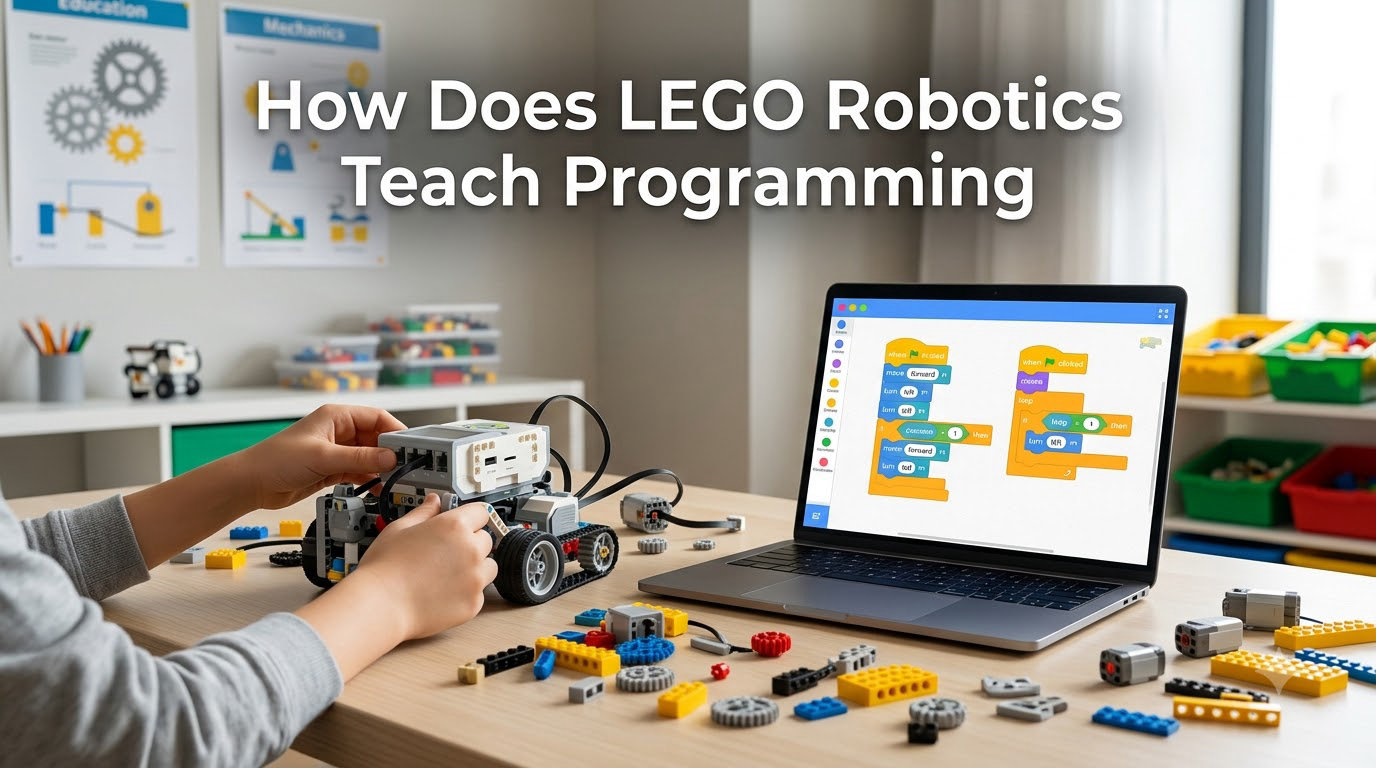
I still remember the first time a 9-year-old at a robotics summer camp told me, with genuine surprise, that he had just “written a program.” He had snapped a few colorful word-blocks together on a tablet, pressed run, and watched a small LEGO robot trundle forward, stop at a wall, and turn left. To him, it felt like magic. To me, it was the moment I fully understood how LEGO robotics teaches programming: by collapsing the distance between the learner’s idea and the machine’s action until it is almost zero.
LEGO robotics teaches programming through a hands-on, visual process where learners build a physical robot, snap together color-coded code blocks, and watch their code run on the real device in seconds. Instead of staring at a blank text editor, students get immediate, tangible feedback that turns abstract logic into something they can see, touch, and fix.
In this guide, I will walk you through exactly how LEGO robotics teaches programming, from the visual block language to the sensors that connect code to the real world. We will look at the STEM skills that develop along the way, compare the main platforms, and show you how to get started, whether you are a parent, teacher, or curious adult learner. By the end, you will know what makes this approach one of the most effective on-ramps into coding for beginners in 2026.
Table of Contents
What Is LEGO Robotics Programming
LEGO robotics programming is the practice of coding physical robots built from LEGO bricks, motors, sensors, and a programmable hub. Learners use a visual, drag-and-drop programming environment to send instructions to the hub, which then controls how the robot moves, reacts, and interacts with its surroundings.
At its core, the system has four moving parts. A programmable hub acts as the robot’s brain, similar to a tiny computer. Motors translate code commands into wheel motion, arm swings, or gear rotations. Sensors collect information about the environment, such as distance, color, or tilt. And word-block code serves as the programming language that ties everything together.
What makes LEGO robotics different from pure screen coding is the tight feedback loop. A child writes three blocks to make a motor spin for one second. They press run. The robot spins. The connection is immediate, physical, and easy to debug. This is the foundation of how LEGO robotics teaches programming: every concept a learner encounters is grounded in a real-world response they can observe.
Beyond the hardware, LEGO robotics sits inside a broader category called educational robotics. Carnegie Mellon’s Robotics Academy, one of the leading research groups in this space, uses LEGO kits to help students investigate scientific principles like speed, heat, sound, and color through hands-on prototyping. The LEGO Education platform itself is built around the same idea: learning by making something that actually works.
How Block-Based Visual Programming Works in LEGO Robotics
LEGO robotics teaches programming primarily through block-based visual coding, a method where learners drag and snap together color-coded blocks that each represent a single command. Instead of typing words like if or for, students connect puzzle-piece-shaped instructions on a screen, and the program is built visually.
The most common block language used in LEGO robotics is based on Scratch, the beginner programming environment developed at MIT. In LEGO’s own apps, such as the SPIKE Prime and BOOST environments, the blocks are sometimes called word-blocks because each one is shaped like a real word, for example a yellow “move motor” block or a purple “wait until” block. Beginners can read the code aloud like a sentence: “Move motor A for 1 rotation. Wait. Play sound. Repeat.”
This visual approach removes three of the biggest barriers beginners face in traditional coding. There is no syntax to memorize, so learners cannot get stuck on missing semicolons or misspelled commands. There is no typing barrier, which levels the playing field for younger students or those who are still developing keyboard skills. And there is no compiler error wall: if the blocks fit together, the code is valid.
Real-time execution completes the learning loop. When a learner finishes a block sequence and presses play, the robot responds within a second. If a wheel spins the wrong way, they see it immediately. If a sensor does not trigger, they can drag in a different block and try again. This cycle of code, run, observe, adjust is exactly how professional engineers work, and LEGO robotics gives beginners that experience from their very first lesson.
Common programming concepts introduced through blocks include sequences (running commands in order), loops (repeating actions), conditionals (if-then logic), variables (storing values), and events (triggering code on sensor input). Each concept appears as a recognizable block shape and color, so learners build a mental library of patterns they can later translate into text-based languages like Python or JavaScript.
The Role of Sensors and Motors in Learning Programming Concepts
Sensors and motors are the physical input and output of a LEGO robot, and they are the reason LEGO robotics teaches programming so effectively. In a typical text-only coding class, students write logic and trust that the computer will execute it. In LEGO robotics, every line of code is connected to something physical: a motor that turns, a sensor that detects, a light that flashes.
Motors are the output side. They respond to commands like “run for 90 degrees” or “spin at 50 percent power for 2 seconds.” Beginners quickly learn that a small change in the number produces a different real-world result, which builds a strong intuition for parameters and inputs.
Sensors are the input side. The most common sensor types include touch sensors that detect when the robot has bumped into something, color sensors that identify line colors, surface patterns, or ambient light, distance or ultrasonic sensors that measure how far an object is from the robot, gyro sensors that report tilt, rotation, and orientation, and force sensors that measure how hard the robot is pressing or being pressed.
Pairing sensors and motors is where the real programming concepts come alive. A classic beginner program looks like this in block form: drive forward until the touch sensor is pressed, then stop and play a sound. That single 4-block program teaches input, output, conditionals, and sequencing in one go.
Variables become meaningful when a learner stores sensor readings. “Set speed to 30 plus the distance value” suddenly makes sense when the robot behaves differently in a hallway than in a small room. Conditional logic becomes obvious when a robot needs to turn left on green and right on red. This sensor-to-motor bridge is one of the strongest teaching tools in the entire LEGO robotics system.
STEM Skills Developed Through LEGO Robotics
LEGO robotics teaches programming, but the benefits ripple into the wider STEM skill set. After spending time in our robotics workshops, I have watched students walk away with sharper problem-solving, stronger logical reasoning, and a more confident attitude toward math and engineering.
Computational thinking is the headline skill. Learners break big problems into smaller steps, spot patterns, focus on the important details, and design step-by-step solutions. Every robot project follows this pattern: define the goal, plan the behavior, code the blocks, test, debug, and iterate.
Logical reasoning grows as students debug failed runs. Why did the robot turn too early? Because the distance sensor triggered at 30 centimeters instead of 20. Changing that single value and watching the result teaches hypothesis testing in a way no worksheet can match.
Engineering design thinking is built into every build phase. Students learn that a robot’s physical structure limits what its code can do. If the arm is too short, the program will fail. If the wheels are uneven, the line-following code will not work. This forces them to think about systems, not isolated parts.
Mathematical skills show up in practical, motivating ways. Learners calculate gear ratios, measure rotation degrees, estimate distances in centimeters, and graph sensor data. Geometry becomes relevant when figuring out turning angles. Fractions appear when adjusting motor power levels. None of it feels like math homework, because the math is the answer to a problem the student actually wants to solve.
LEGO Robotics Platforms Compared: SPIKE Prime, MINDSTORMS, and BOOST
Choosing the right LEGO robotics platform matters because the experience changes quite a bit between them. Here is a quick comparison of the three main options available in 2026, based on age range, programming environment, and ideal use case.
| Platform | Ages | Programming Environment | Best For |
|---|---|---|---|
| LEGO BOOST | 7+ | LEGO BOOST app, Scratch-based word-blocks | Beginners, younger kids, home play |
| LEGO Education SPIKE Prime | 10+ | SPIKE App, Scratch word-blocks and Python | Classrooms, middle school, FLL competition |
| LEGO MINDSTORMS Robot Inventor | 10+ | MINDSTORMS app, Scratch word-blocks and Python | Advanced hobbyists, secondary school, robotics clubs |
| LEGO MINDSTORMS EV3 (legacy) | 10+ | EV3 Lab or EV3 Classroom, block and text options | Long-time FLL users, existing EV3 classrooms |
BOOST is the friendliest entry point. The app uses playful characters and simple projects that introduce motors, sensors, and basic sequencing. It is perfect for families who want to dip a toe into coding without committing to a classroom-level kit.
SPIKE Prime is the current classroom standard from LEGO Education. It pairs a small hub with a full Scratch-based block environment and offers a Python editor for learners ready to transition to text. The kit includes curriculum-aligned lesson plans, which is why most schools choose it.
MINDSTORMS Robot Inventor is the hobbyist favorite. It has more powerful motors, more sensors, and a steeper build complexity that appeals to older learners. The new Robot Inventor kit also supports Python, so beginners can grow into more advanced projects without switching platforms.
The EV3 platform is technically discontinued but still widely used in existing classrooms and FLL teams. The EV3 Lab environment uses LabVIEW-based block programming, while the newer EV3 Classroom software uses Scratch-style blocks. Schools and teams who already own EV3 kits can continue to use them productively.
Progressive Learning Path: From Beginner to Advanced Coding
LEGO robotics teaches programming through a layered progression that grows with the learner. Most students start with simple sequences and slowly work their way up to advanced topics like sensor fusion and text-based code.
Stage one is sequencing and motor control. Beginners learn that code runs in order, top to bottom. They might program a robot to drive forward, turn, and stop. Concepts covered include ordering, timing, and basic parameters.
Stage two is sensor input and conditionals. Learners add touch or color sensors and use if-then logic to change the robot’s behavior based on the environment. Concepts covered include input, conditionals, and real-world feedback.
Stage three is loops, variables, and functions. Students build programs that repeat actions, store values from sensors, and use custom blocks to organize their code. Concepts covered include iteration, state, abstraction, and code reuse.
Stage four is advanced behavior and competition-style challenges. Teams use multiple sensors together, write more complex algorithms, and tackle problems like line following, mazes, or object detection. Concepts covered include sensor fusion, calibration, and optimization.
Stage five is the bridge to text-based programming. The SPIKE Prime and Robot Inventor apps both include a Python editor that uses the same blocks learners already know. Students can see the equivalent text code side-by-side, which makes the jump from visual to text much less intimidating. Many learners eventually move on to Python, JavaScript, or even C++ in advanced FLL teams.
How Building and Coding Connect as Cognitive Processes
One angle I rarely see covered is how LEGO robotics teaches programming by linking two cognitive processes that usually live in separate classrooms: mechanical engineering and computer science. When students build a robot, they are training their spatial reasoning and structural thinking. When they code it, they train procedural and logical thinking. LEGO robotics fuses the two, which produces stronger system-level understanding.
Educational research on constructionism, the learning theory behind LEGO-based learning, suggests that learners build mental models more effectively when they can construct a physical object that represents an idea. Programming a robot is essentially constructing behavior the same way you construct a model with bricks. The two processes are mirrors of each other.
For learners, this means that building and coding reinforce one another. A poorly designed arm will not pick up the object, no matter how clever the code. A clever program will fail if the wheels slip on the surface. This forces iterative design: build a little, code a little, test, and improve. That loop is exactly how professional engineers and software developers work, and it is one of the most valuable habits a beginner can pick up.
Real-World Applications and Competitions Like FIRST LEGO League
LEGO robotics teaches programming in part by giving students real problems to solve, and FIRST LEGO League (FLL) is the most popular stage for that. FLL is a global competition for students ages 4 to 16 that combines robot design, programming, project research, and core values like teamwork and inclusion.
In the main FLL Challenge division, teams receive a themed challenge every year, such as cargo transport, energy solutions, or medical innovation. Teams program an autonomous robot to complete as many missions as possible on a themed playing field in a 2.5-minute match. Behind the scenes, they also research a real-world problem and present a solution to judges.
The classroom version of FLL, called FLL Discover and FLL Explore, adapts the same idea for younger students using SPIKE Essential and SPIKE Prime kits. The progression from class project to local tournament to international competition is one of the strongest motivators I have seen in education. Students who would not normally care about debugging suddenly care a lot when there is a trophy on the line.
Beyond competitions, LEGO robotics is used in after-school clubs, homeschool curricula, maker spaces, and even introductory university courses. The Carnegie Mellon Robotics Academy, for example, has built an entire teacher-training track around LEGO-based robotics because the kits reliably teach real programming and engineering concepts, not just toy play.
Getting Started With LEGO Robotics at Home or in the Classroom
If you are a parent or teacher wondering how to begin, the simplest advice is to start small and structured. Pick a kit that matches the learner’s age, walk through one guided project together, and let the learner run, break, and fix their first program without too much help.
For home use, BOOST is the easiest on-ramp. The app walks kids through five starter builds and unlocks more creative projects as they go. Most children can run their first program within 20 minutes of opening the box.
For classrooms, SPIKE Prime is the go-to choice. LEGO Education offers free lesson plans, student worksheets, and teacher guides that align with common STEM standards. The investment is larger, but the curriculum support saves a lot of planning time.
For older students or hobbyists, the Robot Inventor kit is a strong middle ground. It includes more sophisticated hardware, supports Python out of the box, and offers plenty of room to grow into more advanced projects over months or years.
A few practical tips from my own experience: keep the first session short, around 30 to 45 minutes, so kids leave excited rather than frustrated. Celebrate debugging, because finding a bug is a sign of real learning. Save the open-ended creative builds for after learners have completed a few guided projects. And finally, do not be afraid to use the same word-block code you saw online: copying, modifying, and experimenting is how real programmers start.
Frequently Asked Questions
What programming language does LEGO robotics use?
LEGO robotics primarily uses a Scratch-based visual block language made up of word-blocks that snap together to form programs. The SPIKE Prime and Robot Inventor platforms also include a Python editor so learners can see the equivalent text-based code and transition to real programming as they advance.
What is the 5/2 rule in LEGO?
The 5/2 rule in LEGO robotics is a simple building rule of thumb: pick a structure that is no more than 5 units long and no more than 2 units wide for stable, balanced robot designs. Following this guideline helps beginners create bases that are less likely to tip over when motors start moving.
Is LEGO robotics easy to learn?
Yes, LEGO robotics is one of the easiest ways to get started with programming. The visual word-block environment removes syntax errors, the projects are hands-on, and the immediate robot feedback keeps learners engaged. Most beginners can write and run a working program within their first 30 to 60 minutes.
What does the LEGO Education robotics curriculum teach?
The LEGO Education robotics curriculum teaches programming fundamentals like sequencing, loops, conditionals, and variables alongside engineering design, scientific inquiry, and problem-solving. Lessons are built around real-world themes and align with common STEM standards so students develop both coding skills and broader STEM thinking.
Conclusion
LEGO robotics teaches programming by turning code into something a learner can see, hear, and touch. Visual block languages remove the syntax barrier. Sensors and motors turn abstract logic into real-world behavior. The progressive platform lineup, from BOOST to SPIKE Prime to MINDSTORMS, supports learners as they grow from simple sequences to full Python programs.
If you are just getting started, pick a kit that fits the learner’s age, walk through one guided project, and lean into the build, code, test, and iterate cycle. That is the same workflow real engineers use, and it is the reason LEGO robotics remains one of the most effective entry points into programming in 2026.