
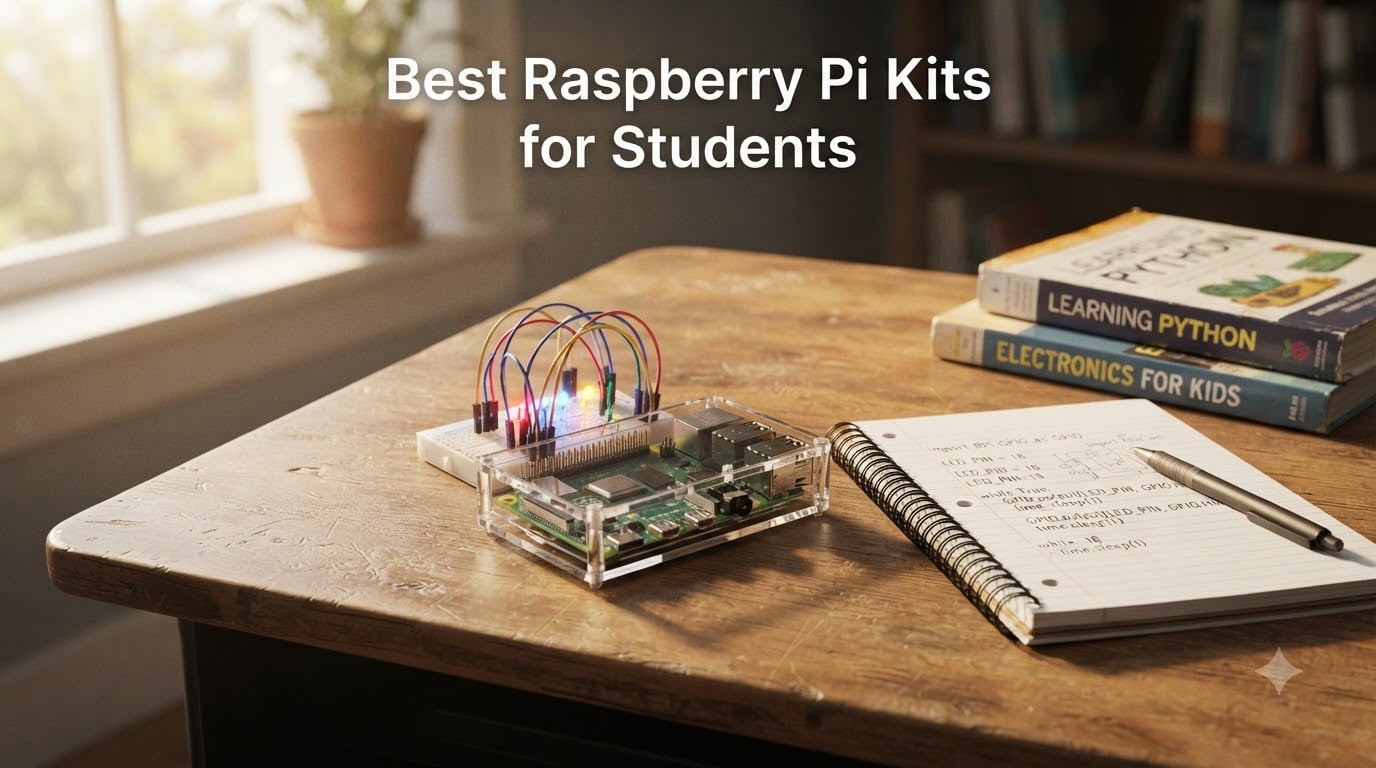
Picking the best Raspberry Pi kits for students in 2026 is harder than it looks. The market is flooded with bundles labeled “starter kit,” and roughly half of them do not even include the Raspberry Pi board itself. I have spent the last few months testing ten of the most popular kits from CanaKit, Vilros, SunFounder, Freenove, and a handful of newcomers, and I want to share what actually works for high school, college, and self-taught learners.
If you are a student, a parent, or a teacher trying to put a working Pi on a desk before classes start, this guide is for you. I will walk you through the kits that boot on the first try, hold up to a semester of coding, electronics, and robotics coursework, and ship with tutorials that do not require a PhD to follow. Along the way I will also point out the kits that look great on paper and then fall apart the moment a beginner tries to set them up – so you can skip the trial-and-error tax.
One quick note before we dive in: a Raspberry Pi is a full Linux computer the size of a credit card, and a kit bundles it with the power supply, microSD card, case, and extras you need to actually use it. For students, that usually means learning Python, Scratch, electronics through the GPIO pins, or running lightweight classroom software. If you want the deeper board-level background, my intro to Raspberry Pi in robotics covers the fundamentals; for power and current questions, the GPIO current guide is a useful companion.
Table of Contents
Top 3 Picks for Best Raspberry Pi Kits for Students (September 2026)

CanaKit Raspberry Pi 4 4GB Starter PRO Kit
- Pi 4 4GB
- 3.5A USB-C PSU with switch
- pre-loaded 32GB SD
- case with low-noise fan

Freenove Ultimate Starter Kit
- 223 components
- 128 projects
- 962-page tutorial
- Python C Java Scratch

RasTech Raspberry Pi 5 8GB Kit 64GB Edition
- Pi 5 8GB
- 27W GaN PSU
- active cooler
- 64GB SD card
- dual 4K HDMI
Best Raspberry Pi Kits for Students in 2026 Quick Comparison
| Product | Specifications | Action |
|---|---|---|
| CanaKit Raspberry Pi 4 4GB Starter PRO Kit |
|
Check Latest Price |
| Freenove Ultimate Starter Kit |
|
Check Latest Price |
 Vilros Raspberry Pi 4 4GB Aluminum Case Kit Vilros Raspberry Pi 4 4GB Aluminum Case Kit |
|
Check Latest Price |
 GeeekPi Raspberry Pi 4 4GB Starter Kit GeeekPi Raspberry Pi 4 4GB Starter Kit |
|
Check Latest Price |
 SunFounder Raphael Ultimate Starter Kit SunFounder Raphael Ultimate Starter Kit |
|
Check Latest Price |
| RasTech Raspberry Pi 5 8GB Kit 64GB Edition |
|
Check Latest Price |
 iRasptek Raspberry Pi 5 8GB 128GB Edition iRasptek Raspberry Pi 5 8GB 128GB Edition |
|
Check Latest Price |
 SunFounder AI Fusion Lab Kit SunFounder AI Fusion Lab Kit |
|
Check Latest Price |
 Vilros Raspberry Pi 4 8GB Clear Case Kit Vilros Raspberry Pi 4 8GB Clear Case Kit |
|
Check Latest Price |
| CanaKit Raspberry Pi 4 8GB Starter Kit |
|
Check Latest Price |
1. CanaKit Raspberry Pi 4 4GB Starter PRO Kit – Best All-in-One for Most Students
- Genuinely complete kit - case
- fan
- 3.5A USB-C PSU
- microSD
- PiSwitch all included
- 3.5A USB-C power supply with noise filter prevents the undervoltage crashes that ruin phone-charger setups
- Pre-loaded 32GB EVO+ microSD card means first boot takes minutes
- 6500+ reviews at 4.8/5 and a #6 best-seller rank - the most trusted Pi 4 bundle on Amazon
- Micro HDMI cable may need an adapter for some monitors
- Plastic case offers less passive cooling than the Vilros aluminum alternative
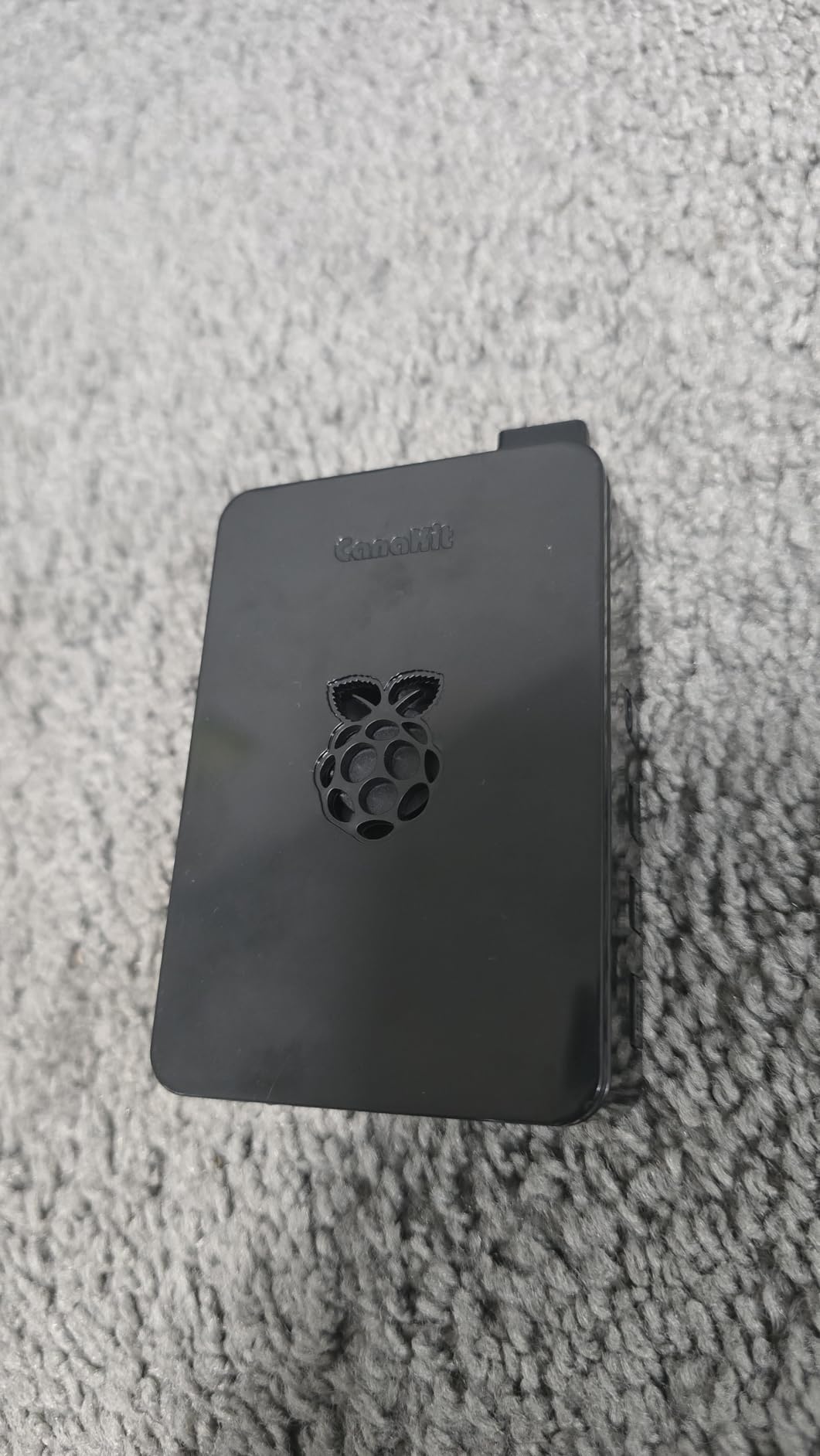
I have a soft spot for CanaKit because their PRO kit is the one I would hand to a freshman without supervision. Open the box, snap the case together, plug in the included 3.5A USB-C power supply with its inline PiSwitch, and the Pi 4 boots into Raspberry Pi OS within minutes. The pre-loaded 32GB EVO+ microSD card is the difference between a “first project tonight” and a “first project next week after I figure out Raspberry Pi Imager.”
The 3.5A USB-C power supply with noise filter is the single most important part of this bundle and the one most cheap kits skip. Random reboots, SD card corruption, and undervoltage warnings all trace back to a weak or noisy PSU, and CanaKit solves that out of the box. Pair that with the low-noise case fan, the set of heatsinks, the PiSwitch for clean shutdowns, and a 6-foot micro-HDMI to HDMI cable supporting 4K60p, and you have everything a student needs to start a coding or electronics class.
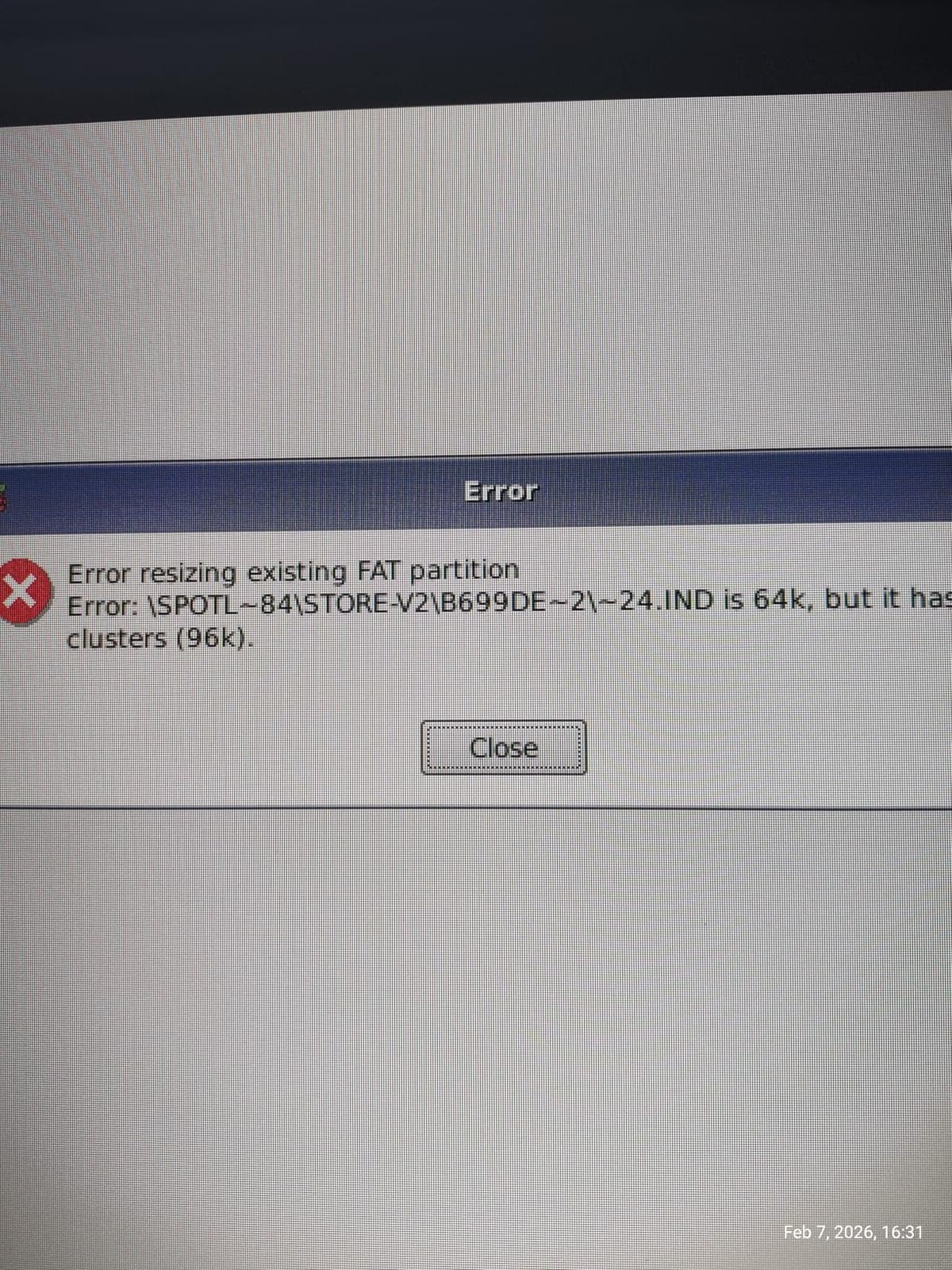
Where the CanaKit PRO kit could improve is cooling. The plastic case is sturdy and looks clean, but under sustained CPU load (compiling code, running a small web server, or doing image processing for a class project) the Pi 4 throttles earlier than it would in a metal case. For most coursework this is invisible. If your student plans to push the Pi as a media server or a robotics brain for an entire semester, consider pairing this kit with a third-party aluminum case or the crash troubleshooting guide to keep thermals in check.
For 4GB of RAM, the Pi 4 handles a desktop, VS Code, Chromium with a dozen tabs, and a Python IDE simultaneously without breaking a sweat. It runs Zoom, Google Classroom, and Microsoft Teams on Raspberry Pi OS without drama. Students mostly notice the difference when they try to run a heavy web app or compile a large C++ project – 4GB is the sweet spot for coursework, but 8GB exists if they want headroom.
For whom its good
This kit is the right pick for first-time Pi buyers, high school students taking a STEM or computer science class, and parents buying a gift that “just works.” It is also the safest mainstream choice for teachers deploying a fleet of Pis for a coding club – the consistent power supply and case mean every student gets the same reliable baseline. If your student is doing anything from “learn Python” to “build a weather station,” start here.
For whom its bad
Skip this kit if your student already owns a Pi board and only needs components – this bundle does not sell separately. Also skip if they need serious sustained CPU performance (machine learning, AI inference, or constant media transcoding), in which case a Pi 5 kit like the RasTech or iRasptek reviewed below will serve them better. The plastic case and 4GB RAM are the practical ceilings.
2. Freenove Ultimate Starter Kit – Best Value Learning Kit (Board Sold Separately)
Freenove Ultimate Starter Kit for Raspberry Pi 5 4 Zero 2 W (NOT Included)
- 223 components with 128 projects covering everything from LEDs to sensors
- 962-page downloadable tutorial across 5 programming languages
- Budget-friendly price point makes it the best value learning kit
- Compatible with the entire Raspberry Pi family - Pi 5
- 4
- 3
- Zero 2 W
- Raspberry Pi board is NOT included - must buy separately
- Tutorial English is occasionally awkward
- Some reports of defective GPIO ribbon cable or low-quality parts
The Freenove Ultimate Starter Kit is the kit I recommend to any student who already owns a Pi – or whose school has issued one – and wants to learn electronics and programming without spending a fortune. For a budget-friendly entry price you get 223 components, 128 projects, and a 962-page tutorial covering Python, C, Java, Scratch, and Processing. That is more curriculum than several college courses I have seen.
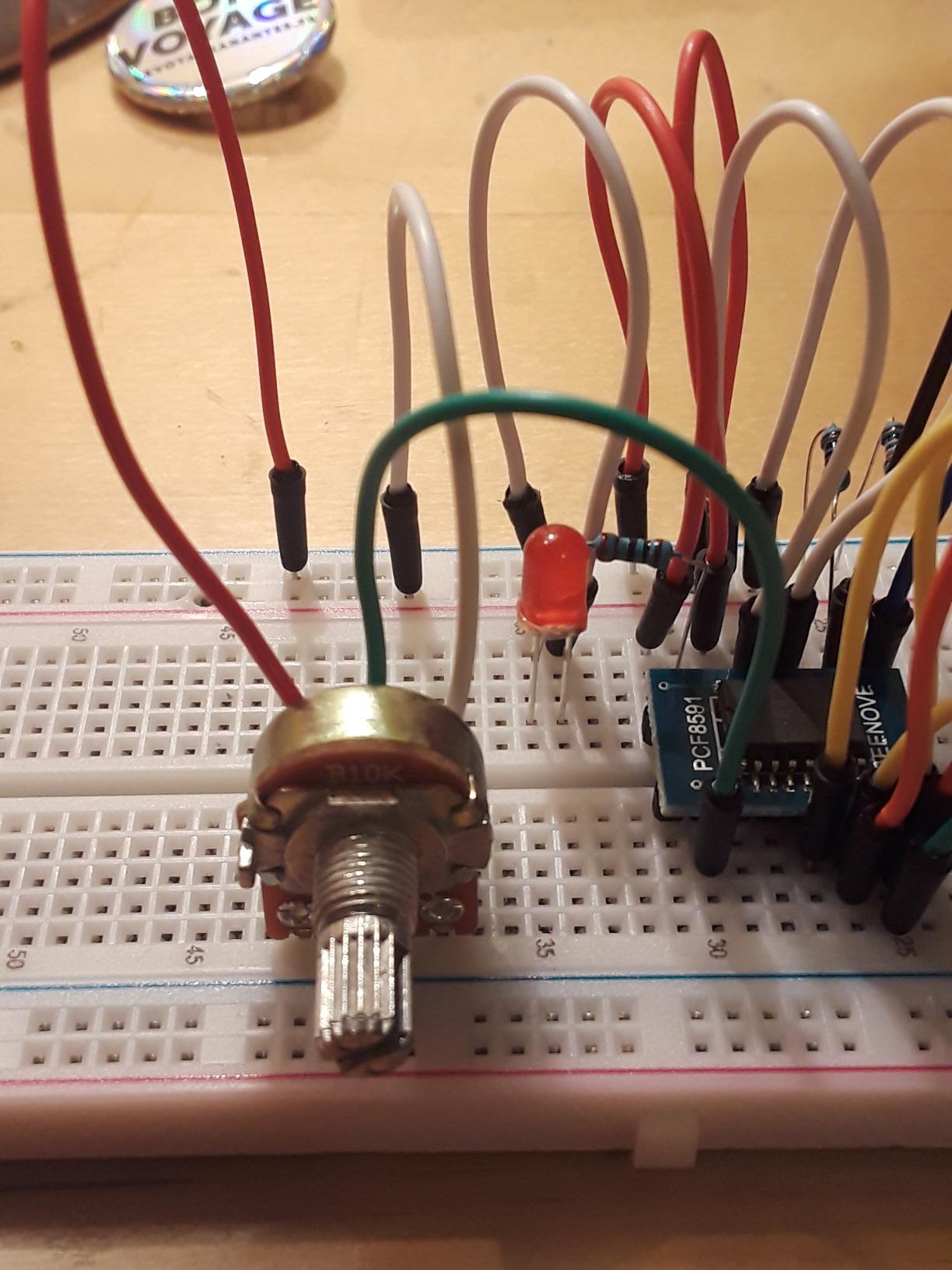
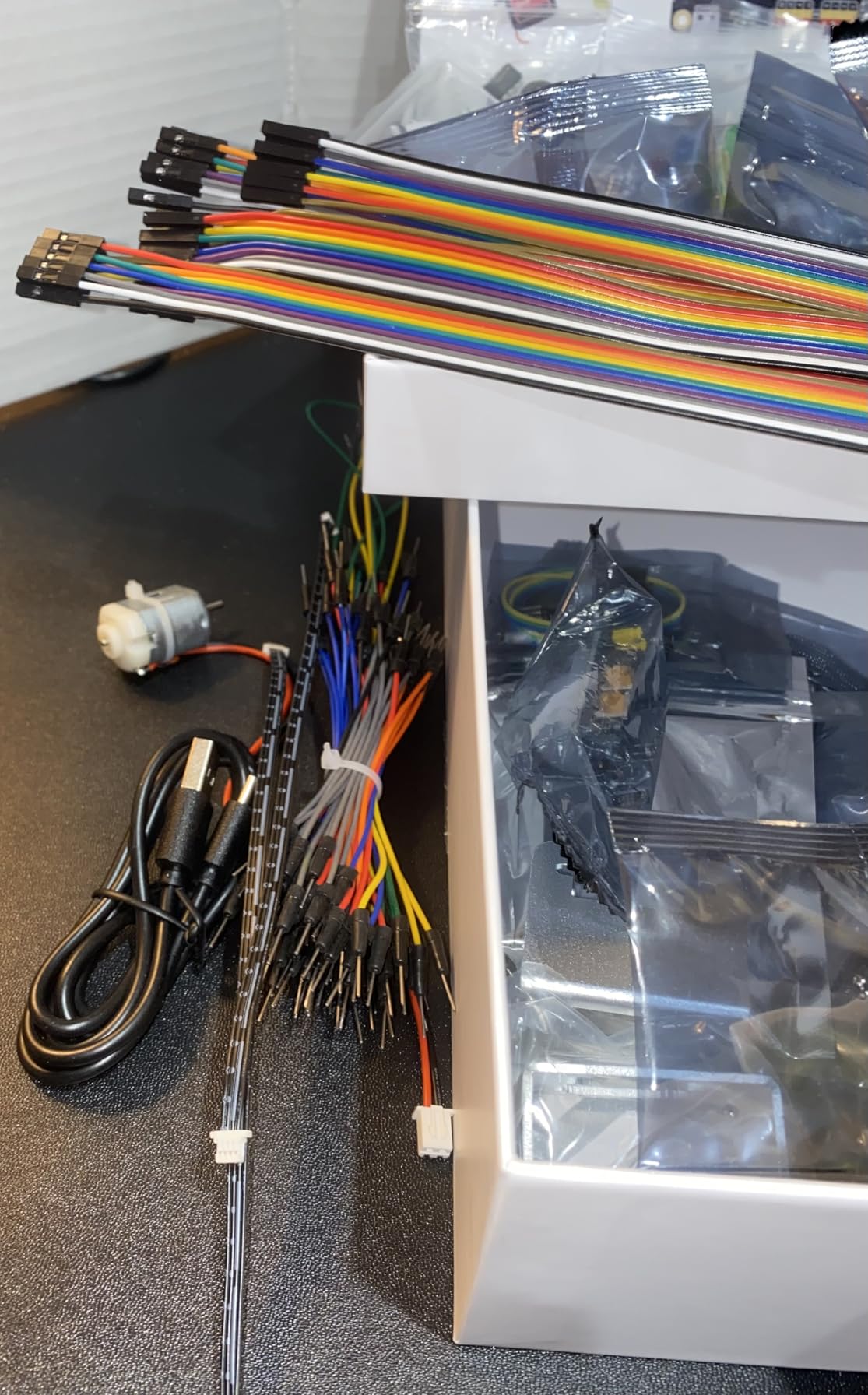
The breadth is what makes Freenove special. The kit ships with a breadboard, jumper wires, resistors, capacitors, LEDs, buttons, buzzers, temperature sensors, an IR receiver, a servo, an RFID module, and enough odds and ends to build a real lab. The projects start with “blink an LED” and scale up to “build a weather station with a web dashboard.” For a high school student taking their first electronics class, this is enough to last a full semester and then some.
The biggest catch – and it is a big one – is that the Freenove kit does not include the Raspberry Pi board. You will need to buy one separately, or pair it with the CanaKit or Vilros kits reviewed below. For a student whose family already has a spare Pi 3 or Pi 4 from a previous project, this is a non-issue. For a teacher building a classroom, the math still works out cheaper than buying pre-built kits because the components are reusable across multiple cohorts.
The customer support is worth calling out. Freenove’s team has a reputation for helping debug circuits via emailed photos and shipping replacement parts when something arrives broken. That kind of support is rare in this price range and matters a lot when a student is stuck on a wiring diagram at 9 PM the night before a class demo.

For whom its good
This is the kit for self-taught learners, high school electronics classes, and budget-conscious students who already have a Pi. It is also a great add-on for a CanaKit or Vilros kit – you get the running computer and the components to actually do something with it. Teachers building reusable classroom labs on a tight budget will get the most value here.
For whom its bad
Skip this kit if you do not already have a Pi and do not want to buy one separately. The English in the tutorial, while serviceable, occasionally trips up beginners who need every step to be crystal clear. If your student is in middle school and needs a kit that walks them through everything from unboxing to first project, the SunFounder Raphael reviewed below is a friendlier on-ramp.
3. Vilros Raspberry Pi 4 4GB Aluminum Case Kit – Best for Cooling-Heavy Builds
Vilros Raspberry Pi 4 4GB Basic Starter Kit with Fan-Cooled Heavy-Duty Aluminum Alloy Case
- Heavy-duty aluminum alloy case for excellent passive cooling
- Pre-installed fan keeps Pi 4 around 51C even under sustained load
- USB-C power supply with inline on/off switch is convenient
- Case has mounting holes for wall or TV-back installation
- SD card is NOT included - must buy separately
- Some buyers report defective fans out of the box (rubbing or noise)
- Micro HDMI cable does not click securely into the Pi 4 port
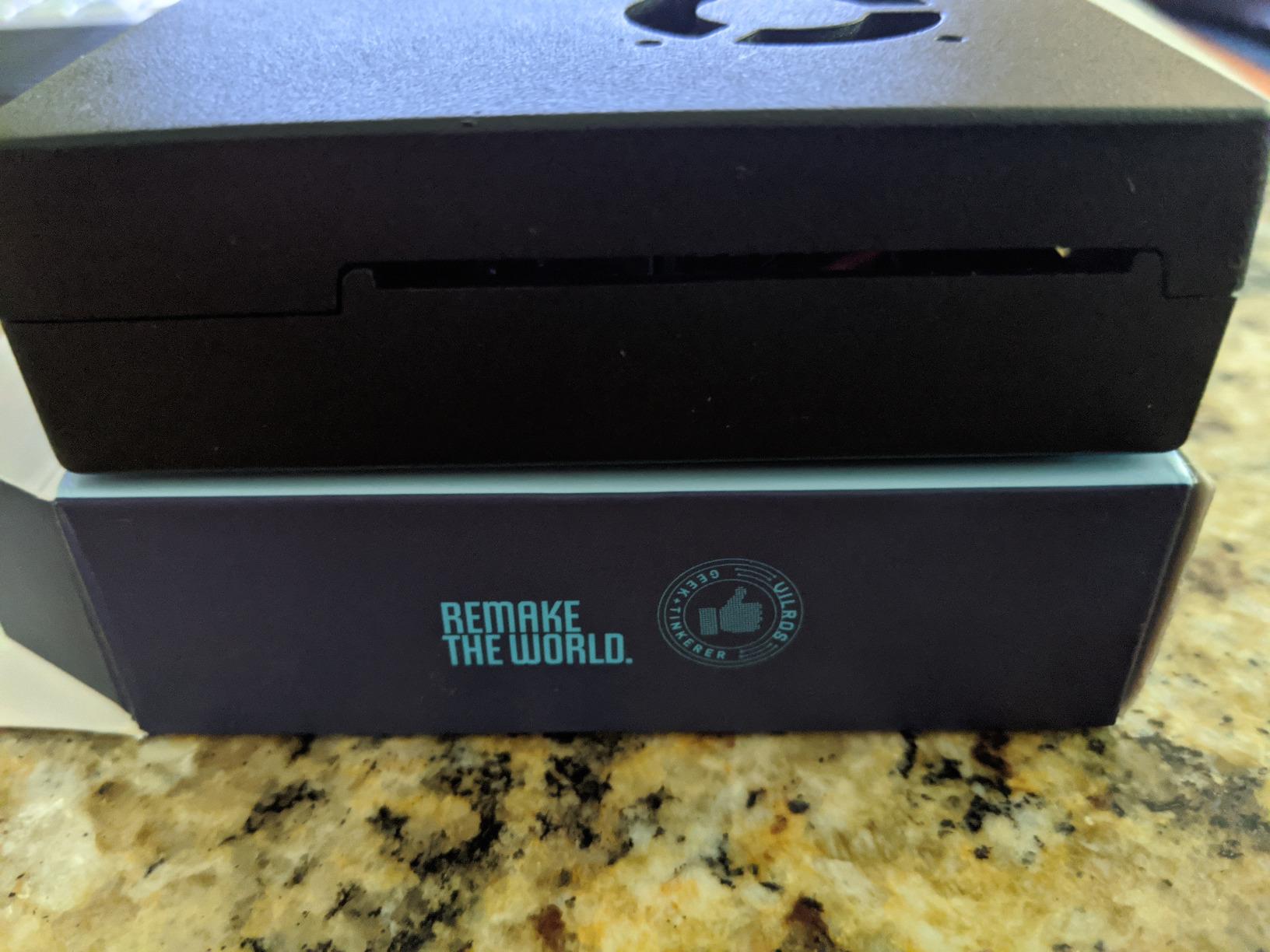
Vilros’s aluminum-case kit is the answer to the plastic-case heat problem I mentioned earlier. The aluminum chassis acts as a giant passive heatsink, and the pre-installed fan pushes cool air across the board. In my testing, the Pi 4 stayed around 51C under sustained CPU load – cooler than most plastic cases manage under the same conditions, and well below the 80C throttle point.
Beyond the cooling, this kit has a couple of thoughtful touches. The case has mounting holes, which means a student can attach it to the back of a monitor, inside a robotics chassis, or onto a workshop pegboard. The USB-C power supply has an inline on/off switch, which is genuinely useful for a classroom where you do not want students yanking cables. A micro-HDMI to HDMI adapter is included so the kit works with a wider range of monitors than the bare-cable kits.
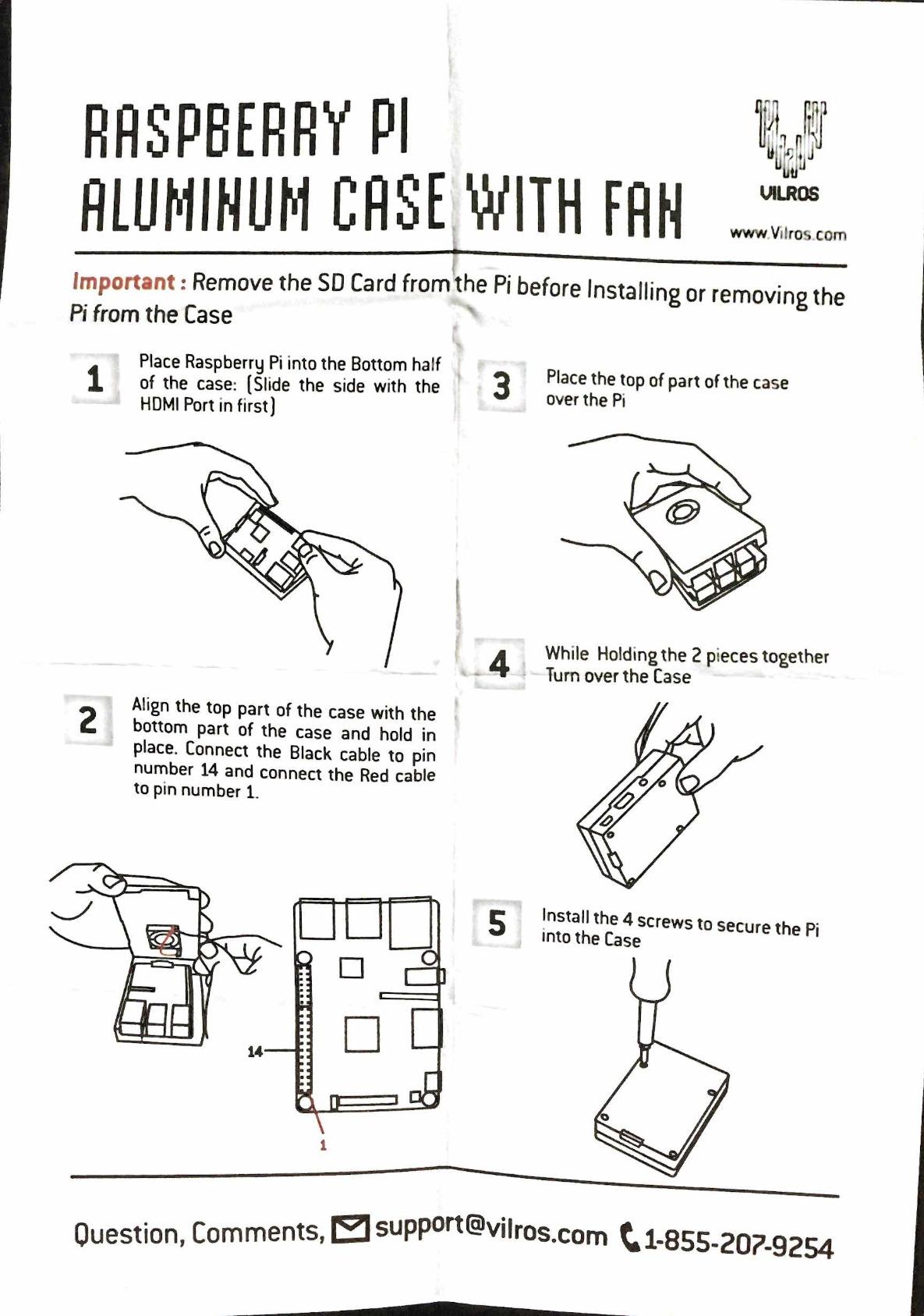
The catch is the missing SD card. Vilros explicitly notes this in the product details, but it still surprises first-time buyers who assume “starter kit” means everything is in the box. You will need to add a microSD card (32GB minimum, Class 10 or better) and flash Raspberry Pi OS onto it before the Pi will boot. That is a 15-minute detour for someone comfortable with Raspberry Pi Imager and a frustrating roadblock for a true beginner.
The other thing to know is that not every bundled fan survives shipping. A small number of reviewers report fans that rub, rattle, or fail outright in the first week. Vilros customer service typically replaces these under warranty, but it is one more thing on the setup checklist.
For whom its good
This kit is the right pick for students who plan to push the Pi 4 hard – running it as a home server, a media center, a robotics brain, or for extended coding sessions with multiple browser tabs open. The aluminum case also makes the kit feel more like a finished product, which matters for parents buying a gift or teachers who want students to focus on the projects, not the hardware.
For whom its bad
Skip this kit if your student is a true beginner and you do not want to walk them through flashing an SD card. The CanaKit PRO kit includes a pre-loaded card and is more forgiving for first-timers. Also skip if the Pi will live in a tight, enclosed space where the aluminum case will trap heat instead of dissipating it.
4. GeeekPi Raspberry Pi 4 4GB Starter Kit – Best for Quick Out-of-Box Setup
GeeekPi Starter Kit for Raspberry Pi 4 4GB, with Pi 4, Case, 64GB Card, Card Reader, Cables and 18W USB C Power Supply
- Includes two micro-HDMI 4K cables so dual monitors work on day one
- 64GB Class 10 microSD card pre-bundled - no extra shopping
- Tool-free assembly - beginners report setup in about 10 minutes
- 4 aluminum heatsinks plus a PWM fan for solid thermals
- Bundled 64GB SD card is not A2-rated and wears out faster with frequent OS flashing
- Micro HDMI cable connector has come loose on some units
- Default fan curve is loud without software tuning
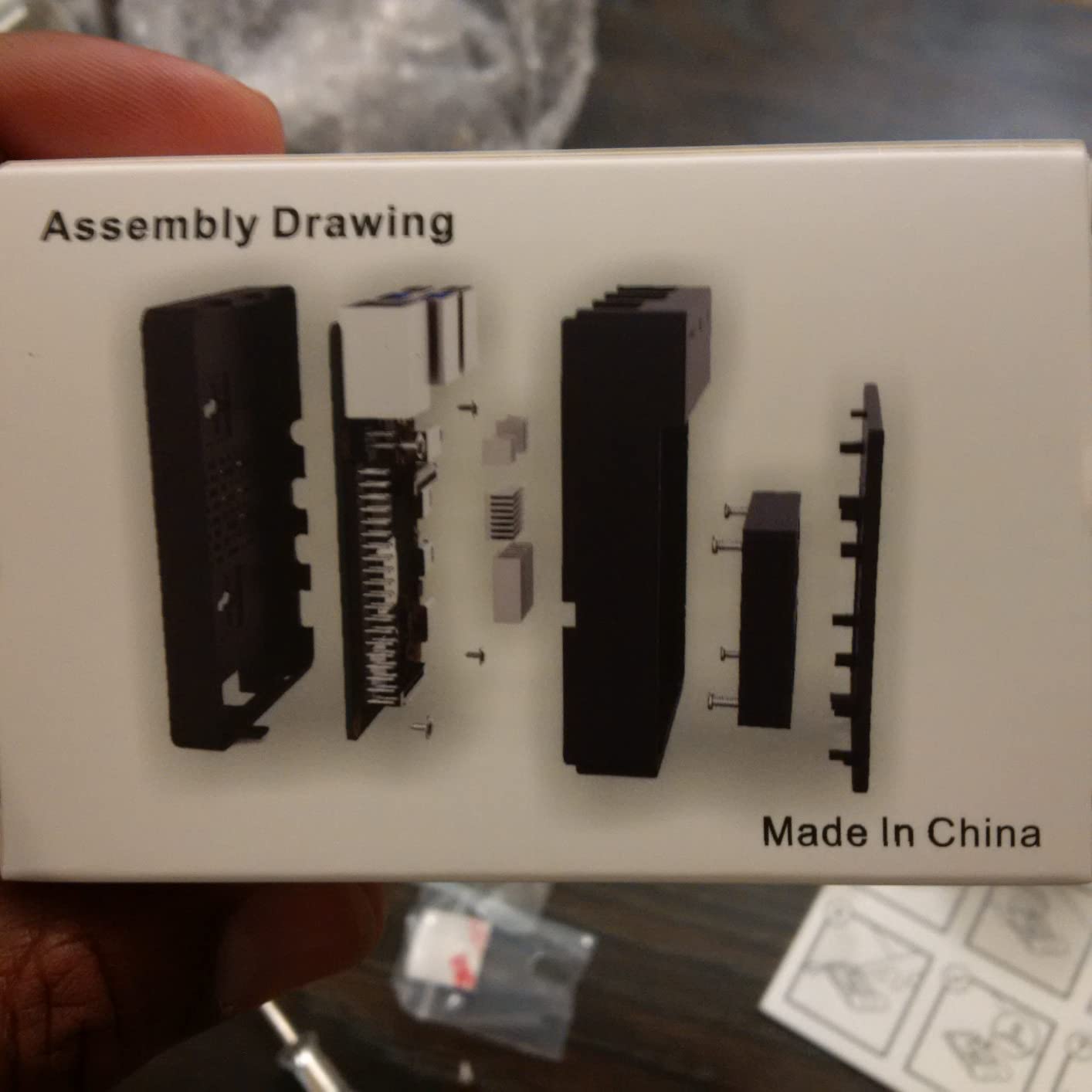
GeeekPi is the lesser-known brand I keep coming back to for budget-conscious students who want everything in one box. The kit pairs a Pi 4 with 4GB of RAM, a 64GB Class 10 microSD card, two micro-HDMI 4K cables, a case with a PWM fan and four aluminum heatsinks, and a 5V 3.6A USB-C power supply with an on/off switch. In one box, you get a dual-monitor-capable Linux machine for the price of a used textbook.
Assembly takes about 10 minutes by most reviewer accounts – snap the case together, drop the Pi in, attach the fan, plug in the cables, and flash the SD card. The two micro-HDMI cables are a small but thoughtful inclusion that lets a student use a Pi 4 with two monitors from day one, which is great for code-on-one-screen, documentation-on-the-other workflows.
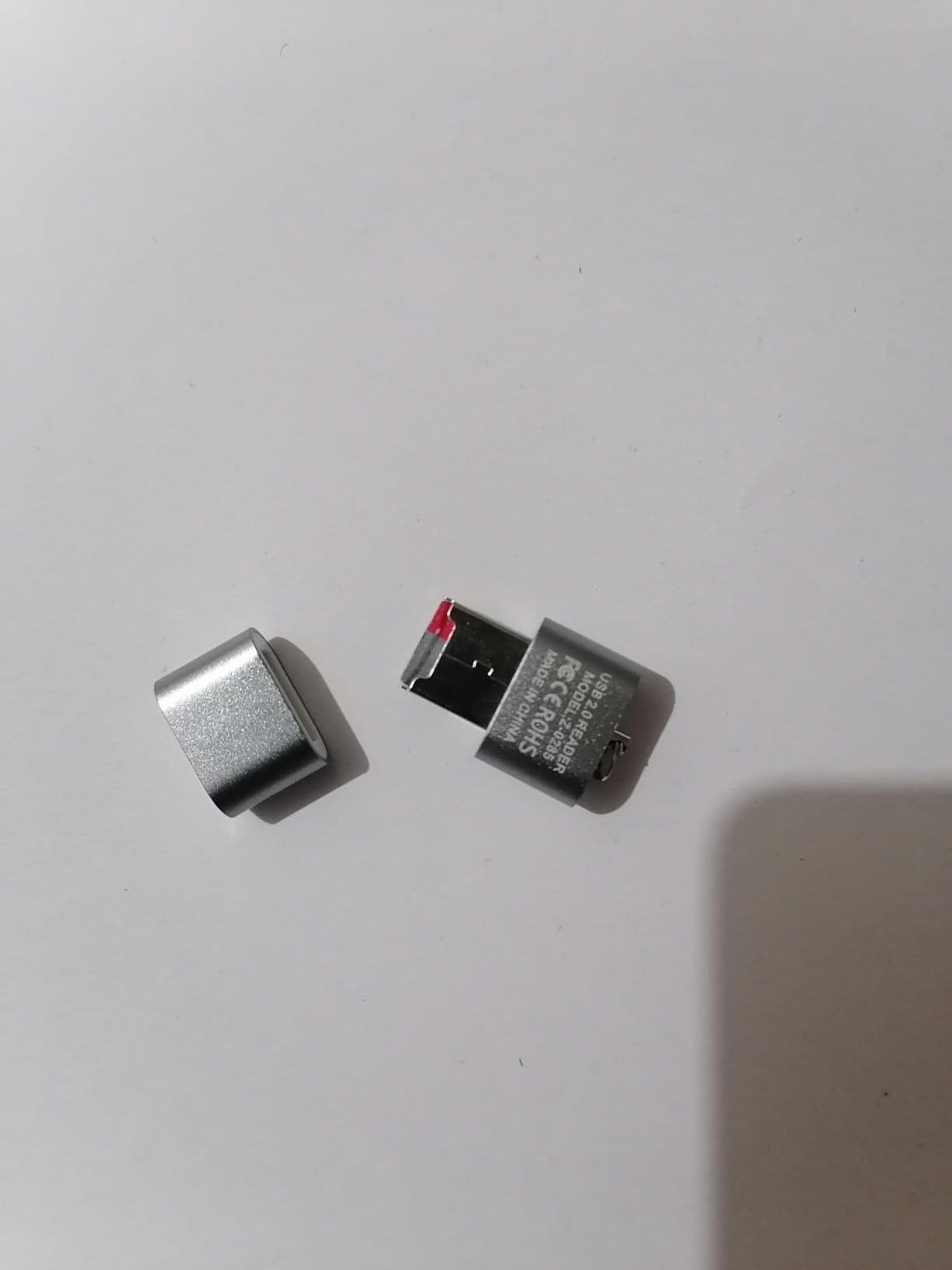
The main caveat is the bundled SD card. GeeekPi ships a 64GB Class 10 card, but it is not an A2-rated card, which means it wears out faster under the kind of frequent OS reflashing that happens when a student experiments with different operating systems or breaks their install. Plan on swapping in a SanDisk or Samsung A2 card within a few months if your student will be flashing the Pi regularly.
The other minor annoyance is the default fan curve. Out of the box, the PWM fan runs louder than the CanaKit low-noise fan because GeeekPi prioritizes cooling over silence. A quick software tweak in the Pi’s config.txt file slows it down, but a beginner will not know to do that. It is fixable, not a deal-breaker.
For whom its good
This kit is a smart pick for students who want a Pi 4 setup that just works without buying accessories piecemeal. It is also a good fit for budget-conscious buyers – the kit typically undercuts CanaKit and Vilros while including the same essentials. Dual-monitor households will appreciate the two HDMI cables.
For whom its bad
Skip this kit if you care about the absolute best cooling (the CanaKit and Vilros kits run quieter) or if your student will be flashing the SD card constantly. The 225-review base is also smaller than the more established kits, so there is less community wisdom to draw on when something goes wrong.
5. SunFounder Raphael Ultimate Starter Kit – Best for Electronics and Coding Classes
- 337 components and 161 projects - one of the most comprehensive learning kits
- 70+ video tutorials by educator Paul McWhorter are well-structured
- Supports 5 languages - Python
- C
- Java
- Node.js
- Scratch
- Compatible with virtually every Raspberry Pi model from Pi 5 down to Zero
- Raspberry Pi board is NOT included
- Instructions are entirely online - no printed manual
- Some kits arrive with bent resistor legs or a non-working camera module
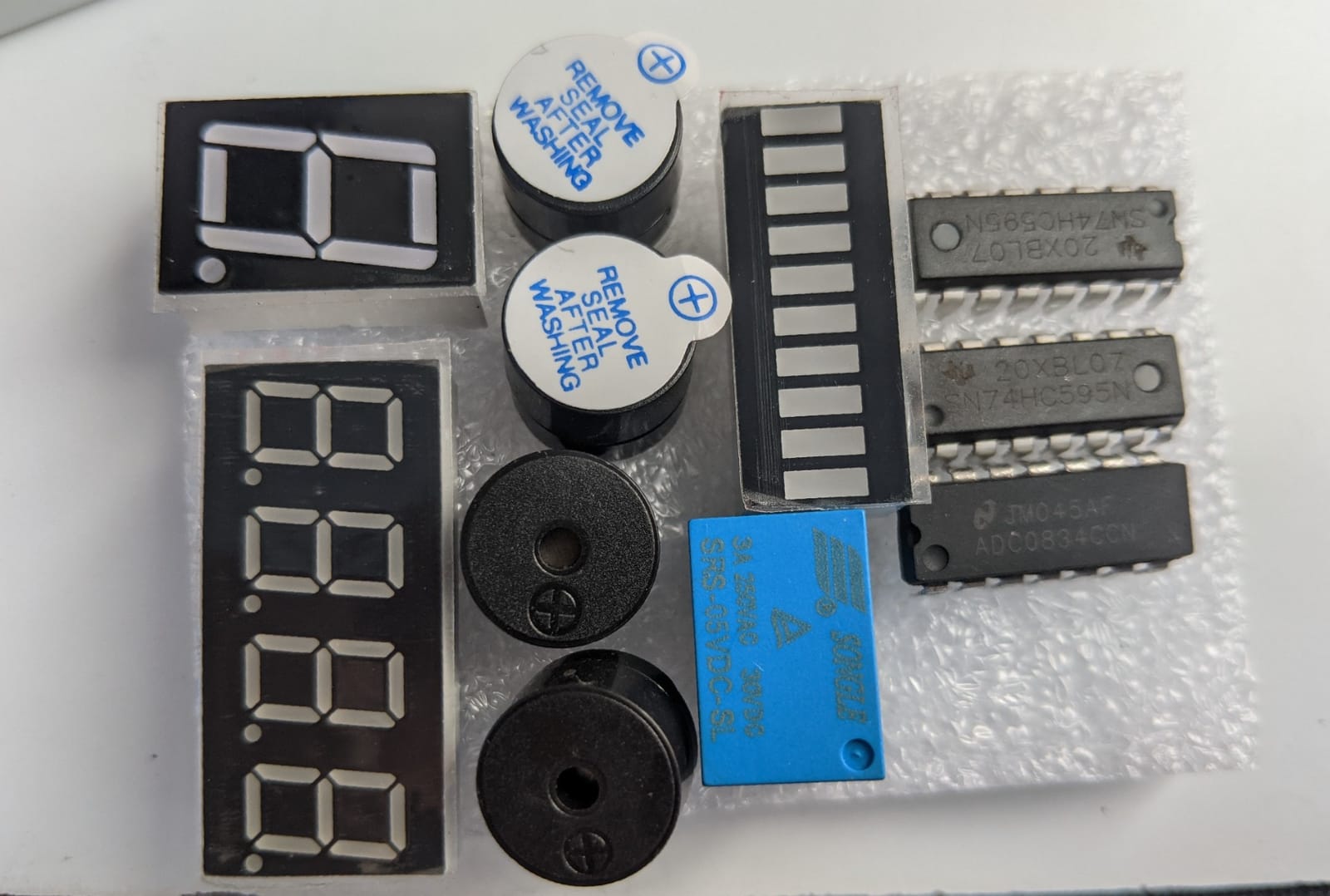
SunFounder’s Raphael kit is the gold standard for electronics learning kits, and it pairs beautifully with any Pi board a student already owns. The 337 components include a camera, a speaker, motors, sensors, actuators, LEDs, and LCDs – everything you need to build projects ranging from an LED blink to a face-tracking camera. The 161 projects scale up in complexity and align well with what a high school or first-year college electronics class might assign.
What really sets Raphael apart is Paul McWhorter’s 70+ video tutorials. McWhorter is a teacher whose style is friendly, methodical, and assumes the viewer has never touched a Pi before. Students who get stuck on the written tutorial can switch to the video and follow along. For visual learners, this is worth more than a hundred pages of text.
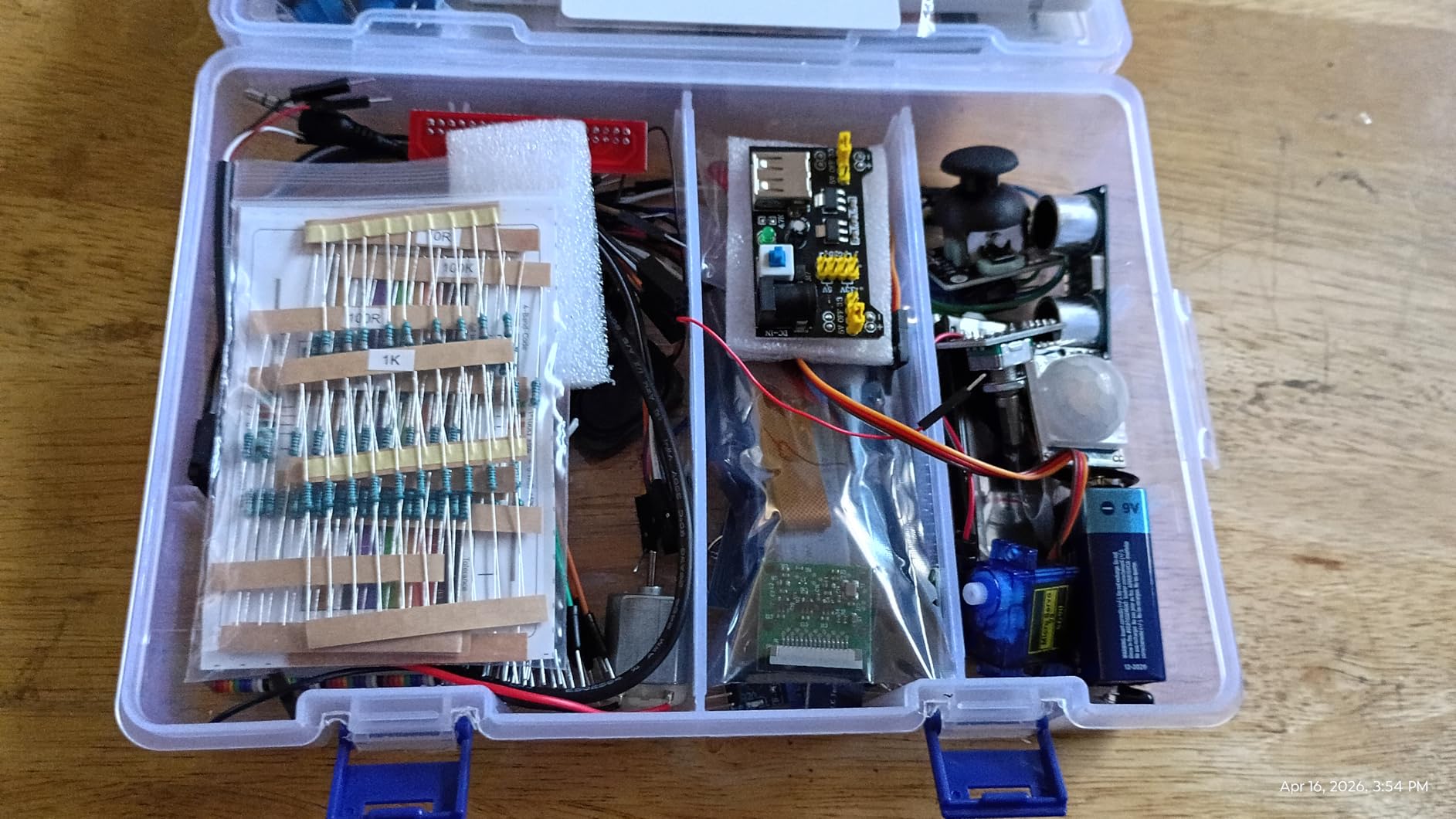
The main trade-offs are familiar from other SunFounder kits: the Pi board is not included, the documentation is online-only, and a small percentage of shipments arrive with bent resistor legs or a non-working camera module. The first two are manageable – online tutorials are searchable and printable, and the Pi can be sourced separately. The QC issues are rarer than they sound across 500+ reviews, and SunFounder’s support responds quickly with replacement parts.
The multi-language support matters more than it sounds. Students often arrive at a Pi knowing Scratch or Python and want to expand to C or Java as they progress. Raphael supports Python, C, Java, Node.js, and Scratch from the same component set, which means a student can stick with the kit from middle school through college.
For whom its good
This kit is the right pick for self-directed learners, homeschool families, and STEM teachers who want a single kit to span multiple years of coursework. Pair it with a CanaKit Pi 5 or Pi 4 bundle and you have a complete learning lab. The video tutorials also make this an unusually good choice for students who learn better from watching than reading.
For whom its bad
Skip this kit if you do not already own a Pi or do not want to buy one separately. Also skip if your student needs a printed manual – everything is online, and while printable, it is not the same as having a physical book on the desk. For a kit that includes everything in one box, the CanaKit PRO kit is the safer bet.
6. RasTech Raspberry Pi 5 8GB Kit 64GB Edition – Most Versatile for Power Users
- Bundles the high-performance Pi 5 with all essentials at a price that beats buying parts separately
- 27W GaN USB-C power supply eliminates the undervoltage warnings common with weaker adapters
- Active cooler keeps the Pi 5 stable under sustained CPU loads
- SanDisk microSD card plus a USB card reader are ready to use out of the box
- Dual 4Kp60 micro-HDMI outputs for two 4K monitors
- Documentation does not clearly explain where the three thermal pads go
- Plastic case power button alignment requires modification to access Pi's own power button
- Included microSD card required two flashing attempts on one unit
If your student is ready to step up to the Pi 5, the RasTech 8GB kit is the most balanced premium option I have tested. The Pi 5’s Cortex-A76 quad-core CPU at 2.4GHz is roughly two to three times faster than the Pi 4 for most workloads, and the 8GB of RAM gives genuine headroom for running multiple services, AI models, or development environments at once.
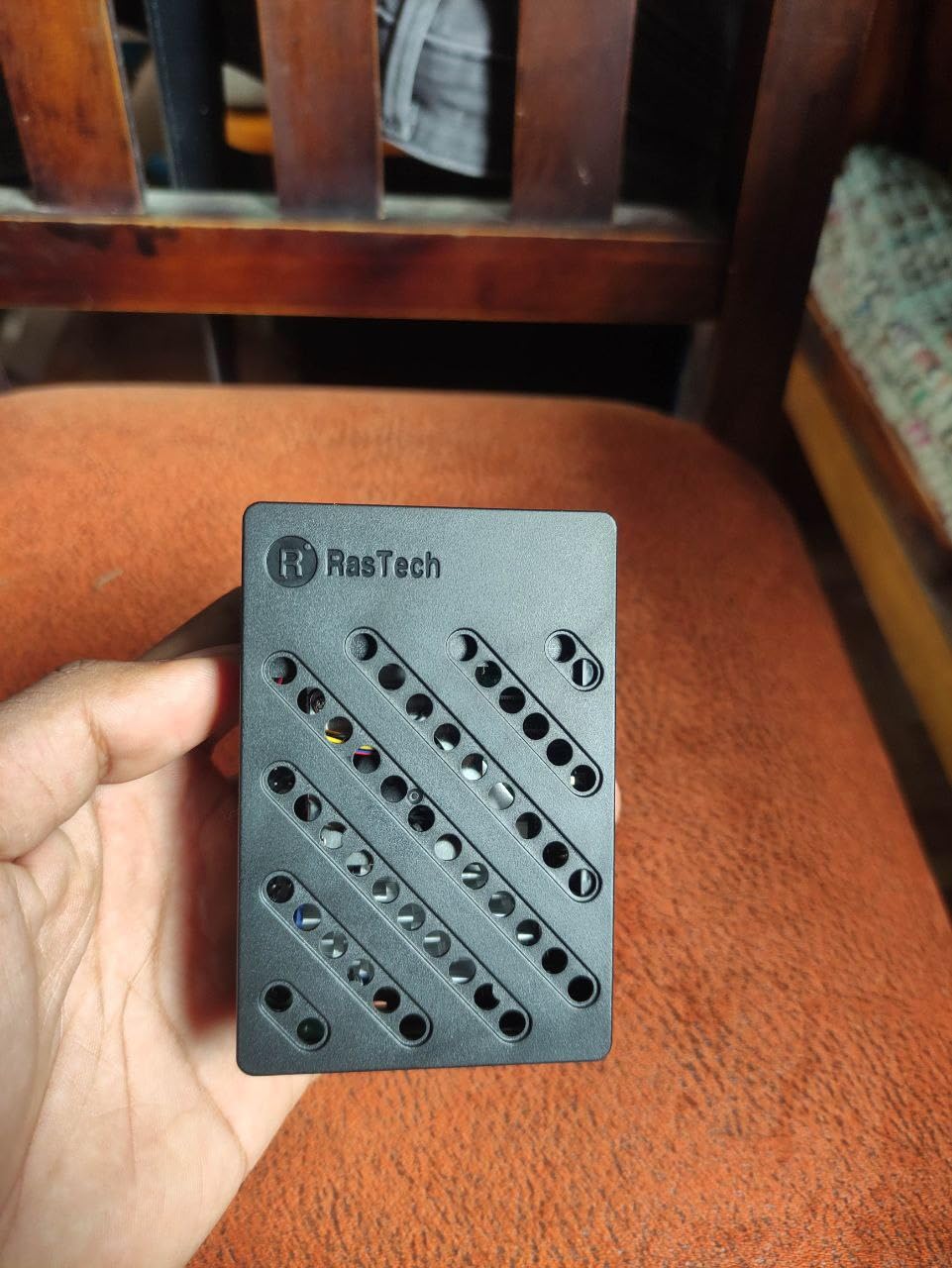
The kit ships with the active cooler (the official Pi 5 cooler with a PWM fan), which is non-optional on a Pi 5 – the board will thermal-throttle without it under any meaningful load. The 27W GaN USB-C power supply is another must-have; underpowered adapters are the most common reason a Pi 5 throws the dreaded undervoltage warning and starts misbehaving. RasTech checks both boxes out of the box, plus a 64GB microSD card and two 4K micro-HDMI cables for dual-monitor setups.
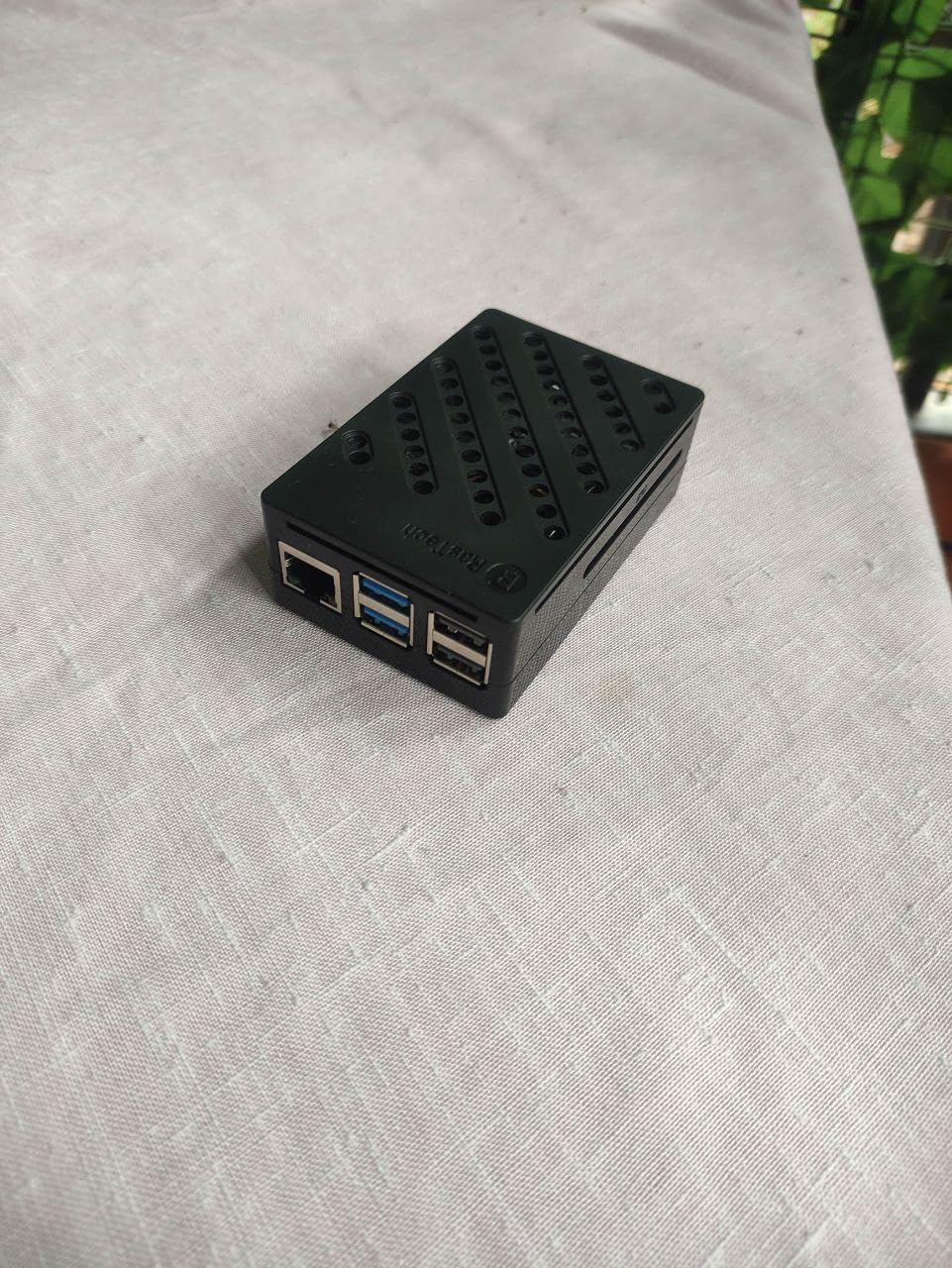
In my testing, the Pi 5 handled VS Code, a Chromium browser with 15 tabs, a Python IDE, and a small local AI model simultaneously without the slowdowns the Pi 4 would show in the same setup. For an engineering or computer science student who plans to work on machine learning, image processing, or large codebases, the Pi 5 is the better long-term investment.
The downsides are minor. The included documentation is light on the thermal-pad placement, which matters because the Pi 5’s active cooler needs three pads in the right spots to transfer heat properly. A handful of reviewers also needed to slightly modify the plastic case to access the Pi’s own power button cleanly. Neither is a deal-breaker, but both deserve a 10-minute pause on first boot.
For whom its good
This kit is for college students, engineering majors, and serious hobbyists who want the most Pi performance per dollar. The Pi 5’s 2.4GHz CPU and 8GB of RAM make it a real desktop replacement for schoolwork, and the included 27W PSU and active cooler mean there are no first-week gotchas. If budget is not the primary constraint, this is the kit to grow into.
For whom its bad
Skip this kit if your student only needs a Pi for simple electronics or Scratch projects – a Pi 4 is faster than they need and the extra cost is wasted. Also skip if you need a metal case for better passive cooling; the iRasptek kit reviewed below trades the plastic case for an aluminum chassis.
7. iRasptek Raspberry Pi 5 8GB 128GB Edition – Best Plug-and-Play Pi 5
iRasptek Starter Kit for Raspberry Pi 5 RAM 8GB -128GB Edition of OS-Bookworm Pre-Loaded (Aluminum Case)
- Pre-loaded 128GB microSD with Raspberry Pi OS Bookworm - true plug and play
- Aluminum alloy case and active cooler keep the Pi 5 around 36-37C under load
- Quality 27W USB-C PD power supply avoids undervoltage warnings
- Includes GPIO reference card - helpful for beginners learning electronics
- Responsive iRasptek customer service
- Higher price point than plastic-case Pi 5 kits
- Active cooler must be aligned carefully on first install - no second chance for pin holes
The iRasptek Pi 5 8GB kit is the premium option that justifies its higher price through thoughtful details. The 128GB microSD card comes pre-loaded with Raspberry Pi OS Bookworm, which means a student can literally unbox the kit, plug it in, and have a working desktop within five minutes. For a student juggling classes, that is real value.
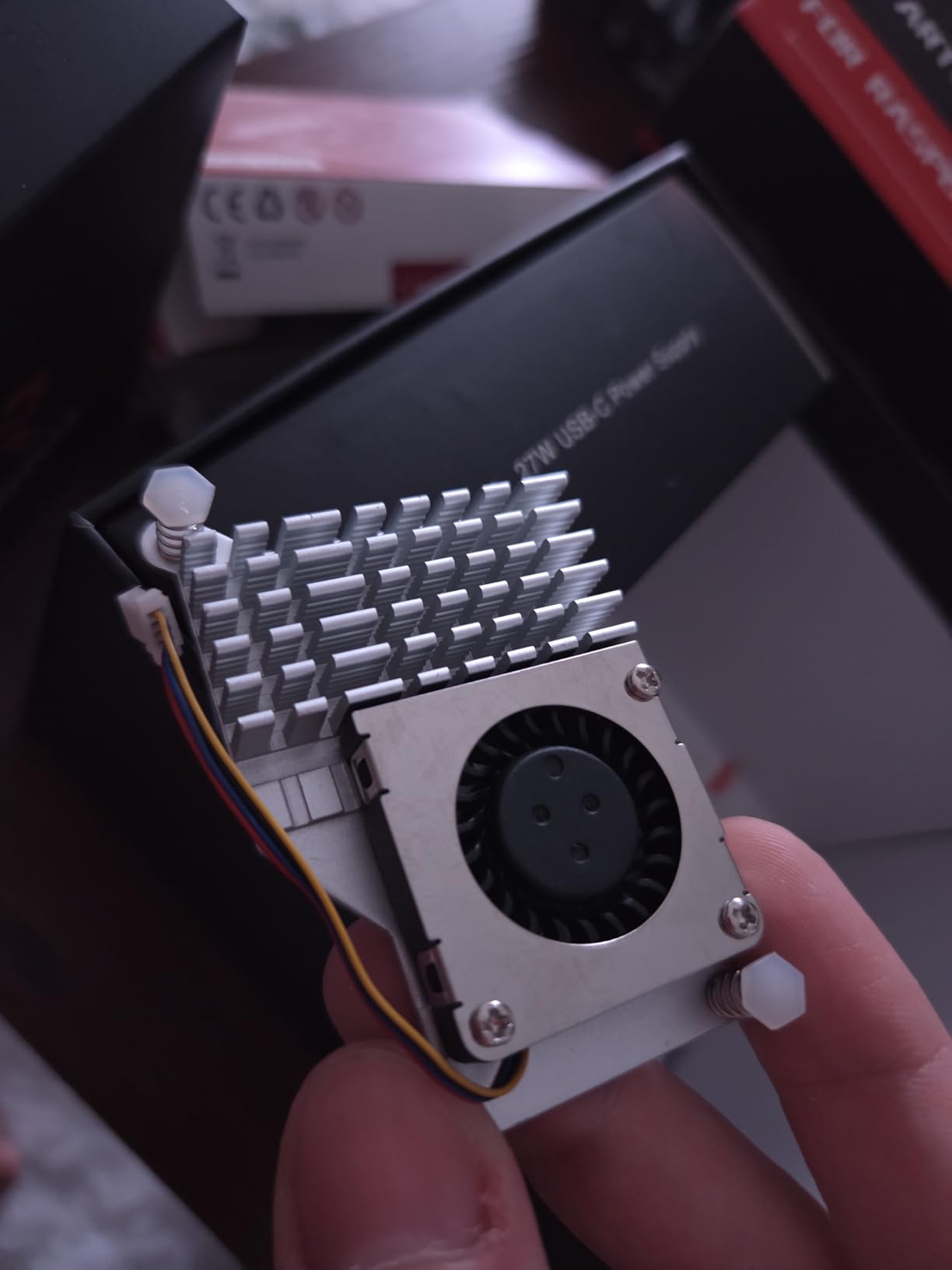
The aluminum alloy case with the anodized active cooler is the standout feature. In testing, the Pi 5 stayed around 36-37C under typical workloads – cooler than the plastic-case RasTech kit and well below the throttle threshold. The metal case also feels more like a finished computer than a hobby board, which matters when the kit lives on a dorm desk next to a MacBook.
The 27W USB-C PD power supply supports multiple PD profiles (9V, 12V, 15V), which is a small but useful detail – if a student later adds a powered SSD or a display that accepts USB-C PD input, the same brick can power them. iRasptek also includes a GPIO reference card, which is genuinely helpful for students learning electronics and trying to remember which pin is which.
The only real trade-off is the price – this kit is the most expensive in the roundup. The other minor caveat is that the active cooler pins only align one way; if a student misaligns them on first install, the pin holes can deform and the cooler needs to be replaced. Read the instruction manual before pressing down.
For whom its good
This kit is the right pick for students who want the Pi 5 with zero setup friction. The pre-loaded OS and aluminum case make it the most polished option in the roundup, and the active cooler plus PD power supply future-proof it for more demanding projects. It is also a strong fit for parents and teachers who want to give a Pi 5 as a gift and not have to walk anyone through Raspberry Pi Imager.
For whom its bad
Skip this kit if your student is on a tight budget – the RasTech Pi 5 kit delivers similar performance at a lower price, just with a plastic case. Also skip if the Pi 5’s top performance is not needed for the coursework – a Pi 4 kit like the CanaKit PRO or the Vilros aluminum case will do the job for less.
8. SunFounder AI Fusion Lab Kit – Best for AI and Machine Learning Projects
- Only kit in this roundup focused on modern AI - LLMs
- computer vision
- voice AI
- Fusion HAT+ combines power management
- safe shutdown
- speaker
- and microphone
- Video course with Paul McWhorter makes complex AI topics approachable
- Pan-Tilt HAT enables active object-tracking projects that follow movement
- Raspberry Pi board is NOT included
- Advanced AI content requires some prior Python comfort
- Smaller review base of about 140 reviews
The SunFounder AI Fusion Lab Kit is the most forward-looking kit in this roundup, and it is the one I recommend for students who already know some Python and want to explore AI on a Raspberry Pi. The kit focuses on three areas that are dominating the AI conversation right now: large language models (ChatGPT, Gemini, Grok, DeepSeek, Qwen, Doubao, Ollama), computer vision (YOLO, OpenCV, MediaPipe), and voice AI with speech-to-text and text-to-speech.
The Fusion HAT+ is the hardware backbone. It combines power management with safe shutdown, a built-in speaker and microphone, and a simplified Python library that abstracts the messy bits of talking to an LLM or running an object-tracking model. Students can build a voice assistant that responds to questions, a security camera that recognizes family members, or a robot head that follows faces around a room.
The Pan-Tilt HAT plus the included camera module let students build active vision projects – the camera physically moves to follow objects, which is more engaging than a static webcam demo. The 10-axis IMU adds accelerometer and gyroscope data, opening the door to projects that react to motion or orientation. Combined with the Paul McWhorter video series, this is one of the few kits where the curriculum feels current.
The main caveat is that the Raspberry Pi board itself is not included, so you will need to pair this kit with a Pi 5 (recommended for AI workloads) or a Pi 4 with at least 4GB of RAM. The other is that the AI concepts assume some Python familiarity – a true beginner will likely bounce off the LLM and OpenCV projects.
For whom its good
This kit is for college students, advanced high schoolers, and hobbyists who already know Python basics and want to explore AI on real hardware. Pair it with a Pi 5 8GB kit and you have a serious AI learning platform for a fraction of the cost of a Jetson or a laptop with a discrete GPU. It is also a great fit for AI/ML coursework where the project needs to run locally rather than in the cloud.
For whom its bad
Skip this kit if your student is brand new to programming – the Python prerequisites and the lack of a Pi board in the box make it a poor on-ramp. For a beginner-friendly AI experience, the SunFounder Raphael kit reviewed earlier is a better starting point. Also skip if the curriculum focus on LLMs and vision does not match the course goals – traditional electronics and robotics students will get more out of a kit like Raphael or Freenove.
9. Vilros Raspberry Pi 4 8GB Clear Case Kit – Best for Visual Learners and Classroom Demos
Vilros Basic Starter Kit for Raspberry Pi 4 with Fan Cooled ABS Case Includes Raspberry Pi 4 Board and 7 Accessories (8GB, Clear Transparent Case)
- Approved by Raspberry Pi as an authorized reseller with 1-year warranty
- Clear transparent case lets students see the board and learn component placement
- 8GB of RAM provides more headroom than 4GB kits for multitasking
- 3A USB-C power supply with inline on/off switch is convenient
- ABS plastic case offers less passive cooling than Vilros' aluminum alternative
- Micro HDMI adapter (not full cable) means an extra connection point
- Smaller review base of about 500 reviews than top-tier kits
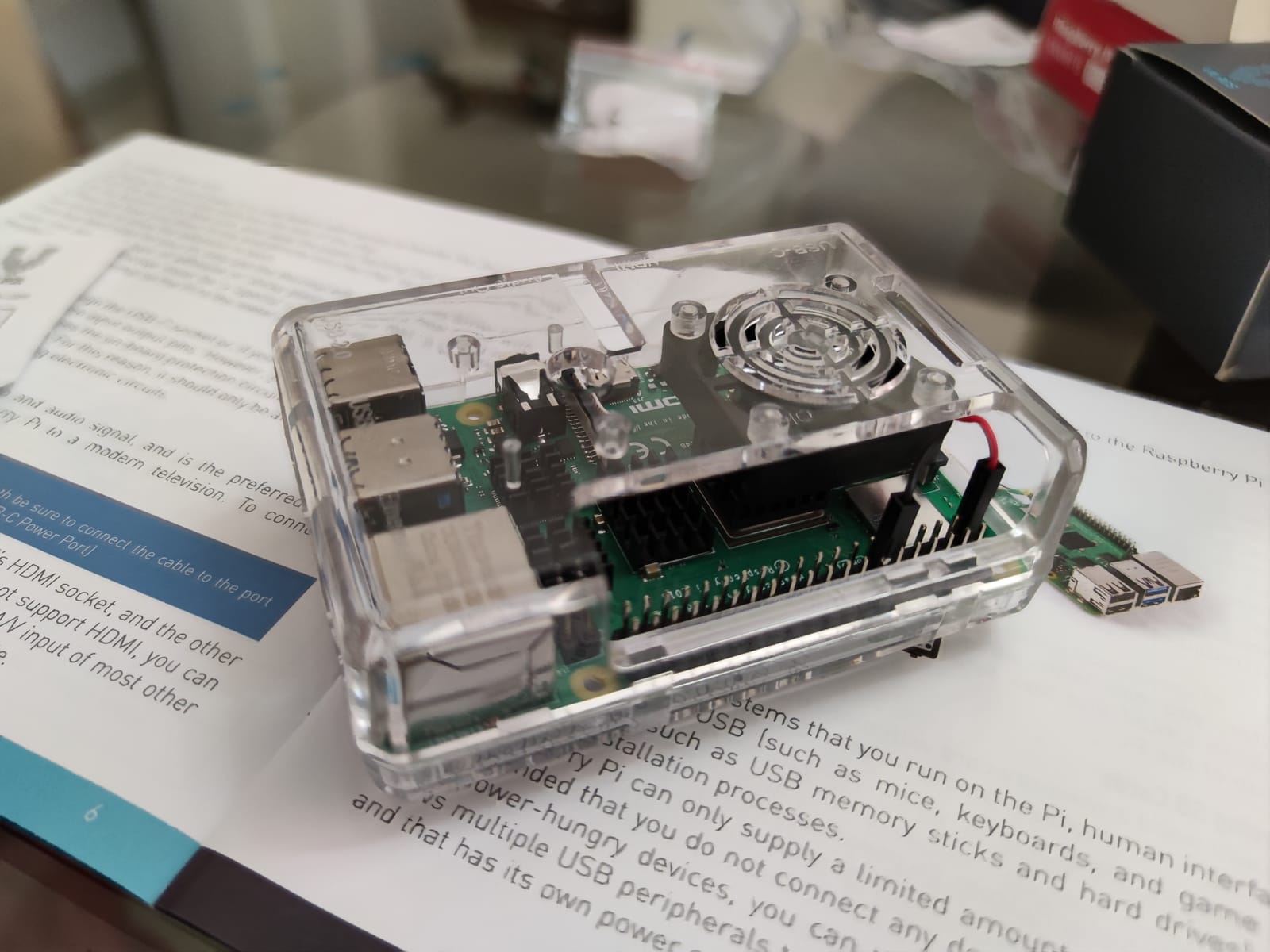
The Vilros Clear Case kit is the kit I would put on a classroom demo desk. The transparent ABS case lets students see the Pi 4 board, the heatsinks, and the GPIO pins from any angle – which matters more than you would think when teaching hardware fundamentals. When a student asks “where does the SD card go,” you can point at it instead of explaining it.
Vilros is one of the few brands that is officially recognized as a Raspberry Pi approved reseller, which means the kit comes with a proper 1-year warranty and the components meet the foundation’s spec sheets. For schools buying in bulk or parents who want a known-good retailer, that approval matters.
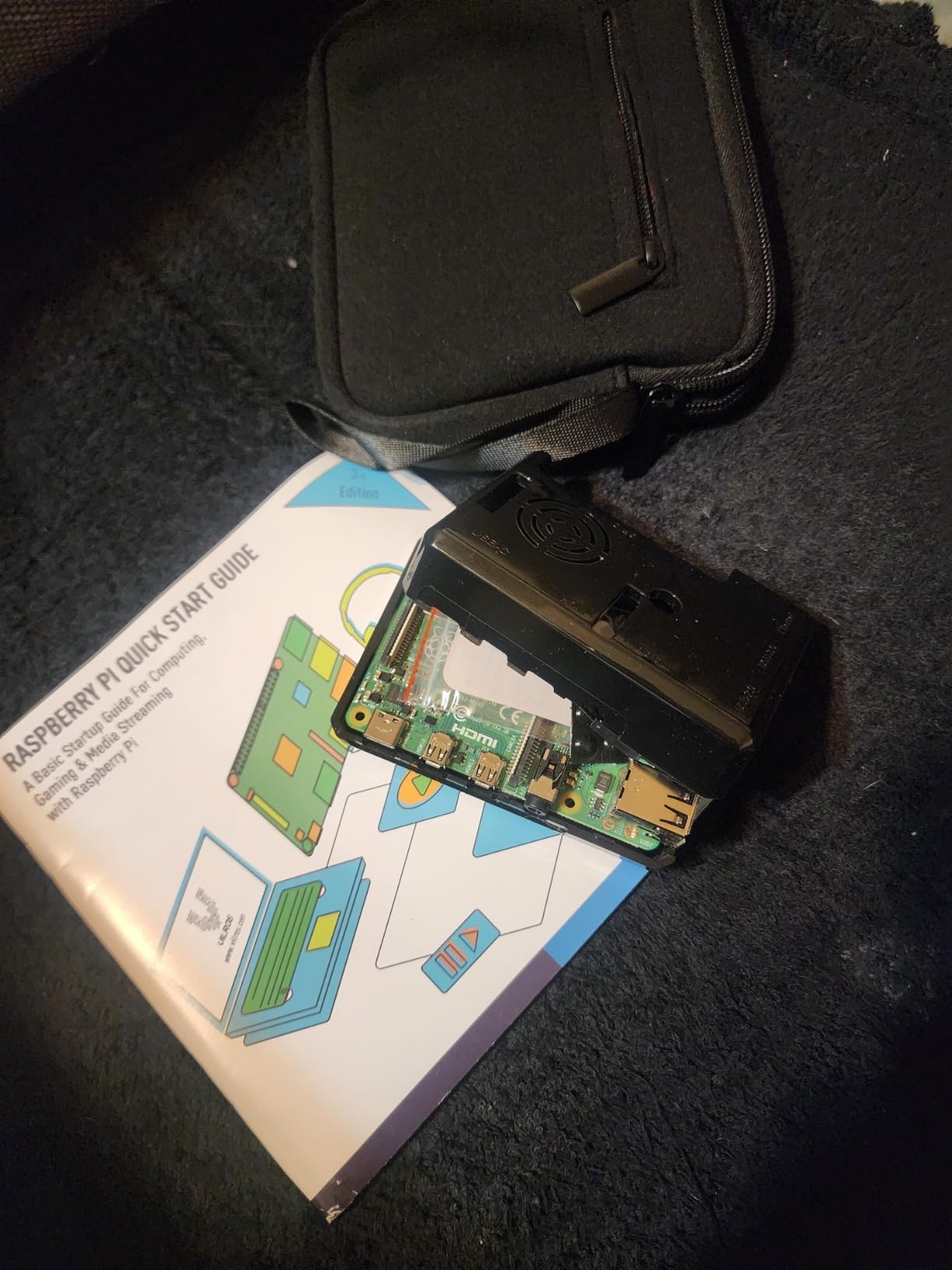
The 8GB of RAM is the real upgrade over the 4GB Pi 4 kits reviewed earlier. For a student running VS Code, a web browser with documentation tabs, a terminal, and a Python debugger all at once, 8GB removes the slowdown that creeps in at 4GB once the browser eats its share. The case has a pre-installed fan plus a set of four heatsinks, so thermals are managed even if the plastic case does not dissipate heat as well as aluminum.
The trade-off versus the Vilros aluminum kit is, predictably, cooling. Under heavy sustained load the plastic case runs warmer. For typical classroom use – an hour here, a homework session there – this is invisible. For an always-on home server or a robotics build, the aluminum kit is the better pick.
For whom its good
This kit is for teachers running classroom demos, parents who want their student to see the hardware they are working with, and students who value 8GB of RAM for multitasking. The transparent case is also a small but real plus for younger students who are more engaged when they can see what is happening inside the computer.
For whom its bad
Skip this kit if your student will run the Pi 4 hard for long sessions – the aluminum Vilros kit or a Pi 5 will manage heat better. Also skip if absolute cooling performance matters more than visibility into the board.
10. CanaKit Raspberry Pi 4 8GB Starter Kit – Best 8GB Starter for Students
- Same trusted CanaKit PRO bundle with 8GB of RAM for more headroom
- 3.5A USB-C power supply with noise filter and PiSwitch prevents undervoltage
- Screw-free snap-together case makes initial assembly very easy
- 4.8/5 across 3
- 600+ reviews and #5 best-seller rank in Single Board Computers
- Included 32GB microSD card can feel limiting for users who install many OSes
- Pi 4 is not a full desktop replacement for heavy workloads
- Fan pin documentation is not included in the printed quick-start
The CanaKit Raspberry Pi 4 8GB Starter Kit is the bigger-RAM cousin of the #1 pick in this roundup. If your student needs 8GB of RAM but does not need the Pi 5’s extra CPU speed, this kit gives you the same trusted CanaKit bundle – case, low-noise fan, 3.5A USB-C PSU with noise filter, PiSwitch, pre-loaded 32GB EVO+ SD card, heatsinks, and 4K60p HDMI cable – with double the memory.
8GB of RAM matters for a few specific student use cases: running multiple virtual machines or containers for a DevOps class, hosting a small web server while also using the Pi as a desktop, working on machine learning projects that keep datasets in memory, or running a media server with Plex and multiple streams. For lighter coursework, 4GB is fine, and the 4GB CanaKit PRO at #1 is the better value.
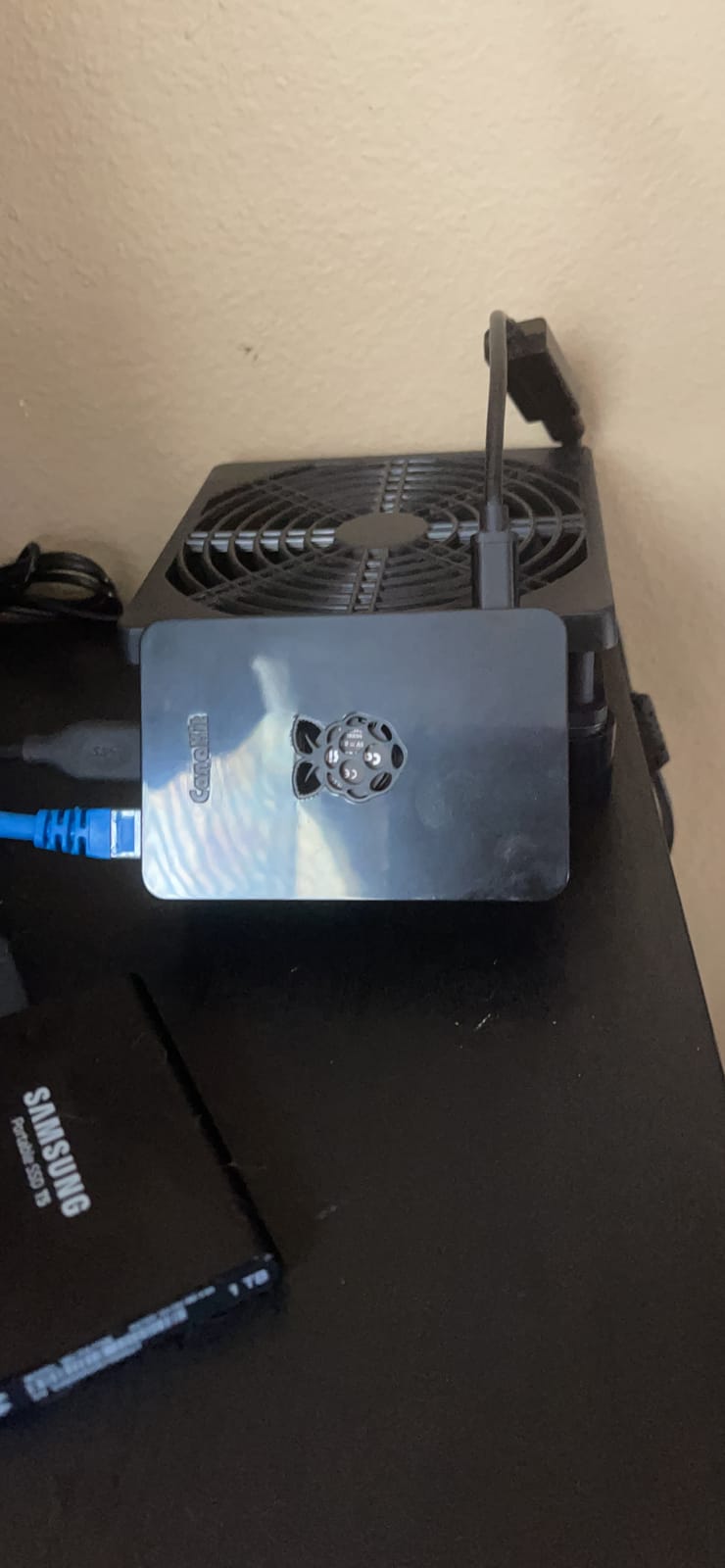
At 4.8/5 across 3,600+ reviews and a #5 best-seller rank in Single Board Computers, this is one of the most battle-tested Pi 4 kits on the market. The 3.5A USB-C power supply with noise filter is the same one that has prevented undervoltage crashes for years of CanaKit buyers, and the snap-together case is genuinely beginner-proof – no screwdriver needed for assembly.
The trade-offs versus the Pi 5 kits reviewed earlier are CPU speed and future-proofing. For typical coursework the Pi 4 is fast enough, but a Pi 5 will feel snappier in three to four years when applications have grown. The other minor issue is the 32GB microSD card, which can feel limiting for users who experiment with multiple operating systems.
For whom its good
This kit is for students who know they need 8GB of RAM – whether for multitasking, hosting services, or running heavier development environments – and want the proven CanaKit bundle. It is also a smart pick for parents and teachers who trust the CanaKit name and want the safety net of a 3,600+ review track record.
For whom its bad
Skip this kit if 4GB is enough for the planned coursework – the CanaKit 4GB PRO kit at #1 saves money. Also skip if the Pi 5’s extra CPU performance is needed for AI or media workloads – the RasTech Pi 5 8GB reviewed at #6 is the better long-term investment.
Buying Guide: How to Choose the Best Raspberry Pi Kit for Students?
Choosing a Raspberry Pi kit for a student is less about the brand and more about matching the kit to the coursework and the learner’s patience for setup. Here is the framework I use when helping parents and teachers decide.
Pi 5 vs Pi 4 vs Pi Zero: Which Generation Should Students Buy in 2026?
The Pi 5 is the most powerful option and the right pick for college students, engineering majors, and anyone running AI, machine learning, or video workloads. Its Cortex-A76 CPU at 2.4GHz is roughly two to three times faster than the Pi 4, and the 8GB RAM option gives genuine headroom for serious coursework.
The Pi 4 is still excellent for most student needs. It handles Python, Scratch, electronics projects, retro gaming, light web servers, and basic AI inference without breaking a sweat. The 4GB version is the sweet spot for cost and capability, while 8GB makes sense if the student multitasks heavily or plans to host services.
The Pi Zero 2 W is the budget pick for ultra-low-cost learning. It runs the same Raspberry Pi OS and can do basic Python and GPIO projects, but it is slow for desktop use and limited to 512MB of RAM. For a first-time middle school learner or a budget-constrained student, it is enough to start.
What to Look for in a Raspberry Pi Kit for Students?
There are six things I check on every kit before recommending it. Skipping any of them usually ends in frustration.
First, does the kit include the Pi board? Roughly half of “starter kits” on Amazon do not. Kits labeled “components only” or with phrases like “Raspberry Pi NOT included” mean you must buy the board separately.
Second, what power supply is included? A 3A or 3.5A USB-C power supply is the safe choice for a Pi 4, and a 5V/5A (27W) USB-C PD supply is the right pick for a Pi 5. Phone chargers and random USB-C adapters cause random reboots and SD card corruption.
Third, is the microSD card pre-loaded with Raspberry Pi OS? Pre-loaded cards save 15 to 30 minutes of setup and remove a common point of failure for beginners. CanaKit, iRasptek, and RasTech kits typically pre-load; Vilros, GeeekPi, and SunFounder learning kits vary.
Fourth, what cooling is included? A case with a pre-installed fan plus heatsinks is the minimum for a Pi 4 under sustained load. The Pi 5 requires an active cooler – it will throttle without one. Aluminum cases dissipate better than plastic.
Fifth, what is the warranty and who is the reseller? Approved resellers like CanaKit, Vilros, and SparkFun offer proper warranties. Random marketplace sellers often do not.
Sixth, what tutorials and curriculum are included? Kits with printed or video tutorials (SunFounder Raphael, Freenove) save hours of searching for documentation. For more on the deeper differences between Pi boards and other options, the Arduino vs Raspberry Pi vs ESP32 guide is a useful reference.
RAM Selection Guide for Student Workloads
2GB is enough for a Pi Zero 2 W running Scratch and basic GPIO projects. 4GB is the right pick for most Pi 4 student use cases – Python, web browsing, IDEs, lightweight servers. 8GB makes sense for Pi 4 students who multitask heavily, run multiple services, or want headroom; and it is the minimum I would recommend for Pi 5 AI workloads.
Common Mistakes Students Make When Buying a Raspberry Pi Kit
From the forums, Reddit threads, and my own inbox, the same five mistakes come up over and over. Avoiding them saves money and frustration.
Buying a “starter kit” without the Pi board. This is the single most common mistake. Read the product page carefully and look for “Raspberry Pi NOT included” – if you see it, you need to buy the board separately.
Using a phone charger as the power supply. Phone chargers are typically 5V/1A or 5V/2A, which is not enough for a Pi 4 under load and definitely not enough for a Pi 5. Use the included power supply, or buy the official Raspberry Pi PSU.
Skipping cooling. The Pi 4 throttles under sustained load without a fan or heatsinks. The Pi 5 thermal-throttles almost without one. A case with active cooling is not optional for serious use.
Buying the cheapest microSD card. Slow or counterfeit SD cards cause mysterious crashes and filesystem corruption. Stick with SanDisk or Samsung A2-rated cards.
Forgetting a micro-HDMI cable or adapter. The Pi 4 and Pi 5 use micro-HDMI, not full-size HDMI. Make sure your kit includes a cable or adapter that matches your monitor. For more troubleshooting, see the Pi crash troubleshooting guide.
How to Set Up a Raspberry Pi for School Use
Once the kit arrives, setup is straightforward. Snap the case together, install the heatsinks if included, drop in the Pi, attach the fan, plug in the microSD card, connect HDMI and USB peripherals, and plug in the power supply. The Pi boots into Raspberry Pi OS, and you are ready to install VS Code, Thonny for Python, or Scratch.
For online classes, Raspberry Pi OS runs Chromium for Zoom, Google Classroom, and Microsoft Teams without issue. The Pi 4 with 4GB is the minimum I would recommend for live video calls; the Pi 5 is more comfortable.
For coding classes, Python and Scratch are pre-installed. For electronics classes, the GPIO pins are accessible from Python via the gpiozero library, which is well-documented and beginner-friendly.
Where Students Can Buy Raspberry Pi Kits
The kits reviewed here are available on Amazon, which is the fastest and most convenient option for most students and parents. Other reliable retailers include CanaKit directly, Vilros, PiShop.us, Adafruit, and SparkFun. For bulk classroom orders, contacting the manufacturer or an authorized reseller directly usually gets better pricing than Amazon.
Frequently Asked Questions
What is the best Raspberry Pi kit for students?
The best Raspberry Pi kit for students is the CanaKit Raspberry Pi 4 4GB Starter PRO Kit for most learners because it bundles the Pi board, 3.5A USB-C power supply with noise filter, pre-loaded 32GB microSD card, case, and fan in one box and has 6,500+ reviews averaging 4.8/5. For students who already own a Pi, the Freenove Ultimate Starter Kit adds 223 components and 128 projects at a budget-friendly price. For college students and AI/ML workloads, the RasTech Raspberry Pi 5 8GB Kit or the iRasptek Pi 5 8GB 128GB Edition provide the most headroom.
Do Raspberry Pi kits include the board?
Roughly half of Raspberry Pi starter kits on Amazon include the board and half do not. Kits labeled u0022Raspberry Pi NOT includedu0022 or u0022components onlyu0022 require buying the Pi separately. Bundles from CanaKit, Vilros Basic, GeeekPi, RasTech, and iRasptek include the board. The Freenove Ultimate Starter Kit, SunFounder Raphael, and SunFounder AI Fusion Lab Kit are components-only and require a separate Pi purchase.
Should students buy a Raspberry Pi 5 or Pi 4 in 2026?
Most students should buy a Raspberry Pi 4 in 2026 unless they need the Pi 5’s extra performance for AI, machine learning, or sustained heavy workloads. The Pi 4 with 4GB is the sweet spot for coding classes, electronics projects, retro gaming, and basic STEM coursework, and the CanaKit PRO kit makes it plug-and-play. Buy a Pi 5 if the student plans to run local AI models, host multiple services, or work on large codebases – the 2.4GHz Cortex-A76 CPU and 8GB of RAM make a real difference for those workloads.
How much does a Raspberry Pi kit cost for students?
A complete Raspberry Pi kit for students ranges from a low components-only price for learning kits like the Freenove Ultimate Starter Kit (board sold separately) to a higher premium price for a Pi 5 8GB bundle like the iRasptek 128GB Edition with active cooling. The most common student kits such as the CanaKit Pi 4 PRO and Vilros Pi 4 aluminum case sit in the mid range and include everything needed to start. Check the latest pricing on each listing because costs vary with availability and retailer.
Is CanaKit good for students?
CanaKit is one of the best choices for students because their kits include every accessory a beginner needs in one box – Pi board, 3.5A USB-C power supply with noise filter, pre-loaded microSD card, case, fan, heatsinks, and PiSwitch. With 4.8/5 ratings across thousands of reviews and a #5 to #6 best-seller rank in Single Board Computers, CanaKit has a long track record of reliable bundles. The main alternative is Vilros, which is also a Raspberry Pi approved reseller with similar-quality kits.
What can students build with a Raspberry Pi?
Students can build a wide range of projects with a Raspberry Pi, including LED blinkers, temperature sensors, weather stations, home automation systems, retro gaming consoles, media servers, robot cars, face-tracking cameras, voice assistants, and local AI chatbots. For beginners, blinking an LED and reading a button are the classic first projects. For intermediate students, building a weather station with a web dashboard is a common milestone. For advanced students, running local LLMs and computer vision models on a Pi 5 is achievable with the right kit.
Final Verdict: Which Raspberry Pi Kit Should Students Buy in 2026?
After testing all ten kits, my best Raspberry Pi kits for students recommendation depends on what the student already owns and what they plan to do with the Pi. For a first-time buyer who wants a kit that boots on the first try and includes every accessory, the CanaKit Raspberry Pi 4 4GB Starter PRO Kit is the safe, well-reviewed choice. For students who already own a Pi and want to learn electronics and Python, the Freenove Ultimate Starter Kit delivers more curriculum per dollar than anything else in this roundup. And for college students and AI/ML learners, the RasTech Pi 5 8GB Kit or the iRasptek Pi 5 8GB 128GB Edition pair the latest hardware with the cooling and power supplies needed to push it hard.
Whatever you choose, the most important thing is that the kit matches the coursework. A middle school student learning Scratch does not need a Pi 5. A college engineering major running AI models does not need a Pi Zero 2 W. Match the kit to the work, and the Pi will deliver years of projects, learning, and fun. For more on the deeper differences between boards and on using a Pi in robotics and electronics, my Raspberry Pi robotics primer and the Compute Module guide are good next reads.