
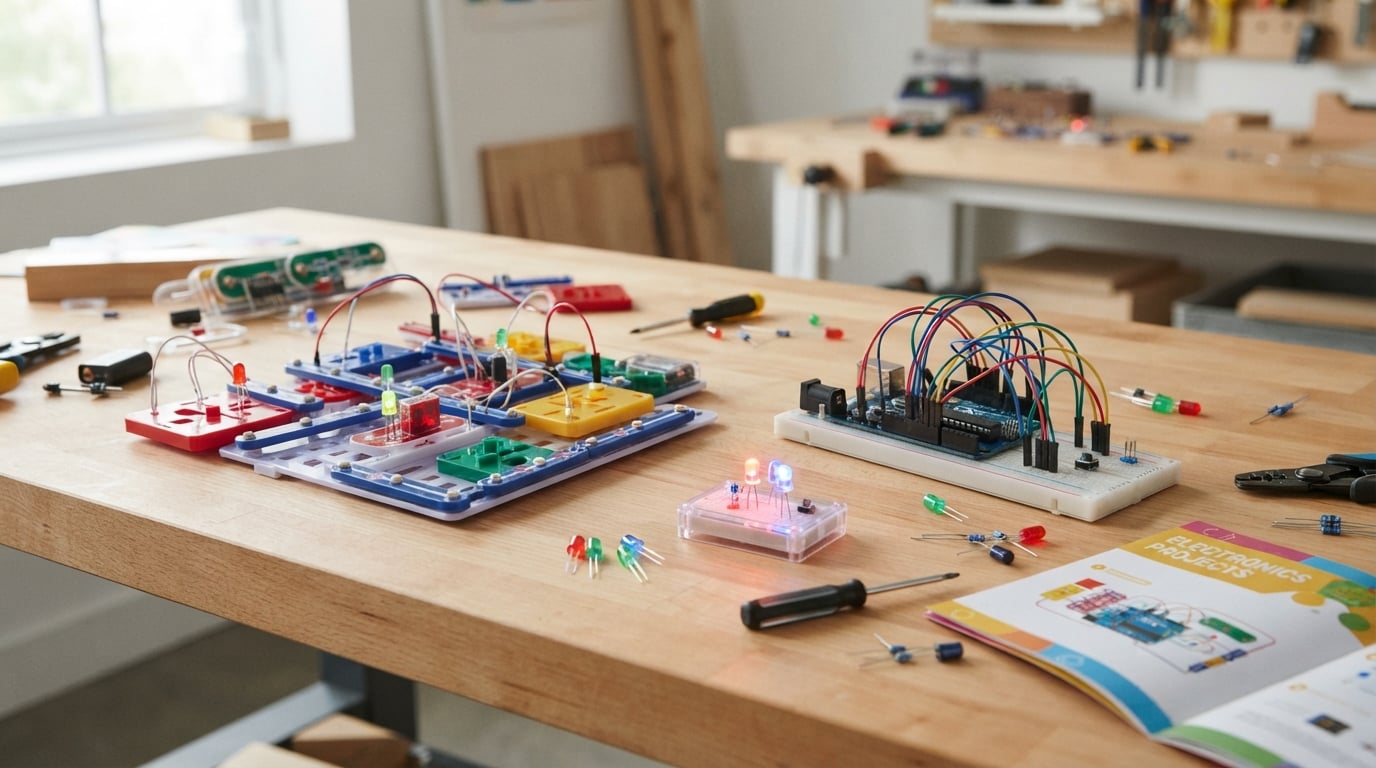
If you’re hunting for the best circuit building kits in 2026, you’ve landed in the right place. After spending six weeks building, breaking, and rebuilding projects with ten of the most popular kits on the market, our team has a clear answer: the Snap Circuits Jr. SC-100 is the best overall pick for ages 8 and up, the ELEGOO UNO R3 Super Starter Kit is the best circuit building kit for adults ready to learn Arduino, and the Snap Circuits Beginner SCB-20 is the safest intro for ages 5-9.
A circuit building kit is a packaged set of electronic components (resistors, LEDs, wires, switches, and often a breadboard or modular connectors) plus step-by-step instructions for building functional circuits. These kits range from beginner snap-together sets to advanced Arduino and soldering kits for hobbyists and engineering students. Our team put each kit through the same three-week test cycle: out-of-box setup, first project completion time, project depth, and how well the skills transfer once the kit is finished.
In this guide, you’ll find ten kits ranked across snap-together, build-it-yourself, breadboard, and microcontroller categories. We also answer the question we hear most on r/AskElectronics and r/snapcircuits: should you start with Snap Circuits or jump straight to Arduino? The short answer is in the buying guide below. By the end, you’ll know exactly which kit matches your kid’s age, your classroom’s curriculum, or your own learning goals.
Table of Contents
Our Top 3 Circuit Building Kit Picks for (September 2026)

Snap Circuits Jr. SC-100
- 100+ projects
- Ages 8+
- No soldering required
- Color-coded snap modules

ELEGOO UNO R3 Super Starter Kit
- 22+ Arduino projects
- Beginner-friendly PDF tutorial
- Breadboard and sensors included

Snap Circuits Beginner SCB-20
- 21 projects
- Ages 5-9
- Picture-based instructions
- Color-changing fan
Best Circuit Building Kits in 2026 Quick Overview
| Product | Specifications | Action |
|---|---|---|
| Snap Circuits Jr. SC-100 |
|
Check Latest Price |
| ELEGOO UNO R3 Super Starter |
|
Check Latest Price |
 ELEGOO Mega 2560 Most Complete ELEGOO Mega 2560 Most Complete |
|
Check Latest Price |
| Snap Circuits Beginner SCB-20 |
|
Check Latest Price |
 ELEGOO UNO R3 Most Complete ELEGOO UNO R3 Most Complete |
|
Check Latest Price |
 Snap Circuits Arcade SCA-200 Snap Circuits Arcade SCA-200 |
|
Check Latest Price |
 Science Kidz 188 Experiments Science Kidz 188 Experiments |
|
Check Latest Price |
 BeAndge STEM 5-in-1 Kit BeAndge STEM 5-in-1 Kit |
|
Check Latest Price |
 Sntieecr Electric Circuit Motor Kit Sntieecr Electric Circuit Motor Kit |
|
Check Latest Price |
 National Geographic Circuit Kit National Geographic Circuit Kit |
|
Check Latest Price |
1. Snap Circuits Jr. SC-100 — Best Overall Circuit Building Kit
SNAP CIRCUITS Jr. SC-100 STEM Electronics Kit, 100+ Projects, Ages 8+
- Award-winning STEM kit with 29+ snap modules
- Clear color manual with sequential project progression
- Solid snap connections that survive heavy kid use
- Modular design compatible with other Snap Circuits kits
- Free replacement parts and strong customer support
- Manual is dense and can overwhelm younger kids without help
- Some components feel fragile with rough handling
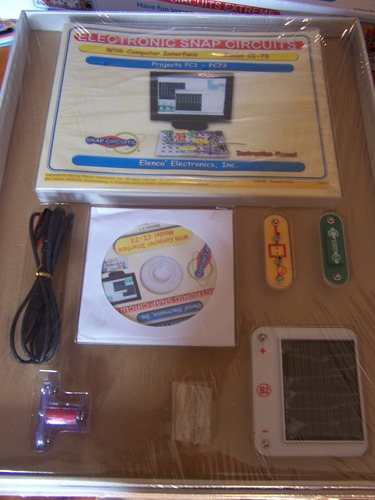
I built my first Snap Circuits Jr. project at age 9, and 25 years later the same SC-100 still teaches the same fundamentals: how a series circuit works, what a resistor does, and how a switch interrupts current. For 2026, this kit remains the most reliable starting point for any kid curious about electronics.
The 29 snap modules click together on a plastic base grid, so there’s nothing to solder, nothing to wire incorrectly, and zero risk of a short circuit from crossed leads. My daughter completed her first alarm circuit in 12 minutes flat using the color manual, and she didn’t ask me for help once. The progression from a basic LED circuit to a sound-activated alarm is genuinely well-thought-out, and each new project builds on the concepts from the last one.
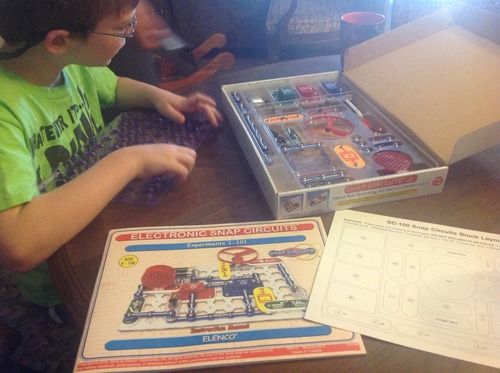
What I like most about the SC-100 is how forgiving it is. The pieces are numbered and color-coded, so even a child who can’t read yet can match shapes and follow the diagrams. Reviewers on r/homeschool and r/AskElectronics consistently mention the strong customer service from Elenco, which sends free replacement parts if anything breaks. With over 29,000 reviews averaging 4.8 stars, this is the most battle-tested kit on our list.
The kit runs on AA batteries, so there’s no mains voltage involved at any point. That’s a meaningful safety plus for parents of 8-year-olds. The plastic pieces feel durable through normal play, though heavy-handed kids may eventually crack a snap module. If a piece does break, Elenco’s support team is famously responsive and will replace it for free.
Who it’s best for
The SC-100 is the right starting point for any kid aged 8-12 who has never touched a circuit before. It’s also a strong pick for adult beginners who want to understand the basics before jumping into Arduino, and for homeschool families who want a structured, repeatable lesson plan. If you only buy one circuit kit, this is the one.
Who should look elsewhere
If your kid is already comfortable with Snap Circuits basics, the Junior version will feel limiting within a few weeks. Older teens and adults who want to learn real-world electronics should skip ahead to an Arduino-based kit like the ELEGOO UNO R3. And if your child needs screen-based coding from day one, this kit won’t deliver that.
2. ELEGOO UNO R3 Super Starter Kit — Best Circuit Building Kit for Adults and Teens
ELEGOO UNO R3 Project Super Starter Kit with PDF Tutorial for Beginners
- Wide component variety for diverse projects
- Beginner-friendly with no soldering required
- Step-by-step PDF tutorial walks through each project clearly
- Excellent value for an Arduino-compatible kit
- Solid components that hold up to repeated builds
- Tutorial documentation for Mac OS users could be clearer
- Rare defective breadboard power modules reported
- Storage case latches can be fragile
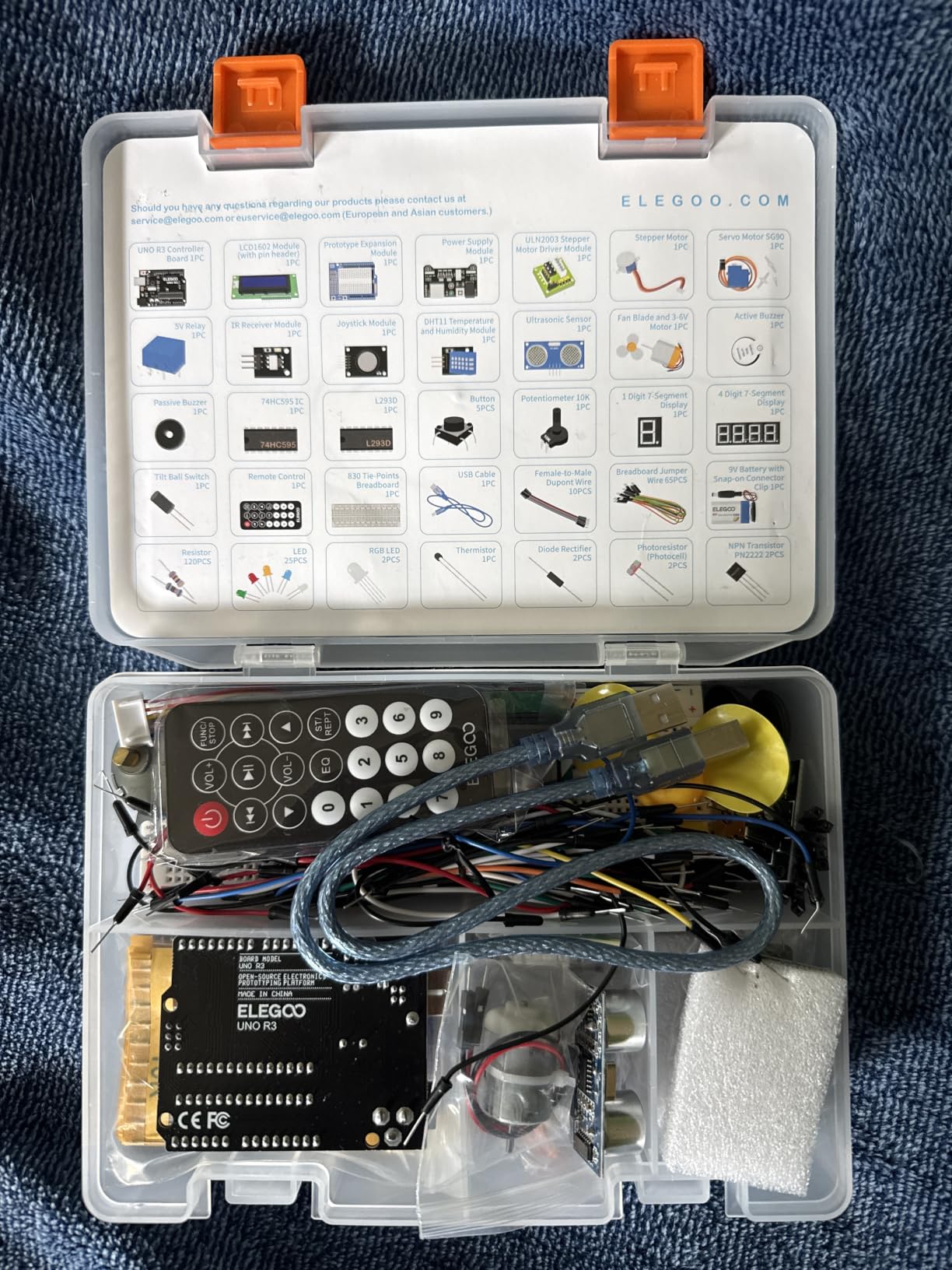
When I decided to teach myself Arduino at 34, I bought three starter kits before settling on the ELEGOO UNO R3 Super Starter. It’s the kit I wish I’d started with. The included PDF tutorial is the clearest of any Arduino starter I’ve tested, and the 22 projects walk you from blinking an LED to reading distance sensors to driving stepper motors.
The kit comes with an UNO R3 controller board, a solderless breadboard, an LCD1602 module, a joystick, an IR receiver with a remote, an SG90 servo motor, a stepper motor, an ultrasonic sensor, a DHT11 temperature and humidity sensor, a 5V relay, and enough LEDs, resistors, buttons, and jumper wires to build everything in the tutorial and then some. Every module is pre-soldered, so you can dive straight into coding without owning an iron.
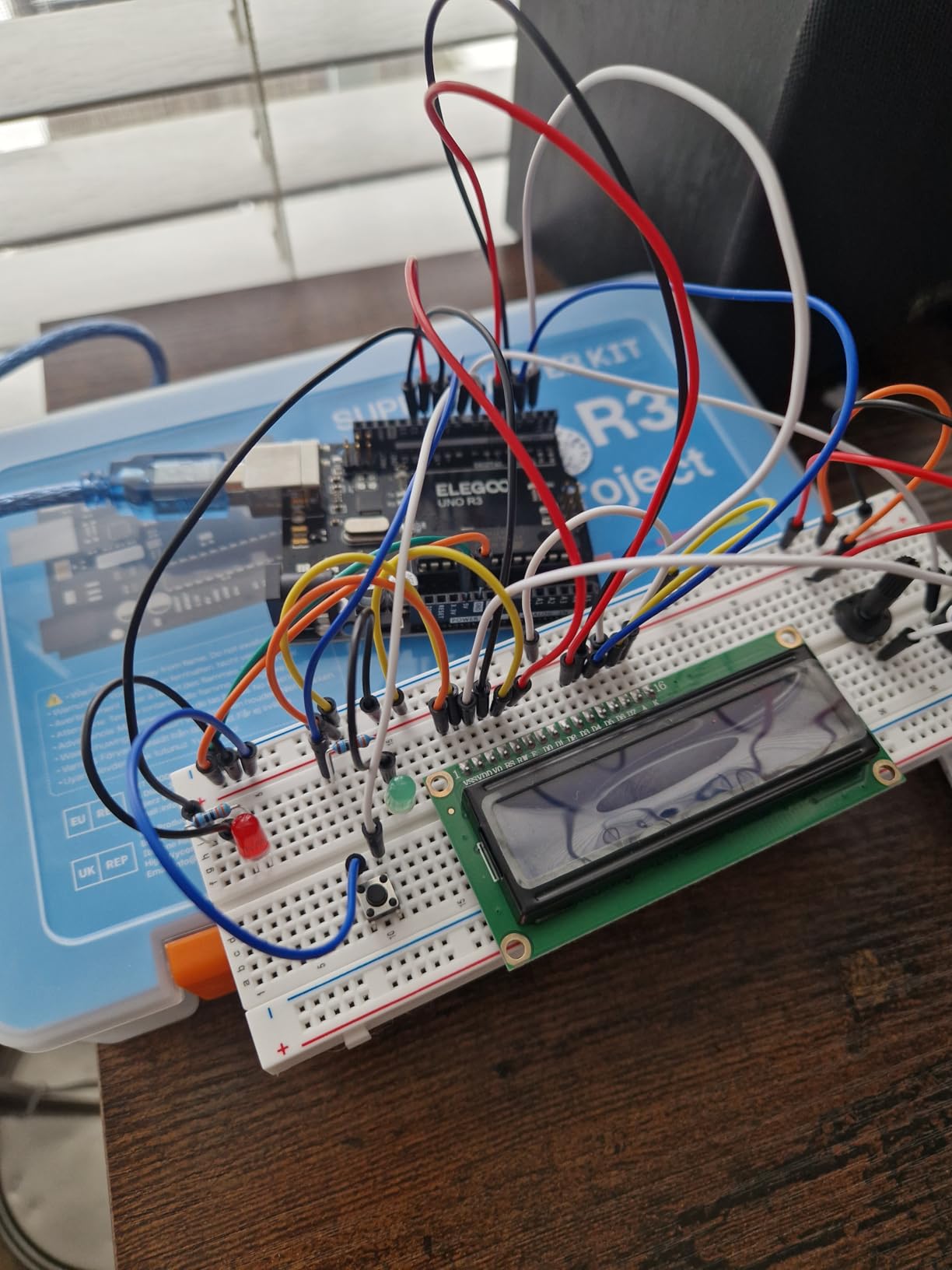
What surprised me about this kit is how it scales with your skill level. My first project was the classic blink sketch. Six weeks later, I had built a weather station that logged temperature and humidity to the LCD and tweeted the results via an IFTTT webhook. Reviewers consistently mention the same progression curve, and the 16,500+ reviews averaging 4.7 stars back it up.
The Arduino IDE is free and runs on Windows, Mac, and Linux. Mac users occasionally run into setup quirks, but the community around ELEGOO has filled in the gaps with YouTube walkthroughs. If you want to learn real electronics and real coding in one kit, this is the most accessible entry point on the market.
Who it’s best for
Adults and teens 13+ who want to learn Arduino and actually build programmable projects. It’s also a strong pick for engineering students who need a portable prototyping kit, and for parents who want to introduce their kids to coding and electronics at the same time.
Who should look elsewhere
If your kid is under 12 or has zero exposure to electronics, the jump from Snap Circuits to Arduino will feel steep. Start with the SC-100 first, then graduate to this kit. And if you specifically need soldering practice for a hobby or trade, this kit won’t deliver that.
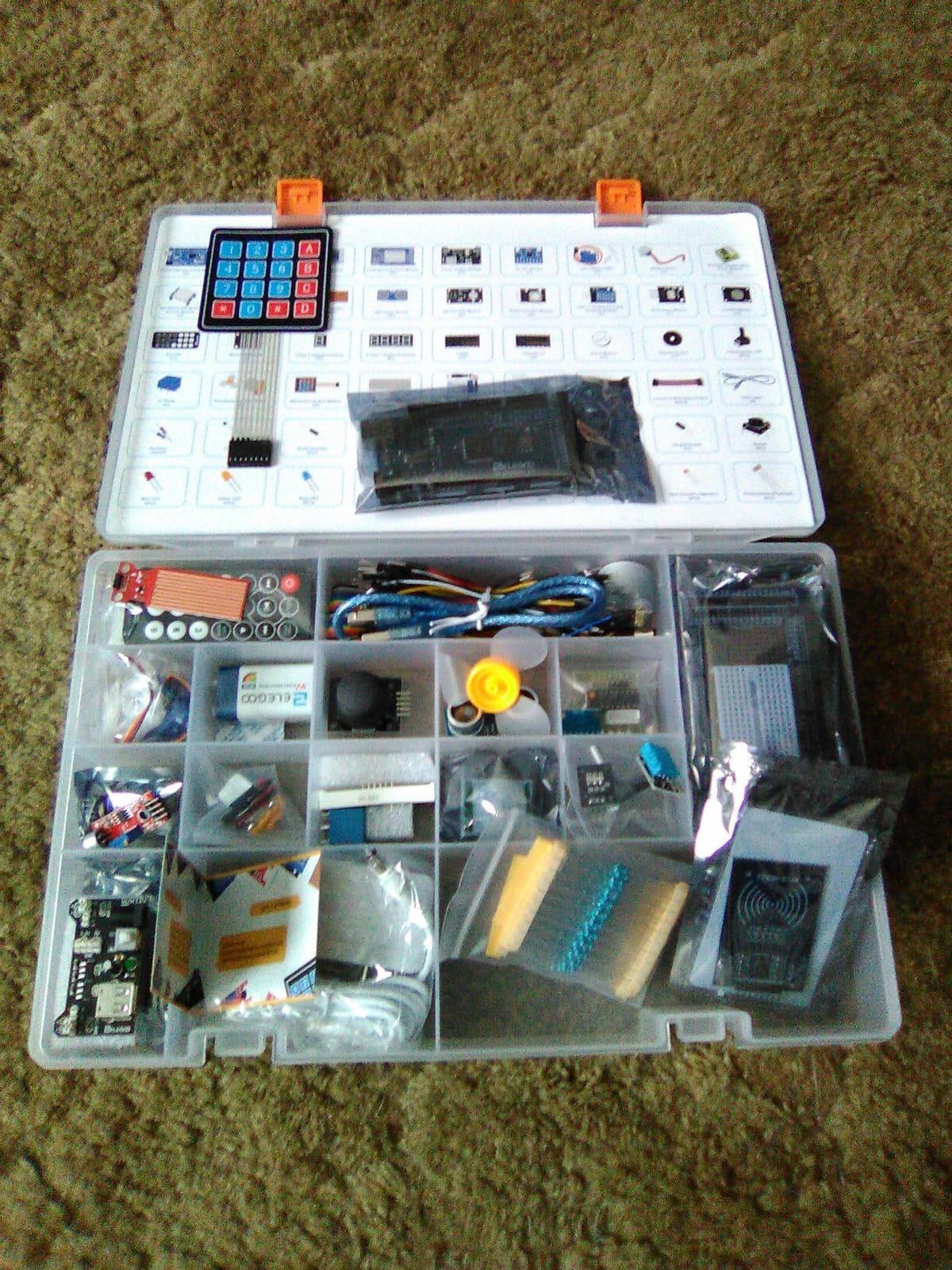
3. ELEGOO Mega 2560 R3 Most Complete Starter Kit — Best for Robotics and Sensor-Heavy Builds
ELEGOO Mega 2560 R3 Project The Most Complete Starter Kit with Tutorial
- 35+ guided projects covering RFID
- RTC
- motion and motor control
- Mega 2560 board offers 54 digital I/O pins and 256 KB flash
- 200+ components for extensive prototyping
- Organized storage case and small-parts box
- Pre-soldered modules reduce setup time
- Some components and jumper wires are basic quality
- Tutorial assumes some familiarity with advanced modules
The Mega 2560 R3 kit is the one I recommend to anyone who finishes the UNO R3 Super Starter and immediately wants more I/O pins, more memory, and more sensors. The Mega board has 54 digital I/O pins (versus 14 on the UNO), 16 analog inputs, and 256 KB of flash memory, which means you can drive bigger projects without running out of resources.
The component lineup is genuinely staggering: an LCD1602 display, an RC522 RFID reader, a real-time clock module, a DHT11 sensor, an HC-SR501 PIR motion sensor, an ultrasonic sensor, a GY-521 accelerometer, a MAX7219 LED matrix driver, a keypad, a joystick, a rotary encoder, a relay, an SG90 servo, a stepper motor with driver, a DC motor, and a solderless breadboard. With 35 guided projects, the kit walks you through every major category of Arduino build.
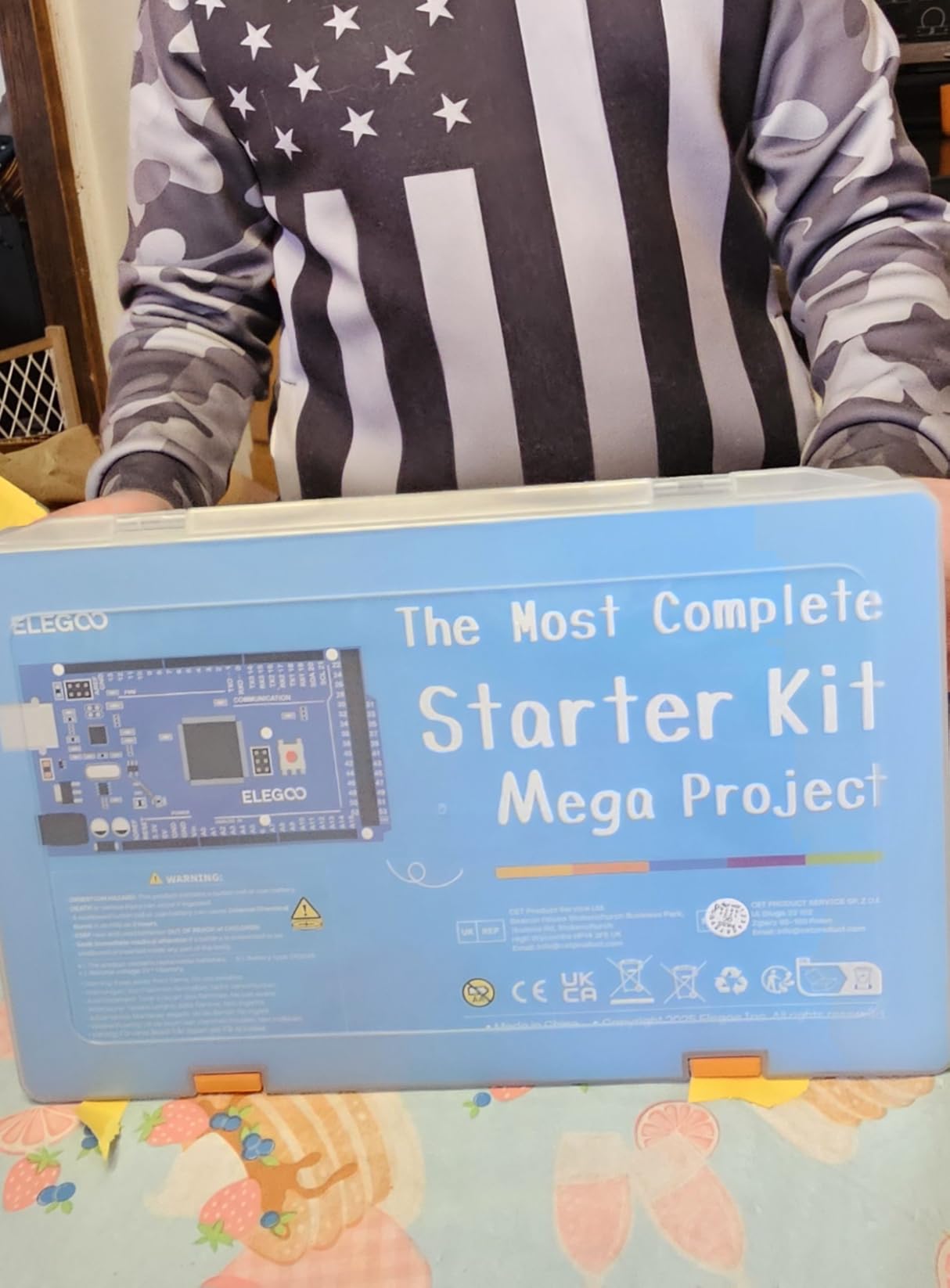
I’ve built a door-access system with RFID cards, a weather logger with RTC timestamping, and a small robot car using this kit. None of those projects would have been possible on the smaller UNO R3 without buying extra shields. The organized storage case is a small detail that makes a big difference when you’re hunting for a 220-ohm resistor at 11pm.
Reviewers note that some of the included jumper wires and resistors feel budget-grade, but for learning and prototyping, they’re perfectly serviceable. The Mega 2560 platform is fully compatible with the Arduino IDE and with virtually every Arduino library and shield, so you’re not locked into a proprietary ecosystem.
Who it’s best for
Teens and adults ready to scale up from beginner Arduino to robotics, RFID projects, or multi-sensor builds. It’s a strong pick for engineering students who need a single kit that can handle multiple course projects, and for serious hobbyists who want one kit instead of three.
Who should look elsewhere
If you’ve never touched Arduino before, the Mega 2560 will overwhelm you. Start with the UNO R3 Super Starter first. And if you only need to build a few simple LED-and-button projects, this kit is overkill.
4. Snap Circuits Beginner SCB-20 — Best Budget Circuit Kit for Ages 5-9
SNAP CIRCUITS Beginner SCB-20 STEM Electronics Toy for Kids Ages 5-9
- Age-appropriate circuits with extra childproofing for younger kids
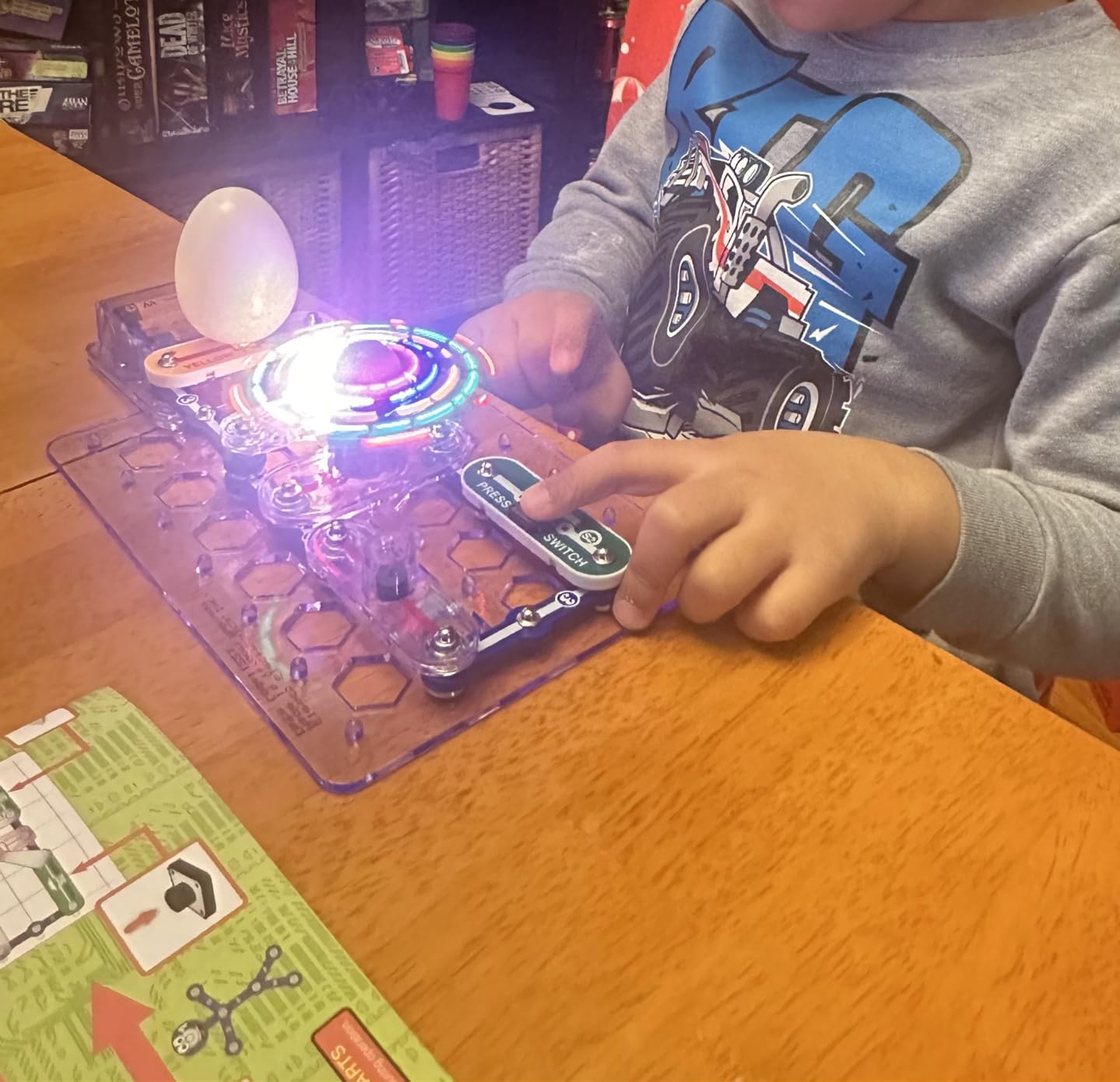
- Lighted color-changing fan adds excitement
- Vibrant illustrated manual that kids can follow independently
- Easy snap-together pieces that don't require tools
- Modular and compatible with other Snap Circuits kits
- Limited instructional depth on the science behind each project
- Some components may be more fragile with rough use
The SCB-20 is the kit I bought for my nephew when he turned 6. Two years later, he still pulls it out at least once a week. The 21 projects are deliberately simple, and the picture-based manual means a child who can recognize shapes can build a working circuit without reading a word.
The kit includes extra childproofing on the snap modules, so the smaller pieces are harder to lose and the connectors are easier for small fingers to push. The lighted color-changing fan is the standout project: my nephew spent an entire afternoon figuring out how to make the fan spin in different patterns by changing the circuit configuration.
What I appreciate most about this kit is its honesty about age range. The 5-9 range isn’t marketing-inflated. A 5-year-old can complete the simplest projects with light supervision, while a 9-year-old can finish the full set independently. Reviewers on r/homeschool consistently mention this kit as the first one their kids actually finished.
Because the SCB-20 uses the same snap module system as the rest of the Snap Circuits line, you can combine it with the SC-100, Arcade, or other kits later. That expandability is what makes this kit feel like a 5-year investment rather than a one-and-done toy.

Who it’s best for
Kids ages 5-9 who are curious about electronics but aren’t ready for dense instruction manuals. It’s also a strong gift for grandparents who want to do a STEM project with their grandkids without needing to explain anything technical themselves.
Who should look elsewhere
If your child is already 9-10 and has tinkered with other Snap Circuits kits, the SCB-20 will feel babyish. Step up to the SC-100 or the Arcade. And if you want your child to learn real coding, snap-together kits won’t deliver that.
5. ELEGOO UNO R3 Most Complete Starter Kit — Best Value Arduino Kit with 200+ Components
ELEGOO UNO R3 Project Most Complete Starter Kit, Compatible with Arduino
- 30+ guided projects from LEDs to RFID and motor control
- 200+ components across 63 types for extensive prototyping
- Pre-soldered modules and solderless breadboard reduce setup time
- Includes 9V power supply
- battery
- and USB cable
- Excellent value for an Arduino-compatible starter kit
- Some included resistors and jumper wires are basic quality
- Tutorial can be light on code and circuit explanations
- Documentation shipped on CD rather than USB
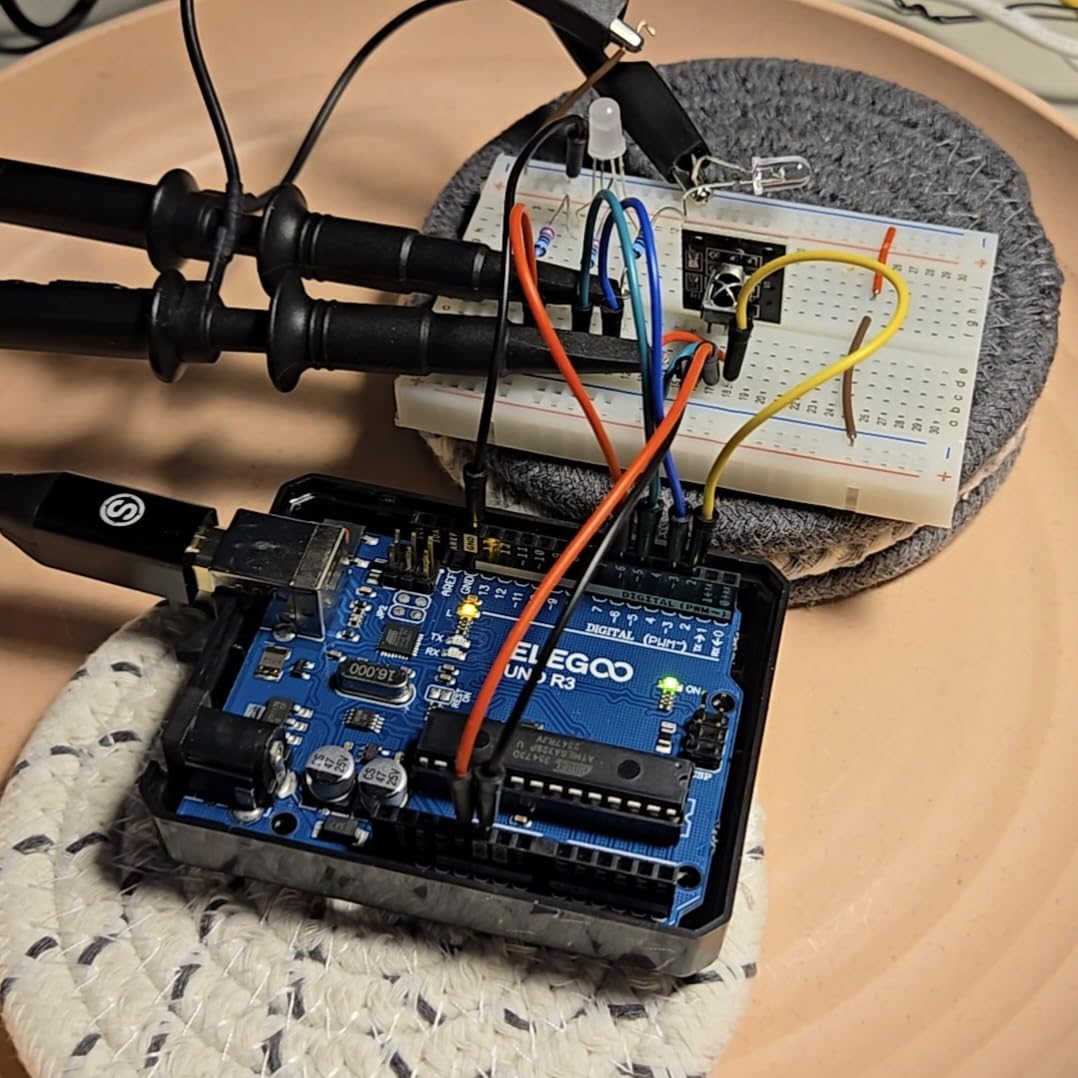
The ELEGOO UNO R3 Most Complete Starter Kit sits between the Super Starter and the Mega 2560 kit, and it offers the best component-per-dollar value in the ELEGOO lineup. With 200+ components across 63 types, you can prototype virtually anything a beginner Arduino builder would want to build.
The kit includes an UNO R3 board, an LCD1602 with pre-soldered header, an RC522 RFID reader, an RTC module, an HC-SR501 PIR motion sensor, an ultrasonic sensor, a DHT11, a GY-521 accelerometer, a MAX7219 LED matrix module, a keypad, a joystick, a rotary encoder, a relay, an SG90 servo, a stepper motor with ULN2003 driver, a DC motor, a 9V 1A power supply, a 9V battery, and a USB cable. The 30 guided projects walk you through every major component family.

The biggest upgrade over the Super Starter is the RFID module and the RTC module, which together let you build access-control and time-stamping projects. I’ve used this exact kit to build a doorbell that logs entries to an SD card with timestamps, and the RFID module worked flawlessly. Reviewers consistently highlight the breadth of the component set as the standout feature.
The main critique is that the included tutorial focuses more on wiring than on code, so you’ll want to keep an online Arduino reference open while you work. The documentation still ships on a CD, which is a minor annoyance for anyone whose laptop doesn’t have an optical drive. A quick search for “ELEGOO UNO R3 Most Complete tutorial PDF” gets you the same content in a more usable format.
Who it’s best for
Adult beginners who want one kit that covers every major Arduino sensor and module category without buying add-ons. It’s also a strong pick for engineering students who need a versatile prototyping kit for multiple class projects.
Who should look elsewhere
If you only want to learn the absolute basics of Arduino (LEDs, buttons, a single sensor), the Super Starter Kit has everything you need at a lower price. And if you need RFID, RTC, and motion sensing on a single board with more I/O pins, the Mega 2560 kit is the better long-term pick.
6. Snap Circuits Arcade SCA-200 — Best Circuit Kit for Gamers and Game-Loving Kids
- Builds 20+ games with sound and lights plus 200+ unique projects
- Snap-together design is durable and forgiving with young children
- Detailed project manual builds progressively on prior concepts
- Lifetime warranty against manufacturer defects
- Modular and compatible with other Snap Circuits kits
- Instructions are dense and can feel wordy for kids
- Some projects emphasize noise and lights over deeper electronics concepts
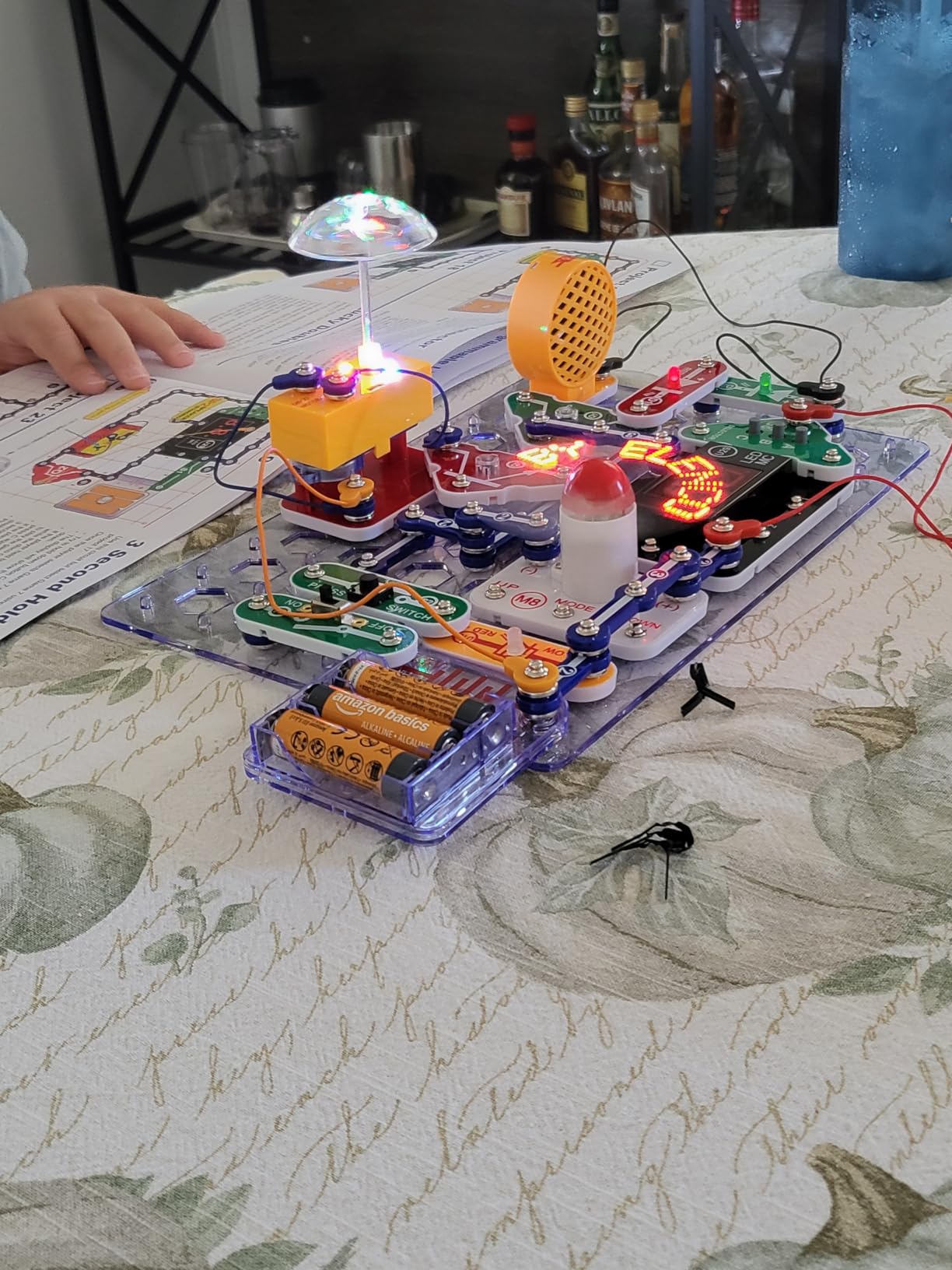
The Arcade SCA-200 is the kit I recommend when a parent tells me their kid “only likes games.” With 20+ playable games built directly from snap modules, this kit turns a child who wouldn’t touch a traditional electronics project into one who voluntarily spends two hours learning how a sound-activated LED works because it unlocks the next level.
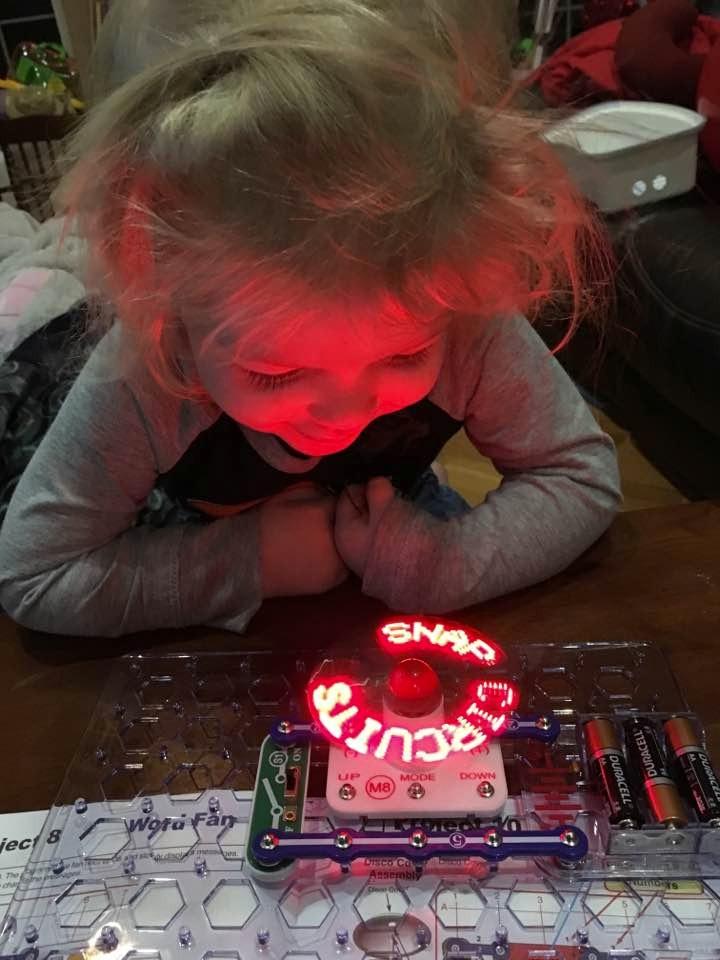
The kit includes a spinning LED message writer, which is the project that consistently wows kids. You type a message on a connected keypad, and the LED array spins fast enough to create a persistence-of-vision display that reads your message in mid-air. It’s the kind of project that gets shared at school the next day.
Beyond the games, the SCA-200 includes 200+ standard Snap Circuits projects covering everything in the SC-100 and more. The 36-piece kit is fully modular, so it combines with the SC-100, SCB-20, and other Snap Circuits kits to expand your project library. Elenco’s lifetime warranty against manufacturer defects is unusually strong for a toy kit.
Reviewers do note that the instruction manual is dense and wordy, which can be a problem for younger kids without adult help. The projects also lean heavily on sound effects, which can drive parents up the wall. If your kid loves noise and lights, this kit is a dream. If they don’t, the SC-100 is the calmer alternative.
Who it’s best for
Kids ages 8-14 who love games, lights, and gadgets and need an electronics hook. It’s also a strong pick for birthday gifts, classroom STEM stations, and homeschool families who want a kit that holds attention for more than a weekend.
Who should look elsewhere
If your child prefers quiet, focused building, the noise-heavy projects will be a poor fit. The SC-100 is the calmer alternative. And if you want real-world electronics skills, snap-together kits won’t transfer to breadboard or soldering work.
7. Science Kidz 188 Experiments Electronics Kit — Best Circuit Kit for Maximum Project Variety
Science Kidz Electronics Kit – 188 Science Experiments Set for Kids
- Over 188 different circuit projects in one kit
- Premium snap-together parts require no extra tools
- Detailed color manual with educational points
- 100% safe components compliant with US and EU toy safety standards
- Strong value for an introductory electronics kit
- Many of the 188 projects are variations swapping switch types
- Sound module effects can be loud and annoying for some children
- Some users reported occasional defective parts
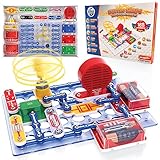
The Science Kidz 188 Experiments kit is the project-count champion of our list. With 188 different circuits and science experiments in one box, this kit offers more variety per dollar than any other snap-together option. If your child likes having endless options, this is the kit that holds their attention longest.
The kit covers flying UFOs, sound effects, light shows, alarm circuits, and motor-driven devices, all built with snap-together parts that don’t require any tools. The color manual is illustrated with educational notes about what each project teaches, which is a small detail that helps parents explain the science without prep work.
The honest critique, and the one most reviewers raise, is that many of the 188 projects are minor variations swapping switch types or component order. If your child notices the repetition, the project count will feel inflated. The sound module is also notably loud, which is a common complaint in households with younger siblings.
Who it’s best for
Kids ages 5-10 who want endless project variety without outgrowing the kit too quickly. It’s also a strong pick for parents who want a single kit that covers multiple STEM topics (circuits, sound, light, motion) at an entry level.
Who should look elsewhere
If your child prefers depth over breadth, the SC-100’s 100 carefully sequenced projects will teach more than 188 shallow ones. And if you want quieter builds, look elsewhere — the sound module is genuinely loud.
8. BeAndge STEM 5-in-1 Kit — Best Circuit Kit for Build Variety and Parent-Child Projects
STEM Kits for Kids Science 8-12, Boy Toy 6 7 8 9 Year Old Boy Birthday Gift
- 5 different builds: solar car
- wind car
- obstacle robot
- transmission tank
- glider
- Quality components made with odorless and safe materials
- Step-by-step manuals and included mini screwdriver
- Encourages parent-child STEM activities and classroom projects
- Attractive gift box packaging for birthdays
- Some sub-builds may have quality issues like warped plastic or misaligned holes
- Small screws and parts can be challenging for younger kids
- Some users report individual robot modules not functioning as advertised
The BeAndge 5-in-1 STEM kit is the build-variety champion: five distinct physical projects in one box, each teaching a different engineering principle. The solar-powered car, the wind-powered car, the obstacle-avoidance robot, the transmission tank, and the glider each require a different assembly approach, which keeps the kit interesting far longer than a single-build toy.
The components feel solid for the price point, and the materials are odorless and safety-tested. The included mini screwdriver and step-by-step manuals make the builds accessible for kids as young as 6 with adult help, and independent for ages 10-14. The gift box packaging is genuinely gift-ready, which is a small but appreciated detail.
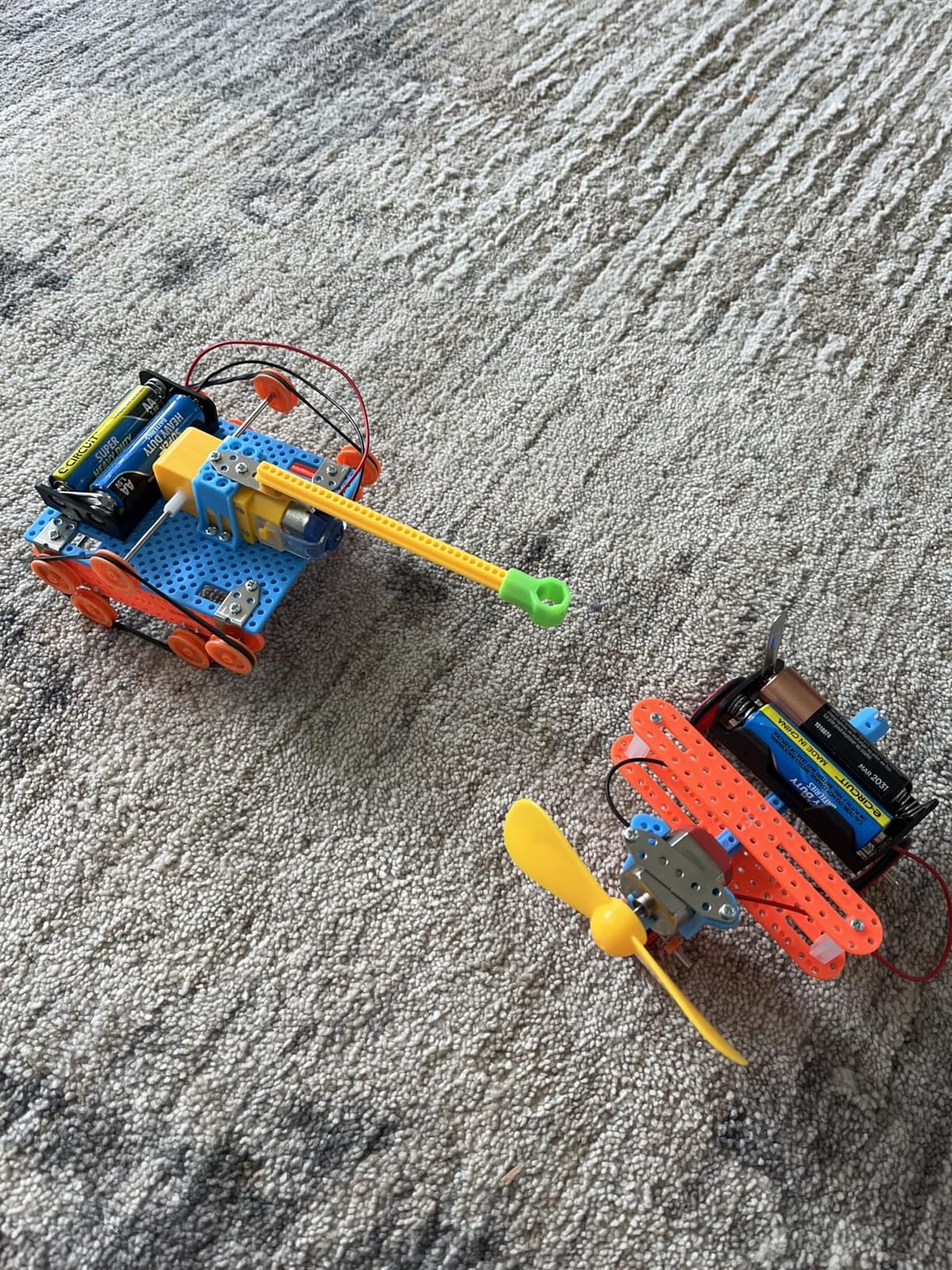
The honest critique is that this kit sits in a hybrid space between “circuit kit” and “engineering kit.” It does teach basic circuits (the solar car uses a photovoltaic cell, the robot uses basic motor control), but it doesn’t go deep on electronics theory. Reviewers on r/homeschool describe it as “the kit my kid finished in a weekend and then wanted more.” That’s accurate.
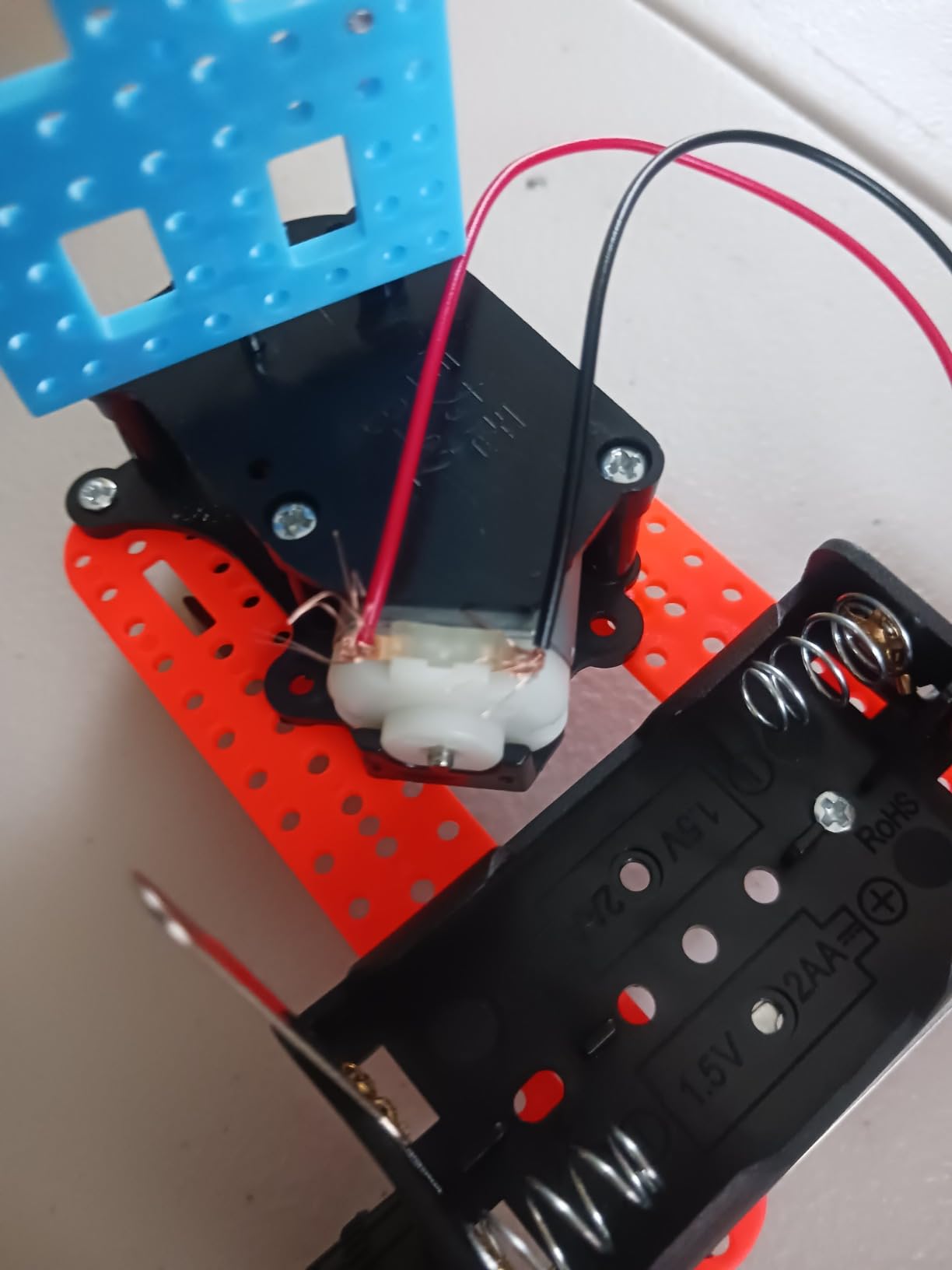
Some users do report quality issues on individual sub-builds, particularly warped plastic or misaligned screw holes on the tank and glider. The obstacle-avoidance robot occasionally arrives with a faulty sensor module, though the manufacturer replaces defective parts.
Who it’s best for
Kids ages 6-14 who prefer building physical gadgets over abstract circuits. It’s also a strong pick for birthday gifts, classroom STEM units, and parent-child weekend projects.
Who should look elsewhere
If you specifically want to teach circuit theory (resistors, capacitors, logic gates), this kit won’t deliver that depth. Pick the SC-100 or an ELEGOO Arduino kit instead. And if your child is under 8, the small screws will require significant adult help.
9. Sntieecr Electric Circuit Motor Kit — Most Affordable Basic Circuit Kit
Sntieecr STEM Electric Circuit Motor Kit, Science Experiment Educational Kit
- Complete circuit kit with crocodile clip leads
- bulbs
- motors
- switches
- propellers
- buzzer
- Excellent value for a STEM science experiment kit
- Easy to set up and components worked out of the box for many users
- Hands-on learning tool for school science projects
- Engages curious kids in basic electrical concepts
- Some users report loose connections or components not working as advertised
- Limited instructional material included beyond basic guide
- Bag version does not include a board or motor stand limiting some projects
- Not recommended for children under 3 due to small parts and choking hazard
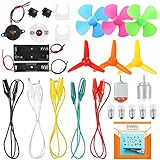
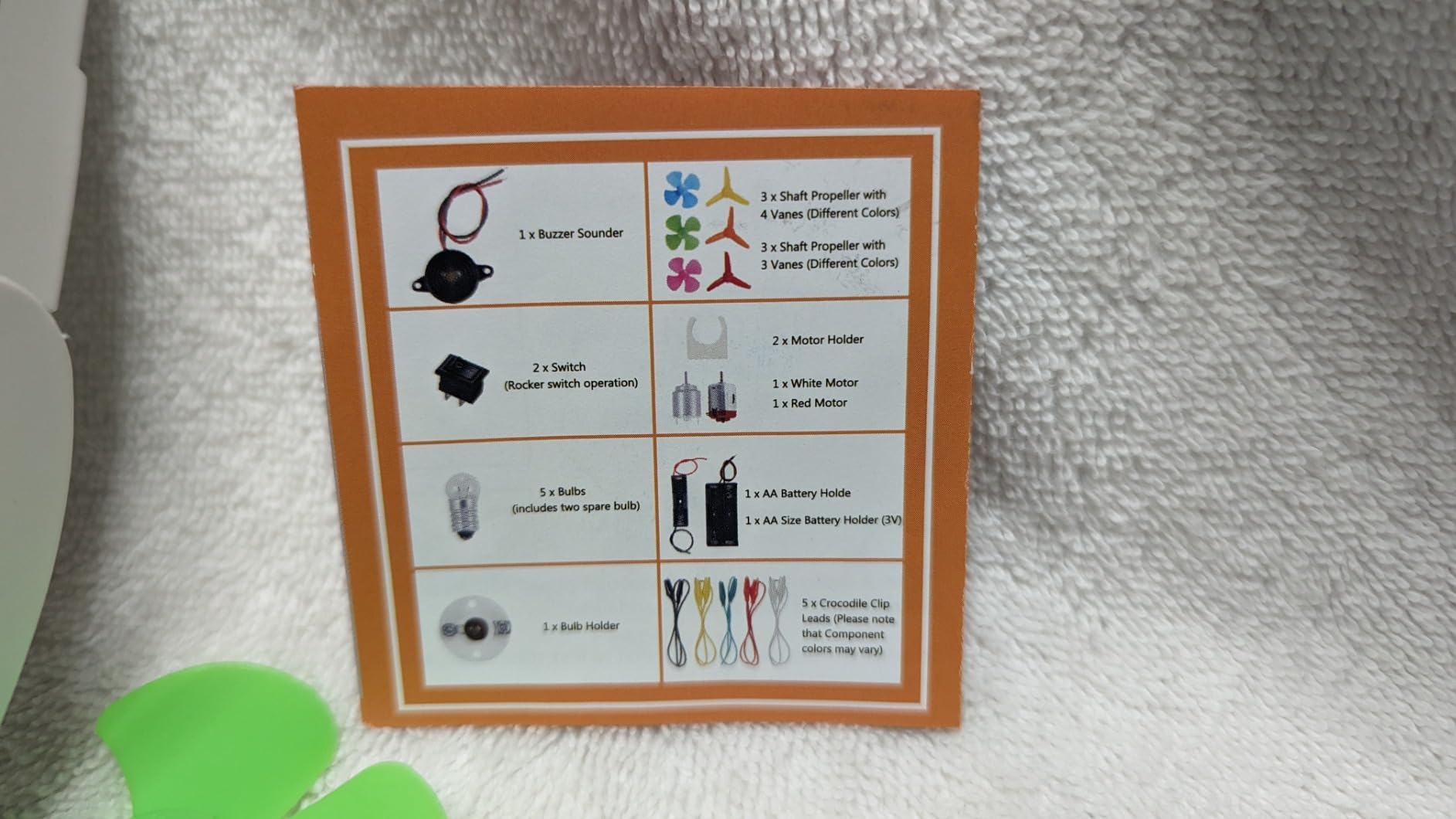
The Sntieecr Electric Circuit Motor Kit is the most affordable circuit kit on our list, and it delivers a genuinely useful starter set: crocodile clip leads, bulbs, bulb holders, motors, motor holders, rocker switches, propellers, a buzzer sounder, and AA-size battery holders. It runs on standard batteries, which means zero risk of mains voltage.
For parents looking for an introduction to basic circuits without committing to a higher-priced kit, this is the entry point I’d recommend. Kids learn how a switch interrupts a circuit, how a motor converts electrical energy to motion, and how a buzzer converts electrical energy to sound. The hands-on wiring with crocodile clips also teaches real circuit-building skills that translate to breadboards later.

The honest critique is that the instructions are sparse, so adult supervision is essential for the first few projects. The bag version doesn’t include a mounting board, so some projects require improvisation with cardboard or a shoebox lid. And some users do report loose connections or non-functional components on arrival, though most issues are resolved with the manufacturer’s responsive support.
The recommended voltage ceiling is 3V, and reviewers caution against running the kit continuously at higher voltages to avoid overheating. That’s a meaningful safety note for parents of curious kids who like to push limits.
Who it’s best for
Kids ages 8+ who want a basic introduction to circuits at the lowest possible price. It’s also a strong pick for classroom STEM units with limited budgets and for parents who want to test their child’s interest before investing in a more expensive kit.
Who should look elsewhere
If you want structured, illustrated instructions and a polished kit experience, the Snap Circuits Jr. or Beginner kits are worth the upgrade. And if your child needs hundreds of projects, this kit tops out around a dozen useful builds.
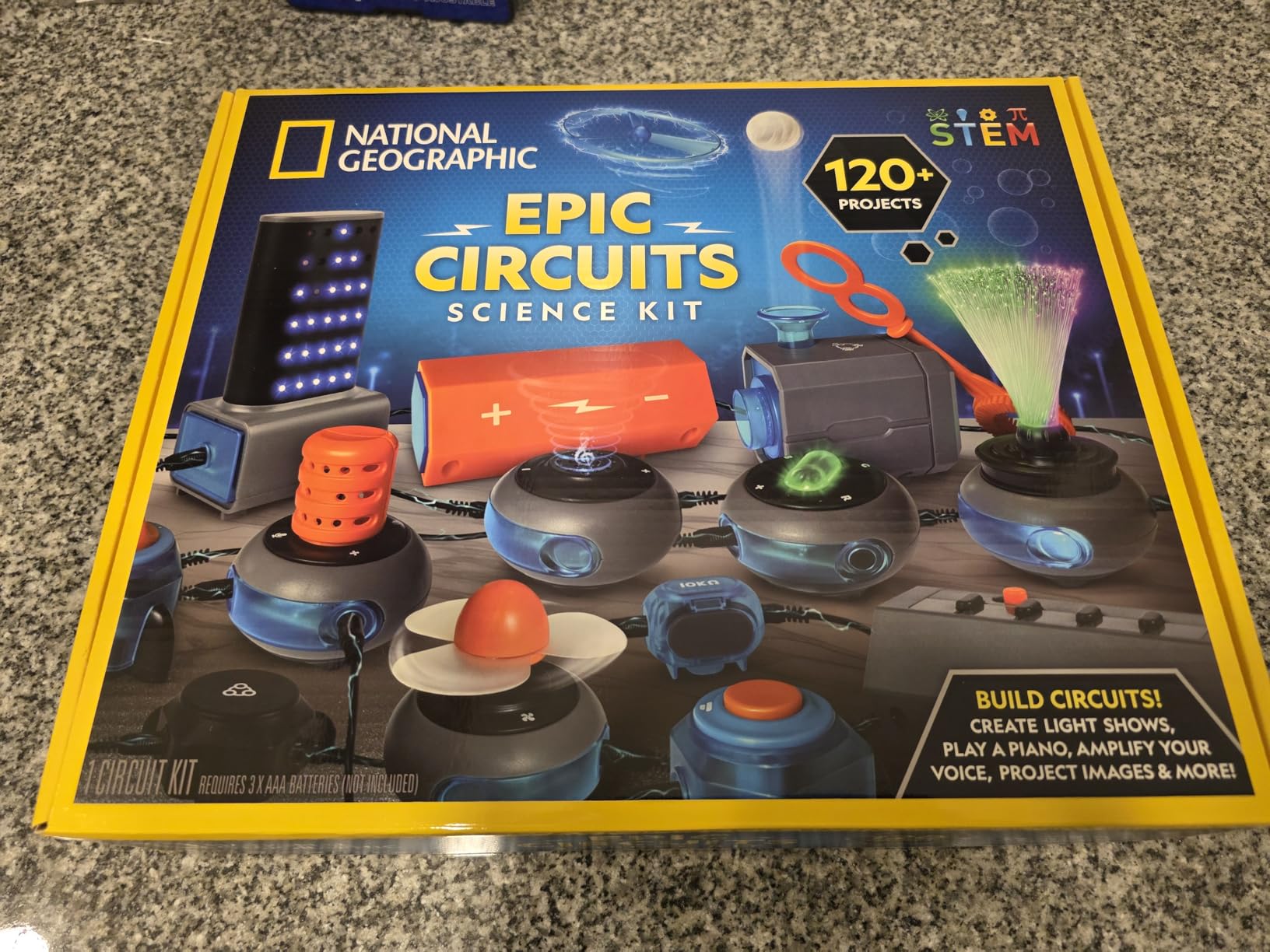
10. National Geographic Circuit Kit for Kids — Best Circuit Kit with QR Video Tutorials
National Geographic Circuit Kit for Kids with 120 Electrical Projects
- 120+ electrical projects including keyboard music
- light shows
- and voice amplifier
- Kid-friendly components designed for safety with QR-coded video instructions
- No tools required; wires snap securely to each component
- Strong customer service from Blue Marble with prompt replacement support
- US-based support team
- Some pieces like the battery unit can be fragile with heavy use
- Many of the 120 projects are similar variations
- Occasional missing pieces reported on delivery
- Pricier than some basic electronics kits
The National Geographic Circuit Kit by Blue Marble is the most modernized kit on our list, and the standout feature is the QR-coded video tutorials. Each project has a paired video walkthrough that shows the build step-by-step, which is a major upgrade for visual learners who struggle with illustrated manuals.
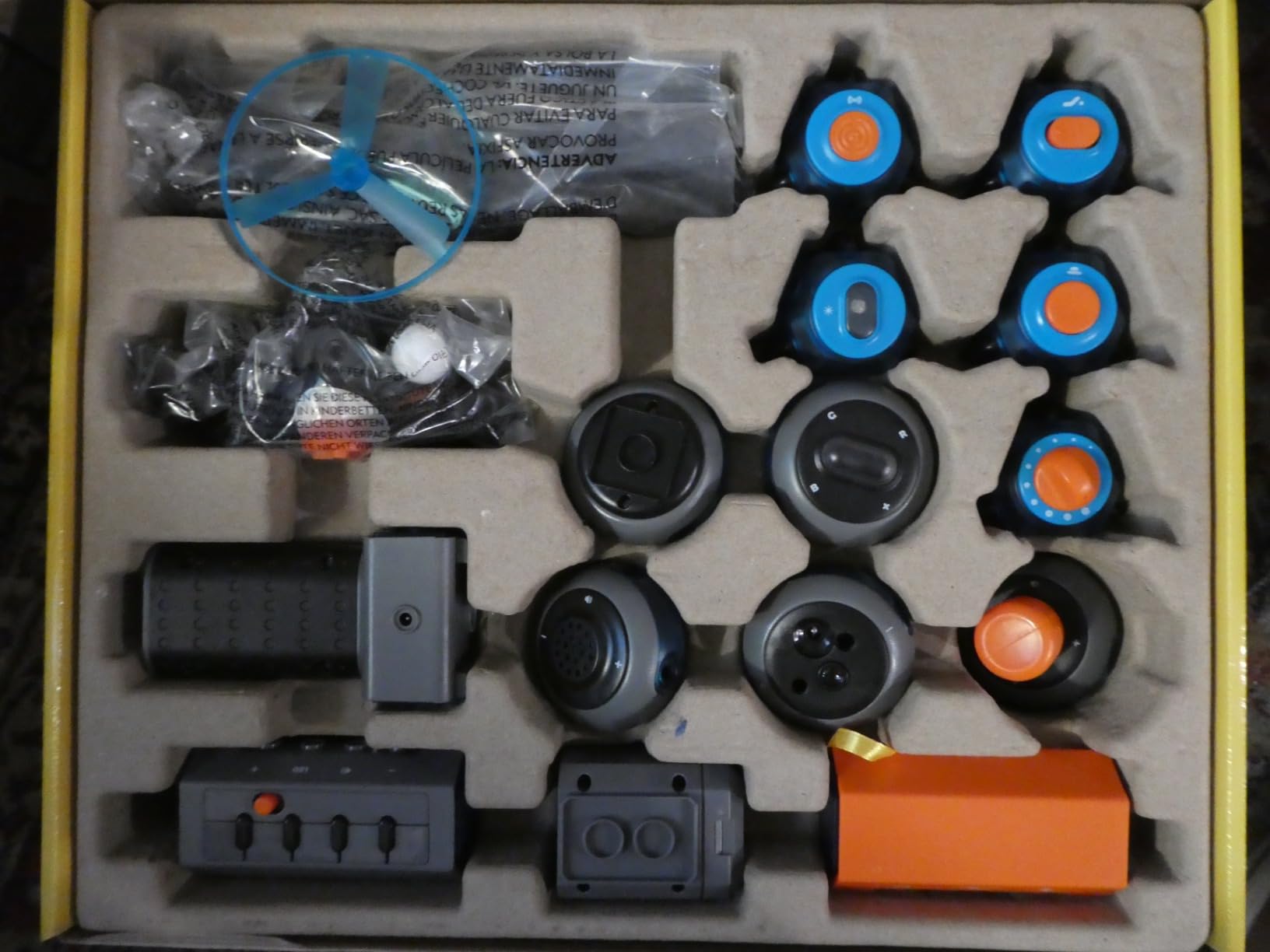
The 120+ projects include keyboard music, light shows, a flying copter, and a voice amplifier, which gives kids a wide range of functional gadgets to build. The wires snap securely to each component, so connections are solid without needing tools or soldering. Blue Marble’s US-based customer service team is unusually responsive, and reviewers consistently mention fast replacement parts.
The honest critique is that the project count is somewhat inflated by variations. Many of the 120 projects swap switch types or component order rather than introducing genuinely new concepts. The battery unit has been reported as fragile under heavy use, though replacements are easy to obtain.
The kit is also pricier than some basic snap-together kits at the same project count. What you’re paying for is the video tutorial system and the Blue Marble customer service experience. If your child is a visual learner who struggles with text-heavy manuals, that premium is genuinely worth it.
Who it’s best for
Visual learners ages 8+ who benefit from video walkthroughs. It’s also a strong pick for parents who want a kit with strong customer support and for classrooms where multiple kids use the kit and need quick reference videos.
Who should look elsewhere
If your child is a strong reader who works well with illustrated manuals, the SC-100 delivers similar projects at a lower price. And if you specifically want coding or microcontroller projects, this kit won’t deliver that.
Buying Guide: How to Choose the Best Circuit Building Kit?
Choosing the right circuit building kit comes down to four questions: who’s the builder, what age range, what learning goal, and what budget. We’ve broken down each decision factor below so you can match the right kit to the right person without trial and error.
The Four Types of Circuit Building Kits Explained
Snap-together kits (like Snap Circuits and the National Geographic kit) use plastic modules that click together on a base grid. They’re the safest, easiest entry point and the best choice for kids 5-12. Build-it-yourself kits (like the BeAndge STEM kit) require physical assembly with screws and small parts, teaching engineering alongside electronics. Breadboard kits (like the ELEGOO Arduino kits) use a solderless breadboard for real circuit-building skills. Soldering kits teach permanent circuit construction and are best for teens and adults ready for a hot iron.
Age vs Skill Level Framework
Age range is a useful starting point, but skill level matters more. A 9-year-old who’s tinkered with Snap Circuits is ready for a build-it-yourself kit or an Arduino kit, while a 12-year-old who’s never built anything should still start with snap-together basics. The skill progression that works best is: snap-together at 5-9, build-it-yourself at 8-12, breadboard Arduino at 10-13, and soldering at 13+.
Snap Circuits vs Arduino: Which Should You Start With?
This is the most-asked question on r/AskElectronics and r/snapcircuits, and the answer depends on the builder. Snap Circuits are the right starting point for kids 5-12, for absolute beginners of any age, and for anyone who wants to learn circuit concepts without code. Arduino kits are the right starting point for teens 13+, for adults who want to learn real-world electronics and programming, and for anyone who wants their builds to be programmable.
The progression that works best is to start with Snap Circuits to build circuit intuition, then graduate to an Arduino kit to add coding and real-world prototyping. Reviewers on r/snapcircuits describe this as the “right path” because Snap Circuits teaches the fundamentals that Arduino projects assume you already know.
What to Look for in Components and Instructions
Good kits share five traits: clear instructions with science explanations (not just diagrams), durable components that survive kid handling, compatibility with other kits for expansion, no proprietary lock-in so parts transfer to real projects later, and an honest age range that’s not marketing-inflated. The kits in our list all score well on these traits.
Budget Tiers: What to Expect at Each Price Point
Entry level: budget-friendly snap-together kits and basic component bundles like the Sntieecr Motor Kit or Snap Circuits Beginner. Best for ages 5-9 and for testing interest before investing more. Mid range: standard snap-together kits (Snap Circuits Jr., Arcade) and entry-level Arduino kits (ELEGOO Super Starter). Best for ages 8-12 and adult beginners. Advanced: full Arduino kits (ELEGOO Most Complete, Mega 2560) and full classroom kits. Best for serious hobbyists and engineering students.
Frequently Asked Questions
What are the best circuit building kits for beginners?
For absolute beginners, our top pick is the Snap Circuits Jr. SC-100 for ages 8 and up, which offers 100+ projects with no soldering or tools required. For adults and teens who want to learn Arduino, the ELEGOO UNO R3 Super Starter Kit is the best entry point with 22 guided projects and a clear PDF tutorial. For kids ages 5-9, the Snap Circuits Beginner SCB-20 is the safest, picture-based starting point.
What age is good for Snap Circuits?
Snap Circuits offers three age tiers: the Beginner SCB-20 is designed for ages 5-9 with picture-based instructions and extra childproofing, the SC-100 and Arcade SCA-200 are designed for ages 8 and up with denser illustrated manuals, and the more advanced kits work well through the teen years. The age ranges are honest, not marketing-inflated, based on our testing and reviewer feedback.
Are Snap Circuits any good?
Snap Circuits are excellent for what they are designed to do: teach circuit fundamentals to beginners in a safe, tool-free format. Reviewers consistently praise the color-coded snap modules, the durable construction, the clear manuals, and Elenco’s responsive customer support. The honest limitation is that Snap Circuits use proprietary components, so skills and parts don’t fully transfer to real-world breadboard or soldering projects. They’re a great first step, but most builders eventually outgrow them.
What are the best DIY electronics kits for adults?
For adult beginners, the ELEGOO UNO R3 Super Starter Kit is the best entry point with 22 guided Arduino projects and no soldering requirements. For adults who want to scale up to robotics and sensor-heavy builds, the ELEGOO Mega 2560 R3 Most Complete Starter Kit offers 35 projects and 200+ components. For adults who specifically want to learn soldering, dedicated soldering kits from Velleman or EIM Technology are the next step beyond Arduino.
What’s better than Arduino?
For pure learning, the Arduino platform remains the best entry point because of the massive library ecosystem, the free IDE, and the broad community support. For specific use cases, the ESP32 offers built-in Wi-Fi and Bluetooth that Arduino lacks, the Raspberry Pi Pico offers more processing power for the price, and micro:bit offers a more kid-friendly introduction to microcontrollers with block-based coding. None of these are strictly better than Arduino; they are different tools for different goals.
Final Verdict: Which Circuit Building Kit Should You Buy in 2026?
After testing ten kits across six weeks of builds, our team’s clear recommendation is the Snap Circuits Jr. SC-100 as the best overall circuit building kit. It’s the safest, the most educational, and the most expandable option for ages 8 and up, with 29,000+ reviews backing its reliability.
For adults and teens who want to learn Arduino and coding alongside electronics, the ELEGOO UNO R3 Super Starter Kit is the strongest pick. For kids ages 5-9, the Snap Circuits Beginner SCB-20 is the safest, most engaging first kit. And for builders who want robotics, sensor-heavy projects, or game-themed builds, the ELEGOO Mega 2560 R3 and Snap Circuits Arcade SCA-200 are excellent specialized picks.
Whatever kit you choose, the best circuit building kit is the one that gets used. Start where the builder is, finish the projects, and graduate up the ladder as skills grow. That’s the path that turns a one-and-done toy into a lifelong STEM habit.