
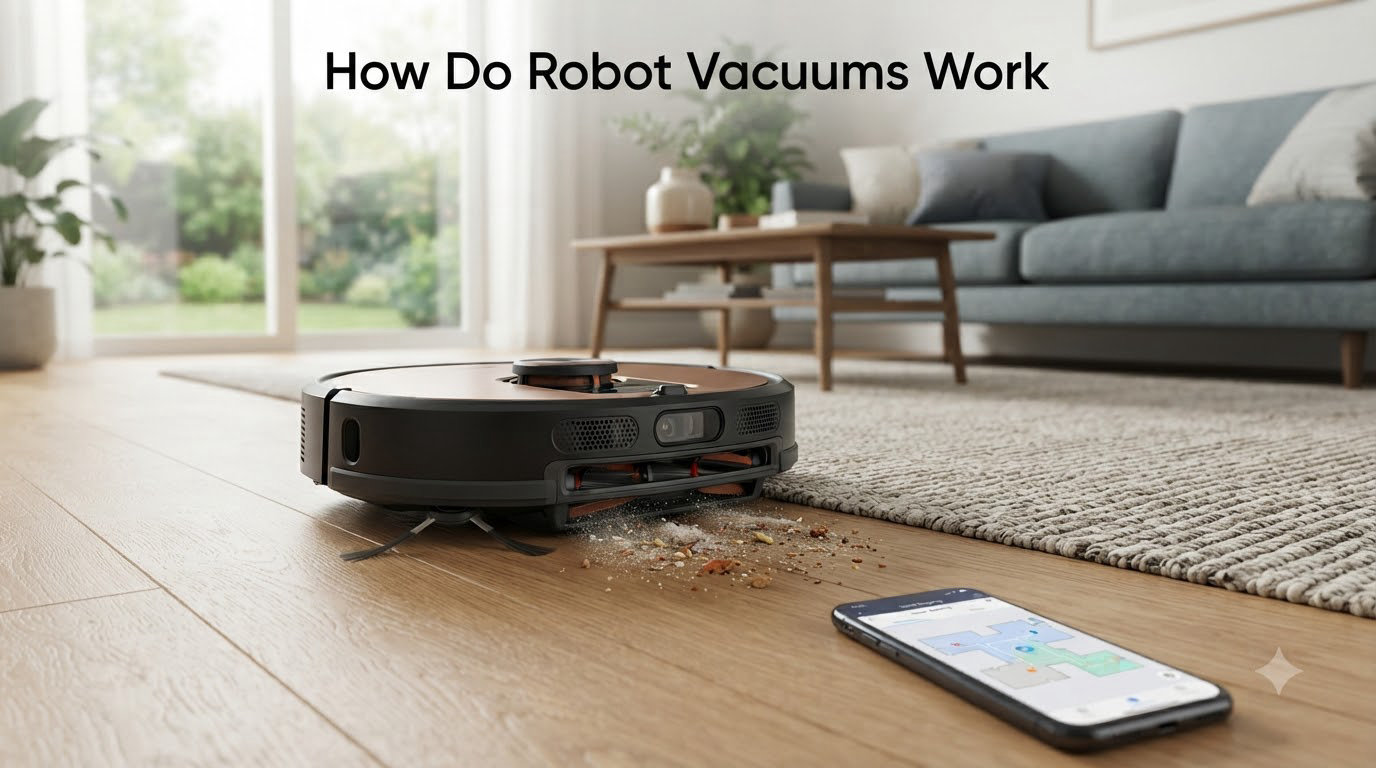
If you have ever watched a small disc-shaped device glide across your living room floor, dodge a chair leg, and then quietly return to its dock, you have probably asked yourself: how do robot vacuums actually work? The short answer is that they combine a handful of sensors, a clever mapping algorithm, and a small but powerful cleaning system, all wrapped inside a battery-powered shell that thinks for itself.
In this guide, I will walk you through every part of a robot vacuum, from the navigation brain down to the roller brush. I have spent the last few months testing different models and talking to engineers in the robotics space, and the picture I have built is far more interesting than a simple “it has sensors” answer. Whether you are buying your first robot vacuum or trying to understand why your current one keeps getting stuck, the explanations below should give you a clear picture of what is happening under the hood.
Table of Contents
What Is a Robot Vacuum and How Does It Differ from a Traditional Vacuum?
A robot vacuum is an autonomous floor cleaning device that uses sensors, motors, and intelligent software to navigate and clean floors without constant human input. Unlike a traditional upright or canister vacuum, it does not need someone to push it, steer it, or empty it after every pass. You press a button (or open an app) and it handles the rest.
The core difference comes down to three things. First, a robot vacuum is self-propelled, using wheels driven by small DC motors. Second, it perceives its environment using a sensor suite instead of a human eye. Third, it makes decisions in real time using an on-board processor running path-planning software. Traditional vacuums have none of these capabilities.
Inside that round or D-shaped shell you will typically find a lithium-ion battery, one or two side brushes, a main roller brush, a small dustbin, a suction motor, a vacuum pump, a filter, and a control board packed with sensors. Modern units add cameras, LiDAR turrets, and even small mop pads. The hardware is straightforward; what makes the device feel smart is the software connecting all of it.
How Do Robot Vacuums Navigate and Map Your Home?
Navigation is the most complex part of any robot vacuum. The device has no idea where your couch is, where the kitchen ends, or which rooms have rugs. It figures all of that out using a combination of mapping technology, position tracking, and path planning. Three main approaches dominate the market right now, and each works in a fundamentally different way.
LiDAR Navigation (Laser-Based Mapping)
LiDAR stands for Light Detection and Ranging. A robot vacuum equipped with LiDAR has a small turret on top that spins thousands of times per minute, firing invisible infrared laser pulses in every direction. When those pulses hit a wall, a chair leg, or a cat, they bounce back to a sensor. By measuring how long each pulse took to return, the vacuum calculates the exact distance to every object around it.
Those distance measurements are stitched together into a 2D (and sometimes 3D) map of the room. The vacuum uses an algorithm called SLAM, which stands for Simultaneous Localization and Mapping. SLAM does two jobs at once: it builds the map of your home and tracks where the robot is on that map in real time. With SLAM, the vacuum knows it has already cleaned the living room and can head to the bedroom next instead of randomly bouncing around.
LiDAR is considered the gold standard for accuracy. It works in complete darkness, does not depend on ambient light, and can measure distances down to a few millimeters. Most premium robot vacuums released since 2022 rely primarily on LiDAR for navigation.
Camera-Based Navigation (Visual SLAM)
Some robot vacuums use an upward-facing or front-facing camera instead of a laser. The camera captures dozens of frames per second, and the software identifies distinctive features in each frame: corners of walls, edges of furniture, patterns on the floor. As the camera moves through the room, it tracks how those features shift from one frame to the next. By comparing successive frames, the software can estimate how far the robot has moved and in which direction.
This approach is called Visual SLAM, or vSLAM. It can be very accurate in well-lit rooms, and it has the bonus advantage of being able to recognize objects. Some high-end models can spot a sock, a pet waste accident, or a charging cable and steer around it. The downside is that vSLAM struggles in dim light, can be confused by shadows, and is computationally heavier than LiDAR.
Infrared and Gyroscope Navigation (Budget Systems)
Older or budget-friendly robot vacuums often skip both LiDAR and cameras. Instead, they use a handful of infrared sensors to detect nearby walls and obstacles, combined with wheel-rotation sensors (encoders) and a gyroscope to estimate position. This is sometimes called gyroscope navigation or “smart navi” navigation.
Gyroscope-based systems do not build a true persistent map. They create a rough, real-time picture of the room and use bounce-style logic to cover the floor. You will notice these vacuums moving in straight lines until they hit something, then turning, then going another direction. They get the job done, but the paths are less efficient and they often miss spots or repeat areas. For smaller apartments, this approach can still be perfectly fine.
How Path Planning Algorithms Work
Once a robot vacuum has a map, it needs to decide where to go. The simplest path planning approach is random bounce, where the robot just goes until it hits a wall, turns, and keeps going. Almost no modern premium vacuum uses this. Instead, they use systematic algorithms that divide the room into zones or grid cells and then plan a back-and-forth (zigzag) path that covers each cell exactly once.
More advanced path planning, sometimes called adaptive routing, allows the vacuum to optimize its path on the fly. If it detects a heavily soiled area, it can slow down, run the roller brush faster, and make a second pass. Some models even learn which routes are most efficient and use that data the next time they clean.
How Does the Cleaning Mechanism Work Inside a Robot Vacuum?
Navigation gets the robot to the right spots, but the actual cleaning happens through a small but effective combination of brushes, suction, and filtration. The cleaning system in a robot vacuum is much smaller than a traditional vacuum, so the engineering has to be tight.
Side Brushes and the Roller Brush
Most robot vacuums have one or two side brushes, those small spinning arms with three or more bristles that protrude from the edge of the unit. As the vacuum moves forward, the side brush sweeps debris from edges and corners into the path of the main roller brush.
The roller brush sits in the center underside of the robot. It is typically a combination of bristles and rubber fins, and it spins at high speed to agitate the carpet or hard floor. This agitation lifts dirt, hair, and dust so the suction can pull it up. Some premium models use a single rubber roller, which is better at preventing hair tangles, especially in homes with pets.
Suction Motor and Airflow
The roller brush drops debris into a small suction channel, and a brushless DC motor creates the vacuum pressure that pulls it into the dustbin. Suction power is measured in Pascals (Pa). Budget units often deliver around 1,500 to 2,000 Pa, while high-end models can exceed 6,000 Pa. More suction is generally better for carpets, but it drains the battery faster, so most robots use sensors to increase suction only when carpet is detected.
Filtration and the Dustbin
Once debris enters the dustbin, air passes through a filter, typically a HEPA filter, before being exhausted back into the room. A true HEPA filter can capture 99.97% of particles down to 0.3 microns, which is important for allergy sufferers. The dustbin itself is small, usually 400 to 700 milliliters, which is why so many newer models come with self-emptying docks.
How the Mopping Function Works
Robot vacuum and mop combos carry a small water tank and a microfiber pad on the back. Water drips onto the pad (or is sprayed through a small nozzle), and the pad vibrates or rotates against the floor as the robot moves. Premium models can lift the mop pad when they detect carpet, so they do not soak your rugs. The latest self-cleaning mop systems even wash the pad with hot water and dry it with hot air at the dock, which solves a long-standing complaint about older mop-only robots.
What Sensors Do Robot Vacuums Use for Obstacle Detection?
Mapping tells the robot where the walls are, but obstacle detection is what stops it from running over a phone charger or tumbling down the stairs. Robot vacuums rely on a layered set of sensors for this, and each one handles a different job.
Cliff Sensors (Stair Detection)
Cliff sensors are infrared sensors pointed straight down at the floor. They work by bouncing an infrared beam off the ground and measuring how much of it returns. If the robot approaches a stair edge, the beam suddenly has nothing to bounce off of, and the sensor immediately tells the control board to stop and reverse. This is how robot vacuums avoid stairs without ever actually falling down them. Three or four cliff sensors are usually placed around the bottom edge of the unit.
Bump Sensors and Wall Sensors
A simple mechanical or infrared bump sensor around the front bumper tells the robot when it has made contact with an obstacle. Wall sensors along the sides use infrared beams to measure the distance to nearby walls, letting the robot follow along baseboards without constantly bumping into them.
AI-Powered Object Recognition
Newer robot vacuums add a front-facing camera combined with on-board machine learning to identify specific objects. The robot can distinguish between a rug, a pet, a piece of pet waste, a cable, and a sock, then decide what to do. Some models can take a photo of an obstacle and add it to the map so you can review what they have found. This is a big upgrade over older vacuums that treated every obstacle the same way and either bumped into it or avoided the entire area.
Carpet Detection Sensors
Many robot vacuums have optical or acoustic sensors that detect when they have rolled onto a carpet. Once detected, the robot can boost suction, change brush speed, or lift its mop pad. This automatic adjustment is one of the most underrated features in modern robot vacuums because it lets the device optimize performance without any input from you.
How Do Robot Vacuums Charge Themselves and Manage Battery Life?
Every robot vacuum ships with a small charging dock, often called the home base. The dock emits an infrared signal that the robot can detect when its battery gets low. The robot then follows that signal back to the dock and aligns itself using infrared or, in newer models, the LiDAR map. Two metal contacts on the back of the robot touch two metal contacts on the dock, and charging begins.
Most modern vacuums use lithium-ion batteries with capacities between 2,500 and 5,000 mAh. A typical cleaning run lasts 60 to 150 minutes, depending on suction mode, floor type, and room size. If the battery drops below a certain threshold before the job is done, the robot returns to the dock, recharges to about 80%, and then resumes cleaning exactly where it left off. This is called recharge and resume, and it is one of the most useful features for larger homes.
Self-emptying docks go a step further. When the robot docks, a vacuum inside the dock sucks the contents of the dustbin into a larger bag or canister, often holding 30 to 60 days’ worth of debris. This is one of the most appreciated features among real users, because it means you can go weeks without thinking about your robot vacuum at all.
How Do Smart Features and App Control Work in Robot Vacuums?
Most robot vacuums released in the last few years connect to your home Wi-Fi network and pair with a smartphone app. Through the app, you can start or stop a clean, schedule cleanings, view the map the robot has built, draw virtual walls, label rooms, and set no-go zones. The app is also where firmware updates are pushed, which means a robot vacuum can actually get smarter over time.
Voice control is another common feature. Most robots work with Amazon Alexa and Google Assistant, and the better ones also support Apple Siri Shortcuts. A simple “Alexa, tell the vacuum to clean the kitchen” is enough to start a focused clean in one room.
Modern apps also offer multi-floor mapping, where the robot can store separate maps for each level of your home. When you move the robot upstairs, it automatically recognizes the new map and uses it. For multi-level homes, this is the closest thing to carrying a memory between floors, since the robot itself does not climb stairs on its own.
What Are the Limitations of Robot Vacuums?
Robot vacuums are impressive, but they are not perfect. Real-world testing and user reports show a few consistent limitations worth knowing about.
First, most robot vacuums pick up around 80% of debris in a single pass. They are designed for daily maintenance, not deep cleaning. Running them every day is what actually keeps floors looking clean, because no single pass is as thorough as a careful manual vacuuming.
Second, robot vacuums do not climb stairs. If you have a multi-level home, you will need to physically move the unit between floors, or buy one robot per level.
Third, mop functions take space and weight from the vacuum motor. Combo units usually have lower suction than dedicated vacuums, and the mop tank is small enough that you will need to refill it for larger areas.
Fourth, robot vacuums can get stuck. Cables, socks, pet toys, and thick rug fringes are common culprits. The newer AI-powered obstacle avoidance helps a lot, but it is not magic. Most users report that a quick once-over to clear the floor before each run is still a good habit.
Finally, maintenance is real. Even self-emptying models need their brushes cleaned, their filters replaced, and their sensors wiped every few weeks. None of this is hard, but it is not zero work either.
Frequently Asked Questions
What are the downsides of using a robot vacuum?
Robot vacuums pick up only about 80% of dirt per pass, cannot climb stairs, and need regular brush and sensor cleaning. Combo mop models also trade some suction power for water tank space.
How do self-emptying robot vacuums work?
When the robot docks, a small vacuum inside the charging base sucks the contents of the robot’s dustbin into a sealed bag or canister. Most self-emptying bases hold 30 to 60 days of debris before needing to be emptied.
Do robot vacuums actually do a good job?
Yes, when run daily. Robot vacuums are designed for maintenance cleaning rather than deep cleaning, and they excel at keeping dust, pet hair, and crumbs under control between manual cleanings.
How do robot vacuums know where to go?
Premium models use LiDAR, cameras, or a combination of both to build a real-time map of your home with SLAM algorithms. Budget models use infrared sensors and gyroscopes to estimate position and follow a bounce-style path.
How long do robot vacuums run before recharging?
Most robot vacuums run for 60 to 150 minutes per charge, depending on suction level and floor type. Models with recharge and resume will return to the dock, top up to about 80%, and continue cleaning where they left off.
Do robot vacuums work in the dark?
LiDAR-based robot vacuums work perfectly in the dark because they use their own infrared lasers. Camera-based vacuums need some ambient light to navigate accurately, though most can still operate in dim conditions with reduced precision.
Final Thoughts on How Robot Vacuums Work
Now you should have a clear answer to the question how do robot vacuums work. They combine a sensor suite, a real-time mapping algorithm, a motorized cleaning system, and an automatic charging dock into one self-managing device. The fact that the same small unit can map your entire apartment, dodge your pet, and return to its base for a recharge is a result of years of work in robotics, computer vision, and battery technology.
If you are shopping for one, focus on the navigation system first. LiDAR plus SLAM is the most reliable in real homes, while camera-based AI is great for object recognition. Whatever you pick, plan to run it daily; that is the secret to keeping floors consistently clean without ever pushing a vacuum yourself.