
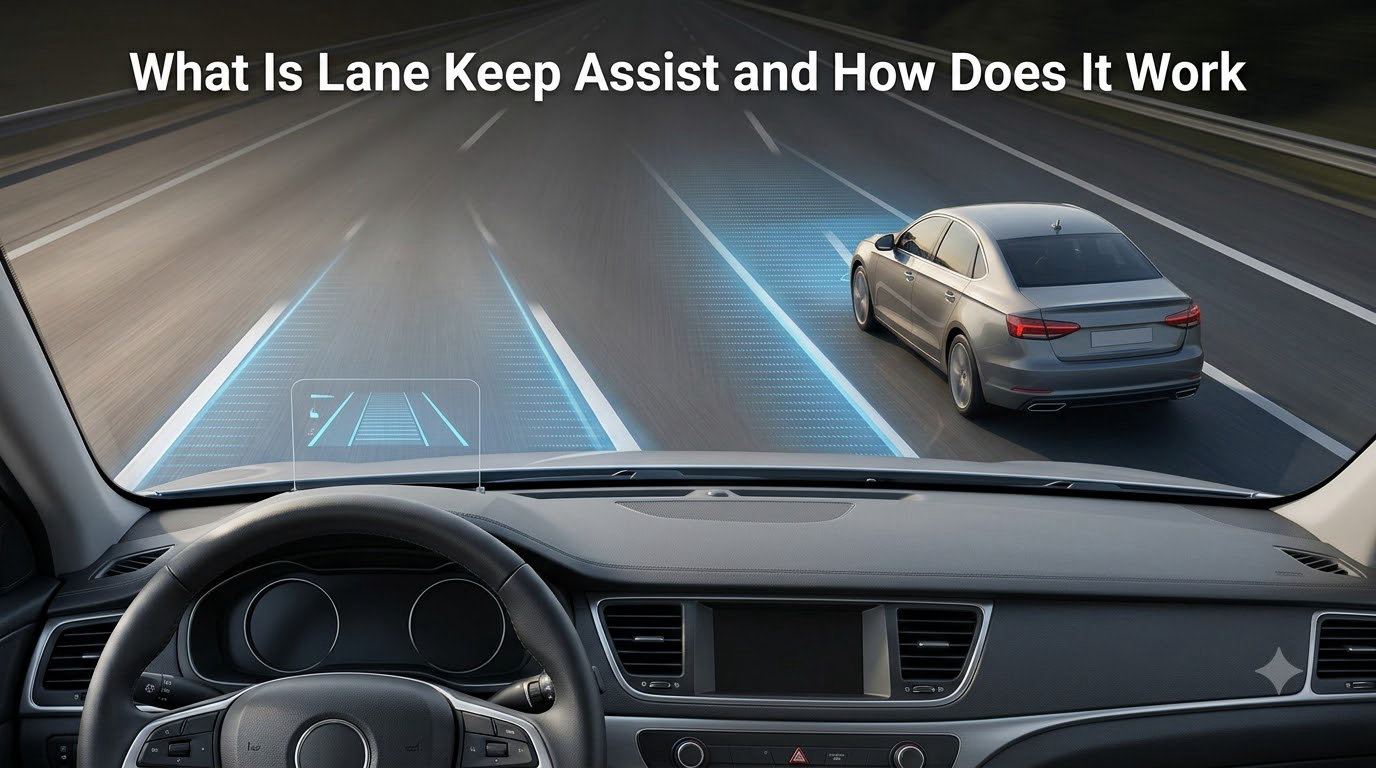
If you have driven a newer car, you have probably felt a gentle tug on the steering wheel as you drifted toward a lane line. That is Lane Keep Assist at work, one of the most common advanced driver assistance features on the road today. In this guide, I will break down what Lane Keep Assist is, how the technology actually works under the hood, the different types of lane systems you will see on the market, and the real limitations drivers run into every day.
Table of Contents
What Is Lane Keep Assist
Lane Keep Assist (LKA) is a driver assistance system that uses a forward-facing camera to monitor your vehicle’s position between lane markings and automatically applies steering corrections to keep you centered in your lane. The system is designed to step in only when it detects unintentional drift, not when you are deliberately changing lanes with your turn signal on.
Think of it as a second pair of eyes watching the road ahead. If you start to drift across a lane line without signaling, LKA gently nudges the steering wheel to bring the car back into the lane, and usually pairs the correction with a visual or audible alert so you stay aware of what just happened.
LKA belongs to a broader category of features called Advanced Driver Assistance Systems, or ADAS. It usually sits alongside adaptive cruise control, blind spot monitoring, and automatic emergency braking, and many modern cars bundle all of these under one safety package.
How Does Lane Keep Assist Work
Lane Keep Assist works through a small camera mounted behind your windshield, near the rearview mirror, combined with software that runs in real time on a dedicated processor. The system has three main stages: detect, decide, and act.
1. Detect lane markings. The forward-facing camera continuously captures images of the road ahead, usually 30 to 60 frames per second. Image processing software analyzes those frames to find the painted lane lines on either side of the vehicle.
2. Decide if you are drifting. The system compares your car’s trajectory to the position of the lane lines. If you are drifting toward a line and your turn signal is off, the software calculates how much steering correction is needed to bring you back to center.
3. Apply steering correction. The system sends a command to the electric power steering unit, which applies a small amount of torque to the steering wheel. Most systems also vibrate the wheel or beep so the driver feels and hears the intervention.
Under the hood, the image processing often relies on techniques like edge detection and the Hough transform to find straight or slightly curved lines in a noisy camera image. Newer systems layer in neural networks to handle tricky conditions like faded markings, shadows, and construction zones.
Types of Lane Departure Systems: LDW, LKA, LCA, and ALKS
One of the most common sources of confusion is the alphabet soup of lane features. Different automakers use different names, and the lines between them are blurry. Here is how the four main types compare.
- Lane Departure Warning (LDW). Warns you when you start to drift out of your lane. It does not steer the car. The alert is usually a beep, a steering wheel vibration, or a dashboard icon.
- Lane Keep Assist (LKA). Warns you and adds a brief steering correction to nudge you back toward the center of the lane. The car can briefly steer itself but expects the driver to remain engaged.
- Lane Centering Assist (LCA). Continuously steers to keep the car in the center of the lane, not just react when you cross a line. This feels closer to self-driving and usually only works on well-marked highways.
- Automated Lane Keeping System (ALKS). A regulatory category, mostly used in Europe, that allows hands-free lane keeping at low speeds on approved roads. It is closer to Level 3 automation than the others.
Some brands, like Tesla and Ford, use their own marketing names such as Autopilot or BlueCruise. Underneath the branding, they are doing one of the four jobs above, often with extra features layered on top.
At What Speed Does Lane Keep Assist Work
Most Lane Keep Assist systems activate at speeds above 30 to 40 mph (roughly 50 to 65 km/h), which is where unintentional lane drift is most dangerous. Below that threshold, steering corrections can feel out of place in parking lots and surface streets, so most systems stay dormant.
Lane Centering Assist usually has a higher minimum, often 40 to 45 mph, because it requires very clear lane markings to operate continuously without bouncing the car between lines. ALKS, by contrast, is designed for lower-speed traffic jam situations and can operate from about 20 mph up to roughly 60 mph depending on local regulations.
You can usually see your LKA status in the instrument cluster. A green steering wheel icon means the system is active and detecting lane lines. A yellow or gray icon means the system is on standby, either because you are too slow, the markings are unclear, or you have temporarily taken control.
Key Benefits of Lane Keep Assist
According to insurance industry research, unintentional lane departure is a factor in a large share of single-vehicle crashes and fatal accidents. Lane Keep Assist directly targets that risk, and the safety case is straightforward.
Reduces fatigue on long drives. I have done 500-mile highway stretches with and without LKA, and the difference in mental energy is real. Small steering corrections mean I do not have to think about holding my lane constantly, which leaves more attention for mirrors and traffic flow.
Catches moments of inattention. A quick glance at a phone, a yawn, or a sneeze can send a car drifting across a line in under two seconds. LKA reacts in milliseconds, faster than most drivers can correct on their own.
Helps new drivers build lane discipline. Drivers with less experience often drift more, and the gentle feedback from LKA reinforces good habits over time.
For most highway commuters and road-trip drivers, those benefits translate into real peace of mind, especially in heavy traffic where one mistake can chain into a multi-car pileup.
Limitations and Real-World Concerns
Lane Keep Assist is not magic, and anyone who has used it for a while will have stories. The most common complaints I see in owner forums come down to a handful of predictable situations.
Faded or missing lane markings. LKA relies on visible painted lines. On rural roads, in construction zones, or after winter salt treatments, it often cannot see the lines and quietly disables itself.
Bad weather. Heavy rain, snow, fog, or a dirty windshield can block the camera. Many systems refuse to operate in heavy precipitation, which is the right call from a safety standpoint but can confuse drivers who do not realize the system is offline.
Sun glare and shadows. Long shadows from trees or low sun angles can look like lane lines to the software, triggering false corrections. The system does not understand context the way a human driver does.
Jerky or aggressive steering. This is the single most common complaint on Reddit and owner forums. Some cars, especially earlier-generation systems, apply steering torque too aggressively, which feels like the car is fighting you. Owners of certain Rivian and Chevy trucks have written threads about returning cars because of this.
Lane changes without signaling. If you change lanes without using your turn signal, LKA will treat it as drift and try to pull you back. Once you get used to signaling every time, this becomes a non-issue, but it surprises new users.
None of these limitations make LKA useless. They just mean the system is an assistant, not a chauffeur, and you still need to keep your hands on the wheel and your eyes on the road.
How to Turn Off or Adjust Lane Keep Assist
Every automaker buries the Lane Keep Assist setting in a slightly different place, but the process is similar across most modern cars. Here is the general workflow.
Step 1. Look for a button on the steering wheel, dashboard, or center console marked with a lane icon, often a car crossing two lines. Some cars label it LDW or LKA.
Step 2. Press the button once to toggle the system on or off. A dashboard indicator will usually show whether LKA is active.
Step 3. For finer control, open the infotainment screen and go to Settings, then Driver Assistance or Vehicle Safety. From there, you can usually choose between Off, Warning Only (LDW only), and Assist (full LKA).
Step 4. Some cars let you adjust the sensitivity or the timing of the steering correction. If your car feels too aggressive, dropping sensitivity often solves the jerky-steering problem without disabling the feature entirely.
On many vehicles, LKA defaults back to On every time you start the car. If you prefer to drive without it, plan to turn it off each time you start the engine, or check whether your model has a persistent setting buried one menu deeper.
The Future of Lane Keeping Technology
Lane keeping is on a clear path toward hands-free driving, and the next few years will bring meaningful changes. Regulators in the European Union have already approved Automated Lane Keeping Systems at speeds up to 60 mph, and the United States is moving in the same direction through hands-free systems like Ford BlueCruise, GM Super Cruise, and Tesla Autopilot.
These systems use the same camera-first approach as basic LKA, but layer in map data, GPS, and sometimes radar to know which roads are approved for hands-free operation. They also watch the driver with an interior camera to make sure you are still paying attention.
As the software improves, expect lane centering to feel smoother, false interventions to drop, and coverage to expand to more roads. The endgame is a future where lane keeping blends seamlessly with adaptive cruise control and traffic sign recognition to handle long stretches of highway without driver input, at least within tightly defined conditions.
For now, the technology in your driveway is a strong step in that direction, and a useful safety net even if it is not perfect.
Frequently Asked Questions
What are the downsides of using lane keep assist?
The most common downsides are false alerts on well-marked roads, jerky or aggressive steering corrections, and reduced performance in heavy rain, snow, fog, or on roads with faded lane markings. The system can also interfere with intentional lane changes if you forget to use your turn signal.
Can lane keep assist be turned off?
Yes. Most cars let you turn off lane keep assist through a button on the steering wheel or dashboard, or in the Driver Assistance menu on the infotainment screen. On many vehicles the setting resets to On every time you start the engine.
How much does lane assist cost?
Lane keep assist is usually bundled into a safety or technology package rather than sold on its own. On mainstream vehicles it often comes standard or as part of a few-hundred-dollar option package, while luxury brands may include it only on higher trim levels.
At what speed does lane keep assist work?
Most lane keep assist systems activate above roughly 30 to 40 mph, while lane centering assist typically requires 40 to 45 mph and well-marked lanes. Automated lane keeping systems used for hands-free driving can operate at lower speeds in traffic jam conditions.
Final Thoughts on Lane Keep Assist
Lane Keep Assist has moved from a luxury option to a near-universal feature on new cars, and for good reason. It addresses one of the oldest and most dangerous problems in driving, unintentional lane drift, with technology that is now cheap, reliable, and effective on most highways.
That said, the system is only as good as your understanding of what it can and cannot do. Treat Lane Keep Assist as a safety net, not a self-driving feature, keep your hands on the wheel, and learn how to adjust or disable it when the road conditions do not suit it. Once you do, it becomes one of the most useful pieces of safety tech you can have on a long drive.