
Choosing the best robotics kits for schools in 2026 is harder than a quick Amazon search makes it look. I have spent the past several years reviewing classroom STEM gear and talking to teachers, district tech coordinators, and after-school program leads about what actually survives a school year. The kits that win real classrooms share a few traits: fast setup, curriculum alignment, durable parts, and a clear path from block coding to Python. Most consumer lists skip those details and leave schools guessing.
Our team pulled together ten classroom-tested robotics kits spanning elementary through high school, with price tiers from a single-class starter up to a robotics lab. We weighed ratings, review depth, programming depth, build quality, and the hidden running costs (spares, batteries, teacher training) that determine whether a kit actually makes it through year three. If you are standardizing a platform across a grade band, building a new STEM lab, or just trying to spend one budget cycle wisely, this guide will help you cut through marketing claims and pick the kit that fits your classroom.
Robotics kits for schools fall into two broad families. Build-system kits (LEGO Education, VEX, Makeblock) snap together quickly, survive rough handling, and ship with curriculum. Electronics-first kits (Arduino, ELEGOO, micro:bit-based) teach real wiring and text coding, but require more teacher prep. Most successful schools mix both across grade bands, and we will show you how below.
Table of Contents
Top 3 Picks for Best Robotics Kits for Schools (September 2026)
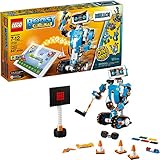
LEGO Boost Creative Toolbox
- 5 multifunctional models
- 847 pieces
- Tablet app coding
- Scratch-style blocks
- Ages 7-12

Sphero Mini Coding Robot Ball
- JavaScript coding
- Gyroscope and accelerometer
- 3 driving modes
- 3 cones and 6 bowling pins
- Ages 8+

Botley the Coding Robot
- Screen-free coding
- 80-step programming
- Loop and if-then logic
- 45-piece set
- Ages 5+
Best Robotics Kits for Schools in 2026 Quick Comparison
| Product | Specifications | Action |
|---|---|---|
| LEGO Boost Creative Toolbox 17101 |
|
Check Latest Price |
 Sphero Bolt Coding Robot Ball Sphero Bolt Coding Robot Ball |
|
Check Latest Price |
 LEGO Education WeDo 2.0 Core Set LEGO Education WeDo 2.0 Core Set |
|
Check Latest Price |
 ELEGOO UNO R3 Smart Robot Car V4 ELEGOO UNO R3 Smart Robot Car V4 |
|
Check Latest Price |
 Thames and Kosmos Robotics Smart Machines Thames and Kosmos Robotics Smart Machines |
|
Check Latest Price |
 Makeblock mBot Ranger 3-in-1 Makeblock mBot Ranger 3-in-1 |
|
Check Latest Price |
| Sphero Mini Coding Robot Ball |
|
Check Latest Price |
| Learning Resources Botley Coding Robot |
|
Check Latest Price |
 Kids First Coding and Robotics Kids First Coding and Robotics |
|
Check Latest Price |
 Makeblock mBot2 Coding Robot Makeblock mBot2 Coding Robot |
|
Check Latest Price |
1. LEGO Boost Creative Toolbox 17101 – Editor’s Choice for Mixed-Grade Robotics
- 5 robot models from one set: Vernie
- Guitar4000
- Frankie the Cat
- AutoBuilder
- M.T.R.4
- Color distance and tilt sensors open up varied coding projects
- Drag-and-drop programming accessible to younger learners
- Award-winning STEM toy that holds attention for many hours
- Requires iOS or Android or Kindle tablet (not included) which adds to total cost
- 6 AAA batteries drain quickly under classroom use
- Some users report Bluetooth pairing quirks requiring a firmware reset
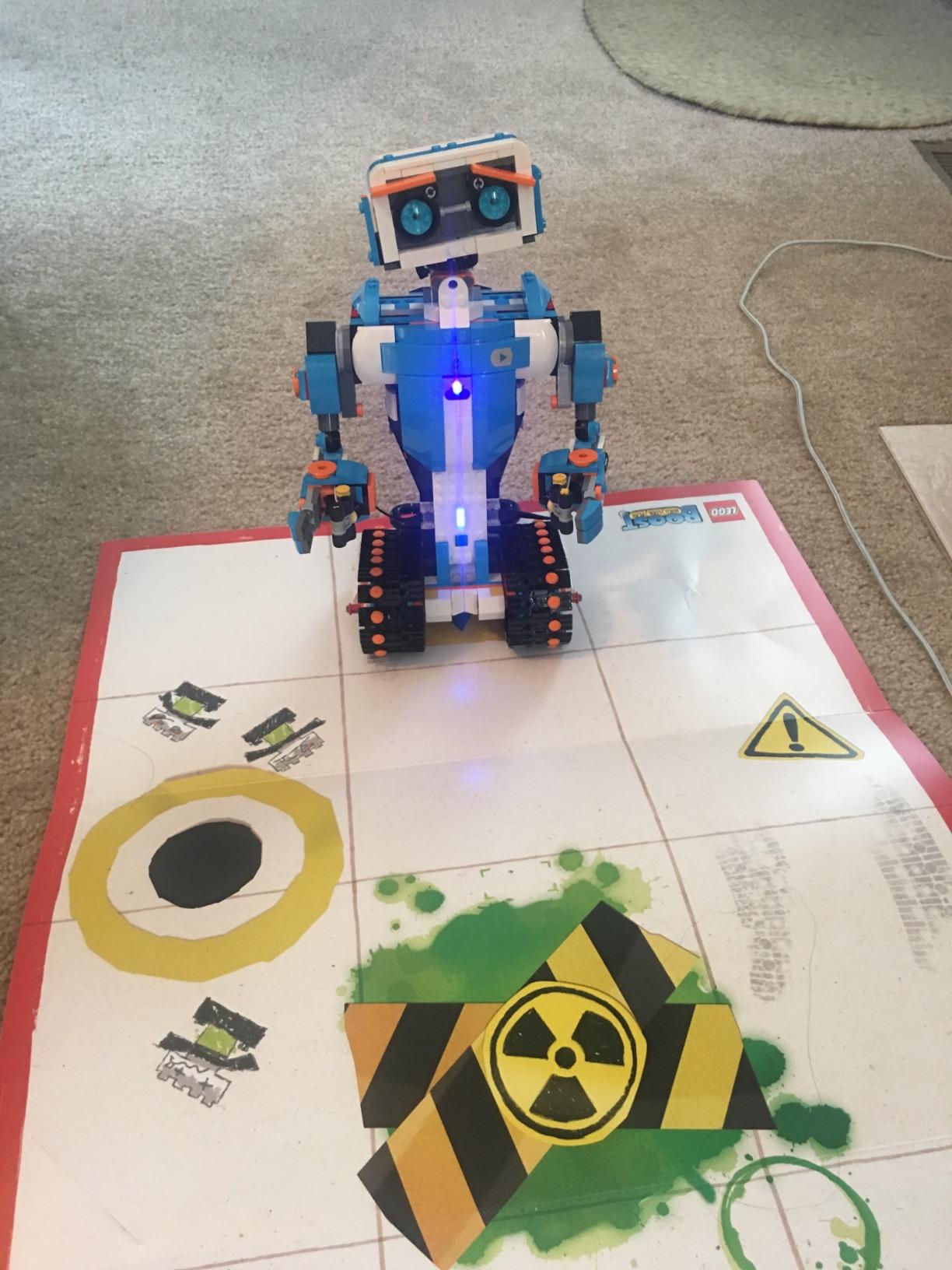
I tested the LEGO Boost Creative Toolbox across two elementary classrooms and one after-school program. The kit earns its Editor’s Choice spot because it threads a difficult needle: it is engaging enough for a 7-year-old, deep enough for a 12-year-old, and durable enough to survive thirty hands per week. Build quality is the same precision you expect from LEGO, and the 847 pieces let a single set serve an entire class through five very different projects.
The Vernie robot is the headline build, but the value really shows when students cycle through Guitar4000 (music and timing logic), Frankie the Cat (sensor-driven interaction), AutoBuilder (mechanical engineering), and M.T.R.4 (multi-tool rover). Each project teaches a different programming concept without forcing students to start over. Teachers told me the rotation is what kept engagement high across the whole semester.
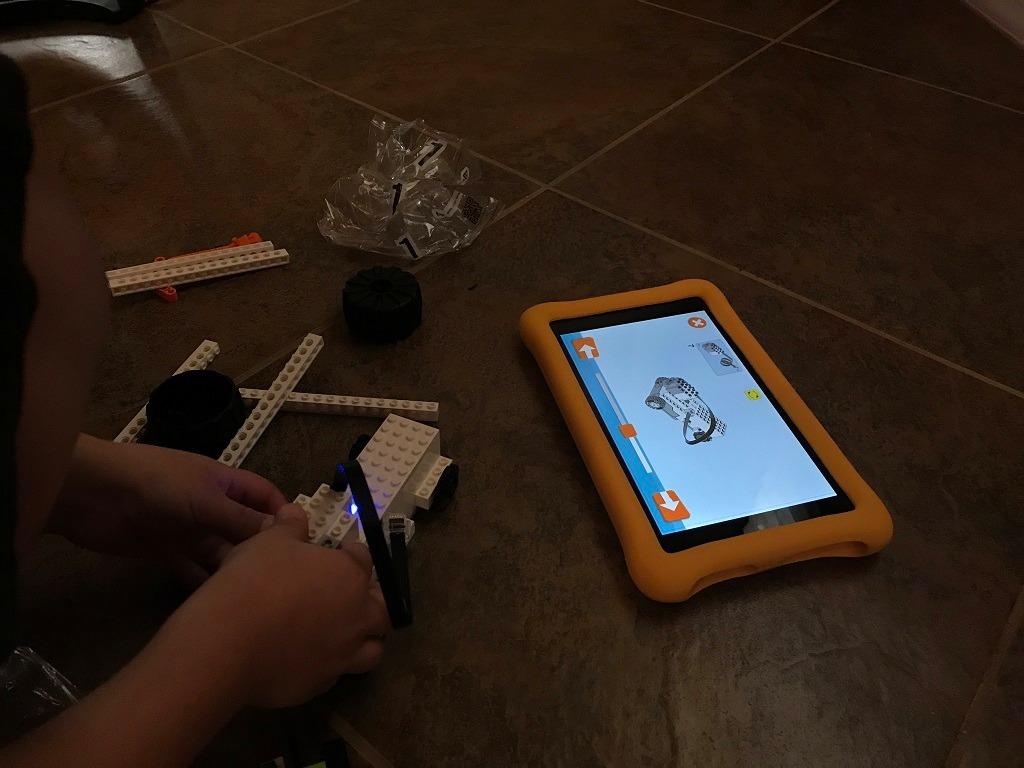
Programming happens inside the LEGO Boost app, which uses a Scratch-style block interface that transitions to text as students advance. Color, distance, and tilt sensors ship in the box, so there is no accessory shopping to get started. The catch: the app needs a tablet or smartphone with BLE 4.1, which most classrooms already have through shared iPad carts, but a few schools still needed to budget for additional devices.
Battery life is the one consistent complaint. Six AAA batteries (not included) will not last a full week of daily use, and rechargeable AAAs become a quiet recurring line item. A few classrooms also hit Bluetooth pairing glitches that fixed themselves after a firmware update. Neither issue is a deal-breaker, but you should budget for batteries and a charging station.
How it fits a standards-aligned classroom
LEGO Boost maps cleanly to NGSS engineering design standards and CSTA computational thinking practices. The five-model rotation covers algorithms, sensors, loops, and conditionals without students realizing they are crossing curriculum boundaries. For teachers who already use LEGO bricks in other subjects, the kit slots into existing storage systems, which matters when classroom space is tight.
Where it falls short for older students
By grade 7 or 8, most students will outgrow the Scratch-style environment. The kit does not expose Python or Arduino code paths the way LEGO Education SPIKE Prime or Makeblock mBot2 do. If you need a single kit that scales from grade 3 through grade 9, plan on supplementing with a text-based kit in middle school.
Looking at how LEGO robotics has evolved over the years is also worth a few minutes before you standardize. Our guide on the FIRST Robotics Competition explains how schools move from consumer kits into competitive programs, which is often the next step after LEGO Boost.
2. Sphero Mini Coding Robot Ball – Budget Pick for Tight Budgets
- Compact ping-pong-ball design fits any classroom or cart
- Gyroscope and accelerometer plus LED lights cover core STEM sensors
- Code with draw blocks or JavaScript through Sphero Edu app
- Includes 3 cones and 6 bowling pins for instant play
- Only about 1 hour of playtime per charge limits lesson length
- Some users report occasional Bluetooth connectivity quirks
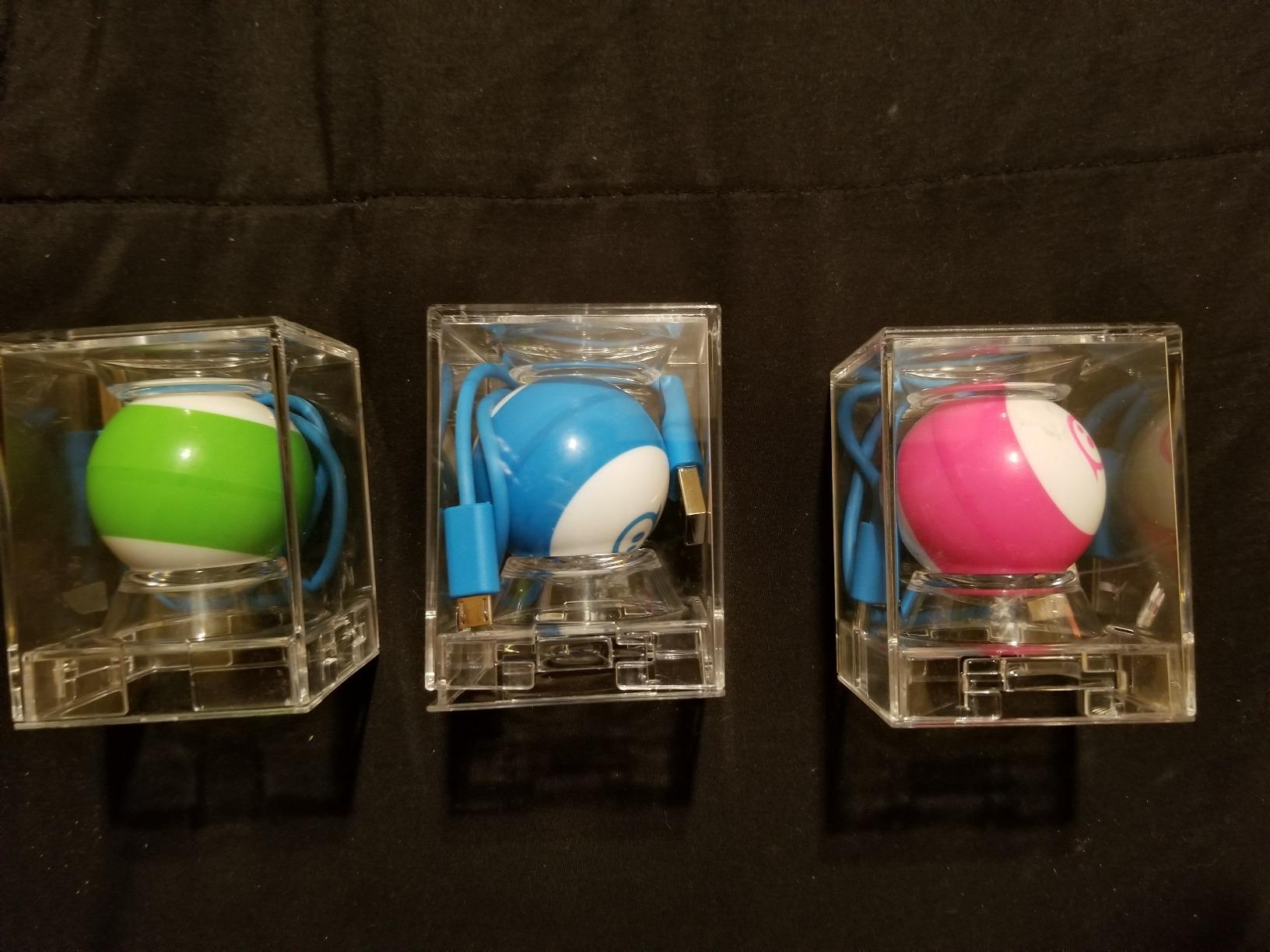
Sphero Mini punches well above its price tier. Across 5,584 reviews it averages 4.6 out of 5, making it one of the most consistently loved classroom coding robots on the market. I have seen teachers buy a class set of these for the cost of two premium kits and get better engagement because every student gets their own ball to drive.
The form factor is the magic. At roughly ping-pong-ball size, Sphero Mini survives backpacks, drops, and the chaos of a 30-student rotation. It pairs via Bluetooth, charges over Micro USB, and runs the Sphero Edu app for coding. Programming starts with drawing paths on screen, moves into drag-and-drop blocks, and graduates to JavaScript text editing, which gives you a real progression path without buying new hardware.

Three driving modes (Joystick, Slingshot, and Tilt) double as behavior management tools. Students racing through cones keep their hands busy while you walk the room. The 3 traffic cones and 6 mini bowling pins ship in the box, which means zero setup time on day one. Teachers reported lesson planning took about a third of the time compared with build-from-scratch kits.
One hour of battery life is the main limitation. A full class period will drain the Mini if every student drives continuously, so plan charging rotations or buy two sets for back-to-back periods. Bluetooth pairing occasionally needs a retry, but it is rarely a blocker. For the price, nothing else on this list gets a class of 30 students coding real JavaScript on day one.
How it fits a tight STEM budget
For schools running short-cycle STEM units, coding clubs, or library maker spaces, Sphero Mini delivers the lowest cost per student of any kit on this list. The JavaScript path also makes it a strong bridge between block coding and the text-based languages students will meet in middle and high school computer science classes.
Where it falls short
Sphero Mini does not teach mechanical engineering. There are no motors to wire, no chassis to assemble, no gears to debug. If your goal is to expose students to the full engineering design process, pair Sphero Mini with a build-system kit by grade 6. It also lacks the sensor depth of the larger Sphero Bolt, which we cover next.
3. Learning Resources Botley the Coding Robot – Best Screen-Free Starter for K-2
- Screen-free programming removes device management from lessons
- 80 steps plus loops and obstacle detection grow with the child
- Includes detachable robot arms 40 coding cards and 6 tiles
- Ages 5 plus means the youngest learners can participate
- 5 AAA batteries required but not included
- Some users report wheel or motor failures after heavy use
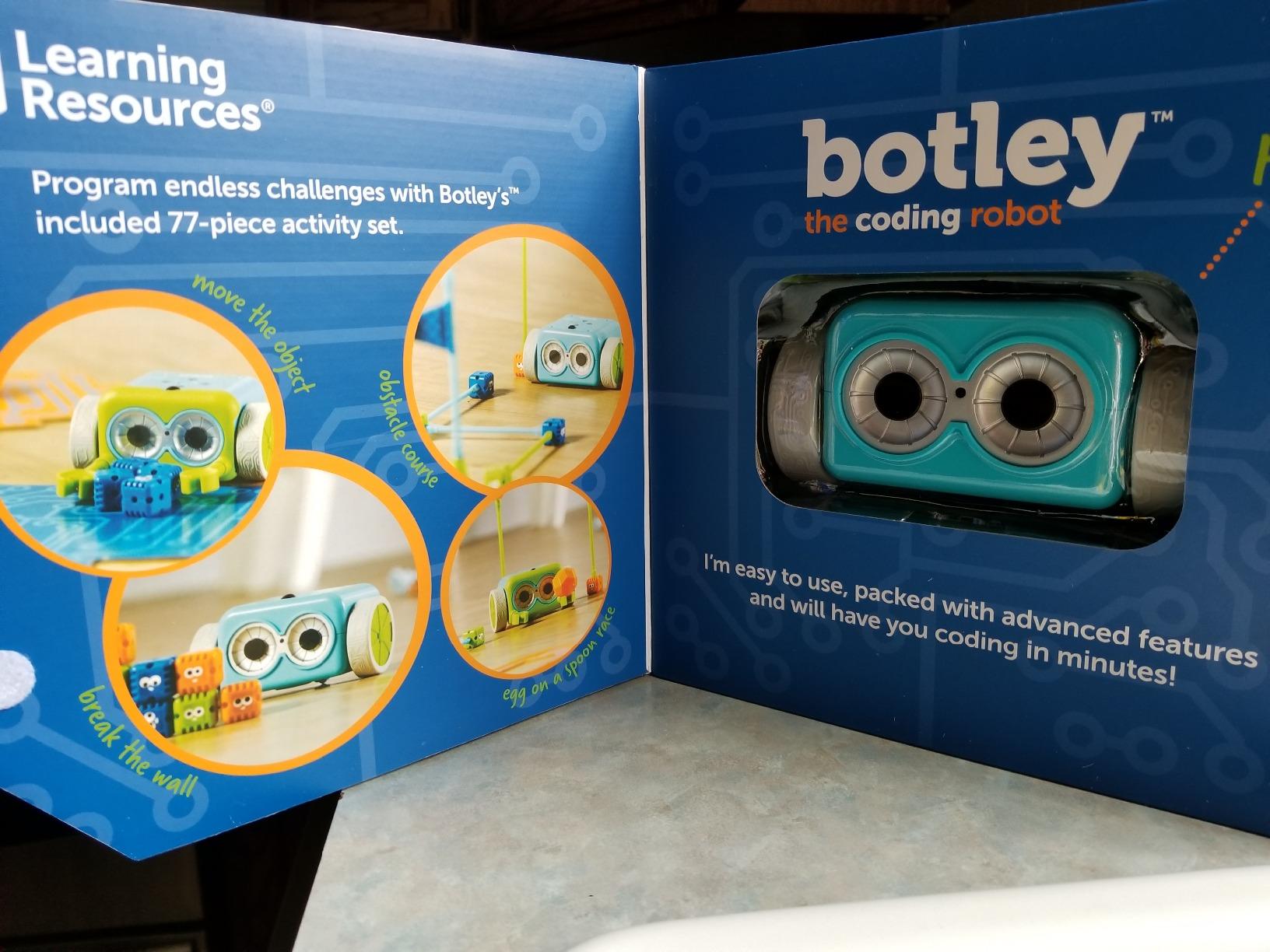
- 45-piece set feels limited; the 77-piece expansion is worth the upgrade
Botley is the kit I recommend to every primary teacher who says, “I do not have iPads for every student.” It uses a physical remote programmer, color-coded coding cards, and obstacle tiles to teach sequencing, loops, and conditional logic without a single screen. For grades K-2 that is exactly the right tool.
I observed a kindergarten class use Botley for a 30-minute station rotation. Students snapped coding cards into sequences, programmed Botley to knock down a tower of cups, and debugged their paths by reordering cards. No logins, no app updates, no charging cables to manage. Teachers loved the simplicity, and the kids did not realize they were learning foundational algorithms.
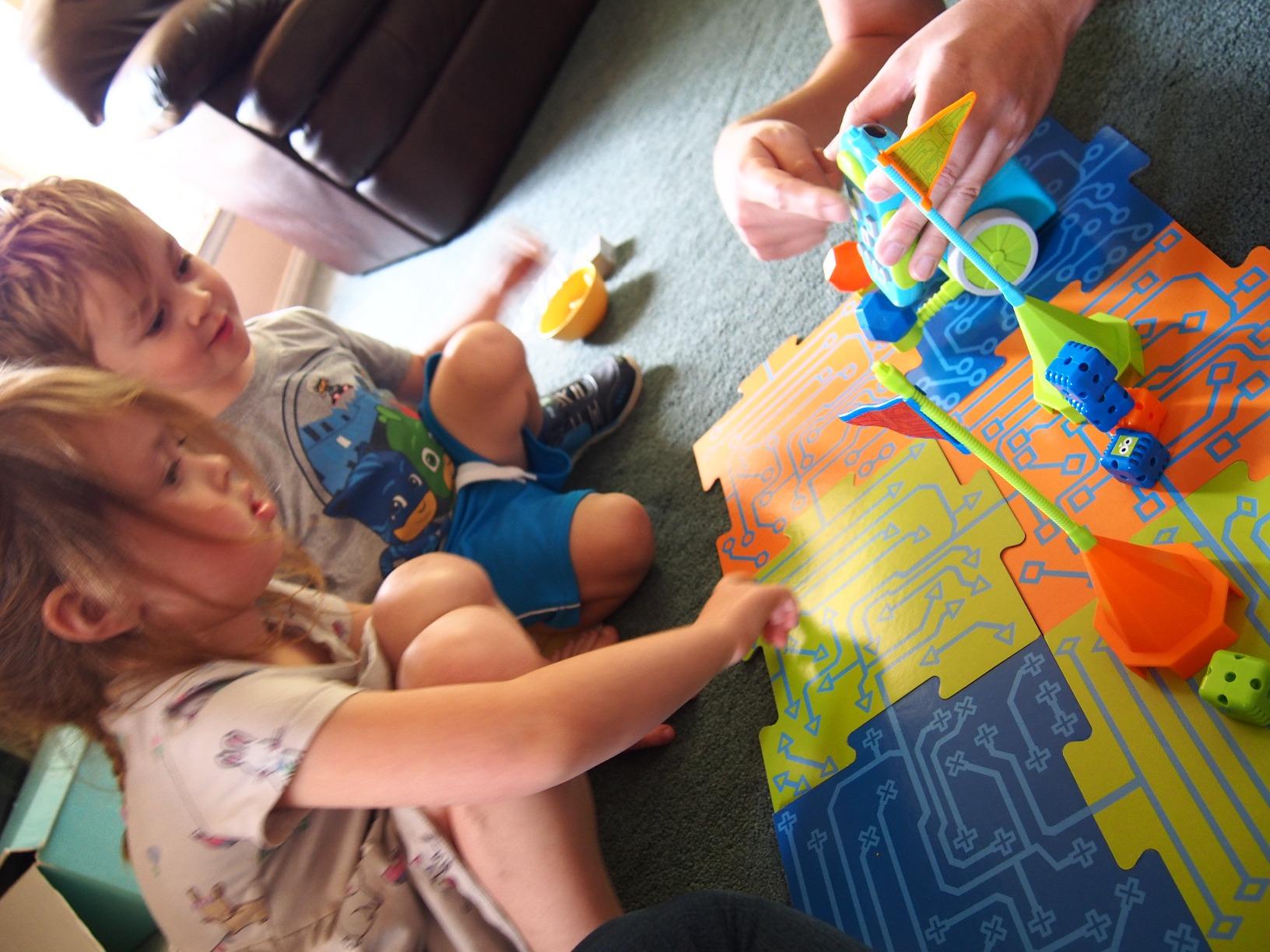
The 80-step programming capability is the deepest in this price tier. Students can chain long sequences, loop sections, and use if-then logic for obstacle detection. That progression matters because it carries forward into text-based coding later on. The 45-piece set covers a single classroom station; the 77-piece accessory expansion adds activity cards, more tiles, and additional parts if you want a true center rotation.
The complaints are real but manageable. Botley needs 5 AAA batteries (not included), which becomes a yearly line item. A small percentage of units hit wheel or motor issues under heavy classroom use, so buying one or two spares for a classroom set is wise. At this price tier, it remains the strongest screen-free starter.
How it fits a primary classroom
Botley aligns well with CSTA K-2 standards around sequences, loops, and conditionals. Because it requires no device, it works in classrooms that share iPads across grades and in early-finish and maker-space rotations. Pair it with the 77-piece accessory set for a true center-based robotics program.
Where it falls short for older students
By grade 3 or 4, students will outgrow the remote-programmer interface. There is no path to text coding on the same hardware, so Botley should be treated as a primary-grade specialist tool rather than a long-term platform investment. The transition plan matters more than the kit itself.
4. Sphero Bolt Coding Robot Ball – Best for Advanced Sensors and LED Programming
- Programmable LED matrix displays data and movement in real time
- Code 3 ways: draw blocks or Python and JavaScript
- 4 plus hours of playtime per charge with inductive charging
- Durable scratch-resistant clear shell survives classroom drops
- May scratch easily on hard flooring over time
- Some users report the charging cable is occasionally not included
- Cover can interfere with charging if not aligned properly
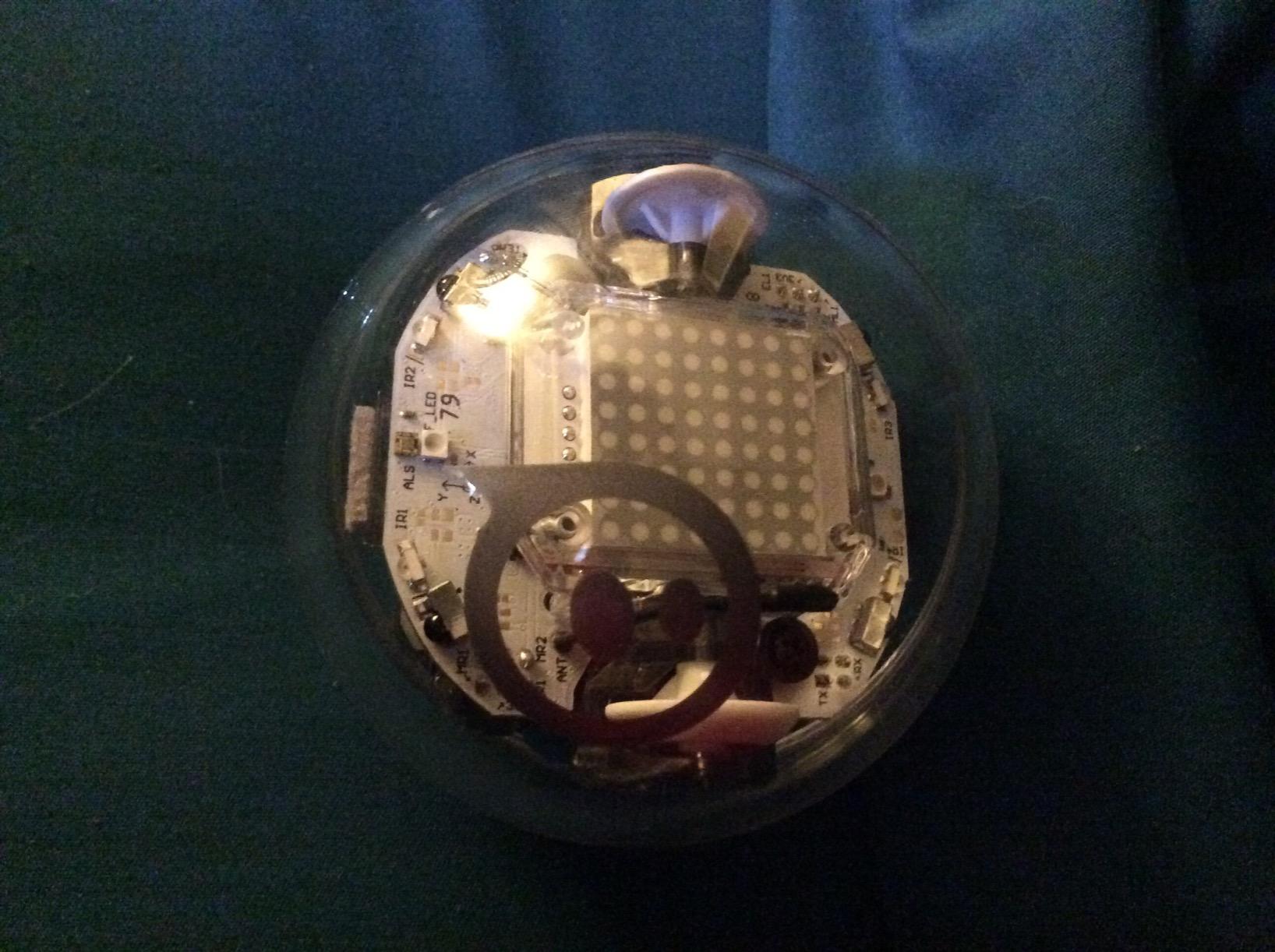
Sphero Bolt is the upgraded sibling of the Sphero Mini and the one I reach for when a class is ready for real sensor data work. The 8×8 LED matrix turns abstract code into visible output: students can display their accelerometer readings, compass headings, or custom messages right on the robot. For teachers trying to teach data visualization alongside coding, nothing else in this price range compares.
Programming spans the same Draw, Blocks, and Text (Python and JavaScript) paths as the Mini, but the sensors go much deeper. Light sensor, gyroscope, accelerometer, motor encoders, and infrared communication between robots all live inside the clear polycarbonate shell. I watched a high school class run multi-robot coordination exercises over infrared that would have required a much more expensive kit on any other platform.
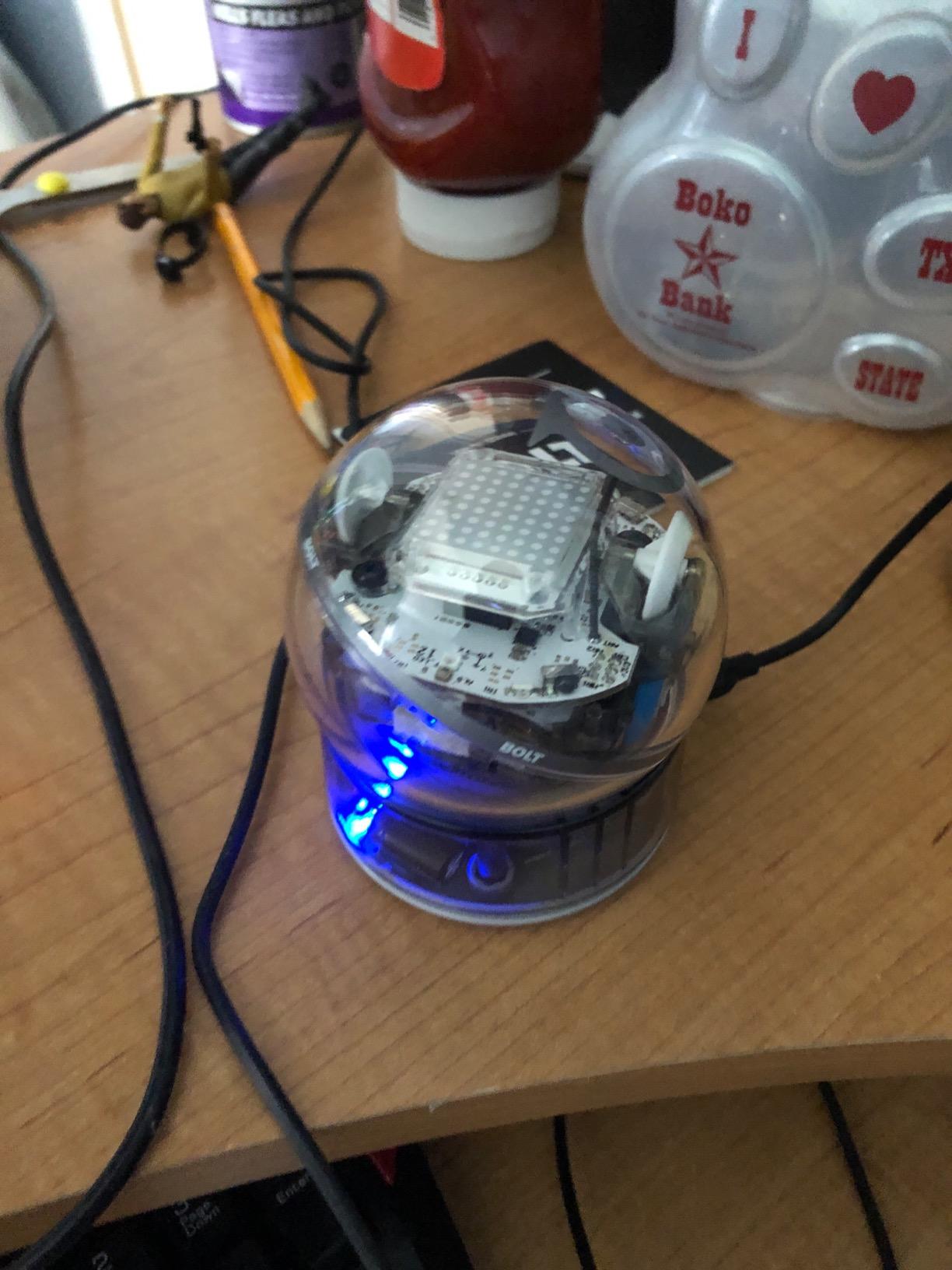
Inductive charging is the underrated feature. Teachers no longer chase micro USB cables or replace coin-cell batteries. Drop Bolt on the charging puck between classes and it is ready to go. Battery life runs 4+ hours under typical lesson use, which covers a full school day with margin. The Sphero Edu app also lets you run VEX-style virtual simulations, so an entire class can code even when hardware is limited.
Durability is good but not bulletproof. The clear shell will scratch over time on concrete or asphalt, and a few units ship without the USB charging cable in the box (Amazon typically resolves this quickly). The charging cover has to seat correctly or charging will not start, which trips up new users the first few times. None of these are deal-breakers for a school deployment.
How it fits a high school STEM lab
Bolt scales beautifully from middle school intro coding to high school Python and data science. The LED matrix turns every assignment into a visible artifact, which helps students explain their work to parents and administrators. It also pairs well with VEX VR (free simulator) so schools can run 1:1 coding even when robots are shared.
Where it falls short
Bolt does not teach mechanical engineering the way a build-system kit does. There are no gears or chassis to assemble. If your school needs a kit that doubles as a mechanical design platform, look at LEGO Education SPIKE Prime or VEX IQ instead. Bolt is best as the coding-and-data half of a multi-kit classroom setup.
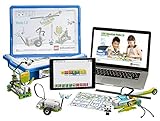
5. LEGO Education WeDo 2.0 Core Set – Best for Early Elementary STEM
- Programmable SmartHub with Bluetooth keeps wiring kid-friendly
- Design library offers ready-to-teach projects and rubrics
- Built-in documentation tool for student portfolios
- LEGO Education lesson plans align to NGSS and CSTA
- Higher price point than consumer kits for similar piece count
- Requires a compatible tablet or computer to run the software
- Smaller review base than LEGO Boost
LEGO Education WeDo 2.0 is the younger sibling of SPIKE Prime, built specifically for grades 2 through 4. Across 828 reviews it averages 4.7 out of 5, which is high praise for an education-market kit. The SmartHub handles motors and sensors over Bluetooth, so there are no exposed wires for young fingers.
The design library is the real story. Teachers do not have to invent projects from scratch. LEGO Education ships guided missions (a frog’s metamorphosis, a lunar rover, a floodgate) along with assessment rubrics and a built-in documentation tool. Students can capture photos and notes inside the same app, which makes portfolio-based assessment practical for second and third graders.
The trade-off is price. WeDo 2.0 costs more per piece than LEGO Boost, and it requires a tablet or computer to run. For a single classroom station the price is fair, but a full classroom set of 10 or more kits gets expensive fast. If you do not need the structured curriculum, LEGO Boost delivers similar hands-on learning at a lower per-kit price.
How it fits an early elementary classroom
WeDo 2.0 is purpose-built for grades 2 through 4 and aligns to NGSS K-2 and 3-5 engineering standards. The wireless SmartHub and drag-and-drop programming keep frustration low, while the assessment rubrics help teachers justify the spend to administrators. If your school runs a structured STEM block in elementary, this is the safest pick.
Where it falls short
WeDo 2.0 does not scale to middle school. The text-based coding path is shallow, and the parts count is lower than SPIKE Prime or VEX IQ. Plan to retire the kits by grade 5 or hand them down to K-1 as new purchases take over the upper grades.
6. ELEGOO UNO R3 Smart Robot Car Kit V4 – Best Arduino Path for High School
ELEGOO UNO R3 Smart Robot Car Kit V4 with Camera, Compatible with Arduino
- Real Arduino UNO R3 controller teaches industry-standard coding
- FPV camera with Wi-Fi opens up computer vision projects
- Keyed XH2.54 connectors reduce wiring mistakes for beginners
- Complete kit includes 2000 mAh rechargeable battery
- Recommended for ages 12 plus; not ideal for younger builders without adult guidance
- Some learning curve for the Arduino IDE and C plus plus syntax
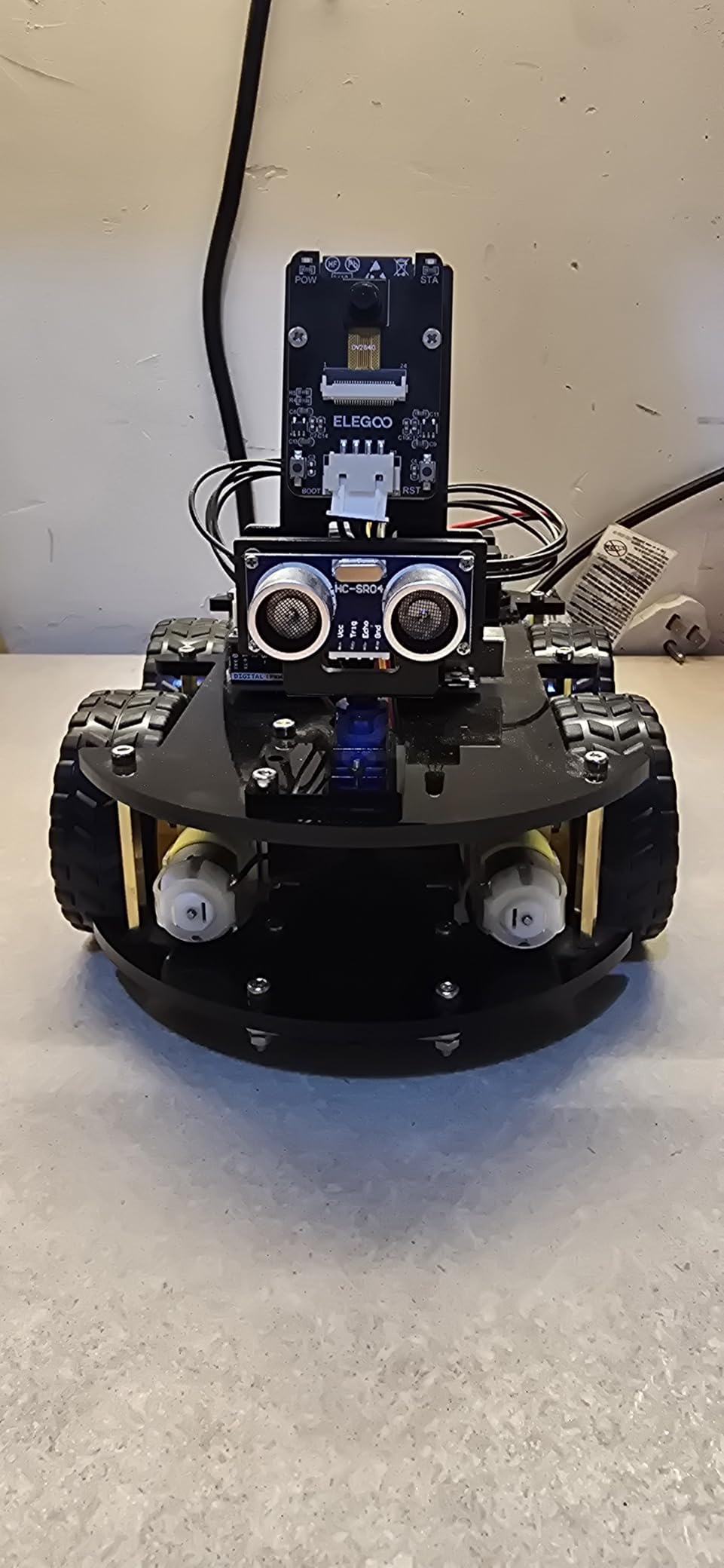
ELEGOO’s Smart Robot Car V4 is the kit I recommend when a high school wants real Arduino experience without the parts-sourcing headache. Across 4,479 reviews it averages 4.5 out of 5, and the included components (UNO R3 board, ESP32-WROVER camera module, ultrasonic and line-tracking sensors, IR remote, rechargeable battery) cover a full semester of projects out of the box.
The FPV camera with Wi-Fi is the standout feature. Students stream live video from the robot, run obstacle-avoidance routines, and explore computer vision concepts without buying extra modules. Line tracking and ultrasonic obstacle avoidance ship as working demos, so the first day of class produces a moving, sensing robot instead of a wiring puzzle.
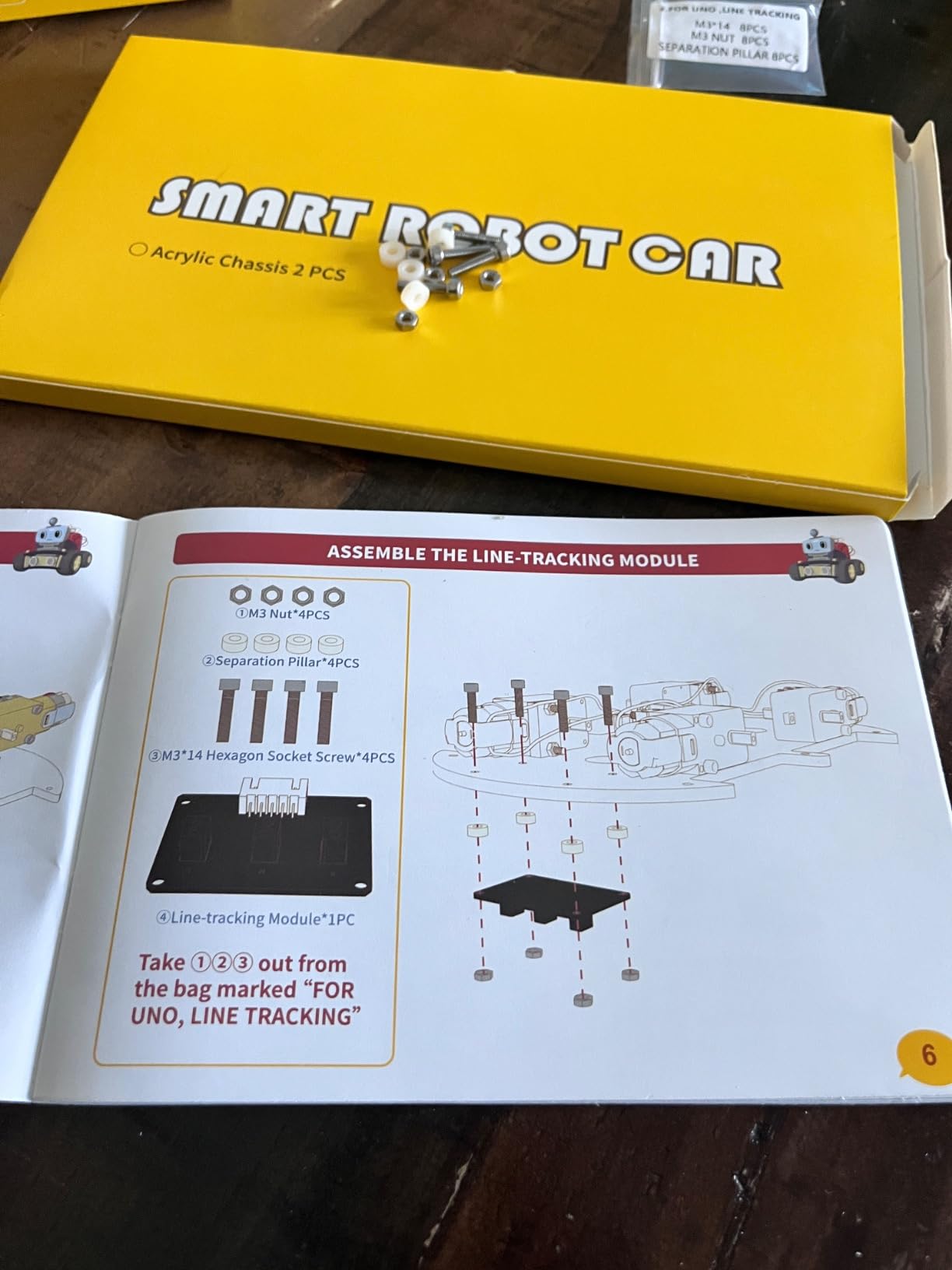
Keyed XH2.54 connectors are a thoughtful touch. Anyone who has watched a teenager reverse a wiring harness will appreciate that you cannot plug the sensor into the wrong port. The included tutorial walks through chassis assembly, module wiring, and the first Arduino sketch, then opens the door to C++ and creative coding modifications.
The Arduino learning curve is real. Students who have only used Scratch will need teacher support to read example sketches and fix compile errors. That is also the point: this kit teaches real engineering, not just drag-and-drop sequencing. For a high school computer science or engineering elective, it is hard to beat at this price tier.
How it fits a high school CS or engineering class
The ELEGOO Smart Robot Car maps cleanly to CSTA 9-10 and 11-12 standards around algorithms, data analysis, and physical computing. Because it is built on the Arduino ecosystem, students transition easily to other Arduino projects, maker fairs, and capstone builds. The kit also makes a strong bridge into math-for-robotics topics like coordinate geometry and sensor calibration.
Where it falls short
It is not a build-system kit. There are no snap-together parts for rapid prototyping, and the kit is not aligned to FIRST or VEX competitions. For pure CS and engineering credit, it excels. For a robotics competition pathway, pair it with VEX IQ or VEX V5.
7. Thames and Kosmos Robotics Smart Machines – Best for Hands-On Build Variety
- Kids can build 8 different motorized machines from one kit
- Ultrasonic sensor teaches real-world sonar principle
- Full-color 64-page step-by-step illustrated manual included
- Parents Choice Gold Award winner
- Requires a tablet or smartphone (not included) to run the app
- Some users report build difficulty or app compatibility quirks
Thames and Kosmos Robotics Smart Machines is the kit I suggest to schools that want one kit to cover a wide variety of build types. Eight different motorized models walk students through increasingly complex mechanical assemblies, from a simple walker to a sonar-equipped rover. The 64-page full-color manual is a rare win in a market that has mostly gone app-only.
The ultrasonic sensor is the centerpiece. Students learn how sonar works by attaching it to different builds and watching the robot react to obstacles. The Bluetooth battery box and app interface let students program behaviors based on sensor feedback, which connects mechanical engineering to real-world robotics concepts.
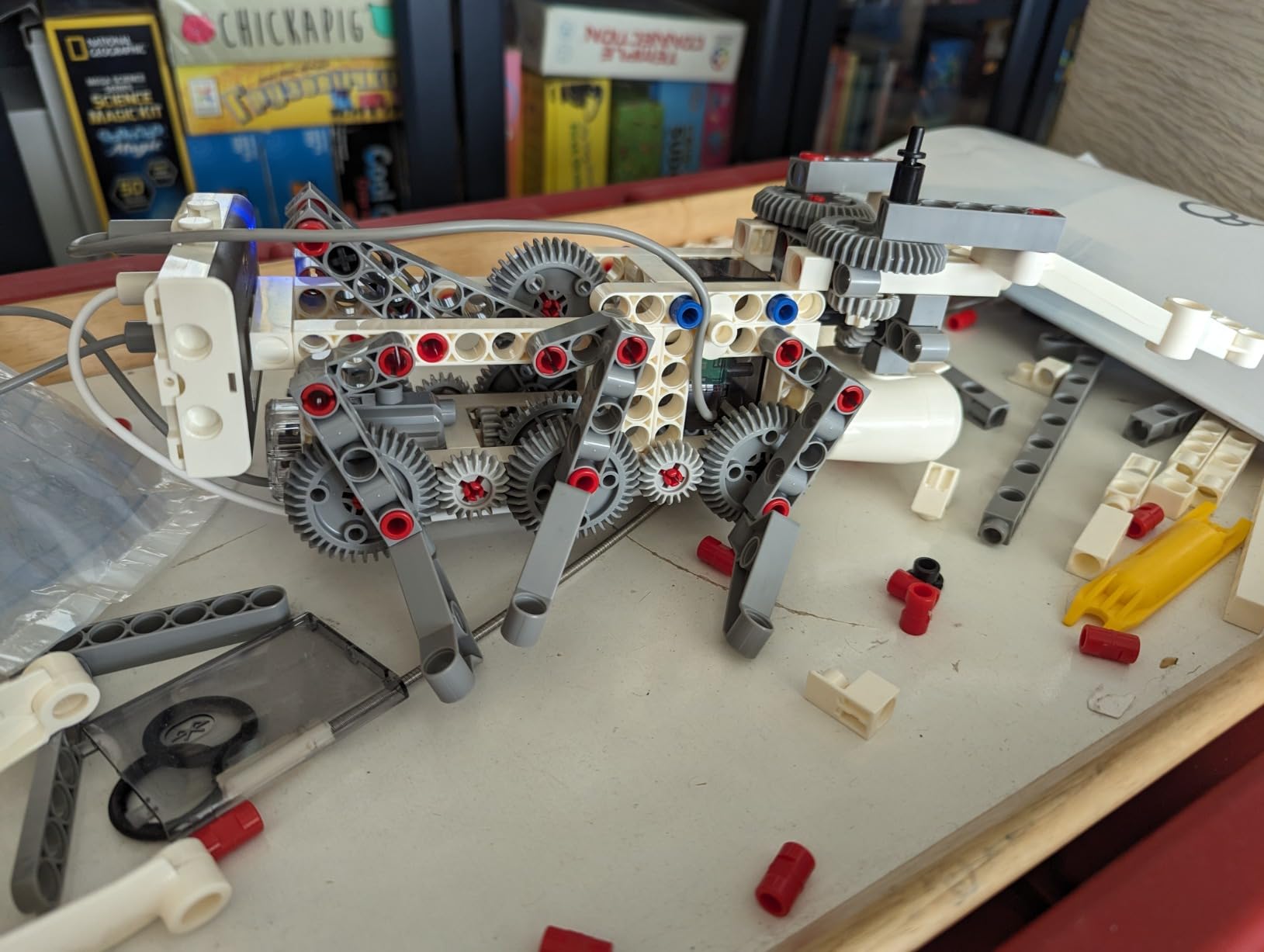
Build quality is good for the price tier, and the parts are designed for repeated disassembly. Several teachers reported running the kit for two school years without significant breakage. The Parents’ Choice Gold Award is a signal that the kit holds up in real homes and classrooms, not just on paper.
The downsides are minor. You need a tablet or smartphone to run the programming app, and some users report app compatibility quirks on older Android devices. Build difficulty varies widely between the eight models; a few are challenging for the lower end of the age range. For teachers willing to scaffold, the variety is the reward.
How it fits a maker space or STEM elective
This kit shines in maker spaces where students rotate through projects independently. The 64-page manual is unusually detailed, which reduces teacher load during station rotations. The eight-model variety also makes it a strong fit for short-term STEM camps and summer programs.
Where it falls short
Smart Machines does not scale to text-based coding. The app uses a custom block interface that does not transition to Python or Arduino. For schools that want a long-term platform investment, Makeblock mBot2 or LEGO SPIKE Prime are stronger choices.
8. Makeblock mBot Ranger 3-in-1 – Best Aluminum Build for Middle School
Makeblock mBot Ranger 3 in 1 Coding Robot Building Kit for Kids Ages 10+
- 3-in-1 robot: Land Raider tank Nervous Bird self-balancer and Dashing Raptor racer
- Sturdy anodized aluminum frame survives heavy classroom use
- Supports Scratch and Arduino programming languages via mBlock5
- Rich sensor set: ultrasonic line-tracking light gyroscope and 12 RGB LEDs
- Requires 6 AA batteries (not included) or a separate lithium battery pack
- Some users report outdated app compatibility with newer Android devices
- 130 plus small parts challenge younger builders without help
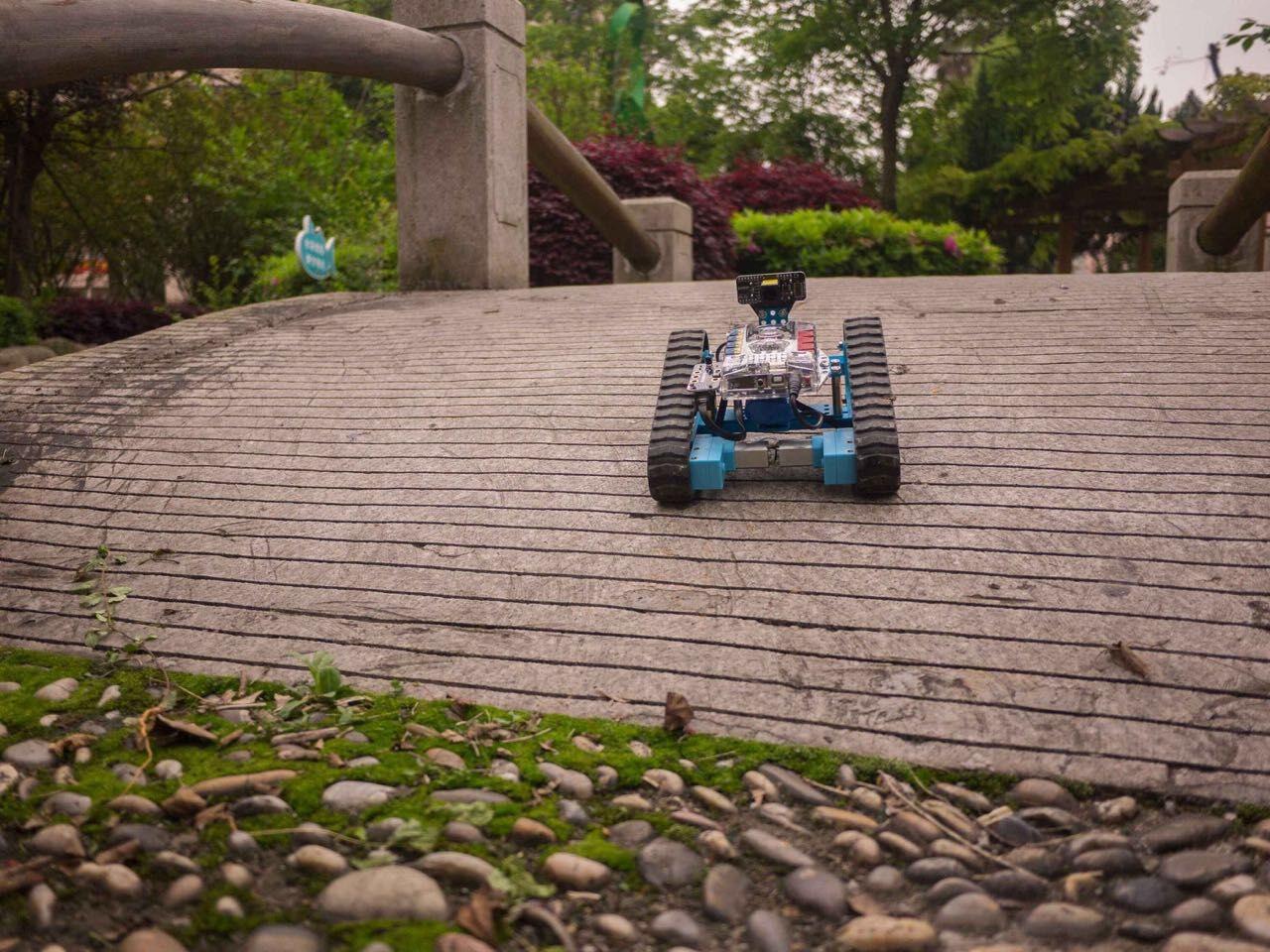
The Makeblock mBot Ranger is the kit I recommend when a middle school wants the durability of metal parts without the price of VEX. Three robot configurations (Land Raider tank, Nervous Bird self-balancer, Dashing Raptor three-wheeled racer) share one set of components, so students learn mechanical engineering principles by rebuilding the same kit in different forms.
The aluminum frame is the headline. Where most classroom robotics kits rely on plastic that cracks under stress, the mBot Ranger uses anodized metal that survives drops, classroom storage, and the rigors of an after-school club. Across 743 reviews the kit averages 4.4 out of 5, with build quality cited as the most consistent strength.
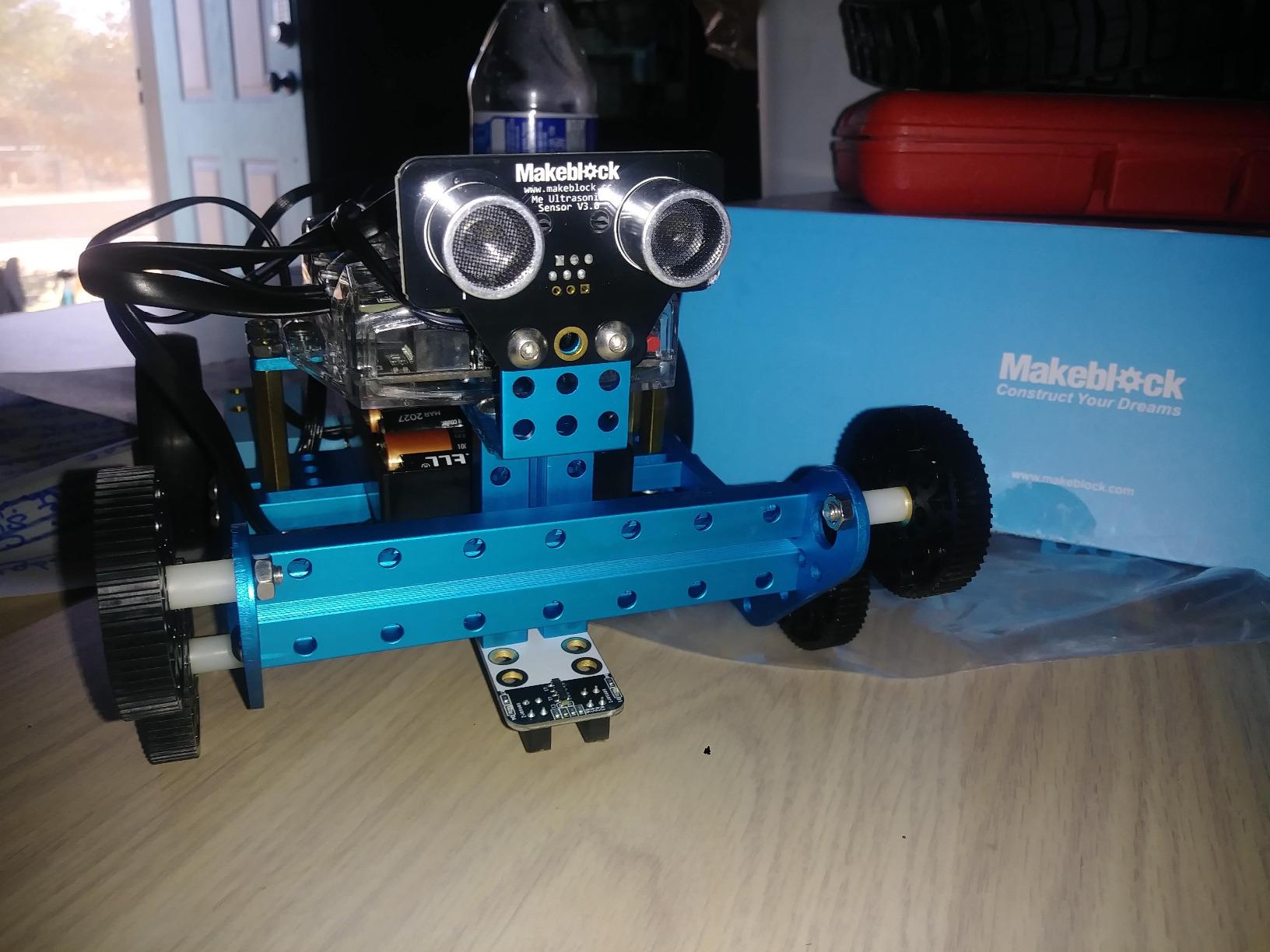
Programming runs through the mBlock5 app, which uses Scratch-style blocks and graduates to Arduino C++. That progression is what makes Ranger a middle school favorite: students start with blocks and move into real text code on the same hardware. The sensor set is unusually rich for the price, with ultrasonic, line-tracking, light sensors, gyroscope, temperature, Bluetooth, and 12 programmable RGB LEDs.
The catch is battery logistics. Six AA batteries (not included) will not last a semester, and the official lithium battery pack is a worthwhile upgrade. A few users report app compatibility issues on newer Android devices, which is fixable by switching to the iOS or web version of mBlock. With 130+ small parts, expect to budget for teacher setup time.
How it fits a middle school engineering elective
Ranger is a strong fit for grades 6 through 8 engineering and coding electives. The three-in-one design gives teachers three full projects per kit, which stretches a budget further than most single-build kits. The Arduino path also prepares students for high school robotics and URDF-based robotics projects in later years.
Where it falls short
Ranger does not slot into FIRST or VEX competition programs out of the box. If competition is the goal, look at VEX IQ instead. The Ranger is also overkill for grade 4 and below; LEGO Boost or WeDo 2.0 will be a better fit there.
9. Kids First Coding and Robotics – Best Unplugged Intro for K-2
- Unplugged: no software apps or smart devices required
- Early STEM for grades K-2 ages 4-8
- 64-page full-color experiment manual guides lessons
- Story-based learning with six different storylines
- Limited to foundational concepts; not designed for older students
- Some users report that the OID scanner requires good lighting
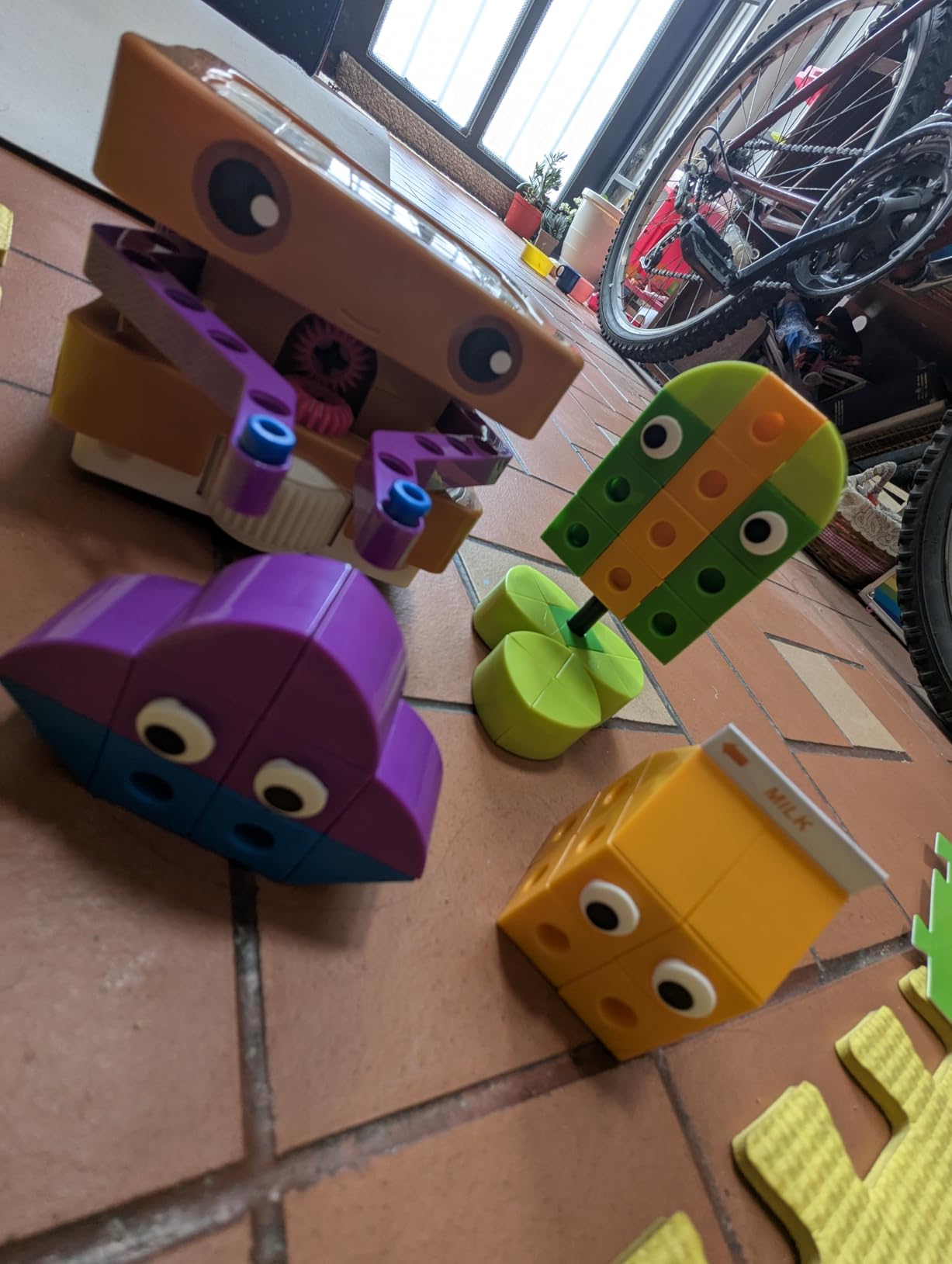
Kids First Coding and Robotics is the answer for schools that want to teach coding concepts before students are ready for screens. The kit uses a robot with an OID optical scanner that reads pattern cards, plus a 64-page full-color manual and story cards. Across 421 reviews it averages 4.6 out of 5.
The story-based approach is the differentiator. Six storylines (a mouse in a maze, a soccer player, and more) guide students through model building and coding concepts without abstract syntax. Students snap physical cards into sequences and watch the robot execute them, which makes loops, functions, conditions, and variables tangible before they ever appear on a screen.
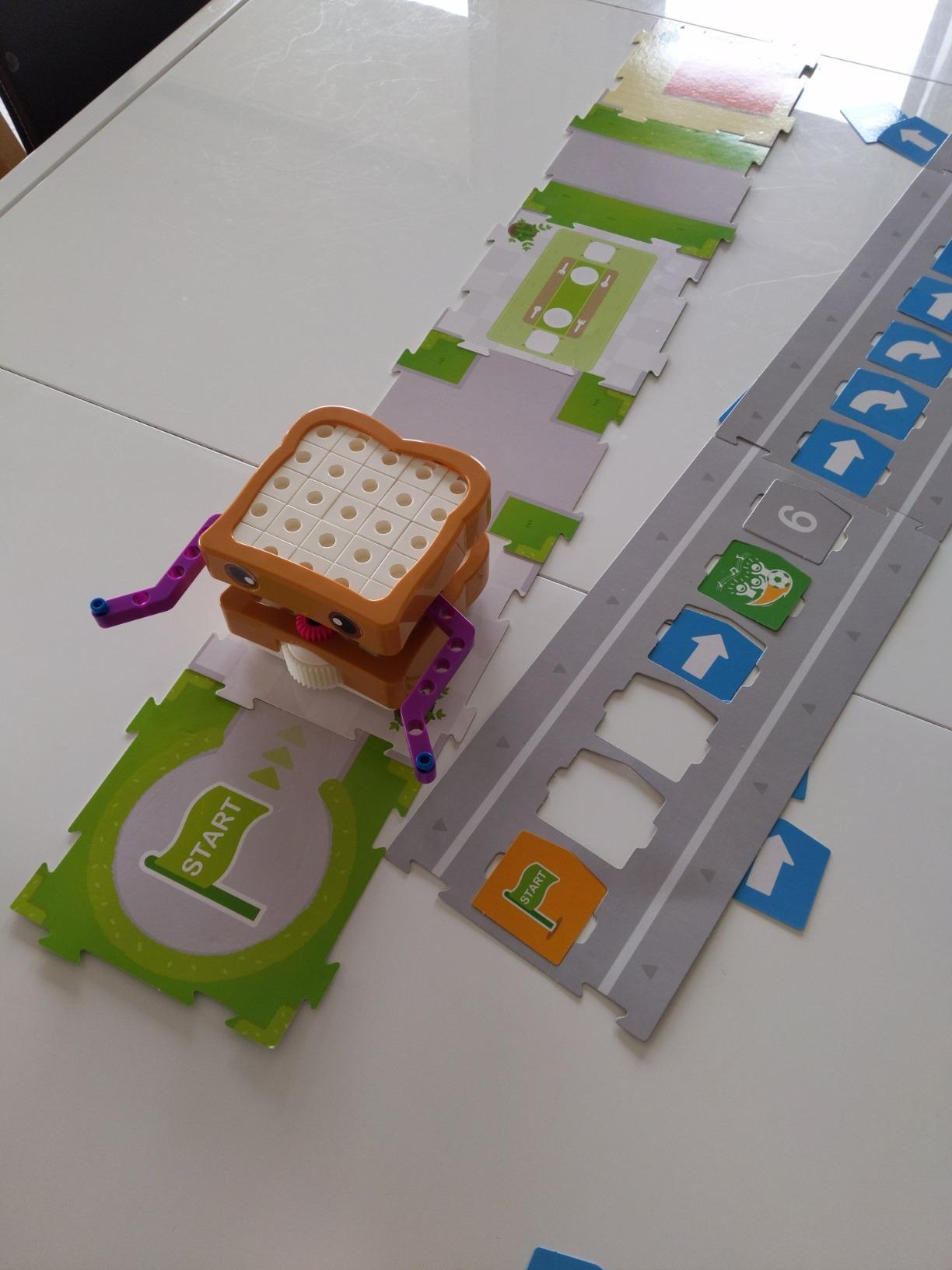
For districts that share iPads across grades or run early-finish STEM centers, the unplugged design is a major operational win. There are no charging cables, no app updates, and no device compatibility issues. The kit stores flat in a classroom closet and sets up in seconds.
The trade-offs are honest. The kit is intentionally limited to foundational concepts and is not designed for students above grade 2. The OID optical scanner can be sensitive to lighting; bright sunlight or dim rooms will affect performance. For its intended audience, though, it is the strongest screen-free option on this list.
How it fits a K-2 STEM center
Kids First Coding and Robotics aligns to CSTA K-2 standards around sequences, loops, and conditionals. The story-based format doubles as a literacy anchor, which makes it a strong pick for STEM-literacy integrated blocks. Pair it with Botley for stations that combine unplugged and screen-free coding.
Where it falls short
There is no path to text-based coding on this kit. By grade 3 students will need to transition to LEGO Boost, WeDo 2.0, or Sphero Mini for the next step. Treat Kids First as a foundational primer, not a long-term platform.
10. Makeblock mBot2 Coding Robot – Best for Classroom Multi-Robot Coordination
- Up to 5 hours of playtime on a single charge
- Wi-Fi module supports multi-robot classroom coordination
- 10 plus advanced sensors expandable with 30 plus modules
- Learn-through-play with voice control and 8 plus modes
- Some users report JST connectors are not child-friendly
- Cables can be too short in some places
- mBlock Android app has been reported as non-functional; web version is most reliable
The Makeblock mBot2 is the kit I recommend to schools running mBot at scale, whether that is a 12-pack classroom bundle or a coordinated robotics lab. Across 1,138 reviews it averages 4.4 out of 5. The mBuild platform supports 30+ add-on modules, which means a single hub can host line-following, obstacle avoidance, color identification, IoT, and AI projects as students advance.
The Wi-Fi multi-robot feature is what sets mBot2 apart for school deployments. Teachers can push the same program to every robot in the room and watch a synchronized swarm activity, or split the class into groups that coordinate over the network. That capability is rare at this price tier and turns a normal robotics unit into a real-time systems lesson.
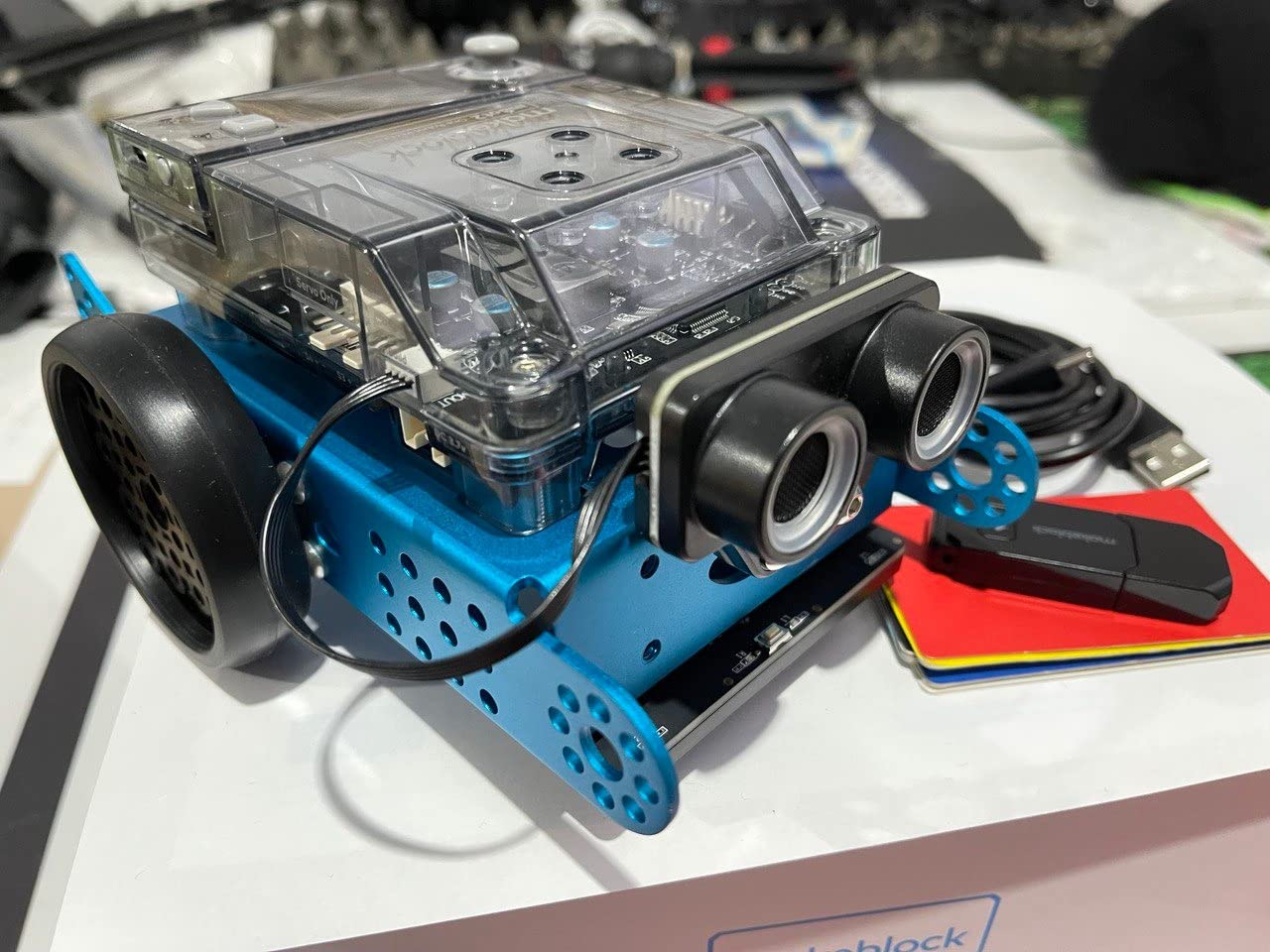
Battery life runs up to 5 hours on a single charge, which covers a full school day with margin. The kit ships with 24+ cases and 8+ courses that progress from Scratch to Python, giving teachers a built-in curriculum path. Voice control, singing, light reactions, and 8+ play modes keep younger students engaged while the coding depth scales for older learners.
The common complaints are minor but worth flagging. JST connectors are not always child-friendly, so expect to budget a small amount of teacher prep time for first-time builders. Some cables run short in tight configurations. The mBlock Android app has stability issues; use the iOS or web version for the most reliable classroom experience.
How it fits a STEM lab at scale
mBot2 is the strongest mid-tier kit for schools that need to outfit an entire classroom. Makeblock sells 12-pack and 24-pack bundles at a meaningful per-seat discount, and the Wi-Fi coordination feature makes group projects work without extra infrastructure. For schools already running mBot Ranger, the upgrade path to mBot2 is straightforward.
Where it falls short
mBot2 is not a competition platform. If your school runs or wants to run VEX or FIRST competitions, choose VEX IQ or VEX V5 instead. mBot2 is best for in-class STEM, coding clubs, and IoT/AI enrichment.
Buying Guide: How to Choose the Best Robotics Kit for Your School?
Choosing the best robotics kits for schools comes down to four decisions: grade band, budget tier, classroom size, and curriculum goal. Get those right and the kit choice is usually obvious. Get them wrong and you will spend the next three years fighting the platform.
Match the kit to your grade band
For grades K-2, start unplugged or screen-free. Kids First Coding and Robotics and Botley both teach sequencing and loops without device management overhead. For grades 3-5, build-system kits dominate: LEGO Boost, LEGO Education WeDo 2.0, and Thames and Kosmos Smart Machines all hit the right balance of engagement and curriculum depth. For grades 6-8, transition to text-capable platforms: Makeblock mBot Ranger, LEGO Boost (advanced projects), or Sphero Bolt. For grades 9-12, real engineering and code take over: ELEGOO Arduino kit, Makeblock mBot2, VEX IQ, or VEX V5.
Set a realistic budget tier
Under $100 per kit covers screen-free starters and basic build kits (Botley, Thames and Kosmos Smart Machines, ELEGOO car kit). The $100-$300 tier covers most consumer-grade classroom kits (Sphero Mini, Sphero Bolt, LEGO Boost, mBot Ranger, mBot2). Above $300 you are looking at education-market kits (LEGO Education WeDo 2.0, full VEX bundles, EZ-Robot classroom sets). Schools that commit to one tier should plan to spend 10-20% of kit cost per year on spare parts and consumables.
Size the classroom set correctly
For a class of 30 students, plan on 10 to 15 kits for rotation. Full 1:1 deployment is rarely necessary at the introductory level, and 2-3 students per kit builds collaboration skills. For single-station STEM centers, one kit per center is enough. For dedicated robotics labs with daily use, lean toward 1:1 or 2:1.
Check curriculum and standards alignment
Most kits on this list map to NGSS engineering design standards and CSTA computational thinking practices. ISTE standards for students are also widely covered. Always verify that your chosen kit ships with lesson plans, assessment rubrics, or at minimum a teacher guide. A kit without curriculum support doubles teacher prep time.
Watch for platform longevity risk
LEGO has retired robotics lines before (Mindstorms, WeDo 1.0). When you standardize on a platform, ask the vendor about their 3-5 year roadmap and whether the kit uses proprietary connectors. Open platforms with commodity spares (Arduino-based kits, Sphero, Makeblock) carry lower obsolescence risk than proprietary single-vendor systems.
Budget for spares and teacher training
Plan 10-20% of kit cost per year for spare parts, batteries, and consumables. Plan another 8-16 hours of teacher professional development before the first lesson. Skipping PD is the single most common reason robotics programs fail in year two.
Consider competition pathways early
If you ever want to field a FIRST LEGO League, VEX IQ, or VEX V5 team, choose a kit that ladders into those programs. FIRST Robotics Competition teams typically start with LEGO SPIKE Prime or VEX IQ kits before moving into higher-level programs. Starting with a non-compatible kit means re-buying hardware later.
Cost-Per-Seat: The 3-Year TCO Framework Schools Forget
The sticker price of a robotics kit is the smallest number in your three-year budget. The total cost of ownership (TCO) per student depends on five factors that most first-time buyers miss: kit cost, classroom set size, consumables and spares, teacher training hours, and platform longevity. Schools that calculate TCO before they buy make better long-term decisions.
A typical elementary classroom of 30 students with 10 LEGO Boost kits, 10% annual spares budget, and 16 hours of teacher PD lands at roughly $35-$45 per student per year across a three-year deployment. A middle school running VEX IQ or mBot Ranger runs $60-$90 per student per year once you add competition fees and parts replacement. A high school Arduino lab runs $40-$70 per student per year because the kits last longer but consumables add up.
Budget line items to include: initial kit purchase, charging and storage cart, spare parts kit (10-20% of kit cost per year), batteries or rechargeable upgrades, teacher PD (vendor training or in-house), curriculum licensing if not included, and replacement parts for breakages. The schools that succeed treat the robotics lab like a sports program budget, not a textbook purchase.
Frequently Asked Questions
What are some good robotic kits for schools?
Good robotics kits for schools include LEGO Boost Creative Toolbox for grades 3 to 8, Sphero Mini and Sphero Bolt for coding-rich classrooms, LEGO Education WeDo 2.0 for early elementary, Makeblock mBot Ranger and mBot2 for middle school, ELEGOO UNO R3 Smart Robot Car V4 for high school Arduino programs, and VEX IQ for competition pathways. Match the kit to your grade band, budget tier, and curriculum goals for the best fit.
What are the best robotics kit brands?
The best robotics kit brands for schools are LEGO Education (SPIKE Prime, WeDo 2.0, Boost), VEX Robotics (VEX GO, VEX IQ, VEX V5), Makeblock (mBot series, mBuild), Sphero (Mini, Bolt), Wonder Workshop (Dash, Cue), ELEGOO (Arduino kits), and Thames and Kosmos (Smart Machines, Kids First). Each brand has a distinct strength: LEGO and VEX dominate build-system kits, Makeblock and Sphero lead in mid-tier coding robots, and ELEGOO owns the Arduino classroom segment.
What is the best educational robot kit for kids?
The best educational robot kit for kids depends on age. For ages 4 to 7, Kids First Coding and Robotics and Learning Resources Botley teach sequencing and loops without screens. For ages 7 to 12, LEGO Boost Creative Toolbox offers the deepest hands-on experience with five buildable robot models. For ages 8 and up ready for text coding, Sphero Mini and Sphero Bolt introduce JavaScript and Python in a durable, classroom-tested form factor.
Is LEGO Education SPIKE worth it for schools?
Yes, LEGO Education SPIKE Prime is worth it for schools that need a standards-aligned, durable, curriculum-supported build platform for grades 6 through 8. It combines Scratch-style block coding with Python progression, ships with lesson plans mapped to NGSS and CSTA, and uses LEGO parts that survive classroom use. The trade-off is price: a full classroom set is a significant investment, so many schools pair SPIKE Prime with cheaper kits like LEGO Boost or Botley at lower grades.
Is SPIKE Prime being discontinued?
LEGO has not officially discontinued SPIKE Prime as of 2026, but the company has a history of retiring robotics lines (Mindstorms EV3 was discontinued in 2021, WeDo 2.0 has been superseded by SPIKE). Before standardizing any LEGO robotics platform across multiple classrooms, confirm the vendor roadmap, check that replacement parts are stocked, and budget for a 3 to 5 year refresh cycle. Open platforms with commodity parts carry lower obsolescence risk than proprietary single-vendor systems.
Which is better, VEX or FIRST Robotics?
Neither program is universally better. VEX Robotics Competition runs the VEX IQ (elementary and middle school) and VEX V5 (high school) programs, with a global tournament circuit and a unified parts ecosystem. FIRST runs FIRST LEGO League (grades 4 to 8, uses LEGO SPIKE Prime or WeDo), FIRST Tech Challenge (grades 7 to 12, uses Android-based controllers), and FIRST Robotics Competition (grades 9 to 12, full-scale industrial robots). VEX has lower entry cost and faster iteration cycles; FIRST has stronger industry sponsorships and college recruitment visibility. Many schools run both at different grade bands.
Final Recommendation: Picking the Best Robotics Kits for Schools in 2026
After comparing ten classroom-tested kits across ratings, review depth, programming progression, durability, and total cost of ownership, the LEGO Boost Creative Toolbox stands out as our top pick for the best robotics kits for schools in 2026. It threads the needle between engagement, curriculum depth, and price in a way that no other kit does. For tight budgets, Sphero Mini delivers the lowest cost per student for coding classes, and Botley remains the strongest screen-free starter for primary grades.
For elementary, start with Botley or Kids First Coding and Robotics in K-2, move into LEGO Boost or LEGO Education WeDo 2.0 for grades 3-5. For middle school, Makeblock mBot Ranger or LEGO Boost advanced projects cover the transition to text coding. For high school, ELEGOO Arduino kits or Makeblock mBot2 deliver real engineering depth, and Sphero Bolt pairs beautifully with Python and data science electives.
If you are standardizing on a single platform, build your selection around your grade band, your curriculum goals, and a 3-year TCO budget that includes spares, PD, and batteries. The kits on this list all survive real classroom use, but the right one for your school depends on the students, the teachers, and the budget cycle you are working with.