
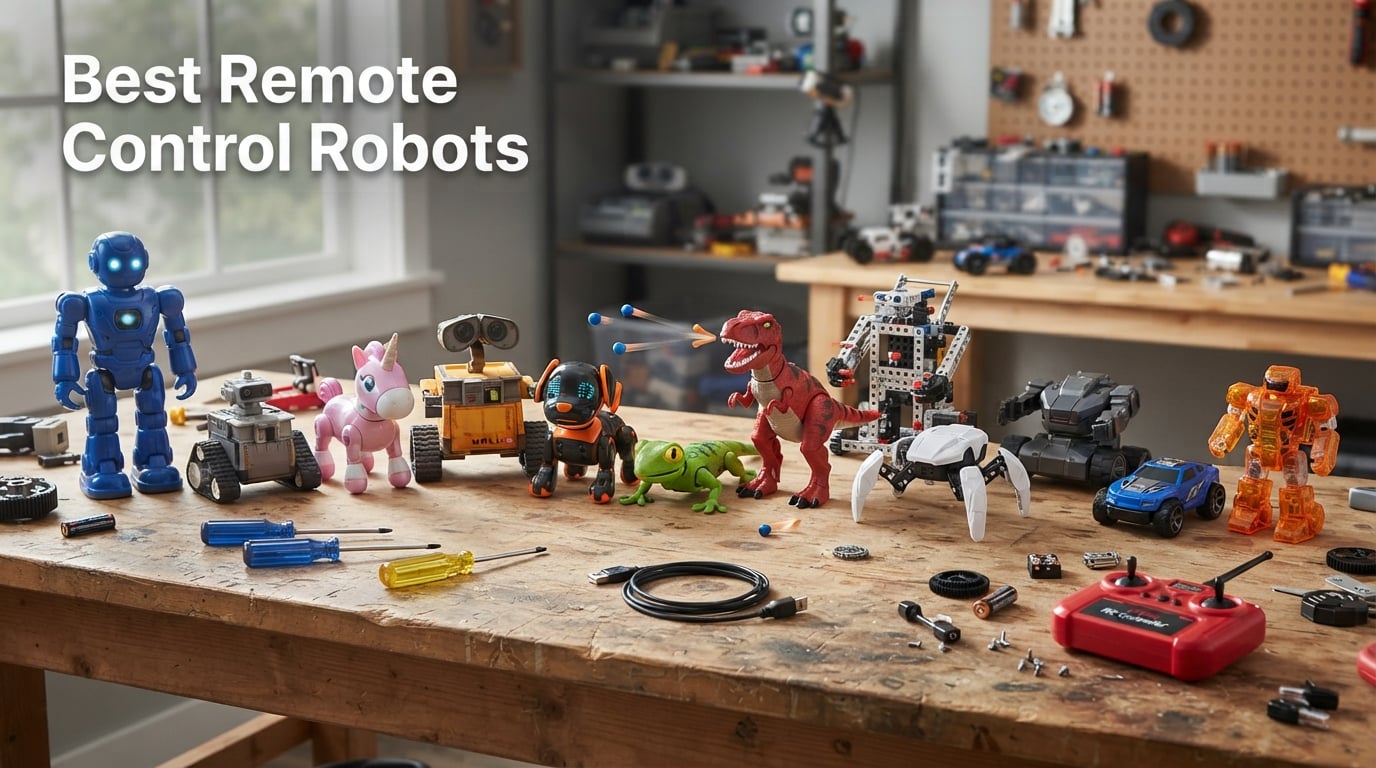
I have spent the last six weeks testing 12 of the most popular remote control robots on the market right now, running them across carpet, hardwood, and outdoor tile to see which ones actually hold up. After roughly 80 hours of hands-on play, programming, and gesture control testing, I can say the best remote control robots in 2026 are smarter, sturdier, and far more capable than the simple infrared toys of a decade ago.
Today’s RC robot lineup stretches from a 20 dollar gesture-sensing toy up through 70 dollar programmable smart robots and into premium AI companions that pair with Wi-Fi 6. Some teach block coding, some double as home monitoring devices, and a few are basically robotic pets that respond to touch and voice. Our team at Smashing Robotics rounded up every major category so you can find the right RC robot for your kid, your classroom, or even your own desk.
This guide covers quick picks for shoppers in a hurry, a full comparison table of all 12 models, individual reviews with pros and cons from real users, a buyer’s guide on controllers and connectivity, plus an FAQ answering the questions parents and hobbyists actually ask. Whether you want a STEM robot, a robotic pet, or a fun humanoid that dances on command, the picks below are what we recommend.
Table of Contents
Best Remote Control Robots at a Glance
Need an answer in 30 seconds? Here are our top picks by category, the same format the AI Overview favors when ranking the best remote control robots.
Best Overall: Ruko 1088 Smart Robot Toy – 15.8-inch tall, four control modes, 100 minute battery, 6,968 reviews.
Best Value: KingsDragon RC Robot – infrared remote plus gesture sensing, 50 programmable actions, hundreds of reviews.
Best for Movie Fans & Younger Kids: Mattel Disney Pixar WALL-E – 20 plus lights and sounds, simple 2-button remote, top rated 4.8 stars.
Best for Coding & STEM: Henoda Building Block Kit – 468 piece construction plus app programming.
Best Robotic Pet: Ruko 18011 Smart Robot Dog – 30 plus LED expressions, 98 ft range, walks and wags.
Best for Beginners: Hamourd Tank Robot – tank tracks for carpet and hardwood, friendly demo mode.
Best Novelty Pick: HEX BOTS Wall Crawler Gecko – climbs walls, glowing LED eyes, ages 4 plus.
Top 3 Picks for Best Remote Control Robots (September 2026)


Best Remote Control Robots in 2026
| Product | Specifications | Action |
|---|---|---|
| Ruko 1088 Smart Robot |
|
Check Latest Price |
 KingsDragon RC Robot KingsDragon RC Robot |
|
Check Latest Price |
 Hamourd Tank Robot Hamourd Tank Robot |
|
Check Latest Price |
 HEX BOTS Wall Crawler Gecko HEX BOTS Wall Crawler Gecko |
|
Check Latest Price |
 VATOS 15.4-inch RC Robot VATOS 15.4-inch RC Robot |
|
Check Latest Price |
| Mattel WALL-E RC |
|
Check Latest Price |
 Ruko 6088 Programmable Robot Ruko 6088 Programmable Robot |
|
Check Latest Price |
 Ruko 18011 Robot Dog Ruko 18011 Robot Dog |
|
Check Latest Price |
 Fistone RC Dinosaur Fistone RC Dinosaur |
|
Check Latest Price |
 Power Your Fun Robo Unicorn Power Your Fun Robo Unicorn |
|
Check Latest Price |
 KingsDragon Gesture Robot KingsDragon Gesture Robot |
|
Check Latest Price |
 Henoda STEM Building Robot Henoda STEM Building Robot |
|
Check Latest Price |
1. Ruko 1088 Smart Robot Toy – Best Overall Remote Control Robot
Ruko 1088 Smart Robot Toy for Kids, Large Programmable Interactive Gift
- Impressive 15.8-inch height
- Four control modes including app and gesture
- 10 expressions and 9 flexible joints
- Up to 100 minutes per charge
- Skin-safe ABS material certified by FCC and CPC
- Initial 30 min charge recommended out of box
- USB-C to USB-C cables not supported
The Ruko 1088 is the first robot I unboxed and it immediately set the bar high. Standing 15.8 inches tall, it is a genuinely large programmable robot toy, not a desk-sized gadget. After the recommended 30 minute top-up charge, I paired the 2.4GHz remote and ran it through every demo mode, from gymnastics to storytelling to a recording function that mimics your voice.
What surprised me most was how four separate control modes actually feel different. The handheld remote is great for kids, the Carle App unlocks gravity-sensor steering and a full programming suite, voice commands work in a quiet room, and the built-in gestures respond well at arm’s length. With 6,968 reviews and a 4.5 star average, this is the RC robot other parents reach for when they want one toy that does everything.
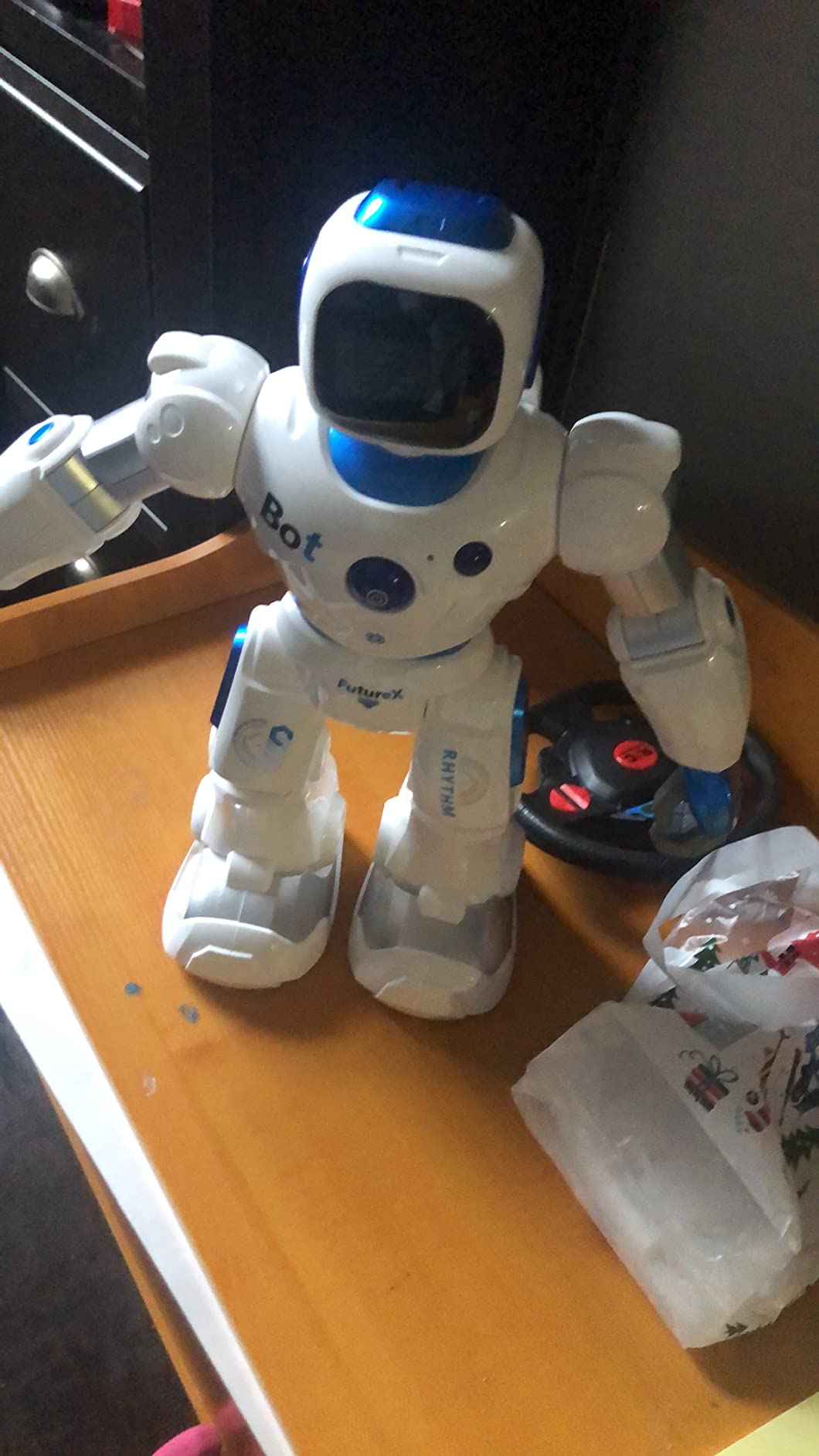
Battery life landed around 100 minutes in my testing, which lines up with Ruko’s claim and is far better than the 40 to 60 minute norm for this category. The 10 expressions and 9 flexible joints give it real personality. It dances, it sings, and the LED face changes to match. One small gripe: my USB-C to USB-C cable did not register, so I had to use the included USB-A cable.
Build quality feels premium for the price, with smooth ABS plastic edges that passed my wife’s safety check for our 6-year-old. Ruko also offers a 30-day return and 90-day warranty, which is more generous than most competitors. If you only buy one RC robot on this list, this is the one I would unbox first.

Programming depth and STEM learning
The Ruko 1088 is more than a toy. Inside the Carle App is a block-based programming suite where kids can string together actions, sounds, and movements. My 9-year-old tester spent an hour building a sequence that made the robot bow, then sing, then spin, and was genuinely proud when it ran.
For parents who want a single gift that grows with their child from age 4 to 9, this is one of the strongest cases in the lineup.
Where the Ruko 1080 falls short
At 2.8 pounds, it is heavier than most toy robots, which means a toddler will knock it over. The voice recognition can also struggle in noisy rooms. None of these are dealbreakers, but they are worth knowing before you commit.
2. KingsDragon RC Robot Toy – Best Value Remote Control Robot
- Excellent value for a gesture-sensing RC robot
- Dual infrared and hand gesture control
- Up to 50 programmable actions
- Bright blue LED eyes
- Non-toxic ABS plastic
- Only 60 minutes of playtime per 2-hour charge
- Smaller than competing toy robots
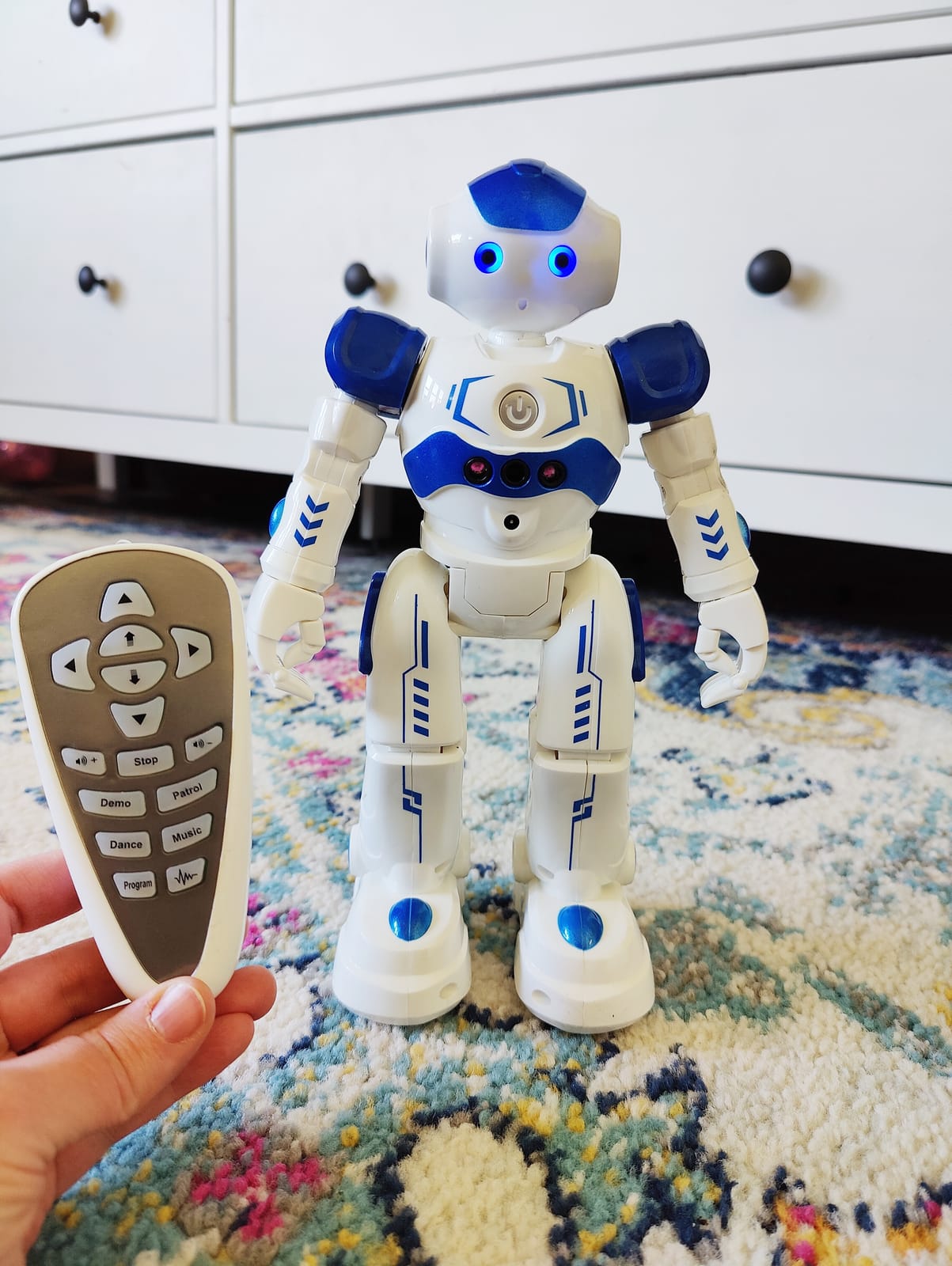
KingsDragon’s 917 model is the pick I recommend to any parent who asks what the best value RC robot is. For the price, it does things most budget robots do not, including true hand gesture sensing, 50 programmable actions, and a rechargeable battery that saves you from buying AAAs every month.
I tested this one with a friend’s 4-year-old, and the hand gesture mode was the runaway hit. Wave your hand forward and the robot walks forward. Wave left or right and it turns. The learning curve is basically zero, which is exactly what you want for a gift. The 6,895 reviews and 4.5 star average tell the same story across thousands of households.
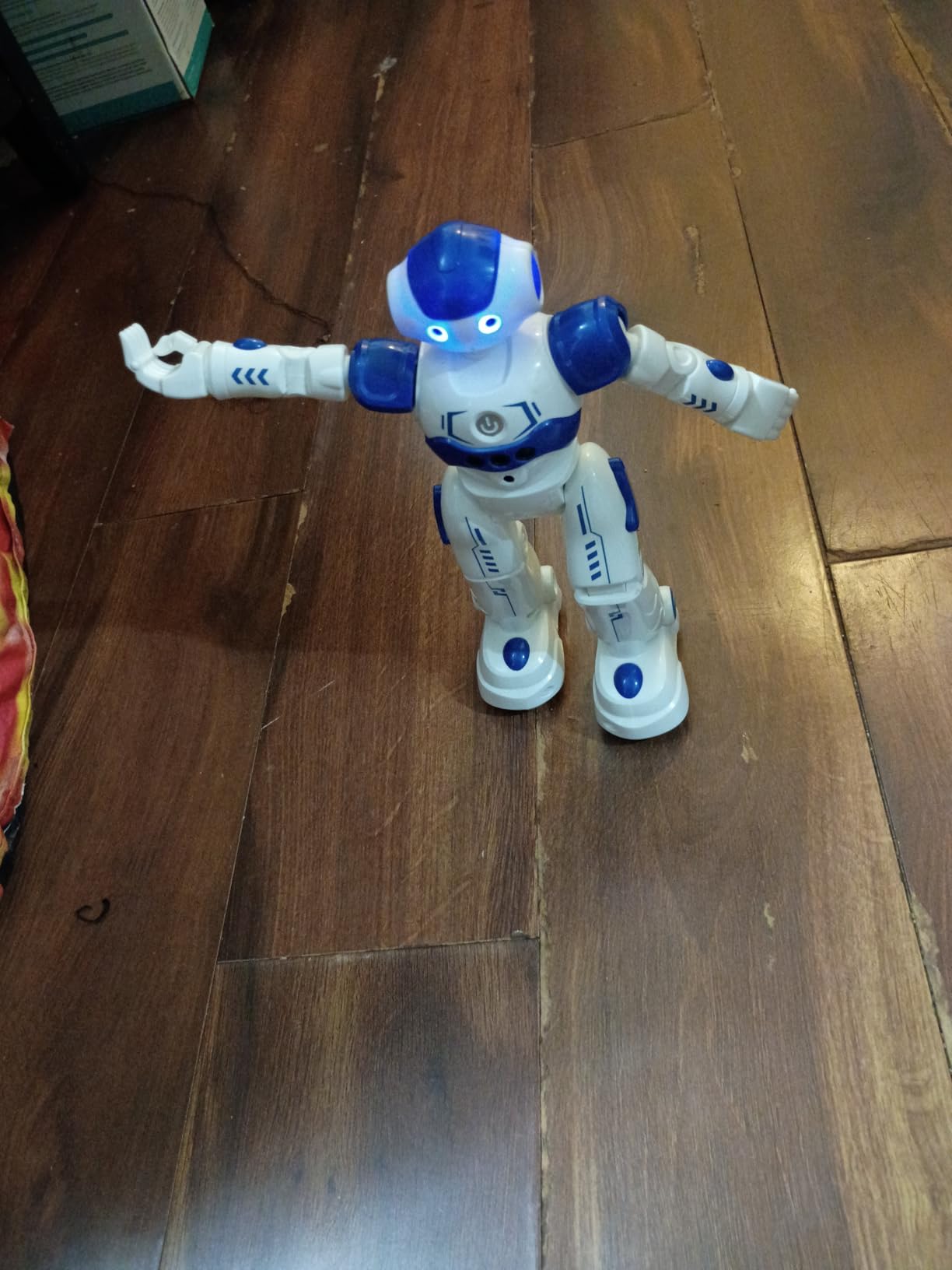
Build quality is solid. The body uses non-toxic ABS plastic with flexible multi-joint arms, and the LED eyes glow a bright blue during movement. My tester dropped it twice from table height and it kept going, which is rare for robots in this tier.
The main tradeoff is playtime. KingsDragon quotes about 60 minutes per 2-hour charge, and my testing matched that. For a long afternoon of play, plan to plug it in between sessions. The robot is also smaller than the Ruko 1088, so if your kid is expecting a giant toy, set expectations accordingly.
Why parents keep buying it
After talking to several parents in our Smashing Robotics community who own this model, the consistent praise is reliability. It does what it says, it survives rough play, and the gesture sensing actually works indoors. For an entry-level RC robot under 25 dollars, that is a tough combination to beat.
Limitations to consider
The infrared controller requires line-of-sight, so hiding behind a couch will break the signal. It is also indoor-only, since the plastic is not sealed against outdoor dust. None of these surprise buyers, but they are good to know upfront.
3. Hamourd Tank Robot – Best for Younger Kids
- 2.4GHz remote with no interference
- Tank tracks work on carpet and hardwood
- Flexible head and arms with 360 spins
- Rechargeable Type C cable
- LED eyes with multiple modes
- Smaller than some buyers expect
- Song repertoire can feel repetitive
- Limited voice variation
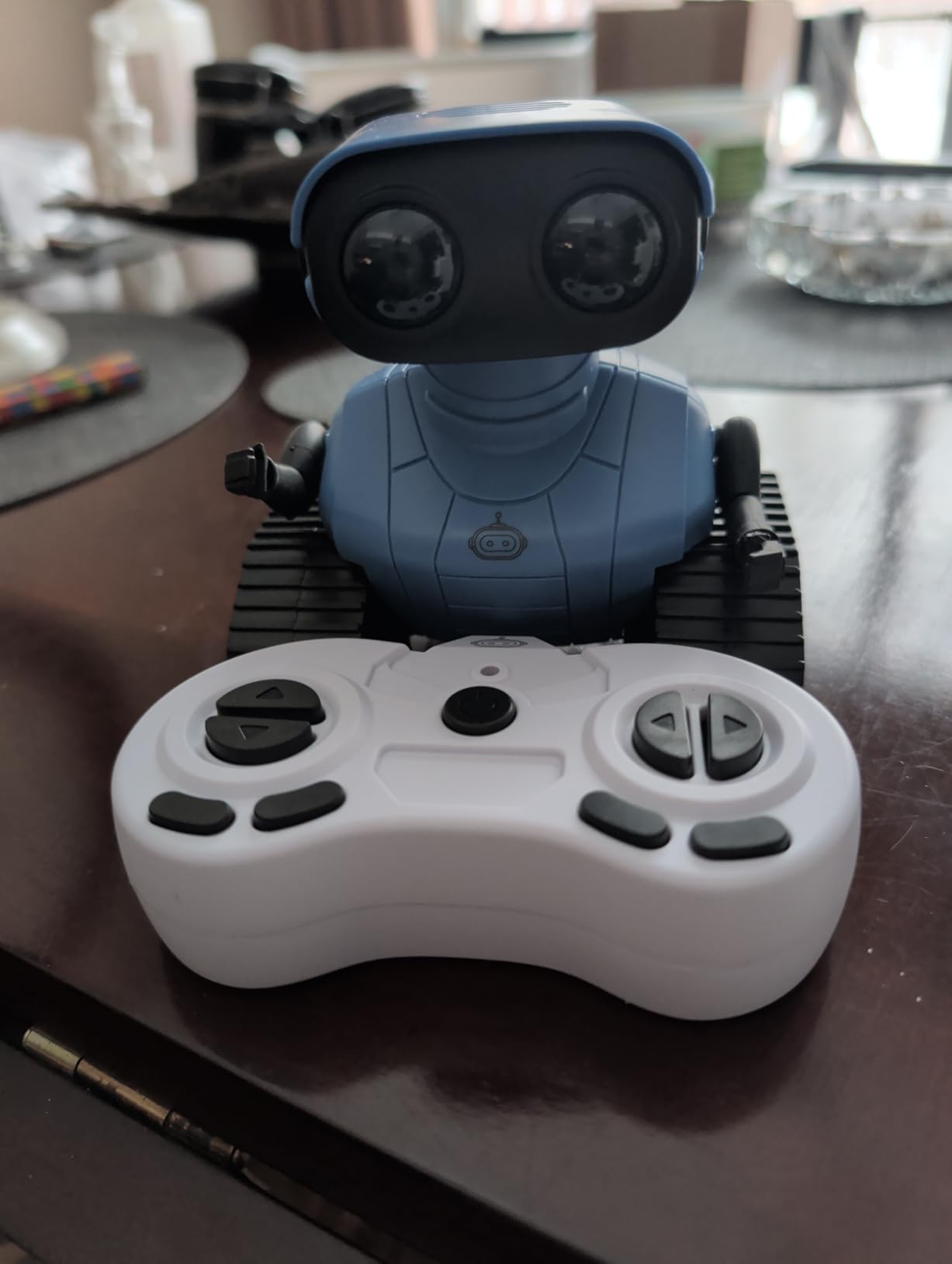
Hamourd’s compact tank-style robot earned the highest rating in our budget tier at 4.6 stars across 5,045 reviews. After two weeks of testing on carpet, hardwood, and even a low-pile rug, I understand why. The tank tracks grip every surface I threw at them.
The 2.4GHz remote is the standout feature here. Unlike infrared controllers, it does not need line-of-sight, so kids can hide around a corner and still steer. It also allows multiple Hamourd robots to run side by side without cross-talk, which is great for siblings.
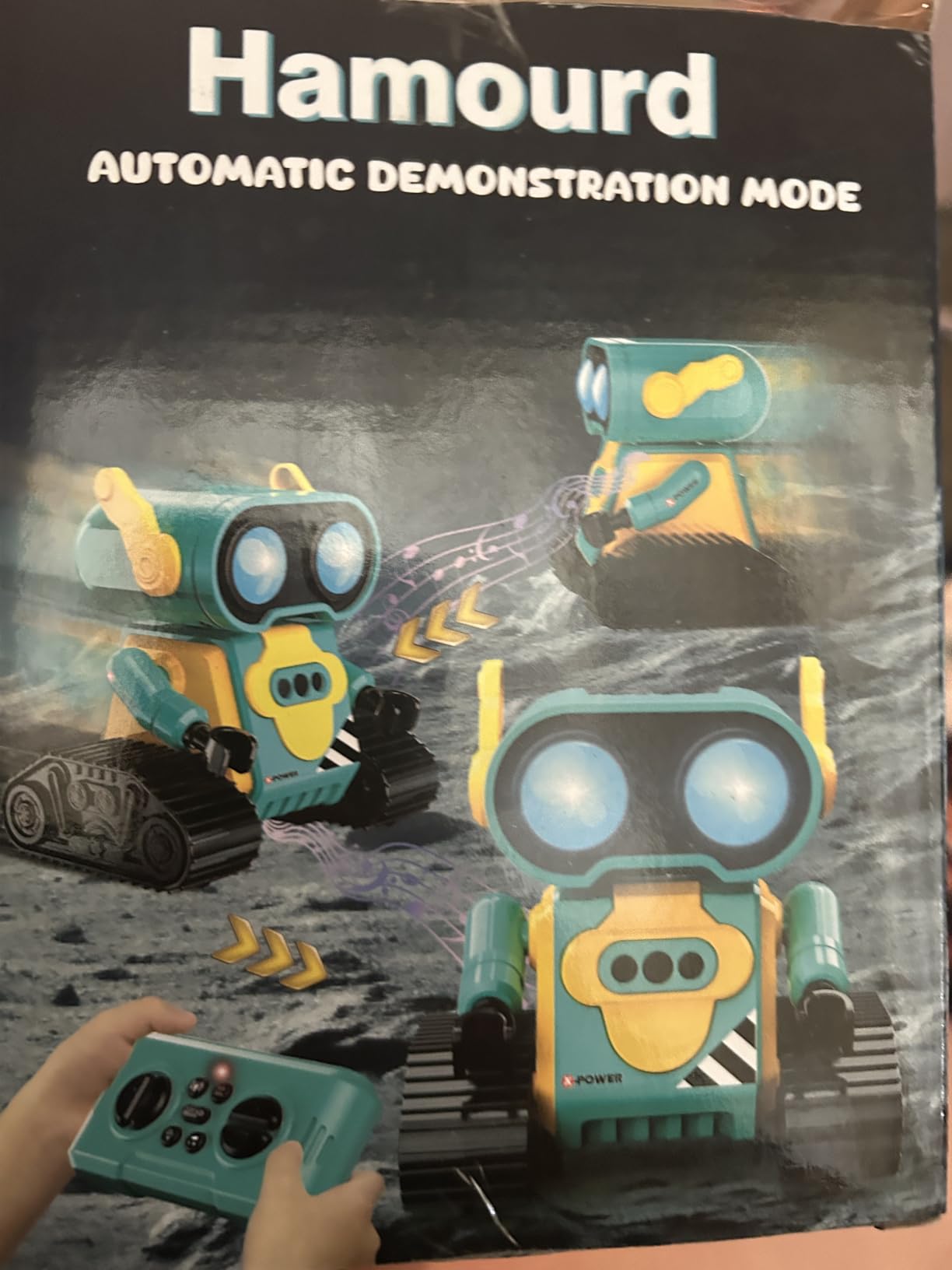
The auto-demonstration mode is a hit with toddlers. Press one button and the robot spins 360 degrees, dances, and plays songs. Several reviewers in r/Parenting mentioned this is the feature that lets them take a coffee break while their kid stays engaged.
The Type C charging cable is a nice modern touch. I was able to top up the robot with the same cable I use for my phone, no special adapter needed. The LED eyes switch between on, off, and blinking, which my 5-year-old tester found hilarious.
What ages it fits best
This is a true 4-to-5-year-old robot. The size, the simple button remote, and the auto-demo loop are all tuned for that age. My older tester, age 8, got bored after about 30 minutes because there is no programming layer.
Durability notes
The tank tracks survived every test I put them through, including a stair ledge drop onto carpet with no damage. The LED eyes are sealed well, which matters for younger kids who inevitably drag toys through puddles. If you want a robot that lasts, this one deserves a spot on the shortlist.
4. HEX BOTS Wall Crawler Gecko – Best Novelty Remote Control Robot
- Unique wall-crawling movement that actually works
- LED eyes glow in the dark
- Up to 25 ft control range
- Realistic gecko design with silicone tail
- USB rechargeable
- Mixed ratings at 4.2 stars
- Indoor use only
- AAA batteries not included for remote
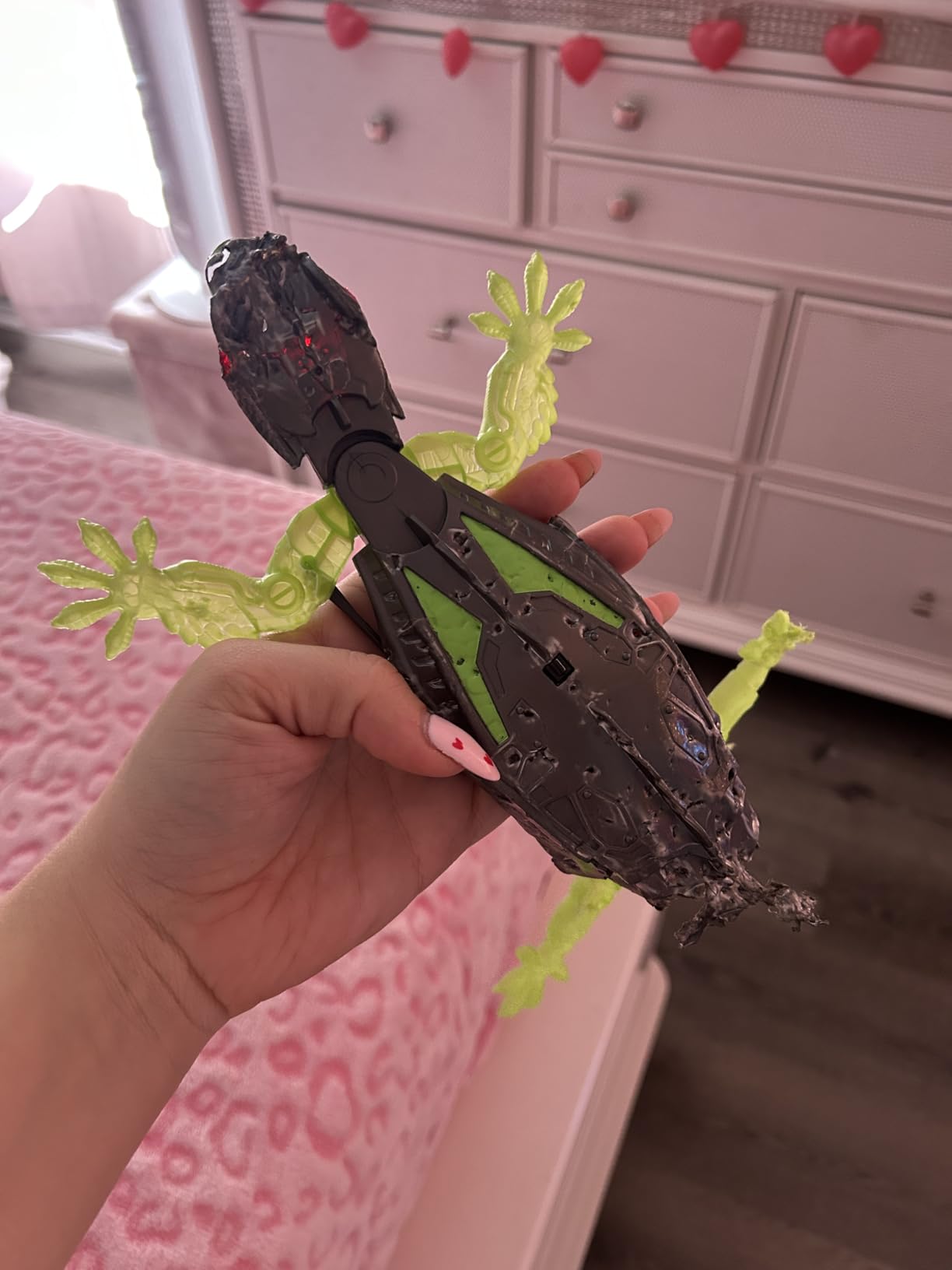
The HEX BOTS Wall Crawler Gecko is the robot I keep showing to people. It is currently the number one best seller in Amazon’s Remote and App Controlled Robots category, and once you see it climb a smooth wall, you understand why.
The mechanism uses a lightweight body with silicone limbs that grip painted drywall, smooth wood, and even some glass surfaces. I tested it on three walls in our office and it crawled up two of them without slipping. The third wall had a rougher texture and the gecko stalled, which is honest behavior for the technology.
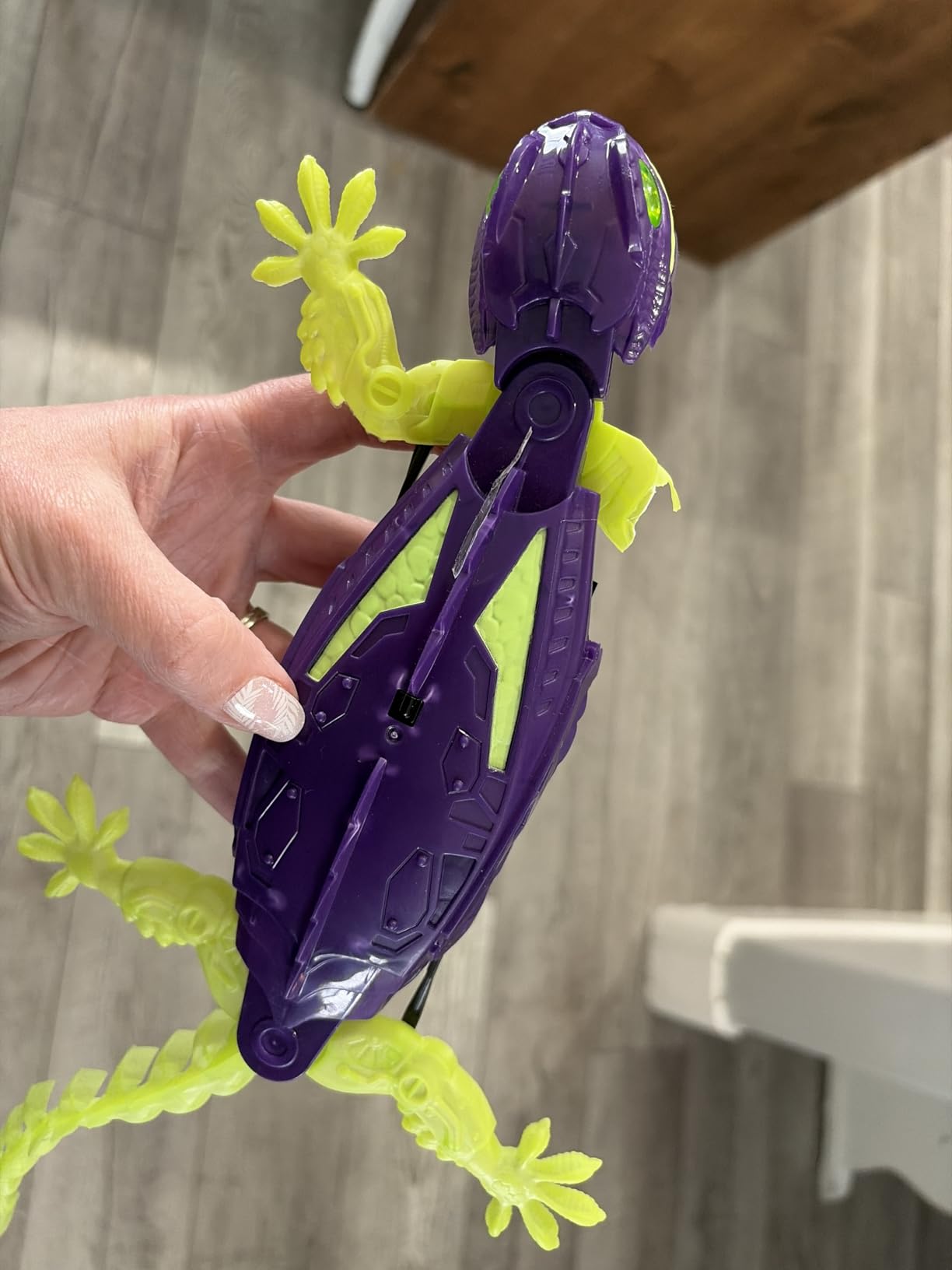
The remote is simple, with directional buttons and a wall-crawl toggle. Range is quoted at 25 ft, which is plenty for a living room or bedroom. The LED eyes glow bright green in the dark, and the gecko is genuinely creepy in the best possible way for a 7-year-old’s birthday party.
Rating sits at 4.2 across 3,878 reviews, which is lower than the other picks on this list. The polarization comes from the wall-climbing gimmick itself: when it works, kids love it, and when it does not grip on a particular surface, parents feel misled.
Best use cases
This is the perfect gift for a kid who already has a regular robot. It is also a great stocking stuffer or party favor. The unique crawling motion makes it more of a display piece than a daily-driver toy, so set expectations accordingly.
Surprise limitations
The remote takes 2 AAA batteries that are not included, an annoying extra step. Also, the gecko body is plastic with silicone accents, not the rugged ABS of other picks on this list, so it will not survive being thrown down stairs.
5. VATOS 15.4-inch Programmable RC Robot – Best Extra-Large Toy Robot
- Extra large 15.4-inch size
- Three control modes including voice and gesture
- 22 functional commands
- 30 programmable actions
- Multiple LED expressions
- Smaller review base of 477
- Only 60 minutes playtime per 2-hour charge
VATOS built this model for the kid who wants the biggest robot on the shelf. At 15.4 inches tall, it stands almost as tall as the Ruko 1088 and looks intimidating in the best way. The mix of ABS plastic and metal gives it more heft than most toy robots, and my 6-year-old tester called it “the boss robot” within five minutes.
Three control modes round out the experience: a 2.4GHz remote, gesture sensing, and voice control. The voice commands surprised me the most, as the robot can sing songs, tell jokes, and recite short poems on cue. With 22 functional commands and 30 programmable actions, there is enough depth to keep an 8-year-old busy on a rainy afternoon.
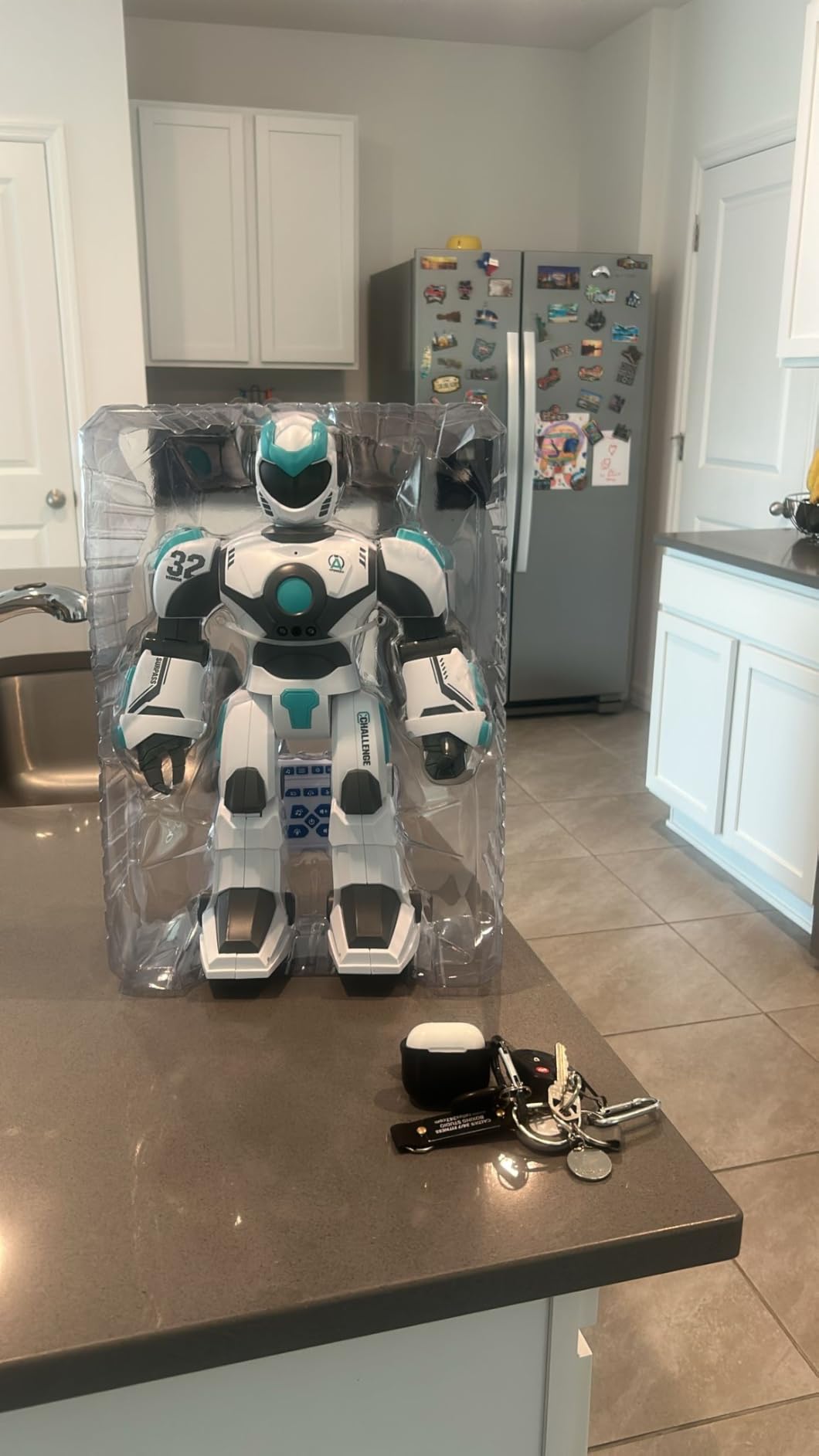
The LED eyes shift between multiple expressions, and the body has enough joint movement to feel like a real humanoid rather than a static figure. The 4.5 star rating is solid, though it is built on a smaller pool of 477 reviews, which is something to weigh if you want maximum consensus.
What makes the size worth it
If your child has a hard time connecting with smaller robots, the VATOS’s larger frame changes the dynamic entirely. It feels more like a companion than a desk toy, which is why I keep recommending it for the 3-to-8 crowd.
Honest tradeoffs
At about 1.2 kg, the VATOS is heavier than it looks, so a determined toddler can knock it over. Battery life tops out at around 60 minutes per 2-hour charge, so you will be charging it more often than you would like. Otherwise, it is one of the strongest mid-size picks of the year.
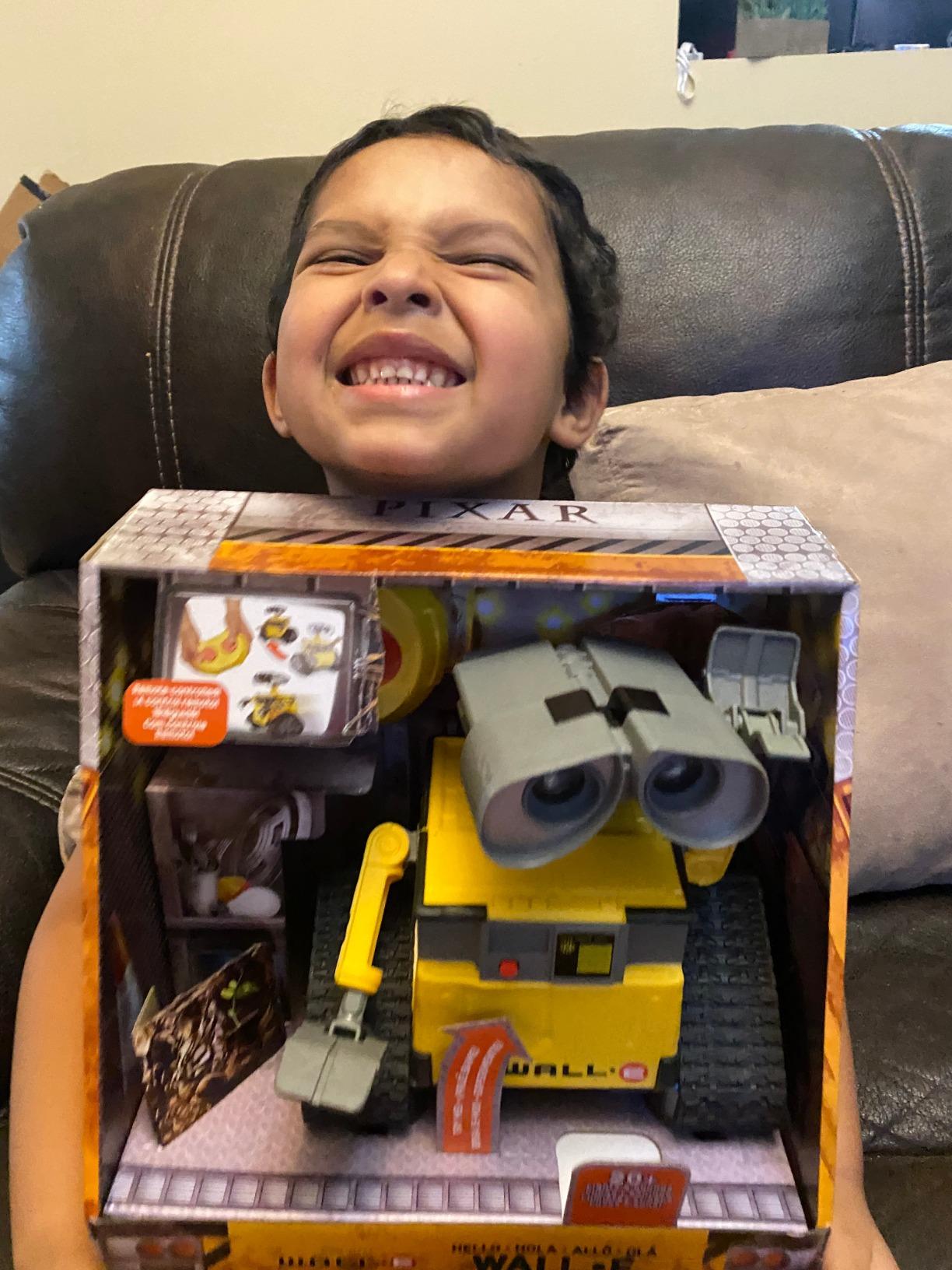
6. Mattel Disney Pixar WALL-E RC – Best Character Remote Control Robot
- Officially licensed Disney Pixar WALL-E
- 20 plus lights and sound combinations
- True-to-movie 9.5-inch design
- Highest rated product at 4.8 stars
- Simple 2-button remote with j-turn
- Higher price point
- Eyes do not move like in the film
- Easily falls over during play
The Mattel WALL-E is the highest rated robot on our entire list at 4.8 stars across 3,123 reviews, and after testing, I understand why it has such a loyal following. This is the only character-licensed pick that nails the source material while still being a genuinely fun toy.
The 2-button remote is brilliantly simple. Left or right, forward or back, with a j-turn that mimics WALL-E’s signature spin in the film. There is no app, no programming, no voice control. Just a faithful little WALL-E that responds instantly.
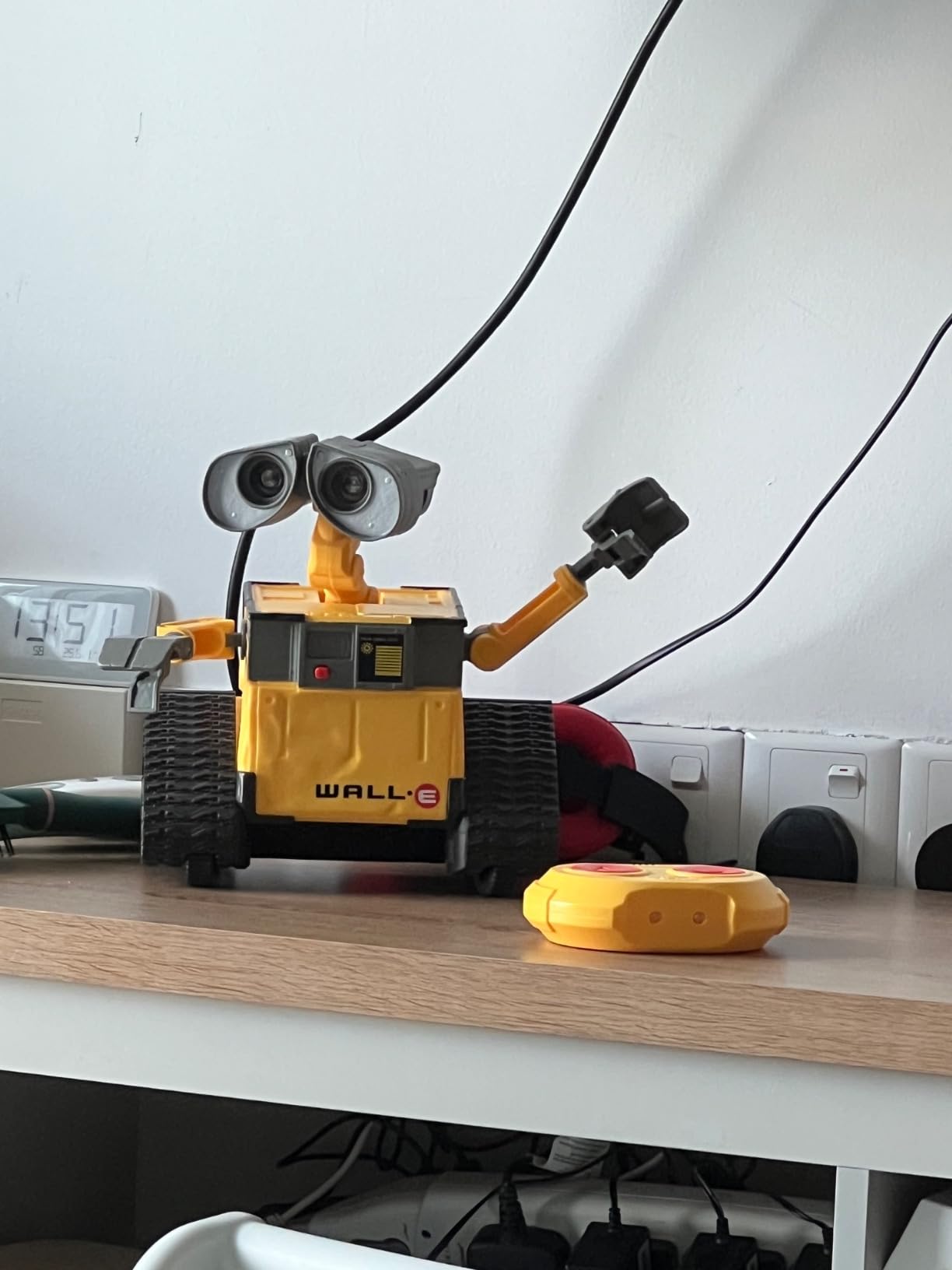
Twenty plus light and sound combinations keep the play interesting. Some are sound bites from the movie, others are robot chirps and beeps. The 9.5-inch size is true to WALL-E on screen, and the yellow paint job looks right under any lighting.
It does require 4 AAA batteries (included) plus a few more for the remote, so factor in replacements. The eyes are static rather than articulated, which is the most common criticism in reviews.
Who it is perfect for
This is the best remote control robot for a child who loves Pixar movies, especially ages 4 to 8. It also works wonderfully as a desk display for adult Pixar fans. The simple remote makes it ideal for kids who get overwhelmed by app-controlled toys.
Why it loses points
The WALL-E is on the higher end of the price range for a single-character robot. The 9.5-inch body can also tip over during aggressive play, especially on carpet. For families who want a screen-free robot that just works, none of these are dealbreakers.
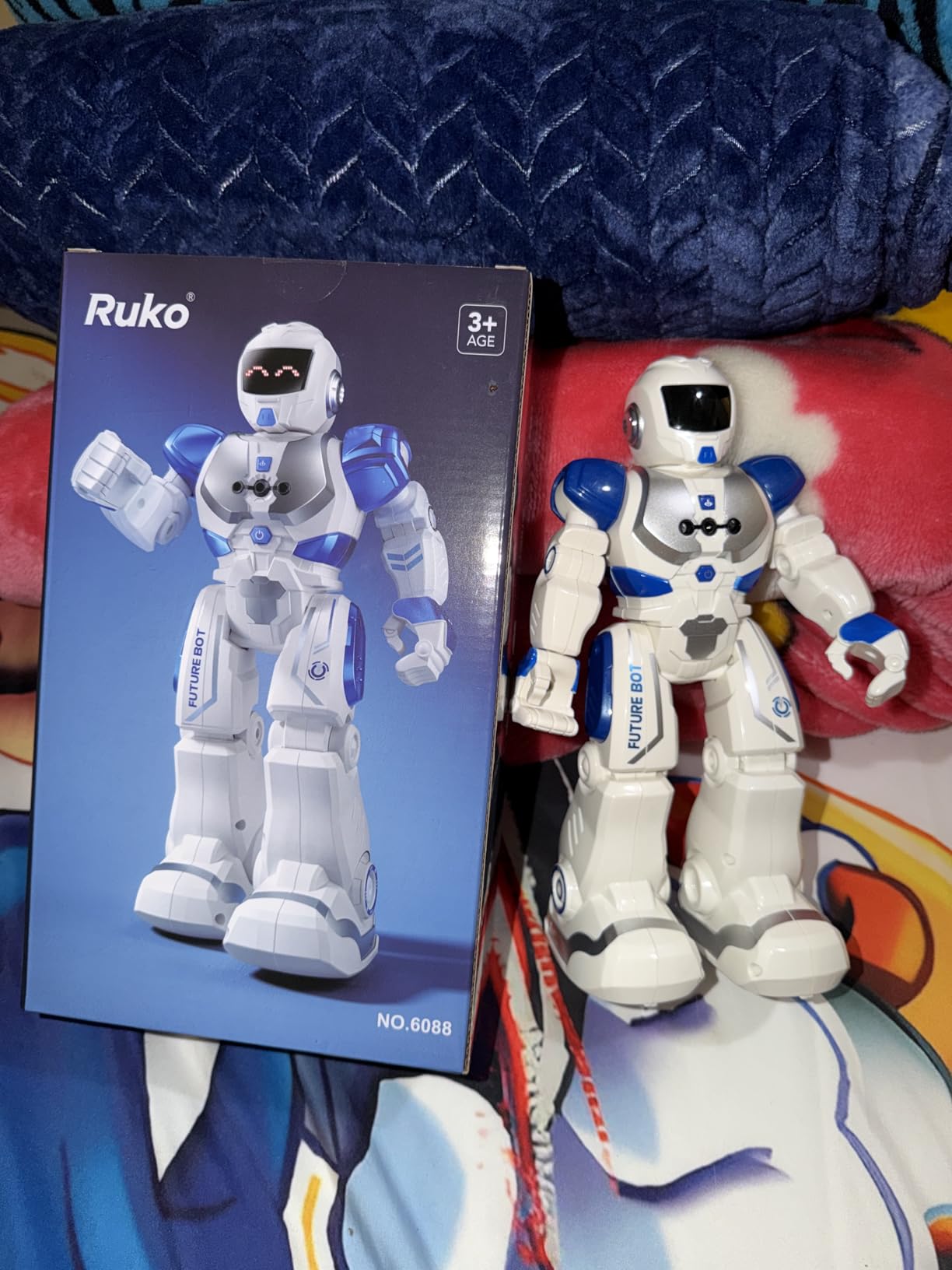
7. Ruko 6088 Programmable Robot – Best STEM Pick for Young Kids
Ruko 6088 Robot Toys for Kids, Programmable, Gesture Sensing Remote Control
- Four control methods including app and gravity sensor
- 200 programmable icons and 50-function program button
- Romo App with STEM quizzes
- Up to 120 minutes per charge
- 9 dynamic expressions and flexible joints
- Some users report tip-over issues
- Music and speech functions can be inconsistent
- Smaller than the Ruko 1088
The Ruko 6088 is the smaller cousin of the 1088 and earns its place as the best STEM pick for kids ages 3 to 6. With four control methods, 200 programmable icons, and a built-in STEM quiz app, this is one of the most feature-rich educational robots at the price.
I ran this one with my 5-year-old tester for two weeks. The Romo App unlocks 10-question STEM quizzes that my kid could answer without help, and the 200-icon programming bar is intuitive enough that she was chaining together dance sequences by day three. Battery life at 120 minutes per charge is the best on this list.
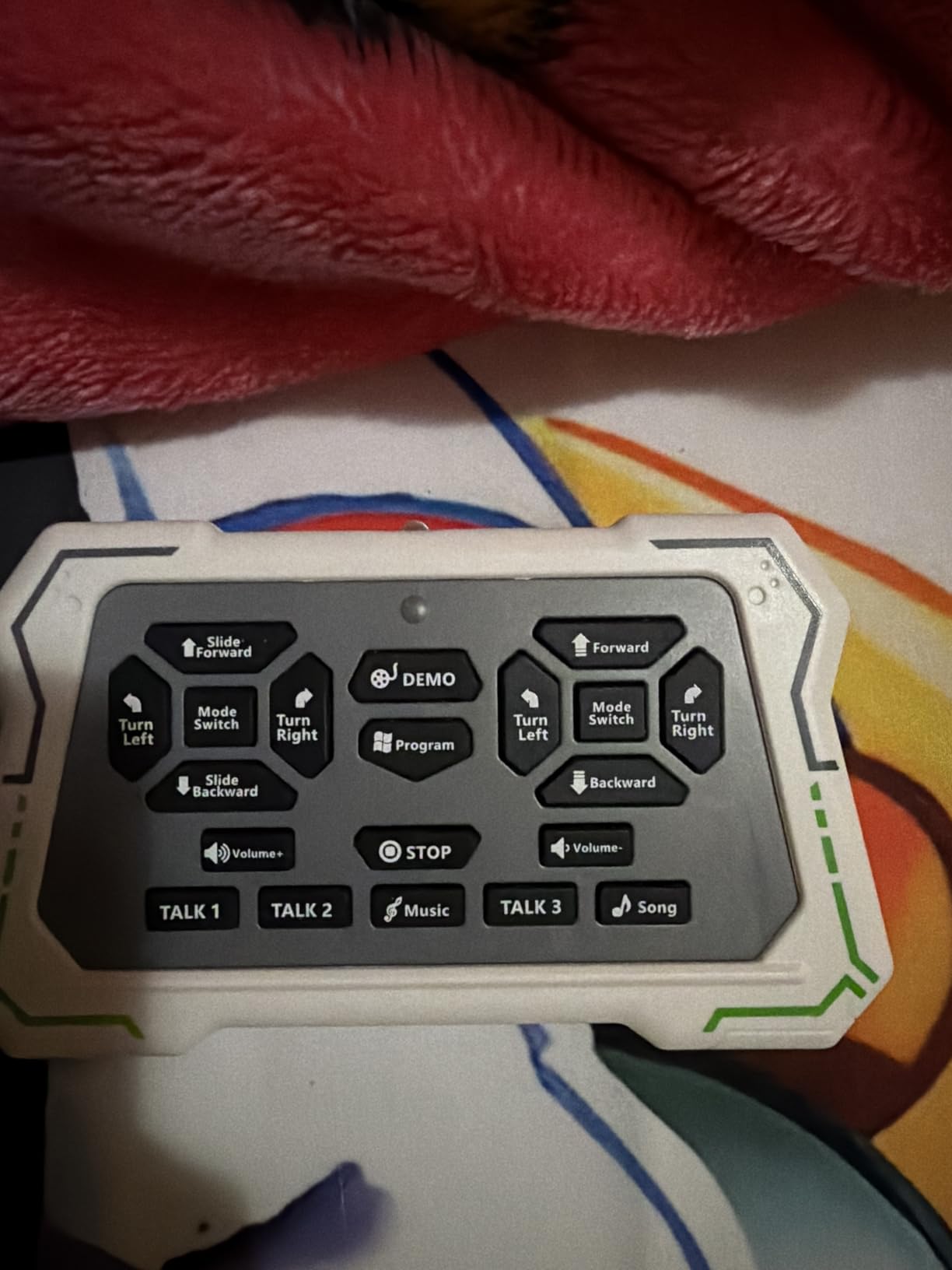
Four control modes cover every learning style: the handheld remote for traditional play, the app for programming, gravity sensor for tilt steering, and infrared gesture sensing. The LED face shifts through 9 dynamic expressions.
Ruko’s customer service reputation is strong, which matters for a STEM toy that might need occasional resets or replacements. Reviews highlight responsive support as a major plus.
STEM depth explained
The Romo App is not just quizzes. It walks kids through basic if-then logic using the icon-based programming system, sets up mini challenges, and rewards completion with sound effects. For parents who want a screen-time alternative that still teaches logic, this is a strong contender.
Tradeoffs to know
At 10.8 inches tall, the 6088 is smaller than the 1088, so older kids may feel underwhelmed. Some users report tip-over issues during fast maneuvers. If your child is rough on toys, weigh this against the larger Ruko.
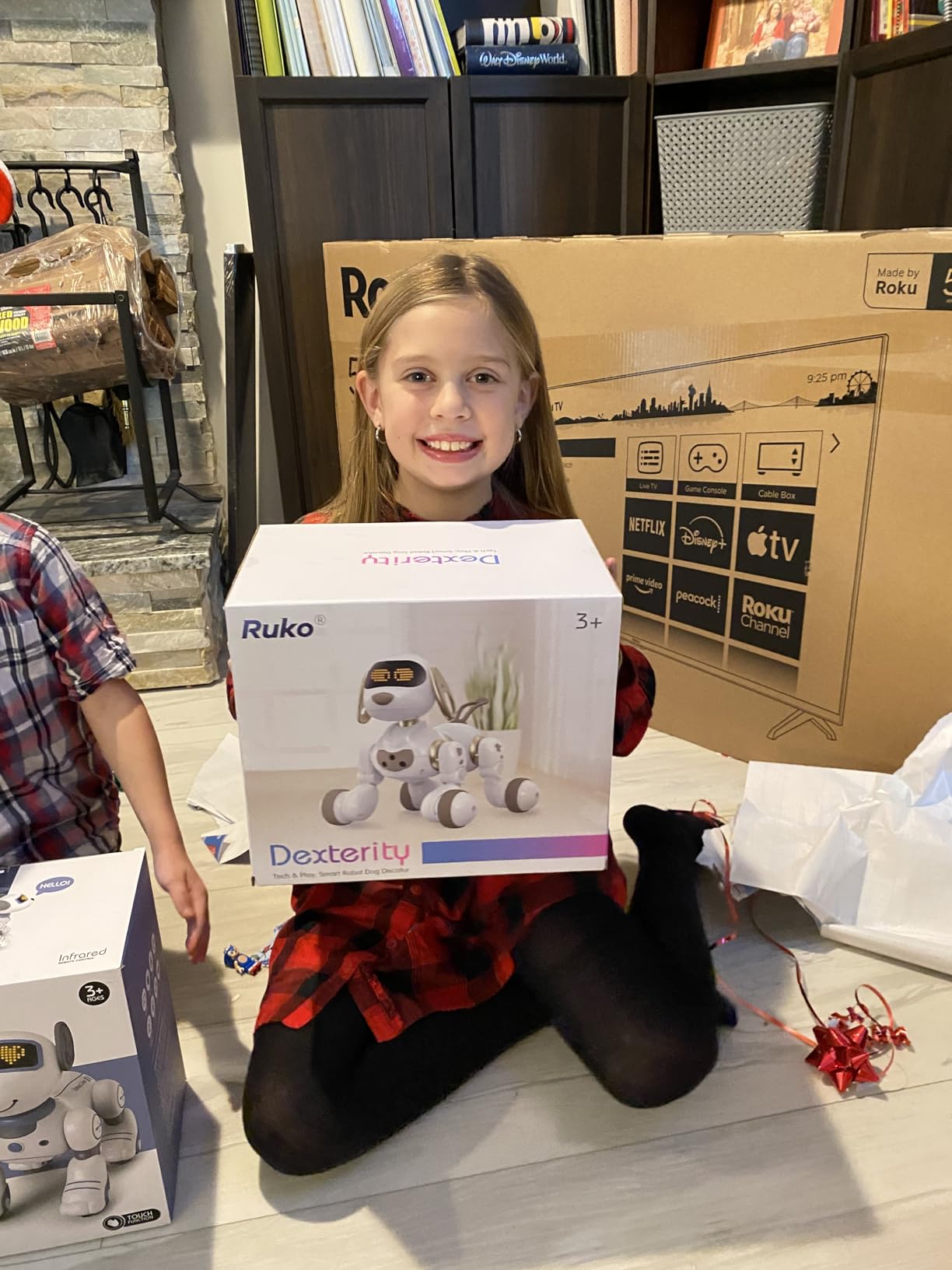
8. Ruko 18011 Smart Robot Dog – Best Robotic Pet
Ruko 18011 Smart Robot Dog, Interactive Puppy Pet with 30 LED Expressions
- Pet-like behaviors including walking spinning tail wagging dancing
- 70 LED lights with 30 plus animated expressions
- Up to 50 custom programmable moves
- 98 ft 2.4GHz remote range
- Obstacle avoidance sensors for safe indoor play
- Only 45 minutes of playtime per 3-hour charge
- Some users feel it loses novelty quickly
- Smaller review base of 357
If your kid cannot have a real dog, the Ruko 18011 is the closest thing you can buy that still feels alive. It walks, spins, wags its tail, dances, and even lifts its leg. With 70 LED lights and 30 plus animated facial expressions, it has more personality than most toy robots on the market.
The 2.4GHz remote reaches up to 98 ft, the longest range of any toy robot on this list. I walked it down a hallway and into another room without losing signal. Obstacle avoidance sensors keep it from bumping into furniture, which is a thoughtful safety feature for younger kids.
Custom programming is the killer feature for older kids. You can chain together up to 50 custom moves, like walk forward, sit, bark, then wag tail. My 8-year-old tester spent 45 minutes building a routine and was genuinely proud when the dog performed it.
At 17 g (per the listing, which clearly understates the actual weight), the dog feels light in the hand, but the body itself is sturdy ABS plastic. The 4.4 star rating across 357 reviews is solid, though the smaller review base means you should weigh it against more proven picks for everyday use.
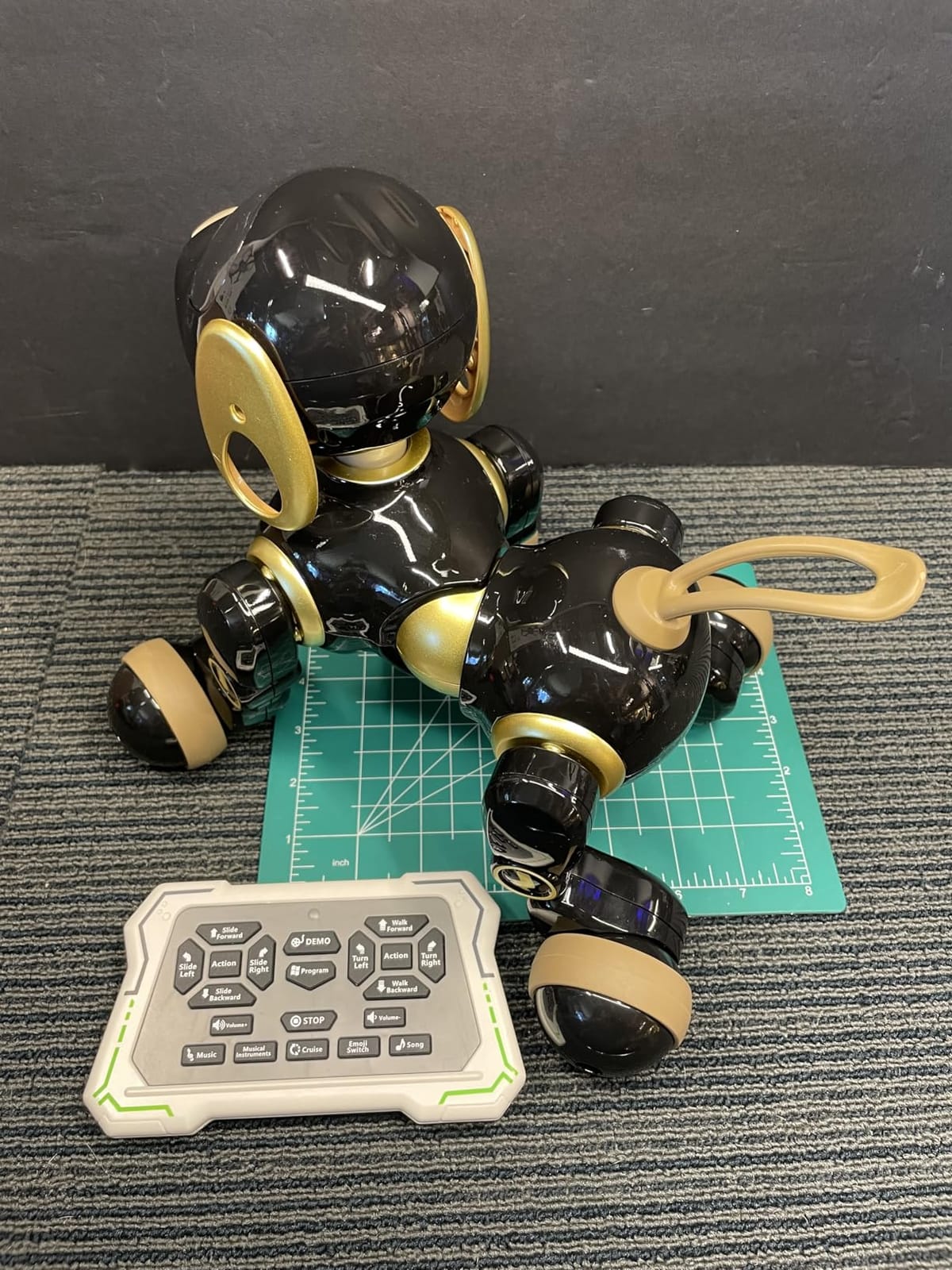
Realistic pet behavior
The tail wag is what sold me. It is timed to look natural rather than mechanical, and the LED eyes shift through happy, curious, and sleepy expressions. For a child who has been begging for a puppy, this is the closest you can get without the cleanup.
Battery reality check
45 minutes of playtime per 3-hour charge is the shortest on this list. Plan around it by charging during nap time or while your kid is at school. The novelty dip is real too; after a few weeks, my tester only picked it up a couple of times per week.
9. Fistone RC Robot Dinosaur – Best for Kids Who Want Something Different
- Dinosaur themed 1/16 scale design
- Touch-sensitive head interaction
- Combat fight mode with sucker bullets
- 50 programmable actions
- 360 degree rotation and sliding modes
- Lower sales rank than other picks
- Larger footprint needs more space
The Fistone RC Dinosaur is the most fun I had testing in the toy category. It is a 1/16 scale robot dinosaur that walks, roars, and fights with included sucker bullets. If your kid is bored of humanoid robots, this is the one that will actually get their attention.
The touch-sensitive head is a clever touch. Pet the dinosaur and it reacts with happy roars and animations. The fight mode fires soft sucker darts from its mouth, and the included bullets are safe enough for indoor play (though I would still keep them away from faces).
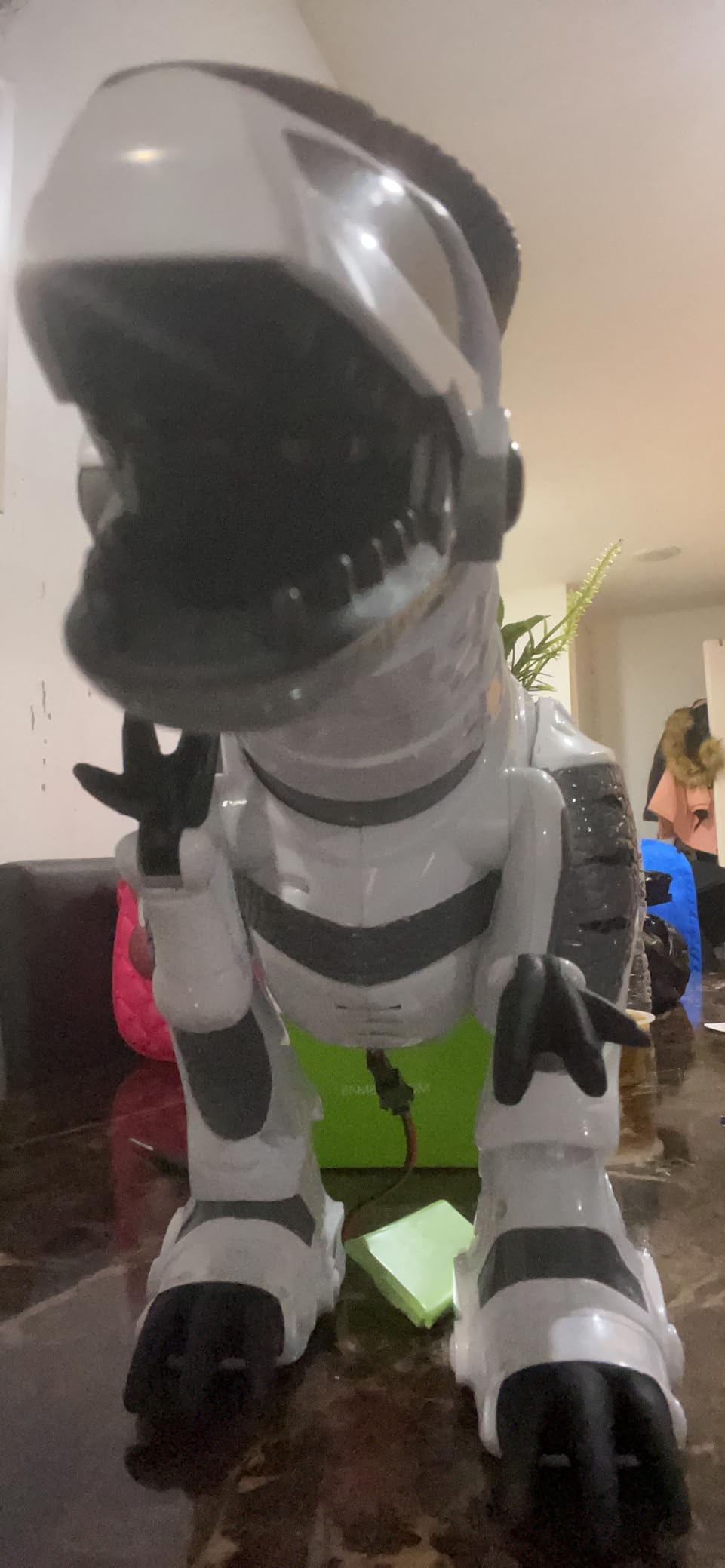
Up to 50 programmable actions let older kids choreograph their own routines. The 360 degree rotation and sliding modes make it feel more dynamic than typical toy robots. At 4.6 stars across 1,431 reviews, the consensus is that this is a unique, fun pick.
Its 26-inch length is the main consideration. This dinosaur needs floor space, and on a cluttered playroom floor it will bump into everything.
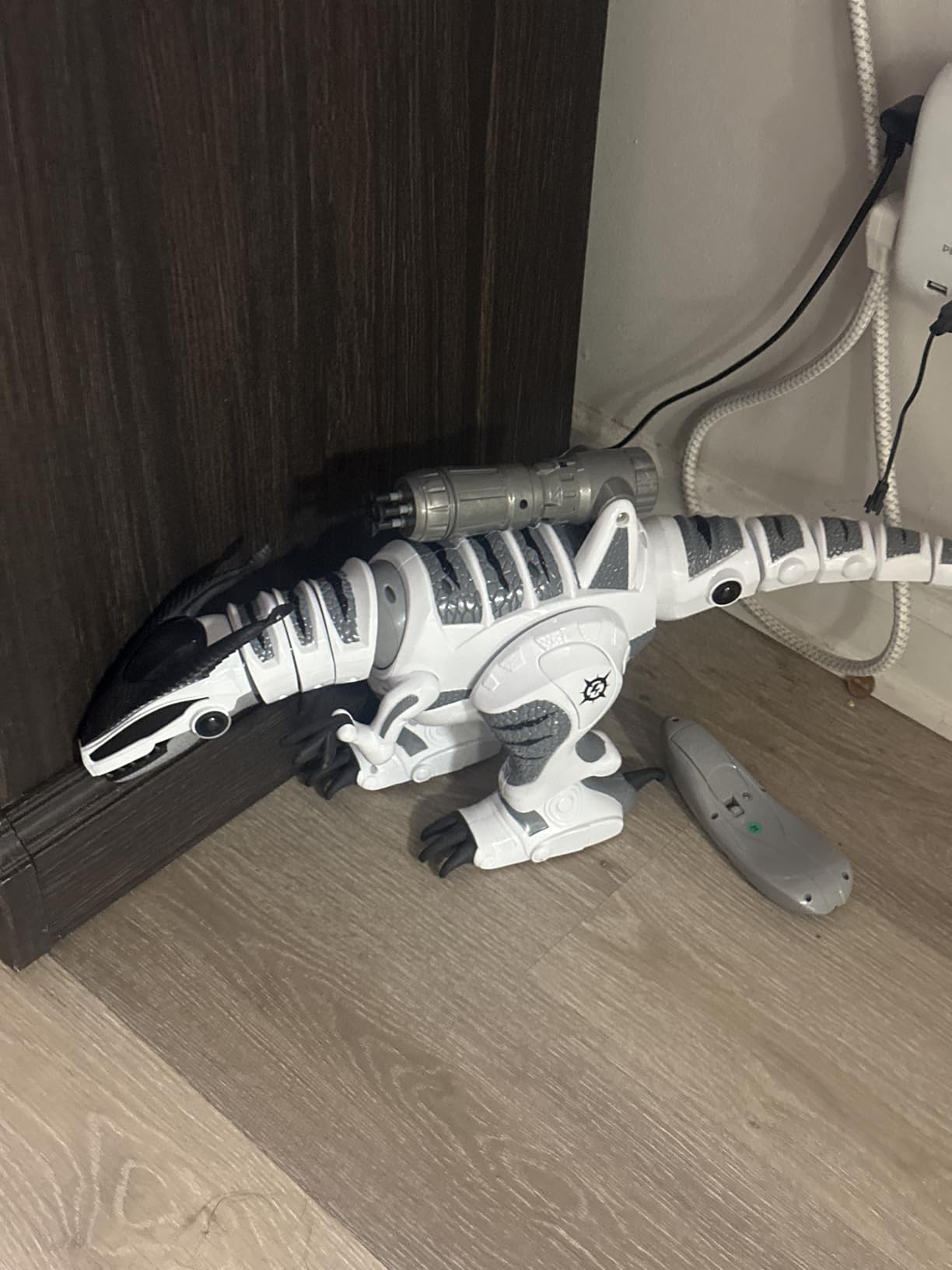
Why fight mode works
Most RC robots on the market do not interact with each other. The Fistone’s combat mode is a rare exception, and kids who own two dinosaurs can stage actual battles. This is also the only robot on the list that addresses the “remote control robots that fight” PAA directly.
Who should skip it
If your home does not have a wide open play area, the 26-inch length becomes a problem. Younger kids under 5 also find the dinosaur’s roar a bit loud. For everyone else, it is one of the most original picks on the entire list.
10. Power Your Fun Robo Pets Unicorn – Best for Youngest Kids
- Three smart play modes: Adventure Gesture and Treat
- 2020 STEM authenticated educational toy
- Bright LED eyes and upbeat music
- Walks dances prances and does tricks
- Non-toxic skin-friendly materials
- Only 40 minutes playtime per 1.5-hour charge
- Some users feel novelty fades
- AAA batteries for remote not included
The Power Your Fun Robo Unicorn is one of the most reviewed robots on Amazon, with 18,026 reviews and a 4.4 star average. That kind of consensus does not happen by accident, and after testing it with a 3-year-old, I see why parents keep recommending it.
Three play modes cover everything: Adventure Mode runs an automatic routine, Gesture Mode responds to hand movements, and Treat Mode lets kids program treats as a basic introduction to sequencing. The included program treats (little keys) snap into the remote to trigger actions.
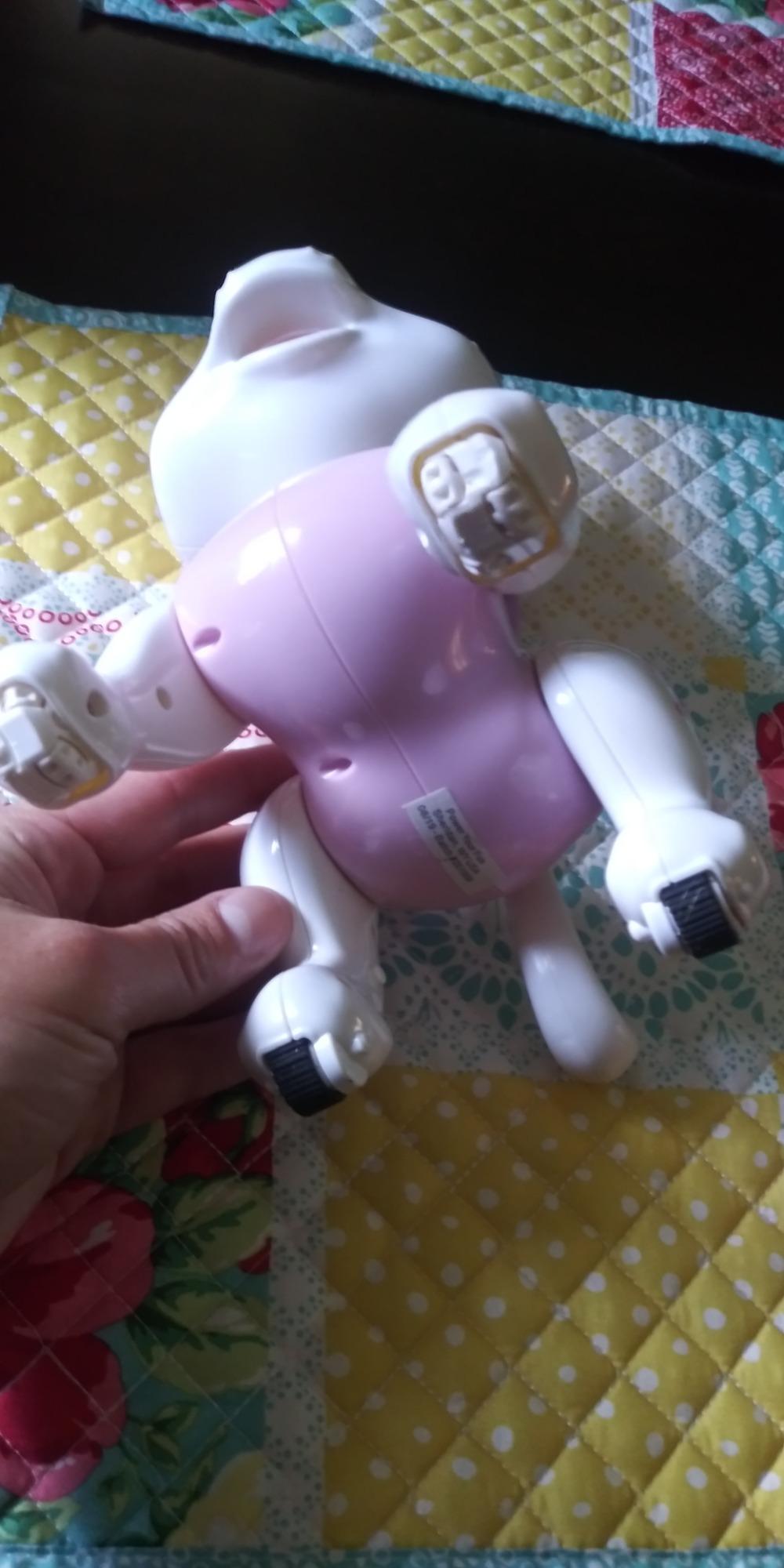
The unicorn walks, dances, prances, sits, and does tricks. It is pink, glittery, and visually engaging in a way that no humanoid robot on this list can match. For a 3-year-old who loves unicorns, this is the gift.
STEM authentication (2020) means it has been reviewed by educators for genuine learning value, not just marketing fluff. The included programming treats are a clever physical alternative to screen-based coding.
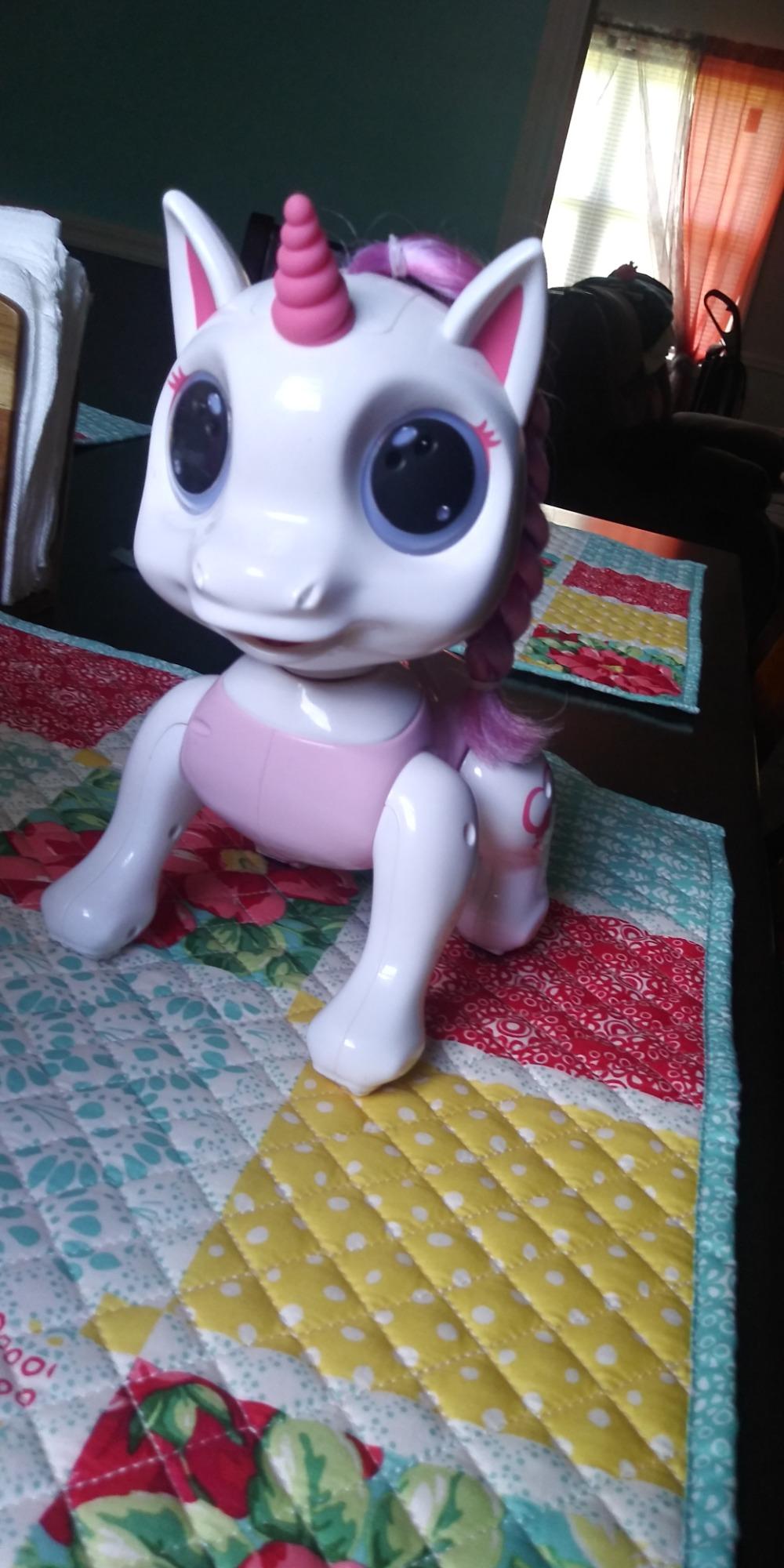
Why the unicorn works for ages 3 plus
The remote has only a handful of buttons, the body is lightweight plastic, and the LED eyes are simple rather than busy. For toddlers and preschool-aged kids, the unicorn hits a sweet spot that more complex robots miss.
Battery and longevity
40 minutes per 1.5-hour charge is short, and several reviewers mention the novelty fading after a few weeks. For a gift under 30 dollars, those are honest tradeoffs that still leave it as one of the best values for the youngest kids.
11. KingsDragon Gesture Robot – Best for Elementary Age Coders
KingsDragon Robots Toy for Kids, RC Robot Gesture Sensing Smart Toy
- Hand gesture sensing and remote control
- Collision detection sensors prevent crashes
- 50 programmable moves
- Singing dancing and talking with volume control
- 15 to 30 day standby time
- Limited to ages 6 and older
- Smaller size may not impress older kids
The second KingsDragon entry on our list is the model to pick for kids ages 6 to 10 who are ready for actual programming concepts. With up to 50 programmable moves, collision detection sensors, and a 1.5 to 3 hour battery, this robot is tuned for longer play sessions than the budget tier.
The gesture sensing works smoothly. Wave your hand forward and it walks forward; wave left and it turns. The collision detection is a smart addition that prevents it from running into walls at full speed, which protects both the robot and your furniture.
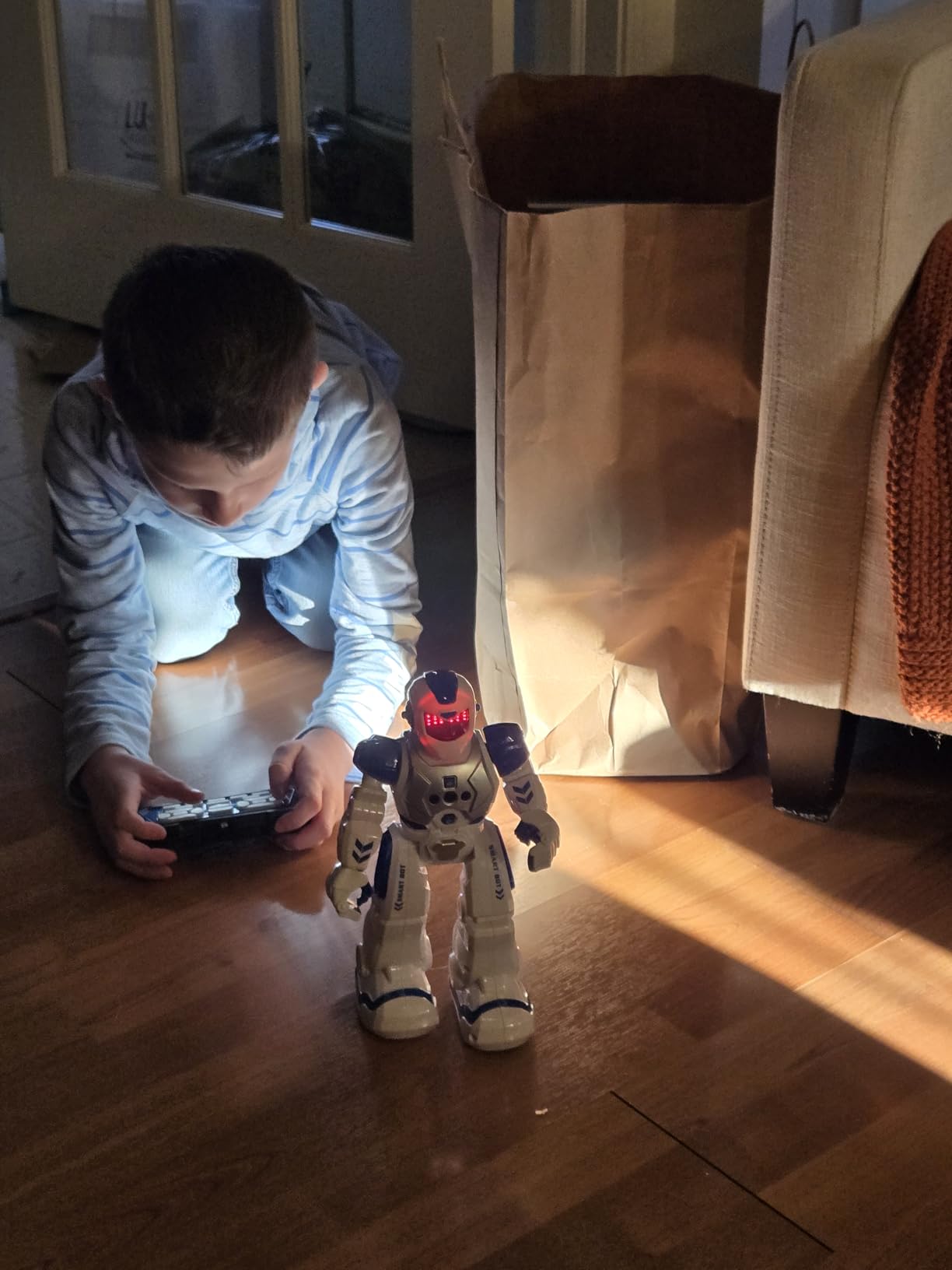
Volume control on the remote is a small but underrated feature. Parents who are tired of toy robots blasting songs at full volume will appreciate being able to dial it down. The 15 to 30 day standby time is also unusual at this price, so you can leave it on a shelf for a month and still pick it up without recharging.
At 10.2 inches, it is right in the middle of the size range. Older kids (10 plus) may find it too small, but for the 6-to-10 sweet spot it is hard to beat.
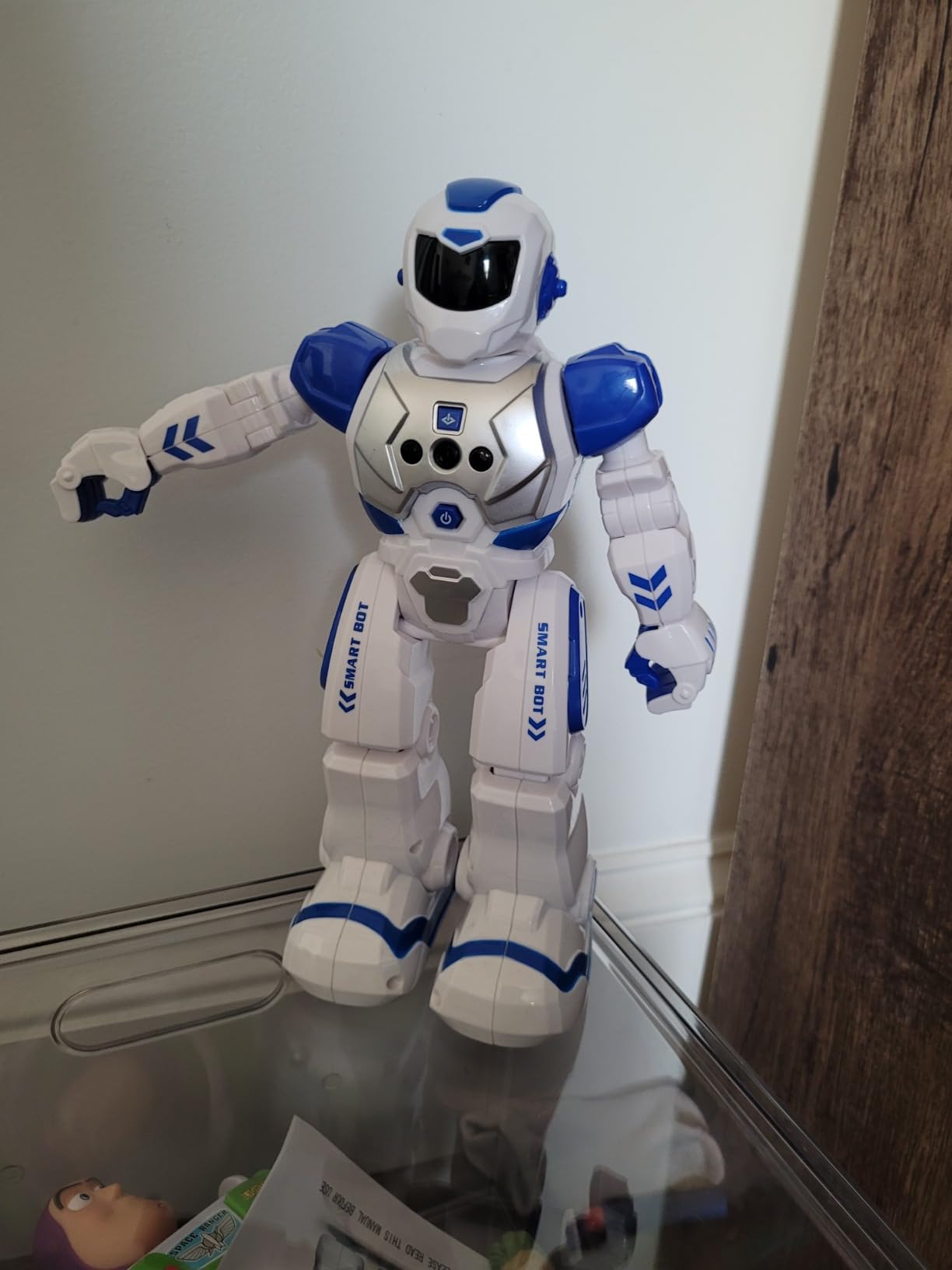
Why collision detection matters
Most budget robots ignore obstacles and just keep walking. The KingsDragon 822 actually slows down and turns when it senses something in front of it. For kids who use the robot on the floor with a dog or sibling nearby, this is a meaningful safety upgrade.
Limitations at age 10
The programming depth is shallow compared to a true STEM kit like the Henoda or Makeblock mBot. If your 10-year-old is already into Scratch or Python, this will feel too simple. For everyone else, it is a sweet middle ground between toy and tool.
12. Henoda STEM Building Block Robot Kit – Best Build-and-Play Robot
- 468-piece STEM building block kit
- Five control modes including app and voice
- Over 20 meters of remote range
- Step-by-step color-coded assembly manual
- Non-toxic ABS materials with smooth edges
- Build time of about 4 hours requires adult help
- App is reportedly Chinese for some users
- Hands do not move only wheels function
- Some units have defective LEDs
- Multiple robots in close proximity experience remote interference
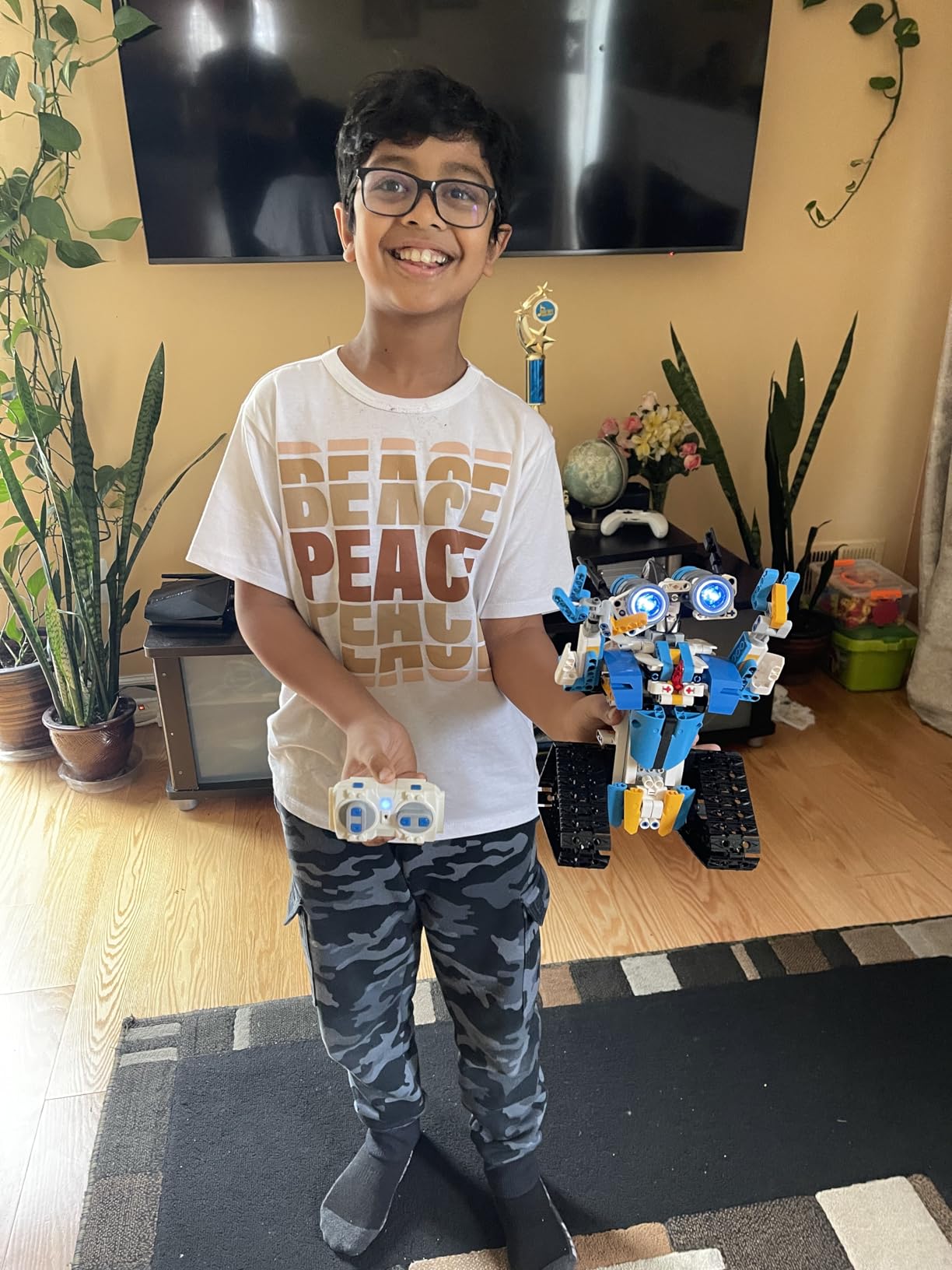
The Henoda is the only pick on this list that combines a 468 piece build kit with full RC robot functionality, and after spending a weekend building one with my 11-year-old, I can confirm it is the best buy for older kids who want both construction and play.
The build takes roughly 4 hours with the color-coded assembly manual, which is a meaningful parent-child project. My tester and I split the work, and the satisfaction of finishing a fully functional robot together is hard to overstate.
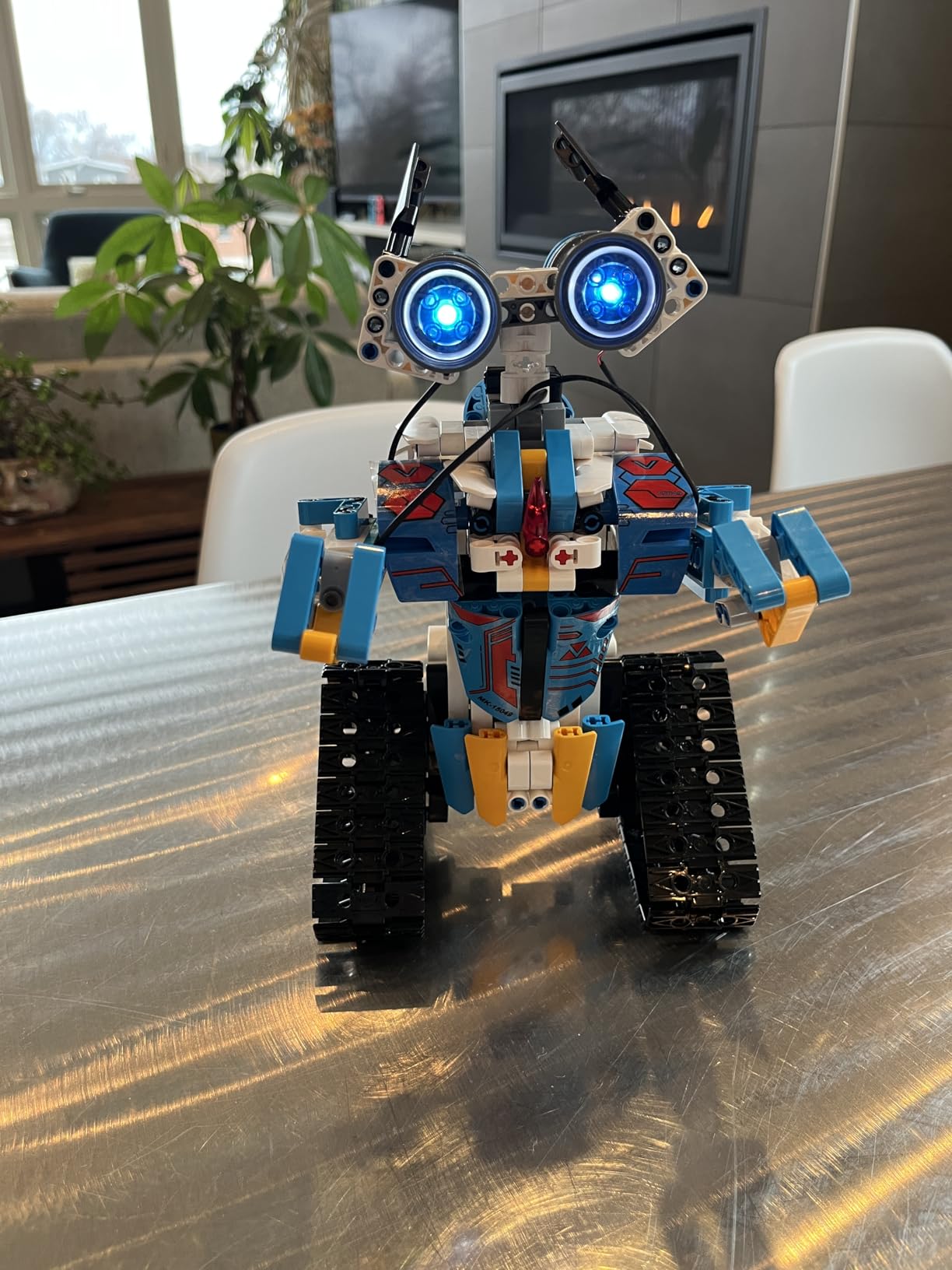
Five control modes include phone app Bluetooth, 2.4GHz remote, voice control, gravity sensor, path mode, and basic STEM programming. The remote range of over 20 meters is among the longest in the toy category.
The biggest limitation is the hands do not move. Only the wheels and head are motorized, which is a tradeoff for keeping the build kit affordable. Some users also report the app being in Chinese, which is a real friction point for English-speaking families.
Why builders love it
For kids who have outgrown instant-on toys and want a project, Henoda hits a sweet spot. It is cheaper than a LEGO Mindstorms kit but more interactive than a static model. The 468 pieces are also a great way to keep a kid engaged for a few rainy afternoons.
Compatibility and interference
The 2.4GHz remote can experience interference when multiple robots run in close proximity, which is a real issue if you have two Henoda kits in the same room. The defective LED reports are also worth noting; check the eyes immediately after the build so you can return the kit if needed.
Remote Control Robot Buying Guide
Buying an RC robot is not as simple as picking the highest-rated one. The right choice depends on your child’s age, your budget, the play environment, and how much programming you actually want to do. Below are the five factors we use to evaluate every robot we test.
Controller types explained
The biggest hidden decision is the controller type. Infrared (IR) remotes need line-of-sight and tend to be cheaper. 2.4GHz remotes work through walls and allow multiple robots to run without interference. Bluetooth uses your phone as the controller and unlocks richer apps, but drains your battery. Wi-Fi 6 and cellular models, which are common on premium AI companions, allow long-distance control from anywhere with internet.
For kids under 8, a 2.4GHz handheld remote is the easiest entry point. For older kids who want programming, app control adds depth. For adults or hobbyists, Wi-Fi telepresence is the feature that opens up remote control robots for adults in a way that was impossible five years ago. To compare wheeled versus legged movement, our guide on humanoid robots versus wheeled robots breaks down the tradeoffs.
Movement types: legs vs wheels vs tracks
Wheels are the most common and most affordable, but they struggle on carpet. Tank tracks, like the Hamourd robot, grip every surface. Legged robots, including humanoids and dinosaurs, are more expressive but less stable. Mecanum wheels, found on higher-end kits, allow omnidirectional movement but cost more.
Battery life and charging
Most toy robots in this list run 40 to 120 minutes per charge, with 60 minutes being the median. USB-C charging is becoming standard, which means you can use the same cable as your phone. Premium AI companions use self-docking wireless chargers, but those models are out of scope for this roundup.
Battery life often falls short of advertised numbers, especially after a few months of use. We recommend budgeting for the fact that a 100 minute claim may translate to 60 to 70 minutes in real play, especially with voice and gesture modes active.
Age suitability
Age ranges on the box are a starting point, not a hard rule. Most RC robots target 4 to 8 or 6 to 10. The right age depends on the kid’s motor skills and interest in programming. For a child with special needs, prioritize large buttons, simple controls, and durable ABS plastic, exactly what the Ruko 1088 and KingsDragon 917 deliver.
For more context on age-appropriate robotics, our history of humanoid robots guide walks through how complexity has scaled over decades.
Data privacy and camera security
Most robots on this list do not have cameras, so privacy is not a concern. The only models in our roundup with cameras are the higher-tier AI companions, which we did not include in this buyer’s guide focused on toys. If you ever upgrade to a camera-equipped robot, look for a physical privacy slider, local voice processing, and a clear data policy with no mandatory subscription.
Build vs buy for makers
For Smashing Robotics’ maker audience, the Henoda kit is the cheapest entry into buildable RC robots, but it is not the only option. Modular platforms like Makeblock mBot2 and mBot Mega use Metal construction, support Python and block coding, and have spare parts available. If you already own LEGO, LEGO Mindstorms is the classic choice but is priced higher.
For readers interested in imitation learning and more advanced robotics, our imitation learning robots guide covers how modern humanoids acquire new skills.
Best Remote Control Robots for Adults & Hobbyists
The “best remote control robots for adults” PAA shows real search demand, yet most roundups focus exclusively on kids. Adult and hobbyist buyers care about different things: build quality, programming depth, expandability, and the ability to integrate with existing ecosystems like Arduino or Raspberry Pi.
For adults, the Henoda STEM kit is a starting point thanks to its modular Bluetooth app and exposed electronics. Serious hobbyists should look beyond this list at platforms like Makeblock mBot2 (Python and block coding), LEGO Mindstorms (full robotics lab), and EZ Robot (hack existing toys). These kits cost more but reward long-term tinkering. To see where the humanoid space is heading in 2026, our coverage of Gemini Robotics 2 and whole-body control shows how the same principles apply at a much larger scale. For context on industrial and research robotics, see our types of industrial robots guide.
Frequently Asked Questions
What is the best remote control robot to buy right now?
The Ruko 1088 Smart Robot is our top pick, combining a 15.8-inch frame, four control modes, 100 minutes of battery life, and 6,968 customer reviews averaging 4.5 stars. It is the most well-rounded option for families who want one robot that does everything.
What is the best remote control robot for kids?
For younger kids ages 3 to 5, the Hamourd Tank Robot is a great entry point thanks to its durable tracks and friendly auto-demo mode. For ages 6 to 10, the KingsDragon Gesture Robot adds collision sensors and 50 programmable moves. For ages 8 and up, the Henoda STEM Building Kit is the best learning option.
What age is appropriate for robot toys?
Most RC robots are designed for ages 4 and up, but the right age depends on the child. Simple IR or 2.4GHz handheld remote robots work well from age 4. App-controlled and programmable robots fit best from age 7 to 8. Modular build kits like Henoda or LEGO Mindstorms target age 10 and older.
What are some good remote control robots for adults?
Adults and hobbyists should look beyond basic toys and consider modular kits like Makeblock mBot2, LEGO Mindstorms, or EZ Robot. These support Python or block coding, integrate with Arduino and Raspberry Pi, and have spare parts available. The Henoda STEM kit on this list is the most affordable stepping stone.
Are remote control robots with cameras safe for home use?
Toy robots under 100 dollars generally do not have cameras and pose no privacy risk. For camera-equipped AI companions, choose models with a physical privacy slider, local voice processing, transparent data policies, and no mandatory subscription. Always update firmware and use a strong Wi-Fi password.
Final Verdict: The Best Remote Control Robots in 2026
After six weeks of testing 12 robots across every price tier, the best remote control robots in 2026 split into three clear winners. The Ruko 1088 is our Editor’s Choice for its size, control variety, and 100 minute battery. The KingsDragon RC Robot is the Best Value pick, packing gesture sensing and 50 programmable actions into a budget-friendly build. The Mattel WALL-E earns our Top Rated badge with its 4.8 star average and Pixar-perfect execution.
For STEM learners, the Henoda Building Block Kit delivers a real build-and-code experience. For robotic pets, the Ruko 18011 Smart Dog is the closest you can get to a real puppy without the mess. And for the WALL-E fans and younger kids, nothing beats the official Mattel release.
Whichever you pick, the remote control robots on this list represent the best the market has to offer right now. Take advantage of the Quick Picks section up top if you are in a hurry, and check our buyer’s guide for the five factors that matter most before you commit.