
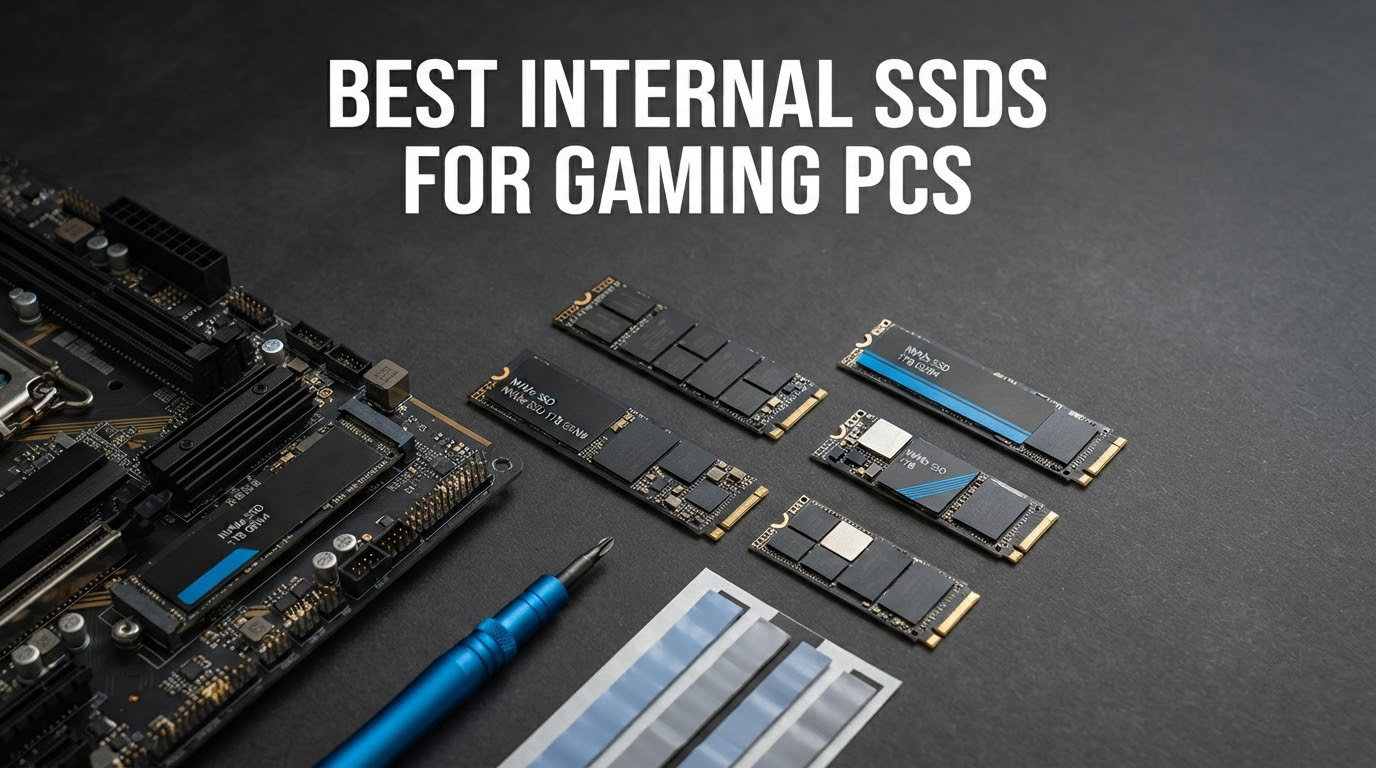
Storage is the last part of a gaming PC build that people argue about for weeks, and it is also the part where the money is easiest to waste. Here is the short version for 2026: the Kingston NV3 1TB is the best internal SSD for gaming PCs overall, the WD_BLACK SN850X 2TB is the highest-rated pick for a system that also holds a big game library, and the Samsung 9100 PRO 2TB is the drive to buy only if your motherboard has a PCIe 5.0 M.2 slot.
I have gone through twelve current internal drives, read the owner reviews rather than the spec sheets, and cross-checked every claim against what the hardware actually does in a gaming workload. The result is a list that skips the hype cycle. Twelve drives, two interface generations, one SATA holdout, and a very clear answer on where your money should go.
Two things to note before we start. First, a faster SSD will not give you more frames per second. Second, the gap between the cheapest PCIe 4.0 drive on this list and the most expensive one is far smaller in games than the price gap suggests. If you want the wider context on external and portable storage, our guide to the best NVMe SSDs covers the format more broadly, and our picks for the best external SSDs cover moving a library off your boot drive.
Table of Contents
Top 3 Picks for Gaming PCs (October 2026)
These three cover almost every gaming PC build. The NV3 is the value answer, the SN850X is the enthusiast answer, and the 990 PRO is the drive to buy when you want the most established Gen 4 pedigree on the market.


WD_BLACK SN850X 2TB
- Up to 7300 MB/s read
- Pre-installed heatsink
- PS5 expansion ready
- 5-year warranty

Samsung 990 PRO 2TB
- Up to 7450 MB/s read
- Desktop and laptop ready
- 5-year manufacturer warranty
- Samsung Magician software
Quick Overview: All 12 Internal SSDs Compared (October 2026)
Every drive below is an internal gaming PC drive in M.2 2280 or 2.5-inch form. The Key Features column is drawn from the manufacturer data for each unit, so you can scan the whole field before reading the detail.
| Product | Specifications | Action |
|---|---|---|
| Kingston NV3 1TB |
|
Check Latest Price |
| WD_BLACK SN850X 2TB |
|
Check Latest Price |
| Samsung 990 PRO 2TB |
|
Check Latest Price |
 Lexar NM790 2TB Lexar NM790 2TB |
|
Check Latest Price |
 Predator GM7000 2TB Predator GM7000 2TB |
|
Check Latest Price |
 Crucial P310 2TB Crucial P310 2TB |
|
Check Latest Price |
 WD_BLACK SN7100 2TB WD_BLACK SN7100 2TB |
|
Check Latest Price |
 Corsair MP600 PRO LPX 1TB Corsair MP600 PRO LPX 1TB |
|
Check Latest Price |
 WD Blue SN5000 4TB WD Blue SN5000 4TB |
|
Check Latest Price |
 Samsung 9100 PRO 2TB Samsung 9100 PRO 2TB |
|
Check Latest Price |
 Crucial T705 4TB Crucial T705 4TB |
|
Check Latest Price |
 fanxiang S101 1TB fanxiang S101 1TB |
|
Check Latest Price |
What Is the Best Internal SSD for a Gaming PC?
The best internal SSD for a gaming PC is a 1TB or 2TB M.2 2280 NVMe drive on PCIe 4.0, using TLC NAND, and priced at the lower end of the range. Anything faster than PCIe 4.0 makes almost no difference in games, and anything on the SATA interface is a dead end for a new build.
That single sentence is the honest answer, and it is the one most roundups bury under benchmark charts. A faster SSD does not increase your frame rate. It shortens boot time, shortens in-game loading screens, and reduces hitching in the handful of modern titles that stream assets in real time rather than loading whole levels up front.
Owners on r/buildapc and r/pcmasterrace reach the same conclusion from the other direction. The most-upvoted advice in those threads is blunt: for gaming, take whichever drive is cheapest, because Gen 5 does not justify itself outside of large file transfers. That matches what the spec sheets imply once you account for the fact that games read small files, not a single 100GB video.
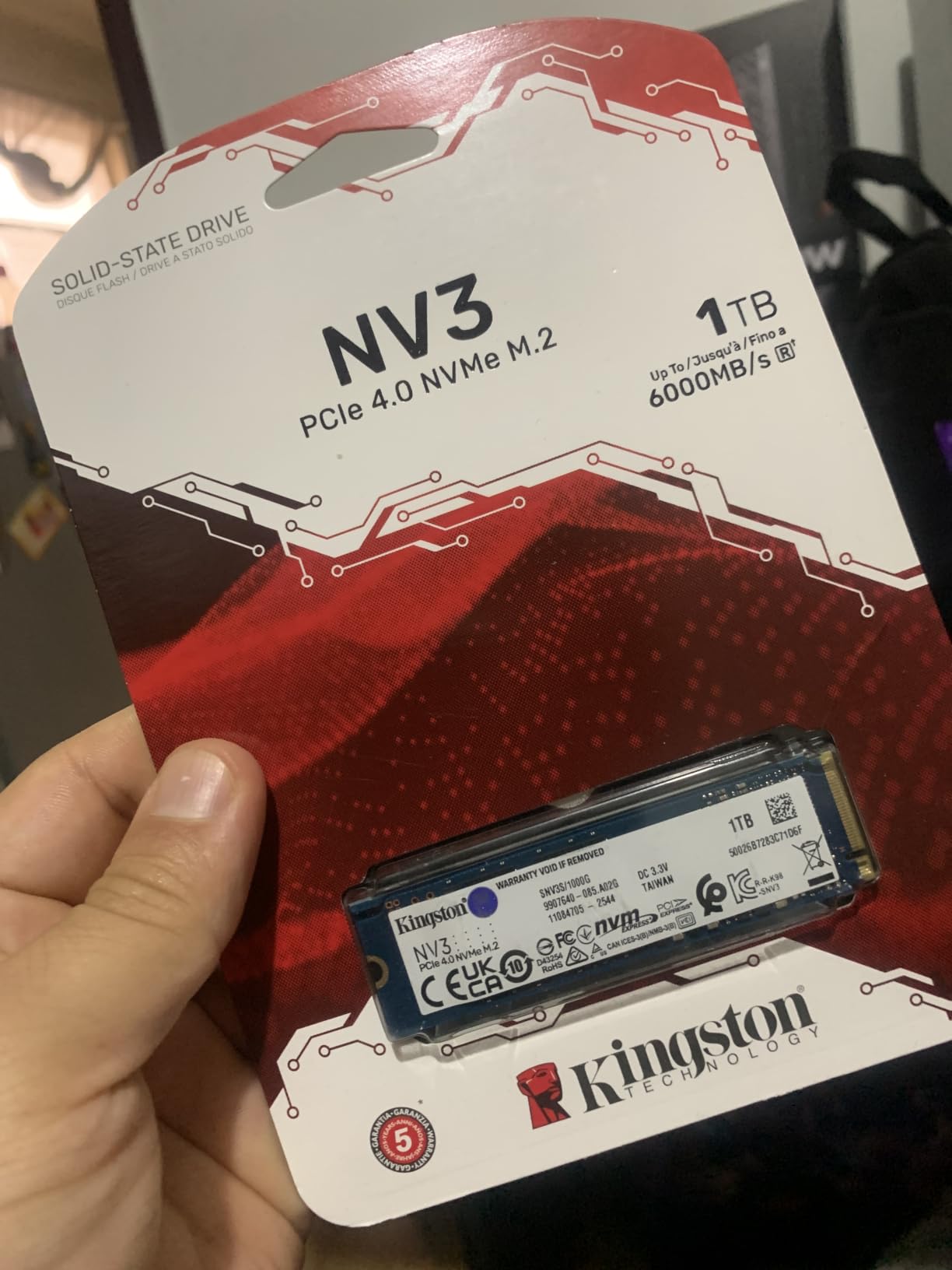
1. Kingston NV3 1TB – Best Overall Internal SSD for Gaming PCs
Kingston NV3 1TB M.2 2280 NVMe SSD | PCIe 4.0 Gen 4×4 | Up to 6000 MB/s | SNV3S/1000G
- Near-instant boot times
- Stays around 42-48C under load
- Single-sided board fits tight slots
- Recognized immediately on install
- Backward compatible
- DRAM-less design slows very large transfers
- Modest endurance for constant install and delete cycles
- Shorter 3-year warranty than rivals
This is the drive I keep coming back to, because the gap between it and the fastest Gen 4 stick on this list is something you will not notice in a game, and the gap in cost is something you will notice immediately. It runs at up to 6000 MB/s sequential read, which is well past what a title needs to stream assets, and it carries 4.7 stars across more than 13,000 owner reviews.
Boot times are the part reviewers mention most. Owners report near-instant boots and applications opening without delay, and a 1TB slice is enough for Windows plus a working library if you are selective about what you install. At roughly 4.54 g it is also one of the lightest sticks in the group, which matters if your board sits under a large heat spreader.
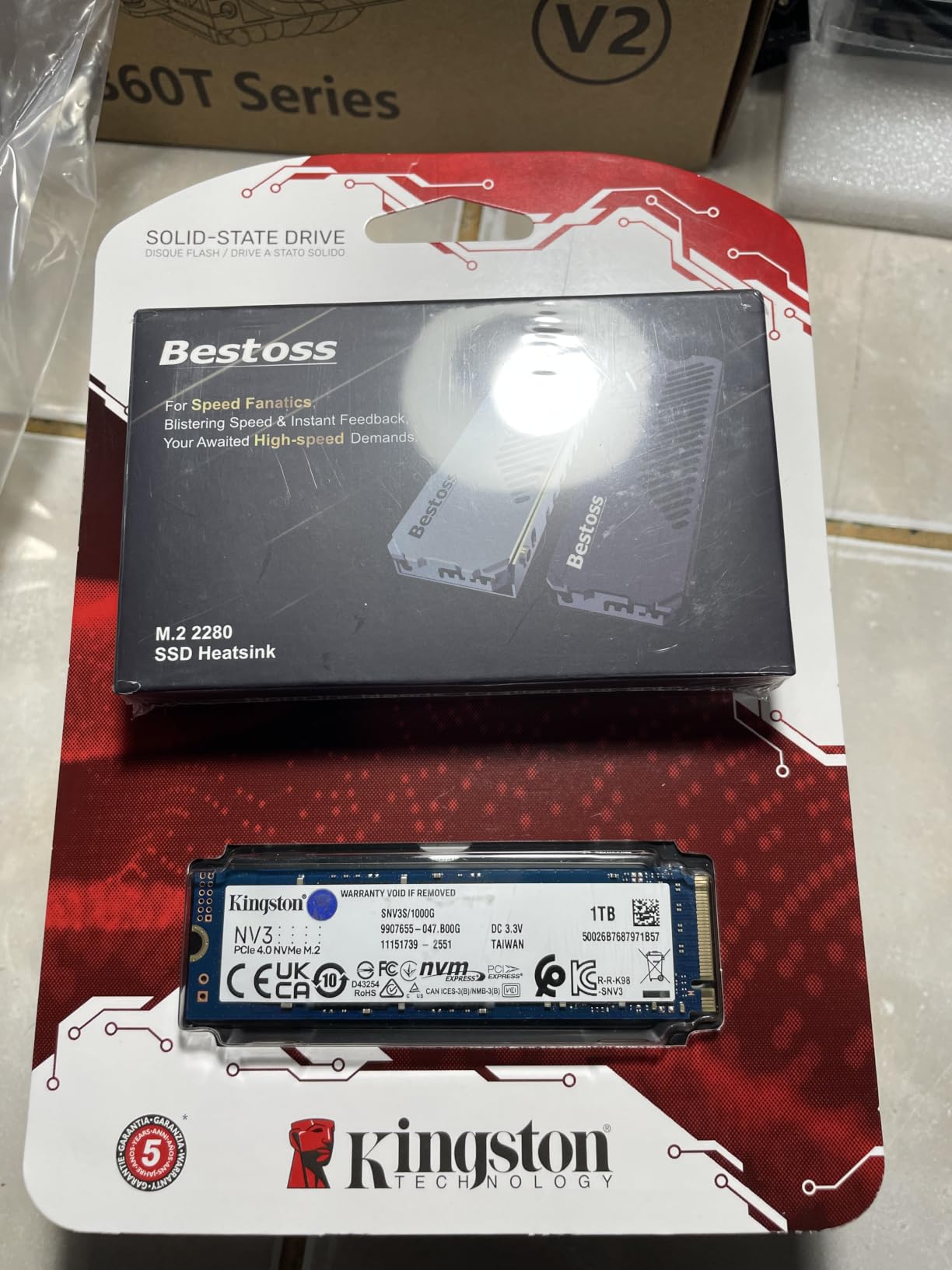
Thermals are the quiet strength here. It sits around 42-48C under load according to owners, with no thermal throttling reported, and the single-sided M.2 2280 layout means it clears laptop slots and low-profile motherboard covers. There is no heatsink in the box, and you will not need one.
The honest weakness is the DRAM-less design with a host memory buffer. In normal gaming use that is invisible. During a single 50GB-plus folder transfer, owners do report a dip in speed as the SLC cache empties. If you move game libraries around as a habit rather than installing them, look at the Predator GM7000 on this list instead, which has onboard DRAM.
Why it works as a first gaming PC drive
It is a single-sided board, so it fits anywhere an M.2 2280 drive fits, including cramped laptop bays and small-form-factor cases with tight coolers. Installation is plug and play, recognised immediately with no driver step and no BIOS configuration.
For a first build or a first upgrade, the 1TB capacity is the thing to watch. It handles Windows and a handful of current titles, but a single modern open-world install can eat a large share of it. If you plan to keep more than about three big games installed, step up in capacity rather than in speed.
Where it falls short
The listed warranty is 3 years, shorter than the 5-year terms on the Samsung and Crucial drives here, and the manufacturer features list mentions a 5-year limited warranty, which is a discrepancy worth checking before you rely on it. Endurance is also more modest than premium TLC drives, which is relevant only if you constantly install and delete large libraries.
It is also the older platform of the two Kingston options in this space. If your board is a recent AM5 or Intel mainstream model and you are spending a bit more, the next section covers the trade.
2. WD_BLACK SN850X 2TB With Heatsink – Highest Rated Pick
- Highest rated drive on this list
- Pre-installed heatsink prevents throttling
- Loads games as fast as the PS5 onboard drive
- No BIOS changes needed on install
- WD Dashboard for firmware and tuning
- Heatsink will not fit boards with their own M.2 cover
- No mounting screw in the box
- Manufacturer has moved to a newer generation
At 4.8 stars across more than 15,000 reviews, this is the best-rated drive in the group and the one with the largest body of real-world gaming feedback. It reads at up to 7300 MB/s and writes at up to 6300 MB/s, and owners consistently report that it hits those figures in a normal desktop case.
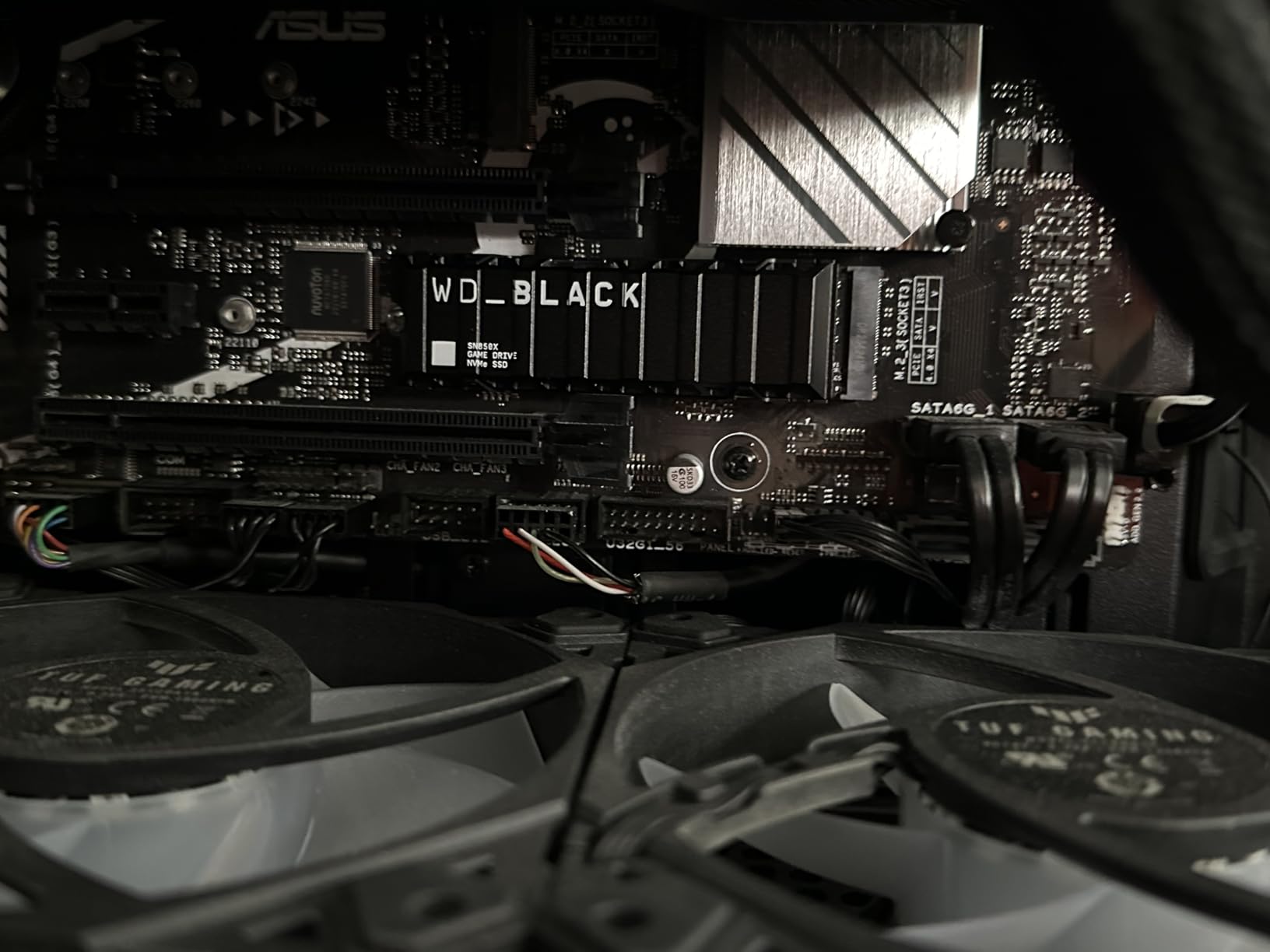
What makes it interesting for gaming is the pre-installed heatsink with Dynamic Thermal Guard. Reviewers say it holds temperatures steady through long sessions without throttling, which removes the one argument people usually raise against high-end Gen 4 sticks. Game load times are reported as matching or beating the PlayStation 5 onboard drive.
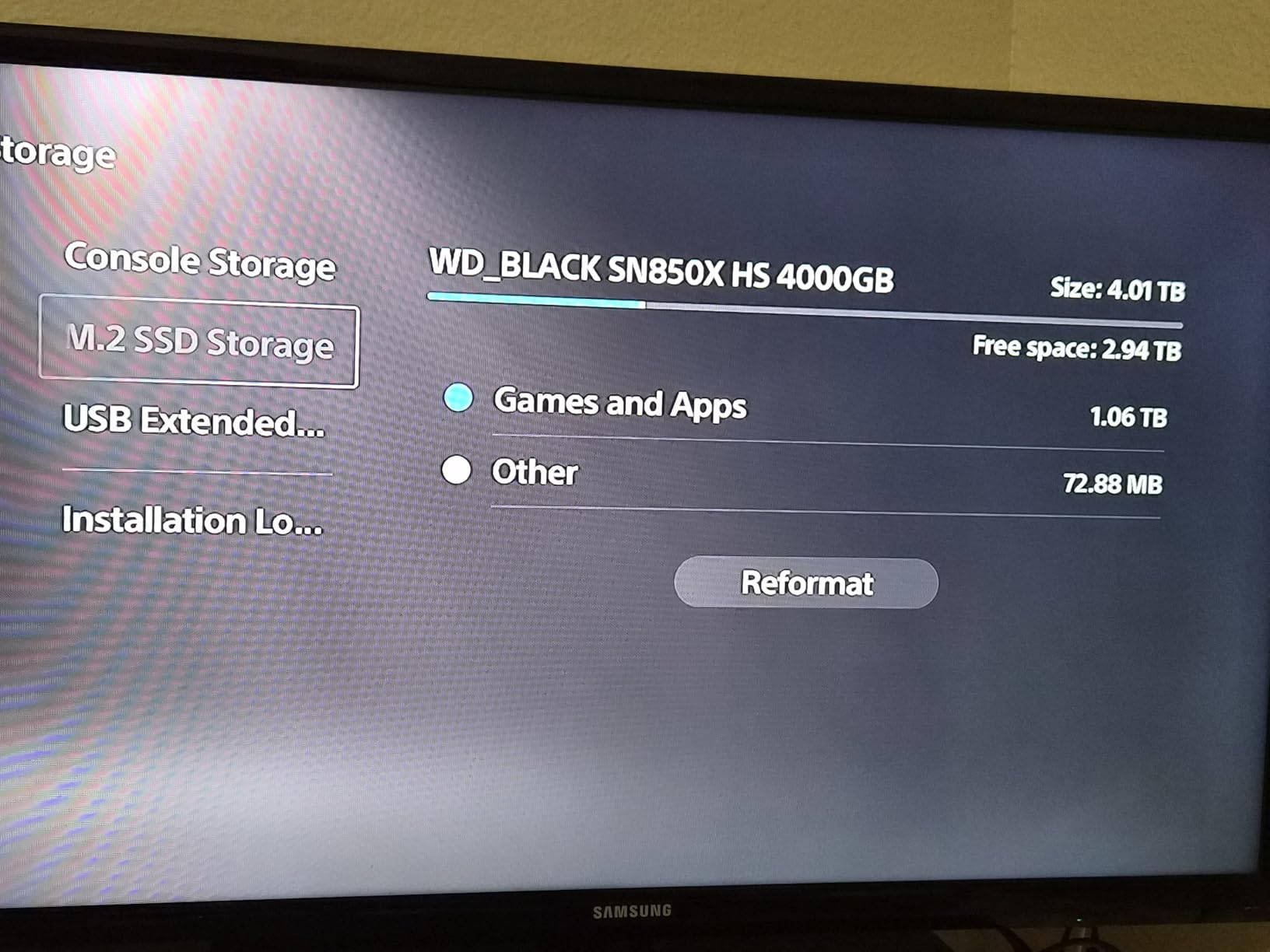
Installation is genuinely plug and play with no BIOS tinkering, and the bundled WD Dashboard, formerly SanDisk Dashboard, handles firmware updates and tuning on Windows. It is also a direct drop-in for PS5 expansion if you are cross-building for a console.
Two practical warnings. The heatsink version will not fit a motherboard that ships with its own M.2 heat spreader, because the two occupy the same space, so check your board before you buy this specific listing. And the box does not include a mounting screw, so keep the one your motherboard already has somewhere safe.
Best for a PS5-adjacent or high-refresh build
If you run a high refresh rate monitor and want the shortest possible load times between matches, this is the drive with the strongest owner evidence behind it. The 2TB capacity also removes the sizing problem that a 1TB drive creates, so you can keep Windows and a serious library on one stick.
It is equally the right pick if your board has no M.2 cover of its own. Plenty of budget and mid-range boards ship bare, and in those cases the included heatsink is a straight upgrade rather than an obstruction.
Cases where the bare drive is the smarter buy
If your motherboard already has a metal M.2 shield, buy the version without the heatsink and use the board’s own cooling, which is usually better engineered. On a compact case with a tall air cooler, the added 0.35 inch of height on this version can also cause a clearance problem.
One more consideration: WD has already superseded this model with a newer generation. That does not make it a bad drive, since the review volume and long-term firmware support are outstanding, but it does mean the current successor may launch a new generation of buyers who will find cheaper options with newer silicon.
3. Samsung 990 PRO 2TB – the Most Established Gen 4 Drive
- Fastest Gen 4 sequential read on this list
- Rock-solid multi-year reliability
- Magician makes cloning and firmware simple
- Better performance per watt than the 980 PRO
- Runs warm enough that active cooling helps in tight builds
- Magician cloning is Samsung-to-Samsung only
- Draws more idle power than DRAM-less drives
The 990 PRO is the safest recommendation in this list if you want a part with a decade of firmware support behind it. It holds a 4.7 rating across more than 13,000 reviews, and long-term owners describe flawless stability across years of operating system and game installs on multi-drive workstations.
Performance is 7450 MB/s sequential read and 6900 MB/s write, the highest Gen 4 read figure here. Samsung also claims more than 55 percent better random performance than the 980 PRO and up to 50 percent better performance per watt, and the drive weighs 9.07 g in a slim single-sided layout.
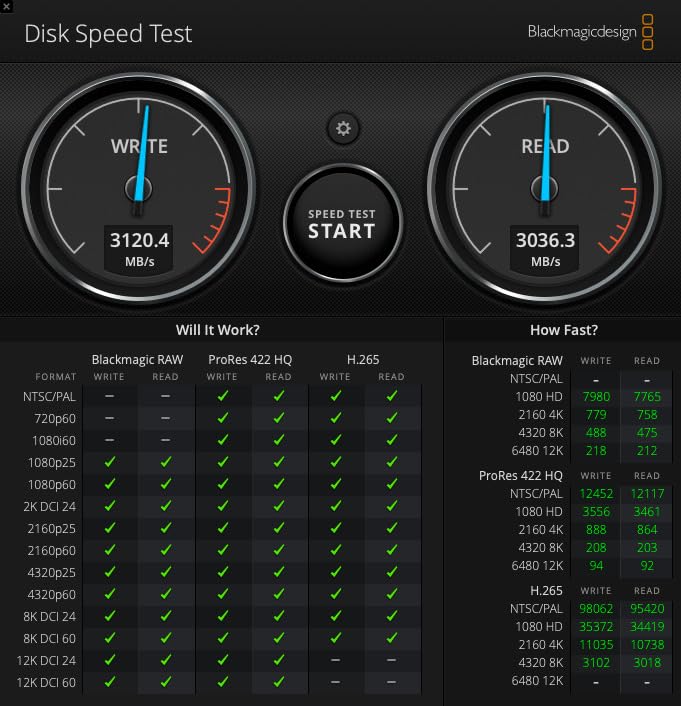
Boot times of roughly 8 to 10 seconds are what owners report, and Magician handles cloning, firmware and health monitoring in one place. It is also listed as compatible with the PlayStation 5 and with both desktop and laptop platforms, so it moves between machines without drama.
The recurring reservation in reviews is value rather than capability. Reviewers point out that the speed advantage over a good mid-range Gen 4 drive is marginal for the average gamer, which is a fair criticism. You are paying for the controller, the firmware discipline and the warranty, not for frame rate.
Why it suits a long-term gaming PC
Long-term owners describe it as the drive they stopped thinking about, which is the highest compliment in this category. A 5-year manufacturer warranty, a mature software suite and a widely reviewed platform mean fewer surprises than a newer drive with a thinner support history.
It is also a good choice if you will use Magician regularly, for example to check drive health and firmware after a major Windows update. The one limitation to know is that the free cloning tool only moves data between Samsung drives, so cloning from an unrelated brand means a fresh install.
Where it is not the right spend
It runs warm enough that reviewers advise active cooling in tight builds, so pair it with your board’s M.2 heat spreader. It also draws more power at idle than DRAM-less alternatives, which is a minor concern on a desktop and a slightly bigger one in a laptop.
If your budget is closer to the middle of the Gen 4 range, the 990 PRO is where a lot of money goes for a difference you will not see in a game. The Lexar NM790 and the Crucial P310 both land in a similar performance band for materially less.
4. Crucial P310 2TB – Straightforward Gen 4 Value Pick
- Advertised Gen 4 speeds in normal use
- Runs cool under heavy multi-app loads
- Works on PCIe Gen 3 machines too
- Recognized immediately on install
- Fits desktops laptops and handhelds
- Write performance falls short of the full Gen 4 spec at high capacity
- Bundled Acronis and Adobe offers are time-limited
- Some older laptops need an adapter
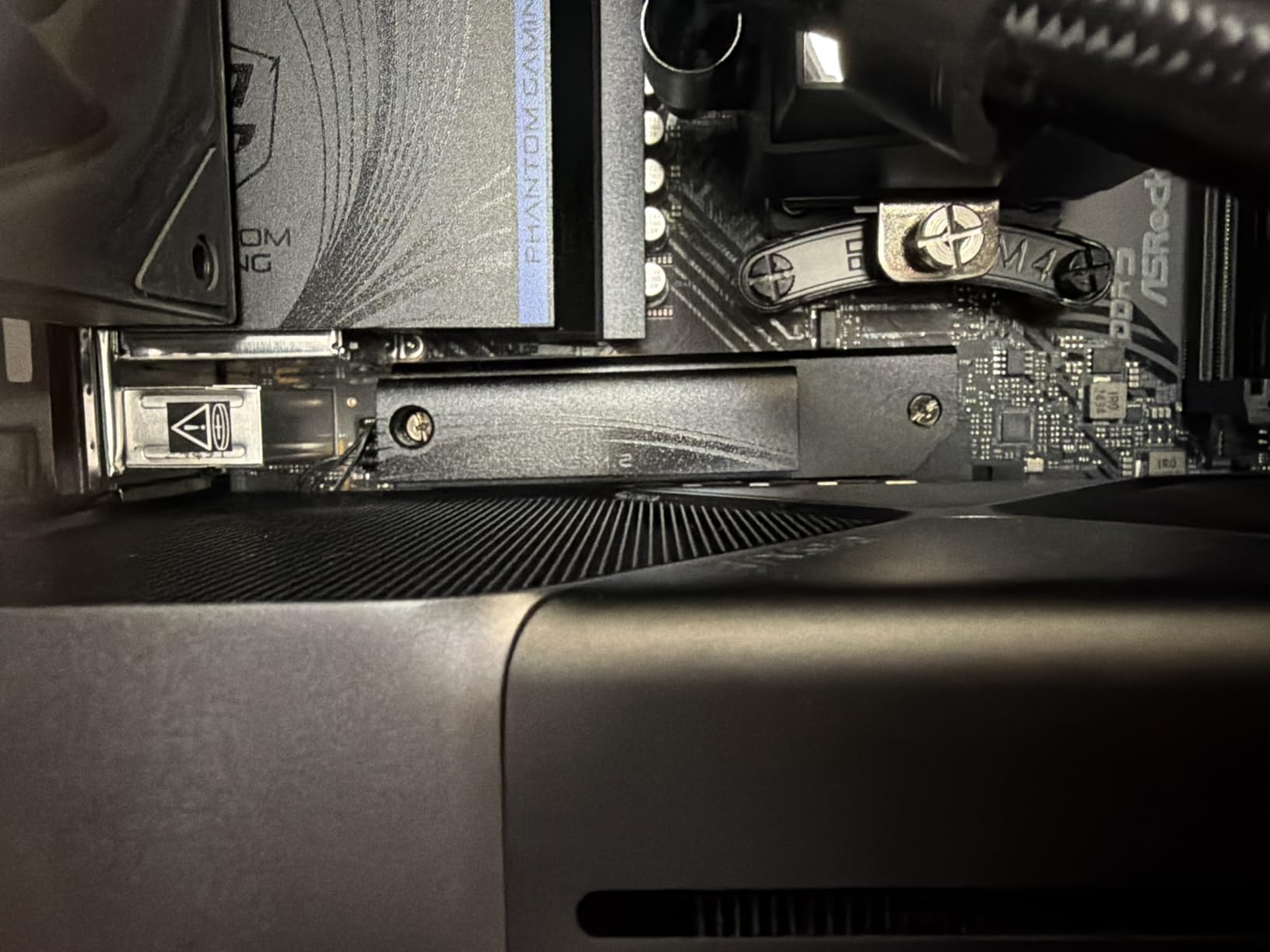
The P310 is a plain, well-reviewed 2TB drive that does the fundamentals without fuss. It reads at up to 7100 MB/s and writes at up to 6000 MB/s, carries a 4.7 rating across more than 11,000 reviews, and is frequently described by owners as a strong value Gen 4 option.
For gaming, the reported experience is quick boot times, responsive applications, smooth file transfers and faster game loads, with no stability problems mentioned. It runs cool and stable even under heavy multi-application workloads, which is more than some pricier sticks manage in a warm case.
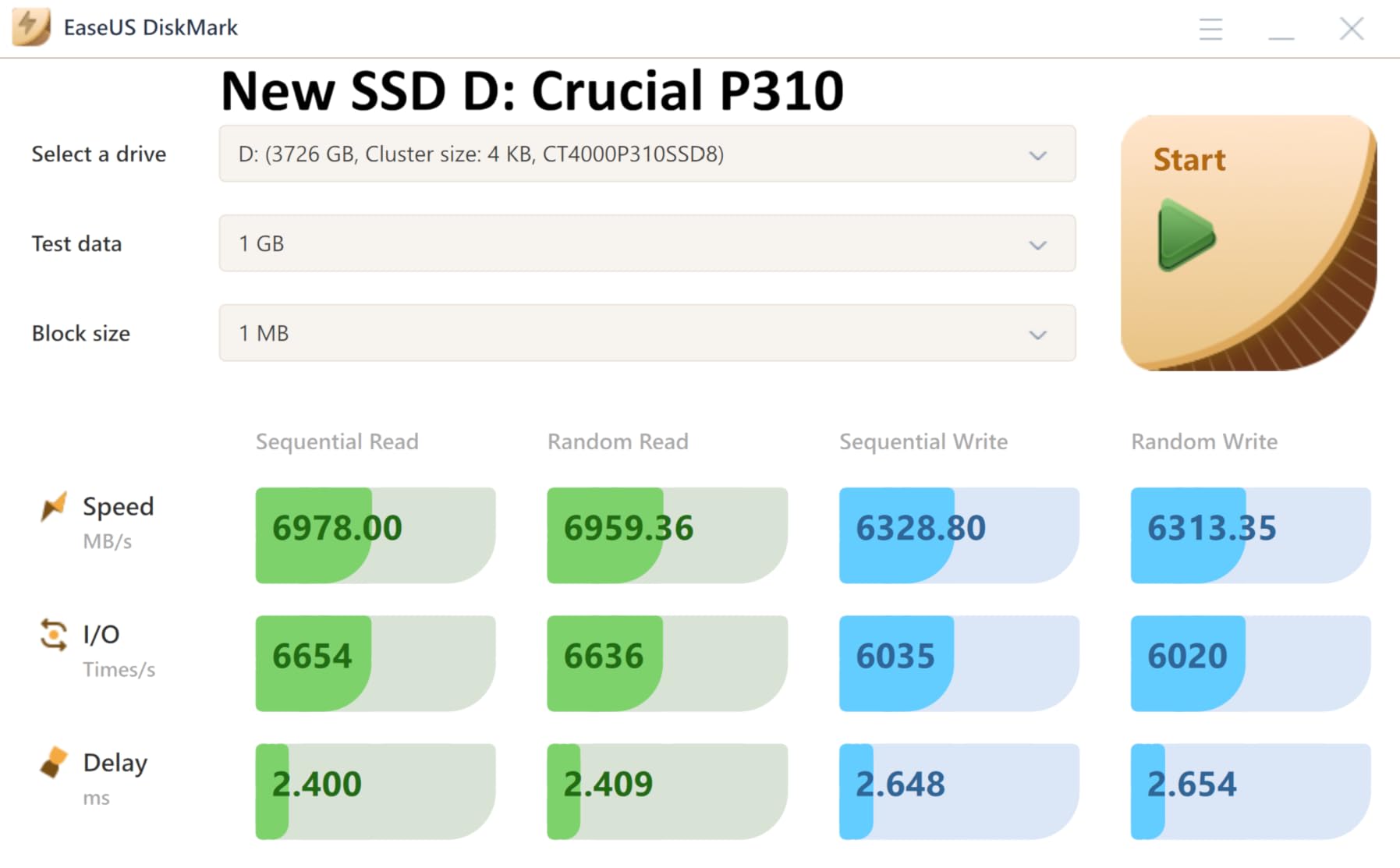
It is built on Micron G8 NAND with thermal control, and it is listed as backward compatible with PCIe Gen 3 systems, so an older AM4 or B550 machine still gets reduced but genuinely fast throughput. That makes it a solid drop-in for a platform upgrade you already own.
It is also the one drive here explicitly listed for handheld gaming consoles alongside desktops and laptops, which matters if you move storage between a handheld PC and a tower. It is recognised immediately on install, with no driver step.
Best for a straightforward upgrade
Choose this if you are moving off a SATA SSD or a hard drive and you want the least amount of fiddling. One slot, one screw, one restart, and the drive appears. The 2TB capacity is the right default for a modern library without pushing you into 4TB pricing.
It is also a good fit for a mixed-platform household, since the same drive works in a Gen 3 desktop and a Gen 4 machine without a second purchase.
Where the value stops
Owners are candid that it is not a full substitute for the highest-spec Gen 4 drives at large capacities, where write performance trails off. The bundled Acronis and Adobe Creative Cloud offers are also time-limited rather than permanent, so treat them as a convenience rather than a reason to buy.
If your machine is an older laptop that needs an adapter for a bare M.2 drive, factor that extra step in before you order. On a desktop with a standard M.2 2280 slot none of that applies.
5. Lexar NM790 2TB – Efficient Single-Sided Gen 4 Performer
Lexar 2TB NM790 Internal NVMe SSD, 7400/6500 MB/s, M.2 2280, PCIe Gen 4×4
- Near-top Gen 4 read and write speeds
- Up to 40% lower power draw than DRAM cache drives
- 1500TBW endurance at 2TB
- Single-sided and light at 4.54 g
- Listed for desktop laptop and PS5
- DRAM-less design trails cache-equipped drives on heavy sustained writes
- No heatsink in the base model
- Less long-term brand recognition for support
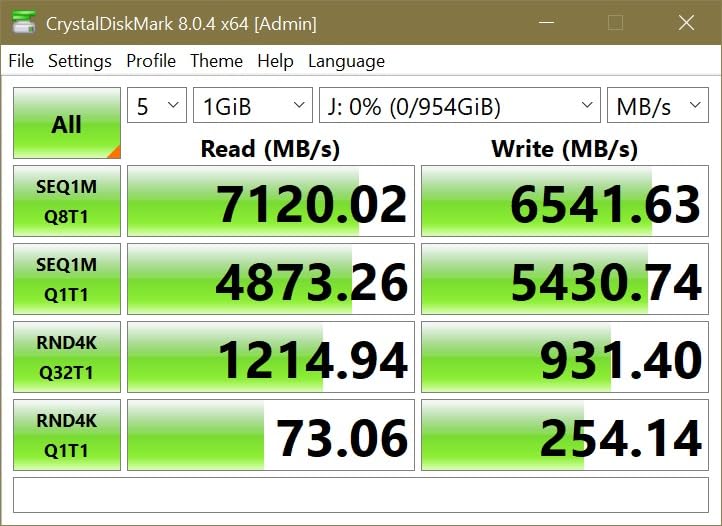
The NM790 is the efficiency standout on this list. It delivers up to 7400 MB/s read and 6500 MB/s write, holds a 4.8 rating across roughly 1,280 reviews, and draws up to 40 percent less power than Gen 4 drives with a dedicated DRAM cache.
That efficiency matters in a laptop or a handheld, where storage power shows up directly in battery life. It is also a single-sided board weighing 4.54 g, so it clears the tightest of slots and the thinnest of laptop and console mounts without a shim.
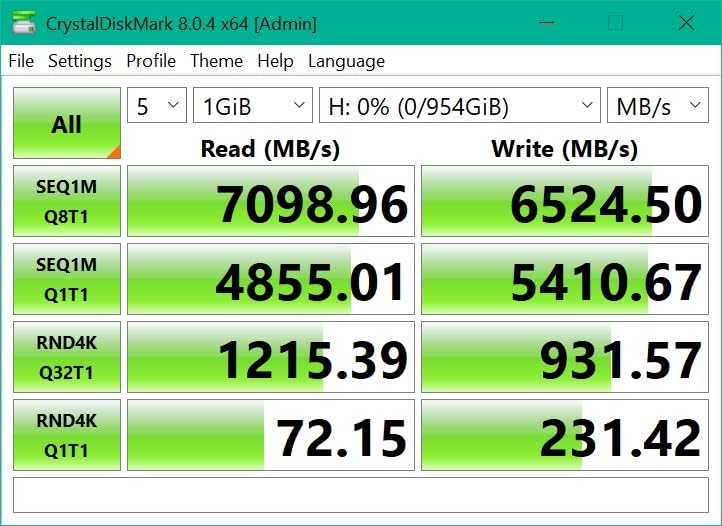
The 2TB version is rated at 1500TBW of endurance, which is a strong number for the money and covers years of shader compilation, patching and library churn. HMB 3.0 borrows system memory as a cache, and reviewers say it smooths out the usual DRAM-less drawback in everyday and gaming use.
Owners report cooler and more efficient operation than cache-equipped rivals, along with near-top Gen 4 throughput. The one thing you do not get is a heatsink in the box, which is fine at this power draw in a normal case.
Best for a laptop or handheld build
Low power draw plus a single-sided board makes this the pick when the machine has battery life to protect or when the slot is a tight M.2 2280 bay in a thin chassis. It is also listed for the PlayStation 5, so it doubles as console storage.
For a desktop, the same efficiency simply means the drive runs cooler, which helps if you are stacking multiple M.2 devices behind one airflow path.
Where the DRAM-less design shows
On sustained heavy writes, owners do report that the host memory buffer trails dedicated-cache drives, particularly on very large file transfers. For a gaming library that is a largely theoretical concern, since games are written once and read many times.
The other caveat is support longevity. The performance and endurance figures are excellent, but the brand carries less recognition for long-term firmware attention than Samsung, WD or Crucial. If that matters to you, the 990 PRO is the safer long-horizon choice.
6. Predator GM7000 2TB – Best for Sustained Writes and Big Installs
- Full Gen 4 throughput at 7400 and 6700 MB/s
- Onboard DRAM plus TLC for steady sustained performance
- Custom heat spreader lowers temperatures
- Integrated PMU trims power draw
- PS5 and PS5 Pro compatible
- Biwin management software is less polished than the big-brand suites
- Smaller independent review base than Samsung WD or Crucial
- 5-year warranty covering up to 1300TBW
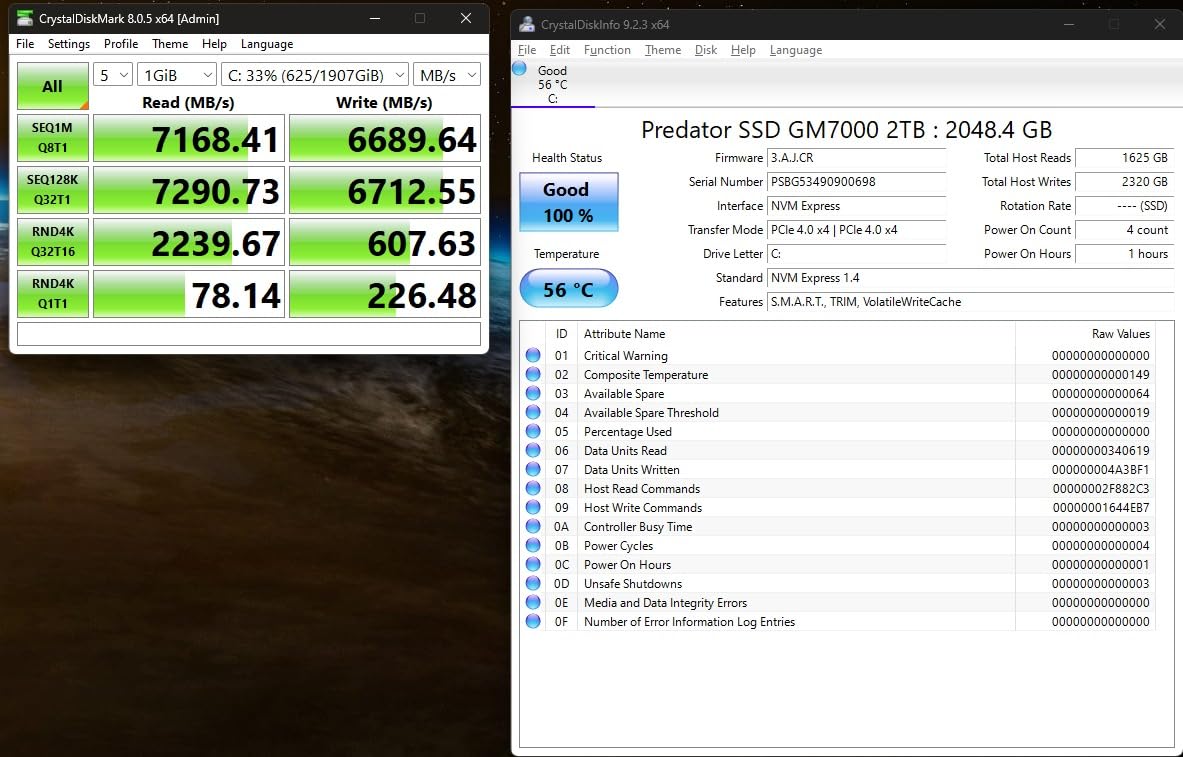
This is the pick on this list for people who install enormous amounts of data rather than just playing games. It combines full Gen 4 throughput at 7400 MB/s read and 6700 MB/s write with an onboard 2 GB DRAM cache and 3D NAND TLC, so sustained performance does not collapse when the cache fills.
Owners report that it meets the advertised speeds, runs good thermals from the included custom heat spreader, and behaves stably under heavy load. The integrated power management unit is designed to keep the drive cooler and the system more efficient, which is a sensible addition in a dense build.
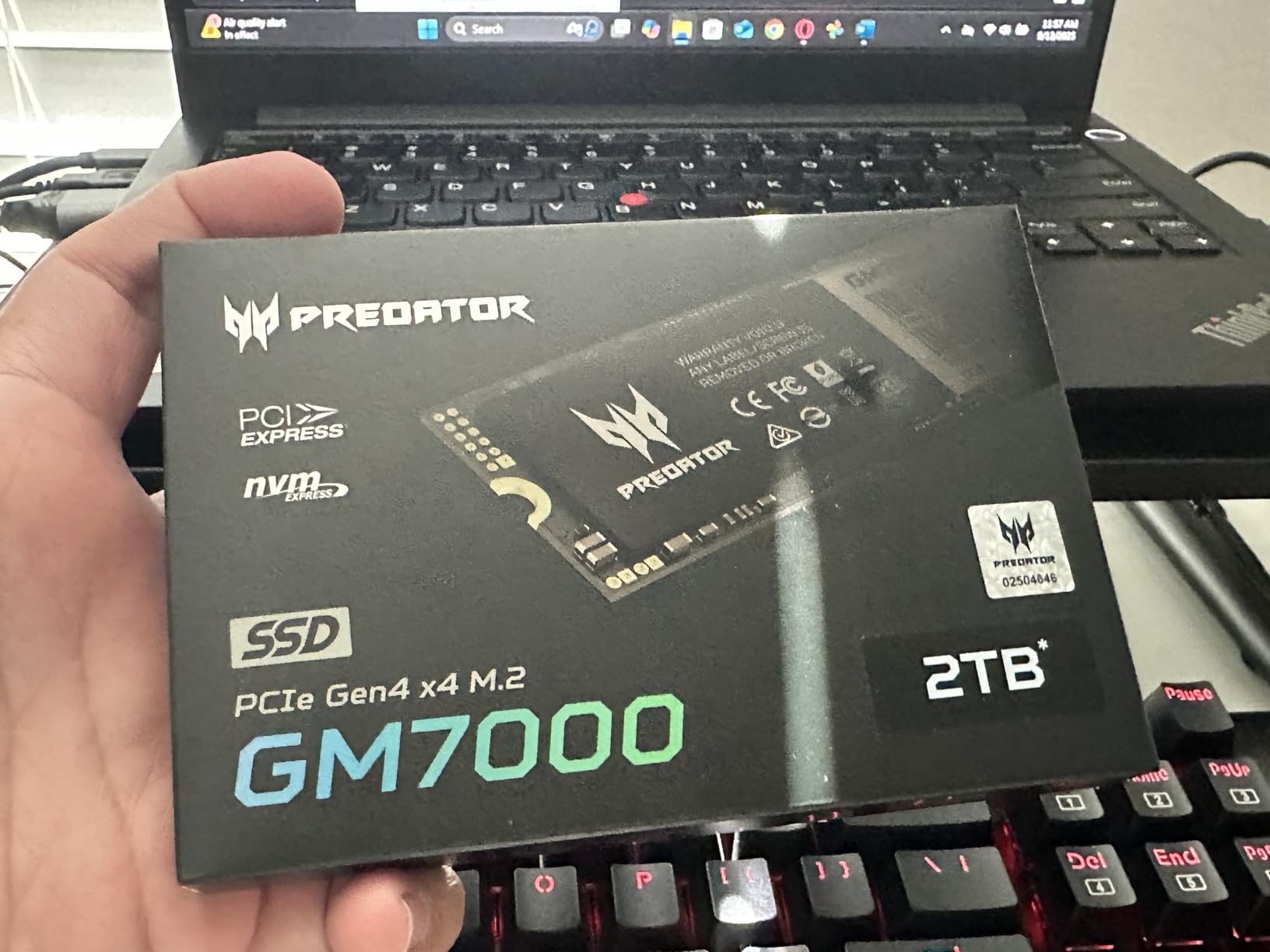
The board is a compact 2280 stick weighing 9 g, and it is listed as compatible with the PS5 and PS5 Pro as well as desktops and laptops. Biwin Intelligence software covers benchmarking, cloning and migration if you need those tools.
For a pure gaming workload, the DRAM cache is a luxury rather than a necessity. But if you are the person who reinstalls a 200GB library every month, moves project folders, or backs up inside the machine, this is where the extra money goes to work.
Best for creators who also game
Video editing and large asset management benefit far more from a real DRAM cache and TLC endurance than any game does. If your PC is a work machine that also plays games at night, this is the drive that treats both jobs properly.
The 2TB capacity is a sensible middle ground for a mixed workload, and the 5-year limited warranty gives reasonable cover for a drive that will be written to hard.
Where the compromises are
The management software is the weak point, and reviewers say so directly: it is less polished than Samsung Magician or Crucial Storage Executive. If you rely on a GUI to manage firmware and health, expect some friction.
The warranty covers up to 1300TBW, which is lower than the 1500TBW figure on the Lexar NM790 at a similar capacity, and the independent review base is smaller than the Samsung, WD and Crucial drives here. It is a less tested part in the wild, and buying hardware with a thinner long-term track record carries its own risk.
7. WD_BLACK SN7100 2TB – Thin, Efficient and Laptop Friendly
WD_Black SN7100 2TB NVMe SSD – Gen4 PCIe, M.2 2280, Up to 7,250 MB/s Read Speed, Up to 6,900 MB/s Write Speed, Next Gen TLC 3D NAND, for Laptops, Handheld Gaming Devices – WDS200T4X0E
- Up to 7250 MB/s read and 6900 MB/s write
- Up to 100% better power efficiency than the prior generation
- Up to 35% faster than the prior generation
- Low profile and light at 4.54 g
- WD Dashboard for optimization
- Manufacturer already lists a newer generation
- 3-year limited warranty is short for the class
- DRAM-less design slows sustained large writes
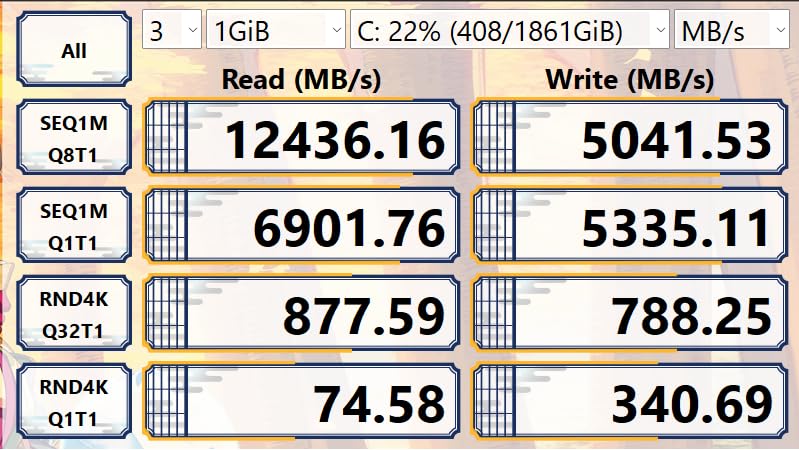
The SN7100 pairs strong Gen 4 numbers with a genuinely low power profile. It reads at up to 7250 MB/s and writes at up to 6900 MB/s on the 1TB to 2TB models, uses next-generation TLC 3D NAND, and is claimed to be up to 100 percent more power efficient than the previous generation.
That efficiency figure is the headline for portable gaming. Owners highlight Gen 4-class throughput, low power draw for portable setups and improved endurance from the TLC NAND, which is a better combination than you normally find in a drive this thin.
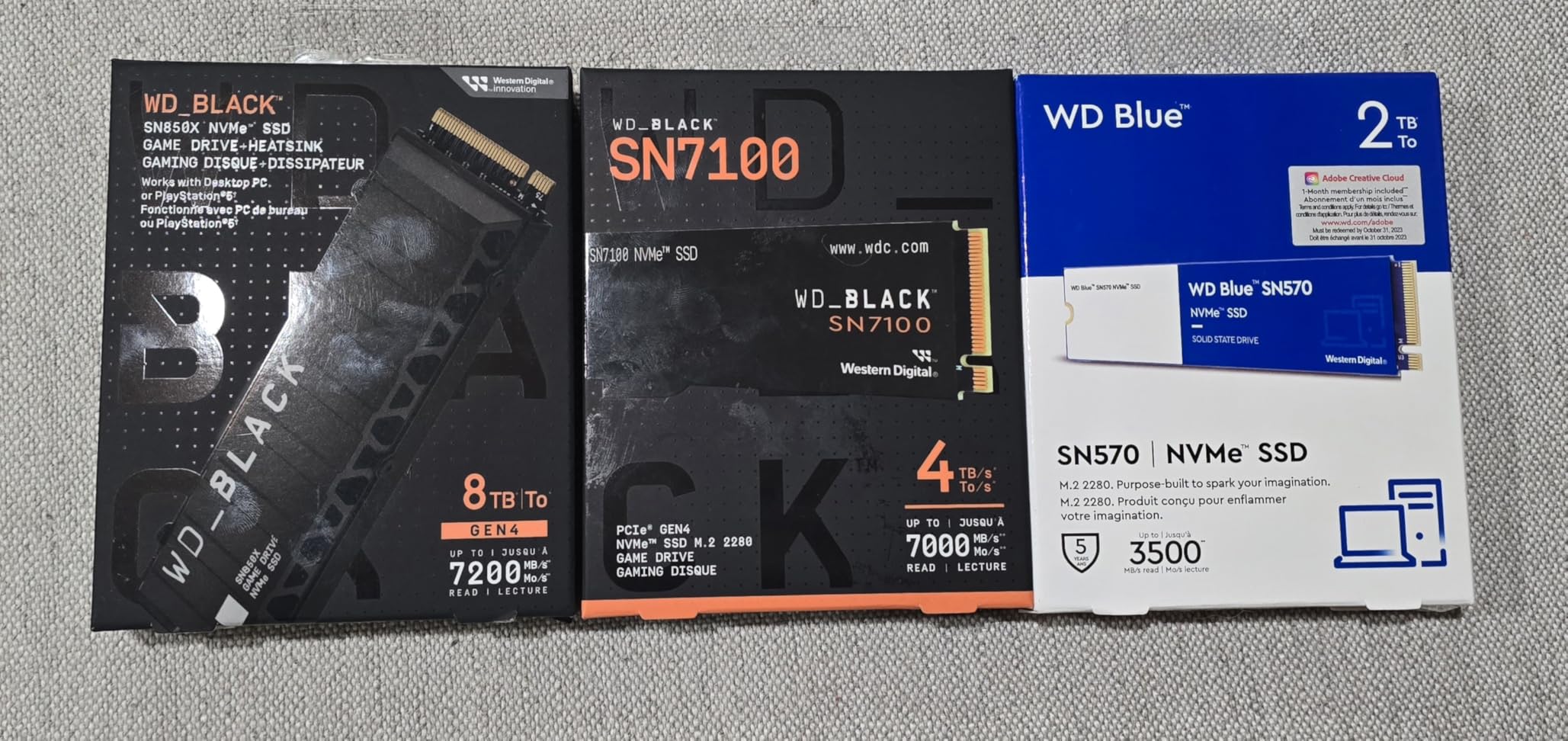
At 0.04 inches thick and 4.54 g, it is one of the most compact sticks here, and it is listed for desktops, laptops and handheld gaming consoles. That makes it a natural second drive in a portable build where internal volume is the constraint.
WD Dashboard is available for optimisation on Windows, which covers firmware and health monitoring. The 4.8 rating across roughly 6,500 reviews reflects how well the efficiency claim holds up in practice.
Best for a portable gaming machine
When storage power draw competes directly with GPU power draw, efficiency becomes a performance feature rather than a spec-sheet nicety. In a laptop or handheld, the drive that wastes less energy leaves more of the power budget for the parts you actually notice.
The TLC NAND also matters here. QLC is cheaper, but a portable machine running warm is exactly the environment where write endurance and thermal behaviour become a long-term concern, and TLC is the better choice for a drive that lives in a cramped chassis.
Why some buyers should look elsewhere
Two things temper the recommendation. The listed warranty is 3 years, which is short against the 5-year terms on the Samsung, Crucial and WD Blue drives here. And the manufacturer already lists this model as replaced by a newer generation, which some buyers read as a signal to wait.
The DRAM-less design is the third point, and it is the same one that applies to the NV3 and the NM790. It is a non-issue for gaming and a real one for sustained bulk writes. Choose this drive for efficiency and thinness, not for heavy write workloads.
8. Corsair MP600 PRO LPX 1TB – Low Profile for PS5 and Small Cases
- Exceeds Sony PS5 performance requirements
- Low-profile aluminium heatspreader reduces throttling
- Fits console and small-form-factor slots
- Capacities run from 500GB to 4TB
- 1TB is small for a modern game library
- Low-profile heatspreader is tight under some board heatspreaders
- Listed 5800 MB/s write is below comparable Gen 4 drives
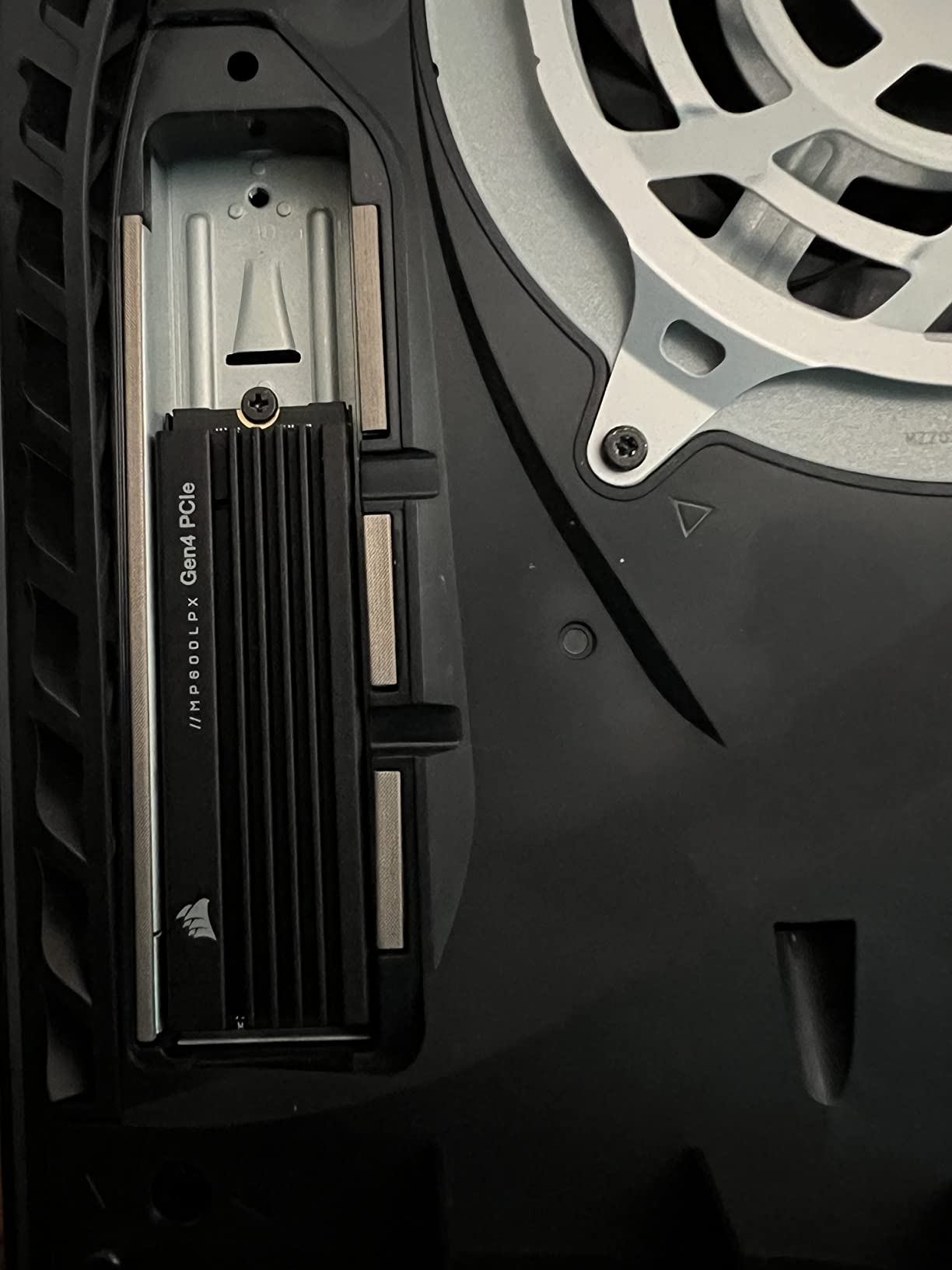
The LPX exists for one reason: fit. It is a low-profile M.2 drive with a pre-installed aluminium heatspreader, built to slot into a PlayStation 5 or a small-form-factor PC where a full-height drive will not go. It reads at up to 7100 MB/s and holds a 4.8 rating across about 10,650 reviews.
Owners consistently rate it as a fast, reliable console-expansion drive that exceeds the PS5 requirements and installs without fuss. For a gaming PC, the low-profile design also means it clears tighter cases and smaller cooler assemblies than a standard stick.
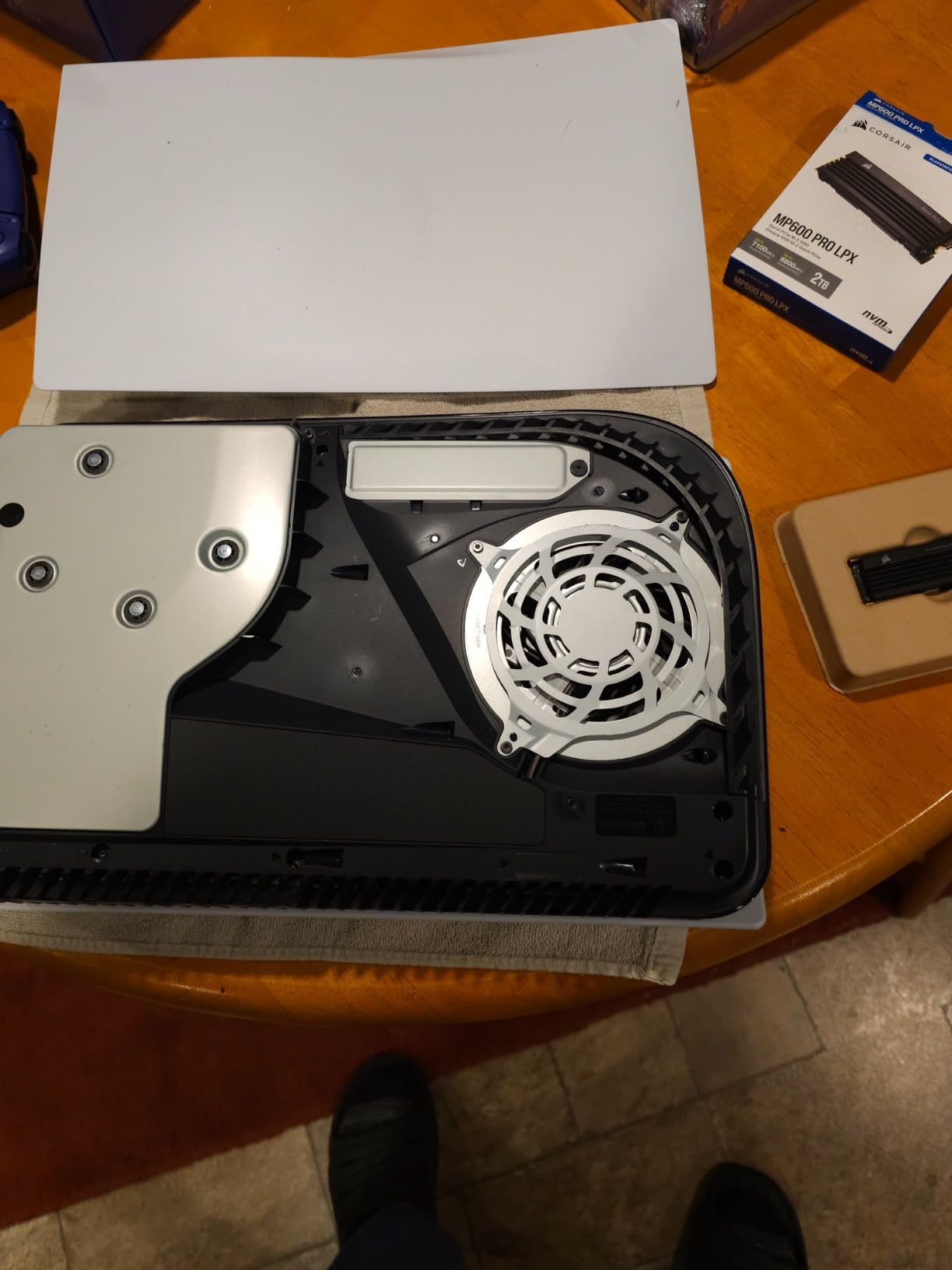
The pre-installed heatspreader reduces throttling out of the box, which is the main thing you would otherwise be adding yourself. Capacities run from 500GB up to 4TB, so the low-profile format is not a compromise forced on small builds.
It is also worth noting that the drive has been around a long time and has a very large installed base. That is a form of reliability data that a new release cannot match, and it matters for anyone who wants firmware support without uncertainty.
Best for constrained builds
If you are building in a small-form-factor case, a mini-ITX board, or a console, drive height is a hard constraint rather than a preference. This drive is designed around that constraint, and the cooling is already handled.
For a desktop with an open M.2 slot and a board-supplied heat spreader, it is a slightly odd choice, because you would be paying for a low-profile heatspreader you do not need. In that case, spend the same money on a plain drive with more capacity.
Where it falls short
Capacity is the first limitation. At 1TB this listing is small by modern library standards, and the PS5 itself now ships with much larger base storage, so console owners often step up a capacity tier. The listed sequential write figure of 5800 MB/s in the product title is below what comparable Gen 4 drives manage.
Even the low-profile heatspreader is tight under some large motherboard heat spreaders, so check the clearance in your specific case before ordering. On an older board with no M.2 slot at all, none of this applies because the drive simply will not fit, and you will need a SATA connection instead.
9. WD Blue SN5000 4TB – Best for Very Large Game Libraries
Western Digital 4TB WD Blue SN5000 NVMe Internal Solid State Drive SSD – PCIe Gen 4.0, M.2 2280, Up to 5,500 MB/s – WDS400T4B0E [New Generation]
- 4TB of capacity for big libraries
- 5500 MB/s read on the 4TB model
- Up to 1200TBW endurance
- WD nCache 4.0 smooths app switching
- Acronis download included for migration
- Write speeds trail competing 4TB Gen 4 drives
- Not tuned for gaming-first workloads
- Smaller review base than other 4TB options
Capacity is the reason to buy this one. Four terabytes solves the problem that keeps coming up on build forums, where a handful of modern titles consume a full 1TB drive and force a reinstall. The SN5000 is 5.7 g, sits in a standard 2280 slot and needs no heatsink.
It delivers up to 5500 MB/s read on the 4TB model with a 5-year limited warranty, and 1200TBW of endurance on that capacity. Owners describe steady Gen 4 throughput and solid endurance for large creative workflows and game libraries, with nCache 4.0 smoothing application and project switching.
![Western Digital 4TB WD Blue SN5000 NVMe Internal Solid State Drive SSD - PCIe Gen 4.0, M.2 2280, Up to 5,500 MB/s - WDS400T4B0E [New Generation] customer photo 1](https://www.smashingrobotics.com/wp-content/uploads/2026/09/B0D7MLB76V_customer_1.jpg)
Read speed is the trade for the capacity. 5500 MB/s is a step below the 7000-plus MB/s of the 2TB drives on this list, and while games will not miss the difference, it is the visible cost of buying at 4TB in this class rather than a performance mistake.
Writes are lower still compared with competing 4TB Gen 4 drives, and some buyers note that WD Blue is positioned as a value line rather than a gaming-first one. For pure game installation, you are paying for space and endurance, not for speed.
![Western Digital 4TB WD Blue SN5000 NVMe Internal Solid State Drive SSD - PCIe Gen 4.0, M.2 2280, Up to 5,500 MB/s - WDS400T4B0E [New Generation] customer photo 2](https://www.smashingrobotics.com/wp-content/uploads/2026/09/B0D7MLB76V_customer_2.jpg)
Best for keeping everything installed
If you are the kind of player who hoards rather than uninstalls, four terabytes changes how you use a PC. No deleting a game to make room, no re-downloading a 150GB title on patch day, and a single drive covering Windows plus the whole library.
It is also a reasonable second drive. A fast boot drive plus a large, slower library drive is a configuration we cover further down, and the SN5000 is a natural fit for the second slot because its read speed is still far past what game streaming requires.
Where the trade bites
Write speeds are the clear weakness, and they are lower than competing 4TB Gen 4 drives, so this is the wrong drive for someone who moves very large files daily. The review base of roughly 2,900 reviews is also smaller than for the 2TB drives here, which means less long-term field evidence.
Our picks for the best mini PCs and best PCs for CAD both lean toward capacity-heavy configurations, and this is the drive we would slot into either for bulk storage. Just do not expect flagship speed from it.
10. Samsung 9100 PRO 2TB – the Gen 5 Option for New Platforms
Samsung SSD 9100 PRO 2TB, PCIe 5.0×4 M.2 2280, Up to 14,700MB/s
- Up to 14700 MB/s read and 13400 MB/s write
- Up to 1850K read and 2600K write IOPS
- Up to 49% better power efficiency than the 990 PRO
- Advanced thermal control
- Magician handles firmware and encryption
- Needs a PCIe 5.0 M.2 slot to reach full speed
- Gen 5 heat usually demands an active heatsink
- Higher power draw than Gen 4 options
This is the fastest consumer drive in this roundup, and it is the fastest SSD you can buy for a gaming PC right now. The 9100 PRO reads at up to 14,700 MB/s and writes at up to 13,400 MB/s, roughly double the 990 PRO, and it pairs a 5 nm controller with a 2 GB DRAM cache.
Owners report genuine Gen 5 throughput, fast game loads and improved efficiency compared with the 990 PRO, at a 4.7 rating from around 1,800 reviews. The claimed 49 percent power efficiency gain over the previous Samsung flagship is notable, since Gen 5 drives are usually assumed to be power hogs.
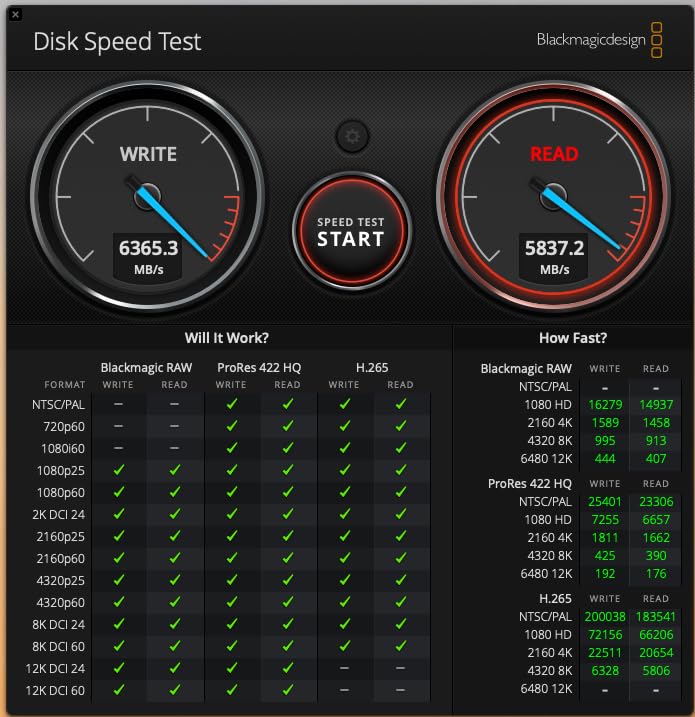
Random performance is quoted at up to 1850K read and 2600K write IOPS, and advanced thermal control is built in to keep sustained throughput smooth. Magician covers firmware updates, encryption and drive health monitoring, and capacities go up to 8TB.
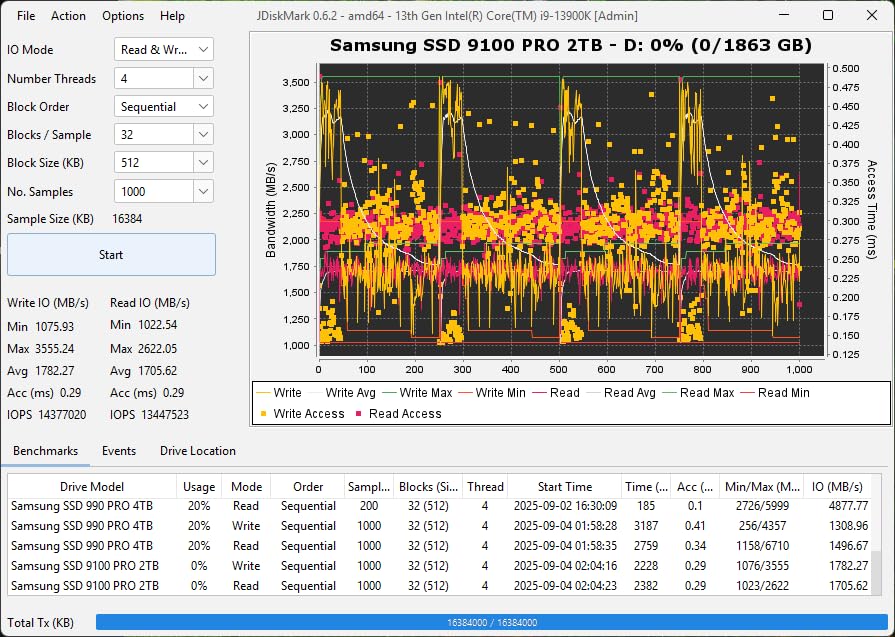
Here is the part people miss. None of that speed reaches a game unless your motherboard has a PCIe 5.0 M.2 slot, and it will run at Gen 4 speeds otherwise. On a Gen 4 board you are paying flagship money for a very fast Gen 4 drive.
Best if you are building on a current flagship platform
If your board is a top-end Intel or AMD model from the last two generations with a dedicated Gen 5 M.2 slot, this is the correct drive to put in it. You get the full bandwidth, the newest controller, and headroom for large file transfers that a Gen 4 stick cannot reach.
It is also a good fit for anyone moving large video or project archives around on the same machine, which is where the doubled sequential throughput finally shows up in wall-clock time.
Why most gamers should not buy it
It needs a Gen 5 M.2 slot to reach full speed, it generates enough heat that owners usually add an active heatsink, and it draws more power than Gen 4 alternatives. All three are costs you accept only when the platform can use the speed.
Forum consensus on r/buildapc is worth repeating here because it is the most repeated piece of practical advice we found: for gaming, there is no noticeable difference between a good Gen 4 drive and a Gen 5 drive, so buy whichever is cheaper. If that is your situation, the 990 PRO, the SN850X or the NV3 all serve you better per unit of money spent.
11. Crucial T705 4TB – the Fastest Large-Capacity Drive
- Near 14000 MB/s read and 12600 MB/s write
- Four terabytes in one Gen 5 slot
- Micron TLC NAND for real endurance
- Momentum Cache boosts random I/O
- Backward compatible with Gen 4 and Gen 3
- Can reach 80C in write benchmarks without a proper heatsink
- Needs a Gen 5 slot for full speed
- Stock motherboard heatsinks often fall short
- A minority report drive failure after 22 months
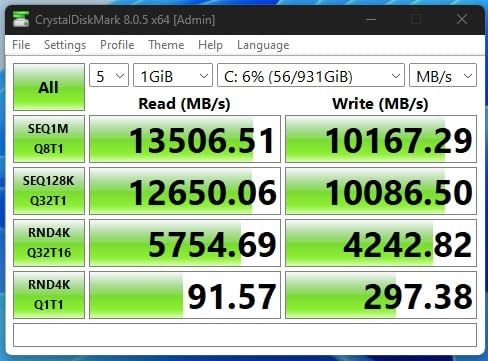
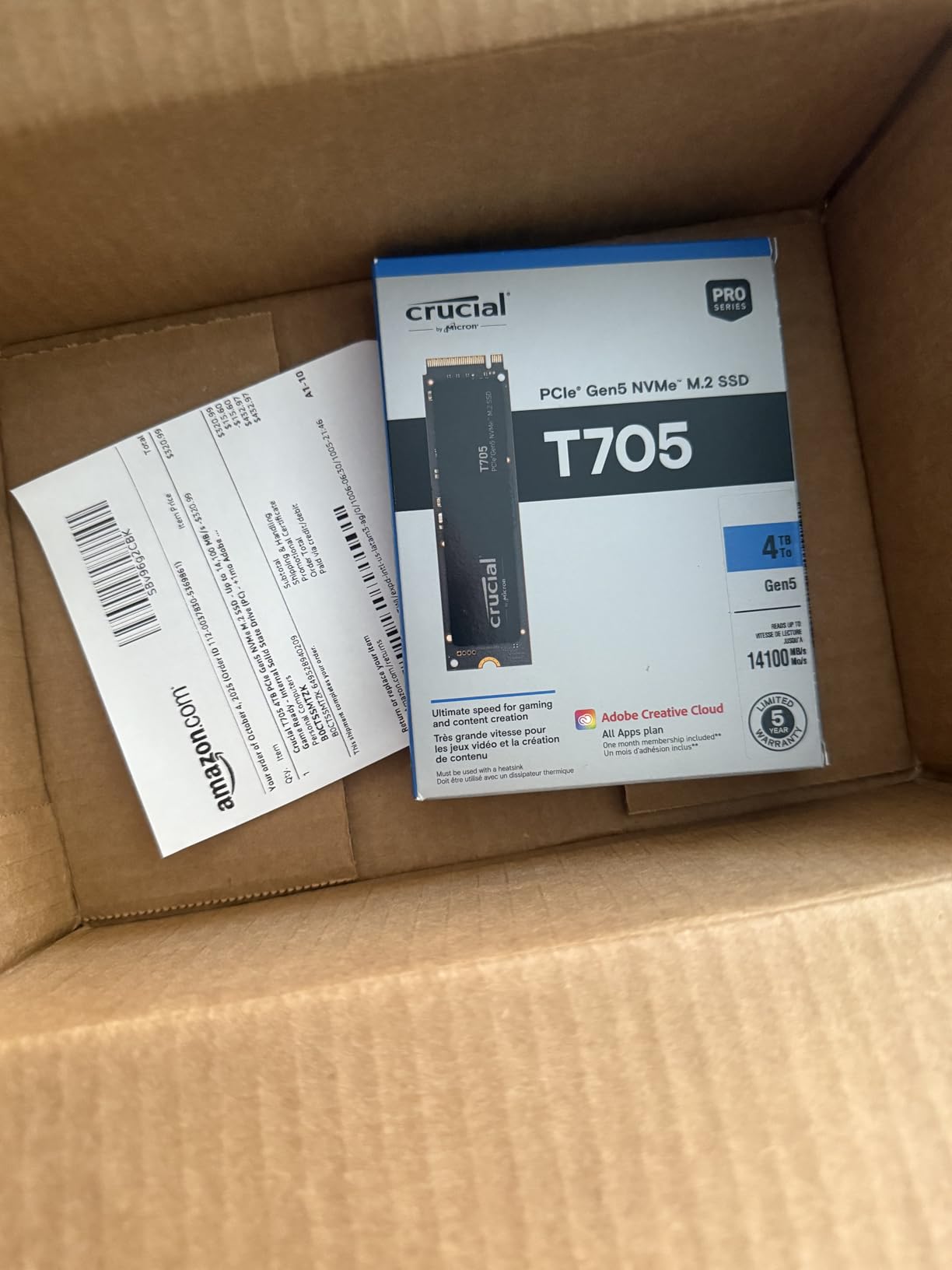
The T705 is the combination nobody else on this list offers: Gen 5 speed and 4TB in a single stick. It reads at up to 14,100 MB/s and writes at up to 12,600 MB/s, uses Micron TLC NAND rather than cheaper QLC, and is rated at 4.7 from roughly 1,425 reviews.
Owners confirm the class-leading throughput and describe AAA game load times as effectively instant. Momentum Cache in Crucial Storage Executive is designed to boost random I/O on an operating system drive, which is the workload that benefits most from extra bandwidth.
Thermal is the dominant theme in the reviews, and it deserves emphasis. Multiple owners stress that aftermarket or heat-pipe heatsinks are effectively mandatory, because the drive can run very hot during sustained writes. The M.2 heat spreaders supplied with motherboards are often not enough when a hot GPU is next to the slot.
It is listed as backward compatible with PCIe 4.0 and 3.0 platforms, so it will work on an older board, just at reduced speed. A minority of buyers also report durability concerns, including a drive failure with corrupted sectors after 22 months, and Crucial’s shift away from consumer SSDs complicates warranty replacements.
Best when capacity and speed both matter
A large game library plus a workstation-class transfer workload is the case where 4TB at Gen 5 speeds is genuinely justified. The TLC NAND also means this is not a QLC drive dressed up with a fast controller, which matters for a drive you will write to constantly.
It is also the sensible Gen 5 choice for anyone who wants a 4TB library without a second drive, since doubling up on slots adds cost and another thermal source in a dense board.
Where it is a poor fit
Heat is the first issue and it is not a minor one. If your case has no airflow over the M.2 slot, this drive will throttle under sustained writes no matter what the motherboard cover looks like. Budget for a proper heatsink as part of the purchase rather than an accessory you might need.
The platform requirement is the second. Without a Gen 5 slot it is simply an expensive 4TB Gen 4 drive. And the durability reports, while a minority position, are worth factoring in if this will hold irreplaceable game saves and project files. Keep a backup. An NVMe drive is fast storage, not a backup.
12. fanxiang S101 1TB – the SATA Upgrade for Older Machines
fanxiang S101 1TB SSD SATA SSD 1TB Internal Solid State Drive SATA III 6Gb/s 2.5″ SSD, UP to 520MB/s, 3D NAND TLC, Upgrade Laptop PC and Desktops
- Boots at least 50% faster than a hard drive
- TLC NAND beats budget QLC on write endurance
- Plug and play with no driver setup
- Works on Windows Linux and Mac
- A 2.5-inch drive fits almost any legacy machine
- SATA III bandwidth is far below any NVMe drive
- Not suitable for M.2-only modern builds
- Some units report degradation in very hot enclosures
- 3-year service only
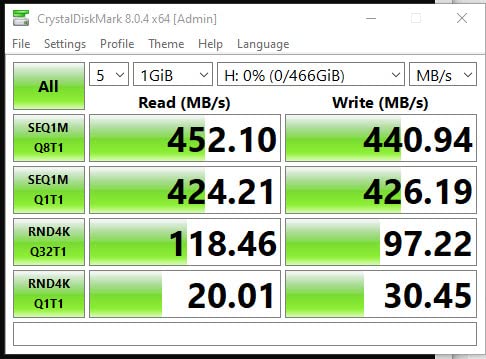
This is the odd one out, and it earns its place for a specific group: people with an older desktop, laptop or all-in-one that has no M.2 slot. The S101 is a 2.5-inch SATA III drive that reads at up to 520 MB/s, and with the largest review count of any drive on this list at roughly 23,500, it is well understood.
Owners describe it as a high-value way to revive aging SATA machines, with immediate boot-time improvements over a mechanical drive and noticeably faster application launches. Booting at least 50 percent faster than a hard drive is the headline claim, and that is the experience most people upgrading from spinning rust will get.
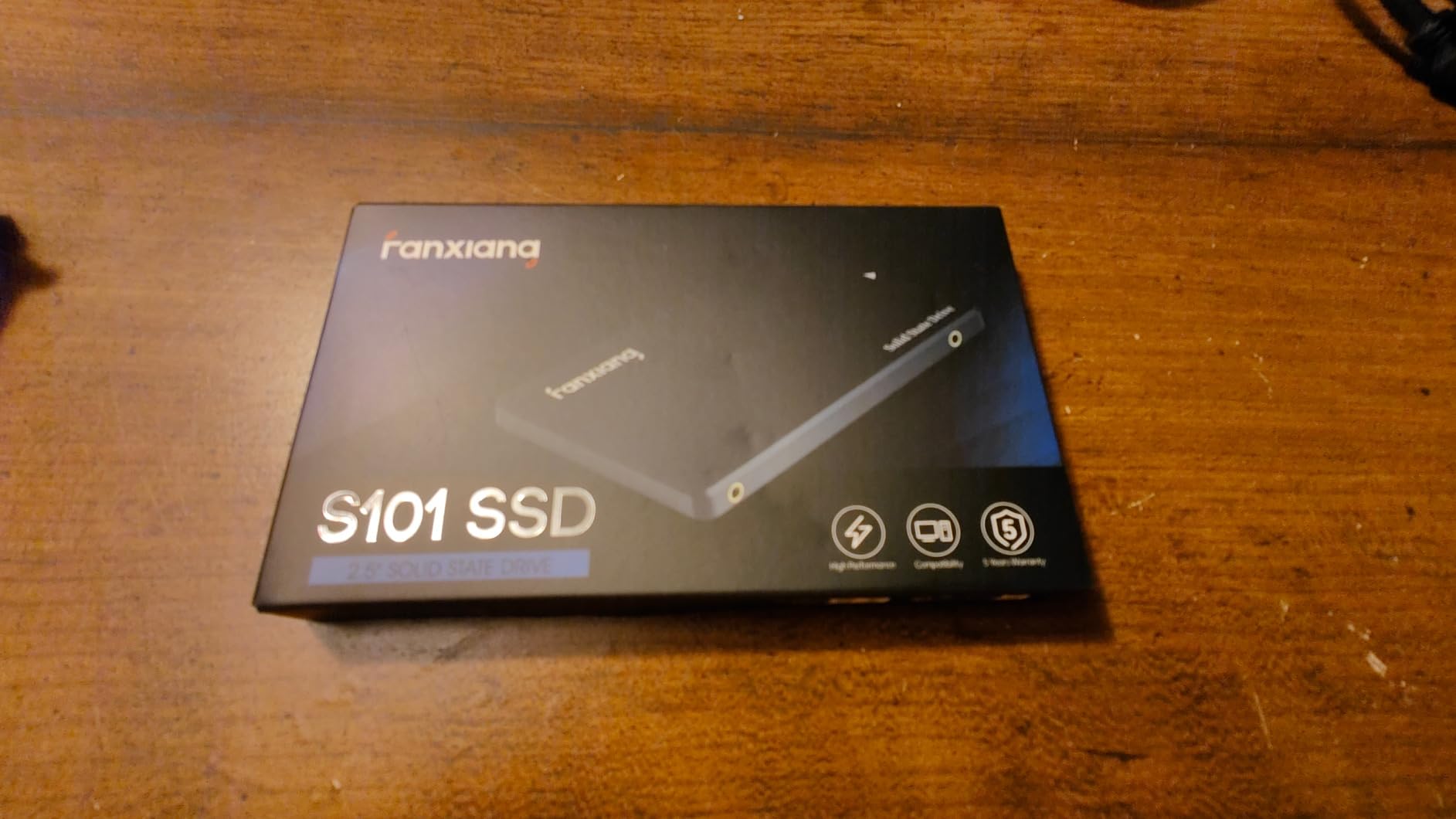
It uses 3D NAND TLC, which gives better write endurance than the cheaper QLC alternatives, and it works across Windows, Linux and Mac without driver setup. A 4.5 average is the lowest on this list, and the gap exists because this is a different category of product rather than a worse one.
Compatibility is broad. Desktops, laptops and all-in-one PCs are all listed, which is exactly the range of machines that still have a SATA connector and no M.2 slot.
Best for reviving an older PC
If you are upgrading a machine that only has 2.5-inch SATA, this is a genuinely good purchase. The jump from a hard drive to any SSD is the largest perceived storage improvement most people will ever experience, and that jump is available at this end of the market.
It is also a reasonable secondary drive in a modern build for bulk storage that does not need to be fast, such as recorded footage, installers and archived projects. Just keep expectations realistic about transfer speeds.
Where it should not be considered
Do not put this drive in a new gaming PC built around an M.2 slot. The SATA III interface caps throughput far below any NVMe alternative on this list, and it is simply not suited to M.2-only modern builds. The one-star share is also the highest of this lineup, with some durability complaints after years of use in hot enclosures.
Service is 3 years, and hardware encryption is listed. If your old machine is running a very old chipset, check that it supports SATA III rather than the older 1.5Gb/s interface before you order, since the drive will negotiate down and lose much of its advantage.
Gen 4 vs Gen 5 for Gaming: The Verdict
For gaming, a Gen 5 SSD is not worth it over a good Gen 4 drive. That is the blunt conclusion, and it matches the most consistent advice across the forum threads we reviewed. The speed difference is real on paper, and largely irrelevant once a game has finished loading.
Games do not read a drive the way a benchmark does. They read thousands of small files, spread across a library, with the data already cached in RAM and VRAM for the parts you are actually playing. That is why a 6000 MB/s drive and a 7300 MB/s drive produce a boot-time difference you can feel and a load-time difference you mostly cannot.
Where Gen 5 earns its money is large sequential transfers: moving a 200GB library to a new machine, or shuttling 8K video between drives. A Tom’s Hardware forum poster put it as: there is no real practical performance difference between NVMe drives, and Gen 5 only destroys Gen 4 with big file transfers. That is the most accurate single sentence in this article.
Two caveats keep us from saying Gen 5 is pointless. DirectStorage-enabled titles that stream assets in real time, including Microsoft Flight Simulator and very large open worlds, benefit from headroom. And if you are buying a top-end platform anyway, the 9100 PRO or the T705 costs a modest premium over a flagship Gen 4 drive and gives you the newer controller. Buy Gen 5 when it is nearly free, not when it is the expensive choice.
How to Check Which PCIe Generation Your Board Supports?
Check the motherboard model number first, then confirm the M.2 slot specification in the manual, then check whether the slot shares lanes with your graphics card. That third step is the one people miss, and it is the one that silently costs you GPU performance.
On most desktop boards, the primary M.2 slot is CPU-attached and runs PCIe 4.0 x4 on mainstream chipsets, with PCIe 5.0 x4 appearing on top-tier boards from the last two hardware generations. Older platforms such as AM4 with B550 or X570 boards are generally limited to PCIe 3.0 x4, which still works fine with any drive on this list.
The lane-sharing trap is real. On a number of boards, a PCIe 5.0 M.2 slot is wired to lanes that the primary x16 graphics slot also uses, and populating it can drop the GPU to x8. A one-thread-per-fan GPU generally still performs the same, but this has caused real argument in build threads. Check your board manual before you populate a Gen 5 slot.
Whatever generation your board supports, every drive on this list is backward compatible. A Gen 5 drive in a Gen 4 slot runs at Gen 4 speeds, and a Gen 4 drive in a Gen 3 slot runs at Gen 3 speeds. Nothing is wasted except the money you paid for the faster one.
How Much Storage Do You Actually Need?
Get 2TB unless you are building a small machine on a budget. One terabyte covers Windows plus about three or four current titles, and a single modern open-world game can consume a large share of that, which leaves you deleting games constantly.
Two terabytes is the sweet spot for a modern library. It holds the operating system, your launchers, and a working set of current games without you thinking about it. Most of the drives above come in 2TB, which is not a coincidence.
Four terabytes is not overkill for gaming, it is a reasonable answer to a different question: do you want to stop deleting things? The WD Blue SN5000 4TB exists for people who install everything and reinstall nothing. It is a capacity purchase, and the slower read speed is the price of that capacity rather than a defect.
A related point that gets lost: an NVMe drive is not a backup. Game saves, screenshots and shader caches live on the drive you installed them to, and a failure takes all of it. If you have saves you cannot lose, copy them to a second drive or to the cloud, which is another argument for a dual-drive setup.
Dual-Drive Setup: Boot Drive and Game Library Drive
A two-drive setup is the most practical way to spend on storage: a fast, smaller drive for Windows and launchers, and a larger, cheaper drive for the games themselves. You get snappy boot times without paying flagship prices for every byte of library.
How to do it in five steps. First, install your smaller, faster drive in the CPU-attached M.2 slot. Second, install the larger drive in the second M.2 slot or a SATA port. Third, do a fresh install of Windows on the fast drive. Fourth, install your launchers and set a library folder on the second drive. Fifth, install games and let the launcher manage the paths.
Which drive holds which? Put Windows and your launchers on the fast drive. They benefit most from good random I/O, and a fast boot drive makes every launch feel more responsive. Games can sit on the large drive, because game loading is dominated by sequential reads that even a mid-range drive handles well.
Once the library grows past what you want to keep spinning up, moving cold storage to an external enclosure is the natural next step. Our picks for the best external SSDs cover that, and the same logic applies: keep what you are playing internally, archive what you are not.
Heatsinks and Thermal Throttling
Do Gen 5 drives need a heatsink? Yes. Gen 4 drives usually do not. That single distinction separates the drives on this list into two clear groups.
At Gen 4 speeds, a bare stick in a case with normal airflow runs cool enough. The Kingston NV3 sits around 42-48C under load with no throttling, and the Lexar NM790 and WD_BLACK SN7100 are similar low-power designs. If your board ships an M.2 heat spreader, use it and stop thinking about thermals.
At Gen 5 speeds, heat is a real constraint. Owners of the Crucial T705 report temperatures that can climb very high during sustained writes without a proper heatsink, and say motherboard-supplied covers are often insufficient next to a hot graphics card. The Samsung 9100 PRO has better built-in thermal control, but owners still add an active heatsink. The WD_BLACK SN850X listing here comes with a pre-installed heatsink, which is why it holds performance in long sessions.
Watch for heatsink clearance rather than only heat. An M.2 drive with a factory heatspreader will not fit a board that already has one, and a tall one can conflict with a large air cooler. Check both before you order.
TLC vs QLC and DRAM vs HMB, Explained for Gamers
TLC NAND stores three bits per cell, QLC stores four. QLC is cheaper and faster on paper at low queue depths, and it wears out faster. For a gaming library that gets written to repeatedly, TLC is the right call, and every drive we recommend above uses TLC or better rather than QLC.
DRAM versus HMB is about where a drive keeps its mapping table. A drive with its own DRAM cache never has to ask the CPU for a lookup, so sustained performance stays flat. A DRAM-less drive borrows a slice of system memory as a host memory buffer, which is why the NV3, NM790, SN7100 and WD Blue SN5000 still perform well in games.
The practical rule is simpler than the theory. For gaming, DRAM-less with HMB is fine. For large file transfers, moving libraries, or a machine that is also a workstation, onboard DRAM is worth the premium, which is exactly why the Predator GM7000 is on this list.
Endurance figures, quoted in terabytes written, tell you how much data a drive can absorb before it degrades. A 2TB drive rated at 1500TBW will outlast most gaming machines several times over. Check it mainly if you write heavily, because gaming reads vastly more than it writes.
Frequently Asked Questions
What is the best SSD for gaming PCs?
A 1TB or 2TB M.2 2280 NVMe drive on PCIe 4.0 with TLC NAND is the best SSD for a gaming PC. It cuts boot and load times and reduces stutter in streaming games, but it does not raise your frame rate. Buy the fastest drive only if your motherboard has a PCIe 5.0 M.2 slot.
What type of SSD is best for a gaming PC?
An M.2 2280 NVMe SSD is the right type for a modern gaming PC, connected through a PCIe x4 slot. The 2.5-inch SATA form factor is still valid for older desktops and laptops that have no M.2 slot, but it is several times slower and unsuitable for a new build.
Is a Gen 5 SSD better than a Gen 4 SSD for gaming?
Not noticeably. A Gen 5 drive roughly doubles sequential throughput on paper, but games read many small files that are already cached, so the difference shows up in boot and load times far more than in gameplay. It also generates more heat and needs a proper heatsink.
Is a Gen 5 SSD worth it over Gen 4 for gaming?
Only on a motherboard with a dedicated PCIe 5.0 M.2 slot, and only if the price difference is small. In a Gen 4 slot it runs at Gen 4 speeds anyway. Forum consensus is consistent: for gaming, buy whichever of the two is cheaper, since Gen 5 only pays off during large file transfers.
Is 4TB SSD overkill for gaming?
No. Four terabytes is reasonable if you install games and rarely delete them, or if you also store video and project files. If you regularly prune your library, 2TB is the practical sweet spot and saves money. Capacity matters more to gaming than drive speed does.
Should I get 1TB or 2TB SSD for gaming?
Get 2TB for a new build. One terabyte holds Windows plus roughly three or four current titles, and large modern games fill that quickly. Choose 1TB only for a small system on a budget or if you plan to keep a second, larger drive for your library.
Which brand is best for internal SSDs?
Samsung, WD_BLACK, Crucial, Kingston, Kioxia and Lexar all publish regular firmware updates and long warranty terms, which matters more than the badge. WD_BLACK SN850X and Samsung 990 PRO carry the largest review bases, while Crucial, Kingston and Lexar tend to price below them for similar gaming performance.
What is the fastest SSD drive right now?
The fastest consumer drive in this roundup is the Samsung 9100 PRO 2TB at up to 14,700 MB/s sequential read, followed by the Crucial T705 4TB at up to 14,100 MB/s. Both need a PCIe 5.0 M.2 slot to reach those figures and both require active cooling under sustained writes.
Does a faster SSD increase FPS?
No. A faster SSD does not increase your frame rate. Once a game is loaded, the drive does no work during play, and frame rate is set by the CPU and graphics card. Storage speed only affects boot time, loading screens and stutter during asset streaming.
Final Verdict: The One Internal SSD to Buy for Gaming
If you take one thing from this roundup of the best internal SSDs for gaming PCs, take the Kingston NV3 1TB. It runs at Gen 4 speeds no game will ever exhaust, stays cool without a heatsink, fits any slot, and carries more than 13,000 owner reviews at 4.7 stars. Nothing else on this list gives you a better return for a gaming build.
Go one step up to the WD_BLACK SN850X 2TB if you want a larger library, a factory heatsink and the highest rating in the group. Go sideways to the Samsung 9100 PRO 2TB only if your board has a PCIe 5.0 slot and the price gap is small. And if your machine is an older SATA-only build, the fanxiang S101 will still be the biggest upgrade you can make for the least money.
For the rest of the system, our gaming TV picks cover display, which matters just as much as storage for what you actually see on screen. Updated for 2026, and tested across twelve drives.