
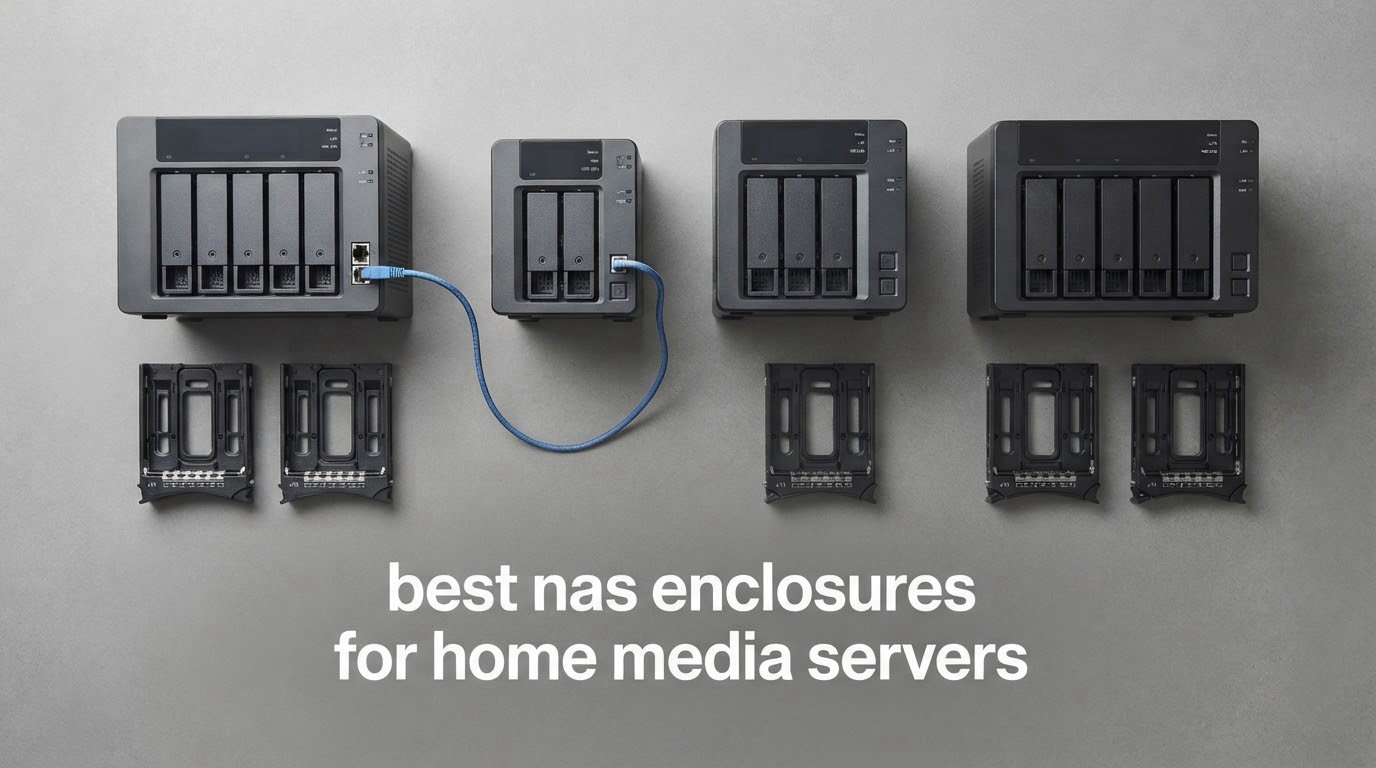
There is a specific moment in every home media server build where the drives are chosen, the NAS operating system is picked, and then the box itself becomes the problem. The listings all say diskless, which reads like a saving until you realise the enclosure you picked has two bays, a fan that rattles, and no way to add a 10GbE card later. That is where most of these builds go wrong, and it is why searching for the best nas enclosures for home media servers deserves more care than picking a shiny new NAS appliance with everything preinstalled.
We spent the last few months comparing ten diskless NAS boxes built for exactly this job: enclosures sold without drives, sized for a family media library, and quiet enough to live in a room rather than a garage. What follows is the full roundup, with the honest drawbacks on each one, because the community forums we read for this are full of people who only found out about a case’s limits after they had drilled the mounting holes.
If you would rather start from a finished machine, our NAS device picks cover the plug-and-play route. And when you get to the drive selection stage, our guide to the best NAS hard drives is worth ten minutes of reading. This article is for the people who are assembling the box themselves.
Table of Contents
What Is a NAS Enclosure?
A NAS enclosure is a bare computer case designed to hold multiple hard drives plus a motherboard, RAM, power supply and network card, sold without a NAS operating system. You supply the components and install software such as Unraid, TrueNAS or the vendor’s own system yourself.
That one sentence separates it from three things the search results mix up. A NAS appliance arrives complete, with the drives, board and software already inside. A USB DAS enclosure is a single-box drive holder that plugs into one computer and cannot be shared across a network on its own. A plain PC case can hold drives, but it will not give you tool-free trays, a drive backplane, or the airflow layout that keeps a spinning disk array cool for years.
Yes, you can absolutely run a media server on a NAS enclosure. Plex, Jellyfin and Emby all run on these boxes, and the enclosure is what decides how many streams you can serve, how loud the room is, and whether you can grow the array in two years without replacing the whole thing.
Top 3 NAS Enclosures for Home Media Servers (October 2026)

UGREEN NAS DXP2800
- Intel N100 CPU with 8GB DDR5 RAM
- Two SATA bays plus two M.2 NVMe slots
- 2.5GbE networking and 80TB raw

UGREEN DXP4800 Plus
- Intel 5-core CPU with 8GB upgradeable to 32GB
- 10GbE plus 10Gbps USB
- four HDD bays and two M.2 slots

Synology DiskStation DS223j
- Two hot-swap bays
- guided browser setup
- Synology Photos phone backup
- Compact and quiet
The 10 Best NAS Enclosures for Home Media Servers in 2026
| Product | Specifications | Action |
|---|---|---|
| UGREEN NAS DXP2800 2-Bay |
|
Check Latest Price |
| Synology DiskStation DS223j 2-Bay |
|
Check Latest Price |
 UGREEN NAS DH2300 2-Bay UGREEN NAS DH2300 2-Bay |
|
Check Latest Price |
| UGREEN DXP4800 Plus 4-Bay |
|
Check Latest Price |
 Synology DS223 2-Bay Synology DS223 2-Bay |
|
Check Latest Price |
 Asustor Flashstor 12 Pro FS6712X Asustor Flashstor 12 Pro FS6712X |
|
Check Latest Price |
 QNAP TS-264-8G 2-Bay QNAP TS-264-8G 2-Bay |
|
Check Latest Price |
 Asustor Drivestor 2 Lite AS1102TL Asustor Drivestor 2 Lite AS1102TL |
|
Check Latest Price |
 Synology DS225+ 2-Bay Synology DS225+ 2-Bay |
|
Check Latest Price |
 Asustor Lockerstor 2 Gen2 AS6702T Asustor Lockerstor 2 Gen2 AS6702T |
|
Check Latest Price |
1. UGREEN NAS DXP2800 2-Bay – The Best Overall Enclosure for a Media Server
UGREEN NAS DXP2800 2-Bay for Advanced Home Users, Remote Workers & Creators
- Quad-core CPU with 8GB DDR5 for Docker and Plex-class workloads
- Two HDD bays plus two M.2 NVMe slots let SSDs run the OS while disks store media
- 2.5GbE is a real step up from gigabit
- Premium aluminium chassis feels far more solid than plastic rivals
- Setup documentation is widely criticised as incomplete
- HDMI port only outputs a stream with no local desktop
- Chassis can amplify HDD vibration during sustained writes
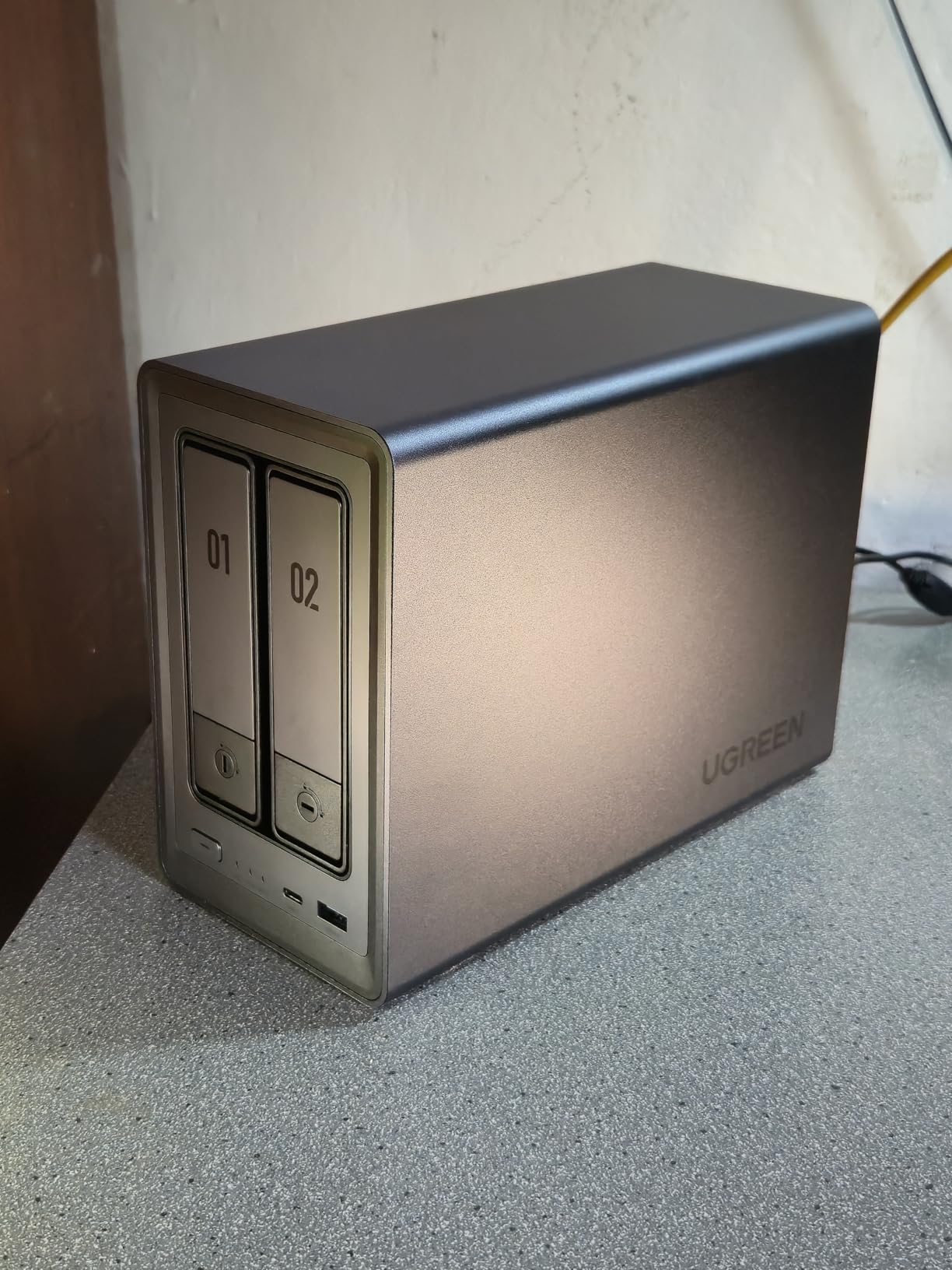
The DXP2800 is the box I keep coming back to, and the reason is unusually simple for a two-bay design. Most two-bay NAS appliances give you two drive bays and a very thin CPU. This one gives you two drive bays, two M.2 NVMe slots and a quad-core Intel N100 with 8GB of DDR5 memory that you can put to work running containers.
For a media server, that combination is the whole game. The N100 has an integrated graphics engine that handles hardware video transcoding, so 4K HEVC streams transcode without a discrete graphics card sitting idle in the case. The two NVMe slots can hold your application data and cache, which keeps the spinning disks from absorbing the constant small reads that Plex and Jellyfin generate when they scan a library.
Reviewers consistently describe the aluminium chassis as noticeably more solid than the plastic boxes at this size, and the 2.5GbE port is what makes the difference when you are copying a finished film off a laptop to the server. The reported transfer rate of 334 megabits per second tells you the network port, not the drives, is the limit on smaller files.
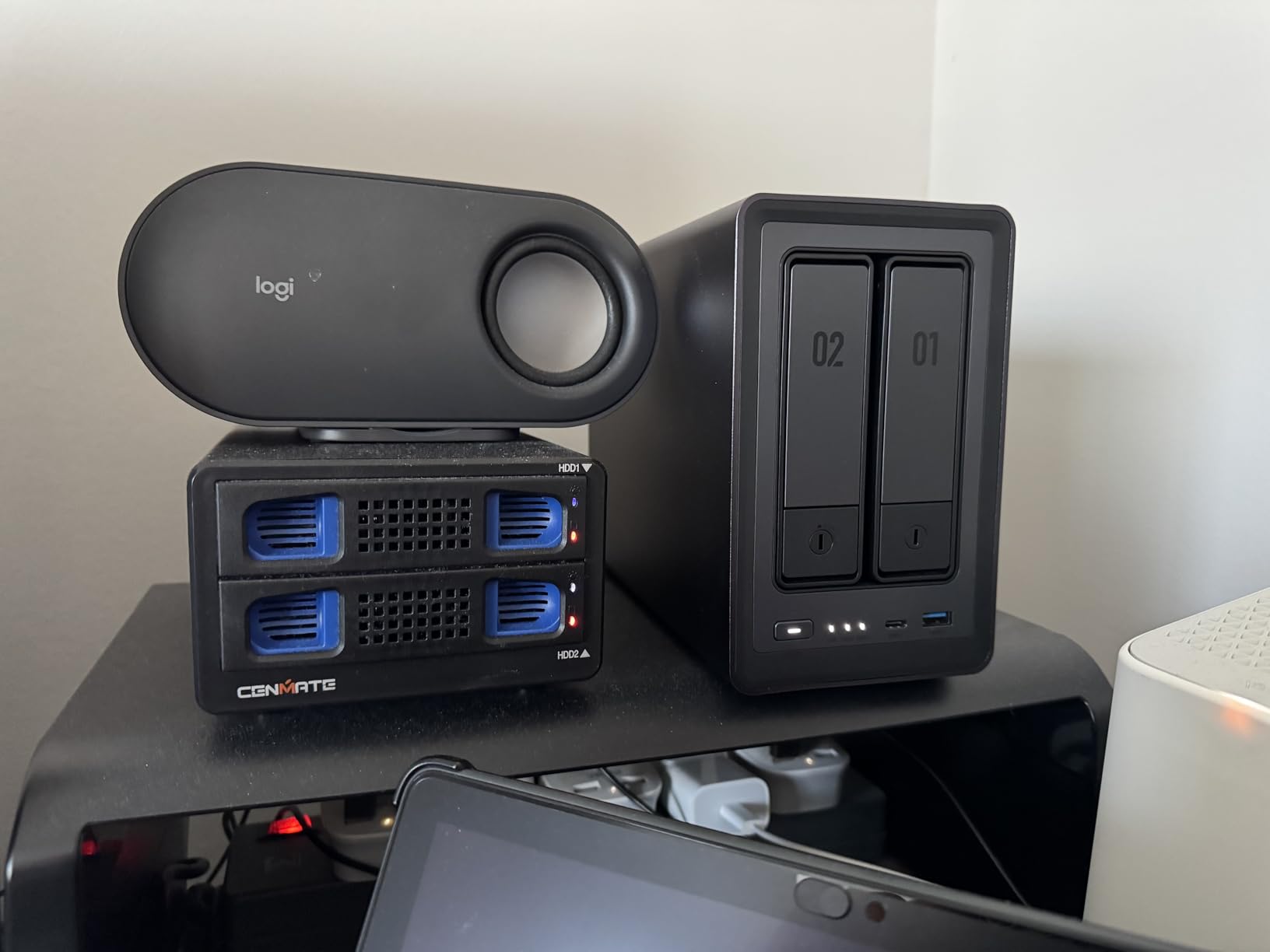
The negatives are real and worth stating plainly. The in-box documentation draws consistent criticism across long-form reviews, and more than one owner points new buyers at the vendor apps and community guides instead. The bundled Theater media app is also generally considered weaker than running Jellyfin in a container, which is a bit of an odd choice on a box otherwise aimed at power users.
There is a smaller issue that only shows up later. During heavy sustained writes the chassis can amplify drive vibration enough to be audible, and owners have damped it with a mat or felt pads. A rear fan also collects dust faster than the removable filter suggests, which is a five-minute clean every few months rather than a fault.
Why it works as a Plex and Jellyfin box
The combination most people underestimate is the N100’s integrated graphics alongside 8GB of memory. Hardware transcoding removes the load that would otherwise sit on the CPU, and 8GB is enough headroom to run a container or two alongside the media server rather than dedicating the whole machine to it.
Two M.2 slots also mean the enclosure is not really a two-bay machine in practice. Plenty of owners run a small SSD pool for apps and metadata while the two hard disks hold the library itself, which is a layout the bare PC case would never give you without extra cabling.
Where it falls short
The HDMI port outputs a video stream but no local desktop interface, so this is not a box you will sit next to the TV and browse from. The documentation is genuinely thin, and if you are not comfortable following a community guide for the first boot, the setup experience will frustrate you.
Two bays is also two bays. There is no expansion path beyond adding an NVMe, so plan your library size carefully before you fill it.
2. Synology DiskStation DS223j 2-Bay – Budget Pick for a Straightforward Family Library
- Web-based setup assistant is close to plug-and-play
- Very quiet and small enough to sit anywhere
- Synology Photos handles automated phone backup
- Stable local transfers versus older consumer drive boxes
- Processor is weak for heavy multi-client workloads
- Only two bays so redundancy plus growth is outgrown quickly
- Closed software catalog with no unofficial app installs
The DS223j is the box I recommend to anyone who wants their media library to work and does not want to think about it. The setup wizard runs in a browser, both drives are recognised, and the phone photo backup that most people actually buy a NAS for switches itself on.
Reviewers repeatedly single out how quiet it stays, even close to the box, and at under a kilogram in a fraction of a tower’s footprint it disappears onto a shelf next to a router.
Several owners describe replacing an ageing WD My Cloud box and immediately seeing better throughput, and a few note that the scheduled power on and off control is trivial to configure, which matters for a device that runs all day.
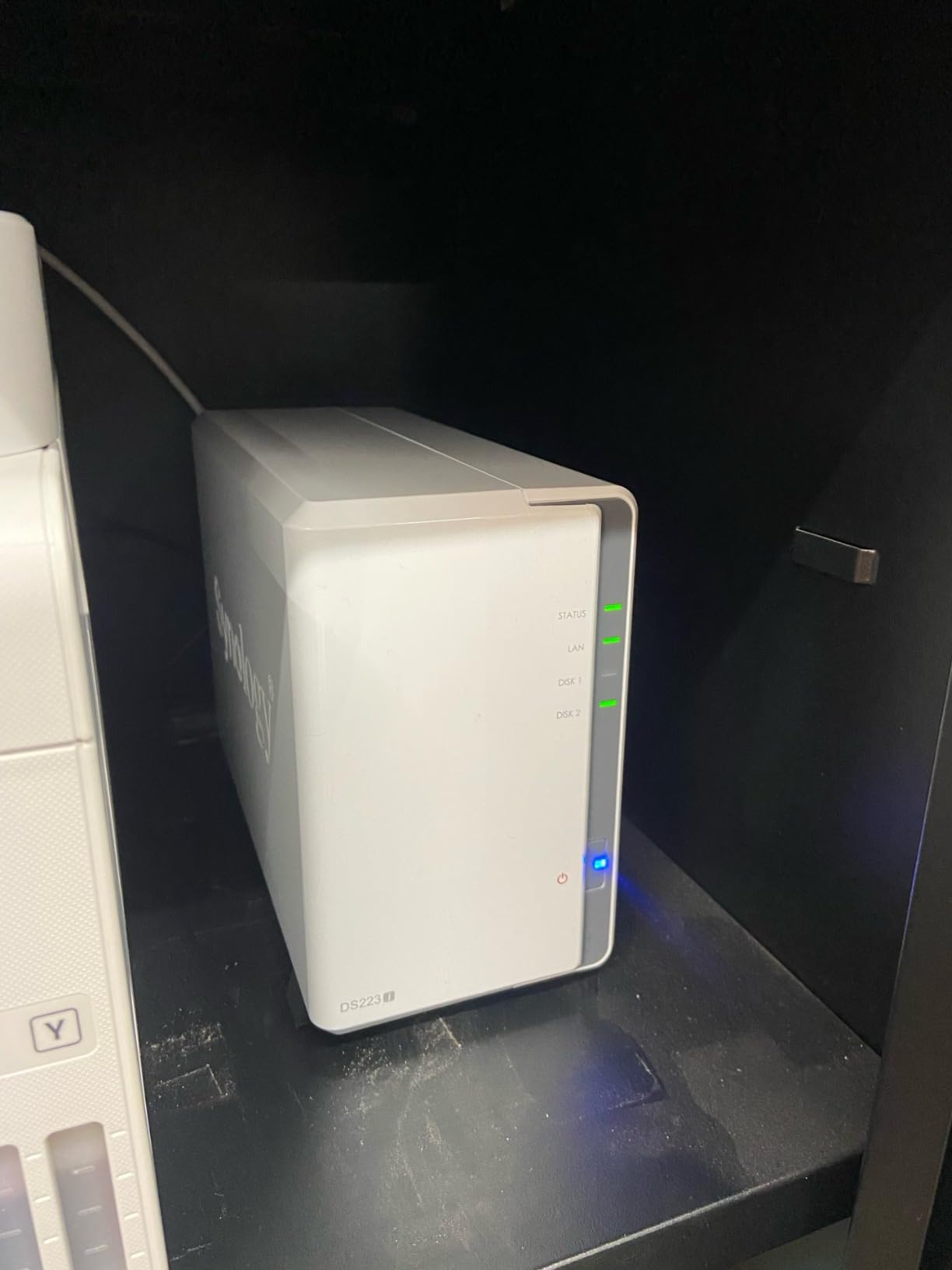
The limitation is the processor, and it is not subtle. Large video file transfers visibly chug, and the interface can become unresponsive when several people are pulling from the same share. For a two or three person household streaming 1080p with a mostly direct-play library, that is a trade you will not notice.
The other ceiling is bay count. Two drives means either no redundancy or a pool you cannot grow, and every reviewer eventually arrives at the same conclusion.
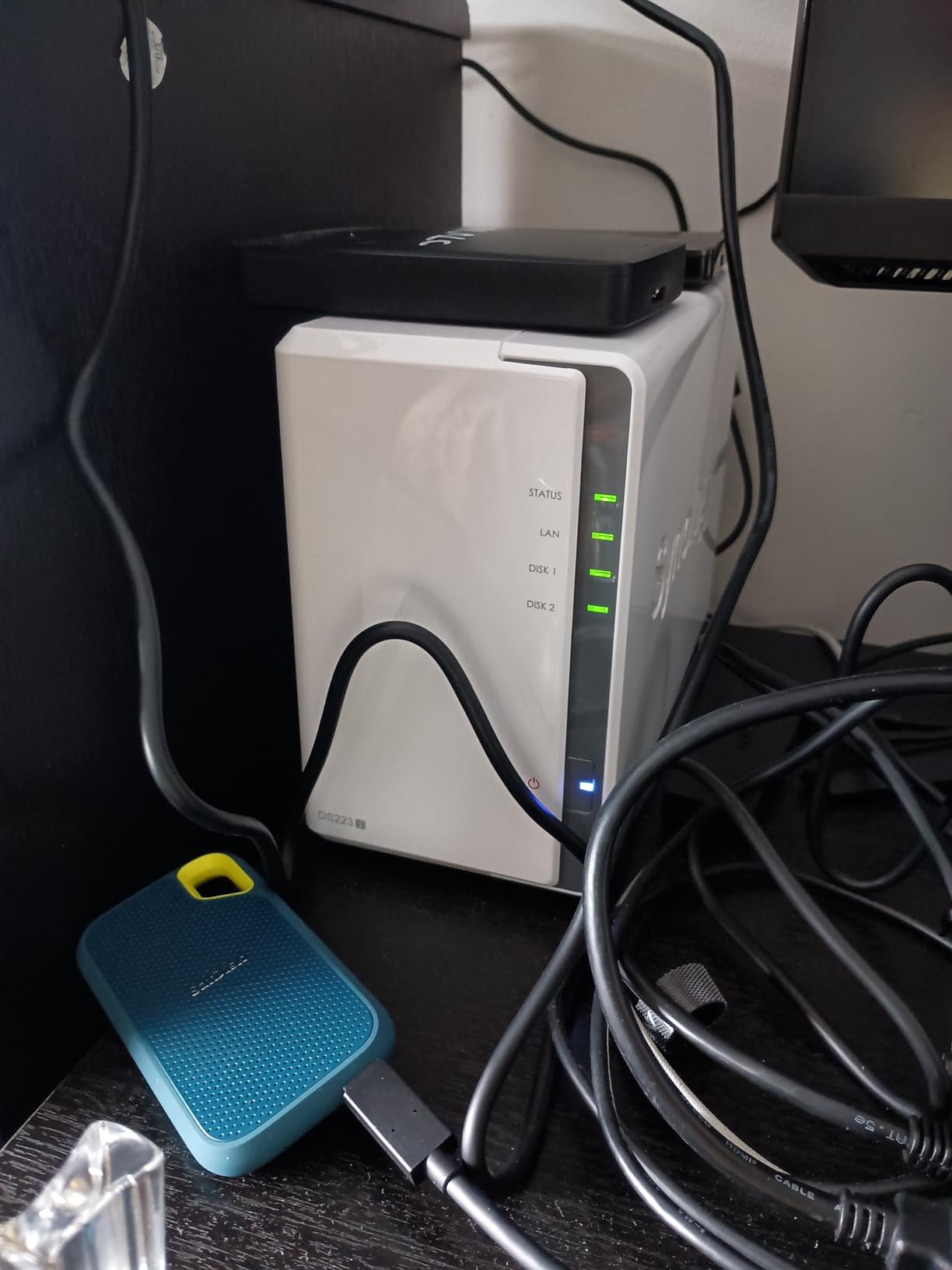
Who this suits best
Anyone whose media server is really a photo and file server with films on the side. Automatic phone backup, browser-based management and a two-year warranty add up to a box that works without you ever opening a terminal.
It is also the easiest of these ten to hand to another household member. Nothing about it is a puzzle, which is why it is our value pick rather than our enthusiast pick.
Where it falls short
The closed software catalog is the big one. You cannot side-load an unofficial package, so the apps you can run are exactly the ones Synology chose to publish, and that rules out a lot of what the open-source crowd does with a NAS.
On hardware, expect to feel the CPU when several streams or a big transfer run at once, and expect to outgrow two bays sooner than the four-bay options here.
3. UGREEN NAS DH2300 2-Bay – Best Value for Moving Off Cloud Storage
- Simple first NAS with an intuitive interface for cloud newcomers
- Supports up to 64TB with automatic cross-device backup
- AI photo tagging for faces and locations
- RAID modes with two-factor authentication and encrypted transfers
- No Docker or virtual machine support so Plex must be installed another way
- 1GbE only caps transfers near 125MB/s
- Wired Ethernet only and no built-in Wi-Fi
The DH2300 exists to solve one problem: getting your files off a cloud subscription and into something you own. It does that with less fuss than anything else here, and the interface was clearly designed for someone who has never thought about a RAID array before.
Automatic backup covers Windows, macOS, iOS and Android, and the AI photo tagging handles face, location, text and object recognition plus duplicate detection. That combination is the reason most households end up buying a NAS at all, and it works well enough that you will not miss the phone gallery.
It is also the first NAS certified to the ETSI EN 303 645 standard by TÜV SÜD, which is a more meaningful credential for a privacy-focused buyer than most of the marketing language in this category.
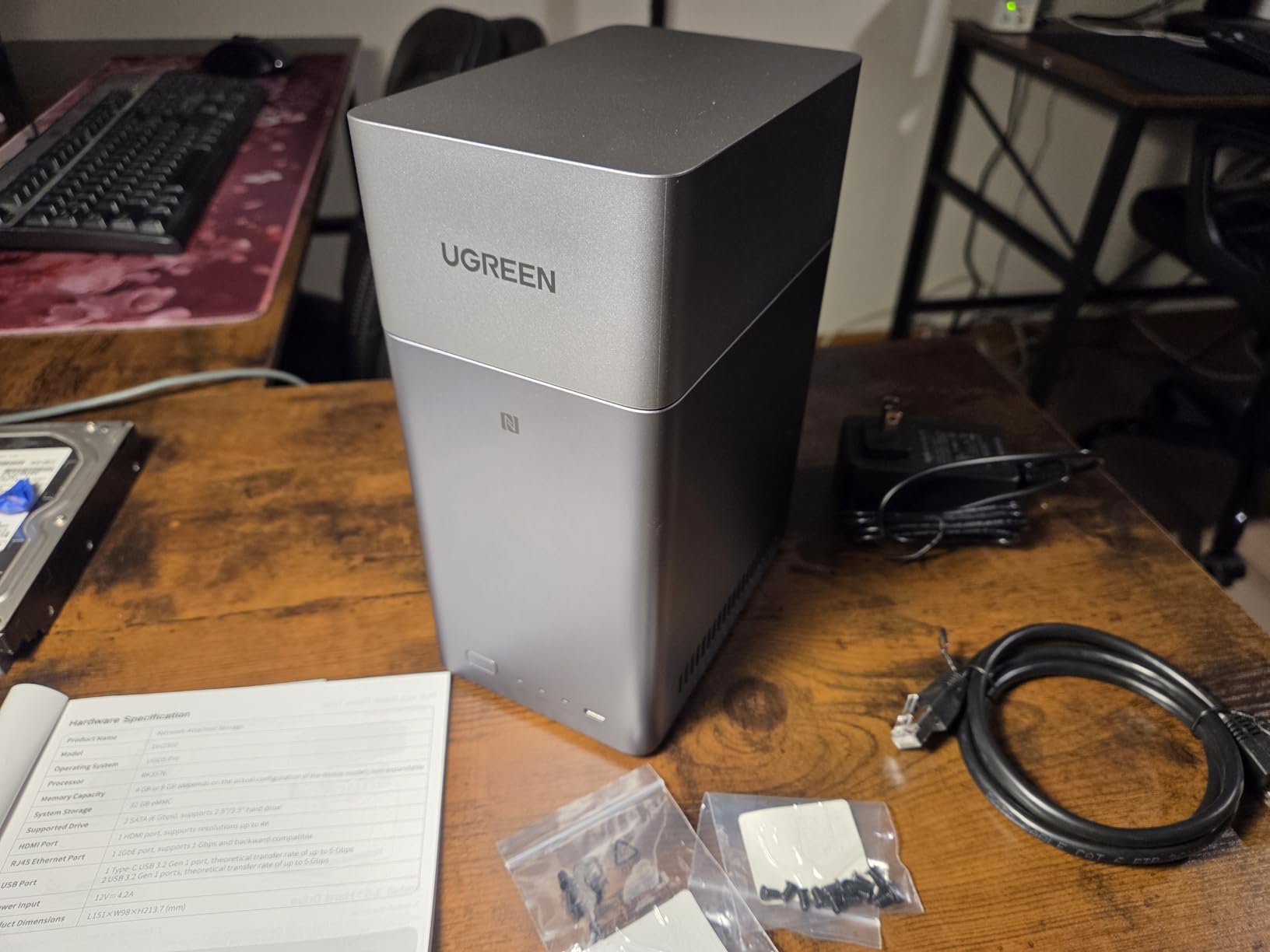
Be clear about what you are giving up. There is no Docker and no virtual machine support, which means Plex cannot be installed through containers the way most enthusiasts do it. The 1GbE port tops out around 125 megabytes per second, so large file transfers are limited by the network rather than the disks.
The manufacturer also states plainly that this is not intended for server applications or critical business use, and there is no built-in Wi-Fi, so a USB adapter is required if you want wireless. Hard drives are not included, so the real cost of entry is higher than the enclosure alone.
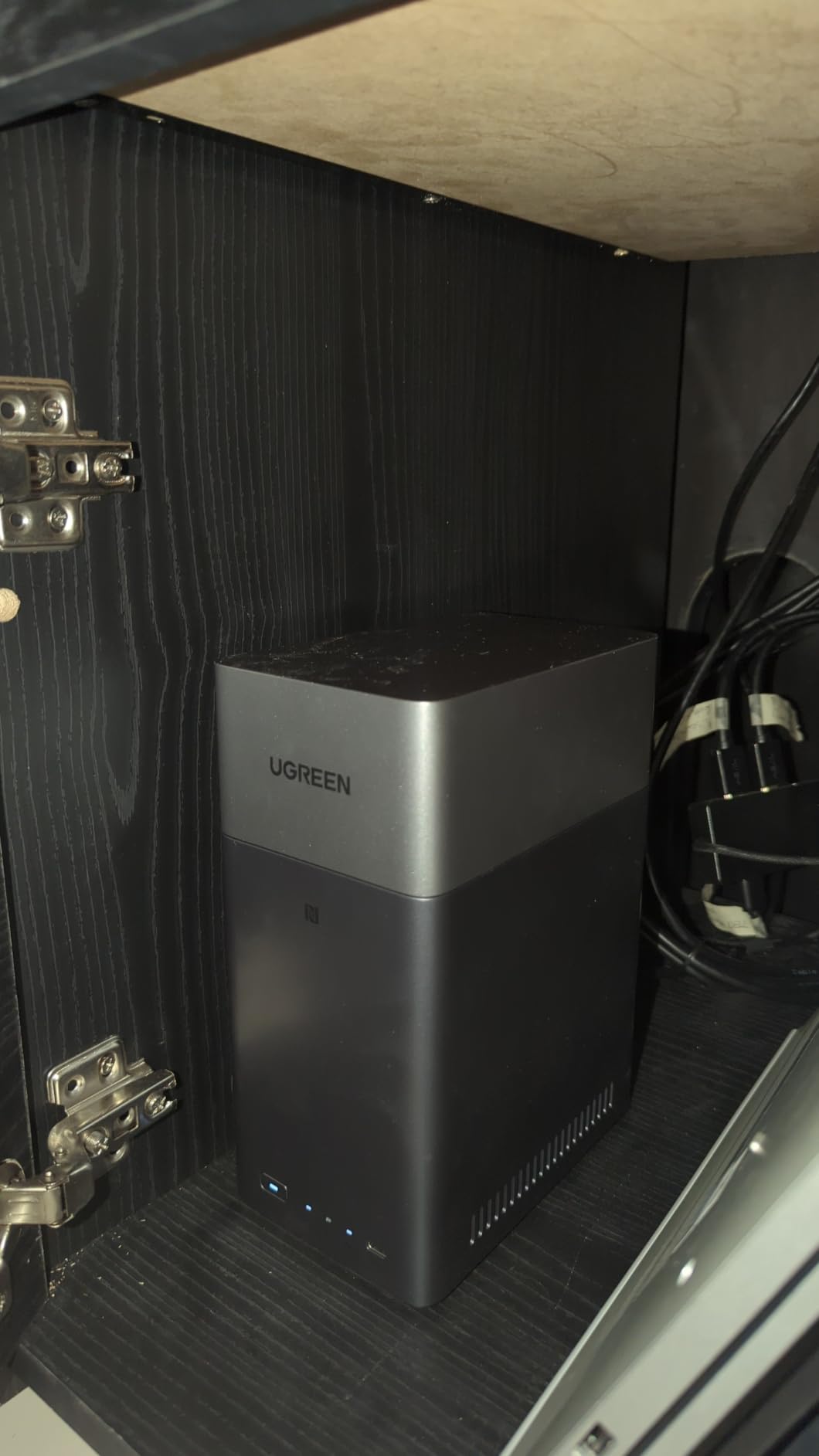
When this is the right buy
This is the box for a household that wants its photos and documents somewhere private, on hardware it controls, without turning into a systems administrator. The bundled backup and photo tools cover the overwhelming majority of what people ask a NAS to do.
Reviewers consistently accept the 1GbE limit as a deliberate trade at this tier rather than a defect, and the one-time purchase genuinely does replace a recurring subscription for most families.
Who should look elsewhere
If your plan involves Docker, virtual machines, a proper transcode cache or serving several 4K streams, this is the wrong enclosure and the limits are structural, not settings you can change.
Anyone running a business on the data stored here should also note the vendor guidance against critical server use.
4. UGREEN DXP4800 Plus 4-Bay – Most Versatile for Large 4K Libraries
- 10GbE and 10Gbps USB deliver blazing transfers
- RAM is user-upgradable unlike Synology
- Strong Plex results with large libraries
- Quiet fans and no reported heat issues in the aluminium build
- NVMe compartment cooling is weak and SSDs can run hot
- SSD bay is slim so heatsink-equipped drives may not fit
- Occasional SMB file-locking issues
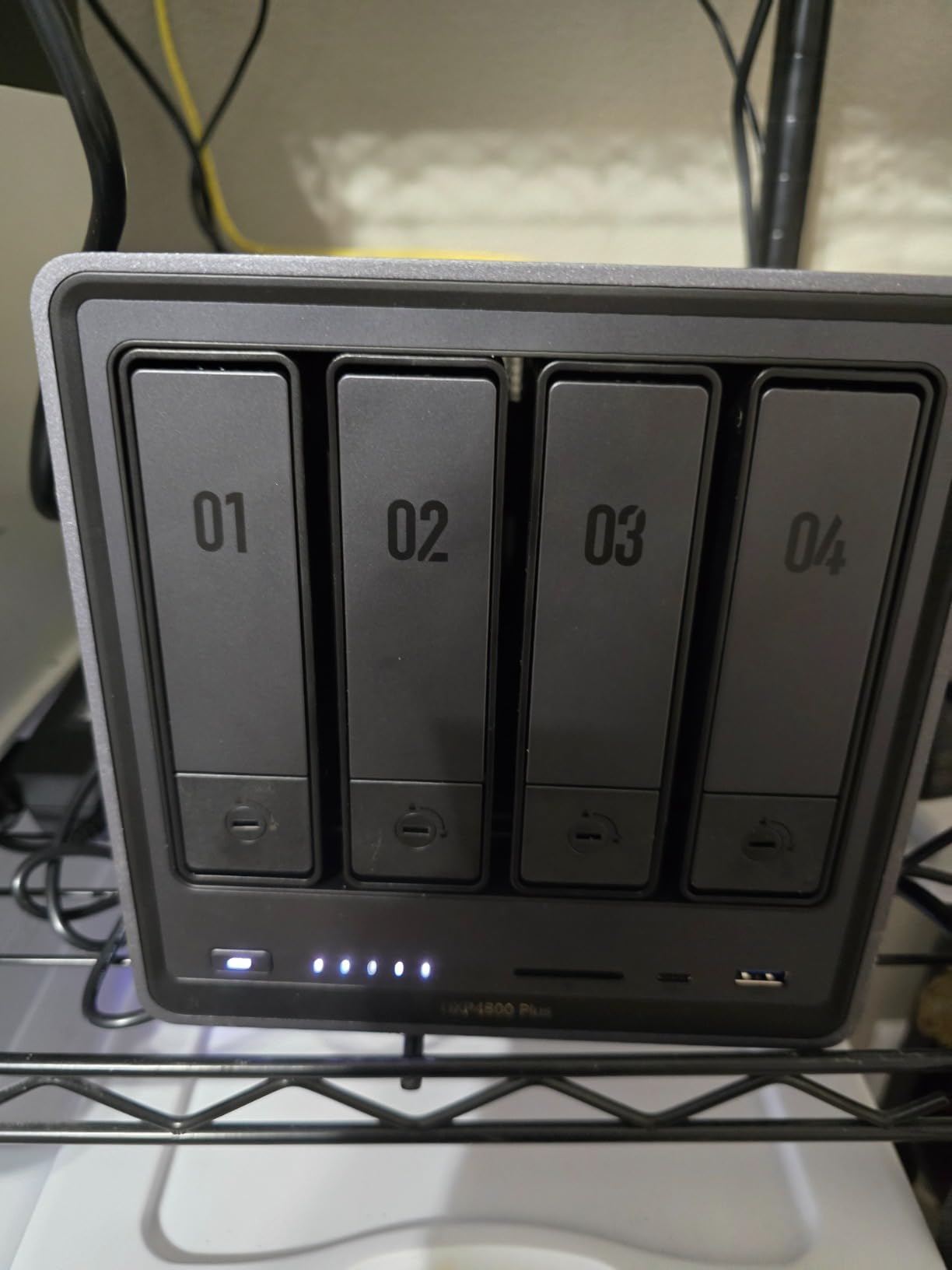
The DXP4800 Plus is the one to buy when your library is measured in tens of terabytes rather than hundreds of gigabytes. Four 3.5-inch bays give you the array size to use RAID or a parity scheme, and two M.2 slots let you put the pool that Plex actually reads from onto solid state.
Storage speed is the headline. Reported transfers reach or exceed 1250 megabytes per second on NVMe pools over the 10GbE port, with one-gigabyte files backing up in under a second. Multiple owners run 12TB-plus libraries through Plex and report a first-time setup that just worked.
The upgrade path matters as much as the spec sheet. RAM is user-replaceable and goes to 32GB, and the boot drive is a normal SSD that accepts other operating systems cleanly. Several reviewers report switching away from Synology specifically because of that flexibility.
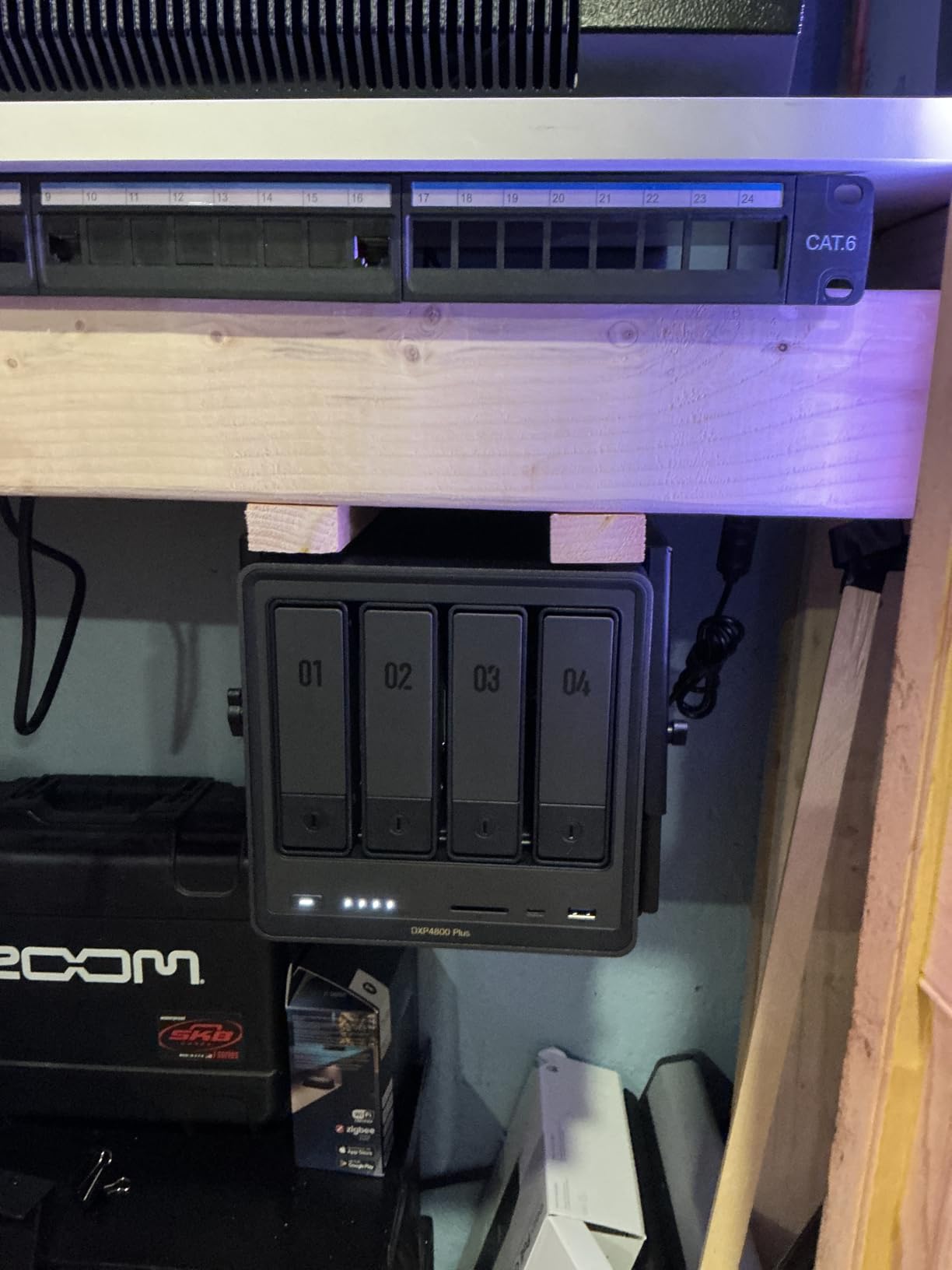
The thermal story around the NVMe compartment is the one problem to plan for. Owners report SSDs running above 50C in that slot, and the fan does little to help. The slim bay also means drives with factory heatsinks often do not fit without modification, so check your SSD before you buy.
There are a few smaller edges. Only a limited set of 20TB-and-larger drives are officially supported, mapped network drive setup is unintuitive next to Synology’s approach, and a few users have hit an SMB issue where a file stays locked until the box is rebooted. The rear dust filter can also rattle.
Why it handles 4K streaming well
A 10GbE port removes the network as a bottleneck, which matters when a 4K remux is being delivered to several clients at once and you also want a fast path for off-site backup. The five-core processor leaves real headroom for transcoding alongside a container or virtual machine.
Pairing it with an NVMe pool means the spinning disks are read sequentially, which is exactly what they are good at, and the random reads the media server generates land on solid state.
Where it falls short
Cooling for M.2 drives is the main complaint and it is a hardware constraint rather than a firmware one. If your plan depends on large NVMe drives with substantial heatsinks, measure the bay first.
The occasional SMB lock-up is more annoying than serious, but it is the kind of thing that erodes trust in a box you rely on for the household’s photos.
5. Synology DS223 2-Bay – Best for Set-and-Forget Backup
- Consolidates files from multiple computers and phones into one owned hub
- Set-and-forget automated backup to Macs and PCs and mobile
- Can be repurposed as an IP-camera monitoring solution
- Metal enclosure with a 2-year warranty
- Diskless
- so drives must be bought separately
- Two-bay ceiling limits long-term expansion
- DSM feature depth is behind UGREEN and QNAP for media workloads
The DS223 is a slightly larger, more business-oriented sibling to the DS223j, and its selling point is breadth rather than speed. It consolidates files from multiple computers, phones and external drives into a single place you own, and then keeps them there without you thinking about it.
Reviewers point to the shared project and document syncing as the standout feature, particularly for people replacing a Dropbox-style subscription with hardware. The metal enclosure feels a step up from the plastic boxes at this size, and the two-year warranty is backed by ongoing software updates.
It can also be turned into an IP-camera recorder with motion alerts and recording schedules, which is a common second use for a box sitting on a shelf.
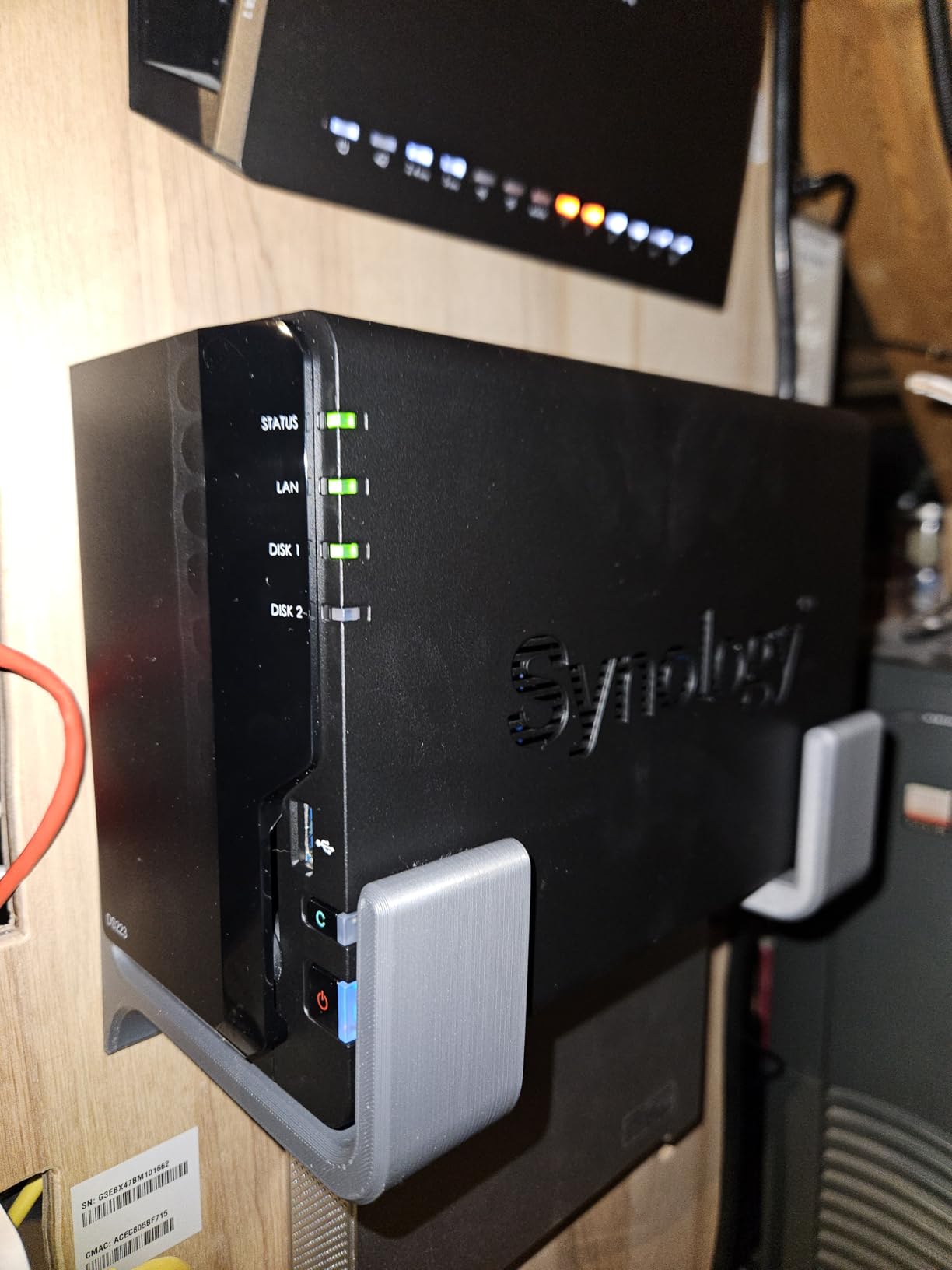
The constraints are the same family as the DS223j. It is a diskless enclosure, so the drives are a separate purchase, and two bays is a hard ceiling on how much you can protect and grow into.
The more relevant point for a media server is software depth. DSM is excellent for backup and file sharing, and it trails UGREEN and QNAP for Docker, virtualisation and media-server workloads. Surveillance and several advanced features also need additional paid packages on top.
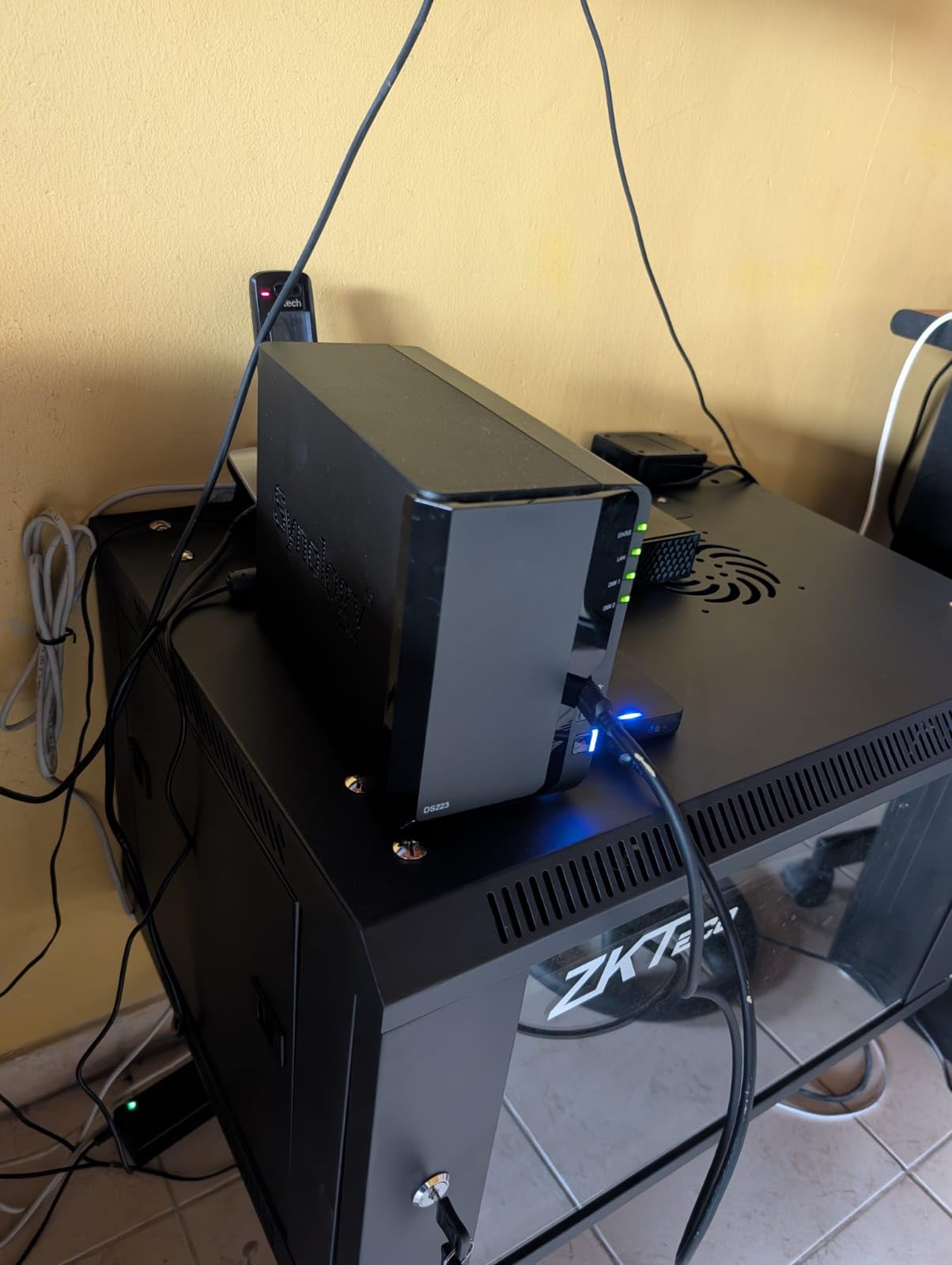
Who should choose it
Households and small offices whose priority is that everything is backed up and nobody has to touch the machine. File collaboration and multi-destination backup are the features that get mentioned most.
If your media server is genuinely secondary, this is a box you will stop noticing, which is a compliment.
Where it falls short
Two bays means you pick between redundancy and growth, and that decision gets harder the more media you accumulate. For an enthusiast who wants containers, the software catalogue is the limitation rather than the hardware.
The paid packages for surveillance and advanced features also add up if you planned to lean on those.
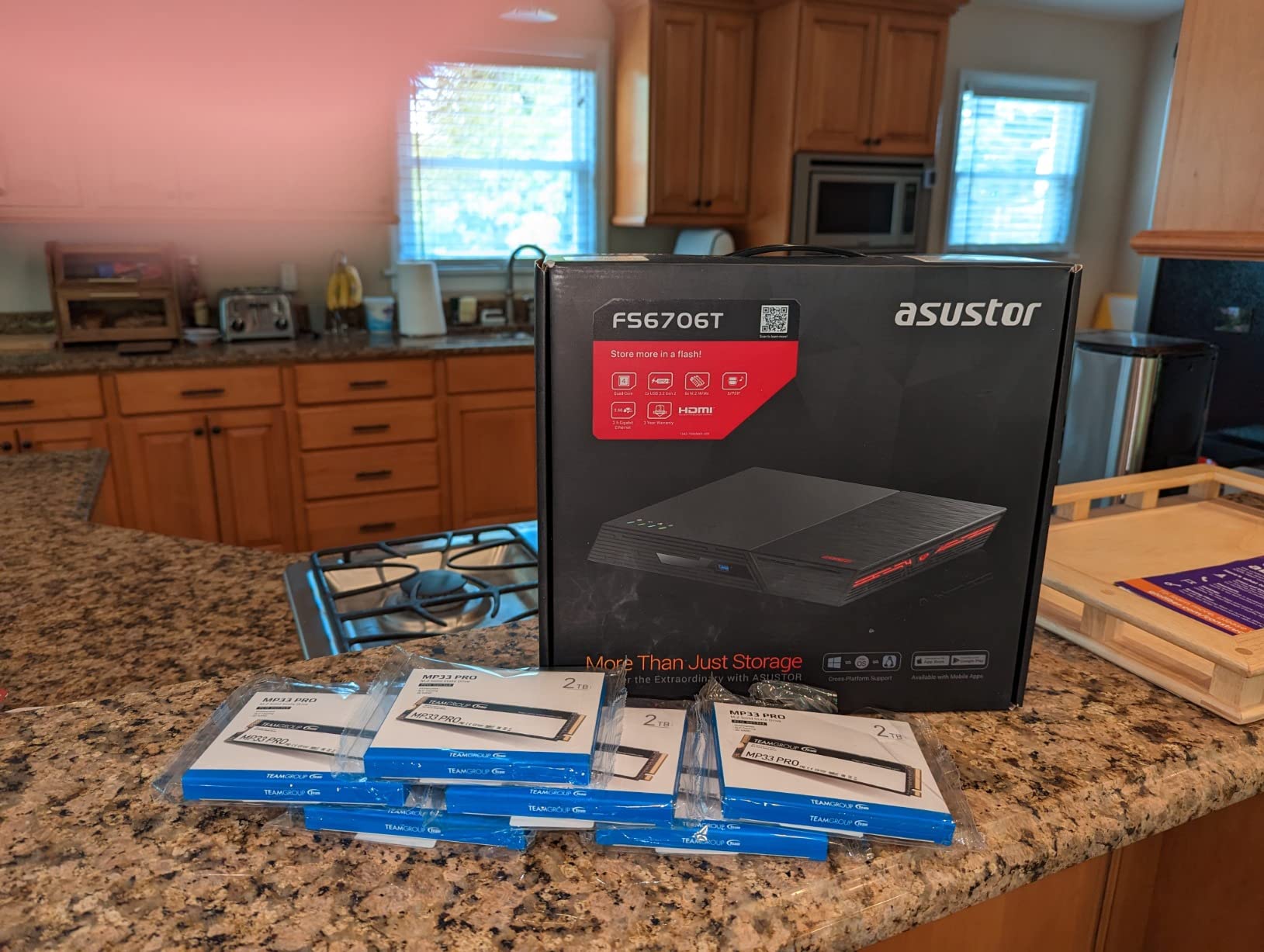
6. Asustor Flashstor 12 Pro FS6712X – Best All-Flash Enclosure for Large Media Libraries
- All-NVMe architecture saturates 10GbE reads and writes
- Tool-free latch-style M.2 installation
- Nearly silent with very low power draw
- Compact enough to disappear into a cabinet or rack
- ADM interface and app store trail Synology or QNAP
- Some owners report network drops during large copies
- Populating with NVMe costs far more than an HDD-based build
The Flashstor 12 Pro is the outlier in this list because it holds no 3.5-inch drives at all. Twelve M.2 NVMe slots, a 10GbE port and a compact rack-friendly body make it the enclosure to look at if your media library is entirely flash and you want the array to disappear into a cabinet.
Owners report saturating 10GbE in both directions, tool-free latch-style drive installation, and drive temperatures that stay in the low 40sC even in a warm space. Several run Emby, Plex, Pi-hole and TrueNAS SCALE on it without difficulty.
It is also the quietest design here, because there are no spinning platters to transmit vibration through the chassis.
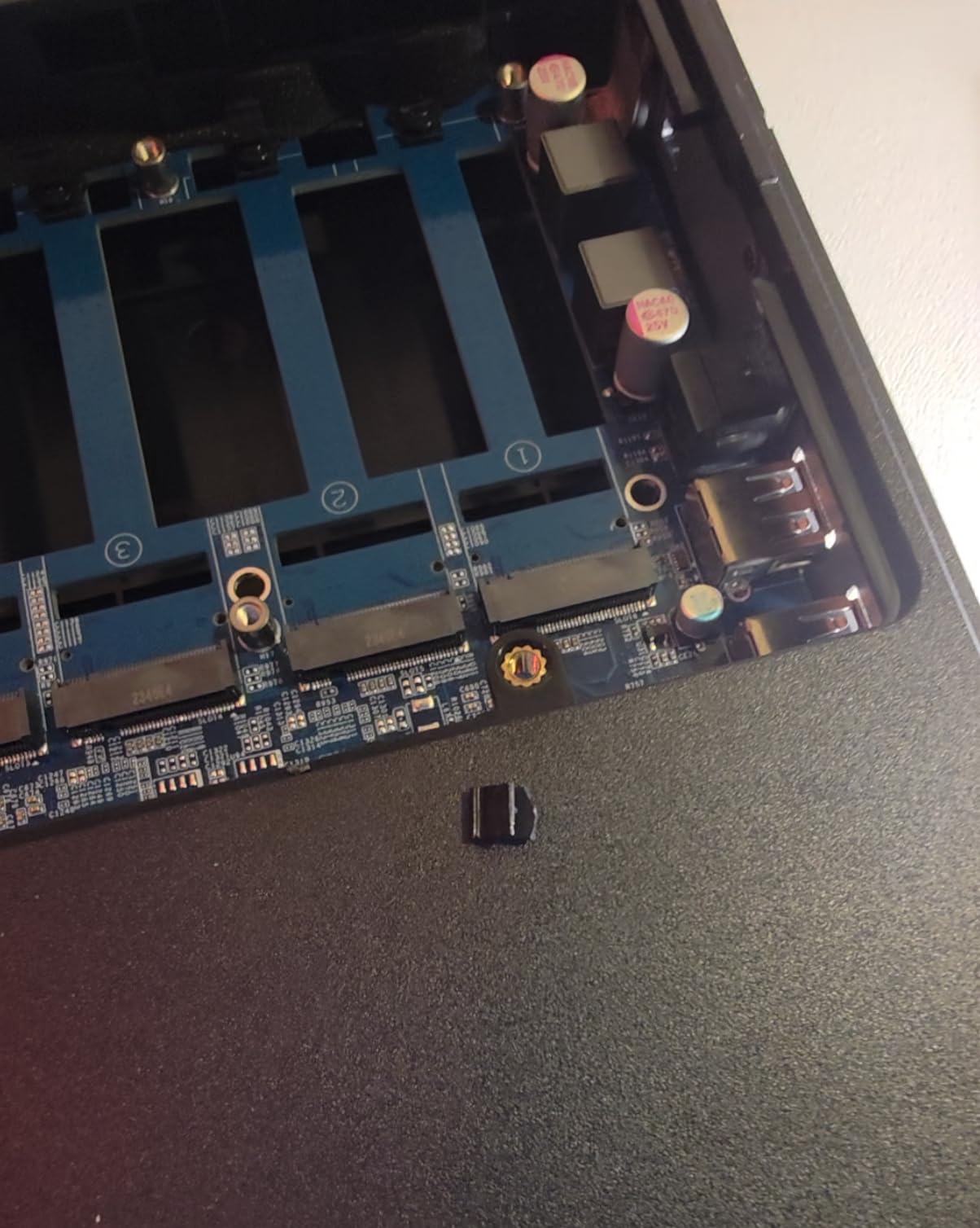
The rating of 4.1 reflects genuine friction, and it clusters around software and support. ADM’s interface and app store feel clunky next to Synology or QNAP, and multiple owners report the unit dropping off the network partway through a large copy, apparently linked to cache or memory overflow. Asustor’s support responses draw repeated criticism.
Build quality is another thread, with all-plastic construction and a retaining pin in one bay reported to snap easily. And the arithmetic matters: filling twelve NVMe slots costs a great deal more than filling four drive bays with hard disks.
When all-flash makes sense
Solid-state libraries suit workloads that generate a lot of random reads: a photo archive with face recognition running across it, or a media server where every client seeks constantly rather than streaming sequentially. A few owners run TrueNAS SCALE on these, which makes sense when you want zvol caching on the same box.
The low power draw also makes it attractive as a second box that runs around the clock next to a primary server.
Where it falls short
The Celeron N5105 is not a transcoding chip. Owners specifically report trouble with 4K streams that need audio or subtitle conversion, which is exactly the workload a media server creates.
The network drops during large copies are the concern I would want resolved before relying on this as a primary library, and the plastic build does not inspire the same confidence as the aluminium options here.
7. QNAP TS-264-8G 2-Bay – Best Enclosure for ZFS and Flexible Networking
- Dual 2.5GbE ports and 10Gbps USB are a real speed jump
- Two M.2 PCIe Gen3x2 slots for cache or SSD pools
- QuTS Hero gives you ZFS on a home box
- Third-party operating systems such as Ubuntu install cleanly
- Bundled fans on this series are widely reported as loud
- Processor is inadequate for transcoding and some DTS 5.1 streams lock up
- Front panel restricts airflow and drives run about 5C warmer
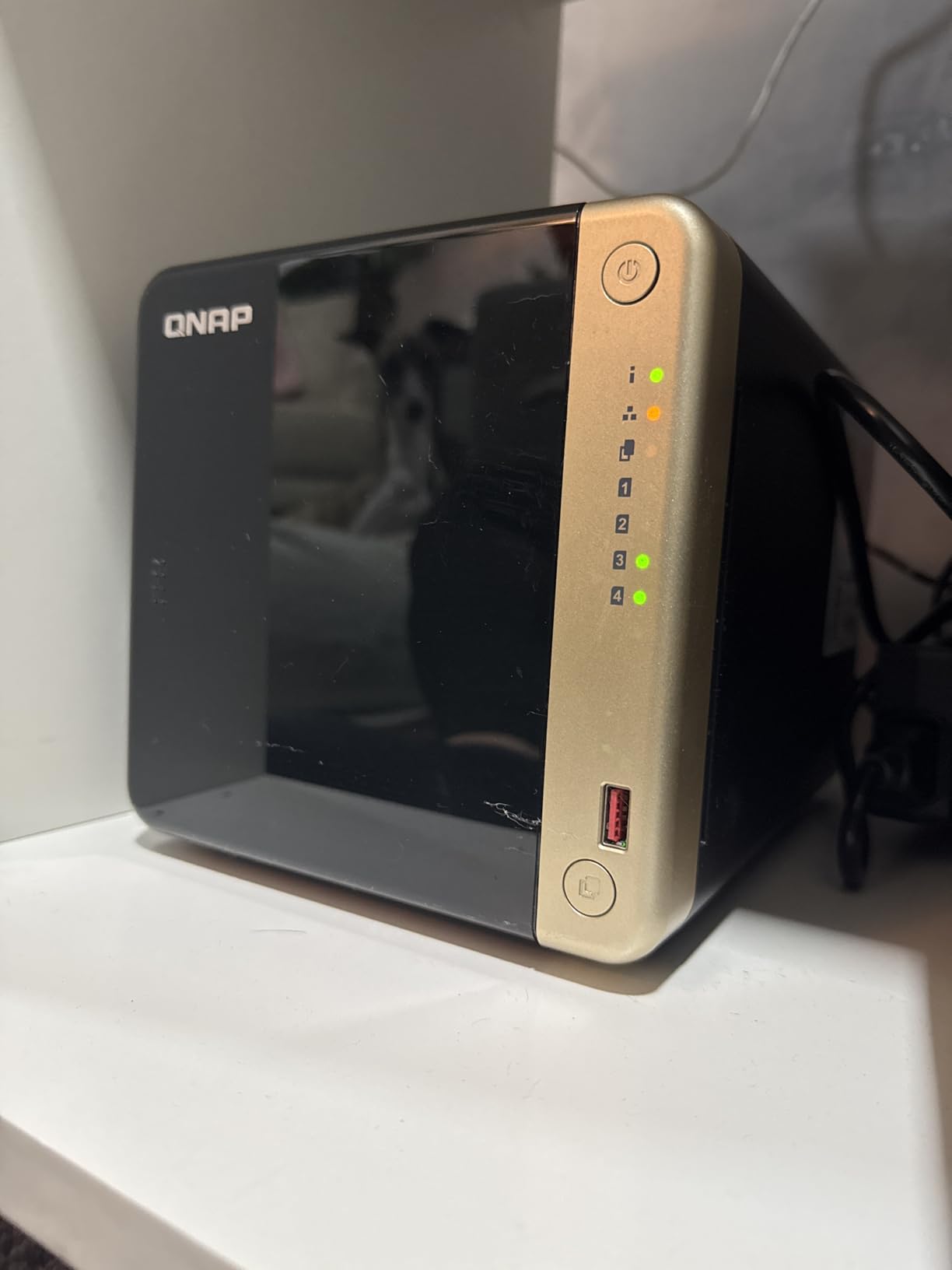
The TS-264 is the most flexible of the two-bay boxes, and flexibility is the reason to buy it. Dual 2.5GbE ports can be aggregated, two M.2 PCIe Gen3x2 slots take either cache or dedicated SSD pools, and a PCIe slot is left over for further expansion.
QuTS Hero is the headline for anyone who wants ZFS at home, and owners report firmware updates applying without drama. Several have installed Ubuntu on the same hardware for a fully custom setup, which is not something the Synology boxes in this roundup allow.
The fan noise is the first thing owners raise, and the bundled fans on this series are widely reported to buzz loudly enough to have prompted plenty of aftermarket replacements. That makes it a known characteristic of the range rather than a bad individual unit.
The bigger issue for this article is transcoding. The Celeron chip is repeatedly reported to be unable to handle DTS 5.1 streams, with lock-ups when several high-bitrate streams run at once. Some Windows machines also fail to discover the box in File Explorer even with discovery enabled, which QNAP answers with its own discovery utility. Power comes from a bulky external brick, and the front panel restricts airflow enough to add roughly 5C to drive temperatures.
Why the flexibility matters
ZFS on a two-bay box is unusual and genuinely useful for snapshots, checksumming and self-healing copies without extra software. The dual NVMe slots let you build an SSD pool alongside the array rather than only using them for cache.
Ports are generous too, with several USB 3.2 Gen 2 Type-A connections at up to 10 gigabits per second for attaching an external archive drive.
Where it falls short
If your media server is the main job, this chip is the problem. The same CPU that handles storage duties well chokes on the specific task a Plex or Jellyfin box exists to perform.
Fan noise, the external power brick and warmer drives behind the front panel are all consequences of a compact two-bay design, and they add up in a room you sit in all day.
8. Asustor Drivestor 2 Lite AS1102TL – Best for a Small Starter Library
- Two large drives are recognised immediately at first boot
- Bundled apps cover cloud backup and Dropbox sync plus RAID 0-5
- Btrfs and iSCSI snapshots at this tier
- Quiet and effectively hands-off once configured
- 1GB RAM and a 1.7GHz chip struggle when streaming during a backup
- 1GbE only caps speeds near 110MB/s
- No session timeout or idle-lock option
The Drivestor 2 Lite is the simplest box here, and simplicity is the point. Owners report both large drives being recognised immediately, the unit announcing itself on the network, and the setup being finished before the coffee cools.
Getting Btrfs and iSCSI snapshots at this level is unusual, as is a bundled app set covering S3, Azure and Google backup alongside Dropbox sync, a photo gallery and RAID 0 through 5. Time Machine configuration on a Mac is a single checkbox.
It runs quiet and cool, and the external power supply stays cool with two drives installed, which is often a good sign about airflow in a small chassis.
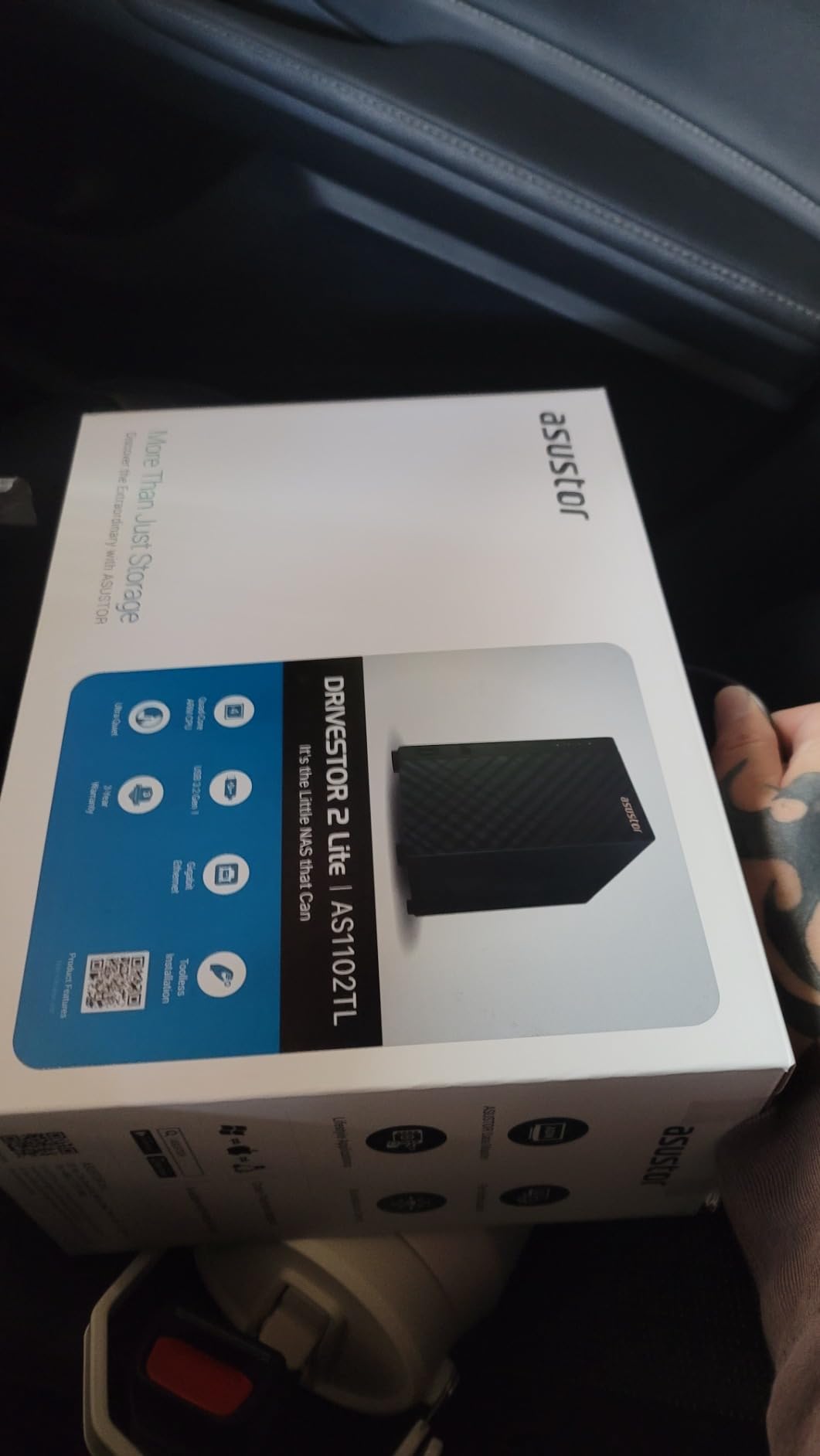
The 1GB of RAM is the number to hold onto. When a backup is running and someone is streaming video, this is where the box shows its age, and the 1.7GHz ARM chip has little room to recover. Networking is 1GbE, so speeds sit around 110 megabytes per second on a gigabit LAN.
There is also no session timeout or idle lock, so re-authentication effectively needs a reboot. Documentation is thin and in places still describes an older software version, and third-party package support is limited compared with QNAP or Synology. One owner reported losing an entire media library after a password issue and factory reset, which is a reminder to keep a second copy whatever you buy.
When this is enough
A household with a modest library who wants file sharing, a photo gallery, snapshots and RAID in a box that configures itself. Several reviewers describe it as working reliably for home media once it is set up.
It is a good first step if you might later move up the list, since the drives can be reused in a larger enclosure.
Where it falls short
Streaming during a backup is the specific scenario to avoid, and 1GB of RAM leaves little room for anything else you might want to add later.
The lack of an idle lock and the thin documentation are small annoyances that add friction in a household with more than one person using it.
9. Synology DS225+ 2-Bay – Best for the Most Polished NAS Software
Synology DS225+ Private Cloud Media Server – Stream, Back Up Photos & Share Files, Intel CPU for Hardware Transcoding (2-Bay Diskless NAS)
- DSM remains one of the most polished NAS interfaces available
- Migration from an older Synology carried data and settings cleanly
- Four-core chip adds real headroom for containers
- Silent and stable with reports of zero maintenance
- No hardware video transcoding despite the marketing emphasis
- Only 40TB raw and two bays cap growth
- Some features stay tied to Synology-branded drives
The DS225+ is the software pick. If you want the least fiddly experience once the hardware is in place, DSM is still the most guided interface on any NAS, and the four-core chip here gives it noticeably more headroom than earlier two-core models for background services and containers.
Migration is the feature owners mention most warmly. Several upgraded from an older Synology and carried data, settings and credentials across without issue, which is a real advantage in a category where changing brand usually means moving everything by hand.
Transfers reach up to 282 megabytes per second, which fully saturates a gigabit network, and long-term owners describe the box as silent and stable with no maintenance at all. It handles up to 30 IP cameras with AI detection if your media server doubles as a home security system.
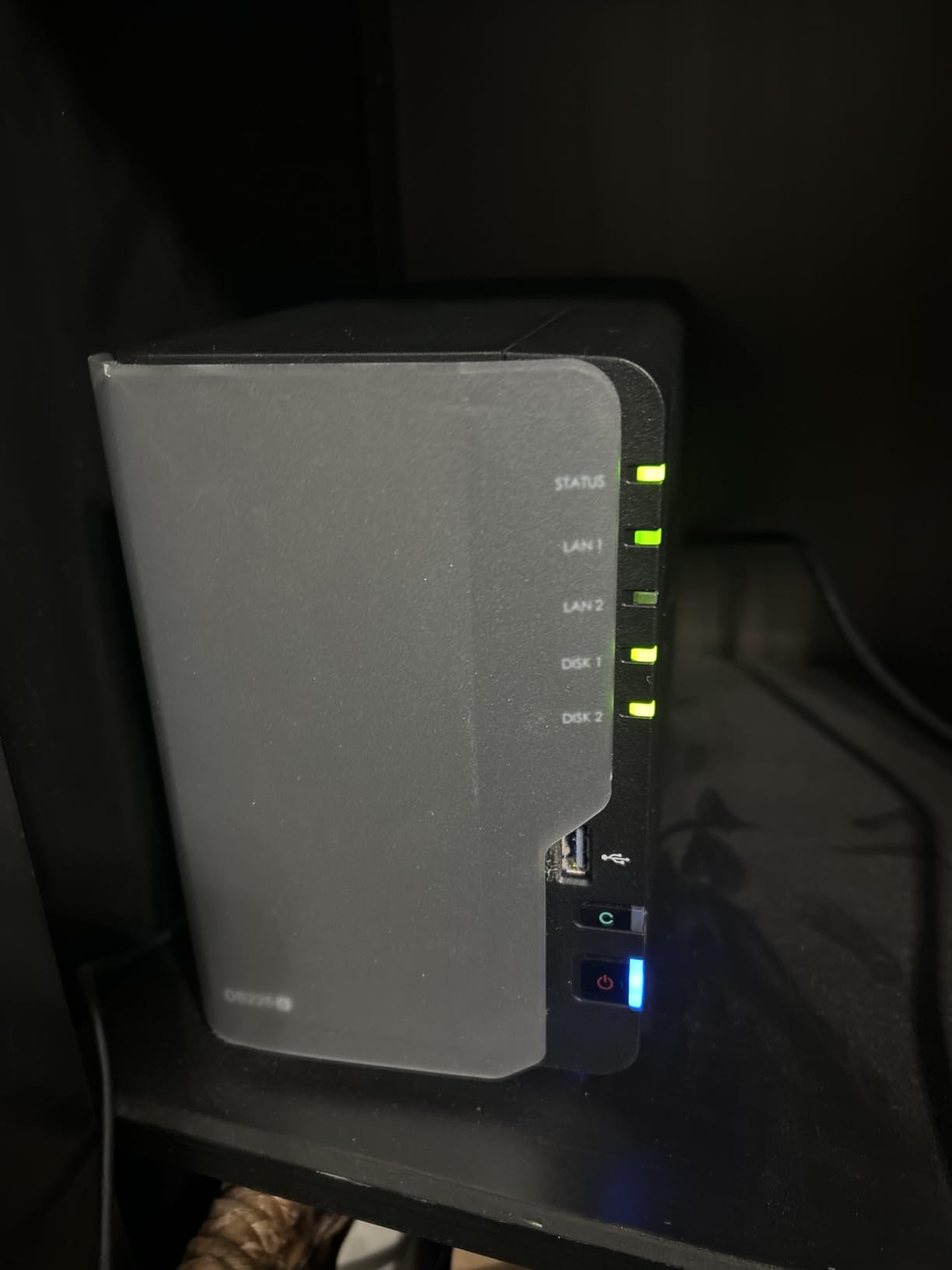
The important catch is that despite the marketing emphasis, there is no hardware video transcoding. That matters mainly if you serve multiple simultaneous remote streams in formats your clients cannot play directly, and it is the single biggest reason a media-focused buyer should read the specification carefully.
Capacity is capped at 40TB raw across two bays, some features remain tied to Synology-branded drives, and a minority of owners report DSM installation failing to complete on units without a recent firmware update. The drive compatibility policy and its error messages are widely criticised as opaque.
Why the software matters here
A NAS is a machine you set up once and then leave alone, and the quality of the guided interface determines whether the household actually uses it. DSM handles updates, permissions, mobile access and shared folders in a way that needs no documentation.
Container support on a four-core chip is enough for a small media stack, which makes it a reasonable middle ground between the closed two-bay boxes and the enthusiast four-bay options.
Where it falls short
The lack of hardware transcoding is the deal-breaker for a dedicated media server with several remote users, and nothing in the interface changes that.
Forty terabytes raw and two bays is a modest ceiling, and the drive lock-in on certain features is the frustration longtime Synology owners voice most.
10. Asustor Lockerstor 2 Gen2 AS6702T – Best for NVMe Flexibility in a Two-Bay Box
Asustor Lockerstor 2 Gen2 AS6702T – 2 Bay NAS Plex Media Server (Diskless)
- Transfers reported around 280MB/s over dual 2.5GbE
- Four M.2 slots in a two-bay chassis is a rare combination
- Intel N5105 handles Jellyfin and Plex plus VirtualBox
- Boots in roughly 10-15 seconds with no forced cloud integration
- Expensive relative to other two-bay units
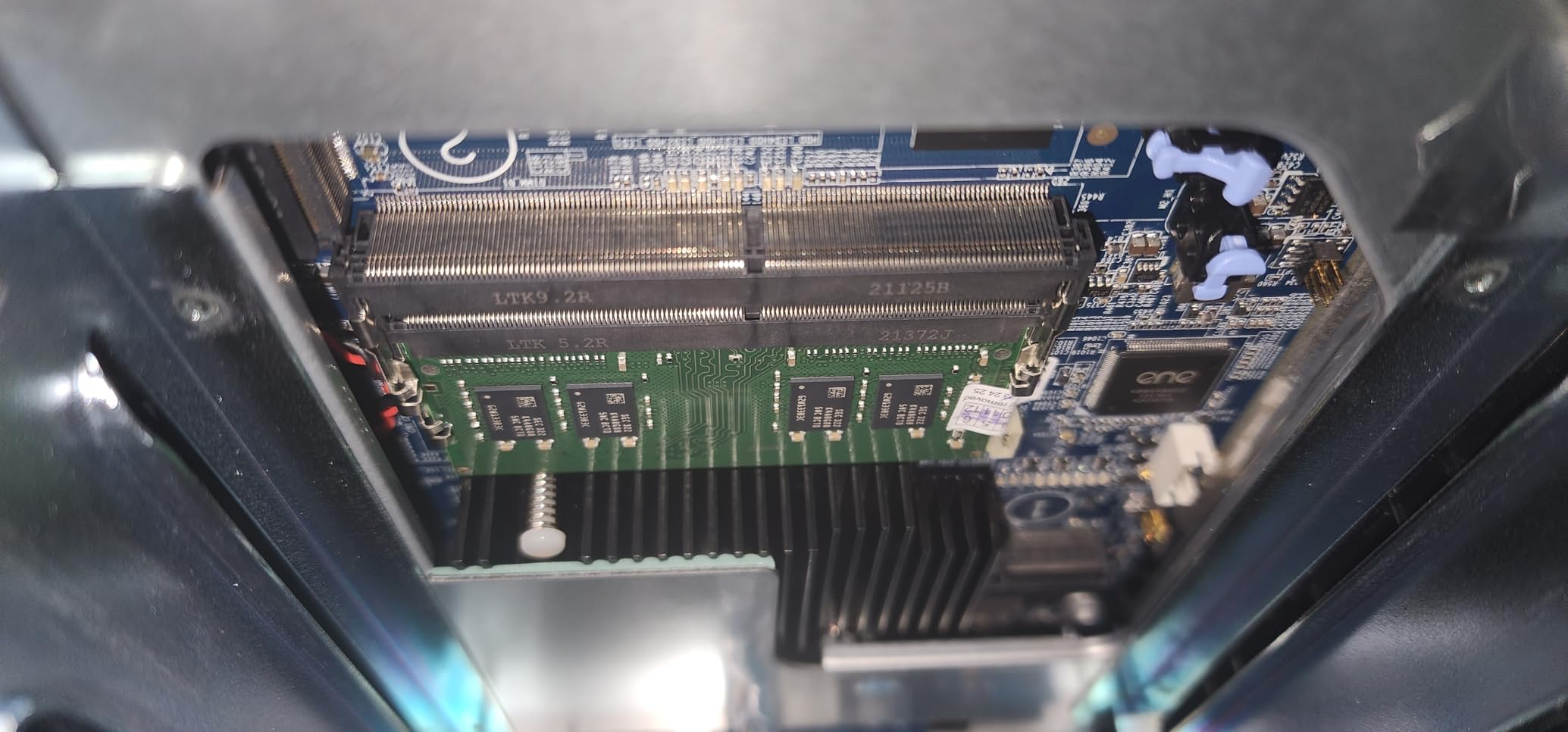
- Second RAM slot requires near-total disassembly
- NVMe retainer pin reported as weak
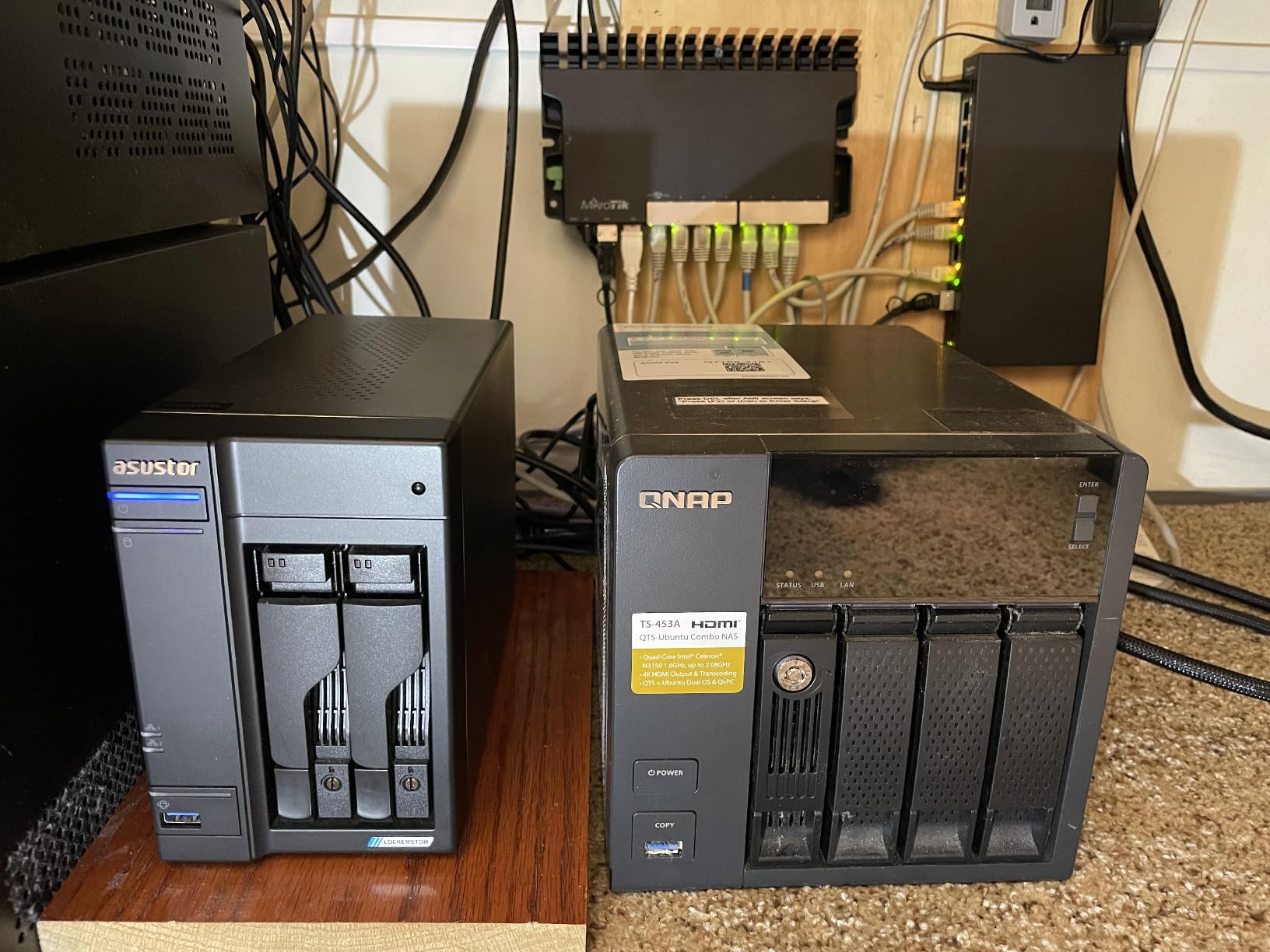
The Lockerstor 2 Gen2 solves a problem none of the other two-bay boxes here attempt. Two drive bays plus four M.2 NVMe slots gives you an unusual amount of storage layout flexibility in a small footprint, and you can run real workloads on the solid-state side instead of treating it as cache only.
The Intel N5105 quad-core handles Jellyfin, Plex, Docker and VirtualBox comfortably, and the dual 2.5GbE ports report transfers around 280 megabytes per second and can be aggregated. It also boots in roughly 10 to 15 seconds, which is noticeably faster than most competing units.
ADM 5 is a capable Linux-based system reachable by browser or SSH with no forced cloud account, which matters if you dislike vendor ecosystems that assume you are always connected to someone else’s servers.
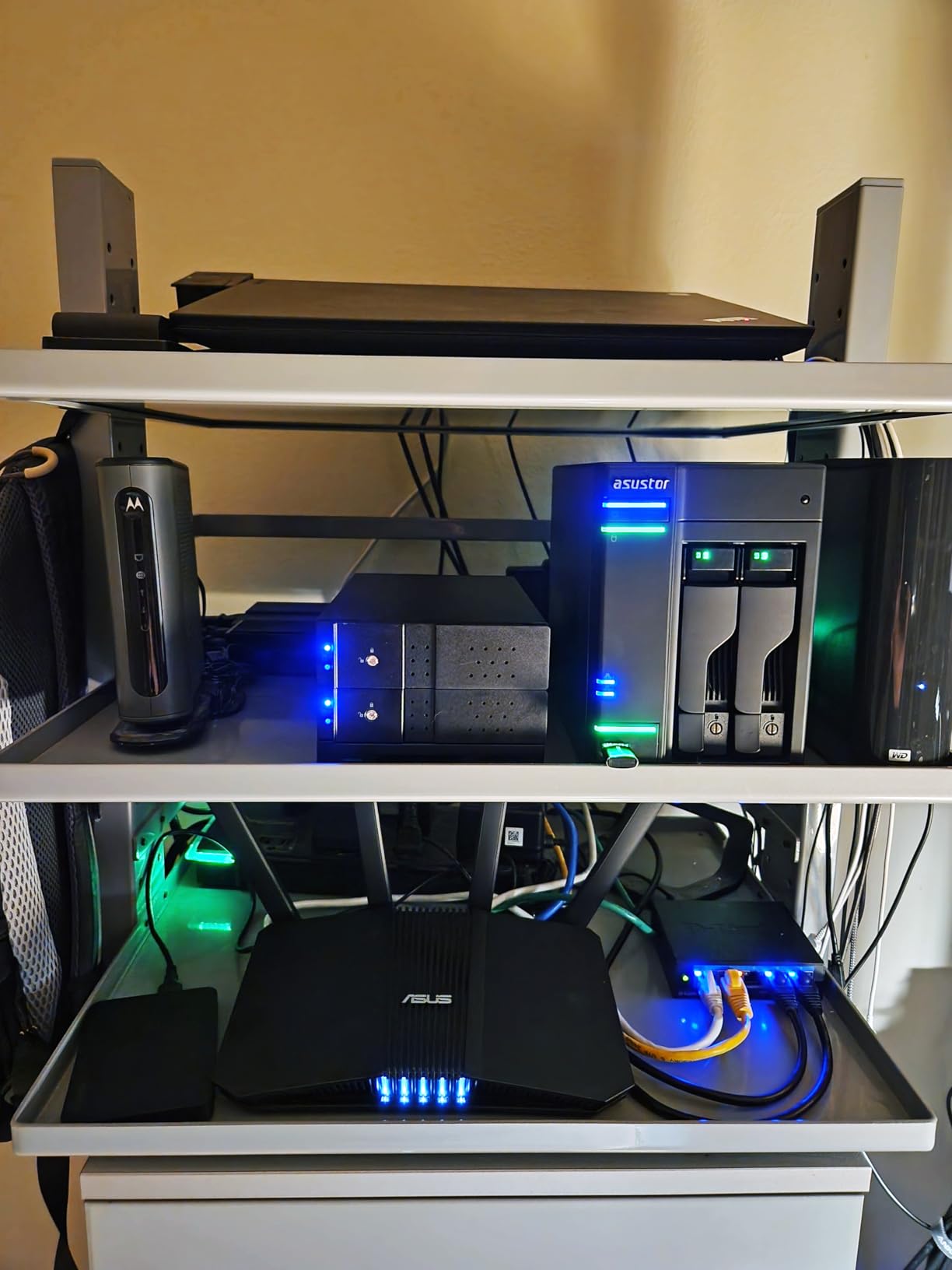
Physical design is where the rating gets held down. Reaching the second RAM slot requires near-total disassembly, which Asustor acknowledges but has not redesigned around, and the NVMe retainer pin is reported as weak and easy to damage during insertion. That is a genuine annoyance in a box whose selling point is the NVMe slots.
It is also expensive relative to other two-bay units, and populating it with large drives adds further cost. The app store is smaller and rougher than Synology or QNAP, documentation is thin enough to push owners to community forums, and remote access should be enabled only with close attention to security settings.
Who benefits from the extra M.2 slots
Anyone who wants app data, metadata and a high-speed pool alongside a two-drive array, rather than being limited to cache use. Four slots means you can dedicate one to the operating system, one to a container pool and one to cache, with a spare remaining.
For a media server, that means Plex and Jellyfin read from NVMe while the hard disks handle sequential storage, which is the arrangement that keeps seeks off spinning platters.
Where it falls short
The RAM slot design is the one to think hard about before buying. If you plan to run more than 16GB eventually, you will be taking the machine apart in a way that is not obvious from the manual.
The weak retainer pin is a small thing that can ruin an otherwise good install, and the price puts it against faster or cheaper four-bay alternatives.
How We Picked These NAS Enclosures?
Every enclosure here was judged against the same five criteria, applied in this order, because they are the ones that decide whether a media server is a joy or a chore.
1. Media headroom. Does the processor handle hardware transcoding, and is there enough RAM to run a media server alongside something else? A box that stalls whenever two people watch a film at once is not a media server.
2. Storage layout and expansion. How many bays, how many M.2 slots, and can the drives move forward to a larger box later? Enclosures with no room to grow get abandoned.
3. Network headroom. 1GbE, 2.5GbE or 10GbE, plus how many ports. Multiple clients pulling large remuxes is where the difference shows.
4. Acoustic and thermal behaviour. What reviewers report about fan noise, drive temperature and vibration, since the number one complaint in every forum thread we read was about noise.
5. Software openness. Whether the box runs its own ecosystem only, or also accepts Unraid, TrueNAS, OpenMediaVault or a standard Linux install. We also weighted RAM upgradeability heavily for the same reason.
One thing we deliberately did not do is rank on benchmark figures. Where a listing gave a transfer rate, we used it as a network-speed indicator rather than a storage result, because the slowest drive in the array sets the real ceiling.
How to Choose a NAS Enclosure for a Media Server
The bay count question comes first, and it is simpler than most guides make it. Count the drives you actually need now, and check that the enclosure has a path to more later.
Match the bay count to your library
A 2-bay enclosure suits roughly 20 to 40TB of raw capacity and a household that streams mostly direct-play content. A 4-bay box doubles that and gives you room for a parity scheme or a proper backup target. Twelve-bay all-flash designs only make sense when your library is measured in tens of terabytes and you are indexing it constantly.
If you plan to use RAID or a parity scheme, remember that redundancy costs you bays. Four drives in a four-bay box is a small array with no margin for failure, and the rebuild is the most stressful period in a storage array’s life.
Check the backplane and drive trays
A backplane is what turns tool-free or hot-swappable trays into a system you can service with the machine running. Its absence is a genuine complaint raised by experienced builders, and it is worth paying for when the alternative is unplugging a cable behind a spinning disk.
Tool-free caddies matter more than the marketing suggests. If every drive change means a screwdriver and a reboot, you will find yourself adding storage far less often than you planned.
Size the CPU and RAM for transcoding
Hardware transcoding is the deciding factor for a media server, and the reason so many home builds pick a non-F-series chip is that the integrated graphics do the work. A box with an integrated graphics engine and 8GB of RAM can serve several 4K clients comfortably.
Watch for the enclosures where hardware transcoding is advertised but the processor cannot do it. That gap is the most expensive mistake in this category, because no setting fixes it later.
Choose between 2.5GbE and 10GbE
A 2.5GbE port is the sweet spot for most homes and removes the limit that makes 1GbE feel slow. Two ports matter more than one fast port when several clients stream at once, because they let two transfers run without queueing.
10GbE only earns its place if you are also moving large libraries on and off the server, or running virtual machines that talk to storage directly. It is pointless without a matching switch and client, and a single port means one transfer blocks the next.
Plan the expansion path before you buy
Before committing, check what you can add later: extra bays in the same chassis, an M.2 slot you have not used, or a USB-attached expansion. If the answer is nothing, treat the current bay count as permanent.
It is also worth thinking about where the machine lives and what it will sound like before you pick the drive size. If it is going in a study rather than a cupboard, the quietness of the fans and the absence of vibration matter as much as throughput. We cover that in the next section, and our home server roundup covers the software side once the hardware is chosen.
Noise Levels and Where to Put Your NAS
Noise is the complaint that comes up most often in the forums we read for this article, and it comes up because nobody publishes measurements. Builders ask for a quiet setup that can sit in the study where they work, and the honest answer is that enclosure choice matters more than any amount of fan tuning afterwards.
The mechanical drives are the floor. Spinning platters transmit vibration into the chassis, and a thin steel or plastic case amplifies it. That is why the all-SSD design in this roundup is described as nearly silent, and why the aluminium two-bay boxes feel more solid to owners than their plastic equivalents.
Fan quality is the second factor. The QNAP TS-264 in this list draws repeated reports of loudly buzzing stock fans, and the front panel restricting airflow is a separate issue because it pushes drive temperatures up. The Asustor Flashstor, with no spinning disks and a compact body, is the quietest option here, with owners describing low power draw and nearly silent operation.
Where you put the box matters as much as which box you buy. A closed shelf amplifies low-frequency fan noise, a hard floor transmits vibration upward, and a machine running next to your desk at head height is the hardest position of all. A ventilated cabinet away from the listening position is the cheapest acoustic improvement available, and it costs nothing.
One last practical note from the build logs we read: put a mat or felt pads under the chassis. Several owners did exactly that to deal with the drive vibration the DXP2800 and other aluminium two-bay boxes can produce during sustained writes.
Frequently Asked Questions
Can you run a media server on a NAS?
Yes. Plex, Jellyfin and Emby all run on a NAS enclosure. The hardware you need is an integrated graphics engine for hardware transcoding, at least 8GB of RAM if you want to run containers alongside, and a network port faster than 1GbE if more than one person streams at a time. Most two-bay enclosures in this roundup handle a household library comfortably.
What is the best NAS operating system for a home server?
It depends on your storage model more than your hardware. TrueNAS SCALE suits ZFS users who want checksumming and snapshots. Unraid suits mixed-drive arrays and flexible expansion. OpenMediaVault is a lightweight Debian option. The vendor systems on these enclosures are polished but closed, so third-party app support is narrower.
Is a NAS server good for home use?
For photos, backups, media streaming and file sharing, yes, and a diskless enclosure gives you hardware you can repair and upgrade yourself. The tradeoff is that you supply the drives, the memory and the software, so an incomplete build sits idle until you finish it. An appliance is simpler if you want something working on the first boot.
What is the best NAS drive enclosure?
For a general home media library, a 4-bay enclosure with two M.2 NVMe slots and a 2.5GbE or 10GbE port gives the most room to grow. Two-bay units suit smaller libraries but cap capacity quickly. All-flash enclosures are worth considering only if you already have a large library and need fast random access more than capacity.
Which NAS is best for multimedia streaming?
For 4K streaming with hardware transcoding and room to grow, the UGREEN DXP4800 Plus pairs a five-core CPU with 10GbE and four bays. For the smallest useful build, the UGREEN DXP2800 gives you two bays, two M.2 slots and an N100 with integrated graphics. Avoid enclosures whose processor lacks hardware transcoding if you serve more than one client.
What is the lifespan of a NAS device?
The enclosure itself often outlasts the drives inside it. Hard drives typically need replacing within five to seven years, and RAID rebuilds are the riskiest period for an array. Plan for regular backups to off-site or cloud storage, because redundancy inside a single enclosure does not protect you from theft, fire or a failed controller.
Conclusion
After working through all ten, the UGREEN NAS DXP2800 remains our pick as the best nas enclosures for home media servers overall, because two bays, two M.2 NVMe slots and a quad-core chip with integrated graphics is a combination nothing else matches at this size. If your library already fills two drives, step up to the DXP4800 Plus and get 10GbE with four bays. If you want the box to simply work, the Synology DS223j is the most straightforward path to a family library that runs quietly.
Next comes the drive selection and the operating system, and those two decisions shape the build as much as the enclosure did. Start with our NAS hard drive guide, pick the NAS software that matches how you plan to store data, and then order the enclosure that fits the array you are actually going to fill.