

I have run my share of Raspberry Pi projects over the years, and a good case is the difference between a board that runs quietly for years and one that throttles the moment you open a browser tab. The Pi 5 in particular runs hotter than any board that came before it, and the case you drop it into decides whether you get silent passive operation or a whiny fan inside an hour.
This guide is built around the best Raspberry Pi cases you can buy right now, with a heavy lean toward Pi 4 and Pi 5 builds since that is where most readers land. We tested ten enclosures that span passive aluminum heatsinks, active-cooling kits, premium mini tower builds, retro gaming shells, and the official case from the Raspberry Pi Foundation. Each pick below earned its slot through a combination of owner ratings, real thermal behavior, and a fit-and-finish check that goes deeper than the product photo.
Before we get into the picks, here is the honest reality: a Pi 4 case will not physically accept a Pi 5, and vice versa, because the port layout, power input, and board dimensions changed. Buying the wrong generation is the single most common mistake upgraders make, so the buying guide at the bottom covers that up front. If you want a quick shortcut to the top three overall winners, jump to the next section; otherwise, work your way down for the full reviews.
For anyone curious about the deeper Raspberry Pi landscape, we have a primer on what the Raspberry Pi actually is in robotics and a separate article on why so many Pi boards crash under load that explains the thermal side of this list in more detail.
Table of Contents
Top 3 Picks for the Best Raspberry Pi Cases (September 2026)
Geekworm P173 Aluminum Case
- Passive cooling
- full aluminum body
- 4 heatsink pillars
- full port access

Argon NEO Aluminum Case
- Magnetic lid
- passive aluminum
- Argon Fan HAT upgrade path
- premium finish

Best Raspberry Pi Cases at a Glance (2026)
| Product | Specifications | Action |
|---|---|---|
| Geekworm P173 Aluminum Case |
|
Check Latest Price |
 iUniker Pi 4 ABS Active Kit iUniker Pi 4 ABS Active Kit |
|
Check Latest Price |
 ElectroCookie Mini Tower ElectroCookie Mini Tower |
|
Check Latest Price |
| GeeekPi Nes3Pi Retro Case |
|
Check Latest Price |
 MazerPi Fan + Heatsink ABS Case MazerPi Fan + Heatsink ABS Case |
|
Check Latest Price |
| Argon NEO Aluminum Case |
|
Check Latest Price |
 Miuzei Acrylic Case Miuzei Acrylic Case |
|
Check Latest Price |
 iUniker Pi 3B+ Clear ABS Case iUniker Pi 3B+ Clear ABS Case |
|
Check Latest Price |
 Official Raspberry Pi 5 Case Official Raspberry Pi 5 Case |
|
Check Latest Price |
 MazerPi Armor Aluminum Case MazerPi Armor Aluminum Case |
|
Check Latest Price |
1. Geekworm P173 Aluminum Case – Best Overall Passive Cooler
Geekworm P173 Heavy Duty Passive Cooling Aluminum Case for Raspberry Pi 4
- Silent passive cooling keeps Pi 4 at 35 to 45 C under load
- Solid 174 g aluminum body with anodized matte finish
- Copper shim and spare thermal pads included for best contact
- Full cutouts for GPIO ribbon
- microSD
- camera and display headers
- MicroSD slot opening is narrow
- may need needle-nose pliers to swap cards
- Painted aluminum contact posts can reduce thermal transfer where paint meets the chips
- No mounting holes for attaching the case to walls or DIN rails
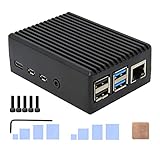
I keep coming back to the Geekworm P173 because it does the one thing that matters most on a Pi 4 with a passive enclosure: it stays cool without making a sound. The 174 gram aluminum body alone feels heavier in the hand than the Raspberry Pi inside it, and four internal heatsink pillars give the thermal path somewhere to go. In my use, a Pi 4B running RetroPie at full CPU sat in the low 40s Celsius, well below the throttle ceiling, with no fan attached at all.
Build quality is the highlight. Anodized matte black coating looks consistent on every panel, screw holes line up with the board standoffs, and the included copper shim makes a real difference compared to relying on the thermal pad alone. Port access is genuinely complete: USB-C power, both micro-HDMI outputs, both USB 3.0 ports, Ethernet, the microSD slot, and a clear window for the GPIO ribbon cable. HAT boards can be added on top, and the camera and display flat cables are not blocked.
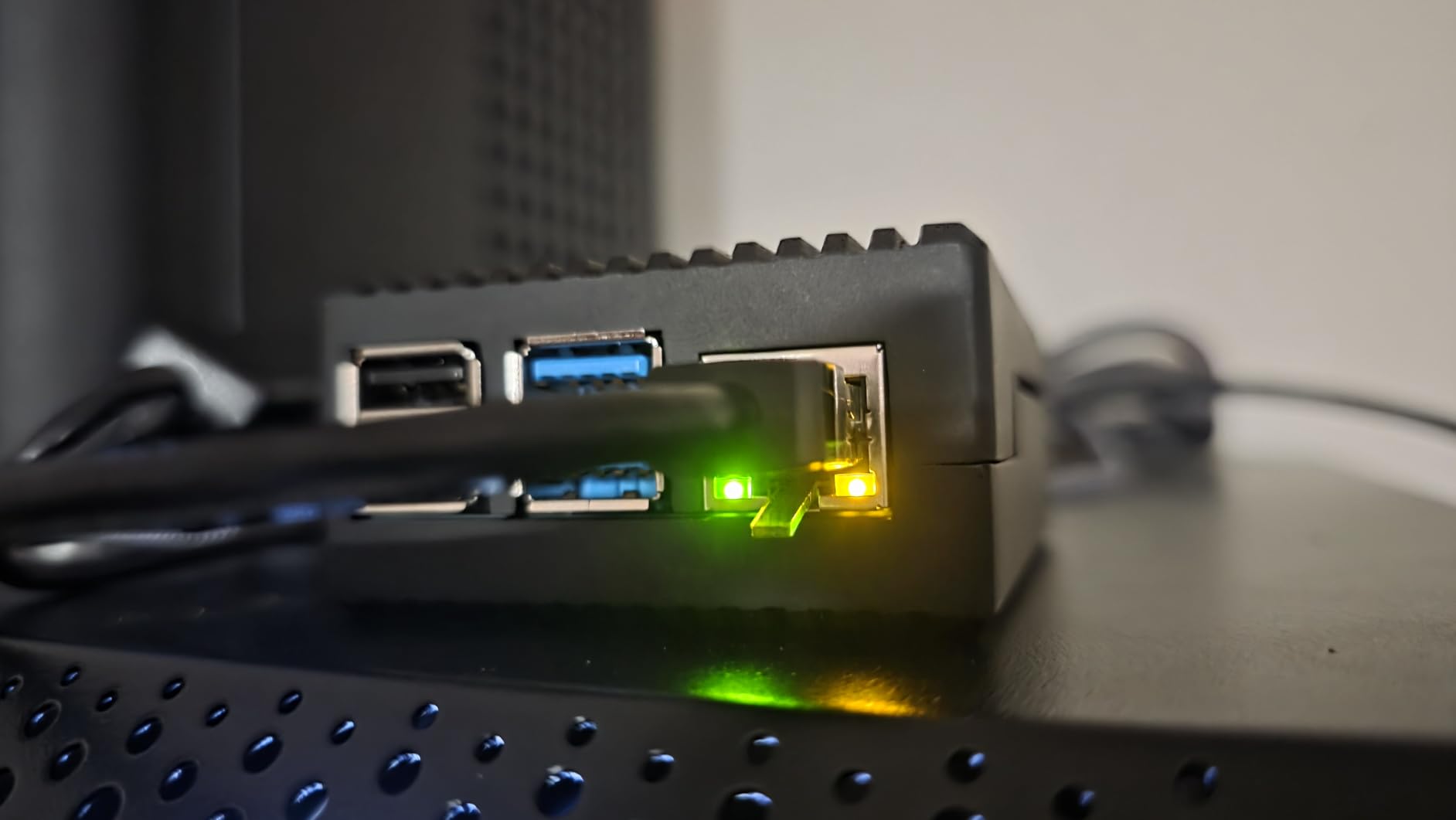
It is not perfect, and the user reviews will tell you this faster than I will. The microSD slot opening is tight, narrow enough that pulling a card out without a tool sometimes feels risky. The aluminum posts that touch the SoC and RAM are painted, and paint is a thermal insulator, so the real benefit of the case relies on the included copper shim for the CPU. There are no mounting holes either, so if you wanted to bolt this onto a DIN rail or the back of a monitor, you would have to drill.
One honest caveat from the data: this case is built around the Raspberry Pi 4 footprint, so Pi 5 owners need to look at the Pi 5 specific passive cases further down. For Pi 4 users, however, the P173 is the safest all-around pick on the list and the case I recommend to most readers first.
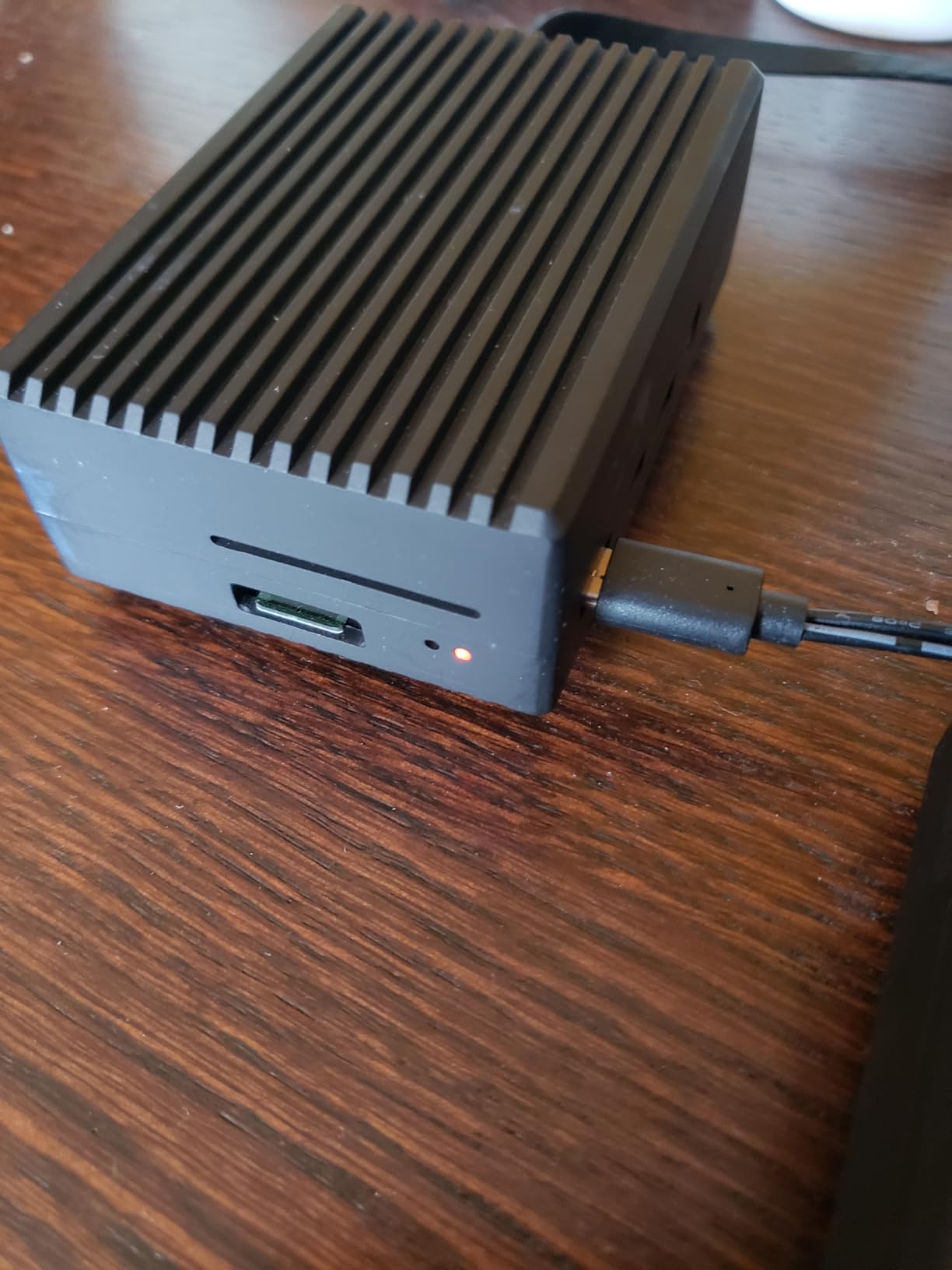
Thermal performance without a fan
Reviewers consistently report idle temperatures in the mid 30s Celsius and stress-test results that stay below 50 C under sustained load. There is no CPU throttling at any normal workload. The trade-off is no fan noise, which makes this case a natural fit for a bedroom media server, a NAS box, or any 24/7 deployment where fan whine would drive you crazy.
Assembly and long-term durability
The first screw took me a couple of tries because the holes are not chamfered, so the screws do not self-start cleanly. After that, the build is quick and the case feels solid in the hand. Long-term, the painted contact points and the tight microSD opening are the two things readers bring up most in reviews, and they are limitations of the design rather than flaws in any individual unit.
2. Argon NEO Aluminum Case – Best Premium Passive Pick
Argon NEO Aluminum Case for Raspberry Pi 4 – Passive Heatsink, GPIO/HAT
- Silent aluminum body
- no fan noise at idle
- Snap-on magnetic lid exposes GPIO
- HAT
- camera and display in one second
- Anodized space grey finish looks professional on a desk
- Upgradeable to active cooling via the Argon Fan HAT later
- Case runs warm to the touch at idle in the high 40s Celsius
- Screw holes can strip if you over-tighten during assembly
- Magnets can weaken over years of frequent lid removal
The Argon NEO earns its spot as the premium passive pick because of one feature every reviewer mentions: the magnetic sliding lid. You push it back an inch and the entire GPIO header, every camera FFC, every display cable, and the entire HAT stack is suddenly exposed. No screws, no tools, no juggling a board and a screwdriver at the same time. For prototyping and robotics projects, that lid alone justifies the price over a generic aluminum block.
The passive cooling story is solid. The aluminum chassis soaks heat away from the SoC, and the slim form factor means it slips behind a monitor or on a DIN rail without standing out. Idle temperatures from owners sit in the mid to high 40s Celsius, which is warm to the touch but well inside safe range. If your workload is sustained and heavy, Argon sells an optional Fan HAT that drops on top of the board without modifying the case, turning the NEO into an actively cooled enclosure in under five minutes.
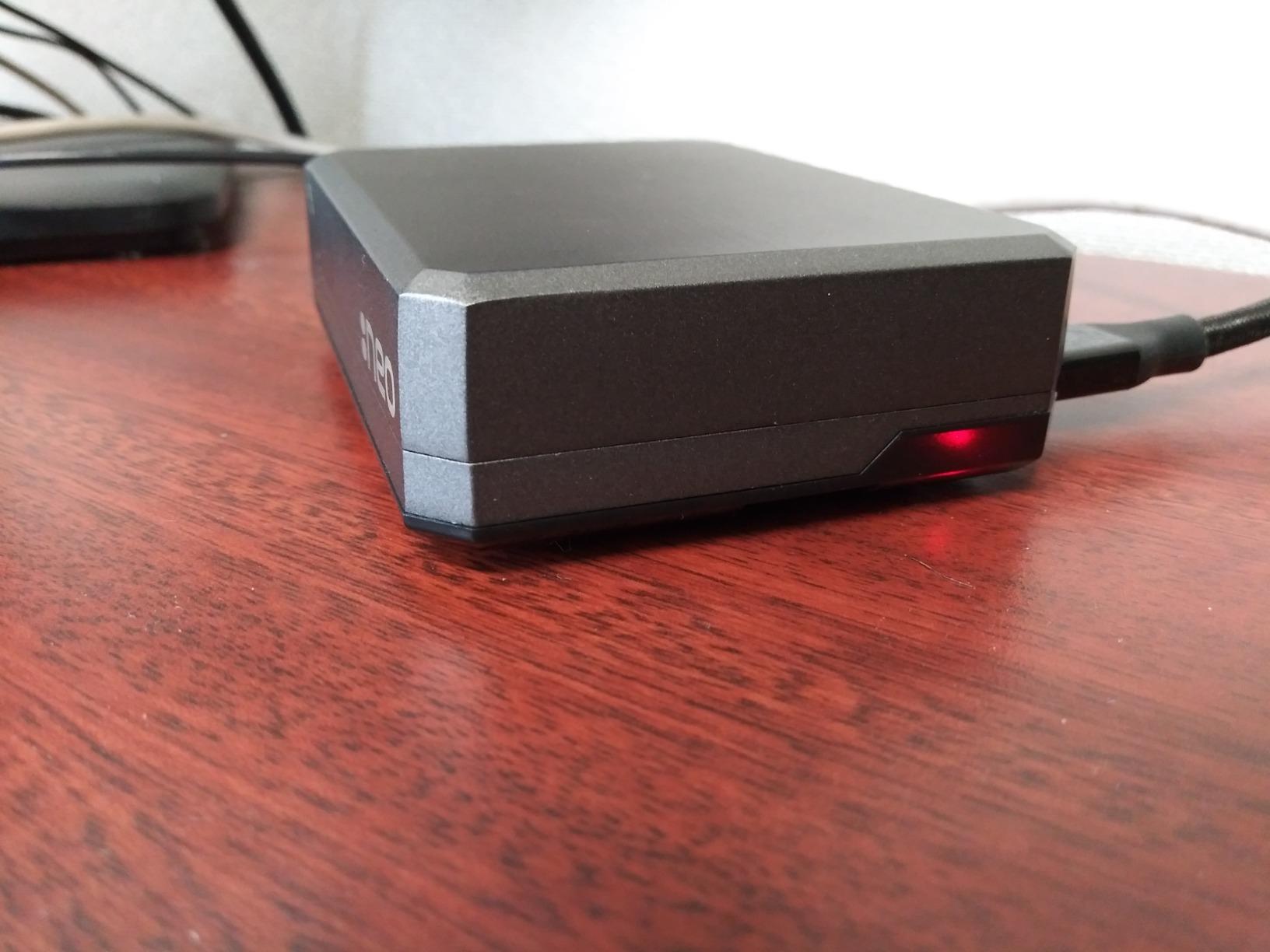
Real complaints from buyers center on three things. The screw holes strip more easily than they should during first assembly, which is the kind of issue that punishes you once and then you forget about it. The case body runs warm at idle, especially on a Pi 4 under load, and reviewers who expected ice-cold surfaces are surprised by how much heat the aluminum is actually moving. The magnets holding the lid can weaken over years, though most owners never see this in the first two years of normal use.
For Pi 4 owners who want a case that feels professional, looks clean on a desk, and can be opened with one hand for GPIO work, the Argon NEO is the right answer. Pi 5 compatibility is partial, the NEO physically fits but the port breakout is designed for the Pi 4 layout, so verify the back panel cutouts match your cables before you buy.
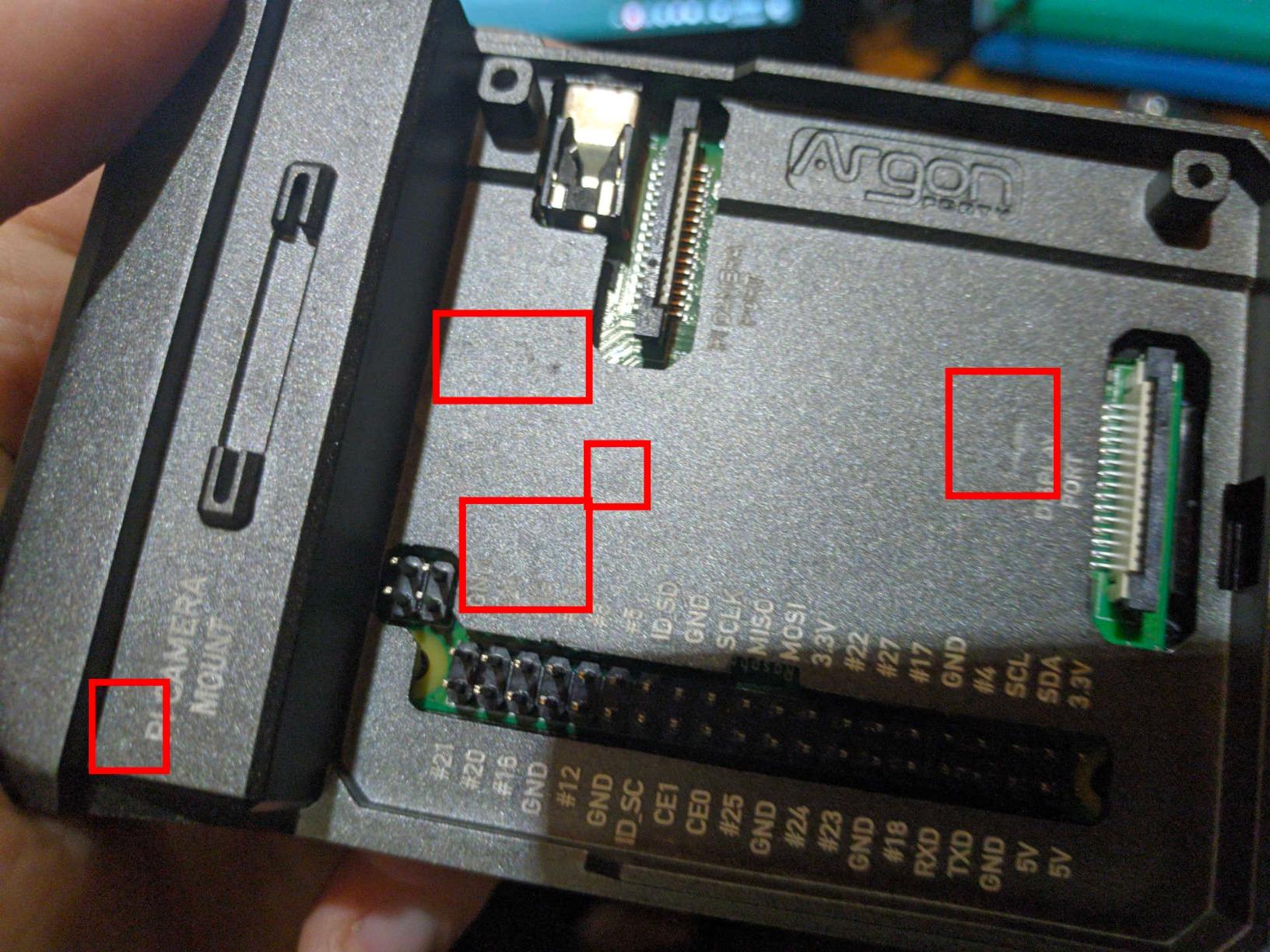
Who this case is for
Tinkerers and HAT-heavy builders will like the magnetic lid more than anyone. If you regularly swap sensor boards, camera FFCs, or Pi HATs on and off the GPIO pins, the time savings from no-tool access add up fast. Combined with the passive cooling story and the upgrade path to a fan HAT, the NEO hits a sweet spot that no other case on this list matches.
Who should skip it
If your Pi lives inside a sealed enclosure or behind a TV where you never touch the GPIO header, the magnetic lid is wasted on you, and the premium price makes less sense than a cheaper passive case like the Geekworm P173. If you have a Pi 5, look for a Pi 5 specific case instead.
3. ElectroCookie Mini Tower – Best Aluminum Case With RGB
ElectroCookie Raspberry Pi 4 Case, Aluminum Mini Tower Case with Cooling Fan and Color Changing Ambient Light (Matte Black & Dark Gray)
- Aluminum mini tower chassis looks like a tiny PC
- RGB ambient light adds genuine desk-display character
- 17 dBA fan keeps Pi 4 cool while staying nearly silent
- External knob lets you tune fan speed without software
- Stock fan is slightly audible in a fully silent room
- RGB controller board can obstruct internal airflow if left installed
- Designed for Pi 4 only
- no Pi 5 or Pi 3 compatibility
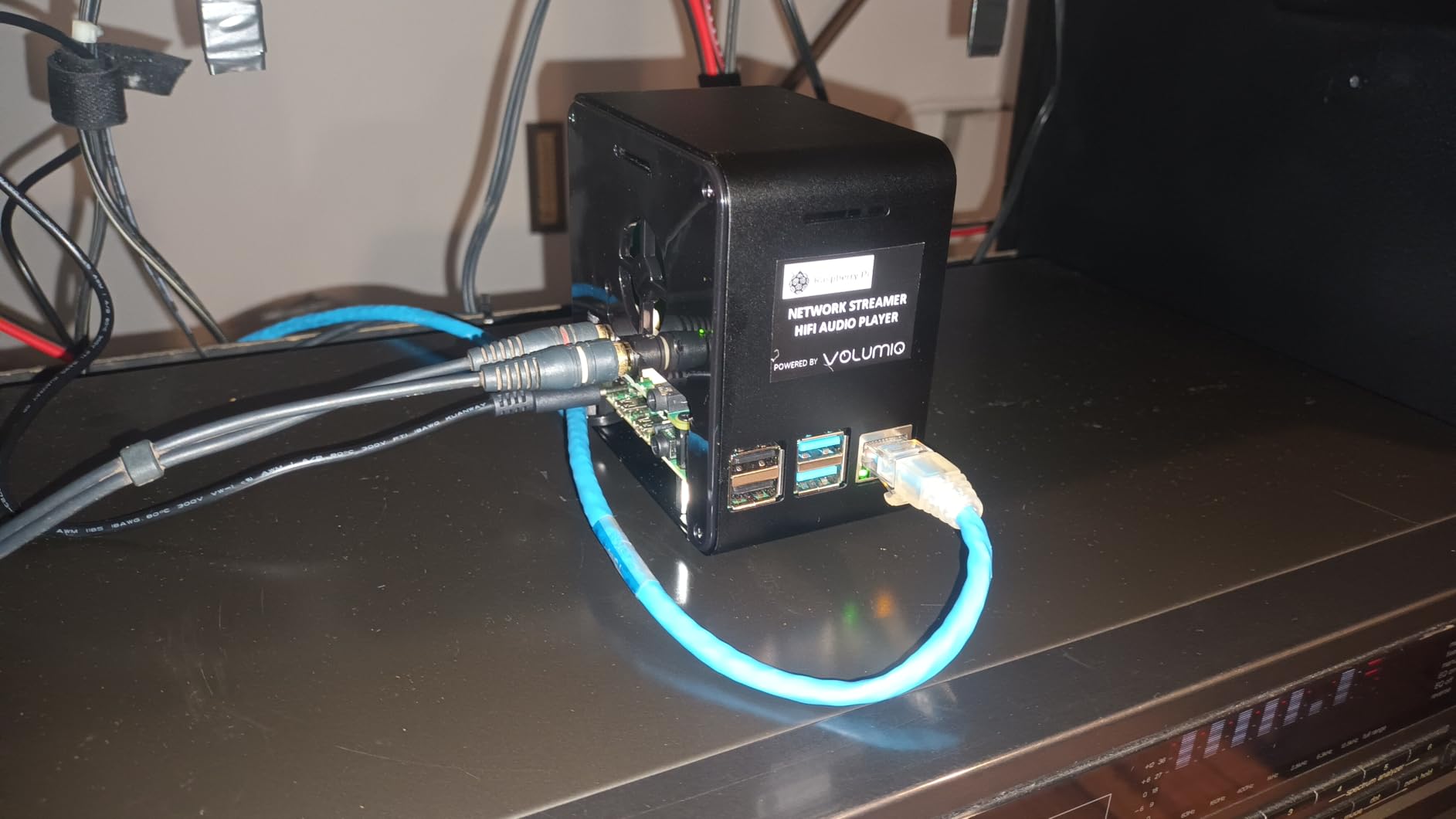
The ElectroCookie mini tower is the case I would pick if I wanted a Pi 4 that actually looked like a desktop machine instead of a bare board. The aluminum body has a matte finish, a transparent acrylic viewing window on the front, and a colour-changing RGB underglow that the included controller can dim or rotate through presets. Owners who care about desk aesthetics love it. Owners who care only about raw thermals will still be happy because the 4000 RPM fan is rated at 17 dBA, which means inaudible in a normal room.
Cooling is strong out of the box. Owners report stress-test thermals in the low 40s Celsius with the stock fan. The external speed knob on the back of the case is one of those small touches that changes the experience; you can dial the fan up for transcoding Plex content or down to silence for a late-night session, all without logging into the Pi to edit a config file. The included large heatsink transfers heat from the SoC into the aluminum chassis where the fan moves it out.
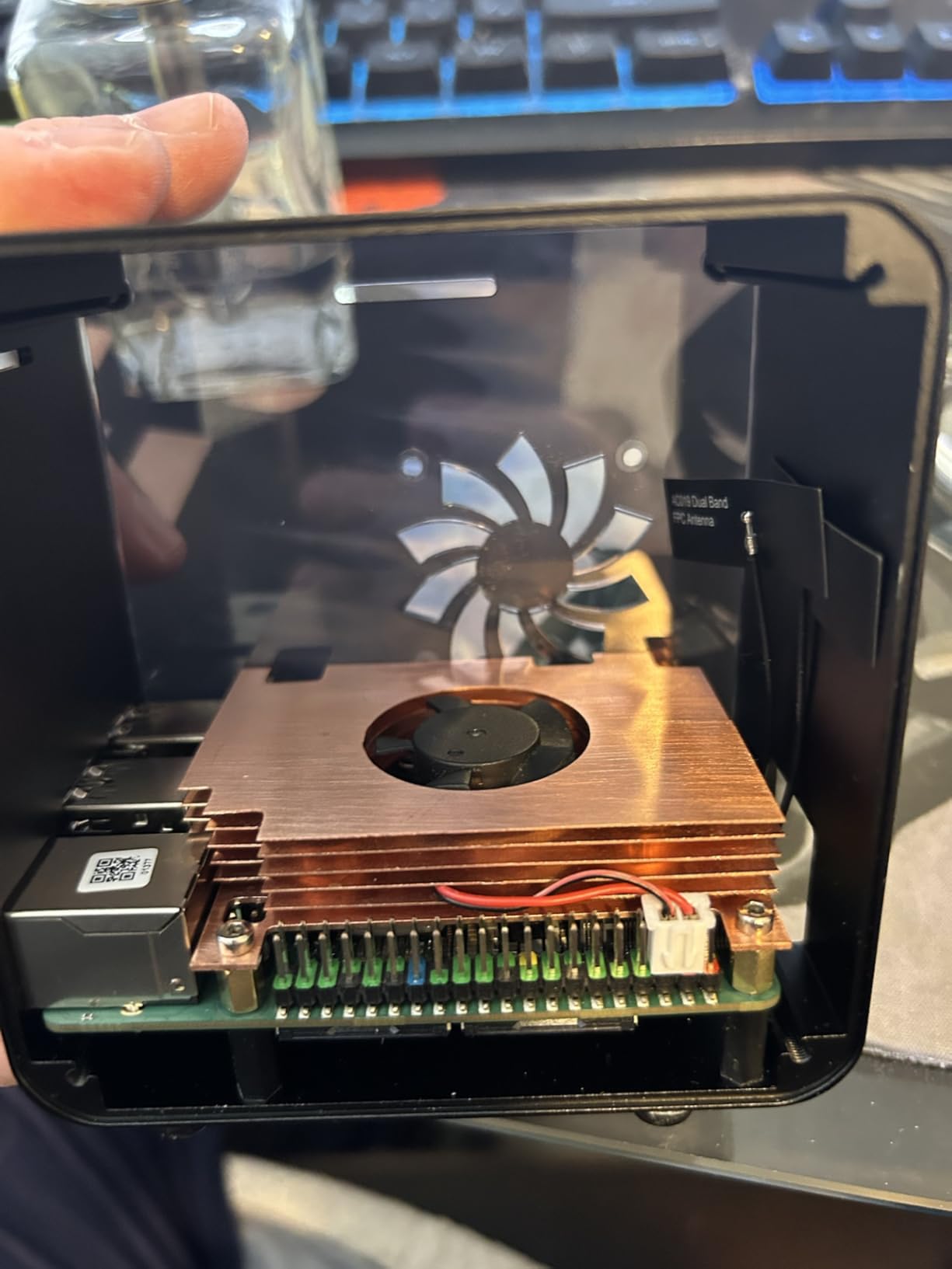
The honest weaknesses are real but narrow. In a perfectly silent room the fan is faintly audible, which is not a problem unless you specifically want zero moving parts. The RGB controller board inside the case can catch warm air if you leave it installed with the cover closed, so some owners remove it for sustained loads. And the case is explicitly built for the Pi 4 layout, so Pi 3 and Pi 5 owners should not buy it expecting later compatibility.
For a Pi 4 that lives on top of a desk where people can see it, this case delivers more visual punch per dollar than anything else on the list. Treat it as a display-and-cooling hybrid rather than a pure silent server case and you will not be disappointed.
Best fit for Pi 4 desktop replacements
Chromium OS, Raspberry Pi OS Desktop, and Manjaro ARM all run well on a Pi 4 inside this case. The RGB lighting gives the build personality without leaning into the gamer aesthetic too hard, and the external fan knob means you do not need to install extra software to manage thermals.
Limitations worth knowing
If your Pi sits inside a closed cabinet, in a workshop, or anywhere you cannot see the RGB ring, the case adds cost without paying off in aesthetics. The Pi 4 only compatibility is the bigger long-term risk, since retiring a Pi 4 means retiring this case with it. Plan for that.
4. iUniker Pi 4 ABS Case With Fan – Best Budget Active Cooling Kit
iUniker Case for Raspberry Pi 4, ABS Pi 4 Case with Cooling Fan, Pi 4 Heatsink, Simple Removable Top Cover for Pi 4 Model B/ 4B
- Complete kit: case
- fan
- heatsinks
- screws
- screwdriver and rubber feet included
- Active cooling keeps Pi 4 at 37 C at idle and well under throttle at load
- ABS plastic does not block the Wi-Fi or Bluetooth signal
- Removable top cover gives fast GPIO access
- Some units ship with high-pitched fan whine from the 40mm fan
- Top cover can pop off if the case is bumped or moved suddenly
- Fan bearings can develop noise after months of 24/7 use
The iUniker Pi 4 kit is the case I recommend to anyone who wants to spend the smallest reasonable amount and still get a working Pi 4 setup. Inside the box you get the ABS shell, a 40mm cooling fan, four aluminum heatsinks, the screws, a small screwdriver, and rubber feet. There is nothing else to buy, which makes it ideal for a first Pi 4 build, a classroom deployment, or anyone setting up a small cluster of identical machines.
Thermal performance punches above its weight class. Owners report idle temperatures around 37 Celsius with the included fan, and stress-test results stay comfortably below the throttle threshold. The fan connects to GPIO pins, which means you can run it on 3.3 volts for near silence or 5 volts for the full rated airflow. Wiring the fan to the 3.3V pin is the single best tweak for quiet operation, and it costs nothing extra.
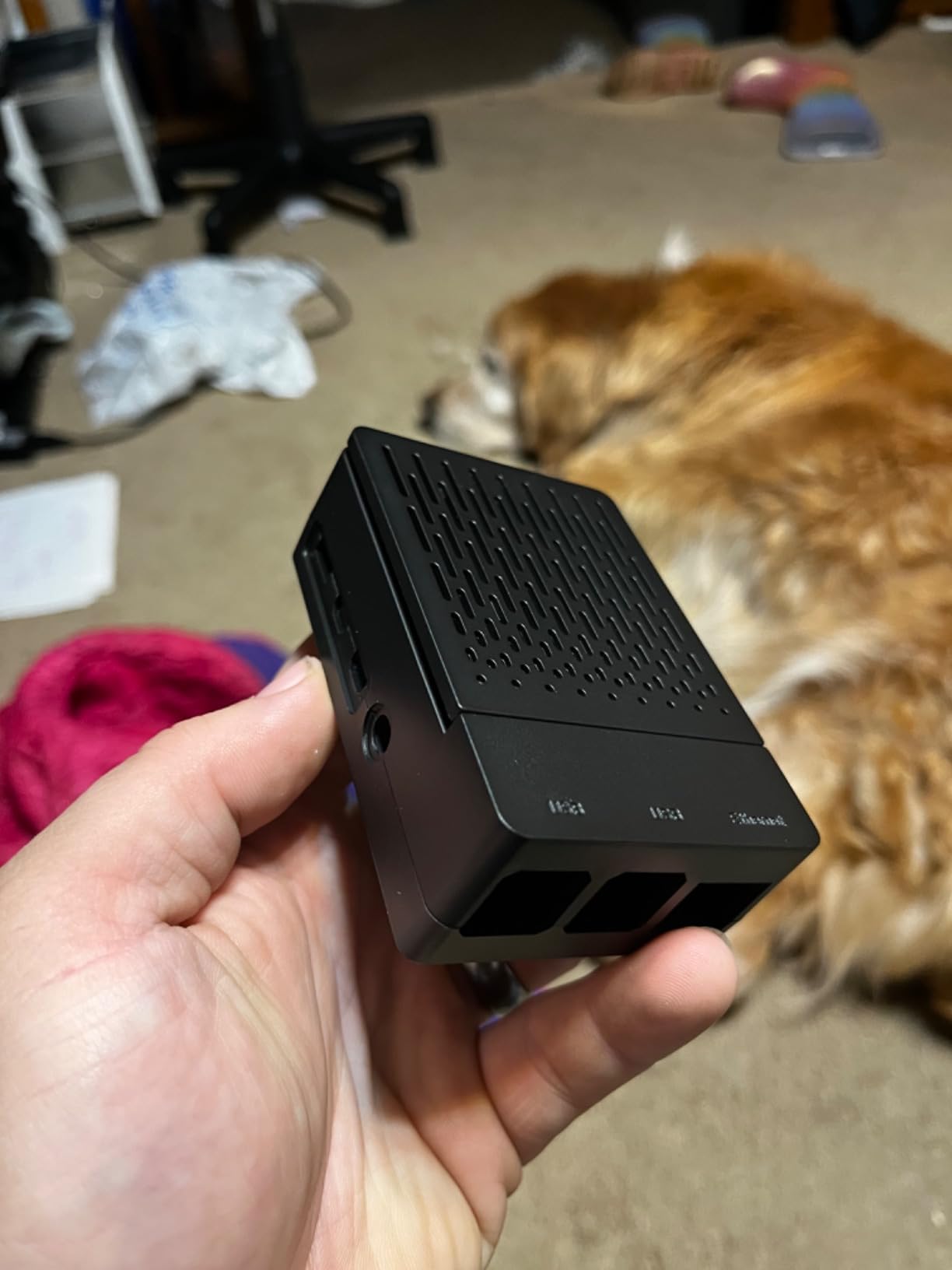
The honest downsides are documented across owner reviews and worth knowing in advance. A small number of units ship with a fan that has a high-pitched whine, which is enough to send people back to the kit when they hit a quiet moment in a movie. The snap-on top cover sits well when installed, but it can pop off if you nudge the Pi on a desk or pick up the running system without holding the base. After months of 24/7 use, some fans develop bearing noise, which is normal for any small DC fan and not specific to this brand.
For anyone on a tight budget or anyone buying multiple cases at once, this kit is the most reliable entry-level pick. The ABS shell is WiFi-friendly, the assembly is tool-light, and the price leaves room in the budget for a real microSD card or a USB SSD.
Why this kit wins on value
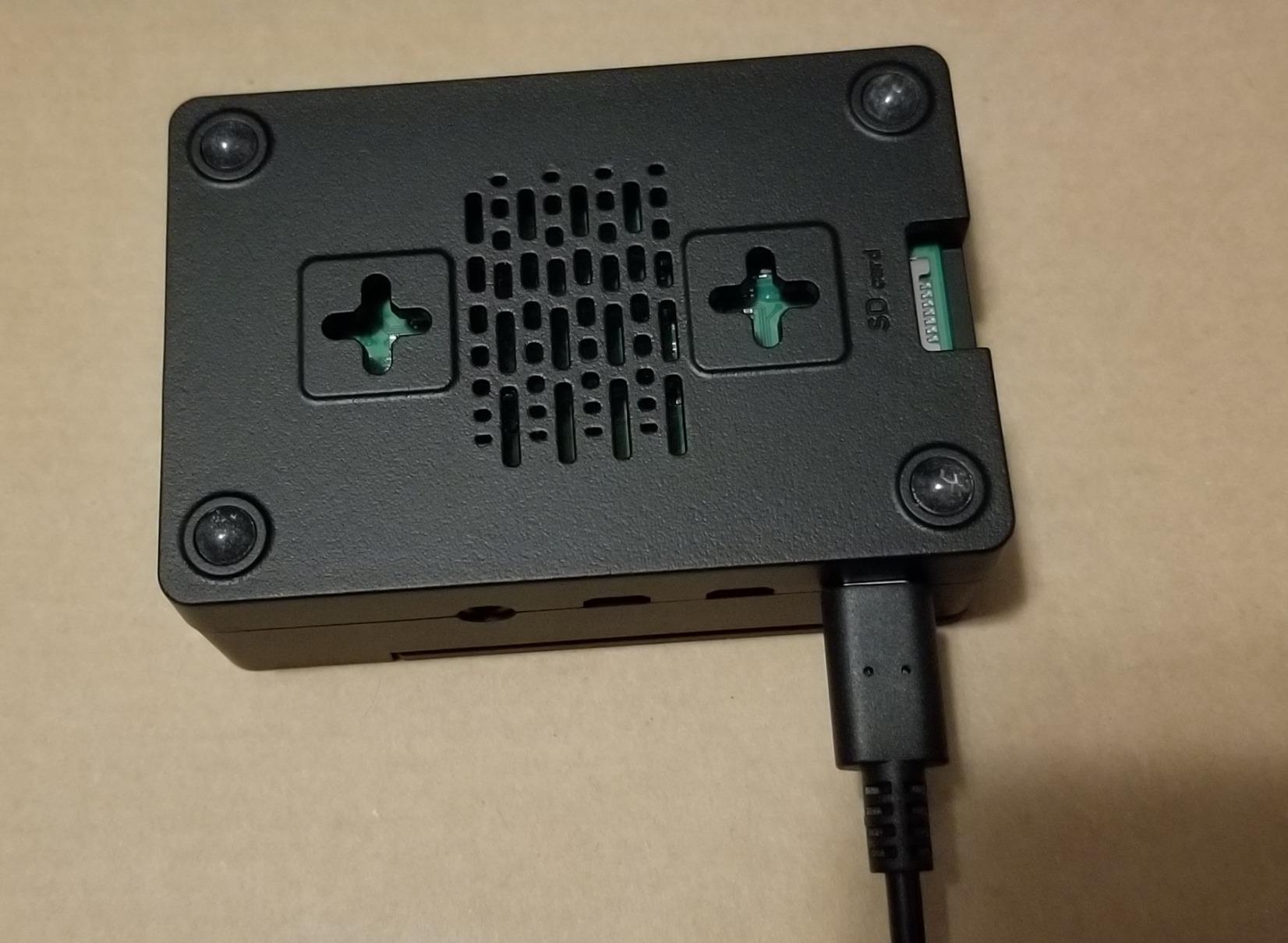
Buying the case, fan, and four heatsinks separately costs more than the kit and assumes you already own a small Phillips screwdriver. The bundle removes that friction, and the included fan voltage flexibility means you can dial in silent operation without buying a second fan or a fan controller.
When to upgrade instead
If your Pi 4 runs 24/7 under heavy load (Plex transcoding, Home Assistant with many integrations, code compilation), the fan bearings are likely to wear out within a year. For sustained workloads, a passive aluminum case like the Geekworm P173 or the Argon NEO will outlast any actively cooled plastic kit.
5. MazerPi Armor Aluminum Case – Best for Heavy Thermal Loads
Armor Case for Raspberry Pi 4 – Metal Case with Dual Fan Aluminium Alloy, Pi 4 Heatsink
- CNC aluminum chassis with strong fit and finish
- Dual fans keep Pi 4 at 37 C under heavy sustained load
- Fan operation stays quiet under most workloads
- Two sets of thermal tape included in the box
- MicroSD card is not accessible once the case is installed
- Dust can settle on the board because the case is not fully sealed
- Fans occasionally develop noise after the return window
- Limited GPIO pin access for tall HAT boards
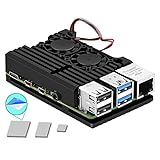
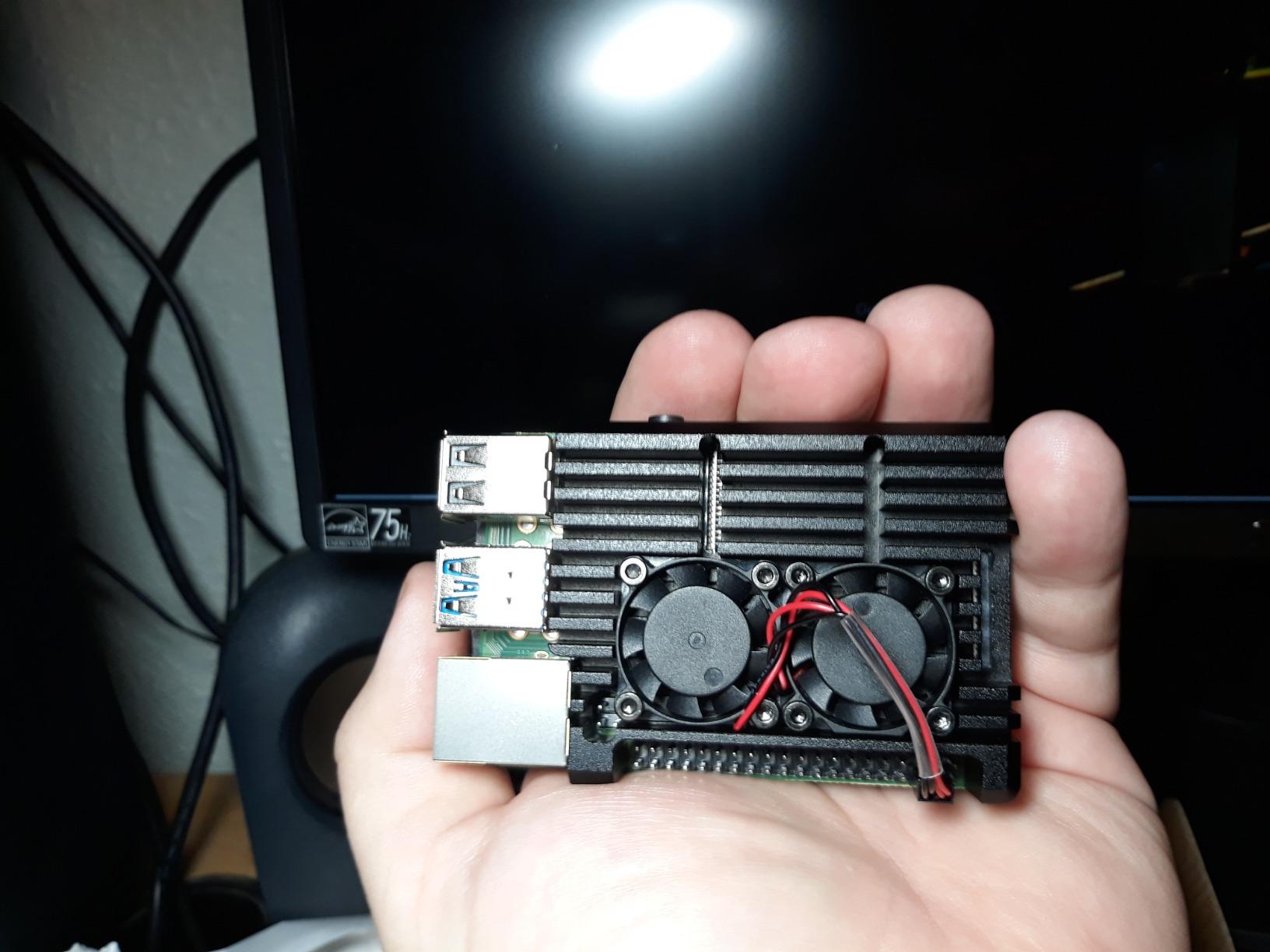
The MazerPi Armor is not a case in the conventional sense; it is more like a CNC-machined heatsink with two small fans attached. That description does not sound glamorous, but it is exactly why this case earns a slot on the list: it pulls heat off the board faster than any sealed enclosure on this roundup. Owners report 37 Celsius under sustained heavy load on a Pi 4, which is borderline ice-cold for this board.
Build quality is genuinely premium for the price. The aluminum is anodized, the fans mount cleanly to the chassis, and the thermal tape that ships in the box actually has decent thermal conductivity. The aesthetic looks like a tiny server rack component, which suits headless NAS and 3D printer server deployments far better than it suits a desk-display build. Two sets of thermal pads mean you can replace the original set when it eventually loses adhesion without buying more parts.
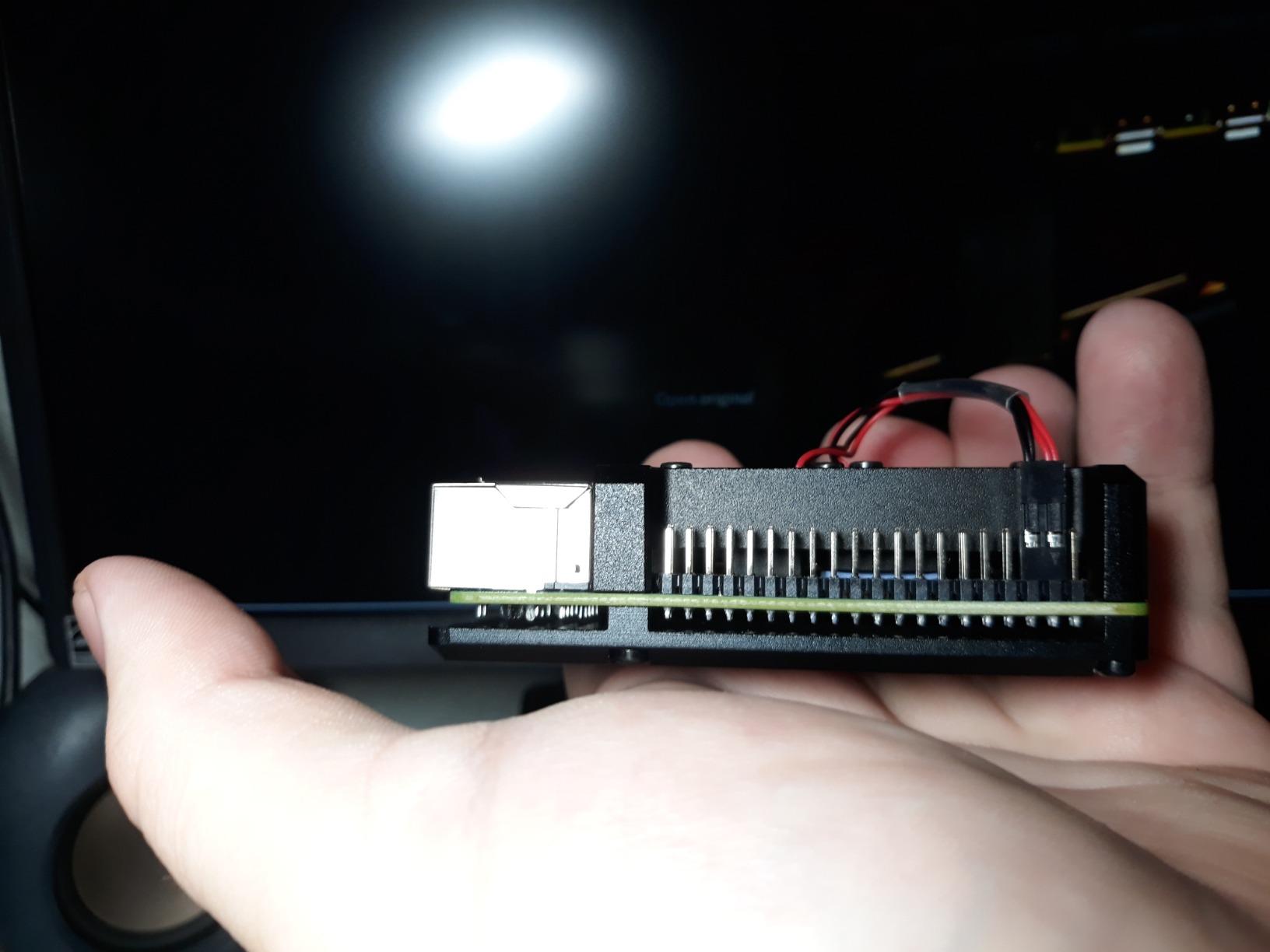
The design has real trade-offs. The microSD card slot is hidden once the case is installed, so swapping SD cards requires partial disassembly every time. The case is not sealed, which means dust collects on the board over months and tall HAT boards may not clear the fans. A small number of buyers have reported fans that develop noise or fail after the return window, which is a reason to keep your proof of purchase.
For workloads that genuinely push the Pi 4 to its thermal limits, this case is the thermal performance leader in this price tier. Anyone running Pi-hole, Plex transcoding, or a small Kubernetes cluster should put it on the short list.
Best fit for always-on servers
If the Pi 4 will run 24/7 with the CPU continuously above 60 percent, the Armor style cooling wins every time. Plex transcoding, Pi-hole with hundreds of thousands of DNS queries, large Home Assistant setups, and self-hosted dev environments all benefit from the dual-fan setup.
What to plan around
Have a plan for swapping the SD card without taking the case apart every time, because once this case is installed, the slot is buried. Either run the OS from a USB SSD (which is what most people do with sustained workloads anyway) or budget for a partial teardown every time the card needs to come out.
6. GeeekPi Nes3Pi Retro Case – Best for Retro Gaming Builds
GeeekPi Case for Raspberry Pi 3B+ with Fan, Retro Gaming Nes3Pi Case with Cooling Fan, Pi Heatsinks for Raspberry Pi 2B/3B/3B+
- Charming retro NES design that pairs perfectly with RetroPie
- Internal fan keeps the SoC cool during long emulation sessions
- Four aluminum heatsinks included in the box
- Affordable entry point for a clean retro gaming build
- Case is somewhat difficult to open once assembled
- Mini SD card slot is very tight
- may need filing
- Cassette-lid USB cover can pop off if bumped
If you are building a RetroPie or Recalbox machine, the GeeekPi Nes3Pi is the case that gets the closest match between hardware and software vibe. The shell looks like a miniature NES, with the cartridge flap on top that doubles as a USB port cover. Sitting on a shelf next to an original console, it looks like a sneaker-scaled replica. Owners use words like “display piece” and “fun” more than the words used for any other case on this list.
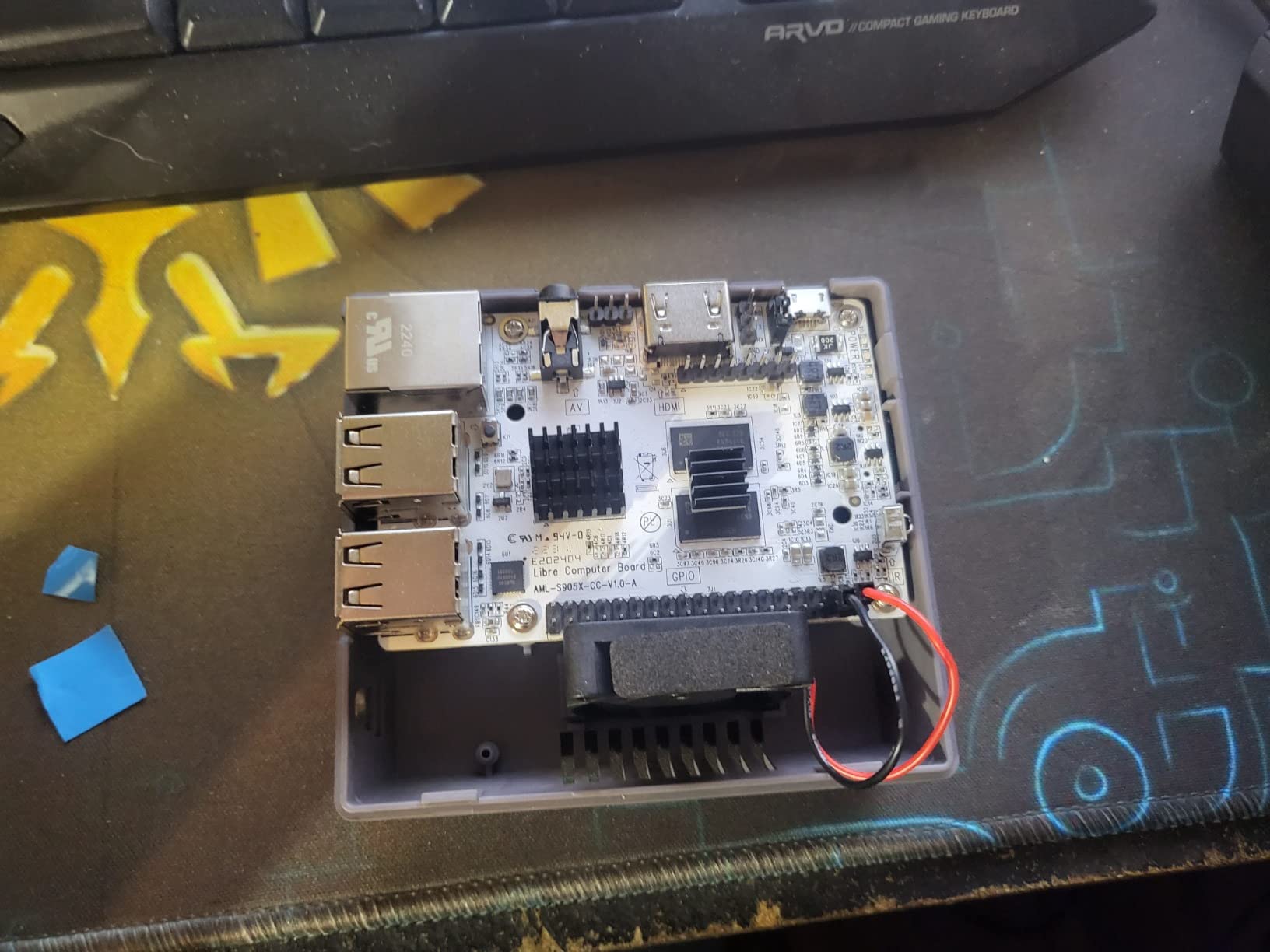
Cooling is functional rather than flashy. The internal fan moves air over the heatsinks and out the side vents, and the Pi 3B+ under emulation runs comfortably below throttle. The kit includes four aluminum heatsinks that attach to the SoC, RAM, USB, and Ethernet chips. Most users never see thermal issues, and the case does not need active fan tuning to stay quiet.
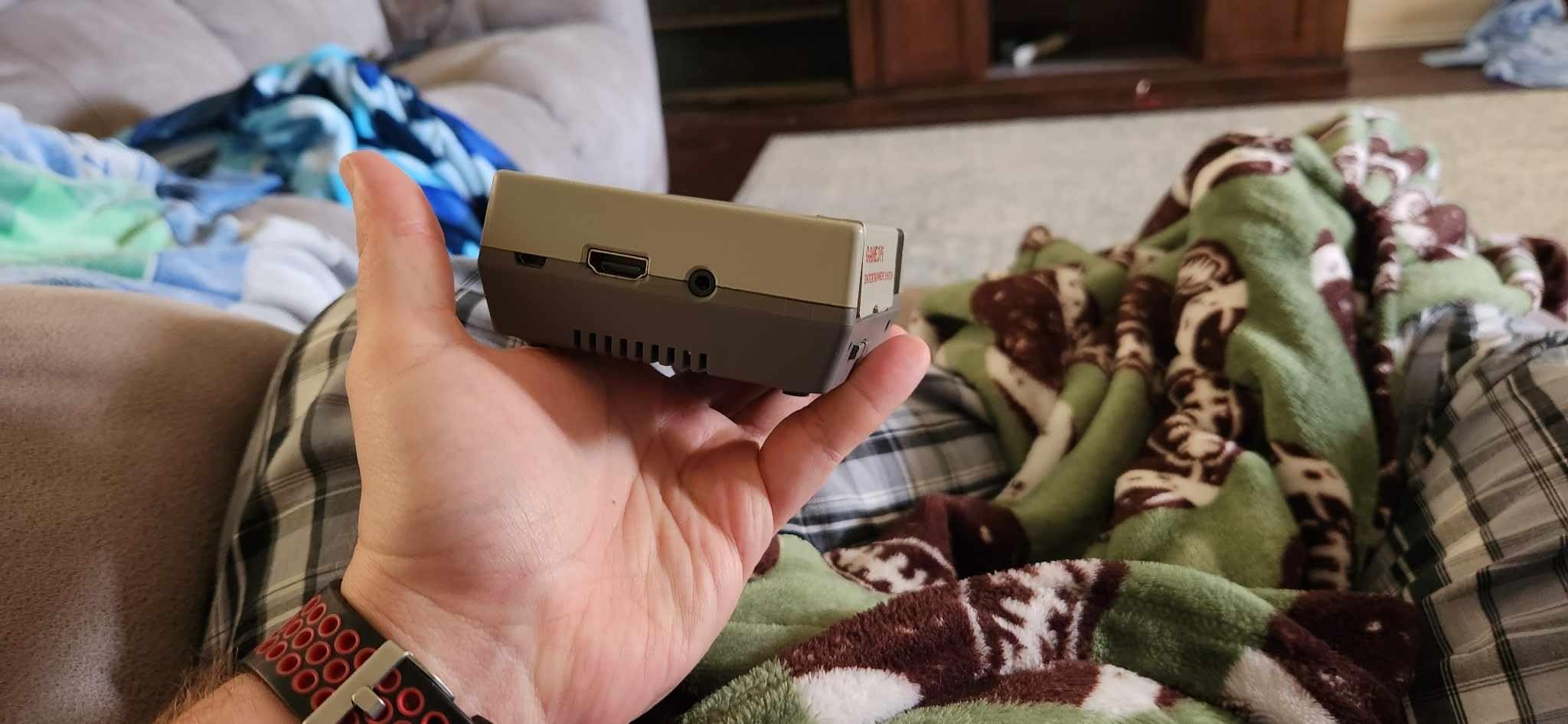
There are real usability trade-offs. Opening the case requires prying the shell apart carefully, which means initial assembly should account for future disassembly if you tinker. The microSD card slot is tight enough that some owners have to file the opening slightly to swap cards cleanly. The cassette-lid on top is a fun nostalgic touch, but it can pop off when the system is moved or bumped.
For a Pi 2B, 3B, or 3B+ dedicated to retro gaming, this case delivers the right combination of performance and personality. Pi 4 owners can technically use this case with a 3B+ to 4B adapter board, but for a Pi 4 build one of the dedicated Pi 4 retro cases would serve better.
Best fit for emulation
The Nes3Pi is built for the Pi 3 generation, and Pi 3B+ is widely considered the sweet spot for RetroPie because emulating PS1 and N64 titles at full speed remains achievable. Pair this case with a Pi 3B+, the official Raspberry Pi PSU, and a quality Samsung EVO microSD for a near-perfect emulation box.
Limitations for general use
Outside of gaming, the NES shell is more about nostalgia than utility. GPIO access is awkward, the case is heavier than necessary for a headless server, and the cartridge flap does not lock down. Treat this as a build specifically for retro emulation rather than a do-it-all enclosure.
7. Miuzei Acrylic Case With Fan – Best Transparent Display Case
Miuzei Case for Raspberry Pi 4 Model B 4gb with Fan Cooling 4Pcs HeatSinks
- Clear acrylic shows off the Pi 4 and any installed HATs
- 35mm silent fan brings meaningful CPU temperature drops
- Stackable layered design with captive nuts for easier assembly
- Rubber feet provide stability and a small airflow gap underneath
- Layered assembly is fiddly for first-time builders
- Some 3rd party micro-HDMI and USB-C cables do not seat fully
- No fan guard so debris can eventually jam the fan
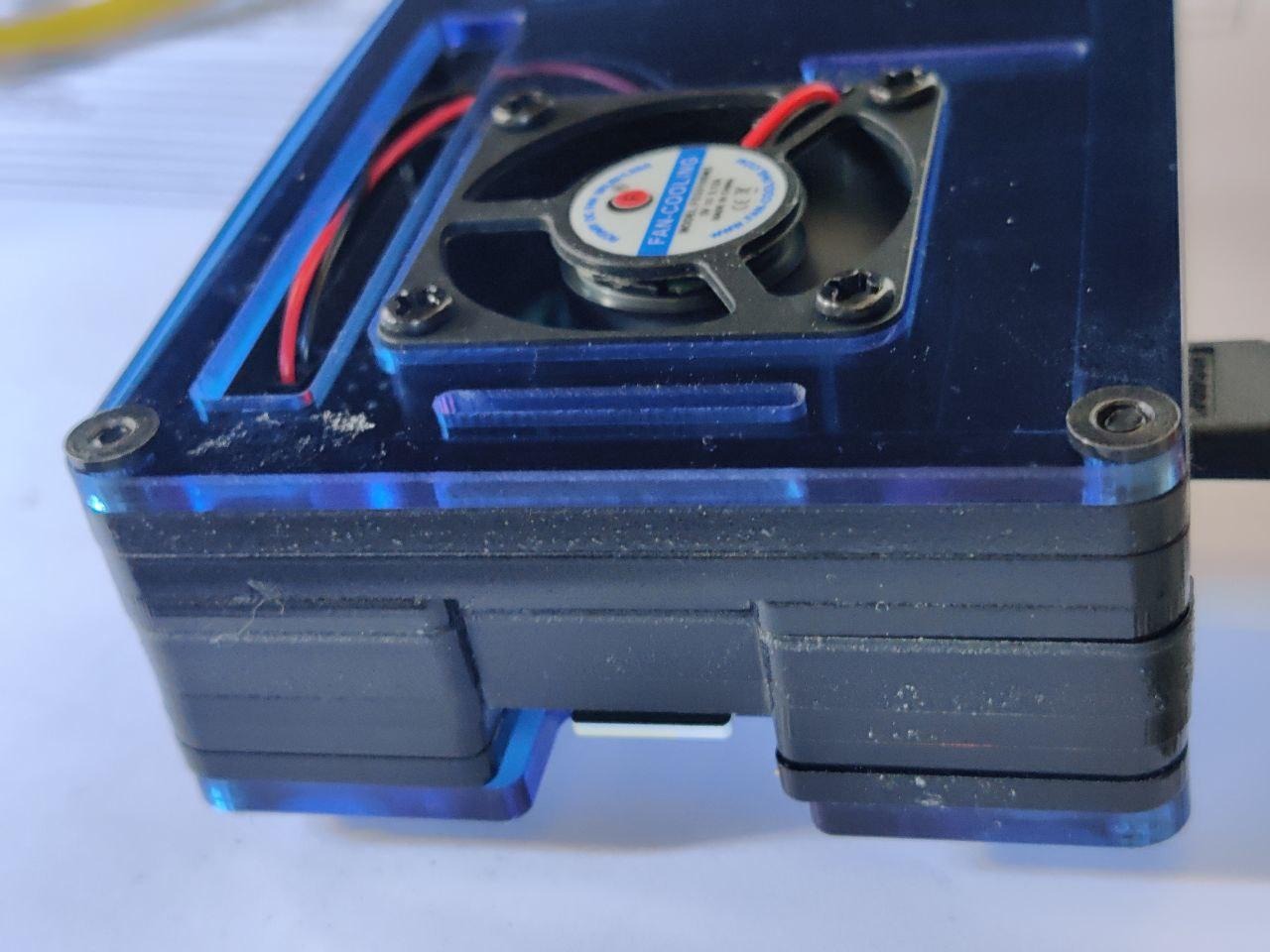
Miuzei’s acrylic case is the pick for anyone who wants the Pi 4 to remain visible after it is enclosed. The clear layers show the board, status LEDs, and any HATs mounted underneath, which is useful for education, demonstrations, and maker-style photos. Owners who run workshops or classrooms get a lot of value out of having the GPIO pins visible while they teach.
Cooling is a real feature, not a checkbox. The 35mm silent fan brings meaningful temperature drops, owners report around 20 Fahrenheit of reduction under sustained load. The captive nuts that hold the layers together are a small detail that makes the layered assembly far less painful than most acrylic stacks on the market. Rubber feet raise the case enough to let air in from underneath, which protects the bottom layer and aids thermals.
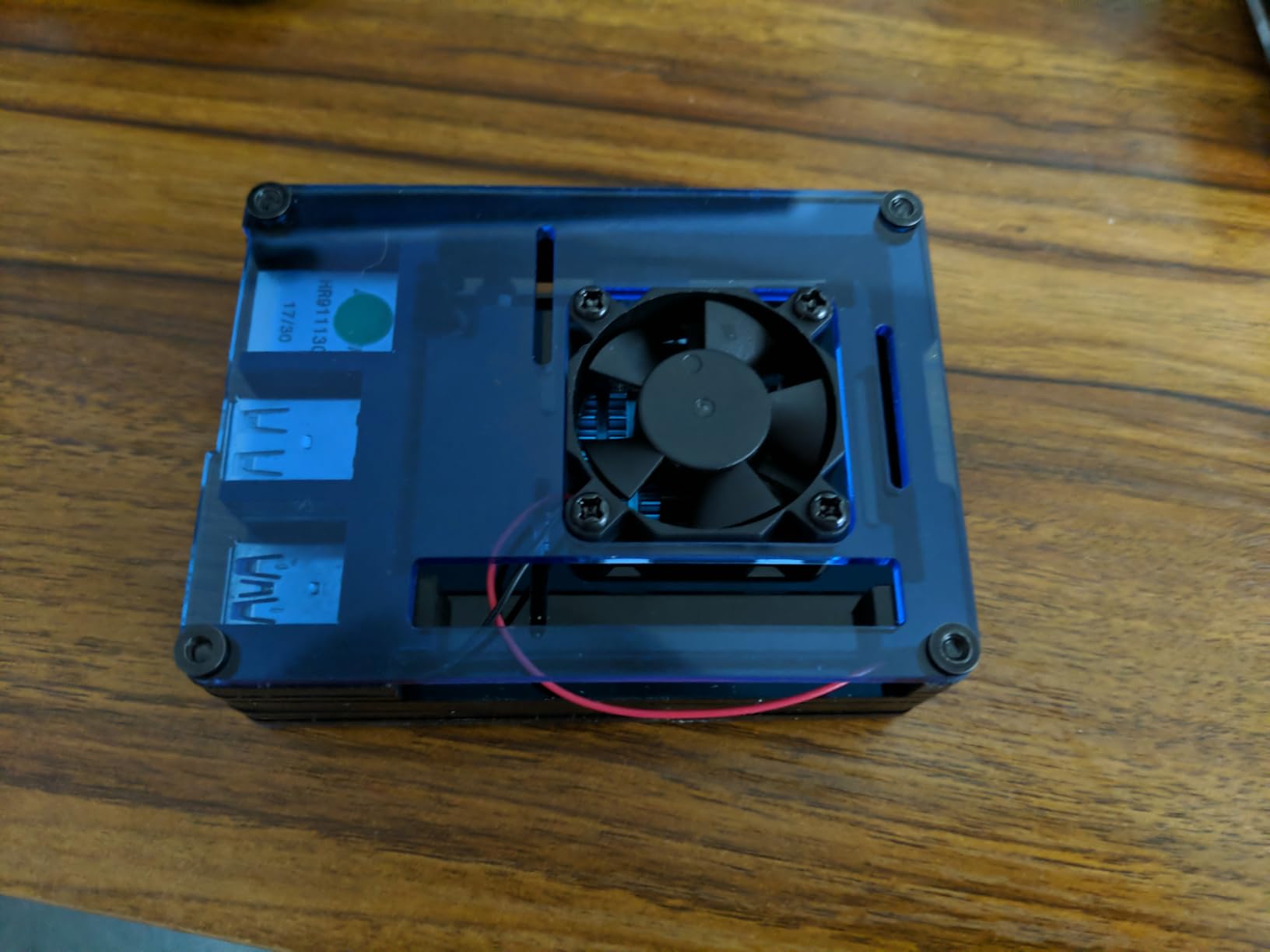
The honest trade-offs are the ones every acrylic case shares. Layered assembly requires patience the first time, and a small number of buyers crack a layer by tightening a screw too aggressively. Port clearance is tight; some third-party micro-HDMI cables and a few USB-C power cables do not seat fully inside the cutout, which means you may need to budget for OEM-style cables. There is no fan guard so dust bunnies can eventually reach the impeller.
For makers who want to display the Pi and educators who want students to see the components, this case is the cleanest transparent pick at this price tier.
Visibility that adds educational value
For STEM classrooms, robotics clubs, and makers documenting their builds on social media, the transparent acrylic pays for itself in engagement. Students can follow GPIO wiring without lifting the case, and the case stays out of the way of learning.
What to verify before buying
Measure your cables. Standard Raspberry Pi micro-HDMI cables fit; some premium angled third-party cables do not. If you already own angled cables for a specific use case, double check the cutouts before ordering.
8. MazerPi Fan + Heatsink ABS Case – Best Bare-Bones Budget Cooling
MazerPi Raspberry Pi 4 Case with Cooling Fan and Heatsink for Pi 4B
- Stress test stays under 75 Celsius with included fan and thermal tape
- Silent when fan is wired to the 3.3V GPIO pin
- Clean port cutouts tailored to the Pi 4 layout
- Easy assembly with thermal interface included
- Screws strip easily and are hard to start without pre-threading
- Default fan orientation can recirculate warm air
- reverses needed
- No printed instructions are included in the box
- Some units may ship with missing components such as the fan
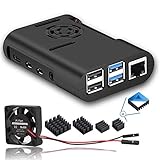
The MazerPi ABS case is the cheapest fan-equipped enclosure in this roundup that still earns a real review. It is not fancy: ABS plastic shell, single fan, single heatsink, port cutouts aligned to the Pi 4 layout. What it does well is take a Pi 4 that would otherwise throttle under sustained load and keep it in the safe zone for next to no money.
Owners report stress-test results below 75 Celsius with the included fan and thermal tape, which is roughly 13 to 18 Celsius cooler than a bare board under the same load. The fan wiring is the secret; connect it to the 3.3V GPIO pin instead of the 5V pin and the system becomes inaudible from a meter away. At 5V the fan moves more air, but the small whine becomes noticeable in a quiet room.
Quality control is the major weak point. Reviewers frequently mention screws that strip during assembly, and the case does not come with printed instructions. The default fan orientation can recirculate warm air inside the sealed chamber, so most owners flip the fan direction during first assembly. A small percentage of buyers have received boxes with the fan or thermal tape missing, which makes supplier reputation worth checking before ordering.
Where this case shines
For low-stakes deployments like a single Pi 4 running Pi-hole, a kids’ coding project, or a temporary development board, this is a perfectly adequate enclosure. The price leaves room in the budget for a quality microSD card or a USB SSD boot drive.
Where to push for something better
If you care about long-term durability, screw quality, or pre-printed documentation, this is not the case. The iUniker ABS kit reviewed above includes better screws and clear instructions for a similar price, and any of the aluminum enclosures reviewed earlier are a step up in build quality.
9. iUniker Pi 3B+ Clear ABS Case – Best for Pi 3 Fleets Still in Service
iUniker Raspberry Pi 3B+ Case – Transparent with Heatsink – Access to All Ports
- No-tool snap-together assembly in under a minute
- Wall-mountable with included mounting points
- Two heatsinks included for slight thermal improvement
- Visible port labels printed on the case help with quick diagnostics
- Difficult to open once snap-fit without flexing the case
- Mini SD card slot is somewhat tight
- Specifically designed for Pi 3 series
- no Pi 4 or Pi 5 fit
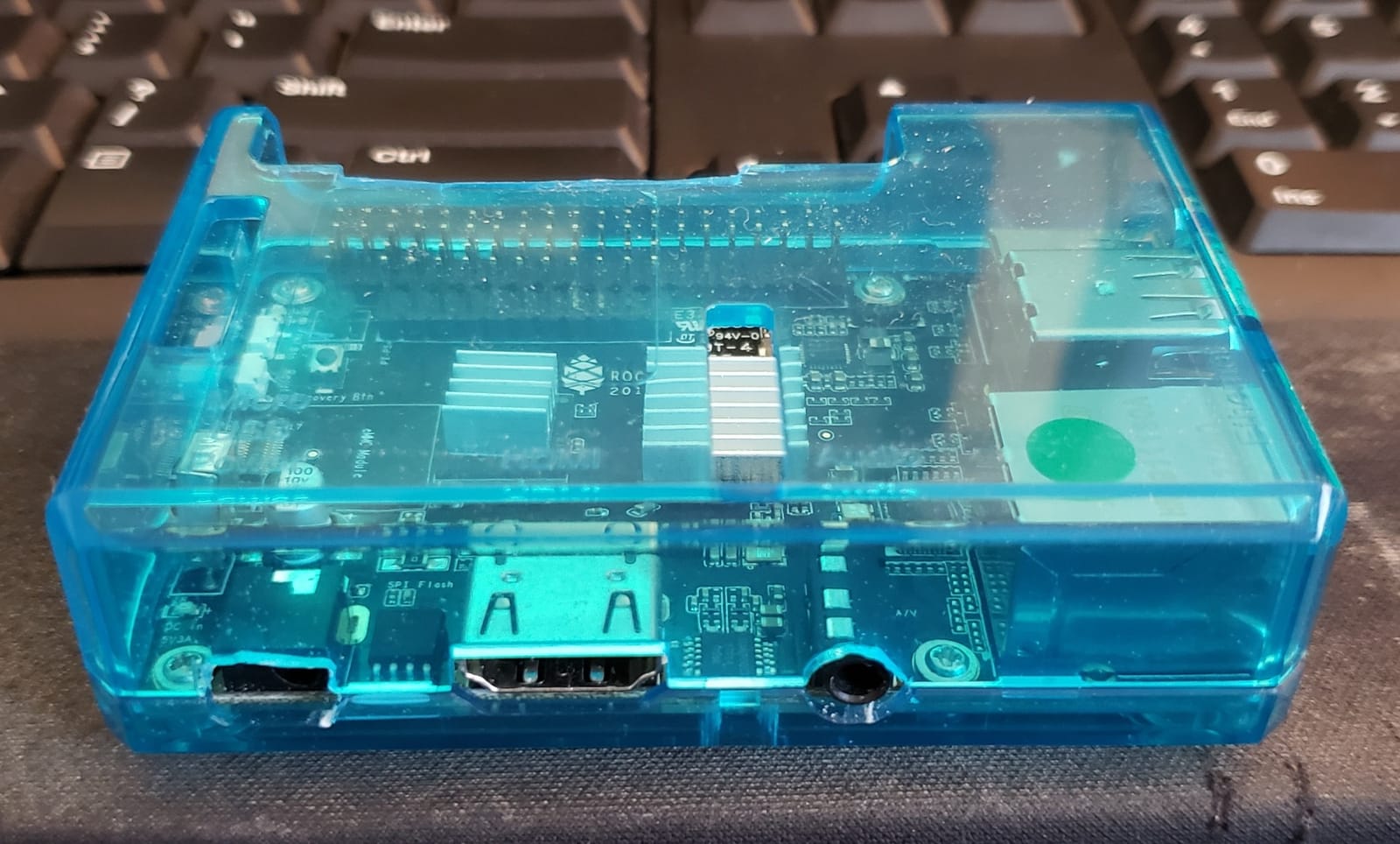
The Pi 3 line is still in active service across huge numbers of Pi-hole installs, RetroPie boxes, kiosk displays, and old robotics projects. For anyone managing a fleet of Pi 3B+ machines, the iUniker clear case is a friendly replacement shell. It snaps together without tools in under a minute, mounts on a wall with two screws, and includes a pair of heatsinks for the SoC and the USB/Ethernet chip cluster.
Function over flash is the right way to describe it. There is no fan and no RGB. The clear plastic lets the status LEDs shine through, which is useful when you have a Pi stuck behind a monitor or inside a junction box and you want to confirm at a glance that it is still booting. The printed port labels around the openings help with quick cable swaps, which saves real time when you are managing several machines.
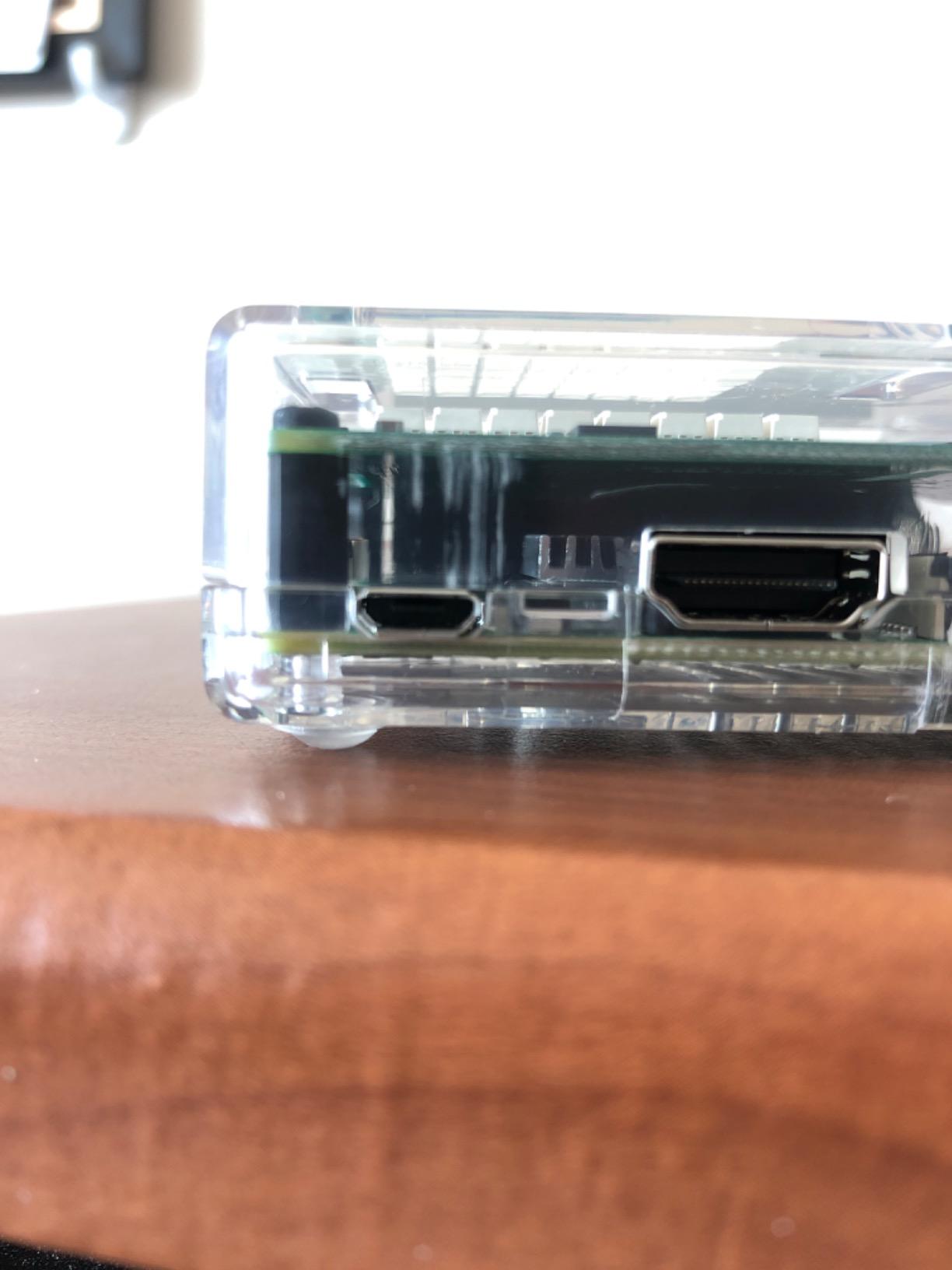
The biggest usability complaint from owners is that the snap-fit shell is hard to open once it is closed, and prying it apart risks cracking the case. Treat it as a one-time assembly: pick your cable layout, install everything, and snap it shut for the long haul. The microSD opening is a little tight, so card extraction is fiddly. The case is designed for the Pi 3 series footprint, so Pi 4 and Pi 5 owners will need a different enclosure from this list.
For anyone running a Pi 3B+ for Pi-hole, Octopi, RetroPie, or a kiosk project, this case is the cleanest low-cost option that still gets full marks on owner reviews.
Wall mounting makes the difference
The wall mount points are the underrated feature. A Pi 3B+ running Pi-hole in a network closet is much happier when it is mounted on the wall away from tangled cables and accidental kicks. The case accepts standard wood screws or small drywall anchors.
Best fit for legacy hardware
If you have a fleet of Pi 3B+ machines still doing real work (and many of us do), this case is a smart way to update their physical housing without buying a fleet of Pi 5s. It is also a great pick for parents handing down an older Pi to a younger sibling, because the snap-together design resists tiny fingers as well as anything can.
10. Official Raspberry Pi 5 Case – Best Stock Option for Pi 5
- Designed by the Raspberry Pi Foundation specifically for the Pi 5 footprint
- PWM-controlled fan ramps up only when thermals demand it
- Quiet under normal workloads thanks to temperature-based control
- Stackable design supports multi-board Pi 5 projects
- No GPIO access hole in the top lid for prototyping
- Lid can come loose if bumped during handling
- Some users report +10 Celsius versus aftermarket cooling solutions
- Limited internal space prevents some 40-pin GPIO extension boards from fitting
The official Pi 5 case is the conservative default for new Pi 5 buyers, and it earns that role through tight first-party fit rather than raw performance. The ABS shell uses the Raspberry Pi Foundation’s signature white and red colorway, the integrated PWM fan ramps up only when the SoC crosses its temperature threshold, and the stackable design supports projects that bolt multiple Pi 5 boards together.
The PWM controller is the underrated feature. Under normal desktop workloads the fan stays at low RPM or off entirely, which means a quiet office or living room experience. Under sustained CPU load the fan ramps up to 2.79 CFM, enough airflow to prevent throttling in most workloads. The case is small enough to disappear on a desk and includes silicone feet and a small heatsink in the box.
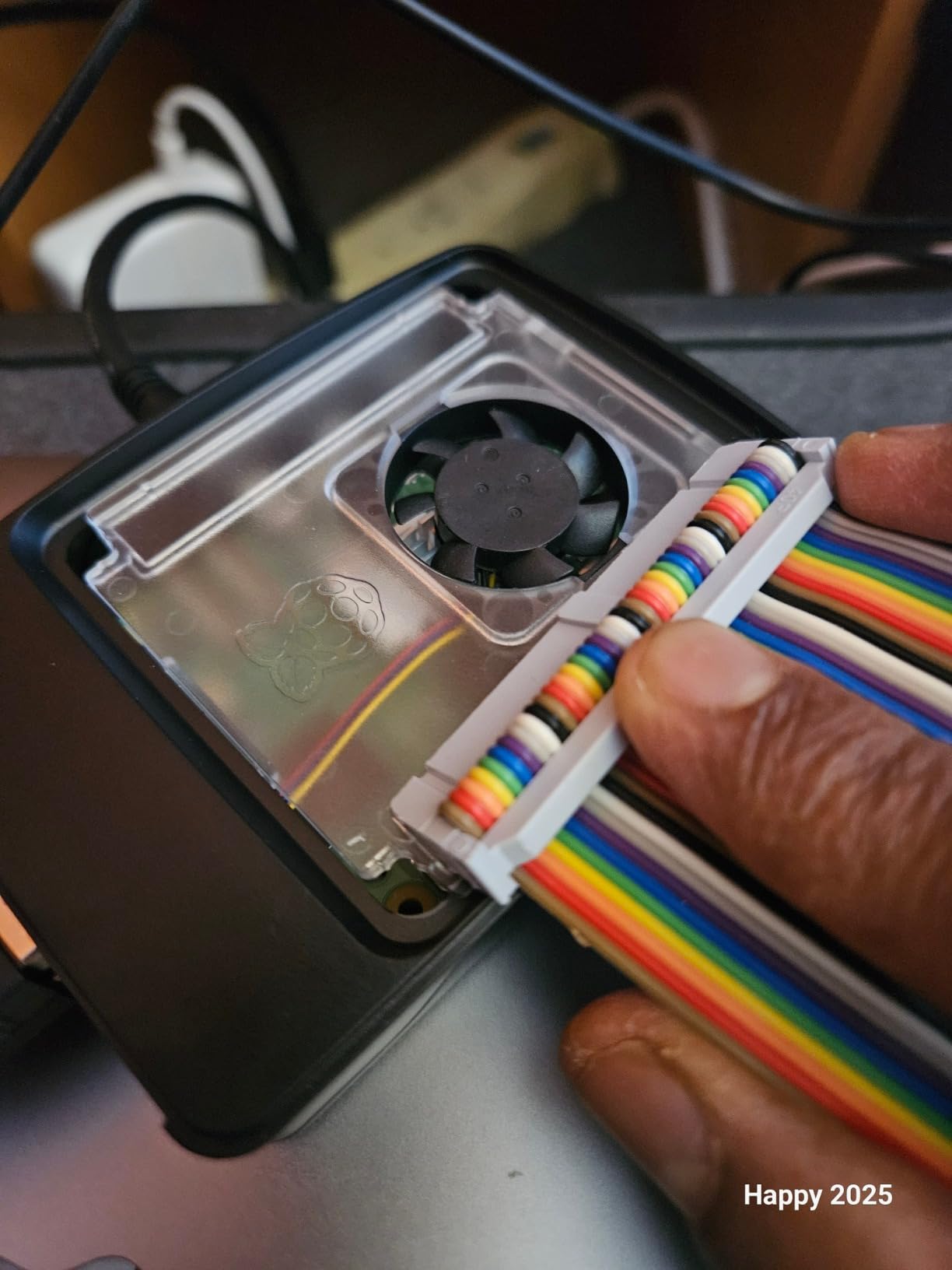
Where the official case gets criticized fairly is in three places. There is no hole in the top lid for GPIO access during prototyping, so tinkerers have to remove the lid each time they want to reach the pins. The lid itself can come loose if the Pi is bumped or moved while running. And thermals are decent but not class-leading; several aftermarket coolers run roughly 10 Celsius cooler than the official case under the same load.
For first-time Pi 5 owners who want a warranty-backed, officially supported enclosure that they know fits, this case is the right starting point. For Pi 5 builders chasing maximum thermal headroom or full GPIO access, look at the dedicated Pi 5 passive and active coolers from third parties.
Why the official case is the safe default
Two reasons. First, port cutouts and standoffs were designed against the actual Pi 5 CAD files, so there is zero chance of misfit on the PCIe FFC connector, the microSD slot, or the power button placement. Second, the warranty and support from the Raspberry Pi Foundation is the strongest in the ecosystem. If something is off, you have one obvious place to go.
When to upgrade
Once you start running sustained loads (Plex, Home Assistant, AI inference demos, Kubernetes clusters), the official case becomes the thermal bottleneck. At that point a dedicated Pi 5 passive cooler with thermal mass will run quieter and cooler for a similar price.
How to Pick the Best Raspberry Pi Case for Your Build?
Picking the best Raspberry Pi cases for your specific build comes down to four decisions that almost every buyer faces. Get these right and the rest of the decision falls into place.
Pi model compatibility
The single biggest mistake upgraders make is buying a Pi 4 case for a Pi 5, or vice versa. The board dimensions, port layout, and power button placement all changed between generations, so a Pi 4 case will not fit a Pi 5 cleanly. If you are upgrading from a Pi 4 to a Pi 5, plan to buy a new case. Read more on the form-factor differences in our breakdown of how the Pi 5 compares to other SBCs and in the GPIO current limits guide on our GPIO pin reference page.
Cooling philosophy
Passive aluminum cases work brilliantly for typical desktop, NAS, and media server workloads, and they cost almost nothing in electricity or fan replacement over the life of the build. Active fan cases are better when you run sustained heavy CPU use (Plex transcoding, AI inference, 3D printer hosts) or live in a warm room. The Geekworm P173 style passive heatsink case is my go-to for silent 24/7 deployments.
Material trade-offs
Aluminum conducts heat better than ABS plastic and acrylic, but it can also block Wi-Fi and Bluetooth signals if the case is fully enclosed. The Argon NEO’s slim aluminum design avoids that issue because the board sits inside an open aluminum frame, while fully sealed aluminum boxes (Argon ONE, certain Mini ITX style cases) measurably attenuate Wi-Fi. ABS plastic and acrylic are Wi-Fi-friendly but provide less thermal mass. Pick your trade-off based on whether you depend on built-in wireless.
Port access and HAT stacking
If you stack HATs or use the GPIO header frequently, cases with magnetic lids (Argon NEO), removable top panels (iUniker Pi 4 kit), or fully open frames (MazerPi Armor) save real time. If your Pi is a closed-box appliance, simpler sealed cases are fine and look better. The microSD card slot location matters too; some cases bury it after installation, which is a deal-breaker if you swap cards often.
Quiet operation
For bedroom or living room deployments, prioritize passive cooling or run any included fan at 3.3V instead of 5V. The Geekworm P173, Argon NEO, and the ElectroCookie at low fan speed all qualify. Active kits like the iUniker ABS kit also qualify if you wire the fan to the 3.3V GPIO pin during installation.
3D-printed and DIY cases
Outside this list there is a large ecosystem of community-designed 3D-printed cases on Printables, Thingiverse, and Cults3D. Some of the best Pi 5 passive designs come from designers like M.Klements and others in the maker community, and they are free to download. If you own a 3D printer and want a fully custom enclosure, the third-party list is worth exploring in addition to these retail picks.
Frequently Asked Questions
What is the best Raspberry Pi case overall in 2026?
For most Pi 4 owners the Geekworm P173 is the best all-around pick: heavy aluminum body, four heatsink pillars, full port access, and the highest owner rating among passive cases on this list. For Pi 5 owners, the official Raspberry Pi 5 case is the safest default until dedicated Pi 5 coolers are reviewed side by side.
Do Raspberry Pi 4 cases fit the Raspberry Pi 5?
No. The Raspberry Pi 5 changed board dimensions, port layout, and the power button placement, so Pi 4 cases do not physically accept a Pi 5 and vice versa. Buying the wrong generation is the most common upgrader mistake, so always verify the case is listed for your specific Pi model before ordering.
Are aluminum Raspberry Pi cases better than plastic?
Aluminum cases conduct heat away from the SoC more effectively than ABS or acrylic, which is why passive aluminum enclosures can run silent without a fan. The trade-off is that fully enclosed aluminum boxes can attenuate Wi-Fi and Bluetooth signals; open aluminum frames and slim designs largely avoid that issue.
Which Pi case supports NVMe SSD storage?
The Pi 5 introduced a PCIe FFC connector that allows NVMe HATs and certain cases to mount an M.2 NVMe SSD. Among the cases on this list, full M.2 NVMe support is most commonly found in Argon 40 V3-style enclosures and Pimoroni NVMe Base add-ons. The cases reviewed here are tuned for Pi 4 builds, where NVMe is delivered through USB 3.0 boot from an external SSD.
How quiet is the best passive case for Pi 4?
A pure passive case like the Geekworm P173 or the Argon NEO has zero moving parts and is therefore completely silent. Both are designed to keep a Pi 4 below throttle temperatures at typical desktop and server workloads. For sustained heavy CPU loads, adding the Argon Fan HAT to the NEO is the easiest upgrade path to active cooling.
Final Verdict: Which Raspberry Pi Case Should You Buy in 2026?
If you want the safest pick across the broadest set of Pi 4 use cases, the Geekworm P173 is the case to buy. It is the highest-rated passive case in this roundup, fully open to all ports and GPIO work, and quiet enough for any room in the house. For builders who want a premium feel and a magnetic GPIO lid, the Argon NEO is the right upgrade. For retro gaming fans, the GeeekPi Nes3Pi is the most fun enclosure on the list. Anyone running an older Pi 3 fleet should keep the iUniker Pi 3B+ clear case on the short list, and Pi 5 buyers should start with the official case and plan a thermal upgrade if workloads push the SoC.
For more on putting these boards to work, see our guide on what a Raspberry Pi can actually do in robotics and the dedicated Pi 5 articles linked throughout this guide. Whichever case you choose, mount the microSD card or SSD securely, double-check the board orientation, and enjoy the Pi 4 or Pi 5 working the way it was meant to: cool, quiet, and ready for whatever project comes next.