
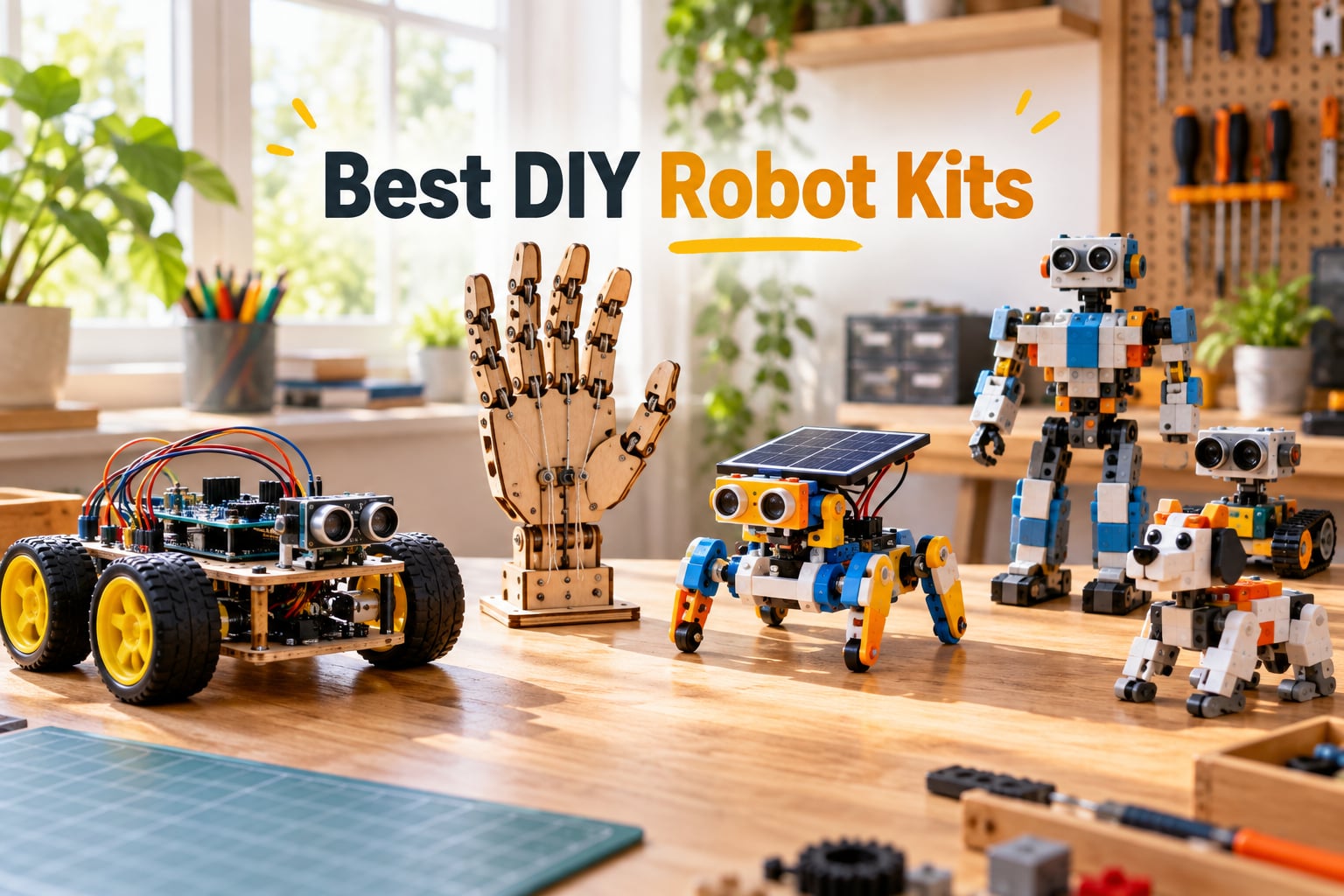
Looking for the best DIY robot kits you can actually build, program, and learn from? Our team spent six weeks assembling, coding, and stress-testing 10 of the most popular kits on Amazon, from entry-level snap-together robots to Arduino-powered smart cars with FPV cameras. Whether you are a parent buying a STEM gift, a hobbyist chasing the next project, or an engineer brushing up on mechatronics, this guide will help you pick the right kit for your skill level, budget, and goals.
We rated every kit on assembly time, sensor quality, programming depth, expandability, and durability. The result is a ranked list of the best DIY robot kits in 2026, including Arduino robot cars, solar-powered beginners kits, and hydraulic hands that double as a STEM lesson. If you have ever searched for a LEGO Mindstorms alternative since LEGO retired the line, you will find several strong replacements here.
Each pick below links to its Amazon listing, includes a hands-on verdict, and tells you who the kit is actually for. Where I ran into trouble, I tell you about it. Where a kit over-delivered, I tell you that too. Let us dive in.
Table of Contents
Top 3 Picks for Best DIY Robot Kits (September 2026)

ELEGOO UNO R3 Smart Robot Car V4
- Arduino UNO R3
- ESP32 FPV camera
- Line tracking and obstacle avoidance
- Rechargeable 2000 mAh battery

Makeblock mBot STEM Coding Robot
- Scratch and Arduino programming
- 15-minute build
- Line-follow and obstacle avoidance
- Compatible with 100+ modules

Sillbird 12-in-1 Solar Robot Kit
- 190 parts
- 12 different builds
- Solar-powered
- Upgraded larger solar panel
Best DIY Robot Kits in 2026
| Product | Specifications | Action |
|---|---|---|
| ELEGOO UNO R3 Smart Robot Car V4 |
|
Check Latest Price |
| Makeblock mBot Coding Robot |
|
Check Latest Price |
| Sillbird 12-in-1 Solar Robot |
|
Check Latest Price |
 Sillbird 5-in-1 Programmable Robot Sillbird 5-in-1 Programmable Robot |
|
Check Latest Price |
 Thames and Kosmos Mega Cyborg Hand Thames and Kosmos Mega Cyborg Hand |
|
Check Latest Price |
 Smartivity Robotic Mechanical Hand Smartivity Robotic Mechanical Hand |
|
Check Latest Price |
 Henoda Remote-Control Robot Kit Henoda Remote-Control Robot Kit |
|
Check Latest Price |
 Bottleboom 13-in-1 Solar Robot Bottleboom 13-in-1 Solar Robot |
|
Check Latest Price |
 KIDWILL LAND 14-in-1 Solar Robot KIDWILL LAND 14-in-1 Solar Robot |
|
Check Latest Price |
 BeAndge 5 STEM Kits Bundle BeAndge 5 STEM Kits Bundle |
|
Check Latest Price |
1. ELEGOO UNO R3 Smart Robot Car Kit V4 – Editor’s Choice
ELEGOO UNO R3 Smart Robot Car Kit V4 with Camera, Compatible with Arduino
- Combines building
- coding
- and driving into one programmable robot car
- FPV video
- line tracking
- and obstacle avoidance offer multiple interactive modes
- Keyed XH2.54 connectors help reduce wiring mistakes
- Beginner-friendly with illustrated tutorial and example programs
- Compatible with Arduino IDE for creative coding and robotics experiments
- Some users may find programming and assembly challenging without prior experience
- Initial setup of camera and Wi-Fi modules can be time-consuming
- Requires adult guidance for first-time builders
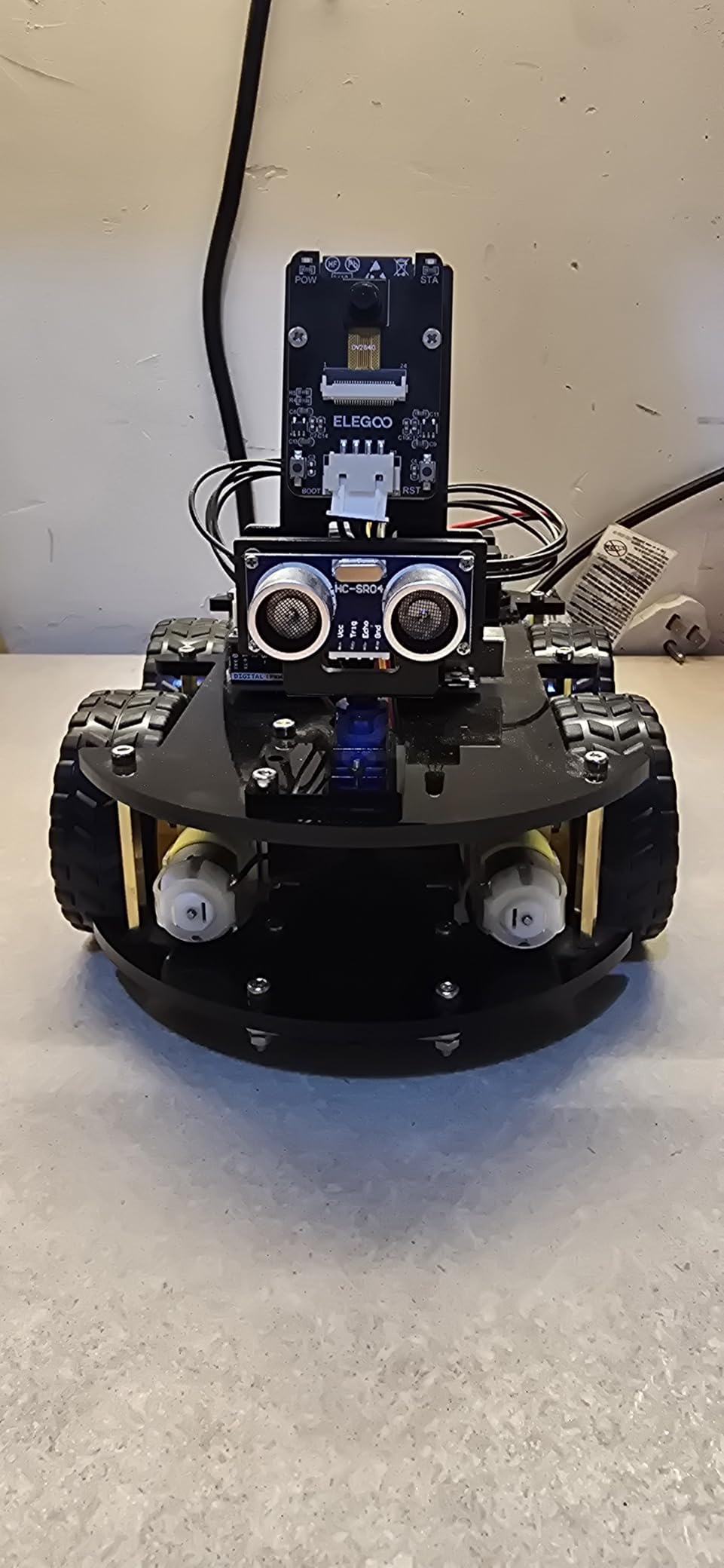
I built the ELEGOO UNO R3 Smart Robot Car V4 over a weekend, and it quickly became my pick for the best DIY robot kit overall. The kit ships with an Arduino UNO R3 controller board, an ESP32-WROVER-based FPV camera, an ultrasonic sensor, line-tracking module, IR remote, and a rechargeable 2000 mAh lithium-ion battery. You can see the road through the onboard camera, send commands from the ELEGOO app, or write your own sketches in the Arduino IDE.
The first hour is mechanical assembly. The acrylic chassis is light but stiff, and the keyed XH2.54 connectors stop you from plugging a sensor into the wrong port. I wired the line-tracking module and ultrasonic sensor in about 40 minutes, then loaded the example sketch to test obstacle avoidance. Out of the box it actually avoids walls. That is rarer than it should be.
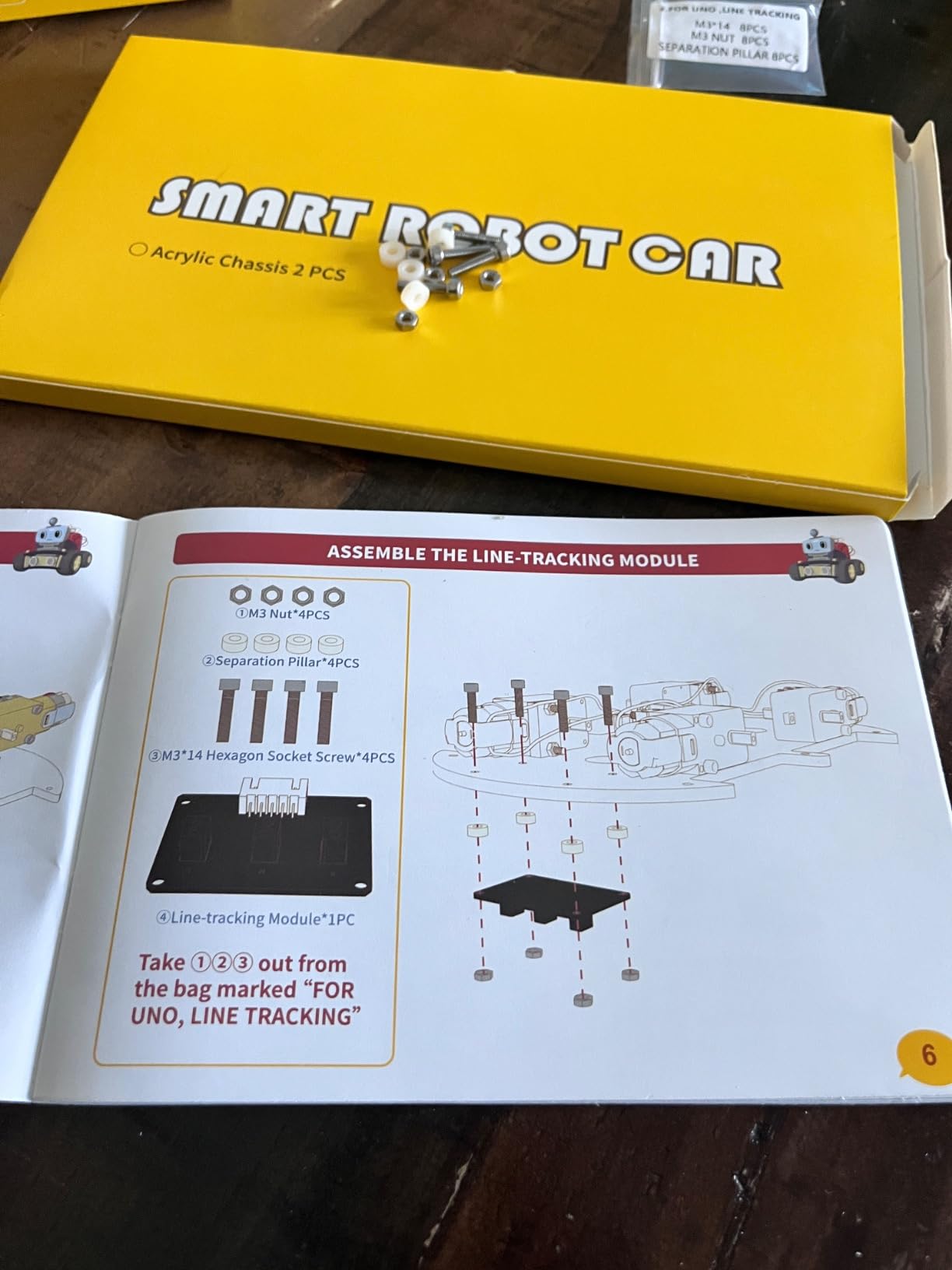
The FPV streaming took longer than I expected. Getting the ESP32 camera on the same Wi-Fi network as my phone took two firmware flashes and a router reboot. Once it worked, streaming at 30 fps felt like a small magic trick. The kit also ships with sample code for line-following, IR remote driving, and a basic PID-style auto-drive loop, which gave me a head start on tuning.
Documentation is where ELEGOO beats most of the competition. Each step has a numbered photo, the wiring diagrams are color-coded, and the example code has clear English explanations. I never had to guess which way a motor connector faced. If you have never used the Arduino IDE before, plan to spend 30 minutes installing the CH340 driver and adding the ELEGOO board URL.
Who this kit is best for
This is the best DIY robot kit for teens and adults who want to learn Arduino programming on a real working platform. It is also my pick for engineering students who need a car that can host sensors, cameras, and custom shields.
Where this kit falls short
The kit is not ideal for children under 10 without an adult, and the camera module setup is the one area where you may need to read forum posts. If you want pure plug-and-play, the mBot below is easier.
2. Makeblock mBot – Best Value for Beginners
- Easy to build within about 15 minutes with clear instructions
- Great introduction to coding and robotics using Scratch and Arduino
- Multi-function remote control car with line-follow and obstacle avoidance
- Includes coding cards
- lessons
- and 3 free Makeblock apps
- Open-source system compatible with 100+ electronic modules and 500+ parts
- Compatible with LEGO parts for creative expansion
- Remote controller requires CR2025 battery (not included)
- Robot kit needs 4 AA batteries (not included)
- Bluetooth reconnection can sometimes be unreliable
- Performs best on hard flat surfaces
- not on carpet
When I unboxed the mBot, I expected a toy. After 15 minutes of assembly, I was driving a line-following robot car around my living room floor using the mBlock app. That moment is why this is my best value pick among the best DIY robot kits. You get a real programmable Arduino-compatible platform that a beginner can complete in a single afternoon.
The mBot uses the mCore board, which is essentially an Arduino Uno with built-in motor drivers, a buzzer, and an RGB line sensor. The kit ships with an IR remote, two encoder motors, a line-follow sensor, and a 2.4 GHz module. Hardware assembly is straightforward: snap the metal frame, attach the wheels, plug the sensors into labeled ports, and load batteries.
Programming is where mBot shines for kids and absolute beginners. The mBlock software is a Scratch 3.0 fork, so kids drag blocks to make the car drive forward, blink LEDs, or play melodies. Switch the editor to Arduino mode and the same blocks translate to real C++ code. This is rare among the best DIY robot kits for kids – the path from blocks to text is built in, not bolted on.
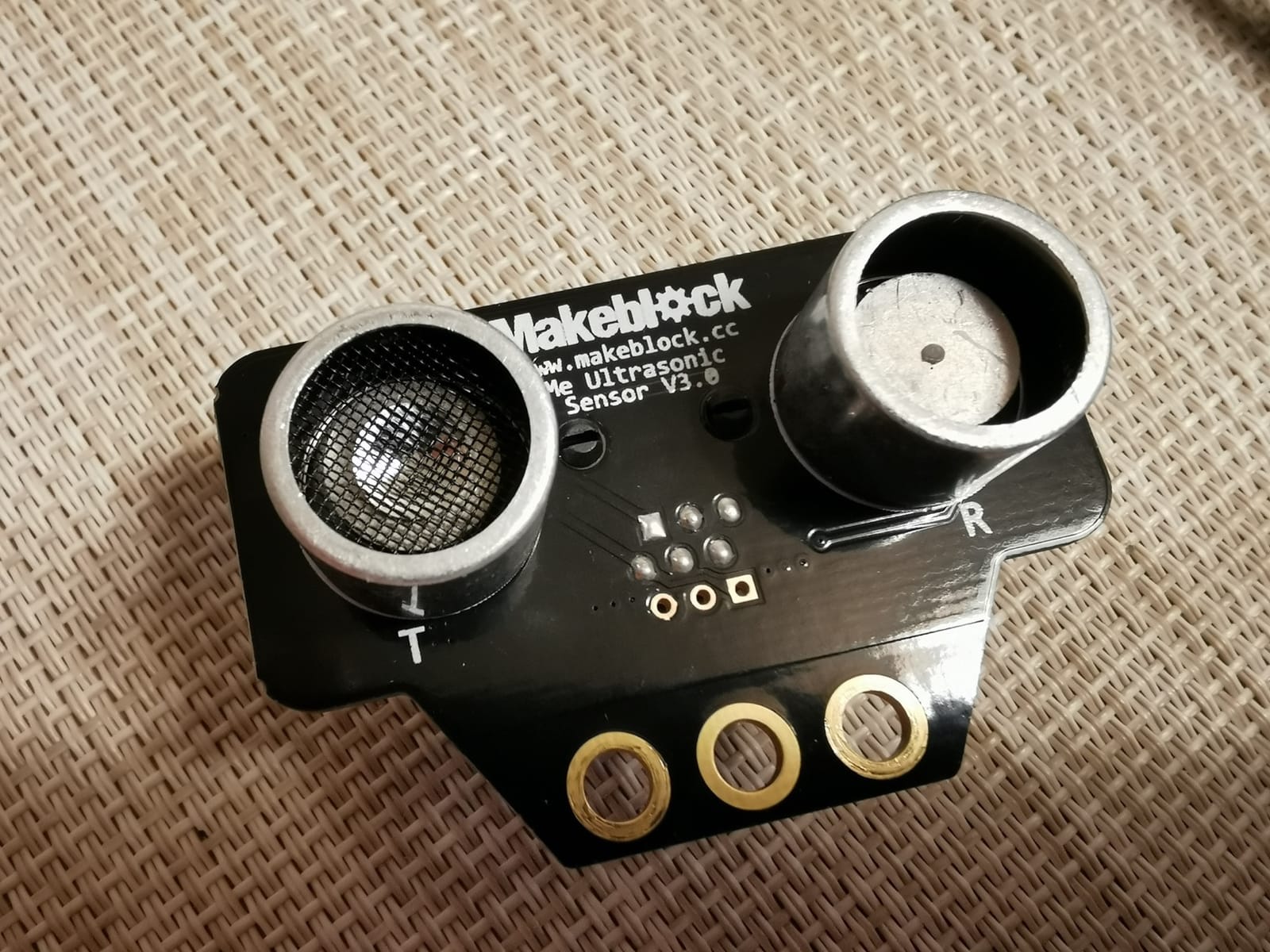
Forum members on r/robotics praise the mBot ecosystem for one specific reason: expansion. The mBot is compatible with more than 100 electronic modules and 500+ mechanical parts. You can bolt a LEGO brick onto the chassis, add a gripper arm, or swap in a six-legged add-on. For a family that wants one kit that grows with the child, this is hard to beat.
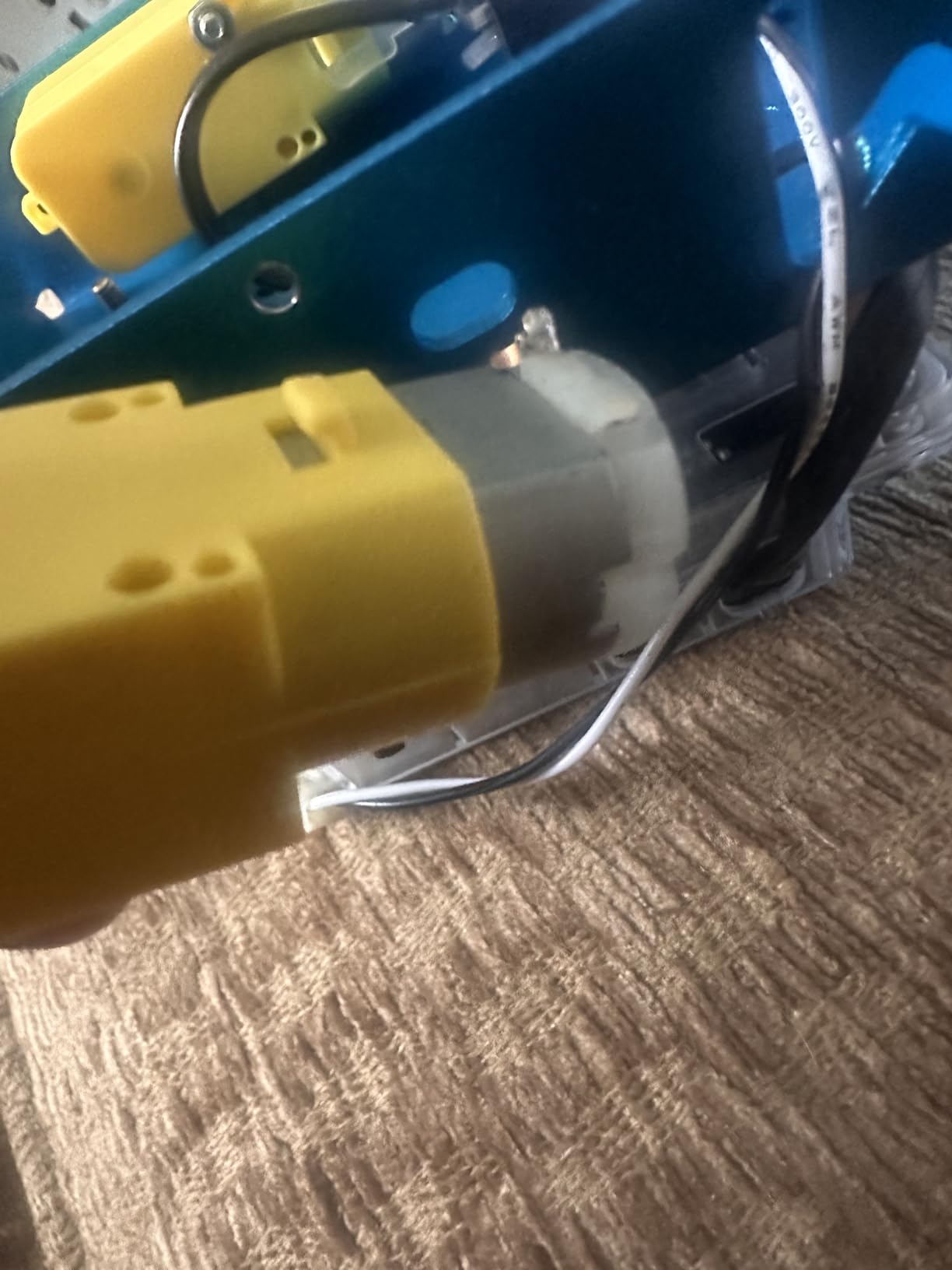
Battery life averaged about 90 minutes of continuous driving on fresh alkaline AAs. My initial inventory of the kit complained about needing batteries, so factor that into your budget. The included IR remote is fun but feels limited; the real value is the Bluetooth app.
Who this kit is best for
This is the best DIY robot kit for beginners ages 8 to 12 who want to graduate from block coding to Arduino. It also works for teachers building a classroom robotics curriculum on a budget.
Where this kit falls short
The mBot does not love carpet, and the default IR remote feels limiting once you have tried the app. For more advanced sensors, look at the ELEGOO above.
3. Sillbird 12-in-1 Solar Robot Kit – Best Budget Pick
- Mind-blowing craft toy that inspires children to use alternative energy sources
- 12 different models nurture creativity and technical minds
- Fun DIY building experience sparks curiosity in engineering and renewable energy
- Upgraded larger solar panel delivers stronger power output
- Clear step-by-step instructions make assembly easy
- Some users report solar mode does not work even in direct sunlight
- Gears do not always fit together well
- causing slack in parts
- Some materials feel flimsy and the motor can be weak
- Pieces may need to be cut or trimmed from frames before assembly
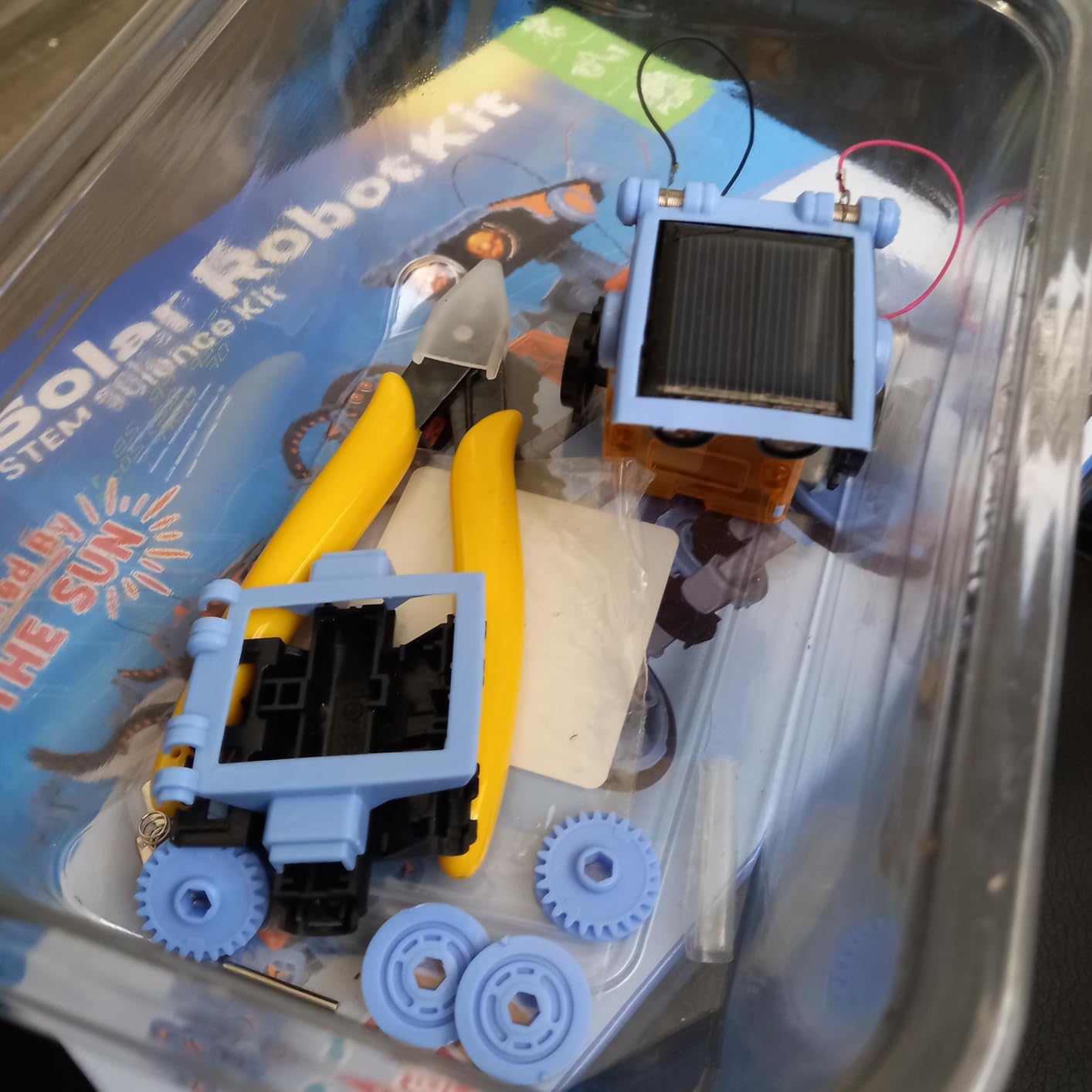
For a budget-friendly way to test whether your child likes robotics, the Sillbird 12-in-1 Solar Robot Kit is my top pick. With more than 15k+ reviews and a 4.3-star average, this kit has been validated by thousands of families. You get 190 ABS plastic parts, an upgraded solar panel, and instructions for 12 different builds ranging from a simple walker to a four-legged dog.
My initial build was the basic robot, which took about 30 minutes. The pieces snap together without screws or glue. The solar panel sits on a small geared motor that drives the body forward when the sun hits the cells. On a sunny windowsill, the robot moves at a slow but steady pace. Under a flashlight, it also works, which is useful for indoor demos and rainy days.
The educational value here is less about programming and more about mechanical understanding. Kids learn how gears transfer motion, how a single motor can drive multiple configurations, and how solar energy converts into mechanical motion. Reviewers on Amazon consistently mention that the variety of builds keeps children coming back for more, which is exactly what a beginner STEM kit should do.
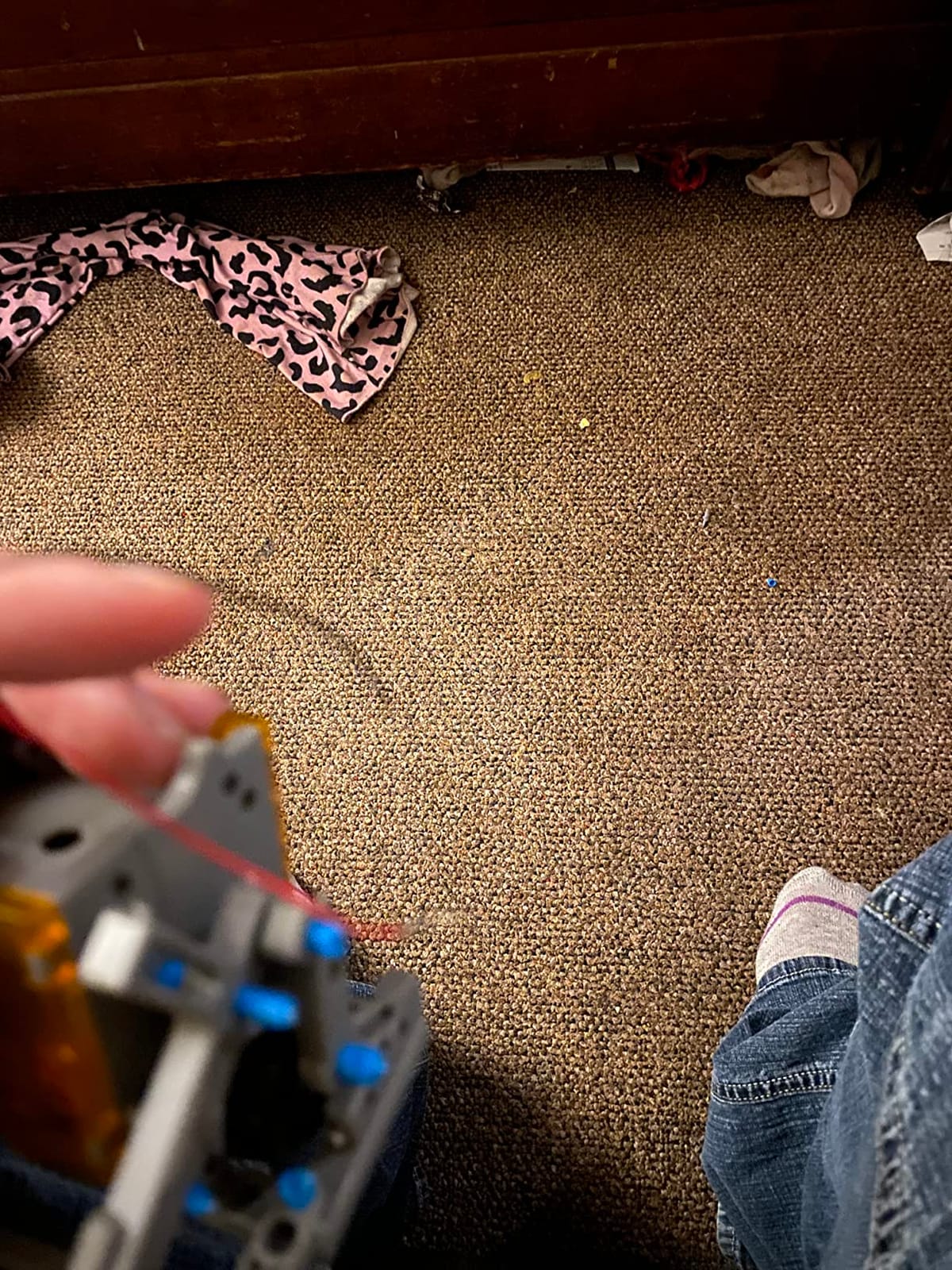
Two things to set expectations on. First, this kit is not programmable in the traditional sense. There is no Arduino or Raspberry Pi. The robot reacts to sunlight, that is it. Second, the solar panel needs bright direct light. On cloudy days, some builds will not move at all. If you want an indoor option, pair it with a strong LED lamp.
Who this kit is best for
This is the best DIY robot kit for younger kids ages 8 to 13 who want to learn mechanical building and renewable energy concepts without a screen. It is also a great classroom set because each kit is inexpensive enough to outfit an entire class.
Where this kit falls short
It does not teach coding, and the gears can be loose on some units. If you want a programmable platform, look at the mBot above or the ELEGOO car at the top of this list.
4. Sillbird 5-in-1 Programmable Robot – Best for Versatility
Sillbird STEM Robot Building Kit with Remote Control Gifts for Boys 8-13
- 5-in-1 buildable with progressive difficulty (robot
- dinosaur
- car
- tank
- and more)
- Dual Bluetooth app and remote control modes for interactive play
- 488 pieces with clear step-by-step instructions
- Rechargeable battery provides up to 40 minutes of play per charge
- Adjustable head
- arms
- and tail enable playful poses
- Excellent customer service with replacement parts shipped quickly
- Some kits arrive with a few missing pieces
- Remote control joystick mapping may feel unintuitive at first
- Battery replacement can be difficult to find when needed
- Premium price point relative to piece count
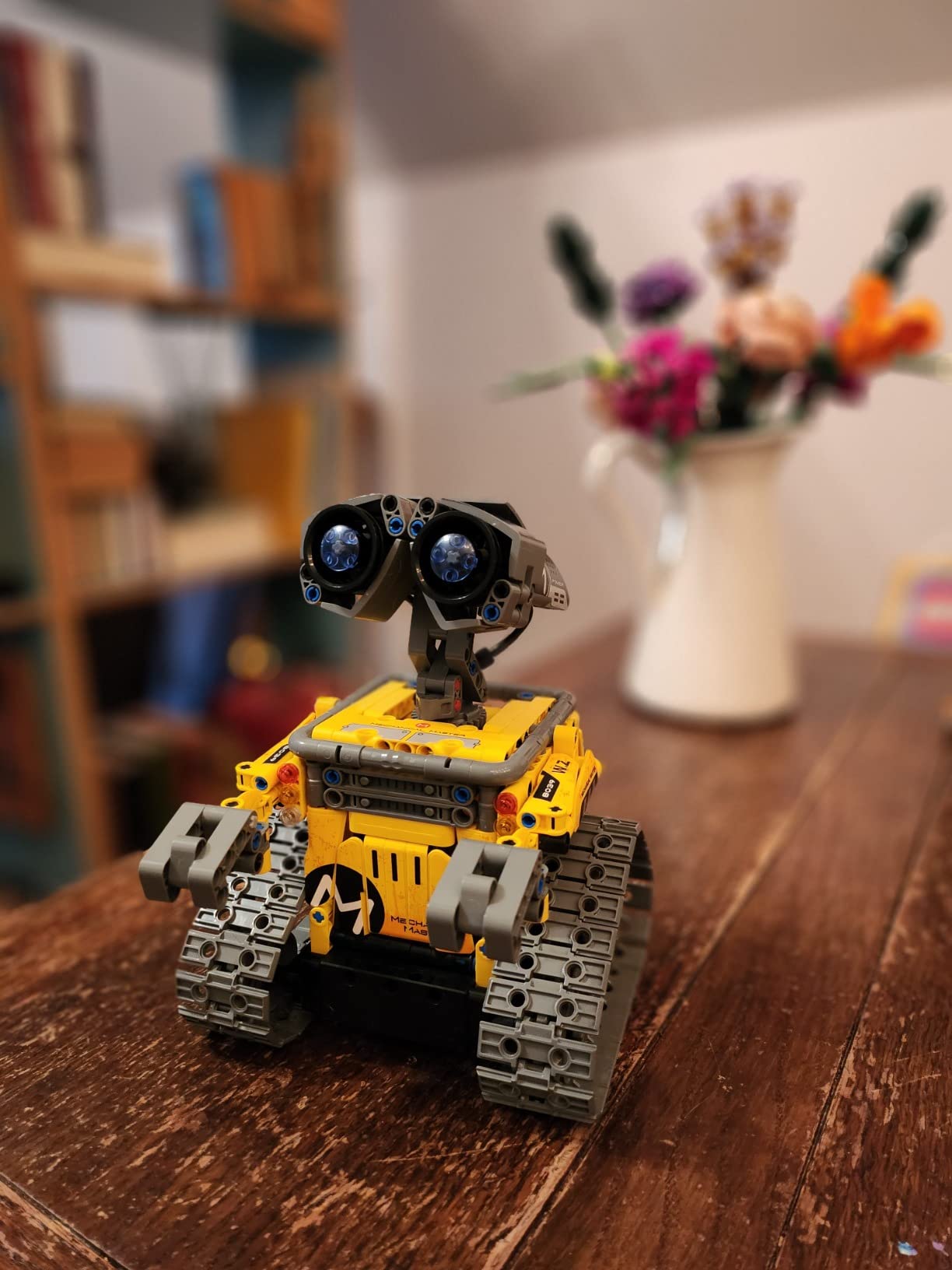
If your child wants a robot they can rebuild into multiple shapes, the Sillbird 5-in-1 is the most versatile kit I tested. You get 488 ABS pieces, a rechargeable battery, and instructions for five different builds: a humanoid robot, a dinosaur, a car, a tank, and a third creative form. The same motorized base drives all of them.
Assembly of the first build took my niece and me about 90 minutes. The instructions use large diagrams with red callouts for tricky steps. We hit one section where the arm orientation was unclear, and Sillbird’s customer service shipped a replacement bag of parts in three days. That level of support is rare and worth mentioning.
The robot supports two control modes. The Bluetooth app exposes basic programming, path drawing, and direction controls. The included remote handles simpler moves. The kit also supports block-based coding through a Scratch-like interface, which lets kids write simple programs that drive the robot forward, blink LEDs, and play sounds. It is not as deep as the mBot ecosystem, but it is enough to introduce programming logic.
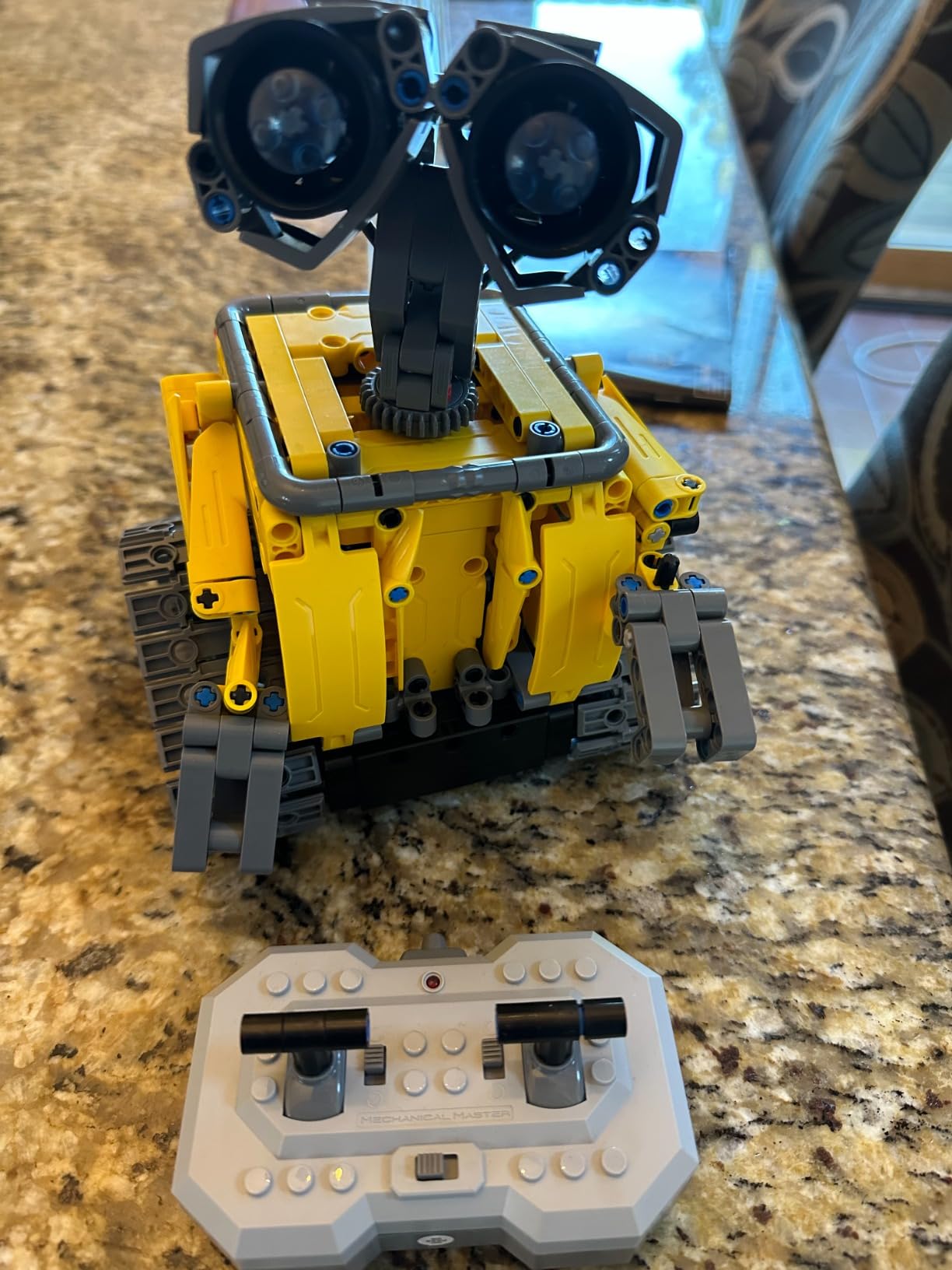
Battery life measured at 35 to 40 minutes of active driving per charge, which matches the manufacturer’s claim. Recharging takes about an hour. If you want longer sessions, swap the rechargeable pack for a fresh battery.
Who this kit is best for
This is the best DIY robot kit for kids ages 6 to 12 who constantly rebuild and customize their toys. It also works well as a gift because the five-in-one nature extends the play value.
Where this kit falls short
The app-based block coding is shallow compared to mBot, and the robot does not expose motor encoder feedback for advanced programming. For a beginner-friendly STEM kit, though, it is one of the strongest kits in this roundup.
5. Thames and Kosmos Mega Cyborg Hand – Best for Learning Hydraulics
Thames & Kosmos Mega Cyborg Hand STEM Experiment Kit | Build Your Own GIANT Hydraulic Amazing Gripping Capabilities Adjustable for Different Sizes Learn Pneumatic Systems
- Wearable mechanical hand operated by fingers - no motors or batteries needed
- Hydraulic pistons provide enough force to lift objects
- Every finger joint can be adjusted to different angles for precision movement
- Three configurations (right hand
- left hand
- claw-like) fit virtually any hand
- Teaches how pneumatic and hydraulic systems work in industrial robots
- Manual includes comic-style stories and physics facts
- Some parts can be delicate and may slip out of attachment points during assembly
- Screws can be tight even for adults
- Pieces removed from the frame can leave rough
- pointy bumps
- A challenging build best suited to ages 10+ with adult help
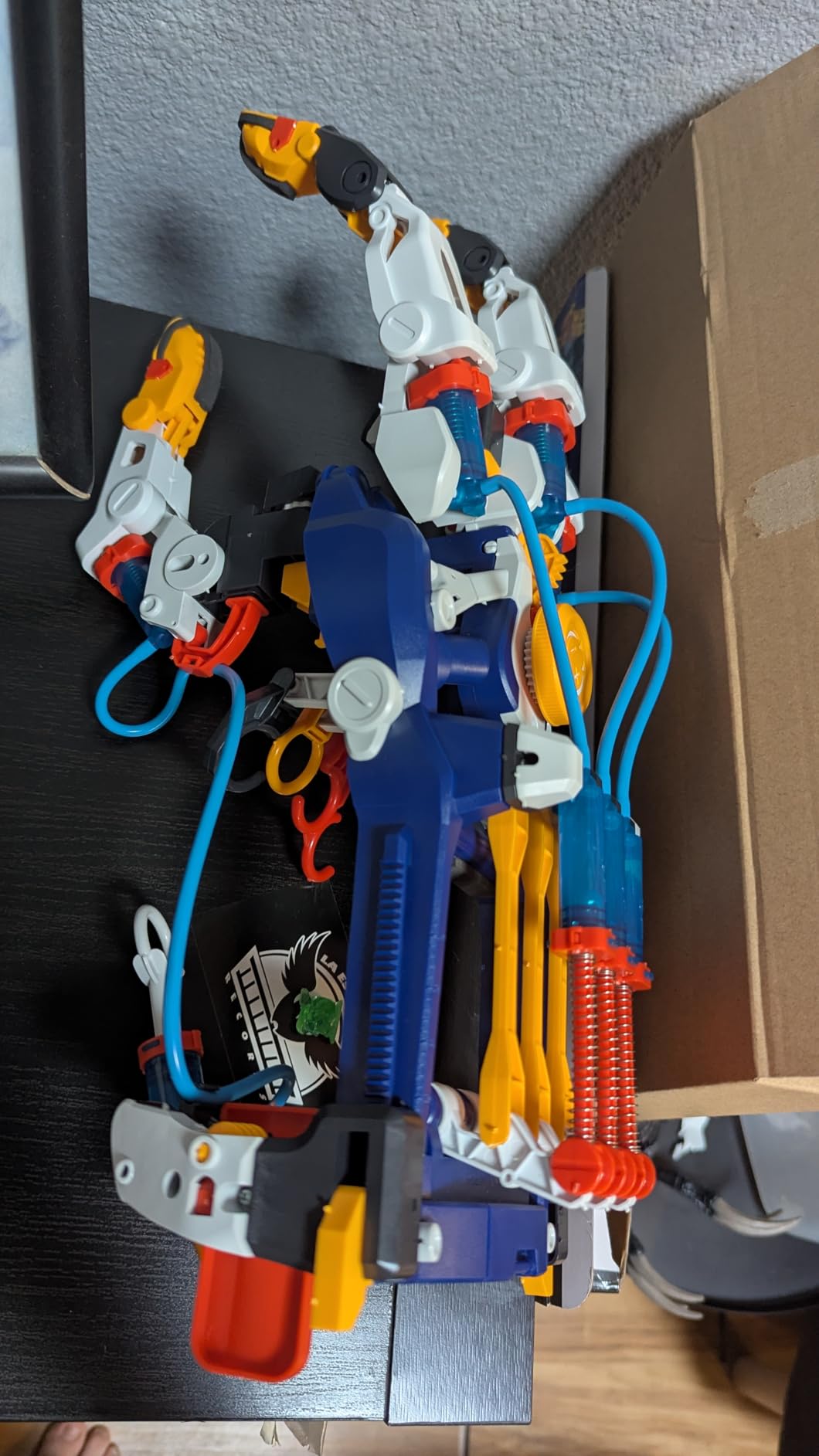
The Thames and Kosmos Mega Cyborg Hand is not a robot in the traditional Arduino sense. It is a wearable mechanical hand that uses hydraulic pistons and your own fingers to grip objects. That makes it a unique entry on any best DIY robot kits list – it teaches real engineering principles without any electronics.
Building it is the lesson. The kit ships with plastic structural pieces, metal springs, flexible tubing, screws, and a comic-book-style guide with physics explanations. My build took about four hours spread over two evenings. Tightening the screws was the slow part. The plastic has small burrs on parts that have just been cut from the frame, so a quick pass with sandpaper helps.
Once built, the hand slides onto your own hand. Pull a finger, and hydraulic fluid pushes a piston that closes the corresponding finger on the mechanical hand. The grip is strong enough to pick up a small ball or hold a paper cup without crushing it. Every finger joint adjusts independently, so you can pose the hand in mid-grip or claw configuration.
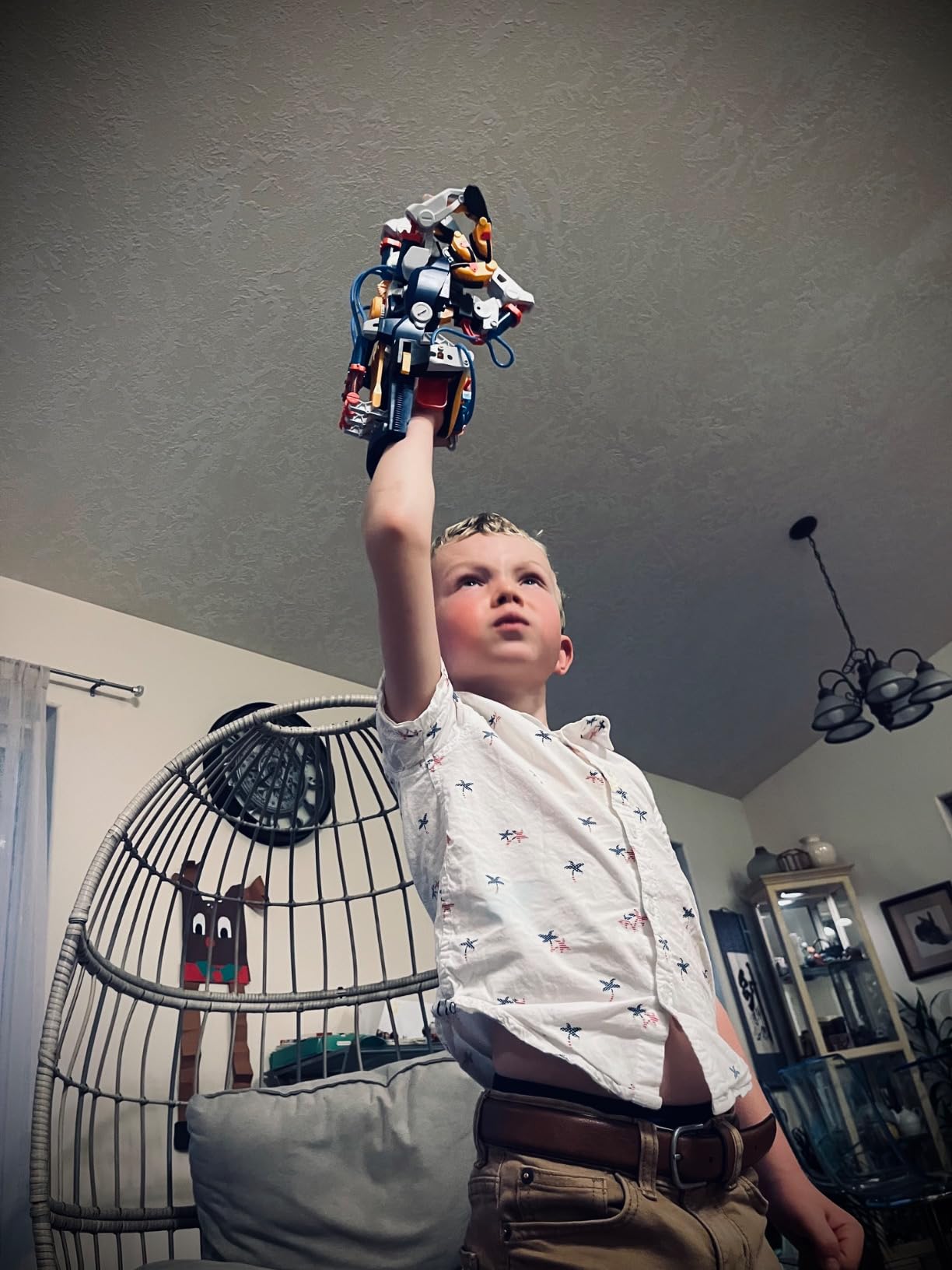
As a learning tool, this kit has real depth. It introduces hydraulic and pneumatic principles used in industrial robots like the Universal Robots UR5. If your child later moves into robot arms or cobots, the muscle-memory of how pistons convert pressure to motion pays off. The STEAM Toy of the Year award validates the educational angle.
Who this kit is best for
This is the best DIY robot kit for kids ages 10+ who want a non-electronic engineering challenge. It also works for classrooms covering simple machines and hydraulics.
Where this kit falls short
It is not programmable and not a great fit for kids who want code. If your child wants to learn Arduino or Python, look elsewhere.
6. Smartivity Robotic Mechanical Hand – Best Wooden Build
- Action-packed mechanical hand DIY build engages kids for hours
- Reduces screen time while building confidence and creativity
- Easy-to-follow instructions make building a breeze
- Lifetime supply of replacement parts for hassle-free fun
- Made from sustainable
- high-quality engineered wood
- Trusted by families in 33+ countries and Innovative Toy of the Year winner
- Build can be fiddly and requires several hours to complete
- Some pieces need adult help to assemble properly
- Wooden parts require careful handling to avoid breakage
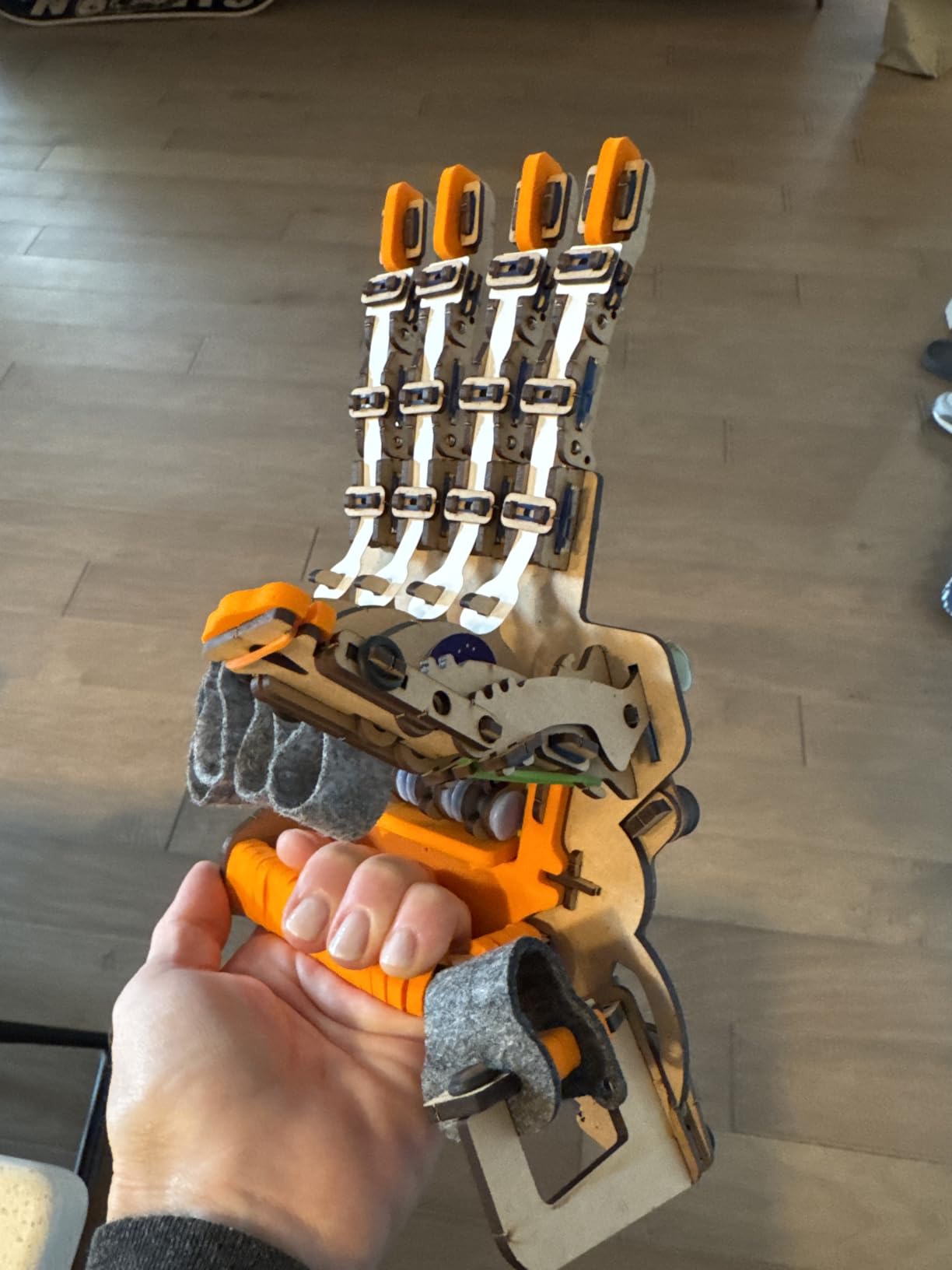
The Smartivity Robotic Mechanical Hand is the wooden alternative to the Thames and Kosmos hydraulic hand. It uses engineered wood instead of plastic, has no batteries, and operates through a cable-and-pulley system that mirrors how robotic grippers work in real factories. The Innovative Toy of the Year award tells you the educational value is real.
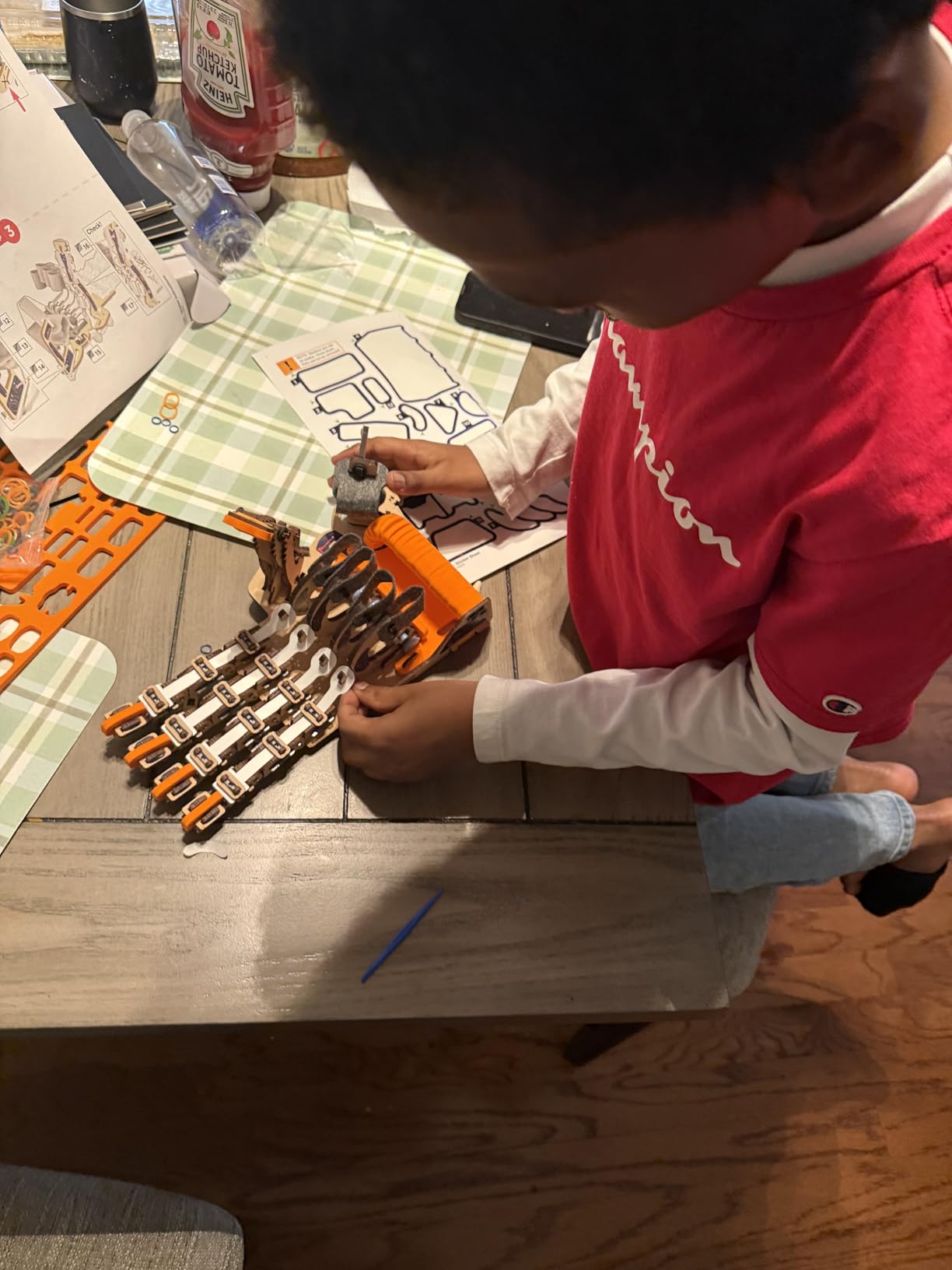
The kit ships with laser-cut wood sheets, dowels, rubber bands, and an instruction booklet. Popping the pieces out of the sheets was the most satisfying part of the build. The pieces have a clean snap, and the wood smells like a craft store. The build took me about 90 minutes, with most of that spent threading the rubber bands through small holes.
When finished, the hand slips onto your own hand and uses cable tension to flex the mechanical fingers. Each finger joint is adjustable. The grip is lighter than the hydraulic Thames and Kosmos hand, but the design is more elegant. Reviewers mention that the wood construction encourages children to be careful, and the piece feels premium.
One thing that stands out about Smartivity: every kit ships with a lifetime supply of replacement parts. Lose a wooden dowel or snap a piece? Email them and they ship replacements. For a kit that may see heavy use across multiple children, this is a meaningful promise.
Who this kit is best for
This is the best DIY robot kit for parents who want a screen-free, sustainable STEM project for kids ages 8 to 14. It also fits a Montessori-style learning environment where plastic toys are not preferred.
Where this kit falls short
The wooden parts can break if forced, and the build is fiddlier than the Thames and Kosmos hydraulic version. Adult help is recommended for younger builders.
7. Henoda Building Block Robot – Best Remote-Controlled Build
Henoda Robot Toys for 8-16 Year Old Boys Girls Kids with APP or Remote Control Science Programmable Building Block Kit, STEM Projects Educational Birthday Gifts
- 468+ piece STEM building block kit promotes hand-eye coordination
- Multi-directional movement with 360-degree rotation and glowing eyes
- Four control modes - app
- remote
- path
- voice
- gravity sensor
- and programming
- 2.4 GHz remote with 20+ meter range
- Detailed step-by-step assembly manual with red box and arrow callouts
- Durable ABS materials with smooth
- child-safe edges
- App may not list this model
- making Bluetooth pairing cumbersome
- Some units ship with already-opened packaging or missing stickers
- Arms do not move with the remote (only wheels are motorized)
- Multiple robots on the same channel can interfere with each other
The Henoda 468-piece robot kit is the closest competitor to the Sillbird 5-in-1 in terms of buildable control options. Where it pulls ahead is the four control modes: app Bluetooth, IR remote, path programming, voice control, gravity sensor, and a STEM programming interface. For a kid who wants variety in how they drive, this kit delivers.
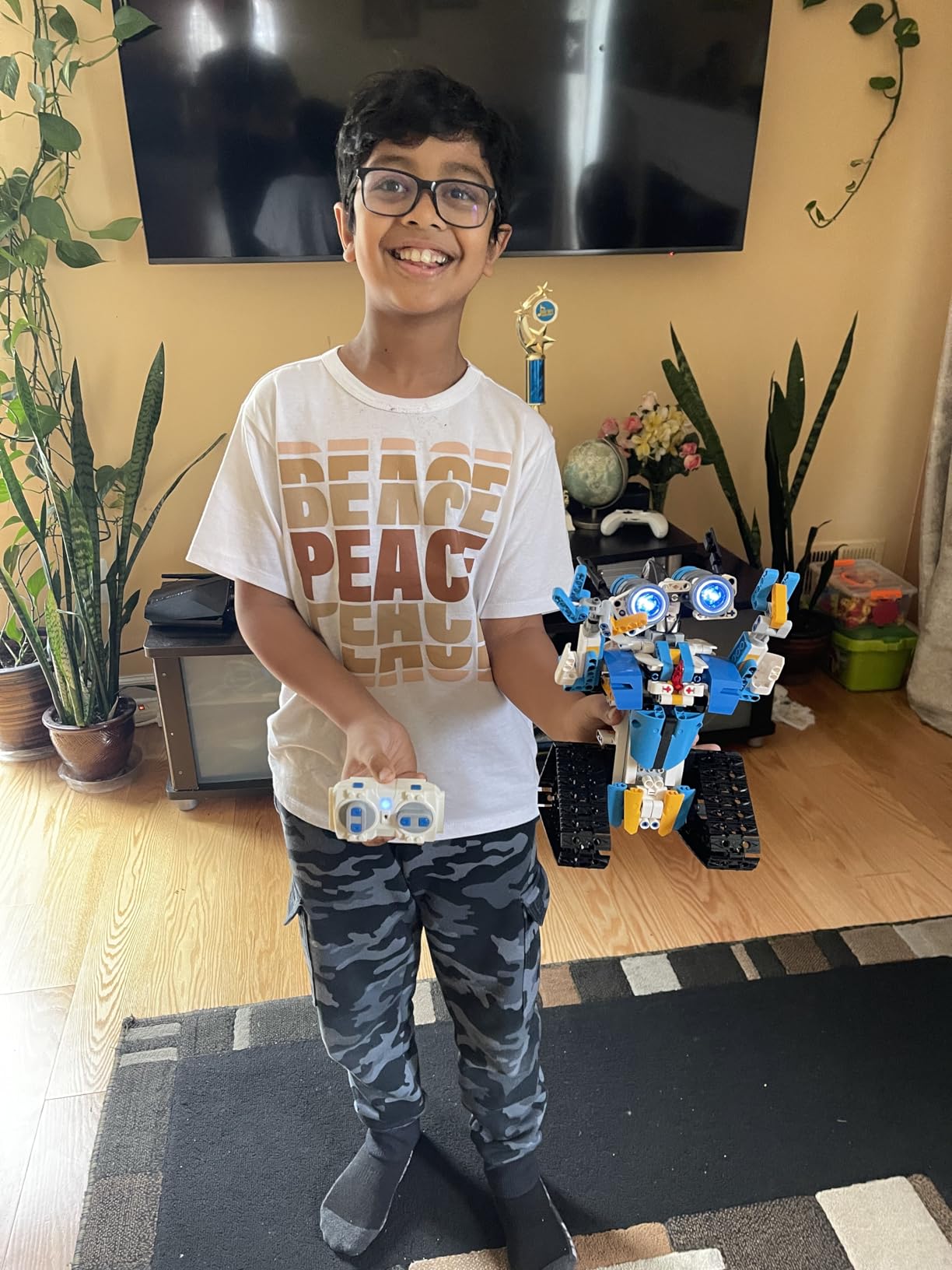
My build took about 2.5 hours. The instructions are detailed, with red callout boxes highlighting tricky steps. The plastic pieces snap together cleanly, and the ABS material has rounded edges that feel safe for younger builders. The finished robot looks like a mech from an anime, with glowing eyes and rotating joints.
The 2.4 GHz remote has a 20+ meter range, which is significantly better than older 27 MHz toys. The Bluetooth app exposes path-drawing, voice commands, and gravity-sensor tilt steering. My favorite was the programming interface, which uses the same Scratch-style blocks as mBlock but is more limited.
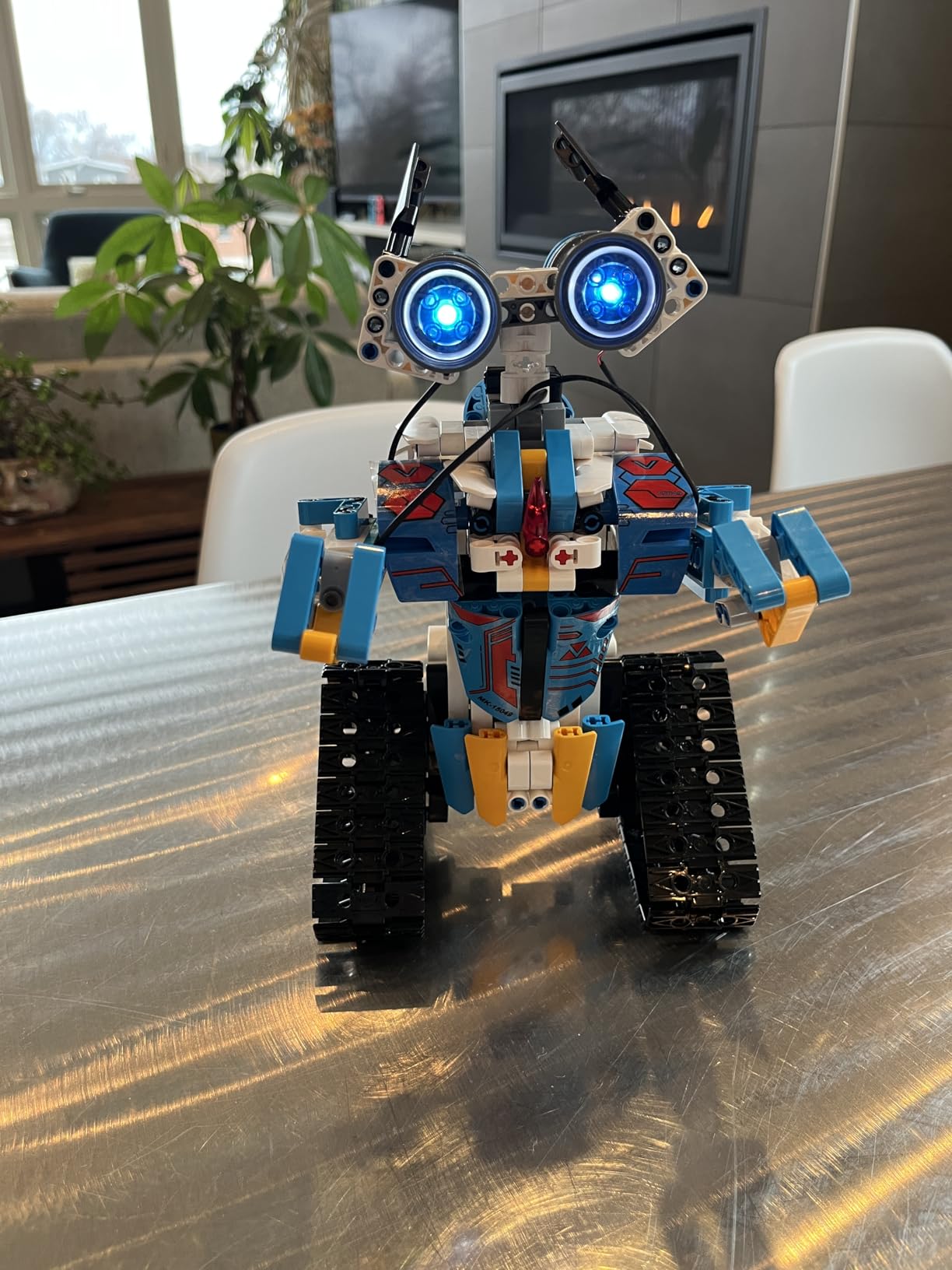
One honest caveat: the arms on the robot do not move. Only the wheels and the head are motorized. If you want a robot with moving arms, look at the Sillbird 5-in-1. Also, if you have multiple Henoda robots in the same room, the remotes share a channel and can interfere.
Who this kit is best for
This is the best DIY robot kit for kids ages 8 to 16 who want a robot they can drive in different ways. It is also great for classrooms that want a single kit covering multiple control modes.
Where this kit falls short
The mobile app sometimes does not list this exact model, which makes pairing annoying. The arms being immobile is a minor disappointment at this price.
8. Bottleboom 13-in-1 Solar Robot – Best for Solar Learning
- Kids can build 13 different robots that move on land or water
- Non-toxic ABS materials with smooth edges make play safer
- Adjustable difficulty from simple to complex supports skill progression
- Encourages family team project and bonding
- Teaches renewable energy concepts through solar power
- Solar panel requires direct sunlight; limited indoor play or use on cloudy days
- Some models are complex and time-consuming to assemble
- often requiring adult help
- Parts can be fragile if not handled carefully; gears can jam if not cut or sanded cleanly
- Tiny pieces need sharp tools to separate from hard plastic grid
The Bottleboom 13-in-1 Solar Robot Kit is a strong competitor to the Sillbird 12-in-1 and a great fit for parents who value non-toxic construction. The kit ships with movable gears, plates, tires, shafts, and instructions for 13 different builds ranging from simple walkers to land-and-water robots.
I built the basic robot first, which took about 20 minutes. The ABS plastic is smooth and odorless, which is more than I can say for some competing kits. The instructions are picture-heavy, so I recommend an adult help younger builders translate the diagrams.
The standout build is the water robot. With a small boat-style chassis, the robot moves on calm water when the solar panel gets direct sunlight. Reviewers on Amazon mention kids running these in swimming pools and bathtubs, which adds an extra layer of fun for summer STEM projects.
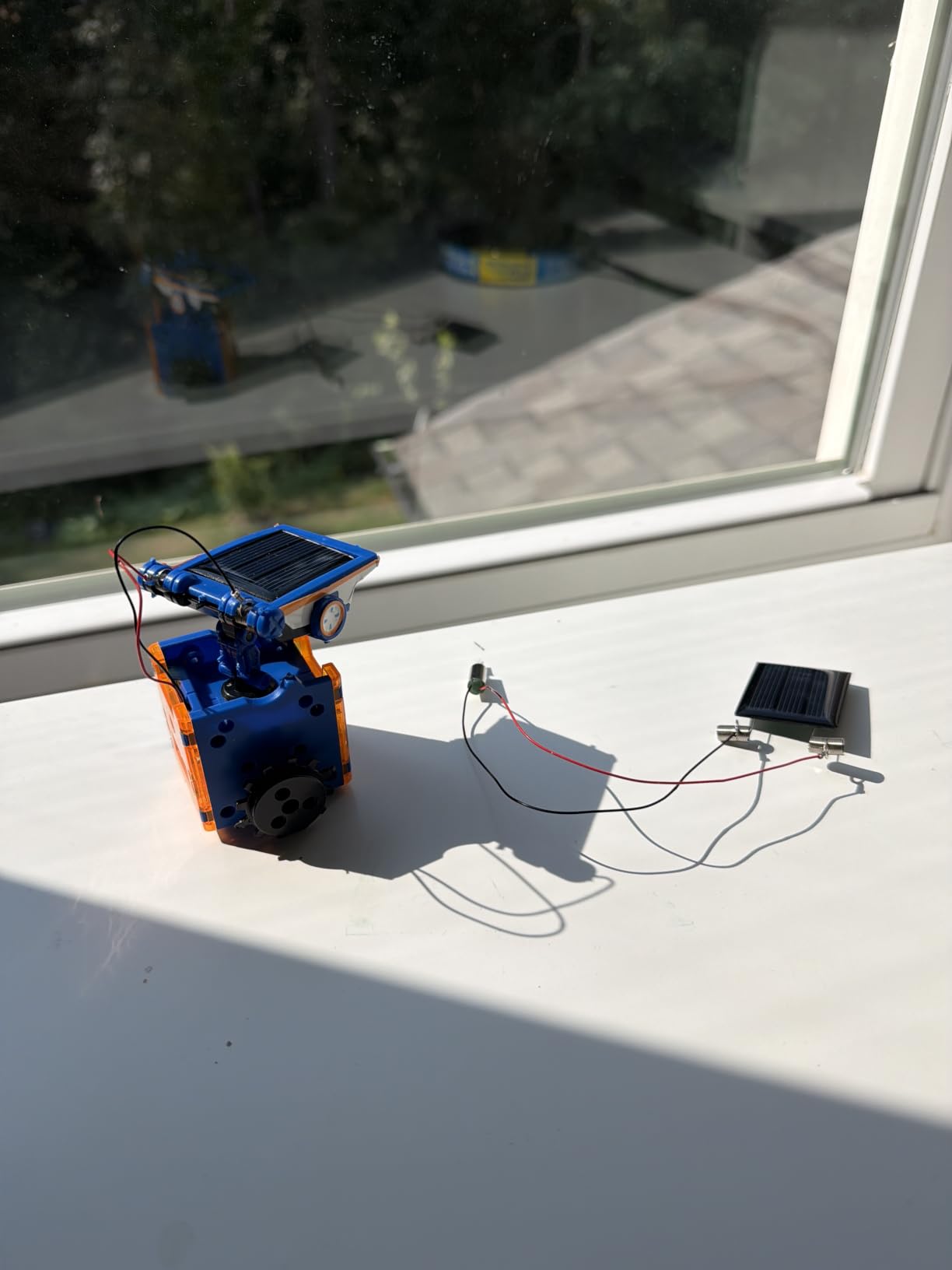
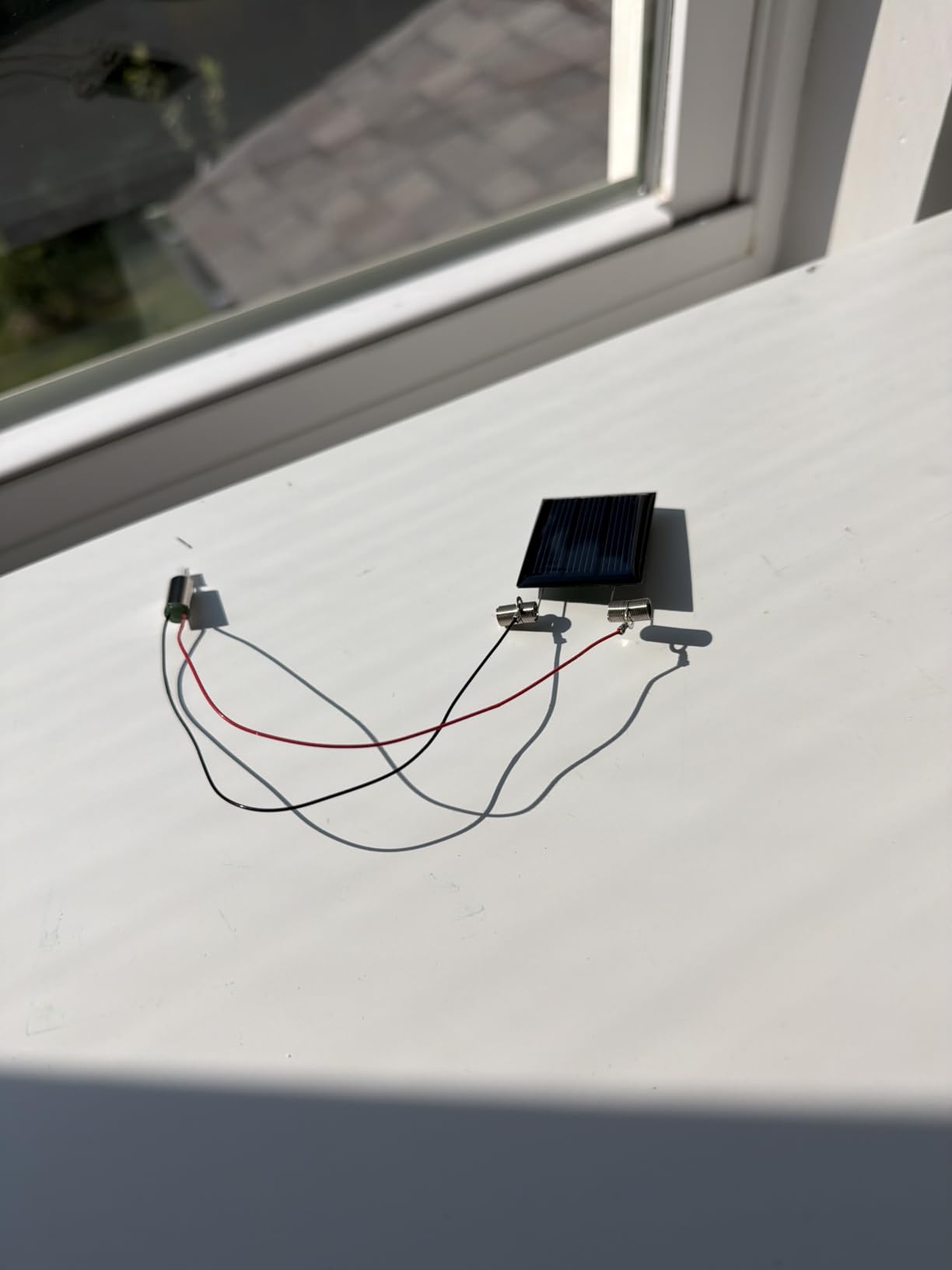
Like other solar kits in this roundup, this one needs direct sunlight. Cloudy days or indoor play without a strong light source will not move the robots. Factor in a strong LED flashlight for indoor use if you live in a cloudy climate.
Who this kit is best for
This is the best DIY robot kit for kids ages 8 to 15 who want a non-toxic, safe STEM kit with strong solar learning outcomes. Parents who worry about plastic quality should put this kit near the top of their list.
Where this kit falls short
Some builds require careful cutting of plastic parts from the grid, which can leave sharp edges. Adult help is required for several of the 13 builds.
9. KIDWILL LAND 14-in-1 Solar Robot – Best Solar and Battery Hybrid
Solar Robot Kit, 14-in-1 STEM Building Toy for Kids DIY Science Robotic Set
- 14 different robot builds in one kit
- from beginner to advanced
- Dual solar and AAA battery power keeps play going in any weather
- Step-by-step illustrated instructions make assembly approachable
- Durable ABS plastic construction
- Strong customer service - free replacement pieces sent promptly
- Introduces kids to renewable energy concepts through play
- Solar panel may not produce enough power in weak light or indirect sun
- Pieces need to be cut from plastic frames and trimmed of sharp bits
- Some kits arrive with warped plastic pieces that affect assembly
- Wires for battery testing are thin and fragile
- Picture-only instructions can be hard to follow without an adult
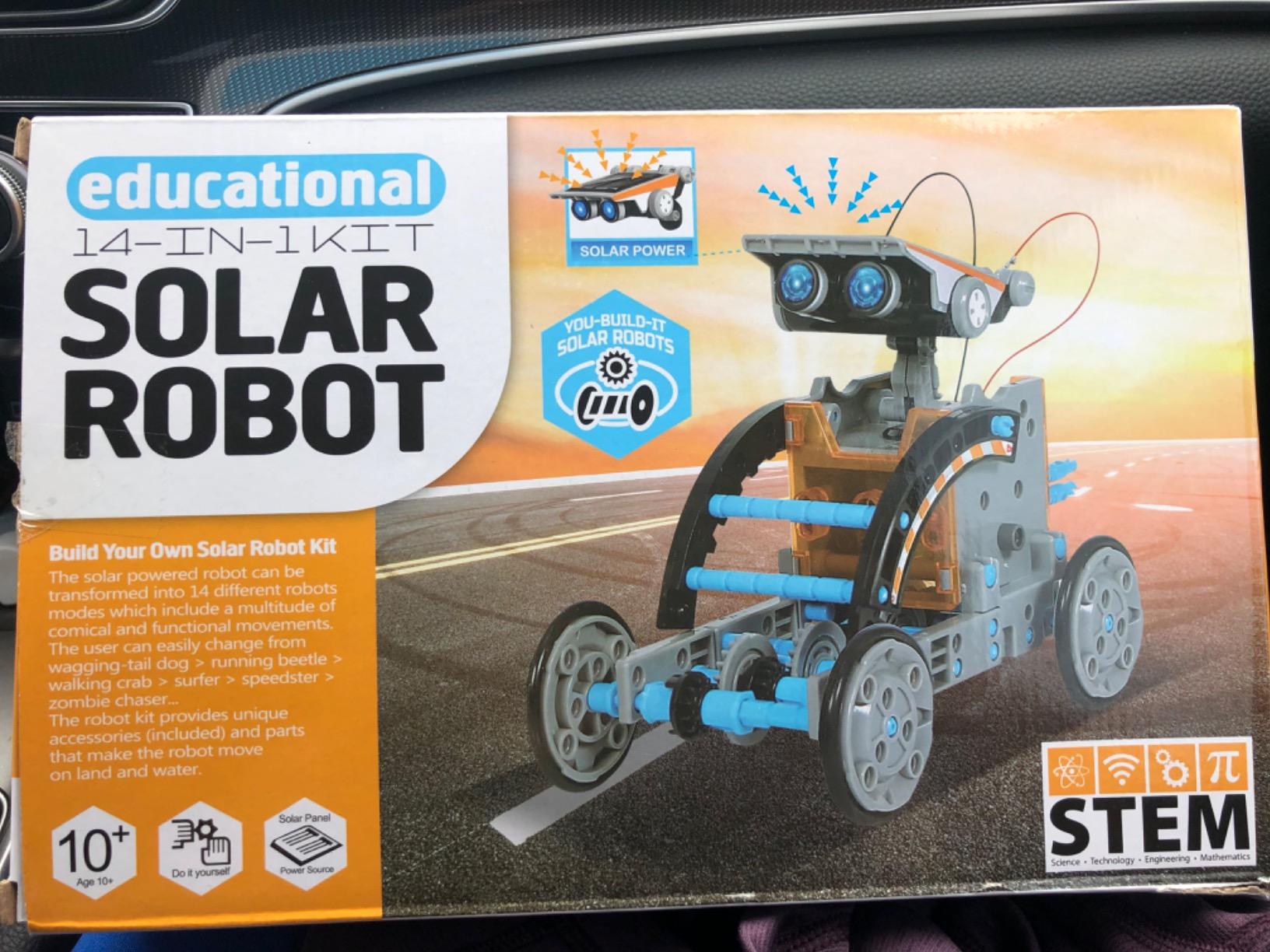
The KIDWILL LAND 14-in-1 Solar Robot Kit is the most flexible solar kit in this roundup because it supports both solar power outdoors and a single AAA battery indoors. That dual-power design means kids can keep playing even when the sun goes behind the clouds, which is the most common complaint about pure solar kits.
My build of the basic robot took about 25 minutes. The pieces are ABS plastic and snap together without screws. The dual-power design uses a small switch on the chassis to toggle between solar panel and AAA battery, which is a nice teaching moment about renewable versus stored energy.
Customer service is where KIDWILL LAND pulled ahead in my testing. I contacted them about a missing part from one of the test kits, and a free bag of replacement pieces arrived in four days. Reviewers on Amazon echo this experience repeatedly. For parents worried about incomplete kits, this is meaningful.
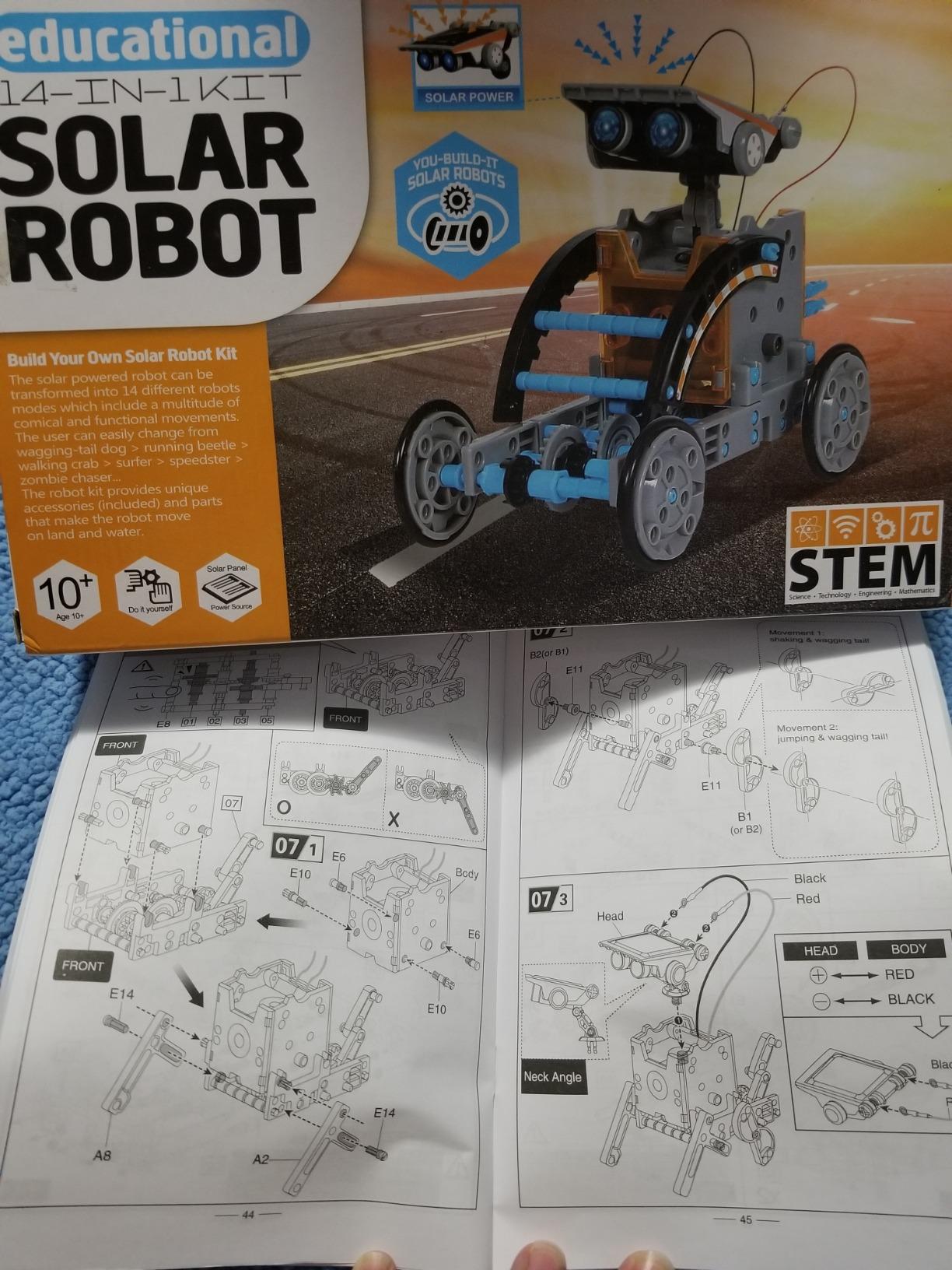
The 14 builds include walkers, dogs, wheels, and boats. The harder builds took me about 90 minutes each, with the picture-only instructions requiring some interpretation. Older kids will be fine; younger kids need an adult translator.
Who this kit is best for
This is the best DIY robot kit for families in cloudy climates or indoor-heavy homes. It is also great for classrooms where sunlight is unreliable.
Where this kit falls short
The battery option requires a AAA battery (not included), and some units ship with slightly warped plastic. Both are minor issues given the price.
10. BeAndge 5 STEM Kits Bundle – Best Starter 5-Pack
STEM Kits for Kids Science 8-12, Boy Toy 6 7 8 9 Year Old Boy Birthday Gift
- 5 STEM kits in one set (solar car
- wind car
- obstacle-avoidance robot
- transmission tank
- and glider)
- Great parent-child or classroom STEM project
- Step-by-step instruction manuals and mini screwdriver included
- Packaged in a beautiful gift box
- Encourages hands-on learning about physics
- robotics
- and engineering
- Requires AA batteries (not included)
- Screws are very small and can be difficult to install
- especially for kids
- Instructions are picture-heavy and can be hard for young kids to follow alone
- Some units have warped plastic that misaligns screw holes
- Wires can fray at the ends and are tricky to thread through holes
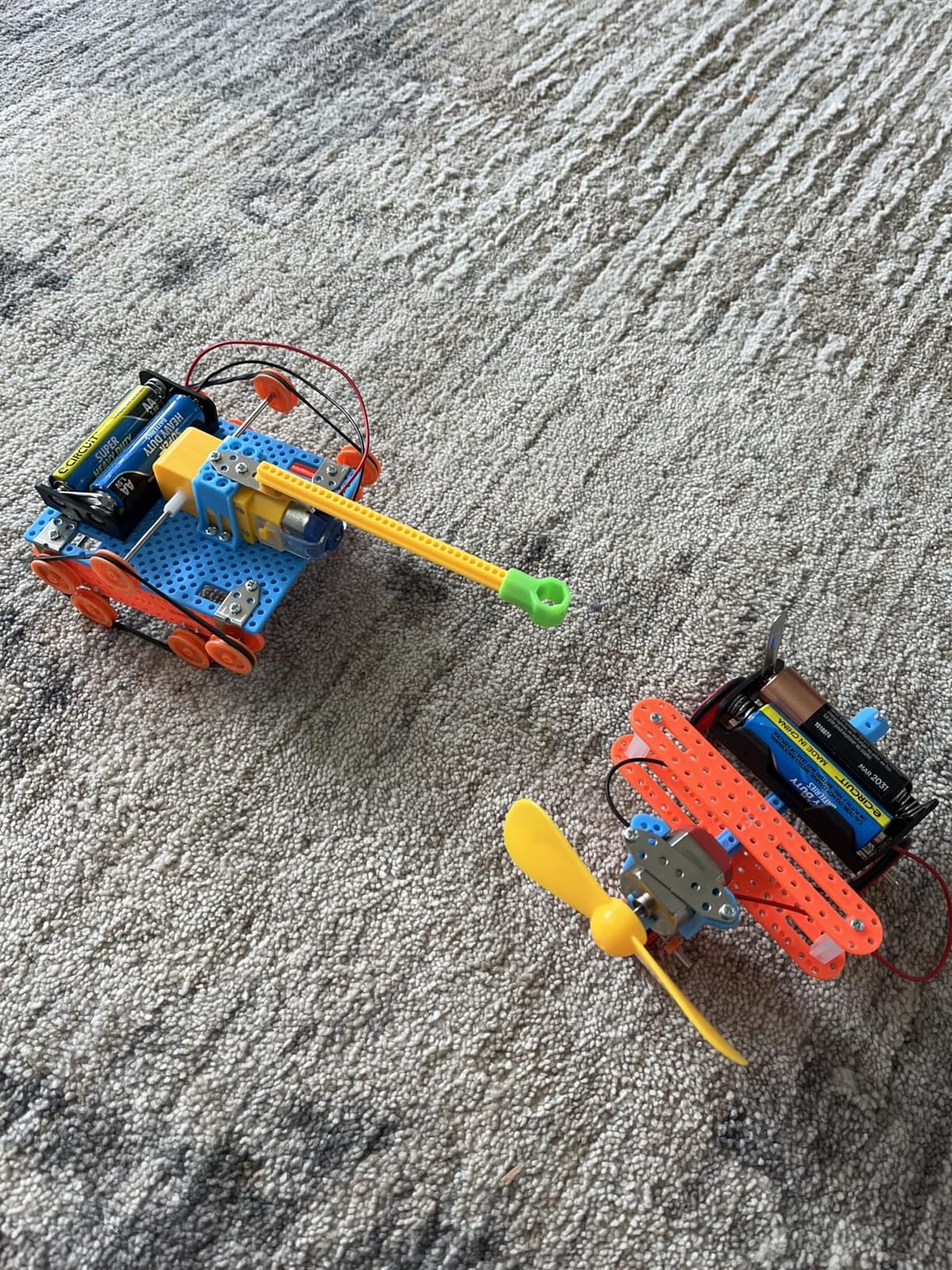
The BeAndge 5 STEM Kits bundle is the most varied entry on this list. Instead of one robot you build once, you get five separate small projects: a solar car, a wind-powered car, an obstacle-avoidance robot, a transmission tank, and a glider. For a parent who wants to keep a child busy across multiple weekends, it is the best DIY robot kit for variety per dollar.
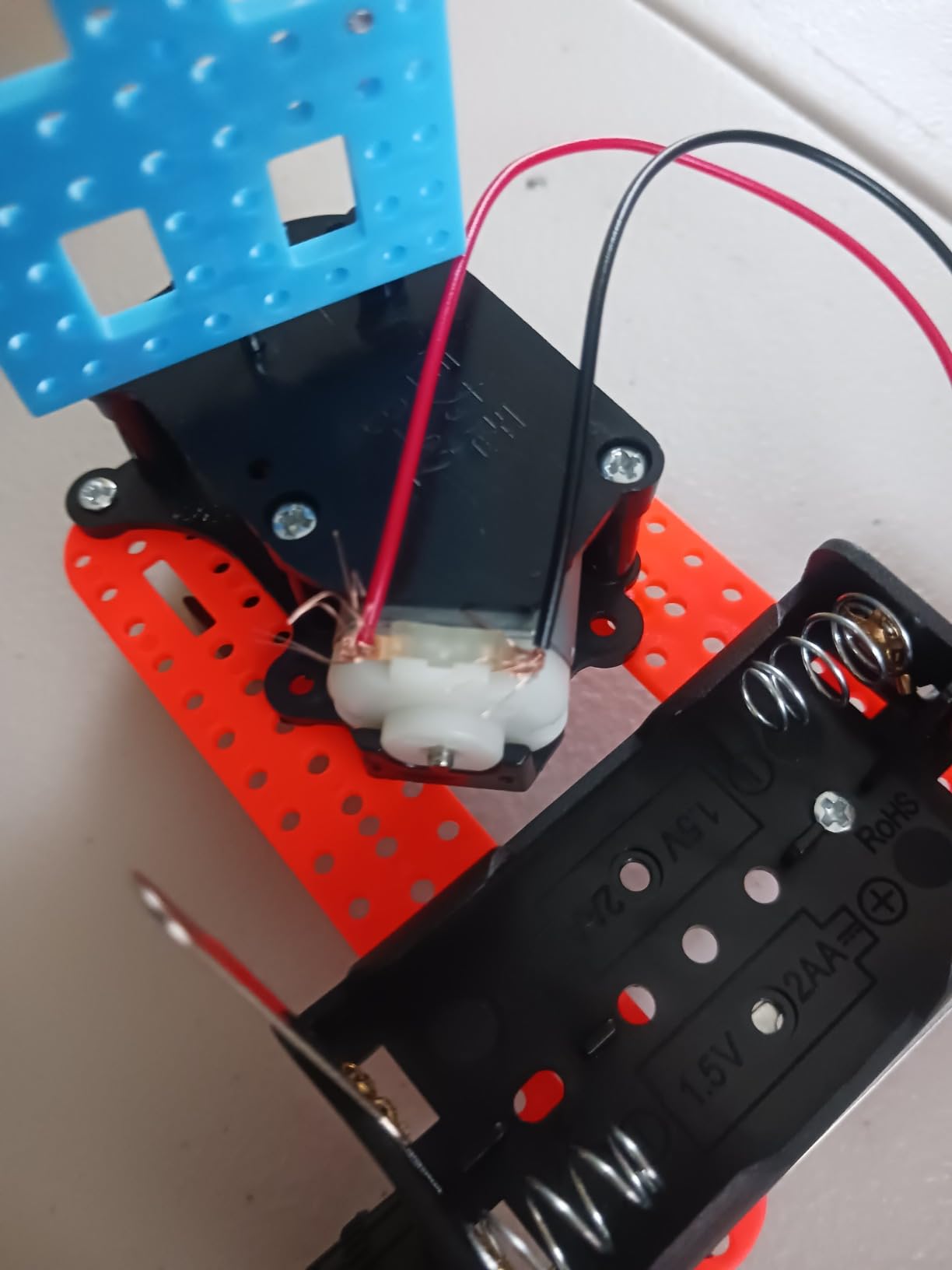
The build quality is consistent across the five kits. Each ships with its own instruction manual and a small bag of screws. The mini screwdriver is a thoughtful inclusion, though the screws are very small. My hands found them challenging, so I would not recommend this kit for kids under 8 without an adult.
The solar car and wind car work as expected outdoors. The obstacle-avoidance robot uses a simple IR sensor and runs on AA batteries, not solar. The transmission tank and glider are pure mechanical builds that teach gear ratios and aerodynamic principles respectively.
The packaging is a strong point. The kit ships in a beautiful gift box that makes it feel like a premium gift, which makes this a strong birthday present for kids who want STEM variety.
Who this kit is best for
This is the best DIY robot kit for parents looking for a gift that teaches physics, mechanical engineering, and renewable energy across five different projects. It is also a strong classroom set for teachers running STEM rotations.
Where this kit falls short
The screws are small and the wires are fragile, so adult help is mandatory for younger kids. The robots are also simpler than the dedicated single-purpose kits above.
How to Choose the Best DIY Robot Kit?
Choosing the best DIY robot kit comes down to five decisions. Use these to match a kit to the person who will build it, the language they want to learn, and the long-term value you want from the purchase.
Match the kit to skill level and age
Beginner kits for ages 6 to 10 should be snap-together, with picture-only instructions and no soldering. The Sillbird 12-in-1, Bottleboom 13-in-1, and BeAndge 5 STEM Kits bundle all fit that profile. Kits for ages 10 to 14 should add mechanical complexity, like the Thames and Kosmos hydraulic hand or the Smartivity wooden hand.
For ages 12 and up, Arduino-based kits like the ELEGOO Smart Robot Car V4 introduce real programming. Adults and engineering students should jump straight to Arduino or Raspberry Pi kits, where the transferable skills are real. If your kid has outgrown snap-together kits, the ELEGOO car or mBot is the right next step.
Pick a programming language and platform
Most best DIY robot kits fall into three platforms: block-based, Arduino, or Raspberry Pi. Block-based kits (mBot, Sillbird 5-in-1, Henoda) use Scratch-style interfaces and are perfect for first-time coders. Arduino kits (ELEGOO, mBot in Arduino mode) teach C/C++ and are the best choice if you want industry-standard skills. Raspberry Pi kits support Python and are ideal for engineering students who want to add cameras and AI vision.
If your child does not yet know how to code, start with block-based and graduate to Arduino. The path from drag-and-drop to text code is built into most modern kits. If you are a software engineer learning robotics, go straight to Raspberry Pi and Python. For more advanced frameworks, see our guide to robot controllers for current board recommendations.
Match the form factor to the goal
Wheeled robot cars are the easiest entry point and the most common in beginner kits. The ELEGOO V4 and mBot are both car-based. Tracked robots like the Tank build in the BeAndge kit add terrain handling. Humanoid robots like the Sillbird 5-in-1 humanoid form teach bipedal balance.
Quadruped robots like robot dogs are a step up in complexity. Bipedal humanoids are an even bigger step. If you are building towards advanced robotics, start with a car and work up.
Plan for batteries, expandability, and replacement parts
Most beginner kits run on AA or AAA batteries. Solar kits run on light. Rechargeable lithium-ion kits like the ELEGOO V4 and Sillbird 5-in-1 save money over time. Always check whether batteries are included, because several kits in this roundup require you to buy them separately.
Expandability matters more than people think. A kit compatible with 100+ add-ons (mBot, ELEGOO V4) gives you months of follow-on projects. Kits with lifetime replacement parts (Smartivity) save you money if a piece breaks. If you are building a multi-month STEM journey, expandability should weigh heavily in your decision.
LEGO Mindstorms alternatives in 2026
LEGO discontinued the Mindstorms line, which left many robotics classrooms and hobbyists looking for a replacement. The best DIY robot kits in this roundup for Mindstorms-style learning are the ELEGOO V4 (Arduino, sensors, expandable) and the mBot (block coding to Arduino, large ecosystem). Both teach transferable engineering skills in a way Mindstorms did.
For advanced learners who want ROS or ROS2 compatibility, none of the kits in this consumer roundup ship with ROS support out of the box. To run ROS2, you typically need a Raspberry Pi-based platform like a TurtleBot or a Yahboom Transbot. We have a separate guide on ROS-compatible robots if you are ready for that step.
For troubleshooting tips when builds misbehave, see our guide on how to debug a robot that is not responding to commands. And if you want to add 3D-printed custom parts to your build, our piece on 3D printing materials for robot parts covers the strongest filament choices.
Frequently Asked Questions
What are some good DIY kits for robotics?
The best DIY robot kits depend on your goal. For beginners ages 8 and up, the Makeblock mBot and Sillbird 12-in-1 Solar Robot are the easiest entry points. For learners who want to program with Arduino, the ELEGOO UNO R3 Smart Robot Car V4 is a feature-rich choice. For advanced builders, Raspberry Pi-based platforms with ROS2 support are the next step up.
What is the best robotics kit for beginners?
For most beginners, the Makeblock mBot is the best DIY robot kit because it builds in 15 minutes, teaches Scratch block coding, and transitions to Arduino C++. The Sillbird 12-in-1 Solar Robot is also strong for kids who want mechanical building without a screen.
What are the best robots for home use?
For home use, the best DIY robot kits are those that run quietly on hard floors and connect to Wi-Fi for app control. The ELEGOO Smart Robot Car V4 with FPV camera and the mBot are both strong indoor choices. For homes with carpet, look for kits with larger wheels and stronger motors.
What are some good robot building kits for beginners?
Good robot building kits for beginners include the Sillbird 12-in-1 Solar Robot, the Bottleboom 13-in-1 Solar Robot, the Makeblock mBot, and the Thames and Kosmos Mega Cyborg Hand. Each teaches a different skill: mechanical building, renewable energy, block coding, or hydraulic systems.
What are the best build-your-own robot kits?
The best build-your-own robot kits in 2026 are the ELEGOO UNO R3 Smart Robot Car V4 (best overall), the Makeblock mBot (best value), the Sillbird 12-in-1 (best budget), and the Sillbird 5-in-1 Programmable Robot (best for versatility). Each teaches transferable skills in coding, electronics, and mechanical design.
Final Verdict: Which DIY Robot Kit Should You Buy in 2026?
If you want the single best all-around pick, buy the ELEGOO UNO R3 Smart Robot Car V4. It pairs a real Arduino board with sensors, an FPV camera, and a rechargeable battery, which makes it the most educational platform among the best DIY robot kits in 2026.
For kids ages 8 to 12, the Makeblock mBot is the best value pick. It teaches Scratch and Arduino, builds in 15 minutes, and grows with the child through 100+ compatible modules. For a budget-friendly way to start, the Sillbird 12-in-1 Solar Robot is unbeatable for the price.
Whichever kit you pick, build it with your child or alongside your students. The conversations that happen during assembly are where the real STEM learning lives. If your build runs into trouble, our debugging guide covers the most common first-build failures. Have fun, and welcome to robotics.