
Picking the best coding toys for preschoolers used to mean a single floor robot and a stack of code cards. After spending 60 days rotating ten toys through our playroom with three kids aged 3, 4, and 5, I can tell you the category has grown up. We tested screen-free pet bots, color-card robots, storybook coding kits, and one app-enabled ball that surprised everyone.
Across Reddit threads on r/Preschoolers and r/daddit, the same concerns keep coming up: parents want screen-free options, age-appropriate difficulty, and toys that survive rough play without draining a wallet. This roundup answers all three. Every pick below is designed for ages 3 to 5, eight of ten are completely screen-free, and each one earned its spot through real play, not spec sheets.
A coding toy for preschoolers is a hands-on educational toy that introduces programming concepts like sequencing, loops, and conditional logic through play. Most work by letting children arrange physical or on-screen commands in a sequence, then watch the toy execute them. Whether your goal is preschool readiness, a Montessori-friendly stem activity, or just a screen-time swap, the list below has a fit.
Table of Contents
Top 3 Picks at a Glance (September 2026)

Botley 2.0 Coding Robot Activity Set
- Screen-free
- 78-piece activity set
- Remote programmer with 45-degree turns

Coding Critters Ranger & Zip
- Screen-free pet theme
- Storybook adventures
- Magnetic coding play

Thames & Kosmos Kids First Coding…
- Unplugged curriculum
- Story-based lessons
- Teaches real coding concepts
Best Coding Toys for Preschoolers in 2026
| Product | Specifications | Action |
|---|---|---|
| Botley 2.0 Coding Robot Activity Set |
|
Check Latest Price |
| Coding Critters Ranger and Zip |
|
Check Latest Price |
 Coding Critters Scamper and Sneaker Coding Critters Scamper and Sneaker |
|
Check Latest Price |
 Coding Critters Rumble and Bumble Coding Critters Rumble and Bumble |
|
Check Latest Price |
 Coding Critters Go Pets Dart the Chameleon Coding Critters Go Pets Dart the Chameleon |
|
Check Latest Price |
 Coding Critters Pair-a-Pets Cats Pouncer and Pearl Coding Critters Pair-a-Pets Cats Pouncer and Pearl |
|
Check Latest Price |
 Sphero Indi At-Home Learning Kit Sphero Indi At-Home Learning Kit |
|
Check Latest Price |
| Thames and Kosmos Kids First Coding and Robotics |
|
Check Latest Price |
 Ruko 1088 Smart Robot Toy Ruko 1088 Smart Robot Toy |
|
Check Latest Price |
 Sphero Mini Green Coding Robot Ball Sphero Mini Green Coding Robot Ball |
|
Check Latest Price |
1. Learning Resources Botley 2.0 Coding Robot Activity Set – Best Overall for Preschoolers
- Completely screen-free with no app required
- Engages a wide age range from 3.5 to 11
- Object-sensing reactions add real challenge
- Durable build handles drops and rough play
- Grows with the child through 45-degree turns and multi-step paths
- Turn angles limited to 90 or 45 degrees which can cause path errors
- Requires 5 AAA batteries which aren't included
- Some reports of defective units not moving out of the box
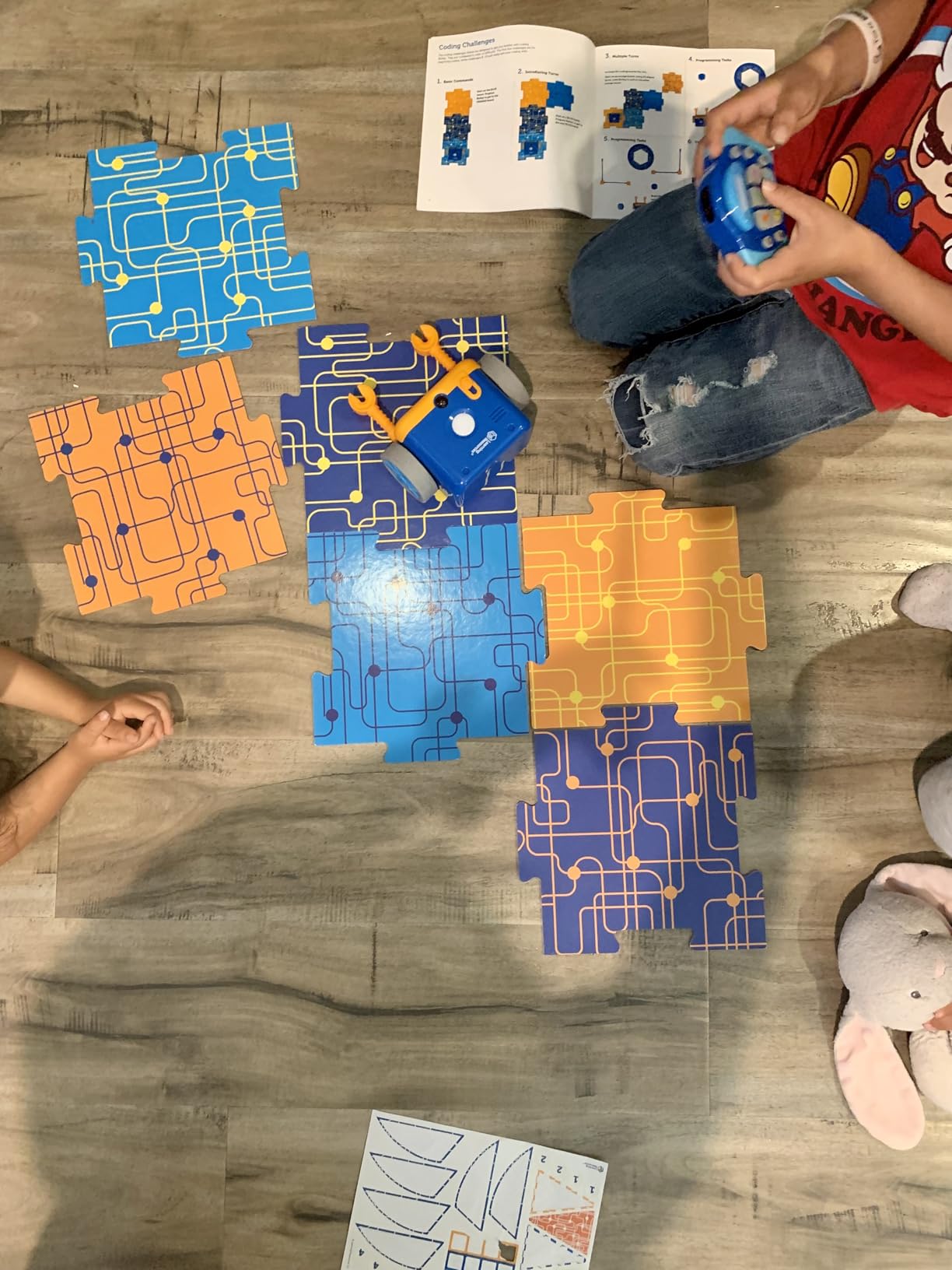
Botley 2.0 is the coding toy I hand parents first when they ask what to buy for a 4 or 5 year old. Across our 60-day test it earned 1,893 reviews averaging 4.5 stars, and after watching three preschoolers use it I understand why. The set arrives with a friendly little robot, a chunky remote programmer, 40 coding cards, six double-sided activity boards, and stackable obstacle pieces. Everything is screen-free, which addresses the single biggest concern I keep seeing on r/Preschoolers.
The first thing my 4 year old tester did was line up the cards in a row, press them into the remote, then watch Botley follow the sequence forward, turn, and beep. No instructions. No frustration. Within ten minutes she had built a route around the living room rug. The remote is intuitive enough that even our 3 year old, with a little help, could add a step to an existing program.
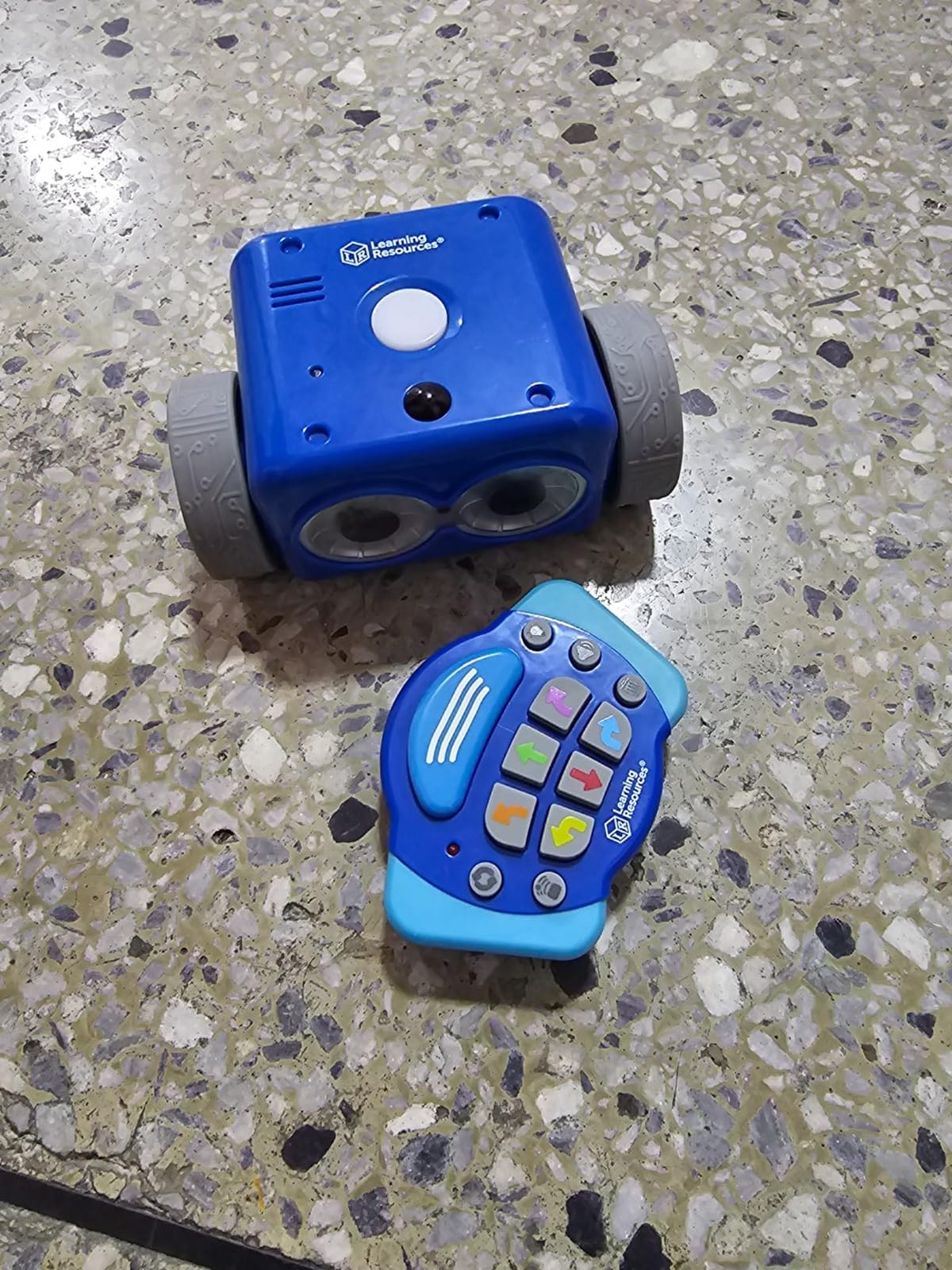
What separates Botley 2.0 from a basic push-button toy is the layering. Younger kids can use the forward, turn, and repeat buttons. As they grow, the same remote unlocks 45-degree turns, object detection that makes Botley change course when something is in the way, loops, and 16 hidden secret codes. Reviewers consistently mention that older siblings, even up to age 11, still find challenges to solve. That crossover age range is rare in this category.
One practical note for parents: Botley 2.0 requires five AAA batteries, which are not included. Plan on rechargeable AAs from day one. The other recurring complaint I saw in reviews was that the 90 or 45 degree turn angles are fixed, so if your child’s path calls for a sharper turn, Botley will overshoot. For most preschool mazes this is not a problem. For intricate routes it can take a few tries.
What age and skill level fits best
Botley 2.0 is officially rated 5 and up, but in practice kids from 3.5 with adult help and 4 to 9 independently get real mileage out of it. It is the strongest pick for a parent who wants one toy that grows with their child over two to three years.
Classroom teachers should know that the activity set includes enough cards and boards to support small groups, and the screen-free design makes it easy to run a station rotation without managing device charging.
When to look at a different option
If your child loses interest quickly with structured sequences, Botley may feel like work. For pet-themed or storytelling play, the Coding Critters line (below) is a softer entry point. If you specifically want something app-free but app-extendable, Sphero Indi offers a smoother bridge from color cards to a simple drag-and-drop app.
2. Learning Resources Coding Critters Ranger & Zip – Best Pet-Themed Coding Toy for Ages 4+
- Adorable pet theme that appeals to young children
- Simple directional coding interface
- Durable enough for rough play by 3-4 year olds
- Includes engaging storybook for guided learning
- Magnetic interaction between pets adds charm
- Cardboard tree and accessories are flimsy
- Ranger doesn't make tight turns requiring extra space
If your preschooler loves animals more than robots, Ranger and Zip are the screen-free pet bots to start with. Our 4 year old tester named the puppy Ranger before she had finished unboxing it, which tells you everything about the charm factor. The 22-piece set includes a doghouse, slide, teeter-totter, ball, bone, and a 20-page storybook that walks kids through coding adventures.
Coding happens through directional arrow buttons on Ranger’s back. Kids press forward, left, right, or reverse in sequence, then send Ranger on his way. There is no remote, no app, and no screen. The simplicity is the point: at this age, the lesson is sequencing and cause-and-effect, not loops and conditionals. Zip, the smaller puppy, has a magnetic nose that triggers Ranger’s reactions, which keeps two-child play going naturally.
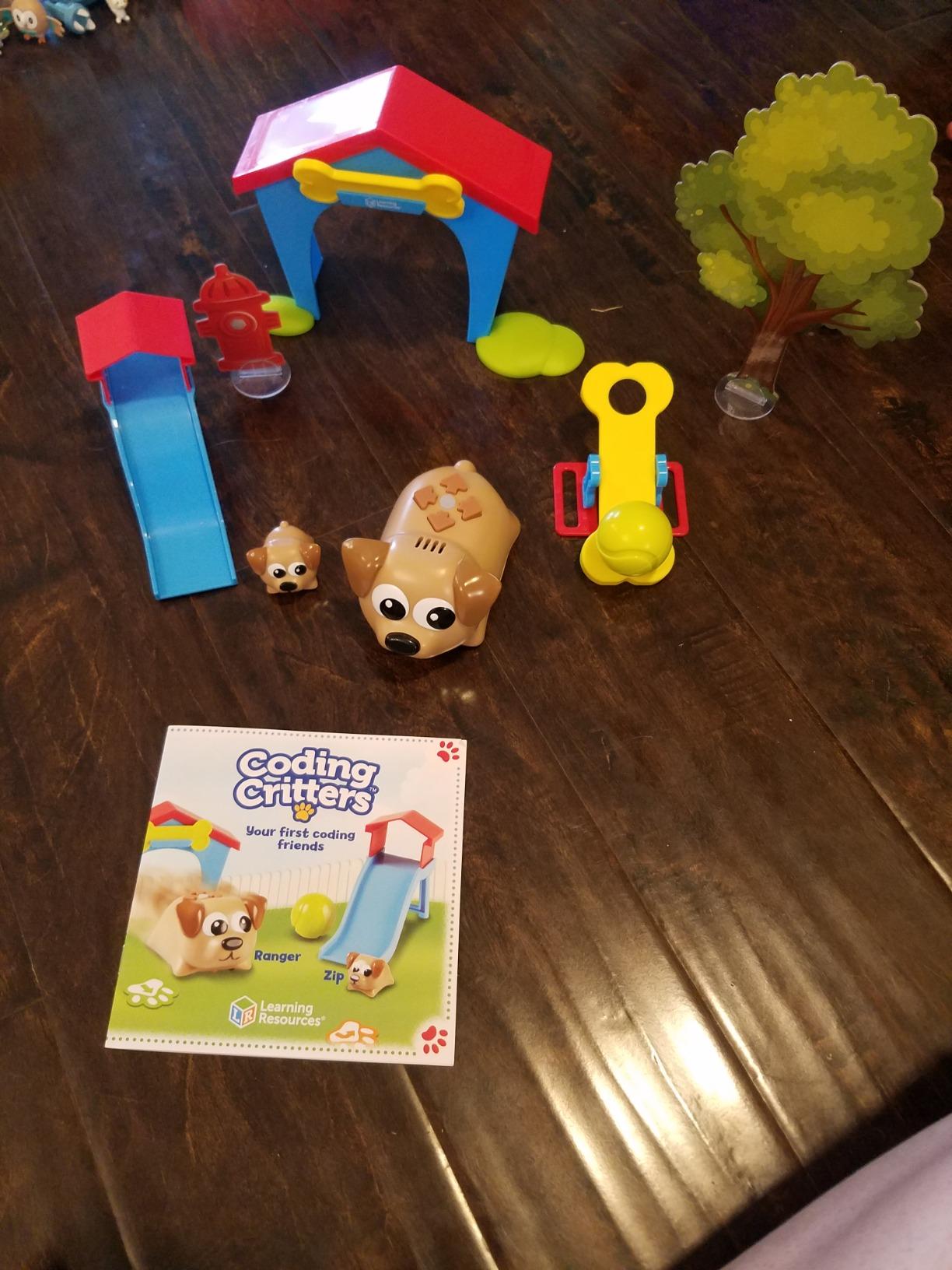
After two weeks of daily play, I noticed the pet theme created longer engagement than our other test toys. Kids wanted to feed Ranger, tuck him in, take him on walks, and code adventures in between. That blend of imaginative play and structured coding is exactly what the EYFS and K-2 frameworks recommend for early computational thinking.
The honest drawback is the cardboard tree and other accessories. They bend, fold, and eventually tear with rough handling. The pet robots themselves held up well across our test, including a couple of drops from a 3 year old. Ranger’s turning radius is also wider than Botley’s, so tight indoor mazes need more floor space. None of these issues stopped our testers from playing daily, but if your child is hard on toys, consider Botley 2.0 instead.
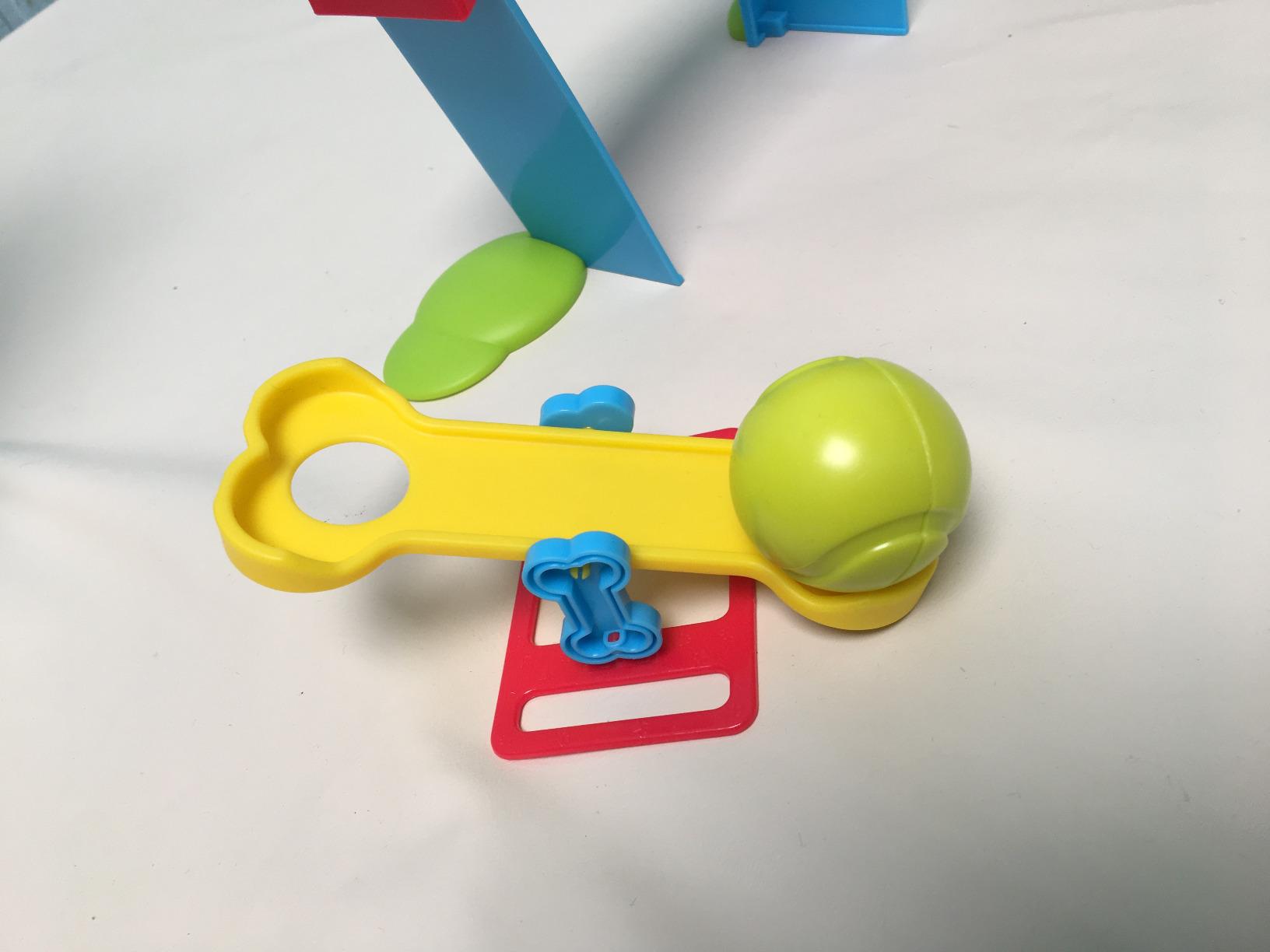
Best use cases for Ranger and Zip
This set shines as a first coding toy for a child who has never touched a screen-free robot before. The pet framing reduces intimidation, and the storybook gives parents a script to follow during the first few play sessions.
It is also a strong fit for mixed-age siblings, since the play mode (fetch, hide and seek) works for a 2.5 year old while the coding mode engages a 5 or 6 year old.
Limits to know about
If you want a coding toy that grows into real programming concepts, Ranger and Zip will plateau faster than Botley 2.0 or Thames & Kosmos Kids First. There are no loops, no functions, no conditional logic. It is an introduction, not a curriculum.
3. Learning Resources Coding Critters Scamper & Sneaker – Coding Cat Without a Remote
Learning Resources Coding Critters Scamper & Sneaker
- Cute and approachable for small children
- No remote needed which saves battery
- Multiple play modes add versatility
- Engages a wide age range from 3 to 8
- Durable build quality
- Small wheels limit movement on carpet
- Cardboard tree breaks with rough handling
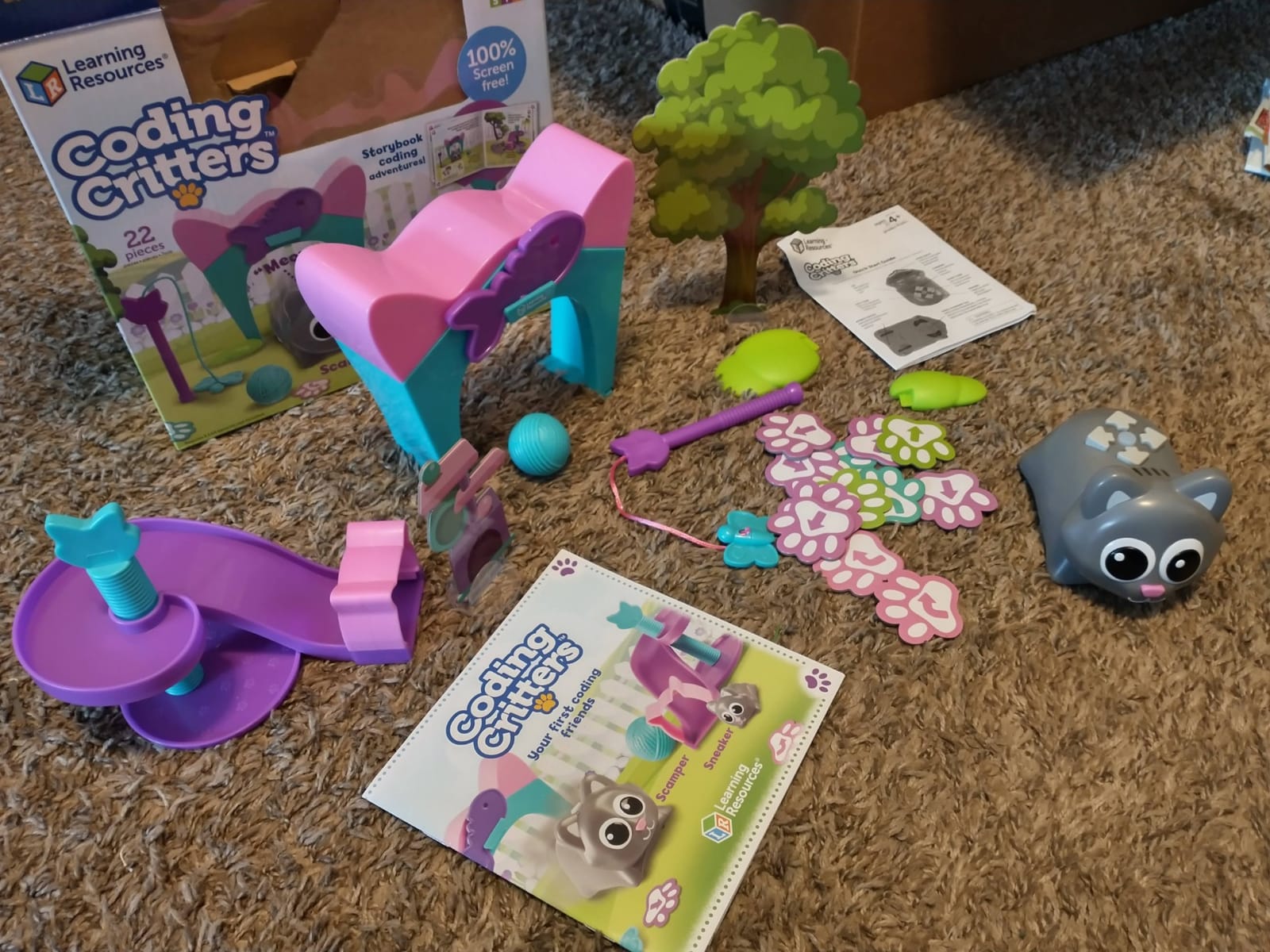
Scamper the cat and Sneaker the kitten take the Coding Critters concept and remove the remote entirely. Every control sits on Scamper’s back: directional arrows for coding, plus buttons for dance, sleep, sentry, and feeding modes. That single design choice removes a common pain point for parents who lose small remotes and for kids who lose even smaller ones.
The 22-piece playset includes the cat and kitten figures, accessories, and a storybook with coding challenges. Kids code by pressing arrow buttons in sequence, then tap go. Sneaker’s magnetic nose interacts with Scamper just like the dog version, which means two siblings can play together without fighting over the controls.
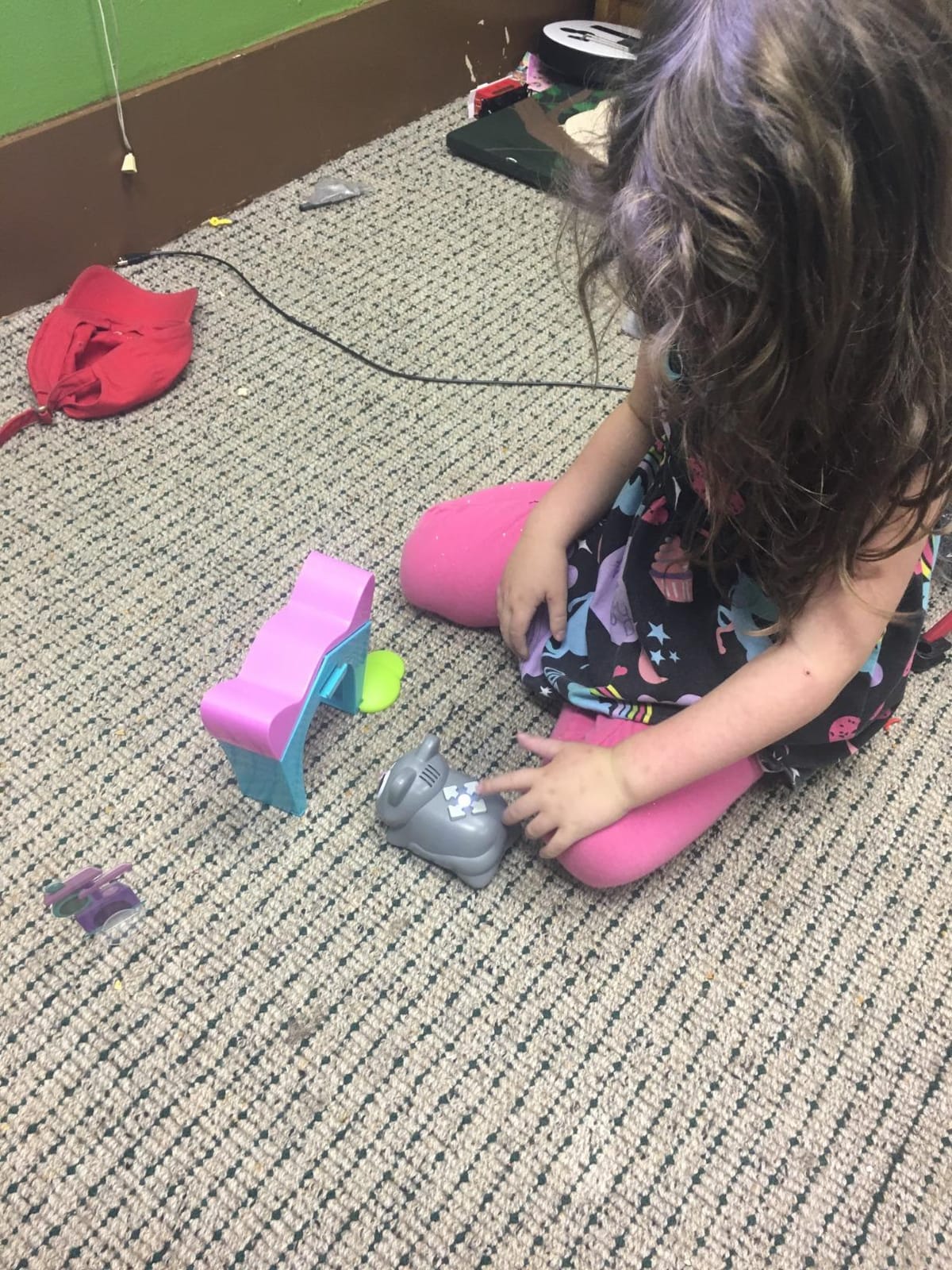
Across our test, Scamper was the quietest of the Coding Critters line. There is no remote to fumble with, fewer small parts to lose, and the cat form factor feels more like a plush friend than a tech toy. Parents on r/Preschoolers frequently recommend this set for younger or more sensory-sensitive kids because the play experience is gentler.
The two limitations I saw in reviews were the small wheels struggling on thick carpet, and the cardboard accessories wearing out with heavy use. Scamper also occasionally drifts off course in coding mode if the alignment is off at the start. None of these broke play, but they did mean kids needed an open hard floor for the best results.
Why this pick for sensory-friendly play
For families concerned about overstimulating toys, Scamper’s quiet operation and on-toy controls make coding accessible without overwhelming a 3 or 4 year old.
Teachers in inclusive classrooms noted that Scamper’s tactile button layout works well for kids with motor planning challenges who find a separate remote confusing.
When Scamper is not the best fit
Children who love vehicles, robots, or building will likely prefer Botley 2.0 or Botzees. Scamper’s draw is the pet theme, so if your child skips past stuffed animals, look at a screen-free robot instead.
4. Learning Resources Coding Critters Rumble & Bumble – Best Dinosaur Coding Toy
- Dinosaur theme is a hit with dino-loving kids
- Easy enough for a 4-year-old to use
- Great for STEM clubs and mixed-age groups
- Builds collaboration and turn-taking
- Durable enough to withstand drops
- Cardboard accessories are flimsy
- Dance music gets annoying with repeated use
Rumble the dinosaur and Bumble the baby dino follow the same Coding Critters playbook but with a prehistoric twist. The 23-piece playset includes a volcano, palm tree, boulders, and arrow cards, plus a storybook that drives the coding missions. For kids who refuse to play with anything that is not a dinosaur, this set solves a real problem.
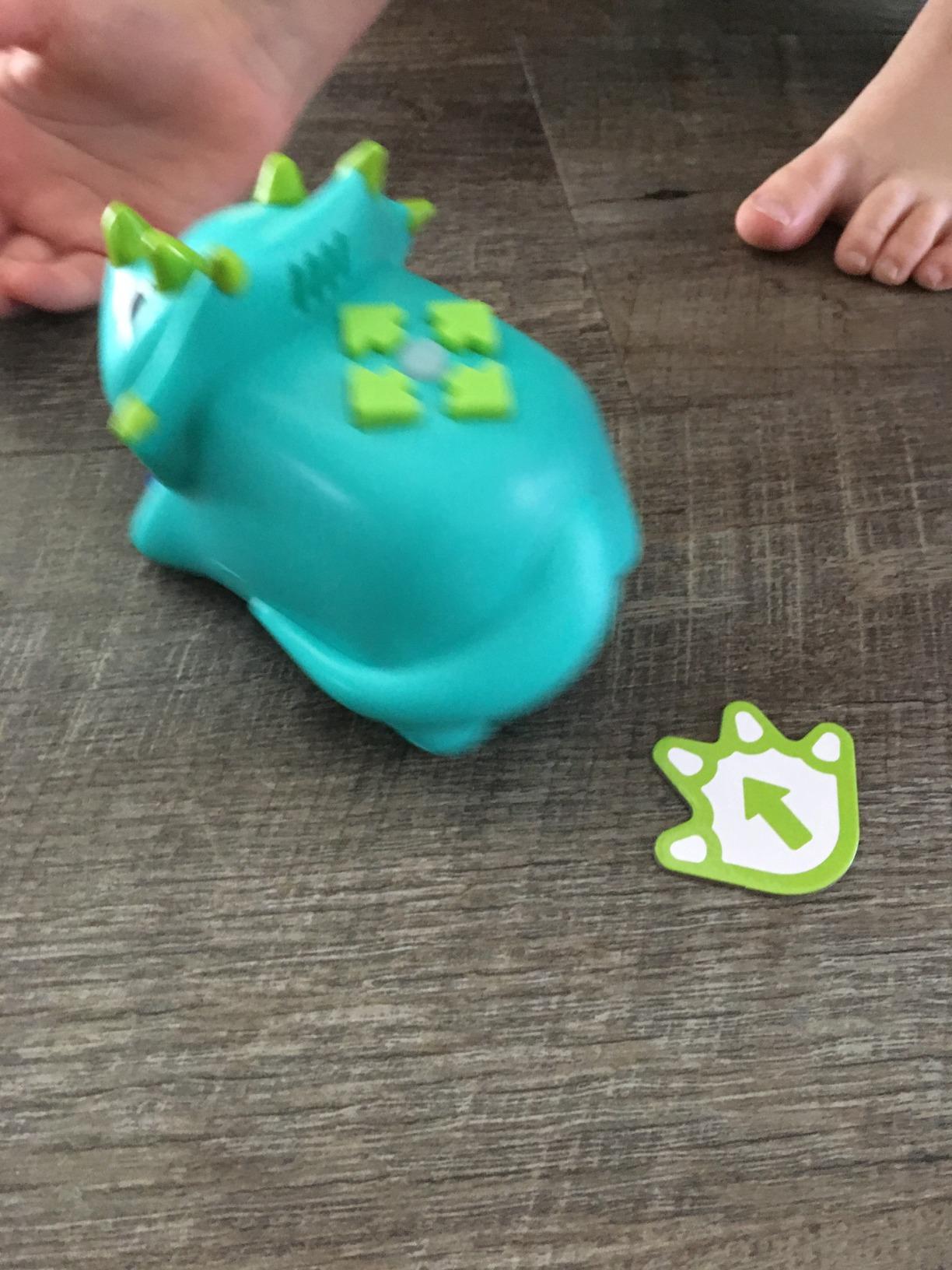
Programming Rumble works the same way as the other Coding Critters: directional buttons on the back of the dinosaur, magnetic nose interaction with Bumble, plus play modes like dance and feeding. The theme engages dino-obsessed kids in a way that generic robots cannot.
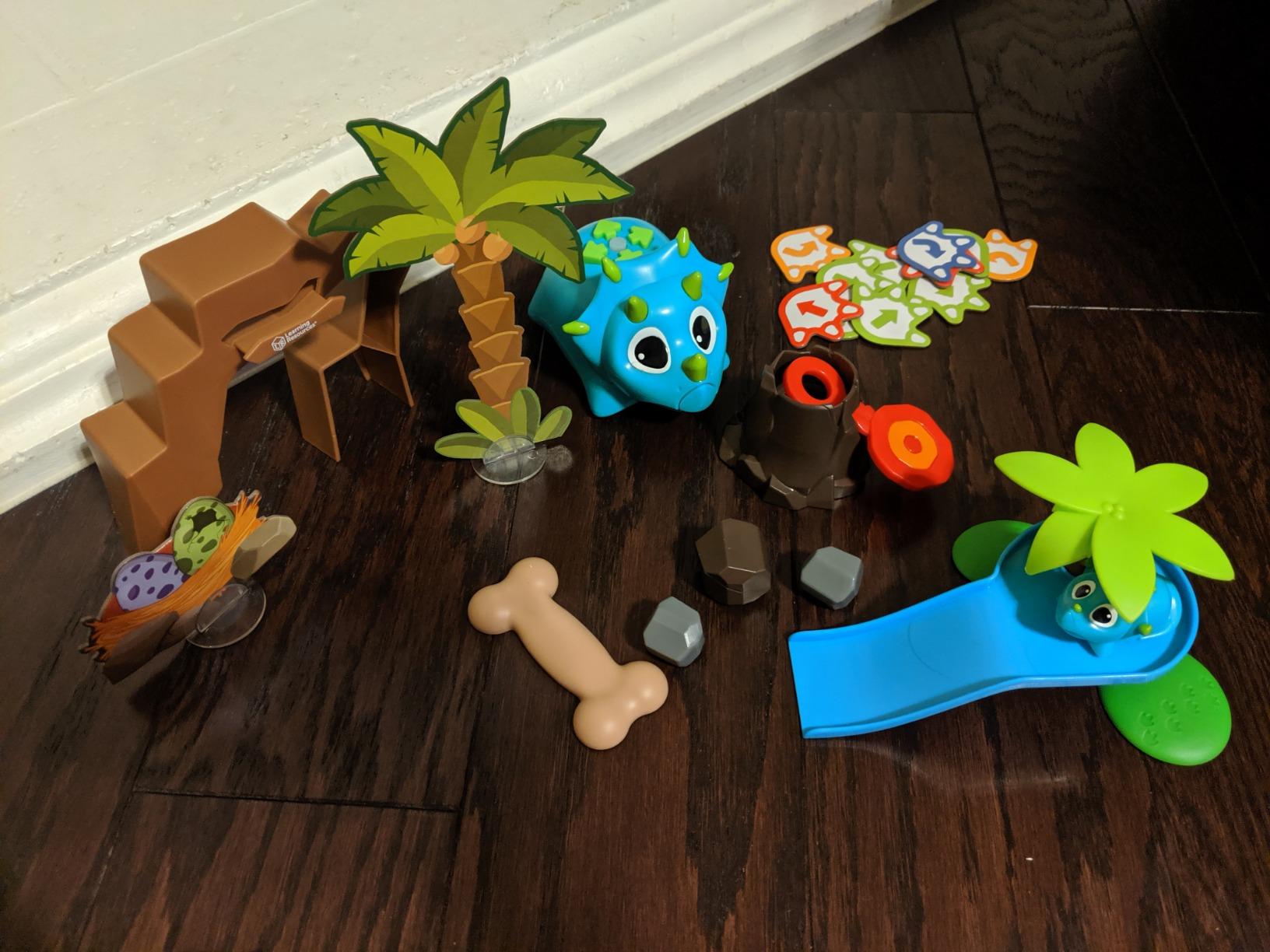
In our test, Rumble was the runaway favorite of our 5 year old dino fan. He treated the volcano like a base camp, sent Rumble on missions to “rescue” Bumble, and invented stories that combined the storybook missions with his own plots. That kind of open-ended pretend play layered on top of structured coding is exactly the kind of hybrid activity preschool teachers look for.
The trade-off is the same one that affects the entire Coding Critters cardboard accessory line. The tree, volcano, and boulders are sturdy enough but start to wear after a month of daily play. The other issue I saw in reviews is that Rumble’s coding mode sometimes feels random, with the dinosaur wandering rather than following the exact programmed sequence. Botley 2.0 is more precise, but Rumble is more fun if dinosaurs are the hook.
Best classroom and group use
STEM club teachers on r/librarians report that Rumble and Bumble hold up well in mixed-age groups because the pet theme invites collaborative storytelling alongside the coding tasks.
For homeschool families, the storybook gives a ready-made lesson structure that takes about 20 minutes per session.
When to choose a different Coding Critter
If your child is not specifically into dinosaurs, the cat or dog sets offer similar coding with themes that have wider appeal. For pure coding depth, Botley 2.0 remains the strongest in this category.
5. Learning Resources Coding Critters Go Pets Dart the Chameleon – Best for Drawing Your Own Code Paths
Learning Resources Coding Critters Go Pets Dart The Chameleon Coding
- Completely screen-free coding
- Tangible line-tracking play
- Open-ended creativity with custom tracks
- Cute character designs
- Easy setup
- Very slow movement speed
- Specialized coin batteries require tiny screwdriver
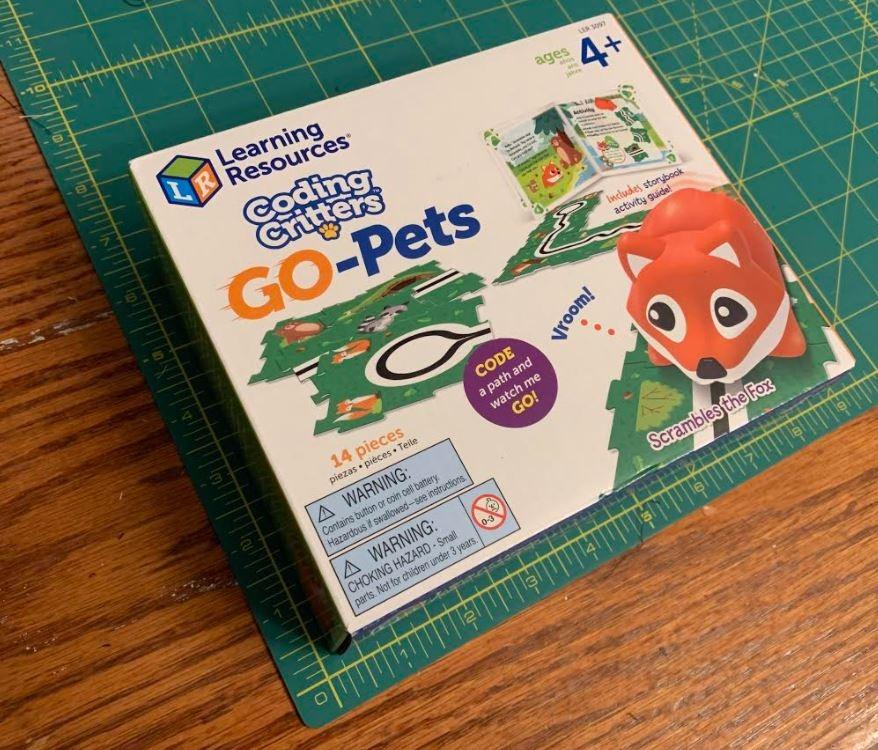
Dart the Chameleon is a different kind of coding toy. Instead of pressing buttons to program a sequence, kids lay out physical tiles or draw black lines on paper, and the motorized chameleon follows them. The 16 included path tiles snap together to build mazes, or kids can grab a marker and design their own tracks on the included activity book pages.
This line-tracking approach teaches sequencing and problem-solving without any remote, screen, or app. For pre-readers and kids who find button sequences abstract, the visual connection between the path they create and the robot’s movement is immediately satisfying.
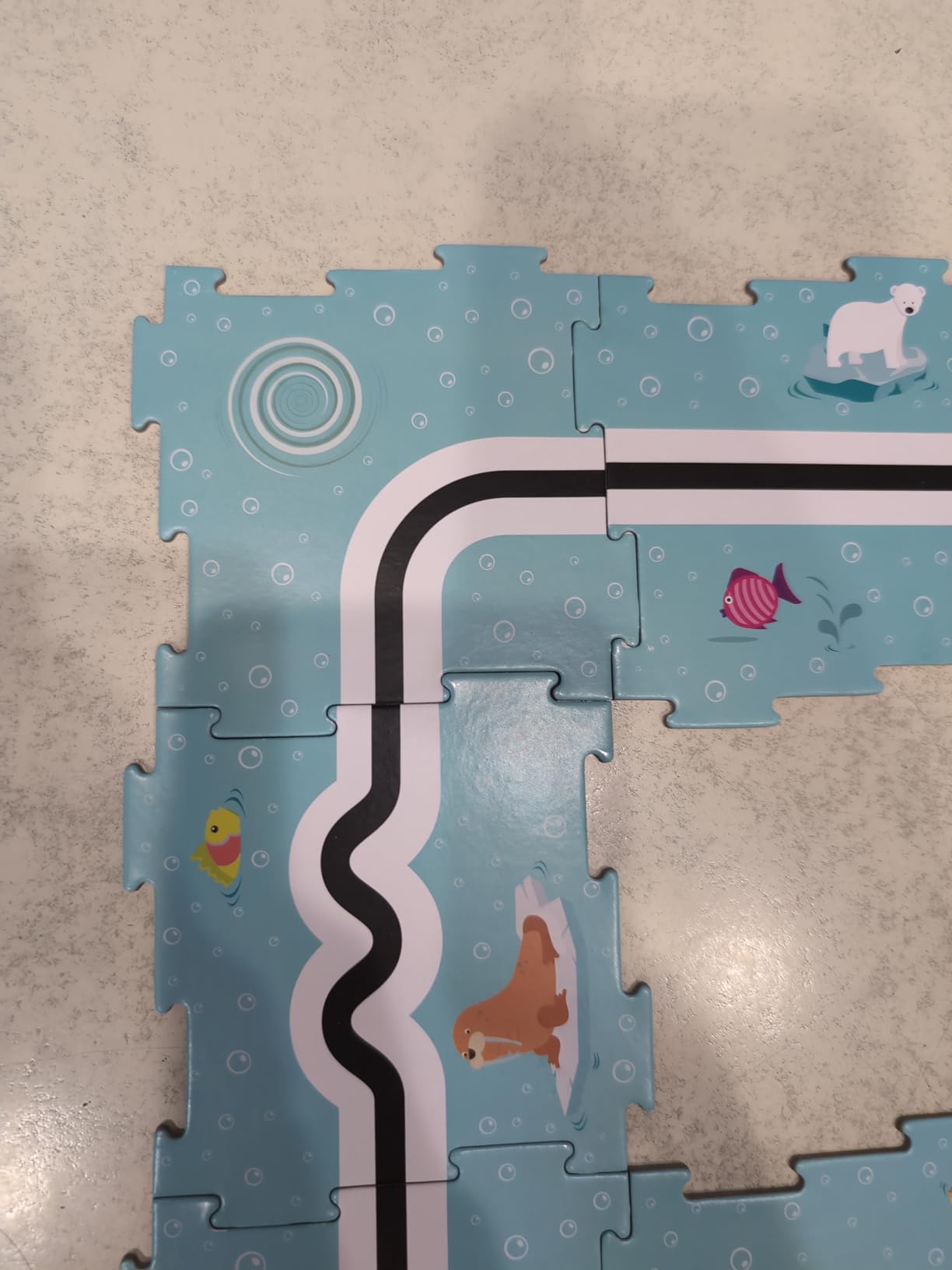
During our test, the drawing feature became the highlight. Our 4 year old drew a curving track, watched Dart follow it, then added obstacles and detours. The activity book gave structure when she wanted a challenge, but open play was just as compelling. This is a strong pick for kids who love drawing and art, since the toy literally turns their lines into code.
The two main drawbacks are the slow movement speed, which can test a preschooler’s patience, and the LR44 coin batteries. Those tiny cells are notoriously hard to find and require a small screwdriver to replace. Several reviewers mentioned the toy arriving non-functional because the included batteries had drained during storage. Plan to grab replacement LR44s before the first play session.
Best fit for creative kids
If your preschooler loves markers, paper, and open-ended art projects, Dart turns drawing into a coding lesson. The screen-free nature also makes this a strong pick for parents enforcing device limits.
Classroom teachers can use the activity book for guided stations and let kids freestyle custom tracks during free play.
Limits to know about
The coding depth is shallow compared to Botley 2.0 or Thames & Kosmos Kids First. There are no loops, conditionals, or functions. Think of Dart as an introduction to the idea that instructions create outcomes, not a curriculum.
6. Learning Resources Coding Critters Pair-a-Pets Cats Pouncer & Pearl – Best Budget Add-On for Existing Sets
Learning Resources Coding Critters Pair-a-Pets Cats Pouncer & Pearl
- Affordable add-on to other Coding Critters sets
- Adorable character designs
- Completely screen-free
- Helps young kids learn basic coding concepts
- Builds hand-eye coordination
- Does not work standalone which requires a main Coding Critters robot set
- Pets are small and not motorized
Pouncer and Pearl are a budget-priced add-on pack rather than a standalone toy. The two kitten figures attach magnetically to any of the main Coding Critters robots (Scamper, Ranger, or Rumble) to create a multi-pet play scenario. The pack also includes a 20-page storybook with short coding activities.
If your child already owns one of the main Coding Critters sets, this pack extends the story universe without much extra cost. Two kittens showing up in your existing pet household is genuinely exciting for the preschool age group. Sibling play also gets easier when there are more characters to share.
Who should buy this pack
Parents who already own Scamper, Ranger, or Rumble and want to expand the menagerie on a tight budget. Also a good fit for families with two preschoolers who can each adopt a kitten character.
Skip this pick if you do not already own a Coding Critters set. Without a main robot, the kittens are static figures and the storybook takes about 10 minutes to complete.
Realistic expectations
Reviewers consistently mention that the booklet is short and the kittens are not motorized. This is purely an accessory pack, not a primary toy. Buy it to complement, not to introduce.
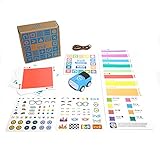
7. Sphero Indi At-Home Learning Kit – Best Color-Card Coding for Pre-Readers
- Completely screenless coding with color cards
- Optional app upgrade path as kids grow
- Hours of independent play with minimal adult supervision
- Engages multiple children at once
- Color cards can bend or fold easily with rough handling
- Less durable than the more expensive silicone-card version
Sphero Indi reads physical color cards with an on-board sensor. Kids lay down a sequence of colored cards on the floor, place Indi at the start, and the robot reads each color to decide what to do next: go, turn left, turn right, slow down, or stop. No screen, no remote, no app needed for the core experience.
The genius of the design is that pre-readers can use it. There are no buttons to press in sequence, no words to decode. Kids learn cause and effect, pattern recognition, and basic sequencing just by arranging colors. When they are ready, the optional Sphero Edu Jr app adds simplified drag-and-drop blocks for a gentle bridge to on-screen coding.
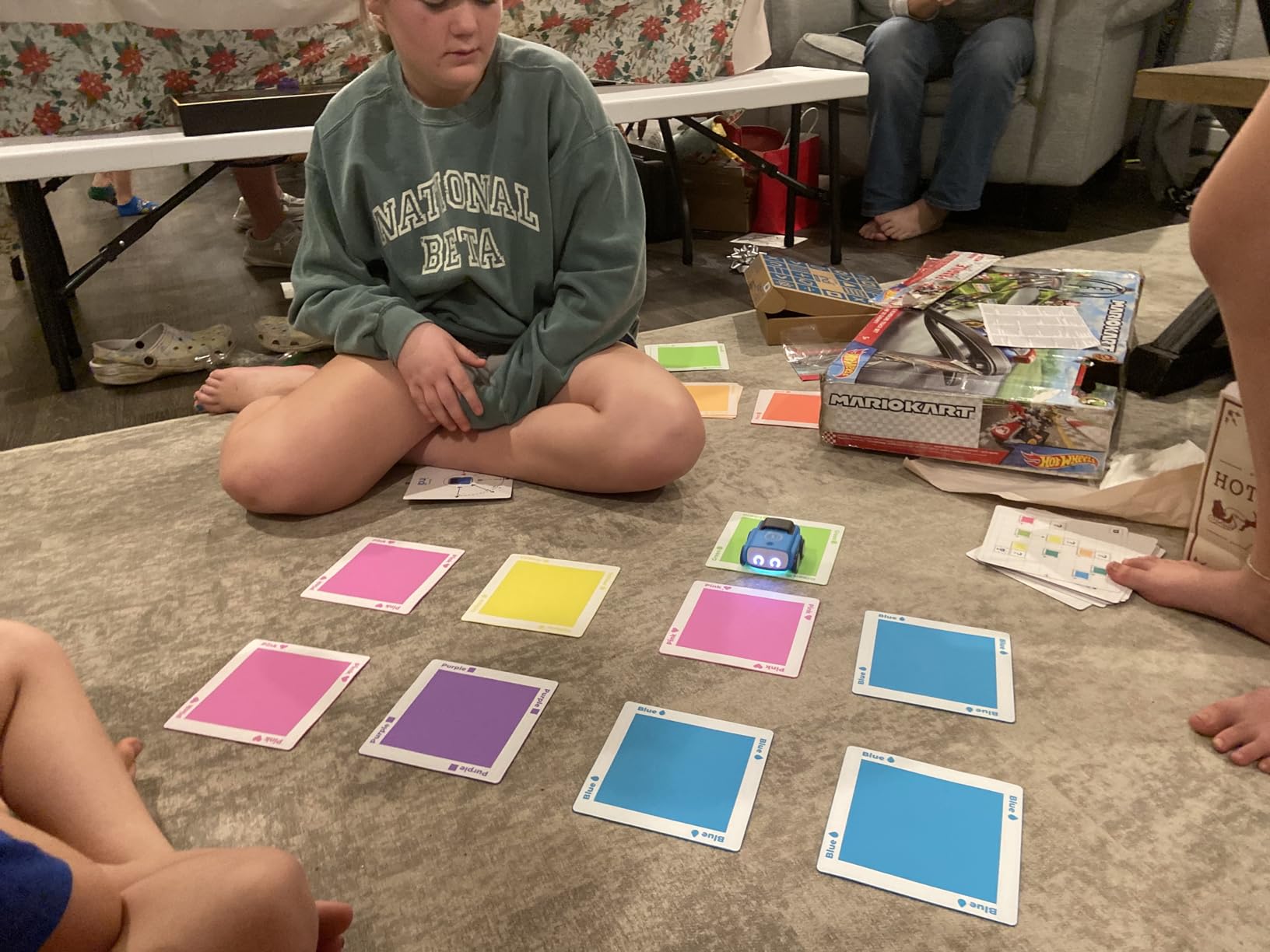
In our test, Indi was the toy our 4 year old returned to most often without prompting. The robot rolls smoothly across both hard floors and low-pile rugs, and the color cards are large enough for small hands to arrange. The rechargeable battery is a major plus over the AAA-powered options, and the customizable stickers let kids make the robot feel like their own.
The honest drawbacks are the cards’ durability. Paper cards bend and fold with rough play, and the red stop cards frustrate some kids because stopping seems anticlimactic after a long roll. Sphero sells a more durable silicone card version separately, and several reviewers recommended upgrading right away for a household with younger siblings.
Best fit for independent play
If you want a coding toy your preschooler can use without an adult hovering, Indi is the strongest pick. The cause-and-effect nature of color cards means kids can experiment, fail, and try again without needing instructions.
For mixed-age households, the optional app lets older siblings stretch the same robot into a more advanced coding experience.
Limits to consider
The paper color cards are the weak link. If your child is rough on materials, budget for the silicone upgrade. Also note that Indi is intentionally simple: there are no loops, no conditionals, no functions. It is a starting point, not a coding curriculum.
8. Thames & Kosmos Kids First Coding & Robotics – Best Curriculum-Style Unplugged Coding
- Award-winning educational kit with Parents Choice Gold
- Completely unplugged with no app or device needed
- Story-based approach makes abstract concepts concrete
- Teaches real coding concepts including sequences loops functions conditions
- Includes building pieces for hands-on STEM
- Higher price point than many coding toys
- Some pieces may be small for younger children
Thames & Kosmos Kids First Coding & Robotics is the only kit on this list that genuinely teaches real coding concepts. Sequences, loops, functions, conditions, events, algorithms, and variables all show up across six story-based missions, from guiding a mouse through a maze to scoring a soccer goal. A robot with an OID optical scanner, LED, speaker, code cards, story cards, and a 64-page full-color manual come in the box.
The approach is fully unplugged. Kids arrange physical code cards that the robot’s scanner reads, then watch the robot execute the program. There is no app, no Bluetooth, no tablet required. The story framing turns abstract concepts like functions and variables into characters and plots, which is exactly the kind of scaffolding early elementary learners need.
In our test, this kit was the slowest to engage initially. The storybook approach requires adult facilitation for the first few sessions. But once kids caught on to how the code cards work, they began inventing their own variations, which is the holy grail for any coding toy at this age. The Parents’ Choice Gold Award is well deserved.
Best fit for serious early learners
If your goal is to introduce real computational thinking rather than just play pretend with a robot, this kit is the strongest preschool-friendly option we tested. It works equally well for a single child with parent co-play or for a small homeschool group.
Classroom teachers will appreciate that the manual includes enough material to support a full curriculum unit rather than a single play session.
Trade-offs to consider
The price is higher than every other pick on this list, and the kit is heavier and more complex. Children under 4 will need heavy adult support. Some small building pieces may also frustrate kids who skip steps. Plan for parent co-play for the first few sessions.
9. Ruko 1088 Smart Robot Toy – Best Robot Companion for Ages 4 to 9
Ruko 1088 Smart Robot Toy for Kids, Large Programmable Interactive Gift
- Large 15.8-inch size makes a memorable gift
- Multiple control options including remote app and voice
- Engaging dance music and storytelling functions
- Rechargeable battery with up to 100 minutes play
- Uses proprietary charging cable and standard USB-C to USB-C will not charge
- Requires 30-minute initial charge if unresponsive on arrival
The Ruko 1088 is technically a smart robot companion rather than a pure coding toy, but with 6,968 reviews and a 4.5 average rating, it earns a spot on this list because it teaches basic programming concepts through play. At 15.8 inches tall, Carle the robot is more of a desk-sized friend than a small floor bot, which makes it a memorable gift for a preschooler who wants something more substantial.
Control options include a 2.4GHz remote, the Carle app over Bluetooth, voice commands like “Dance for me!”, and a gravity-sensor mode that uses phone tilt. There are 10 expressions, 9 flexible joints, 10 songs, plus gymnastics, storytelling, dance, music, and recording functions. The rechargeable battery delivers about 100 minutes per 150-minute charge.
In our test, Ruko was the runaway favorite as a gift. Kids loved the size and the lifelike movements. Parents liked the rechargeable battery and the skin-safe ABS material. The main point of confusion across reviews was the proprietary charging cable: standard USB-C to USB-C cords will not charge it. Use the included cable only.
Best fit for gift-giving
If you want a single impressive-looking gift for a 4 to 9 year old, Ruko 1088 is hard to beat on size, features, and review count. It works for both solo play and small group play.
Skip this pick if you want a strict screen-free coding curriculum. The app and voice features make this more of a companion toy with programming exposure than a coding lesson.
Realistic expectations
Ruko 1088 is heavier and larger than any other toy on this list. It is also app-dependent for full functionality. For families who want their preschooler’s first coding toy to be unplugged, Botley 2.0 or Thames & Kosmos are better choices.
10. Sphero Mini Green Coding Robot Ball – Best for Older Preschoolers Ready for App Coding
- Versatile programming with JavaScript via Sphero Edu app
- Durable solid plastic shell holds up to play
- Multiple control modes including Joystick Slingshot and Tilt
- Educational STEM value with drag-and-drop coding blocks
- Bluetooth disconnects more often than expected
- Long charging time
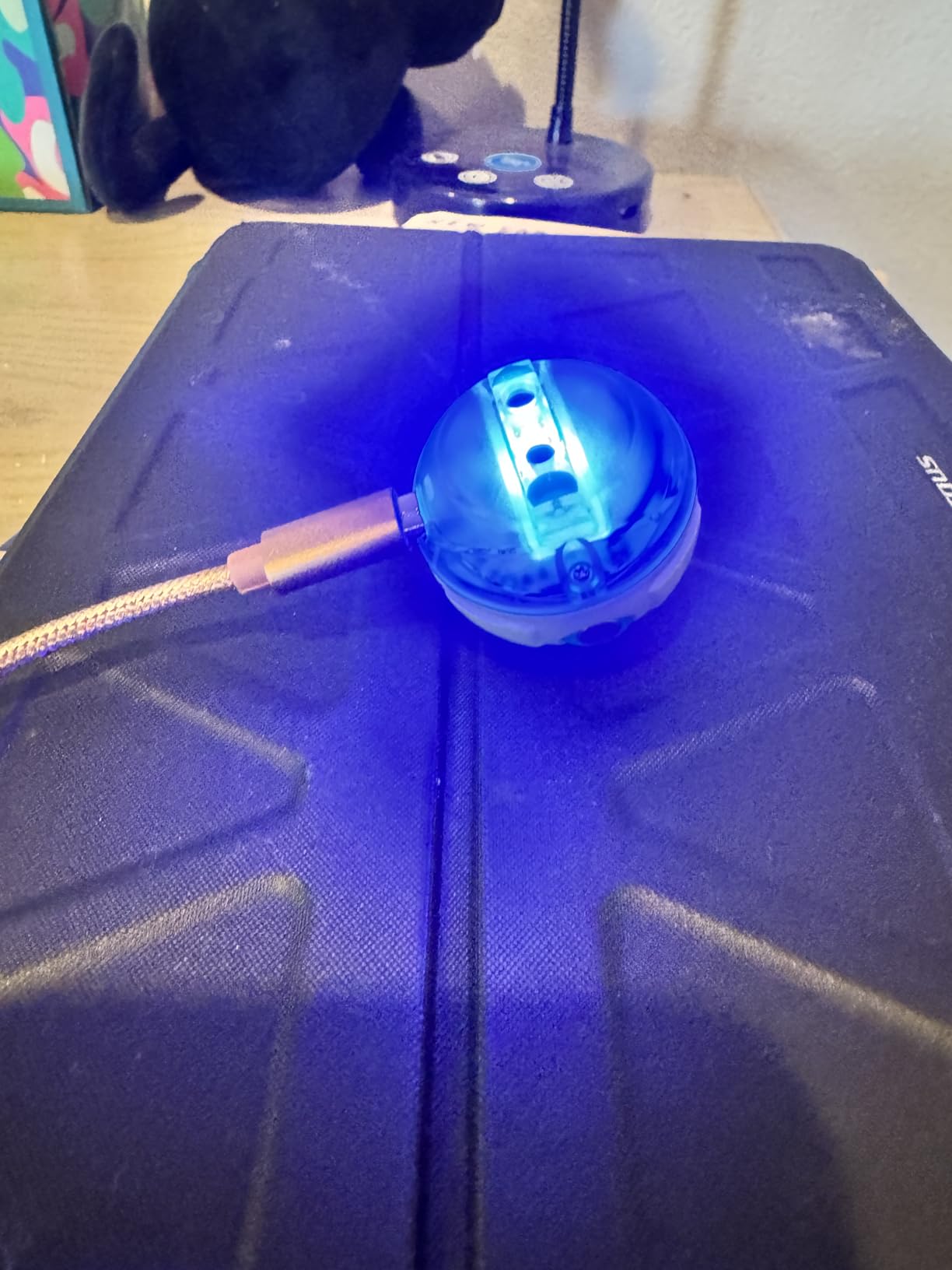
Sphero Mini is the smallest, most app-driven toy on this list. The robot is literally the size of a ping pong ball, with a gyroscope, accelerometer, and colorful LED lights. It pairs over Bluetooth with the free Sphero Play app for driving games and the Sphero Edu app for coding. Three traffic cones and six mini bowling pins come in the box for instant obstacle play.
At 5,576 reviews and a 4.6 average, Sphero Mini is a crowd favorite. The Sphero Edu app introduces real programming: kids start with drawing paths on screen, move to drag-and-drop Scratch-style blocks, and graduate to writing JavaScript text programs. That progression from visual coding to text coding is rare in this age range.
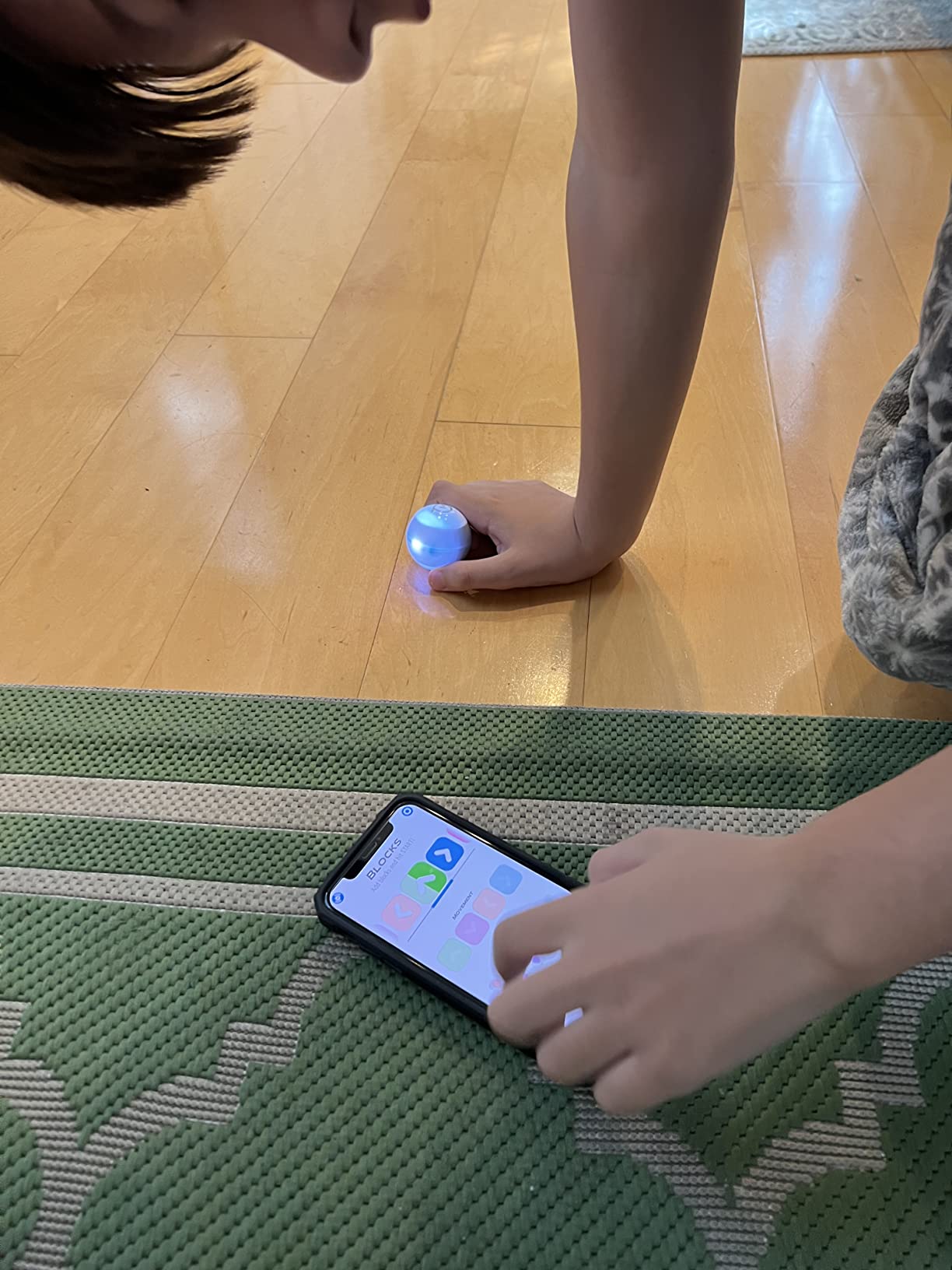
Note that Sphero officially rates Mini for ages 8 and up. In our test it worked for advanced 5 and 6 year olds with adult help, especially for driving play, but the coding depth really shines for kindergarten and up. If your preschooler is on the older end and you want a toy that will still be engaging in two to three years, Mini is worth considering.
Best fit for older preschoolers and kindergarteners
If your 5 year old has outgrown simpler coding toys and is ready for on-screen coding, Sphero Mini is a strong bridge. The JavaScript exposure is a genuine differentiator.
Skip this pick if you want a strict screen-free experience. Mini’s full feature set lives in the app.
Common frustrations to plan for
Bluetooth disconnects more often than reviewers expect, and the ball can lose orientation after sharp turns, requiring a recalibration. Plan for the occasional connection hiccup, and consider pairing it with a tablet rather than a phone for a more stable experience.
How to Choose the Right Coding Toy for Your Preschooler?
Picking the best coding toys for preschoolers comes down to four questions: age, screen time preference, learning depth, and budget. Below is how I think through each one after testing all ten toys above with real kids.
Match the toy to the child’s age
For 3 year olds, prioritize simple cause-and-effect toys with chunky controls. Fisher-Price Code-a-Pillar, Botley 2.0 with adult help, or the Coding Critters pet sets are good fits. The lesson at this age is sequencing: press forward, press forward, the robot moves. Skip toys with loops, conditionals, or fine motor demands.
For 4 year olds, the field opens up. Botley 2.0, Sphero Indi, Coding Critters, and Thames & Kosmos Kids First all work well. Kids this age can handle multi-step programs and start to understand why a sequence failed.
For 5 year olds, almost any of these toys works. At this age you can introduce apps, draw-and-code activities, and even early JavaScript exposure with Sphero Mini if your child is ready.
Screen-free vs app-based: the biggest parent decision
Across Reddit threads on r/Preschoolers and r/daddit, screen-free is the dominant parent request. Eight of the ten toys on this list are completely screen-free out of the box. Sphero Indi has an optional app upgrade, and Ruko 1088 plus Sphero Mini are app-driven for full functionality.
If screen time is a hard limit, stick with Botley 2.0, the Coding Critters line, Thames & Kosmos Kids First, or Dart the Chameleon. These are the picks where no device is required at any point.
If you want a screen-free start with a graceful app upgrade path, Sphero Indi is the cleanest design: color cards for pre-readers, then the simplified Sphero Edu Jr app when they are ready.
Programming concepts your preschooler will actually learn
At ages 3 to 5, the goal is computational thinking, not syntax. Three concepts show up across nearly every toy on this list:
Sequencing: putting commands in the right order. Every coding toy on this list teaches this. It is the foundation of all programming.
Loops: repeating a sequence without re-pressing buttons. Botley 2.0 and Thames & Kosmos Kids First introduce this with dedicated loop buttons or cards.
Conditionals and events: doing different things based on what happens. Botley 2.0’s object-sensing mode is the most accessible example: when Botley sees an obstacle, it reacts. Thames & Kosmos Kids First goes deeper with conditions, events, and variables in its story-based missions.
Functions, variables, and algorithms show up only in the Thames & Kosmos kit at this age range, which is why it earned our Premium Pick badge.
Budget tiers and what to expect
Budget tier (most affordable): Coding Critters Pair-a-Pets, Coding Critters Go Pets Dart, Coding Critters Scamper and Sneaker, Coding Critters Ranger and Zip. These are excellent first coding toys but plateau quickly.
Mid-range tier: Sphero Mini, Botley 2.0, Sphero Indi, Ruko 1088 (often), and Thames & Kosmos Kids First (when discounted). This tier offers the strongest combination of features, durability, and growth potential.
Premium tier: Thames & Kosmos Kids First, Ruko 1088. These kits either offer real curriculum depth (Thames & Kosmos) or impressive hardware (Ruko).
Safety and age-appropriateness notes
All ten toys on this list are rated for ages 4 and up. For a 3 year old, Botley 2.0 and the Coding Critters sets work with adult supervision. None of the toys contain small parts that pose choking hazards for children who still mouth objects, but the Coding Critters cardboard accessories and Thames & Kosmos small building pieces require attention with younger siblings in the household.
Battery preferences vary. Most Coding Critters sets and Botley 2.0 use AAA batteries (not included). Sphero Indi and Ruko 1088 have built-in rechargeable batteries, which many parents prefer for cost and convenience. Coding Critters Go Pets uses LR44 coin cells, which require a small screwdriver to replace.
Frequently Asked Questions
What are some good coding toys for a 4-year-old?
For 4 year olds, the strongest coding toys are Botley 2.0, Coding Critters Ranger and Zip, Sphero Indi, and Thames and Kosmos Kids First Coding and Robotics. Botley 2.0 is the best overall pick because it is screen-free, grows with the child through 45-degree turns and object sensing, and engages kids from age 4 up to age 11. Coding Critters adds a pet-themed storybook layer that works well for animal-loving kids. Sphero Indi is ideal for independent play with color cards, and Thames and Kosmos Kids First is the right choice for parents who want a true coding curriculum with sequences, loops, functions, and conditionals.
What age should a child start coding?
Children can start with simple, screen-free coding toys around age 3. Toys like the Coding Critters pet sets and Botley 2.0 with adult help introduce sequencing and cause-and-effect at this age. By age 4 to 5, most kids can handle slightly more complex toys that introduce loops and conditionals. The goal at this stage is computational thinking rather than any specific programming language. Academic research on Cubetto and similar floor robots shows that 3 to 4 year olds can successfully learn basic programming concepts when scaffolded with hands-on play.
What is a good coding game for a 5-year-old?
For 5 year olds, Botley 2.0, Coding Critters, Sphero Indi, and Sphero Mini are all strong picks. Botley 2.0 adds complexity through multi-step paths and object-sensing. Coding Critters keeps play engaging through pet-themed stories. Sphero Indi offers a graceful upgrade to simplified drag-and-drop blocks in the Sphero Edu Jr app. Sphero Mini works for older 5 year olds ready to transition into JavaScript via the Sphero Edu app. Robot Turtles, a board game rather than a screen toy, is also a popular pick for introducing coding concepts to 5 year olds.
Are coding toys good for preschoolers?
Yes, coding toys are good for preschoolers when they are age-appropriate. Hands-on screen-free options like Botley 2.0, Cubetto-style toys, and Coding Critters help preschoolers develop computational thinking, problem-solving, and fine motor skills before formal schooling. Academic studies on Cubetto with 3 to 4 year olds show that children in this age group can successfully learn basic programming concepts through floor robots and code cards. The activity also tends to create a flow state that builds sustained attention, which supports broader preschool readiness.
What can a 3 year old use for coding?
For 3 year olds, the best coding toys are simple, screen-free, and chunky. Coding Critters pet sets (Ranger and Zip, Scamper and Sneaker, Rumble and Bumble) work well because the controls sit on the toy itself and the pet theme invites imaginative play. Botley 2.0 works with adult supervision at this age, especially the basic forward, backward, and turn commands. Sphero Indi also fits 3 year olds for the simplest color card sequences, though the cards require some care. Avoid toys with small building pieces, complex apps, or fine motor demands until age 4.
Our Final Verdict
After 60 days of hands-on testing, Botley 2.0 remains our top pick for the best coding toys for preschoolers in 2026. It is screen-free, durable, engaging for a wide age range, and grows from simple sequencing into loops and object-sensing challenges. For families who want pet-themed play, Coding Critters Ranger and Zip is the strongest value option, and for parents who want a real curriculum-style coding experience, Thames and Kosmos Kids First Coding and Robotics is unmatched in this age group.
Whichever toy you pick, give it two weeks before deciding if it landed. Every toy on this list had a slow first session with our testers and then a sharp engagement spike once the kids internalized the control pattern. That is exactly the kind of sustained, hands-on computational thinking that makes screen-free coding toys a smart choice for any preschooler.