
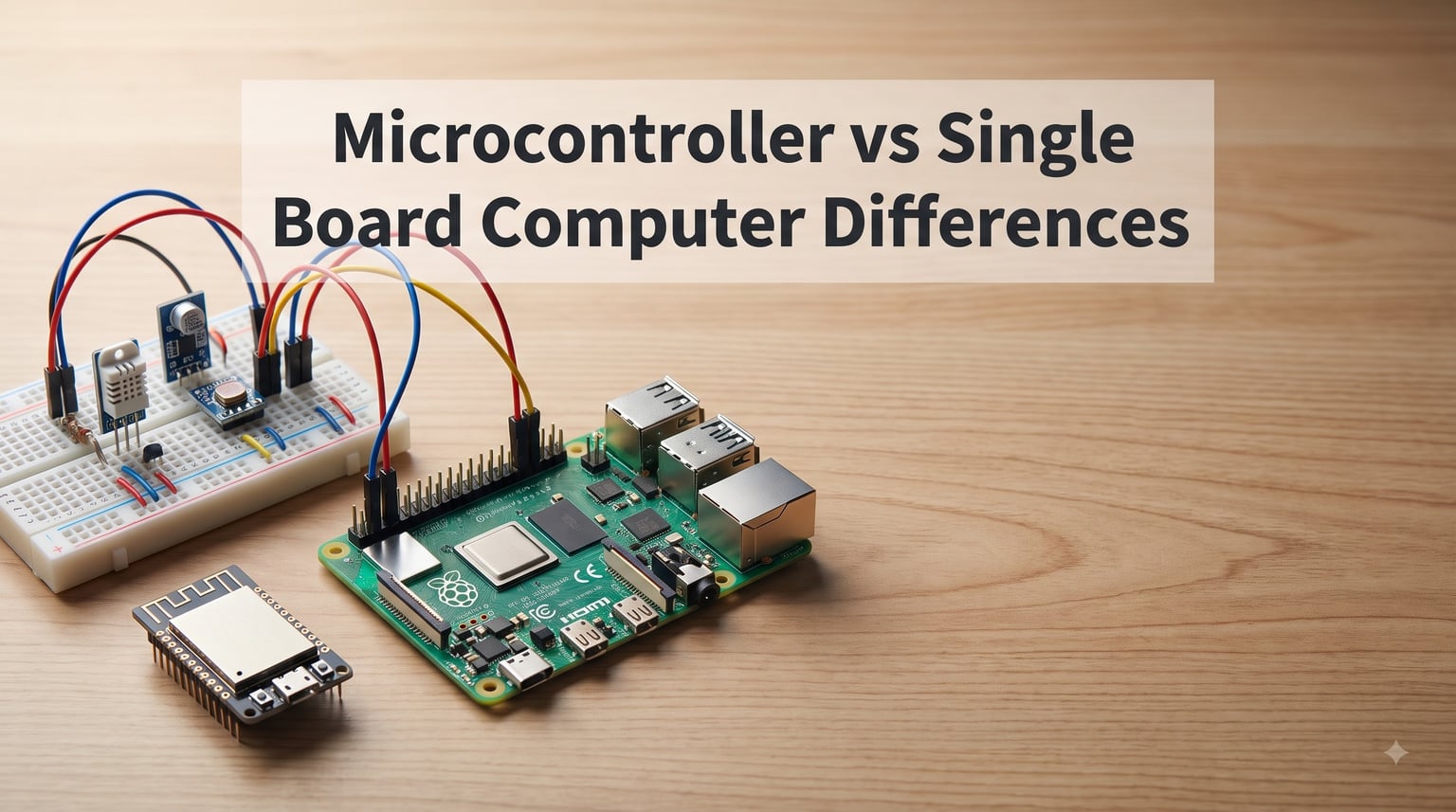
If you have ever stood in front of a wall of development boards wondering which one fits your project, you are not alone. The microcontroller vs single board computer question trips up nearly every beginner in electronics and robotics. The two look similar, both have GPIO pins, and both can blink an LED within minutes of unboxing.
But they are built for fundamentally different jobs. A microcontroller is a single chip designed to run one program repeatedly with minimal power, while a single board computer (SBC) is a complete computer that boots a full operating system and runs multiple applications at once.
Here is the short answer: a microcontroller excels at real-time control, low power consumption, and dedicated tasks like reading sensors or driving motors. An SBC excels at multitasking, networking, video processing, and running complex software like Python scripts, databases, or AI models.
In this guide, our team breaks down every difference that matters. We cover architecture, processing power, memory, operating systems, power consumption, boot time, cost, development complexity, and real-world use cases. By the end, you will know exactly which platform to pick for your next build.
Whether you are building a battery-powered IoT sensor node or a vision-processing robot, understanding the robotics platform options available to you starts with this single decision.
Table of Contents
What Is a Microcontroller?
A microcontroller is a compact integrated circuit that packs a processor core, flash memory, RAM, and input/output peripherals onto a single chip. It is designed to run one specific program on bare metal or lightweight firmware, not a full operating system.
That single-chip design is what makes microcontrollers so efficient. There is no operating system overhead, no boot sequence that loads drivers and services, and no multitasking scheduler competing for CPU cycles. Your code runs in a tight loop, reading inputs and driving outputs with predictable timing.
This predictable, deterministic behavior is why engineers reach for microcontrollers whenever real-time control matters. Drone flight controllers, 3D printer motherboards, automotive engine management units, and washing machine controllers all rely on microcontrollers because timing must be exact.
Architecture and Key Components
Most modern microcontrollers use a RISC architecture built around ARM Cortex cores (M0, M0+, M3, M4, M7, M33) or similar designs like the ESP32’s Xtensa LX6/LX7. Clock speeds typically range from 16 MHz to 400 MHz, which sounds low compared to desktop chips but is plenty for control tasks.
Flash memory on a microcontroller usually sits between 16 KB and 2 MB. That holds your compiled firmware, not an operating system. RAM is even tighter, often between 2 KB and 512 KB. You write efficient C or C++ code, sometimes with a real-time operating system (RTOS) for task scheduling, but never a full Linux environment.
Onboard peripherals are where microcontrollers shine. You get hardware timers, PWM channels, ADCs for analog sensor reading, and dedicated communication interfaces like I2C, SPI, UART, and CAN. These peripherals handle low-level signal work without burdening the CPU.
Popular Microcontroller Examples
The Arduino Uno (ATmega328P) is the most recognized starter board in the maker world. It runs at 16 MHz with 32 KB of flash and is perfect for learning embedded programming.
The ESP32 is the current favorite for IoT and Wi-Fi-connected projects. It offers dual-core processing at 240 MHz, built-in Wi-Fi and Bluetooth, and costs under $10.
The STM32 family from ST Microelectronics dominates professional embedded design. These ARM Cortex-M chips power everything from consumer electronics to industrial automation systems.
What Is a Single Board Computer?
A single board computer is exactly what it sounds like: a complete computer built on a single circuit board. It has a microprocessor, RAM, storage, GPU, USB ports, networking, and often video output. Most importantly, it runs a full operating system, typically a Linux distribution.
That operating system changes everything. With Linux running on an SBC, you get multitasking, file systems, package managers, networking stacks, web servers, Python interpreters, and access to thousands of software libraries. You can run a database, host a website, process video, and control hardware all from the same board.
The trade-off is complexity and power. An SBC needs to boot (typically 15 to 40 seconds), consumes significantly more power, and costs more than a microcontroller. But for projects that need real computing, nothing else comes close.
Architecture and Key Components
SBCs use system-on-chip (SoC) designs that combine a microprocessor with a GPU and other coprocessors. The Raspberry Pi 4 and 5 run on Broadcom SoCs with quad-core ARM Cortex-A72 or Cortex-A76 cores clocked at 1.5 to 2.4 GHz. That is genuine desktop-class performance in a credit-card footprint.
RAM on an SBC ranges from 512 MB to 16 GB, often as replaceable LPDDR modules. Storage comes via microSD cards, eMMC modules, or NVMe SSDs. This lets you install a full operating system with room to spare for applications, data, and media files.
Unlike microcontrollers, SBCs also include HDMI output, Ethernet, multiple USB ports, and wireless connectivity. They function as self-contained computers that you can connect to a monitor, keyboard, and mouse without any additional hardware.
Is Raspberry Pi a Microcontroller or SBC?
The Raspberry Pi is a single board computer, not a microcontroller. It runs Linux, has hundreds of megabytes or gigabytes of RAM, boots from an SD card, and supports multitasking. The Raspberry Pi Pico, on the other hand, is a microcontroller board based on the RP2040 chip.
This distinction matters because many beginners assume anything small with GPIO pins is a microcontroller. The Raspberry Pi 4 and 5 are full Linux computers. The Raspberry Pi Pico, Arduino Uno, and ESP32 are microcontrollers.
Popular SBC Examples
The Raspberry Pi 5 is the most popular SBC in the world, offering quad-core ARM performance, up to 8 GB of RAM, and dual 4K display output.
The NVIDIA Jetson Nano and Orin series target AI and machine learning workloads with dedicated GPU cores for accelerated inference.
The BeagleBone Black remains a favorite for industrial applications that need both real-time PRUs (programmable real-time units) and Linux flexibility.
Microcontroller vs Single Board Computer: Key Differences
Now let’s get into the specifics. Here is where the microcontroller vs single board computer comparison gets concrete, covering the six categories that actually influence your project decisions.
1. Processing Power
Microcontrollers run at clock speeds between 16 MHz and 400 MHz with single or dual-core designs optimized for control tasks, not computation. They handle sensor reading, motor control, and communication protocols efficiently but struggle with floating-point math, video decoding, or data processing.
SBCs deliver 1 to 4 GHz clock speeds across multiple ARM Cortex-A cores, putting them in the same ballpark as budget laptops. They can run Python scripts, compile code, process images, and even run lightweight machine learning models. The processing gap between the two is enormous, easily 100x or more for compute-heavy workloads.
2. Memory and Storage
A typical microcontroller ships with 16 KB to 2 MB of flash storage and 2 KB to 512 KB of RAM. Your entire program, including libraries, must fit in that footprint. This forces efficient coding and rules out storing large data sets on the device.
An SBC provides 512 MB to 16 GB of RAM and storage measured in gigabytes via SD cards, eMMC, or SSDs. You can cache large datasets, run multiple applications, store media files, and never worry about kilobyte-level memory management.
3. Operating System
Microcontrollers run bare-metal code or a lightweight RTOS. There is no file system, no process scheduler stealing CPU time, and no driver layer. Your firmware is the only thing running.
SBCs run full operating systems like Ubuntu, Raspberry Pi OS, or specialized builds. The OS manages resources, schedules tasks, provides networking, and lets you install software the same way you would on any Linux machine. This adds flexibility but also adds overhead and boot time.
4. Power Consumption
This is where microcontrollers dominate. A sleeping ESP32 draws around 10 microamps. An active Arduino Uno pulls about 50 mA at 5V. Even a powerful STM32 running at full speed typically stays under 100 mA. Microcontrollers can run for months or years on coin cells or small batteries.
SBCs are power hungry by comparison. A Raspberry Pi 4 idles around 600 mA and can peak above 1.5 A under load. A Jetson Orin can draw 30W or more. This rules out battery-powered operation for most SBC projects without significant solar or large battery infrastructure.
As one Reddit user in r/diyelectronics put it: microcontrollers give you roughly 10x longer battery life than an SBC for the same task.
5. Boot Time
Microcontrollers boot instantly because there is no operating system to load. Apply power and your firmware starts executing within milliseconds. This is critical for applications that need to be ready immediately, like safety systems or remote sensors that wake on events.
SBCs take 15 to 40 seconds to boot a full Linux kernel, load drivers, and start services. For always-on applications plugged into wall power, this does not matter. For battery-powered devices that wake periodically, it wastes significant energy on each cycle.
6. Cost
Microcontrollers are cheap. An ESP32 dev board costs under $10. Arduino clones start around $5. Professional STM32 boards run $10 to $25. This low cost means you can deploy dozens in a sensor network without breaking the budget.
SBCs cost more. A Raspberry Pi 5 starts around $60, and the Pi 4 sits in the $35 to $55 range. Jetson boards run $150 to $500. You also need an SD card, power supply, and often a case, which adds $20 to $40 to the total project cost.
7. Development Complexity
SBCs are easier for beginners because you program them in Python, JavaScript, or any language that runs on Linux. You get debugging tools, package managers, and the entire Linux ecosystem. Most people already know how to use a computer, so the learning curve is gentle.
Microcontrollers require learning C or C++, understanding memory management, dealing with datasheets, and working with hardware registers. The toolchains (Arduino IDE, PlatformIO, STM32CubeIDE) have improved dramatically, but embedded development remains more technical than writing Python scripts.
Pros and Cons of Each Platform
Microcontroller Advantages
Extremely low power consumption makes microcontrollers ideal for battery-operated devices. Instant boot time means your device responds the moment power is applied. Deterministic, real-time execution guarantees that critical timing deadlines are met every cycle.
Low cost lets you deploy them at scale in sensor networks, product lines, or distributed systems. Simplicity means fewer failure points, no operating system crashes, and years of reliable uptime in the field.
Microcontroller Disadvantages
Limited processing power rules out video processing, AI inference, or heavy computation. Minimal memory restricts what your program can store and how large it can grow. No operating system means no networking libraries, databases, or high-level frameworks out of the box.
Development requires embedded programming skills in C or C++. Debugging hardware issues often involves oscilloscopes and logic analyzers rather than print statements.
SBC Advantages
Full computing power with multitasking, networking, and software ecosystems. You can run Python, host a web server, process video, and train machine learning models on a single board.
High-level development with familiar tools and languages makes SBCs accessible to anyone who has used a computer. Massive community support and documentation exist for Raspberry Pi in particular.
SBC Disadvantages
High power consumption eliminates most battery-powered use cases. Long boot times delay readiness and waste energy in sleep-wake cycles. Higher cost and more complex setup (SD card, OS installation, configuration) increase both budget and time investment.
Operating system overhead introduces non-deterministic timing, making SBCs unsuitable for hard real-time control without external microcontrollers.
Applications: Where Each Platform Excels
Choose a Microcontroller For
IoT sensor nodes that wake, read a sensor, transmit data, and go back to sleep on a coin cell battery. Motor control applications like quadcopter flight controllers, CNC machines, and robotics servo arrays where deterministic PWM timing is essential.
Wearable devices and portable electronics where power budget and physical size matter more than computing power. Automotive systems like engine controllers and ABS modules that require reliable, real-time operation for years without rebooting.
Simple automation tasks like smart home switches, weather stations, and plant monitors where the job is well-defined and does not change after deployment.
Choose an SBC For
Robotics projects that need vision processing, path planning, or AI inference alongside motor control. If you are building a robot that uses a camera to navigate, an SBC handles the high-level processing while a microcontroller handles real-time motor commands.
Media centers, retro gaming consoles, and digital signage that benefit from video decoding and GPU acceleration. Home automation hubs and network-attached storage devices that run continuously on wall power and need full networking stacks.
Edge computing applications that process data locally with Python or run lightweight machine learning models without sending everything to the cloud. Web servers, databases, and development environments where Linux tools are essential.
How to Choose Between a Microcontroller and an SBC
Ask yourself these five questions to make the right call for your project.
1. Does your project need an operating system? If you need Linux, networking libraries, Python, or a database, you need an SBC. If you just need to read sensors and control outputs, a microcontroller is the better fit.
2. Will it run on batteries? Battery-powered projects almost always call for a microcontroller. The 10x power advantage is decisive for anything that needs to last days or weeks without recharging.
3. Does it require real-time control? Flight controllers, motor drivers, and audio synthesizers need deterministic timing. Microcontrollers guarantee it. SBCs running Linux cannot promise microsecond-level determinism.
4. How much processing do you need? Video processing, AI inference, and heavy data manipulation require an SBC. Reading a temperature sensor and toggling a relay needs only a microcontroller.
5. What is your budget? If you are building 20 nodes for a sensor network, the cost difference between $5 microcontrollers and $50 SBCs adds up fast. For a single prototype, cost matters less.
A common mistake our team sees is over-engineering. Beginners grab a Raspberry Pi when an ESP32 would handle the job better, cheaper, and with longer battery life. Match the platform to the actual requirements, not to what sounds impressive.
Using Both Together: Hybrid Projects
The most capable projects often use both. A common robotics architecture pairs an SBC as the brain for high-level tasks like vision, path planning, and communication, with a microcontroller as the real-time spine handling motor control and sensor reading.
For example, a self-navigating robot might use a Jetson Nano to process camera frames and decide where to go, then send movement commands over I2C or UART to an STM32 that generates precise PWM signals for the motors. The SBC handles the thinking. The microcontroller handles the timing.
This split lets you get the best of both worlds without compromises. The SBC gets Linux, Python, and AI frameworks. The microcontroller gets instant boot, low power, and deterministic control.
Frequently Asked Questions
What is the difference between a microcontroller and a SBC?
A microcontroller is a single chip with a processor, memory, and peripherals designed to run one dedicated program on bare metal or lightweight firmware. A single board computer is a complete computer with a full operating system, gigabytes of RAM, and the ability to run multiple applications simultaneously.
Is Raspberry Pi a microcontroller or SBC?
The Raspberry Pi (models 3, 4, 5, and Zero) is a single board computer because it runs Linux, has gigabytes of RAM, and boots from an SD card. The Raspberry Pi Pico, however, is a microcontroller board based on the RP2040 chip and does not run an operating system.
What are the disadvantages of using a microcontroller?
Microcontrollers have limited processing power, minimal memory (kilobytes rather than gigabytes), no operating system for high-level software, and require embedded programming skills in C or C++. They cannot handle video processing, multitasking, or running complex applications like web servers.
Are microcontrollers still used?
Yes, microcontrollers are used more than ever. They power IoT devices, automotive systems, industrial automation, wearable electronics, and consumer appliances. Billions of microcontrollers ship every year because they remain the most efficient solution for real-time control and low-power embedded applications.
Why isn’t Raspberry Pi a microcontroller?
The Raspberry Pi is not a microcontroller because it uses a microprocessor (SoC) that runs a full operating system, has hundreds of megabytes or gigabytes of RAM, boots from external storage, and supports multitasking. Microcontrollers run a single program on bare metal with kilobytes of memory and no operating system.
When should I use an SBC instead of a microcontroller?
Use an SBC when your project needs a full operating system, networking libraries, video or image processing, AI inference, a database, multitasking, or programming in high-level languages like Python. Use an SBC for robotics with vision, media centers, home automation hubs, and edge computing applications.
Which microcontroller is best for projects?
The ESP32 is the best all-around microcontroller for most projects because it offers dual-core processing, built-in Wi-Fi and Bluetooth, and costs under $10. For absolute beginners, the Arduino Uno is the easiest starting point. For professional embedded work, the STM32 family is the industry standard.
Conclusion
The microcontroller vs single board computer decision comes down to what your project actually needs. Microcontrollers win on power consumption, boot time, cost, and real-time determinism. SBCs win on processing power, multitasking, software ecosystem, and development ease.
Choose a microcontroller for battery-powered devices, sensor networks, motor control, and any task that needs predictable timing. Choose an SBC for vision processing, AI, networking, media, and any project that benefits from a full operating system.
And remember that the best projects often use both. Pair an SBC for high-level intelligence with a microcontroller for real-time control, and you get the strengths of each without the compromises of either.
Now that you know the differences, pick the platform that matches your requirements and start building. Your next project is waiting.