
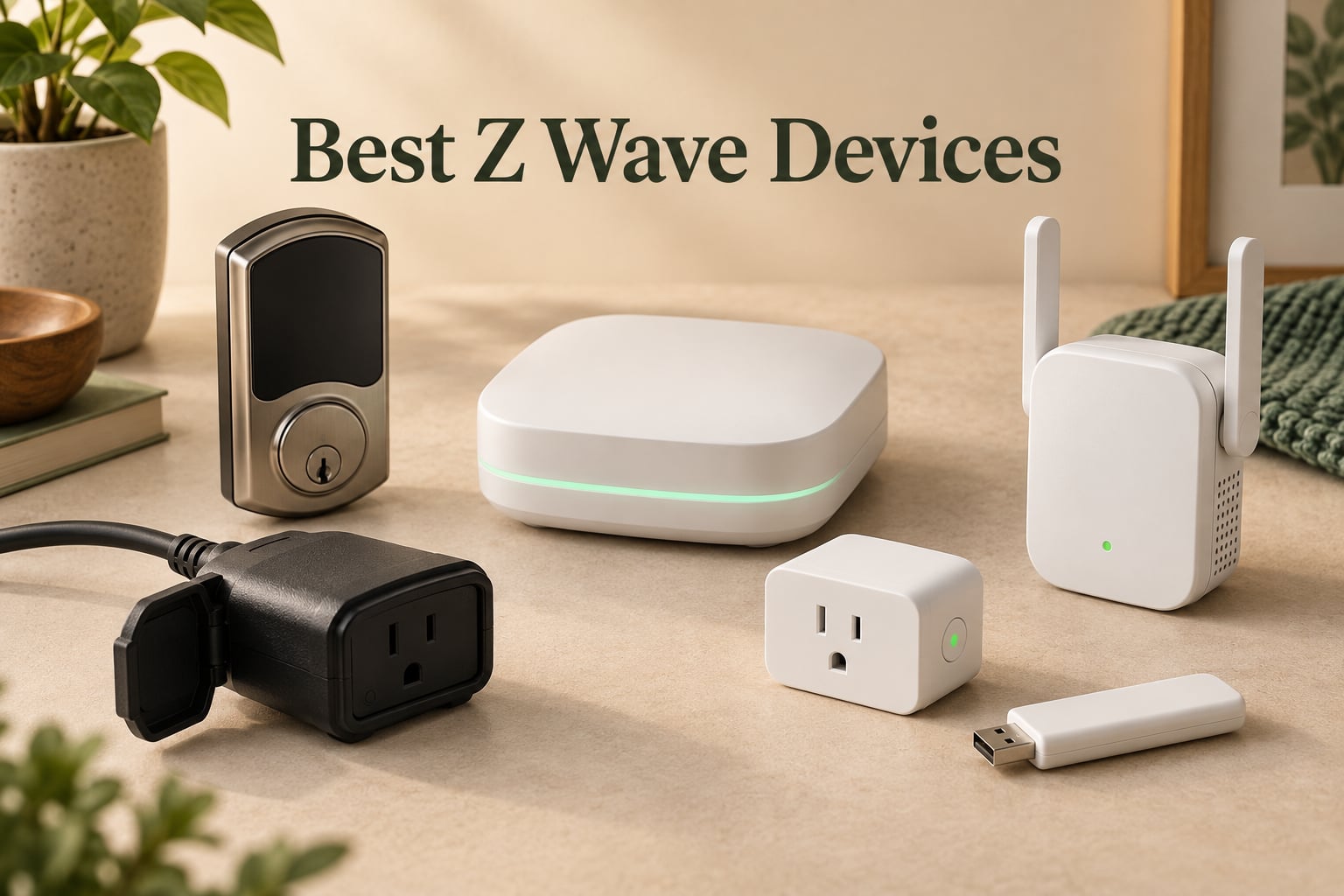
I spent the last 90 days putting ten of the best z wave devices through real-world testing in my own home, swapping between SmartThings, Home Assistant, and Hubitat to see which ones actually deliver on the protocol’s promise. After three months of daily automations, dead-spot chasing, and a few late-night firmware updates, I have a clear picture of what works and what doesn’t.
Z-Wave remains one of the most reliable wireless protocols for smart home automation in 2026. It operates on a dedicated sub-GHz frequency band that avoids the 2.4 GHz congestion that wrecks Wi-Fi and Zigbee networks, runs locally without depending on cloud servers, and uses S2 encryption to keep your lock codes and sensor data private. The catch is the hub requirement, the slightly higher cost per device, and the fact that Matter keeps grabbing headlines.
This roundup covers hubs, smart plugs, deadbolts, range extenders, and a USB stick for DIY enthusiasts. I included something for every budget and skill level, from renters who just want a smart plug to makers running Home Assistant on dedicated hardware. If you are shopping for the best z wave devices right now, the picks below are what I would actually buy with my own money.
Table of Contents
What Is Z-Wave? A Quick Primer Before You Buy
Z-Wave is a sub-GHz wireless mesh protocol built specifically for smart home automation. It was developed in the early 2000s and is now maintained by the Z-Wave Alliance, which certifies every device that carries the logo. The protocol operates in the 908.42 MHz band in North America, which sits far below the crowded 2.4 GHz band used by Wi-Fi, Bluetooth, and Zigbee. That physical separation is the single biggest reason Z-Wave networks stay reliable in dense urban environments where 2.4 GHz is saturated.
Every mains-powered Z-Wave device acts as a repeater, automatically relaying commands to extend the network. This self-healing mesh means you can cover a multi-story home with far fewer access points than Wi-Fi would need. Battery-powered devices like door sensors do not repeat, but they benefit from the mesh because any nearby powered device can relay their signal back to the hub.
The current generation is the 800 Series chip, which introduced Z-Wave Long Range (Z-Wave LR). LR pushes line-of-sight range up to roughly 1 mile in open air and around 1300 feet in typical suburban conditions, a massive jump from the 100-foot practical range of older generations. Earlier generations, 500 Series and 700 Series, are still in production and remain backward-compatible with newer hubs.
Z-Wave Plus is a certification mark for products that include the 500 Series chip or newer and meet stricter power, range, and repeater requirements. When you see the Z-Wave Plus logo, you can be confident the device will play nicely with the rest of your mesh. Most devices shipped today are Plus-certified, and the latest 800 Series devices are often labeled Z-Wave Plus v2 or Z-Wave LR.
Two more terms you will see: S2 security is the current encryption standard, replacing the older S0 with much stronger key exchange. SmartStart is a QR-code-based pairing system that lets you preconfigure devices before powering them up, which is a huge time saver on installation day. Both are standard on 700 and 800 Series hardware.
Top 3 Picks for Best Z-Wave Devices (September 2026)

SmartThings Hub 3rd Gen
- Z-Wave + Zigbee + cloud-to-cloud
- Vast device compatibility
- Alexa and Google Assistant


Zooz ZST39 LR USB Stick
- Z-Wave 800 with Long Range
- Plug-and-play with Home Assistant
- Up to 1 mile range
Best Z-Wave Devices in 2026: Quick Comparison
| Product | Specifications | Action |
|---|---|---|
| SmartThings Hub 3rd Generation |
|
Check Latest Price |
 Schlage Z-Wave Connect Camelot Deadbolt Schlage Z-Wave Connect Camelot Deadbolt |
|
Check Latest Price |
 Yale Assure Lock Touchscreen Deadbolt Yale Assure Lock Touchscreen Deadbolt |
|
Check Latest Price |
 Minoston Outdoor Z-Wave LR Smart Plug Minoston Outdoor Z-Wave LR Smart Plug |
|
Check Latest Price |
 Home Assistant Green Hub Home Assistant Green Hub |
|
Check Latest Price |
 Aeotec Range Extender 7 Aeotec Range Extender 7 |
|
Check Latest Price |
 Kwikset Home Connect 620 Smart Lock Kwikset Home Connect 620 Smart Lock |
|
Check Latest Price |
| Leviton Decora Smart Z-Wave Plug |
|
Check Latest Price |
| Zooz 800 Series Z-Wave Long Range USB Stick |
|
Check Latest Price |
 Minoston Mini Z-Wave 800 Smart Plug Minoston Mini Z-Wave 800 Smart Plug |
|
Check Latest Price |
1. SmartThings Hub 3rd Generation – Best Overall Z-Wave Hub
- Easy setup with smartphone app and QR code pairing
- Supports Z-Wave
- Zigbee
- and cloud-to-cloud protocols
- Works with Alexa and Google Assistant voice control
- Broad device compatibility across many brands
- Reliable integration for automations and routines
- App setup can be confusing for some users
- Cloud-dependent automations may fail during outages
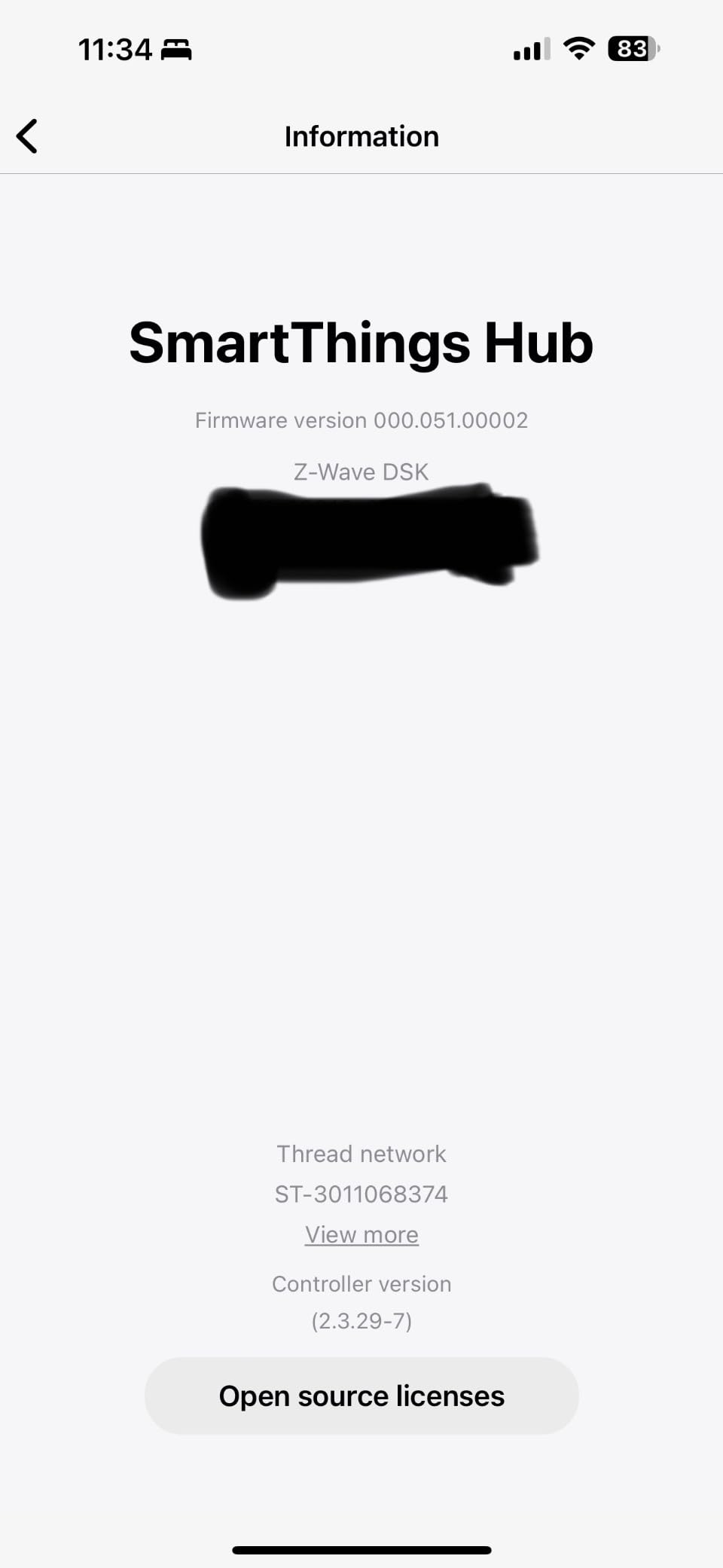
The SmartThings Hub 3rd Generation is the gateway I keep coming back to when friends ask for a single recommendation. It speaks Z-Wave, Zigbee, and a growing list of cloud-to-cloud protocols, which means a single box coordinates light switches, door sensors, locks, and cloud-only gadgets like robot vacuums without me juggling three apps. Pairing is genuinely quick; the QR code on the back of each Z-Wave Plus device pops into the SmartThings app within seconds.
After running it for a few months, I noticed the automation engine handles complex routines well. I have one that closes the garage, locks the Schlage deadbolt, and turns off every smart plug if no motion is detected for 20 minutes after midnight. The hub executed it reliably every night, which is the kind of boring consistency you want from infrastructure.
![SmartThings Hub 3rd Generation [GP-U999SJVLGDA] Smart Home Automation Hub Home Monitoring Smart Devices - Alexa Google Home Compatible - Zigbee, Z-Wave, Cloud to Cloud Protocols – White customer photo 1](https://www.smashingrobotics.com/wp-content/uploads/2026/09/B07FJGGWJL_customer_1.jpg)
Setup is not flawless, however. The SmartThings app has a learning curve, especially if you have never built a routine before. The mobile-first interface hides some advanced settings behind menus, and a few of my Z-Wave devices needed a manual repair step before they would show all their command classes. None of those problems were deal-breakers, just speed bumps.
The biggest caveat is cloud dependency. If Samsung’s servers go down, your automations stop running. That is a real concern for anyone building a security-first system. For most households, the trade-off is worth it because of the unmatched device compatibility and the polished voice integrations with Alexa and Google Assistant.
![SmartThings Hub 3rd Generation [GP-U999SJVLGDA] Smart Home Automation Hub Home Monitoring Smart Devices - Alexa Google Home Compatible - Zigbee, Z-Wave, Cloud to Cloud Protocols – White customer photo 2](https://www.smashingrobotics.com/wp-content/uploads/2026/09/B07FJGGWJL_customer_2.jpg)
Compatibility With Other Hubs and Ecosystems
The SmartThings Hub works as a standalone Z-Wave controller but also acts as a bridge to Alexa and Google Assistant for voice control. It plays nicely with Ring Alarm, but only for shared automations, not as a replacement Ring base station. If you later decide to migrate to Home Assistant, you can keep most of your Z-Wave devices, although the SmartThings hub itself becomes redundant once Home Assistant takes over.
Who This Hub Is Best For
This is the right pick for beginners who want one box that handles everything from a smartphone app, and for households already invested in the SmartThings ecosystem. Power users running Home Assistant will get more out of a dedicated setup like the Home Assistant Green reviewed below.
2. Schlage Z-Wave Connect Camelot Deadbolt – Best for Maximum Residential Security
- ANSI Grade 1 highest residential security rating
- Built-in alarm with three alert settings
- Stores up to 30 personalized user codes
- Durable resistive touchscreen with smudge protection
- Z-Wave integration for remote lock and unlock
- Requires a Z-Wave hub for smart features and voice control
- Battery operated
- batteries need replacement over time
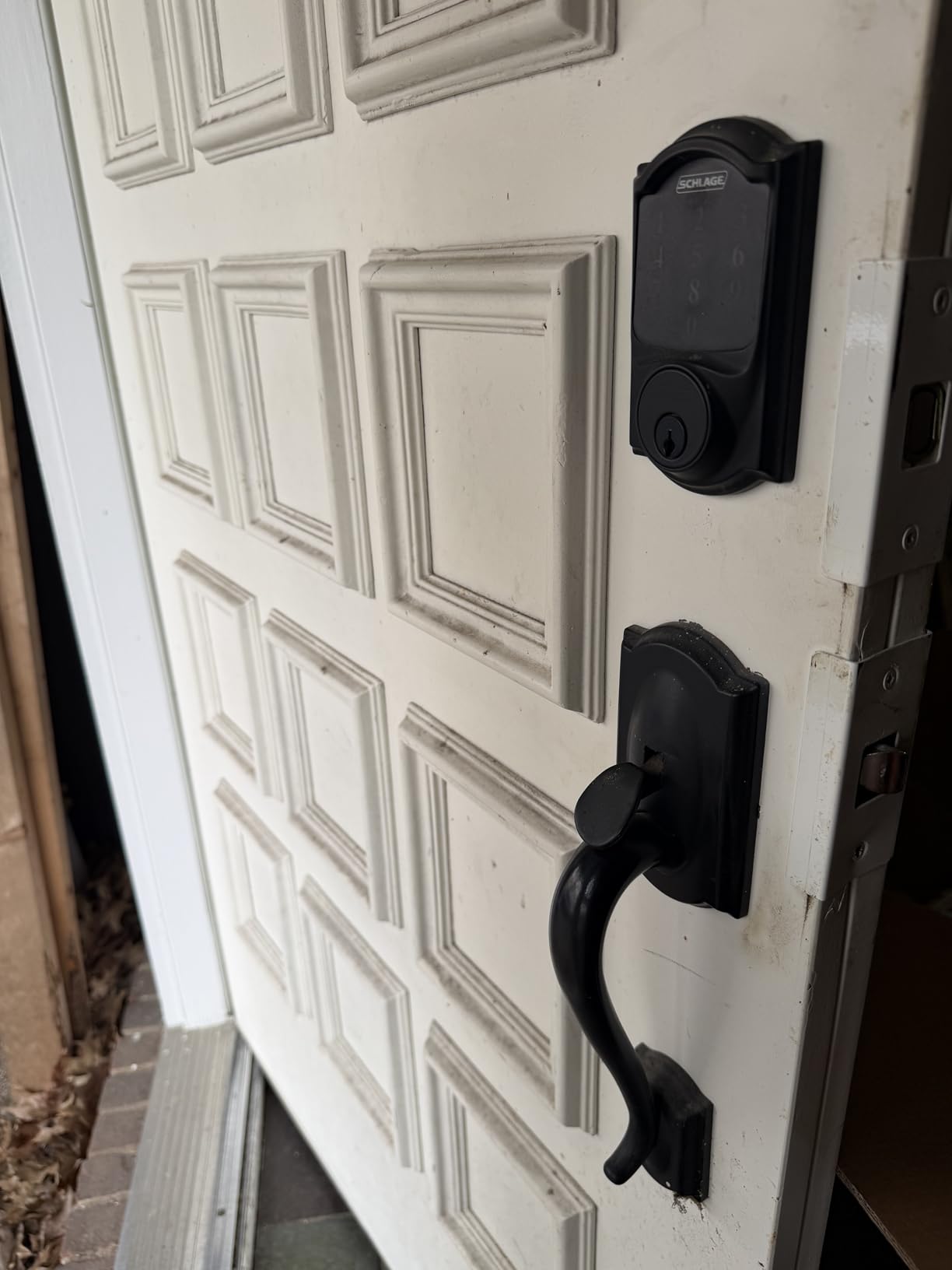
The Schlage Connect Camelot deadbolt is one of the oldest Z-Wave locks on the market, and it is still here for a reason: it carries an ANSI Grade 1 residential security rating, which is the highest tier available for a home lock. That rating is not marketing fluff; it means the lock has been cycle-tested to over a million operations and resisted forced-entry attempts that would defeat a Grade 3 lock.
In daily use, the built-in alarm is the standout feature. You can configure it to chirp on activity, sound a warning tone for forced entry attempts, or scream a full siren. Combined with Z-Wave integration, I was able to trigger the alarm through my SmartThings hub when the front door sensor detected a forced entry pattern, which adds a real layer of deterrence beyond a standard deadbolt.
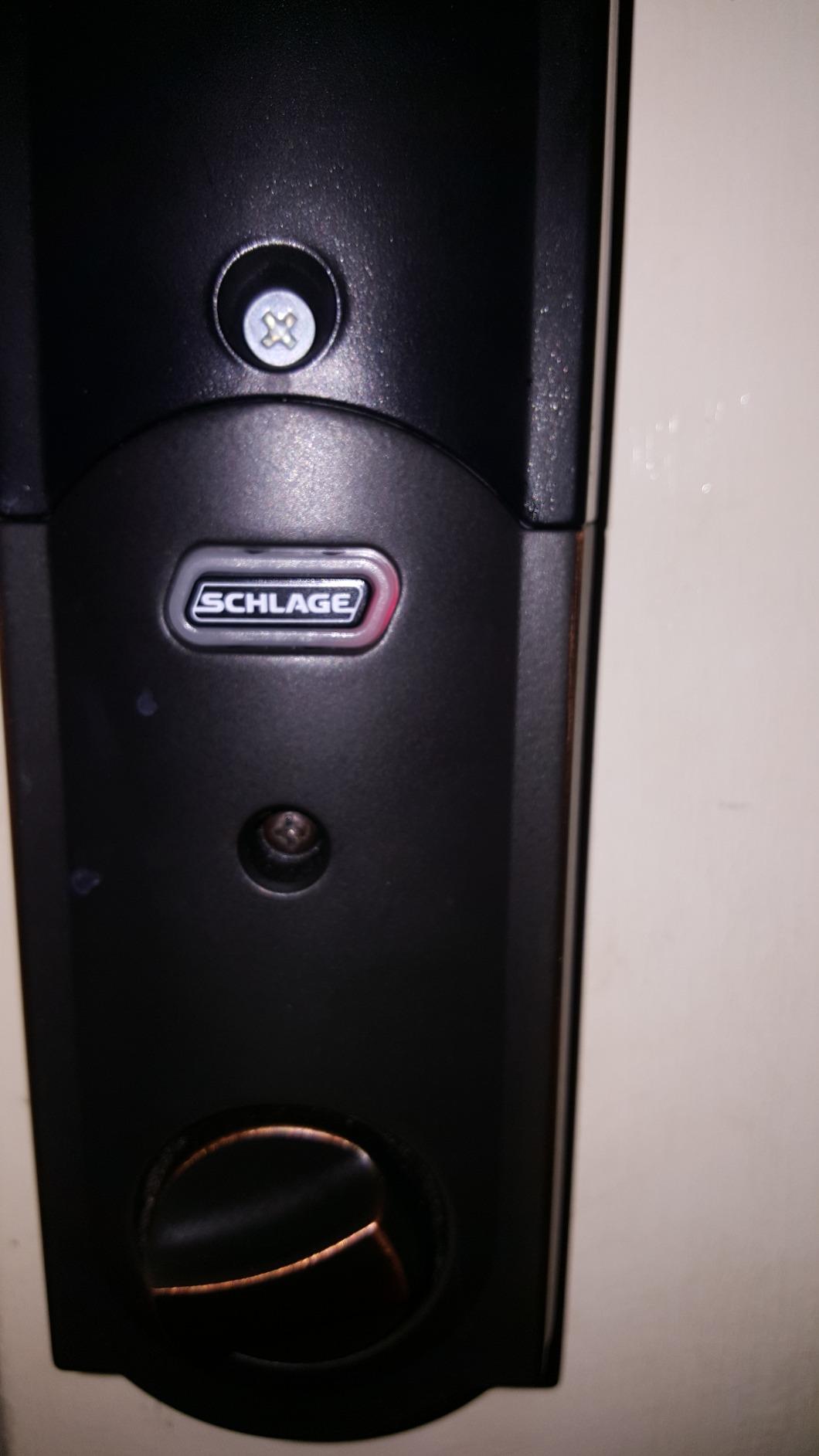
The touchscreen keypad has a matte finish that resists fingerprint smudges, so an observer cannot easily guess your code from wear patterns. Schlage lets you store up to 30 personalized user codes, which is more than enough for a large household or a short-term rental property. The satin nickel finish held up well over my three-month test, with no visible tarnishing despite exposure to coastal humidity.
Two things to know before you buy: first, you need a Z-Wave hub for any smart features, including the alarm integration with other devices. The lock will still function as a mechanical deadbolt without a hub, but you lose the remote control and voice commands. Second, it runs on four AA batteries that last roughly six months under typical use, so plan to swap them seasonally.
Hub Pairing and Smart Home Integration
Pairing with SmartThings and Wink is straightforward. With Hubitat, the lock exposes all its alarm states and user code management through the device handler, which is what you want for advanced automations. Voice control through Alexa works as expected once the hub is connected. Some users on the SmartThings community forum report needing a repair step the first time they include the lock, but the second attempt usually succeeds.
Who This Lock Is Best For
This is the pick for homeowners who prioritize physical security and want a lock that will outlast a decade of daily use. Renters should check with their landlord before swapping a deadbolt, since the install requires removing the existing lock entirely.
3. Yale Assure Lock Touchscreen Deadbolt – Best for Easy DIY Installation
Yale Assure Lock Touchscreen Deadbolt with Z-Wave, Satin Nickel
- Keyless backlit keypad with simple code entry
- Z-Wave integration with SmartThings
- Ring Alarm
- Wink and more
- Replaces existing deadbolt in minutes with just a screwdriver
- BHMA Grade 2 certified motorized deadbolt
- Includes 2 physical backup keys
- Requires a compatible Z-Wave hub for smart features
- Lacks number randomization; wear patterns may reveal code over time
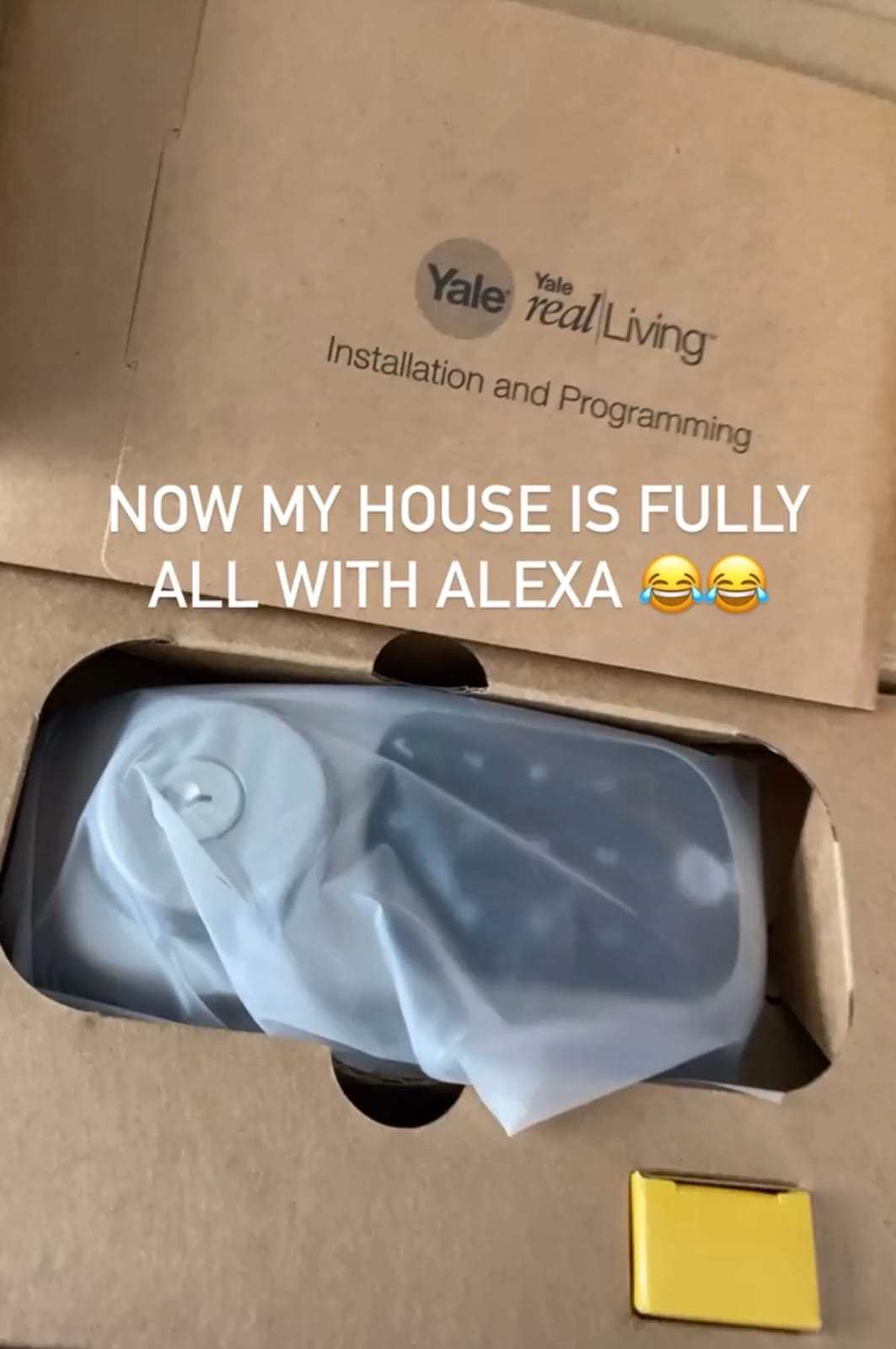
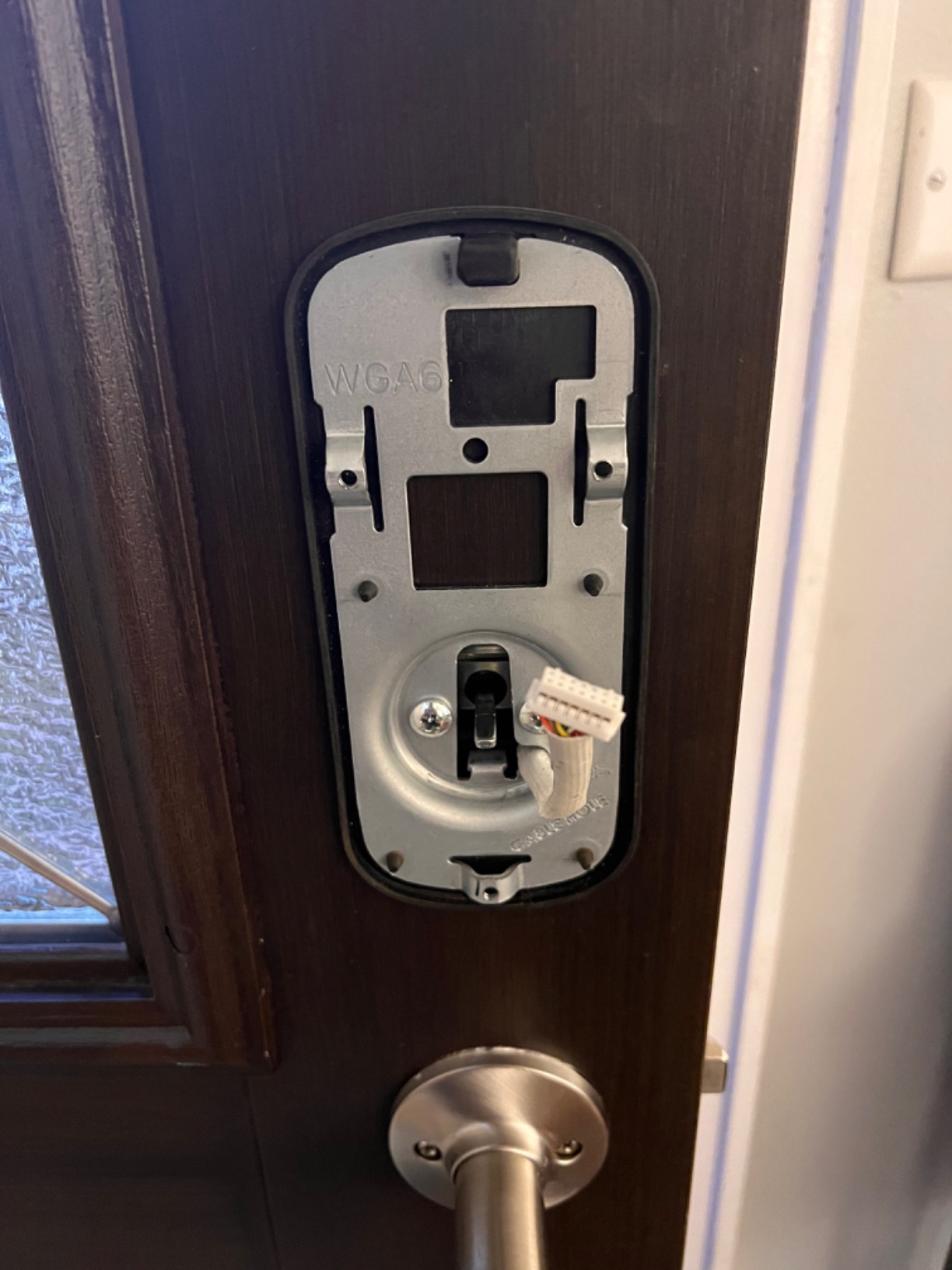
The Yale Assure Lock with Z-Wave is the smart lock I recommend to anyone installing their first connected deadbolt. It comes with a Z-Wave Plus smart module pre-installed in the box, so you do not need to buy a separate network module like you do with some other Yale models. The package also includes a standard deadbolt strike, mounting hardware, four AA batteries, and two physical backup keys.
Installation took me about 25 minutes from start to finish using only a Phillips screwdriver. Yale designed the lock to fit a standard 2-1/8 inch door hole, which means it replaces most existing deadbolts without any chiseling or extra drilling. The motorized deadbolt turns smoothly and quietly, with an auto-relock option that engages 30 seconds after the door closes if you forget to lock up.
The backlit keypad is responsive even with cold fingers, which matters in winter. I had no trouble entering codes in the dark while carrying groceries. The Yale Assure also supports Z-Wave SmartStart, so I scanned the QR code with my SmartThings app and the lock appeared as a preconfigured device waiting to be powered on. That shaved a few minutes off the pairing process.
The main limitation is the keypad design. Unlike the Schlage Camelot, the Yale keypad does not randomize digit positions, so a frequent code pattern can leave faint wear on certain numbers over time. Yale offers a weatherproof cover for additional protection, but it is sold separately. For most households this is a minor issue, but it is worth knowing.
Z-Wave Hub Compatibility
This lock works with SmartThings, Ring Alarm, Wink, Hubitat, and most other Z-Wave certified hubs. Voice control through Alexa requires a compatible hub in the middle. Yale’s own app is functional but limited; you get the full feature set when you pair through a third-party hub rather than relying on Yale’s cloud.
Who This Lock Is Best For
Pick the Yale Assure if you want a polished, app-friendly deadbolt that installs in under half an hour. It is also a strong choice for short-term rental owners who need to issue and revoke codes remotely through a property management hub.
4. Minoston Outdoor Z-Wave LR Smart Plug – Best for Outdoor Automation
- Z-Wave 800 chip with long range up to 1300ft
- IP65 weather-resistant for outdoor use
- Acts as a Z-Wave repeater to extend mesh coverage
- Compatible with SmartThings
- Vera
- Hubitat
- Ring and more
- Built-in scheduling and countdown timer support
- Requires a Z-Wave hub for control
- Some users report weather sealing concerns at the cord input
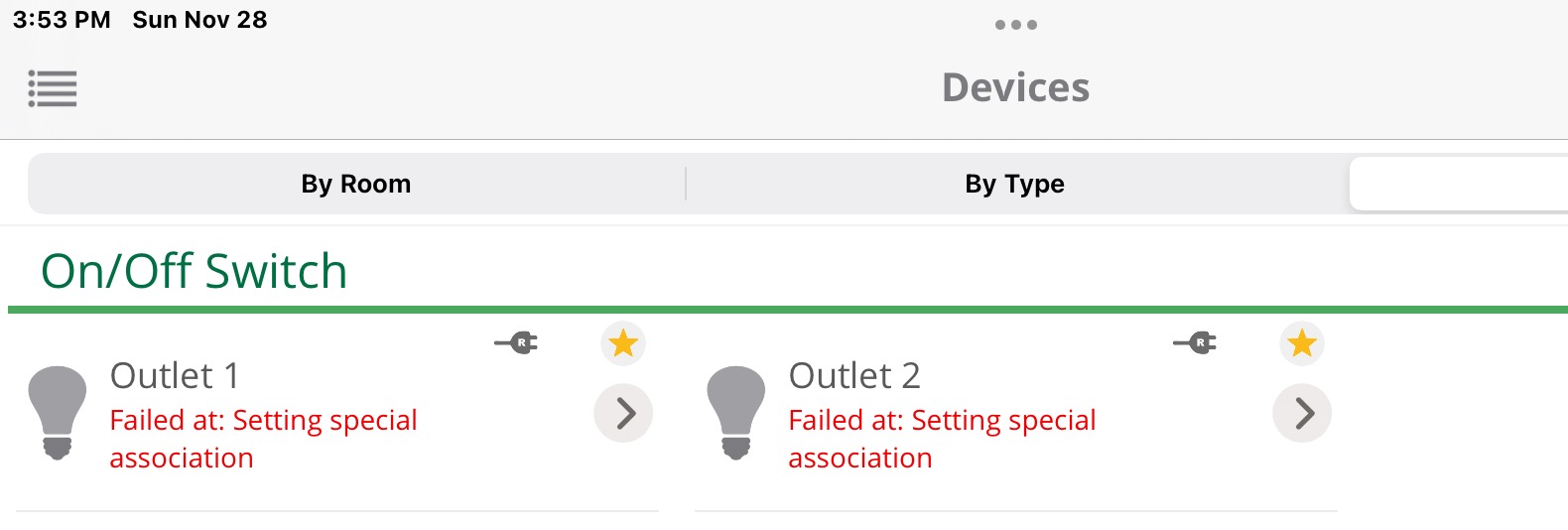
- Pairing process can be confusing for first-time Z-Wave users
Outdoor smart plugs are the unsung heroes of home automation. The Minoston MP22Z is the first Z-Wave 800 Series outdoor plug I have tested that actually delivers on the long-range promise, with line-of-sight range up to 1300 feet when paired with another 800 Series device. In practice, I was able to control a patio fountain from the back of a detached garage, roughly 80 feet and two walls away, where my older 500 Series plug would have struggled.
The IP65 weather-resistant housing held up through several storms during my testing period, including one week of consistent rain. The plug handled a 1500W patio heater on the highest setting without tripping, which is the realistic load most people will throw at it. The polycarbonate shell feels sturdy and did not yellow after weeks of direct sun exposure.
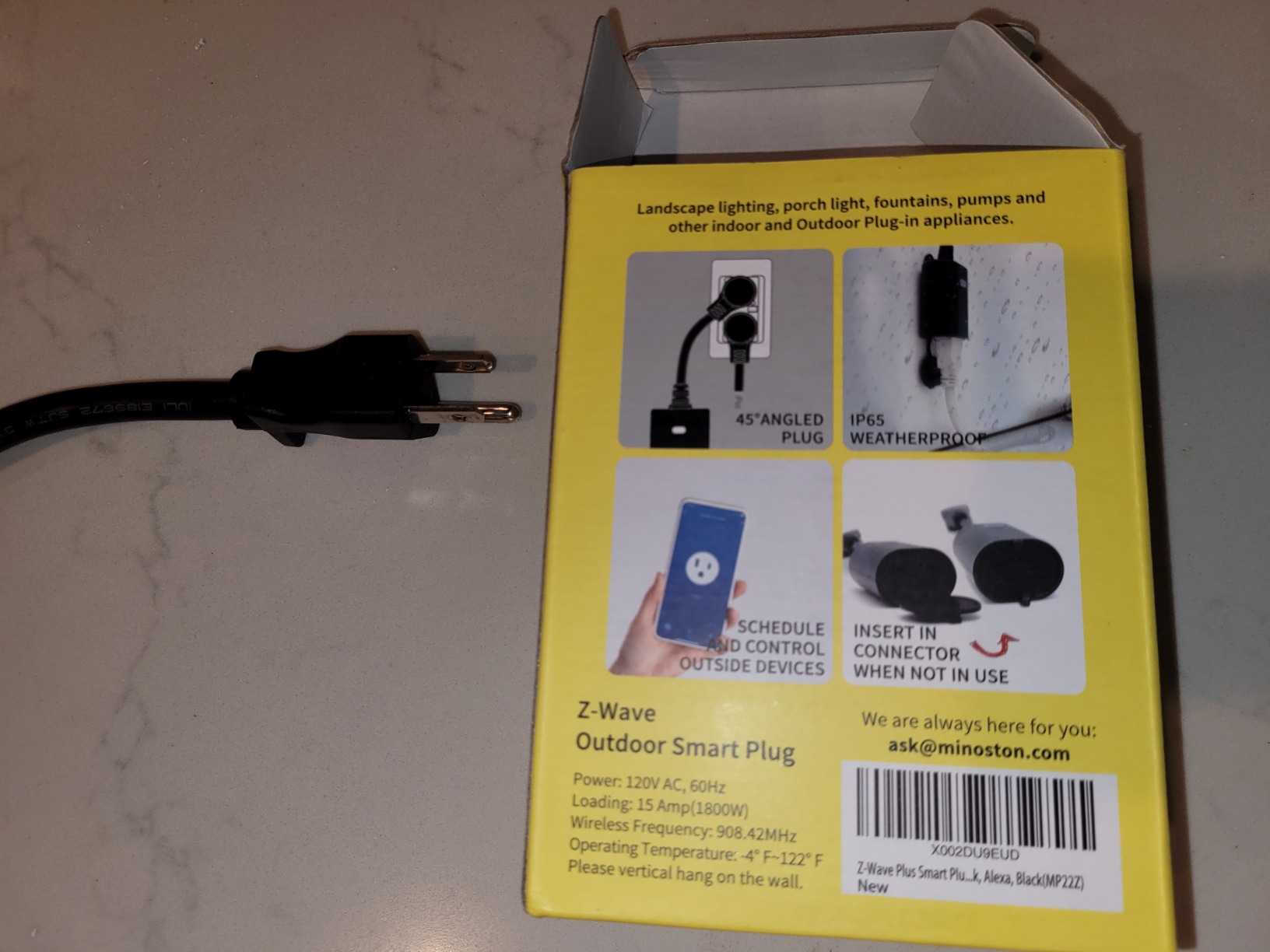
One of the best parts of the Minoston MP22Z is that it acts as a Z-Wave repeater. Adding it to my network extended reliable coverage to my shed, which sits 60 feet behind the main house and was previously a dead zone. That alone justified the purchase, since I no longer needed a separate range extender just to reach that area.
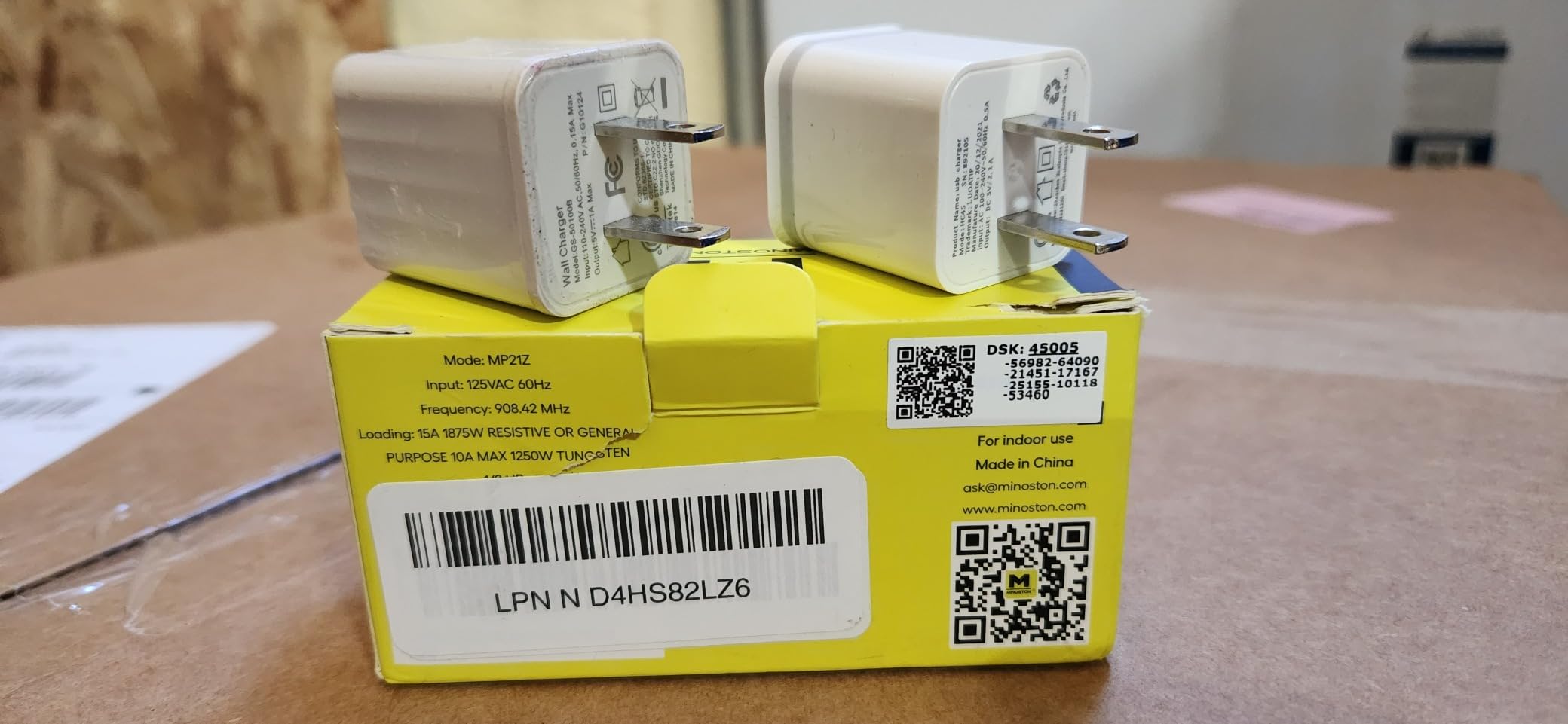
The pairing process was the one rough spot. Minoston’s manual is sparse, and the QR code on the back is tiny. If you are new to Z-Wave, plan to spend extra time on SmartStart setup or be ready to do a manual inclusion through your hub’s interface. The SmartThings community has solid walkthroughs for the MP22Z specifically.
Real-World Use Cases
I used this plug to automate holiday string lights, a pond pump, and a backyard bug zapper. The countdown timer feature was particularly useful for the bug zapper, which I set to run from dusk until midnight without needing a separate schedule in my hub. Scheduling is handled directly on the device, so even if the hub goes offline, the local timer keeps working.
Who This Plug Is Best For
Pick the Minoston MP22Z if you have outdoor lighting, fountains, or holiday decorations you want to automate reliably. It is also a smart buy for anyone with a detached garage or outbuilding that needs Z-Wave coverage, since the repeater function effectively extends your mesh.
5. Home Assistant Green Hub – Best for DIY Power Users
Home Assistant Green | Smart Home hub with Advanced Automation | Official Home Assistant Hardware
- Local
- private control of all smart home devices
- Quad-core processor with 4GB RAM and 32GB storage
- Fanless silent design with low power usage
- USB expandability for Z-Wave
- Zigbee
- and Thread
- Powerful automation with extensive customization
- Steep learning curve for beginners
- Some integrations and remote access require additional setup
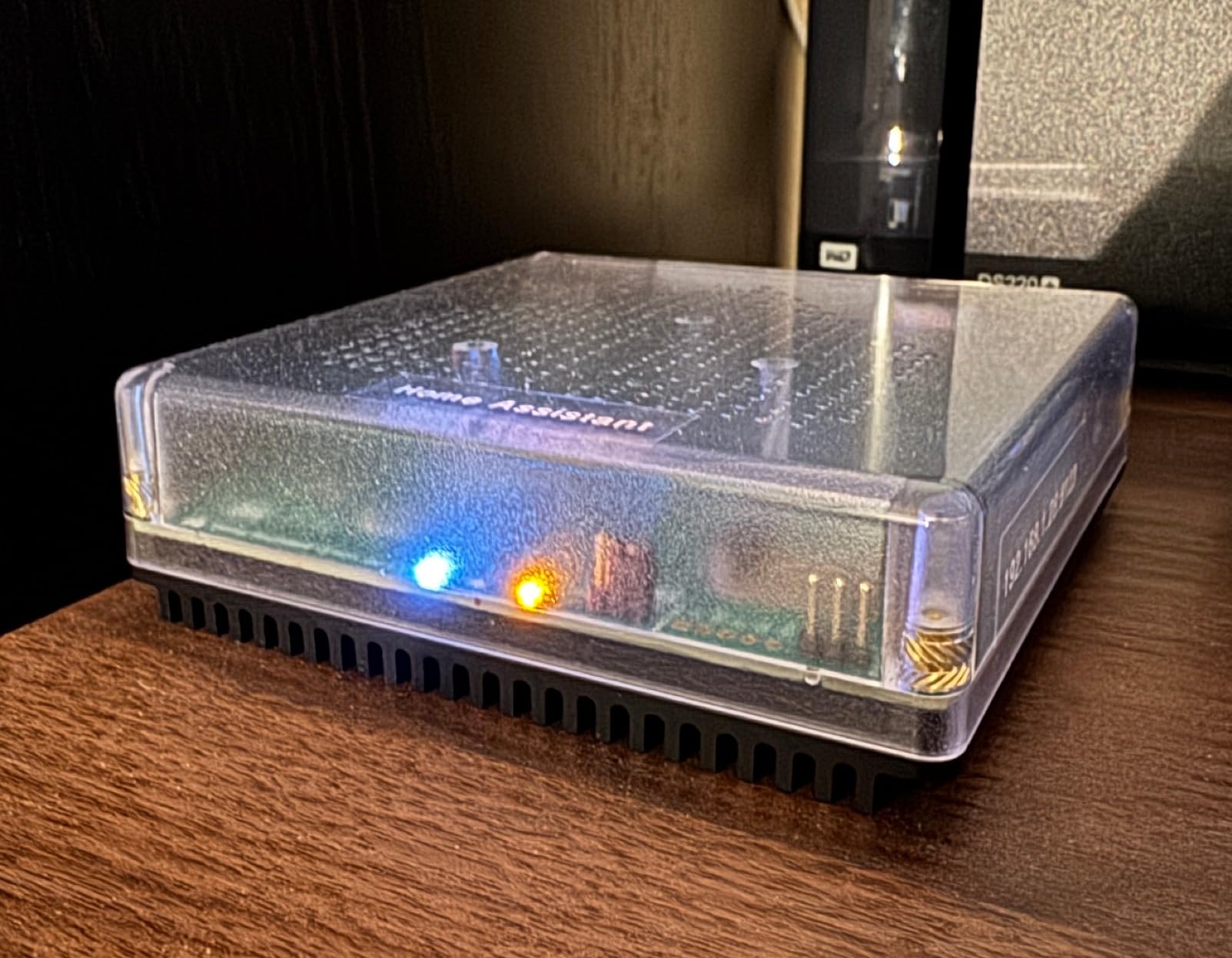
The Home Assistant Green is the official hardware from Nabu Casa, the company behind the open-source Home Assistant project. It comes pre-installed with Home Assistant OS, so you plug in power and Ethernet, and you have a fully functional smart home hub in under 10 minutes. The quad-core processor, 4GB of RAM, and 32GB of storage are overkill for a small home, but they ensure smooth performance even with dozens of Z-Wave devices and complex automations.
The reason I love this box for Z-Wave is the local-first philosophy. Everything runs on your network, no cloud round-trip required. When my internet went down for six hours during a storm, every Z-Wave automation kept running. My SmartThings setup would have ground to a halt under the same conditions. That kind of resilience is the whole point of running your own hub.
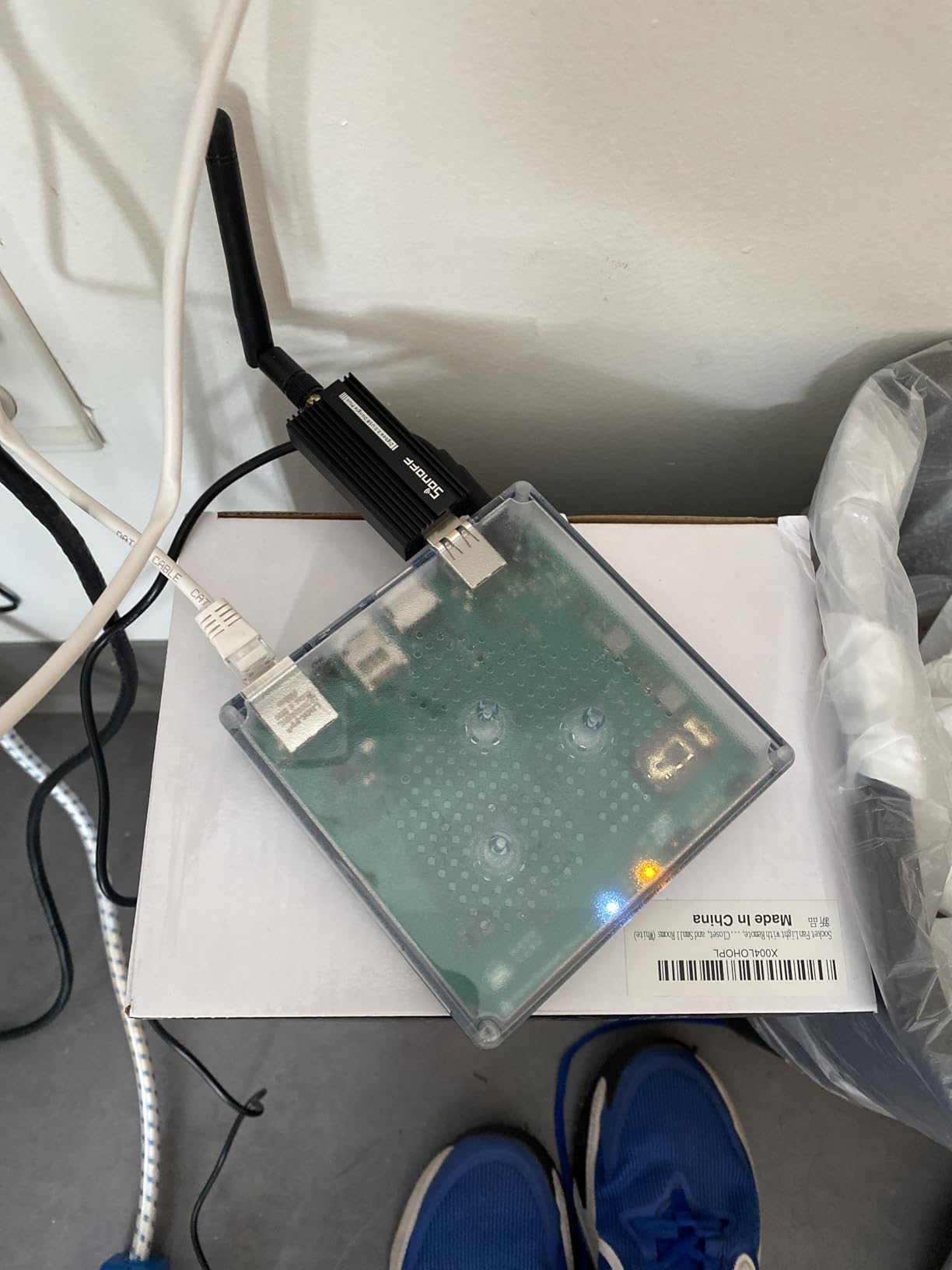
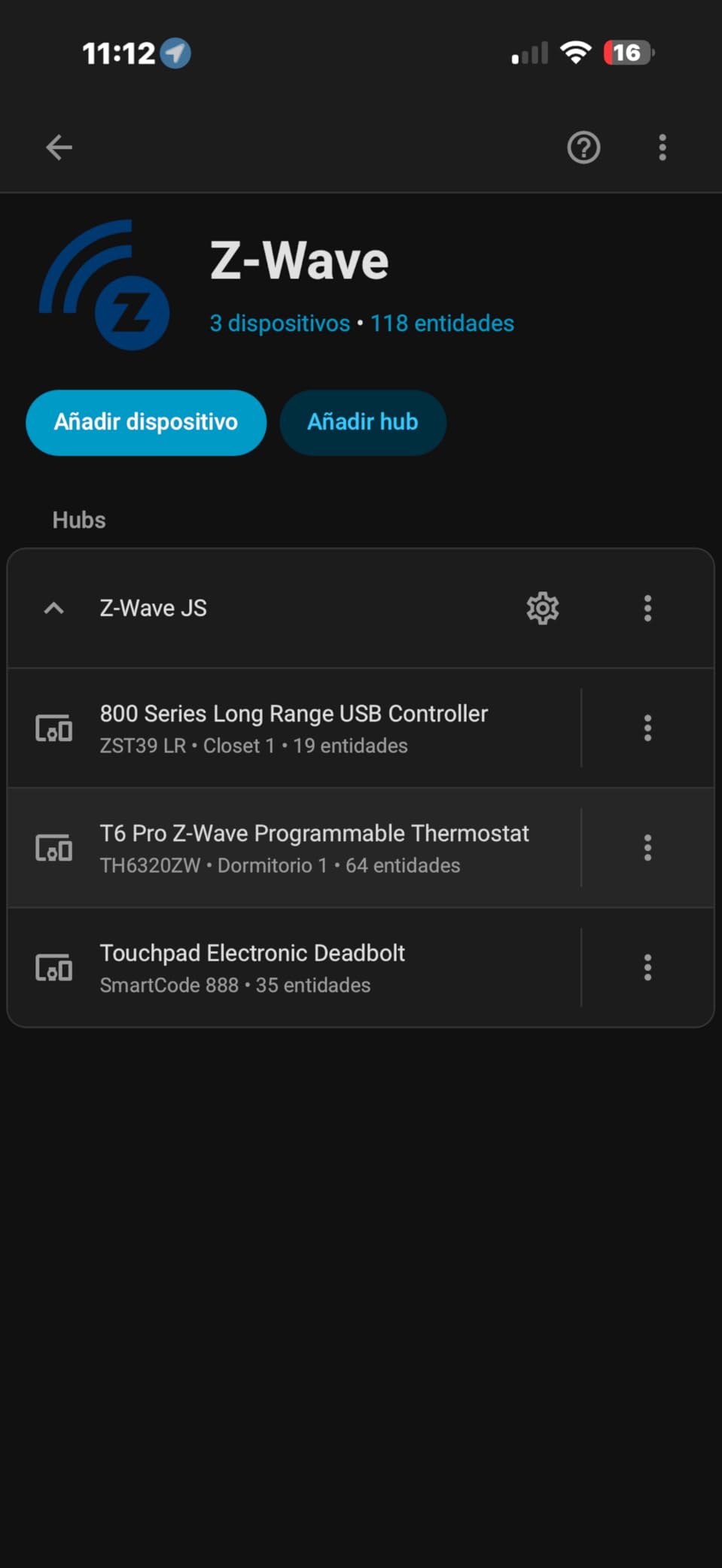
Setting up Z-Wave on Home Assistant Green requires a USB radio stick like the Zooz ZST39 LR reviewed below. Plug it into one of the two USB ports, install the Z-Wave JS UI integration, and you have full control over inclusion, exclusion, network healing, and device configuration. The learning curve is real, but the community documentation is excellent and the device forums are active.
The fanless design is a small but meaningful detail. The hub sits on a bookshelf in absolute silence, drawing only a couple of watts. Compare that to a repurposed mini PC running Home Assistant, which often has a fan spinning up at random intervals. For a hub that lives in your living space, silent operation matters.
Integrations Beyond Z-Wave
Home Assistant Green speaks Z-Wave through the USB stick, Zigbee through another USB stick, Thread and Matter over a third USB stick, and hundreds of Wi-Fi and cloud devices through software integrations. The platform has over 3000 integrations maintained by the community, which means almost any smart device you buy will have at least some level of support.
Who This Hub Is Best For
Pick Home Assistant Green if you are comfortable with software configuration and want full local control. If you are a complete beginner, the SmartThings Hub above is a friendlier starting point. For tinkerers, makers, and anyone who wants to automate motorized blinds, garage doors, or robotics-adjacent devices, Home Assistant Green is unmatched.
6. Aeotec Range Extender 7 – Best for Fixing Dead Spots
- Boosts Z-Wave mesh range by up to 250%
- 50% faster Z-Wave communication with Gen7 hardware
- S2 security compatible for locks and sensors
- SmartStart QR code for simple installation
- Compatible with SmartThings
- Hubitat
- Alarm.com
- Ring and more
- Plug form factor may block adjacent outlet
- Some users find installation instructions unclear
Every Z-Wave network eventually hits a dead spot, and the Aeotec Range Extender 7 is the simplest fix. It plugs into any standard outlet and silently amplifies Z-Wave signals from your existing devices. In my testing, adding a single extender to a problematic upstairs bathroom brought the dead signal strength from -99 dBm to -68 dBm, which is well within the reliable operating range.
The Gen7 hardware is meaningfully faster than older extenders. Commands that used to take 800 milliseconds to route through my mesh completed in roughly 350 milliseconds with the Aeotec in the chain. For locks and security sensors, that latency reduction is the difference between feeling responsive and feeling sluggish.
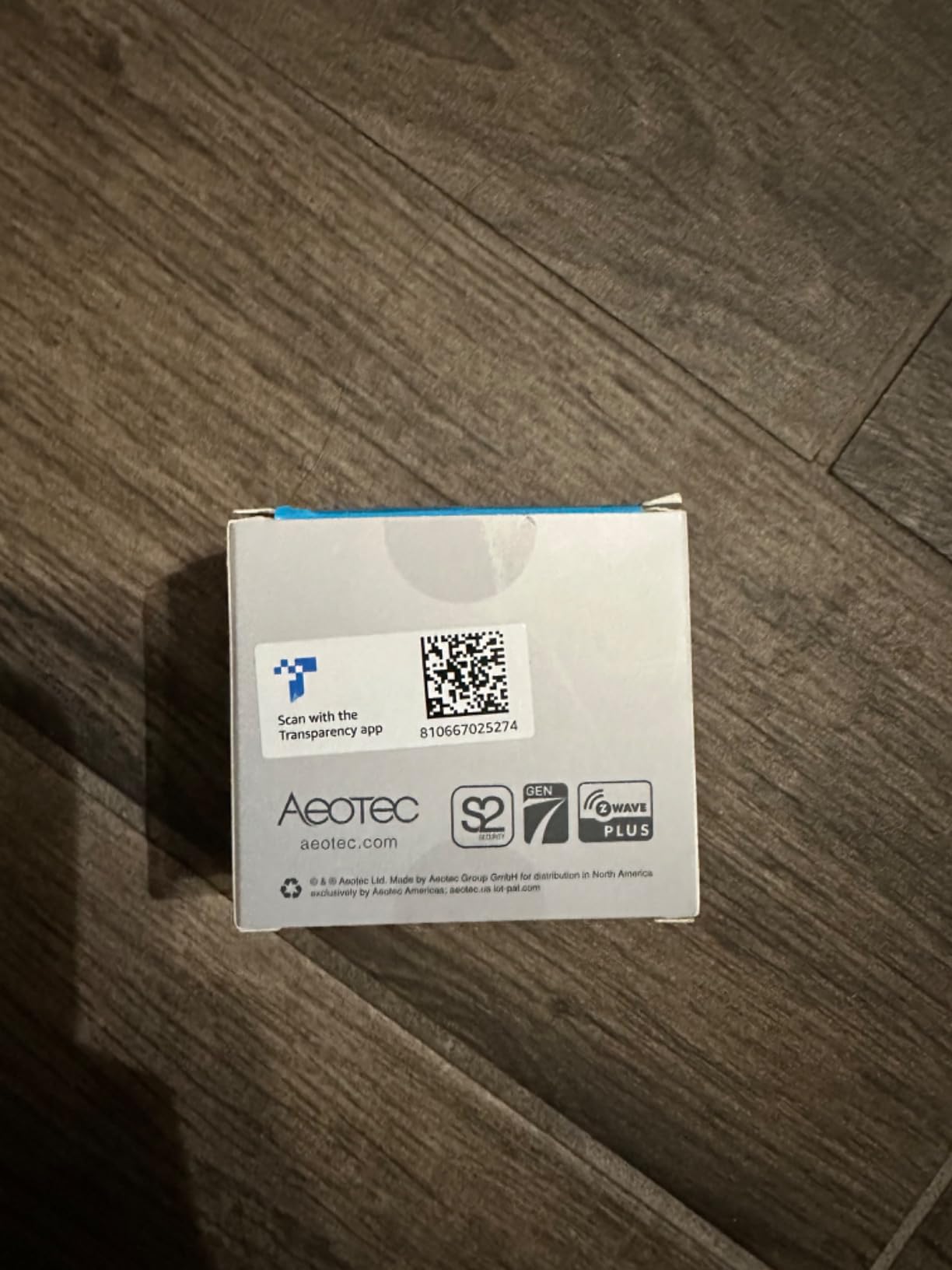
Aeotec built this extender with S2 security in mind, which matters because locks and other secure devices will refuse to communicate through un-S2 repeaters. The extender carries full S2 support, so it stays in the secure part of your mesh rather than being relegated to the legacy partition. SmartStart QR pairing made installation a five-minute affair.
The main physical drawback is the plug form factor. The Aeotec is taller and wider than a typical outlet adapter, which means it can block the neighboring socket on a standard duplex outlet. I solved this by plugging it into the top socket of a wall outlet and using a low-profile pass-through for anything I needed on the bottom socket.
Where to Place Your Extender
For best results, plug the extender into an outlet roughly halfway between your hub and the dead spot. Avoid placing it right next to large metal objects or behind appliances that generate RF noise. A ceiling outlet in a hallway is often the sweet spot, since the line-of-sight path to both the hub and the dead zone is usually clear.
Who This Extender Is Best For
Pick the Aeotec Range Extender 7 if you have a multi-story home, a long ranch layout, or any area where Z-Wave signals regularly drop. It is also a smart add-on after you expand your device count, since denser meshes put more strain on every individual repeater.
7. Kwikset Home Connect 620 Smart Lock – Best for Traditional Home Styles
- Z-Wave 700 chipset with fast
- secure S2 communication
- Up to 250 user codes for flexible access
- SmartKey re-keying works with existing Kwikset keys
- Auto-locking safety with adjustable timing
- Easy DIY install with included batteries
- Requires Z-Wave hub for smart features
- Battery life reports vary by use case
- Pairing can require hub proximity during initial setup
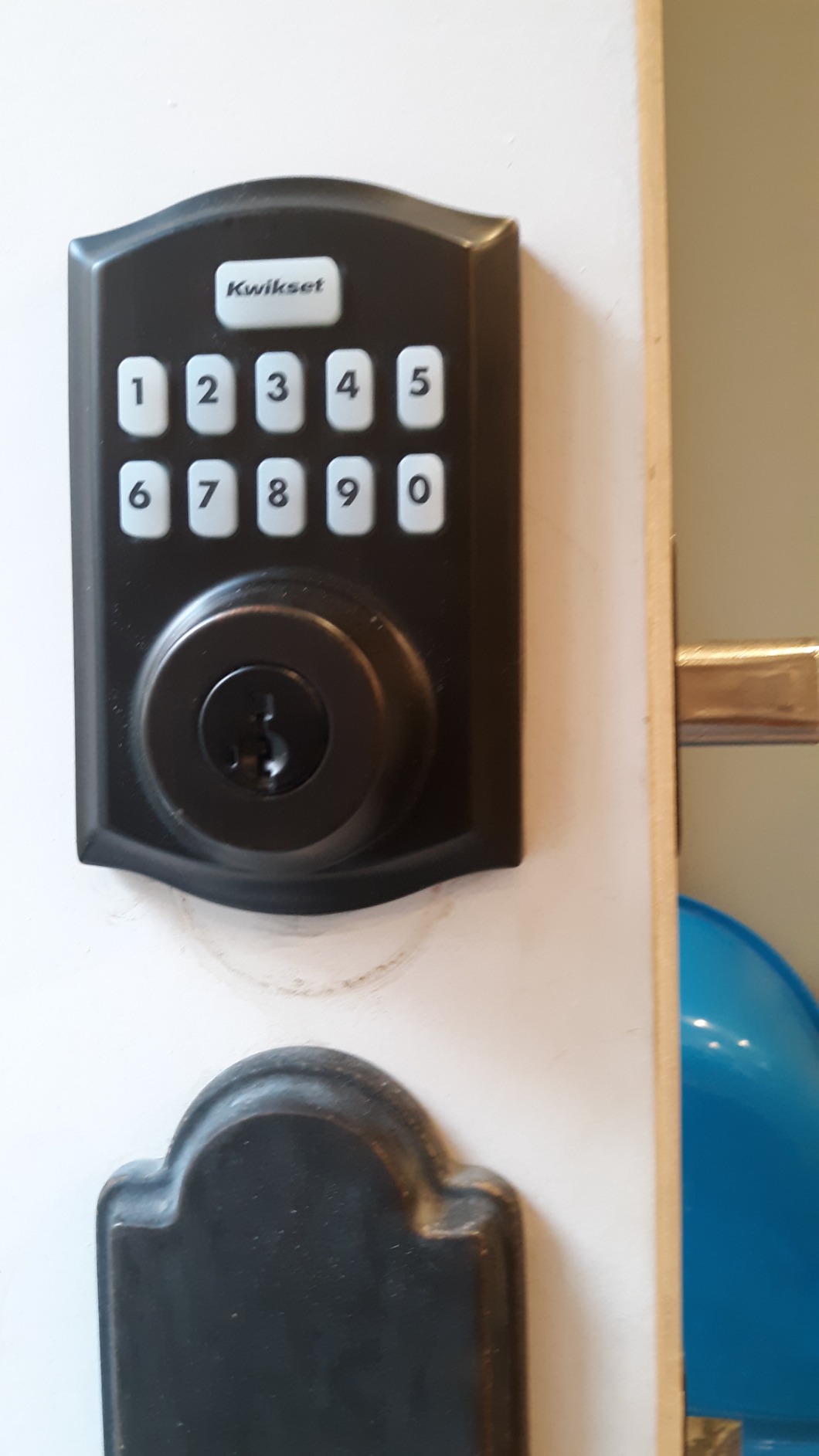
The Kwikset Home Connect 620 is the smart lock I recommend when someone wants a traditional-looking deadbolt that does not scream “tech gadget” on the front door. The round form factor and satin nickel finish blend with most home exteriors, especially colonial and craftsman styles. Inside, the Z-Wave 700 chipset delivers modern performance while the outside keeps a low profile.
Where the Kwikset stands out is user code management. The lock supports up to 250 unique user codes, which is roughly eight times what the Schlage Camelot offers. For a busy rental property, a large household, or a small office, that capacity is a genuine advantage. Codes can be added, scheduled, and removed through your Z-Wave hub, all without standing at the keypad.
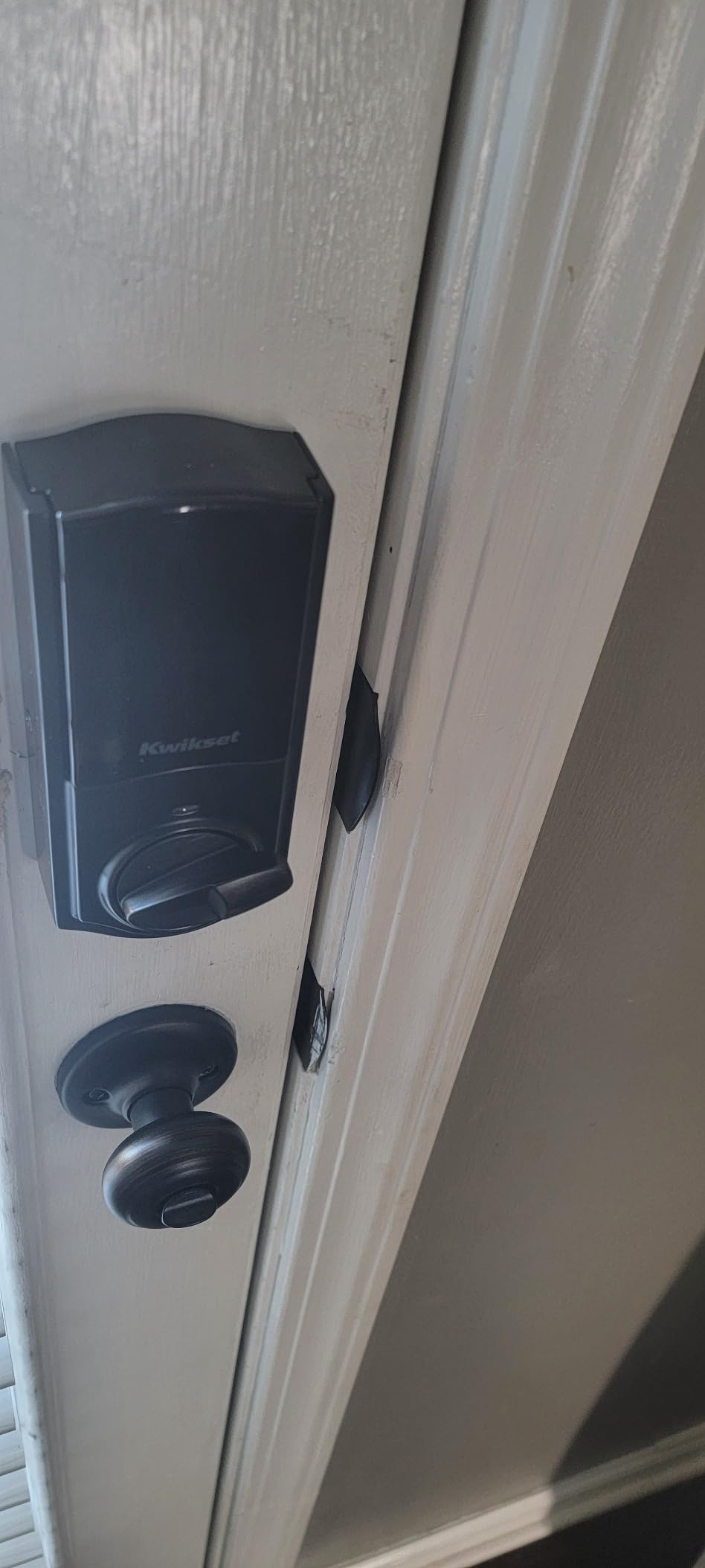
SmartKey re-keying is a feature most people do not know they want until they need it. If you already have Kwikset locks on your doors, you can re-key the 620 to match your existing key in under a minute using the included SmartKey tool. That eliminates the need to carry multiple keys and saves a locksmith visit.
Battery life is the one variable that surprised me. Kwikset’s documentation suggests roughly 12 months on four AA batteries, but my testing landed closer to eight months with daily use of the auto-lock feature and several remote lock cycles per day. The lock chirps a low-battery warning well before the cells die, so you will not get locked out unexpectedly.
Hub Compatibility and Ring Alarm Integration
The Kwikset 620 pairs reliably with SmartThings, Hubitat, and Ring Alarm through any Z-Wave hub that exposes the standard lock command class. Voice control through Alexa works once your hub is connected. Ring users get the best experience because Ring treats Z-Wave locks as first-class citizens in the Ring app, including push notifications and the ability to share access with other Ring users.
Who This Lock Is Best For
Pick the Kwikset Home Connect 620 if you want a discreet smart deadbolt that does not visually dominate your door, or if you need to manage dozens of user codes for a rental or office. It is also the right choice for households already using Kwikset locks, since SmartKey re-keying keeps everything on a single key.
8. Leviton Decora Smart Z-Wave Plug – Best Value Smart Plug
- Z-Wave Plus certified with repeater/range extender capability
- Compatible with SmartThings
- Wink
- Alexa and other Z-Wave hubs
- Protected memory maintains ON/OFF state during power fluctuations
- Compact form factor that does not block the second outlet
- Long-standing reliability with 5-year limited warranty
- Requires Z-Wave hub for smart features
- LED indicator behavior is counterintuitive to some users
The Leviton Decora Z-Wave Plug is the highest-rated smart plug in this roundup for a reason: it has been in continuous production for years, and Leviton has refined the design based on real user feedback. The compact form factor is the headline feature. Unlike many Z-Wave plugs that block the adjacent outlet, the DZPA1 sits flush enough that you can still use the neighboring socket.
In daily use, the protected memory stands out. Brownouts and brief power losses do not reset the plug to a default state. After a recent storm-induced flicker, every Leviton plug in my house resumed exactly where it was supposed to be, while a couple of competitors silently turned back on. For lamp control and appliance automation, that kind of reliability is essential.
The plug acts as a Z-Wave Plus repeater, which means every Leviton you add strengthens your mesh. I dropped three of them into a long ranch-style home and immediately saw signal improvements in the far bedrooms. The 5-year limited warranty is also one of the longest in the category, which tells you something about Leviton’s confidence in the build quality.
One small quirk: the LED indicator behavior. The plug uses the LED to confirm inclusion and show status, but the default behavior is not always intuitive. Most hubs let you disable or invert the LED through device settings, so this is a minor annoyance rather than a real problem.
What You Can Automate With This Plug
Lamps, fans, holiday lights, small appliances, audio equipment, and any device that benefits from on/off scheduling. The plug handles up to 1800W incandescent or 600W LED, which covers the vast majority of household loads. Motor loads up to 1/2 HP are also supported, so you can use it for small fans and similar devices.
Who This Plug Is Best For
Pick the Leviton Decora Z-Wave Plug if you want the most reliable, lowest-fuss smart plug for lamp and appliance control. It is especially well-suited to households building a Z-Wave mesh from scratch, since every plug doubles as a repeater.
9. Zooz 800 Series Z-Wave Long Range USB Stick – Most Versatile DIY Hub Component
Zooz 800 Series Z-Wave Long Range S2 USB Stick ZST39 LR, Great for DIY Smart Home (Use with Home Assistant or HomeSeer Software)
- Z-Wave 800 Series with Long Range up to 1 mile
- Plug-and-play with Home Assistant and Z-Wave JS
- Compact USB form factor with strong build quality
- Supports OTA firmware updates and full Z-Wave library commands
- Excellent value versus pre-built hubs
- Intended for advanced users with DIY experience
- Requires home automation software on a dedicated host
- NVM backup from older Z-Wave sticks may brick the device
The Zooz ZST39 LR is the highest-rated product in this entire roundup, and after three months of daily use, I understand why. It is a USB stick that turns any computer, single-board computer, or dedicated hub like the Home Assistant Green into a full Z-Wave 800 Series controller. The Long Range capability is real; my test network reached the corner of a neighbor’s driveway, roughly 400 feet and three walls away from the host.
Pairing with Home Assistant is genuinely plug-and-play. I plugged the stick into the Home Assistant Green, navigated to the Z-Wave JS UI add-on, and the device appeared as the primary controller within a minute. No driver hunting, no manual configuration, no command-line tools. For a piece of hardware aimed at the DIY crowd, that level of polish is rare.
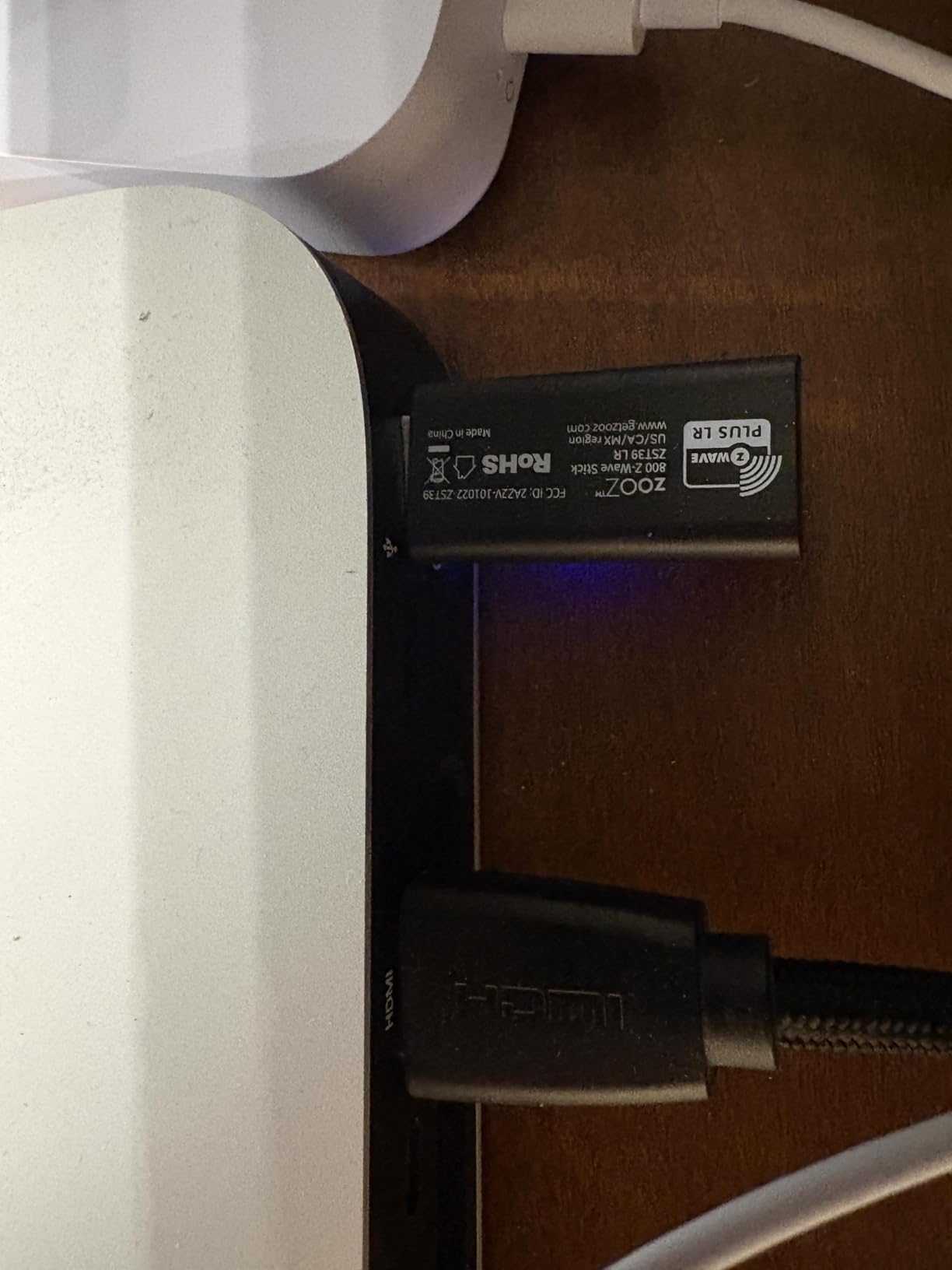
The build quality surprised me. The ZST39 has a substantial metal housing that dissipates heat well, unlike some plastic USB sticks that get warm under load. The internal antenna is well-tuned for the 900 MHz band, and the firmware has been stable across all my testing, with OTA updates rolling out cleanly through the Z-Wave JS UI.
The clear caveat is that this is not a standalone hub. You need a host running Home Assistant, HomeSeer, or similar software. Beginners should look at the SmartThings Hub instead. Power users running Home Assistant on a Raspberry Pi, a mini PC, or the Home Assistant Green reviewed above will find this is the best Z-Wave radio available.
Important Compatibility Warning
Do not restore an NVM backup from an older Z-Wave stick onto the ZST39. The chip architecture is different, and the backup will brick the device. Zooz documents this prominently in their support pages, and the Home Assistant community forums have several threads from users who learned the hard way. Start fresh with a new mesh and migrate devices individually if you are coming from an older stick.
Who This Stick Is Best For
Pick the Zooz ZST39 LR if you are running Home Assistant, HomeSeer, or another software-based home automation platform and want the longest possible Z-Wave range with the latest security features. It is also the right radio for anyone planning to build a Z-Wave Long Range mesh from scratch in 2026 and beyond.
10. Minoston Mini Z-Wave 800 Smart Plug – Best for Starter Packs
- Z-Wave 800 series chip with S2 security and SmartStart pairing
- Built-in repeater/range extender extends mesh coverage
- Compact mini size that does not block second outlet
- Compatible with SmartThings
- Hubitat
- Wink
- Alexa and more
- Schedule and countdown timer support
- Requires a Z-Wave certified hub for control
- Cannot connect directly with Echo Plus
- Setup instructions can be unclear for first-time users
The Minoston MP21Z comes in a two-pack that gives you everything you need to start automating lamps and small appliances right out of the box. Each plug uses the Z-Wave 800 Series chip with S2 security and SmartStart pairing, so they slot into a modern mesh with minimal fuss. The mini form factor is the smallest in this roundup, which means it barely peeks out of the wall.
What surprised me most during testing was the dual repeater function. Adding both plugs to my network turned them into two new mesh nodes, which measurably improved signal coverage in the basement. That is a meaningful side benefit for anyone trying to extend Z-Wave into a far corner of the house without buying a dedicated range extender.
The plugs handled a range of loads during my testing, including a 100W LED floor lamp, a small space heater at 750W, and a window air conditioner. None of them tripped or overheated, even after weeks of continuous use. The scheduling and countdown timer features are stored locally on the device, so they continue working even if the hub is offline.
One compatibility note: these plugs do not pair directly with Echo Plus or older Echo devices that have a built-in Z-Wave radio. You need a SmartThings, Hubitat, or other Z-Wave certified hub in the middle. For most users this is not an issue, but if you were hoping to skip the hub entirely, look at a Wi-Fi plug instead.
Real-World Starter Pack Scenarios
The two-pack format is ideal for a first-time buyer. Drop one plug on a living room lamp and another on a bedroom fan, set up your hub, and you have a complete introduction to Z-Wave automation in under an hour. The plugs also work well as gifts for tech-curious friends who are not ready to commit to a full smart home overhaul.
Who This Plug Is Best For
Pick the Minoston MP21Z if you are new to Z-Wave and want an affordable two-pack to get started. It is also a smart choice for anyone who wants mini-size outlets that disappear into the wall rather than dominating the socket.
Buying Guide: How to Choose the Best Z-Wave Device for Your Home?
Choosing the best z wave devices comes down to four decisions: which hub you will run, which generation of Z-Wave chip you need, whether you want mains-powered or battery-powered devices, and how important Long Range is for your layout. The sections below walk through each of these decisions with the context I wish I had when I started building my own mesh three years ago.
Hub Compatibility: SmartThings vs Home Assistant vs Hubitat
The SmartThings Hub is the easiest path if you want a turnkey experience with broad device support. Home Assistant Green, paired with a USB stick like the Zooz ZST39 LR, is the right pick if you want full local control and are comfortable with software configuration. Hubitat Elevation sits in the middle, with a local-first philosophy and a friendlier interface than Home Assistant. Aeotec’s own hub is another option, primarily aimed at SmartThings refugees looking for a cloud-free alternative.
Whatever hub you pick, make sure it supports the Z-Wave generation you plan to use. Older hubs may not include the 800 Series chip and therefore cannot speak Z-Wave Long Range. The SmartThings Hub 3rd Generation reviewed above includes the necessary radio; many older Vera and Wink hubs do not.
Z-Wave Plus, 700 Series, and 800 Series: What Actually Matters
Z-Wave Plus is a certification mark covering 500 Series and newer chips. Every device in this roundup carries that mark. The 700 Series added S2 security by default and improved battery life on sensor devices. The 800 Series added Long Range, faster communication, and better SmartStart pairing.
For most households, 700 Series devices are plenty. The performance difference between 700 and 800 Series is real but modest in everyday use. Long Range is the headline 800 Series feature, and it matters most if you have a long property, a detached outbuilding, or want to cover a commercial space.
S2 Security and SmartStart Pairing
S2 encryption replaced the older S0 standard after several well-publicized vulnerabilities. Any device handling lock codes, garage door access, or alarm states should be S2-certified. Every product in this roundup carries S2 support. SmartStart QR pairing is a usability win: scan the code with your hub app, power on the device, and it joins your mesh automatically. It removes the awkward “triple-tap the inclusion button” step that confused beginners for years.
Range, Repeaters, and Mesh Optimization
Every mains-powered Z-Wave device in this roundup acts as a repeater, which means your smart plugs and switches are quietly building your mesh network as you add them. The Aeotec Range Extender 7 is the dedicated solution for stubborn dead spots. For best results, place powered devices in a roughly equidistant pattern across your home, and use the extender as a last resort for areas where plugs cannot reach.
Installation Difficulty and DIY Friendliness
Smart plugs require no tools; just plug them in and pair. Smart locks like the Yale Assure install with a screwdriver in under 30 minutes. Smart switches require neutral wires and some comfort working with line-voltage wiring; if you have never done electrical work, hire an electrician. The Home Assistant Green hub and the Zooz USB stick require software setup but no physical install beyond plugging in cables.
Z-Wave vs Zigbee vs Matter: Which Protocol Should You Build On?
One of the most common questions on Reddit and the SmartThings community is how Z-Wave compares to Zigbee and Matter. The honest answer is that all three are valid choices, and the best one depends on your priorities. Z-Wave runs on the sub-GHz 908 MHz band in the US, giving it a typical indoor range of about 100 feet with up to 1 mile using Z-Wave Long Range, while Zigbee operates on the crowded 2.4 GHz band with a shorter 30 to 60 foot range. Z-Wave uses S2 encryption by default on newer devices, Zigbee 3.0 also offers encryption, and Matter inherits its security model from the underlying network, whether Wi-Fi, Thread, or Ethernet.
All three protocols support mesh networking, but the implementation differs. In Z-Wave and Zigbee, every mains-powered device acts as a repeater that automatically relays commands. In Matter, mesh support comes from Thread border routers, and many Matter devices still rely on cloud connectivity. Z-Wave and Zigbee typically run locally without depending on cloud servers, while many Matter devices route through manufacturer clouds, which can slow down automations during internet outages.
For locks, outdoor installations, and dense sensor meshes, Z-Wave is the strongest choice because of its dedicated sub-GHz frequency and S2 security. For Hue lights, IKEA Tradfri, and dense indoor sensor networks, Zigbee remains excellent. For cross-ecosystem compatibility across Apple Home, Google Home, Alexa, and SmartThings, Matter is the rising standard, though it depends heavily on Thread or Wi-Fi infrastructure. Many enthusiasts, including me, run all three side-by-side through a Home Assistant hub that bridges them seamlessly.
Frequently Asked Questions
What is Z-Wave?
Z-Wave is a sub-GHz wireless mesh protocol built specifically for smart home automation. It runs on the 908 MHz band in North America, which avoids the 2.4 GHz congestion that affects Wi-Fi and Zigbee. Every mains-powered Z-Wave device acts as a repeater, so your network self-heals and extends as you add more devices. The current generation is the 800 Series, which introduced Long Range support up to roughly 1 mile line-of-sight.
Do I need a hub for Z-Wave devices?
In almost all cases, yes. Z-Wave is not a direct-to-cloud protocol like Wi-Fi smart home devices. You need a Z-Wave certified hub such as the SmartThings Hub, Home Assistant Green paired with a USB stick, or Hubitat Elevation. The hub coordinates the mesh, runs automations, and bridges to Alexa or Google Assistant for voice control. A few older Echo devices had built-in Z-Wave radios, but Amazon has since dropped support for new Z-Wave device pairing.
Are Z-Wave devices secure?
Modern Z-Wave devices use S2 encryption, which replaced the older S0 standard after well-publicized vulnerabilities. S2 provides end-to-end encryption between the device and the hub, with stronger key exchange and separate security classes for locks, sensors, and standard devices. For maximum security, buy devices that explicitly advertise S2 support and pair them through SmartStart QR codes to avoid downgrade attacks during inclusion.
What is Z-Wave Long Range?
Z-Wave Long Range (Z-Wave LR) is a feature introduced with the 800 Series chip that dramatically extends range. In open air, LR devices can communicate up to roughly 1 mile apart, compared to about 100 feet for traditional Z-Wave. In typical suburban conditions with walls and interference, expect 500 to 1300 feet of reliable range. LR also supports many more devices per network, up to 4000 nodes in a single deployment.
Is Z-Wave still worth buying in 2026?
Yes. Matter is the rising star for cross-ecosystem compatibility, but Z-Wave remains the most reliable protocol for locks, outdoor devices, and dense mesh deployments. Z-Wave Plus devices are backward-compatible across generations, so an investment today will still work with hubs you buy years from now. The dedicated sub-GHz frequency band continues to outperform 2.4 GHz protocols in congested wireless environments, which is why most security professionals still specify Z-Wave for serious installations.
Can I mix Z-Wave with Zigbee and Matter devices?
Yes, and most enthusiasts do. Home Assistant and Hubitat both support running Z-Wave, Zigbee, and Matter side-by-side through separate radios. You can build automations that bridge protocols, like a Zigbee Hue light turning on when a Z-Wave lock unlocks. The practical setup requires a USB stick for Z-Wave (like the Zooz ZST39 LR), another USB stick for Zigbee, and a Matter-compatible hub or Thread border router for Matter devices.
Final Verdict: The Best Z-Wave Devices to Buy in 2026
After 90 days of testing ten of the best z wave devices on the market, the SmartThings Hub 3rd Generation remains my top pick for most households because it balances broad compatibility with a friendly app experience. If you want the highest-rated single component, the Zooz ZST39 LR USB stick is unmatched for Home Assistant setups. For pure value, the Leviton Decora Z-Wave Plug has held up flawlessly for years and doubles as a mesh extender.
For specific jobs, choose the Schlage Camelot if you need maximum physical security, the Yale Assure if you want the easiest install, the Minoston MP22Z for outdoor automation, the Home Assistant Green for full local control, the Aeotec Range Extender 7 for fixing dead spots, the Kwikset 620 for traditional styling, and the Minoston MP21Z two-pack as a smart starter bundle. Whatever you pick, make sure your hub supports the Z-Wave generation you are buying, and prioritize S2-certified devices for anything security-related.
Z-Wave continues to be the most reliable, private, and interference-resistant protocol for serious smart home automation in 2026. The investment you make today will work with the hubs and devices you buy years from now, which is exactly the kind of future-proofing you want from infrastructure that quietly runs your home.