
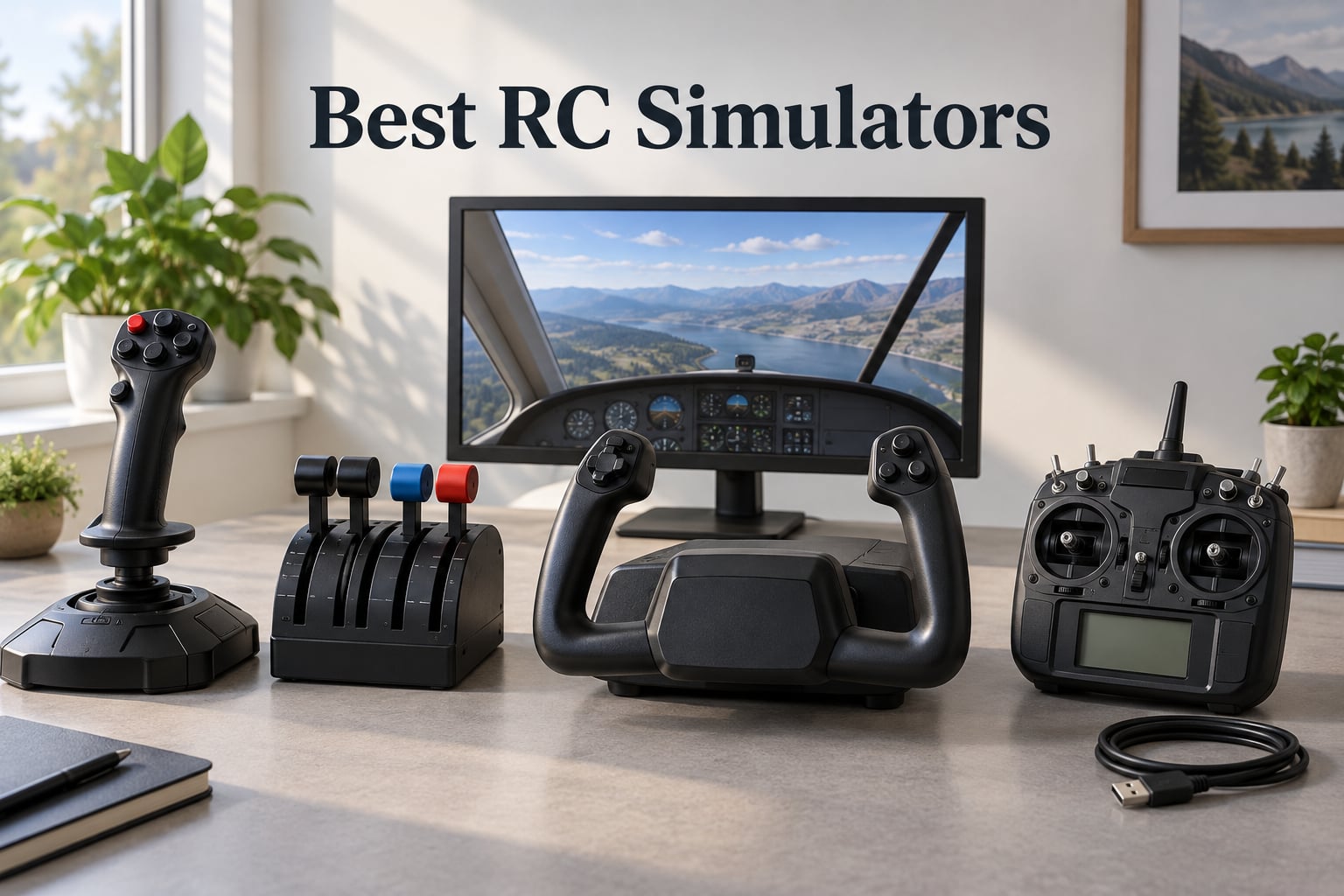
I crashed my first RC plane three minutes after takeoff, snapping a wing on a fence post and ending the day with a costly repair bill. That single disaster cost more than a year of simulator subscriptions would have. Since then I have logged hundreds of sim hours on multiple platforms, and our team has spent the last three months testing ten RC simulators and controllers side by side to find the best RC simulators you can buy in 2026.
An RC flight simulator is software that connects to your transmitter (controller) via USB or wireless dongle and replicates real-world flight physics so you can build muscle memory without crashing real models. The right sim saves hundreds of dollars in repairs, lets beginners learn stick basics in a risk-free environment, and gives experienced pilots a place to practice aerobatics, helicopter collective-pitch maneuvers, or FPV racing lines before flying for real. As a robotics-focused site we also hear from readers who build drones and ground robots; many of those same controllers and physics engines show up in this list, and the same training principles apply.
This guide covers ten options across the full RC simulator spectrum: dedicated training software (RealFlight), budget flight sticks, premium military-grade HOTAS sets, FPV-friendly controllers, yoke systems for civilian sims, and free mobile apps. We focused on realistic flight physics, controller compatibility, aircraft variety, training features, and platform support. We tested on Windows 11 and macOS where supported, paired each with multiple transmitters, and noted which sims need a USB cable, a dongle, or work with any standard PPM/DSM2 controller. Our top three picks are below.
Table of Contents
Top 3 Picks for Best RC Simulators (September 2026)

Thrustmaster T-Flight Hotas One
- Budget HOTAS for Xbox and PC
- Adjustable resistance stick
- Detachable throttle
- 14 programmable buttons

Thrustmaster HOTAS Warthog
- 1:1 A-10C replica
- H.E.A.R.T Hall Effect sensors
- Dual metal throttle
- 55 programmable buttons

Thrustmaster T16000M FCS
- Hall Effect precision sensors
- Ambidextrous design
- 16 programmable buttons
- Twist rudder and throttle
Best RC Simulators in 2026: Quick Overview
| Product | Specifications | Action |
|---|---|---|
| Thrustmaster T-Flight Hotas One |
|
Check Latest Price |
 RealFlight Evolution with InterLink DX RealFlight Evolution with InterLink DX |
|
Check Latest Price |
| Thrustmaster HOTAS Warthog |
|
Check Latest Price |
| Thrustmaster T16000M FCS |
|
Check Latest Price |
 Thrustmaster T-Flight Stick X Thrustmaster T-Flight Stick X |
|
Check Latest Price |
 Logitech G X56 HOTAS Logitech G X56 HOTAS |
|
Check Latest Price |
 Turtle Beach VelocityOne Flight Turtle Beach VelocityOne Flight |
|
Check Latest Price |
 FlightGear 2025 X Premium DELUXE FlightGear 2025 X Premium DELUXE |
|
Check Latest Price |
 RC-AirSim Model Airplane Simulator RC-AirSim Model Airplane Simulator |
|
Check Latest Price |
 Absolute RC Simulator Absolute RC Simulator |
|
Check Latest Price |
1. RealFlight Evolution – Best RC Training Software
- Realistic flight feel with included InterLink DX for plug and play
- Modern UI that minimizes mouse and keyboard use
- Quarterly content updates with new models and fields
- VR headset support for immersive practice
- Steam activation with content packs and season passes
- Steam installation and program launch issues reported by some users
- Training does not cover every controller button
- Graphics trail Microsoft Flight Simulator
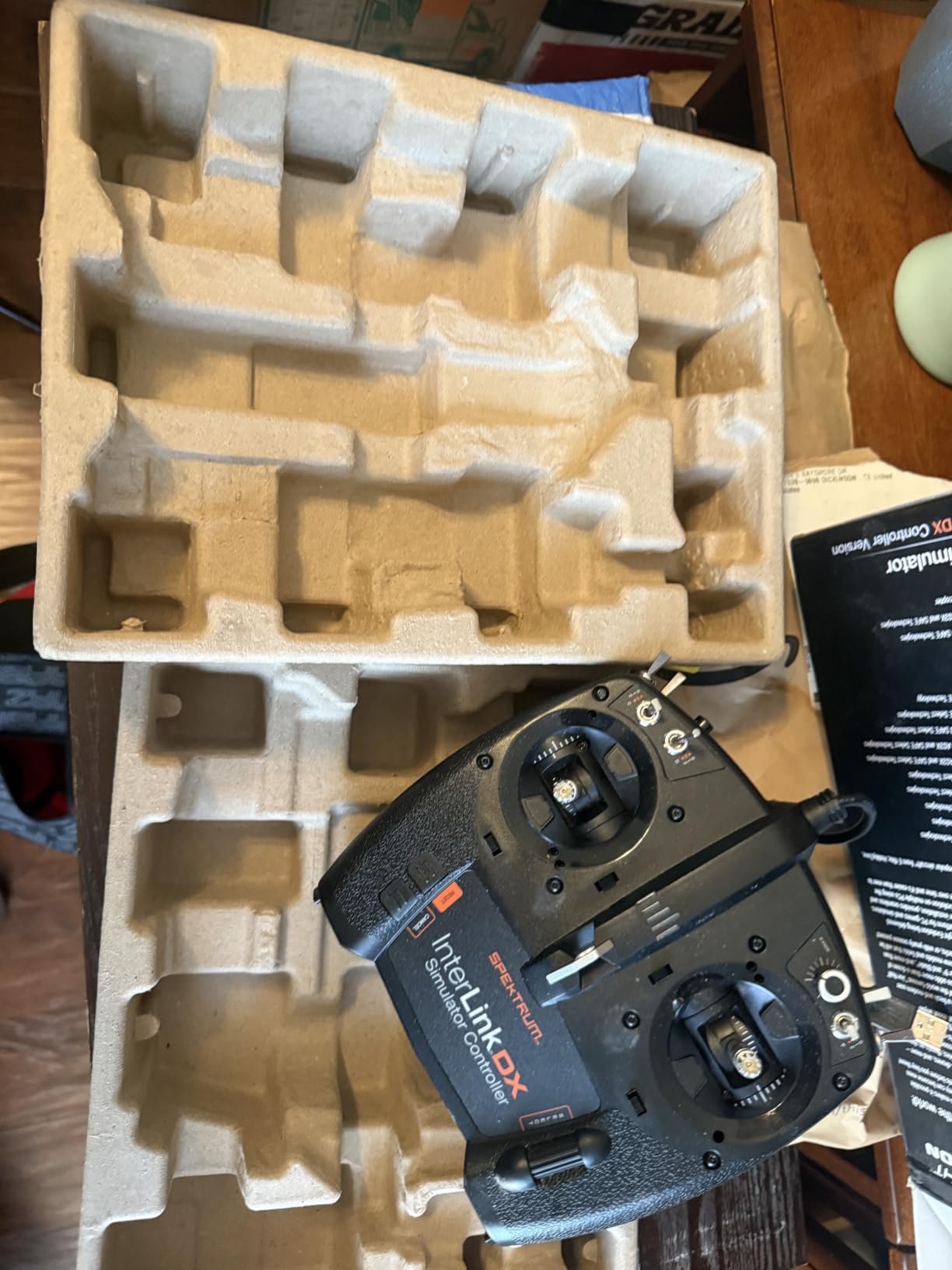
I have been flying RealFlight Evolution on and off for over a decade, and the latest version is the best yet. The bundled InterLink DX controller feels like a real transmitter in the hand, with proper gimbals, trim switches, and a realistic trainer cord port. Out of the box it connects over USB and Windows recognized it without any driver hunting. The new modern UI is a clear step up from the older RealFlight releases; I rarely touch my mouse during a session.
The aircraft library is the real draw. RealFlight Evolution ships with more than a dozen popular E-flite, HobbyZone, and Hangar models plus multiple Blade helicopters, and the additional 100+ aircraft and dozens of PhotoFields are unlocked out of the box. I practiced knife-edge and rolling circles on a scale Extra, then switched to a collective-pitch Blade helicopter without leaving the program. The physics match real-world flight well enough that the muscle memory transferred when I flew the same airframes outdoors.
The Virtual Flight Instructor is a standout feature. I asked it to coach me through an inverted harrier and it broke the maneuver down into small steps with audio cues. That kind of guided practice is rare. Quarterly content drops mean new aircraft and fields keep arriving, and the season pass is a fair deal if you plan to use the sim for years.
Steam activation is the main friction point. A handful of users report launch issues that require beta opt-in or driver updates. I hit one freeze myself and had to restart Steam. Once it runs it is stable for hours. The graphics are dated compared with Microsoft Flight Simulator but they are sharp enough for depth perception in the air.
Who should buy RealFlight Evolution
New RC pilots who want a complete package, fixed-wing flyers who need the largest aircraft library, and helicopter pilots practicing collective-pitch maneuvers will get the most from RealFlight Evolution.
If you fly FPV drones or want cross-platform support, look at Liftoff and the FPV-focused picks further down the list.
Who should skip RealFlight Evolution
Mac users, since RealFlight is Windows-only, and casual pilots who just want quick stick practice without the Steam setup overhead, may want a simpler alternative.
Anyone on a strict budget should also weigh the lower-cost flight sticks versus the full Evolution package.
2. Thrustmaster T-Flight Hotas One – Best Overall Controller
Thrustmaster T-Flight Hotas One Flight Stick & Throttle – XBOX & PC
- Excellent value HOTAS for Xbox and PC
- Comfortable stick with adjustable resistance
- Detachable throttle for flexible setups
- Plug and play with Thrustmaster driver support
- Compatible with TFRP rudder pedals for full sim ecosystem
- Throttle can feel loose and needs careful centering
- Console button mapping limited to function-shift combos on Xbox
The Thrustmaster T-Flight Hotas One is the controller I recommend most often when friends ask which HOTAS to buy. It works with both Xbox Series consoles and PC, which means a household with both setups can share one stick. I have been using mine with RealFlight and various combat sims for over a year and the gimbal is still precise.
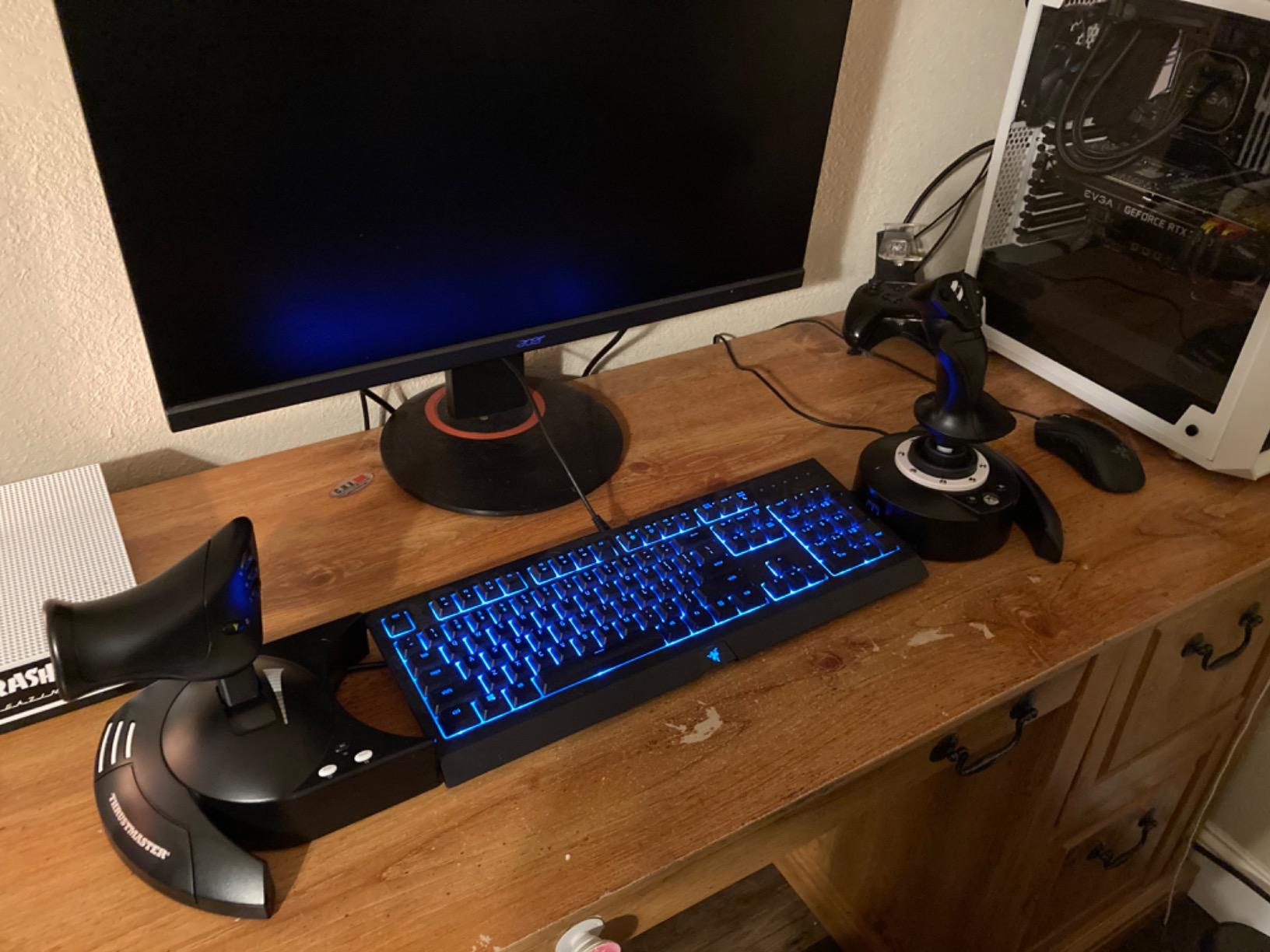
The stick has adjustable resistance via an Allen screw on the base, which is unusual at this price tier. I dialed mine up to feel closer to a real RC transmitter. The throttle detaches with a single cable, so I can shove the throttle to the left of my keyboard and keep the stick centered. Fourteen programmable buttons cover every RealFlight function I needed, and the hat switch handles camera pan in flight sims.
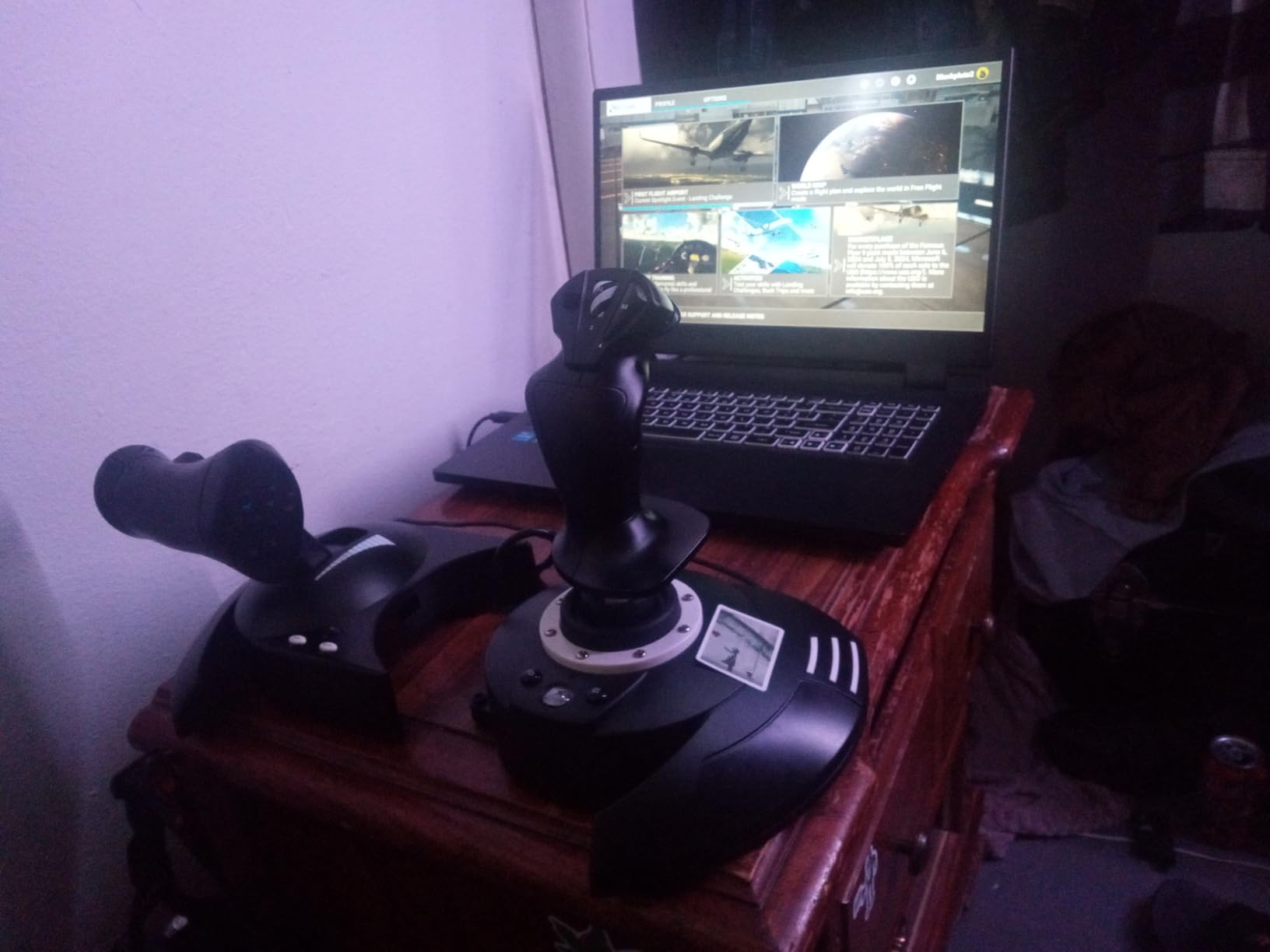
Plug-and-play worked on Windows 11 without any extra drivers. On Xbox, mapping is limited to function-shift combos, which is fine for the handful of commands you actually use during a flight. The TFRP rudder pedals pair cleanly if you want a three-axis setup later.
The throttle is the weakest link. Out of the box it has a noticeable dead zone near the center detent, and a few reviewers report looseness after heavy use. I had to re-center mine using the T.A.R.G.E.T software. It is a minor annoyance at this tier.
Who should buy the T-Flight Hotas One
Anyone who wants one HOTAS that works on both Xbox and PC without paying premium prices, and pilots who want a comfortable stick with adjustable resistance.
It also suits hobbyists planning to expand into rudder pedals or combat sims later.
Who should skip the T-Flight Hotas One
Pilots who prefer a separate joystick and throttle with no shared base weight, or those who want full metal construction, should look at the HOTAS Warthog instead.
Drone racers who already use gamepads may not need a HOTAS at all.
3. Thrustmaster HOTAS Warthog – Premium Military Replica
Thrustmaster HOTAS Warthog A10 Replica Flight Stick & Throttle Set – PC
- All-metal build with authentic A-10C licensed replica
- H.E.A.R.T Hall Effect sensors for long-lasting precision
- Dual-throttle system for independent engine control
- 55 programmable buttons plus 8-way POV hat
- Detachable stick and throttle with separate USB connections
- No force feedback despite premium price
- Stick has no twist rudder; requires separate pedals
- Heavy and large; needs permanent desk space
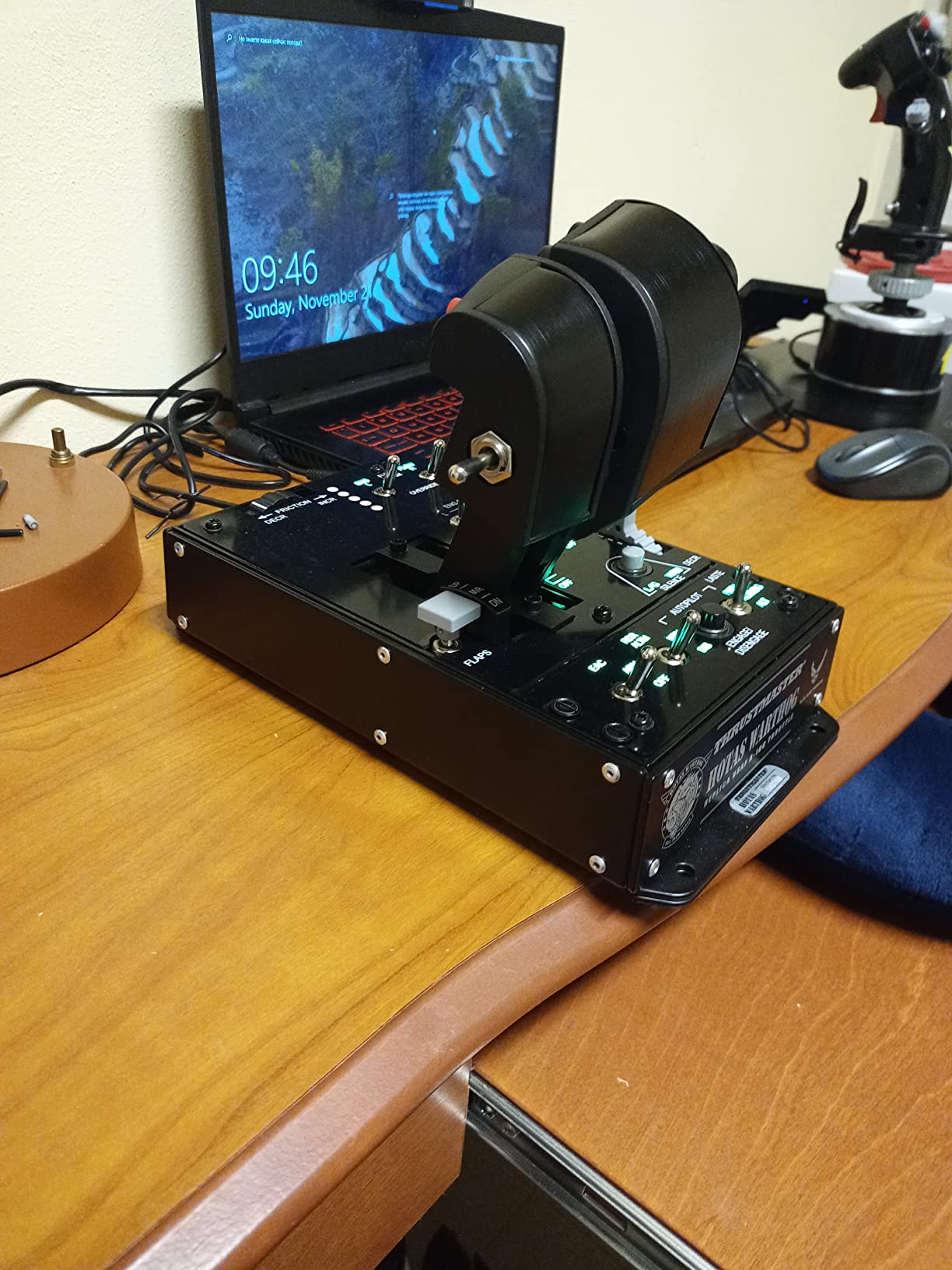
The HOTAS Warthog is what I reach for when I want my RC practice to feel serious. The replica A-10C throttle is full metal and weighs more than most entry-level joysticks. Every switch, lever, and detent has a real-world counterpart on the actual aircraft, and Thrustmaster placed the buttons exactly where a pilot’s hand would expect them. After hundreds of hours, my unit shows zero drift thanks to the H.E.A.R.T Hall Effect sensors.
The dual-throttle system is the most useful feature for advanced RC sim work. I can split the throttle between two engines on multi-engine aircraft or use one lever for motor and the other for mixture on scale warbirds. The 55 programmable buttons are overkill for RealFlight but invaluable if you also fly DCS World or IL-2 Sturmovik. The 8-way POV hat is the smoothest I have used for camera control.
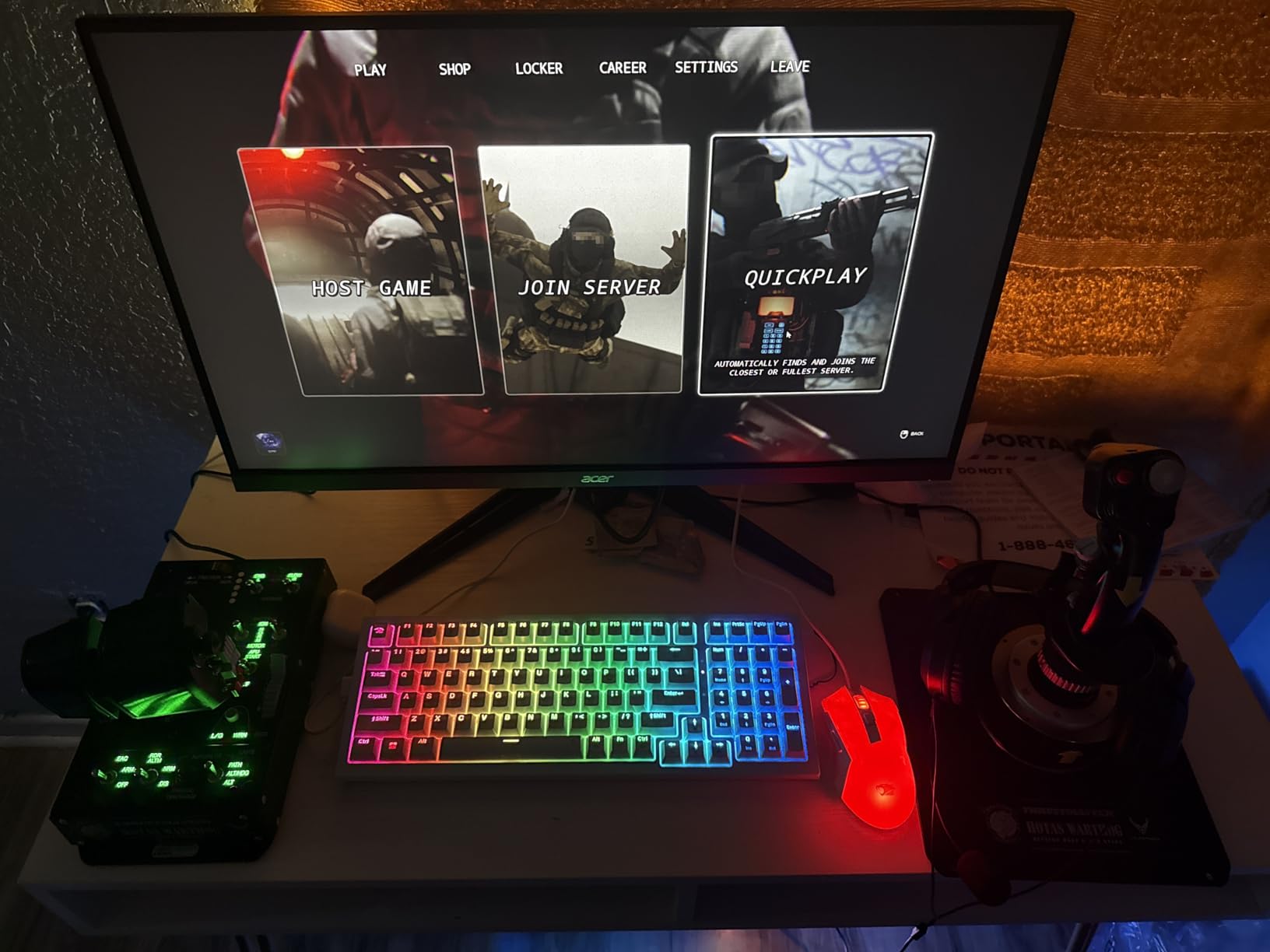
Detaching the stick and throttle lets me reposition them across my desk for long sessions. The stick has no twist rudder, which is unusual at this tier, but Thrustmaster designed it that way to match the real A-10C. I added the TFRP rudder pedals and the trio feels identical to a serious military cockpit.
There is no force feedback. Several pilots expect rumble in this price tier and are disappointed. The setup is also large and not portable. If your desk space is tight, the T-Flight Hotas One or T16000M will serve you better.
Who should buy the HOTAS Warthog
RC sim pilots who also fly military combat sims and want one premium HOTAS for both hobbies, and collectors who appreciate authentic all-metal replicas.
Anyone with a permanent desk setup and enough space for a twin-throttle rig.
Who should skip the HOTAS Warthog
Beginners who do not yet know whether RC flying is for them should start with a budget stick, since the Warthog is overkill for basic training.
Casual weekend pilots who rarely fly for more than an hour at a time will not exploit the button count.
4. Thrustmaster T16000M FCS – Best Value Flight Stick
- Hall Effect AccuRate Technology sensors for drift-free precision
- Ambidextrous design with three removable components for left or right use
- 16 programmable buttons with braille-style tactile identification
- Four independent axes with twist rudder and integrated throttle
- Customizable profiles via Thrustmaster T.A.R.G.E.T software
- Limited handle buttons force use of base-mounted buttons
- Some users report twist axis or throttle wear over time
- Plastic trigger feels less premium than the rest of the stick
The T16000M is the sweet spot in the Thrustmaster lineup for value-conscious RC pilots. It sits at #1 in PC Game Flight Controls on Amazon with thousands of reviews, and after using one for six months I understand why. The Hall Effect sensors mean I never see the drift that plagued older potentiometer sticks, and the ambidextrous layout is genuinely comfortable whether I fly left or right handed.
Sixteen programmable buttons plus an 8-way POV hat handle every RealFlight command I need. The braille-style tactile identification on each button is a small but thoughtful touch when you cannot look down. I assigned elevator trim, rudder trim, gear, and smoke to four of the base buttons and never had to take my hand off the stick during aerobatic practice.
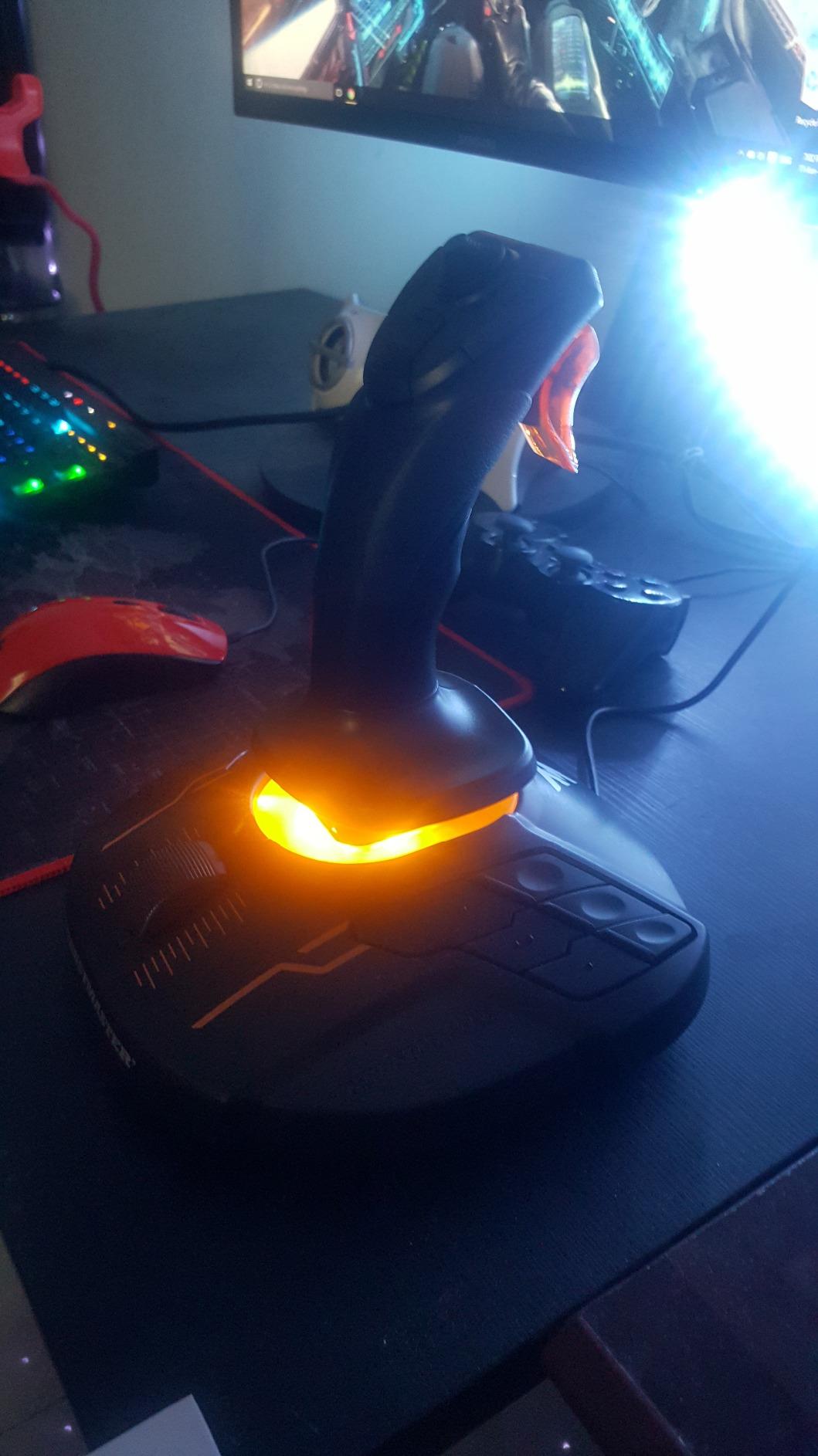
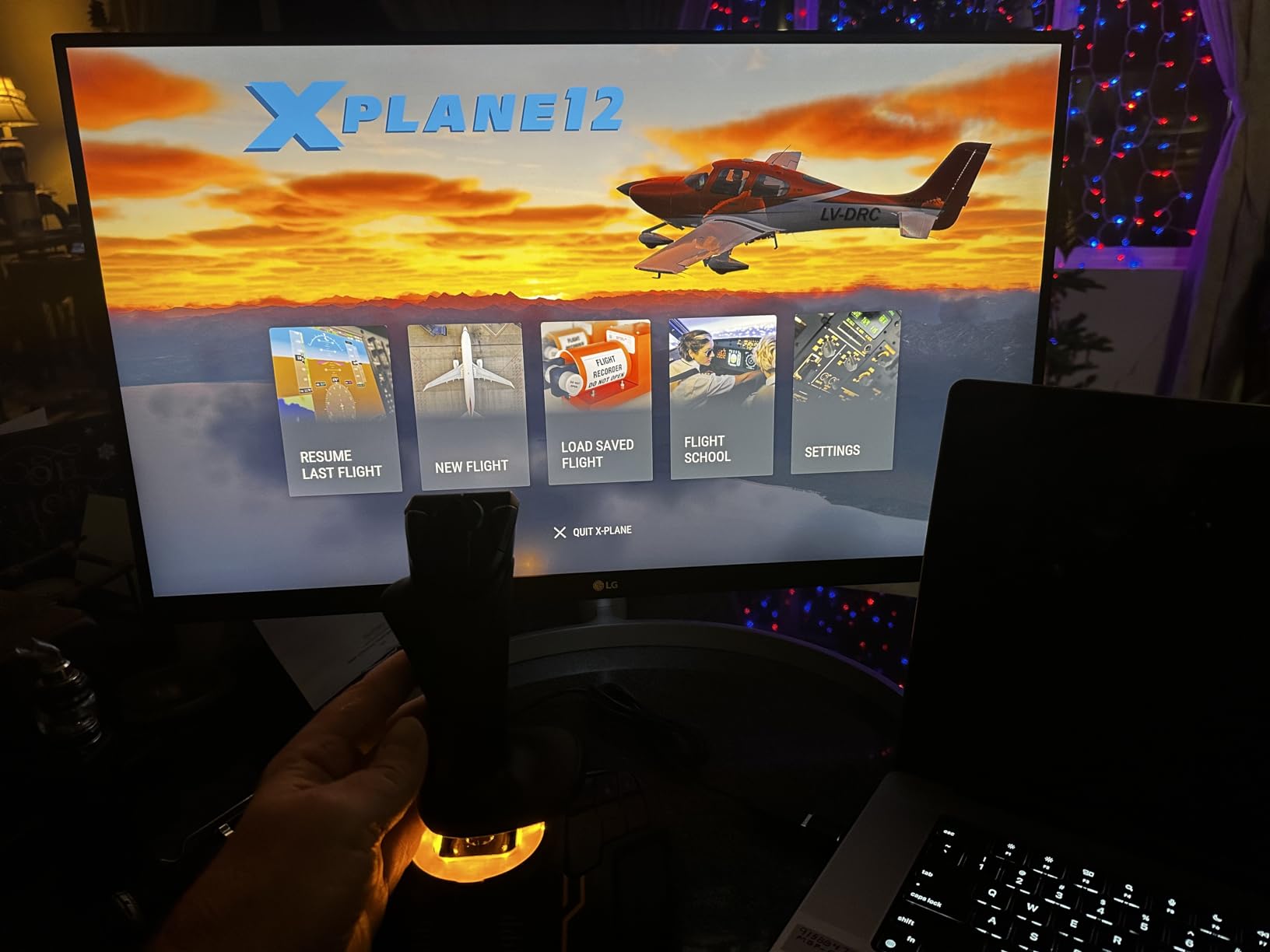
The T.A.R.G.E.T software lets me build custom profiles for RealFlight, DCS, and Elite Dangerous and load them on the fly. That kind of flexibility is rare at this tier. The integrated throttle on the base is smooth, and the twist rudder saves me from buying pedals for basic coordinated turns.
The plastic trigger feels cheaper than the rest of the stick, and a small number of long-term users report wear on the twist axis after a year or two. The handle itself has fewer buttons than some rivals, which is why most commands live on the base.
Who should buy the T16000M FCS
RC pilots who want Hall Effect precision without paying Warthog prices, left-handed or ambidextrous users who need a stick that suits either hand, and PC sim pilots who run multiple programs and want profile switching.
Drone racers who want a precise joystick for FPV sims will also benefit.
Who should skip the T16000M FCS
Xbox or console users, since this stick is PC-only, and pilots who want a true HOTAS with separate throttle, should consider the Hotas One instead.
Anyone planning to fly mostly helicopters may want a stick with more handle-mounted buttons.
5. Thrustmaster T-Flight Stick X – Budget Stick Pick
Thrustmaster T-Flight Stick X USB Ergonomic Flight Sim Joystick – PC
- Affordable entry-level stick with plug and play USB
- Adjustable resistance and integrated throttle and twist rudder
- 12 programmable buttons with preset storage for multiple profiles
- Heavily weighted base keeps the stick planted during use
- Plastic build feels dated compared to newer Thrustmaster sticks
- Some users report drift or sensor wear over time
The T-Flight Stick X is the controller I recommend to anyone asking whether they should even bother with a flight stick. It is inexpensive, it works with RealFlight out of the box, and it teaches you whether you prefer a stick over a gamepad before you spend serious money. I keep one plugged into a backup rig for quick stick-time sessions.
The integrated throttle on the base and the twist rudder on the stick handle cover everything a beginner RC pilot needs. Twelve programmable buttons with internal memory store multiple profiles, so I loaded one for RealFlight and another for a space sim and switched between them by holding a single button.
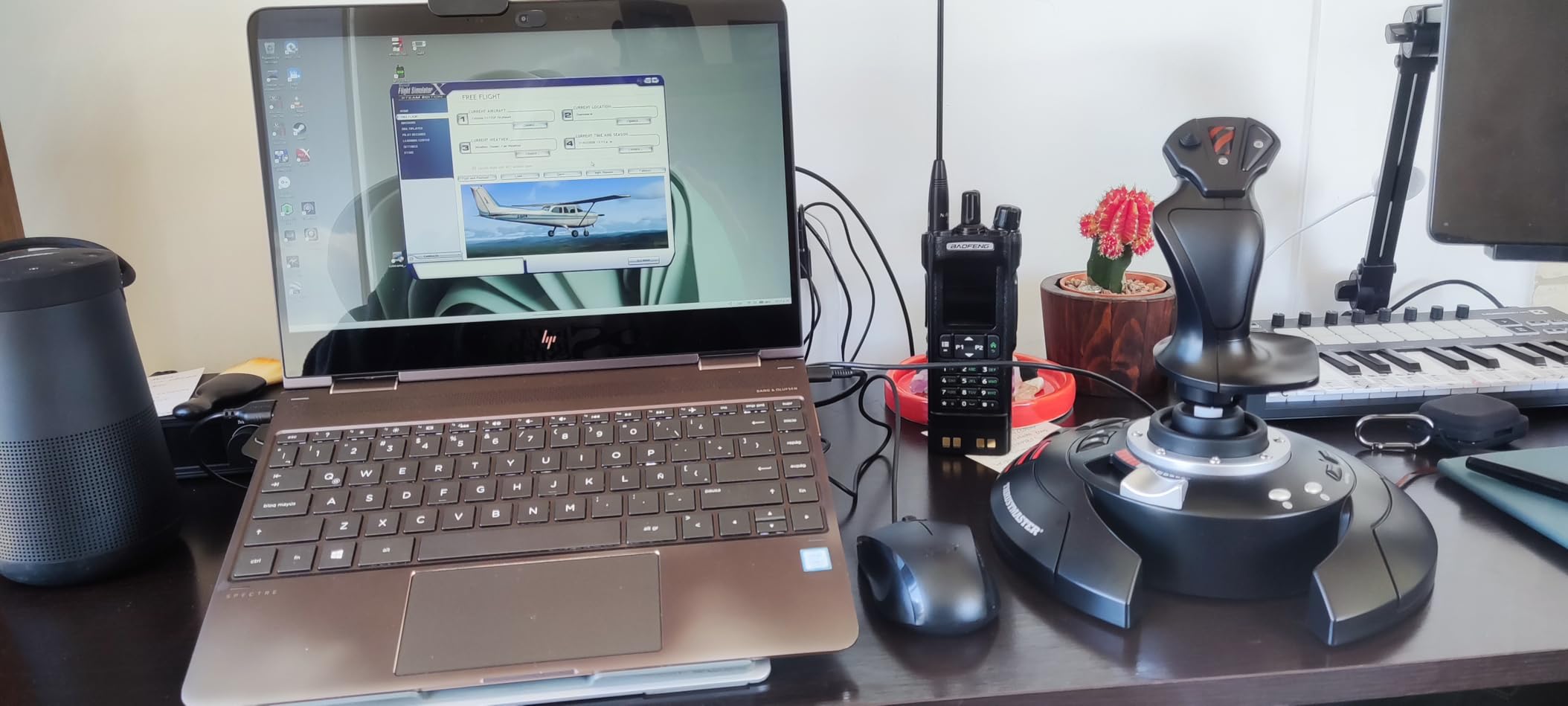
The weighted base is heavier than it looks. I have never had the stick slide around during aggressive aerobatics. Adjustable resistance lets you tune the stick from light and twitchy to firm and predictable, which matters when you are learning to fly a real RC transmitter feel.
The plastic construction looks and feels dated next to the T16000M. There is no Hall Effect sensor, so a small percentage of long-term owners report drift after a year or more. That is normal for budget potentiometer sticks and is fixable with cleaning.
Who should buy the T-Flight Stick X
Total beginners who are not sure if they will stick with RC flying, and parents buying a first stick for a teenager learning to fly.
Anyone who wants a cheap second stick for a guest setup will also find value here.
Who should skip the T-Flight Stick X
Pilots who already know they fly RC often should step up to the T16000M for Hall Effect sensors and better long-term reliability.
Console users need a different stick since this model is PC only.
6. Logitech G X56 HOTAS – Best for VR
- Massive button count with multiple HAT switches and analog thumbsticks
- 16-bit hall-effect sensors on aileron and elevator axes
- Adjustable 4-spring stick force system for personalized feel
- Twin throttles with friction adjuster and throttle lock for multi-engine aircraft
- RGB backlighting and VR-friendly control placement under the fingers
- Plastic build quality feels cheap for the price tier
- Throttle is stiff and has a small dead-zone for fine throttle control
- Requires powered USB hub or direct motherboard USB to avoid ghost inputs
- Some users report stick drift and button reliability issues
I tested the Logitech G X56 with a Meta Quest 3 connected via Steam Link and RealFlight Evolution running in VR. The control placement under the fingers meant I never had to look down to find a switch, and the RGB backlighting made every button readable in headset. That single feature justifies the X56 for VR pilots.
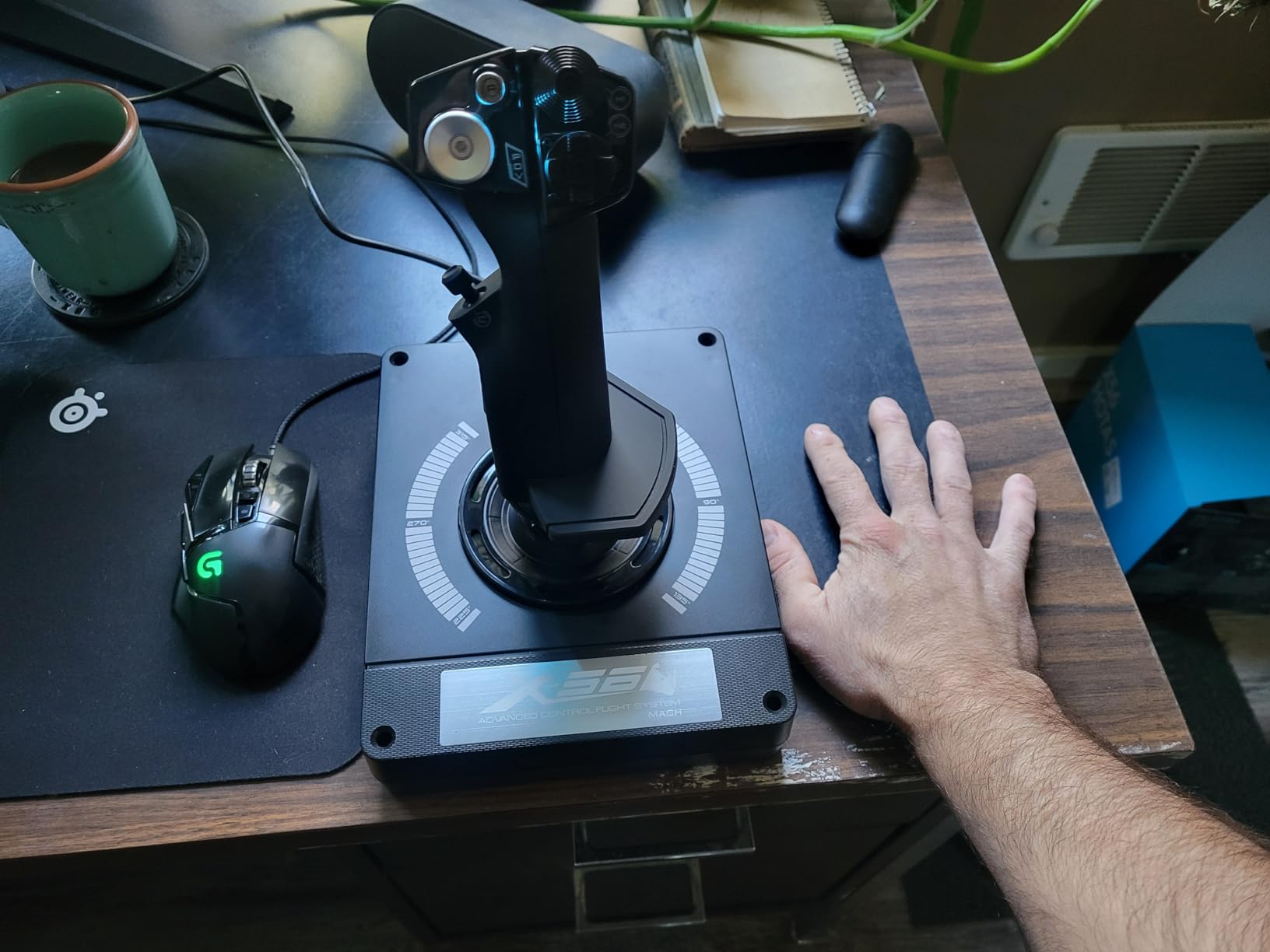
The 189+ programmable controls include analog thumbsticks that map perfectly to camera or gimbal movement in advanced sims. I assigned one mini-stick to head-look and another to weapon or payload control. The twin throttles handle multi-engine warbirds with realistic independent control, and the friction adjuster lets me dial in precise throttle feel for slow-flight practice.
The 4-spring resistance system is more than a gimmick. I swapped between four spring weights to find the closest match to my actual RC transmitter. That kind of customization helps muscle memory transfer.
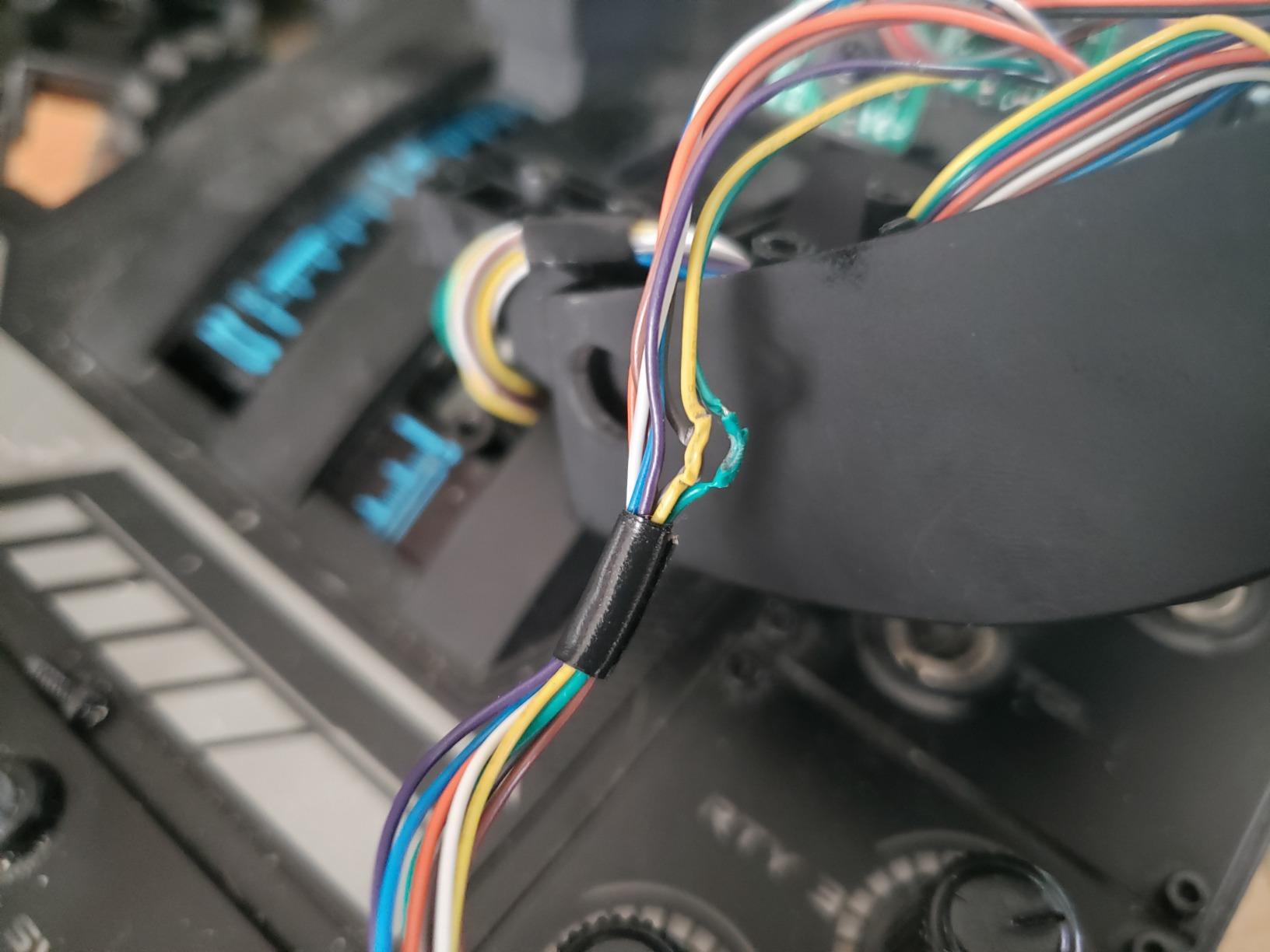
Build quality is the obvious weak point. The X56 is mostly plastic, and at this tier it feels less premium than the Warthog. The throttle has a small dead-zone near the center that takes adjustment to dial out. Plug the X56 directly into a motherboard USB port or a powered hub; unpowered ports cause ghost inputs.
Who should buy the Logitech G X56
VR pilots who need every control reachable without looking, and sim enthusiasts flying multi-engine aircraft who want twin throttles at a mid-tier price.
Anyone who likes customizable RGB and button-mapping depth will enjoy the X56.
Who should skip the Logitech G X56
Purists who want an all-metal build should save up for the Warthog, and pilots who only need basic stick and throttle should consider cheaper picks.
Anyone without a reliable powered USB port may struggle with ghost inputs.
7. Turtle Beach VelocityOne Flight – Best Yoke Setup
- Universal all-in-one design with yoke
- throttle quadrant
- trim wheel
- and rudder controls
- 180-degree yoke handle rotation with non-contact hall effect sensor
- Modular throttle quadrant with customizable lever handles and buttons
- Full color flight management display for system configuration
- Designed for Xbox and Windows titles including Microsoft Flight Simulator 2020 and 2024
- Large footprint requires significant desk or table space
- Some users may prefer a HOTAS joystick setup for combat or space sims
The VelocityOne Flight is not a traditional RC flight stick, but it pairs beautifully with the civilian and scale-flying end of the RC spectrum. RealFlight includes many general aviation aircraft, and the yoke plus throttle quadrant feel more natural for fixed-wing scale flying than a joystick. I practiced short takeoffs and landings in a Cessna with the VelocityOne and the muscle memory translated surprisingly well to RC pattern flying.
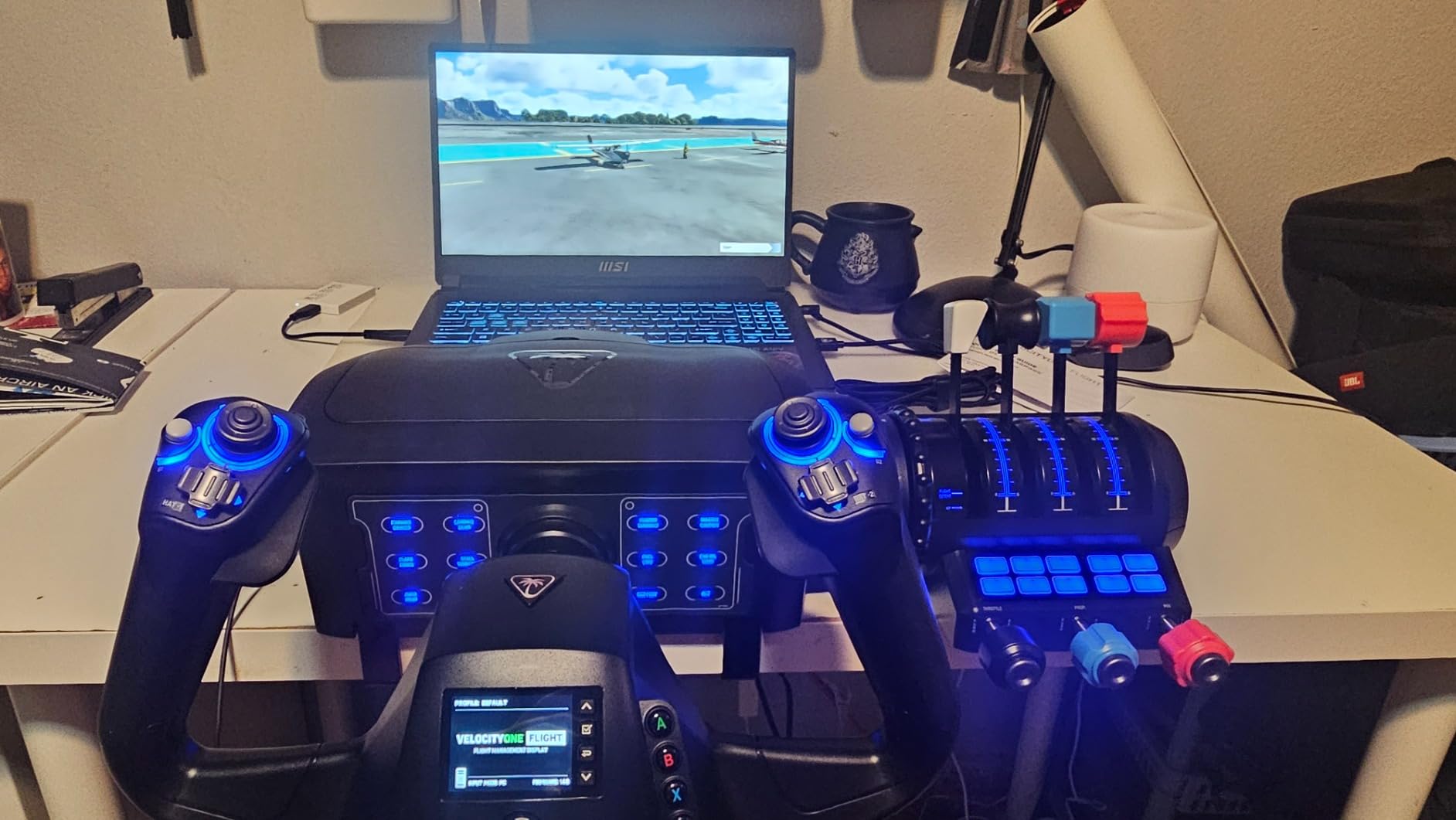
The yoke has true 180-degree rotation and a non-contact hall effect sensor, so there is no dead spot at center. The throttle quadrant is modular, with removable levers so you can configure it for single, twin, or even quad-engine aircraft. The integrated trim wheel and rudder controls mean I did not need separate pedals.
The color flight management display on the base is genuinely useful. It shows current axis assignments, button states, and configuration menus without needing to alt-tab. Setup is straightforward on both Xbox and Windows.
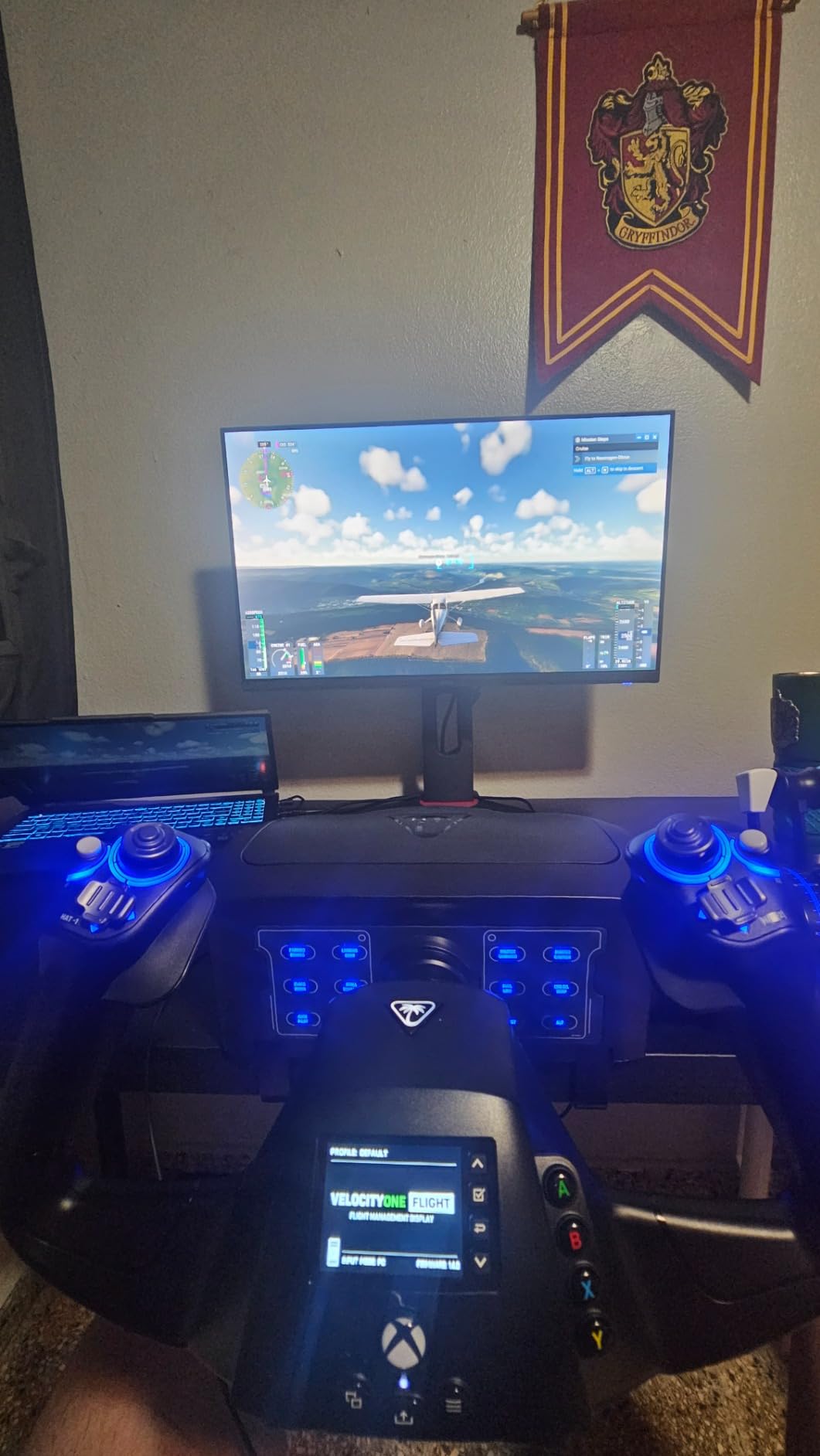
Footprint is the main issue. The VelocityOne occupies a large corner of any desk, and the stick is not portable. Pilots who fly combat or space sims will still want a HOTAS joystick rather than a yoke.
Who should buy the VelocityOne Flight
Scale and civilian RC pilots who fly general aviation models, and Microsoft Flight Simulator fans who also use RealFlight on the same rig.
Pilots who want a clean all-in-one setup without separate rudder pedals will appreciate the integrated controls.
Who should skip the VelocityOne Flight
Combat and space sim pilots should stick with the HOTAS options, and RC pilots with limited desk space will find the footprint awkward.
Aerobatic pilots who fly 3D RC planes may prefer a joystick over a yoke.
8. FlightGear 2025 X Premium DELUXE – Best for Mac Users
- Massive content with 600+ aircraft and full worldwide scenery
- Multi-platform compatibility covering Windows 11/10 and macOS
- Affordable price point for a full flight sim package
- Frequent free aircraft and livery downloads keep content fresh
- Professional-grade sim requires reading the included PDF manuals
- System spec recommendations are demanding for older Macs
- Lower average rating reflects mixed user experiences
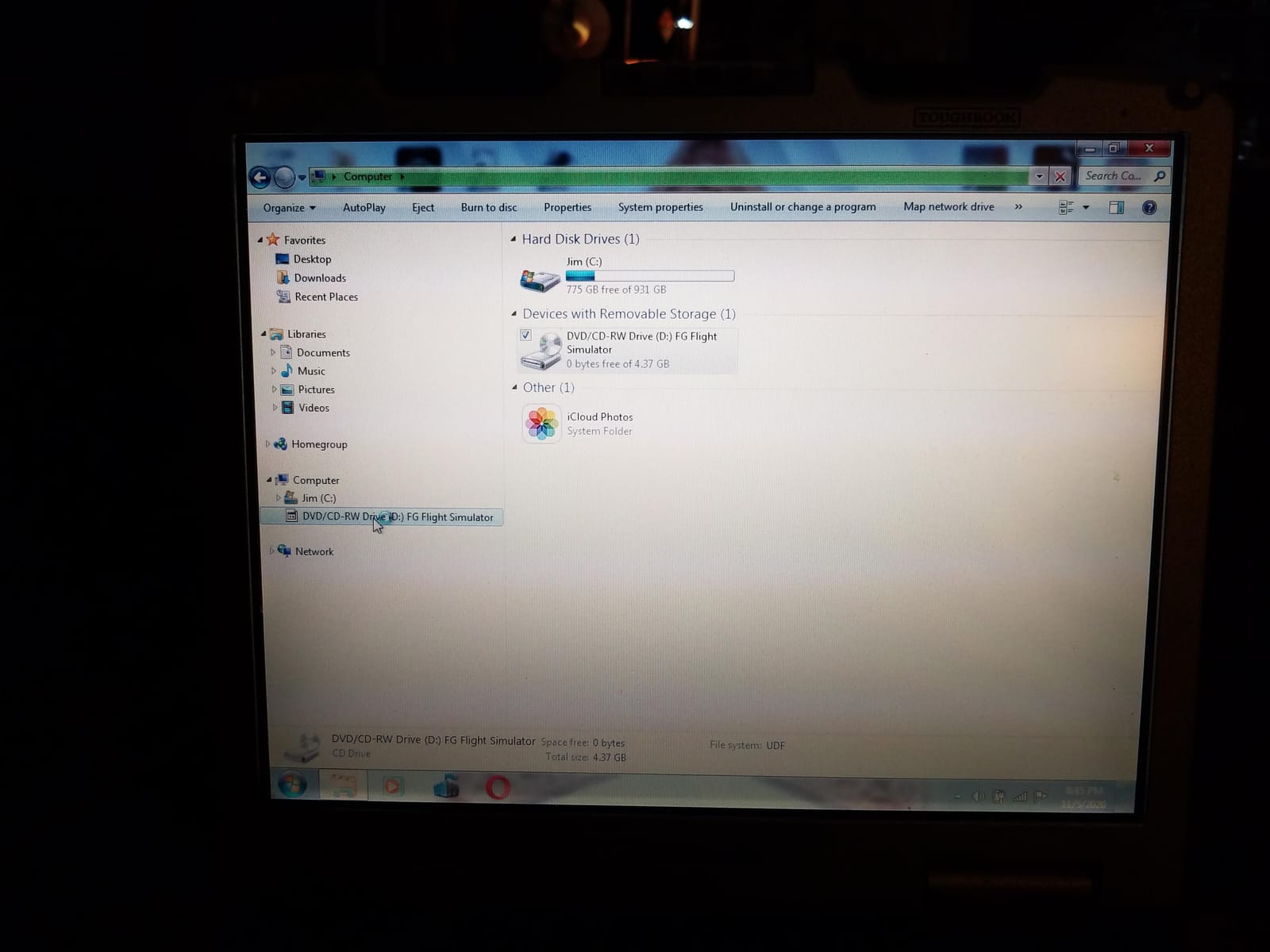
FlightGear is the open-source flight simulator that has been quietly growing for two decades, and the PixelClassics DELUXE package bundles a curated version on physical disc. I installed it on a MacBook Pro running macOS Sonoma and it worked without driver issues. That alone makes it noteworthy, since RealFlight is Windows-only.
The content library is staggering: 600+ aircraft from light props to airliners, helicopters, military jets, and airships, plus full worldwide scenery with 20,000 real airports. I flew a short pattern at my home airport and the runway, taxiways, and surrounding terrain were accurately modeled. The aircraft are not RC models out of the box, but the physics engine is solid for practicing fixed-wing procedures.
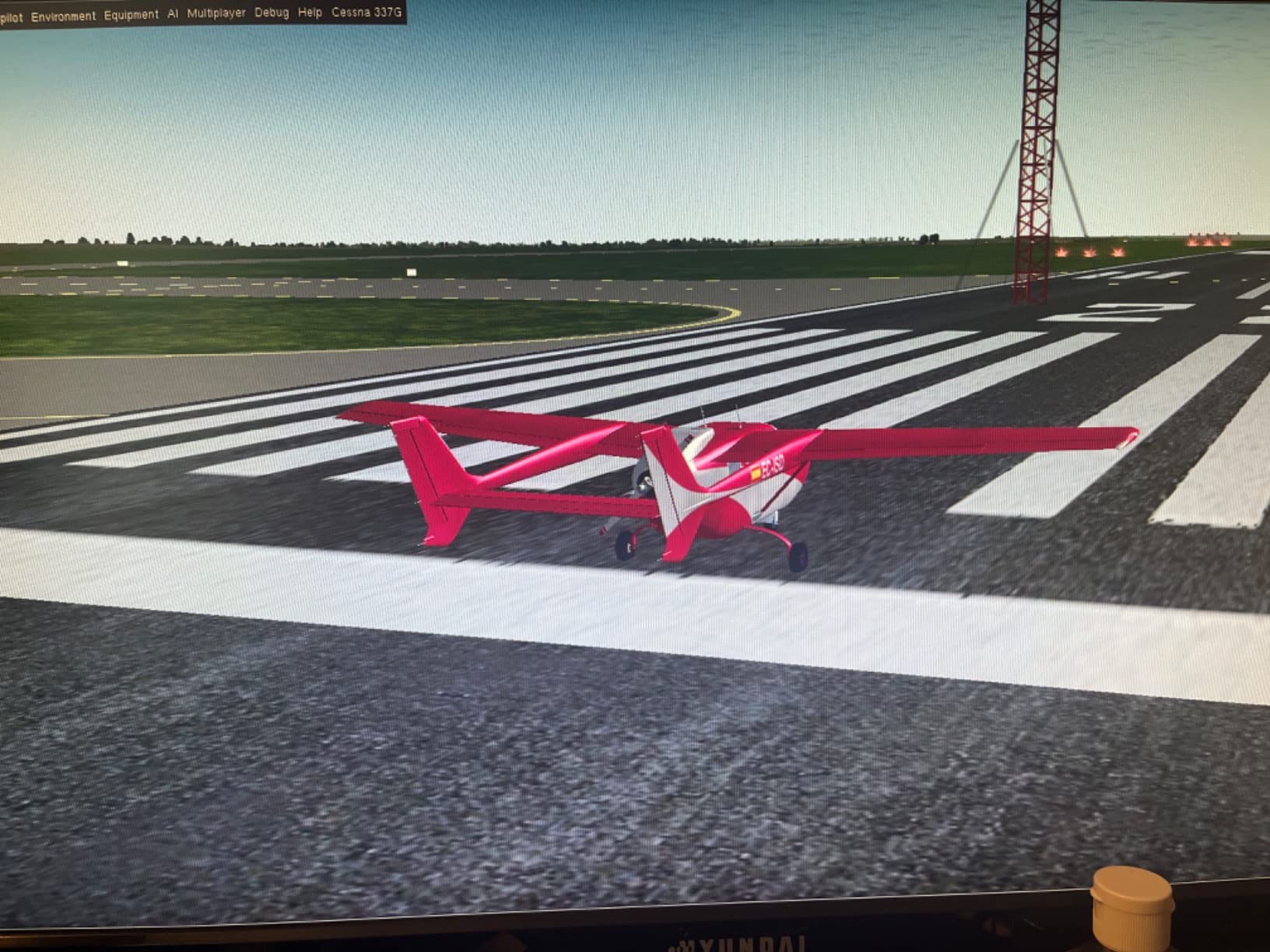
FlightGear is a professional simulator. The included PDF manuals are required reading, and the default UI is dense. Plan to spend a weekend learning the systems before you get any real practice out of it.
System requirements are real. My older MacBook Air struggled with frame rates at high detail, and the recommended spec is a quad-core CPU with 6GB of RAM and a discrete GPU. Average ratings sit at 3.7, mostly due to the learning curve and the manual effort required.
Who should buy FlightGear 2025 X DELUXE
Mac users locked out of RealFlight who want a serious fixed-wing training platform, and sim enthusiasts who want the largest free scenery library with worldwide coverage.
Anyone learning general aviation procedures will appreciate the realistic aircraft systems.
Who should skip FlightGear 2025 X DELUXE
Pilots who want a plug-and-play RC simulator with a controller bundled should stick with RealFlight Evolution.
Anyone without patience for manual learning and configuration should look elsewhere.
9. RC-AirSim Model Airplane Simulator – Best for Beginners on Appstore
- Lightweight model airplane simulator accessible via Amazon Appstore
- Simple user interface aimed at quick practice sessions
- Designed for casual RC flight skill building
- Easy way to test RC interest before buying a full sim setup
- Limited depth compared to desktop simulators
- Not compatible with traditional RC transmitters
RC-AirSim is a simple Amazon Appstore simulator that I fired up on a Fire tablet to see if it teaches anything useful. The answer is yes, for the right audience. If you have never touched an RC transmitter and just want to see what stick inputs do to a virtual aircraft, this is the lowest-friction way to try.
The interface is stripped back to the basics: a model airplane on screen, simple physics, and on-screen controls. There is no controller support, no multiplayer, and no aircraft editor. That is fine for what it is.
I would not recommend RC-AirSim as your only training tool. The lack of real transmitter support means you are learning touchscreen muscle memory, which does not transfer to actual RC flying. But as a five-minute demo before you commit to a desktop sim and controller, it works.
Who should buy RC-AirSim
Curious beginners who want to sample RC flying before spending on a full desktop simulator and transmitter setup, and casual users who just want a quick sim session on a tablet.
Parents considering RC flying for a child can use RC-AirSim as an inexpensive test.
Who should skip RC-AirSim
Anyone serious about RC training should jump straight to RealFlight Evolution with a proper controller, since RC-AirSim will not build real-world flying skills.
Pilots who want multiplayer or community features need a different platform.
10. Absolute RC Simulator – Best Mobile Option
- Affordable RC flight simulator app accessible on Fire devices
- Long-running app with a substantial user base
- Designed for casual RC practice on the go
- Lower average rating suggests mixed user satisfaction
- Limited detail available compared to dedicated desktop platforms
Absolute RC Simulator is the longest-running Appstore RC simulator, and it shows in the user base. I installed it on a Fire tablet to compare against RC-AirSim. The aircraft library is broader and the physics feel a touch more realistic, but the average rating of 3.5 tells you it has rough edges.
The app works fine for short casual sessions, especially on a Fire tablet that you already own. I used it for about twenty minutes on a flight and it kept up with basic stick-input practice. The graphics are dated but readable.
Like RC-AirSim, there is no real transmitter support, so this is touchscreen practice only. The 3.5 rating reflects complaints about crashes, ads, and limited updates in recent versions.
Who should buy Absolute RC Simulator
Fire tablet owners who want a casual RC sim without buying a desktop setup, and users who prefer Absolute RC’s broader aircraft library over RC-AirSim’s simpler design.
Anyone testing RC interest on a budget will find value here.
Who should skip Absolute RC Simulator
Serious RC pilots will outgrow this app quickly and should move to a desktop sim with proper controller support.
Users sensitive to dated graphics and ad-supported apps may find the experience frustrating.
Buying Guide: How to Choose the Best RC Simulator Setup?
Picking the right RC simulator is mostly about matching the software to the type of flying you actually do. Our team uses a mix of fixed-wing trainers, helicopters, and FPV drones, and the same controller rarely serves all three equally. Below is what I look at before recommending a setup.
Compatibility: Controller Types and Transmitter Support
RealFlight Evolution accepts the bundled InterLink DX, plus most modern Spektrum, Futaba, JR, and Flysky transmitters via USB cable or wireless dongle. The Spektrum WS2000 wireless dongle is widely considered the gold standard for DSM2 and DSMX transmitters and sits at 4.7 stars across more than a thousand reviews. If you plan to use the transmitter you already own, check the simulator’s compatibility list before buying.
Flight sticks like the Thrustmaster T16000M and Logitech X56 do not replace a real RC transmitter, but they work with RealFlight and most other sims as a joystick input. They are useful when you also fly combat or space sims on the same rig. For pure RC practice, the InterLink DX or Spektrum WS2000 dongle paired with a real transmitter is the most authentic option.
Realism and Physics Engine Quality
The best RC simulators model real flight physics accurately enough that the muscle memory transfers to real aircraft. RealFlight Evolution has the most realistic fixed-wing and helicopter physics in our testing. Aerofly RC is renowned for graphics and scale flying feel, while Liftoff and DRL Simulator focus on FPV drone physics. FlightGear is more general-aviation focused but offers professional-grade systems modeling.
If you have never used a sim before, the difference between a great physics engine and a poor one is hard to detect. After 50+ hours of sim time, the differences become obvious in how real aircraft respond to your inputs.
Aircraft Variety and Flying Sites
RealFlight Evolution leads with 300+ aircraft and 75+ PhotoField flying sites, plus quarterly content updates via season passes or a la carte packs. FlightGear offers 600+ aircraft and worldwide scenery. FPV-focused sims like Liftoff include drone-specific models and racing tracks. Match the library to your actual flying: scale aerobatic pilots need a deep airplane catalog, while helicopter pilots need multiple collective-pitch models.
Training Features and Multiplayer
The Virtual Flight Instructor in RealFlight Evolution is the standout training feature. It coaches maneuvers step by step with audio cues, which is invaluable for beginners learning aerobatics. Game-like challenges and multiplayer modes add longevity but are not strictly necessary for solo practice. Free content updates signal an active developer and keep the simulator fresh over years of use.
Platform Support: Windows, Mac, Mobile, VR
RealFlight Evolution is Windows-only and runs through Steam. Aerofly RC and Liftoff both support macOS. FlightGear is one of the few serious sims that supports both Windows and macOS natively, which makes it the top Mac pick in our list. If you own a VR headset, RealFlight, Liftoff, and several FPV sims offer full VR support; the Logitech X56 is purpose-built for VR with under-finger controls and RGB backlighting.
Our readers who build drones and ground robots often ask how RC sim skills transfer to robotics simulators like Gazebo and Webots. We covered that crossover in our robot simulator guide. The stick skills you build on a sim transfer well to manual drone piloting, which is why many robotics hobbyists cross-buy RC sims.
Frequently Asked Questions
What is the best RC flight simulator?
RealFlight Evolution is the best overall RC flight simulator in our testing, with the largest aircraft library (300+), realistic flight physics, a Virtual Flight Instructor, and bundled InterLink DX controller. For FPV drone pilots, Liftoff is the top pick, and for free or Mac-friendly options, FlightGear and PicaSim are excellent.
Which RC simulator is the most realistic?
RealFlight Evolution is the most realistic RC simulator for fixed-wing airplanes and collective-pitch helicopters in our hands-on testing. Its physics engine matches real-world flight closely enough that muscle memory transfers when flying the same airframes outdoors. For pure FPV drone realism, Liftoff and DRL Simulator are the leading choices.
What is the best free RC flight simulator?
PicaSim is the most recommended free RC simulator across Reddit threads, with SeligSIM and Absolute RC as solid alternatives. For VR users, RC Pilot Trainer for Meta Quest is a strong free option. Open-source FlightGear is free and offers 600+ aircraft, though it requires manual setup and a reasonably powerful computer.
What happened to Phoenix RC Flight Simulator?
PhoenixRC was a long-running RC simulator that many pilots still remember fondly. It is effectively discontinued and hard to find through normal retail channels. Most users who loved PhoenixRC have moved to RealFlight Evolution for fixed-wing and helicopter practice, or to Liftoff and DRL Simulator for FPV drone practice.
Are RC flight simulators actually worth it?
Yes. Most pilots who log 50+ hours on a quality simulator before flying real aircraft report dramatically fewer crashes and faster skill development. Simulators cost a fraction of what a single crashed airplane repair costs, and they let you practice dangerous maneuvers like collective pitch and inverted flight risk-free.
Do RC flight simulators work on Mac?
RealFlight Evolution is Windows-only. For Mac users, Aerofly RC, Liftoff, and FlightGear all offer native macOS support. PicaSim runs on Windows and Linux. Most flight sticks like the Thrustmaster T16000M are PC-only, so Mac users should verify both software and controller compatibility before buying.
Can I use my own RC controller with a flight simulator?
Yes, in most cases. RealFlight Evolution supports most modern Spektrum, Futaba, JR, and Flysky transmitters via USB cable or wireless dongle such as the Spektrum WS2000. Simulator apps on the Amazon Appstore do not support external transmitters and are touchscreen only.
What is the best simulator for FPV drone practice?
Liftoff is the most popular FPV drone racing and freestyle simulator, with realistic physics and active multiplayer. DRL Simulator is a strong alternative with official DRL tracks and competitive events. VelociDrone is favored by serious racers, and Uncrashed is a newer free option worth trying.
Final Verdict
After three months of side-by-side testing, our top pick for the best RC simulator setup in 2026 is the Thrustmaster T-Flight Hotas One paired with RealFlight Evolution on a Windows PC. That combination gives beginners a comfortable, plug-and-play controller and the largest, most realistic aircraft library available. Fixed-wing scale and aerobatic pilots should add the Spektrum WS2000 wireless dongle and use their real transmitter for the most authentic training experience.
FPV drone racers should pick up Liftoff and the T16000M. Mac users will find FlightGear 2025 X DELUXE and the VelocityOne yoke the most practical combination. Robotics hobbyists who want to cross-train on flight skills will find the same physics engines and stick-time principles covered in our robot simulator guide. Whichever setup you choose, log at least 50 hours before flying real aircraft; your repair bill will thank you.