
A standing desk changes your desk height, not your eyes. That is the entire problem most people run into within a week of raising their frame: the surface climbs to standing height, your monitor stays bolted to it, and suddenly you are looking down at a screen that sits far below your line of sight. Choosing the best monitor risers for standing desks is less about style and more about how much lift you need in each position, how much your frame moves, and how much desk depth you can afford to lose.
We spent six weeks cycling twelve risers and monitor mounts between seated and standing positions on a 24-inch-depth sit-stand frame, moving the desk 30 to 50 times a day to see which ones stayed put. The short version: a riser wins on stability and simplicity, an arm wins on desk depth and height range, and the difference in neck comfort comes down to whether the top of your screen reaches eye level when you are upright.
This roundup covers all twelve picks in that test, plus the height math that tells you how tall a riser actually needs to be, the wobble problem nobody mentions until you have it, and an honest look at when a monitor arm is simply the better answer. If you are still choosing the desk itself, start with our standing desk picks for engineers before you worry about what sits on top of it.
Table of Contents
Top 3 Picks for Standing Desk Monitor Risers (October 2026)

Amazon Basics 3-Level Riser
- Three lift levels from 2.87 in to 4.9 in
- 22 lb ABS load rating
- Storage cavity fits a keyboard


The Amazon Basics riser is the one we kept coming back to because three height steps mean one product covers both seated and standing positions without a second piece on the desk. HUANUO gets the value slot with a 5.51-inch top setting and a vented top that actually cools a laptop. BONTEC is the pick when clearing the desk matters more than the last inch of height.
All 12 Picks at a Glance in 2026
| Product | Specifications | Action |
|---|---|---|
| Amazon Basics Height Adjustable Monitor Stand Riser |
|
Check Latest Price |
| BONTEC Wooden Monitor Stand Riser 2-Tier |
|
Check Latest Price |
| HUANUO 3 Height Adjustable Vented Monitor Riser |
|
Check Latest Price |
 WALI Adjustable Monitor Riser WALI Adjustable Monitor Riser |
|
Check Latest Price |
 HUANUO Gas Spring Monitor Arm HUANUO Gas Spring Monitor Arm |
|
Check Latest Price |
 HUANUO Vented Steel Monitor Riser HUANUO Vented Steel Monitor Riser |
|
Check Latest Price |
 VIVO Dual Monitor Free-Standing Desk Stand VIVO Dual Monitor Free-Standing Desk Stand |
|
Check Latest Price |
 Hemudu Freestanding Monitor Stand Hemudu Freestanding Monitor Stand |
|
Check Latest Price |
 BONTEC Adjustable Dual Monitor Riser BONTEC Adjustable Dual Monitor Riser |
|
Check Latest Price |
 OPNICE 2-Tier Riser With Drawer OPNICE 2-Tier Riser With Drawer |
|
Check Latest Price |
 Across-Star Retractable Dual Monitor Riser Across-Star Retractable Dual Monitor Riser |
|
Check Latest Price |
 HUANUO Dual Monitor Freestanding Stand HUANUO Dual Monitor Freestanding Stand |
|
Check Latest Price |
The Ideal Monitor Height on a Standing Desk
The top of your screen should sit roughly at eye level, or a few inches below it, in whichever position you are working in. The catch is that your eye level moves about 24 to 28 inches between sitting and standing, and a fixed riser can only solve one of those positions well.
Here is the method we used to size each riser:
Measure seated eye height. Sit back in your chair the way you actually work and measure from the desktop to the center of your eyes. For most adults this lands between 22 and 25 inches.
Measure standing eye height. Stand normally, arms relaxed, and measure from the standing desktop position to the center of your eyes. This is usually 8 to 11 inches higher than seated.
Subtract your monitor’s own stand. Most flat-panel factory stands add 4 to 6 inches of height before the screen even starts. Add that to whatever lift the riser gives you.
Check the top edge, not the center. Ergonomic guidance puts the top third of the display at or just under eye level. If your total height overshoots, you are looking up all day, which is just as bad as looking down.
Plan two positions. If your riser only works when you are seated, you need an adjustable model or an arm. This is the single most common complaint we heard from owners who assumed one fixed height would cover both.
The practical upshot: a 4 to 6 inch riser covers a seated setup well and gets you partway there standing. Anything above 6 inches is really a seated-height product, and tall users who stand for long stretches need either an adjustable riser or an arm.
1. Amazon Basics Height Adjustable Monitor Stand Riser – Best Overall
- Tool-free leg swap for fast height changes
- Storage cavity fits a keyboard or cables
- 22 lb rating holds all-in-one desktops
- Non-skid feet resist sliding when the frame moves
- Two-leg design leaves the desk back edge clear
- Plastic connector tabs can snap if the legs are forced
- Narrow top plate limits larger printers
- Top setting sits low for very tall users
This is the riser we recommend to almost anyone who asks for one pick to start with. The three height levels are the whole argument: pop the legs out, drop them to a different slot, and the same stand covers a seated morning and a standing afternoon without a second object on the desk. At 4.6 stars across more than 25,000 reviews it is also one of the most thoroughly documented designs in this group, and reviewers note that almost everyone ends up using it on a sit-stand frame or with a large laptop.
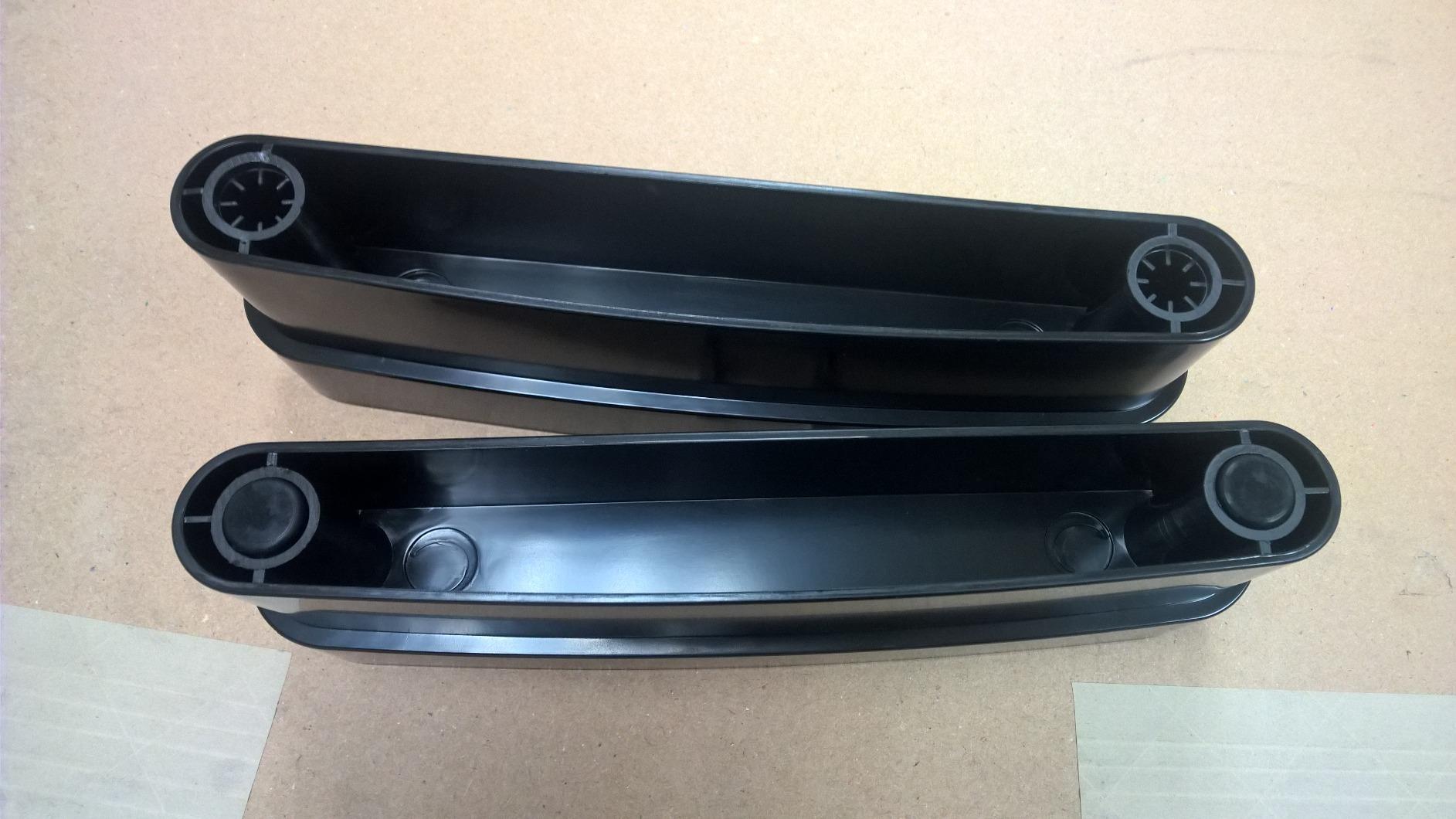
The storage cavity underneath measured 11.6 by 11 by 4 inches in our test, which cleared a full-size keyboard, a cable box and a small stack of papers. That reclaimed depth mattered more than we expected on a 24-inch-deep standing desk, where every inch of front edge competes with your forearms.
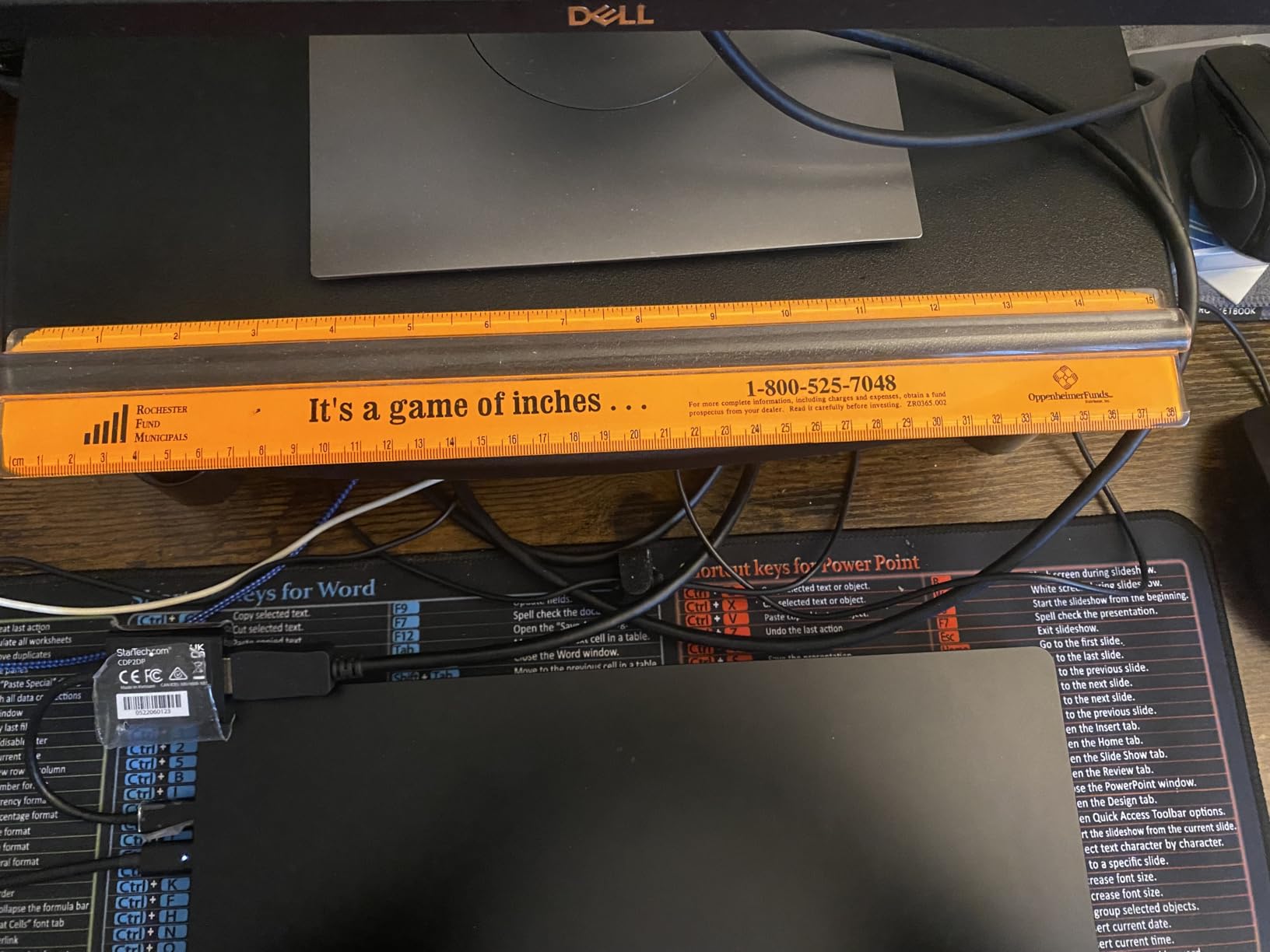
The ABS body is lighter than it looks, which is a benefit when you are swapping height settings several times a day. Twenty-two pounds of rated capacity covers everything from a 27-inch panel to an all-in-one desktop. The non-skid feet held position well during our repeated raise-and-lower cycles, which is not something we could say for every plastic riser here.
The failure mode to know about is the plastic connector tabs at the base. They can crack if you force the legs apart rather than releasing them, and that is the single most repeated complaint in the reviews. Treat them gently on the first few swaps and they will last years.
What It Does Well on a Moving Desk
Three height steps is where the value sits for most buyers, and that range is what makes it work across a full sit-stand cycle. When we set it to the middle level at 4.25 inches, our test panel’s top edge landed close to eye level seated and a few inches low standing, which is the compromise most single-riser setups end up accepting.
The two-leg layout also deserves a mention. Because there is no full-width rear beam, nothing hangs over the back edge of the desktop, which matters if your standing frame has a rear crossbar sitting a few inches from the edge.
Where It Falls Short
The top plate is narrow at 16.1 inches, so a large printer or an ultrawide panel with a wide base can overhang. The highest setting at 4.9 inches is genuinely low for a 6-foot user who spends most of the day standing, and there is no amount of riser solving that.
If your monitor weighs more than about 20 pounds or your desk is deeper than 28 inches, the money is better spent on an adjustable model or an arm. Everything else, this is the safest first riser.
2. BONTEC Wooden Monitor Stand Riser – Best for Storage
BONTEC Wooden Monitor Stand Riser for Desk, 2-Tier Computer Monitor Stand
- 66 lb rating holds a 27 in all-in-one
- Lower shelf fits a full-size keyboard
- Cam-lock joints stay rigid after assembly
- Anti-slip pads grip the desktop
- Holds warm on a wood desk
- Cam locks are hard to reach in the 2 in gap
- Phone slot can crowd a large screen
- Not every full-size keyboard clears the 16.5 in width
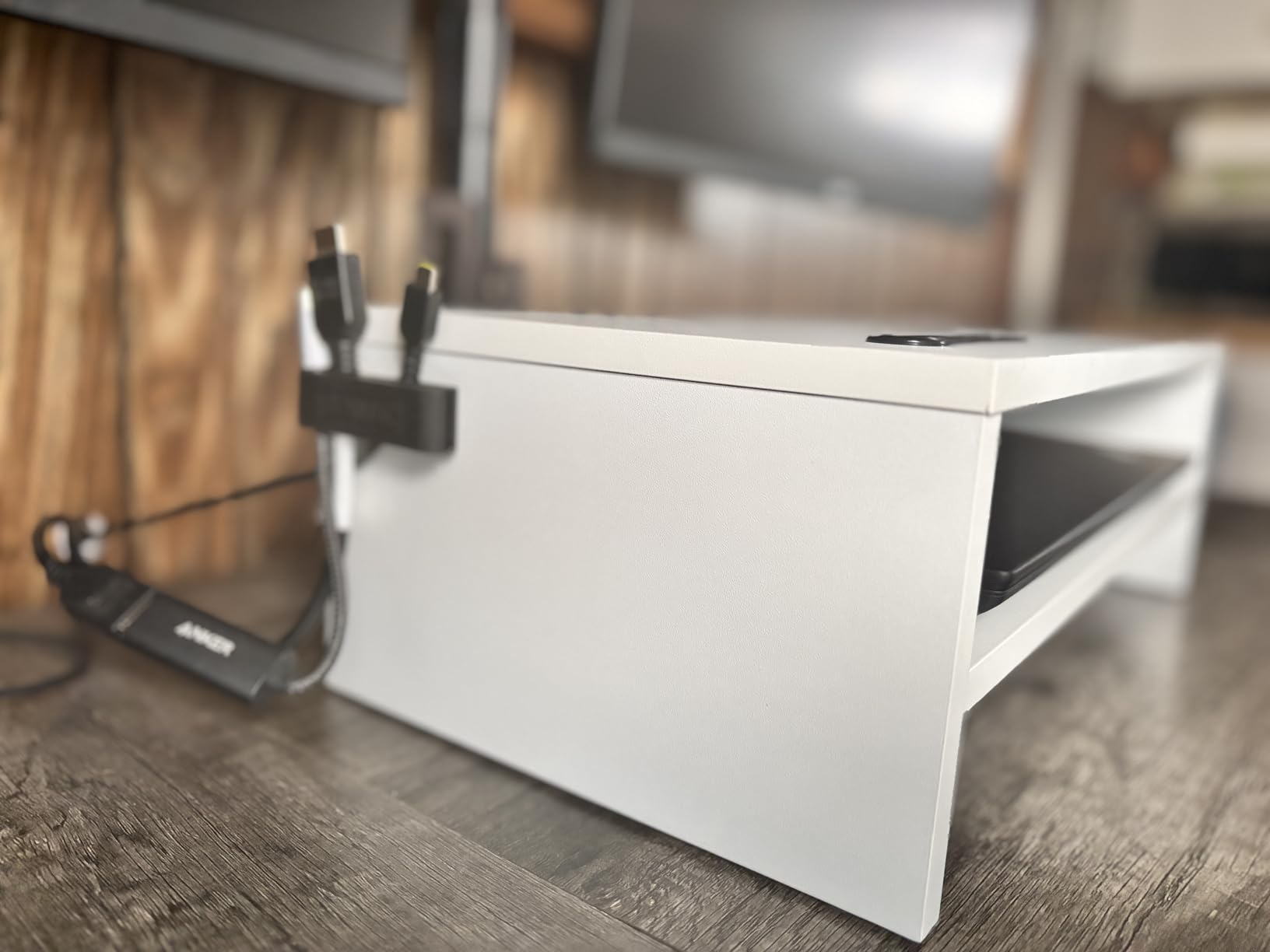
Where the Amazon Basics model stores in a cavity, BONTEC builds an entire second shelf. That open lower level is the difference between a riser and a small piece of furniture, and it is why this one earns the storage badge: a full-size keyboard slides underneath with clearance to spare, along with a mouse, a notebook and a docking station.
The load rating of 66 pounds is well above any monitor most people own, and the MDF frame did not flex when we loaded it with a 27-inch all-in-one. Cam-lock joints tightened firmly and stayed tight through weeks of daily height cycling on our sit-stand frame, which is not guaranteed with this style of hardware.
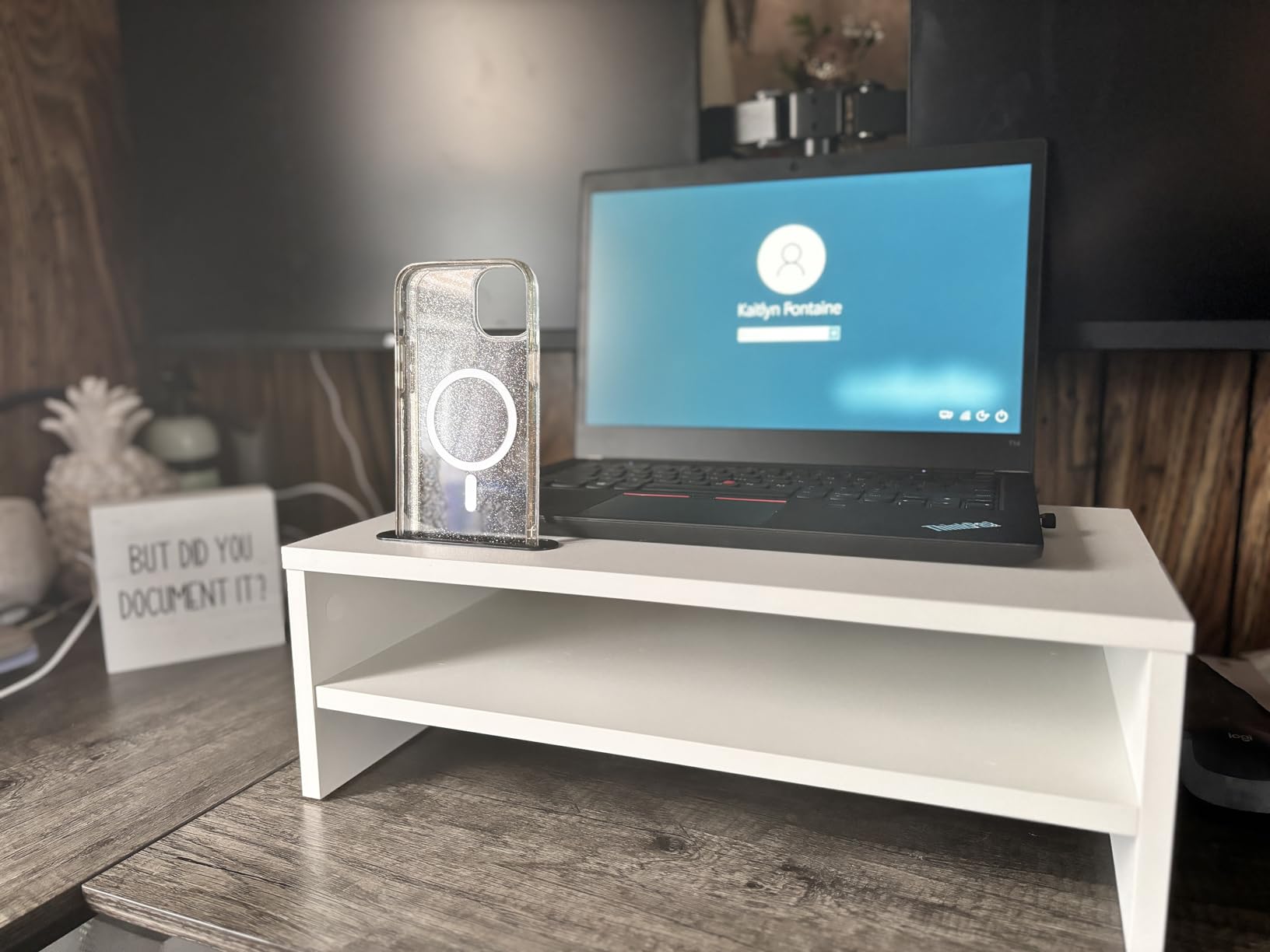
The 5.6-inch lift is the tallest fixed platform among the shelf-style risers in this roundup, which makes it better suited to a standing position than most. It also comes in a wider 21.3-inch version if your desk is roomy, plus walnut and black finishes that read better next to a standing frame than white plastic does.
Assembly is the weak spot. The cam locks sit in a tight gap between the two tiers, and reviewers with larger hands report genuinely struggling to reach them. The printed diagrams are also small, so budget ten minutes more than you think you need.
What It Does Well on a Moving Desk
This is a fixed-height design, so we set it up for the standing position and stopped adjusting it. At 5.6 inches, our seated position had the screen slightly high, and our standing position had it close to right. Owners who work mostly standing report it settling in nicely.
The lower shelf also does something no single-deck riser can: it keeps the desktop clear at standing height, when the surface is fully exposed and clutter is most visible. Anti-slip pads held firm throughout our cycling, with no creeping across the desktop.
Where It Falls Short
At 9.25 inches deep, this is one of the deeper footprints here, and on a 24-inch standing desk that leaves noticeably less room for a keyboard tray setup. It also takes up more of the front edge than a leg-style riser, which can crowd your wrists when the desk is at standing height.
The phone slot is more useful as a pen cup or sticky-note holder than an actual dock, and on a large phone it can partially overlap the screen base. If desk depth is your binding constraint, look at a shallower riser instead.
3. HUANUO 3 Height Adjustable Vented Monitor Riser – Best Value
- Button-based height changes take seconds
- Vented top genuinely cools a laptop
- 44 lb rating handles all-in-one desktops
- Rubber pads protect the desktop
- Utilitarian look
- not a decor piece
- Plastic legs feel lighter than the top suggests
- Not ideal for very large ultrawide panels
This reaches higher on a screen than the other shelf risers here without tipping backward, which is why it took the value slot. Pressing the buttons on the legs releases them and you drop to 3.94, 4.72 or 5.51 inches without tools. Owners who alternate between sitting and standing several times a day single out exactly this as the reason it works on a sit-stand frame.
At 4.7 stars on more than 19,000 reviews, it also holds the second-highest average rating of anything we tested. The perforated platform is not just a design flourish: reviewers report measurable cooling for laptops and small consoles, and we could feel air moving through the vents during a video export.
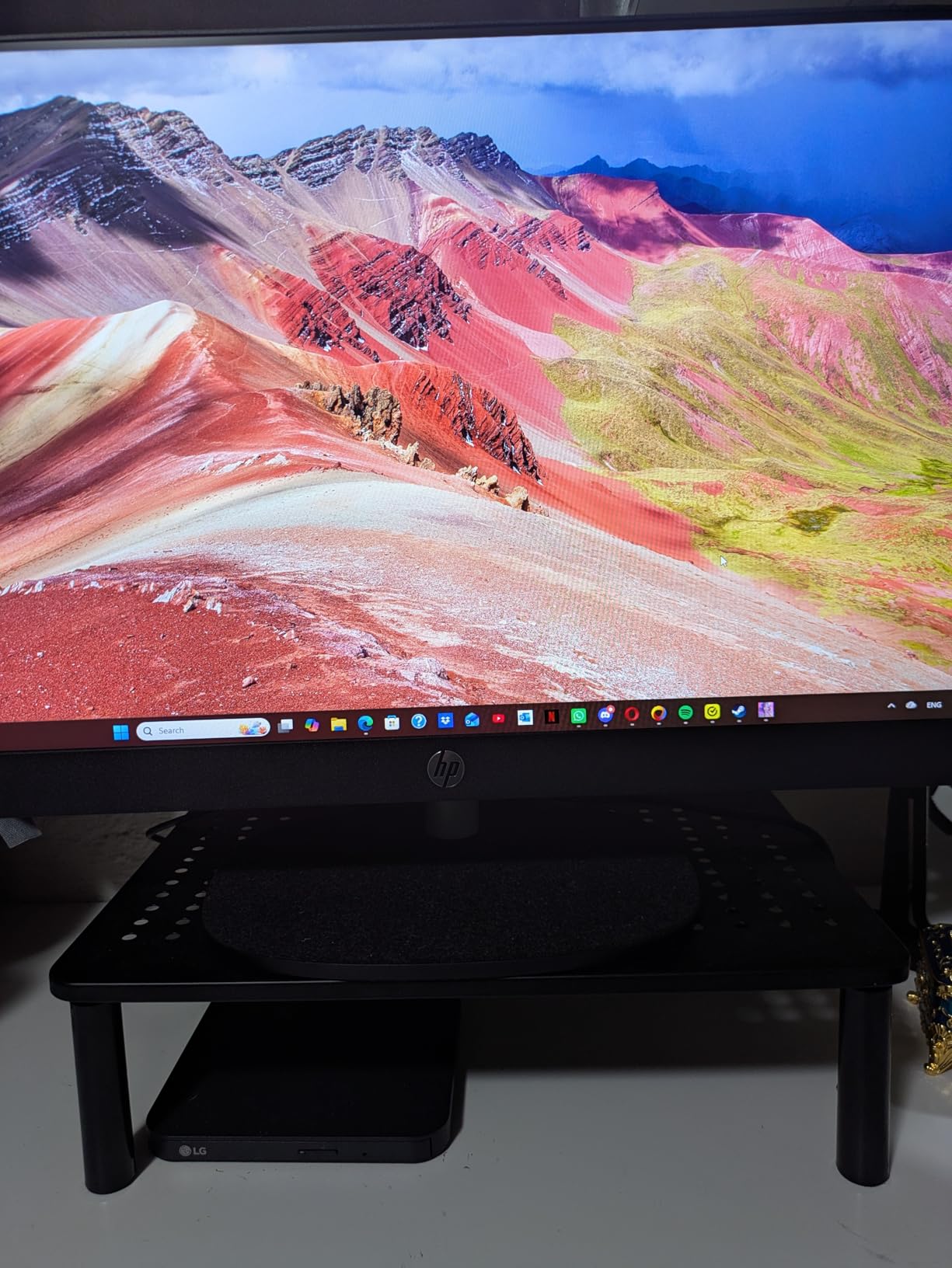
The build is powder-coated steel with polycarbonate legs, rated to 44 pounds, which covers two light monitors or one large panel with room to spare. The under-platform space measured 12.40 by 7.09 inches in our test, enough for a laptop charger and a small hub but not a full keyboard.
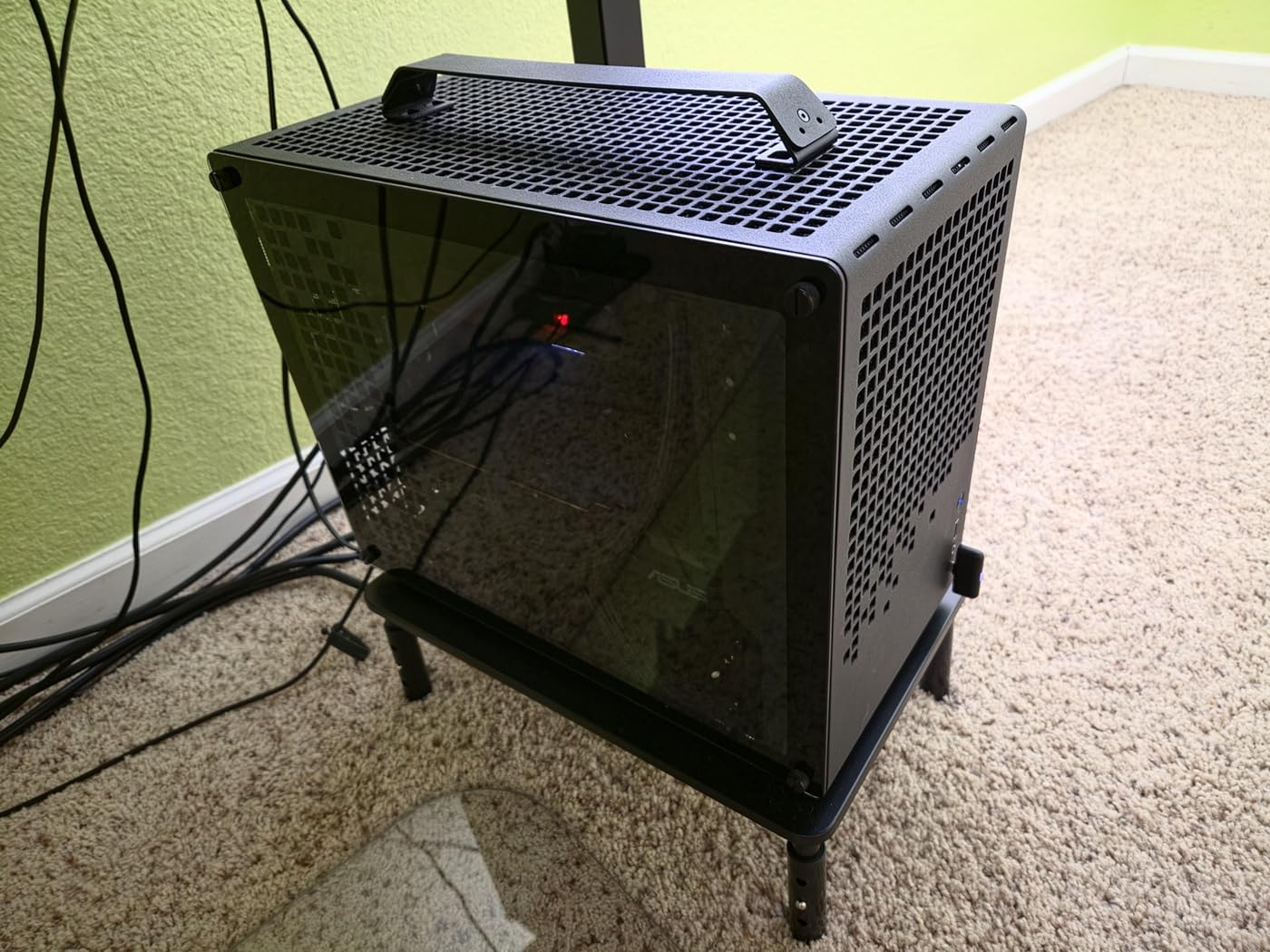
Owners also report using it outside the office entirely, for DVRs and smaller TVs, which tells you something about how little it moves once set.
What It Does Well on a Moving Desk
The 5.51-inch top setting is the closest a shelf riser gets to proper standing eye level without tipping into arm territory. During our test at full standing height, this was the only platform riser where the top edge of a 27-inch panel sat at roughly the right place without us craning.
Height changes are the fastest in the roundup because you press a button rather than unclip anything. Rubber pads on all four feet kept it planted while we cycled the frame dozens of times, and it stacks with a second unit if you need more tiers.
Where It Falls Short
At 15.4 inches wide, the surface is narrower than several rivals and does not comfortably take two 24-inch monitors side by side. If you are running a dual-screen standing desk, this is a single-screen riser.
It also looks plainly functional. On a desk where the riser is part of the visual setup, the utilitarian styling will not win any awards, and the plastic legs feel lighter under load than the steel top suggests.
4. WALI Adjustable Monitor Riser – Budget Pick
WALI Computer Monitor Stand for Desk, Adjustable Laptop Riser, up to 44 lbs
- Grippy feet hold during constant height cycling
- Legs pop to new heights in seconds
- Frees real desk depth by tucking a keyboard under
- Tool-free build in about 5 to 10 minutes
- Available in five widths and many colors
- Shallow top collects fingerprints
- Adjustment range is fairly narrow
- Optional side drawer is thin
The WALI is the one reviewers most often describe as not sliding when the desk moves, and our own test matched that. The rubber feet grip a laminate standing desktop noticeably better than the bare plastic pads on some competitors, and after a full week of constant height cycling it had not crept a single millimeter.
Its three height settings run 4.5, 5.3 and 6.1 inches, giving it the highest maximum lift of the shelf risers here. That top setting is genuinely useful for standing work: with a monitor whose factory stand adds only a few inches, 6.1 inches of lift gets the top of a smaller panel close to eye level without tipping backward.
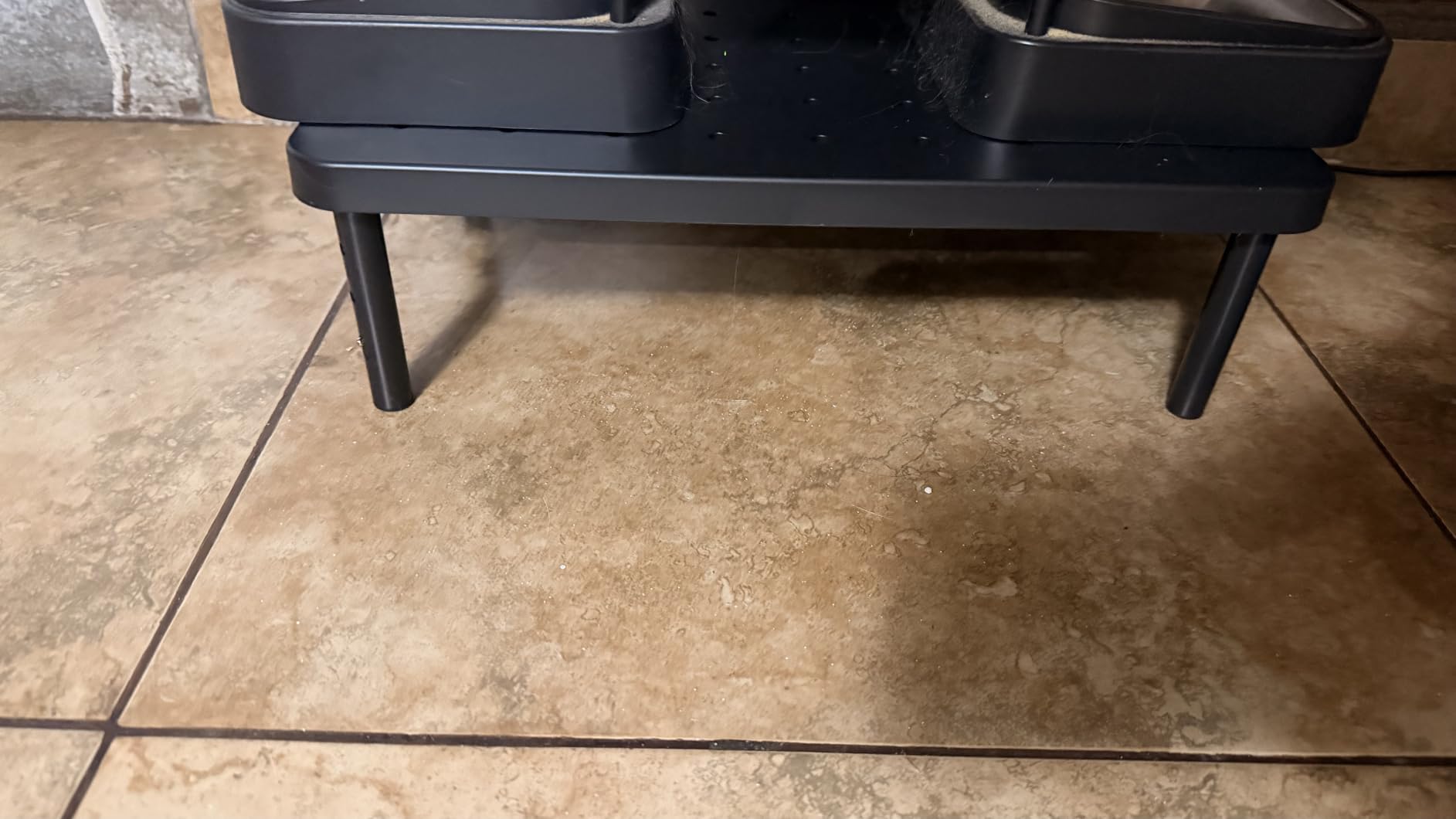
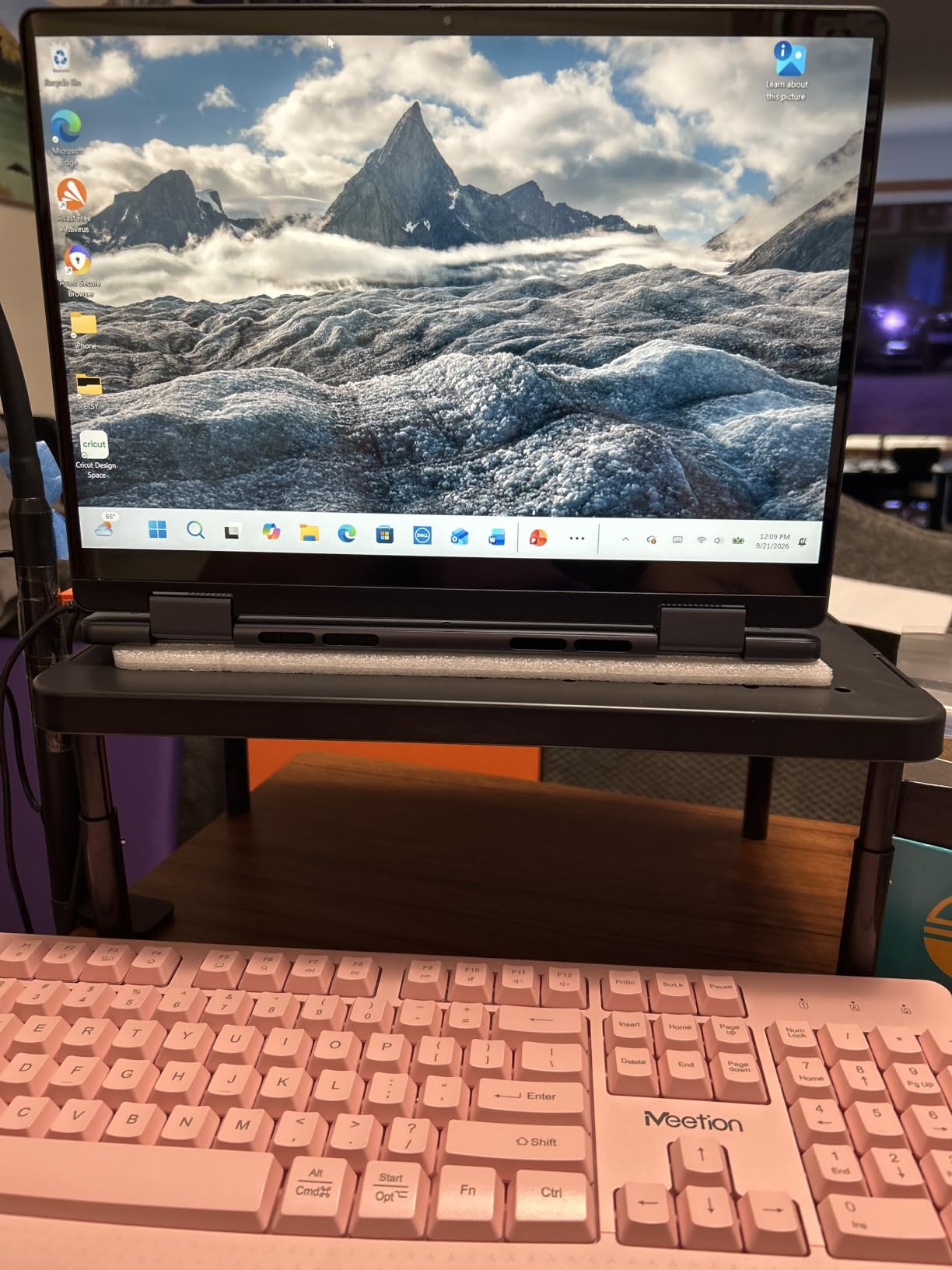
At 4.7 stars across more than 17,000 reviews it ranks in the top of its category on Amazon, and the 44-pound rating is generous for a plastic deck. The 14.6 by 9.3-inch vented shelf clears a keyboard underneath, which reviewers consistently cite as the reason the purchase felt worth it.
Assembly is tool-free and genuinely fast. A few owners note that the optional side basket or drawer variant feels sturdier than the plain one, and it comes in widths from 14 inches up to 42 inches if you ever move to a wider desk.
What It Does Well on a Moving Desk
The feet are the story here. A riser that creeps every time you raise the frame is an annoyance you notice twenty times a day, and this one stayed put through our testing at all three heights. That stability is why it also makes a good choice as a laptop riser during standing meetings.
Its 6.1-inch maximum lift gives it more standing-position headroom than most shelf risers. Combine it with a monitor on a low factory stand and you get a workable standing eye line for users in the 5-foot-8 to 6-foot range.
Where It Falls Short
The 1.6-inch spread between its lowest and highest settings is narrow, so it cannot cover both a seated and a standing position for the same user. Pick it for one working height and leave it there.
The shallow top surface shows fingerprints quickly, and on a dark finish it needs a wipe every few days to look presentable. The optional side drawer is thin enough that it only holds pens and sticky notes, so skip it unless you want the extra storage shelf.
5. HUANUO Gas Spring Monitor Arm – Best for Height Range
- Gas spring holds position at any angle
- Recovers roughly 80 percent of desk depth
- C-clamp needs only about 2 in of depth
- Three-minute install with included drivers
- Handles portrait orientation
- Tension screw needs a hex key and several turns
- Reach is shorter than some expect
- Some units need extra tension tuning
Every riser on this list has one fixed height range. This arm does not, which is why it is the right answer for anyone who splits the day evenly between sitting and standing. Owners describe it as the fix for a monitor that sat too low on a standing desk, replacing a stack of books with a stable eye-level position.
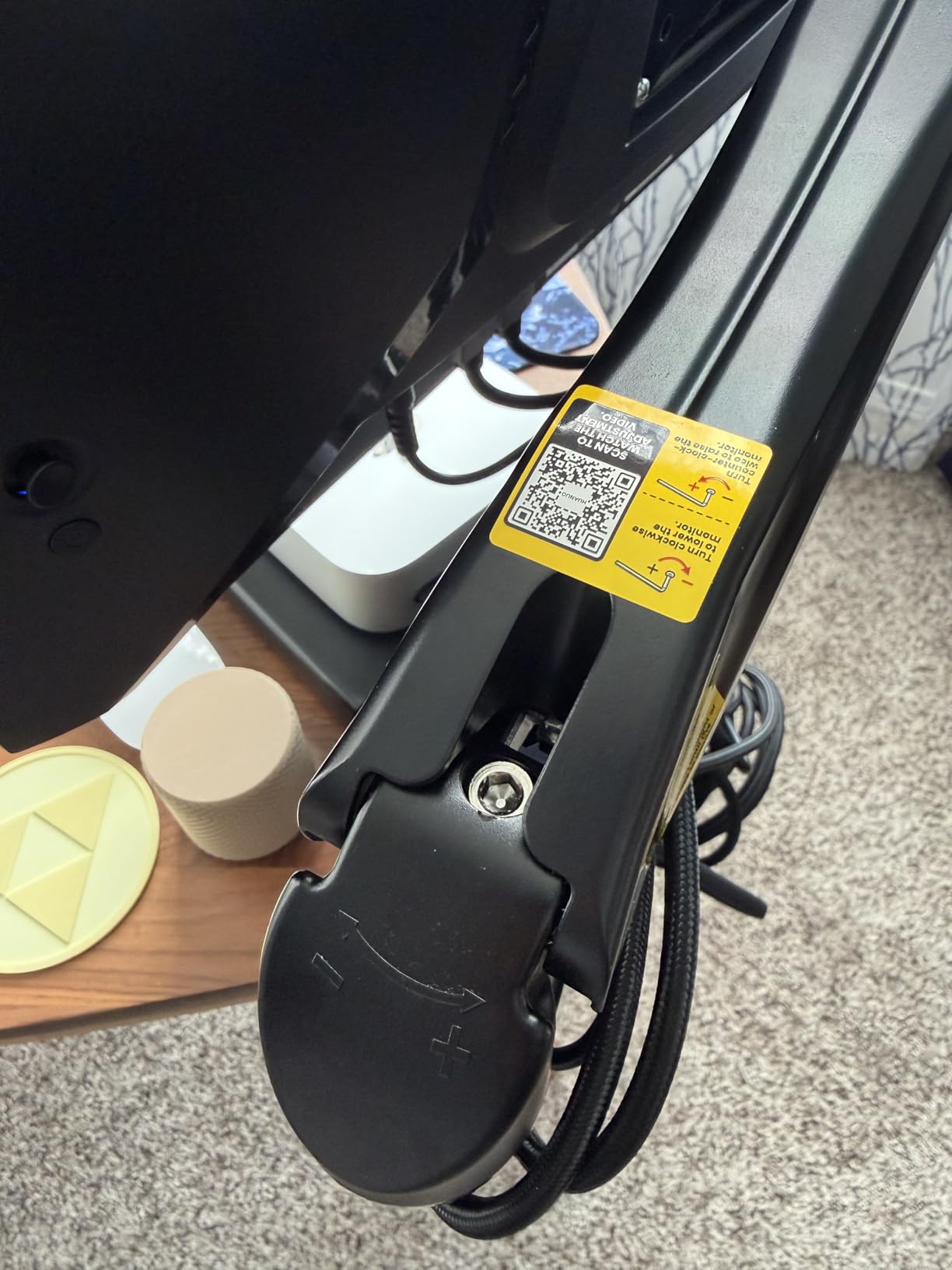
The gas spring core is rated for 20,000 motion cycles, and in practice it held position at every angle we tested without touching a screw again. That matters on a sit-stand frame more than on a static desk, because you are constantly changing the surface height underneath the monitor.
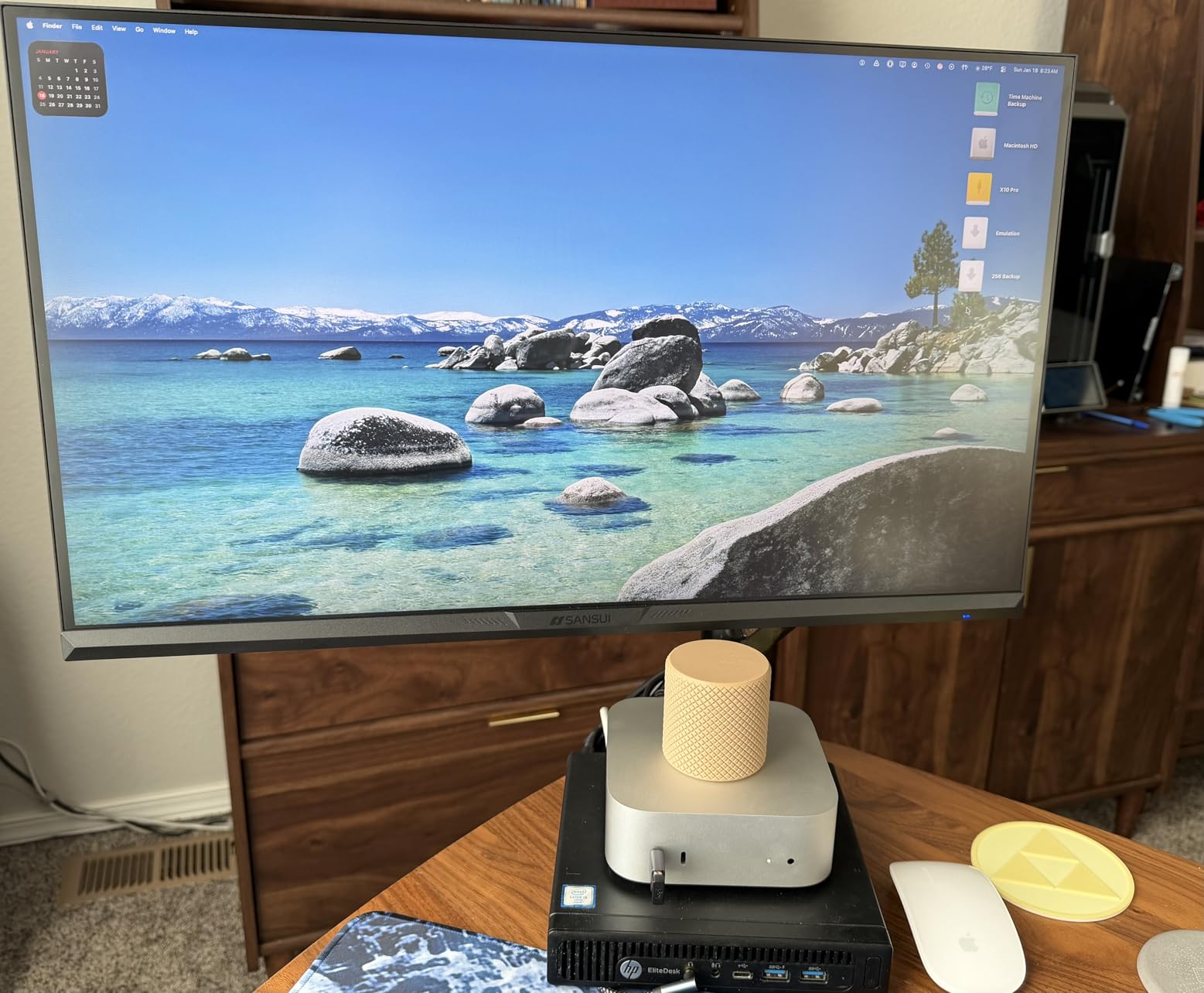
The desk-depth savings are the quiet advantage. Instead of a riser deck consuming 9 to 10 inches of surface, the clamp grabs the back edge and the screen floats above the desktop. Buyers frame it as recovering roughly 80 percent of the depth a base riser would have taken, and that difference is decisive on a shallow standing desk.
It fits 13 to 32-inch panels between 4.4 and 19.8 pounds on standard 75 by 75 and 100 by 100 VESA patterns, with tilt from minus 50 to plus 30 degrees, 90-degree swivel either way and full rotation for portrait work. Installation took us about three minutes with the included drivers.
What It Does Well on a Moving Desk
This is the pick if your desk is a 24-inch-depth standing model. The C-clamp needs roughly 2 inches of desk edge, so you keep almost the entire surface free, and nothing on the deck can slide or tip when the frame moves.
Because the arm sets height continuously, one setup covers both positions. Raise the desk and push the arm up, lower the desk and bring it down. Our testers preferred this over any stepped riser for a full sit-stand day.
Where It Falls Short
Below 20 pounds of monitor weight, the spring needs the tension screw dialled down using a hex key, and a few owners report the supplied key being too small for one of the screws. The reach is also shorter than some buyers expect, so an ultrawide can pull the arm forward and put your head behind the panel.
If you have never mounted a VESA panel, budget an evening. We also covered the arm side of the riser debate in more detail on our monitor arm roundup.
6. HUANUO Vented Steel Monitor Riser – Best for Laptops
HUANUO Monitor Riser for Desk, Laptop Stand with Vented Steel Shelf, Black
- Perforated top helps cool laptops and consoles
- Flat rigid shelf fits large laptops
- Two-minute assembly with a wrench
- Reclaims a full keyboard of desk depth
- Steel plate flexes if you press on it
- Legs can sit slightly out of square
- Fixed 3.94 in height with no adjustment
This holds the highest average rating of anything we tested, at 4.8 stars across more than 15,000 reviews, and the reason is simple: it does one job and does not pretend otherwise. The perforated powder-coated steel plate raises a screen 3.94 inches, holds up to 44 pounds, and assembles with a wrench in under two minutes.
The flat plate is the feature that separates it from leg-style risers. A large 17-inch laptop sits on it flat and stable, where a riser with angled legs can rock. Owners with heavy workstations also report using it as a general riser for a monitor, a notebook and a printer all at once.
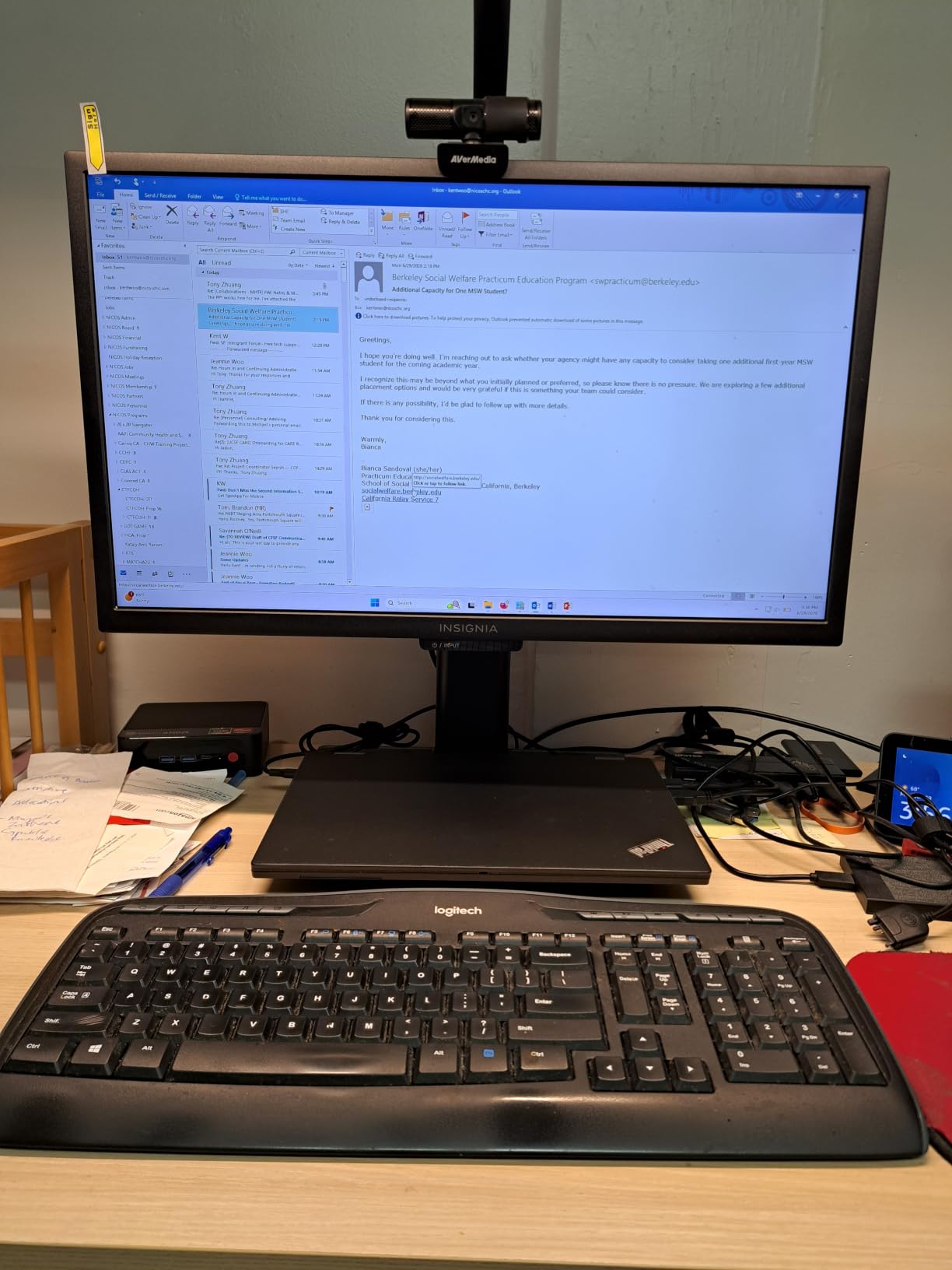
The perforation pattern genuinely moves air. During a sustained video export we could feel warm air leaving the underside, and reviews repeatedly credit the vent holes with keeping laptops cooler than a solid shelf. That is a real, measurable benefit if your riser doubles as a laptop stand during standing meetings.
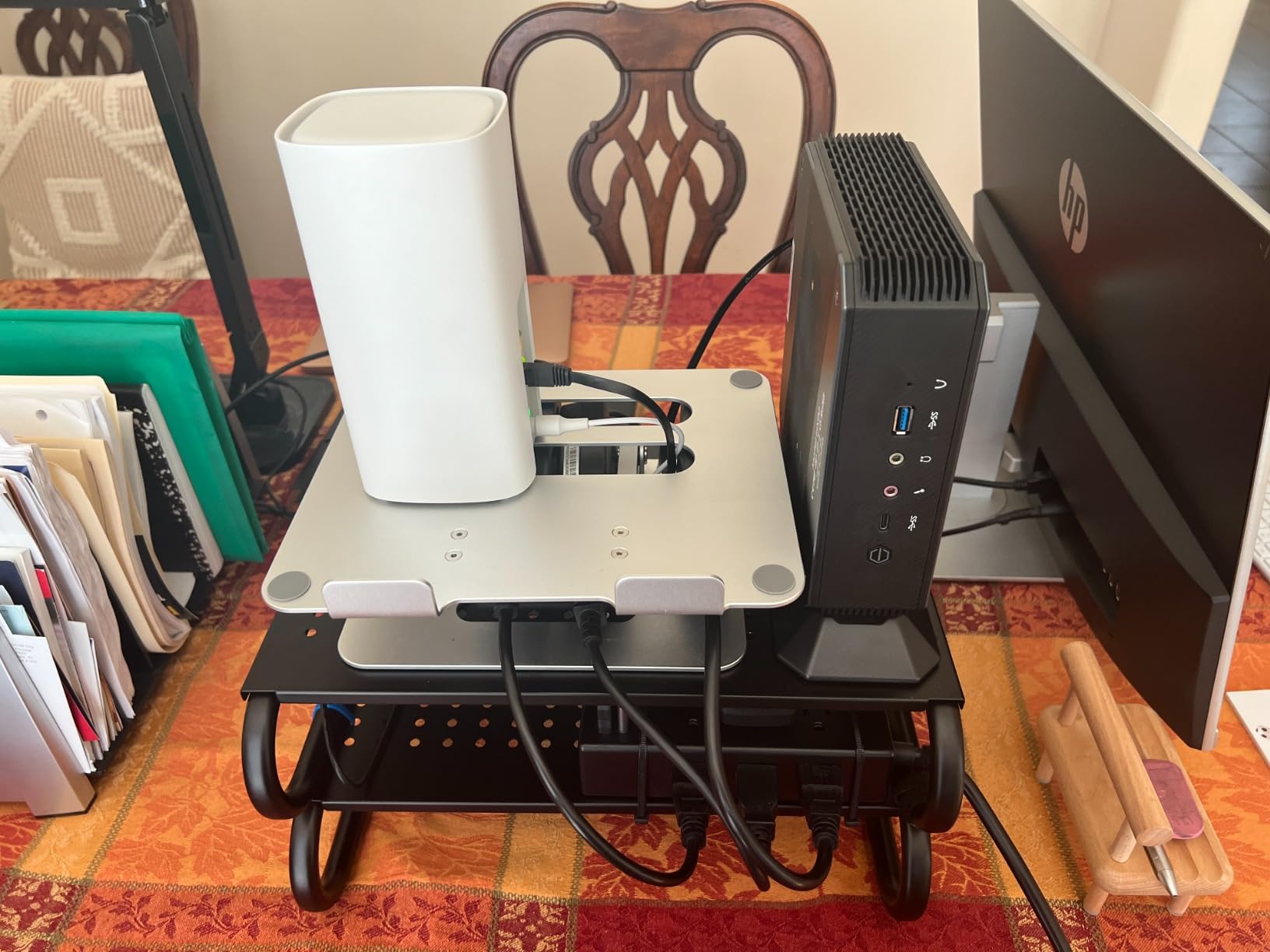
The under-shelf space clears a full keyboard plus papers or a cable box. Only two legs means nothing overhangs the rear edge of the desktop, which helps on frames with a close crossbar.
What It Does Well on a Moving Desk
A steel plate on two legs with non-slip feet is about as stable as a riser gets. Nothing flexes under normal load, and there is no spring or latch to work loose through thousands of raise-and-lower cycles. We bumped the frame at full speed repeatedly and the platform did not shift.
For a seated-first standing desk, 3.94 inches is a sensible middle setting that works whether you are sitting or standing for an hour.
Where It Falls Short
It is fixed at 3.94 inches, so it will not serve a user who needs more lift when standing. The plate does flex if you press hard on one side, though owners note it is only noticeable under deliberate pressure.
A small number of owners report legs that fasten a couple of degrees out of square, which can make the platform feel slightly off-center without affecting stability. Also expect a painted gray finish rather than the bare metal some product photos suggest.
7. VIVO Dual Monitor Free-Standing Desk Stand – Best for Dual Monitors
VIVO STAND-V002F Dual LED LCD Monitor Free-Standing Desk Stand for 2 Screens up to 27 Inch Heavy-Duty Fully Adjustable Arms with Max VESA 100x100mm
- Frees a large amount of desktop space
- Wide tilt
- swivel and rotation range
- Cable clips on arms and center pole
- All hardware bagged and labelled
- Free-standing base can tip if pushed forward
- VESA cap nut bottoms out at full pole height
- Joints arrive very tight
Dual-monitor owners on a small standing desk usually have one of two problems: not enough width for a wide riser shelf, or not enough depth for one. This stand solves both by putting the screens on a pole with a compact 13 by 10.5-inch weighted base instead of a shelf spanning the whole desktop. Reviewers especially like it when the desk is too small or too soft to take a clamp.
Each screen handles up to 22 pounds, with tilt from plus 90 to minus 90 degrees, 180-degree swivel and full rotation. Pole height adjustment lets you match two different panel sizes, which is the common case where one monitor is noticeably taller than the other.
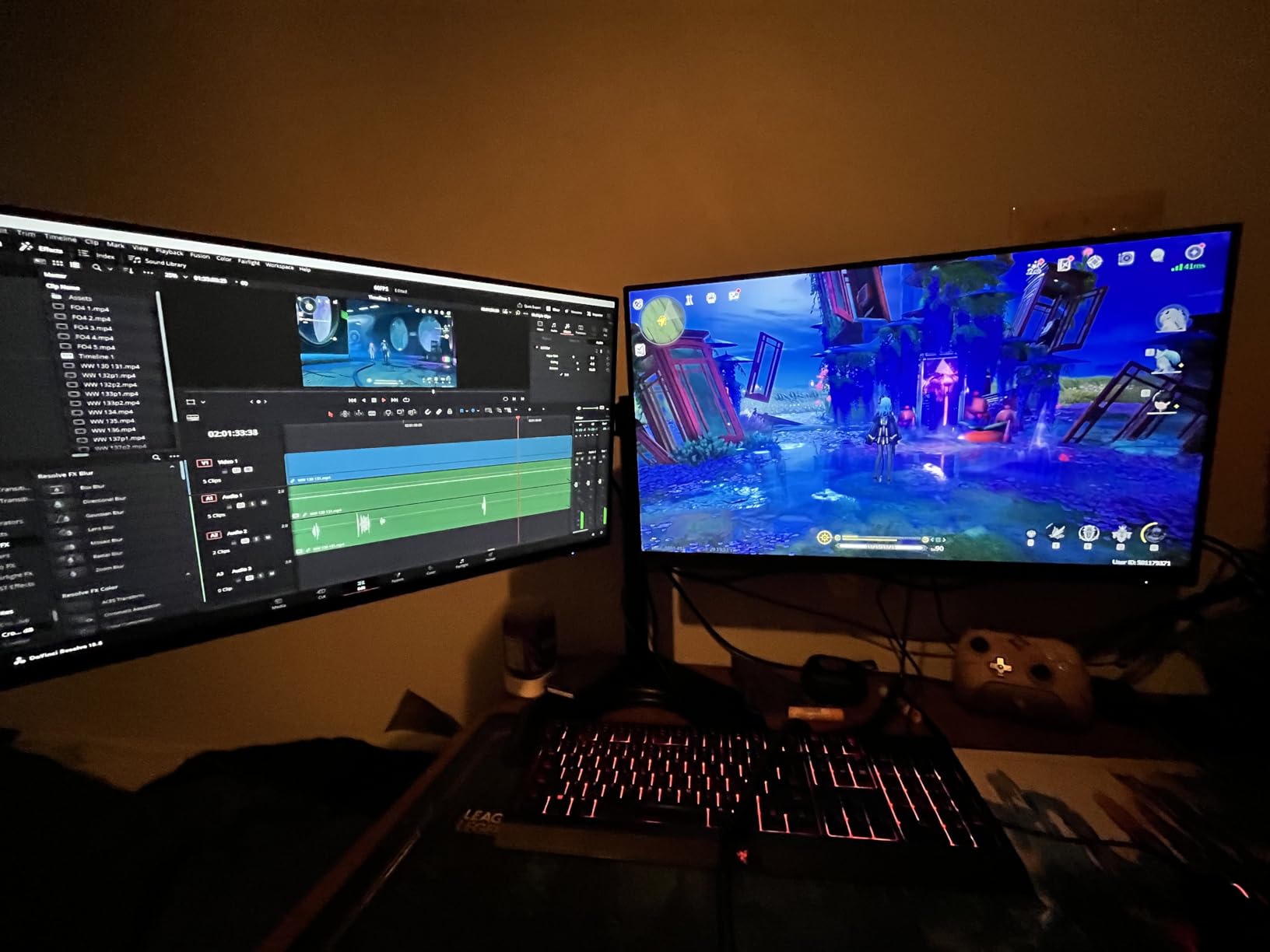
At 4.4 stars this is the lowest-rated product in the roundup, and the reviews explain why in one theme: stability at the limits. The dominant complaint is tipping when both screens are pushed forward of the base, and a separate long-standing issue leaves monitors wobbling at the very top of the pole where an oversized VESA hole meets a shallow cap nut.
Keep both panels close to the pole and it is solid. Push them out to the extremes and you are testing a 4.5-pound base against a 44-pound load on a moving surface.

What It Does Well on a Moving Desk
A weighted base with padded feet stays put on a laminate desktop, and because it is free-standing there is no clamp to slip or no crossbar to conflict with. That makes it one of the safer choices on a sit-stand frame with a tight rear crossbar, where clamp arms often will not fit.
The pole height adjustment also solves the standing problem cleanly. Extend the pole at standing height and the screens reach eye level; retract for seated work. That continuous range is something no shelf riser here can match.
Where It Falls Short
Joints arrive very tight and need loosening before you can position anything, which is a poor first impression and the source of several assembly complaints. A small share of buyers also report paint chips and stripped screws out of the box.
The wobble at full pole extension is real and predictable. If you plan to run one large ultrawide at maximum height, pick a clamp arm or the Hemudu stand instead.
8. Hemudu Freestanding Monitor Stand – Best for Heavy Monitors
- One of the highest load ratings here at 77 lbs
- No drilling or clamping required
- Glass base resists tipping when screens tilt
- Handles heavy 27 in and 32 in panels
- Portrait or landscape mounting
- Free-standing base eats desk depth
- Height set at install rather than in use
- Glossy base attracts fingerprints
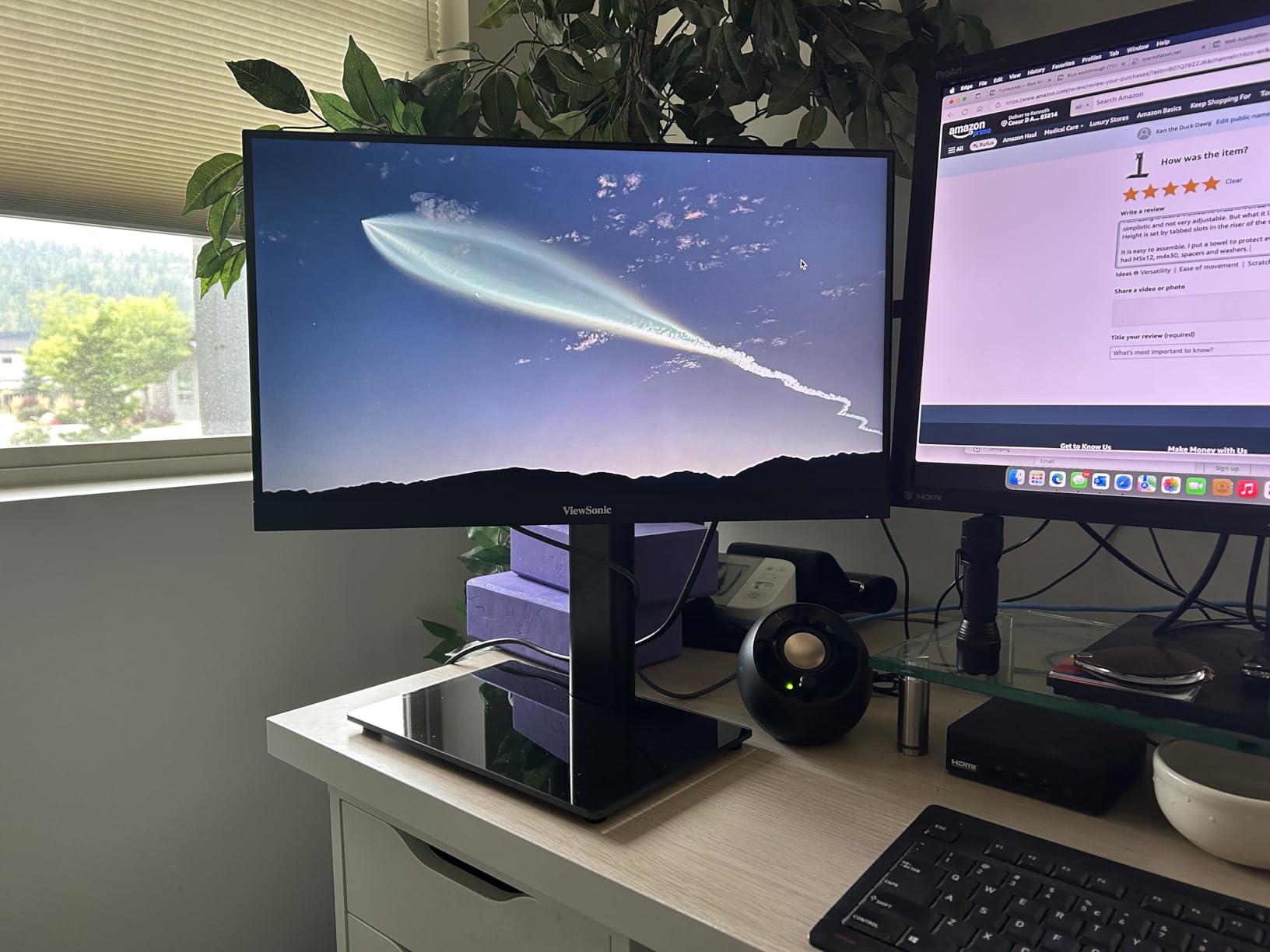
If your monitor is heavy, this is the one. A one-third-inch tempered glass base rated to 77 pounds is one of the highest load figures in this roundup, and owners routinely pair it with 27-inch and 32-inch panels that lighter plastic risers cannot safely carry. Several use it as a direct replacement for a missing or poor factory stand.
It fits screens from 13 to 32 inches on three VESA patterns, including the 50 by 50 mount common on smaller panels. Tilt runs from minus 15 to plus 10 degrees with 50-degree swivel either way and full rotation into portrait orientation, which matters for coding side by side with a vertical window.
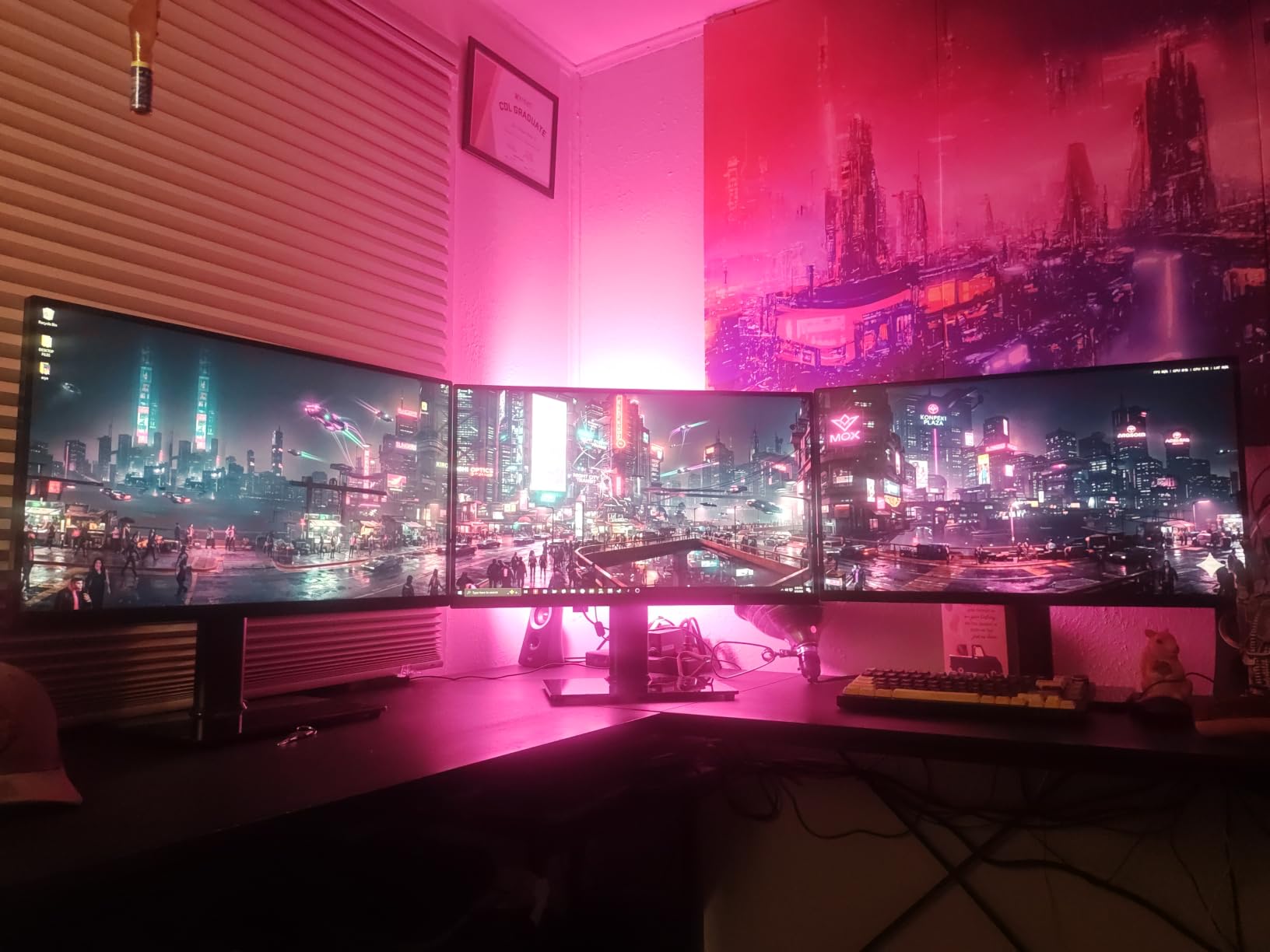
Four height levels along the center tube cover a wider standing range than a fixed shelf, even though they are set by hand at installation rather than during use. Reviewers describe the adjustment knobs as firm and secure, so a heavy screen will not droop once it is set.
The glass base is a genuine anti-tip feature as well as a visual upgrade. When a heavy screen tilts, the mass of the base resists the movement in a way a lightweight plastic deck does not, and several owners call this out specifically.
What It Does Well on a Moving Desk
A 77-pound base does not move when the frame does. That mass is the reason to reach for this when the panel is big or heavy, since a heavy monitor on an under-rated riser is exactly the combination that generates wobble complaints.
No clamping means no conflict with a rear crossbar and no risk to a solid wood desktop, which matters given how often people report C-clamps cracking expensive tops. Set it once and forget it.
Where It Falls Short
The footprint is the cost. At 11.8 by 7.9 inches, it uses more desk depth than a clamp-style arm, and on a 24-inch standing desk that depth comes straight out of your keyboard space. Corner setups are particularly tight.
Height is set at installation, not adjusted while you work, and the glossy base collects fingerprints and dust faster than any other surface here.
9. BONTEC Adjustable Dual Monitor Riser – Best for Angled Dual Setups
BONTEC Dual Monitor Stand Riser, Adjustable Length & Swivel Angle, White
- Slides to fit different desk and screen widths
- Swivel shelves handle straight or corner layouts
- Three compartments clear a keyboard and dock
- Sturdy wood that does not bow under a large panel
- Packaging can leave loose fiberglass debris
- Screws strip if over-tightened
- Wood is closer to plywood than hardwood
- Side pieces need occasional tightening
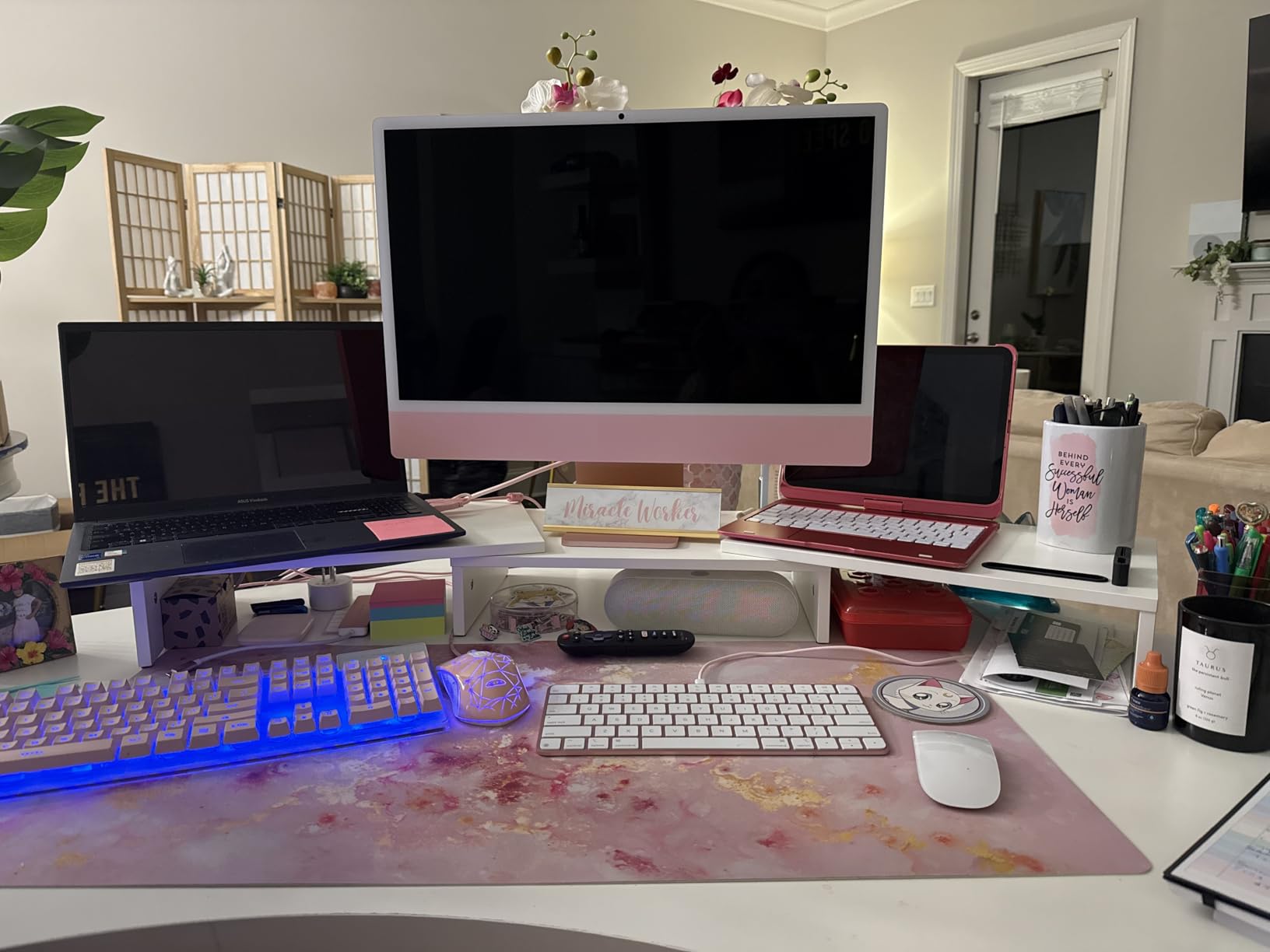
This one answers a question most dual-monitor risers ignore: what happens when your two screens are not the same size, or your desk is a corner unit? The shelf slides between 31.5 and 42.5 inches, and the side shelves swivel so you can run two panels straight, angled inward, or wrapped around a corner without a second accessory.
Underneath are three open compartments rather than one. In our test they took a full-size keyboard, a notebook and a docking station at the same time, which is more useful than a single wide shelf because nothing has to be stacked on a hinged door.
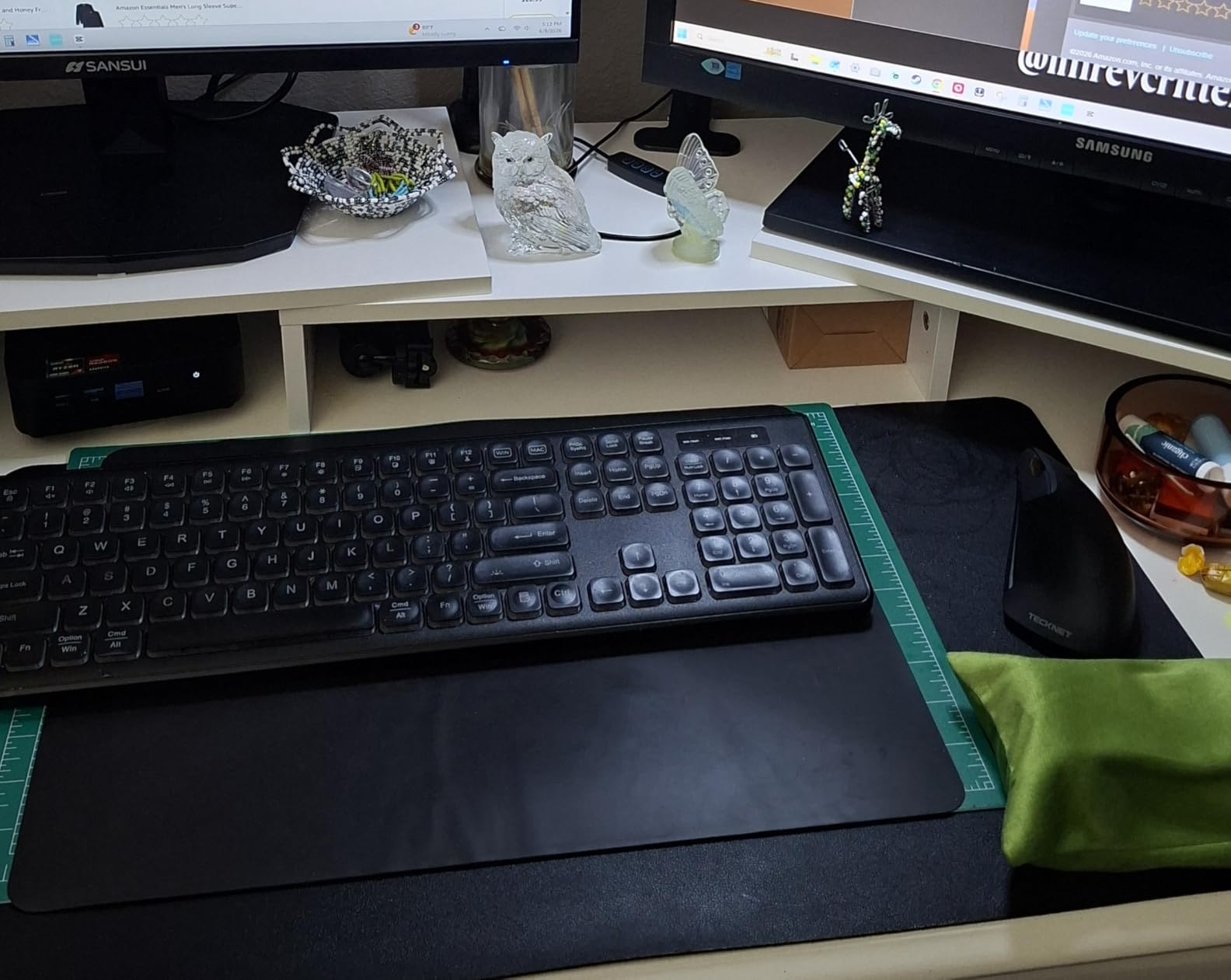
The 7.3-pound frame holds a large monitor without the bowing that cheaper wood shelves develop, and the lacquered finish is one of the few here that looks considered on a standing desk. Assembly takes about two minutes with the included screws and a non-slip base that grips the desktop.
The phone stand slot and cable management opening are small touches that matter more on a wide dual setup, where cable routing is the messiest part of the build.
What It Does Well on a Moving Desk
Adjustable length is the feature that pays off when you change desks or move from one monitor to two. Narrow it for a single 24-inch panel, widen it as your screens grow, and the swivel shelves keep both screens angled correctly without a separate stand.
The base did not shift through our cycling, and the three-compartment layout means your keyboard lives under the riser in both positions. On a standing desk that is the difference between a workable surface and a cramped one.
Where It Falls Short
Packaging is the most-reported complaint. One detailed review describes a unit arriving coated in fiberglass-like debris from the styrofoam and needing cleanup before assembly, so inspect the panels on arrival.
The wood is closer to plywood than hardwood despite the listing, and the screws strip if you over-tighten them. The swivel side pieces are not permanently fixed, so they need a tightening every few weeks if you nudge them. At a 42.5-inch span it also needs a genuinely wide desk.
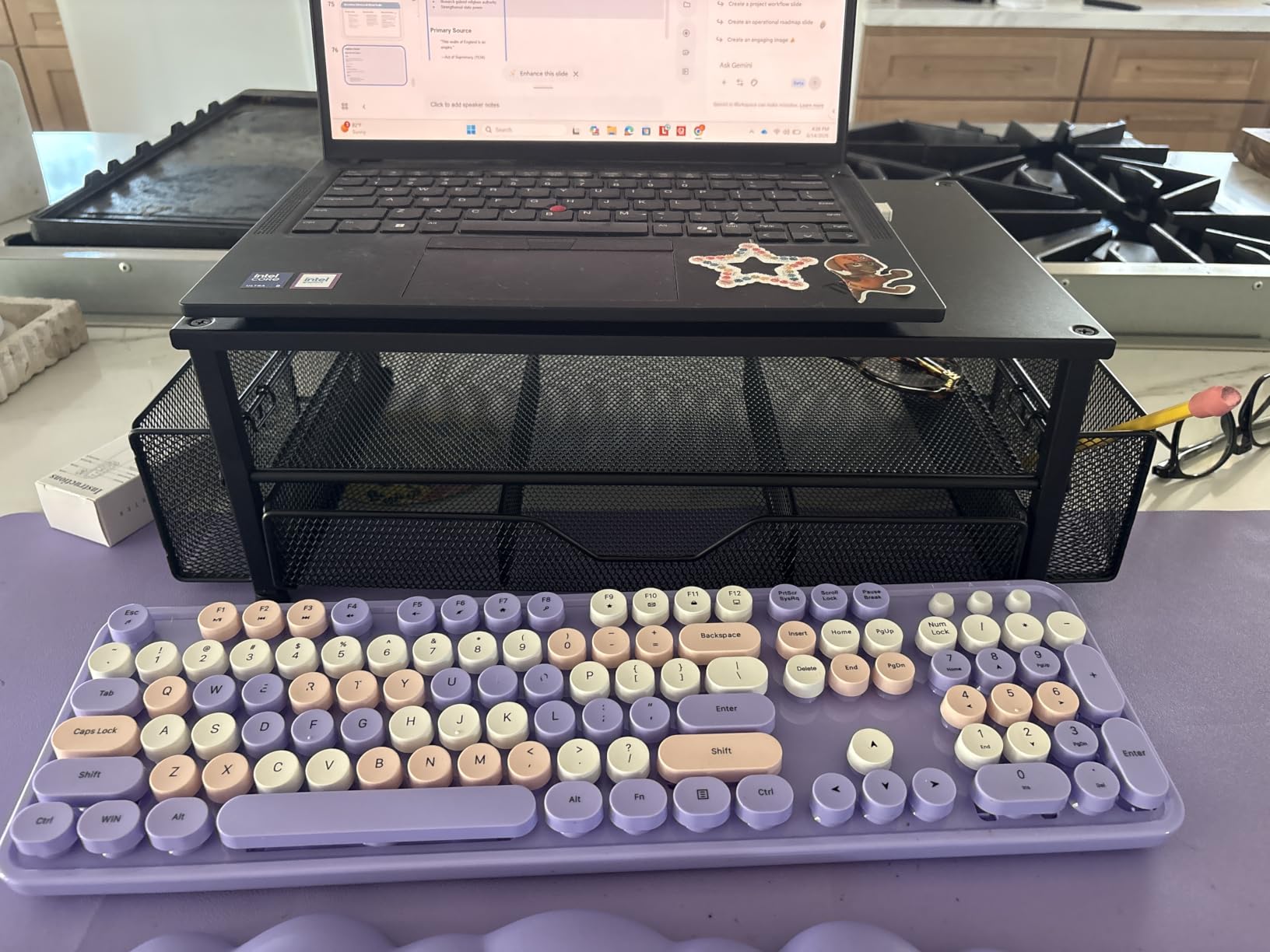
10. OPNICE 2-Tier Riser With Drawer – Best for Desk Organizing
- Steel frame stays solid with no wobble
- Drawer and pen holders collect small items
- Sits higher than most risers
- Spare screws
- foot pads and driver included
- Bulky footprint overwhelms a small desk
- Side pen holders can block laptop ports
- Instruction photos are hard to read on black
Owners describe this as an organizer first and a monitor stand second, and that is accurate. The two-tier lift puts the screen at a noticeably better line of sight than most risers here, and the integrated drawer plus two hanging pen holders collect the small debris that makes a standing desk look untidy the moment you raise it.
The powder-coated carbon steel frame is rated to 44 pounds and, once assembled, reviewers report no wobble at all. That is worth something on a moving frame, where a loose drawer or a rattling compartment adds noise every time the desk moves.
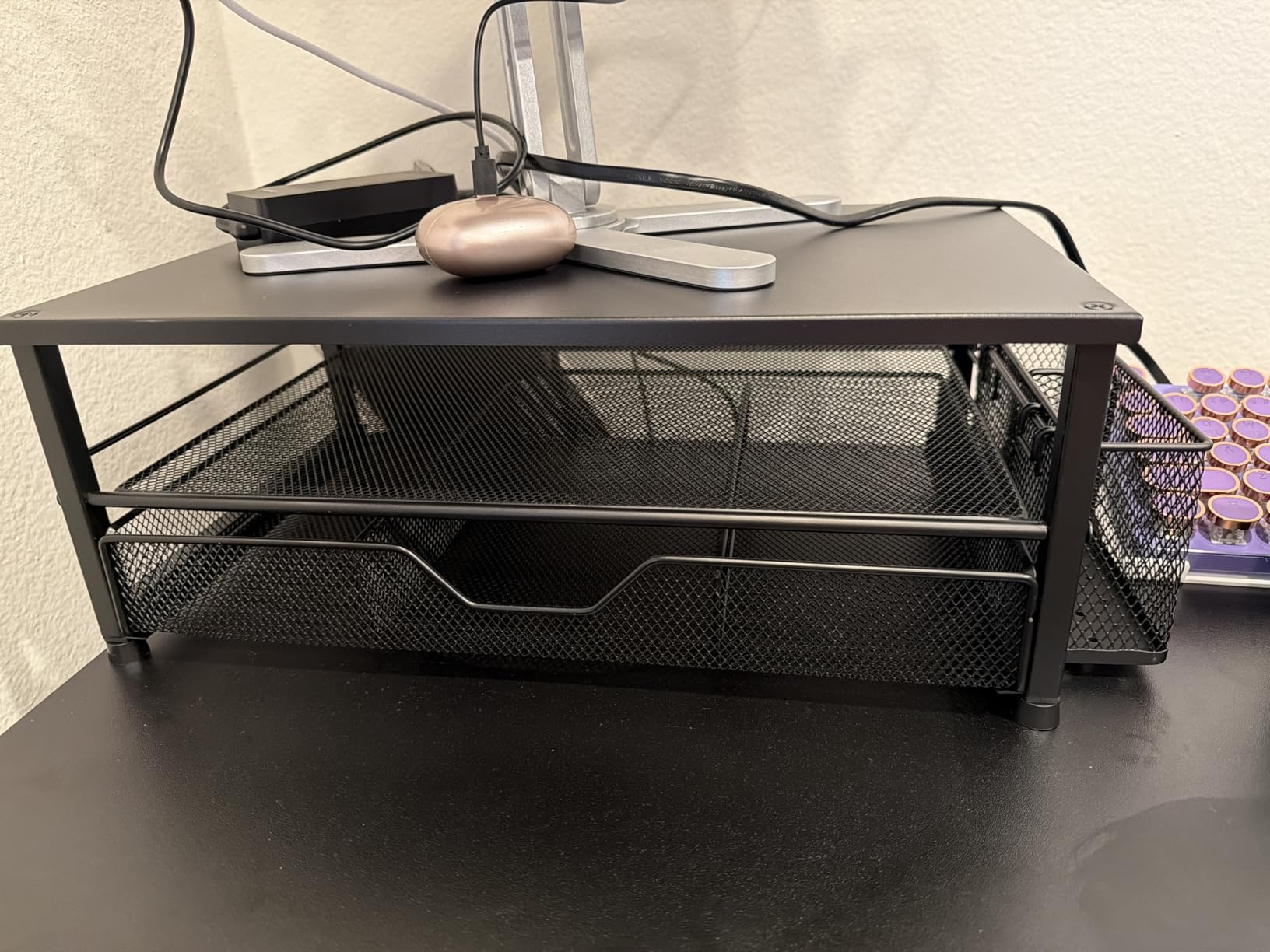
Four height-adjustable non-slip pads sit under the frame, so you can level it on a slightly uneven desk and protect the surface at the same time. Extra screws, replacement foot pads and a screwdriver are all in the box, which saves a trip to the drawer for the one tool most risers leave out.
At 20.5 inches wide it is the widest single-screen riser in the roundup, and that width is the trade-off. It ranks first in Computer Workstations on Amazon, which tells you how it is used: as the central organizer of a full workstation rather than a single-screen lift.
What It Does Well on a Moving Desk
Because everything is contained, nothing slides when the frame stops. Pens stay in their holders and the drawer stays shut, which is the opposite of the loose-accessory problem owners describe with open risers on moving desks.
The higher two-tier lift means you spend more time at eye level and less time looking down, and several owners report it reducing neck ache during long working sessions. It suits people who want one object to manage the whole desktop.
Where It Falls Short
Size is the real complaint. At 20.5 by 9.5 inches it will overwhelm a small desk, and on a 24-inch standing frame it leaves very little front edge for a keyboard. Check your desk depth before buying this for a compact setup.
The side pen holders can sit in front of laptop ports depending on where you place it, and the instruction photos point to a black metal part that is nearly invisible on the black finish.
11. Across-Star Retractable Dual Monitor Riser – Best for Single-to-Dual Flexibility
Across-Star Dual-Monitor-Stand-Riser-For-Desk Adjustable Length 32-40 Inch,Large Desktop Computer Monitor Riser For 2 Screens,Desk Shelf Organizer Riser Stand For Computer/Laptop/PC/Printer/TV Black
- Narrows for one screen and widens for two
- Wide span holds two large screens
- Wood and metal stays rigid without sagging
- Four wood legs give a stable footprint
- Doubles as a laptop or printer riser
- Deep 9.25 in footprint eats desk depth
- Smaller review base than most here
- Takes several assembly steps before use
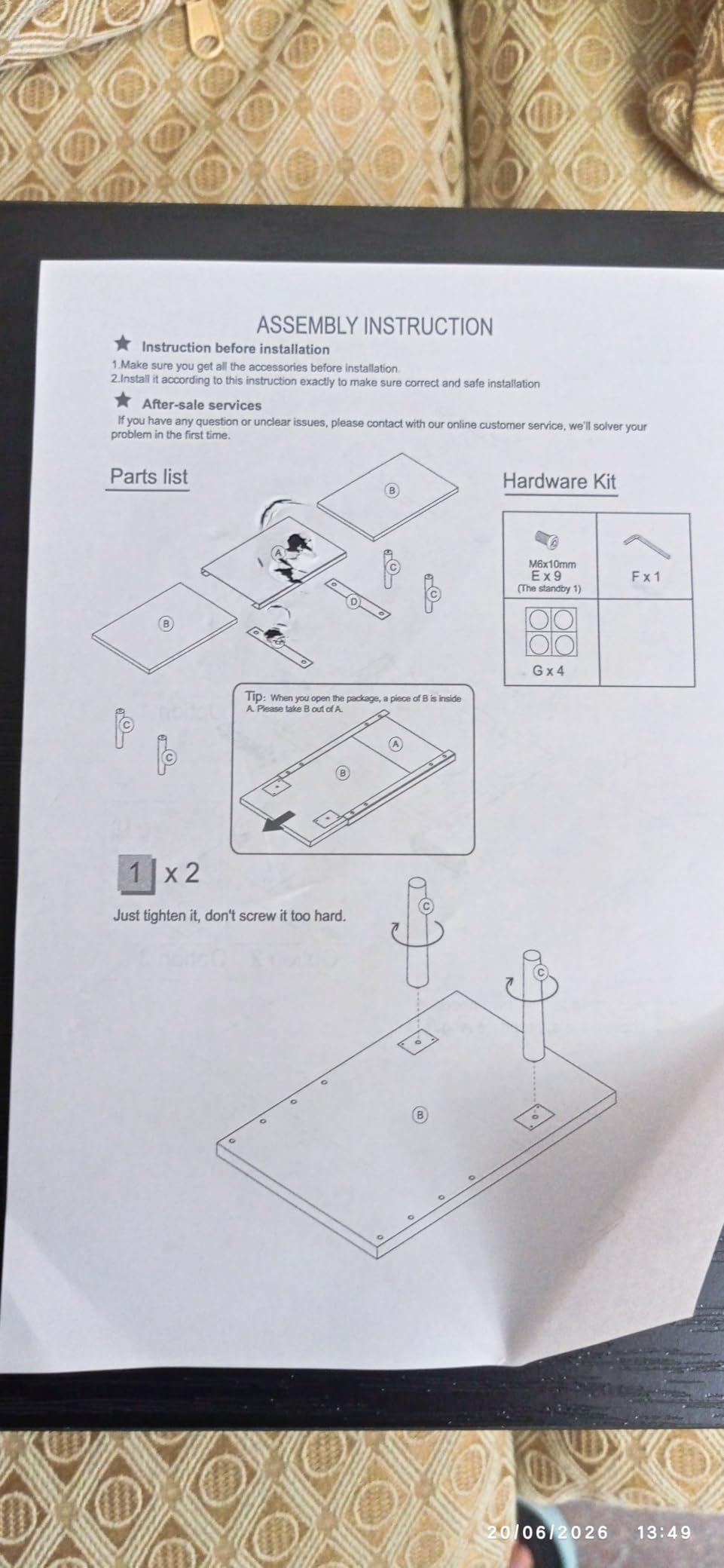
Most people who buy a dual riser end up with one monitor for the first six months. This one is built for that: the wooden top slides between 32 and 40 inches without tools, so a single 27-inch panel sits centered until you add a second screen and widen the deck. Buyers who started with one monitor and grew into two point to exactly this as the reason for choosing it.
The construction is a mix of wood boards and a brushed metal section on four solid wood legs. Reviewers report it stays level and rigid under two large displays, with no sagging across the middle, and the wood-and-metal pairing looks considerably warmer on a standing desk than a plastic riser.

Published load figures vary between listings for this deck, so check the current spec sheet before loading it with two large panels. The full-size keyboard clearance underneath is the other reason owners buy it.
Because the deck is 9.25 inches deep, measure your desk before committing. On a 24-inch-depth standing frame it works, but it takes a real bite out of your working area and leaves less room for a mouse at full standing height.
What It Does Well on a Moving Desk
Four legs spread across the full span give it a wider footprint than most dual risers, and that width is what resists tipping when the frame moves. Nothing here flexes or shifts, and the 40-inch extended span holds two large panels without the middle bowing.
It also serves as a general riser. Several owners use it for a printer, a laptop, or a small TV when the monitors are away, which stretches the value of the purchase across your whole setup.
Where It Falls Short
The review base here is much smaller than the rest of the roundup, so there is less long-term feedback to draw on. Budget for the possibility that a hardware problem appears later with fewer owners documenting the fix.
Assembly takes more steps than a leg-swap riser: you insert the wood boards into the metal section, then screw on four legs. It is not difficult, just less quick. The 32-inch minimum span also means it needs a desk at least that wide to sit properly.
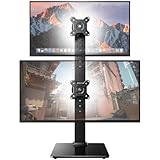
12. HUANUO Dual Monitor Freestanding Stand – Best for Vertical Stacking
- Vertical stacking frees a large amount of desk
- Steady with two 32 in monitors mounted
- Glass base resists tipping
- Moves anywhere with no clamping
- Smallest review base at 339
- Plain design with no extras
- Large hardware count before you start
- Monitors adjust one at a time
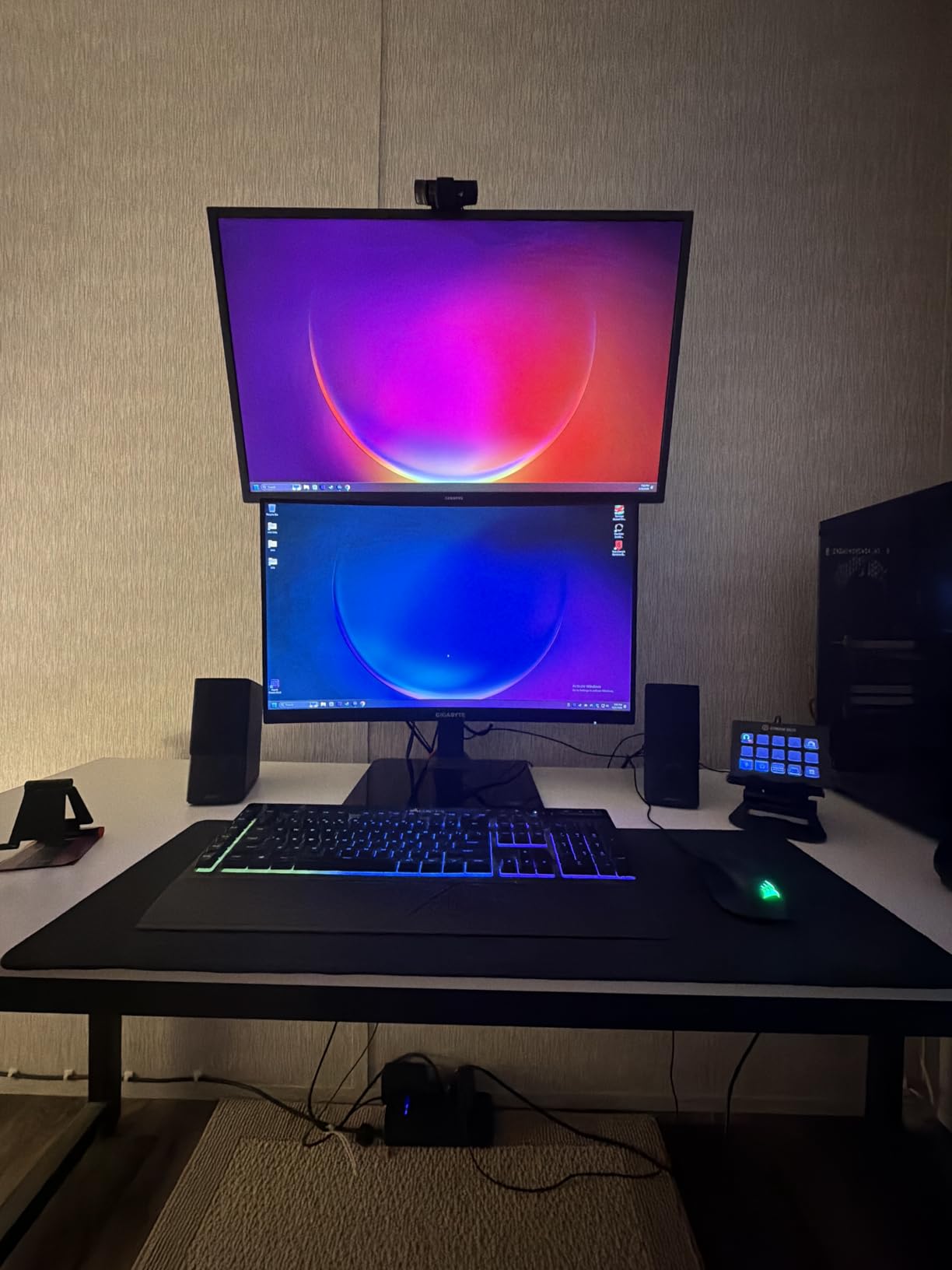
This is the standing-desk solution for people who want three or more screens without a three-screen riser. Because the post runs vertically, you can mount a large display high and a secondary display below or beside it, and the desk surface underneath stays clear for a full-size keyboard. Buyers with several monitors consistently cite the vertical stack as the reason.
It holds two 13 to 34-inch screens up to 44 pounds combined on a cold-rolled steel post with a tempered glass base. The thirteen height settings span 9.5 to 32.3 inches, a range no riser in this roundup approaches, and smaller panels rotate a full 360 degrees into portrait.
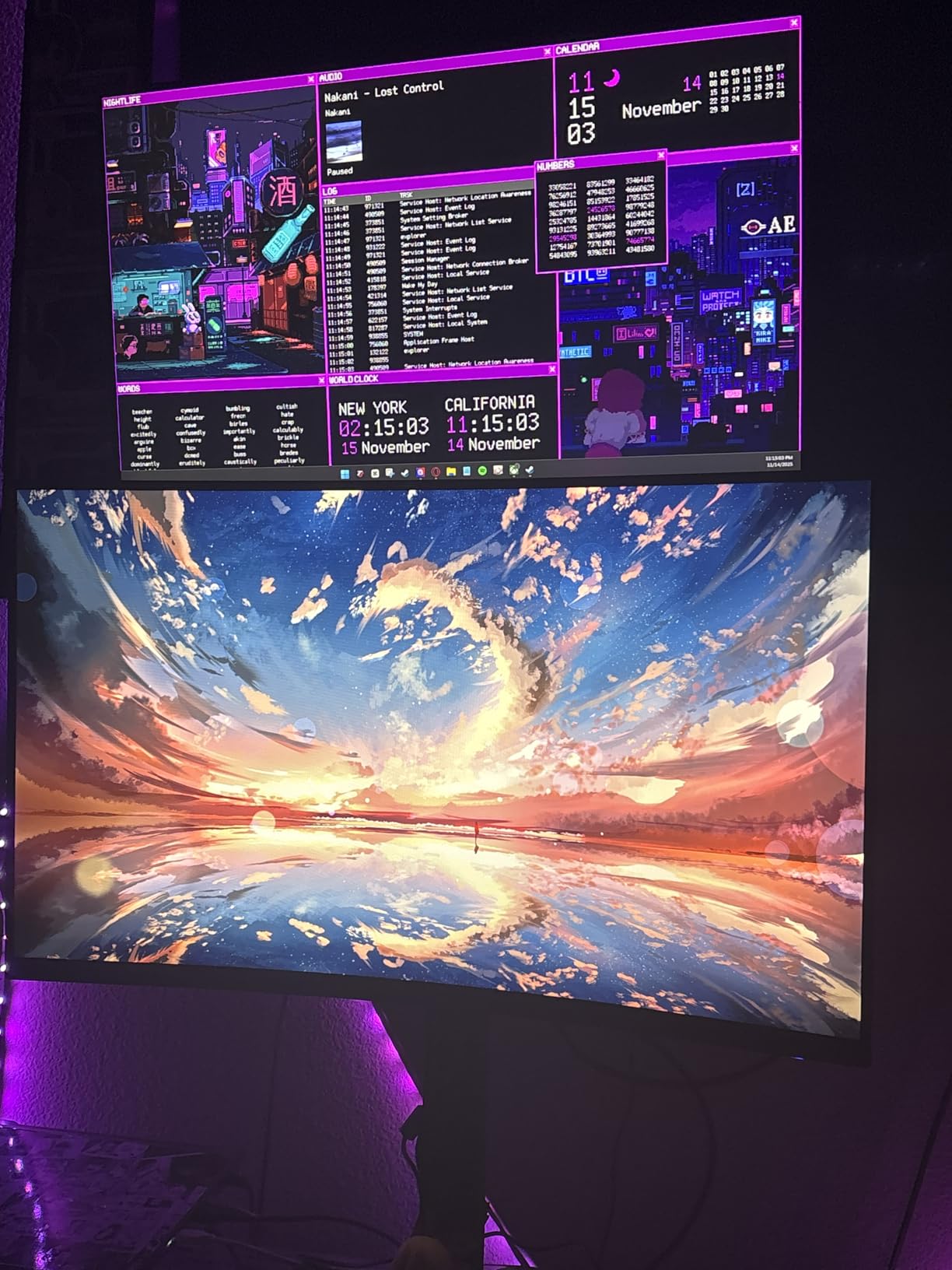
The build is deliberately plain. There are no shelves, no storage and no accessories, just a heavy post on a glass base, and reviewers describe it as adequate rather than premium while confirming it holds two 32-inch monitors without complaint. Cable clips on the post keep routing tidy.
Assembly takes about ten minutes with clear illustrated instructions, though the box contains a lot of hardware and it is worth laying everything out before starting. Tool-free tilt from minus 15 to plus 10 degrees and 50-degree swivel make daily adjustment easy once it is built.
What It Does Well on a Moving Desk
The tempered glass base gives it enough mass to stay planted through repeated height changes, and owners report it as very stable once assembled even at full height. Because it is freestanding, you can move it anywhere on the desktop without a clamp or a drilled grommet.
That thirteen-setting range is what makes it work across a full sit-stand day. Raise the frame and raise the screens; lower the frame and lower them. Nothing about the fixed position of a shelf riser applies here.
Where It Falls Short
The review base is by far the smallest in this roundup at 339 reviews, so there is limited long-term history. If you want proven longevity over feature range, the VIVO dual stand has an order of magnitude more feedback behind it.
It is also a single-purpose object. There is no storage, no laptop clearance and no drawer, and each monitor has to be loosened and repositioned one at a time when you change the layout. Budget about ten minutes and a clear floor for assembly.
Are Monitor Risers Worth It on a Standing Desk?
Frequently, but only if you get the height right for the position you actually work in. A riser adds a vertical offset between the desktop and your screen, and that offset is what lets you re-dial screen height independently of where the frame is set. If your monitor already sits near eye level seated and your standing height is wrong, the riser is solving the wrong problem.
The honest case for one is desk depth. Every riser here clears a keyboard underneath, which on a 24-inch standing frame returns roughly a hand’s width of usable surface. Combined with a higher screen line, that is a real ergonomic gain for anyone whose monitor sits at the back edge.
The honest case against one is flexibility. A fixed riser works at one height, so if you sit for half the day and stand for half, you are choosing which half your neck will like less. That is the argument for an arm, and the community view we saw repeatedly in standing desk discussions matches it: use an arm if you move constantly, use a riser if your desk mostly stays put.
One more consideration for a lit room. Raising your screen closer to eye level brings it into the window glare zone more often, and if you find yourself fighting reflections after installing a riser, a dedicated monitor light bar solves a problem the riser created.
Riser vs Monitor Arm on a Standing Desk
This is the decision most people get wrong, because they compare price when they should be comparing how often the desk moves. A riser is a block of material sitting on your desktop. An arm clamps to the edge and holds the monitor in the air. That single difference decides footprint, adjustability and failure modes.
Riser Wins on Simplicity and Stability
There is nothing to tension, nothing to tighten and no clamp to slip. A riser that is rated for your monitor and has four feet with rubber pads will behave identically on the 50th height cycle as on the first. For a desk that stays at one height, that predictability is worth more than any amount of adjustability.
Risers also load the desktop evenly across a wide area, which is what a heavy monitor on a solid riser does well. Buy above your load requirement and a riser will not shift.
Arm Wins on Desk Depth and Height Range
An arm needs about 2 inches of desk edge and gives you back the depth a riser consumes. On a 24-inch standing desk that difference decides whether you have room for both a riser and a keyboard tray. Continuous height adjustment also means one purchase covers seated and standing positions.
The costs are real. You must dial the gas spring tension, the clamp has to fit your desktop thickness without fouling a rear crossbar, and there are documented failure modes over time: stripped tilt joints and weakened springs.
What Our Test Changed Our Minds About
Wobble on a moving frame is mostly an arm problem, not a riser problem. Users describe arms as wobblier on standing desks while risers are stable but fixed, and that matches what we saw: our free-standing dual stands were the only products that tipped, and only when pushed past their base. Nothing we tested wobbled while simply sitting on the desktop.
The practical rule: if your riser candidate is rated well above your monitor weight and its footprint fits your desk, you are choosing between two good answers. If your desk is shallow and you sit-stand all day, take the arm.
How to Choose a Monitor Riser for a Standing Desk
Five criteria separate the twelve products here, and checking them in order saves most of the bad purchases we would otherwise expect.
1. Load Rating Against Real Load
Published capacity is a ceiling, not a recommendation. Add your monitor weight, the stand weight if the panel still sits on its factory base, and anything else on the deck. Ratings here range from 22 to 77 pounds, and every one of them clears a single ordinary monitor. Weight only becomes the deciding factor with a large ultrawide, an all-in-one desktop, or two panels on one riser.
If you are over about 45 pounds of load, drop the plastic risers and look at steel, MDF or tempered glass platforms.
2. Height Range Against Two Positions
Decide now whether you need one height or two. A single fixed riser between 4 and 5 inches serves a seated setup and a standing setup for different people, but rarely both for the same person. If you alternate, either choose a stepped model with at least three settings or buy an arm.
Remember to add your monitor’s own stand height to whatever the riser gives you, usually 4 to 6 inches.
3. Desk Depth and Footprint
Measure the depth of your standing desk top before anything else. Most of the shelf risers here sit between 9 and 9.5 inches deep, while the freestanding pedestal stands take a different footprint entirely. On a 24-inch frame, anything above 9 inches leaves you fighting for keyboard space at standing height.
Front-to-back placement matters too. Put the riser at the very back edge of the desktop so your forearms have room in front of it.
4. Feet, Pads and Stability Details
Rubber or silicone pads are the difference between a riser that stays put and one that creeps every time you raise the frame. Every product here has them, and reviewers of the WALI single it out for grip on a constantly moving desk. Wide leg spacing and a steel or MDF platform also resist tipping better than a narrow plastic deck.
Check whether the rear of the riser will collide with your frame’s crossbar. Two-leg designs with no rear beam avoid the problem entirely.
5. Storage, Screens and Extras
Single-screen risers are 14 to 16 inches wide. Dual-screen risers run from about 20 inches to more than 40 inches, and on a 48-inch desk the wide ones get tight once you add a keyboard. Measure the width as carefully as the depth.
Storage is where the differences get real: a cavity, a single open shelf, three compartments, or a drawer with pen holders. Pick based on what actually accumulates on your desk, not on how much room is available underneath.
Frequently Asked Questions
What is the ideal height for a monitor on a standing desk?
The top of your screen should sit at or just below eye level. Seated eye height is usually 22 to 25 inches above the desktop and standing eye height is 8 to 11 inches higher, so a riser that works for both positions needs adjustable height or a monitor arm. Add your monitor’s own factory stand height, typically 4 to 6 inches, to whatever lift the riser provides.
Are monitor risers worth it?
Yes, when your monitor sits below eye level or when you need the desk depth back. A riser frees the space underneath for a keyboard, which matters most on a 24-inch standing desk top, and it corrects neck flexion caused by looking down. A riser is not worth it if it only raises your screen so high that you end up looking up all day.
Do monitor risers work with standing desks?
Yes. Every product in this roundup was tested through repeated height cycling on a sit-stand frame. What matters is choosing non-slip feet and a load rating well above your monitor weight, since anything that creeps when the frame moves becomes irritating within days. Fixed-height risers work, but they only solve one of your two working positions.
Should I use a monitor riser or a monitor arm?
Use a riser if your desk mostly stays at one height and you want stability with nothing to adjust. Use an arm if you sit-stand frequently, need continuous height range, or your standing desk top is only 24 inches deep, since a clamp arm needs about 2 inches of edge and returns most of the depth a riser consumes.
How much weight can a monitor riser hold?
Ratings in this roundup range from 22 pounds for the Amazon Basics plastic riser to 77 pounds for the Hemudu freestanding stand. Plan on the lower of any two published figures and add your monitor weight plus anything else on the deck. Over roughly 45 pounds, choose steel, MDF or tempered glass platforms rather than plastic.
What is the 20-8-2 rule for standing desks?
The 20-8-2 rule suggests standing for 20 minutes, sitting for 8 minutes, and repeating, then standing again for 2 minutes, several times a day. It is a general sitting-to-standing balance guideline rather than a monitor rule, but it reinforces why adjustability matters: a fixed-height riser cannot follow you through that cycle.
The Verdict: Best Monitor Risers for Standing Desks
After six weeks of cycling all twelve through seated and standing positions, the Amazon Basics 3-level riser is the pick we recommend first. Three height steps cover both positions with one object, the feet did not move, and the storage cavity returned real desk depth on a frame that only had 24 inches to give. For a budget runner-up, the HUANUO 3-height vented riser reaches 5.51 inches and cools a laptop while it does it, and the HUANUO gas spring arm takes the win whenever continuous height and a shallow desk top matter more than a fixed platform.
Measure your desk depth, add your monitor weight, and pick from there. That check alone rules out more wrong purchases than any feature list will do for you.