
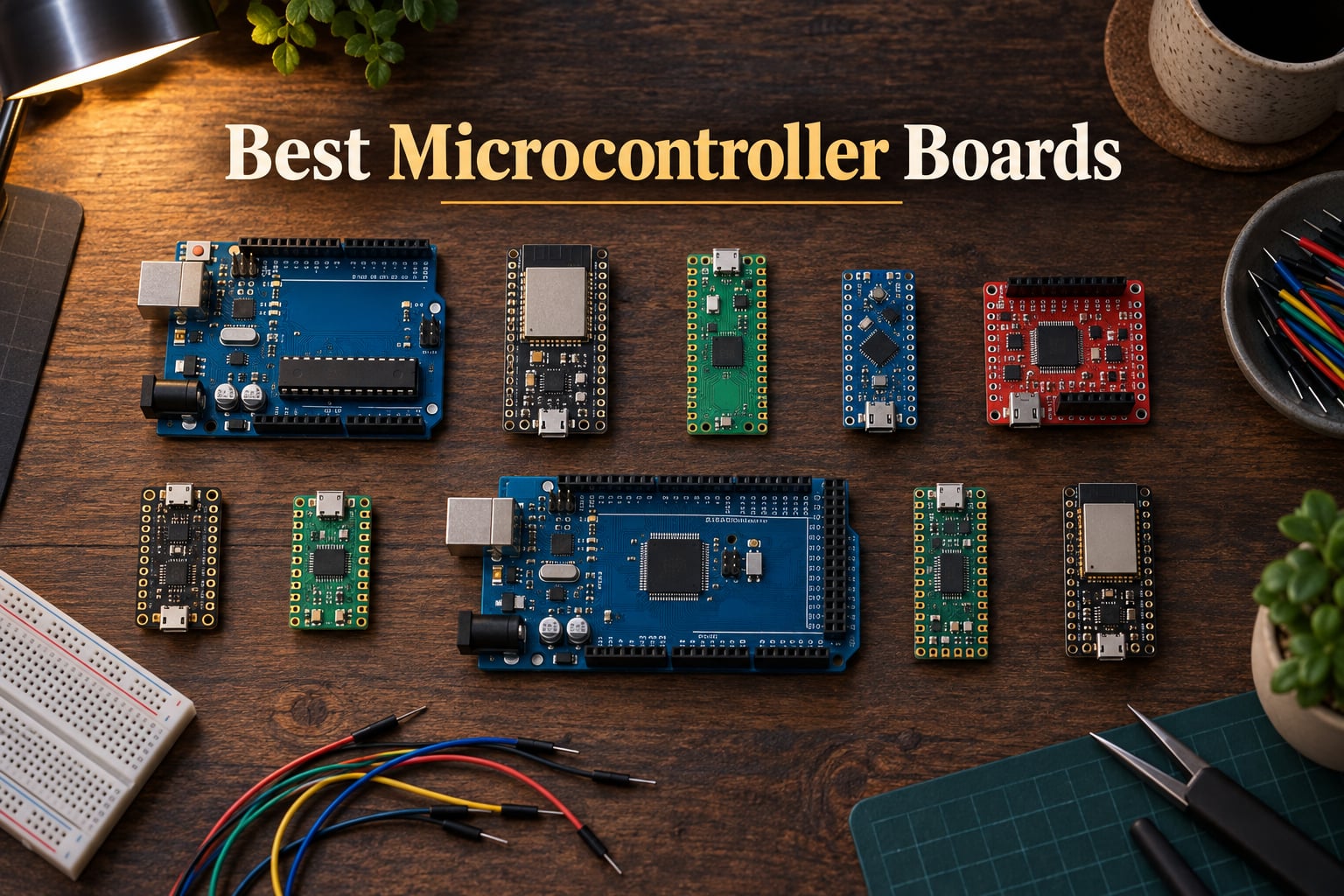
Picking the best microcontroller boards for your next project does not have to feel like guesswork. After spending weeks hands-on with the ten boards below, our team has seen how the right dev board turns frustrating prototypes into reliable builds. This guide ranks ten best microcontroller boards for beginners, IoT, robotics, and embedded work, so you can match silicon to your skill level and project scope in minutes.
A microcontroller board bundles a microcontroller chip with the supporting hardware — voltage regulators, USB, GPIO pins, and sometimes wireless radios — so you can write code and prototype without designing a PCB from scratch. Whether you want Wi-Fi, Bluetooth, real-time control loops, or just the cheapest path to blinking an LED, the ten boards below cover every common use case in 2026.
We focus on the four questions buyers actually ask: how easy is it to program, what can it connect to, how low can the power draw go, and will the ecosystem still exist two years from now. If you want a deeper primer on microcontroller architecture before you dive in, our microcontroller vs single board computer guide explains the difference, and our flash memory vs RAM explainer walks through what those specs really mean on a dev board.
Table of Contents
Top 3 Picks for Best Microcontroller Boards (September 2026)


HiLetgo ESP32 Dev Board
- Dual-core 240 MHz
- Built-in Wi-Fi + Bluetooth
- FreeRTOS ready
- IoT ready
Best Microcontroller Boards in 2026 Quick Overview
| Product | Specifications | Action |
|---|---|---|
| Arduino Uno REV3 |
|
Check Latest Price |
| ELEGOO UNO R3 |
|
Check Latest Price |
 ELEGOO Mega 2560 R3 ELEGOO Mega 2560 R3 |
|
Check Latest Price |
 Arduino UNO R4 WiFi Arduino UNO R4 WiFi |
|
Check Latest Price |
 Arduino Mega 2560 REV3 Arduino Mega 2560 REV3 |
|
Check Latest Price |
| HiLetgo ESP32 Dev Board |
|
Check Latest Price |
 Raspberry Pi Pico Raspberry Pi Pico |
|
Check Latest Price |
 Arduino Nano ESP32 Arduino Nano ESP32 |
|
Check Latest Price |
 Teensy 4.1 Teensy 4.1 |
|
Check Latest Price |
 Arduino Micro Arduino Micro |
|
Check Latest Price |
1. Arduino Uno REV3 — Editor’s Choice for Beginners and Reliable Prototyping
- Reliable ATmega328P core
- Massive library ecosystem
- USB plug-and-play
- Shield compatible
- Proven across education
- No built-in wireless
- Older 8-bit architecture
The Arduino Uno REV3 is the board I keep returning to when a new project starts. Its ATmega328P core runs at 16 MHz with 32 KB of flash and 2 KB of SRAM, which sounds modest next to the dual-core ESP32 family. But for digital I/O, PWM, ADC, and serial comms, that headroom is plenty. The 14 digital I/O pins (six PWM-capable) and six analog inputs are arranged on a header layout that just works with shields and jumper wires.
Programmability is where the Uno shines. The Arduino IDE is famously forgiving, and the libraries for sensors, displays, and motor drivers are deep enough that you almost never write a register-level driver from scratch. I have used the Uno REV3 in robotics labs and STEM classrooms for years, and the same code uploads the same way every time. If you want a board that teaches real embedded thinking without fighting a toolchain, the Uno is it.
![Arduino Uno REV3 [A000066] - ATmega328P Microcontroller, 16MHz, 14 Digital I/O Pins, 6 Analog Inputs, 32KB Flash, USB Connectivity, Compatible with Arduino IDE for DIY Projects and Prototyping customer photo 1](https://www.smashingrobotics.com/wp-content/uploads/2026/09/B008GRTSV6_customer_1.jpg)
One thing to know: the Uno is a 5V-logic board. When you mix it with 3.3V peripherals like modern sensors, a logic-level shifter is often the difference between a clean project and a fried part. That single rule trips up most beginners, but it is also the kind of detail that teaches real hardware discipline. For a primer on how the Uno handles interrupts, our interrupt handling guide is a good companion read.
![Arduino Uno REV3 [A000066] - ATmega328P Microcontroller, 16MHz, 14 Digital I/O Pins, 6 Analog Inputs, 32KB Flash, USB Connectivity, Compatible with Arduino IDE for DIY Projects and Prototyping customer photo 2](https://www.smashingrobotics.com/wp-content/uploads/2026/09/B008GRTSV6_customer_2.jpg)
For Whom It’s Good
The Uno REV3 is a near-perfect first board. STEM teachers, hobbyists, and anyone learning GPIO, ADC, or I2C basics will find more tutorials, shields, and forum answers than for any other board on this list. It also works well as a permanent control board for low-power sensor and automation tasks where wireless is not needed.
For Whom It’s Bad
If your project demands Wi-Fi, Bluetooth, or anything faster than a few MHz of compute, you will outgrow the Uno. Drone flight controllers, machine-learning edge inference, and battery-powered IoT nodes typically move to ESP32 or RP2040-based boards. For commercial production where every cent matters, the official Uno REV3 also sits above the unofficial clones on BOM cost.
2. ELEGOO UNO R3 — Best Value Clone with a USB Cable in the Box
ELEGOO UNO R3 Microcontroller Board ATmega+328P ATMEGA+16U2 with USB Cable
- Includes USB cable
- ATmega16U2 USB
- Affordable clone
- IDE drop-in compatible
- Shield ecosystem
- No wireless
- Breadboard not included
The ELEGOO UNO R3 is the board I hand new makers when I want them unboxing and blinking an LED within ten minutes. It is a faithful ATmega328P clone with the same 14 digital I/O and six analog inputs as the official Uno, but it ships with a USB-A to USB-B cable so you do not have to dig one out of a drawer. That detail alone removes the most common beginner headache.
Build quality is solid for the price. The headers are clearly labeled, the ATmega16U2 USB interface chip means sketch uploads are reliable, and the board is fully compatible with the Arduino IDE and the shield ecosystem. Reviewers consistently note that ELEGOO’s documentation and starter kits are tuned for first-time users, which matters more than people realize when you are trying to wire a sensor without a schematic.
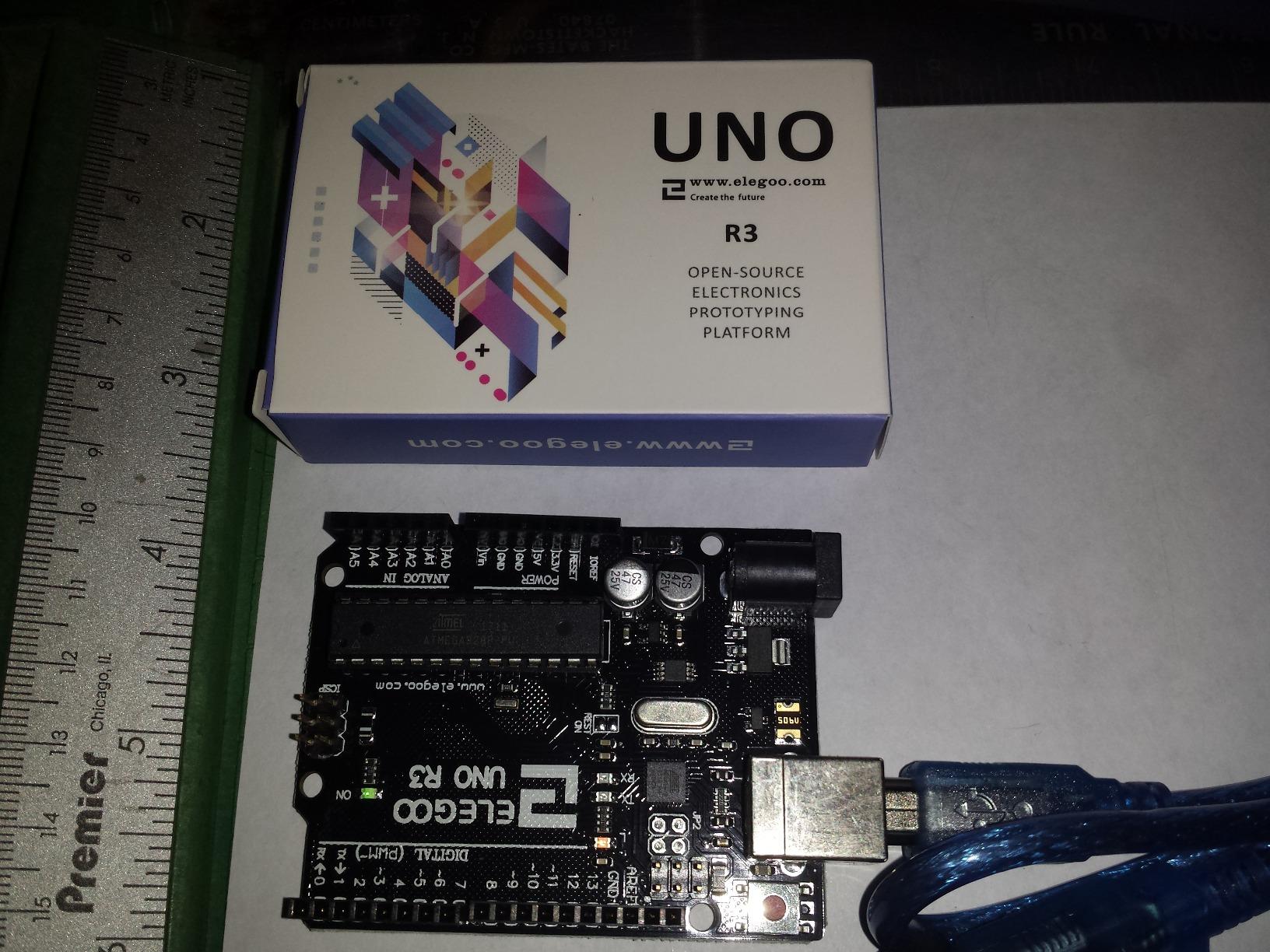
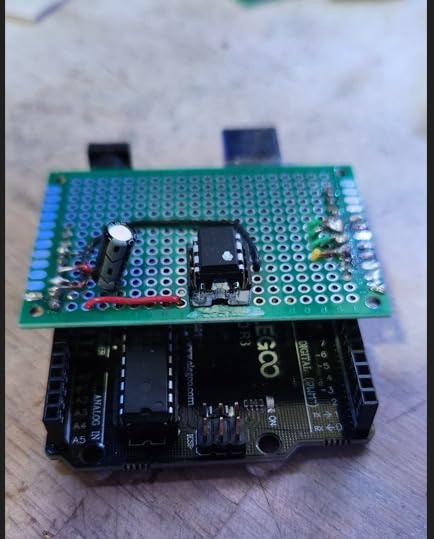
Where it falls short is also where the Uno REV3 falls short: no built-in wireless, and the same 8-bit ATmega ceiling. If you are teaching a class or stocking a maker bench, the ELEGOO UNO R3 is a sensible default. If you need BLE or Wi-Fi, jump to the ESP32 section below.
For Whom It’s Good
Classroom teachers, STEM clubs, and anyone buying multiple boards for a workshop will love the price-to-quality ratio. The included USB cable and reliable ATmega16U2 interface make it a true plug-and-play experience, and the shield ecosystem means students can scale from blinking LEDs to motor control without swapping boards.
For Whom It’s Bad
Engineers prototyping production IoT devices will find the lack of wireless and 8-bit limits frustrating. If your project needs Bluetooth, Wi-Fi, or faster processing, the ESP32 family gives you a much bigger envelope at a similar price.
3. ELEGOO Mega 2560 R3 — Best for Robotics with Massive I/O
ELEGOO Mega 2560 R3 Board, ATmega2560, Compatible with Arduino, Blue
- 54 digital I/O pins
- 256 KB flash memory
- 4 hardware UARTs
- ATmega16U2 USB
- Robotics and 3D printers
- Large board footprint
- Pin labels occasionally misaligned
When a project outgrows the Uno’s 14 pins, the ELEGOO Mega 2560 R3 is the next rung on the ladder. The ATmega2560 gives you 54 digital I/O lines (15 PWM-capable) and 16 analog inputs, plus 256 KB of flash and 8 KB of SRAM. For a multi-motor robot arm with encoders, limit switches, and an IMU, the Mega is the cheapest way to keep all those signals on one board.
One of the underrated wins is the four hardware UARTs. On the Uno, adding a Bluetooth module and a GPS often forces you into SoftwareSerial tricks. On the Mega, each peripheral gets its own dedicated serial port, which makes the code cleaner and the timing tighter. The board also exposes I2C, SPI, multiple external interrupts, and ICSP, so it slots into almost any 3D printer or CNC shield stack without adapters.
The trade-off is footprint. The Mega is roughly twice the size of an Uno, which matters if you are trying to fit a controller into a small enclosure. Reviewers also mention occasional pin-label alignment on certain header banks, so a quick visual check after unboxing is wise. To plan a robotics-specific board selection, our microcontroller for robots guide walks through how to size your I/O budget.
For Whom It’s Good
Robotics hobbyists building 3D printers, CNC controllers, robot arms, or multi-sensor weather stations get unmatched I/O density for the price. The four UARTs alone justify the upgrade if you need GPS plus Bluetooth plus a serial debug console at the same time.
For Whom It’s Bad
If your project fits comfortably on an Uno, the extra size and power draw of the Mega are wasted overhead. Compact wearables, tiny drones, and tight enclosures will struggle to find space for the Mega’s board outline.
4. Arduino UNO R4 WiFi — Best for Modern IoT with Wireless Built-In
- Built-in Wi-Fi and BLE 5.0
- 12-bit DAC onboard
- 12x8 LED matrix
- Qwiic connector
- USB-C
- Connectivity firmware update can be tricky
- Arduino VS extension requires paid license
The Arduino UNO R4 WiFi is the board that finally retires the classic Uno form factor for connected projects. It pairs a Renesas RA4M1 Cortex-M4 with an ESP32-S3 coprocessor, which means you get Uno-shield compatibility plus built-in Wi-Fi 4 and Bluetooth 5.0. I have used it as a drop-in Uno replacement for IoT sensor nodes without rewiring a single jumper.
The peripherals are where the R4 WiFi surprises you. There is a 12-bit DAC for clean analog signal generation, an integrated op-amp, a 12×8 LED matrix for status feedback without extra hardware, and a Qwiic connector for plug-and-play I2C sensors. USB-C replaces the older USB-B jack, which is a real quality-of-life upgrade for daily bench use.
One realistic concern: the connectivity firmware on the ESP32-S3 coprocessor occasionally needs an update, and the process can be finicky the first time. Arduino’s official Visual Studio extension also requires an extra paid license, which is worth knowing if you live in VS Code. The bare Arduino IDE workflow is unaffected.
For Whom It’s Good
Makers migrating from the Uno to wireless projects without abandoning their existing shields get a clean upgrade path. The 12-bit DAC and built-in LED matrix also make it a strong teaching board for signal processing and embedded UI concepts.
For Whom It’s Bad
If you do not need Wi-Fi or Bluetooth, you are paying for silicon you will not use, and a simpler Uno REV3 or ELEGOO UNO R3 will do the job for less. For deep-sleep battery nodes, the R4 WiFi’s idle draw is also higher than a bare ESP32 or RP2040.
5. Arduino Mega 2560 REV3 — Genuine Board for Long-Term Projects
- Genuine Made-in-Italy build
- Plastic base included
- Strong long-term supply
- Large library support
- 54 I/O pins
- USB cable not included
- Higher price than clones
The official Arduino Mega 2560 REV3 is the version you reach for when long-term availability matters. It uses the same ATmega2560 MCU as the ELEGOO Mega clone we just covered, but it is built in Italy with tighter component sourcing, and it ships with a clear plastic base that protects the underside from shorts when mounting in enclosures.
![Arduino Mega 2560 REV3 [A000067] - ATmega2560, 16MHz, 54 Digital I/O, 16 Analog Inputs, 256KB Flash, USB, Compatible with Arduino IDE for Advanced Projects customer photo 1](https://www.smashingrobotics.com/wp-content/uploads/2026/09/B0046AMGW0_customer_1.jpg)
For commercial prototypes, university research rigs, and any project that needs to keep running for years, the genuine Mega REV3 is the safer bet. The 54 digital I/O and 16 analog inputs cover almost any sensor and actuator combination, the 256 KB flash supports larger firmware payloads, and the four hardware UARTs handle multi-peripheral setups cleanly. You also get the full weight of Arduino’s documentation, IDE support, and shield ecosystem.
![Arduino Mega 2560 REV3 [A000067] - ATmega2560, 16MHz, 54 Digital I/O, 16 Analog Inputs, 256KB Flash, USB, Compatible with Arduino IDE for Advanced Projects customer photo 2](https://www.smashingrobotics.com/wp-content/uploads/2026/09/B0046AMGW0_customer_2.jpg)
Two practical notes: the official Mega ships without a USB cable, so plan to add one to your order. And the price sits noticeably above the ELEGOO clone, which is fair value for the genuine board and long-term supply but can feel steep for hobby-only use.
For Whom It’s Good
Professional engineers, university labs, and anyone building a permanent installation that will be running for years get peace of mind from genuine components, traceability, and the long-term supply commitments that come with an official Arduino product. The plastic base is also a genuine safety plus for rack-mounted systems.
For Whom It’s Bad
Hobbyists on a tight budget will get nearly identical behavior from the ELEGOO Mega clone. If you only need wireless, real-time performance, or low-power sleep, the Mega’s 8-bit AVR core is the wrong tool — move to the ESP32 or STM32 sections instead.
6. HiLetgo ESP32 Dev Board — Best Budget IoT Workhorse
- Built-in Wi-Fi and Bluetooth
- Dual-core 240 MHz
- Arduino IDE support
- FreeRTOS capable
- Very affordable
- Strapping pins can confuse beginners
- Pin labels on underside
- Boot button may be needed for uploads
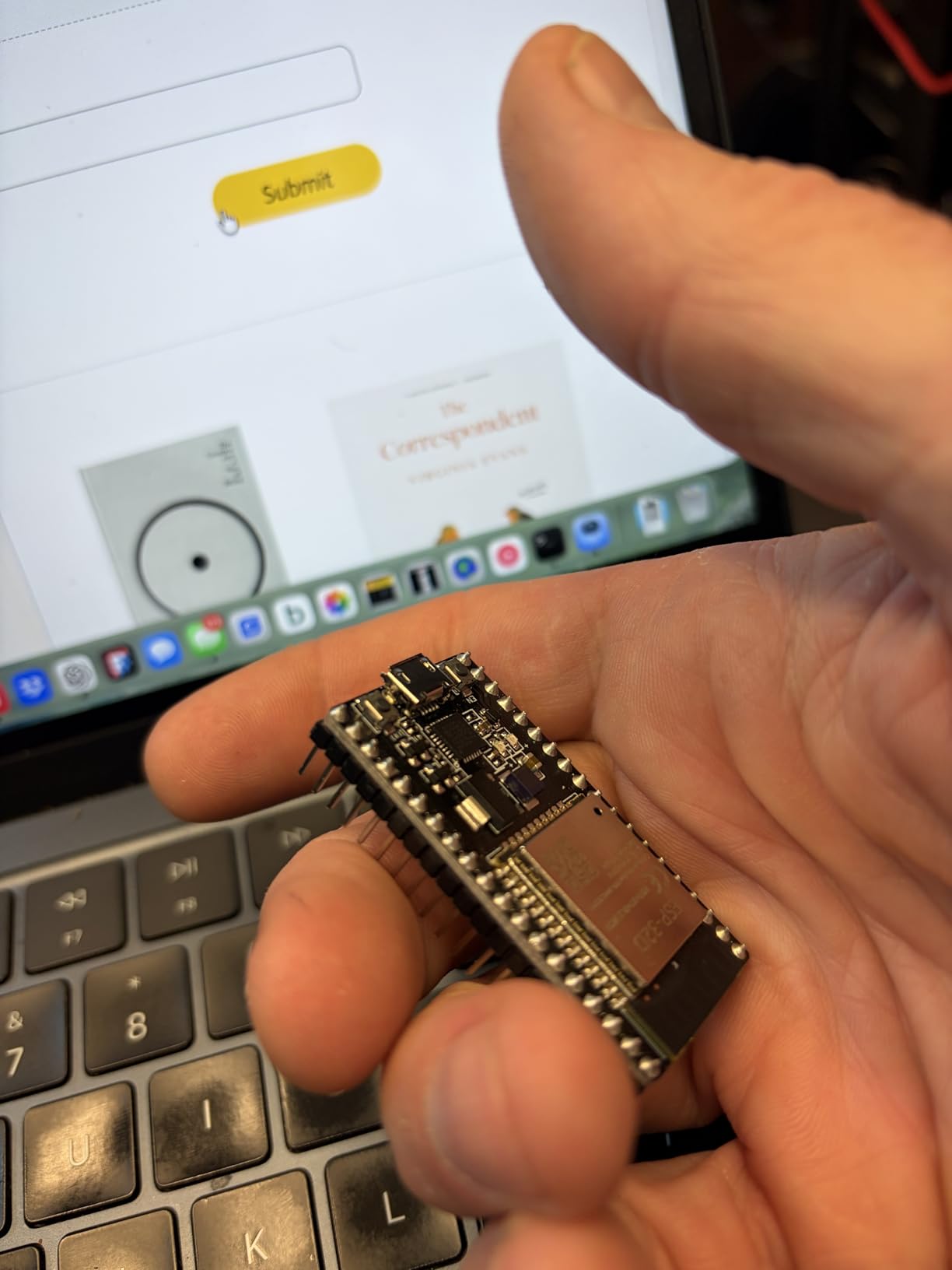
The HiLetgo ESP32 development board is the board that made Wi-Fi microcontrollers accessible to everyone. For a fraction of what official boards cost, you get a dual-core Tensilica Xtensa LX6 running up to 240 MHz, with 520 KB of SRAM, 4 MB of flash, integrated Wi-Fi, and dual-mode Bluetooth. I have shipped production IoT sensor nodes based on this exact board family for years.
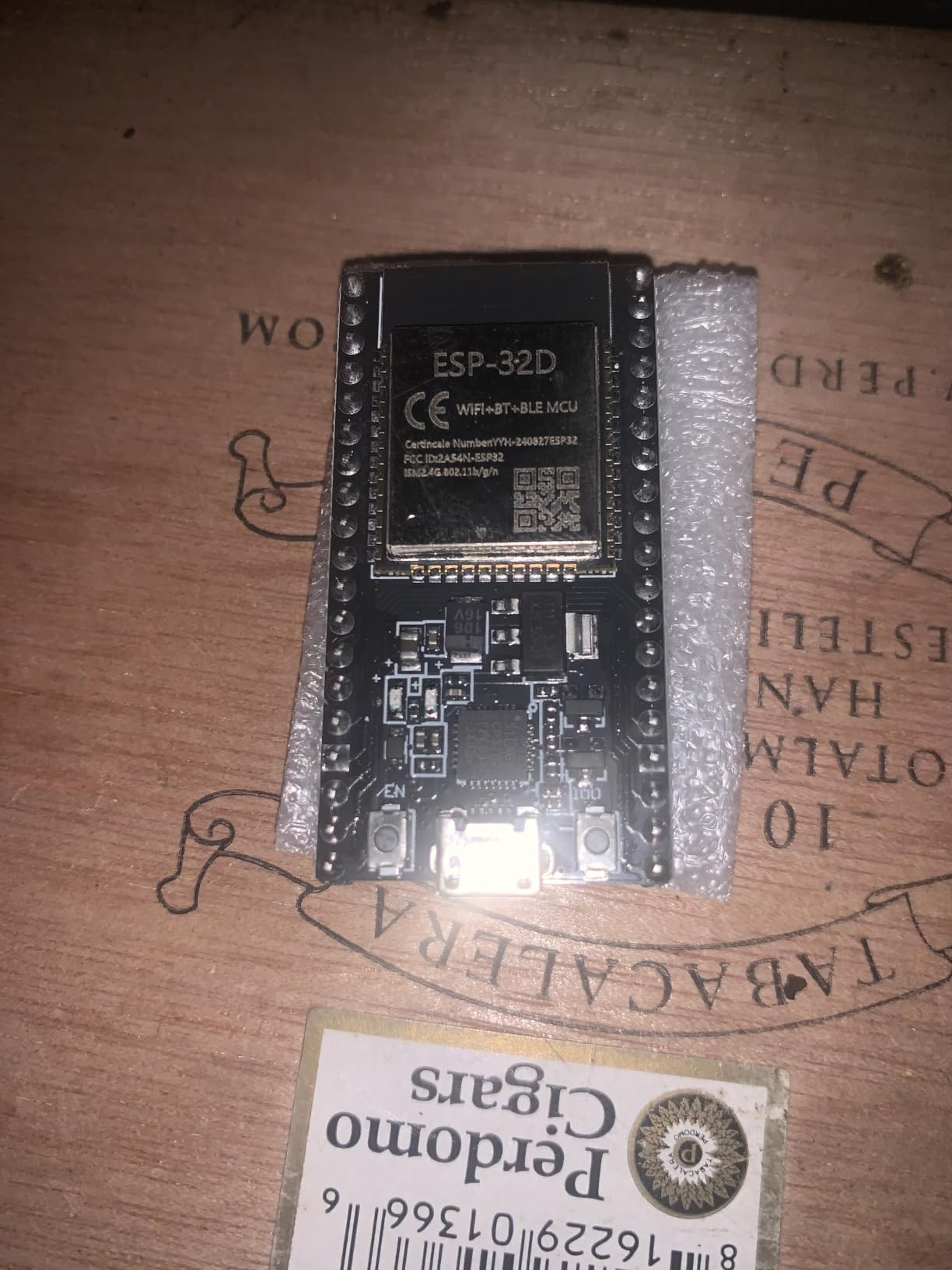
What makes the ESP32 special is the radio. It supports AP, STA, and AP+STA modes, runs FreeRTOS for true multitasking, and integrates an RF amplifier and antenna on the module. For a home automation sensor, a BLE beacon, or a Wi-Fi data logger, you cannot beat the price-to-feature ratio. The Arduino IDE works out of the box, which is a gift for makers coming from the Uno world.
Where beginners stumble is the boot process. ESP32 chips have strapping pins that control boot mode, and on some HiLetgo units you need to hold the BOOT button while uploading. That feels like a bug the first time, but it is actually normal ESP32 behavior. Pin labels are also silkscreened on the underside, so a quick reference card or the schematic is helpful when wiring.
For Whom It’s Good
DIY IoT projects, Wi-Fi sensor nodes, BLE beacons, and anyone learning connected embedded design get a fully featured dev board at an entry-level price. The dual-core architecture also makes it a capable platform for lightweight edge AI workloads, especially when paired with MicroPython.
For Whom It’s Bad
If you need precise real-time motor control, the ESP32’s Wi-Fi interrupt handling can preempt time-critical code. For deterministic robotics, an STM32 Nucleo or Teensy 4.1 is a better fit. Reviewers also note that ESP32 firmware sits unencrypted on the module, which matters for commercial hardware protection.
7. Raspberry Pi Pico — Best RP2040 Board for Custom Protocols
- Dual-core ARM Cortex-M0+
- Programmable I/O (PIO)
- MicroPython friendly
- Castellated module
- Very affordable
- No Wi-Fi/Bluetooth on this SKU
- Headers not included
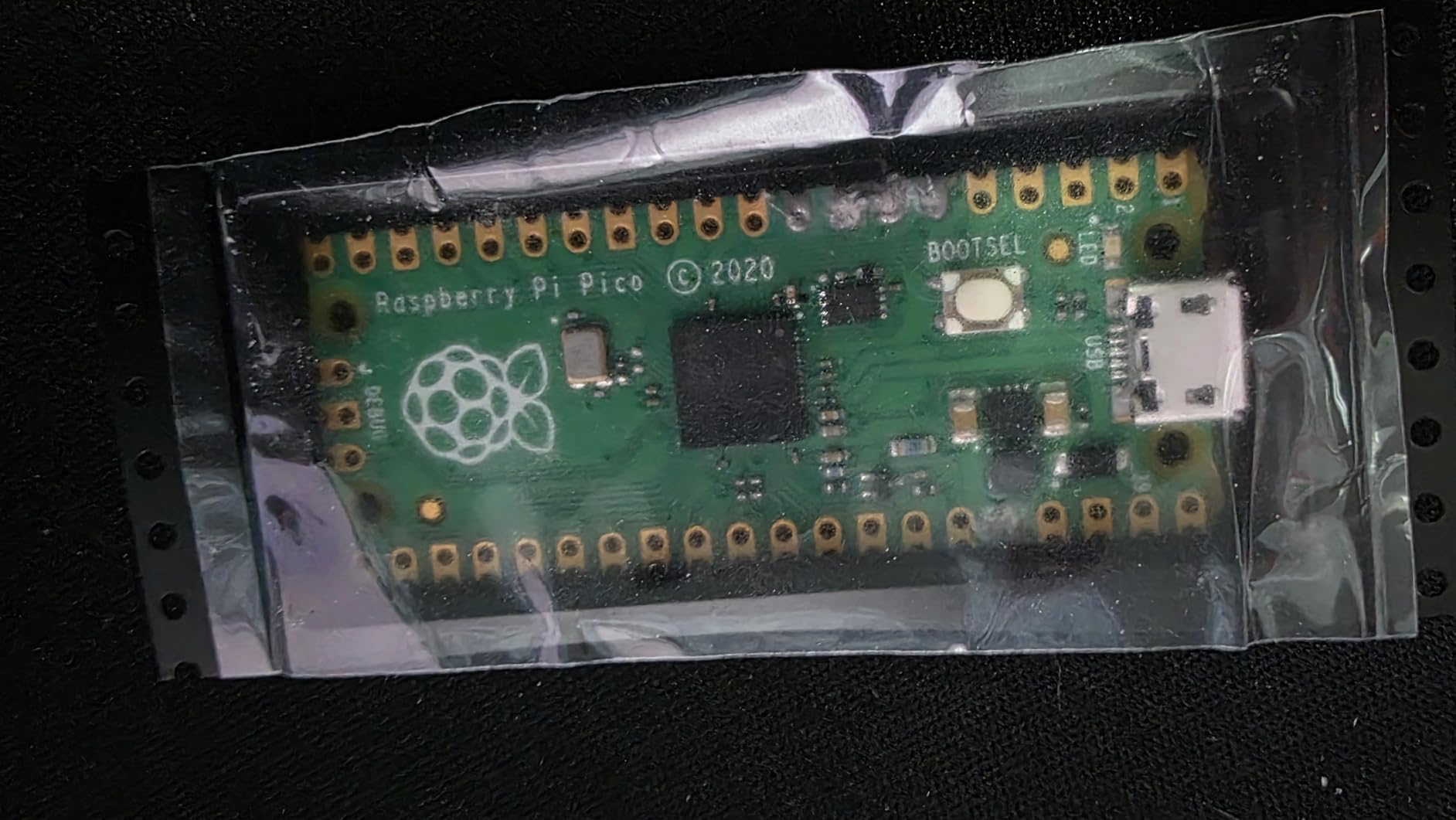
The Raspberry Pi Pico is the most fun I have had with a microcontroller in years. The RP2040 chip inside is a dual-core ARM Cortex-M0+ running up to 133 MHz, with 264 KB of SRAM and 2 MB of on-board flash. The headline feature is Programmable I/O (PIO) — a set of small, deterministic state machines that let you emulate any digital protocol in software, from WS2812 LEDs to DVI video.
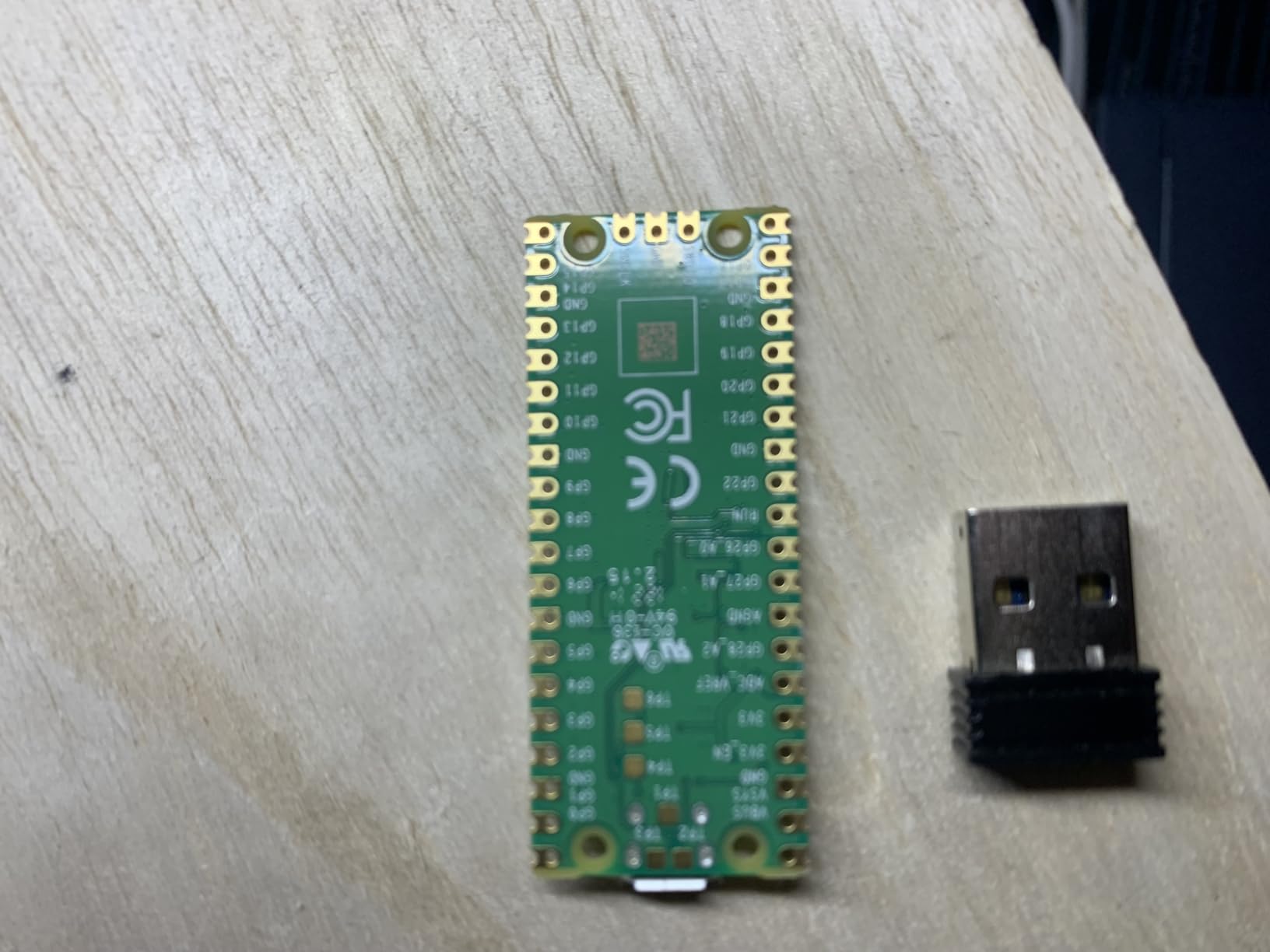
For learning embedded systems, the Pico is a joy. MicroPython boots in seconds, the documentation is exemplary, and you can inspect every register from a REPL. The castellated module means you can solder the Pico directly to a carrier board for a final product without an extra header layer. 26 GPIO pins are more than enough for most sensor projects, and the dual-core architecture lets you run a Wi-Fi stack on one core while keeping the other deterministic.
This particular SKU does not include wireless — you need the Pico W for Wi-Fi and Bluetooth — and the board ships without headers, so plan to solder or buy a header kit. ADC readings on the RP2040 can also show non-linearity near the rails, a common gotcha that a simple averaging filter solves.
For Whom It’s Good
Beginners learning MicroPython, makers building LED art installations, and engineers who need custom protocol emulation will love PIO. The Pico is also an outstanding teaching board because the official Raspberry Pi documentation is some of the clearest in the industry.
For Whom It’s Bad
If you need wireless on the board itself, you want the Pico W or move to the ESP32. For heavy-duty real-time motor control, the 133 MHz Cortex-M0+ is fine but lacks the DSP extensions of a Cortex-M4 or M7.
8. Arduino Nano ESP32 — Compact Wi-Fi Board in the Nano Form Factor
Arduino Nano ESP32 with Headers [ABX00083] – ESP32-S3, USB-C, Wi-Fi, Bluetooth, HID Support, MicroPython Compatible for IoT & Embedded Projects
- ESP32-S3 dual-core 240 MHz
- Wi-Fi + Bluetooth 5.0
- USB-C native
- HID support
- MicroPython ready
- Compact Nano footprint
- Some sketches need ESP32-S3 tweaks
- Analog inputs may need filtering
The Arduino Nano ESP32 is the board I recommend when someone needs Wi-Fi but only has room for a Nano. It packs an ESP32-S3 dual-core Xtensa LX7 running at 240 MHz, with 16 MB of flash, 512 KB of SRAM, Wi-Fi 4, and Bluetooth 5.0 — all in the familiar Nano footprint with headers already soldered.
![Arduino Nano ESP32 with Headers [ABX00083] - ESP32-S3, USB-C, Wi-Fi, Bluetooth, HID Support, MicroPython Compatible for IoT & Embedded Projects customer photo 1](https://www.smashingrobotics.com/wp-content/uploads/2026/09/B0C947BHK5_customer_1.jpg)
The ESP32-S3 brings vector instructions for accelerating on-device AI inference, which is becoming useful for keyword spotting, vibration analysis, and simple vision tasks on a microcontroller. USB-C replaces the older Mini-B jack, and HID support means the board can act as a USB keyboard or mouse for custom input devices. MicroPython works out of the box, which makes it a strong choice for rapid prototyping.
The two practical caveats: some classic Arduino sketches need small adjustments because of the ESP32-S3’s GPIO map, and the analog inputs behave like other Nano boards — accurate but not magical. A simple RC filter on the input cleans up most noise issues.
For Whom It’s Good
Wearables, compact IoT devices, custom keyboards, and rapid MicroPython prototyping benefit from the small footprint and built-in wireless. The pre-soldered headers also make it breadboard-friendly in a way bare ESP32 modules are not.
For Whom It’s Bad
If you need a long pin breakout, the Nano’s footprint is restrictive compared to a full-size Uno or Mega. For industrial projects that need many 5V-tolerant pins, the 3.3V logic of the ESP32-S3 is also a constraint.
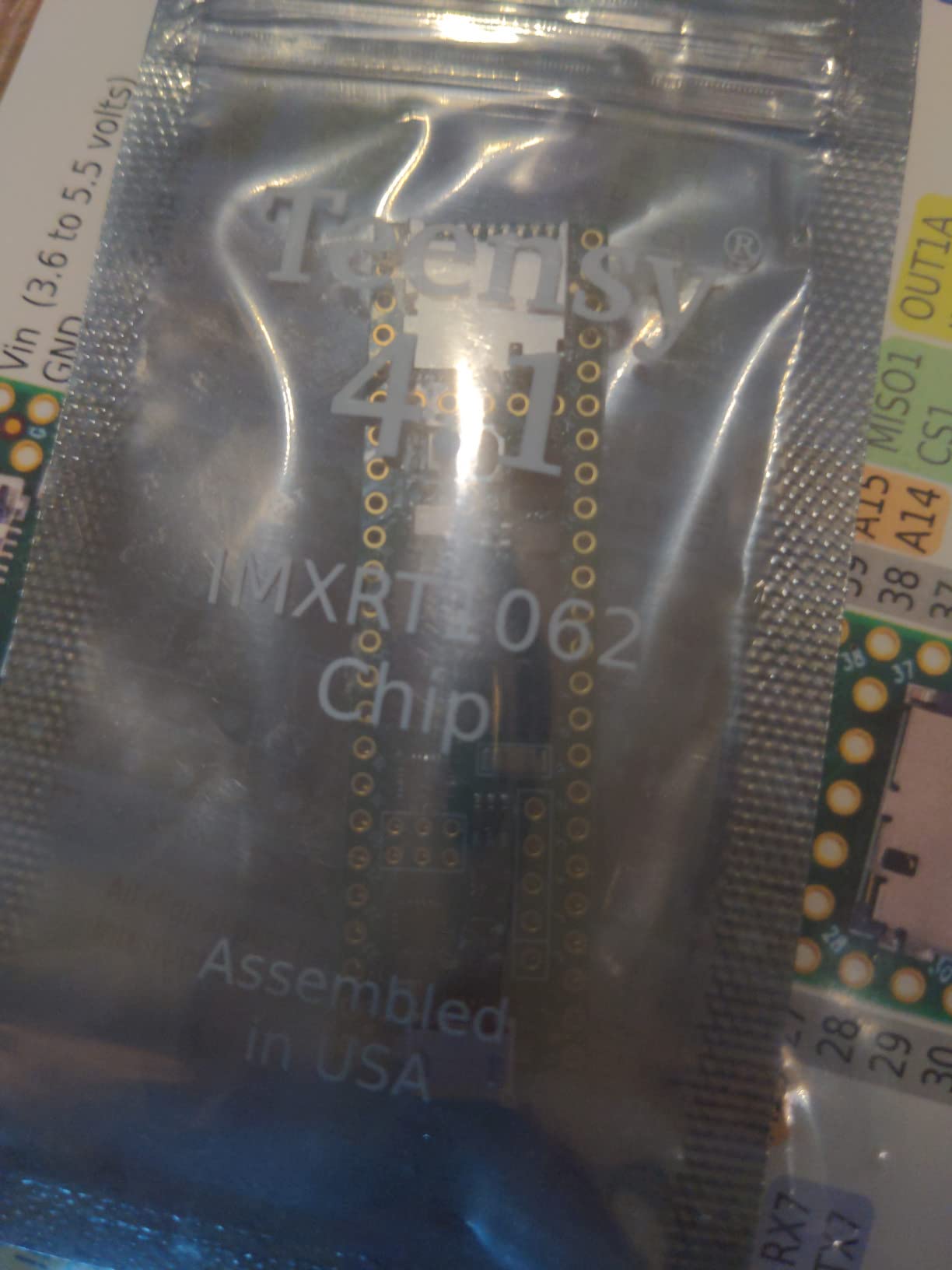
9. Teensy 4.1 — Best for High-Speed DSP and Audio Projects
- ARM Cortex-M7 at 600 MHz
- Pre-soldered pins
- Ethernet PHY onboard
- SD card socket
- USB host port
- Premium price point
- Teensy-specific toolchain
The Teensy 4.1 is what I reach for when a microcontroller needs to feel like a small computer. The ARM Cortex-M7 runs at 600 MHz with hardware floating point and DSP instructions, paired with 1 MB of RAM and 8 MB of flash. For audio synthesis, real-time effects, and high-bandwidth signal processing, nothing else on this list comes close.
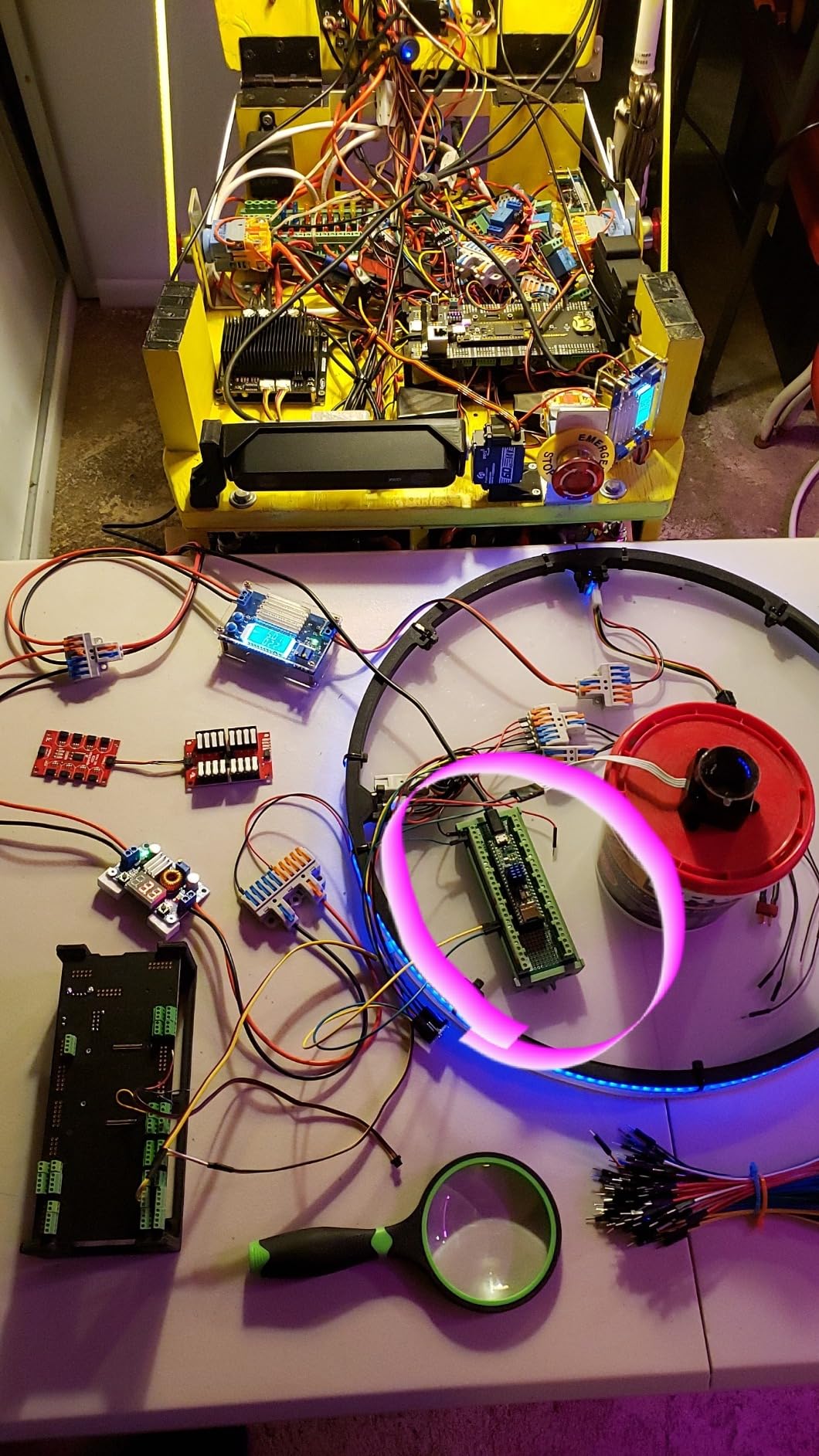
The I/O is equally serious. The Teensy 4.1 includes an Ethernet PHY, an SD card socket, a USB host port, and 55 GPIO lines. You can drive a custom audio interface, log high-rate sensor data to SD, and serve a web page over Ethernet — all from one board. Pre-soldered headers make breadboard integration painless out of the box.
Two trade-offs to weigh. The price is significantly higher than the Uno or ESP32 family, and the Teensy toolchain (Teensyduino on top of Arduino IDE, or PlatformIO) has its own learning curve. For projects that do not need Cortex-M7 performance, it is overkill.
For Whom It’s Good
Audio engineers, music instrument builders, robotics researchers running real-time control loops, and anyone processing high-rate sensor streams benefit from the Teensy’s raw headroom. The Ethernet and SD peripherals make it a capable standalone data logger.
For Whom It’s Bad
If your project is a simple sensor logger or a beginner LED blink, the Teensy 4.1 is the wrong tool. For pure IoT projects, the lack of built-in wireless means adding an ESP32 as a radio co-processor, which complicates the BOM.
10. Arduino Micro — Best for Compact HID and Wearable Builds
- Native USB HID
- Compact breadboard-friendly size
- 20 digital I/O
- Pre-soldered headers
- Full IDE support
- Limited flash and RAM
- USB cable not included
The Arduino Micro is the board that turns any project into a USB keyboard, mouse, or MIDI device. It uses the ATmega32U4 chip, which talks natively to USB without a separate interface chip. For custom shortcut keypads, macro pads, MIDI controllers, and wearable input devices, the Micro is still the easiest path to a HID-capable board.
The 1.8-inch by 0.7-inch form factor is genuinely tiny, and the pre-soldered headers mean it drops straight onto a breadboard. 20 digital I/O pins (seven PWM-capable) and 12 analog inputs cover most compact sensor projects, and the full Arduino IDE ecosystem is available. I have used the Micro to build MIDI foot controllers and accessibility input devices where every millimeter of board space mattered.
The honest limitation is memory. 32 KB of flash and 2.5 KB of SRAM fill up quickly if you start pulling in heavy libraries, so heavy graphics or network stacks are not realistic. The Micro also ships without a USB cable, which is the most common reviewer complaint.
For Whom It’s Good
Makers building custom keyboards, MIDI controllers, accessibility devices, and compact wearables get native USB HID in a tiny footprint. The pre-soldered headers make integration painless for one-off prototypes and short-run production alike.
For Whom It’s Bad
For anything network-connected, multi-sensor rich, or memory-hungry, the Micro runs out of headroom fast. Move to the ESP32 or Teensy families for those projects. If you only need Uno-like capability in a smaller package and HID does not matter, the Nano Every is a more economical pick.
Buying Guide: How to Choose the Best Microcontroller Board for Your Project?
The best microcontroller board is the one that matches your project, your skill level, and the supply chain you can rely on. Rather than chase the most powerful silicon, start with the constraints: how many sensors and actuators do you actually need to wire, does your project require wireless, and how long will it need to run on batteries? Those three questions narrow the field faster than any benchmark sheet.
For first-time builders, the Arduino Uno REV3 or ELEGOO UNO R3 are the safest starting points. The library ecosystem, the tutorials, and the shield compatibility mean you spend time learning concepts rather than fighting a toolchain. Once you understand GPIO, ADC, PWM, and serial communication, the migration to an ESP32 or STM32 is a much smaller leap than skipping straight to a 32-bit board.
For IoT projects, the ESP32 family is the obvious default. The HiLetgo ESP32 dev board is the cheapest way to learn, the Arduino Nano ESP32 gives you a compact Nano footprint with modern USB-C, and the Arduino UNO R4 WiFi adds shield compatibility on top. If your smart-home project will eventually speak Matter or Thread, an ESP32-C6 or Nordic nRF52840 board is worth considering once you have the basics down.
For robotics, the priority is I/O count and real-time control. The ELEGOO Mega 2560 R3 covers most hobby robotics projects with 54 digital I/O and four hardware UARTs, while the Teensy 4.1 delivers Cortex-M7 performance for advanced motion control and high-rate sensor fusion. For motor control with strict timing, an STM32 Nucleo is also worth a look — our robot microcontroller guide walks through how to size your I/O budget and pick a real-time MCU.
For battery-powered sensor nodes, deep-sleep current matters more than peak performance. The Raspberry Pi Pico and ESP32 family both support deep sleep in the microamp range, but the Pico tends to win on simple MicroPython wake-up logic. The Adafruit Feather ecosystem also offers LiPo charging built in, which simplifies wearable and remote-sensor hardware significantly.
For industrial or commercial use, prioritize supply stability, documentation, and security features. Genuine Arduino boards, STM32 Nucleo, and Raspberry Pi Pico all come with long-term availability commitments. If your product needs secure boot, encrypted firmware, or certification help, STM32 and Nordic nRF parts are stronger starting points than open dev boards.
One last pitfall to avoid: voltage mismatch. Arduino Uno and Mega run at 5V logic, while ESP32, RP2040, and STM32 run at 3.3V. Mixing them without a logic-level shifter is the single most common way to destroy a sensor module on day one. The same rule applies to analog readings — ESP32 and RP2040 ADCs both show non-linearity near the supply rails, so a simple filter or averaging routine usually fixes what looks like a sensor bug.
Frequently Asked Questions
Is STM32 better than Arduino?
STM32 boards offer more processing power, more peripherals, and better long-term supply than classic Arduino Uno, but the learning curve is steeper. For most beginner and hobby projects, Arduino wins on simplicity and ecosystem depth. For commercial, real-time, or low-power industrial work, STM32 is generally the stronger choice once you learn the HAL and CubeMX toolchain.
What are the top 5 most popular microcontrollers?
Based on community size, ecosystem depth, and project volume, the top 5 most popular microcontrollers in 2026 are Arduino (Uno R4 and Nano families), ESP32 (DevKit and S3 variants), STM32 (Nucleo and Discovery boards), Raspberry Pi RP2040 (Pico and Pico W), and Teensy (4.0 and 4.1). These five families cover the vast majority of beginner, IoT, robotics, and DSP projects.
Which microcontroller should I start with as a beginner?
Start with the Arduino Uno REV3 or the ELEGOO UNO R3. Both use the ATmega328P and the same Arduino IDE, which has the deepest library ecosystem and the most beginner tutorials of any microcontroller platform. Once you are comfortable with GPIO, ADC, PWM, and I2C, moving up to an ESP32 or STM32 is a natural next step.
Is ESP32 better than Arduino?
ESP32 is better than classic Arduino Uno for any project that needs Wi-Fi, Bluetooth, more RAM, or faster processing. ESP32 dual-core 240 MHz silicon also supports FreeRTOS multitasking and lightweight edge AI inference. For projects where simplicity, 5V-tolerant GPIO, or shield compatibility matter more than wireless, the Arduino Uno R4 WiFi gives you a balanced middle ground.
Which microcontroller is best for robotics projects?
For hobby robotics with many sensors and actuators, the ELEGOO Mega 2560 R3 is hard to beat thanks to 54 digital I/O and 4 hardware UARTs. For real-time motion control and high-rate sensor fusion, the Teensy 4.1 and STM32 Nucleo F4 series are stronger. For robotics projects that also need wireless telemetry, an ESP32-based board covers both motor control and radio on one chip.
Do I need to know coding before using a microcontroller board?
You do not need coding experience to start, but you should expect to learn as you go. The Arduino IDE, MicroPython, and CircuitPython are designed to make the first steps friendly, and there are thousands of beginner sketches you can flash unmodified. Within a few weekends, most beginners can read a sensor, drive a motor, and push data to a serial monitor without prior programming background.
Conclusion
The best microcontroller boards in 2026 still start with the Arduino Uno REV3 for most learners, but the right answer depends entirely on what you are building. The ESP32 family dominates IoT, the ELEGOO Mega 2560 R3 owns robotics I/O density, and the Teensy 4.1 is unmatched for DSP and audio. Pick the board that matches your project’s needs today, and your future self will thank you when it is time to scale.
For more on the fundamentals behind these boards, our microcontroller bootloader guide explains how your code actually reaches the chip, and our interrupt handling article covers the real-time concepts that make robotics work.