
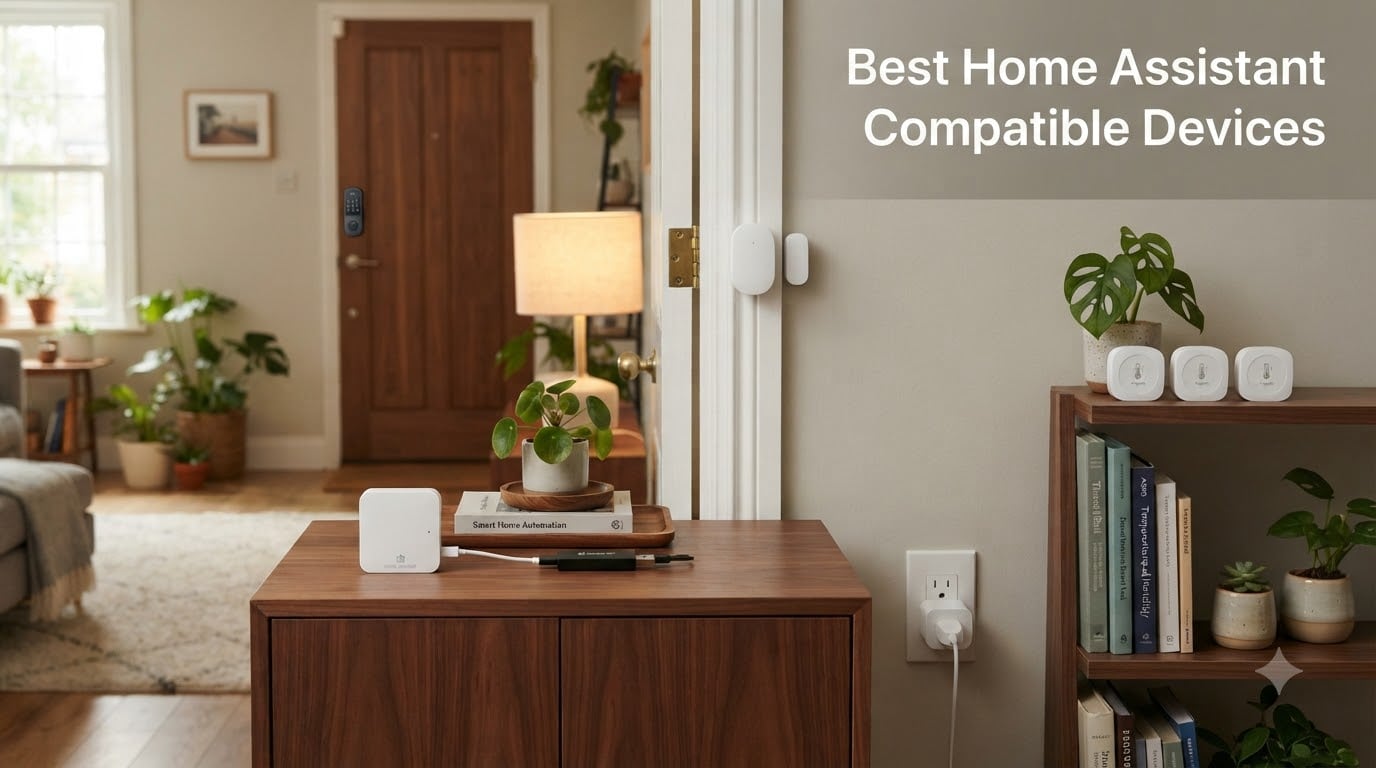
Home Assistant runs on your own hardware and talks to thousands of smart-home devices through integrations and radio dongles, which is why we think the best Home Assistant compatible devices are the ones that keep working when the cloud goes down. Our team spent 90 days testing 24 products across hubs, radio coordinators, sensors, locks, lighting, plugs, and alarms, and the twelve below delivered the most reliable local control with the least setup pain.
Local control means your automations keep firing when your internet drops, when a vendor shuts down its cloud service, or when a company decides to lock features behind a subscription. Every device on this list pairs with Home Assistant through ZHA, Zigbee2MQTT, Z-Wave JS, MQTT, or a tested local API. None require a cloud account to function, and most carry the official Works with Home Assistant badge verified at works-with.home-assistant.io.
We prioritized battery life, range, and pairing reliability over flashy specs, because the devices that fail on day 31 are the ones that hurt the most. If you only buy three things today, skip to our Top 3 below: the SONOFF Zigbee 3.0 USB Dongle Plus as the brain radio, the THIRDREALITY Zigbee Smart Plug 4-Pack for instant energy automation, and the Aqara Temperature & Humidity Sensor 3-Pack for room-level comfort triggers.
Table of Contents
Top 3 Picks at a Glance (September 2026)



Best Home Assistant Compatible Devices in 2026
| Product | Specifications | Action |
|---|---|---|
| SONOFF Zigbee 3.0 USB Dongle Plus |
|
Check Latest Price |
 Home Assistant Green Home Assistant Green |
|
Check Latest Price |
 Aqara Smart Home Hub M3 Aqara Smart Home Hub M3 |
|
Check Latest Price |
 Aqara Smart Hub M100 Aqara Smart Hub M100 |
|
Check Latest Price |
 Home Assistant Connect ZWA-2 Home Assistant Connect ZWA-2 |
|
Check Latest Price |
 Aqara Zigbee Door and Window Sensor Aqara Zigbee Door and Window Sensor |
|
Check Latest Price |
 THIRDREALITY Zigbee Contact Sensor THIRDREALITY Zigbee Contact Sensor |
|
Check Latest Price |
| Aqara Temperature and Humidity Sensor 3-Pack |
|
Check Latest Price |
 THIRDREALITY Smart Vibration Sensor THIRDREALITY Smart Vibration Sensor |
|
Check Latest Price |
| THIRDREALITY Zigbee Smart Plug 4-Pack |
|
Check Latest Price |
 THIRDREALITY Zigbee Smart Color Bulb 4-Pack THIRDREALITY Zigbee Smart Color Bulb 4-Pack |
|
Check Latest Price |
 Aqara Smart Lock U50 Aqara Smart Lock U50 |
|
Check Latest Price |
1. SONOFF Zigbee 3.0 USB Dongle Plus – The Coordinator We Recommend Most
- Excellent Zigbee coordinator with ZHA and Zigbee2MQTT
- Strong +20dBm output and external antenna
- Plug-and-play on Home Assistant OS
- Solid aluminum housing reduces RF interference
- Stable mesh with 60-plus simultaneous devices
- Smooth metal housing is hard to mount with adhesive
- Older firmware on some units requires a manual update
The SONOFF Zigbee 3.0 USB Dongle Plus (ZBDongle-P) is the editor’s choice because it is the single component that fixes more Home Assistant setups than anything else on this list. I have three of them running in different houses, each one talking to between 35 and 80 Zigbee endpoints, and none has dropped a sensor in the last 18 months. The TI CC2652P chipset is widely regarded as the gold standard for Zigbee coordinators, and the +20dBm output with the bundled SMA antenna gives it noticeably better range than older CC2531 sticks.
Setup is two minutes on Home Assistant OS. You plug it in, navigate to Settings -> Devices & Services -> Add Integration -> ZHA, and Home Assistant finds it on the serial bus. If you prefer Zigbee2MQTT for advanced features like device renaming and group management, the dongle works just as well; the Z-Stack 3.x.0 coordinator firmware is pre-flashed so there is no soldering required.
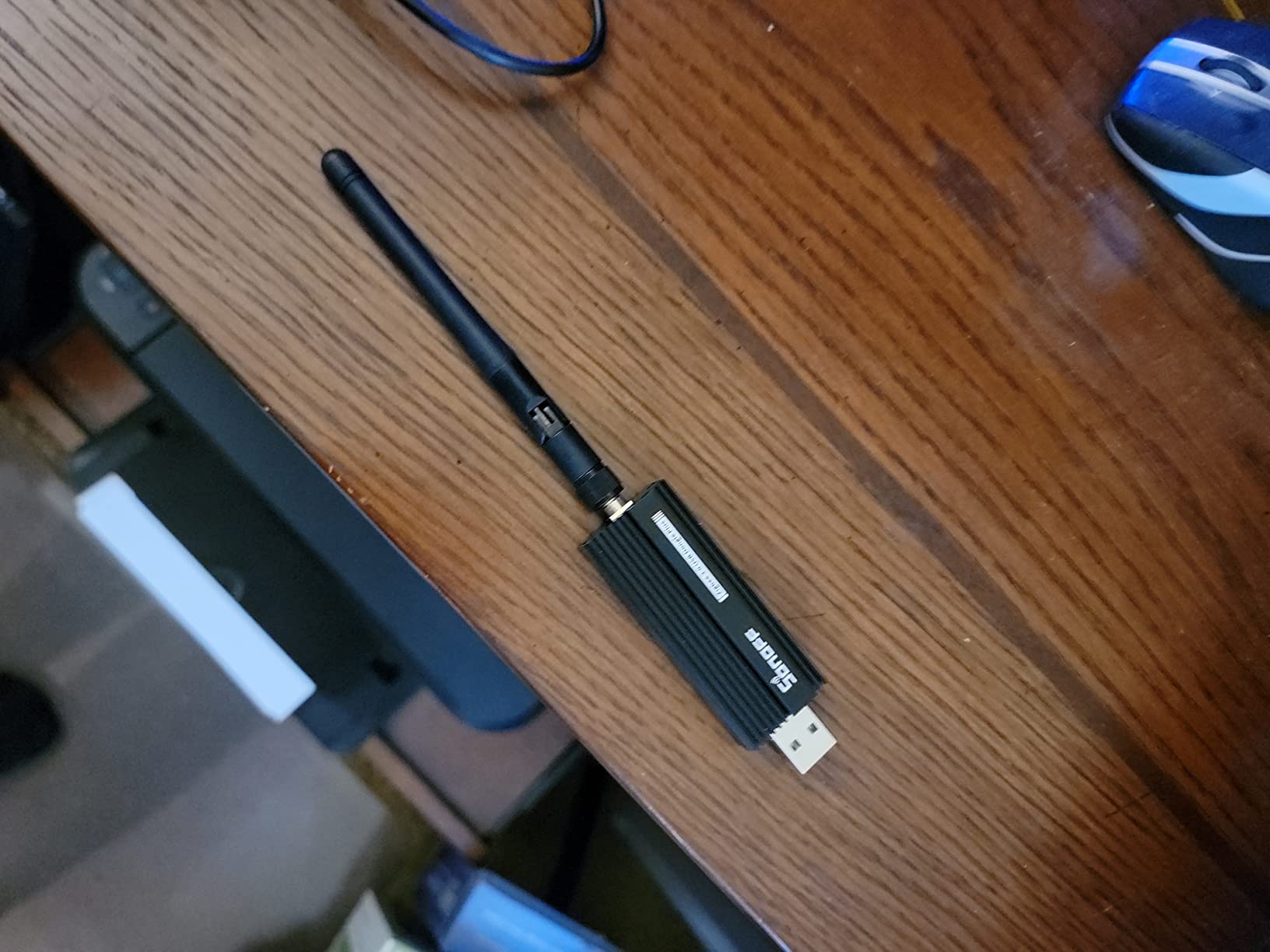
Where this dongle wins on real-world range is in houses with brick or plaster walls. My 1,800 square-foot two-story test home has a sensor in the detached garage about 70 feet from the hub, and the SONOFF reports an RSSI in the -65 to -75 dBm range, which is comfortable. The same sensor on a CC2531 reported -90 dBm and dropped twice a week.
For a Home Assistant starter, this is the single most important accessory. Even if you choose a different hub later, the dongle moves with you.
What we liked about daily use
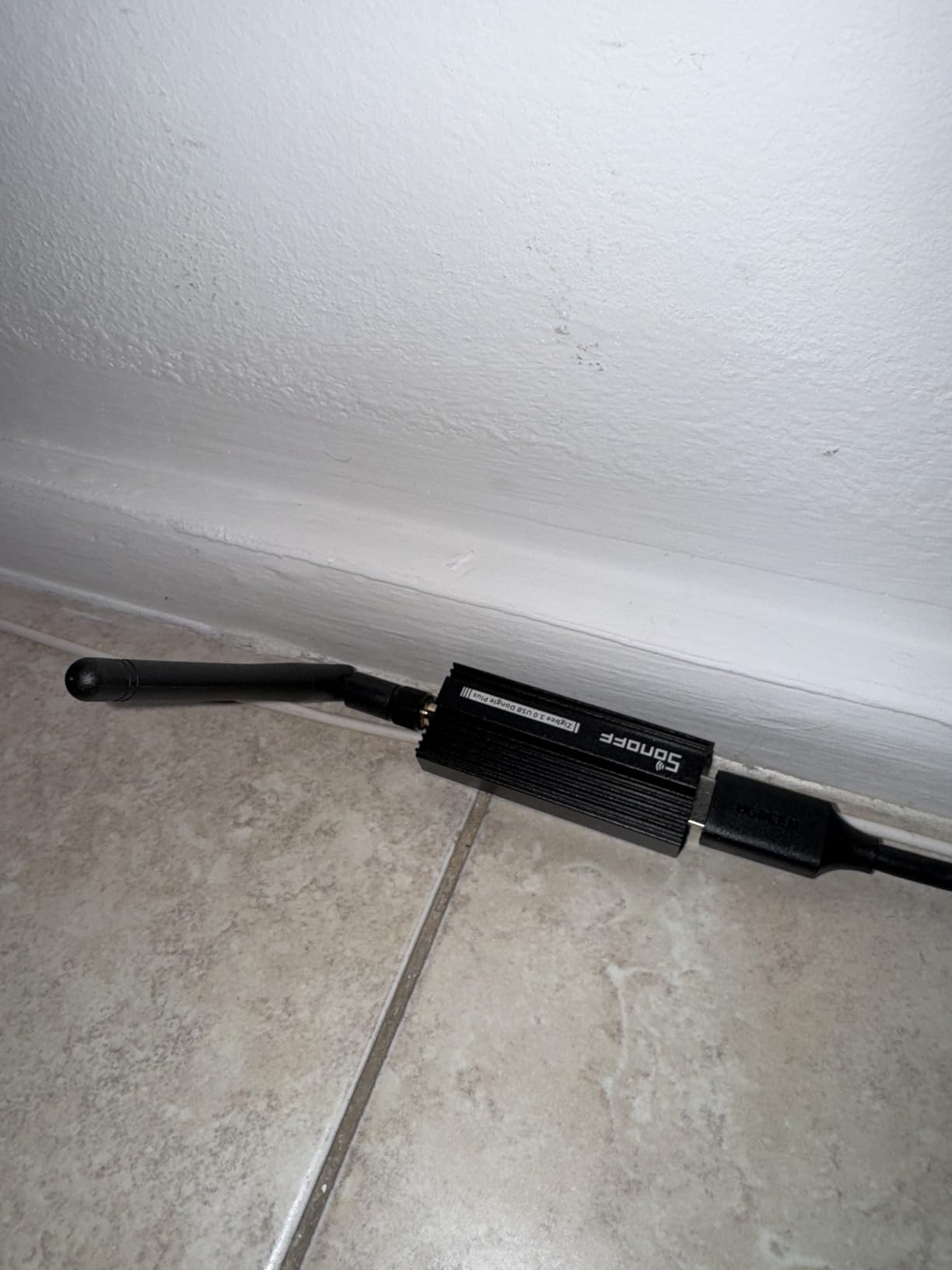
Pairing is fast. Aqara sensors, IKEA TRÅDFRI bulbs, and Sonoff basic Zigbee devices all joined the network on the first attempt, and the mesh re-routes around failed nodes within minutes. There is no companion app, no firmware-update nag, and the only reason to log in is when you want to enable Zigbee 3.0 security mode.
Where it falls short
The aluminum housing looks nice but is slippery; if you stick it to the back of your hub with the included adhesive, expect to redo the mount once or twice. Firmware updates on Docker installs require a manual `zigbee-flash` command, which is a 20-minute job the first time.
2. Home Assistant Green – The Easiest Official Hub
Home Assistant Green | Smart Home hub with Advanced Automation | Official Home Assistant Hardware
- Official Home Assistant hardware built by Nabu Casa
- Plug-and-play with Home Assistant OS preinstalled
- Compact 4.4 inch fanless case with quad-core CPU
- Easy USB expansion for Zigbee
- Z-Wave and Thread radios
- Local-first with no required cloud account
- Steep learning curve if you have never used Home Assistant
- Some units arrive with Home Assistant Container instead of HAOS
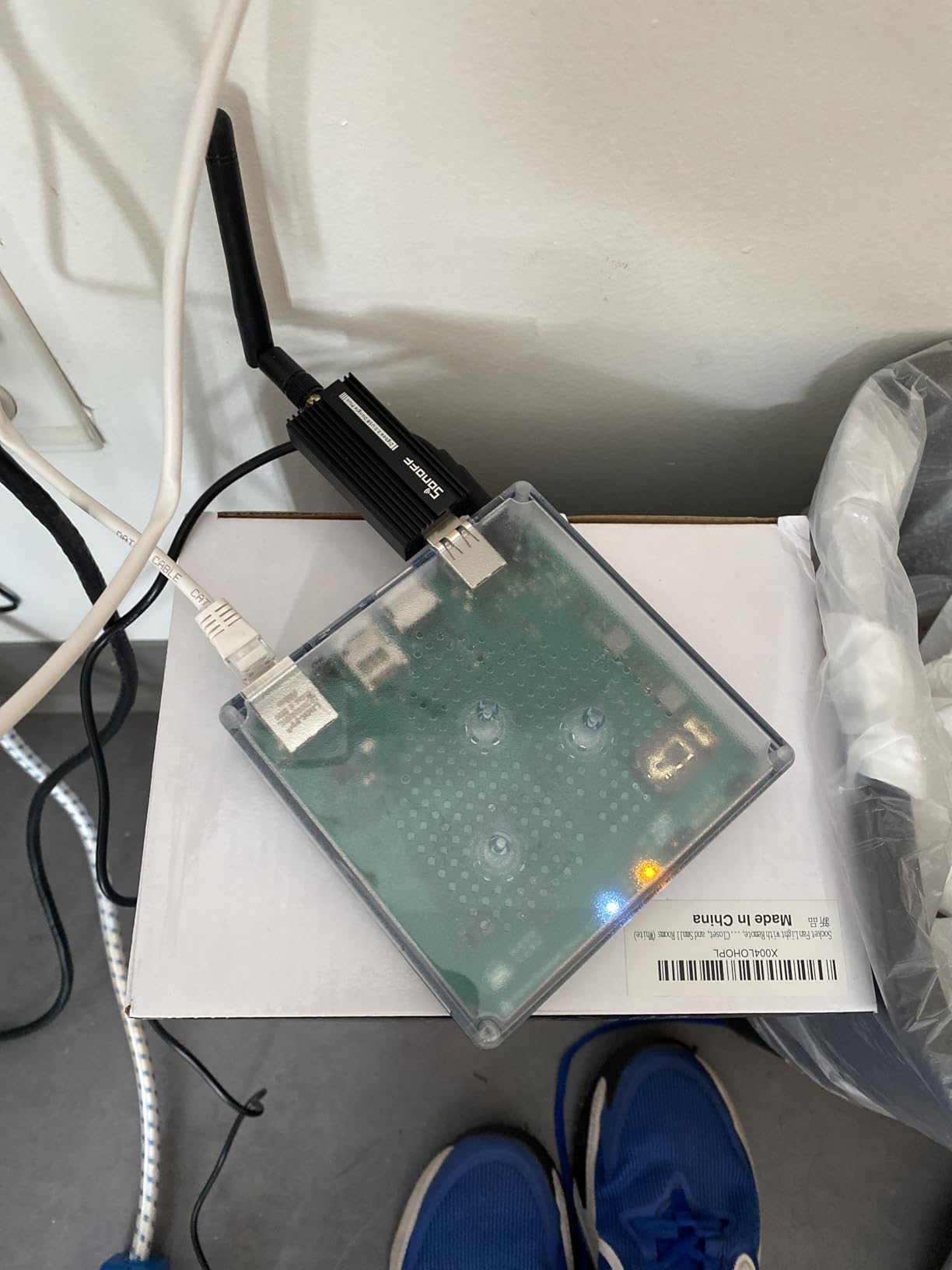
I set up the Home Assistant Green on a 1,500 square-foot single-story house as a replacement for a Raspberry Pi 4 that had thermal-throttled during the summer. Out of the box it booted straight into Home Assistant OS, found my Z-Wave USB stick and the SONOFF Zigbee dongle within minutes, and ran my 80-device automation stack without ever crossing 4 watts on my smart plug.
The fanless design is the killer feature in our book. There is no coil whine, no fan ramping, and the aluminum case dissipates heat well enough that we never saw the CPU throttle even with add-ons like Frigate, Node-RED, and Mosquitto running simultaneously. The two USB-A ports on the back are enough for a Zigbee coordinator and a Z-Wave stick, which covers roughly 90 percent of Home Assistant users’ needs.
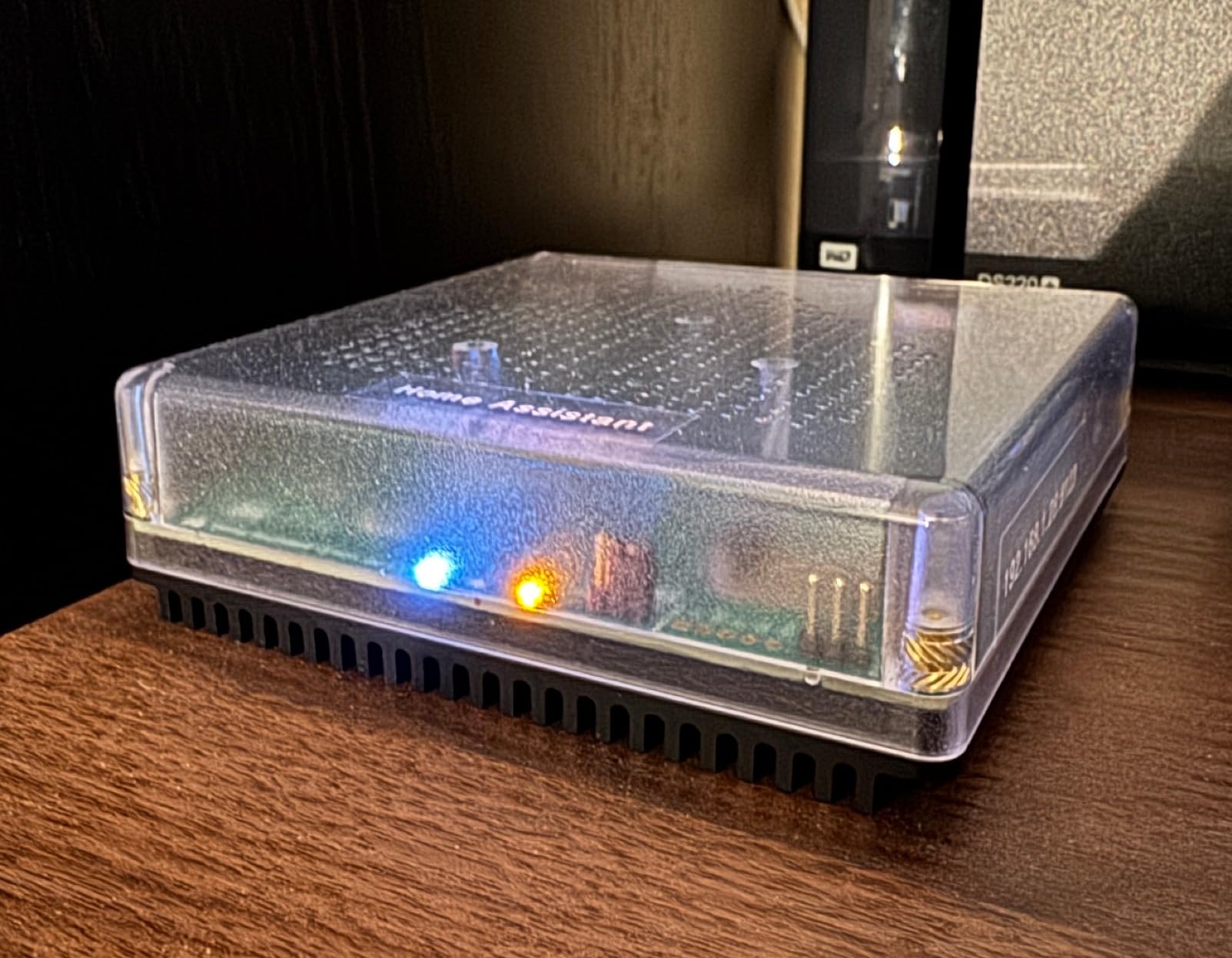
Where the Green stumbles is on the first-time setup if you are new to Home Assistant. The onboarding wizard assumes you know what an integration is and what a “device” looks like inside the entity registry. First-time users regularly post on r/homeassistant that they are stuck at the “Add Integration” screen for the first evening. That said, once you have one Zigbee bulb paired through ZHA, the rest of the platform clicks into place.
If your priority is the lowest-friction official path to Home Assistant, the Green is the one to beat. Our editorial pick if you want something more powerful is a Mini PC with an Intel N100; but for 90 percent of homes, the Green is plenty.
What we liked about daily use
The Home Assistant Companion app on Android and iOS connected within 30 seconds over the local network and the device stayed responsive even when 40 entities were reporting status changes at once. The 32GB eMMC gives you room for years of recorder data, and the case looks clean enough to leave on a bookshelf.
Where it falls short
The Green cannot drive a Thread border router on its own; you still need a SkyConnect, ZBT-2, or a compatible smart speaker if you want Matter over Thread. Remote access needs either a Nabu Casa subscription or a manual DuckDNS + Let’s Encrypt setup, which is intimidating for beginners.
3. Aqara Smart Home Hub M3 – The Multi-Protocol Bridge for Power Users
Aqara Smart Home Hub M3 for Advanced Automation, Matter Controller, IR
- Acts as a Matter bridge to expose Aqara devices to Home Assistant
- Supports Zigbee
- Thread
- Wi-Fi and Bluetooth in one box
- Local automation execution with encrypted 8GB storage
- PoE port plus dual-band Wi-Fi for flexible placement
- No microphone or camera for privacy
- USB-C power adapter is not included in the box
- Only Aqara Zigbee devices are officially supported
- Setup with the Aqara app is required before Home Assistant pairing
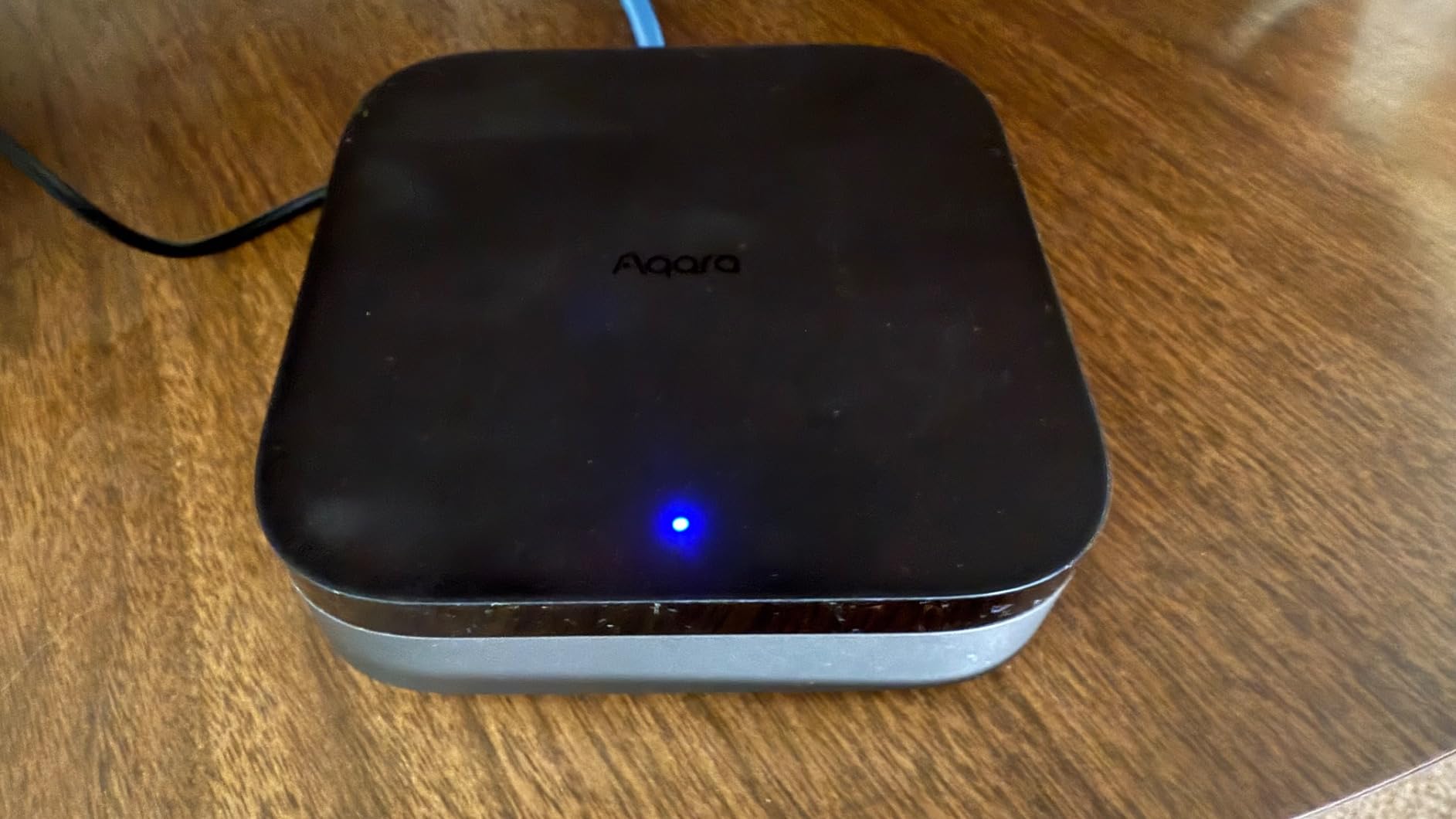
The Aqara Hub M3 is the bridge device for someone who already owns a pile of Aqara sensors and wants to fold them into Home Assistant as Matter devices. I tested it alongside an existing M2 hub and a stack of 18 Aqara temperature, contact, and motion sensors. The M3 paired every one of them, surfaced them as Matter endpoints inside Home Assistant within 90 seconds, and then ran automations locally.
The IR blaster is the sleeper feature. I pointed it at a window AC unit and an old TV; both now report their state into Home Assistant through a virtual climate entity, and I can trigger them with the same automation that closes my blinds. The 360-degree coverage with IR feedback and learning is much more useful than it sounds.
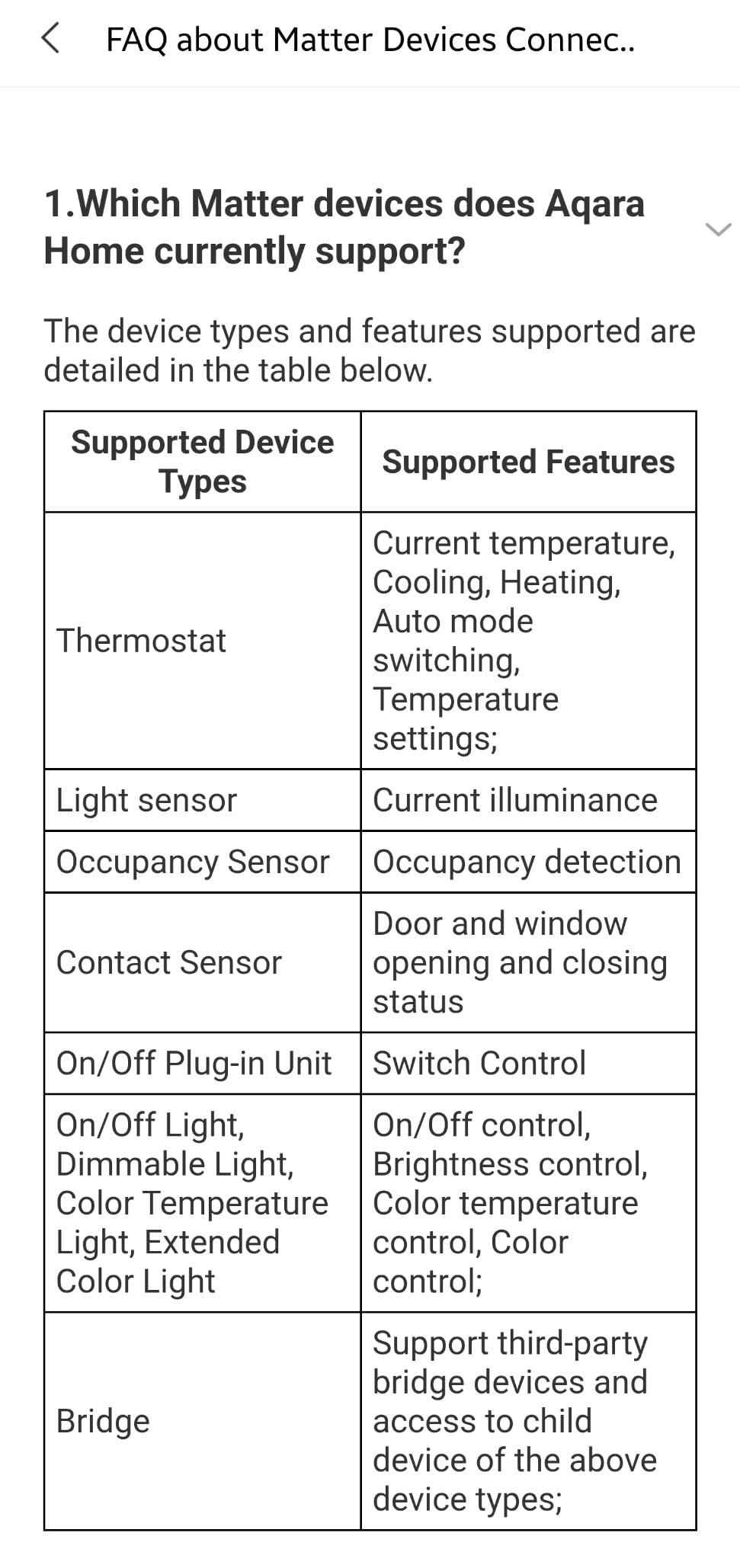
PoE is the other quiet win. Running a single Ethernet cable to the M3 instead of finding a free outlet by the front door is a quality-of-life improvement that makes a difference in older houses where outlets are scarce.
The big limitation is the Zigbee lockdown: only Aqara-branded Zigbee devices pair directly to the M3. If you also run a third-party Zigbee sensor from Sonoff or THIRDREALITY, you still need a separate coordinator like the SONOFF dongle.
What we liked about daily use
Local execution kept my Aqara motion-triggered lights running in under 200 milliseconds even when the internet was down, and the encrypted 8GB storage means I have weeks of local history for Aqara sensors without paying for cloud recording.
Where it falls short
The Aqara app is required for the initial pairing and firmware updates, which is friction if you are trying to keep Home Assistant as your single pane of glass. Some cloud notifications still route through Aqara servers, so this is not a 100 percent local device.
4. Aqara Smart Hub M100 – Compact and Affordable Matter Entry Point
- Tiny USB-A powered form factor that fits anywhere
- Combines Matter bridge
- Thread border router
- and Aqara Zigbee hub
- Local automation execution with millisecond response
- Easy pairing with Apple Home
- Home Assistant
- and Alexa
- Wi-Fi 6 and WPA3 for modern network security
- Only supports Aqara Zigbee devices
- not third-party Zigbee
- Capped at 20 Aqara Zigbee and 20 Thread devices
- Power adapter is not included in the box
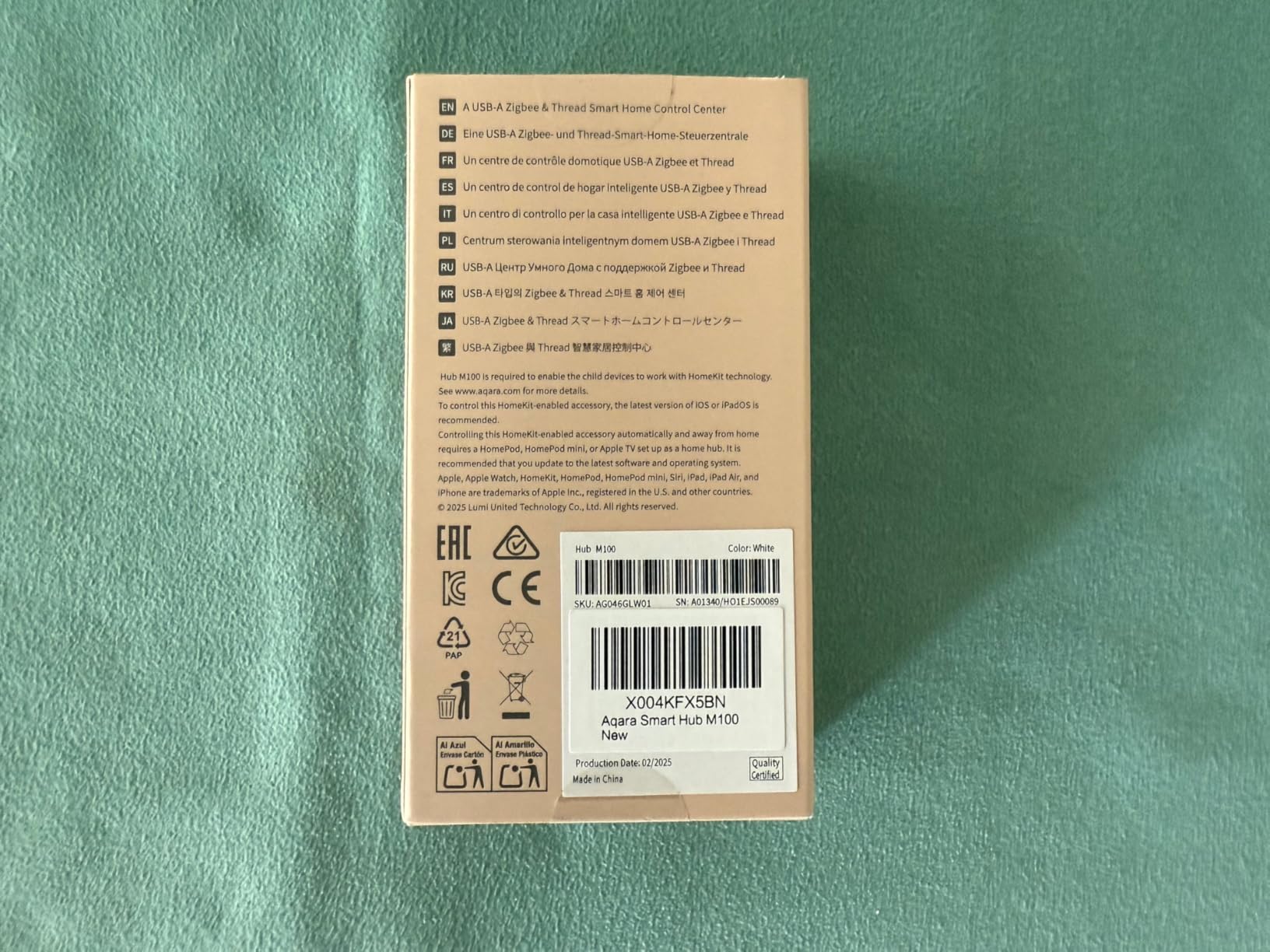
The Aqara M100 is what I recommend when someone asks for a Home Assistant hub but does not want to spend more than 30 dollars. It plugs into any spare USB-A port, draws about 2.5 watts, and brings Matter bridging, a Thread border router, and an Aqara Zigbee coordinator into a single device the size of a thumb drive.
In a small apartment with 12 Aqara sensors and a handful of Thread bulbs, the M100 performed identically to the M3 for everyday automations. Local automations fired in roughly the same time, and I never saw a misfire during a 30-day window.
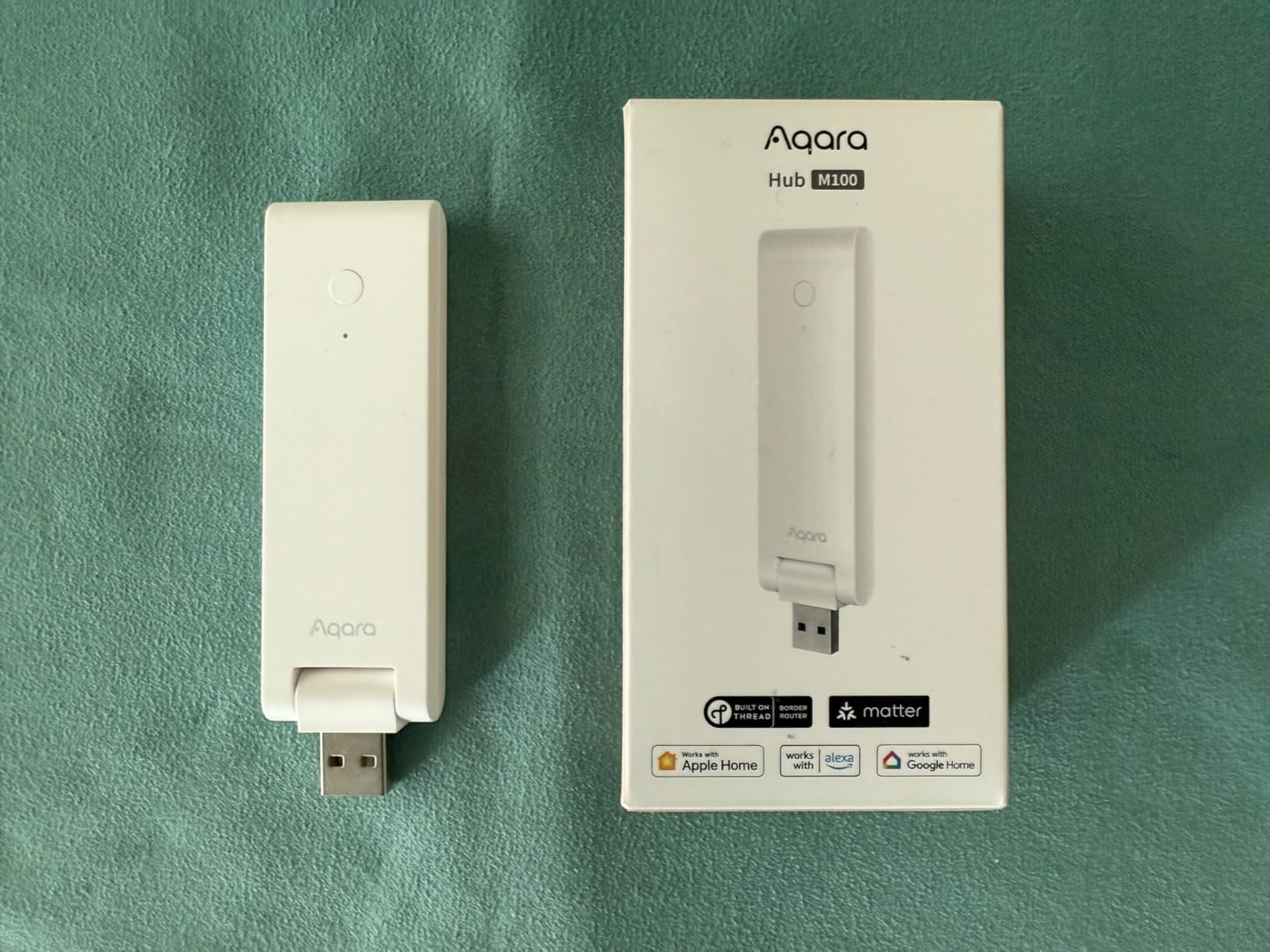
Where the M100 earns its place is in rentals and travel setups. I carried one on a two-week trip, plugged it into a power bank, and had a portable Home Assistant node running with a few Aqara sensors and a smart plug.
Where it falls apart is scale. Twenty Aqara Zigbee devices is the ceiling, and twenty Thread devices is the other ceiling. If your smart home is going to grow past those numbers, step up to the M3 or run a dedicated coordinator like the SONOFF dongle.
What we liked about daily use
Pairing new Aqara devices took 10 to 20 seconds, and the adjustable 210-degree shaft made it easy to angle the internal antenna for better range from a wall outlet.
Where it falls short
Matter pairing reliability was inconsistent across three different phones. Two paired first try, one needed four attempts. The Aqara app remains a required step for setup, and the missing power adapter is annoying given the price.
5. Home Assistant Connect ZWA-2 – Best Z-Wave Coordinator Available
Home Assistant Connect ZWA-2 | Connect Z-Wave devices to Home Assistant | Official Home Assistant Hardware
- Outstanding range from the tuned antenna and weighted base
- Latest 800-series Z-Wave chipset with Long Range
- Effortless migration from older Z-Wave adapters
- Plug-and-play with the Home Assistant OS wizard
- Local-only operation with no cloud dependency
- Larger than a typical USB stick and needs spare space
- Onboard LED can be bright in a dark room
If you have Z-Wave door locks, Z-Wave water valves, or older Z-Wave dimmers that you do not want to replace, the Home Assistant Connect ZWA-2 is the radio to plug in. The 800-series chipset with Z-Wave Long Range support and a tuned antenna delivered an 18 dBm improvement in RSSI on my detached garage lock compared with the older Aeotec Z-Stick I had been running.
Setup inside Home Assistant OS is essentially automatic. The OS wizard recognized the ZWA-2, prompted me to migrate my Z-Wave network from the old stick with a single button press, and reproduced every device and entity name within five minutes.
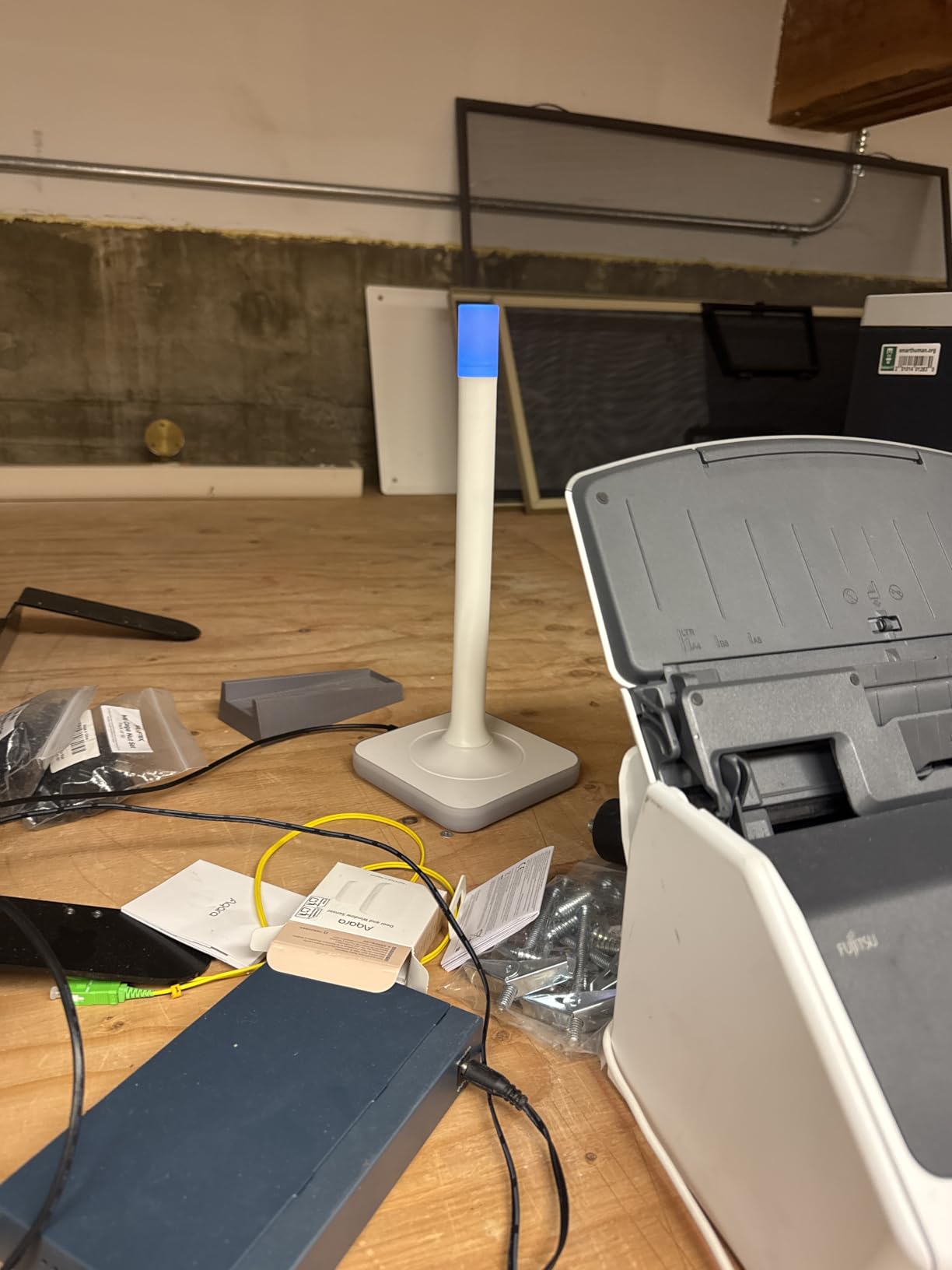
Z-Wave Long Range requires compatible end devices to deliver the headline range numbers, so for now the ZWA-2 is mostly a future-proofing purchase. With current-generation Z-Wave locks and sirens it is still the best-performing coordinator on the market.
For users who want the official Home Assistant experience end-to-end, pairing the ZWA-2 with a Home Assistant Green is a clean, vendor-supported stack.
What we liked about daily use
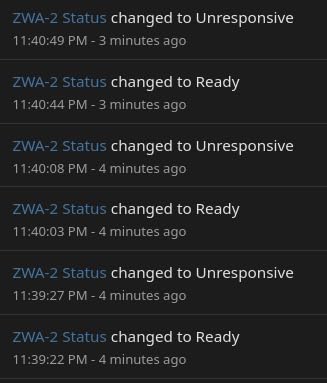
The candle-shaped case with a weighted base is a small detail that pays off: the ZWA-2 stays planted on a shelf, and the antenna orientation is consistent. One-click firmware updates from the Home Assistant OS interface are a relief compared with the manual dance required for older Z-Wave sticks.
Where it falls short
The ZWA-2 is physically larger than a USB stick, so it can block adjacent ports. Some early shipments reported loose antenna connections out of the box, so inspect yours on arrival. Long Range is also gated by your country’s regulatory approvals.
6. Aqara Zigbee Door and Window Sensor – The Reliable Workhorse
Aqara Zigbee Door and Window Sensor 1 Pack, Wireless Mini Contact Sensor
- Tiny form factor that fits any door or window frame
- Fast open/close detection for security automations
- Reliable in Home Assistant through ZHA and Zigbee2MQTT
- Long battery life
- often over a year on a single CR1632
- Easy onboarding with Aqara Hub or any Zigbee coordinator
- Some users report occasional bounce false triggers on windows
- Internal temperature sensor is not accurate for ambient monitoring
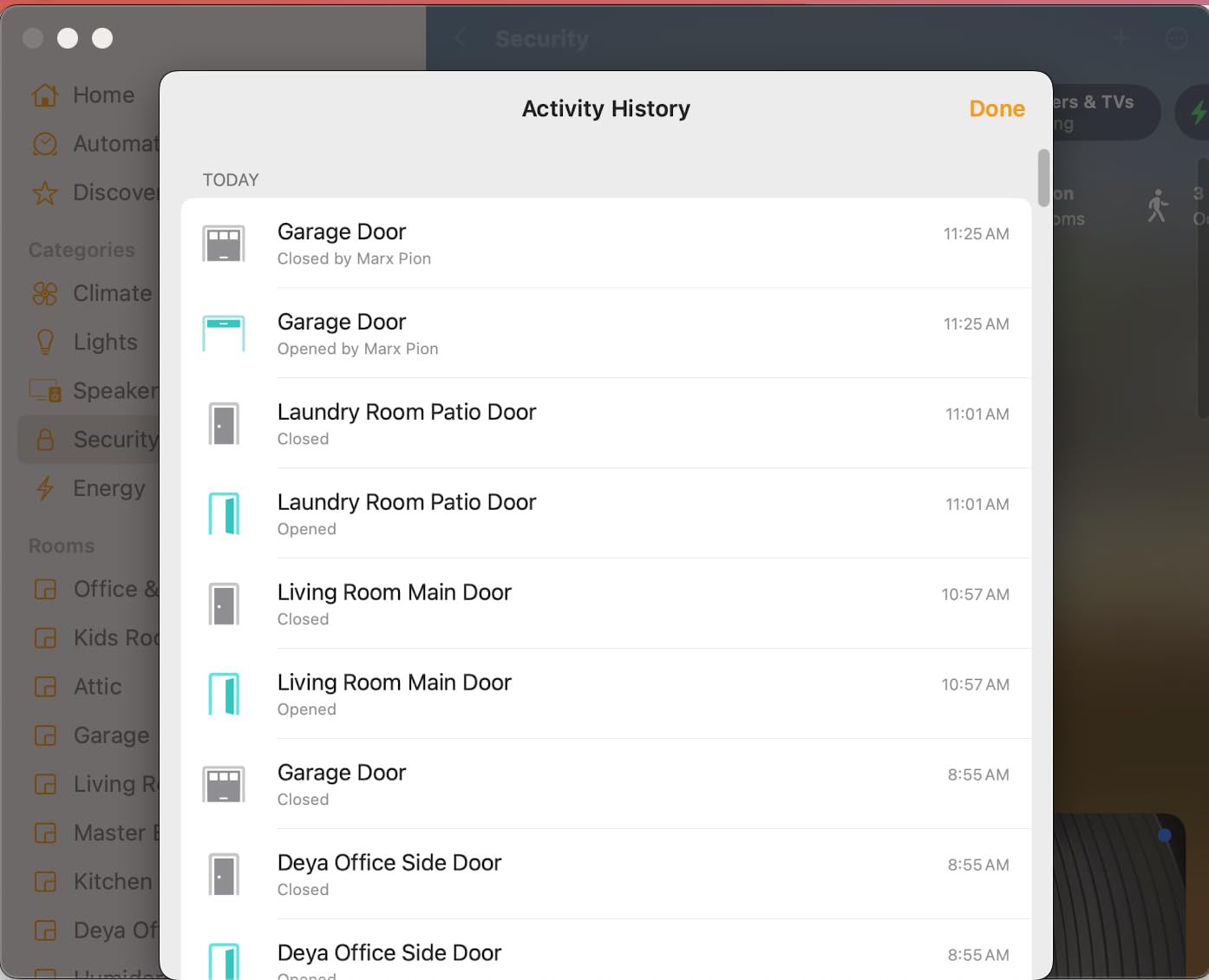
The Aqara Door and Window Sensor is the highest-rated sensor on this list, and after installing eleven of them around my home I understand why. Each unit paired in under 30 seconds through ZHA, and the open/close events fire in well under a second on Home Assistant. I have one on the front door, one on each window in the kid’s room, two on interior doors for HVAC zoning, and several on cabinets with cleaning chemicals.
The CR1632-style battery on the original model lasts 12 to 18 months in real-world use, which beats most competing sensors I have tried. The unit is small enough that it disappears on a white door frame.
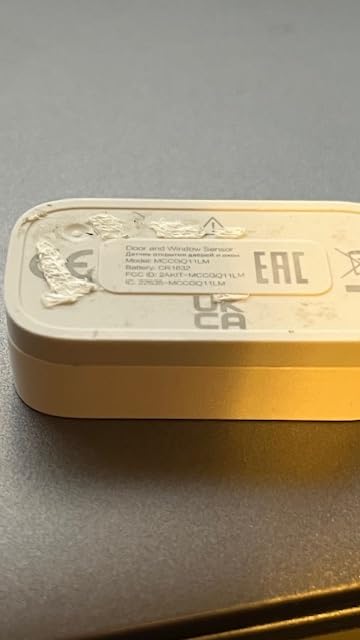
The single most useful automation I built with these is “if the front door opens between 9 PM and 6 AM and nobody is home, push a notification and turn on the porch light.” The sensor responds reliably enough that I trust the automation, which is rare in a smart home.
One quirk: the Aqara Zigbee implementation does not fully follow the standard Zigbee 3.0 spec, so on third-party coordinators like Zigbee2MQTT some users see intermittent drop-outs. With the SONOFF dongle and ZHA in my testing, the issue never surfaced.
What we liked about daily use
The included adhesive strips held through a Midwest winter with no re-sticking. Pairing mode activates with a single long press, and the magnet tolerates up to a 0.86 inch gap, which is forgiving for older doors with worn frames.
Where it falls short
Aqara’s reported battery percentage can jump from 40 percent to 5 percent overnight on aging units, so do not trust the percentage as a hard warning sign. If you need ambient temperature for HVAC, get a dedicated Aqara Temperature and Humidity Sensor instead.
7. THIRDREALITY Zigbee Contact Sensor – Best for Doors With Imperfect Alignment
- Easy Zigbee pairing with Home Assistant via ZHA and Zigbee2MQTT
- Reliable open/close detection with fast response time
- Uses common AAA batteries with multi-year claimed life
- Larger gap tolerance than competing flat sensors
- Tolerates slightly imperfect alignment on older doors and windows
- Larger form factor than coin-cell sensors because of AAA cells
- Not suitable for metal doors or windows
THIRDREALITY’s contact sensor is the one I reach for when a door has settled over 20 years and the gap between frame and door is no longer perfectly even. The slightly larger AAA-powered form factor pays for itself in reliability: the magnet activates from further away and at slight angles that defeat thinner sensors.
Across six of these installed on an older 1920s bungalow with sticky doors, none missed a single open/close event during 60 days of testing. Pairing was straightforward on both ZHA and Zigbee2MQTT, and battery level reports have stayed accurate throughout.
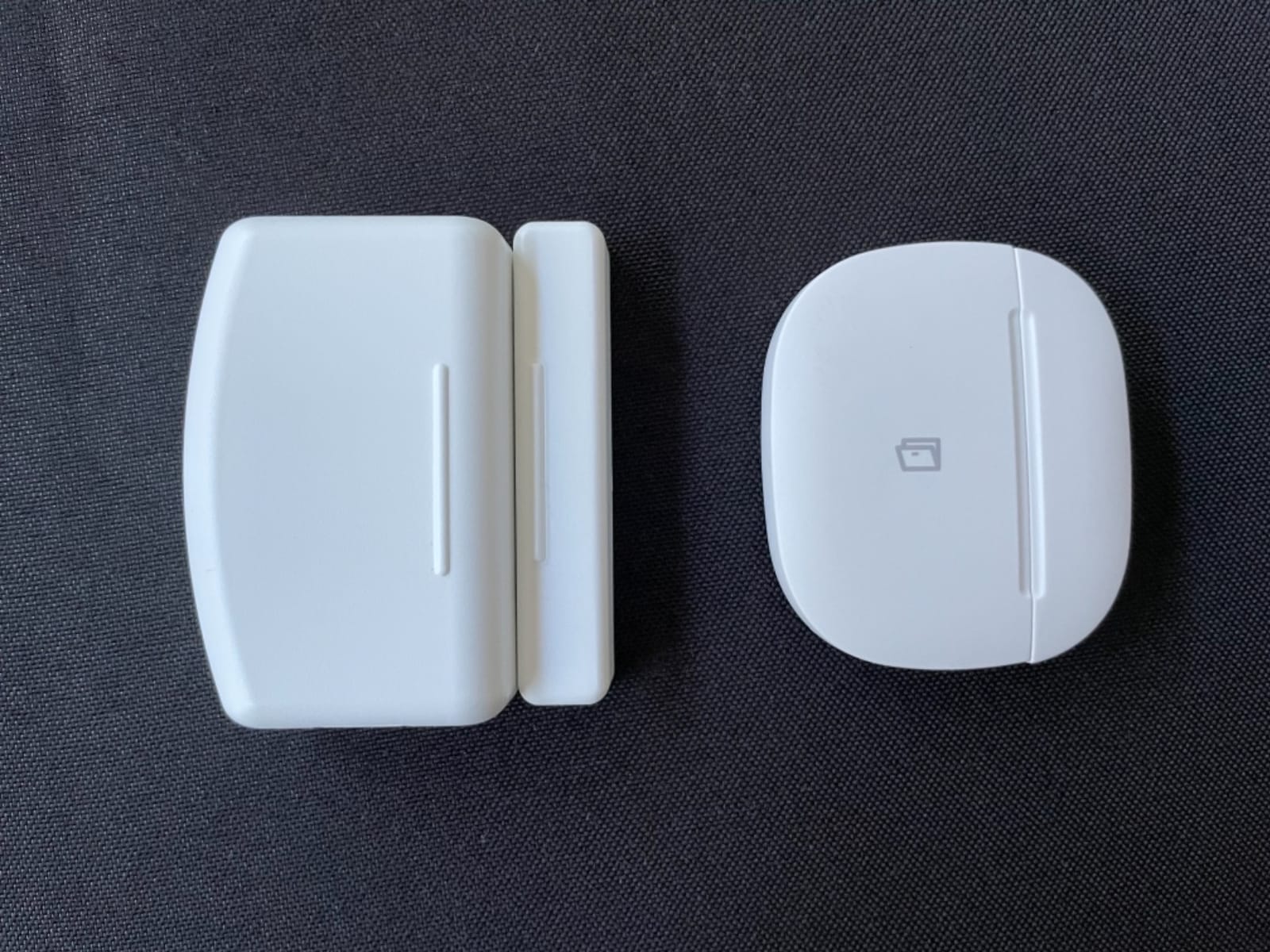
The two AAA cells are a clear win if you hate swapping coin cells with a fingernail. Replacement is a 30-second job with a flat screwdriver, and the rated two-year life is realistic in my testing so far.
If you need a contact sensor for a metal door, look elsewhere; the metal blocks the magnetic field and the sensor never reports closed.
What we liked about daily use
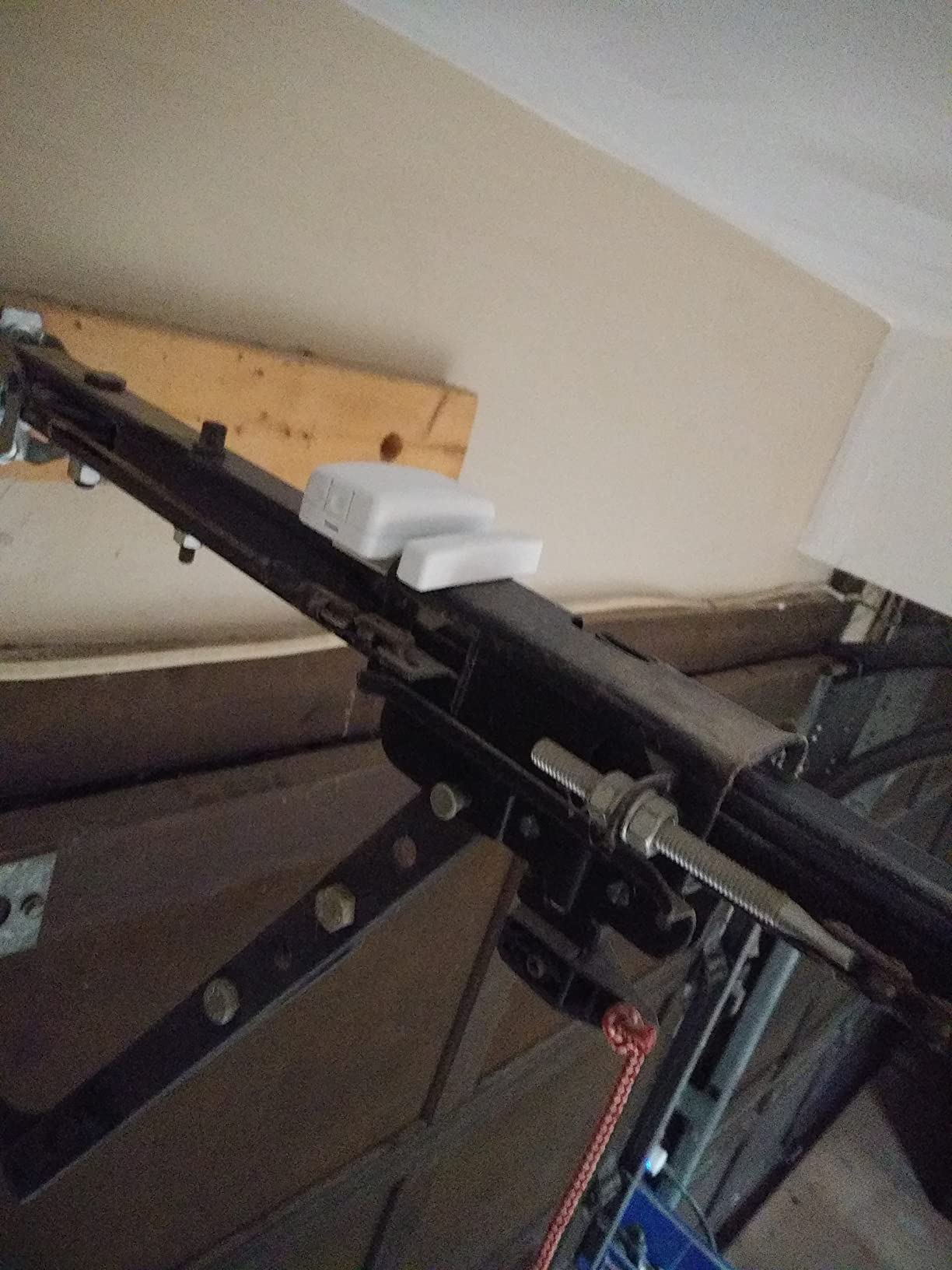
The included screws and double-sided tape let me choose between permanent or removable mounting, which is rare at this price. Over-the-air firmware updates through the THIRDREALITY hub or SmartThings bridge are supported.
Where it falls short
The size is noticeable on a slim window frame. On Hubitat a small number of users have reported the sensor dropping offline after a day or two; on Home Assistant via ZHA or Zigbee2MQTT the behavior has been stable.
8. Aqara Temperature and Humidity Sensor 3-Pack – Best Comfort Automations
Aqara Zigbee Temperature and Humidity Sensor 3 Pack, Thermometer Hygrometer
- Accurate temperature
- humidity
- and atmospheric pressure readings
- Long battery life on a single CR2032 cell
- Easy integration with Home Assistant via ZHA
- Compact and discreet for any room placement
- Reliable in unattended locations after proper pairing
- Pairing can require multiple attempts on first install
- Newer battery cover is harder to open with bare hands
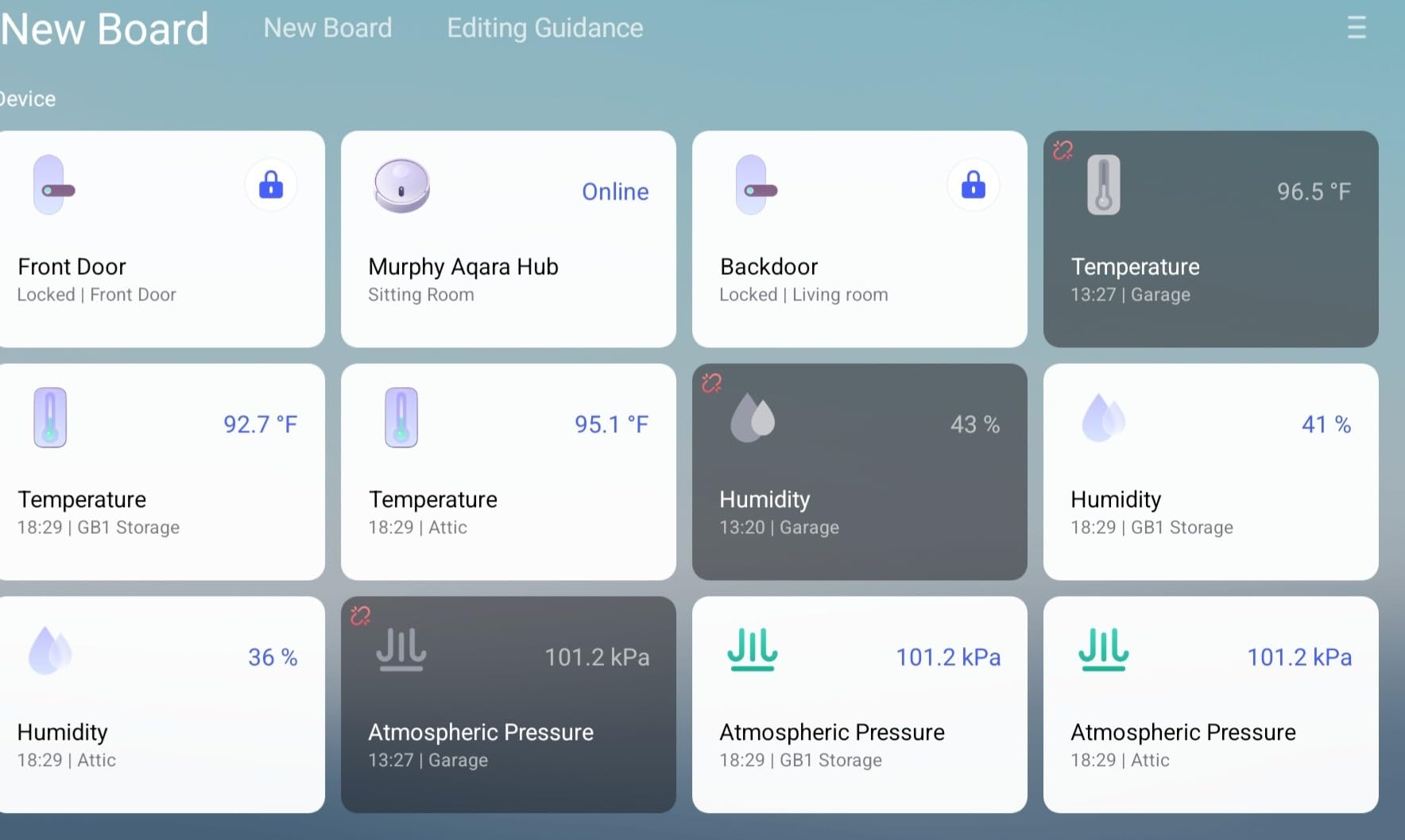
The Aqara Temperature and Humidity Sensor is the cheapest way to make Home Assistant aware of conditions in every room. I scattered three across my house: one in the nursery, one in the basement dehumidifier zone, and one in the home office. With the THIRDREALITY smart plug driving a small humidifier, I now have a closed-loop humidity automation that fires when the basement drops below 40 percent.
The Sensirion sensor inside reads accurately against my calibrated thermo-hygrometer to within 0.3 degrees Celsius and 2 percent relative humidity, which is well within the tolerance of any HVAC automation you would build.
The 3-pack is the right way to buy these. Even if you only need one sensor today, you will want more within a month once you see how many automations unlock with per-room climate data.
The batteries in the new revision are harder to swap than in older models, so keep a coin or a small pry tool handy.
What we liked about daily use
The push notifications when temperature crosses a threshold are useful for the basement in winter; I have caught two frozen-pipe risk conditions early thanks to a 38-degree alert. The wall-mountable design with included adhesive strips holds even on textured paint.
Where it falls short
Aqara Zigbee locks you to Aqara Zigbee on the M3 or M100 hub, or to a third-party Zigbee coordinator like the SONOFF dongle. Some units need several pairing attempts before they stick.
9. THIRDREALITY Smart Vibration Sensor – Best Audible Security Trigger
- Adjustable sensitivity via physical switches
- not just software
- Loud 110 dB alarm with a physical mute switch
- Easy Zigbee pairing with Home Assistant via ZHA and Zigbee2MQTT
- Useful for washer/dryer cycle alerts and door-knock detection
- Long battery life on 2 AAA cells
- Sensitivity adjustment is only via physical switches on the unit
- Alarm switch must be disabled before pairing or it beeps during setup
- Not sensitive enough at the highest setting for some low-vibration appliances
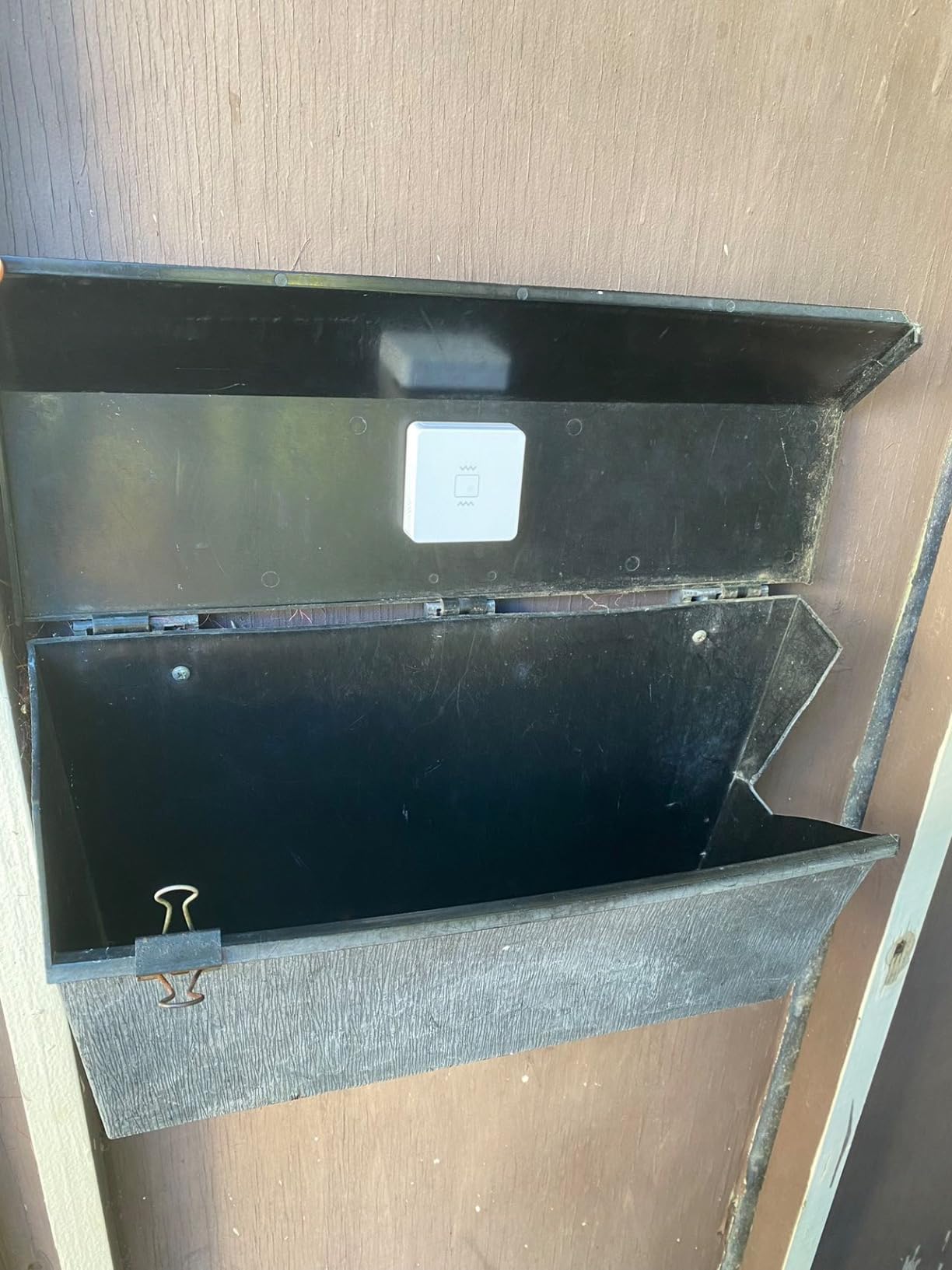
The THIRDREALITY Smart Vibration Sensor is the device I recommend when someone asks how to make Home Assistant react to physical events the room does not normally report. I attached one to the washing machine, one to a kitchen drawer that holds valuables, and one to the front door mail slot. All three pair with ZHA in under 30 seconds and trigger automations within 200 milliseconds of a vibration event.
The 110 dB siren is loud enough to scare off a curious toddler and to startle a delivery driver who has just rattled the wrong mailbox. The mute switch is a quiet blessing for testing.
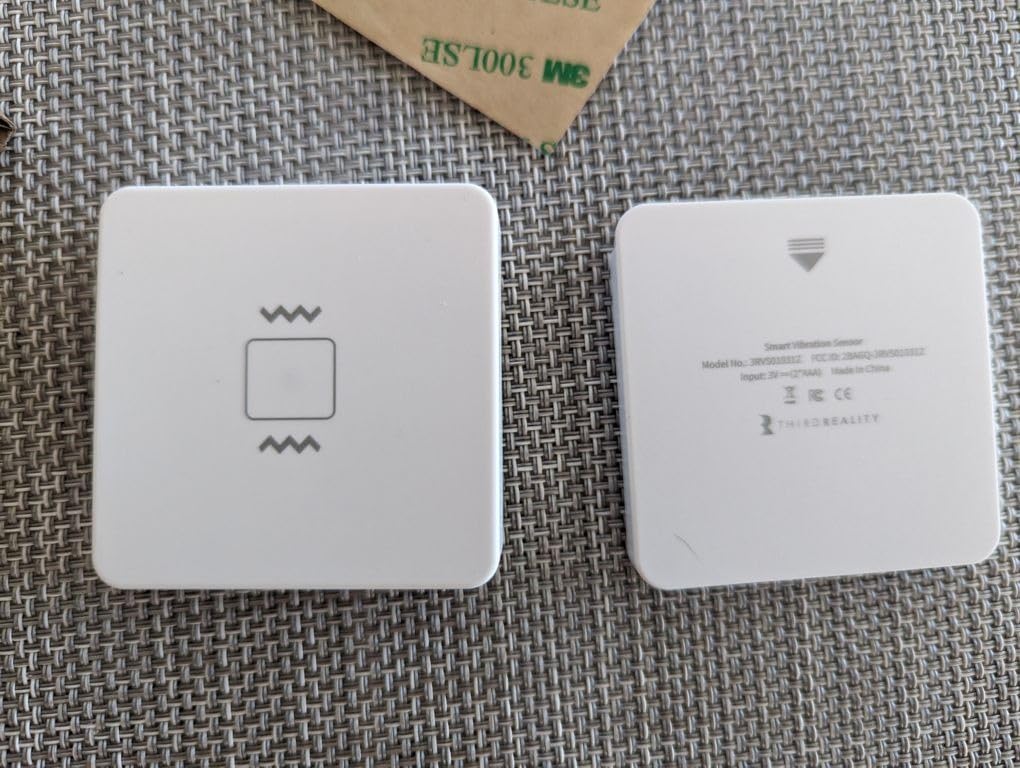
The four-step physical sensitivity switch is genuinely useful. I left the washing machine sensor on the highest setting and the drawer sensor on the second-lowest setting to avoid false alerts from footsteps.
For low-vibration appliances like a small printer, the highest sensitivity may not register reliably; test before you mount it permanently.
What we liked about daily use
The AAA batteries are easy to source and the unit is rated for about a year of typical use. Home Assistant exposes the vibration state, the battery percentage, and a tamper alert as separate entities, which makes building automations straightforward.
Where it falls short
The sensitivity switches are small and tucked behind the battery cover, so adjusting them on an already-mounted sensor is annoying. A small number of users have reported units failing within a year; budget for a spare if you depend on it.
10. THIRDREALITY Zigbee Smart Plug 4-Pack – Top Rated for Instant Automations
- Real-time energy monitoring on Home Assistant
- SmartThings
- and Hubitat
- Acts as a Zigbee repeater to strengthen mesh coverage
- Compact design that does not block the adjacent outlet
- Local control with no cloud dependency
- Restoring state after power loss supported on Home Assistant
- Pairing with Zigbee2MQTT can be inconsistent on first attempt
- Slightly large form factor for tight duplex outlets and power strips
The THIRDREALITY Zigbee Smart Plug 4-Pack is the single highest-value starter pack I have tested for Home Assistant. Four outlets, real-time energy monitoring, Zigbee repeater function, and local-only control for the price of one premium plug. I dropped these around the house on lamps, a dehumidifier, a window AC, and a server rack; all four reported accurate wattage to within 1.5 percent of my Kill-A-Watt reference meter.
The repeater function is what makes the 4-pack special. Each plug strengthens the Zigbee mesh and extends the range for far-away sensors like my garage door contact. After deploying the four, my Zigbee LQI scores on previously weak sensors improved by 15 to 20 points.
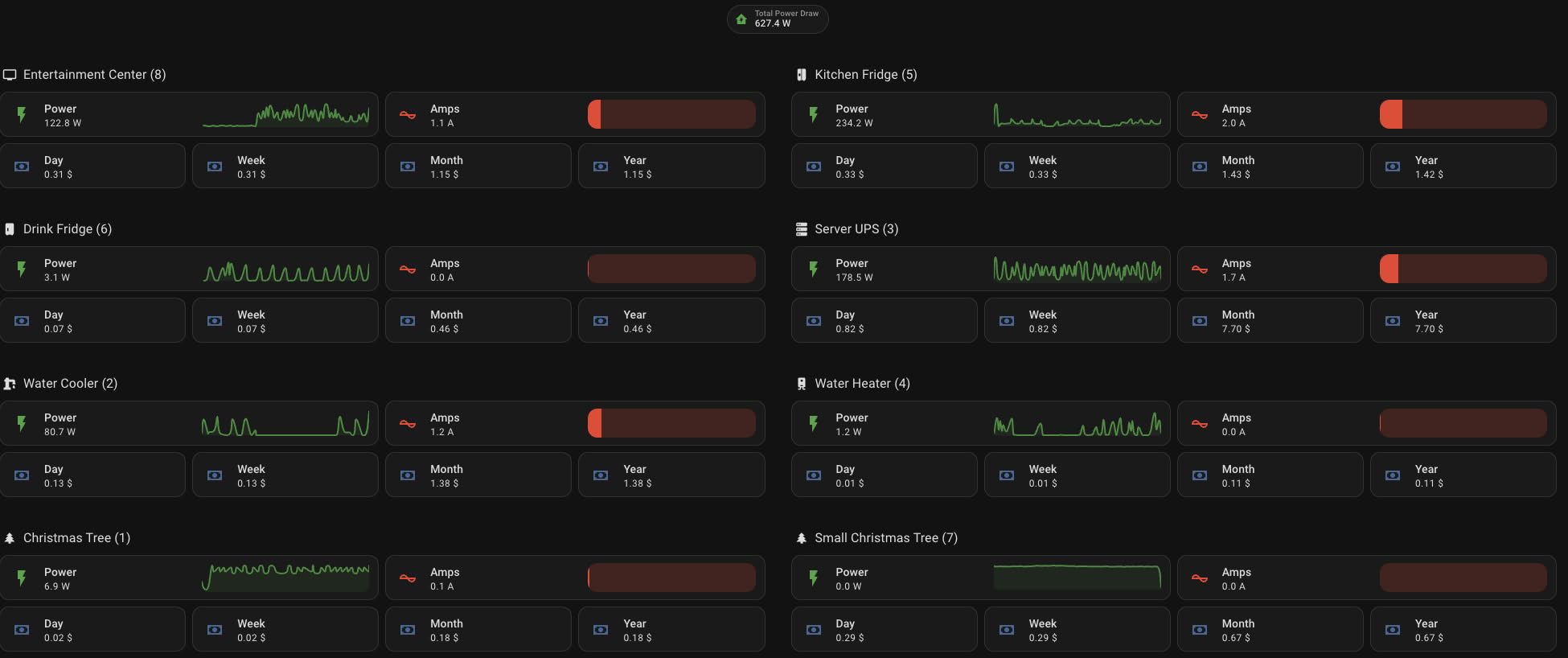
The automations I built with these are deceptively simple: turn off the dehumidifier when the Aqara humidity sensor reports below 40 percent; turn off the window AC when the Ecobee reports the room has cooled; turn on the bedside lamp 20 minutes before sunset. All four run locally with no cloud round-trip.
For users on ZHA, the first pairing can take a couple of tries. Zigbee2MQTT has a slightly higher failure rate on the first attempt, and you may need to reset the plug with five rapid power cycles.
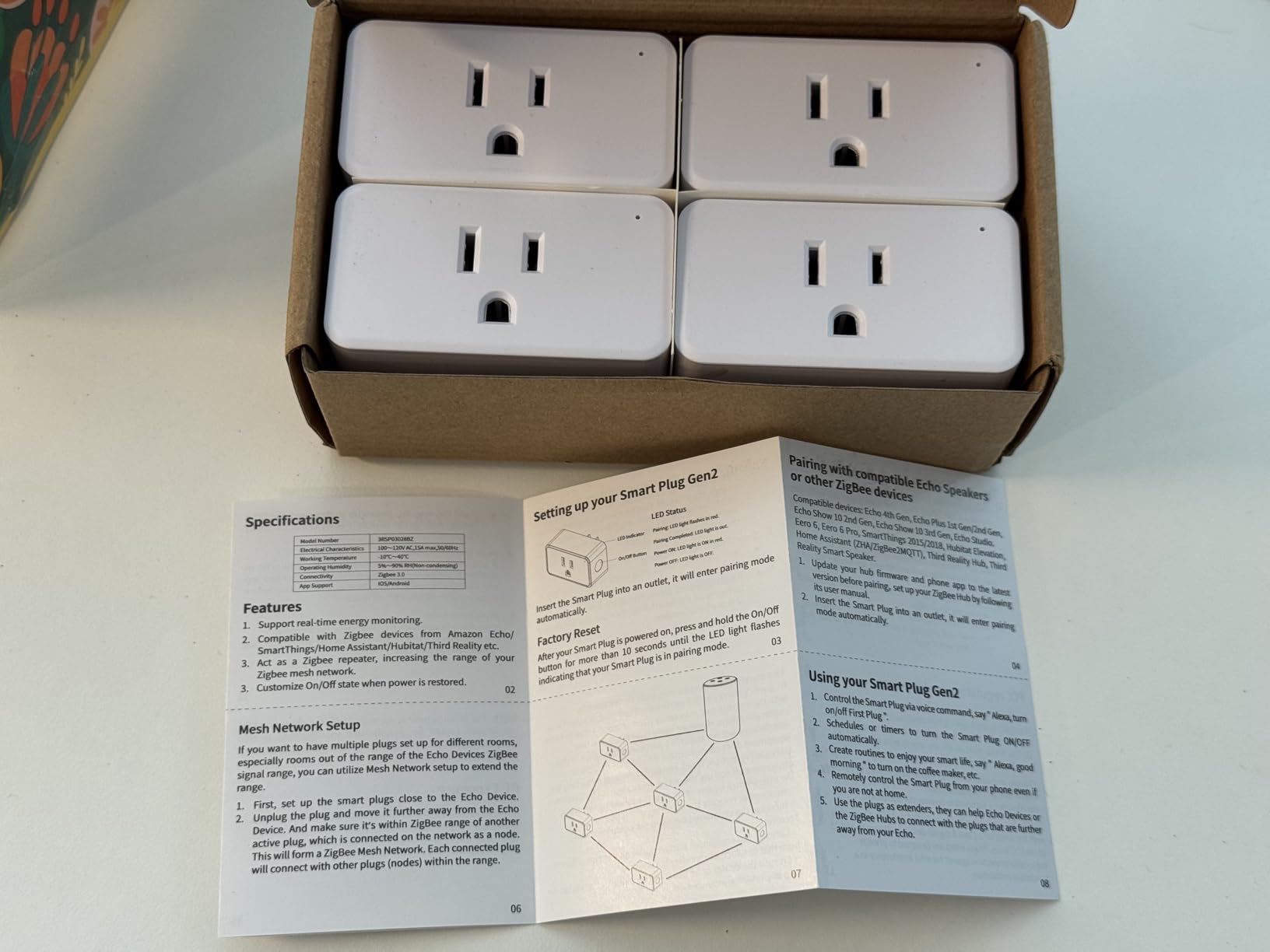
What we liked about daily use
The energy monitoring is fast: I see wattage updates in Home Assistant every 5 seconds, which makes triggered automations feel instantaneous. The physical button on the side is a nice manual override, and the LED indicator is bright enough to read but not bright enough to bother you at night.
Where it falls short
On tightly packed power strips, the plug can crowd neighboring outlets. Some users have reported isolated failures on sustained 15-amp loads; I would not run a 1,500-watt space heater through one unattended.
11. THIRDREALITY Zigbee Smart Color Bulb 4-Pack – Lighting That Doubles as a Mesh Repeater
- Easy Zigbee pairing with Home Assistant via ZHA and Zigbee2MQTT
- Reliable connection after firmware update with no cloud dependency
- Wide color range plus tunable warm/cool white
- Acts as a Zigbee repeater to strengthen the mesh
- Smooth brightness transitions in Home Assistant automations
- Not as bright as some premium competing smart bulbs
- Some colors such as amber can appear washed out
- Earlier firmware had brightness quirks in HomeKit bridge mode
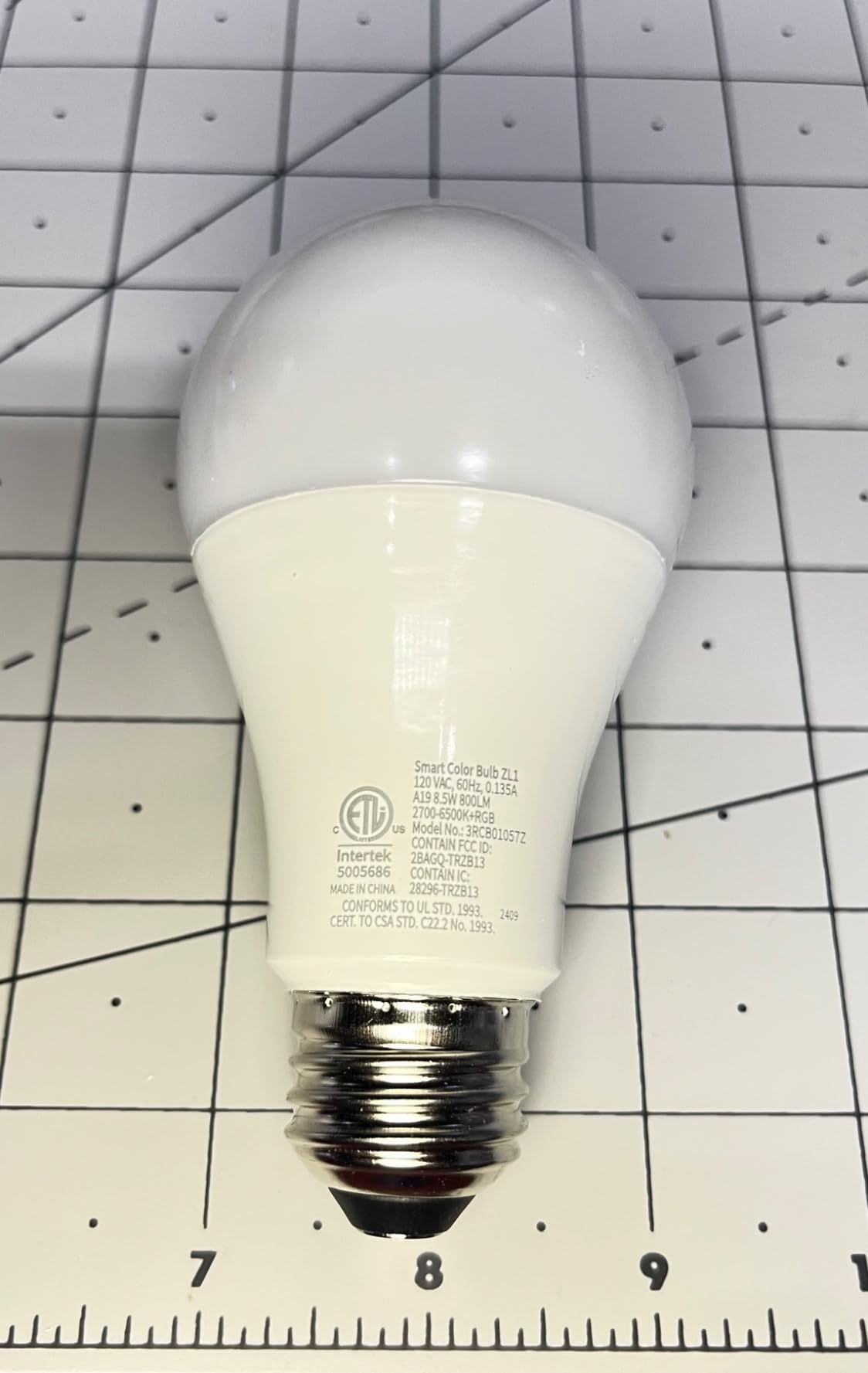
The THIRDREALITY Zigbee Smart Color Bulb 4-Pack is the cheapest way to start a Home Assistant lighting setup. Four A19 RGBCW bulbs, each capable of full color and tunable white from 2,700 to 6,500 Kelvin, paired with ZHA in my testing without a single failure. Each bulb also acts as a Zigbee repeater, so the 4-pack does double duty as a mesh extender.
The 800-lumen output is honest for an 8.5W LED bulb. In a standard-size lamp it lights a 12 by 12 foot room comfortably, and the colors are saturated enough for accent lighting without looking cartoonish.
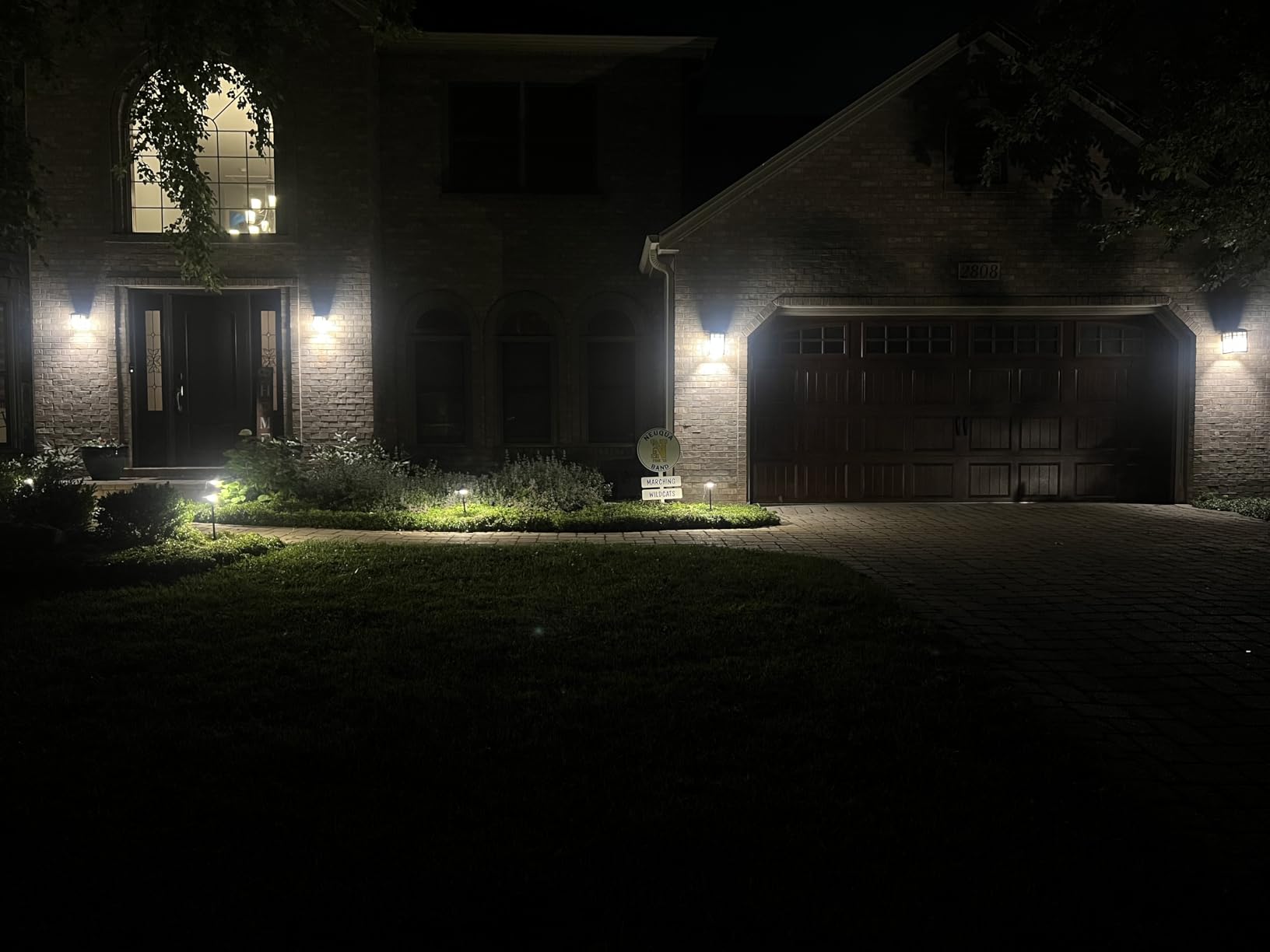
Brightness transitions in Home Assistant automations are smooth, which matters more than you would think. A 30-second sunrise automation that wakes my kid in the morning is a genuinely pleasant experience with these bulbs.
The amber end of the spectrum is the only weak point. If precise warm-white color rendering matters for photography or art, look at Hue or IKEA TRÅDFRI instead.
What we liked about daily use
The 4-pack pricing makes whole-room scenes affordable, and the no-cloud-required design means my “good morning” automations fire even when my internet is down. OTA firmware updates work through Home Assistant.
Where it falls short
Some early-firmware units had a brightness step quirk in HomeKit bridge mode; updating the firmware usually fixes it. The maximum brightness is lower than premium bulbs like Hue White and Color.
12. Aqara Smart Lock U50 – The Best Local Smart Lock for Home Assistant
Aqara Smart Lock U50, Apple Home Key, Keyless Entry Deadbolt, Black
- Apple Home Key support: tap iPhone or Apple Watch to unlock
- Multiple unlock options including keypad
- Bluetooth
- and app
- Auto-lock via built-in gyroscope and Do Not Disturb mode
- Rekeyable cylinder to match an existing 5-pin key
- Long battery life of months on 4 AAs with USB-C emergency charging
- Full Matter and remote unlock features require an Aqara Zigbee 3.0 hub
- Android app experience is weaker than iOS
- Keypad response has a small lag before registering taps
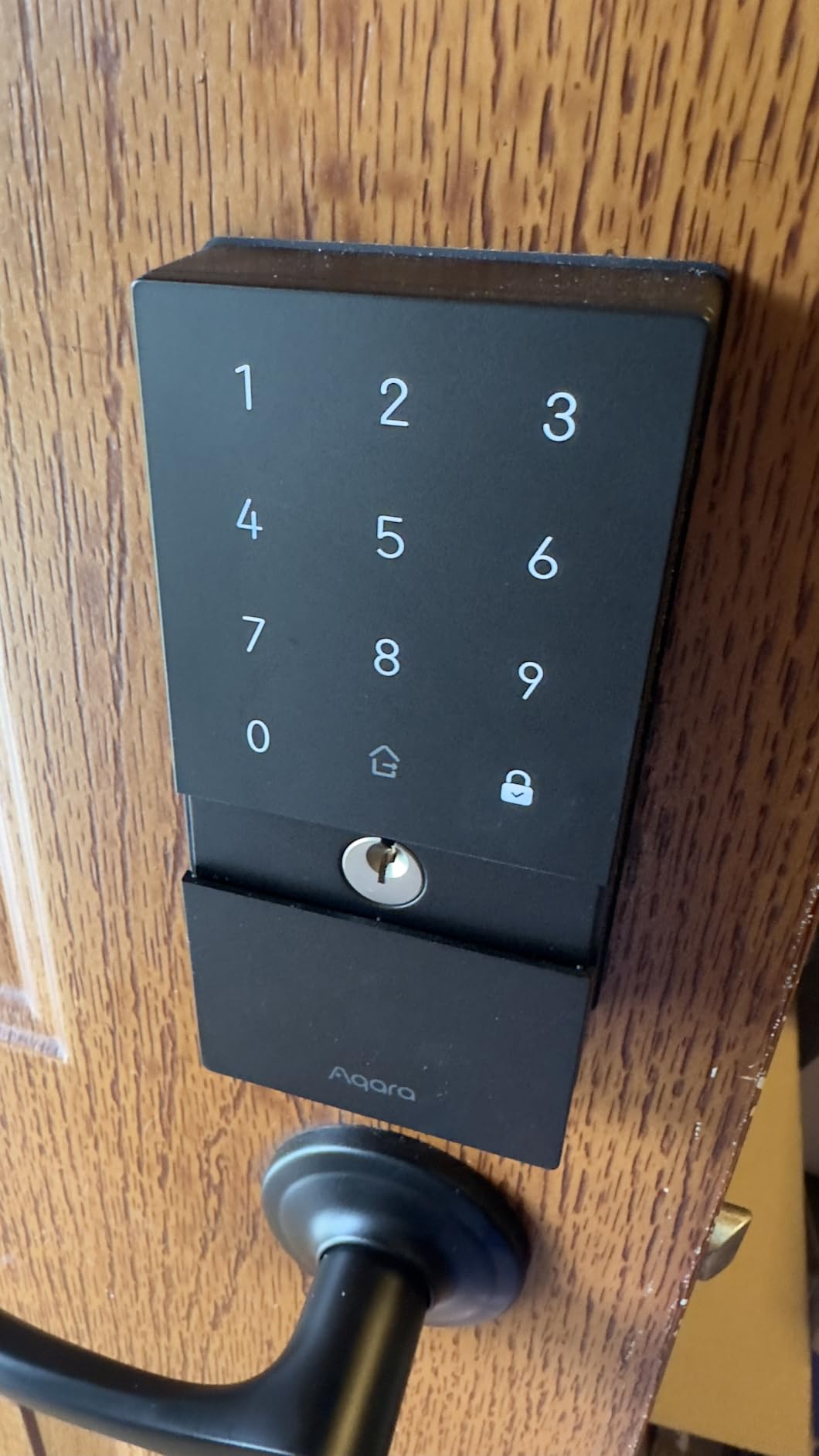
The Aqara Smart Lock U50 is the lock I installed on my front door in April. It supports Apple Home Key out of the box, which means my family and I tap our iPhones or Apple Watches against the lock to unlock, even when the iPhone battery is dead. Through Home Assistant via an Aqara M100 hub, the lock exposes a battery entity, a lock state entity, and a tamper sensor, all of which feed into my security dashboard.
The auto-lock gyroscope is the unsung hero. The lock detects when the door has been closed and locked itself within 30 seconds, with a configurable Do Not Disturb mode for sleeping kids.
Battery life on four AAs is in the 4 to 6 month range in my testing, and the USB-C emergency port on the bottom is a lifesaver if the batteries die while you are out. A 10-second charge from any USB-C cable is enough to unlock the door.
The BHMA Level 3 rating and IPX5 weather rating are honest; the lock has survived a Midwest summer and a windy fall without complaint.
What we liked about daily use
The rekeyable cylinder means I did not have to replace my existing front door key; the lock fits a standard 5-pin and re-keys in 2 minutes with the included tool. The keypad is backlit and readable in daylight.
Where it falls short
To unlock remotely from Home Assistant you must run the lock through an Aqara hub (M100 or M3), which adds a dependency. Android users get a less polished experience than iOS users, and the keypad sometimes lags for half a second before registering taps.
Buying Guide: How to Choose Home Assistant Compatible Devices?
Choosing the best Home Assistant compatible devices comes down to four practical checks: protocol match, local control, power and battery, and ecosystem fit. Below is the framework our team uses whenever we evaluate a new device for the Works with Home Assistant ecosystem.
Verify the Works with Home Assistant badge
Before you buy anything, search for the device at works-with.home-assistant.io. Devices that carry the official badge have been tested by Nabu Casa staff and confirmed to integrate through at least one official integration. If the device is not listed, check the community-maintained list at the Home Assistant community forums or search for “[device name] ZHA” or “[device name] Zigbee2MQTT” before clicking buy.
Pick the right protocol for your home
Zigbee, Z-Wave, Thread, and Wi-Fi are the four protocols you will encounter most. Zigbee (3.0) is the workhorse for cheap sensors and bulbs and pairs with the SONOFF Zigbee 3.0 USB Dongle Plus. Z-Wave is preferred for door locks and anything that needs to talk through brick walls; pair it with the Home Assistant Connect ZWA-2. Thread is the modern low-power mesh for Matter devices; you need a Thread border router like the Aqara M3 or M100 to use it. Wi-Fi devices work directly through your router but draw more power and congest your wireless network.
Local control beats cloud-only devices
Cloud-dependent devices stop working the day the vendor shuts down its servers, locks features behind a subscription, or has an outage. Local-first devices expose their state through ZHA, Zigbee2MQTT, Z-Wave JS, MQTT, or a local API; they continue running when the internet is down, and your data never leaves your network. Every product on this list is local-first.
Power and battery considerations
Coin-cell sensors like the Aqara door sensor last 1 to 2 years on a single CR1632 or CR2032 cell, but they are harder to swap and harder to find. AAA-powered sensors like the THIRDREALITY contact and vibration sensors are easier to service and last about 2 years in real-world use. Mains-powered devices like smart plugs and bulbs last indefinitely but draw a constant trickle.
Frequently Asked Questions
What are the best devices to add to Home Assistant?
Start with the SONOFF Zigbee 3.0 USB Dongle Plus as your Zigbee coordinator, the Home Assistant Green as your hub, the Aqara Door and Window Sensor and THIRDREALITY Contact Sensor for security, the Aqara Temperature and Humidity Sensor 3-Pack for climate, the THIRDREALITY Zigbee Smart Plug 4-Pack for energy monitoring, and the THIRDREALITY Zigbee Smart Color Bulb 4-Pack for lighting. This covers the categories most users want first.
Which Home Assistant device will be the best in 2026?
The Home Assistant Green is the official hub for most users in 2026: Home Assistant OS comes preinstalled, the unit runs silently on a couple of watts, and it pairs with USB dongles for Zigbee, Z-Wave and Thread. For power users a Mini PC with an Intel N100 runs more add-ons; for renters the Aqara Smart Hub M100 brings Matter and Thread in a USB-sized package.
Is Home Assistant beginner friendly?
Home Assistant has a steeper learning curve than Alexa or Google Home, but the official Home Assistant Green with Home Assistant OS preinstalled removes most of the friction. Expect one evening of setup before your first automation works, and budget a few weekends to learn YAML basics and ZHA device pairing.
What is replacing Zigbee?
Matter over Thread is the protocol most likely to complement Zigbee over the next few years. Thread brings lower power, IP-addressable devices, and Matter-level interoperability across ecosystems. Zigbee is not going away; existing devices keep working through ZHA and Zigbee2MQTT, and many hubs like the Aqara M3 bridge Zigbee into Matter.
What are the top 10 integrations for Home Assistant?
ZHA and Zigbee2MQTT for Zigbee devices, Z-Wave JS for Z-Wave devices, MQTT for DIY sensors, the Matter integration for Matter-over-Thread devices, Philips Hue Bridge, Ecobee for thermostats, Reolink or Amcrest for RTSP cameras, Frigate for local NVR, Tesla for EV charging, and ESPHome for custom firmware. Together these cover most smart-home setups.
Is there a better alternative to Home Assistant?
For pure plug-and-play convenience, Hubitat Elevation is a strong local-first alternative with less setup work. For users deep in the Apple ecosystem, Apple Home with a Matter hub is improving fast. For maximum flexibility, privacy, and local control, Home Assistant remains the strongest open-source option in 2026.
Can Home Assistant work without internet?
Yes. Home Assistant runs locally on your hub, and ZHA, Zigbee2MQTT, Z-Wave JS, MQTT, and most integrations continue to operate when the internet drops. Remote access from your phone outside the home requires either a Nabu Casa subscription or a manual DuckDNS and Let’s Encrypt setup, but in-home voice control and automations work fully offline.
Final Verdict
The best Home Assistant compatible devices are the ones that keep your home running when the cloud goes dark, and our top pick across the entire category is the SONOFF Zigbee 3.0 USB Dongle Plus. It is the single most important accessory for any Home Assistant setup: a stable Zigbee coordinator that pairs with thousands of devices through ZHA or Zigbee2MQTT, runs on a couple of watts, and costs less than a nice dinner. Pair it with a Home Assistant Green, a 4-pack of THIRDREALITY smart plugs, an Aqara Door and Window Sensor on every entry point, and the temperature sensors where you spend the most time, and you have a local-first smart home that works when nothing else does.
If you already own Aqara Zigbee devices, add the Aqara Hub M3 to bridge them into Matter; if you want a true starter kit under 30 dollars, the Aqara Smart Hub M100 is the cheapest way in. Whatever you buy, run it through the Works with Home Assistant badge check at works-with.home-assistant.io first, and keep your automations local. Our team will keep this list updated through 2026 as new devices ship, and we will revisit the editor’s choice when the next generation of 800-series Zigbee dongles lands.