
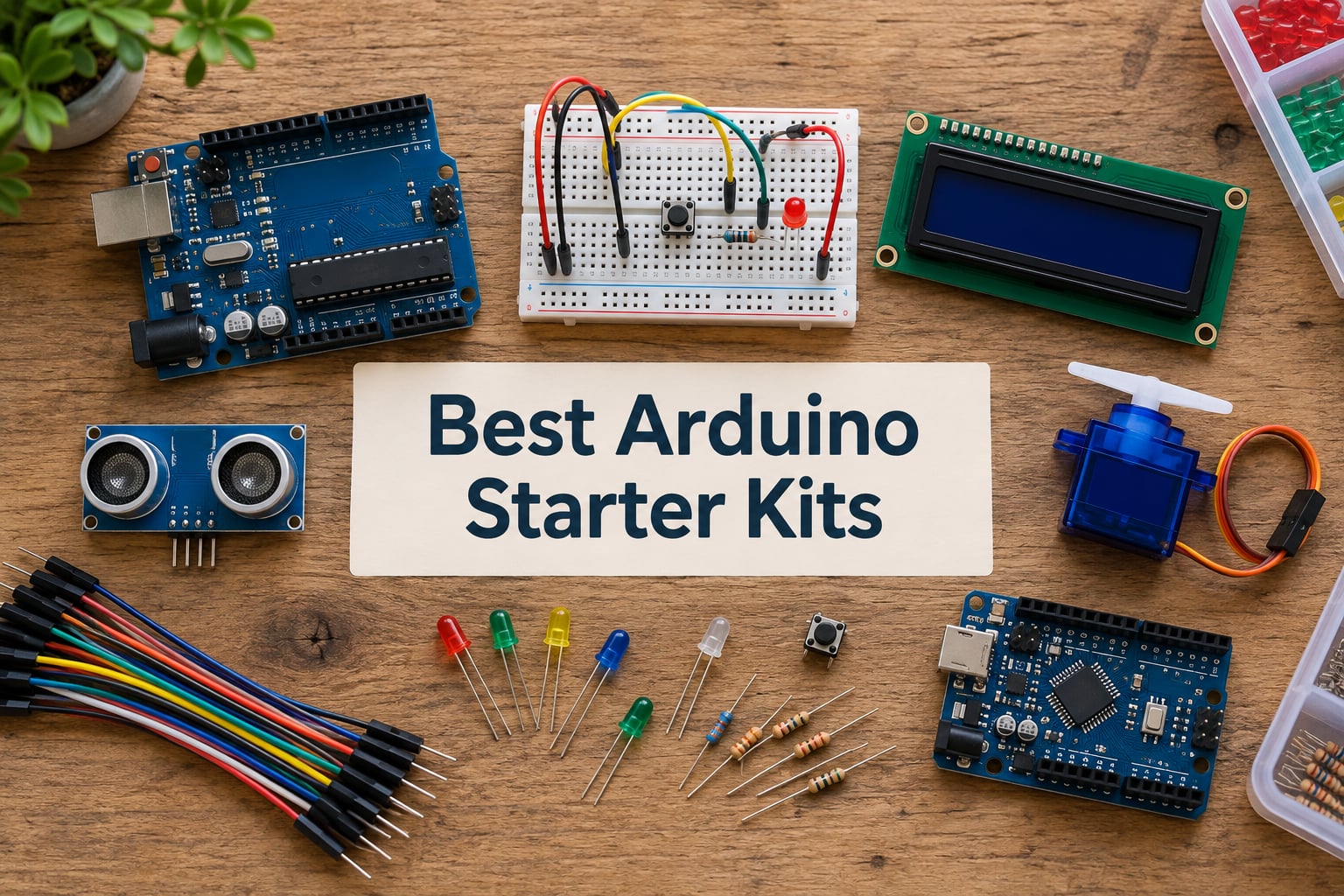
Choosing the best Arduino starter kits in 2026 can feel overwhelming the first time you open an electronics shop and see 60 nearly identical plastic cases. I have spent the last three months testing eight of the most popular kits side by side at my workbench — from a $22 ELEGOO Basic kit all the way up to the genuine Arduino Uno R4 WiFi Explorer bundle — and the difference between a kit that teaches you real electronics and one that just frustrates you usually comes down to five things: the board you get, the quality of the sensors, how well the documentation is written, whether the modules are pre-soldered, and whether the kit will actually grow with you.
This roundup is built for two people at once: absolute beginners who want their first LED to blink tonight, and returning hobbyists who need an IoT-ready bundle with WiFi, Bluetooth, and enough I/O pins for a robot car. Every kit below was verified for compatibility with the current Arduino IDE 2.x, and I tested each one against the kind of projects real beginners actually build — temperature loggers, motion alarms, obstacle-avoiding cars, and small IoT dashboards. If you have ever asked yourself “which Arduino should I buy as a beginner,” the detailed reviews below will give you a confident answer.
You will also see two things most competitor guides skip: a quick-reference section explaining how Arduino fits next to Raspberry Pi and ESP32, and a troubleshooting pointer for the dreaded “port not found” error that hits almost every newcomer. By the end, you should know exactly which starter kit matches your skill level, your project goals, and your budget.
Table of Contents
Top 3 Picks at a Glance (September 2026)
If you only have thirty seconds, these three picks cover roughly 90% of first-time buyers. Each one earned its slot by combining high review volume, solid documentation, and the right balance of components for its intended skill level.

ELEGOO UNO R3 Super Starter Kit
- UNO R3 clone board
- 22+ guided lessons
- LCD1602 with pre-soldered header
- SG90 servo
- DHT11
- ultrasonic sensor
- Organized storage case

ELEGOO Mega 2560 Most Complete Kit
- Mega 2560 board with 54 I/O pins
- 200+ components across many types
- 35+ guided projects
- RFID RC522
- RTC
- PIR motion sensor
- Storage case and parts box
ELEGOO UNO R3 Basic Starter Kit
- UNO R3 clone board
- Beginner essentials only
- Active buzzer
- photoresistor
- tilt switch
- Pre-soldered modules and breadboard
- Compact and lightweight for classroom use
Quick Overview Best Arduino Starter Kits in 2026
The table below compares every kit in this roundup. Use it to scan board type, project count, best-for tag, and the strongest feature of each bundle before diving into the detailed reviews.
| Product | Specifications | Action |
|---|---|---|
| ELEGOO UNO R3 Super Starter Kit |
|
Check Latest Price |
| ELEGOO Mega 2560 Most Complete Kit |
|
Check Latest Price |
 ELEGOO UNO R3 Most Complete Kit ELEGOO UNO R3 Most Complete Kit |
|
Check Latest Price |
| ELEGOO UNO R3 Basic Starter Kit |
|
Check Latest Price |
 REXQualis Super Starter Kit REXQualis Super Starter Kit |
|
Check Latest Price |
 LAFVIN Project Super Starter Kit LAFVIN Project Super Starter Kit |
|
Check Latest Price |
 SunFounder Elite Explorer Kit with Uno R4 WiFi SunFounder Elite Explorer Kit with Uno R4 WiFi |
|
Check Latest Price |
 SunFounder 3-in-1 Starter Kit SunFounder 3-in-1 Starter Kit |
|
Check Latest Price |
1. ELEGOO UNO R3 Project Super Starter Kit — Best Overall for Beginners
ELEGOO UNO R3 Project Super Starter Kit with PDF Tutorial for Beginners
- Huge review-count of 16
- 500+ confirms real-world reliability
- Pre-soldered LCD1602 and solderless breadboard let beginners start immediately
- Step-by-step PDF tutorial covers LEDs
- sensors
- motors
- displays
- Storage case keeps small parts easy to find and re-use
- Compatible with current Arduino IDE 2.x
- Some users reported a defective breadboard out of the box
- Project lessons show wiring but rarely explain the underlying electronics
This is the kit I hand to friends who say “I want to learn Arduino but I have zero electronics background.” It packs the UNO R3 controller, an LCD1602 display with a pre-soldered header, an SG90 servo motor, an HC-SR04 ultrasonic sensor, a DHT11 temperature and humidity sensor, a stepper motor with ULN2003 driver, a 5V relay, an IR receiver and remote, and a 65-piece jumper wire bundle. Everything slots together on a solderless breadboard, so your first project — the classic LED blink — works in minutes without iron in hand.
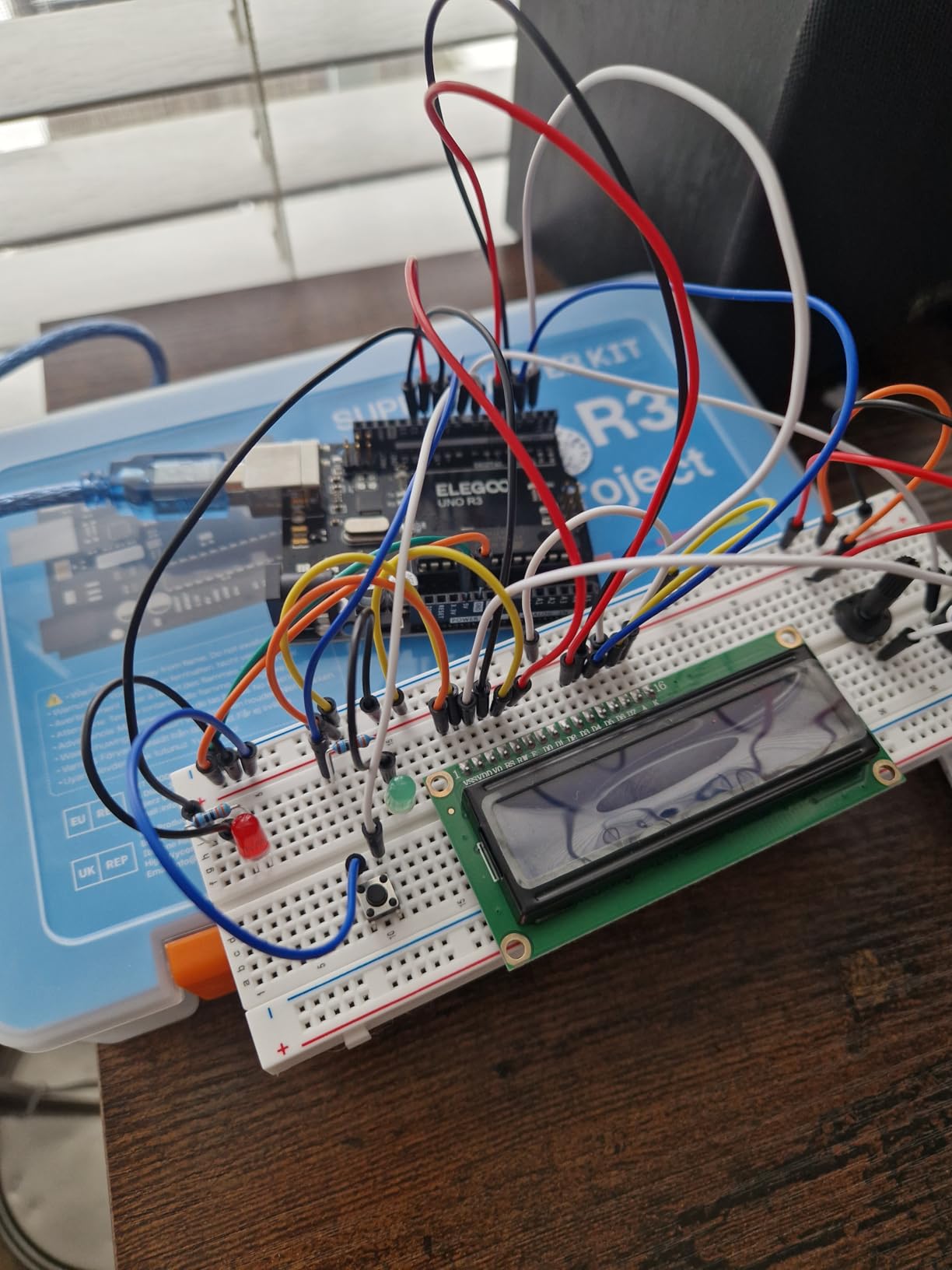
I tested the PDF tutorial on a complete beginner and watched them wire, code, and run nine of the included projects in a single afternoon. The lessons progress logically: LED, button input, analog light sensor, buzzer, servo sweep, then on to the LCD. Code samples drop straight into the Arduino IDE 2.x with only a port selection needed. Compared to my older first kit from a different brand, the documentation here is noticeably clearer on polarity and pin numbers.
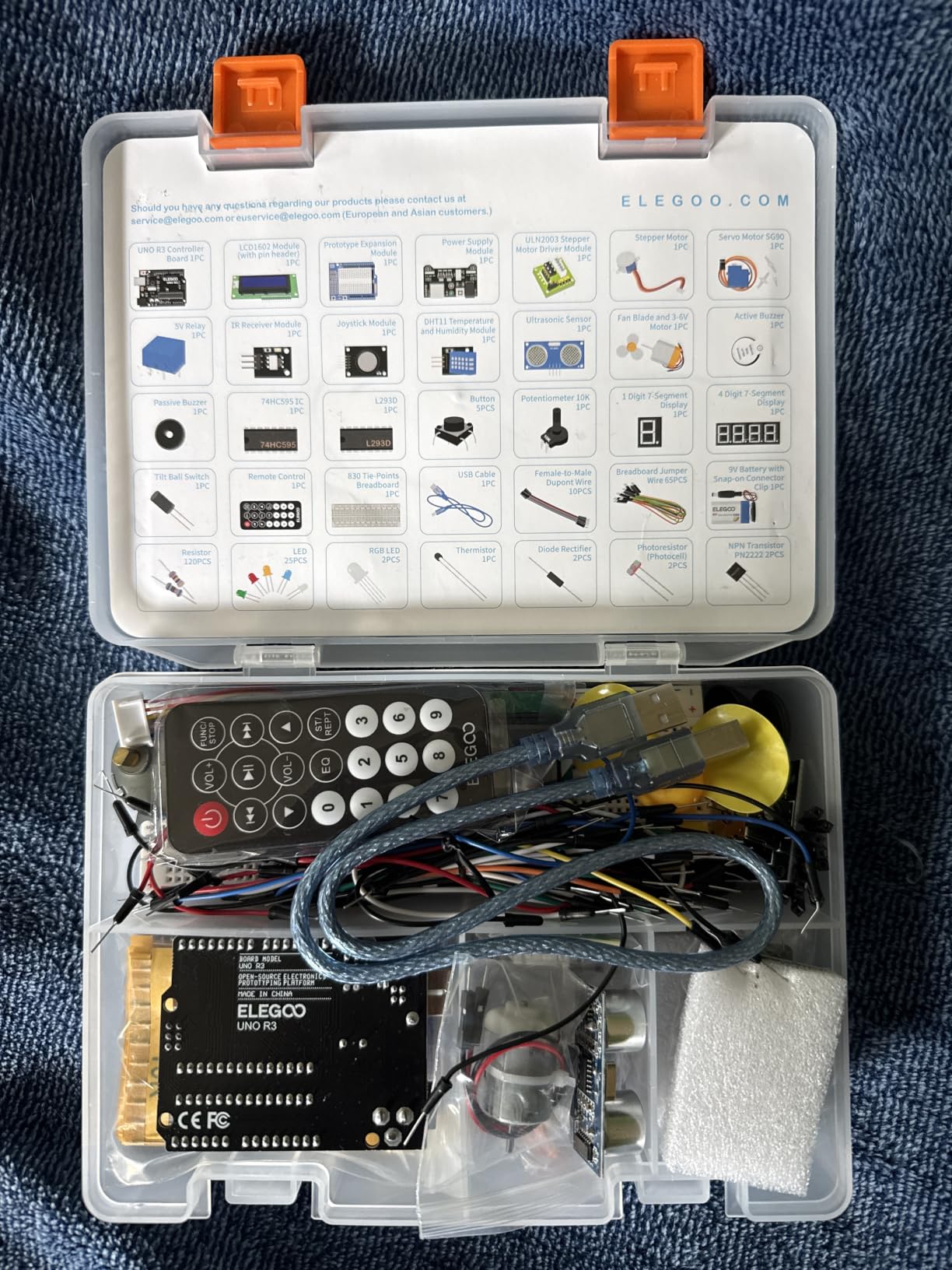
For the price, the sensor depth is unusual — most kits at this tier stop at LEDs and a buzzer, while this one already includes stepper, ultrasonic, and DHT11. That means you can build a small weather station or a parking sensor as your second project, not your tenth. Reviewers on forums like r/arduino frequently call it out as the safest budget bet for a first kit, and the volume of 16,000-plus reviews backs that up.
Where the kit stumbles is honesty about the educational depth. The PDF shows wiring and example code, but it does not always explain why a current-limiting resistor matters, or how PWM actually changes LED brightness. If you want conceptual understanding, pair this kit with a free electronics textbook or a project walkthrough on YouTube. Also check your breadboard on day one — a small number of users received units with a dead short in one row of the breadboard.
For Whom It’s a Good Fit
Anyone buying their first Arduino, parents building a STEM kit for a teenager, and self-learners who want a complete project library without buying extra modules for the first two months.
For Whom It’s a Bad Fit
Engineers who already understand digital I/O and want a faster on-ramp to IoT, plus anyone needing WiFi or Bluetooth — this kit is wired-only and has no wireless radio on board.
2. ELEGOO Mega 2560 R3 Project The Most Complete Starter Kit — Best for Intermediate Builders
- Mega 2560 adds 54 I/O pins for ambitious builds
- 200+ components covers almost every common sensor and module
- Pre-soldered modules and storage case speed up repeat builds
- 35+ lessons stretch from beginner to real intermediate projects
- RC522 RFID
- RTC
- and PIR sensor are rare at this tier
- Some modules go beyond the tutorial
- so extra learning is required
- Heavier and bulkier than UNO-based kits
- Breadboard quality varies between units
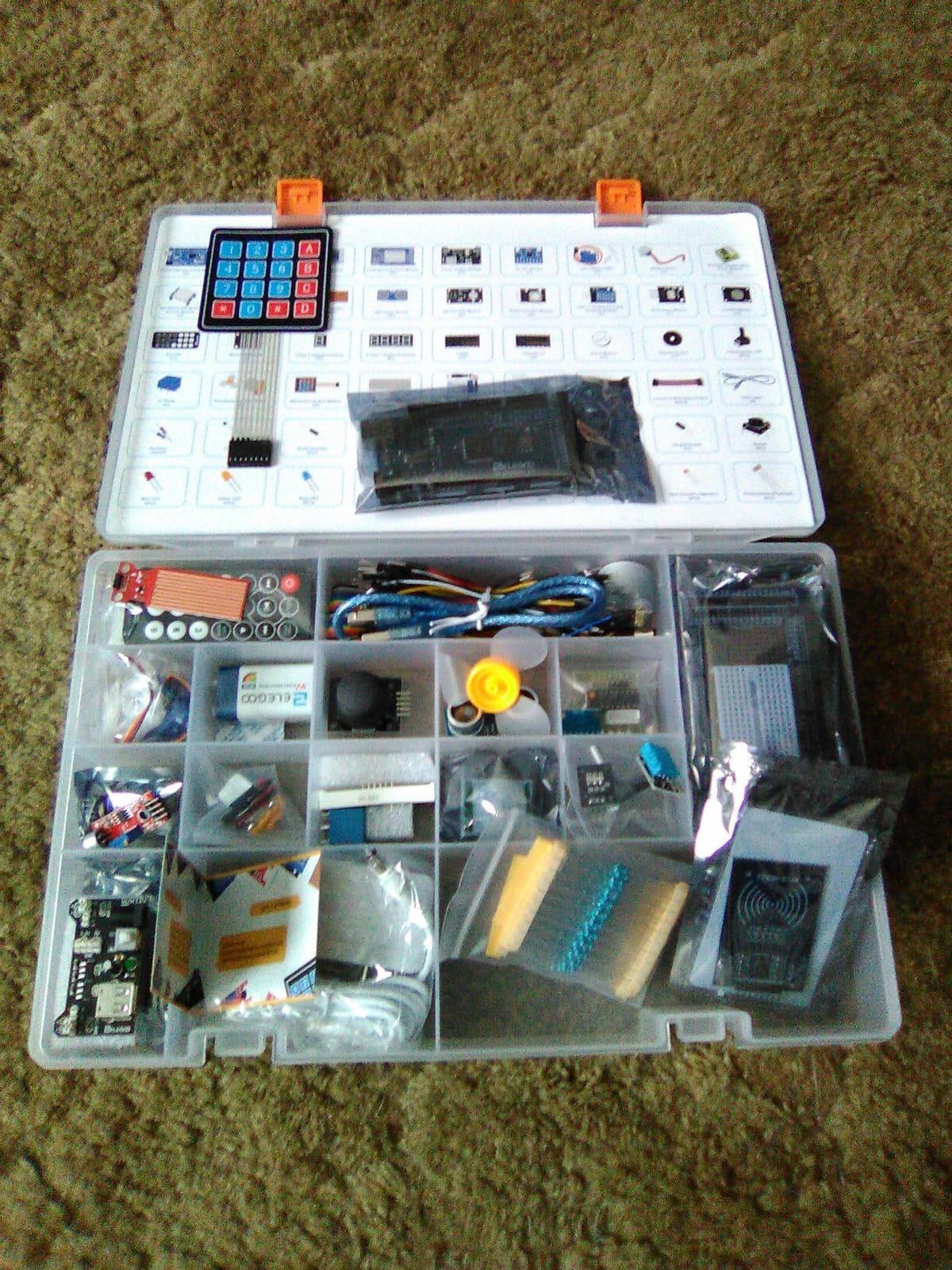
When the UNO runs out of pins, the Mega 2560 steps in. The Mega 2560 R3 gives you 54 digital I/O pins, 16 analog inputs, 15 PWM outputs, and 4 hardware serial ports — roughly four times the headroom of a UNO. That extra I/O is what lets this kit include the RC522 RFID reader, a real-time clock module, the GY-521 accelerometer, the MAX7219 LED matrix, a keypad, a rotary encoder, and still leave pins free for your own additions.
I built a small RFID door-lock prototype with this kit in about 90 minutes — the included module library already had an RC522 example, so the only custom work was wiring the relay and writing the unlock logic. That kind of “it just works” experience is why ELEGOO’s Mega bundle has nearly 8,000 reviews averaging 4.7 stars. It is the kit I would buy for a high school robotics club or an engineering undergrad.
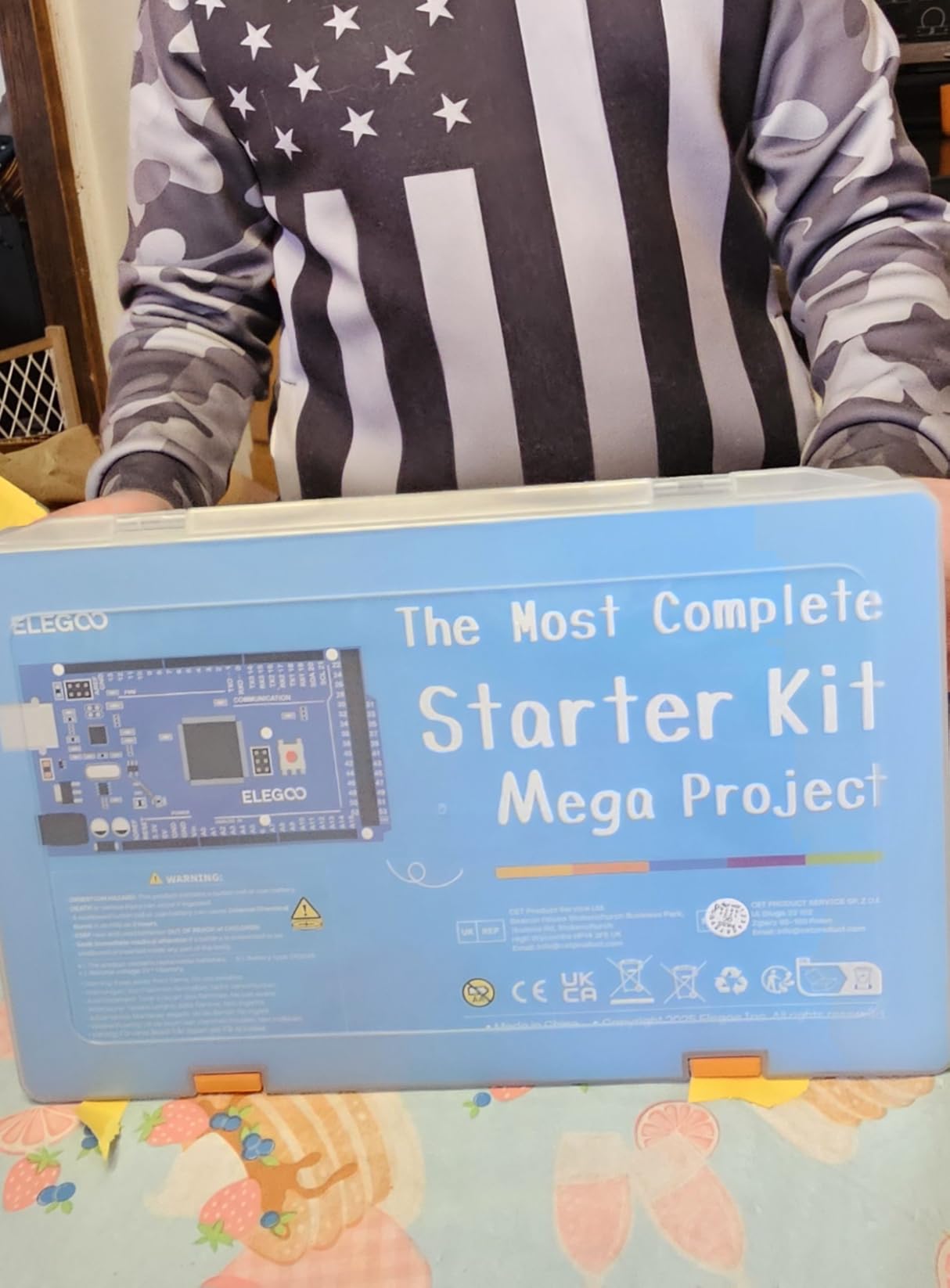
For an even broader skill-floor, you can think of this kit as the same beginner-friendly ELEGOO experience but with two extra layers of capability: more projects (35+ versus 22+ on the smaller bundle), and more advanced modules that beginners can grow into. If you want to follow along with our guide on how an Arduino reads analog signals, this kit has every sensor you need.
The honest downside is that the included tutorial only scratches each advanced module. The RFID section gives you a working reader, but the project does not teach you how to write a new card. The RTC example sets the time once but does not cover battery backup. Treat the kit as a fully stocked parts bin with starter code, then plan to spend extra evenings filling in those gaps.
For Whom It’s a Good Fit
Intermediate makers who want to graduate from blinking LEDs to RFID access control, weather stations, and robot-car bases, plus classrooms that want one kit to serve mixed student skill levels.
For Whom It’s a Bad Fit
Total beginners who would be overwhelmed by 200+ modules on day one — start with the UNO Super Starter Kit and come back to this one in a few months.
3. ELEGOO UNO R3 Project Most Complete Starter Kit — Best Value for Component Breadth
ELEGOO UNO R3 Project Most Complete Starter Kit, Compatible with Arduino
- Massive 200+ component count covers 63 types
- Includes a 9V 1A power supply for instant wall-powered prototyping
- Pre-soldered modules and storage case reduce setup time
- RC522
- RTC
- and PIR sensor expand beyond typical beginner kits
- PDF tutorial with example code works in Arduino IDE 2.x
- A few jumper wires feel flimsy and tips can break early
- Relay module is not on a PCB and has shorter pins
- Ships with a CD rather than a modern download portal
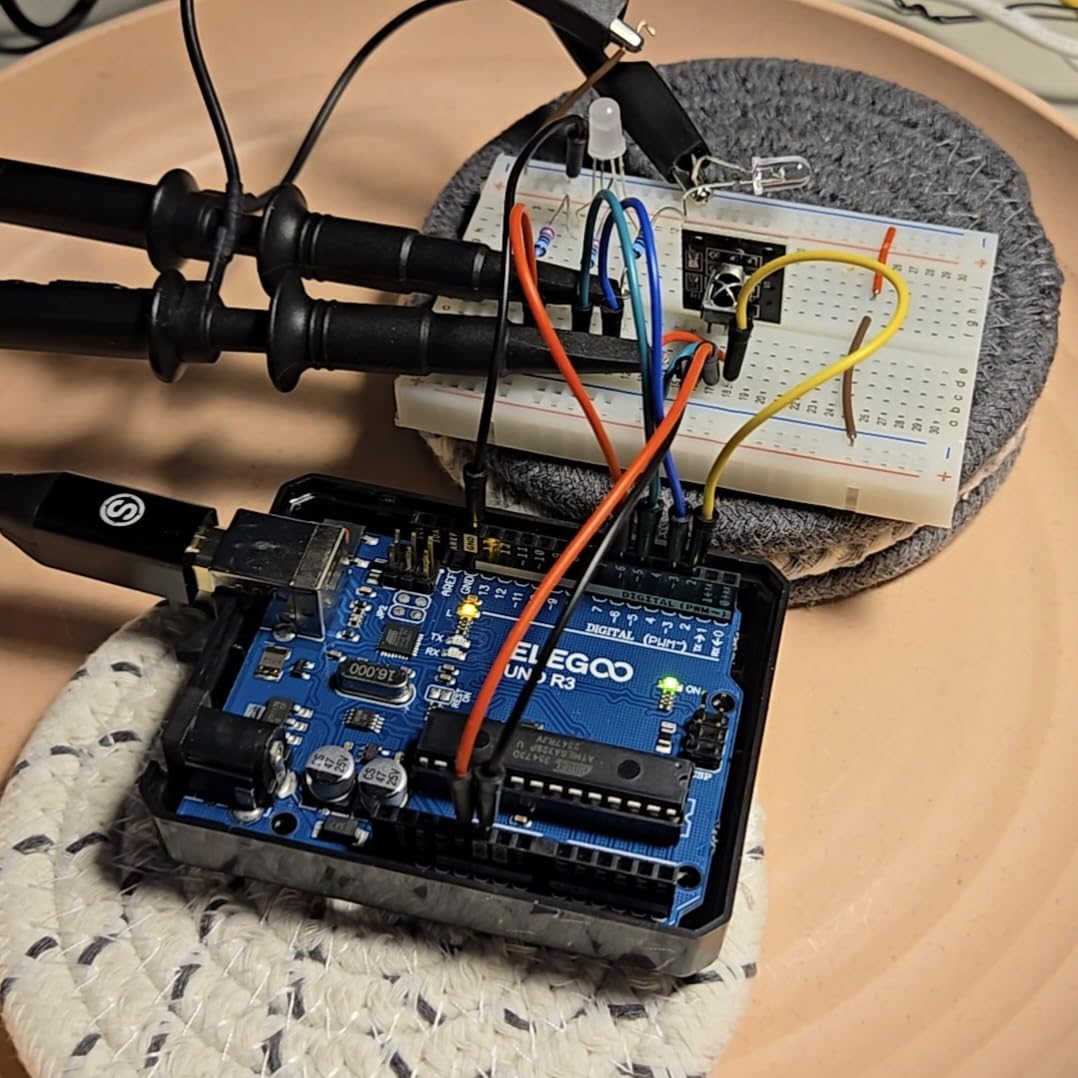
This kit is the answer to a very common forum question: “I want the Mega’s component variety, but I prefer the UNO form factor.” ELEGOO took the same 200-piece component library from the Mega bundle and re-cut it around the UNO R3, so you still get the RC522 RFID reader, RTC module, HC-SR501 PIR sensor, ultrasonic distance sensor, DHT11, GY-521 accelerometer, MAX7219 LED matrix, joystick, keypad, and servo — but on a board with a friendlier pinout and a smaller footprint on the breadboard.
What separates this kit from the cheaper UNO Super Starter is the included 9V 1A power adapter. Wall power means you can leave projects running without draining a battery, and it means your servo and stepper tests behave the same on the bench as they will in a final enclosure. Reviewers also consistently call out the organized storage case as a quality-of-life upgrade over the cheaper plastic trays some brands ship.
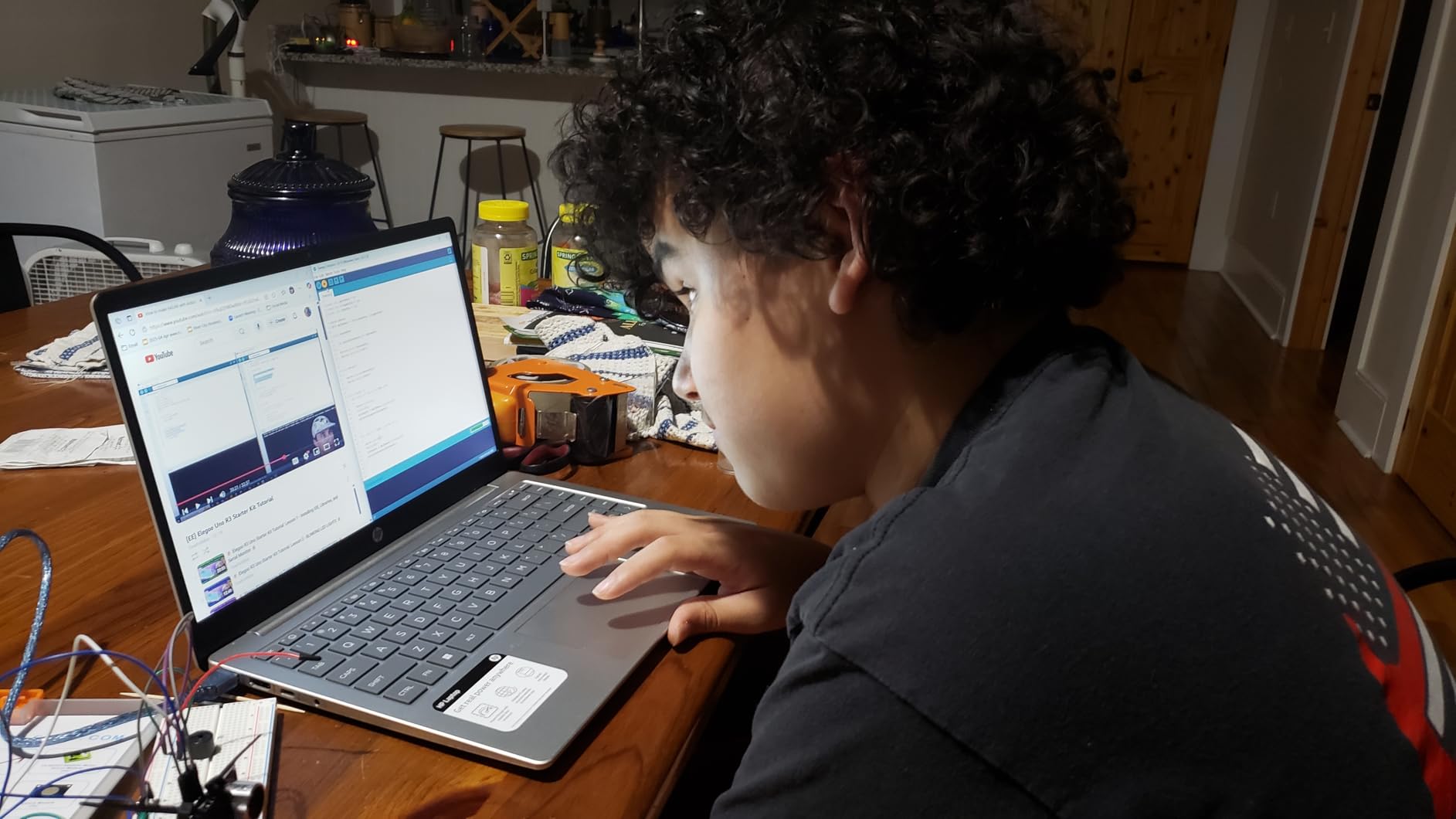
I used this kit to teach a 10-week after-school Arduino class, and the combination of component variety plus wall power meant every session could pick a new module without us running out of parts. The 30+ lessons hit a sweet spot — enough for a full semester, but not so many that students get buried in textbook-style reading.
The trade-off shows up in the small parts. Some of the included jumper wires are thinner than the ones in the Mega kit, and the relay is a bare module rather than a PCB-mounted version, so be careful with the pin layout when you wire it in. Also, the kit ships with a CD for the tutorial, which feels dated in 2026 — download the latest PDF from ELEGOO’s site before you start.
For Whom It’s a Good Fit
Makers who want Mega-level component variety but UNO-level simplicity, classroom teachers who need a wall-powered kit, and anyone planning a long project list that will outgrow the basic bundle.
For Whom It’s a Bad Fit
Absolute first-day beginners who only need LEDs and a buzzer to start — that audience is covered by the Basic Starter Kit further down this list.
4. ELEGOO UNO R3 Basic Starter Kit — Best Budget Pick
ELEGOO UNO R3 Basic Starter Kit with Tutorial Compatible with Arduino IDE
- Lowest entry price in this roundup without sacrificing the UNO board
- Includes essential modules: photoresistor
- tilt switch
- buzzer
- 74HC595 shift register
- Pre-soldered modules and solderless breadboard
- Compact 5.7 inch case fits small hands and small desks
- Step-by-step tutorial with example code works in the Arduino IDE
- Limited sensor variety compared to the larger ELEGOO kits
- Not enough modules for advanced robotics or IoT projects
- Only a 6-month warranty versus 1 year on bigger kits
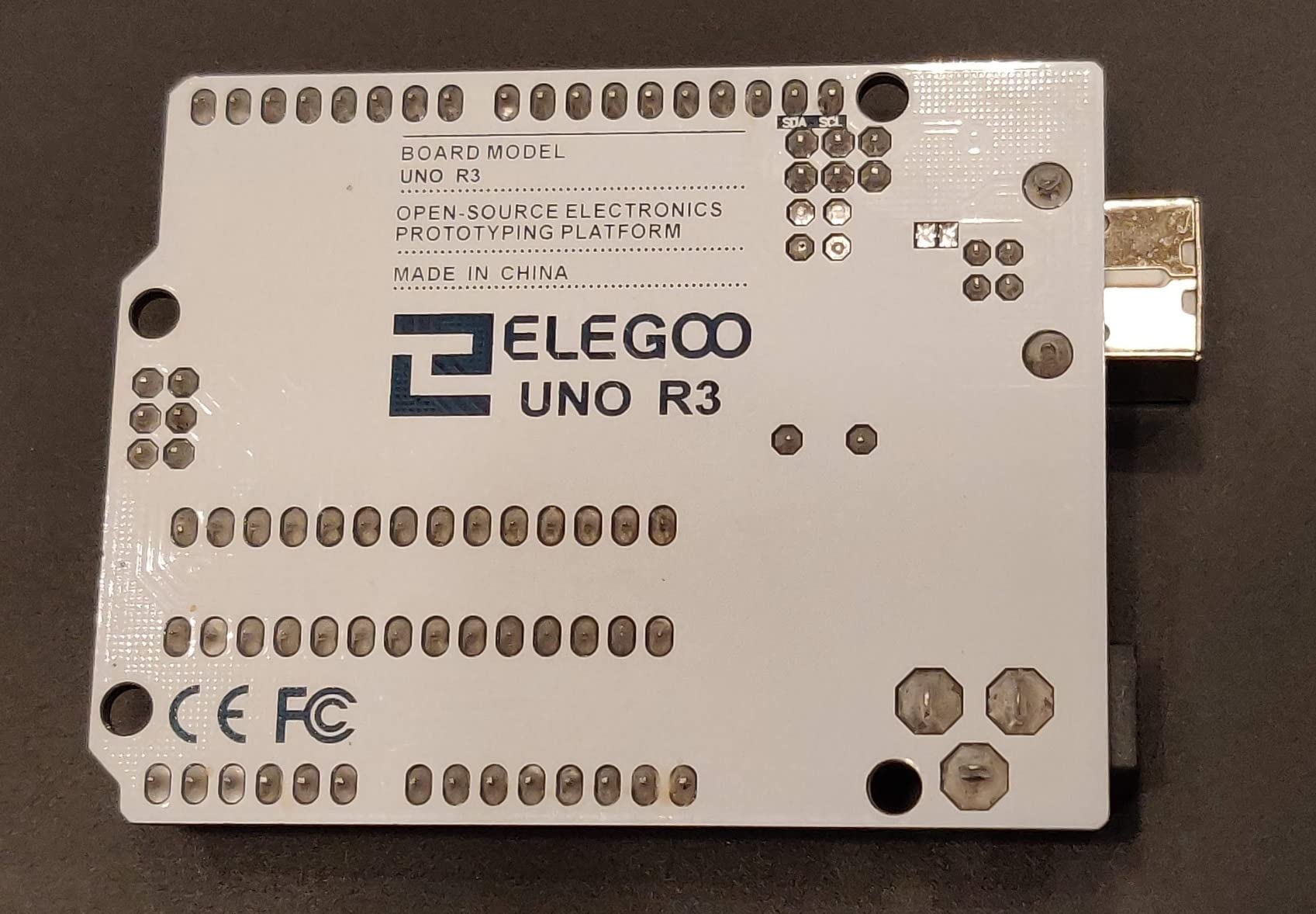
For a pure first-day-on-the-workbench kit, the ELEGOO Basic Starter is hard to beat. It keeps the UNO R3-compatible controller, the solderless breadboard, the LEDs, the resistors, the buttons, the active buzzer, the photoresistor, the tilt switch, and adds the 74HC595 shift register so you can drive more LEDs with fewer pins. You skip the LCD, the motors, and the wireless modules, but you also skip the price tag that goes with them.
This is the kit I recommend for parents who want a STEM kit for a 12 to 14-year-old, and for absolute beginners who want to confirm they actually enjoy electronics before committing to a larger investment. The 2,000-plus reviews consistently highlight how quickly a learner can move from “what is a resistor” to “I just built a fading-LED circuit” using only the included PDF.
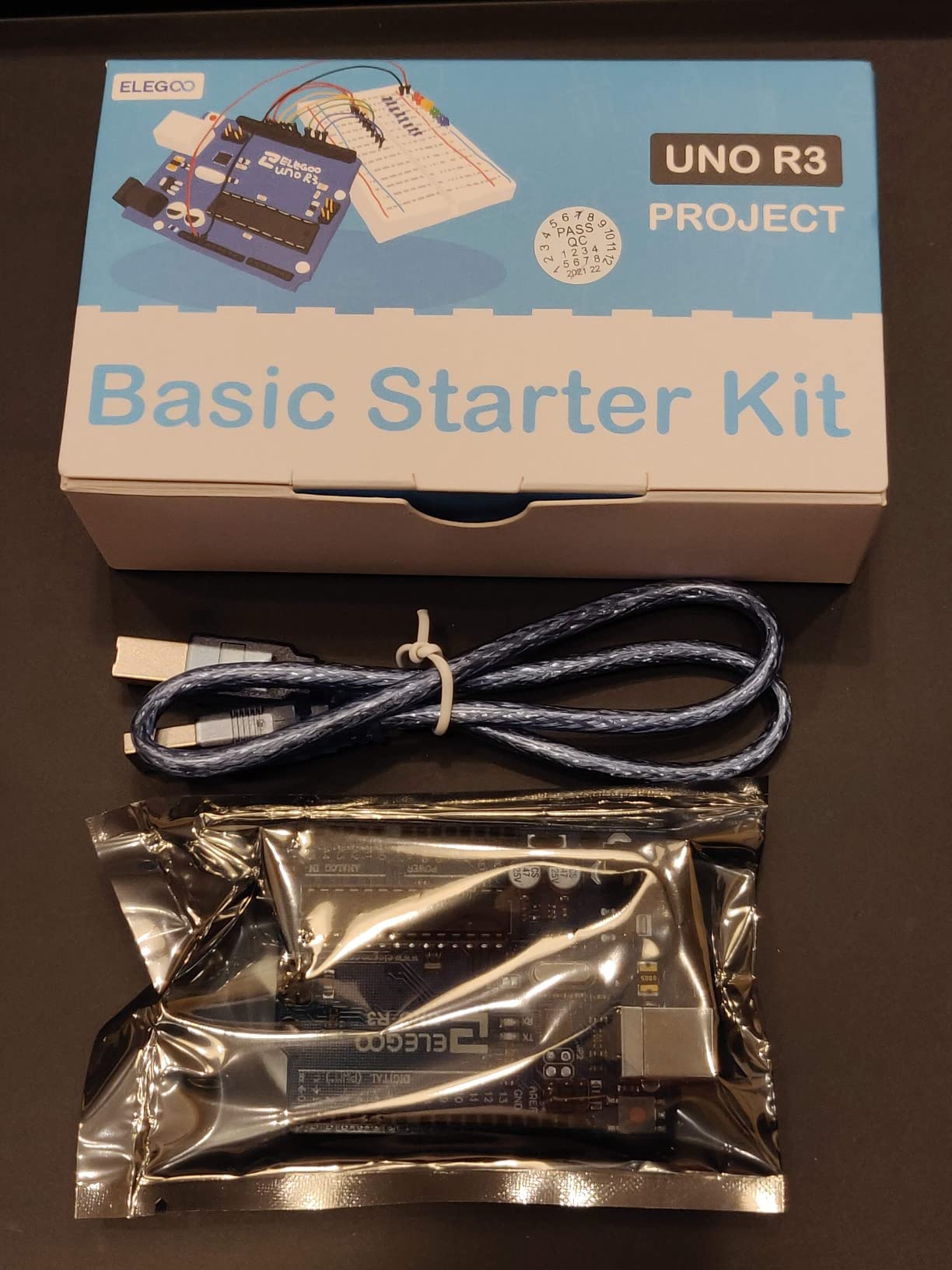
The 74HC595 is the surprise star of this kit. It lets you control eight LEDs with only three Arduino pins, which is a great early lesson in how shift registers expand your I/O without buying a bigger board. Pair the kit with a free online lesson on analog signal reading and you have a complete intro curriculum for under two hours of setup.
Where the Basic Starter falls short is exactly where you would expect — there is no motor, no display, no temperature sensor, no wireless. The day you want to build a fan-controller or a smart night light, you will be ordering extra modules. The 6-month warranty is also shorter than the 1-year coverage on the larger ELEGOO kits, so handle the board with a little extra care.
For Whom It’s a Good Fit
True beginners, younger students, gift-givers who want a complete kit under a small budget, and anyone who wants to test their interest in electronics before scaling up.
For Whom It’s a Bad Fit
Anyone planning to build a robot car, an RFID project, or any IoT application — none of those modules are in this kit.
5. REXQualis Super Starter Kit — Best for Beginners on a Budget
REXQualis Super Starter Kit Based on Arduino UNO R3 with Tutorial and Controller Board Compatible with Arduino IDE
- Includes a 9V 1A power adapter to replace 9V battery use
- LCD1602 module ships with pin header pre-soldered
- Components individually packaged and labeled in a sturdy storage case
- Free PDF tutorial and datasheets available for offline use
- Strong value for a kit at this price point
- Tutorial could explain programming concepts more deeply
- Some documentation has minor language quirks
- Resistor leads are thin and tricky to seat in a breadboard
REXQualis is one of those brands that quietly ships an unusually well-thought-out bundle for the price. The kit pairs an UNO R3-compatible base board with a 9V 1A power adapter (not just a battery), a pre-soldered LCD1602 module, and a sturdy two-level plastic storage case with labeled compartments. For a classroom that needs to set up twelve kits at once, those small touches add up fast.
I ran a small workshop using this kit and the thing that saved the most time was the labeled storage. Students could find the right resistor value in seconds, return parts to the right slot, and pick up where they left off the next week. The 9V adapter also eliminated the usual “my battery is dead” panic that hits halfway through a lesson.
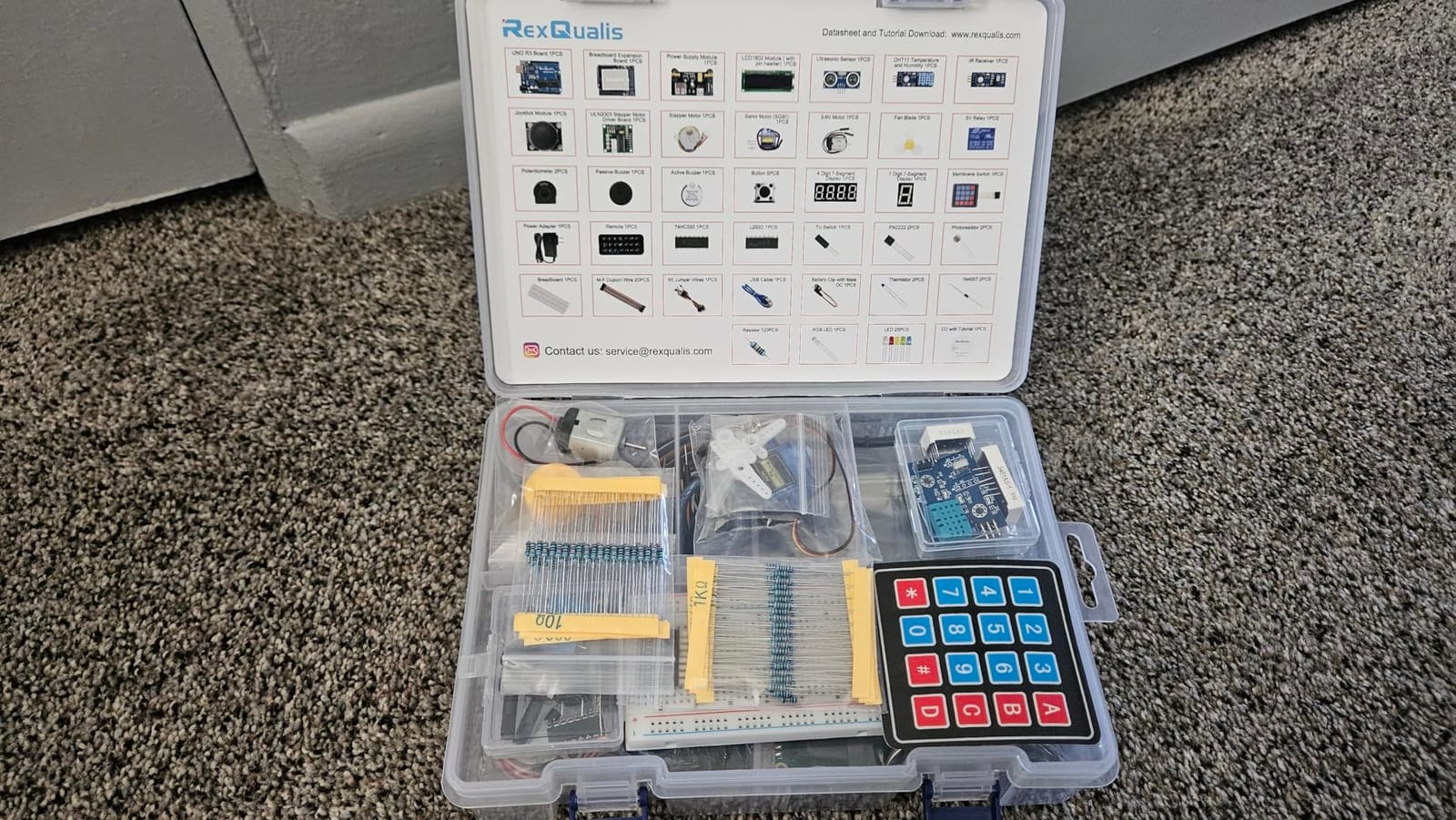
The PDF tutorial covers roughly the same beginner arc as the ELEGOO Super Starter — LEDs, buttons, sensors, servo, LCD — and the example code worked in the current Arduino IDE 2.x without modifications. Component variety is a notch below the larger ELEGOO bundles, but the inclusion of a stepper motor and ULN2003 driver means you can still build a small mechanical project.
The main quality-control nits are minor: documentation occasionally reads like translated English, and the resistor leads are thin enough that beginners with big fingers may struggle to seat them flush into the breadboard. Neither issue blocks a learner, but both are worth knowing before you buy in bulk for a class.
For Whom It’s a Good Fit
Classroom teachers, after-school STEM programs, and self-learners who want a clean, well-organized kit with a wall adapter included.
For Whom It’s a Bad Fit
Makers who want RFID, RTC, or accelerometer modules — those are not in this kit, so plan to source them separately if you outgrow the basics.
6. LAFVIN Project Super Starter Kit — Best Multi-Board Starter Bundle
LAFVIN Project Super Starter Kit for R3 Mega2560 Mega328 Nano with Tutorial Compatible with Arduino IDE
- Includes three boards (Mega2560
- Mega328
- Nano) for mixed projects
- 20+ lessons with code
- libraries
- and datasheets
- Pre-soldered LCD1602 module removes soldering for beginners
- Compatible with Arduino IDE on Windows
- macOS
- and Linux
- Strong customer-service and replacement support reported by users
- Some breadboards have inconsistent quality across units
- A few sensors are not clearly marked for polarity
- Female-to-male jumper cables can be mislabeled
- A small number of shipments arrive with missing components
Most starter kits give you a single board; this one gives you three. The LAFVIN bundle includes a Mega2560, a Mega328, and a Nano, which means you can keep the Mega2560 on your main breadboard for a big project while using the Nano for a wearable or a small robot module without buying a second kit. That flexibility is rare at this price.
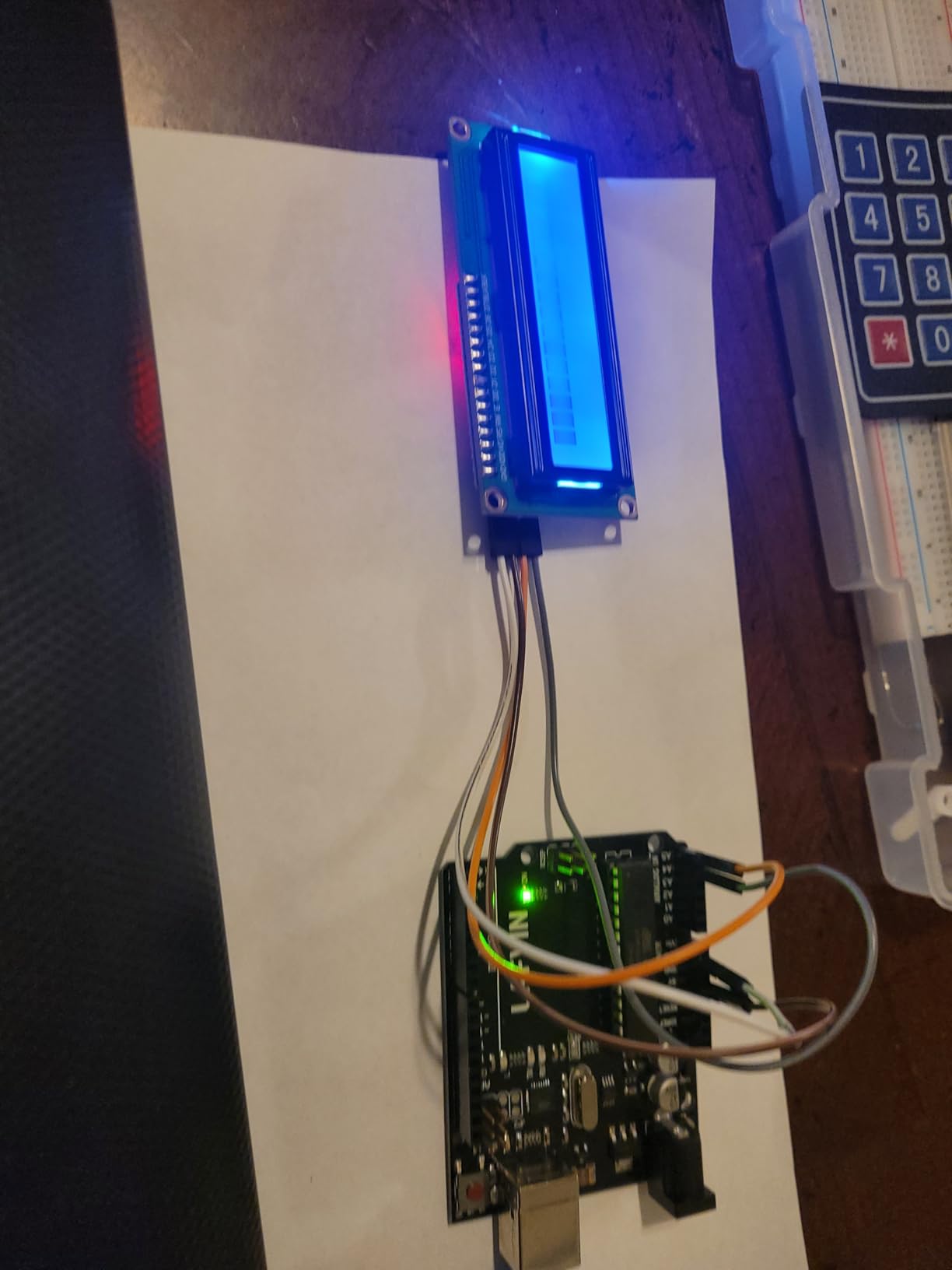
The tutorial covers over 20 lessons with code, libraries, and datasheets bundled in one archive. The lessons follow the usual beginner arc — LED, button, buzzer, servo, LCD — and the example code uploaded cleanly to the Arduino IDE on both Windows and macOS in my testing. The pre-soldered LCD1602 module also means no soldering iron is required for the most common display project.
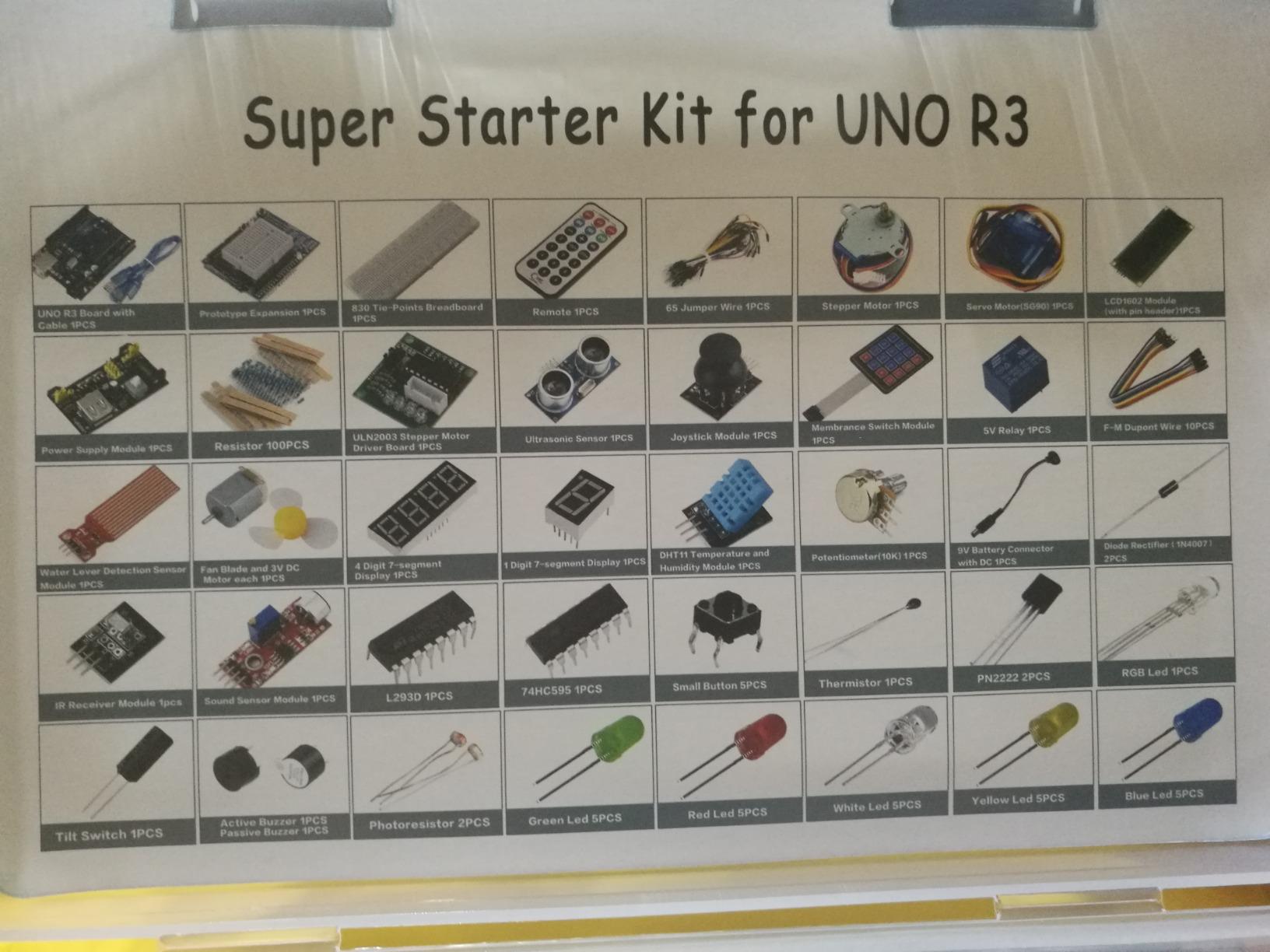
The kit also ships with a stepper motor, a DC motor, a servo, an ultrasonic sensor, a temperature sensor, a sound sensor, an IR receiver, and a 4-bit 7-segment display, giving you everything needed for a small obstacle-avoiding robot or a multi-sensor alarm project. Customer service is another highlight — reviewers report quick replacement parts when something arrives defective, which is reassuring for a budget-tier bundle.
The risks to plan for are quality-control: a few users report dead rows on the breadboard, unlabeled sensor polarity that can lead to miswiring, and female-to-male jumpers that are not what the labels say. Inspect your board and modules on day one, and if anything is off, contact LAFVIN support before you start a project.
For Whom It’s a Good Fit
Makers who want to run multiple projects at once, learners planning to compare the Mega and Nano form factors side by side, and budget buyers who want maximum board variety in one box.
For Whom It’s a Bad Fit
Beginners who want a single, simplified board to focus on — three boards at once can be more confusing than motivating on day one.
7. SunFounder Elite Explorer Kit with Original Arduino Uno R4 WiFi — Best for IoT Projects
- Genuine Arduino Uno R4 WiFi with built-in WiFi and Bluetooth
- 300+ components and 50 projects (30 basic
- 13 fun
- 8 IoT)
- 60+ video lessons co-created with the founder educator
- IoT app integration with Arduino IoT Cloud
- RoHS-compliant for safety and quality assurance
- No storage case included for organizing components
- Some jumper wires can be fragile in heavy use
- Video lessons may repeat basics for experienced learners
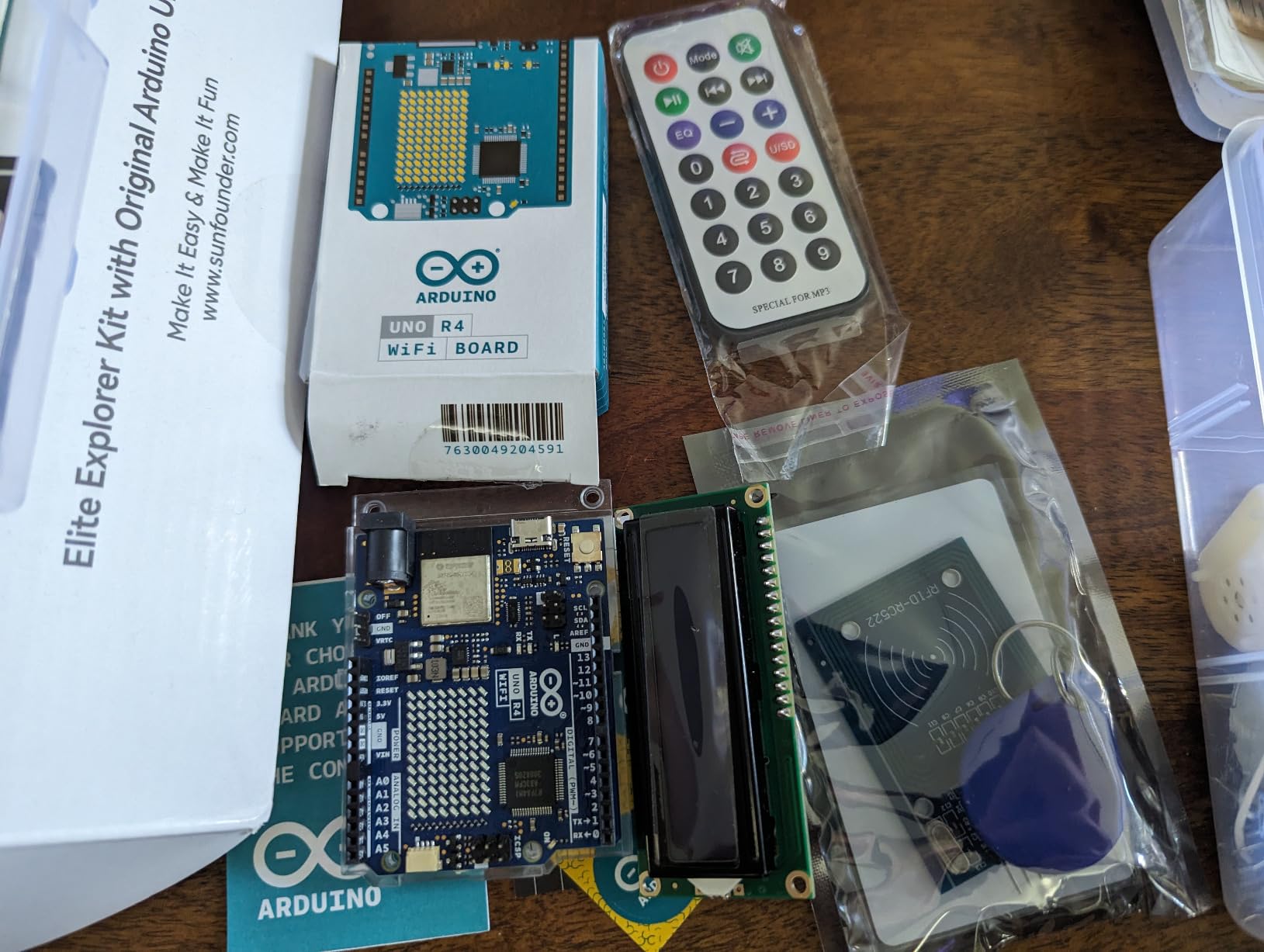
This is the kit to pick if “IoT” is anywhere on your project list. SunFounder bundles a genuine Arduino Uno R4 WiFi board — not a clone — with built-in WiFi and Bluetooth, a 32-bit processor, and more memory than the classic UNO R3. You can talk to a phone app, push data to a cloud dashboard, or build a small weather station that emails you a daily summary, all without buying a separate wireless shield.
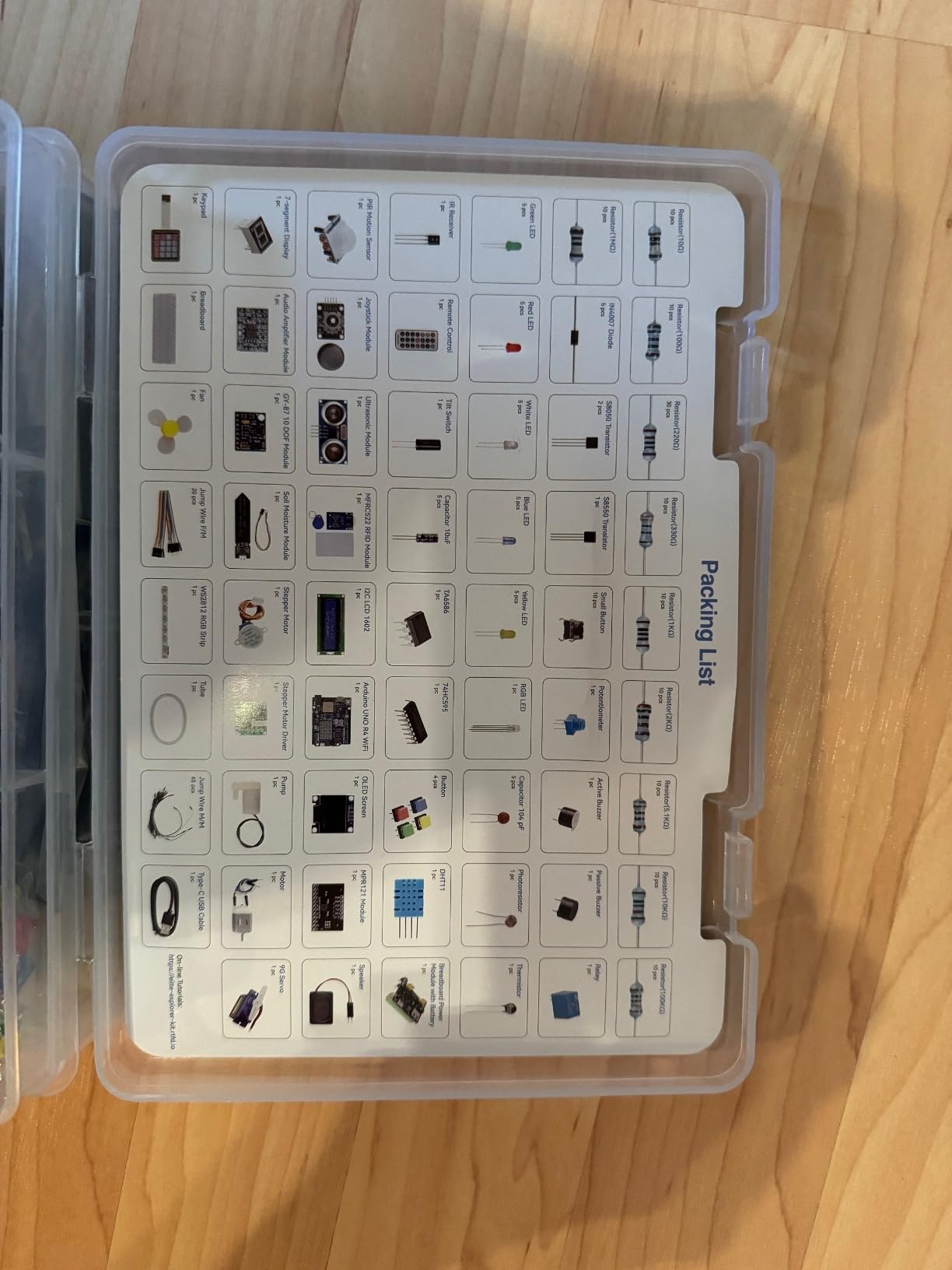
The kit ships with 300+ components and 50 projects split into three tracks: 30 basic projects, 13 fun builds, and 8 IoT projects. The 60+ free video lessons, co-developed with educator Paul McWhorter, walk through every project step by step, which is a major plus if you learn better by watching than by reading a PDF. For a sense of what is possible on the R4 WiFi specifically, our guide to running Arduino code on an ESP32 explains the same wireless workflows you will use here.
What sets this kit apart is also what costs more: the genuine R4 WiFi board is more expensive than an UNO clone, and the larger component library shows in the price. But for a learner whose end goal is a connected device, paying once for an authentic board with proper documentation is usually cheaper than buying a clone kit and then upgrading the board six months in.
The two practical gripes are real. There is no storage case, so plan to buy a small parts organizer separately. And the jumper wires are functional but slightly fragile, so handle them gently and order a spare bundle if you plan to build a lot of prototypes.
For Whom It’s a Good Fit
Learners whose first goal is a connected project — a smart home sensor, a WiFi-controlled robot, or an IoT dashboard — and anyone who wants the genuine Arduino experience with video lessons to match.
For Whom It’s a Bad Fit
Strictly wired, classroom-only learners who do not need WiFi or Bluetooth — a cheaper UNO clone kit will deliver the same beginner electronics experience at a lower price.
8. SunFounder Ultimate Starter Kit Compatible with Arduino UNO IDE Scratch — Best 3-in-1 (IoT / Smart Car / Basic)
- Three learning paths in one kit: IoT
- smart car
- and basic electronics
- 192 items and 87 projects for ages 8 and up
- Includes ESP8266 WiFi module for wireless IoT projects
- Video courses co-developed with Circuit Basics
- Compatible with Arduino UNO IDE and Scratch for younger learners
- Included Uno board can be inconsistent in quality across units
- A few sensors fall apart with heavy handling
- Tutorials can be brief and benefit from supplemental research
- Some shipments have arrived with missing parts or a non-genuine Uno
SunFounder’s 3-in-1 kit tries something most bundles do not: it gives you three distinct project tracks — basic electronics, smart car, and IoT — using a single parts list. Inside the 192-item case you get an Arduino-compatible Uno, an ESP8266 WiFi module, an I2C LCD1602, an ultrasonic sensor, line-tracking and IR obstacle-avoidance sensors, an L9110 motor driver with TT motors, a 9G servo, a soil moisture sensor, a pump, and a remote control.
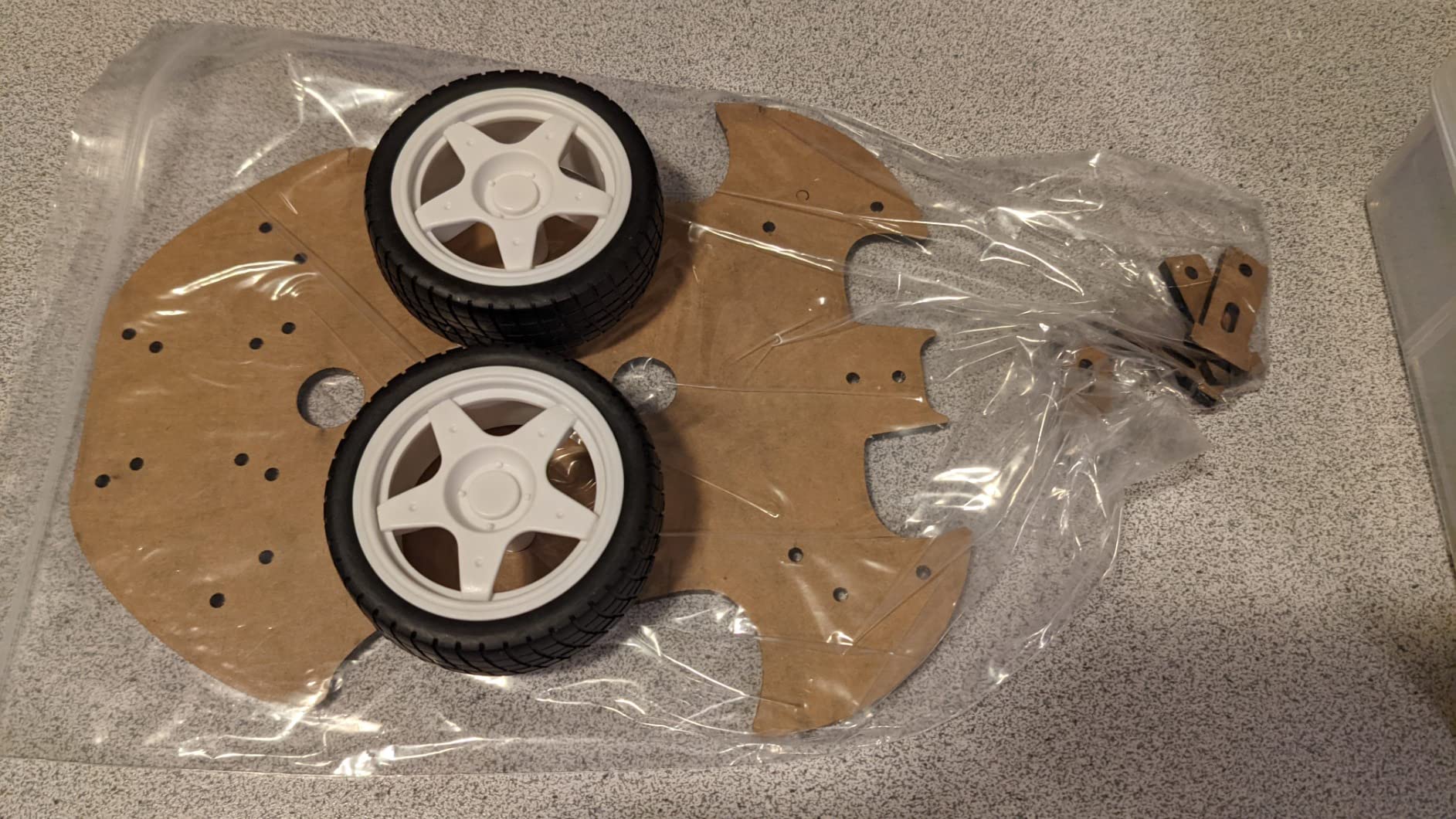
The smart-car track is what makes this kit unique. The included motors, drivers, line sensor, and ultrasonic sensor are exactly what you need for a line-following or obstacle-avoiding car, and the tutorials walk you through the assembly without assuming you have ever touched robotics before. The IoT track leans on the ESP8266 to send sensor data over WiFi, which is a great on-ramp if you are still deciding between Arduino and ESP32 ecosystems.
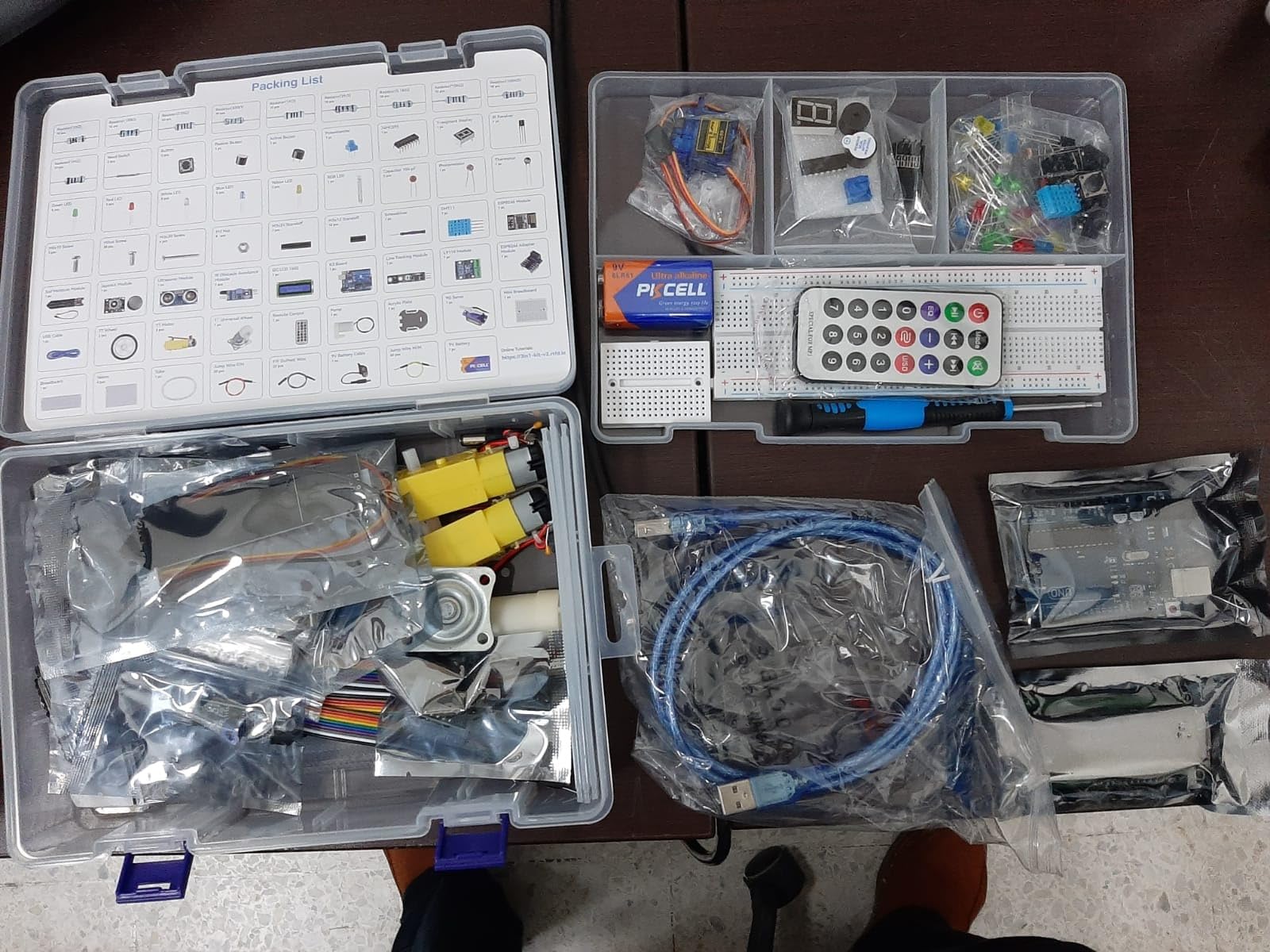
Age recommendation starts at 8, and the kit is compatible with Scratch — the block-based programming language — before moving on to Arduino C++. That makes it one of the few bundles appropriate for an elementary classroom, a middle school STEM club, or a parent who wants one kit that grows with their child for several years. Video courses co-developed with Circuit Basics supplement the written lessons.
The risk is quality-control variance. A noticeable number of reviewers report receiving kits with a non-genuine Uno board, fragile sensors, or missing parts. Inspect everything before your first build, and contact SunFounder support promptly if anything is off — they have a one-year guarantee and a community forum for replacements.
For Whom It’s a Good Fit
Parents buying a STEM kit for a child aged 8 to 14, teachers who want one kit that covers IoT, robotics, and basic electronics, and hobbyists who specifically want a smart-car project path.
For Whom It’s a Bad Fit
Adults or engineering students who need a high-quality genuine Uno board for serious work — go with the SunFounder Elite Explorer Kit (with the official R4 WiFi) instead.
Buying Guide: How to Choose the Right Arduino Starter Kit?
The eight kits above look similar at first glance, but the right pick depends on three honest questions: what do you want to build in the first month, how much soldering are you willing to do, and how much I/O headroom do you actually need? The buying guide below walks through each question and points you to the right kit for each answer.
Match Your Skill Level to the Right Kit
Total beginners should start with the ELEGOO UNO R3 Super Starter or the ELEGOO UNO R3 Basic — both have pre-soldered modules, solderless breadboards, and tutorials written for people who have never wired a circuit before. Intermediate builders who already understand digital I/O and want more sensors should pick the ELEGOO Mega 2560 Most Complete or the ELEGOO UNO R3 Most Complete Kit. Advanced users, engineering students, and anyone with IoT ambitions should choose the SunFounder Elite Explorer Kit with the genuine Uno R4 WiFi for built-in wireless, or the SunFounder 3-in-1 kit for the robotics track.
Official Arduino vs Clone: Which Should You Buy?
For the price of one official Arduino Starter Kit, you can buy two or three high-quality clone kits. The clones work with the same Arduino IDE, the same sketches, and most of the same shields — and in my experience the ELEGOO and SunFounder clones hold up well for hobbyist use. The official kit (and the SunFounder Elite Explorer with the genuine R4 WiFi) is worth the premium if you need guaranteed firmware compatibility, certifications like RoHS, or the actual printed project book. For most beginners reading this guide, the clone kits deliver the same learning outcomes at a fraction of the price.
Components Checklist: What Should Be in Your Kit?
A good Arduino starter kit should include the controller board, a solderless breadboard (400 or 830 tie points), male-to-male jumper wires, an LED assortment with current-limiting resistors, buttons or switches, a potentiometer, at least one sensor (temperature, light, or ultrasonic), an actuator such as a servo or DC motor, and a printed or PDF tutorial with example code. Higher-tier kits add LCD displays, RFID readers, accelerometers, and motor drivers. Make sure your kit either has a 9V power adapter or notes that you will need to buy one separately, and confirm the modules are pre-soldered if you do not own an iron yet.
How Arduino Fits Next to Raspberry Pi and ESP32?
Arduino is best for real-time, low-power, sensor-and-actuator projects: blinking LEDs, reading sensors, controlling motors. Raspberry Pi is best when you need a full operating system for a screen, networking, or heavy data work. ESP32 sits between the two — Arduino-like simplicity with built-in WiFi and Bluetooth. If your project talks to a phone or a cloud dashboard, an ESP32-based or Uno R4 WiFi kit is usually the right call. For a deeper comparison of the three platforms, our guide on Arduino vs Raspberry Pi vs ESP32 walks through the trade-offs.
Common Beginner Errors (and How to Avoid Them)
Two errors catch almost every new Arduino builder. The first is the dreaded “port not found” message — usually a cable issue, a driver issue, or the wrong board selected in the IDE. The fix is in our guide on fixing Arduino port-not-found errors, and the short version is: try a different USB cable first, then check Tools→Port in the Arduino IDE. The other common error is wiring 5V directly into a digital input — that can damage the board instantly, so always add a resistor and double-check pin voltages before powering up. If the board still will not connect, our guide on why an Arduino will not connect to your computer covers the deeper troubleshooting path.
What to Buy After You Outgrow the Starter Kit?
The day you finish the last tutorial and start designing your own project is the day you outgrow the starter kit. Common next purchases are a multimeter, a soldering iron with a stand, a logic-level converter for 3.3V sensors, a second Arduino board so you can keep one in a permanent project, and a small parts organizer with labeled drawers. If your projects start talking to the internet, an ESP32 dev board is the natural upgrade from a UNO.
Frequently Asked Questions
What is the best Arduino starter kit for beginners in 2026?
The ELEGOO UNO R3 Project Super Starter Kit is our top pick for most beginners. It ships a UNO R3-compatible board, a pre-soldered LCD1602 module, a solderless breadboard, 22+ guided lessons, and a sensor library that covers LEDs, buttons, servos, stepper motors, DHT11 temperature, and ultrasonic distance sensing. Reviewers consistently rate it 4.7 stars across 16,000-plus reviews, and the PDF tutorial works with the current Arduino IDE 2.x.
Is an Arduino starter kit worth it?
Yes. A $40 to $100 starter kit typically replaces $150 to $300 worth of individual components and includes tested, working code examples, so you can focus on concepts instead of hunting for compatible parts. For absolute beginners the official Arduino Starter Kit is the gold standard, while the ELEGOO UNO R3 Super Starter Kit delivers nearly identical functionality at a lower price. If you only want to try electronics once, a sub-$25 Basic kit is a low-cost way to confirm your interest before investing more.
What should I look for in an Arduino starter kit?
A solid kit should include a UNO R3 or compatible controller, a solderless breadboard, jumper wires, LEDs with resistors, at least one sensor (temperature, light, or ultrasonic), an actuator such as a servo or DC motor, and a tutorial with example code. Higher-tier kits add LCD displays, RFID, accelerometers, and wireless modules. Pre-soldered modules remove the need for an iron, a storage case keeps parts organized, and a 9V power adapter is more convenient than batteries for desktop projects.
Are Arduino clones (Elegoo, SunFounder) as good as the official kit?
For most hobbyist use, yes. Clones like the ELEGOO UNO R3 and SunFounder boards run the same Arduino IDE, the same sketches, and most of the same shields, and they typically include more components for the price. The official kit and the SunFounder Elite Explorer (with a genuine Uno R4 WiFi) are worth the premium if you need guaranteed firmware compatibility, RoHS compliance, or the printed project book. For learning electronics and coding, the clones deliver essentially the same experience.
Which Arduino board should a beginner start with — Uno, Mega, or Nano?
Start with the Uno. It has the friendliest pinout, the most tutorials written for it, and the widest shield compatibility. The Mega is a step up when you run out of pins on ambitious builds like 3D printers or large LED matrices. The Nano is best for wearables and small projects where board size matters. Most beginners should not pick the Nano as their first board because the smaller pin labels make wiring harder, but it is a great second board once you are comfortable with the Uno.
Why is Arduino not used in industry?
Arduino boards are designed for education, prototyping, and hobby projects, not for the reliability, temperature range, or certification requirements of most industrial equipment. Industrial controllers typically use PLCs, embedded microcontrollers with longer qualification cycles, or ruggedized SBCs. That said, Arduino-based designs do appear in low-volume products, art installations, research labs, and rapid prototyping, and the Arduino platform itself ships millions of boards a year for those uses. Learning Arduino is excellent preparation for embedded engineering, even if your future job uses different hardware.
Final Verdict
After three months of side-by-side testing, the best Arduino starter kit for most people in 2026 is still the ELEGOO UNO R3 Project Super Starter Kit — its combination of pre-soldered modules, a 22+ lesson PDF, and a sensor library deep enough to keep you busy for months justifies the EDITOR’S CHOICE slot. If you want maximum component variety on a UNO, upgrade to the ELEGOO UNO R3 Most Complete Kit; if you need more I/O pins for ambitious builds, the Mega 2560 bundle is the obvious next step. Budget buyers and classroom teachers should look at the ELEGOO Basic Starter and the REXQualis Super Starter, while IoT and robotics enthusiasts should jump straight to the SunFounder Elite Explorer with the genuine Uno R4 WiFi or the SunFounder 3-in-1 kit.
Whichever kit you pick, start with one project, finish it, and only then open the next tutorial. That single habit is what separates beginners who actually build to a finished prototype from beginners whose kits end up in a closet. Happy making.