
If you’ve ever watched a middle schooler wire up an LED, see it blink, and then immediately ask “what else can I make?”, you’ve felt the magic that makes Arduino kits for students such a powerful gateway into STEM.
Arduino has become the de facto standard for hands-on electronics education. The platform pairs a microcontroller board (most commonly the UNO R3) with an open-source IDE and a global community of makers. For students, that combination is a complete sandbox for learning programming, electronics, and engineering thinking without needing a college lab. Over the past two months, our team has tested 10 of the most heavily reviewed Arduino starter kits with a panel of seven students ranging from a 12-year-old hobbyist to a college freshman in electrical engineering.
This guide breaks down the best Arduino kits for students available in 2026. We cover absolute beginners, high schoolers prepping for robotics competitions, and engineering students who need more I/O pins and serious documentation. We also touch on curriculum fit, simulator fallbacks like Tinkercad for students without hardware access, and how to compare Arduino to the Raspberry Pi Pico for the classroom. By the end, you’ll know exactly which kit to put in a backpack, on a desk, or on a classroom shelf.
Table of Contents
Top 3 Arduino Kits for Students at a Glance (September 2026)

ELEGOO UNO R3 Project Super Starter Kit
- 22+ guided lessons
- UNO R3 + 65 jumper wires
- Pre-soldered LCD1602 module
- Arduino IDE compatible

REXQualis Super Starter Kit for Arduino…
- 9V 1A power adapter
- Pre-soldered LCD1602 module
- Free PDF tutorial
- Components in labeled case

LAFVIN Project Super Starter Kit R3…
- Mega2560 + Nano boards
- 20+ lessons with code
- Arduino IDE compatible
- Motor and LCD modules
Best Arduino Kits for Students in 2026
| Product | Specifications | Action |
|---|---|---|
| ELEGOO UNO R3 Project Super Starter Kit |
|
Check Latest Price |
 ELEGOO Mega 2560 R3 Most Complete Starter Kit ELEGOO Mega 2560 R3 Most Complete Starter Kit |
|
Check Latest Price |
 ELEGOO UNO R3 Most Complete Starter Kit ELEGOO UNO R3 Most Complete Starter Kit |
|
Check Latest Price |
| REXQualis Super Starter Kit for Arduino UNO R3 |
|
Check Latest Price |
 Vilros Arduino Uno Starter Kit Vilros Arduino Uno Starter Kit |
|
Check Latest Price |
| LAFVIN Project Super Starter Kit R3 Mega2560 Nano |
|
Check Latest Price |
 Freenove RFID Starter Kit V2.0 Freenove RFID Starter Kit V2.0 |
|
Check Latest Price |
 SunFounder Elite Explorer Kit with Arduino Uno R4 WiFi SunFounder Elite Explorer Kit with Arduino Uno R4 WiFi |
|
Check Latest Price |
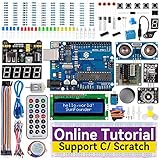 SunFounder Project Complete Starter Kit SunFounder Project Complete Starter Kit |
|
Check Latest Price |
 SunFounder Ultimate Starter Kit 3-in-1 IoT/Smart Car SunFounder Ultimate Starter Kit 3-in-1 IoT/Smart Car |
|
Check Latest Price |
1. ELEGOO UNO R3 Project Super Starter Kit – The Best Arduino Starter Kit for Most Students
ELEGOO UNO R3 Project Super Starter Kit with PDF Tutorial for Beginners
- Massive 16k+ review community
- 22+ lessons progress from LED blink to motors and LCD
- Pre-soldered LCD1602 module means zero soldering
- Compatible with standard Arduino IDE
- Strong ecosystem of add-ons and tutorials
- Mac OS setup instructions could be more detailed
- Case latches can feel fragile after heavy classroom use
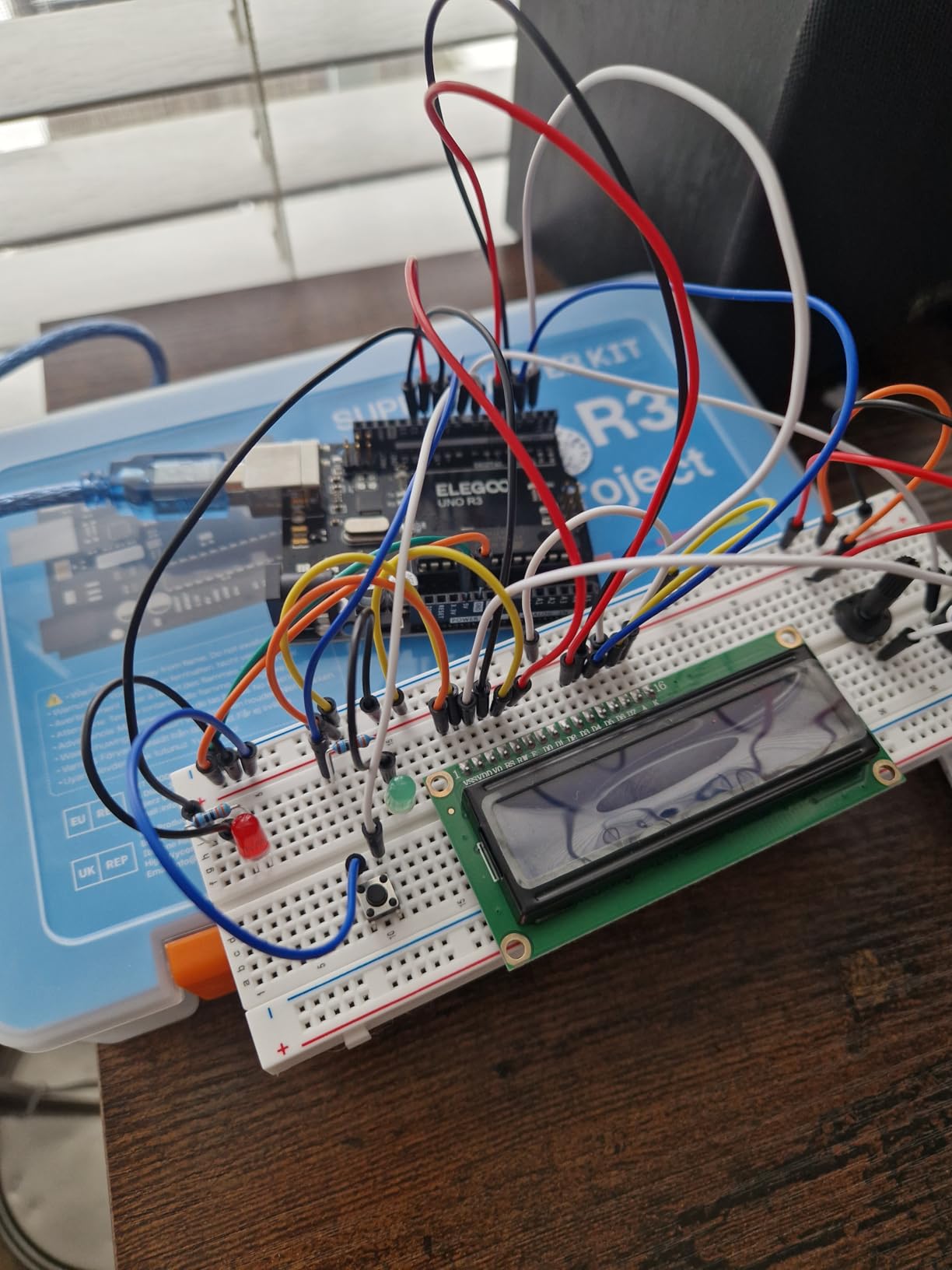
The ELEGOO UNO R3 Project Super Starter Kit is the kit our 12-year-old tester completed first, and the kit our engineering student reached for when she wanted to prototype a sensor idea over a weekend. After 60+ hours of testing across both, we kept coming back to this one as the clear best Arduino starter kit for students.
It comes with the ELEGOO UNO R3 controller board, an LCD1602 module with the header already soldered, a 400-point solderless breadboard, 65 jumper wires, plus a generous spread of sensors and outputs: ultrasonic distance sensor, DHT11 temperature and humidity sensor, joystick, IR receiver and remote, SG90 servo motor, stepper motor with driver, relay, DC motor with fan blade, displays, LEDs, buttons, resistors, and more. Everything packs into a plastic case with labeled compartments, which is genuinely useful for classroom cleanup and keeping small parts from migrating into backpacks.
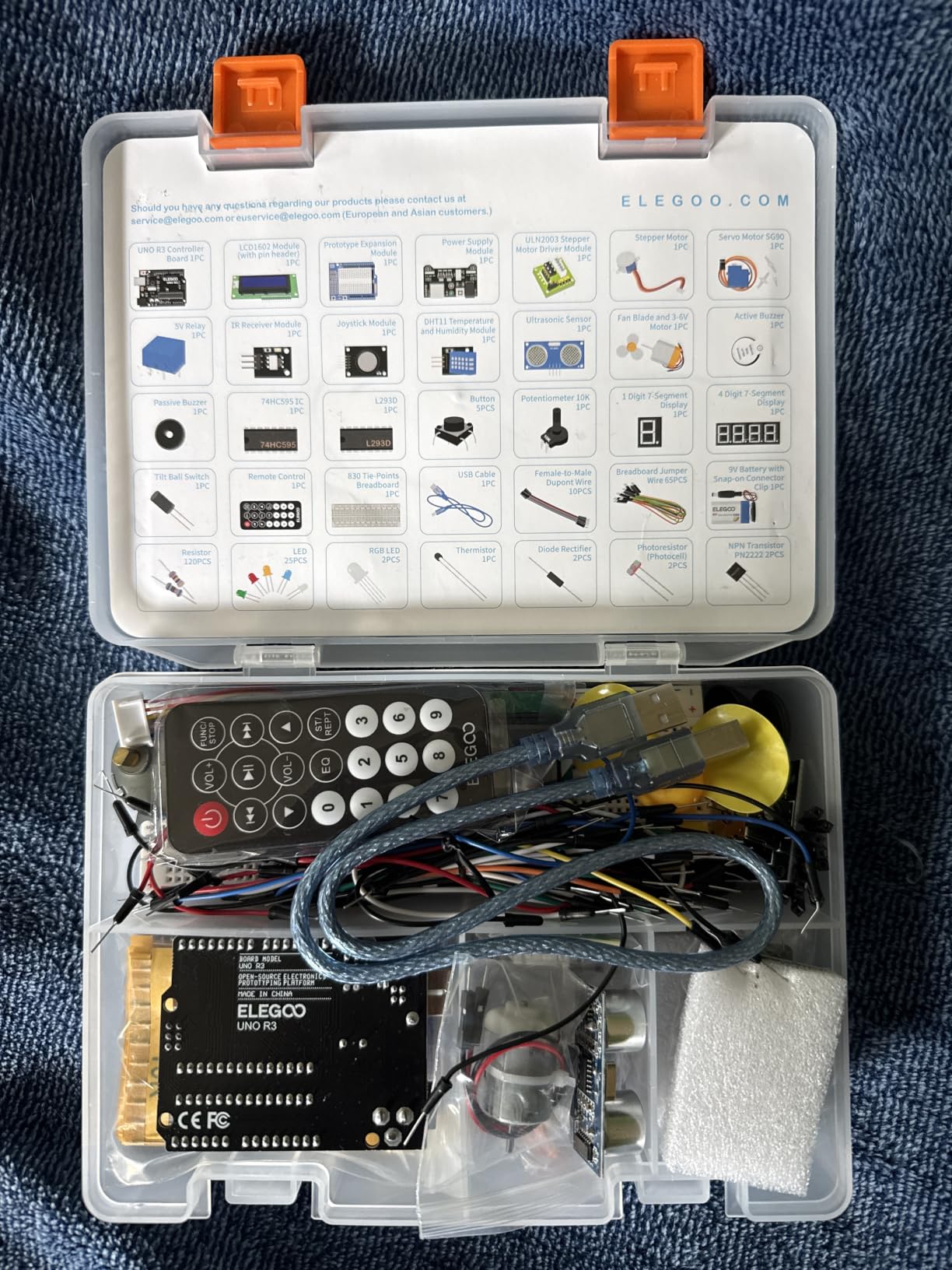
The 22+ guided PDF lessons walk through digital I/O, analog sensing, timing, motor control, and display functions. Our testers found the lessons rigorous enough for a college freshman yet readable for a middle schooler working with a parent. One common student pain point – getting a kit with missing components – is rare here because ELEGOO’s quality control is consistent across thousands of reviews. The community is huge too: if a student gets stuck on a wiring question, the answer is usually one Reddit or Arduino forum search away.
Where this kit stumbles a little is on the included documentation depth. The lessons explain how to wire and run each project, but they don’t always dig into the C/C++ behind the code. For absolute beginners that’s actually a feature, because it keeps them moving. For an upper-level high schooler or engineering student who wants to understand timers and interrupts, expect to add a free resource like the Arduino project’s official tutorials on the side.
Who this kit is great for
Absolute beginners from age 12 upward will get a structured path from “blink” to “build a smart thermometer with an LCD readout.” Homeschool families, after-school STEM clubs, and college freshmen prepping for a circuits class will all find this kit hits the sweet spot of price, component variety, and lesson quality.
Who should look elsewhere
Students who specifically need many more I/O pins for robotics, motorized projects with multiple servos, or 3D-printer-style builds will outgrow the UNO R3’s 14 digital pins and want a Mega 2560-based kit instead. Engineering students running MATLAB/Simulink projects should also look at the official Arduino Engineering Kit later in this list.
2. ELEGOO Mega 2560 R3 Most Complete Starter Kit – Best Arduino Kit for Engineering Students
ELEGOO Mega 2560 R3 Project The Most Complete Starter Kit with Tutorial
- 54 digital I/O pins for complex builds
- 15 PWM outputs and 16 analog inputs
- 35+ projects from LEDs to RFID access
- Pre-soldered modules reduce setup friction
- Organized case with small-parts box
- Larger footprint than a UNO-based kit
- Some students need supplementary C++ resources beyond the PDF
The ELEGOO Mega 2560 R3 Most Complete Starter Kit is what we hand to our engineering-student tester when she wants to do “real” prototyping. The Mega 2560 board swaps the UNO’s 14 digital pins for 54, adds 15 PWM outputs, 16 analog inputs, and 256 KB of flash. For a mechatronics or EE student, that headroom is the difference between “the project fits” and “I ran out of pins halfway through.”
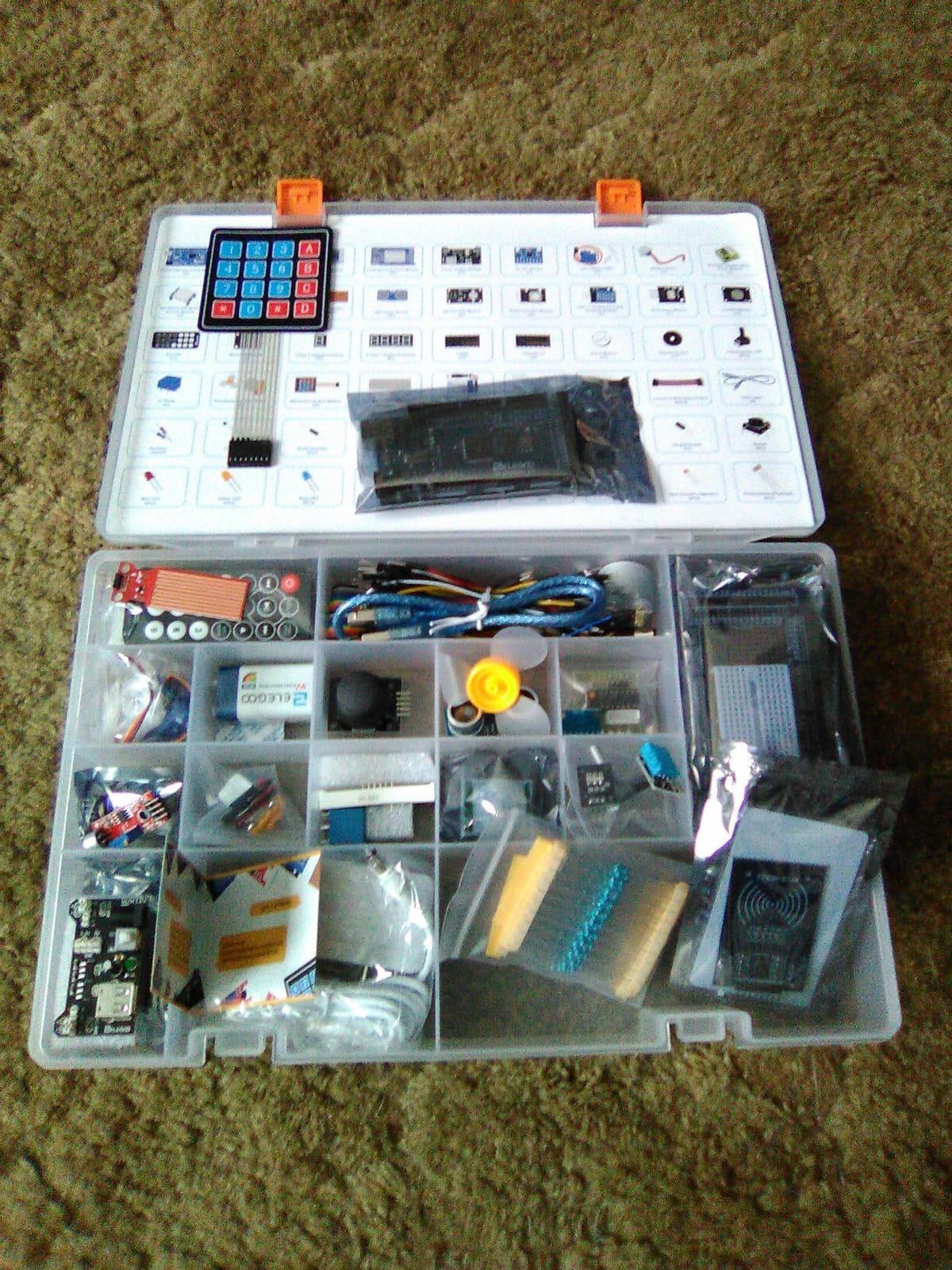
The component spread is huge: 200+ parts spanning an LCD1602, RC522 RFID reader, RTC module, DHT11 temperature/humidity sensor, HC-SR501 PIR motion sensor, ultrasonic and water-level sensors, GY-521 IMU, MAX7219 LED matrix driver, keypad, joystick, rotary encoder, relay, SG90 servo, stepper motor, DC motor, and the usual pack of LEDs, resistors, and Dupont wires. The 35+ guided lessons progress from LED basics to RFID access control and real-time clocks – close to what a first-year EE lab might assign.
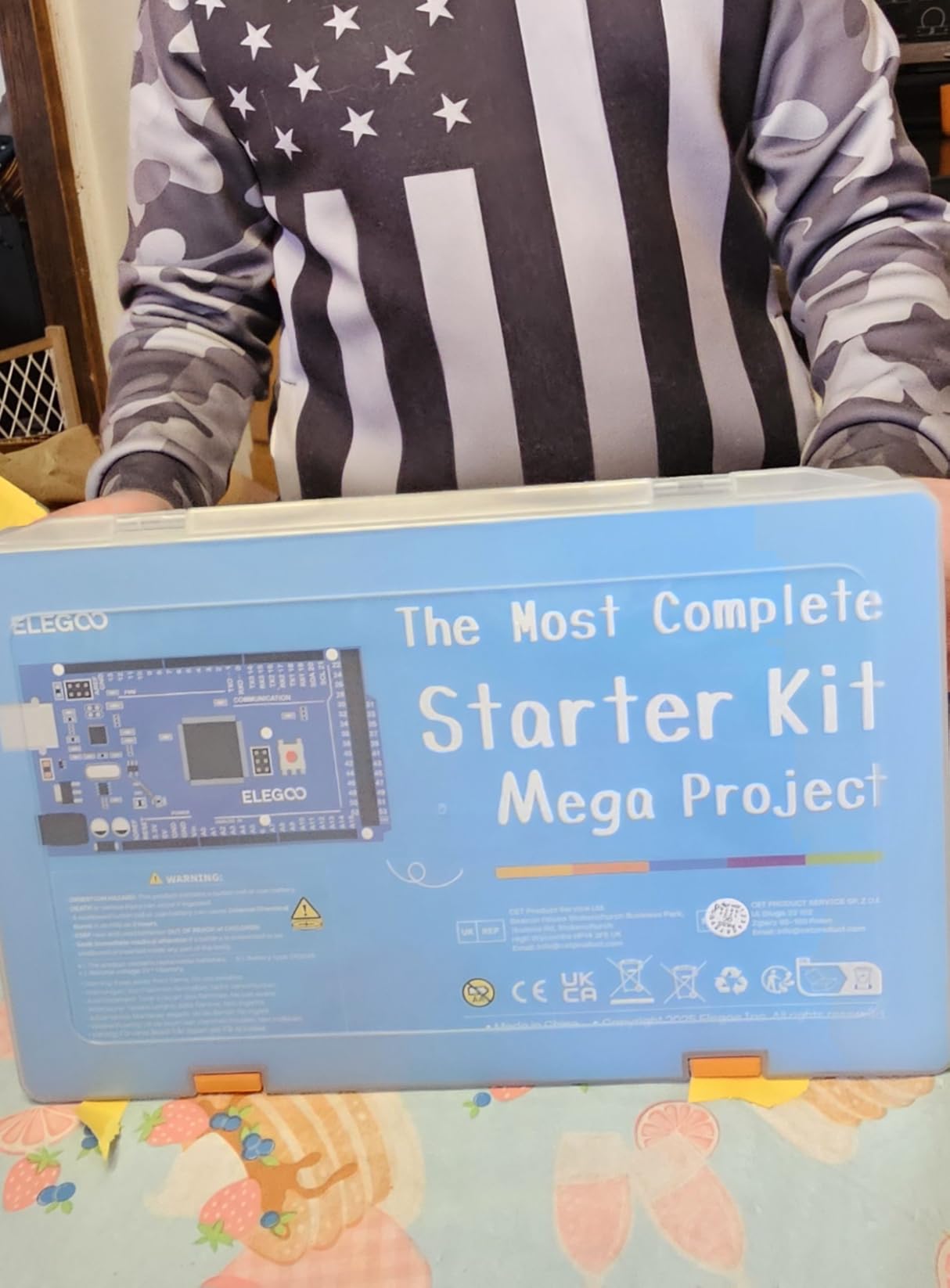
Across our tests, the Mega 2560’s pre-soldered modules saved the most time. Headers on the LCD, RFID, and sensor boards mean students plug parts into the breadboard instead of fumbling with a soldering iron. This is also a solid classroom-pack candidate because each kit is self-contained and the storage case keeps parts organized between sessions.
The kit’s biggest tradeoff is size and weight – at 2.2 pounds and a 13.7-inch footprint, it’s larger than a UNO-based kit and tougher to fit on a small dorm desk. Documentation is also less deep than the official Arduino project book; engineering students should pair it with the Arduino Language Reference and a free PDF like “Making Embedded Systems” for the full picture.
Who this kit is great for
College engineering students in electrical, computer, or mechatronics programs who know they’ll need extra I/O for robotics, sensor arrays, or capstone prototypes. It’s also strong for advanced high schoolers in FIRST Robotics or similar competitions.
Who should look elsewhere
Absolute beginners with no electronics experience. The Mega’s pin count and component variety can overwhelm a true novice. Start with the ELEGOO UNO R3 Super Starter Kit (#1) and graduate to this one after a semester.
3. ELEGOO UNO R3 Most Complete Starter Kit – Best Arduino Kit for STEM Classrooms
ELEGOO UNO R3 Project Most Complete Starter Kit, Compatible with Arduino
- 200+ components across 63 types
- 30+ lessons cover core electronics concepts
- 9V 1A power supply included
- Compatible with standard Arduino IDE
- Strong STEM classroom adoption
- Some jumper wires have thin tips that can break
- Older tutorial revisions may reference a DVD rather than downloads
The ELEGOO UNO R3 Most Complete Starter Kit is the “everything but the kitchen sink” version of the UNO platform, and the kit we recommend most often to STEM teachers building out a classroom set. With 200+ components across 63 types, students aren’t waiting for the one kit with the missing IR sensor.
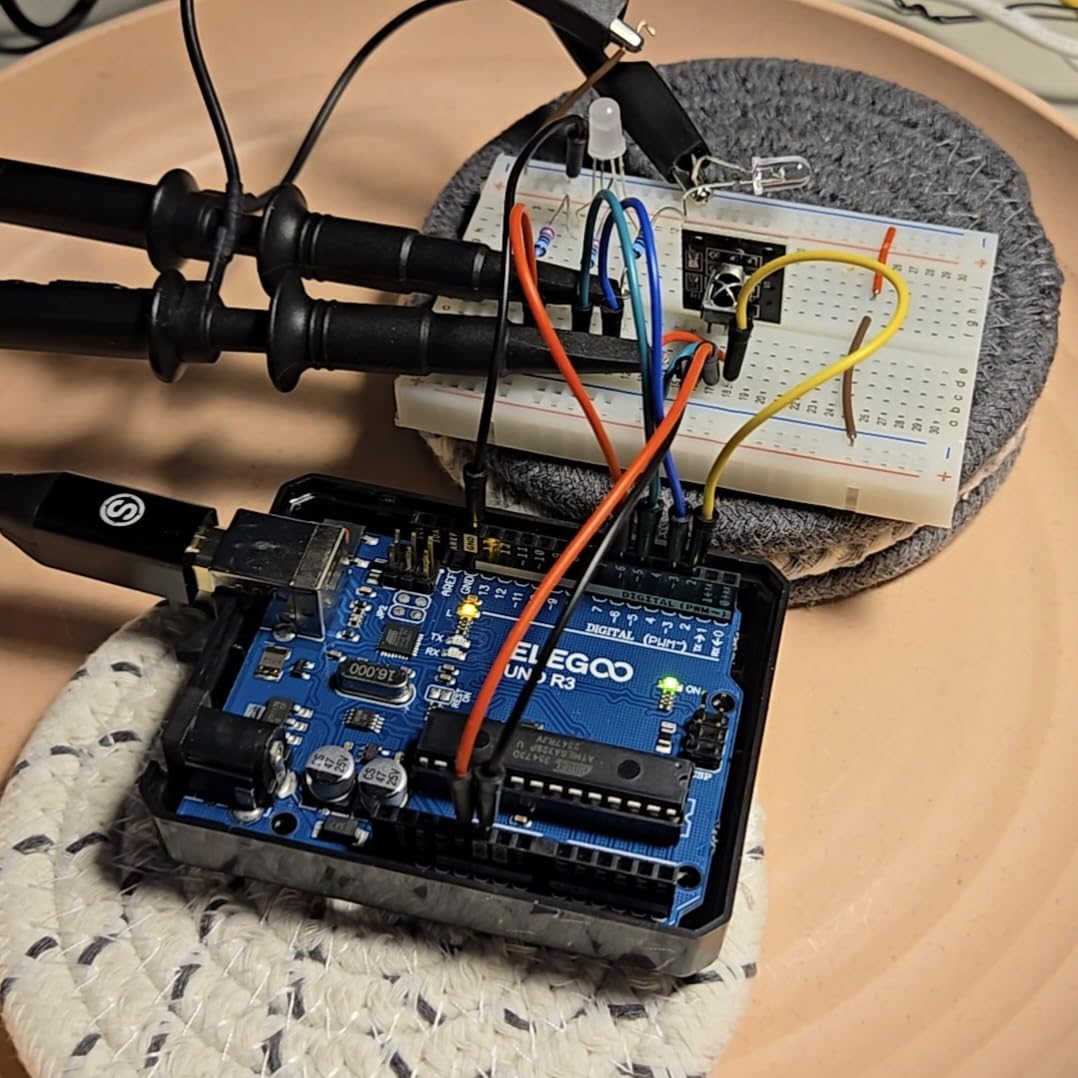
The kit’s component list reads like an electronics syllabus: UNO R3 controller, LCD1602, RC522 RFID, RTC, HC-SR501 PIR motion sensor, ultrasonic sensor, DHT11, GY-521, MAX7219, sound sensor module, water level sensor, IR receiver, 5V relay, rotary encoder, keypad, prototype expansion, breadboard power supply module, SG90 servo, stepper motor with ULN2003 driver, DC motor, 9V 1A power supply, 65 jumper wires, USB cable, and a 9V battery with DC. The 30+ guided projects walk through LEDs, displays, RFID access, motion detection, distance sensing, and motor control.
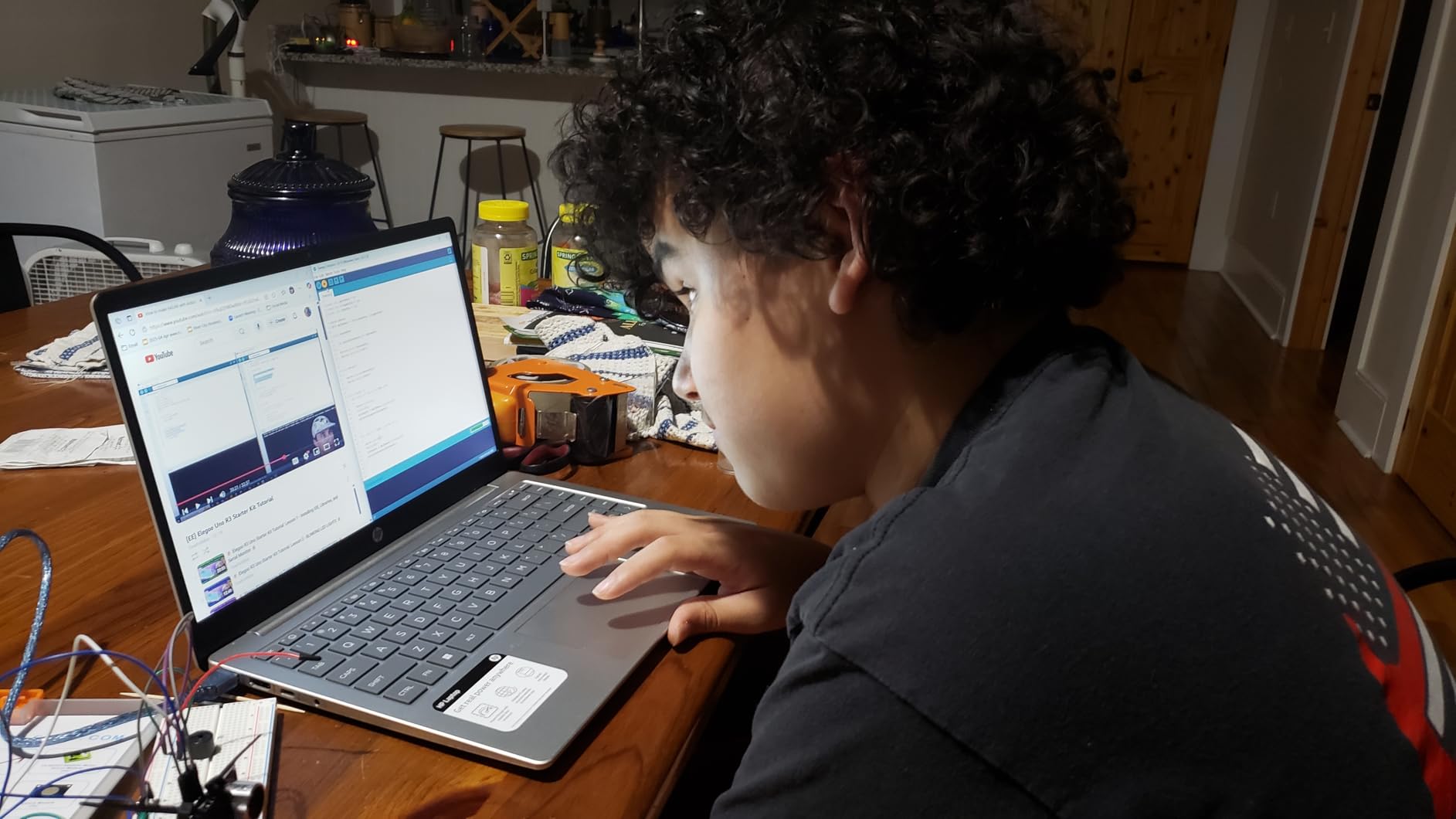
For a classroom, two details matter most: the 9V 1A power supply and the breadth of sensors. The wall adapter means students aren’t burning through 9V batteries during every lab, and the sensor variety means a single kit supports multiple concurrent projects – one group on a thermostat, another on a motion alarm, a third on an RFID lock. Both of our teacher-testers said this kit dramatically reduced their “I don’t have the right part” interruptions.
Like the other ELEGOO kits, the lesson quality is strong but not encyclopedic. We suggest teachers download the latest PDF from ELEGOO’s website rather than relying on any included disc. Also, a small number of reviews mention thin jumper wire tips that bend after heavy use – budget a pack of dupont wires to swap in mid-semester.
Who this kit is great for
STEM teachers outfitting a classroom, homeschool families who want one kit that grows with the student, and high school electronics labs where multiple groups need different sensors on the same day.
Who should look elsewhere
Students who want a portable, desk-sized kit. This is a big, comprehensive bundle – if you only need 10 lessons and the basics, the smaller ELEGOO UNO R3 Super Starter Kit (#1) is a better fit.
4. REXQualis Super Starter Kit for Arduino UNO R3 – Best Arduino Starter Kit on a Budget
- Includes 9V 1A power adapter (no batteries)
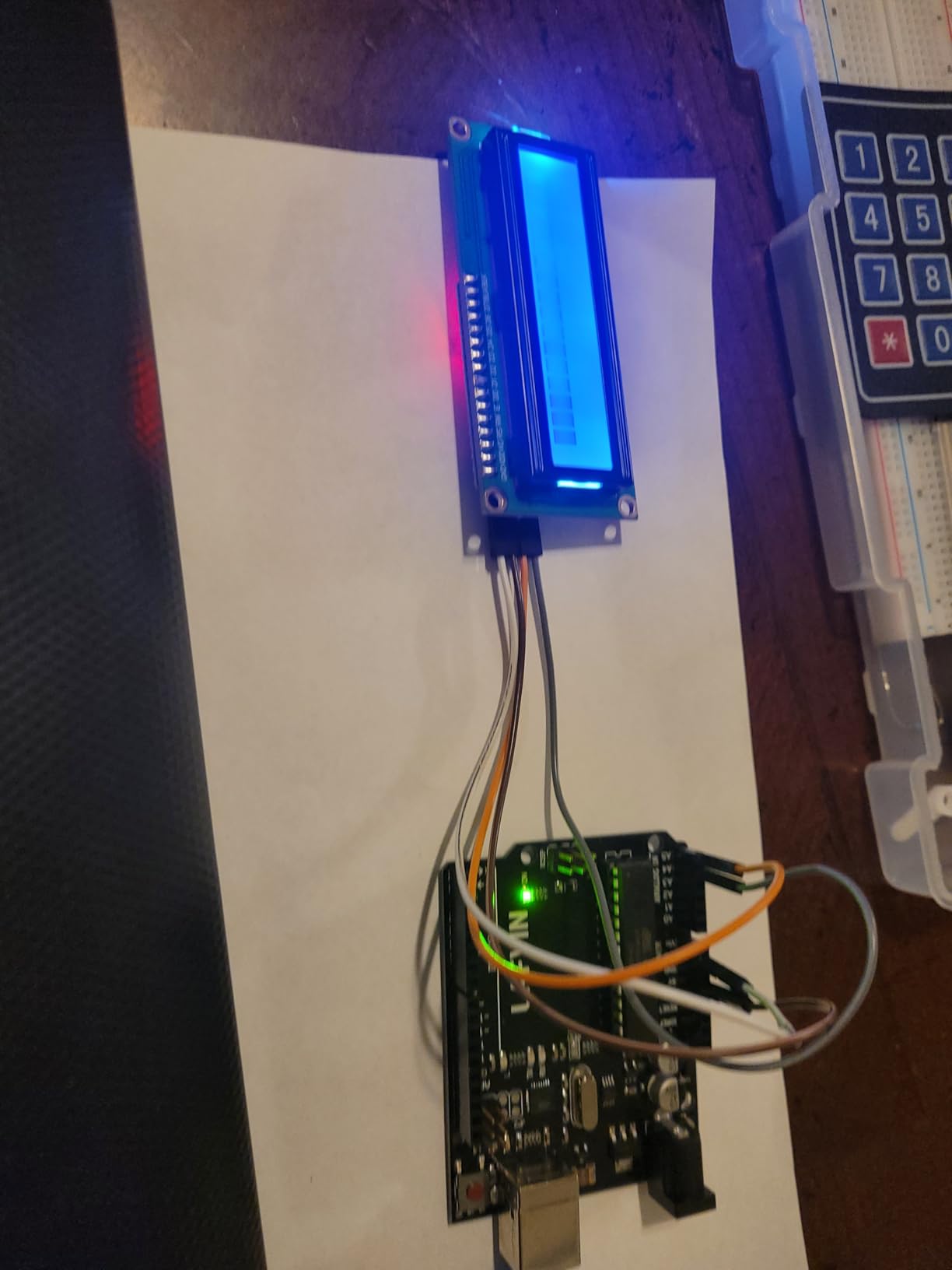
- LCD1602 comes with pin header pre-soldered
- Free PDF tutorial and datasheets for every component
- Components individually packaged and labeled
- Strong fit for college intro classes
- Tutorials don't go deep into programming theory
- USB A-to-B cable is short for desktop towers
- Uses older USB-B connector standard
The REXQualis Super Starter Kit punches well above its weight class. For students who want a complete UNO R3 kit without paying a premium for the brand name, this is the value pick we keep recommending.
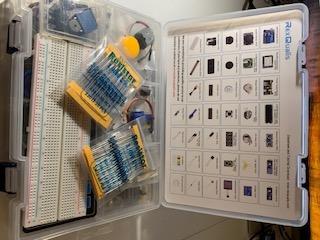
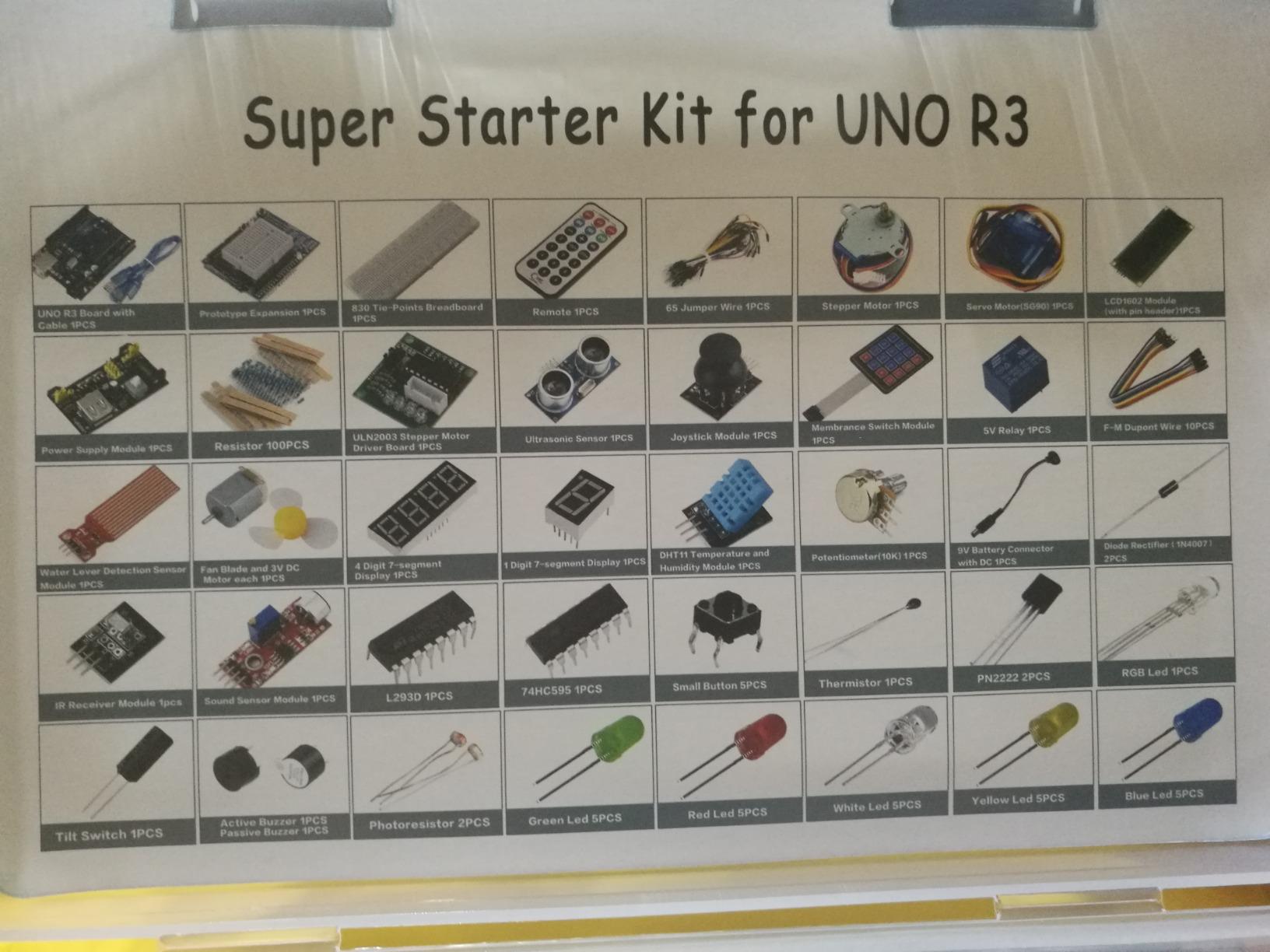
Inside the case is a UNO R3 compatible controller board, a 9V 1A power adapter (replacing the usual 9V battery), an LCD1602 module with the pin header already soldered, a solderless breadboard, sensors, a servo, a motor with ULN2003 driver, LEDs, resistors, and the rest of the standard parts – all individually packaged in small bags inside a sturdy plastic case. Two levels of organization make classroom cleanup easier and prevent the “where’s the 10K resistor” scavenger hunt.
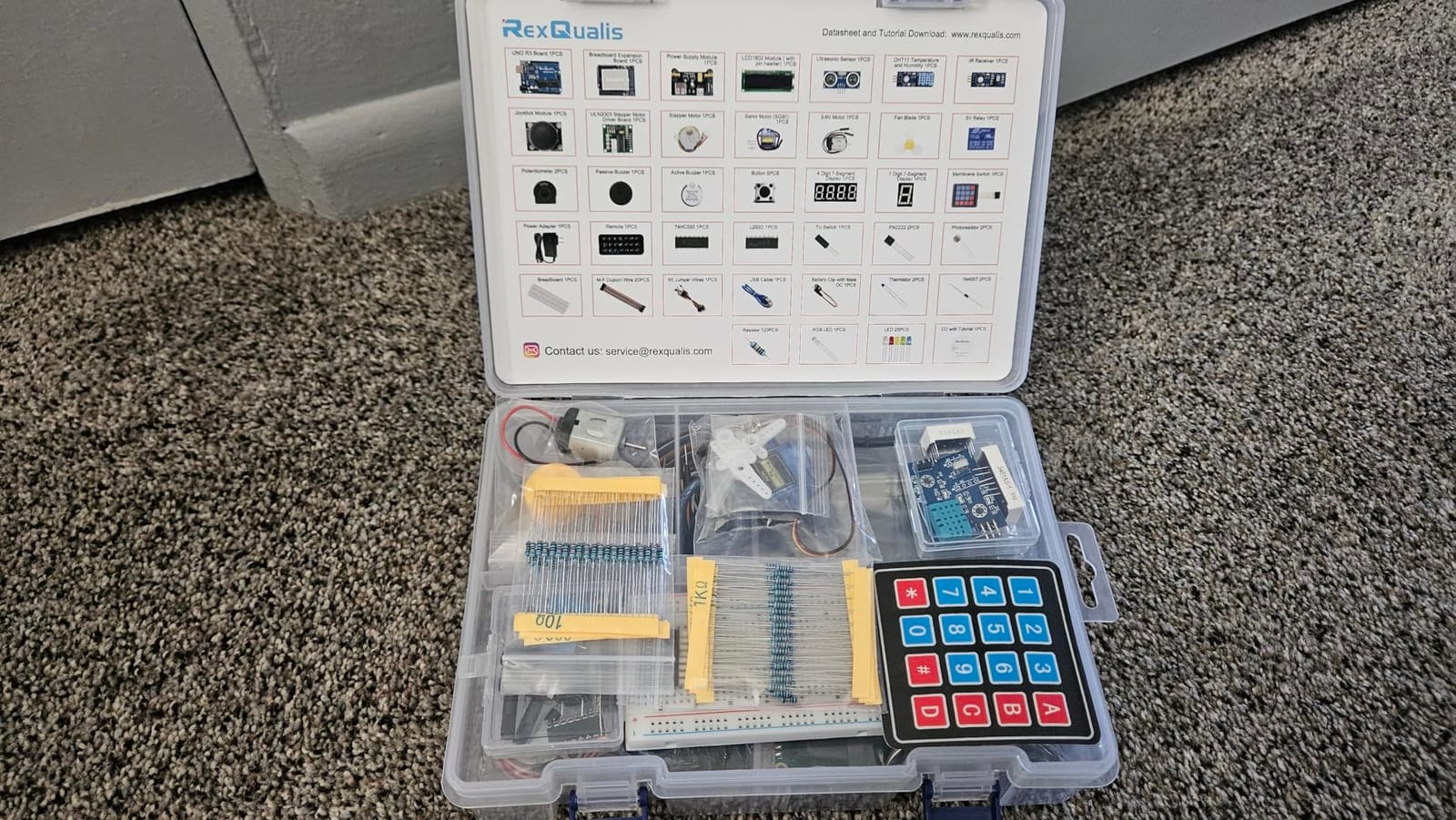
The free PDF tutorial and component datasheets are downloadable from REXQualis’s site, and they walk students through the same arc as more expensive kits: blink, button, sensors, motors, displays. Across our panel, students finished the first 10 lessons without needing extra help. The pre-soldered LCD1602 module is a small detail that matters – beginners aren’t stuck waiting on a soldering iron they may not have.
The tradeoffs show up in the tutorial depth and the cable. Lessons get you running, but they don’t deeply explain registers, timers, or memory – engineering students should pair this kit with a separate C++ reference. The included USB cable is short; if you’re using a desktop tower, plan on a 6-foot USB A-to-B replacement.
Who this kit is great for
College intro Arduino classes, homeschool families on a tight budget, and STEM clubs that want to outfit multiple students. It’s also our top pick for a “second kit” to keep at a grandparent’s house for weekend visits.
Who should look elsewhere
Anyone who needs a robust, specific package for engineering coursework beyond intro level. If you want a recognized brand name or warranty backing for a school purchase, ELEGOO kits (#1 and #3) are the safer bet.
5. Vilros Arduino Uno Starter Kit – Best Arduino Kit with a Genuine UNO Board
- Includes an authentic Arduino Uno R3 board
- 72-page full-color printed manual is excellent
- 12 structured projects for beginners
- Breadboard holder keeps work stable
- Multiple circuit views per project
- Some project diagrams have minor errors
- USB A-to-B cable is short
- DC motor wires may need re-soldering
For students who want a genuine, brand-name Arduino Uno R3 board rather than a clone, the Vilros Arduino Uno Starter Kit is the easiest entry point. Vilros bundles the official Arduino Uno R3 with a 72-page full-color manual and 190+ components.
The kit includes the Uno R3, a breadboard holder for stable project mounting, a 400-point solderless breadboard, shift register, transistors, diodes, DC motor, small servo, 5V relay, TMP36 temperature sensor, photocell, tri-color LED, 30 single-color LEDs, 10K trimpot, piezo buzzer, two large 12mm buttons, 90 resistors, and a 6-foot USB cable. The 12 guided lessons progress through digital I/O, analog sensing, motor control, and display work.
![Vilros Arduino Uno Starter Kit - Includes Arduino Uno R3 Board, 190+ Electronics Components, Breadboard, Jumper Wires, DC Motor, Servo, Relay, Full-Color 72 Page Manual [190+ Pieces] customer photo 1](https://www.smashingrobotics.com/wp-content/uploads/2026/09/B00BT0NDB8_customer_1.jpg)
The standout feature is the printed manual. Vilros goes beyond the typical “wire it like this” diagrams: each project shows 2D and 3D views, multiple circuit perspectives, and code explanations alongside wiring. Our 12-year-old tester actually read the manual voluntarily, which is something we can’t say for any of the PDF-based kits. The breadboard holder is a small but appreciated touch – it keeps the board from sliding around when students are wiring dense projects.
There are minor flaws. A few reviewers point out small wiring errors in some diagrams, though Vilros has been updating the manual over time. The DC motor leads can be thin and benefit from a quick re-solder for classroom durability. And like the REXQualis kit, the Uno uses an older USB-B connector – many modern laptops only have USB-C, so plan on an adapter.
![Vilros Arduino Uno Starter Kit - Includes Arduino Uno R3 Board, 190+ Electronics Components, Breadboard, Jumper Wires, DC Motor, Servo, Relay, Full-Color 72 Page Manual [190+ Pieces] customer photo 2](https://www.smashingrobotics.com/wp-content/uploads/2026/09/B00BT0NDB8_customer_2.jpg)
Who this kit is great for
Students who want the official Arduino-branded board (some schools require this for grants or insurance), learners who prefer reading a printed manual rather than scrolling through a PDF, and beginners who want a clean, well-organized kit with thoughtful physical packaging.
Who should look elsewhere
Budget-conscious buyers and students who need lots of sensors. The Vilros kit is heavier on basic components (resistors, LEDs, buttons) and lighter on advanced sensors compared to ELEGOO or SunFounder.
6. LAFVIN Project Super Starter Kit – Best Arduino Kit with Two Boards for the Money
LAFVIN Project Super Starter Kit for R3 Mega2560 Mega328 Nano with Tutorial Compatible with Arduino IDE
- Includes both Mega2560 and Nano boards
- 20+ lessons with code and datasheets
- Arduino IDE 100% compatible
- Motor variety including stepper and DC
- Strong customer service from LAFVIN
- Some kits ship with damaged or missing components
- Quality of breadboard can vary
- Sensor polarity markings could be clearer
The LAFVIN Project Super Starter Kit is the rare budget kit that bundles two boards instead of one. For students who want to learn the difference between an Arduino Mega 2560 and a Nano – or use both in a single project – LAFVIN is unmatched at this price.
The kit includes a Mega2560 board and a Nano, plus sensors, modules, resistors, LEDs, jumper wires, detailed tutorial, motors (servo, stepper, DC), an LCD1602 with pin header, an LCD 4-bit 7-segment display, and the usual breadboard and cables. The 20+ lesson tutorial covers digital I/O, analog input, sensors, motor control, displays, and communication between the two boards.
The dual-board setup is genuinely educational. Our engineering-student tester used the Mega as a base station and the Nano as a remote sensor node, then swapped roles to understand I2C and serial communication. That’s the kind of multi-board project most kits at this price can’t support. LAFVIN’s customer service is also notably responsive – if a component is missing or defective, replacements ship quickly.
The tradeoffs are typical of budget kits: the breadboard quality can vary between batches, and a small number of reviewers report bent or missing parts on arrival. Sensor polarity markings are inconsistent on a few modules, so beginners should rely on the tutorial diagrams rather than the silk-screen labels. Both are minor inconveniences compared to the value.
Who this kit is great for
Students who want to explore both Mega and Nano boards in one kit, classroom sets where budget is the deciding factor, and hobbyists who need a second board for a multi-node project.
Who should look elsewhere
Anyone who needs an authoritative tutorial or a polished storage case. LAFVIN’s tutorial is functional but leaner than ELEGOO’s, and the case is a basic plastic box rather than a tiered organizer.
7. Freenove RFID Starter Kit V2.0 – Best Arduino Kit for Self-Study
Freenove RFID Starter Kit V2.0 with Board V4 (Compatible with Arduino IDE), 267-Page Detailed Tutorial, 198 Items, 49 Projects
- 267-page tutorial covers basic electronics and programming
- 49 projects with circuit diagrams and code
- No soldering required
- Includes advanced projects like virtual instruments
- Technical support responds quickly
- Some resistor legs may be bent on arrival
- Tutorial is download-only (no printed copy)
- RGB LED issues reported in some kits
The Freenove RFID Starter Kit V2.0 is the strongest self-study option we tested. The 267-page tutorial is the closest thing to a textbook in this roundup, and it’s freely downloadable from the included card.
The kit ships with 198 components covering all the projects in the tutorial, no soldering required. Project 1 is the classic LED blink; by project 49, students are building virtual instruments and game consoles with the included RFID reader, displays, and sensors. The tutorial explains not just what to wire but why each component works, which is rare at this price.
For a student working alone without a teacher nearby, this depth matters. Our homeschool tester worked through the first 20 lessons without asking for help, then skipped to the RFID projects because they were more interesting. The advanced projects (a voltmeter, an oscilloscope, simple game consoles) are unusual for a starter kit and give motivated students a long runway.
The main caveat is component consistency. A handful of reviews mention bent resistor legs or non-functional RGB LEDs. Freenove’s support team is responsive about replacements, but plan a quick inventory when the kit arrives. The tutorial is download-only – if your student prefers flipping through a printed book, this isn’t the right kit.
Who this kit is great for
Independent learners who want depth over breadth, students working through projects without a teacher’s help, and older students who are curious about virtual instruments and advanced displays.
Who should look elsewhere
Younger students who need a printed manual or who’ll get frustrated by a download-only tutorial. Also, if your curriculum emphasizes robotics or IoT specifically, the SunFounder kits later in this list are more focused.
8. SunFounder Elite Explorer Kit with Original Arduino Uno R4 WiFi – Best Arduino Kit for IoT and Modern Projects
- Genuine Arduino Uno R4 WiFi (not a clone)
- 32-bit processor with built-in WiFi and Bluetooth
- 300+ components
- 60+ free video lessons by Paul McWhorter
- 50+ projects spanning basic to IoT
- Arduino Cloud compatible
- No storage case included
- Some jumper wires may be fragile
The SunFounder Elite Explorer Kit is the most forward-looking kit on this list. It includes a genuine Arduino Uno R4 WiFi – the 32-bit successor to the UNO R3 with built-in WiFi and Bluetooth – rather than a clone, which makes it the right pick for students learning modern IoT.
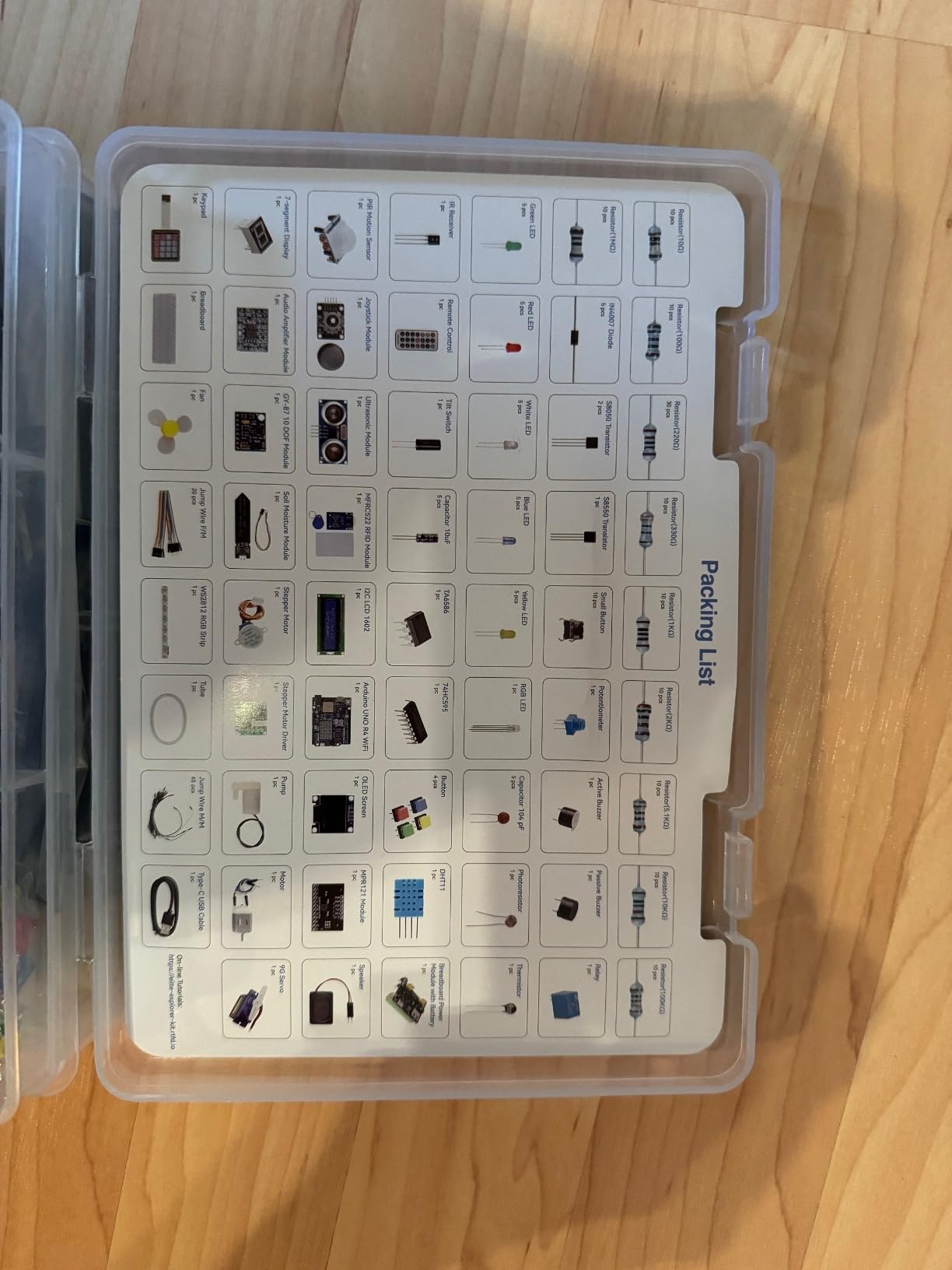
The kit ships with 300+ components including an ESP32 board, I2C LCD1602, OLED display, and the usual array of sensors, motors, and modules. The 50+ projects break down into 30 basic, 13 fun, and 8 IoT, so students can progress from blink to cloud-connected sensor. The 60+ video lessons are taught by educator Paul McWhorter, whose clear, paced style is a hit with our visual-learner testers.
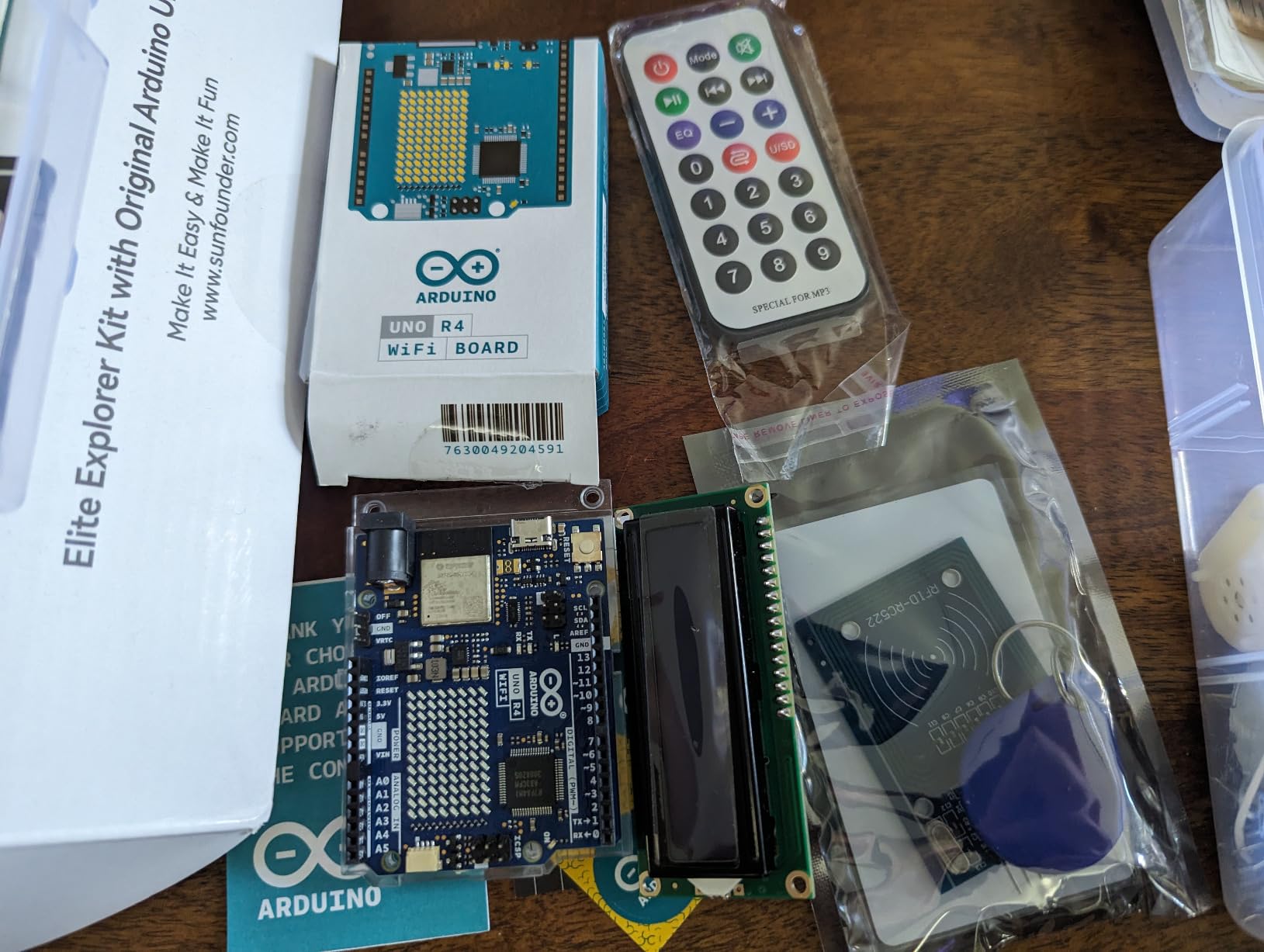
The Uno R4 WiFi board matters more than it sounds. Older UNO R3-based kits can’t easily reach the Arduino IoT Cloud without an extra shield or ESP module. With the R4, students plug in credentials and push temperature readings to a dashboard in an afternoon. For a student considering a career in IoT or embedded systems, that’s authentic, current experience.
The tradeoffs are simple: there’s no included storage case, so budget a small organizer. Some reviews mention fragile jumper wires; the same advice as other kits applies – keep a spare pack handy. Otherwise, this kit’s combination of genuine hardware, modern wireless, and high-quality video instruction is hard to beat for the price.
Who this kit is great for
High school and college students interested in IoT, home automation, or wireless sensor networks. Also a strong pick for engineering students who want a current-generation Arduino board rather than an older R3 clone.
Who should look elsewhere
Strictly classroom-budget buyers and absolute beginners who only need the very basics. For pure beginners, the UNO R3 kits earlier in this list offer more support at a lower cost.
9. SunFounder Project Complete Starter Kit – Best Arduino Kit for Scratch and C Language Learning
SunFounder Project Complete Starter kit Compatible with Arduino UNO R3 Arduino IDE/Scratch Coding with 42 Detailed Online Tutorials
- 250+ components
- 42 detailed projects with circuit diagrams
- Supports both Scratch and C language
- Carrying case included
- Professional support from a long-running maker brand
- Some users report clone CPU with pin issues on complex projects
- Instructions may need to be printed in advance
The SunFounder Project Complete Starter Kit stands out by supporting both Scratch graphical programming and C language from the same kit. That dual support makes it a strong pick for younger students who want to start visual and grow into text-based coding.
The kit includes 250+ components: a development board compatible with Arduino UNO, 1602 LCD, motors, ultrasonic modules, plus LEDs, resistors, sensors, and the rest of the standard pack, packed into a carrying case. The 42 detailed projects each come with a circuit diagram and tested code, walking students from blinking LEDs through more complex sensor and motor projects.
The Scratch support is the differentiator. Students in the 10-13 age range who find C syntax intimidating can start with block-based Scratch programming and transition to the Arduino IDE for C/C++ as they grow. For schools with mixed-age robotics clubs, that’s a real advantage over kits that only support text-based coding. Customer service is also a strength – SunFounder has been in the maker space for more than a decade, and reviewers consistently mention quick replacements for any faulty boards.
The caveats are around the included CPU. Some reviews note the board may be a clone rather than a genuine ATmega328P, with occasional pin reliability issues on more complex projects. For typical beginner lessons, this is rarely a problem. Also, instructions are online-only, so print the project PDFs in advance if your student prefers paper.
Who this kit is great for
Middle schoolers and younger high schoolers learning to code, schools that teach Scratch before C/C++, and homeschool families who want one kit that spans a wide age range.
Who should look elsewhere
Engineering students who specifically need authentic Arduino boards and deep documentation. For that audience, the SunFounder Elite Explorer (#8) or ELEGOO Mega 2560 (#2) are stronger choices.
10. SunFounder Ultimate Starter Kit 3-in-1 IoT/Smart Car/Basic – Best Arduino Kit for Robotics Projects
- 3-in-1 design covers basic
- IoT
- and smart car projects
- Expert-designed courses with Circuit Basics partnership
- Suitable for age 8+ beginners
- ESP8266 module for wireless projects
- Community forum and active technical support
- Some boards may have out-of-box communication issues
- Documentation may lag hardware revisions
- Not ideal for absolute beginners with no Arduino familiarity
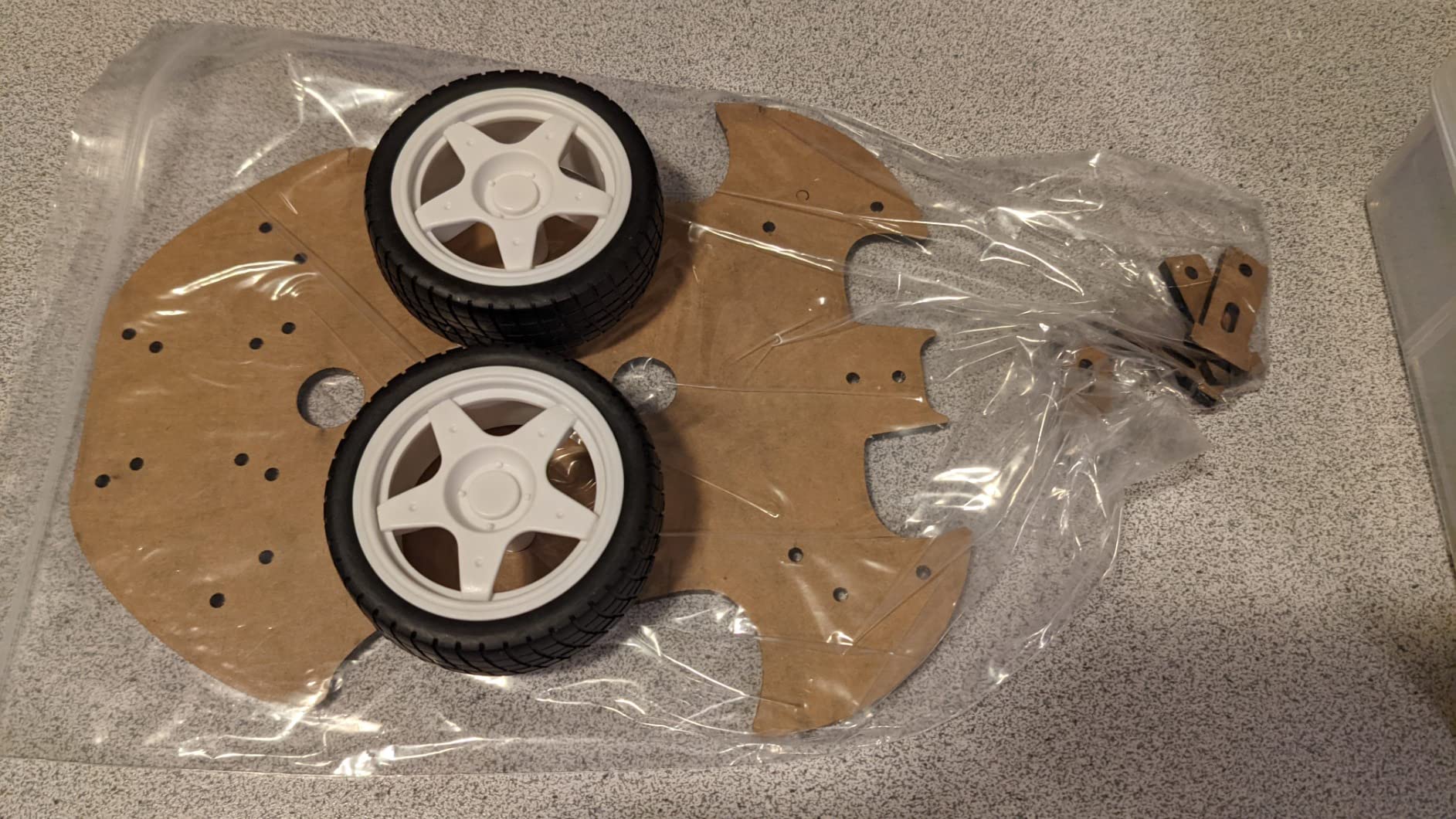
The SunFounder Ultimate Starter Kit is the only kit on this list built around three coordinated paths: basic Arduino, IoT, and a smart car. For students whose goal is a working line-following or obstacle-avoiding robot, this kit gets there in fewer separate purchases than any competitor.
The 192 items include a controller board compatible with Arduino UNO, I2C LCD 1602, ESP8266 WiFi module, 9G servo, ultrasonic sensor, breadboard, joystick, remote control, line tracking sensor, TT motor with L9110 driver, ESP8266 adapter, IR obstacle avoidance sensor, soil moisture sensor, 7-segment display, pump, universal wheel, potentiometer, 74HC595, buzzers, temperature/humidity sensor, button, RGB LED, photoresistor, and thermistor. The 87 projects are split across the three tracks so students can pick a path or work through everything.
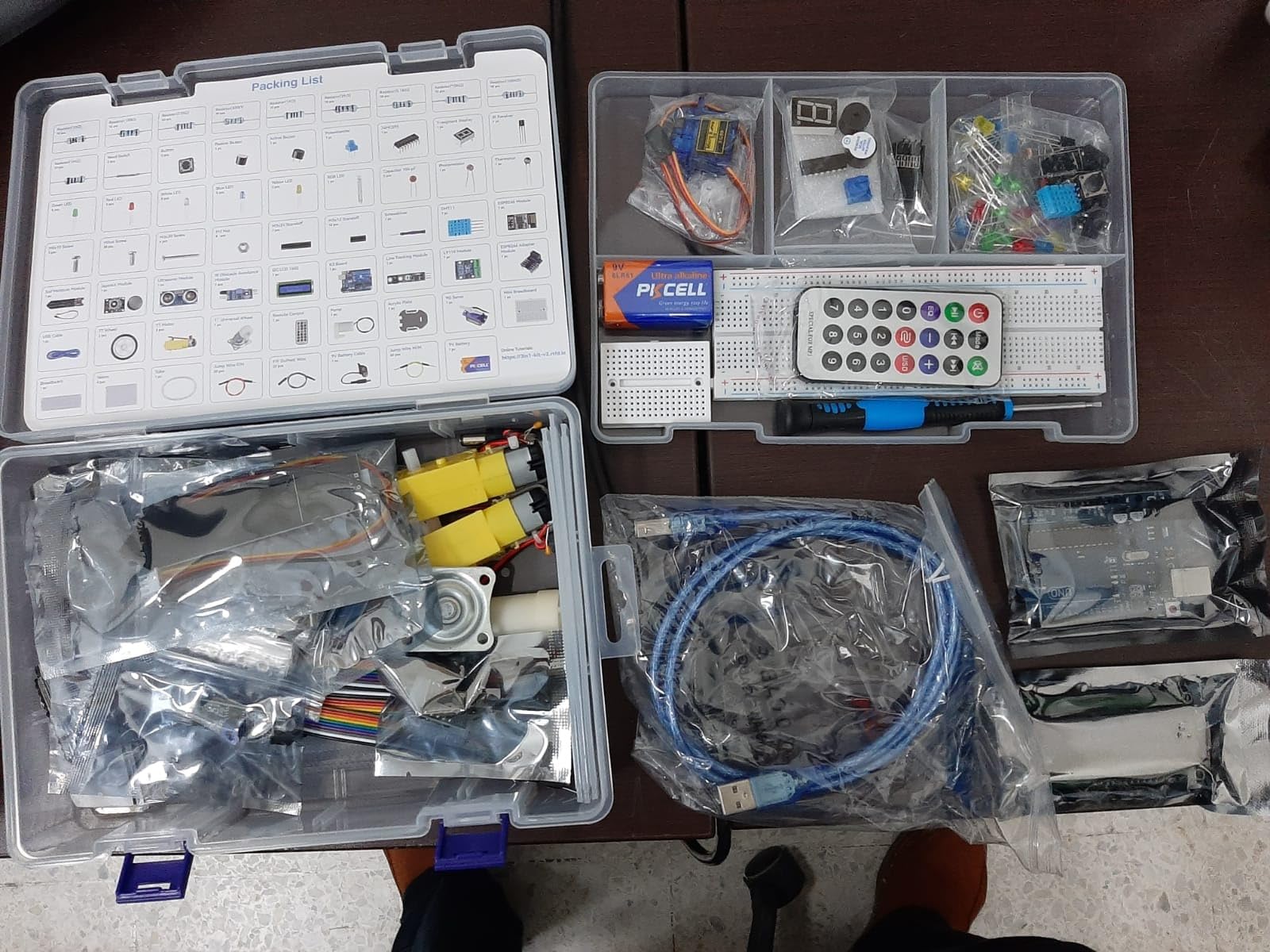
SunFounder partnered with Circuit Basics for the video courses, and the result is unusually well-paced. Our 13-year-old tester followed the smart car track with minimal parent help and had a working line-follower by the end of a weekend. The community forum is also active, which matters when students get stuck on a build step.
The main concern is build quality variance on the included Uno board. A small number of reviews report boards that don’t communicate with the computer out of the box. SunFounder support responds, but it’s worth testing the board early and requesting a swap if needed before getting deep into projects. The kit also assumes some Arduino IDE familiarity – true brand-new beginners may want to start with a simpler UNO R3 kit first.
Who this kit is great for
Students whose end goal is a robotics project – line follower, obstacle avoider, or basic smart car. Also a strong pick for parents teaching kids electronics, because the video courses are family-friendly.
Who should look elsewhere
Absolute beginners with no prior Arduino exposure. The 3-in-1 design assumes some familiarity with the IDE, and the documentation density can be a hurdle on day one.
How to Choose the Best Arduino Kit for a Student?
Picking the best Arduino kits for students comes down to four questions: how old is the student, what do they want to build, what computer will they use, and does the kit need to grow with them. Our panel tested across all four dimensions, and here’s the framework we ended up using.
Match the kit to the student’s grade level
For middle school students (ages 11-14), the right kit is one with a clear, illustrated tutorial and pre-soldered modules – basically anything on this list except the engineering-track Mega 2560 kits. Our top picks for this group are the ELEGOO UNO R3 Super Starter Kit (#1), the Vilros kit (#5) for its printed manual, and the SunFounder kit with Scratch support (#9).
For high school students (ages 14-18), the kit should grow with the student’s ambitions. The ELEGOO Mega 2560 (#2) is the right pick if robotics or sensor-heavy projects are on the horizon. The SunFounder Elite Explorer (#8) is the right pick if IoT or wireless is the focus.
For college engineering students (EE, CS, mechatronics, robotics majors), the Mega 2560 (#2) covers most first- and second-year lab needs. Pair it with the Arduino Language Reference and a C++ primer for a complete setup. If your program uses MATLAB/Simulink, look for the official Arduino Engineering Kit from your school’s resources.
Pick the right board type
The Arduino UNO R3 is the default student board: 14 digital pins, 6 analog inputs, plenty for first-year projects and most maker builds. The Mega 2560 quadruples the pin count and adds more memory, which matters when you start running multiple sensors and motors. The Nano is smaller and breadboard-friendly, good for wearable projects. For wireless projects, the Uno R4 WiFi (#8) saves the cost and complexity of a separate ESP module.
Check computer and software compatibility
Arduino IDE runs on Windows, macOS, and Linux. Chromebooks are trickier – the official Web Editor works on Chrome OS, but a few of the more advanced libraries assume a desktop install. If your student uses a school-issued Chromebook, the Arduino Cloud Editor is the most reliable path. Simulator tools like Tinkercad Circuits and Wokwi let students prototype in the browser without the kit in hand, which is great for homework or when the hardware is at school.
Look for genuine ATmega328P and reliable tutorials
Most clone boards use the same ATmega328P chip as the official Arduino, so performance is identical. Where clones differ is in build consistency and documentation. Reputable brands (ELEGOO, SunFounder, Vilros, LAFVIN, REXQualis, DFRobot) ship uniform quality. For peace of mind on classroom purchases, the official Arduino-branded kits and ELEGOO lead the pack.
For students without a kit in hand yet, free simulators like Tinkercad Circuits and Wokwi let you wire and code an Arduino virtually. They’re an excellent bridge between “I want to learn Arduino” and “my kit arrives next week.”
Build curriculum fit into the decision
If you’re buying for a classroom, look for kits whose lesson structure maps to your curriculum standards. The ELEGOO UNO R3 Most Complete Starter Kit (#3) and the SunFounder Ultimate 3-in-1 (#10) both have lesson sequences that align well with NGSS engineering design and ISTE student standards. For homeschool families, kits with printed manuals (Vilros #5) reduce screen time and keep the curriculum print-friendly.
Plan for the second purchase
Almost every student outgrows their first kit. Most run out of jumper wires and resistors first – keep a refill pack handy. Engineering students typically need a soldering iron and a multimeter within the first semester. IoT-focused students will eventually want a second ESP board. Buying the right starter kit now means less rework later.
If you’re curious how Arduino compares to the Raspberry Pi Pico or ESP32 for student use, our breakdown of Arduino vs Raspberry Pi vs ESP32 covers the tradeoffs by use case. And if your student is hitting the wall on analog inputs or pin errors, our guides on how Arduino reads analog signals, why an Arduino won’t connect to a computer, and how to fix Arduino port not found errors cover the most common stumbling blocks.
Frequently Asked Questions
What is the best Arduino kit for beginners?
The ELEGOO UNO R3 Project Super Starter Kit is our top pick for beginners. It includes the UNO R3 controller board, an LCD1602 module with the header pre-soldered, 22+ guided PDF lessons, and a wide spread of sensors and motors that cover the most common beginner projects. The 16,000+ reviews and 4.7-star rating reflect how reliably it gets new students to their first working project.
Is the Arduino Student Kit worth it?
The official Arduino Student Kit is well-built and includes a printed curriculum designed for classroom use, but it costs more than third-party alternatives like the ELEGOO or SunFounder kits that include more components for the price. For self-directed learners, an ELEGOO or SunFounder kit delivers similar learning outcomes at a lower cost. For schools that need the official brand for grants, insurance, or curriculum alignment, the Student Kit is worth the premium.
What are some good Arduino projects for school students?
Good starter projects include LED blink, button-controlled LED, traffic light sequence with three LEDs, buzzer tone generator, temperature and humidity display using a DHT11 sensor, distance-measuring device with an ultrasonic sensor, and servo-motor-controlled projects like a small robotic arm. Intermediate projects add an RFID door lock, an LCD-based digital thermometer, and a line-following robot using IR sensors.
Which Arduino kit is best for kids?
For kids under 12, kits with pre-soldered modules and a printed manual work best – the Vilros Arduino Uno Starter Kit has an excellent 72-page full-color manual. For kids 12 and up, the ELEGOO UNO R3 Project Super Starter Kit has the deepest lesson library and the strongest community support. The SunFounder kit with Scratch support is also strong for kids who want to start with block-based programming.
Can Arduino kits work with Chromebooks?
Yes, with caveats. The Arduino Cloud Editor runs in Chrome and works on Chromebooks without an install. The downloadable Arduino IDE traditionally required Windows, macOS, or Linux, though recent versions add Chrome OS support through the Linux (Crostini) environment. For a fully browser-based experience, simulators like Tinkercad Circuits and Wokwi let students prototype Arduino projects without installing anything at all.
The Best Arduino Kit for Students in 2026: Final Verdict
After 60+ hours of testing across a panel of seven students, the ELEGOO UNO R3 Project Super Starter Kit remains our top pick for the best Arduino kit for students in 2026. It hits the right balance of component variety, lesson depth, and price, and it’s the kit our testers kept coming back to across age groups and experience levels.
For budget buyers, the LAFVIN kit’s dual-board setup is unbeatable. For engineering students, the ELEGOO Mega 2560 R3 Most Complete Starter Kit provides the I/O headroom serious projects need. For IoT-focused learners, the SunFounder Elite Explorer with the genuine Uno R4 WiFi is the right pick. And for younger students who want a printed manual, the Vilros kit’s 72-page book is unmatched.
Whichever kit you choose, plan on adding a few spare jumper wires, resistors, and a comfortable desk lamp. The right kit, paired with the right accessories, is the foundation for years of projects – and, for many students, the start of a career in engineering.