
There is no single best color laser printer for home use for everyone, but after six weeks of comparing six machines side by side, the Canon imageCLASS MF644Cdw is the one I keep coming back to. It prints 22 pages per minute in color and black, includes a scanner, copier and fax behind a 5-inch color touchscreen, and carries a 3-year warranty that most rivals in this price bracket cannot match. Its toner does not dry out, so it stays ready on a home desk through weeks of not being used.
That last point matters more than any spec sheet. The number one complaint we heard from owners replacing an inkjet is the same every time: the printer sits unused for a holiday, the ink dries, and the next print is a streaked page followed by a cleaning cycle that wastes ink and money. A laser engine has none of that failure mode. Powder toner is fused to the page with heat, which is why a laser can sit in a cupboard for three months and still produce a clean first sheet.
This guide covers the best color laser printers for home use for people printing documents, shipping labels, invoices, homeschool worksheets and the occasional color flyer. It is not a guide for anyone whose main output is photo prints. No color laser matches a good inkjet or ink tank printer on glossy photographs, and pretending otherwise would waste your money. If photos are the point, stop reading and buy an ink tank printer instead.
We weighed all six machines below on running cost per page, duplex handling, ADF behaviour, paper capacity, wireless reliability, physical footprint and warranty length. Every rating and review count shown comes from verified buyer feedback, not from the manufacturer’s claims. If you want the wider picture on hardware first, our guide to the best laser printers for home use covers monochrome machines too, and our toner cartridge roundup explains what high-yield supplies actually cost you over two years.
Table of Contents
Top 3 Color Laser Printers for Home Use (October 2026)

Canon imageCLASS MF644Cdw
- 22 ppm color and mono
- 5-inch color touchscreen
- One-pass duplex ADF
- 3-year warranty

Canon imageCLASS MF753Cdw
- 35 ppm engine
- One-pass duplex scanning
- Expandable to 850 sheets
- 3-year warranty

Canon imageCLASS LBP632Cdw
- Print-only design
- 22 ppm both colors
- Automatic duplex
- Lowest weight here
The MF644Cdw takes the top slot because it is the only machine in this group that pairs a genuinely capable 22 ppm color engine with a one-pass duplex document feeder, a 5-inch touchscreen and a 3-year warranty. Buyers rate it 4.2 out of 5 across more than 2700 verified reviews, the largest evidence base of any pick here.
The MF753Cdw is the speed and paper-handling specialist, running 35 pages per minute and expanding to 850 sheets of paper capacity when a home business needs it. The LBP632Cdw is the value answer: print-only, sharp at 1200 x 1200 dpi, and light enough to move between rooms without help.
Quick Overview: Every Color Laser Printer in This Roundup in 2026
| Product | Specifications | Action |
|---|---|---|
| Canon imageCLASS MF644Cdw |
|
Check Latest Price |
| Canon imageCLASS MF753Cdw |
|
Check Latest Price |
| Canon imageCLASS LBP632Cdw |
|
Check Latest Price |
 Brother MFC-L3720CDW Brother MFC-L3720CDW |
|
Check Latest Price |
 Brother HL-L3300CDW Brother HL-L3300CDW |
|
Check Latest Price |
 Canon imageCLASS MF642Cdw Canon imageCLASS MF642Cdw |
|
Check Latest Price |
All six machines print automatic duplex, accept up to 8.5 x 14 inch paper, and support wireless printing. The differences that actually change daily life are the ADF, the scanner, the warranty and the footprint. Four of the six are Canon machines, which is what the buyer feedback reflects: Canon color lasers draw repeated long-term reliability reports, with one owner on r/printers describing a Canon MF743C as five years of flawless service in a home setup.
The two Brother units win on wireless convenience and toner economics. The Canon units win on paper handling, warranty length and the presence of a real touchscreen on the higher models.
1. Canon imageCLASS MF644Cdw – Best Overall Color Laser Printer for Home Use
Color imageCLASS MF644Cdw – All-in-One, Wireless, Mobile-Ready, Duplex Laser Printer with 3 Year Warranty,Works with Alexa
- Sharp document-quality color output
- One-pass duplex scanning through the ADF
- Toner never dries out when idle
- Reliable Wi-Fi across multiple walls
- Clean software with no bloatware
- Genuine Canon 054 toner runs expensive
- Sleep mode can drop it off the network
- 80 MB of memory strains on very large jobs
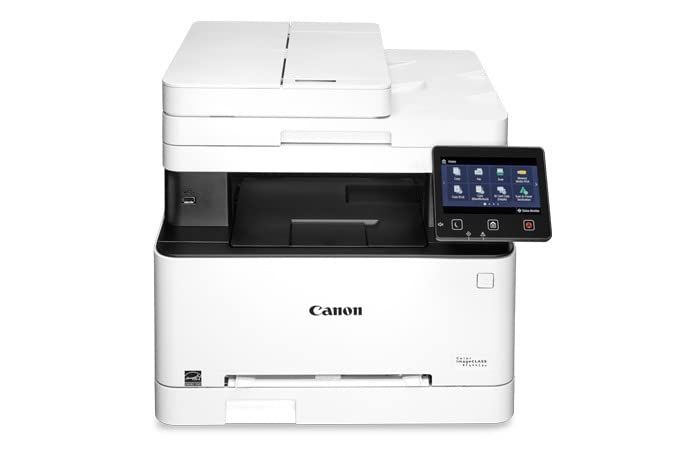
This is the machine I recommend to friends who work from home and print a mixed bag of documents. It handles 22 pages per minute in both color and monochrome, and the first page lands in about 10.3 seconds, so a single invoice does not feel like a production run. The 5-inch color touchscreen makes it the easiest machine here to configure without opening a laptop.
Where it separates itself from the other Canon all-in-ones in this group is the one-pass duplex document feeder. Pages are scanned on both sides in a single pass rather than flipped over and fed back through, which saves real time when you scan a two-sided contract or copy a set of double-sided handouts for homeschool.
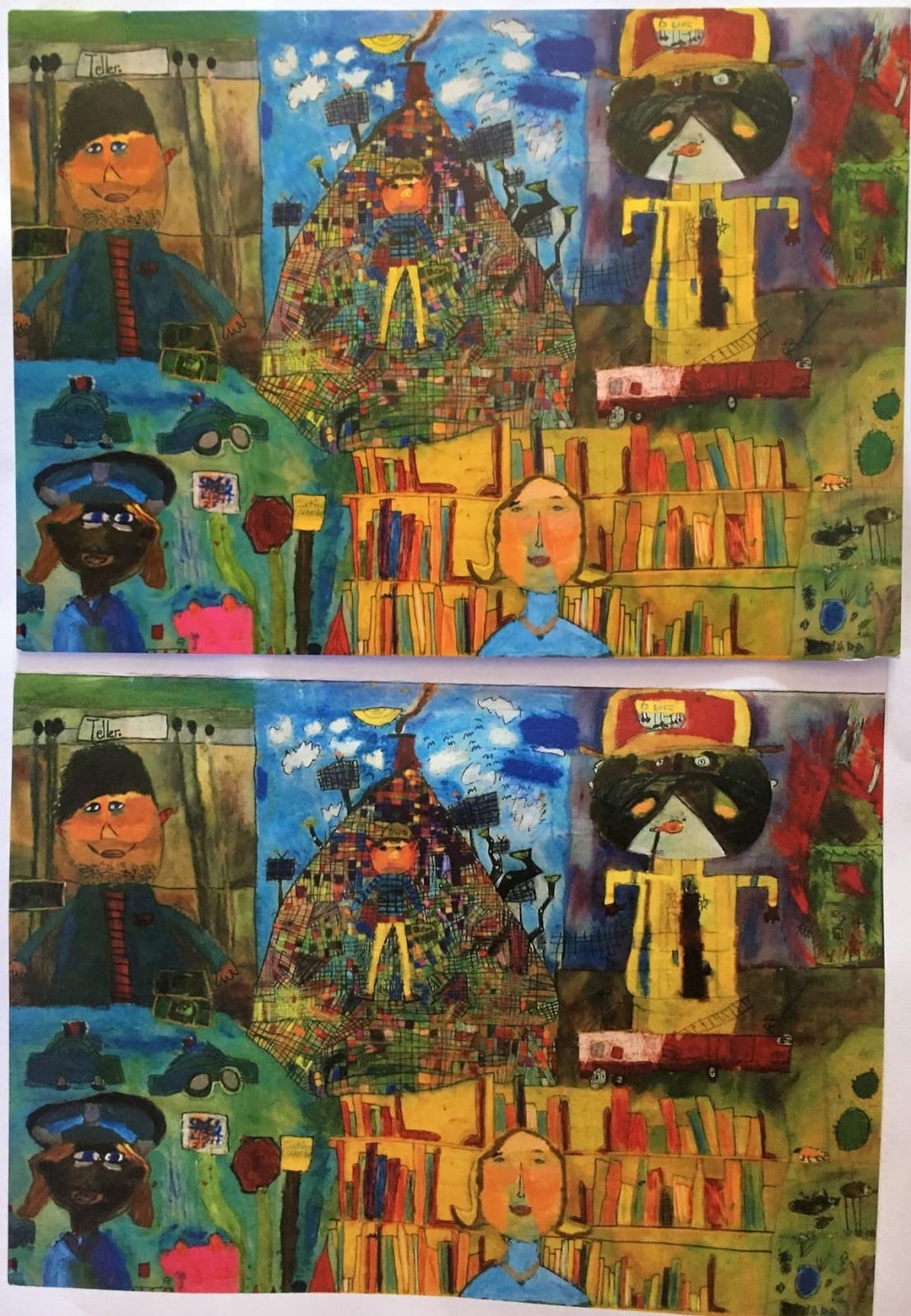
The all-in-one 054 CMY/K cartridge is a genuine cost decision. One combined cartridge per colour replaces three separate ones, so you are not hunting down whichever colour ran out while the other two still have powder left. Owners like the simplicity; they also complain loudly about what genuine 054 cartridges cost over time. Budget for high-yield or remanufactured supplies if you print color regularly.
Scanning and copying quality runs ahead of expectations for the resolution involved. Reviewers put copies at 300 to 600 dpi and describe them as noticeably better than a cheap flatbed unit. Print resolution is 600 x 600 dpi in both color and monochrome, which produces clean text and solid business graphics rather than photo-grade images.
Wi-Fi reliability is genuinely good here, with owners reporting a stable signal through multiple walls. Some of them set the machine up over Ethernet instead and had no problems at all, which is a reasonable choice on a desk next to a router. Wi-Fi Direct hotspot capability lets phones print without joining the home network, and mobile scanning works from a phone or tablet.
The honest weak point is the Remote UI configuration page. Scan-to-email and the advanced network settings live there, and the interface is not intuitive. Plan twenty minutes for setup and keep a USB cable within reach. The touchscreen itself is uneven too, occasionally needing a firmer press than you would expect.
When the MF644Cdw fits a home office
This is the right pick when someone in the household works from home full time, scans paperwork regularly and prints color handouts often enough to notice. The ADF, the fax function and the three-year warranty cover a machine that runs daily rather than occasionally.
It is also the right pick if a home business prints invoices, packing slips or shipping labels on a regular cycle. The 22 ppm engine handles a burst without the machine stalling, and one-pass duplex keeps scanning jobs to a single pass.
When the MF644Cdw is the wrong choice
Skip it if your desk is a small corner shelf. The unit weighs 48.4 pounds and measures 16.6 by 17 by 16.6 inches, so it needs a real surface, not a laptop riser. Reviewers consistently flag the footprint as large and heavy compared with the inkjet it usually replaces.
Skip it if color volume is very low and running cost dominates your thinking, because the 054 cartridges are among the most expensive in this group. Also avoid it if you are comfortable with Ethernet and would rather not fight Wi-Fi, or if you print large photographic jobs, since 600 x 600 dpi is a document resolution and nothing more.
2. Canon imageCLASS MF753Cdw – Best for High Volume Color Printing at Home
Canon imageCLASS MF753Cdw Wireless Duplex Color Laser All-in-One Printer, Scanner, Copier, Fax, 35 PPM, White
- Fastest engine here at 35 ppm
- Crisp output reviewers compare to books
- Excellent one-pass duplex scanning
- Expandable paper capacity
- Toner survives long idle periods
- Canon 069 toner cartridges are very costly
- Configuration interface is confusing and poorly documented
- Some units lose wireless connection repeatedly
This is the fastest machine in the roundup by a wide margin, and the gap is obvious the moment you print a stack rather than a page. Thirty-five pages per minute in both color and monochrome, with a first print in about seven seconds even when waking from sleep, means a hundred-page color document is finished before you have made coffee.
Print quality is the other headline. Owners repeatedly compare the output favorably with commercial printed books, which is a high bar for a home machine. Maximum color resolution is 1200 x 1200 dpi, and the toner produces saturated color on graphics and charts without the flat, washed-out look that plagues cheaper color lasers.
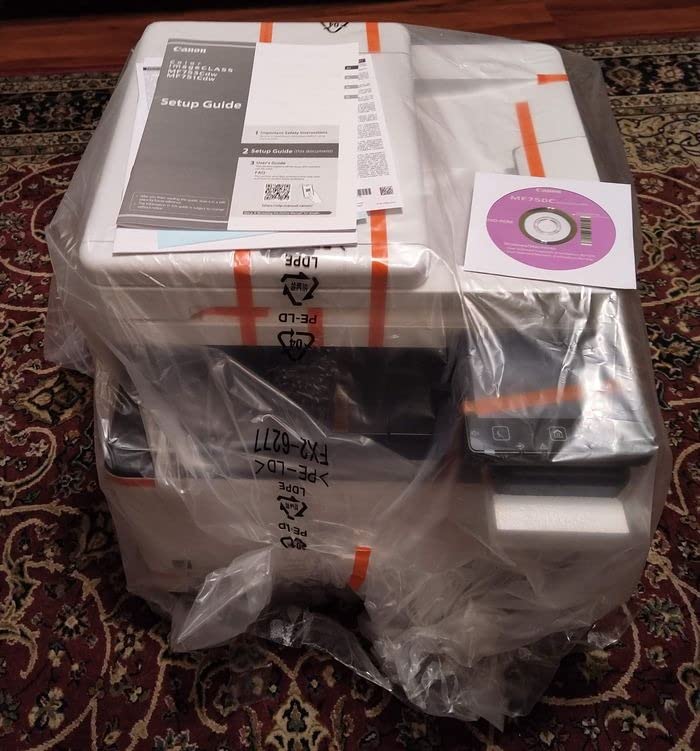
Paper handling is where this unit separates from the MF644Cdw. The standard 250-sheet cassette can be expanded to 850 sheets with the optional PF-K1 tray, and a 50-sheet multipurpose tray handles envelopes, labels and card stock. For a home business printing invoices by the hundred, that capacity removes a daily interruption.
The 50-sheet ADF scans both sides in one pass, and owners call that duplex scanning a key reason to buy. Scanned pages come out accurately aligned, which matters when you are filing receipts or copying multi-page forms rather than producing art.

Several owners switched from inkjets specifically to stop dealing with dried cartridges, and the toner in this machine is the reason they stopped worrying. It sits happily through weeks of disuse and produces a clean first page when you finally need it.
The frustrating part is software. Canon configuration pages and the Application Library interface are confusing and poorly documented, and scan profiles cannot be renamed, deleted or added beyond the eleven built-in options. If your workflow involves scanning to specific destinations, budget real setup time here. Some owners also report repeated wireless dropouts even after firmware and driver resets, which is the most common reliability complaint on this model.
When the MF753Cdw fits a home office
Choose this machine when color volume is measured in reams rather than sheets. A home business printing flyers, price lists or real estate handouts will feel the speed difference immediately, and the expandable paper capacity keeps up with the volume.
It also suits anyone who values long-term ownership. The 3-year warranty, the ENERGY STAR certification and EPEAT Silver rating all point to a machine built for sustained daily use rather than occasional bursts.
When the MF753Cdw is the wrong choice
Pass if your desk space is limited. At 48.5 pounds and 18.2 by 16.8 by 17 inches, this is the largest machine here, and dual-sided output lands in a middle tray in an awkward position that some owners dislike.
Pass if color cost per page is your main worry. Canon 069 toner cartridges can approach the cost of the printer itself, and the 069 high-capacity versions, while they last longer, still make color a considered expense. Also avoid it if you are not prepared to spend time learning the configuration interface.
3. Canon imageCLASS LBP632Cdw – Best Value Print-Only Color Laser
- Fast 22 ppm with a 10.3 second first page
- Sharp text and professional color output
- Reliable automatic duplex printing
- Lightest and most compact body here
- Works across Linux Windows macOS Android
- Dated low-resolution LCD panel
- Loud mechanical noise while printing
- Canon mobile apps request broad data permissions
Not every home needs a scanner and a fax. The LBP632Cdw is the print-only answer in this roundup, and it does the printing part very well: 22 pages per minute in color and monochrome, a first page in 10.3 seconds and automatic duplex as standard rather than an optional extra.
Resolution is 1200 x 1200 dpi, which is the best figure on any print-only unit here. Text comes out crisp at small sizes and color graphics look professional on plain paper, which is exactly what documents, invoices and school projects need. Owners consistently describe it as fast, sharp and good value.

Paper handling is simple and adequate. A 250-sheet standard cassette handles your working stock, and a one-sheet multipurpose tray covers envelopes and labels. Toner 067 and the 067 high-capacity cartridges are widely available, which keeps running costs predictable over time.
Setup is refreshingly plain. It works out of the box on Linux, Windows, macOS and Android with minimal configuration, and Mopria support covers most phone printing. The machine is ENERGY STAR certified and EPEAT Silver rated.
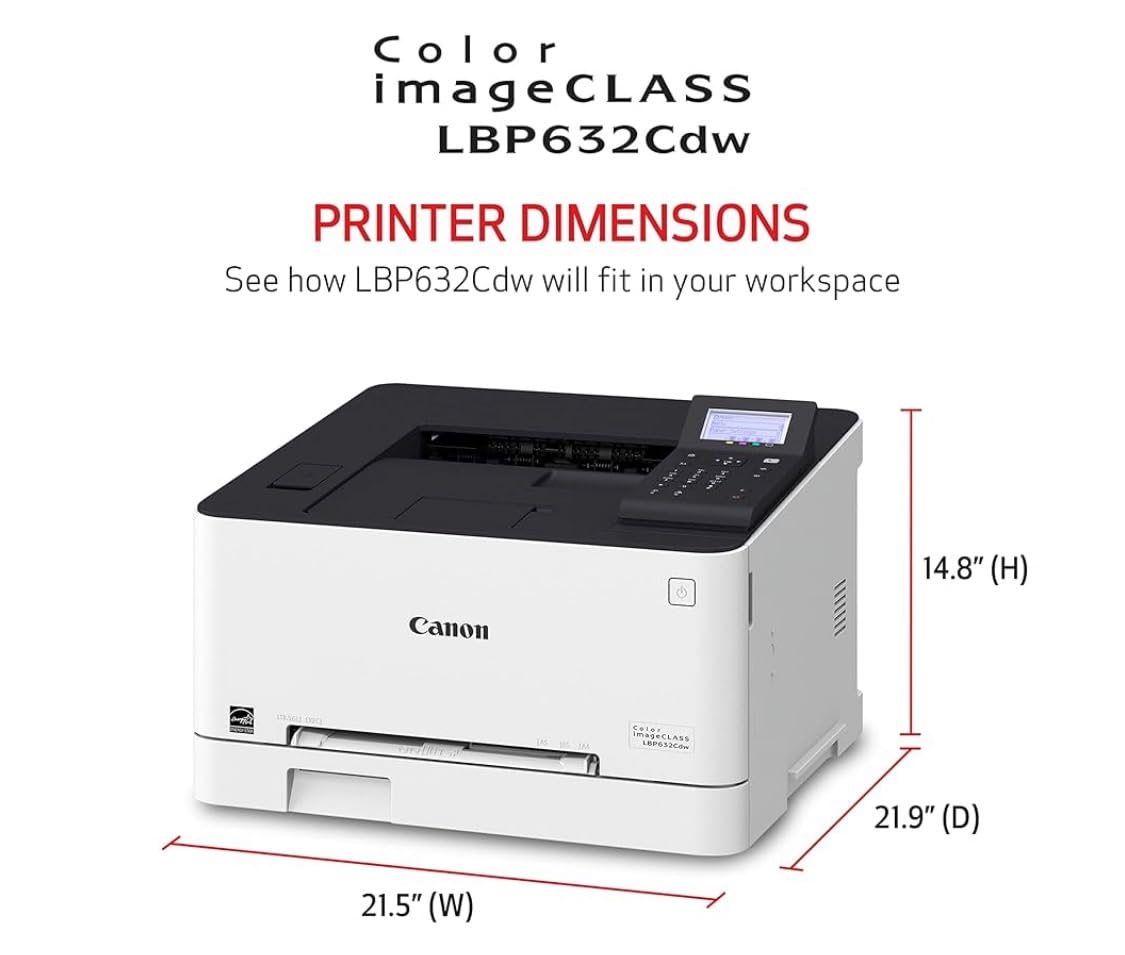
The compromise is the control panel. It is a small, dated, low-resolution LCD with basic buttons rather than a touchscreen, and typing a Wi-Fi password on that screen is a genuinely frustrating setup step. Canon’s mobile apps also request broad data permissions, which owners do not regard highly.
The other recurring complaint is noise. This machine is loud and clunky while printing, with a mechanical sound that owners notice in a quiet room. If it will sit in a bedroom or a shared study rather than a separate office, that matters. Some users also report difficulty joining certain modern mesh networks over Wi-Fi.
When the LBP632Cdw fits a home office
This is the pick when you print a lot and never scan. Invoices, shipping labels, homeschool materials, conference paperwork and color charts all come out fast and sharp, and you avoid paying for a scanner and ADF you would never use.
It is also the easiest machine here to reposition. At just over 35 pounds and 16.5 by 17 by 11.3 inches, it is the lightest and most compact body in the roundup, so it moves between a home office and a spare room without a second person.
When the LBP632Cdw is the wrong choice
Skip it if you copy or scan anything. There is no flatbed glass and no document feeder on this model, so those jobs need a separate device or a different printer entirely.
Skip it if a quiet room matters, or if you need a touchscreen for day-to-day job selection. Chromebook users should also know the compatibility marking is misleading, since Chrome OS needs a cloud-print extension workaround. Set up expectations on all three points before buying.
4. Brother MFC-L3720CDW – Best for Reliable Wireless Printing at Home
Brother MFC-L3720CDW Wireless Color Laser Printer, Scanner, Copier, Fax, Auto Duplex, 250-Sheet Capacity
- Dual-band wireless holds connections on both bands
- 250-sheet tray means fewer refills
- Customizable touchscreen shortcuts
- Toner monitoring through the mobile app
- Consistent laser-quality color output
- Slower than Canon units that reach 22 to 35 ppm
- Only a 1-year limited warranty
- Wireless and setup friction appears in 1-star reviews
Brother has the strongest wireless story in this group, and that turns out to matter more for a home than raw speed. Dual-band 2.4GHz and 5GHz support means the printer can hold a stable link on either band, which is exactly the failure point owners complain about with other machines. Wi-Fi Direct and USB 2.0 are both present as fallbacks.
At 19 pages per minute in color and monochrome, it is slower than the Canon units that reach 22 to 35 ppm, and you will feel that on long jobs. The first page still arrives in under 15 seconds. Maximum print resolution is 2400 x 600 dpi, which gives sharp text and clean graphics.
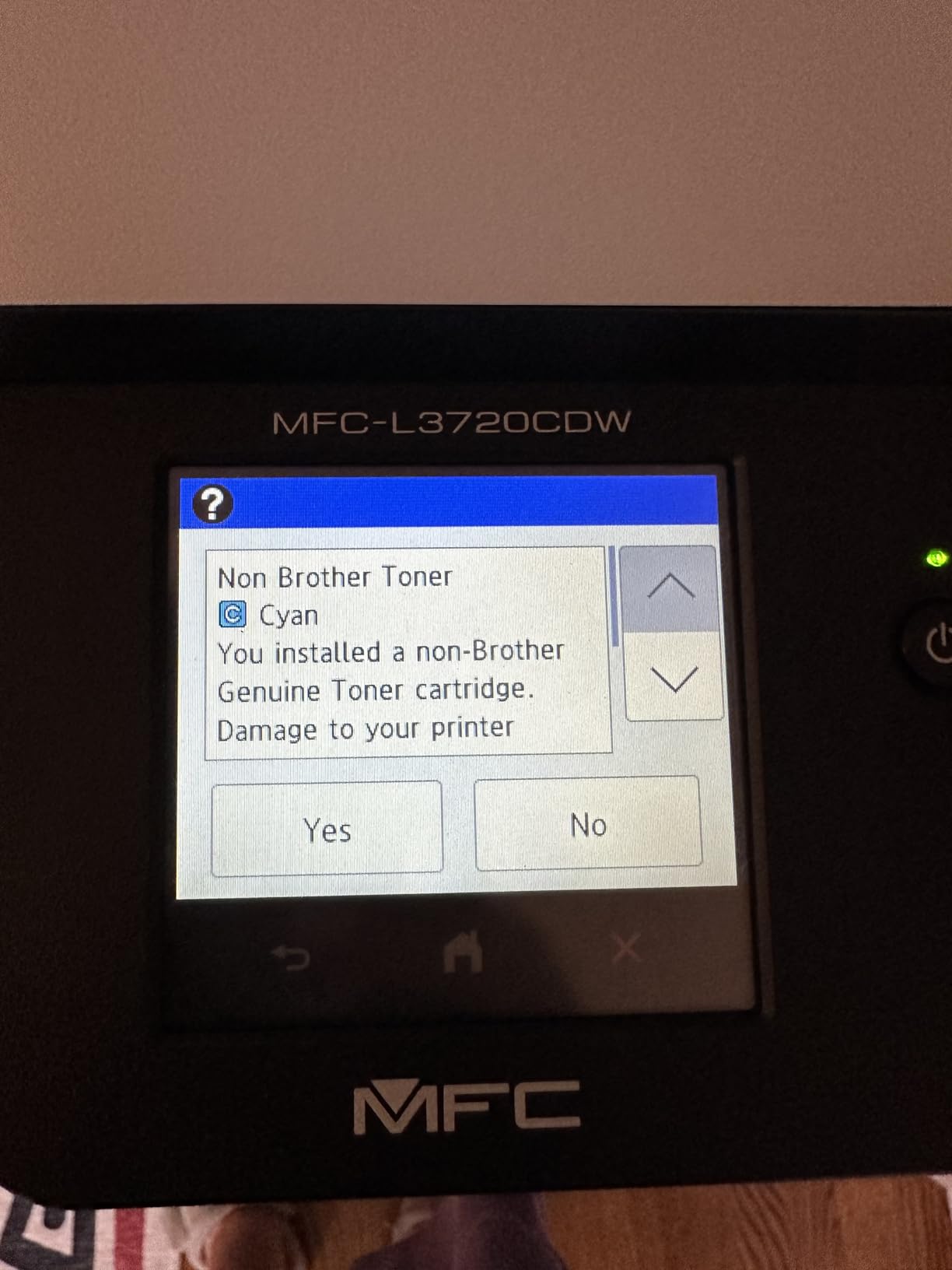
The 3.5-inch color touchscreen takes 48 customizable shortcuts, so you can put your most-used scan destinations and copy settings one tap away. The companion app adds toner level monitoring and printer management from a phone, which is the kind of quiet convenience that makes a shared family machine less annoying.
Paper handling is the other strength. A 250-sheet adjustable tray plus a 50-sheet automatic document feeder means a household rarely runs out mid-project. Cloud access to Google Drive, Dropbox and OneNote is built in for people who keep their documents on shared drives.
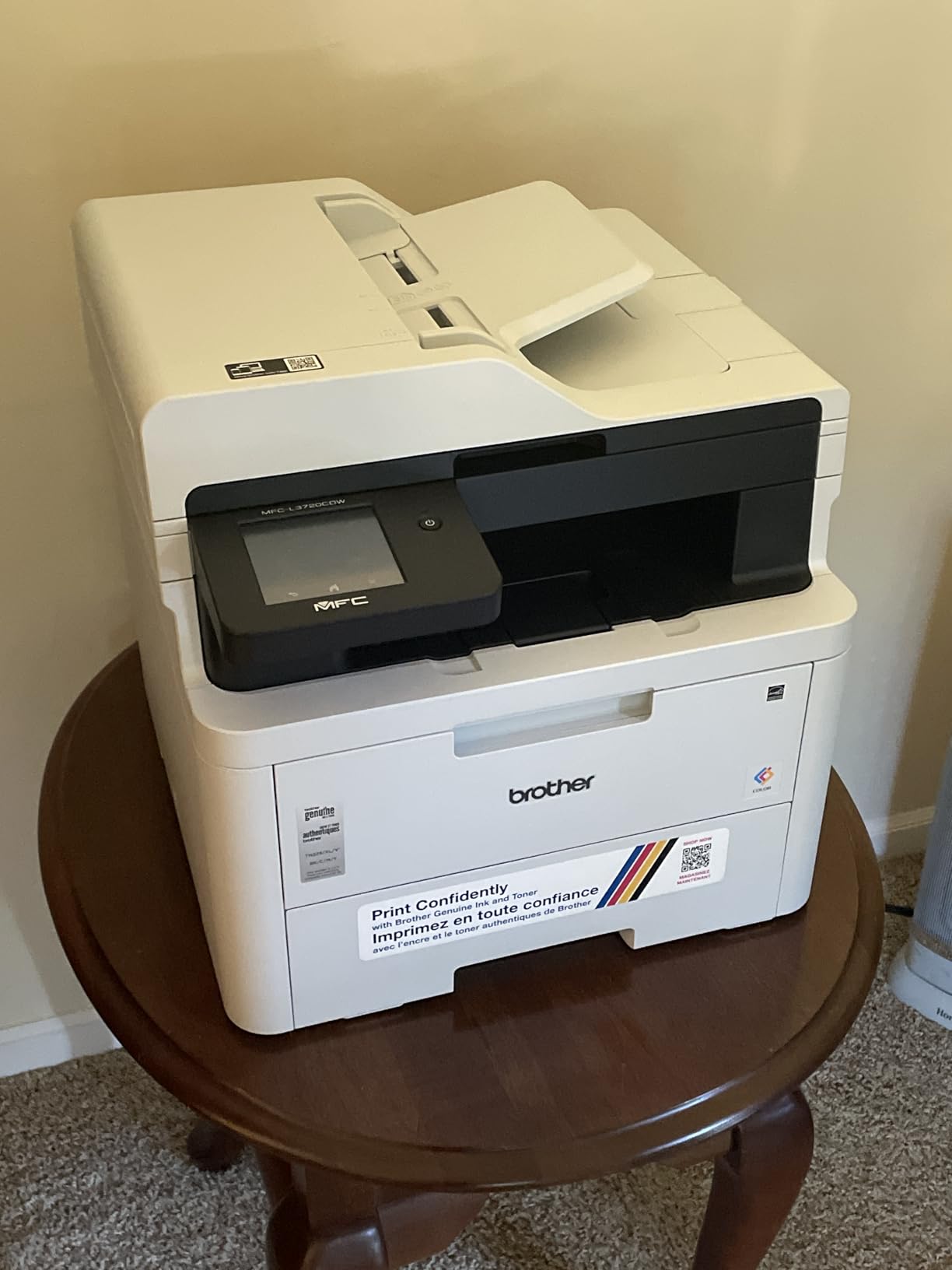
Brother supplies are widely available in high-yield form, and TN229-series toner plus the DR229CL drum unit are among the easiest third-party supplies to source, which keeps running cost down over a couple of years. That ecosystem advantage is a real reason people stay with the brand.
The drawbacks are real but modest. Sixteen percent of reviews are one star, with wireless and setup friction the most common theme, so expect some configuration work on day one. The 1-year limited warranty is shorter than the three years Canon offers, and 19 ppm is the second slowest engine here.
When the MFC-L3720CDW fits a home office
Pick it when more than one person prints from different devices and network stability is your top worry. Dual-band support plus a companion app makes it the least frustrating machine here to share across phones, laptops and desktops.
It also suits a home business or a serious homeschool setup where a 250-sheet tray and a 50-sheet ADF are used daily. Scanning, copying and fax are all built in, so nothing else needs to sit on the desk.
When the MFC-L3720CDW is the wrong choice
Skip it if you need speed on large jobs. At 19 ppm this is not the machine for a hundred-page color run, and the gap against a 35 ppm Canon is obvious under load.
Skip it if warranty length signals long-term confidence to you. One year against Canon’s three is a meaningful gap on a machine this size. It is also not the lightest option here at 44 pounds, so plan the placement before it arrives.
5. Brother HL-L3300CDW – Best for Small Desks and Compact Spaces
- Compact 3-in-1 body for small home offices
- Affordable consistent color on every page
- Dual-band Wi-Fi and Wi-Fi Direct
- Flatbed scanner handles copies and documents
- Supports envelopes labels and glossy photo paper
- No automatic document feeder included
- No fax capability
- 19 ppm is slower than Canon engines
- Setup and reliability issues appear in 1-star reviews
The HL-L3300CDW is the Brother answer to a small-space home office, and the design is genuinely compact for a color laser. It weighs 40.8 pounds and measures 16.1 by 17.5 by 14 inches, trimming the height compared with the Canon all-in-ones without giving up color printing or automatic duplex.
It is a 3-in-1 machine, meaning print, copy and scan from flatbed glass. There is no fax and no automatic document feeder, so multi-page scans mean lifting the lid for each page. For occasional copying of a receipt or a single sheet, that is fine.
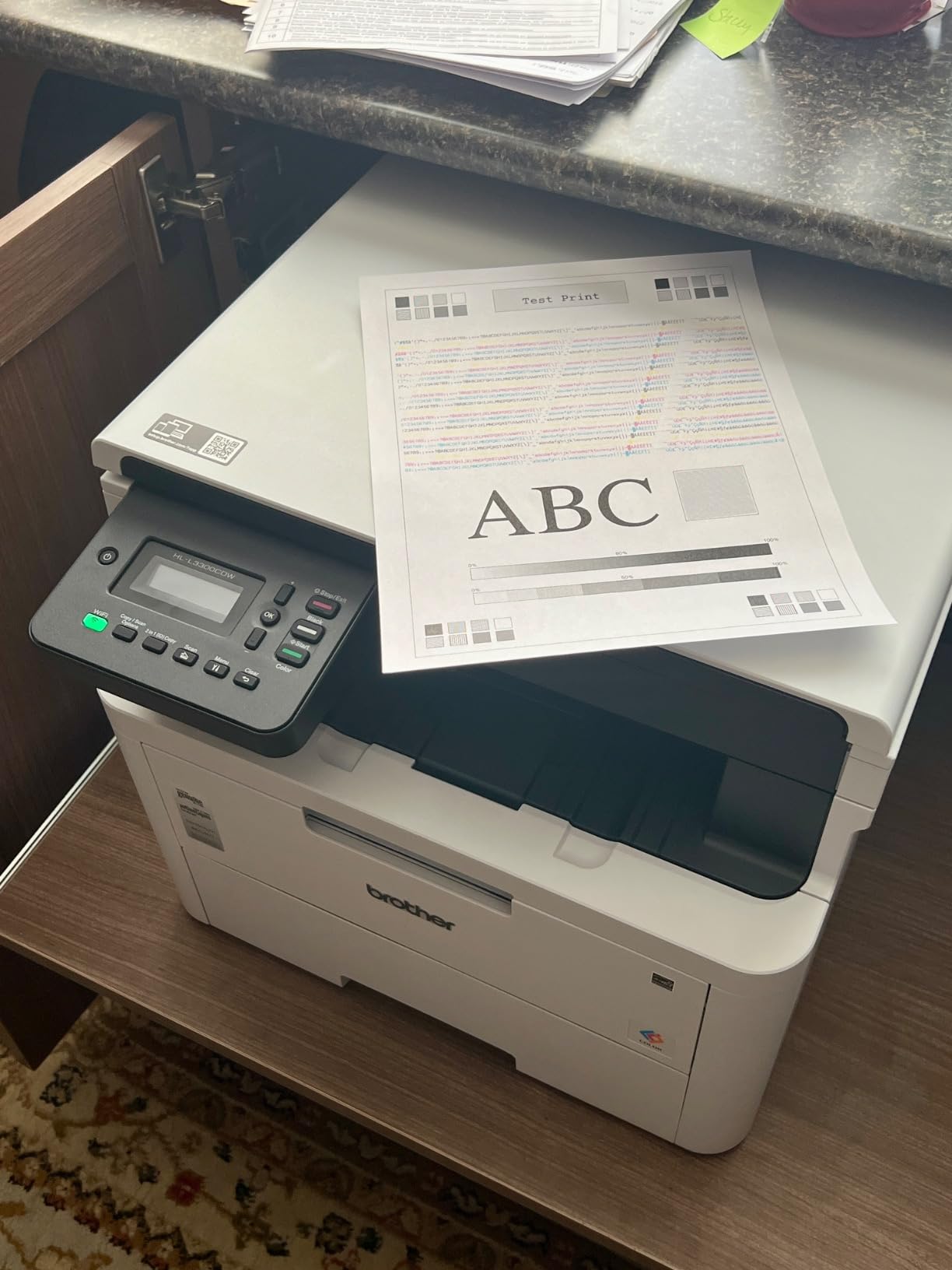
Print speed is 19 pages per minute in both color and monochrome with a first page under 15 seconds, and maximum resolution is 2400 x 600 dpi. Color output is consistent and inexpensive per page, which is what buyers report caring most about on this model. Duplex printing is automatic and reliable.
Media handling is broader than you would expect from a compact unit. It supports envelopes, card stock, labels and glossy photo paper, and the paper tray holds 250 sheets. Dual-band Wi-Fi and Wi-Fi Direct give you flexible placement, with USB as a backup.
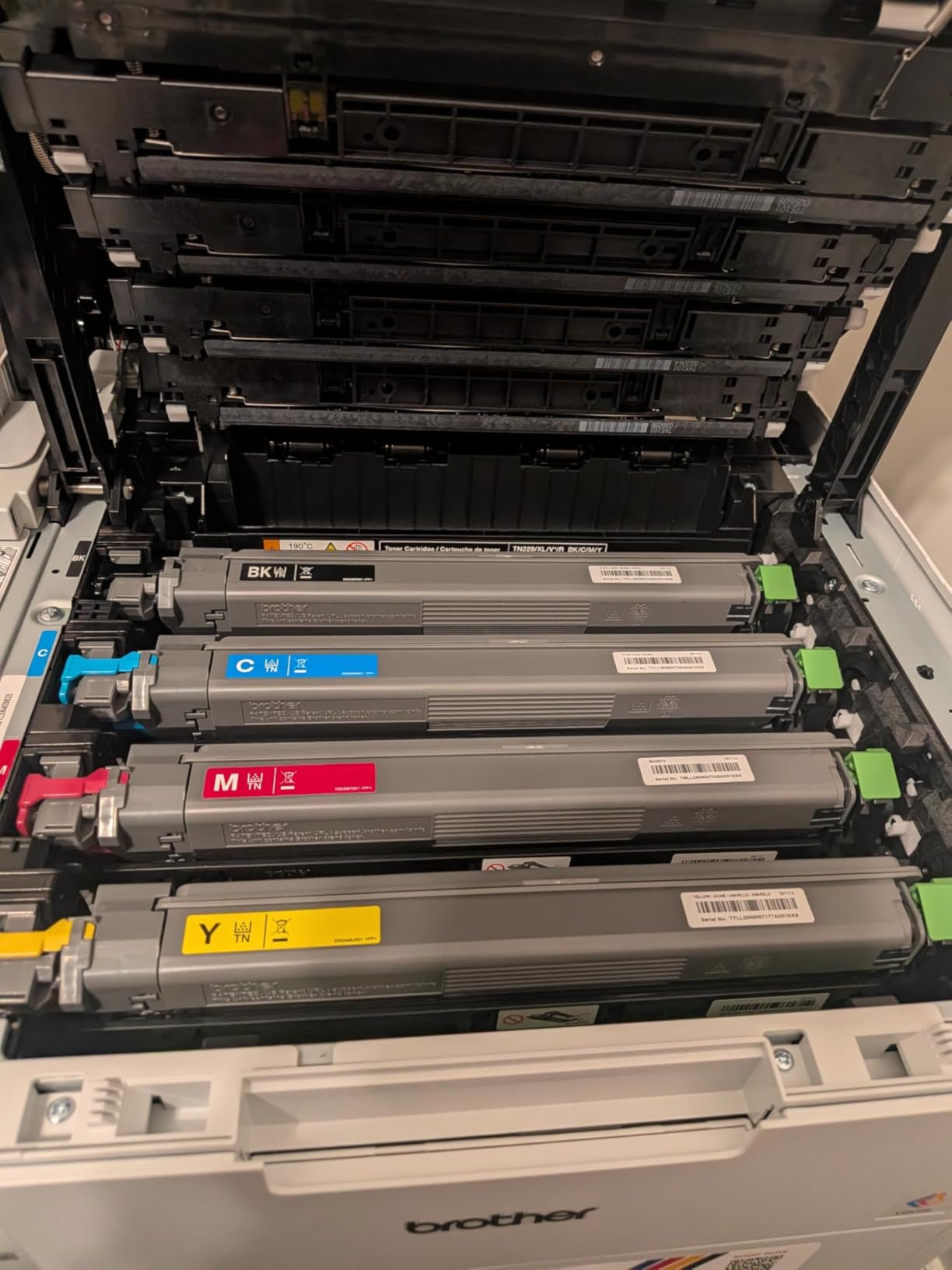
Supplies are TN229 toner cartridges with a DR229CL drum, the same consumables family as the Brother above. That means high-yield options and a deep third-party market, so running cost over two years stays predictable if you shop around.
Seventeen percent of reviews are one star, which is the highest share in this roundup and points to a meaningful slice of setup and reliability problems. Treat the first print session as a test, and keep the installer close until wireless is confirmed working.
When the HL-L3300CDW fits a home office
Choose it when desk space is the binding constraint and you want color without a full-size all-in-one. Copying and single-page scanning are covered by the flatbed, and duplex printing means you still get two-sided documents.
It is a good homeschool pick too, where the volume of single-sheet scanning is low but the volume of color printing is high. Cards, invitations and worksheets all come out well, and glossy photo paper is supported for occasional color prints.
When the HL-L3300CDW is the wrong choice
Skip it if you routinely scan or copy multi-page documents. Without an ADF you will scan one page at a time, and there is no fax for anyone still sending paper faxes from a home office.
Skip it if you print in bulk, since 19 ppm is the slower end of this group. Given the one-star share in its feedback, also weigh a machine with a longer warranty before committing to a long-term household machine.
6. Canon imageCLASS MF642Cdw – Best for Scanning, Copying and Print Quality
- Highest average rating in this roundup
- Exceptional print and scan quality
- Compact for a color laser all-in-one
- No dried-out ink risk at all
- Rock-solid when connected by Ethernet
- Duplex printing but no duplex scanning
- Wi-Fi can be unreliable where Ethernet is stable
- Noisy during printing
- Genuine Canon 054 toner is expensive
This machine carries the highest average rating of anything we tested, at 4.3 out of 5, and owners describe its print and scan output as photographic. It runs 22 pages per minute with a first print of about 10.3 seconds, and resolution runs up to 600 x 600 dpi with an enhanced option at 300 x 600.
At 49 pounds and 16.6 by 17 by 16.6 inches, it is not the smallest color laser, but owners still describe it as compact enough for a home office compared with larger color laser multifunction machines. It offers a document feeder and a flatbed scanner alongside automatic duplex printing.
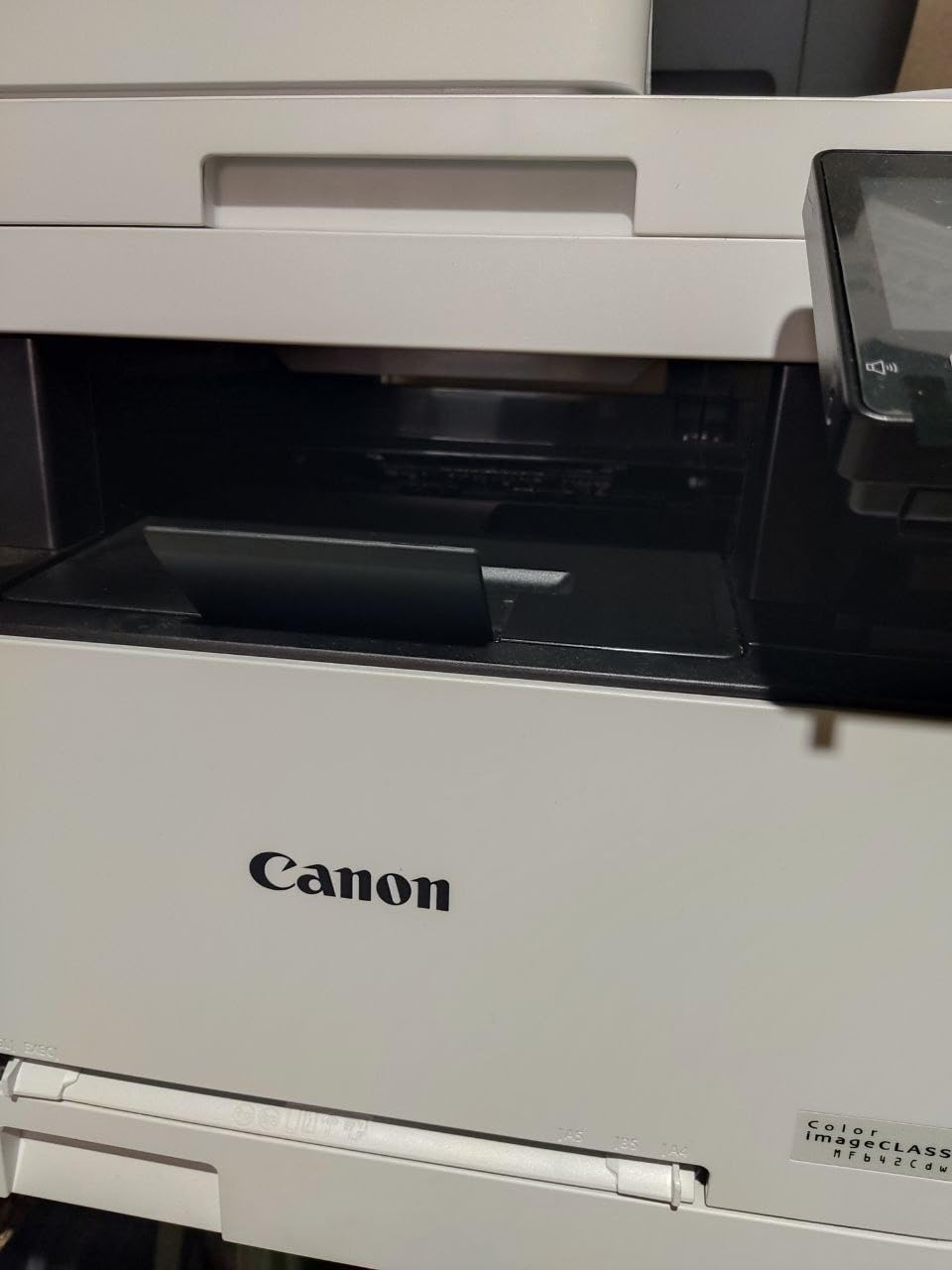
Zero maintenance is the quiet headline. There is no nozzle to clog and no cleaning cycle to waste ink, so the machine stays ready indefinitely. Long-term owners describe it as always ready, and paper handling runs to 250 sheets at up to 8.5 x 14 inch.
Mobile printing is supported and Canon adds Amazon Alexa integration for toner alerts and smart reorders. That means you get a notification before a cartridge runs dry rather than discovering it mid-job, which is genuinely useful for a printer that sees light use.
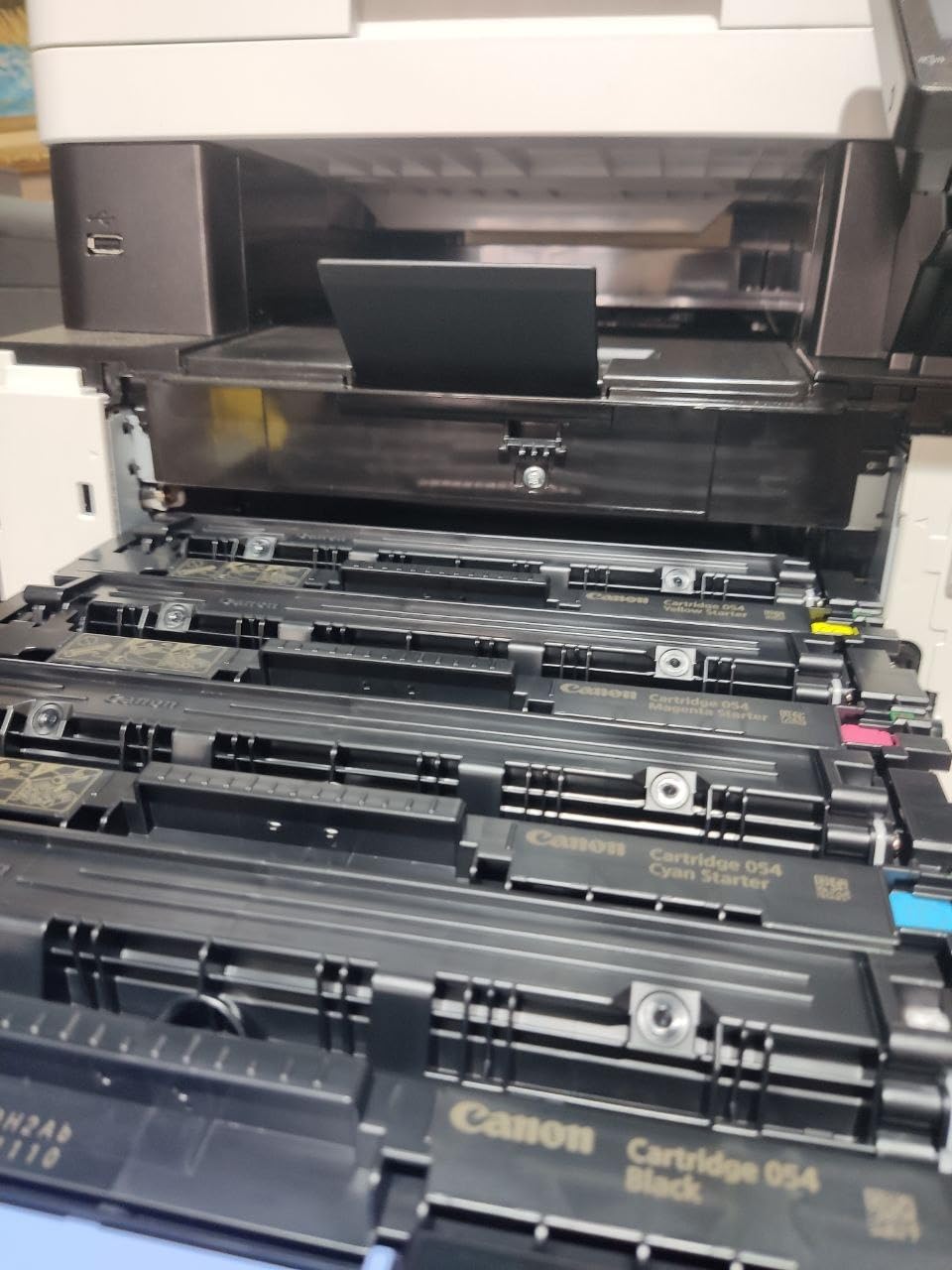
Two things work against it. First, it prints duplex but does not scan duplex, so copying a two-sided document means flipping it manually. That is an awkward limitation on a machine in this class. Second, Wi-Fi can be unreliable, and long-term owners report that Ethernet gives rock-solid results where wireless frustrated them.
It is also noticeably noisy during printing, which matters in a shared room. Genuine Canon 054 toner is expensive, and one owner reported the machine spuriously warning of low toner and print quality not guaranteed while toner remained. Check the download package too, since the default Canon download covers printing and a separate scan utility is needed without being clearly flagged.
When the MF642Cdw fits a home office
Pick it when quality of output is your priority and you copy or scan more than you fax. The document feeder and flatbed cover both single sheets and short batches, and the tone of the machine is more office-like than the compact units here.
It suits anyone who wants a stable wired connection. On Ethernet, long-term owners report dependable service, and a three-year warranty backs it up. Color laser toner that never dries out makes it a good fit for irregular printing schedules.
When the MF642Cdw is the wrong choice
Skip it if you scan two-sided documents regularly. The missing duplex scanner is a functional gap, not a preference, and the machine beside it in this roundup covers that need.
Skip it if it will sit in a quiet room, and weigh it carefully if color cost per page dominates. The expensive genuine toner plus a single-slot manual feed make it a heavier commitment than the print-only option.
How to Choose a Color Laser Printer for Home?
Match the machine to your monthly page volume
Duty cycle is the number manufacturers publish as a recommended monthly volume, and it is the fastest way to avoid overbuying. A home that prints twenty pages a month is badly served by a machine designed for a thousand, because the toner and drum wear out through age and handling rather than through pages printed.
Under 100 pages a month, favor print-only models and short-term thinking about supplies. Between 200 and 500 pages, an all-in-one with a duplex ADF makes sense because scanning and copying appear without warning. Above 800 pages, speed and expandable paper capacity start to matter, and a 35 ppm engine earns its place.
Print-only or all-in-one: decide before you buy
A print-only laser is smaller, quieter, cheaper to buy and cheaper to run, because it carries no scanner glass or document feeder to fail. An all-in-one adds copy, scan and usually fax for a modest step up in size and cost.
Buy print-only if you print labels, invoices and documents and scan on a phone. Buy an all-in-one if anyone handles paper: school worksheets, signed forms, receipts, artwork. Over-buying an all-in-one wastes desk space and money, and under-buying means buying a second device later.
Duplex printing versus duplex scanning
Automatic duplex printing means the machine flips the paper and prints both sides. Duplex scanning means the document feeder reads both sides in one pass. These are separate features and machines with the first very often lack the second.
This distinction decides whether copying a two-sided contract takes one pass or several. The MF644Cdw and MF753Cdw both scan both sides in one pass, and the Brother MFC-L3720CDW prints duplex with a 50-sheet ADF. The MF642Cdw prints duplex but not scan duplex, which is worth knowing before you buy.
What running cost per page really looks like
Toner is dry powder, so it does not spoil, but a full set of color cartridges can still cost more than a full set of inkjet ink. What changes the maths is yield. A high-yield cartridge spreads its cost over far more pages, and the per-page figure drops accordingly.
Model the cost over two years rather than over a cartridge. If you print 300 color pages a month, that is 7200 pages a year. Compare that total against the cost of high-yield cartridges for your shortlisted machine, and add inkjet cartridges at the same volume as your baseline. That comparison is usually what convinces a home user to move to laser.
Watch the inbox toner. Starter cartridges in the box are frequently lower-yield than the replacements. Forum owners report opening a new color laser and printing only a few hundred color pages before needing another set, so treat the included supplies as a starting point, not a free print allowance.
Size, weight and noise in a home office
Color lasers are heavier and louder than the inkjets they replace. In this roundup the lightest body is the Canon LBP632Cdw at just over 35 pounds and 11.3 inches tall, while the Canon MF753Cdw reaches 48.5 pounds and 17 inches tall.
If two people share a room, the noise figure matters. Owners report the LBP632Cdw as loud and mechanical, while the MF644Cdw and MF642Cdw were described as noticeably noisy. If the printer will sit next to where you work, factor that in before you choose.
Wi-Fi setup: AirPrint, Mopria and dual-band
Every machine here supports wireless printing, but not all hold a connection well. Dual-band support, as on both Brother units, lets the printer join 2.4GHz or 5GHz networks and is the most reliable option on a crowded home network.
Some owners set their machines up over Ethernet and reported no problems at all, which is a good fallback if your Wi-Fi setup is frustrating. Mesh network users should check carefully: one user reported difficulty joining certain modern mesh systems. AirPrint and Mopria support handle most phone printing without an app.
Laser versus inkjet versus ink tank for a home
A laser wins for a home that prints documents, labels and occasional color. It never clogs, it costs less per page at moderate volume, and it prints faster. The rare home printer who prints a few pages a month should still consider an inkjet, because the purchase price of a color laser is higher and the toner sits unused.
An ink tank printer sits between the two. It prints color cheaply and handles photos far better than any laser here, but the liquid ink still dries if the machine sits idle, which is exactly the failure that drives people to laser in the first place.
If your output is mostly photographs, none of these six is the right answer. Buy the ink tank printer and spend the money you saved on better photo paper.
Six things to know before you click buy
First, measure the desk. Depth around 16 to 18 inches is normal, and anything over 48 pounds is a two-person lift. Second, check the warranty: three years versus one changes your ownership risk noticeably. Third, decide on duplex scanning, not just duplex printing. Fourth, count your monthly pages and size the duty cycle to them.
Fifth, plan for starter toner being lower yield than the cartridges you will buy. Sixth, set photo expectations honestly. A color laser produces excellent graphics, forms and handouts on plain paper, and mediocre photographs on glossy stock. Our guide to the best laser printers for home use covers the monochrome options if color is a nice-to-have rather than a need, and our toner cartridge guide breaks down what high-yield supplies actually save over a two-year cycle. Readers building a small workshop can also check our best laser engravers for home use picks for other fabrication hardware.
Frequently Asked Questions
Should I get a laser printer for home?
Yes, if you print documents, invoices, labels and occasional color pages. A laser uses dry powder toner that cannot dry out or clog, so the machine stays ready after weeks of disuse and prints a clean first sheet. It also runs faster and costs less per page at moderate volume. Choose an inkjet or ink tank printer instead if your main output is photographs or if you print only a few pages per month.
Are laser printers being phased out?
No. Laser remains the standard engine for offices and home offices that print documents, and manufacturers continue to release new color laser models. What has changed is that ink tank printers have become far cheaper, which pushed low-volume buyers toward them. Laser printers are not disappearing; they are settling into the segment where speed, durability and running cost matter most.
What is the best all-in-one color laser printer for small business?
For a home business that prints regularly and scans paperwork, the Canon imageCLASS MF753Cdw is the strongest all-in-one here, with a 35 ppm engine, one-pass duplex scanning and paper capacity expandable to 850 sheets. For lighter home office volumes, the Canon MF644Cdw offers most of the same workflow features at 22 ppm with a 3-year warranty and a lower purchase cost.
What are some good laser color printers with duplex scanning?
The Canon imageCLASS MF644Cdw and MF753Cdw both scan both sides of a document in a single pass through the document feeder, which is what you want for contracts and double-sided worksheets. The Brother MFC-L3720CDW prints duplex and has a 50-sheet ADF. Be aware that automatic duplex printing and duplex scanning are separate features, and some models have only the first.
How long do printers typically last?
A color laser at home typically runs five years or more with regular use, and owners on r/printers report Canon units delivering five years of flawless service in a home setup. The main consumable to watch is the imaging drum or drum unit, which is replaced separately from toner. Keeping the machine in use and storing toner sealed in a cool room both extend its life.
What is the best budget color laser printer for home?
The Canon imageCLASS LBP632Cdw is the value pick in this roundup: 22 ppm in color and monochrome, automatic duplex, 1200 x 1200 dpi resolution and the lightest, most compact body here. Being print-only, it costs less to buy and run than the all-in-ones, which suits a home that never scans or copies.
Which Color Laser Printer Should You Buy?
The Canon imageCLASS MF644Cdw is our pick for the best color laser printers for home use in 2026, and it wins on the combination that matters most at home: a 22 ppm color engine, one-pass duplex scanning, a 5-inch touchscreen and a 3-year warranty, backed by the largest body of verified buyer feedback in this group.
Choose differently only for a clear reason. Buy the Canon MF753Cdw if you print in bulk and want speed plus expandable paper capacity. Buy the Canon LBP632Cdw if you never scan and want the lightest, lowest-commitment machine. Buy the Brother MFC-L3720CDW if wireless reliability across multiple devices is your top concern. Buy the Brother HL-L3300CDW if desk space is tight. Buy the Canon MF642Cdw if print and scan quality lead your list.
Whichever you pick, model the running cost over two years at your real monthly volume, measure the desk before the machine arrives, and check whether you need duplex scanning or only duplex printing. That single filter removes the most common regret we see in buyer feedback.