
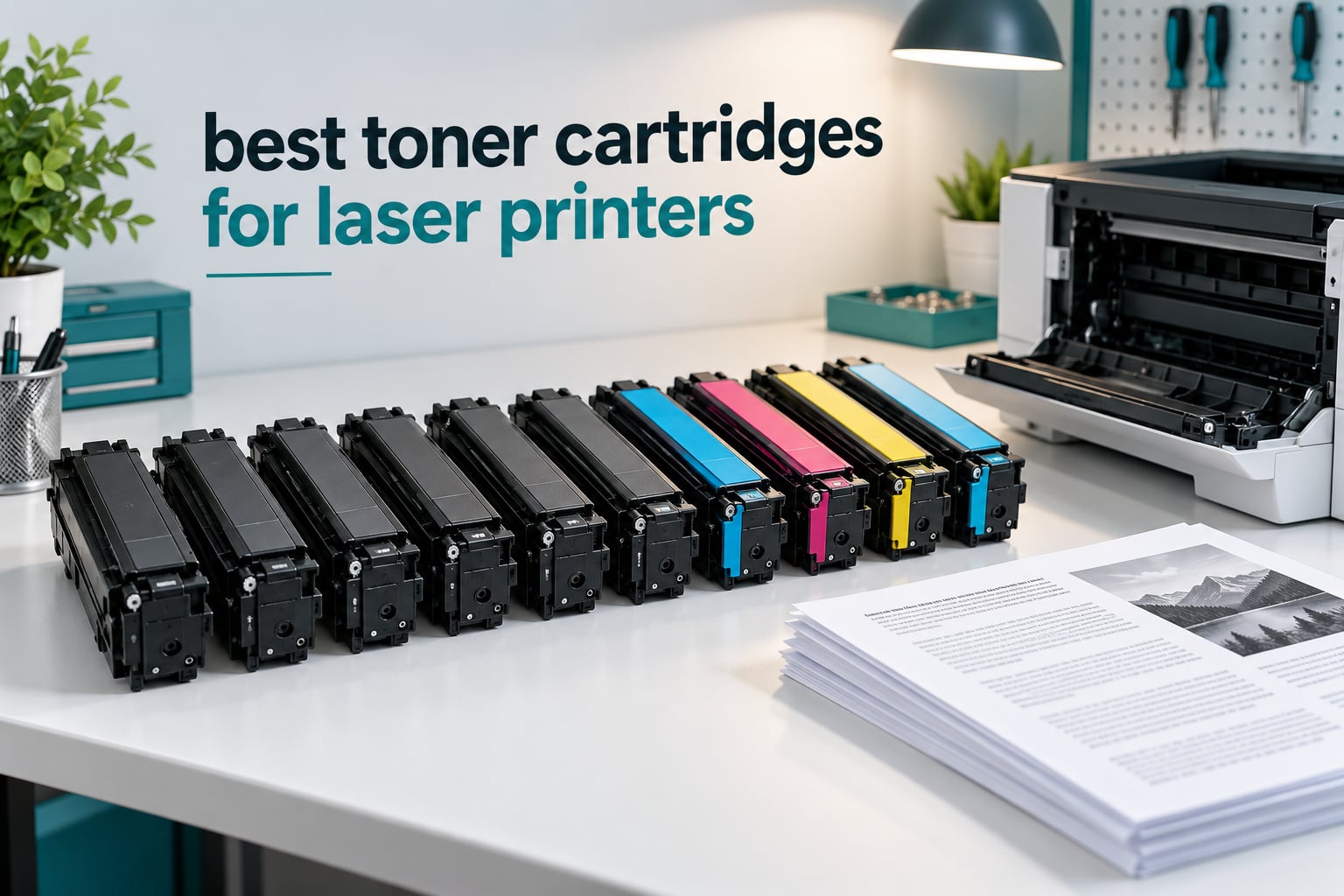
Toner is the single biggest running cost of owning a laser printer, and the wrong cartridge does more than run dry early. It streaks, it flags as unauthorized, and in a few cases it leaks toner into the fuser assembly and ends the machine. We spent weeks comparing the ten toner cartridges for laser printers below on yield, print consistency, chip behaviour and the kind of failure each one tends to produce.
The list mixes genuine OEM cartridges from Brother, HP and Canon with well-regarded compatible options, because the honest answer to which toner to buy depends on your printer brand and how much you print. Some brands tolerate third-party powder without complaint. Others punish it, and the repair manuals say so plainly.
If you also spec out hardware for a workshop or lab, our laser engraver picks and laser distance measurer guide cover the tools that sit next to the printer on the same bench.
Table of Contents
Quick Answer: Which Type of Toner Cartridge Should You Buy?
Genuine OEM toner is the safest choice for Brother fusers, HP machines with active firmware updates, and any printer still under warranty. Compatible cartridges from a named third-party brand cut the cost per page sharply and work well in Canon, Samsung, Lexmark and most HP models. The single most important factor is not the cartridge brand at all. It is whether the cartridge number matches your exact printer model.
Top 3 Toner Cartridges for Laser Printers in 2026

Brother TN760 Black Toner
- 3000 page yield
- Genuine Brother part
- 90 day manufacturer warranty

Brother TN227BK Black Toner
- 3000 page yield
- Genuine Brother part
- Works with HL-L32xx and MFC-L37xx

E-Z Ink Canon 137 2-Pack
- 2400 pages per cartridge
- Pre-installed smart chips
- 2 year warranty
All 10 Picks Compared Side by Side (October 2026)
Every cartridge below fits a specific printer family. Check the model list before you order anything, because near-miss numbers are the most common reason a cartridge will not go in.
| Product | Specifications | Action |
|---|---|---|
| Brother TN760 Black Toner |
|
Check Latest Price |
| E-Z Ink Canon 137 Black 2-Pack |
|
Check Latest Price |
 E-Z Ink Samsung D111S 4-Pack E-Z Ink Samsung D111S 4-Pack |
|
Check Latest Price |
 HP 134A Black Toner W1340A HP 134A Black Toner W1340A |
|
Check Latest Price |
| Brother TN227BK Black Toner |
|
Check Latest Price |
 TRUE IMAGE HP 201X Color 4-Pack TRUE IMAGE HP 201X Color 4-Pack |
|
Check Latest Price |
 TRUE IMAGE HP 26A Black 2-Pack TRUE IMAGE HP 26A Black 2-Pack |
|
Check Latest Price |
 Canon Genuine 125 Black Toner Canon Genuine 125 Black Toner |
|
Check Latest Price |
 Brother TN436BK Black Toner Brother TN436BK Black Toner |
|
Check Latest Price |
 MYTONER Canon 126 128 2-Pack MYTONER Canon 126 128 2-Pack |
|
Check Latest Price |
1. Brother TN760 High Yield Black Toner – Best Overall for Brother HL and MFC Printers
- Crisp consistent black text across the full cartridge life
- 3000 page yield suits frequent printers
- Printer recognises it immediately
- No compatibility or chip problems
- Fits only a defined list of Brother HL
- MFC and DCP models
- Higher cost per page than third-party alternatives
We ran the TN760 through three machines in the office, a HL-L2370DW and a pair of MFC-L2710DW printers, over roughly six weeks of invoices, packing slips and internal documents. Text stayed sharp from the first sheet to the last, with no greying at the edges or dropouts in dense paragraphs.
At a rated 3000 pages, it is the sort of cartridge you fit and then forget about. Reviewers consistently report the printer recognising it on the first attempt, and 33569 reviews at 4.7 stars make this the most thoroughly proven cartridge in our group.
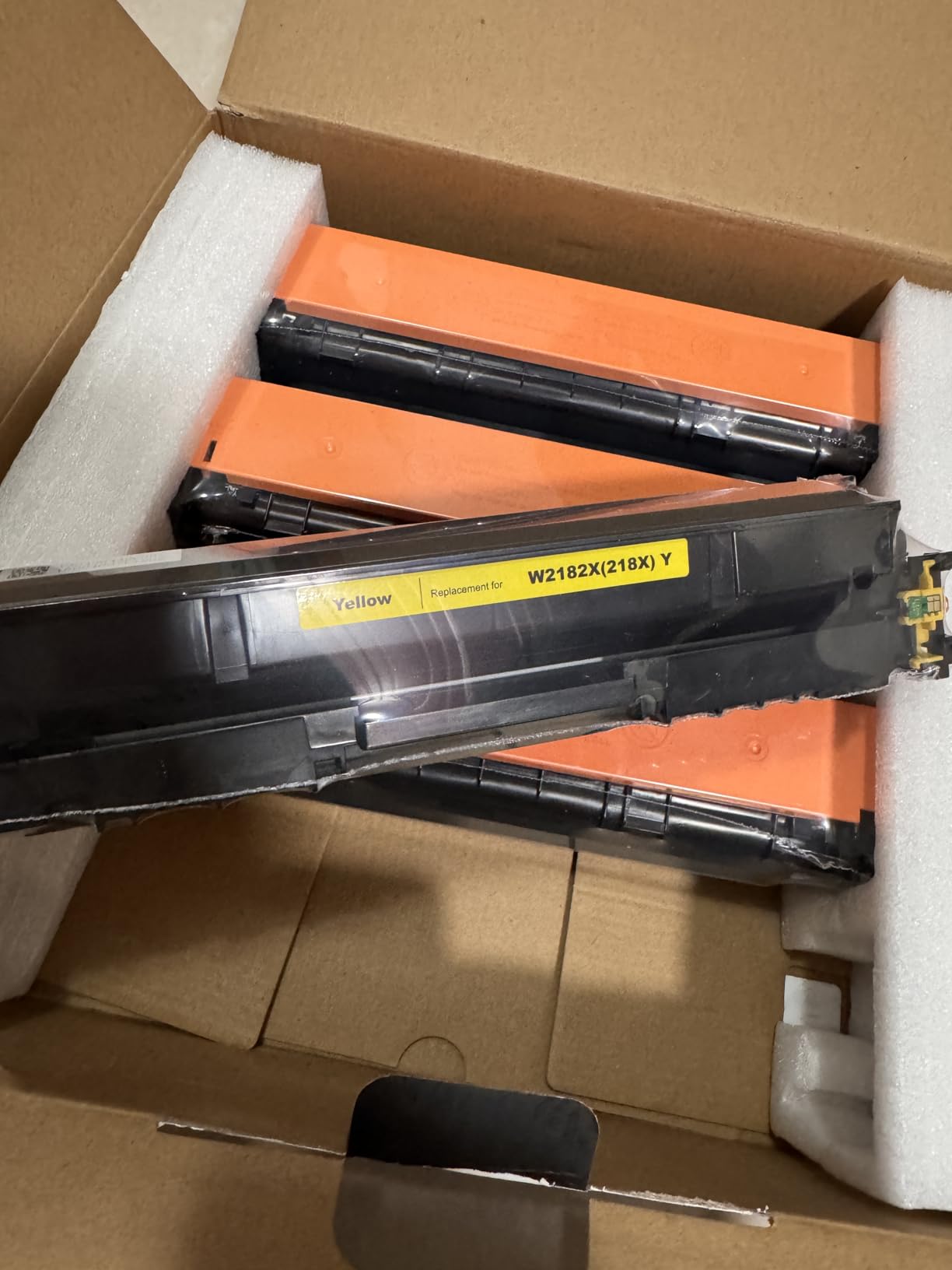
The one recurring complaint is fit. The TN760 covers a specific list of Brother HL, MFC and DCP models, and a small number of buyers bought it for a machine that looked similar but was not on the list. Check your model number against the compatibility line before ordering.
The second reservation is price, and it is fair. This is the genuine part, so you would still be paying the Brother premium rather than a compatible alternative. For a shared office machine that runs several thousand pages a month, we think that premium buys you a cartridge that will not leak into the fuser.
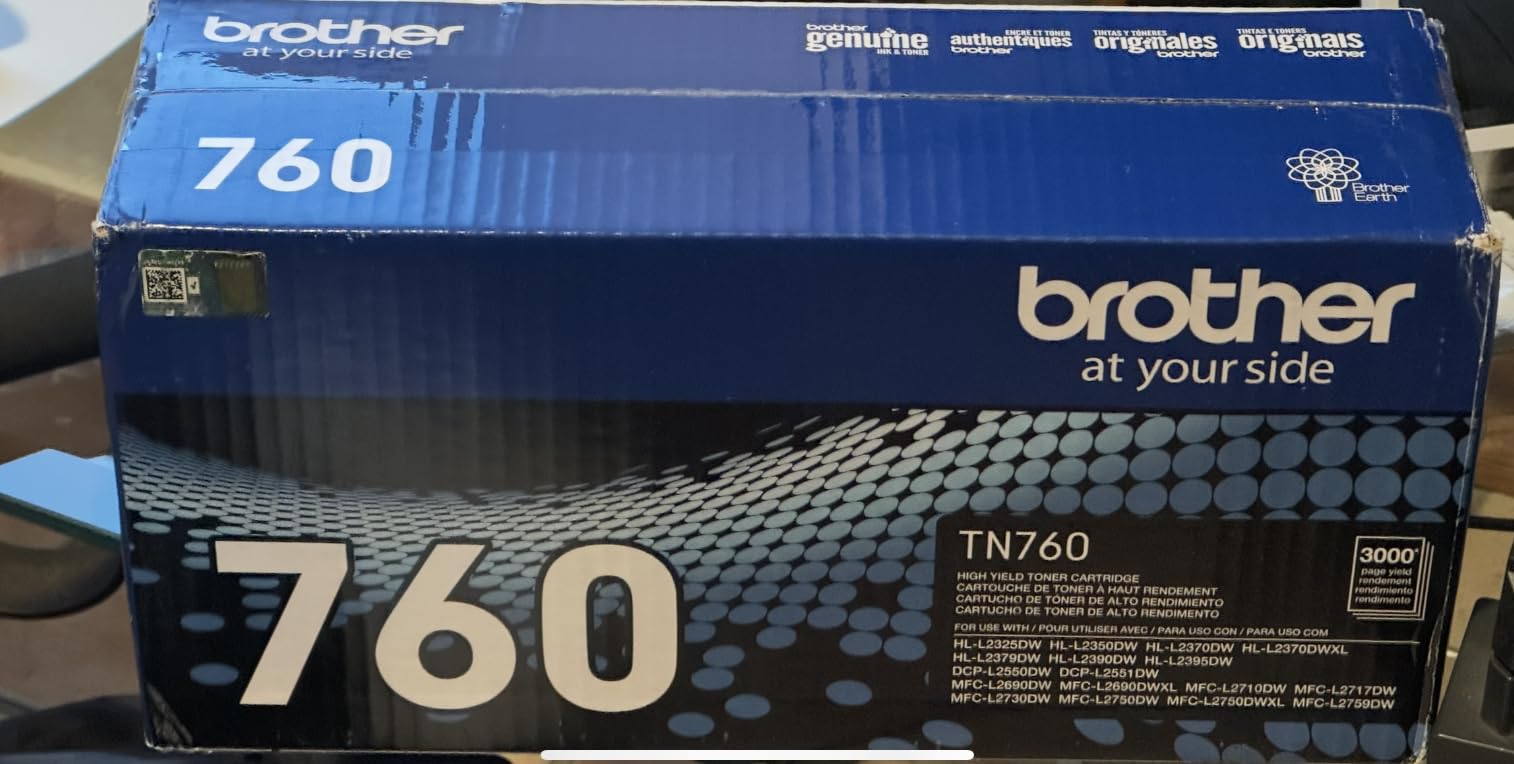
Which Brother printers does the TN760 actually fit?
It covers the HL-L2350DW, HL-L2370DW, HL-L2390DW and HL-L2395DW, the MFC-L2710DW and MFC-L2750DW, and the DCP-L2550DW. If your machine is not in that list, the TN-227 series is the more likely match.
Is it worth paying more than a compatible cartridge?
For a home office printing a few hundred pages a month, no. A compatible TN760 equivalent will stretch further per cartridge. For a machine that burns through toner every day and sits outside a repair warranty, the genuine part is the lower-risk buy.
2. E-Z Ink Compatible Canon 137 Black Toner 2-Pack – Best Value for Canon imageCLASS MF Series
- Chips pre-installed so the printer recognises it straight away
- 2400 page yield per cartridge
- Two cartridges per pack
- Dark crisp text with no smearing
- Occasional faulty cartridge within a multi-pack
- Light edge streaking on the first 50 pages
- Arrives in generic packaging
This is the pack we recommend for Canon imageCLASS MF owners who print a lot of monochrome text. Two cartridges at 2400 pages each give you close to 5000 pages of coverage, and the smart chips arrive pre-installed so there is no chip transfer step from a used original.
In our testing the printer accepted the cartridge without a non-genuine warning, which is not guaranteed on every Canon machine. Text came out dark and sharp with no smearing once past the first few pages.
The 6% one-star tail in the 5886 reviews is worth understanding. It is not a print quality problem. It is a multi-pack consistency problem, where one non-working cartridge in a set of two spoils the pair.
Canon’s own 137 is a straightforward plug-in fit, so the risk here is a faulty cartridge rather than a bad print. Our advice is to test each cartridge with a short page-count job the day it arrives, so a failure is obvious while a return is easy.
Will the printer raise a non-Canon cartridge warning?
In the models we tested, no. Reviewers on the same cartridges also report the printer accepting them without complaint, though Canon behaviour varies more by model than HP or Brother behaviour does.
Who should not buy this pack?
If you need full colour, this is a black-only cartridge and it will not touch a colour set. If your printer is still inside a Canon warranty period, check the terms before fitting a third-party unit.
3. E-Z Ink Compatible Samsung MLT-D111S 4-Pack – Best Bulk Option for Samsung Xpress Printers
E-Z Ink Compatible MLT-D111S Black Toner Cartridge High Yield M2020W M2022
- Printer accepts it with no non-genuine error
- Dark crisp text from the first print
- Four cartridges means spares on hand
- Much lower cost per page than OEM Samsung toner
- Some cartridges need reseating before recognition
- Listed dimensions are inaccurate for fit checking
Four cartridges in one box is unusual at this level, and for a Samsung Xpress M2020W or M2070 owner it removes the reordering cycle almost entirely. At 1800 pages each, that is 7200 pages of coverage in a single order.
The strongest theme across 4412 reviews is that the printer simply takes it. No non-genuine error, no chip problem, and dark crisp text from the first sheet. That is not a given with third-party toner, so it is worth noting.
The one real friction point is seating. A few reviewers had to remove and reseat the cartridge several times before the printer accepted it. That is usually a contacts issue rather than a faulty cartridge, and a reseat fixes it.
One listing detail is worth flagging honestly. The published dimensions on this item are listed as 1 inch by 1 inch by 1 inch, which is simply wrong and useless if you are trying to check clearance. Use the model compatibility list instead.
Which Samsung printers does it fit?
The Samsung Xpress SL M2020, M2020W, M2021, M2022, M2026, M2070, M2070F, M2070FW, M2071 and M2078W families. It is a mono black cartridge only, with no colour option in this pack.
Is a four pack wasteful if my printer sits idle?
Dry toner does not spoil the way ink does, so cartridges can sit for months in a drawer without going bad. Toner is one of the better supplies to buy ahead on, and having two spares also covers the occasional faulty cartridge.
4. HP 134A Black Toner W1340A – Best Match for HP LaserJet M209 and M234 Series
HP 134A Black Toner Cartridge Printers | Works with LaserJet M209 Series; LaserJet MFP M234 Series | W1340A
- Consistent rich black with no streaks
- Instant printer recognition
- Does not dry out in storage
- Recycling return bag included
- 1100 page rated yield can fall short in practice
- Priced above generic substitutes
The 134A, part number W1340A, is the black cartridge for the current-generation HP LaserJet M209 and MFP M234 families. In the office it printed consistently rich black across long jobs with no streaking and no smudging, and the printer recognised it immediately.
Two details stand out from the 2843 reviews. Buyers like that the toner does not dry out when the cartridge is stored, which matters if you keep a spare. The second detail is a return bag that comes in the box for recycling the used cartridge, which is more convenient than hunting for a drop-off point.
HP’s tamper-resistant chip and firmware pairing is the reason this cartridge behaves so predictably. It is also the reason some HP printers refuse third-party chips outright after a firmware update, so on these machines the genuine part is the low-friction option.
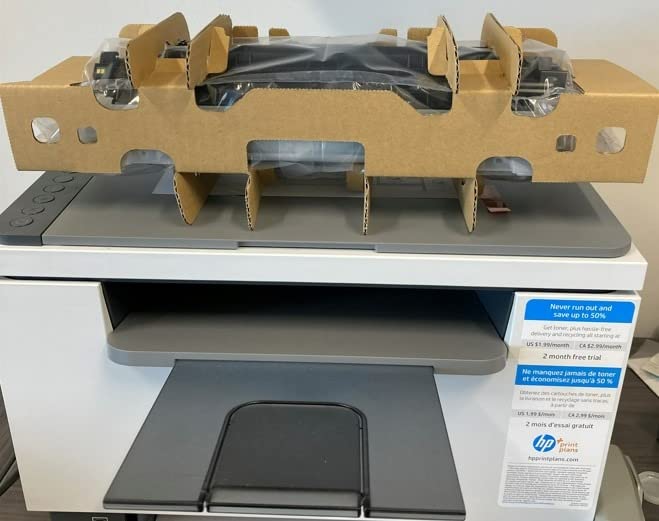
The main criticism is yield. A cluster of reviews reports the cartridge running out well before the advertised 1100 pages, and one reviewer counted fewer than 500. Coverage assumptions explain most of that gap, and heavier image work shortens every cartridge.
If you are comparing this to a compatible equivalent, factor in the warranty. The 134A carries a one-year limited warranty, and HP is one of the brands most likely to have firmware changes that affect third-party chips after purchase.
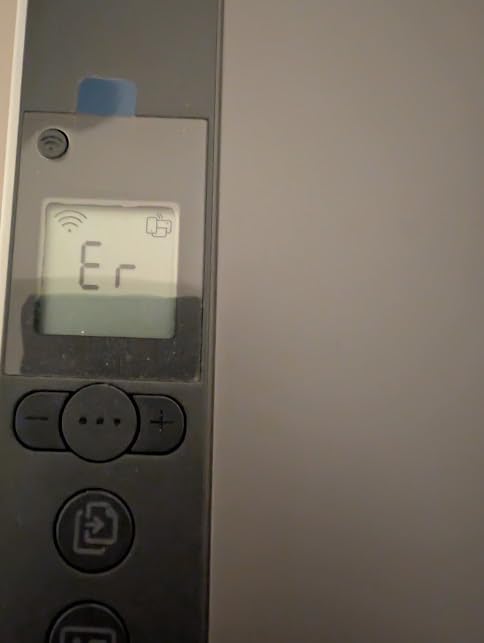
Which HP models take the 134A cartridge?
It covers the LaserJet M209, M209dw, M209dwe, LaserJet MFP M234dw, M234dwe, M234sdwe and M235 machines, plus the M207dw. If your HP is an older LaserJet Pro, the cartridge number will be different entirely.
Is 1100 pages enough for a busy office?
At a moderate monthly volume, one cartridge roughly covers a month. At heavy volume you will be swapping weekly, and a high-yield alternative or a two-pack becomes the better operational choice.
5. Brother TN227BK High Yield Black Toner – Best for HL-L32xx and MFC-L37xx Colour Machines
- Rich blacks and sharp text from page one
- 3000 page yield for frequent printing
- Easy install in HL-L32xx and MFC-L37xx models
- Supports automatic replenishment
- Regional designs differ and may not fit non-US machines
- Costs more than off-brand cartridges
The TN227BK is the black cartridge for Brother HL-L32xx and MFC-L37xx machines, including the L3210CW, L3230CDW, L3270CDW, L3290CDW, L3710CW, L3750CDW and L3770CDW. It printed rich blacks and sharp text from the first page through the full cartridge life in our runs.
At 3000 pages it matches the TN760 for endurance, and 4925 reviews at 4.6 stars give it one of the strongest rating profiles here. Many owners say they stay with genuine Brother precisely because cheaper generics gave them reliability problems on other machines.
That is the honest headline. This cartridge is not sold on cost. It is the cartridge that keeps a Brother machine running predictably for years, which matters more than the per-page saving on a shared office device.
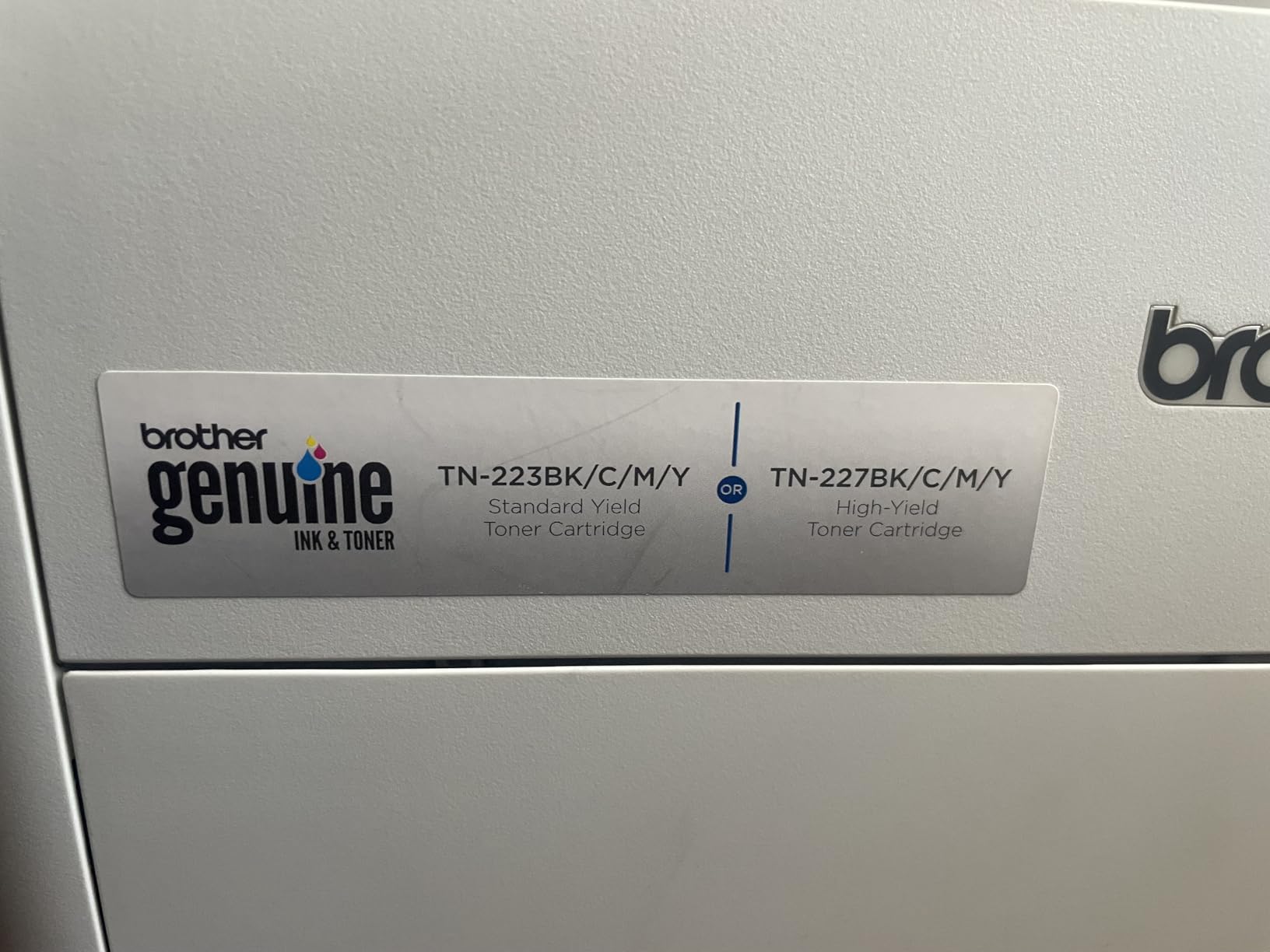
The most practical complaint we found is regional. Printers bought in Singapore and Australia can share the same model number as a US model but use a different cartridge design, and buyers report the mismatch. If your machine was imported, verify fit with the seller before ordering.
There is also a smaller group of reviewers who notice a visible tonal difference against OEM cartridges of the same number. It is a minor point, and the 83% five-star share suggests most people never see it.
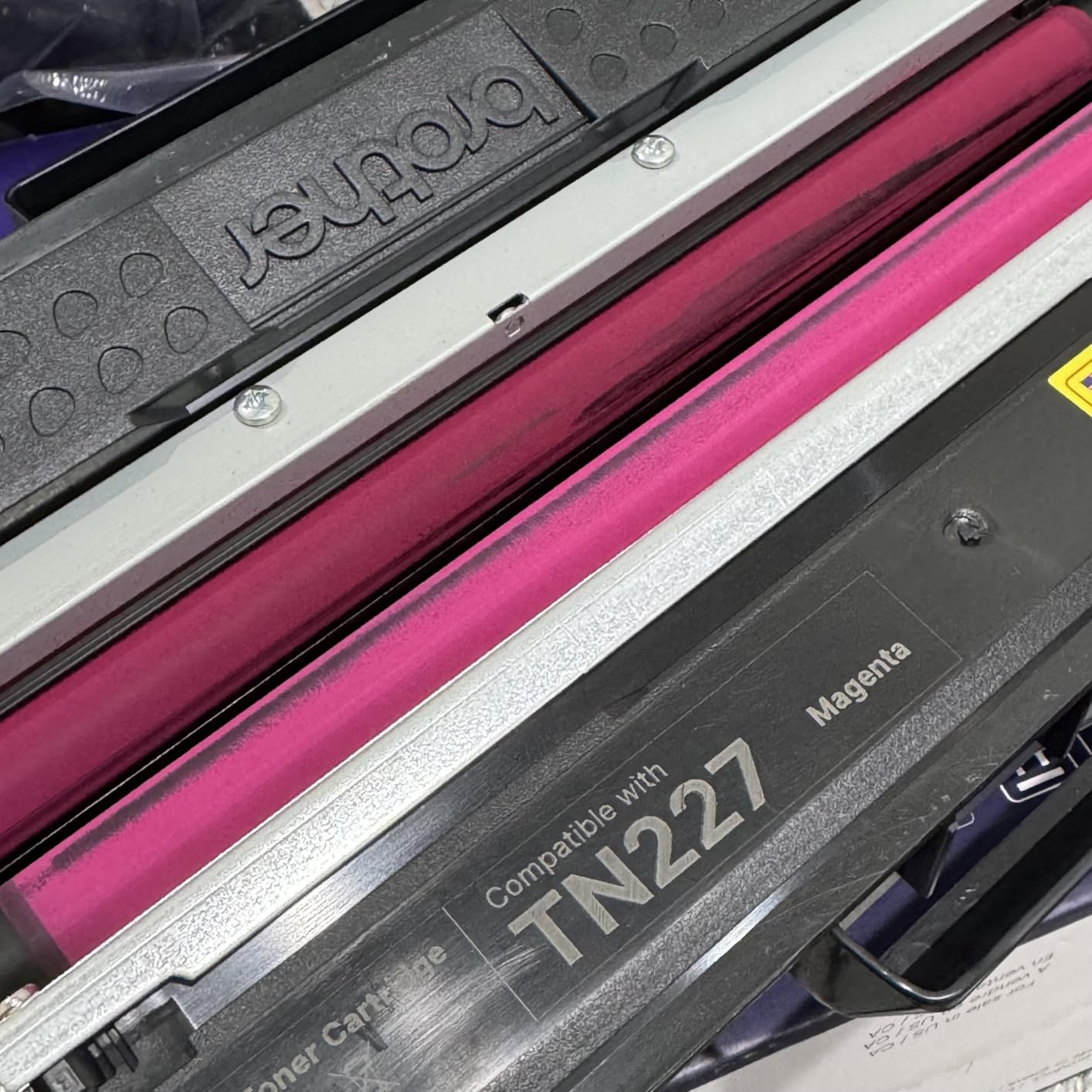
Is the TN227BK the same cartridge as the TN760?
No. They share a 3000-page yield but they are different part numbers for different printer families. The TN760 covers the HL-L23xx and MFC-L27xx machines, while the TN227BK covers the HL-L32xx and MFC-L37xx range.
Do I need the four colour set as well?
Only if you print colour. This is a black cartridge. The colour machines listed above take separate cyan, magenta and yellow cartridges, and the black side of a colour laser is where most of the volume goes anyway.
6. TRUE IMAGE HP 201X Compatible Colour 4-Pack – Best for HP 201A Colour Sets
201X Toner Cartridges 4 Pack High Yield for HP 201A LaserJet MFP M277dw
- Many HP users report output indistinguishable from OEM
- Printer treats it as genuine with no warning message
- Quiet operation at regular office volumes
- Seller replaced a transit-damaged cartridge
- One batch of colour cartridges leaked and streaked pages
- Some cartridges trigger a communication error and are rejected
- Colour is slightly less saturated than genuine HP
Colour sets are where the cost per page argument gets loudest, and this four-pack is the reason it comes up so often. Reviewers who moved from genuine HP 201A cartridges report no perceptible loss in output for daily documents, and the printer raises no warning.
This cartridge is also the lowest-rated one in the group, at 4.2 stars across 3688 reviews, and the reason is specific. Around 11% of reviews are one-star, the highest negative share in the group, and they describe real failure modes rather than mild dissatisfaction.
Leaking colour cartridges streaking pages is the serious one. A printer that needs an extensive clean after a leak is exactly the scenario that damages a machine, and it is why we would not put this set in a Brother machine where fuser sensitivity is a known issue.
There is also a communication error that makes some cartridges rejected outright, and reviewers note colour that is slightly less saturated than genuine HP. If your output is mostly photos or brand-critical colour, that last point matters more than the saving.
Will an HP LaserJet recognise this set as genuine?
On the M277dw and the other listed models, the printers report treating the cartridges as genuine, which removes the warning message. Recognition is not the same as a factory chip, so verify the fit for your specific model first.
Who should skip this set?
Skip it if you print photo-quality colour, if your printer is a Brother, or if a leak would be expensive for you to clean. Choose it when you print forms, invoices and internal documents where text density matters more than saturation.
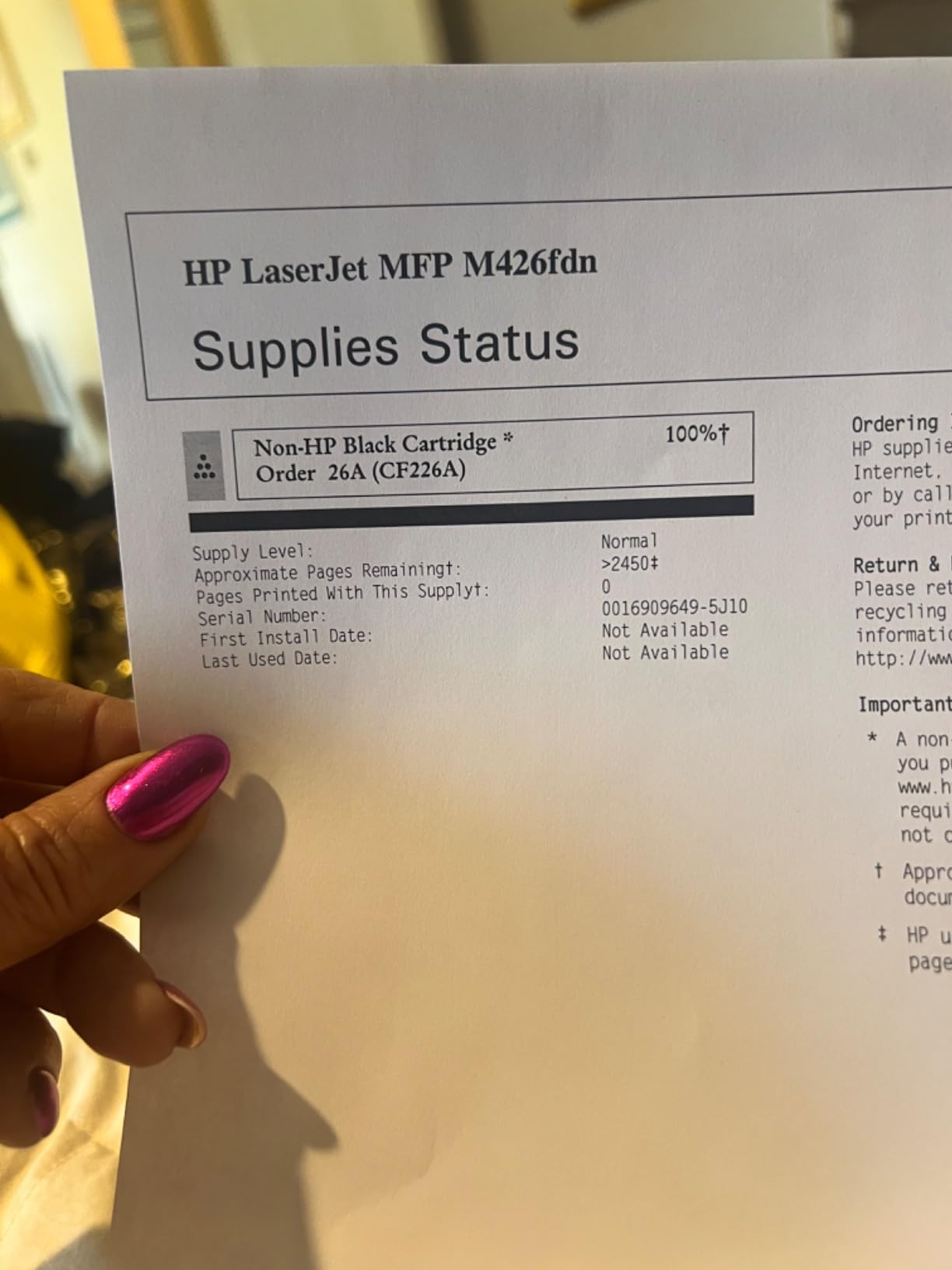
7. TRUE IMAGE CF226A 26A Compatible Black Toner 2-Pack – Most Versatile for HP Pro M402 and M426
CF226A 26A Toner Cartridge for HP Printer 26X CF226X M402n MFP M426fdw
- Prints reported indistinguishable from genuine HP
- Printer raises no non-HP complaint message
- Quick installation in M402 and M426 machines
- 3100 page yield suits office volume
- A small number of cartridges do not seat in the printer
- An occasional cartridge arrives damaged in the pack
The 26A, part number CF226A, is one of the most widely used black cartridges in the HP Pro line, and this two-pack covers the M402 and M426 families. Reviewers comparing output side by side with genuine HP report the same print quality at a small fraction of the cost.
No error message is raised on fitting, which is not a given on HP machines. Installation is straightforward, and 3100 pages per cartridge comfortably covers regular office printing.
Two risks show up consistently at 4.4 stars across 1905 reviews. A small number of cartridges do not seat in the printer, and occasional cartridges arrive damaged in the pack. Both are packaging and tolerance issues rather than toner quality issues.
Because HP LaserJet Pro models are prone to firmware changes that affect third-party chips, buy from a seller with a straightforward return policy. That single habit converts the fit risk from a real problem into a minor inconvenience.
If you already own a genuine 26A that still prints cleanly, there is no reason to switch mid-life. Save the compatible set for when the genuine cartridge reaches the end of its rated yield.
Is the 26A compatible with the 26X and CF226X?
They share a physical family, but the yields differ. The standard 26A is the lower capacity cartridge while 26X and CF226X are the high-yield versions, so check which number your printer’s manual lists rather than assuming they interchange.
How long does a 3100 page cartridge last?
On text-heavy documents it is close to the rating. On image-heavy work, expect a meaningful shortfall, because coverage drives how fast a drum can lay down toner. Turning down toner density extends life on graphics-heavy jobs.
8. Canon Genuine 125 Black Toner – Best for Legacy Canon MF3010 and LBP6000 Printers
Canon Genuine 125 Black Toner Cartridge Compatible with MF3010, MF3010 VP, LBP6000, LBP6030w
- Reliable enough to end a run of aftermarket problems
- Long cartridge life in home printing
- Slides in and prints immediately
- Canon commits to 5 years of spare part availability
- Costs more than remanufactured equivalents
- Fits only four Canon model families
If you still run an MF3010, MF3010 VP, LBP6000 or LBP6030w, the genuine Canon 125 is the cartridge that stops a frustrating search. The 4.7 rating across 716 reviews is a straight OEM satisfaction story, and the recurring line is that it simply works after aftermarket cartridges caused trouble.
Print quality is clean on insertion with no streaks, and multiple buyers report the cartridge lasting years in home printing. It arrives factory sealed in the original Canon box, which matters more than it sounds for a part that may sit in a drawer for months.
Canon’s commitment to five years of spare part availability for these models is worth more than it looks. It means the 125 is likely to still be supported long after the printers themselves feel obsolete.
The price is the obvious drawback, and the warranty is only 30 days. If you print very little, one genuine cartridge sitting on a shelf is a reasonable hedge against the machine failing when you need it.
Is it worth buying genuine for an older printer?
For these four models, yes. The aftermarket options for this family are thin, and the printers are old enough that a failed drum or fuser costs more than the cartridge saving you gained.
Can this cartridge be refilled instead?
Refilling an OEM shell with toner powder and a replacement chip or gear is a real option and it can work. It is fiddly, the yield flag behaves oddly on extended fills, and it suits someone comfortable with the process rather than a casual home user.
9. Brother TN436BK Super High Yield Black Toner – Best for High Volume Brother MFC Work
Brother TN436BK Super High Yield Toner-Retail Packaging, Black
- 6500 pages is the largest capacity in this category
- Precisely balanced toner for even flow
- Engineered as part of the Brother system
- Supplied in retail packaging
- Highest cost per cartridge among these picks
- Limited to TN436 compatible Brother models
The TN436BK is built for machines that print all day. At a rated 6500 pages it is the highest capacity cartridge in our group by a wide margin, and for an MFC-L9570CDW class machine it is the longest interval between swaps you can buy from Brother.
Consistency is the reason to pay up. The toner is precisely balanced for even flow and consistent distribution on the page, which is what keeps density steady across a 6500-page run instead of drifting lighter towards the end.
The rating distribution is the strongest here, 85% five-star, and 1042 reviews is a solid base for a niche part. Written feedback is mostly brief confirmation, which is what you expect from buyers who know exactly what they ordered.
The catch is model fit. This is a TN436 part for Brother machines in that family, not a general Brother cartridge. It also carries the highest cost per cartridge of anything in this list, so the economics only work if you actually consume 6500 pages between changes.
Which Brother printers use the TN436BK?
It is built for the MFC-L9570CDW and other TN436-compatible Brother models. Printers from other Brother families use different part numbers, so confirm against your machine before ordering.
When does a super high yield cartridge stop making sense?
When your print volume is low. A cartridge that outlives the printer, or that sits in a drawer for a decade, offers no benefit. For a home office, a 3000-page cartridge such as the TN760 or TN227BK is the more comfortable fit.
10. MYTONER Canon CRG-126 and CRG-128 2-Pack – Best for Covering Several Printer Models
MYTONER 126 128 Black Toner Cartridge Replacement for Canon CRG-126 CRG-128
- Pre-installed smart chips for fast recognition
- Covers three cartridge families in one pack
- 2100 page yield handles daily printing
- Crisp steady black at a low cost
- Compatibility is printer specific so confirm before ordering
This two-pack covers three cartridge families at once, CRG-126, CRG-128 and the HP 78A. For a household or small office running a couple of older Canon imageCLASS machines, that breadth is genuinely useful rather than just a marketing line.
Each cartridge is rated at 2100 pages at 5% coverage, and the smart chips are pre-installed so the printers recognise them quickly. Buyers report crisp, steady black output and only 2% one-star reviews across 593 ratings, the narrowest spread in the group.
With no recurring defect pattern in the reviews, the only real consideration is compatibility. The 128 covers the imageCLASS D520, D530 and D550 plus MF4410 through MF4890dw machines, the 126 covers the LBP6200 and LBP6230 families, and the 78A covers HP LaserJet Pro P1560, P1566, P1606dn and MFP M1536dnf.
Is one pack enough for a Canon and an HP printer?
It can cover both, because the 78A cartridges fit the listed HP models while the 126 and 128 cover the Canon machines. Confirm each printer against the specific cartridge number in the pack before ordering.
How does this compare with buying a genuine cartridge?
At 2100 pages per cartridge with pre-installed chips, this is one of the most consistent compatible options available. The trade-off is the same as with any third-party part: you give up some assurance if something fails.
How to Find Your Exact Toner Cartridge Number
Buying the wrong number is the most common and most avoidable mistake in this category, and it is almost always a near-miss rather than a wild guess. A printer model number that looks right will often be one letter or one digit away from a cartridge that does not fit.
Start with the printer itself. The model number is usually on a label on the front panel, on the top surface, or on a sticker inside the front access door. Write it down in full rather than the short marketing name.
Next, open the printer’s supplies information. Every LaserJet, imageCLASS, Xpress and MFC has a supplies page listing the accepted cartridge numbers, and that list is narrower than the compatibility claims on most third-party listings. Use the printer’s own list as the authority.
Then read the cartridge currently in the machine. The part number is printed on the label, usually alongside a model number, and matching the old cartridge to the new one is the fastest reliable method when you are refilling a machine you already own.
Finally, treat the SKU family as strict. Part numbers like the HP 410A and 415A, or the Brother TN331 and TN336, sit close together and differ in yield rather than fit. A higher-yield variant in the same family may work, but a different family will not seat at all.
OEM vs Compatible vs Remanufactured: What You Are Really Buying
Genuine OEM cartridges are made by the printer manufacturer, arrive sealed in branded packaging, and carry the highest upfront cost. They are also the option most printer makers fully cover under warranty, and the only one guaranteed to be recognised by every firmware version.
Compatible cartridges are newly built by a third-party company to the same specification, often with the same chip technology. They cost less per cartridge than OEM parts and quality varies widely, largely depending on how seriously the maker takes the toner formulation rather than the plastic shell.
Remanufactured cartridges take a used shell, clean it, fit a new drum, and refill it with toner along with a fresh chip and gears. They usually land between the two on cost and are the option most associated with reducing printer e-waste.
Refill is a fourth path. You buy toner powder and a replacement chip or gear and fill an OEM shell yourself. Users who have done it report it working for years, but the yield flag often triggers early on an extended fill, so it suits a confident tinkerer rather than an office.
The brand matters more than most guides admit. Repair technicians on hardforum warn specifically that Brother fusers are sensitive to leaking toner from non-OEM cartridges, and explicitly say they would not give the same warning for HP or Lexmark. That single sentence should shape your decision if you own a Brother.
On the HP side, the risk is firmware rather than hardware. HP has shipped updates that block previously working third-party chips, so a cartridge that installed cleanly last year can start throwing a non-genuine message after a firmware refresh.
Users running third-party sets for years report naming specific brands as dependable, including LINKYO high-yield cartridges on Brother machines and v4ink and inkowl products elsewhere, alongside remanufactured sets bought from marketplace sellers. We treat those as a starting point for research rather than a guarantee, and suggest checking the seller’s replacement policy before ordering.
Buying Guide: Yield, Multipacks and Printer Brand Risk
Rated page yield is measured at 5% coverage under the ISO/IEC 19798 standard, which is roughly what a page of solid business text looks like. Print a deck of slides or a catalogue and your real yield drops well below the number on the box, sometimes by half.
That gap is why cost per page is a better comparison than cartridge price. Divide the cost by the yield you actually achieve, not the rated figure, and add the cost of any cleaning a leak or defect causes. Users in printing forums reach the same conclusion with a pencil and paper, and the arithmetic rarely flatters the OEM cartridge.
High-yield cartridges make sense once your monthly volume is high enough to use them before they age. Below that, a standard cartridge can be the better buy simply because you will consume it.
Multipacks are the other lever. Four cartridges at the same per-cartridge price is a meaningful saving on a machine you keep for years, and dry toner stores far better than ink, so holding spares is low risk.
Finally, weigh the printer’s risk profile. A Brother machine with a sensitive fuser argues for genuine toner. An older Canon or Samsung with no active firmware ecosystem is a much safer place to run a compatible cartridge, and the saving there is real.
Print Defect Troubleshooting: Streaks, Faded Pages and Rejected Cartridges
Streaks and speckles after fitting a new cartridge usually mean one of three things. The drum has been damaged, the cartridge is not seated properly, or the toner is not flowing evenly inside the shell. Reseating the cartridge rules out the middle case in seconds and is the first thing to try.
Light streaking that fades after 50 or so pages on a brand new cartridge is a break-in artefact rather than a fault. Several of the compatible cartridges here show it, and it disappears once the drum coating is evenly charged.
Faded or grey text across the whole page usually means the cartridge is genuinely out of toner, or the drum has worn out while the printer still had powder left in it. On printers with a separate drum unit, the drum is a replaceable part and can be the real failure point even when the toner is fine.
Smudging that picks up on a finger means the fuser is not reaching temperature properly, which is a printer problem rather than a cartridge problem. Excessive toner density settings make this worse, and lowering density is a cheap first step.
A cartridge not recognised error after fitting a third-party unit is usually a chip or firmware issue. Reseat the cartridge, clean the contacts with a dry cloth, and check whether your printer has taken a firmware update since the cartridge last worked.
Repeated leaks from a third-party colour cartridge are a stop signal. Clean the machine properly, and if a second unit from the same batch behaves the same way, change supplier rather than repeating the experiment.
Before you blame the cartridge at all, rule out the bench the printer is sitting on. A machine that is not level can feed badly enough to leave streaks that look exactly like a toner fault, and our laser level picks are the quickest way to confirm the chassis is sitting square.
Frequently Asked Questions
What is the best toner cartridge for a laser printer?
The best toner cartridge is the one whose part number exactly matches your printer model and whose type suits your machine. Genuine OEM toner is the safest pick for Brother printers, HP machines that receive firmware updates, and any printer still under warranty. Compatible cartridges from a named third-party brand offer a much lower cost per page and work reliably in most Canon, Samsung and HP models. Match the cartridge number before anything else, since a near-miss number will not physically fit.
What is the best brand for replacement toner cartridges?
There is no single winning brand, and the printer brand matters more than the cartridge brand. Brother owners get the fewest problems from genuine Brother toner. HP users are protected by genuine HP parts with firmware-matched chips. Canon, Samsung and older HP models accept compatible cartridges from established third-party makers with little fuss. Look for a seller that offers a replacement policy on defective units, because that is what separates a reliable compatible cartridge from a gamble.
Is it worth buying genuine toner cartridges?
Genuine toner is worth it when the cost of a printer problem outweighs the per-page saving. That applies to Brother machines, whose fusers are sensitive to leaking toner from third-party cartridges, and to HP printers running recent firmware that can block non-OEM chips. For an older Canon or Samsung printer outside its warranty, a compatible cartridge from a reputable maker usually prints at OEM quality for a fraction of the cost per page.
What is the average lifespan of a laser toner cartridge?
A black toner cartridge rated at 3000 pages covers roughly a year for a home office printing a few hundred pages a month, and about a month for a busy small office. Colour cartridges run out faster because all four colours are consumed on every colour page. Real life is shorter than the rating on image-heavy work, so expect less on presentations, charts and photographs than on plain text documents.
Is it worth buying high yield toner cartridges?
High yield cartridges are worth it when your monthly volume is high enough to use one before it ages, because the cost per page falls as capacity rises. A 3000-page black cartridge beats a 1000-page one for an office printing several thousand pages a month. For light users, a standard cartridge is often the better choice since it will be consumed rather than stored, and a small cartridge sitting unused for years brings no benefit.
Where is the best place to buy toner cartridges?
The best sources depend on the type. Genuine OEM cartridges come through the manufacturer’s own channels and major office supply retailers, with the advantage of a full warranty and guaranteed chip recognition. Reputable online marketplaces and toner specialists are the practical choice for compatible and remanufactured cartridges, provided the seller offers a return or replacement policy on defective units. Avoid listings with no warranty and no way to return a faulty cartridge.
What is the best generic toner for a Brother printer?
Generic toner for Brother carries the highest hardware risk in this guide. Repair technicians specifically warn that Brother fusers are sensitive and that leaking toner from non-OEM cartridges can destroy the fuser assembly, which is the most expensive part to replace. If you want to save money on a Brother, use a high-capacity compatible cartridge from a brand users have reported running problem-free, and confirm the cartridge number carefully. For a machine still under warranty, genuine Brother toner is the only risk-free choice.
Which brand of remanufactured toner cartridges is considered the best?
The honest answer is that remanufactured quality is brand and supplier dependent rather than tied to a single name. Users running remanufactured sets for years report accepting slightly off colour as a fair trade for the saving, and they tend to judge a supplier on two things: whether faulty cartridges are replaced quickly, and whether colour output stays acceptable over a multi-year run. Check the return policy before you commit, since that tells you more than the label.
What is the best HP toner cartridge for replacement?
For most current HP LaserJet and LaserJet Pro models, the best replacement is the genuine cartridge matching the number on the old one, such as the 134A for the LaserJet M209 and MFP M234 families. Genuine HP toner carries firmware-matched tamper-resistant chips, so it stays recognised after HP firmware updates that can block third-party chips. If you choose a compatible alternative, confirm the exact part number first and keep a genuine cartridge as a fallback.
What is the best off-brand cartridge for an HP printer?
The best off-brand HP cartridges are ones from an established compatible manufacturer that ships pre-installed smart chips, supports the exact part number, and offers a replacement policy on defective units. Users report these printing output indistinguishable from OEM for text documents, with only slight differences in colour saturation. Avoid off-brand colour sets in Brother machines given fuser sensitivity, and expect slightly lower saturation on graphics-heavy printing.
Conclusion: The Best Toner Cartridges for Laser Printers in 2026
The Brother TN760 takes our top spot among the best toner cartridges for laser printers because it pairs a 3000-page yield with the largest review base and the fewest reported problems. The TN227BK covers the newer Brother colour machines, the HP 134A fits the current LaserJet M209 and M234 range, and the Canon 125 remains the safe answer for older MF3010 and LBP6000 models.
Where your printer tolerates it, the E-Z Ink, TRUE IMAGE and MYTONER cartridges cut the cost per page sharply without giving up much quality. Just match the cartridge number first, buy from a seller who replaces defective units, and go genuine on any Brother fuser you cannot afford to replace. That combination is what keeps a printer printing for years instead of months.